ESP VOLVO V60 2014 Workshop Manual
[x] Cancel search | Manufacturer: VOLVO, Model Year: 2014, Model line: V60, Model: VOLVO V60 2014Pages: 442, PDF Size: 13.85 MB
Page 236 of 442
07 Driver support
07
234* Option/accessory, for more information, see Introduction.
Lane Keeping Aid (LKA)*
Lane Keeping Aid is one of the functions in the Driver Alert System - sometimes alsoreferred to as LKA (Lane Keeping Aid). The function is intended for use on motor- ways and similar major roads in order toreduce the risk of the vehicle accidentallyleaving its own lane in certain situations.
Lane Departure Warning LDW or LKAVolvo has developed two different systemsfor lane keeping assistance:
• LDW -
Lane Departure Warning which
only warns the driver.
• LKA -
Lane Keeping Aid(Lane Keeping Aid) which, in addition to warning the driver, also actively steers thecar.
The Volvo V60 can be supplied with both vari- ants - market and engine alternatives deter-mine which of the systems the car is equip-ped with. In the event of uncertainty whether the car has LDW or LKA:
• Open the menu system
MY CAR and
locate
SettingsDriver support
system - which specifies Lane
Departure Warning whether the car has
LDW or Lane Keeping Aid for LKA.
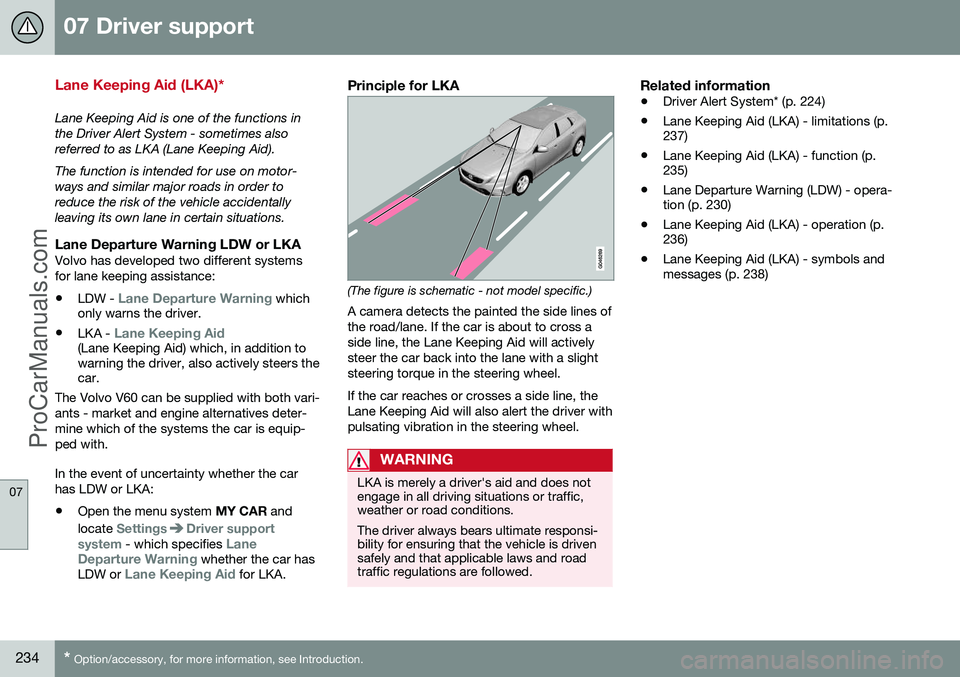
Principle for LKA
(The figure is schematic - not model specific.) A camera detects the painted the side lines of the road/lane. If the car is about to cross aside line, the Lane Keeping Aid will activelysteer the car back into the lane with a slightsteering torque in the steering wheel. If the car reaches or crosses a side line, the Lane Keeping Aid will also alert the driver withpulsating vibration in the steering wheel.
WARNING
LKA is merely a driver's aid and does not engage in all driving situations or traffic,weather or road conditions. The driver always bears ultimate responsi- bility for ensuring that the vehicle is drivensafely and that applicable laws and roadtraffic regulations are followed.
Related information
• Driver Alert System* (p. 224)
• Lane Keeping Aid (LKA) - limitations (p. 237)
• Lane Keeping Aid (LKA) - function (p.235)
• Lane Departure Warning (LDW) - opera-tion (p. 230)
• Lane Keeping Aid (LKA) - operation (p.236)
• Lane Keeping Aid (LKA) - symbols andmessages (p. 238)
ProCarManuals.co’
Page 237 of 442
07 Driver support
07
}}
235
Lane Keeping Aid (LKA) - function
Certain settings can be made for the Lane Departure Warning function.
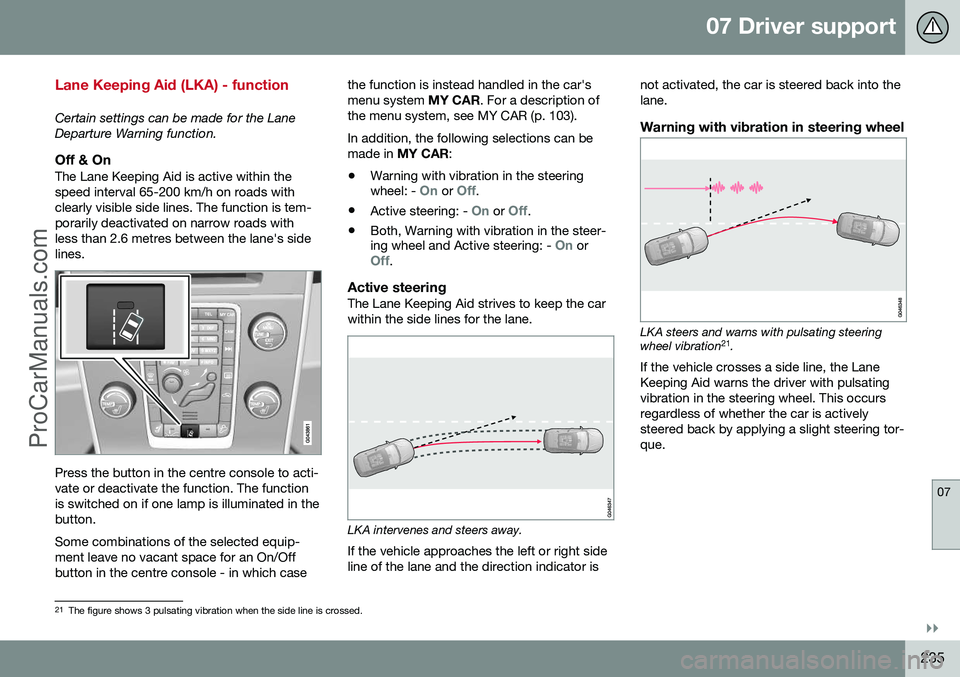
Off & OnThe Lane Keeping Aid is active within thespeed interval 65-200 km/h on roads withclearly visible side lines. The function is tem-porarily deactivated on narrow roads withless than 2.6 metres between the lane's sidelines.
Press the button in the centre console to acti- vate or deactivate the function. The functionis switched on if one lamp is illuminated in thebutton. Some combinations of the selected equip- ment leave no vacant space for an On/Offbutton in the centre console - in which casethe function is instead handled in the car'smenu system
MY CAR. For a description of
the menu system, see MY CAR (p. 103). In addition, the following selections can be made in MY CAR :
• Warning with vibration in the steering wheel: -
On or Off.
• Active steering: -
On or Off.
• Both, Warning with vibration in the steer- ing wheel and Active steering: -
On orOff.
Active steeringThe Lane Keeping Aid strives to keep the car within the side lines for the lane.
LKA intervenes and steers away.
If the vehicle approaches the left or right side line of the lane and the direction indicator is not activated, the car is steered back into thelane.
Warning with vibration in steering wheel
LKA steers and warns with pulsating steering wheel vibration
21
.
If the vehicle crosses a side line, the Lane Keeping Aid warns the driver with pulsatingvibration in the steering wheel. This occursregardless of whether the car is activelysteered back by applying a slight steering tor-que.
21 The figure shows 3 pulsating vibration when the side line is crossed.
ProCarManuals.co’
Page 240 of 442
07 Driver support
07
238* Option/accessory, for more information, see Introduction.
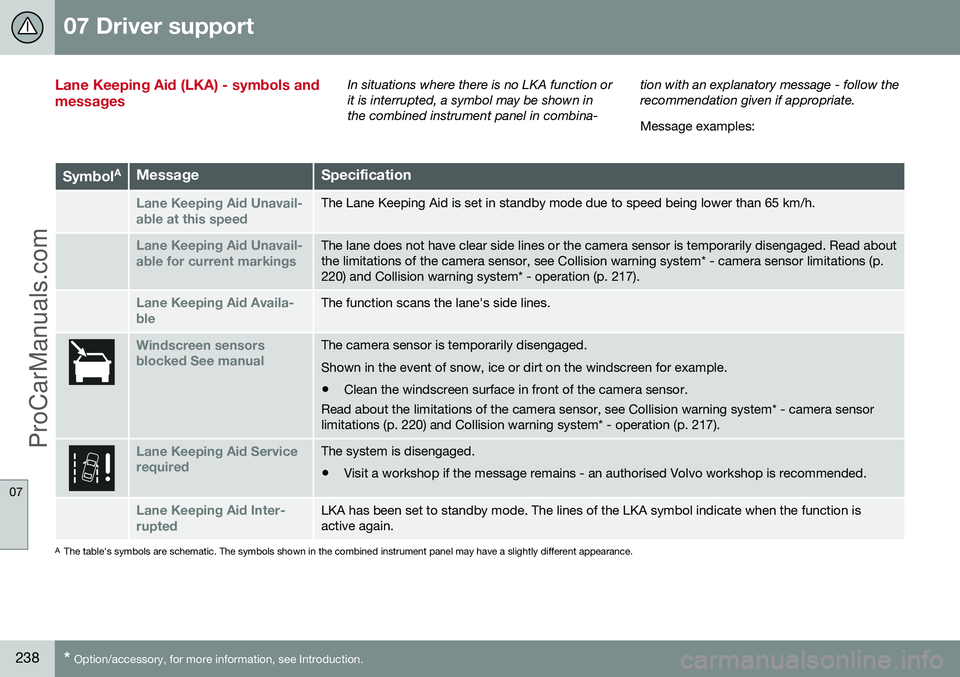
Lane Keeping Aid (LKA) - symbols and messagesIn situations where there is no LKA function or it is interrupted, a symbol may be shown inthe combined instrument panel in combina- tion with an explanatory message - follow therecommendation given if appropriate. Message examples:
Symbol
AMessageSpecification
Lane Keeping Aid Unavail-
able at this speedThe Lane Keeping Aid is set in standby mode due to speed being lower than 65 km/h.
Lane Keeping Aid Unavail-
able for current markingsThe lane does not have clear side lines or the camera sensor is temporarily disengaged. Read about the limitations of the camera sensor, see Collision warning system* - camera sensor limitations (p.220) and Collision warning system* - operation (p. 217).
Lane Keeping Aid Availa-
bleThe function scans the lane's side lines.
Windscreen sensors blocked See manualThe camera sensor is temporarily disengaged. Shown in the event of snow, ice or dirt on the windscreen for example.
• Clean the windscreen surface in front of the camera sensor.
Read about the limitations of the camera sensor, see Collision warning system* - camera sensor limitations (p. 220) and Collision warning system* - operation (p. 217).
Lane Keeping Aid Service requiredThe system is disengaged.
• Visit a workshop if the message remains - an authorised Volvo workshop is recommended.
Lane Keeping Aid Inter- ruptedLKA has been set to standby mode. The lines of the LKA symbol indicate when the function is active again.
A
The table's symbols are schematic. The symbols shown in the combined instrument panel may have a slightly different appearance.
ProCarManuals.co’
Page 242 of 442
07 Driver support
07
240* Option/accessory, for more information, see Introduction.
Park Assist*
Parking assistance is used as an aid to park- ing. An acoustic signal as well as symbols onthe centre console's display screen indicatethe distance to the detected obstacle. Parking assistance sound level can be adjusted during the ongoing acoustic signalusing the centre console's VOL knob. The
sound level can also be adjusted in the audiosettings menu, which is accessed by pressingSOUND or in the car's menu system (p. 103)
MY CAR 22
.
Parking assistance is available in two vari-ants:
• Rear only
• Both front and rear.
NOTE
When a towbar is configured with the car's electrical system, the protrusion of thetowbar is included when the functionmeasures the parking space.
WARNING
•Parking assistance does not relinquish the driver's own responsibility duringparking.
• The sensors have blind spots whereobstacles cannot be detected.
• Be aware of e.g. people or animalsnear the car.
Related information
•
Park assist syst* - cleaning the sensors (p. 243)
• Park assist syst* - function (p. 240)
• Park assist syst* - forward (p. 242)
• Park assist syst* - fault indication (p. 243)
• Park assist syst* - backward (p. 241)
• Park assist camera (p. 244)
Park assist syst* - function
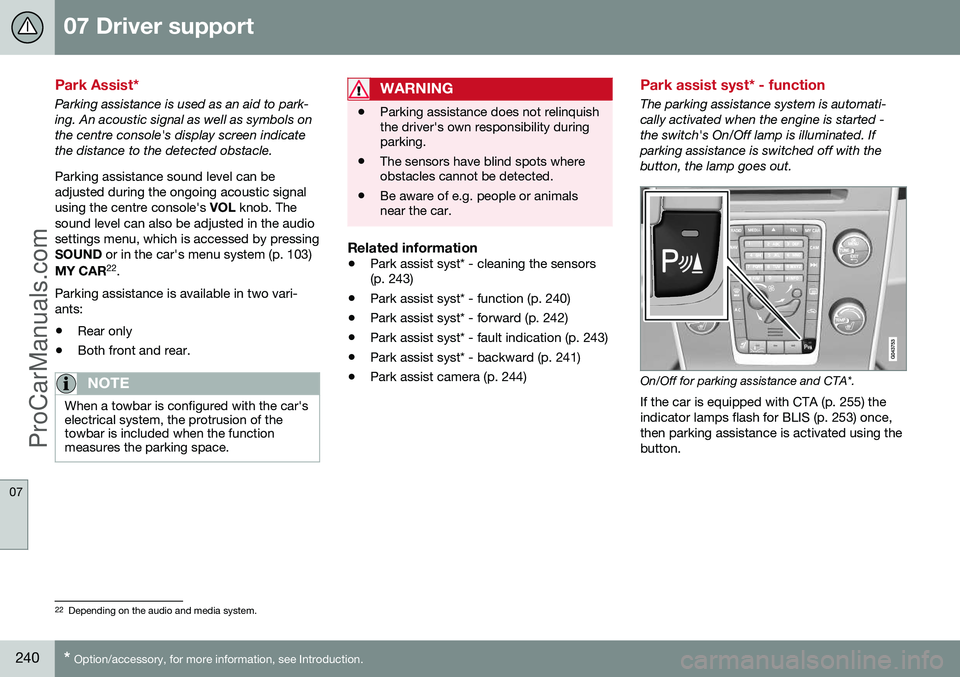
The parking assistance system is automati- cally activated when the engine is started -the switch's On/Off lamp is illuminated. Ifparking assistance is switched off with thebutton, the lamp goes out.
On/Off for parking assistance and CTA*.
If the car is equipped with CTA (p. 255) the indicator lamps flash for BLIS (p. 253) once,then parking assistance is activated using thebutton.
22 Depending on the audio and media system.
ProCarManuals.co’
Page 246 of 442
07 Driver support
07
244* Option/accessory, for more information, see Introduction.
Park assist camera
The parking camera is an assist system and is activated when reverse gear is engaged (canbe changed in the settings menu (p. 246)). The camera image is shown on the centre console's screen.
NOTE
When a towbar is configured with the car's electrical system, the protrusion of thetowbar is included when the functionmeasures the parking space.
WARNING
• The parking camera serves as an aid. It does not relieve the driver of respon-sibility when reversing.
• The camera has blind spots, whereobstacles cannot be detected.
• Be aware of people and animals in thevicinity of the car.
Function and operation
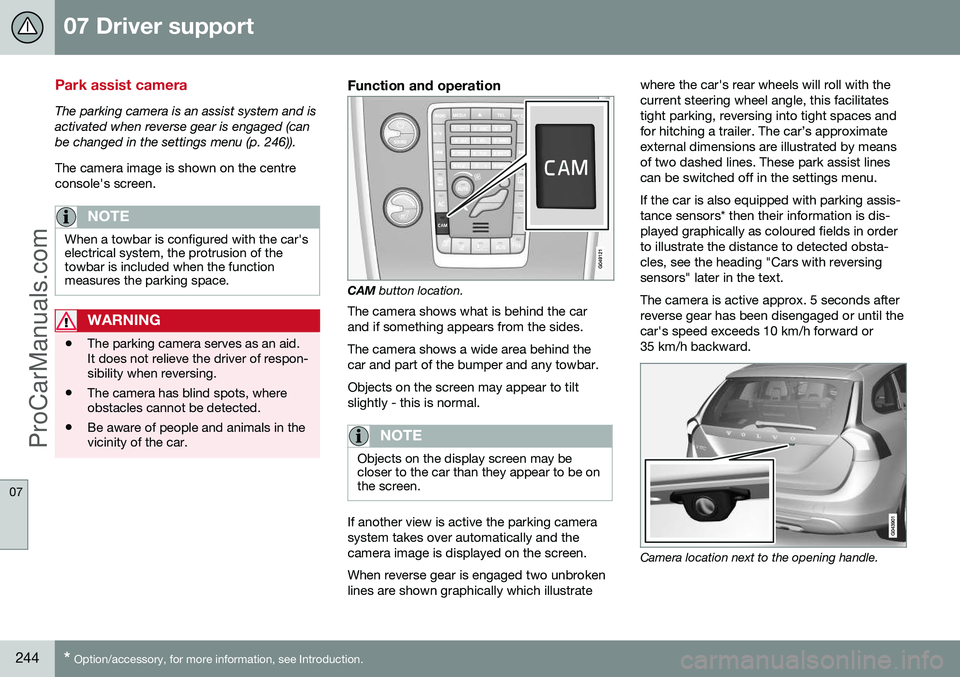
CAM
button location.
The camera shows what is behind the car and if something appears from the sides. The camera shows a wide area behind the car and part of the bumper and any towbar. Objects on the screen may appear to tilt slightly - this is normal.
NOTE
Objects on the display screen may be closer to the car than they appear to be onthe screen.
If another view is active the parking camera system takes over automatically and thecamera image is displayed on the screen. When reverse gear is engaged two unbroken lines are shown graphically which illustrate where the car's rear wheels will roll with thecurrent steering wheel angle, this facilitatestight parking, reversing into tight spaces andfor hitching a trailer. The car’s approximateexternal dimensions are illustrated by meansof two dashed lines. These park assist linescan be switched off in the settings menu. If the car is also equipped with parking assis- tance sensors* then their information is dis-played graphically as coloured fields in orderto illustrate the distance to detected obsta-cles, see the heading "Cars with reversingsensors" later in the text. The camera is active approx. 5 seconds after reverse gear has been disengaged or until thecar's speed exceeds 10 km/h forward or35 km/h backward.
Camera location next to the opening handle.
ProCarManuals.com
Page 250 of 442
||
07 Driver support
07
248* Option/accessory, for more information, see Introduction.
WARNING
PAP does not work in all situations but is designed merely as a supplementary aid. The driver always has the final responsibil- ity for driving the vehicle in a safe mannerand for paying attention to the surround-ings and other road users approaching orpassing during parking.
Related information
• Park Assist Pilot (PAP)* - symbols and messages (p. 252)
• Park Assist Pilot (PAP)* - operation (p.249)
• Park Assist Pilot (PAP)* - function (p.248)
• Park Assist Pilot (PAP)* - limitations (p.251)
• Park Assist* (p. 240)
• Park assist camera (p. 244)
Park Assist Pilot (PAP)* - function
The Park Assist Pilot (PAP – Park Assist Pilot) helps the driver to park by first checkingwhether a space is sufficiently large and thenturning the steering wheel and steering thecar into the space. The combined instrumentpanel uses symbols, graphics and text toshow when different operations should beperformed.
NOTE
The PAP function measures the space and turns the steering wheel - the driver's taskis to follow the combined instrument pan-el's instructions and select the gear(reverse/forward), control the speed, brakeand stop.
PAP can be activated if the following criteria are met once the engine has been started:
• The functions DSTC or ABS must not intervene while the PAP function is ena-bled - these can be activated due to asteep or slippery surface, for example;see the sections on Foot brake and Sta-bility and traction control system for moreinformation.
• A trailer must not be connected to thecar.
• The speed must be below 50 km/h.
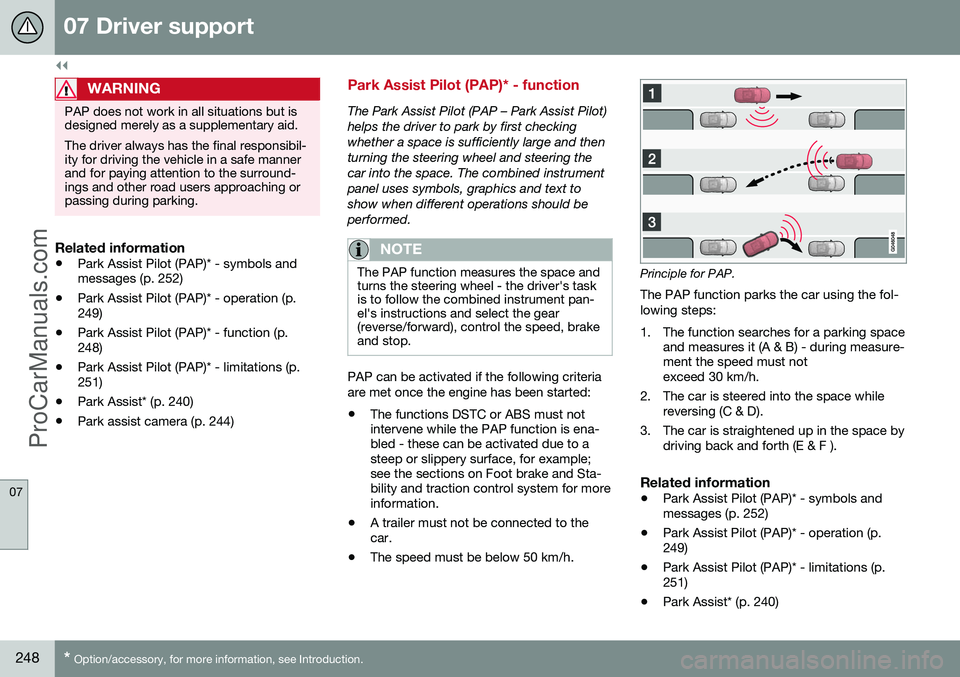
Principle for PAP.
The PAP function parks the car using the fol- lowing steps:
1. The function searches for a parking space and measures it (A & B) - during measure- ment the speed must notexceed 30 km/h.
2. The car is steered into the space while reversing (C & D).
3. The car is straightened up in the space by driving back and forth (E & F ).
Related information
• Park Assist Pilot (PAP)* - symbols andmessages (p. 252)
• Park Assist Pilot (PAP)* - operation (p.249)
• Park Assist Pilot (PAP)* - limitations (p.251)
• Park Assist* (p. 240)
ProCarManuals.co’
Page 253 of 442
07 Driver support
07
}}
* Option/accessory, for more information, see Introduction.251
Park Assist Pilot (PAP)* - limitations
The Park Assist Pilot (PAP – Park Assist Pilot) helps the driver to park by first checkingwhether a space is sufficiently large and thenturning the steering wheel and steering thecar into the space. The combined instrumentpanel uses symbols, graphics and text toshow when different operations should beperformed. The PAP sequence is stopped:
• if the car is driven too quickly - above 7 km/h
• if the driver touches the steering wheel
• if the ABS or DSTC function is enabled -e.g. if a wheel loses grip on a slipperyroad surface.
A text message indicates why the PAP sequence was stopped.
NOTE
Dirt, ice and snow covering the sensors will reduce their function and may preventmeasurement.
IMPORTANT
Under certain circumstances, PAP is unable to find parking spaces - one reasonfor this may be the fact that there is inter-ference with the sensors from externalsound sources which emit the same ultra-sound frequencies as those with which thesystem works. Examples of such sources include horns, wet tyres on asphalt, pneumatic brakesand exhaust noises from motorcycles etc.
To bear in mindThe driver should bear in mind that the Park Assist Pilot is an aid - not an infallible, fully-automatic function. The driver must thereforebe prepared to intervene. There are also sev-eral details to bear in mind while parking, e.g.:
• PAP starts out from the current location of the parked vehicles - if they are inap-propriately parked then the car's tyresand wheel rims may be damaged againstkerbs.
• PAP is designed for parking on straightstreets - not sharp bends or turns in theroad. For this reason, make sure the caris parallel to the parking space when PAPmeasures the space.
• It is not always possible to find parkingspaces on narrow streets since there isnot enough space for manoeuvring. Insuch parking situations, it helps the sys- tem to drive as close to the side of theroad as possible where you intend topark.
• Bear in mind that the front of the car mayswing out towards oncoming traffic whilebeing parked.
• Objects situated higher than the detectionarea of the sensors are not included whencalculations are made for the parkingmanoeuvre. This may cause PAP toswing into the parking space too early -for this reason, such parking spacesshould be avoided.
• The driver is responsible for determiningwhether the space selected by PAP issuitable for parking.
• Use approved tyres 24
with the correct tyre
pressure - this affects PAP's ability topark the car.
• Heavy rain or snow may cause the sys-tem to measure the parking space incor-rectly.
• Do not use PAP if snow chains or the
spare wheel are fitted.
• Do not use PAP if loaded objects are pro-truding from the car.
24
"Approved tyres" refers to tyres of the same type and make as those fitted new on delivery from the factory.
ProCarManuals.co’
Page 255 of 442
07 Driver support
07
* Option/accessory, for more information, see Introduction.253
BLIS* (Blind Spot Information System)
BLIS (Blind Spot Information System) is a function designed for providing support forthe driver when driving in dense traffic onroads with several lanes in the same direction. BLIS is a driver's aid intended to provide a warning about:
• vehicles in the car's blind spot
• rapidly approaching vehicles in the left and right-hand lanes closest to the car.
The BLIS function CTA (p. 255) (Cross Traffic Alert) is a driver's aid intended to provide awarning about:
• crossing traffic when the car is reversed.
WARNING
BLIS is a supplementary aid and does not work in all situations. BLIS is no substitute for a safe driving style and the use of rearview and door mir-rors. BLIS can never replace the driver's responsibility and attention - it is alwaysthe driver's responsibility to change lanesin a safe manner.
Overview
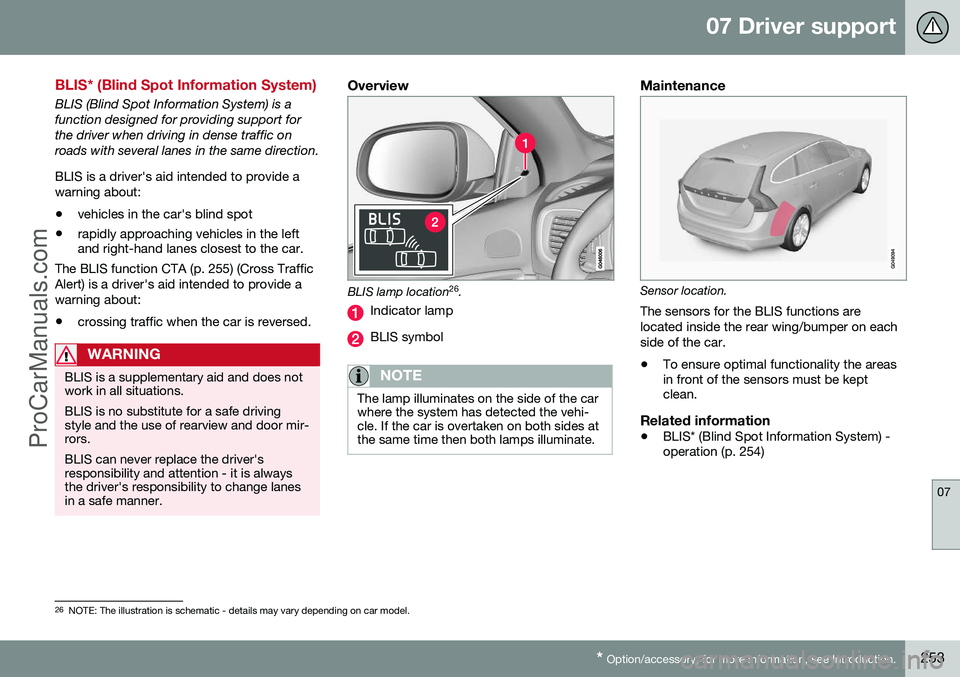
BLIS lamp location 26
.
Indicator lamp
BLIS symbol
NOTE
The lamp illuminates on the side of the car where the system has detected the vehi-cle. If the car is overtaken on both sides atthe same time then both lamps illuminate.
Maintenance
Sensor location.
The sensors for the BLIS functions are located inside the rear wing/bumper on eachside of the car.
• To ensure optimal functionality the areas in front of the sensors must be keptclean.
Related information
•BLIS* (Blind Spot Information System) -operation (p. 254)
26
NOTE: The illustration is schematic - details may vary depending on car model.
ProCarManuals.co’
Page 257 of 442
07 Driver support
07
* Option/accessory, for more information, see Introduction.255
IMPORTANT
Repair of the BLIS and CTA functions' components or repainting the bumpersmust only be performed by a workshop -an authorised Volvo workshop is recom-mended.
Related information
• BLIS* (Blind Spot Information System) (p. 253)
• BLIS - symbols and messages (p. 257)
CTA (Cross Traffic Alert)*
CTA (Cross Traffic Alert) is a driver aid intended to warn about crossing traffic whenthe car is reversing. CTA is a supplement toBLIS (p. 253).
Activate/deactivate CTACTA is activated when the engine is started.This is confirmed by the indicator lamps forBLIS in the door panels flashing once.
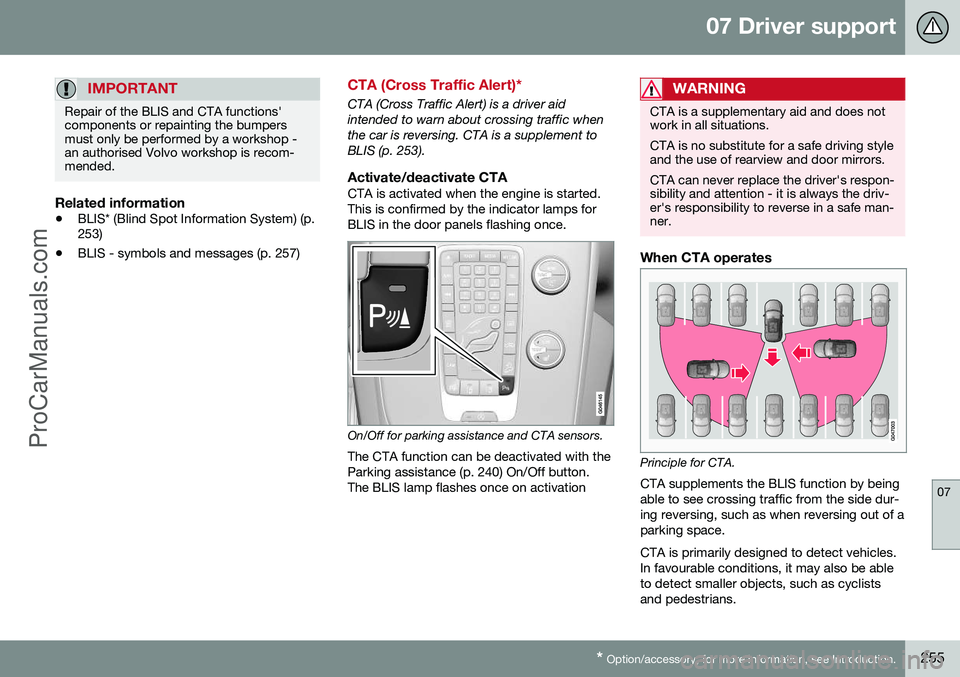
On/Off for parking assistance and CTA sensors.
The CTA function can be deactivated with the Parking assistance (p. 240) On/Off button.The BLIS lamp flashes once on activation
WARNING
CTA is a supplementary aid and does not work in all situations. CTA is no substitute for a safe driving style and the use of rearview and door mirrors. CTA can never replace the driver's respon- sibility and attention - it is always the driv-er's responsibility to reverse in a safe man-ner.
When CTA operates
Principle for CTA.CTA supplements the BLIS function by being able to see crossing traffic from the side dur-ing reversing, such as when reversing out of aparking space. CTA is primarily designed to detect vehicles. In favourable conditions, it may also be ableto detect smaller objects, such as cyclistsand pedestrians.
ProCarManuals.co’
Page 259 of 442
07 Driver support
07
* Option/accessory, for more information, see Introduction.257
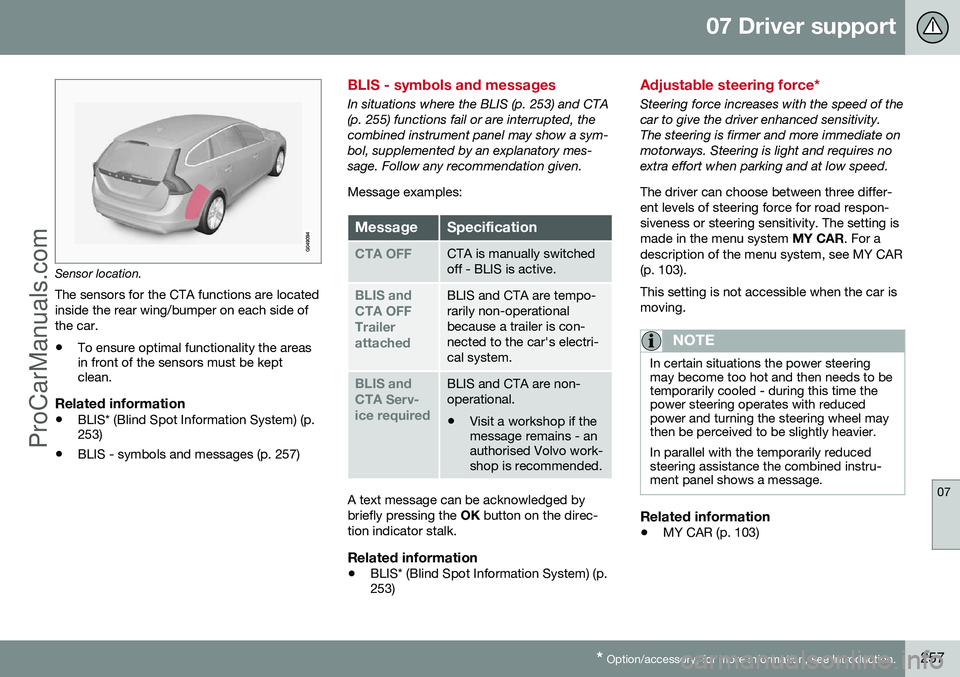
Sensor location.
The sensors for the CTA functions are located inside the rear wing/bumper on each side ofthe car.
• To ensure optimal functionality the areas in front of the sensors must be keptclean.
Related information
•BLIS* (Blind Spot Information System) (p.253)
• BLIS - symbols and messages (p. 257)
BLIS - symbols and messages
In situations where the BLIS (p. 253) and CTA (p. 255) functions fail or are interrupted, thecombined instrument panel may show a sym-bol, supplemented by an explanatory mes-sage. Follow any recommendation given. Message examples:
MessageSpecification
CTA OFFCTA is manually switched off - BLIS is active.
BLIS and CTA OFFTrailerattachedBLIS and CTA are tempo- rarily non-operationalbecause a trailer is con-nected to the car's electri-cal system.
BLIS and CTA Serv-ice requiredBLIS and CTA are non- operational.
• Visit a workshop if the message remains - anauthorised Volvo work-shop is recommended.
A text message can be acknowledged by briefly pressing the
OK button on the direc-
tion indicator stalk.
Related information
• BLIS* (Blind Spot Information System) (p. 253)
Adjustable steering force*
Steering force increases with the speed of the car to give the driver enhanced sensitivity.The steering is firmer and more immediate onmotorways. Steering is light and requires noextra effort when parking and at low speed. The driver can choose between three differ- ent levels of steering force for road respon-siveness or steering sensitivity. The setting ismade in the menu system
MY CAR. For a
description of the menu system, see MY CAR(p. 103). This setting is not accessible when the car is moving.
NOTE
In certain situations the power steering may become too hot and then needs to betemporarily cooled - during this time thepower steering operates with reducedpower and turning the steering wheel maythen be perceived to be slightly heavier. In parallel with the temporarily reduced steering assistance the combined instru-ment panel shows a message.
Related information
• MY CAR (p. 103)
ProCarManuals.co’