instrument panel VOLVO V60 2014 Manual PDF
[x] Cancel search | Manufacturer: VOLVO, Model Year: 2014, Model line: V60, Model: VOLVO V60 2014Pages: 442, PDF Size: 13.85 MB
Page 204 of 442
07 Driver support
07
202* Option/accessory, for more information, see Introduction.
Distance Warning*
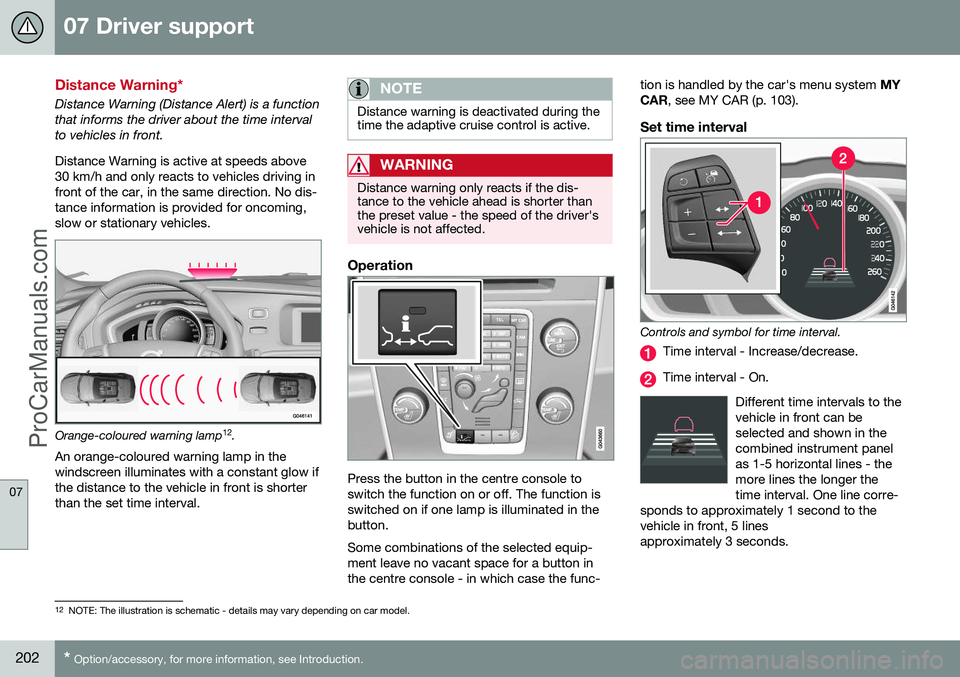
Distance Warning (Distance Alert) is a function that informs the driver about the time intervalto vehicles in front. Distance Warning is active at speeds above 30 km/h and only reacts to vehicles driving infront of the car, in the same direction. No dis-tance information is provided for oncoming,slow or stationary vehicles.
Orange-coloured warning lamp 12
.
An orange-coloured warning lamp in the
windscreen illuminates with a constant glow if the distance to the vehicle in front is shorterthan the set time interval.
NOTE
Distance warning is deactivated during the time the adaptive cruise control is active.
WARNING
Distance warning only reacts if the dis- tance to the vehicle ahead is shorter thanthe preset value - the speed of the driver'svehicle is not affected.
Operation
Press the button in the centre console to switch the function on or off. The function isswitched on if one lamp is illuminated in thebutton. Some combinations of the selected equip- ment leave no vacant space for a button inthe centre console - in which case the func- tion is handled by the car's menu system
MY
CAR , see MY CAR (p. 103).
Set time interval
Controls and symbol for time interval.
Time interval - Increase/decrease.
Time interval - On.
Different time intervals to the vehicle in front can beselected and shown in thecombined instrument panelas 1-5 horizontal lines - themore lines the longer thetime interval. One line corre-
sponds to approximately 1 second to thevehicle in front, 5 linesapproximately 3 seconds.
12 NOTE: The illustration is schematic - details may vary depending on car model.
ProCarManuals.co’
Page 208 of 442
||
07 Driver support
07
206
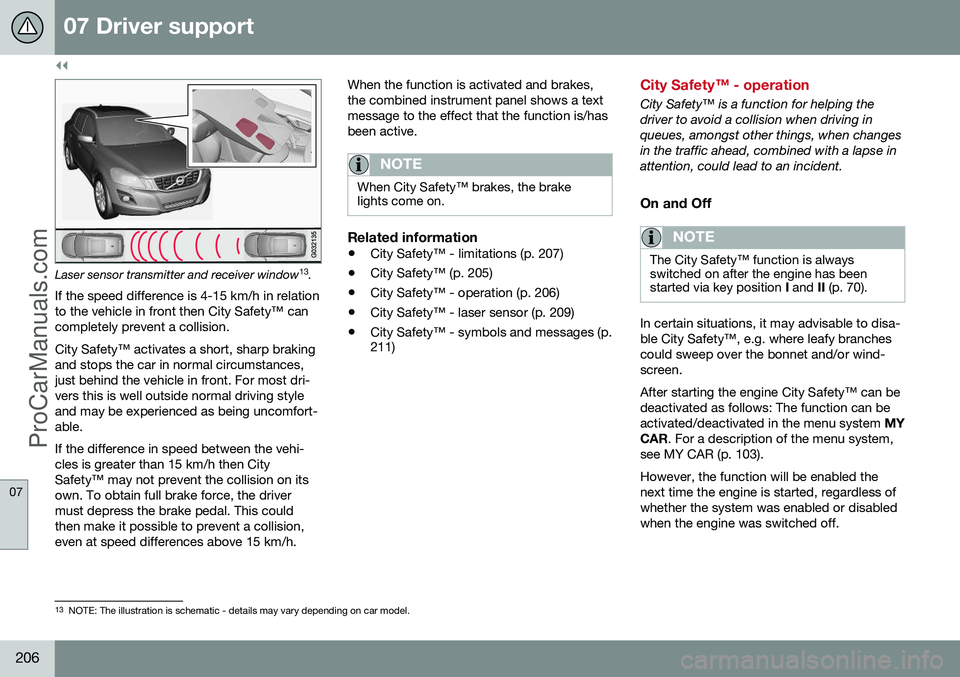
Laser sensor transmitter and receiver window13
.
If the speed difference is 4-15 km/h in relation to the vehicle in front then City Safety™ cancompletely prevent a collision. City Safety™ activates a short, sharp braking and stops the car in normal circumstances,just behind the vehicle in front. For most dri-vers this is well outside normal driving styleand may be experienced as being uncomfort-able. If the difference in speed between the vehi- cles is greater than 15 km/h then CitySafety™ may not prevent the collision on itsown. To obtain full brake force, the drivermust depress the brake pedal. This couldthen make it possible to prevent a collision,even at speed differences above 15 km/h. When the function is activated and brakes,the combined instrument panel shows a textmessage to the effect that the function is/hasbeen active.
NOTE
When City Safety™ brakes, the brake lights come on.
Related information
•
City Safety™ - limitations (p. 207)
• City Safety™ (p. 205)
• City Safety™ - operation (p. 206)
• City Safety™ - laser sensor (p. 209)
• City Safety™ - symbols and messages (p. 211)
City Safety™ - operation
City Safety™ is a function for helping the driver to avoid a collision when driving inqueues, amongst other things, when changesin the traffic ahead, combined with a lapse inattention, could lead to an incident.
On and Off
NOTE
The City Safety™ function is always switched on after the engine has beenstarted via key position
I and II (p. 70).
In certain situations, it may advisable to disa- ble City Safety™, e.g. where leafy branchescould sweep over the bonnet and/or wind-screen. After starting the engine City Safety™ can be deactivated as follows: The function can beactivated/deactivated in the menu system MY
CAR . For a description of the menu system,
see MY CAR (p. 103). However, the function will be enabled the next time the engine is started, regardless ofwhether the system was enabled or disabledwhen the engine was switched off.
13 NOTE: The illustration is schematic - details may vary depending on car model.
ProCarManuals.co’
Page 213 of 442
07 Driver support
07
211
City Safety™ - symbols and messages
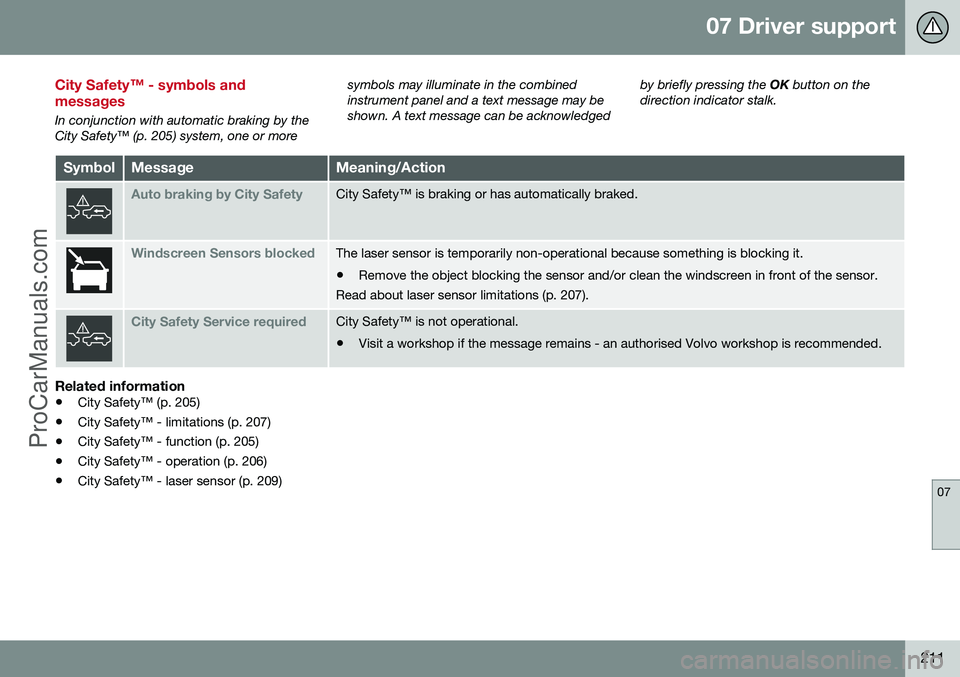
In conjunction with automatic braking by the City Safety™ (p. 205) system, one or moresymbols may illuminate in the combinedinstrument panel and a text message may beshown. A text message can be acknowledged
by briefly pressing the
OK button on the
direction indicator stalk.
SymbolMessageMeaning/Action
Auto braking by City SafetyCity Safety™ is braking or has automatically braked.
Windscreen Sensors blockedThe laser sensor is temporarily non-operational because something is blocking it. • Remove the object blocking the sensor and/or clean the windscreen in front of the sensor.
Read about laser sensor limitations (p. 207).
City Safety Service requiredCity Safety™ is not operational.
• Visit a workshop if the message remains - an authorised Volvo workshop is recommended.
Related information
• City Safety™ (p. 205)
• City Safety™ - limitations (p. 207)
• City Safety™ - function (p. 205)
• City Safety™ - operation (p. 206)
• City Safety™ - laser sensor (p. 209)
ProCarManuals.co’
Page 227 of 442
07 Driver support
07
* Option/accessory, for more information, see Introduction.225
driver fatigue, irrespective of whether or not DAC issues a warning.
NOTE
The function must not be used to extend a period of driving. Always plan breaks atregular intervals, and make sure you arewell rested.
LimitationIn some cases the system may issue a warn- ing despite driving ability not deteriorating, forexample: •
in strong side winds
• on rutted road surfaces.
NOTE
The camera sensor has certain limitations (p. 220).
Related information
•Driver Alert System* (p. 224)
• Driver Alert Control (DAC)* - operation (p. 225)
• Driver Alert Control (DAC)* - symbols andmessages (p. 227)
Driver Alert Control (DAC)* - operation
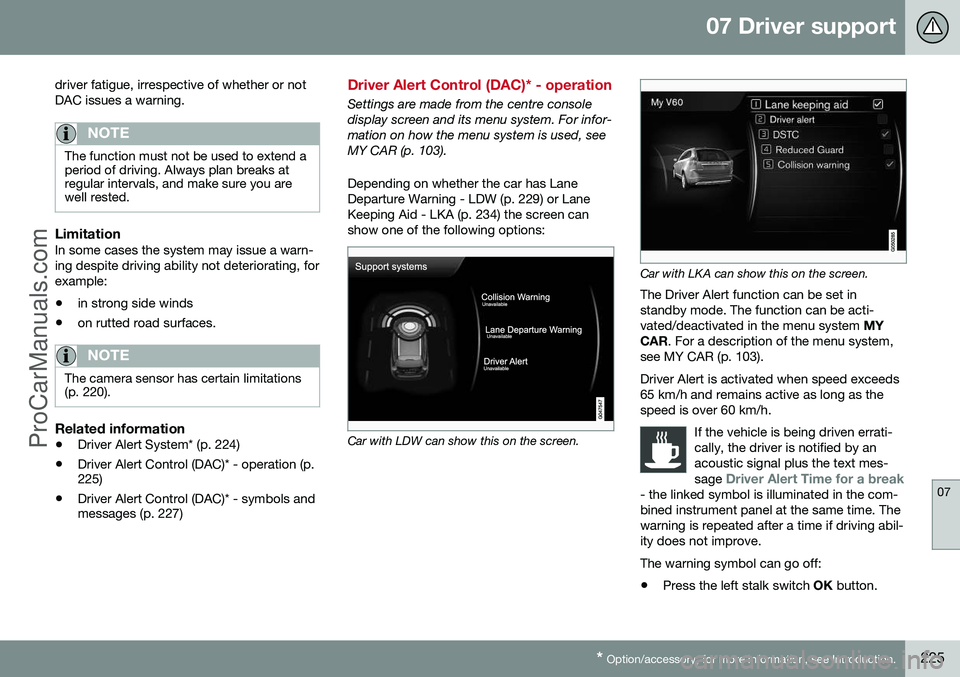
Settings are made from the centre console display screen and its menu system. For infor-mation on how the menu system is used, seeMY CAR (p. 103). Depending on whether the car has Lane Departure Warning - LDW (p. 229) or LaneKeeping Aid - LKA (p. 234) the screen canshow one of the following options:
Car with LDW can show this on the screen.
Car with LKA can show this on the screen.
The Driver Alert function can be set in standby mode. The function can be acti-vated/deactivated in the menu system MY
CAR . For a description of the menu system,
see MY CAR (p. 103). Driver Alert is activated when speed exceeds 65 km/h and remains active as long as thespeed is over 60 km/h.
If the vehicle is being driven errati-cally, the driver is notified by anacoustic signal plus the text mes- sage
Driver Alert Time for a break- the linked symbol is illuminated in the com- bined instrument panel at the same time. Thewarning is repeated after a time if driving abil-ity does not improve.
The warning symbol can go off:
• Press the left stalk switch
OK button.
ProCarManuals.co’
Page 229 of 442
07 Driver support
07
}}
* Option/accessory, for more information, see Introduction.227
Driver Alert Control (DAC)* - symbols and messages
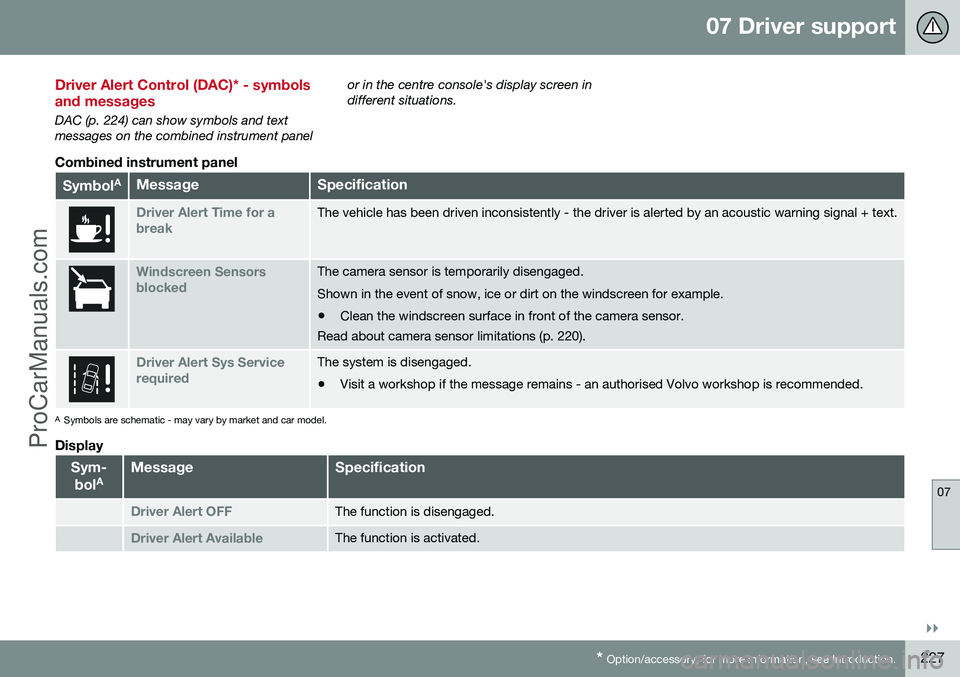
DAC (p. 224) can show symbols and text messages on the combined instrument panel or in the centre console's display screen indifferent situations.
Combined instrument panel
Symbol
AMessageSpecification
Driver Alert Time for a breakThe vehicle has been driven inconsistently - the driver is alerted by an acoustic warning signal + text.
Windscreen Sensors blockedThe camera sensor is temporarily disengaged. Shown in the event of snow, ice or dirt on the windscreen for example.
• Clean the windscreen surface in front of the camera sensor.
Read about camera sensor limitations (p. 220).
Driver Alert Sys Service requiredThe system is disengaged.
• Visit a workshop if the message remains - an authorised Volvo workshop is recommended.
A
Symbols are schematic - may vary by market and car model.
Display
Sym-
bol AMessageSpecification
Driver Alert OFFThe function is disengaged.
Driver Alert AvailableThe function is activated.
ProCarManuals.co’
Page 232 of 442
07 Driver support
07
230* Option/accessory, for more information, see Introduction.
Lane Departure Warning (LDW) - function
Certain settings can be made for the Lane Departure Warning function.
Off & On
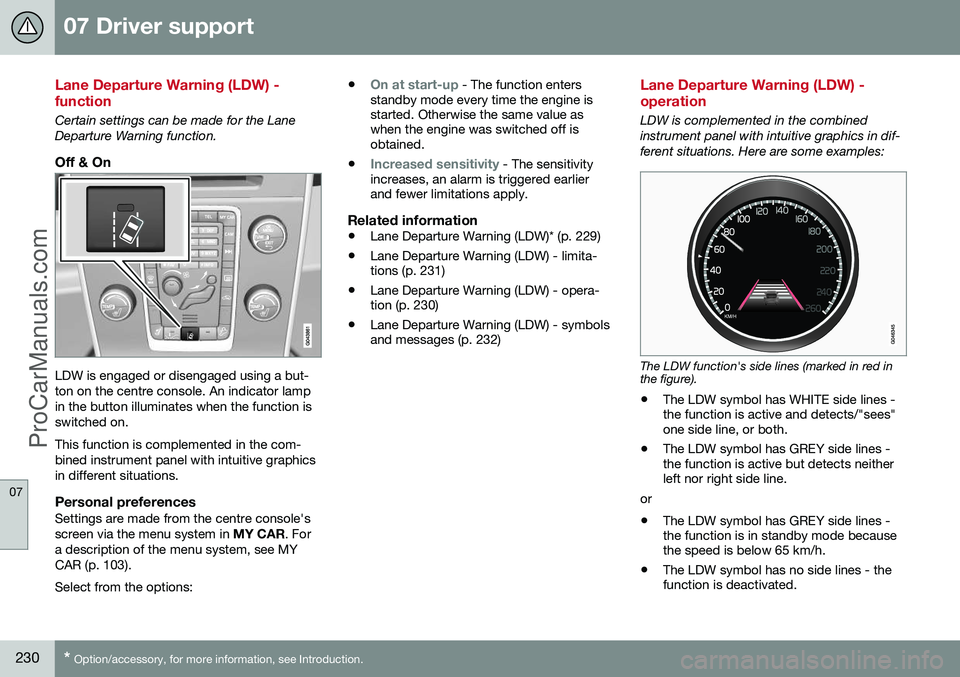
LDW is engaged or disengaged using a but- ton on the centre console. An indicator lampin the button illuminates when the function isswitched on. This function is complemented in the com- bined instrument panel with intuitive graphicsin different situations.
Personal preferencesSettings are made from the centre console'sscreen via the menu system in MY CAR. For
a description of the menu system, see MYCAR (p. 103). Select from the options: •
On at start-up - The function enters
standby mode every time the engine is started. Otherwise the same value aswhen the engine was switched off isobtained.
•
Increased sensitivity - The sensitivity
increases, an alarm is triggered earlier and fewer limitations apply.
Related information
• Lane Departure Warning (LDW)* (p. 229)
• Lane Departure Warning (LDW) - limita-tions (p. 231)
• Lane Departure Warning (LDW) - opera-tion (p. 230)
• Lane Departure Warning (LDW) - symbolsand messages (p. 232)
Lane Departure Warning (LDW) - operation
LDW is complemented in the combined instrument panel with intuitive graphics in dif-ferent situations. Here are some examples:
The LDW function's side lines (marked in red in the figure).
• The LDW symbol has WHITE side lines - the function is active and detects/"sees"one side line, or both.
• The LDW symbol has GREY side lines -the function is active but detects neitherleft nor right side line.
or
• The LDW symbol has GREY side lines -the function is in standby mode becausethe speed is below 65 km/h.
• The LDW symbol has no side lines - thefunction is deactivated.
ProCarManuals.co’
Page 234 of 442
07 Driver support
07
232
Lane Departure Warning (LDW) - symbols and messages
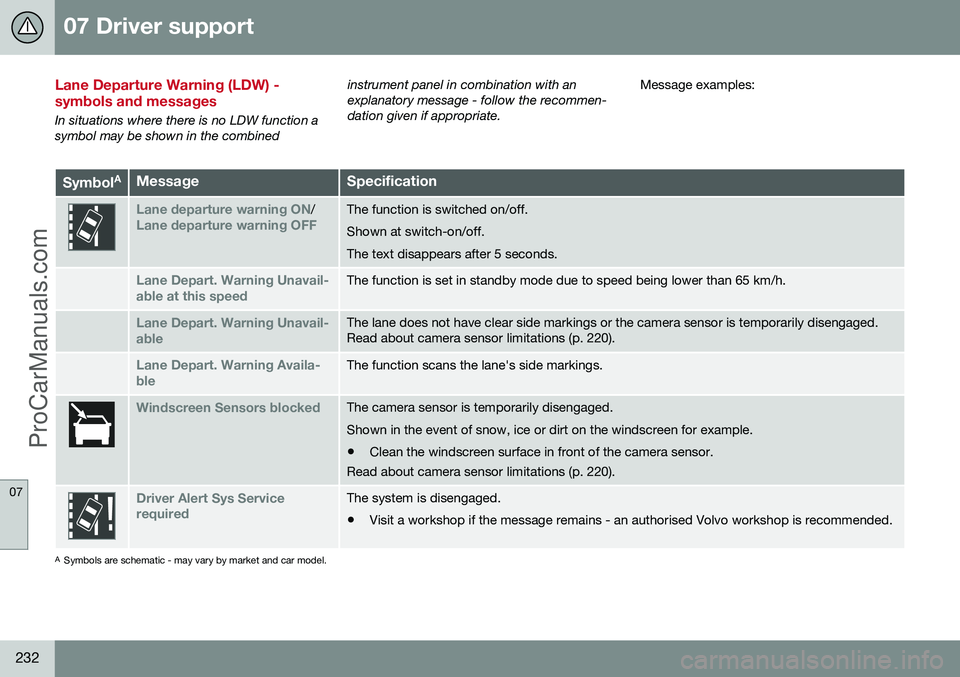
In situations where there is no LDW function a symbol may be shown in the combinedinstrument panel in combination with anexplanatory message - follow the recommen-dation given if appropriate.
Message examples:
Symbol
AMessageSpecification
Lane departure warning ON/Lane departure warning OFFThe function is switched on/off. Shown at switch-on/off.The text disappears after 5 seconds.
Lane Depart. Warning Unavail-
able at this speedThe function is set in standby mode due to speed being lower than 65 km/h.
Lane Depart. Warning Unavail-
ableThe lane does not have clear side markings or the camera sensor is temporarily disengaged. Read about camera sensor limitations (p. 220).
Lane Depart. Warning Availa-
bleThe function scans the lane's side markings.
Windscreen Sensors blockedThe camera sensor is temporarily disengaged. Shown in the event of snow, ice or dirt on the windscreen for example.
• Clean the windscreen surface in front of the camera sensor.
Read about camera sensor limitations (p. 220).
Driver Alert Sys Service requiredThe system is disengaged.
• Visit a workshop if the message remains - an authorised Volvo workshop is recommended.
A
Symbols are schematic - may vary by market and car model.
ProCarManuals.co’
Page 240 of 442
07 Driver support
07
238* Option/accessory, for more information, see Introduction.
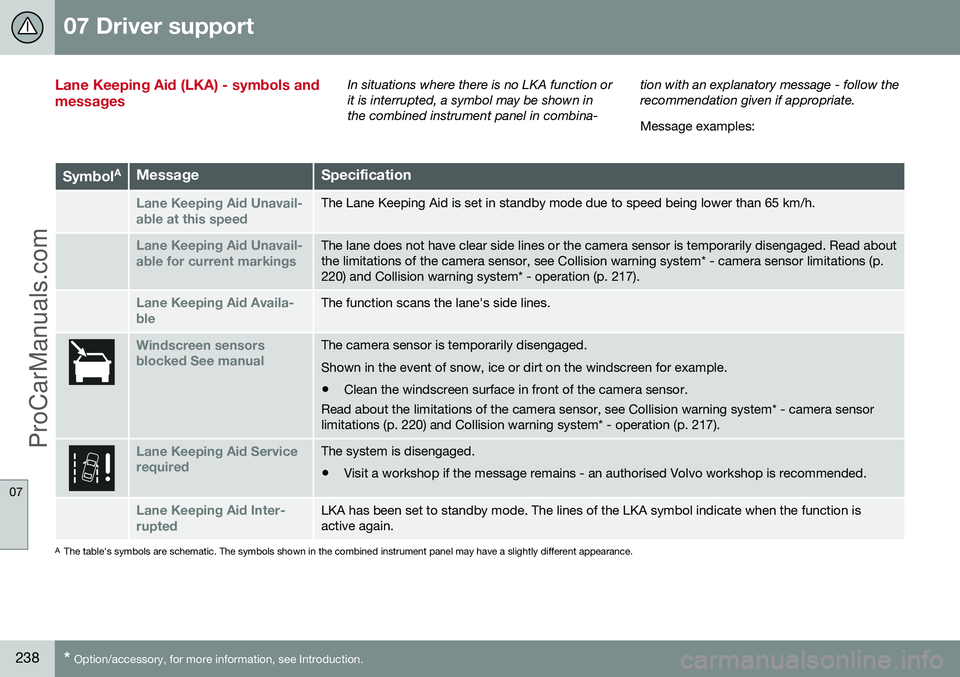
Lane Keeping Aid (LKA) - symbols and messagesIn situations where there is no LKA function or it is interrupted, a symbol may be shown inthe combined instrument panel in combina- tion with an explanatory message - follow therecommendation given if appropriate. Message examples:
Symbol
AMessageSpecification
Lane Keeping Aid Unavail-
able at this speedThe Lane Keeping Aid is set in standby mode due to speed being lower than 65 km/h.
Lane Keeping Aid Unavail-
able for current markingsThe lane does not have clear side lines or the camera sensor is temporarily disengaged. Read about the limitations of the camera sensor, see Collision warning system* - camera sensor limitations (p.220) and Collision warning system* - operation (p. 217).
Lane Keeping Aid Availa-
bleThe function scans the lane's side lines.
Windscreen sensors blocked See manualThe camera sensor is temporarily disengaged. Shown in the event of snow, ice or dirt on the windscreen for example.
• Clean the windscreen surface in front of the camera sensor.
Read about the limitations of the camera sensor, see Collision warning system* - camera sensor limitations (p. 220) and Collision warning system* - operation (p. 217).
Lane Keeping Aid Service requiredThe system is disengaged.
• Visit a workshop if the message remains - an authorised Volvo workshop is recommended.
Lane Keeping Aid Inter- ruptedLKA has been set to standby mode. The lines of the LKA symbol indicate when the function is active again.
A
The table's symbols are schematic. The symbols shown in the combined instrument panel may have a slightly different appearance.
ProCarManuals.co’
Page 245 of 442
07 Driver support
07
* Option/accessory, for more information, see Introduction.243
Park assist syst* - fault indication
Parking assistance is used as an aid to park- ing. An acoustic signal as well as symbols onthe centre console's display screen indicatethe distance to the detected obstacle.
If the combined instrument panel'sinformation symbol illuminates withconstant glow and the text message
Park assist syst Service required is shown
then parking assistance is disengaged.
IMPORTANT
In certain conditions the parking assis- tance system may produce incorrect warn-ing signals that are caused by externalsound sources that emit the same ultra-sonic frequencies that the system workswith. Examples of such sources include horns, wet tyres on asphalt, pneumatic brakesand exhaust noises from motorcycles etc.
Related information
• Park Assist* (p. 240)
• Park assist syst* - cleaning the sensors (p. 243)
• Park assist syst* - function (p. 240)
• Park assist syst* - forward (p. 242)
• Park assist syst* - backward (p. 241)
• Park assist camera (p. 244)
Park assist syst* - cleaning the sensors
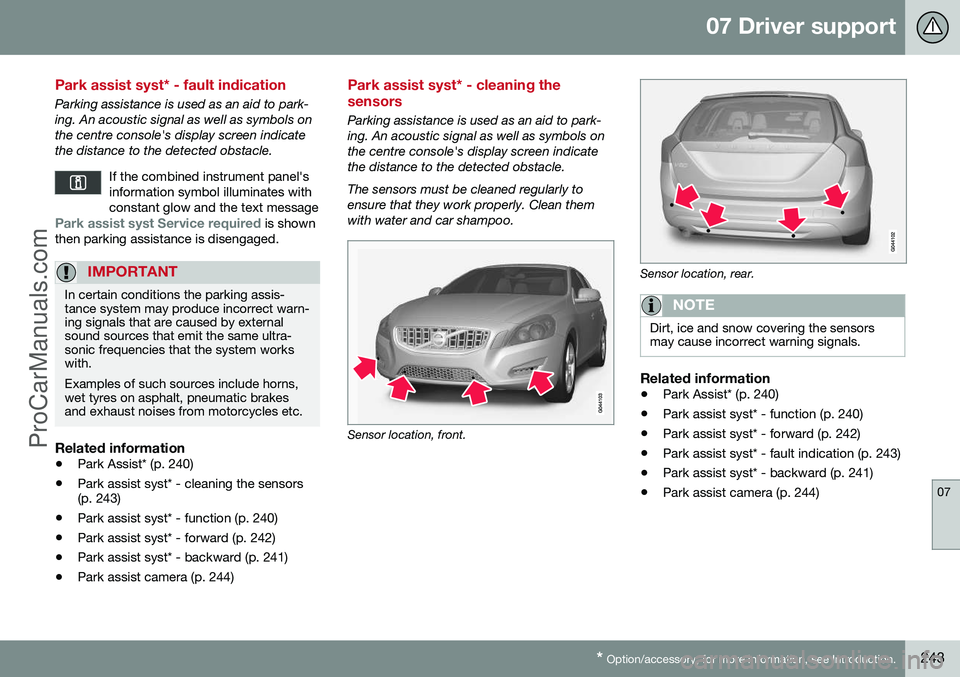
Parking assistance is used as an aid to park- ing. An acoustic signal as well as symbols onthe centre console's display screen indicatethe distance to the detected obstacle. The sensors must be cleaned regularly to ensure that they work properly. Clean themwith water and car shampoo.
Sensor location, front.
Sensor location, rear.
NOTE
Dirt, ice and snow covering the sensors may cause incorrect warning signals.
Related information
•Park Assist* (p. 240)
• Park assist syst* - function (p. 240)
• Park assist syst* - forward (p. 242)
• Park assist syst* - fault indication (p. 243)
• Park assist syst* - backward (p. 241)
• Park assist camera (p. 244)
ProCarManuals.co’
Page 249 of 442
07 Driver support
07
* Option/accessory, for more information, see Introduction.247
towbar's intended "trajectory" toward the trailer can be shown on the screen - just asfor the "wheel tracks".
• If precise manoeuvring is required then the towbar can be zoomed in by pressingCAM
- pressing the button again returns
to normal view.
The towbar's park assist line is activated in
the menu system after pressing OK/MENU
where you can select to display either the "wheel tracks" or the towbar's trajectory -both options cannot be shown simultane-ously.
Related information
• Park assist camera (p. 244)
• Park assist camera - limitations (p. 247)
• Park Assist* (p. 240)
• MY CAR (p. 103)
Park assist camera - limitations
The parking camera is an assist system and is activated when reverse gear is engaged.
NOTE
A bike carrier or other accessory mounted on the rear of the car could obscure thecamera's view.
To bear in mindPay attention to the possibility that, even if it only looks like a relatively small part of theimage is obscured, it could be a relativelylarge sector that is hidden from view. Obsta-cles could thereby go undetected until theyare very close to the car.
• Keep the camera lens free from dirt, ice and snow.
• Clean the camera lens regularly with luke-warm water and car shampoo - take carenot to scratch the lens.
Related information
•Park assist camera (p. 244)
• Park assist camera - settings (p. 246)
• Park Assist* (p. 240)
Park Assist Pilot (PAP)*
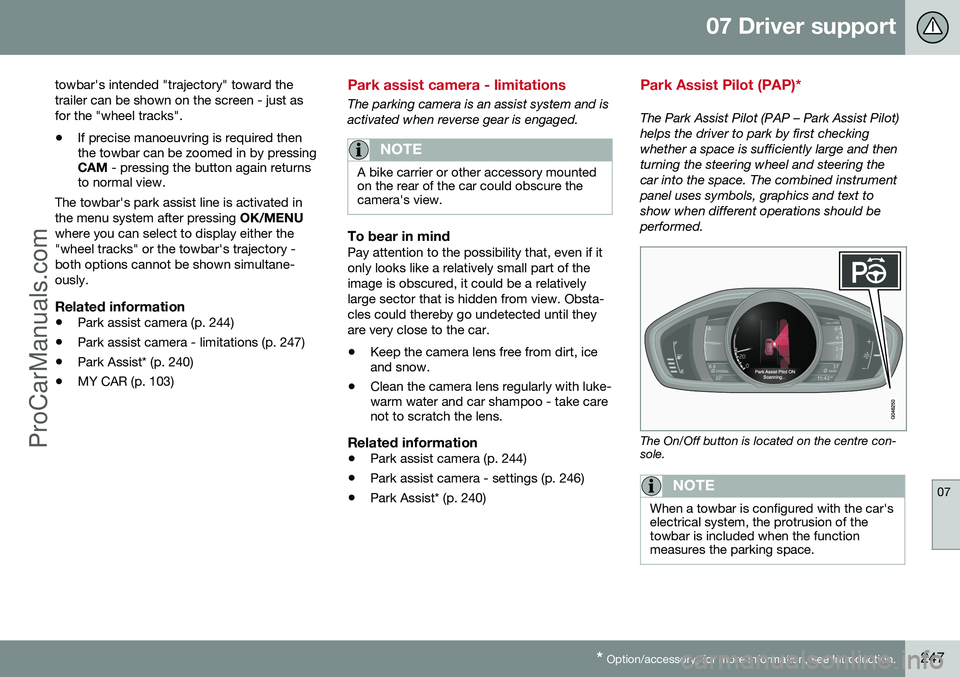
The Park Assist Pilot (PAP – Park Assist Pilot) helps the driver to park by first checkingwhether a space is sufficiently large and thenturning the steering wheel and steering thecar into the space. The combined instrumentpanel uses symbols, graphics and text toshow when different operations should beperformed.
The On/Off button is located on the centre con- sole.
NOTE
When a towbar is configured with the car's electrical system, the protrusion of thetowbar is included when the functionmeasures the parking space.
ProCarManuals.co’