instrument panel VOLVO V60 2021 Owners Manual
[x] Cancel search | Manufacturer: VOLVO, Model Year: 2021, Model line: V60, Model: VOLVO V60 2021Pages: 661, PDF Size: 12.68 MB
Page 403 of 661
STARTING AND DRIVING
401
Symbol in the instrument panel
Symbol Meaning
A
BThe symbol will be illuminated when the parking brake is acti-vated. A flashing symbol indicates that a fault has been detected. Readthe message in the instrumentpanel.
A
Canadian models.
B US models.
Automatic activation
The parking brake is applied automatically when the ignition is switched off and the setting for automatically activating theparking brake is activated in the centerdisplay.
when the gear selector is moved to
P on a
steep hill.
if the auto-hold brake (automatic brake atstandstill) function is activated and
the vehicle has been stationary for aprolonged period of time (5-10minutes).
the vehicle is switched off.
the driver has left the vehicle.
Emergency braking
In an emergency, the parking brake can be activated when the vehicle is moving by pull-ing and holding up the control. The brakingprocess is canceled when the control isreleased or if the accelerator pedal isdepressed.
NOTE
In case of emergency braking at high speeds, a signal sounds during the brakeprocedure.
Deactivating the parking brake
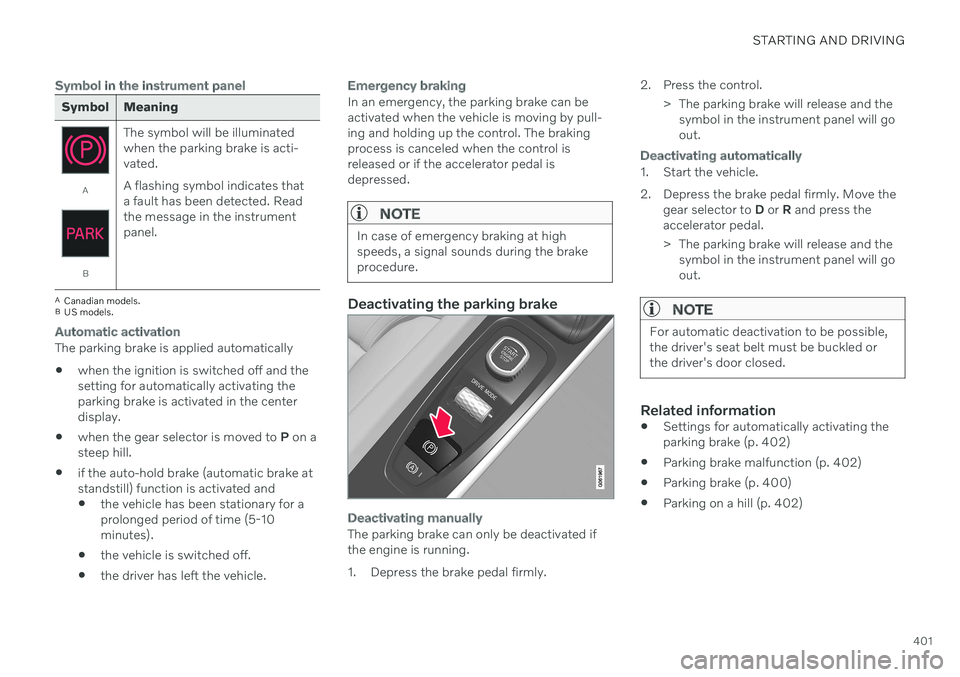
Deactivating manually
The parking brake can only be deactivated if the engine is running.
1. Depress the brake pedal firmly. 2. Press the control.
> The parking brake will release and thesymbol in the instrument panel will go out.
Deactivating automatically
1. Start the vehicle.
2. Depress the brake pedal firmly. Move the gear selector to D or R and press the
accelerator pedal.
> The parking brake will release and the symbol in the instrument panel will go out.
NOTE
For automatic deactivation to be possible, the driver's seat belt must be buckled orthe driver's door closed.
Related information
Settings for automatically activating the parking brake (p. 402)
Parking brake malfunction (p. 402)
Parking brake (p. 400)
Parking on a hill (p. 402)
Page 405 of 661
STARTING AND DRIVING
}}
403
Symbols in the instrument panel
Symbol Meaning
A
BA flashing symbol indicates that a fault has been detected. Seethe message in the instrumentpanel.
A
BFault in the brake system. See the message in the instrumentpanel.
Information message in the instrument panel.
A
Canadian models.
B US models.
Related information
Activating and deactivating the parking brake (p. 400)
Parking on a hill (p. 402)
Starter battery (p. 584)
Volvo's service program (p. 566)
Auto-hold brakes
With the Auto-hold brake function, the driver can release the brake pedal and the brakeswill remain applied, for example, when thevehicle has stopped at a traffic light or inter-section.
When the vehicle stops, the brakes are acti- vated automatically. The function can useeither the normal brakes or the parking brakesto keep the vehicle stationary and works onflat surfaces or hills. If the driver has their seatbelt fastened and/or if the driver's door isclosed, the brakes will disengage automati-cally when the vehicle starts driving.
NOTE
When braking to a stop on an uphill or downhill gradient, depress the brake pedalwith slightly more force than usual beforereleasing to ensure that the vehicle cannotmove at all.
The parking brake is activated if
the vehicle is switched off.
the driver's door is opened
the driver's seat belt is removed
the vehicle has been stationary for a pro- longed period of time (5-10 minutes)
Page 406 of 661
||
STARTING AND DRIVING
404
Symbols in the instrument panel
Symbol Meaning
This symbol illuminates when the function is using the normalbrakes to keep the vehicle sta-tionary.
A
BThis symbol illuminates when the function is using the parkingbrake to keep the vehicle station-ary.
A
Canadian models.
B US models.
Related information
Activating and deactivating Auto-hold at a standstill (p. 404)
Brakes (p. 397)
Parking brake (p. 400)
Hill Start Assist (p. 405)
Activating and deactivating Auto- hold at a standstill
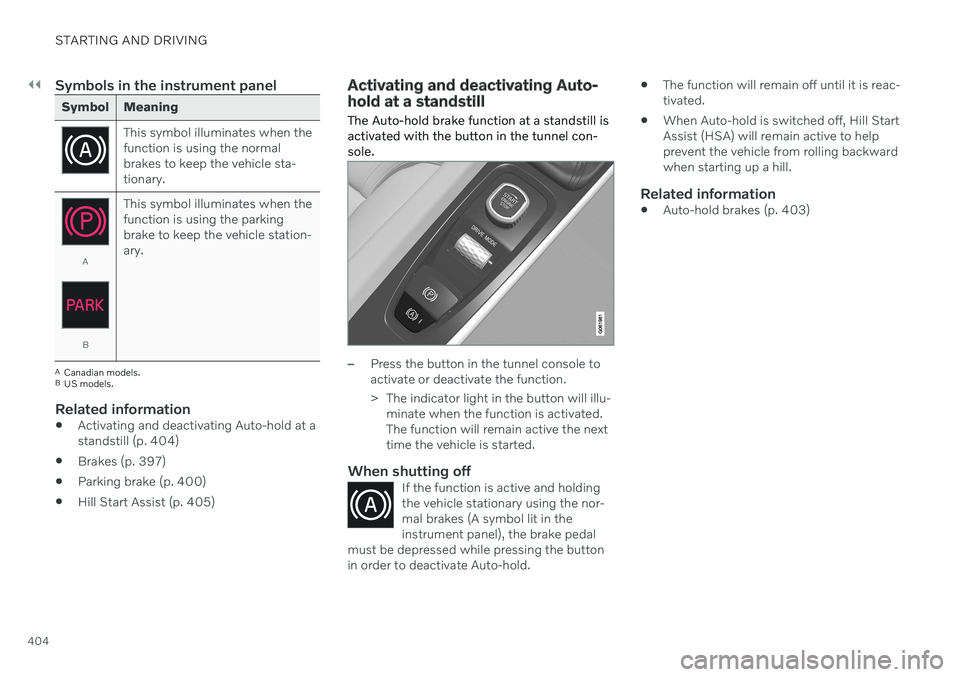
The Auto-hold brake function at a standstill is activated with the button in the tunnel con-sole.
–Press the button in the tunnel console to activate or deactivate the function.
> The indicator light in the button will illu- minate when the function is activated. The function will remain active the nexttime the vehicle is started.
When shutting offIf the function is active and holdingthe vehicle stationary using the nor-mal brakes (A symbol lit in theinstrument panel), the brake pedal
must be depressed while pressing the buttonin order to deactivate Auto-hold.
The function will remain off until it is reac- tivated.
When Auto-hold is switched off, Hill StartAssist (HSA) will remain active to helpprevent the vehicle from rolling backwardwhen starting up a hill.
Related information
Auto-hold brakes (p. 403)
Page 407 of 661
STARTING AND DRIVING
* Option/accessory.405
Hill Start Assist
The function for assisting when starting the vehicle on inclines (HSA 4
) helps prevent the
vehicle from rolling backward when starting on an uphill gradient. When backing up a hill,HSA helps prevent the vehicle from rollingforward.
The function retains pressure from the brake pedal in the brake system for several secondsafter the brake pedal has been released. This temporary braking effect is released after a few seconds or when the driver begins driv-ing. Hill Start Assist is activated when the vehicle is stopped on steep inclines. The function isavailable even when the Auto-hold brake func-tion is switched off.
Related information
Auto-hold brakes (p. 403)
Brakes (p. 397)
Braking assist after a collision
In a collision in which the activation level is reached for the pyrotechnic seat belt tension-ers or airbags, or if a collision with a large ani-mal is detected, the vehicle's brakes will beautomatically activated. This function isintended to help prevent or reduce the effectsof any subsequent collision.
After a serious collision, it may no longer be possible to control and steer the vehicle. Inorder to avoid or mitigate a possible furthercollision with a vehicle or an object in the vehi-cle's path, the brake assist system is activatedautomatically to help stop the vehicle safely. If braking is not appropriate, e.g. if there is a risk of being hit by passing traffic, the drivercan override the system by depressing theaccelerator pedal. This function assumes that the brake system is intact after a collision.
Related information
Rear Collision Warning
* (p. 343)
BLIS
* (p. 344)
Brake functions (p. 397)
Regenerative braking
*
The vehicle recovers kinetic energy during braking in order to reduce fuel consumptionand emissions.
The battery symbol is shown in the instrument panel when the vehicle is generating power for the battery 5
.
The function is available in all drive modes together with gear selector position D or M.
Activating brake regeneration
Brake regeneration is activated by gentle pres- sure on the brake pedal or during engine brak-ing. Regeneration increases during engine braking if manual gear selector position M is selected.
Related information
Drive modes
* (p. 413)
Shifting gears with automatic transmis-sion (p. 407)
4
Hill Start Assist
5 The symbol is used in vehicles with 48 V batteries.
Page 408 of 661
STARTING AND DRIVING
* Option/accessory.
406
Transmission
The transmission is part of the vehicle's drive- line (power transmission) between the engineand the drive wheels. The function of thetransmission is to change gears dependingon speed and power needs.
The vehicle has an 8-speed automatic trans- mission. The number of gears allows theengine's torque and power band to be effec-tively utilized. Two of the gears are overdrive gears that save fuel when driving at a constant engine speed.Both the gear selector and the steering wheelpaddles can be used to shift up or down man-ually. The selected gear selector position willbe displayed in the instrument panel.
Related information
Automatic transmission (p. 406)
Automatic transmission
Gear position is selected automatically to make driving as energy efficient as possible.The transmission also has a manual mode.
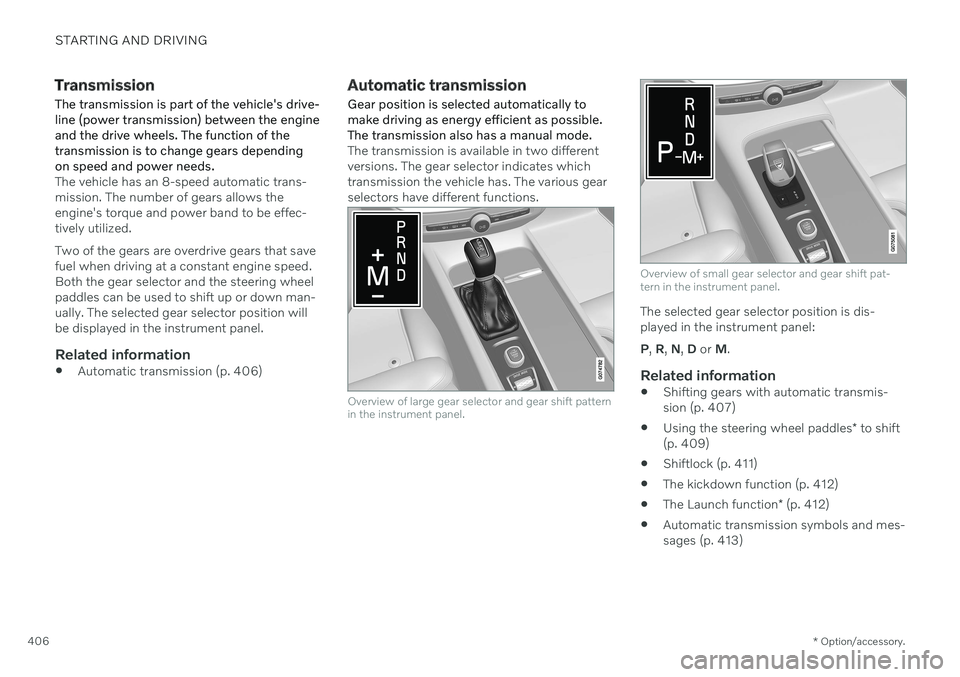
The transmission is available in two different versions. The gear selector indicates whichtransmission the vehicle has. The various gearselectors have different functions.
Overview of large gear selector and gear shift pattern in the instrument panel.
Overview of small gear selector and gear shift pat- tern in the instrument panel.
The selected gear selector position is dis- played in the instrument panel: P , R , N , D or M.
Related information
Shifting gears with automatic transmis- sion (p. 407)
Using the steering wheel paddles
* to shift
(p. 409)
Shiftlock (p. 411)
The kickdown function (p. 412)
The Launch function
* (p. 412)
Automatic transmission symbols and mes-sages (p. 413)
Page 410 of 661
||
STARTING AND DRIVING
408Help functions
6
The system will switch to the P position auto-
matically:
if the ignition is switched off while
D or R
is selected.
if the driver unbuckles the seat belt and opens the driver's door while the vehicle isrunning with a gear other than
P selected.
To park a vehicle with an unbuckled seat beltand open door – end P mode by shifting to R
or D again.
If the vehicle is switched off in gear positionN , it will not automatically switch to the P
position. This makes it possible to wash thevehicle in an automatic car wash.
Reverse – R
Select R when backing up. The vehicle must
be stationary when R is selected.
Neutral – N
In N position, the vehicle can roll freely. The
vehicle can be started when it is in N position.
Apply the parking brake if the vehicle is sta- tionary with the gear selector in the N posi-
tion. To move to another gear position when N is
selected, the brake pedal must be depressed and the ignition in mode II. For vehicles with the small gear selector, the engine must berunning.
D
drive mode
D is the normal driving gear position. The
transmission shifts up or down automatically depending on acceleration and speed. The vehicle must be stationary when the gear selector is moved from R to D.
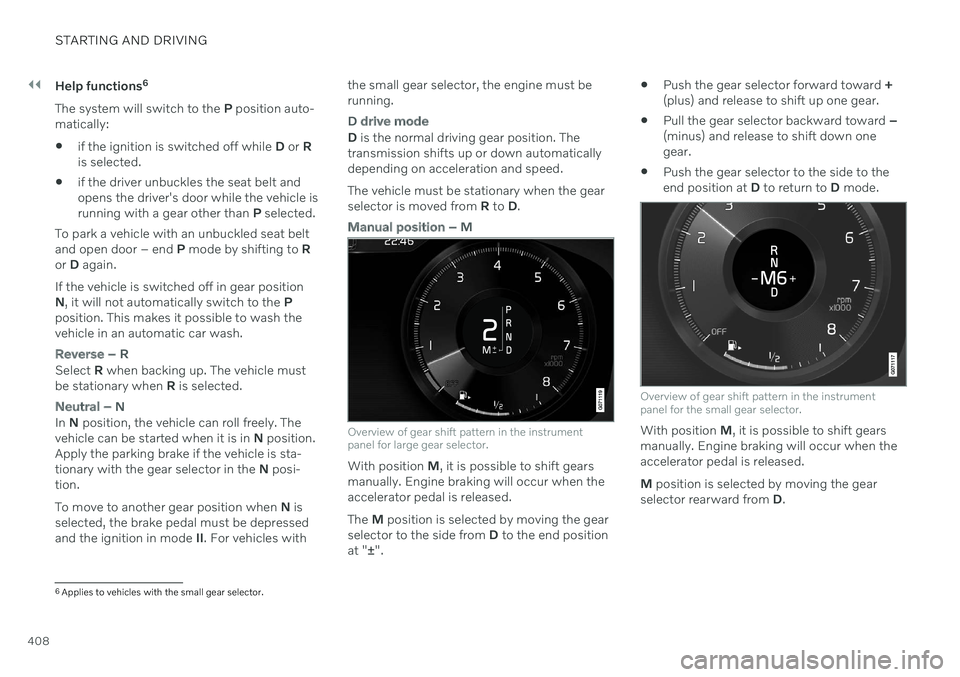
Manual position – M
Overview of gear shift pattern in the instrument panel for large gear selector.
With position M, it is possible to shift gears
manually. Engine braking will occur when the accelerator pedal is released. The M position is selected by moving the gear
selector to the side from D to the end position
at " ±".
Push the gear selector forward toward
+
(plus) and release to shift up one gear.
Pull the gear selector backward toward
–
(minus) and release to shift down one gear.
Push the gear selector to the side to theend position at
D to return to D mode.
Overview of gear shift pattern in the instrument panel for the small gear selector.
With position M, it is possible to shift gears
manually. Engine braking will occur when the accelerator pedal is released. M position is selected by moving the gear
selector rearward from D.
6
Applies to vehicles with the small gear selector.
Page 411 of 661
STARTING AND DRIVING
}}
* Option/accessory.409
Push the gear selector to the right toward "
+ " (plus) and release to shift up one gear.
Push the gear selector to the left toward"
– " (minus) and release to shift down one
gear.
Push the gear selector rearward to returnto
D mode.
For smooth shifting and engine performance,the transmission will shift down automaticallyif the vehicle's speed becomes too low for theselected gear.
Related information
Automatic transmission (p. 406)
Shiftlock (p. 411)
Using the steering wheel paddles
* to shift
(p. 409)
The kickdown function (p. 412)
Using the steering wheel paddles
*
to shift
The steering wheel paddles are a supplement to the gear selector and make it possible toshift manually without removing your handsfrom the steering wheel. The function is available in position D or M.
"-": Shift down one gear.
" + ": Shift up one gear.
ChangeTo shift:
–Pull one of the paddles toward the steer- ing wheel and then release.
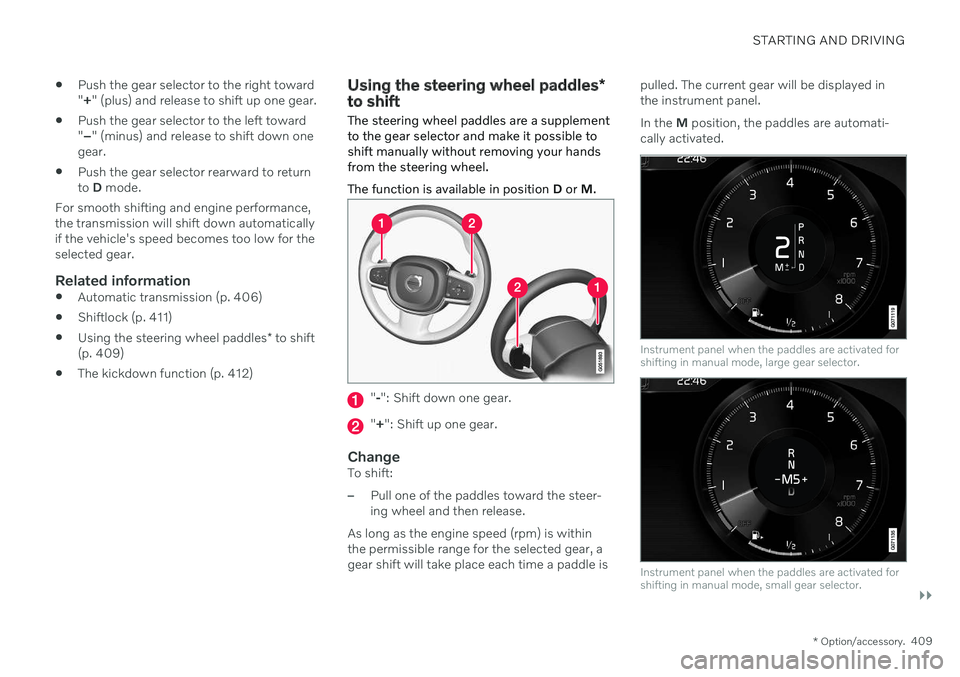
As long as the engine speed (rpm) is withinthe permissible range for the selected gear, agear shift will take place each time a paddle is pulled. The current gear will be displayed inthe instrument panel. In the
M position, the paddles are automati-
cally activated.
Instrument panel when the paddles are activated for shifting in manual mode, large gear selector.
Instrument panel when the paddles are activated for shifting in manual mode, small gear selector.
Page 412 of 661
||
STARTING AND DRIVING
410
Activating the steering wheel paddles in the D position
To be able to shift gears using the paddles, they must be activated:
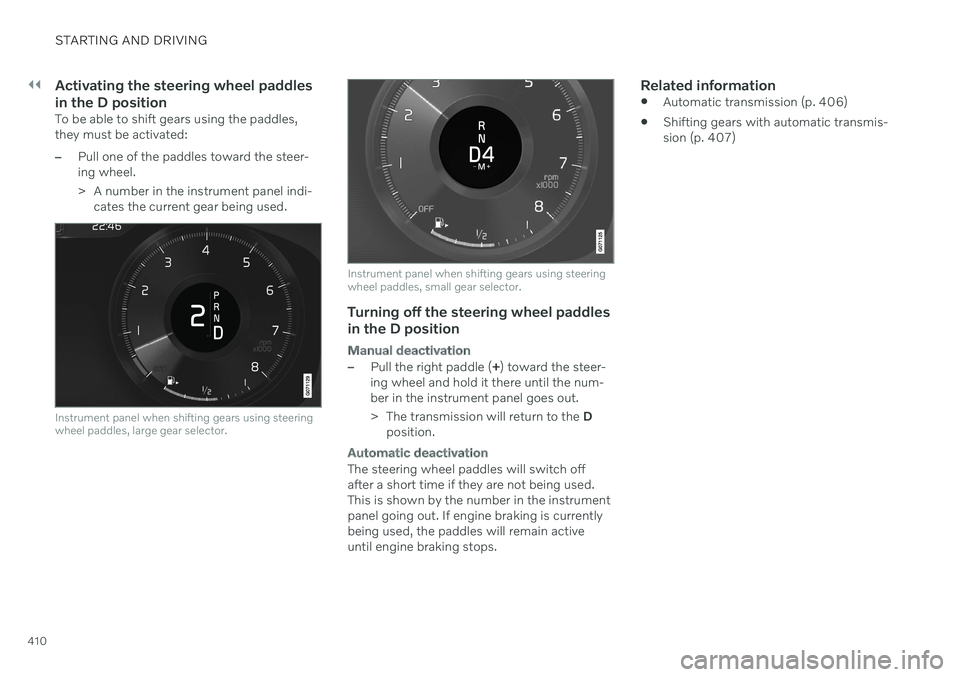
–Pull one of the paddles toward the steer- ing wheel.
> A number in the instrument panel indi-cates the current gear being used.
Instrument panel when shifting gears using steering wheel paddles, large gear selector.
Instrument panel when shifting gears using steering wheel paddles, small gear selector.
Turning off the steering wheel paddles
in the D position
Manual deactivation
–Pull the right paddle ( +) toward the steer-
ing wheel and hold it there until the num- ber in the instrument panel goes out.
> The transmission will return to the D
position.
Automatic deactivation
The steering wheel paddles will switch off after a short time if they are not being used.This is shown by the number in the instrumentpanel going out. If engine braking is currentlybeing used, the paddles will remain activeuntil engine braking stops.
Related information
Automatic transmission (p. 406)
Shifting gears with automatic transmis-sion (p. 407)
Page 413 of 661
STARTING AND DRIVING
}}
411
Shiftlock The automatic transmission's shiftlock func- tion helps prevent inadvertently moving thegear selector between different positions.
There are two types of shiftlocks: mechanical and automatic.
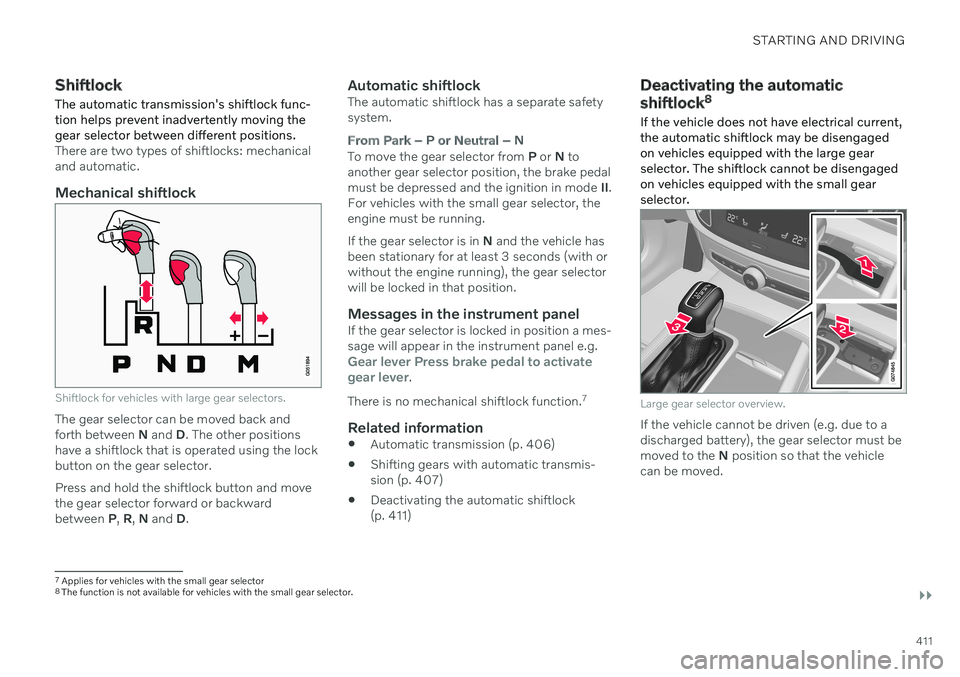
Mechanical shiftlock
Shiftlock for vehicles with large gear selectors.
The gear selector can be moved back and forth between N and D. The other positions
have a shiftlock that is operated using the lockbutton on the gear selector. Press and hold the shiftlock button and move the gear selector forward or backwardbetween P, R , N and D.
Automatic shiftlockThe automatic shiftlock has a separate safetysystem.
From Park – P or Neutral – N
To move the gear selector from P or N to
another gear selector position, the brake pedal must be depressed and the ignition in mode II.
For vehicles with the small gear selector, theengine must be running. If the gear selector is in N and the vehicle has
been stationary for at least 3 seconds (with or without the engine running), the gear selectorwill be locked in that position.
Messages in the instrument panelIf the gear selector is locked in position a mes-sage will appear in the instrument panel e.g.
Gear lever Press brake pedal to activate
gear lever.
There is no mechanical shiftlock function. 7
Related information
Automatic transmission (p. 406)
Shifting gears with automatic transmis- sion (p. 407)
Deactivating the automatic shiftlock(p. 411)
Deactivating the automatic shiftlock 8
If the vehicle does not have electrical current, the automatic shiftlock may be disengagedon vehicles equipped with the large gearselector. The shiftlock cannot be disengagedon vehicles equipped with the small gearselector.
Large gear selector overview.
If the vehicle cannot be driven (e.g. due to a discharged battery), the gear selector must bemoved to the N position so that the vehicle
can be moved.
7 Applies for vehicles with the small gear selector
8 The function is not available for vehicles with the small gear selector.
Page 415 of 661
STARTING AND DRIVING
}}
* Option/accessory.413
Automatic transmission symbols and messages If a problem occurs with the transmission, a symbol and a message are displayed in theinstrument panel.
CAUTION
Check the operating temperature of the transmission to help avoid damage to anyof the drive system components. If there isa risk of overheating, a warning symbol willappear in the instrument panel and a textmessage will be displayed. Follow the rec-ommendations given.
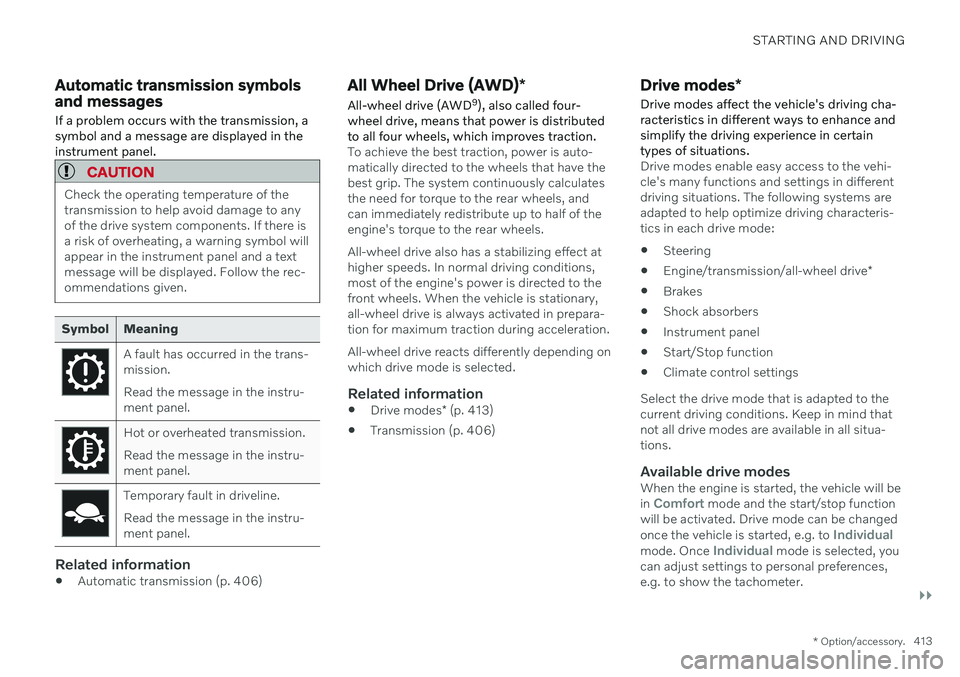
Symbol Meaning
A fault has occurred in the trans- mission. Read the message in the instru- ment panel.
Hot or overheated transmission. Read the message in the instru- ment panel.
Temporary fault in driveline. Read the message in the instru- ment panel.
Related information
Automatic transmission (p. 406)
All Wheel Drive (AWD)
*
All-wheel drive (AWD 9
), also called four-
wheel drive, means that power is distributed to all four wheels, which improves traction.
To achieve the best traction, power is auto- matically directed to the wheels that have thebest grip. The system continuously calculatesthe need for torque to the rear wheels, andcan immediately redistribute up to half of theengine's torque to the rear wheels. All-wheel drive also has a stabilizing effect at higher speeds. In normal driving conditions,most of the engine's power is directed to thefront wheels. When the vehicle is stationary,all-wheel drive is always activated in prepara-tion for maximum traction during acceleration. All-wheel drive reacts differently depending on which drive mode is selected.
Related information
Drive modes
* (p. 413)
Transmission (p. 406)
Drive modes
*
Drive modes affect the vehicle's driving cha- racteristics in different ways to enhance andsimplify the driving experience in certaintypes of situations.
Drive modes enable easy access to the vehi- cle's many functions and settings in differentdriving situations. The following systems areadapted to help optimize driving characteris-tics in each drive mode: Steering
Engine/transmission/all-wheel drive
*
Brakes
Shock absorbers
Instrument panel
Start/Stop function
Climate control settings
Select the drive mode that is adapted to the current driving conditions. Keep in mind thatnot all drive modes are available in all situa-tions.
Available drive modesWhen the engine is started, the vehicle will be in Comfort mode and the start/stop function
will be activated. Drive mode can be changed once the vehicle is started, e.g. to
Individualmode. Once Individual mode is selected, you
can adjust settings to personal preferences, e.g. to show the tachometer.