instrument panel VOLVO V60 2021 Manual Online
[x] Cancel search | Manufacturer: VOLVO, Model Year: 2021, Model line: V60, Model: VOLVO V60 2021Pages: 661, PDF Size: 12.68 MB
Page 354 of 661
DRIVER SUPPORT
* Option/accessory.
352
Cross Traffic Alert *96
Cross Traffic Alert(CTA) is a supplementary driver support system to BLIS 97
that is
intended to help the driver detect vehicles crossing behind the vehicle while backing up. The auto-brake subfunction can help the
driver stop the car if there is a risk of collision with an unobserved vehicle.
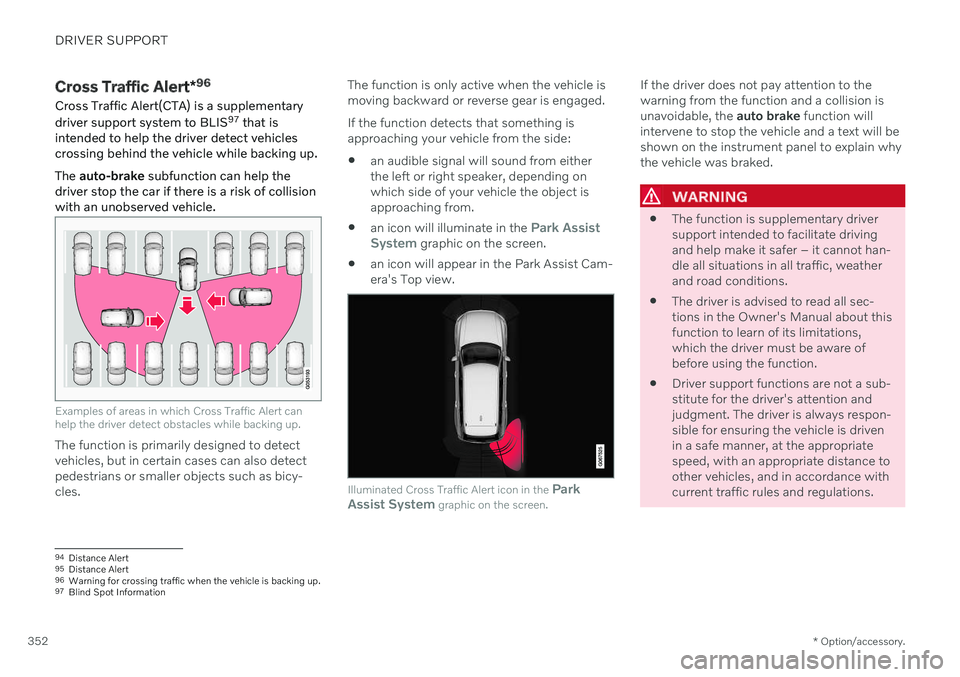
Examples of areas in which Cross Traffic Alert can help the driver detect obstacles while backing up.
The function is primarily designed to detect vehicles, but in certain cases can also detectpedestrians or smaller objects such as bicy-cles. The function is only active when the vehicle ismoving backward or reverse gear is engaged. If the function detects that something is approaching your vehicle from the side:
an audible signal will sound from eitherthe left or right speaker, depending onwhich side of your vehicle the object isapproaching from.
an icon will illuminate in the
Park Assist
System graphic on the screen.
an icon will appear in the Park Assist Cam- era's Top view.
Illuminated Cross Traffic Alert icon in the
Park
Assist System graphic on the screen.
If the driver does not pay attention to the warning from the function and a collision isunavoidable, the auto brake function will
intervene to stop the vehicle and a text will beshown on the instrument panel to explain whythe vehicle was braked.
WARNING
The function is supplementary driver support intended to facilitate drivingand help make it safer – it cannot han-dle all situations in all traffic, weatherand road conditions.
The driver is advised to read all sec-tions in the Owner's Manual about thisfunction to learn of its limitations,which the driver must be aware ofbefore using the function.
Driver support functions are not a sub-stitute for the driver's attention andjudgment. The driver is always respon-sible for ensuring the vehicle is drivenin a safe manner, at the appropriatespeed, with an appropriate distance toother vehicles, and in accordance withcurrent traffic rules and regulations.
94
Distance Alert
95 Distance Alert
96 Warning for crossing traffic when the vehicle is backing up.
97 Blind Spot Information
Page 357 of 661
DRIVER SUPPORT
* Option/accessory.355
Cross Traffic Alert *100
messages
A number of messages related to Cross Traffic Alert (CTA) may be displayed in the instrument panel. Several examples are provi-ded below.
Message Meaning
Blind spot sensor Service requiredThe system is not functioning as intended. Contact a workshop
A
.
Blind spot system off Trailer attachedBLIS B
and CTA have been deactivated because a trailer has been connected to the vehicle's electrical system.
A An authorized Volvo workshop is recommended.
B Blind Spot Information System
A text message can be erased by briefly press- ing the
button in the center of the right-
side steering wheel keypad. If a message cannot be erased, contact a workshop A
.
Related information
Cross Traffic Alert
* (p. 352)
BLIS
* (p. 344)
Cross Traffic Alert
* limitations (p. 353)
100
Warning for crossing traffic when the vehicle is backing up.
Page 362 of 661
DRIVER SUPPORT
* Option/accessory.
360
Park Assist symbols and messages
Symbols and messages for the Park Assist system (PAS 105
) may be displayed in the instrument panel and/or the center display. Several examples are provided below.
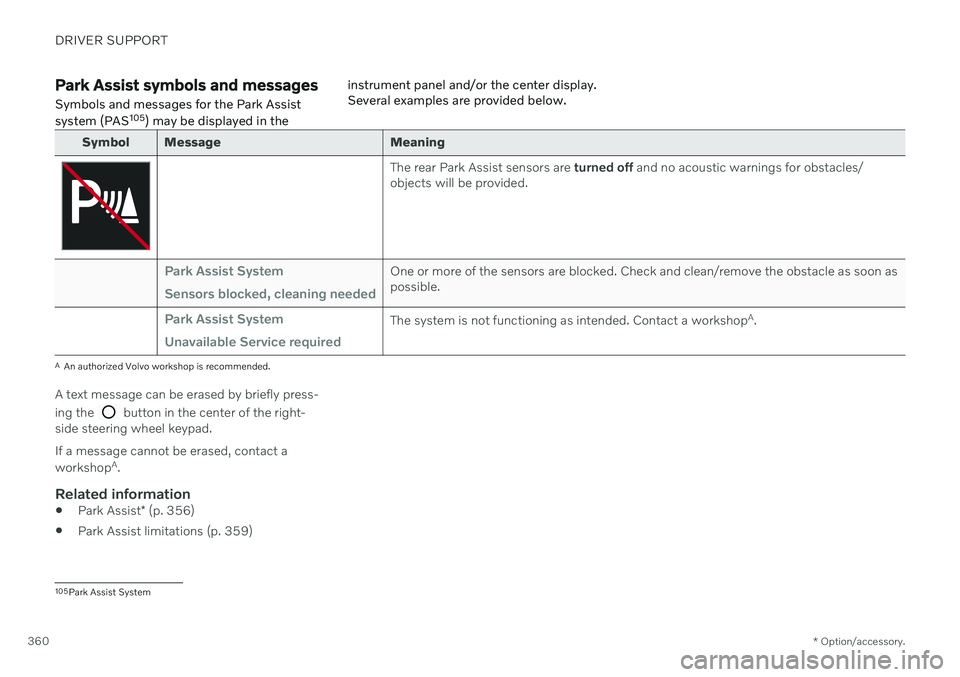
Symbol Message Meaning
The rear Park Assist sensors are
turned off and no acoustic warnings for obstacles/
objects will be provided.
Park Assist System Sensors blocked, cleaning neededOne or more of the sensors are blocked. Check and clean/remove the obstacle as soon as possible.
Park Assist System Unavailable Service requiredThe system is not functioning as intended. Contact a workshop A
.
A An authorized Volvo workshop is recommended.
A text message can be erased by briefly press- ing the
button in the center of the right-
side steering wheel keypad. If a message cannot be erased, contact a workshop A
.
Related information
Park Assist
* (p. 356)
Park Assist limitations (p. 359)
105
Park Assist System
Page 371 of 661
DRIVER SUPPORT
}}
369
Park Assist Camera symbols and messages
Symbols and messages for the Park Assist Camera (PAC 116
) may be displayed in the instrument panel and/or the center display. Several examples are provided below.
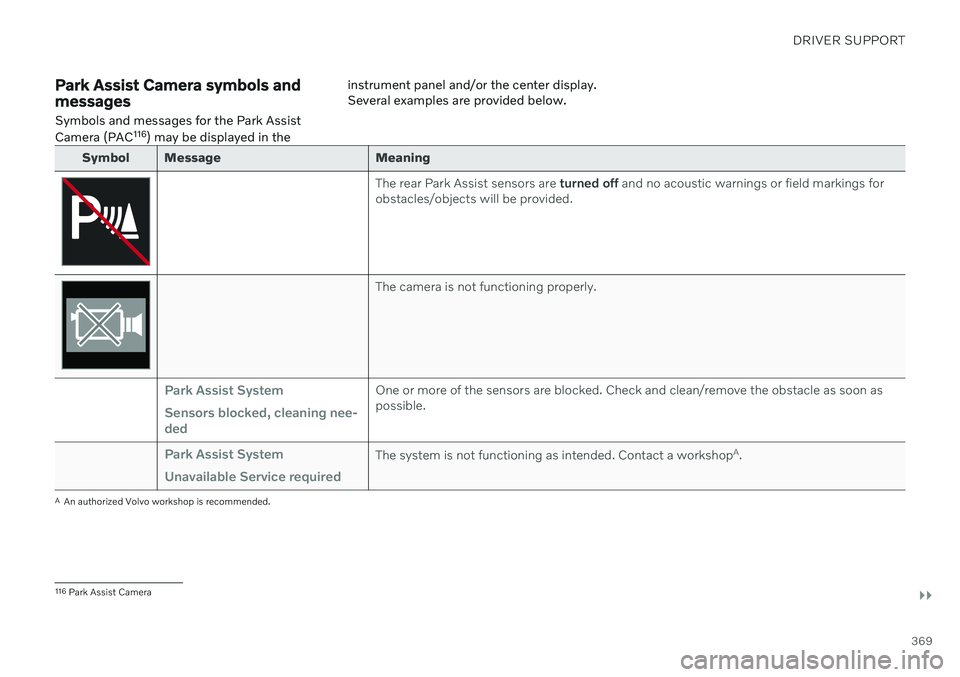
Symbol Message Meaning
The rear Park Assist sensors are
turned off and no acoustic warnings or field markings for
obstacles/objects will be provided.
The camera is not functioning properly.
Park Assist System Sensors blocked, cleaning nee- dedOne or more of the sensors are blocked. Check and clean/remove the obstacle as soon as possible.
Park Assist System Unavailable Service requiredThe system is not functioning as intended. Contact a workshop A
.
A An authorized Volvo workshop is recommended.
116 Park Assist Camera
Page 377 of 661
DRIVER SUPPORT
* Option/accessory.375
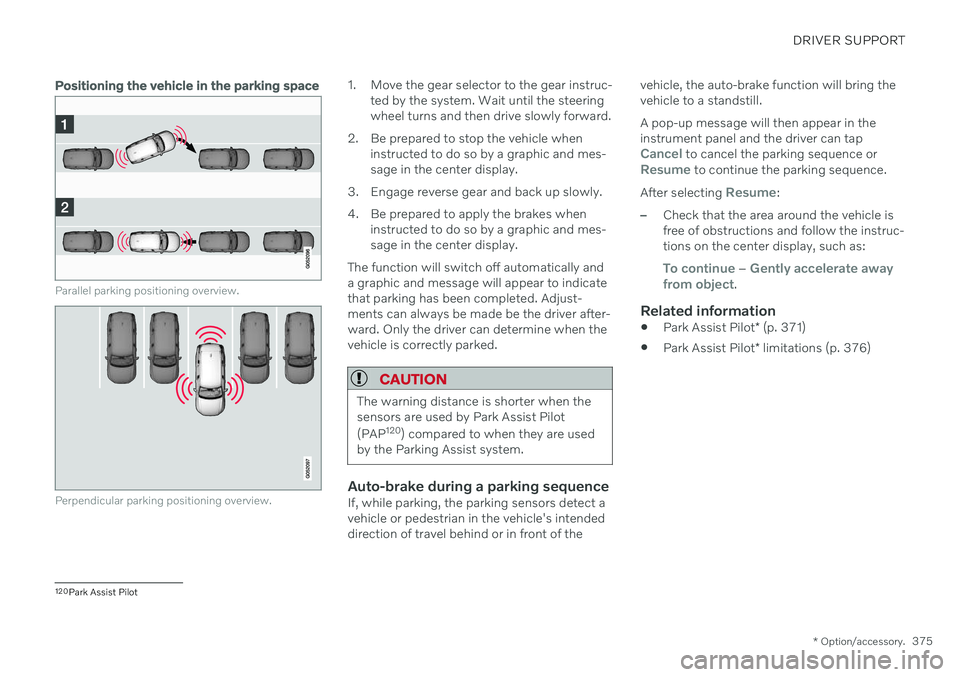
Positioning the vehicle in the parking space
Parallel parking positioning overview.
Perpendicular parking positioning overview.
1. Move the gear selector to the gear instruc-
ted by the system. Wait until the steering wheel turns and then drive slowly forward.
2. Be prepared to stop the vehicle when instructed to do so by a graphic and mes-sage in the center display.
3. Engage reverse gear and back up slowly.
4. Be prepared to apply the brakes when instructed to do so by a graphic and mes- sage in the center display.
The function will switch off automatically anda graphic and message will appear to indicatethat parking has been completed. Adjust-ments can always be made be the driver after-ward. Only the driver can determine when thevehicle is correctly parked.
CAUTION
The warning distance is shorter when the sensors are used by Park Assist Pilot (PAP 120
) compared to when they are used
by the Parking Assist system.
Auto-brake during a parking sequenceIf, while parking, the parking sensors detect a vehicle or pedestrian in the vehicle's intendeddirection of travel behind or in front of the vehicle, the auto-brake function will bring thevehicle to a standstill. A pop-up message will then appear in the instrument panel and the driver can tap
Cancel to cancel the parking sequence orResume to continue the parking sequence.
After selecting
Resume:
–Check that the area around the vehicle is free of obstructions and follow the instruc-tions on the center display, such as:
To continue – Gently accelerate away
from object.
Related information
Park Assist Pilot
* (p. 371)
Park Assist Pilot
* limitations (p. 376)
120
Park Assist Pilot
Page 381 of 661
DRIVER SUPPORT
* Option/accessory.379
Park Assist Pilot * messages
Messages for Park Assist Pilot (PAP 123
) may
be displayed in the instrument panel and/or the center display. Several examples are pro- vided below.
Message Meaning
Park Assist System Sensors blocked, cleaning neededOne or more of the sensors are blocked. Check and clean/remove the obstacle as soon as possible.
Park Assist System Unavailable Service requiredThe system is not functioning as intended. Contact a workshop
A
.
A An authorized Volvo workshop is recommended.
A text message can be erased by briefly press- ing the
button in the center of the right-
side steering wheel keypad. If a message cannot be erased, contact a workshop A
.
Related information
Park Assist Pilot
* (p. 371)
Park Assist Pilot
* limitations (p. 376)
123
Park Assist Pilot
Page 390 of 661
DRIVER SUPPORT
388
Camera and radar unit symbols and messages Here are examples of some of the messages and symbols related to the camera and radarunits that may be displayed in the instrumentpanel.Sensor blockedIf this symbol and the messageWindscreen sensor Sensor
blocked, see Owner's manual is
displayed in the instrument panel, it
means that the camera and radar unit are unable to detect other vehicles, cyclists,pedestrians and large animals in front of thevehicle and that the vehicle's camera andradar-based functions may be obstructed.
The following table shows some of the situa- tions that can cause the message to be dis-played, and suggested actions:
Cause Action
The area of the windshield in front of the camera/radar sensor is dirty or covered by ice or snow. Clean the windshield in front of the camera/radar sensor and remove dirt, iceand snow.
Thick fog, heavy rain or snow is blocking the radar signals or thecamera's range of visibility. No action. Heavy precipitation may sometimes prevent the camera/radar sensorfrom functioning.
Water or snow is spraying/swirling up and blocking the radarsignals or the camera's range of visibility. No action. Very wet or snow-covered roads may sometimes prevent the cam-era/radar sensor from functioning.
There is dirt between the inside of the windshield and the cam-era/radar sensor. Consult a workshop to have the area of the windshield on the inside of the cam-era's casing cleaned. An authorized Volvo workshop is recommended.
Bright sunlight. No action. The camera/radar sensor will reset automatically when lighting con-ditions improve.
Page 394 of 661
STARTING AND DRIVING
* Option/accessory.
392
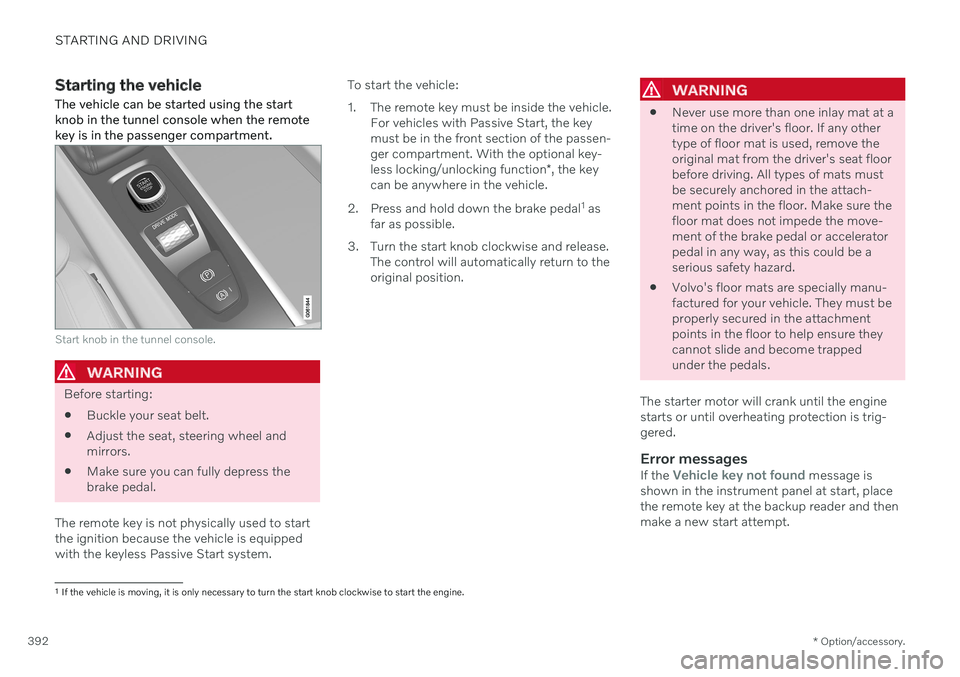
Starting the vehicle
The vehicle can be started using the start knob in the tunnel console when the remotekey is in the passenger compartment.
Start knob in the tunnel console.
WARNING
Before starting:
Buckle your seat belt.
Adjust the seat, steering wheel and mirrors.
Make sure you can fully depress thebrake pedal.
The remote key is not physically used to startthe ignition because the vehicle is equippedwith the keyless Passive Start system. To start the vehicle:
1. The remote key must be inside the vehicle.
For vehicles with Passive Start, the key must be in the front section of the passen-ger compartment. With the optional key- less locking/unlocking function *, the key
can be anywhere in the vehicle.
2. Press and hold down the brake pedal 1
as
far as possible.
3. Turn the start knob clockwise and release. The control will automatically return to the original position.
WARNING
Never use more than one inlay mat at a time on the driver's floor. If any othertype of floor mat is used, remove theoriginal mat from the driver's seat floorbefore driving. All types of mats mustbe securely anchored in the attach-ment points in the floor. Make sure thefloor mat does not impede the move-ment of the brake pedal or acceleratorpedal in any way, as this could be aserious safety hazard.
Volvo's floor mats are specially manu-factured for your vehicle. They must beproperly secured in the attachmentpoints in the floor to help ensure theycannot slide and become trappedunder the pedals.
The starter motor will crank until the enginestarts or until overheating protection is trig-gered.
Error messagesIf the Vehicle key not found message is
shown in the instrument panel at start, place the remote key at the backup reader and thenmake a new start attempt.
1 If the vehicle is moving, it is only necessary to turn the start knob clockwise to start the engine.
Page 400 of 661
||
STARTING AND DRIVING
398
Symbols in the instrument panel
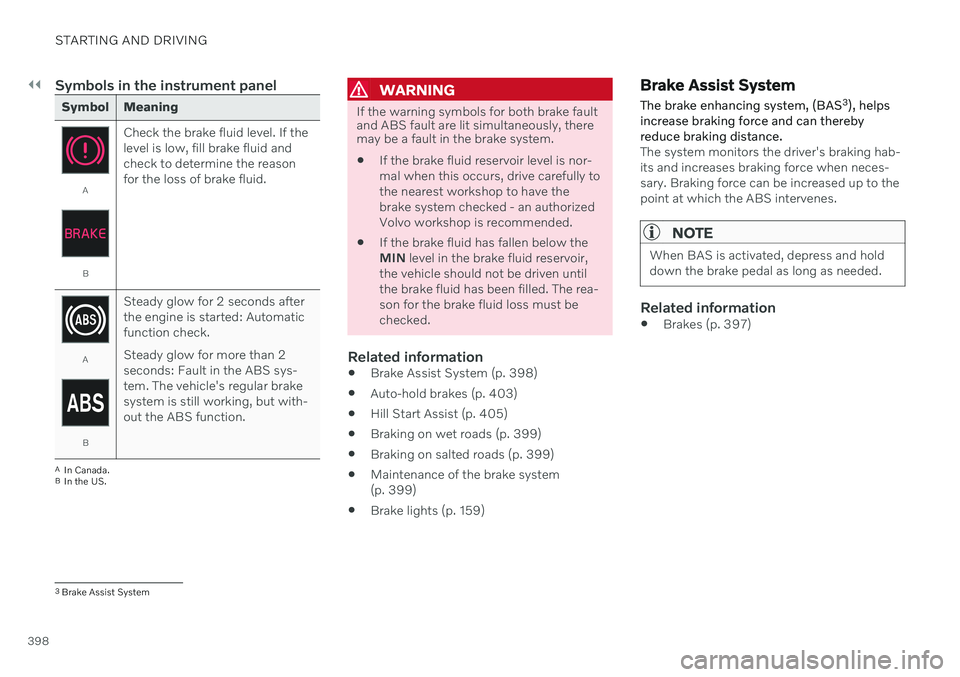
Symbol Meaning
A
BCheck the brake fluid level. If the level is low, fill brake fluid andcheck to determine the reasonfor the loss of brake fluid.
A
BSteady glow for 2 seconds after the engine is started: Automaticfunction check. Steady glow for more than 2 seconds: Fault in the ABS sys-tem. The vehicle's regular brakesystem is still working, but with-out the ABS function.
A
In Canada.
B In the US.
WARNING
If the warning symbols for both brake fault and ABS fault are lit simultaneously, theremay be a fault in the brake system.
If the brake fluid reservoir level is nor- mal when this occurs, drive carefully tothe nearest workshop to have thebrake system checked - an authorizedVolvo workshop is recommended.
If the brake fluid has fallen below theMIN
level in the brake fluid reservoir,
the vehicle should not be driven untilthe brake fluid has been filled. The rea-son for the brake fluid loss must bechecked.
Related information
Brake Assist System (p. 398)
Auto-hold brakes (p. 403)
Hill Start Assist (p. 405)
Braking on wet roads (p. 399)
Braking on salted roads (p. 399)
Maintenance of the brake system(p. 399)
Brake lights (p. 159)
Brake Assist System The brake enhancing system, (BAS 3
), helps
increase braking force and can thereby reduce braking distance.
The system monitors the driver's braking hab- its and increases braking force when neces-sary. Braking force can be increased up to thepoint at which the ABS intervenes.
NOTE
When BAS is activated, depress and hold down the brake pedal as long as needed.
Related information
Brakes (p. 397)
3
Brake Assist System
Page 402 of 661
STARTING AND DRIVING
400
Parking brake
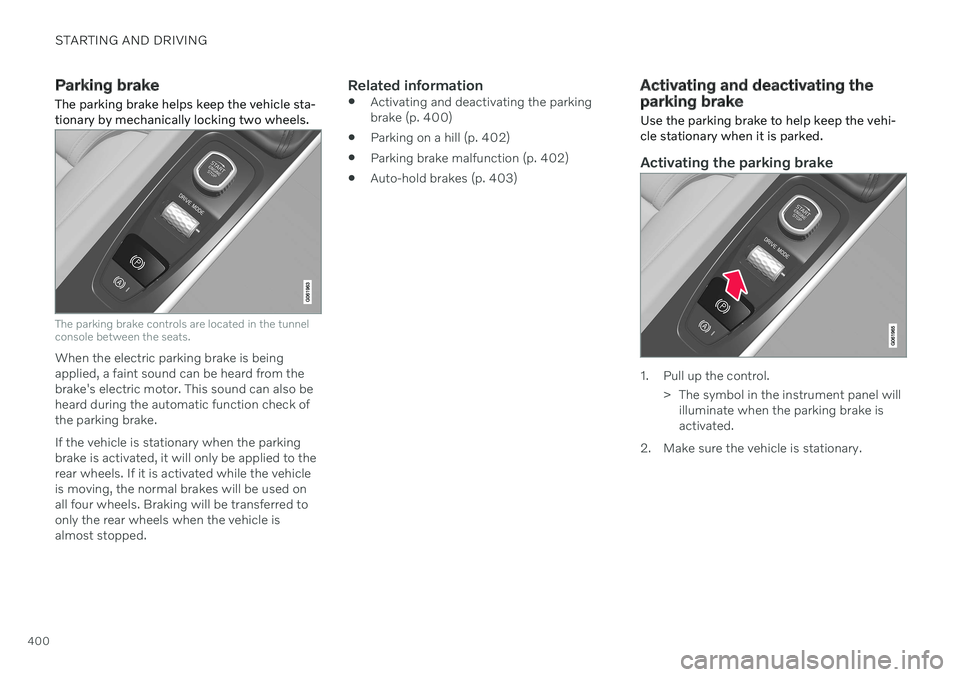
The parking brake helps keep the vehicle sta- tionary by mechanically locking two wheels.
The parking brake controls are located in the tunnel console between the seats.
When the electric parking brake is being applied, a faint sound can be heard from thebrake's electric motor. This sound can also beheard during the automatic function check ofthe parking brake. If the vehicle is stationary when the parking brake is activated, it will only be applied to therear wheels. If it is activated while the vehicleis moving, the normal brakes will be used onall four wheels. Braking will be transferred toonly the rear wheels when the vehicle isalmost stopped.
Related information
Activating and deactivating the parkingbrake (p. 400)
Parking on a hill (p. 402)
Parking brake malfunction (p. 402)
Auto-hold brakes (p. 403)
Activating and deactivating the parking brake
Use the parking brake to help keep the vehi- cle stationary when it is parked.
Activating the parking brake
1. Pull up the control.
> The symbol in the instrument panel willilluminate when the parking brake is activated.
2. Make sure the vehicle is stationary.