light VOLVO V90 2017 Owners Manual
[x] Cancel search | Manufacturer: VOLVO, Model Year: 2017, Model line: V90, Model: VOLVO V90 2017Pages: 594, PDF Size: 15.07 MB
Page 408 of 594
STARTING AND DRIVING
406
Brake functions
The car's brakes are used to reduce the speed or prevent the car from rolling.
Besides the foot brake and parking brake, the car is equipped with several automatic brake assistfunctions. These can assist the driver by notneeding to keep his/her foot on the brake pedalwhen stationary at a traffic light, when starting onan uphill gradient or when driving on a downhillgradient. Depending on the car's equipment, the following auto braking functions are available:
• Automatic braking when stationary (AutoHold)
• Hill start assist (Hill Start Assist)
• Auto braking after a collision
• City Safety
Related information
•
Foot brake (p. 406)
• Parking brake (p. 409)
• Hill start assist (p. 412)
• Automatic braking when stationary (p. 412)
• Auto braking after a collision (p. 408)
Foot brake
The foot brake is used to reduce the car's speed while driving.
Foot brake systemThe car is equipped with two brake circuits. If a brake circuit is damaged, the brake pedal willengage deeper. Higher pressure on the pedal willtherefore be needed to produce the normal brak-ing effect. The driver's brake pedal pressure is assisted by a brake servo.
WARNING
The brake servo only works when the engine is running.
If the foot brake is used when the engine is switched off then the pedal will feel stiff and ahigher pedal pressure must be used to brake thecar. In very hilly terrain or when driving with a heavy load the brakes can be relieved by using enginebraking in manual gearshift mode. Engine brakingis most efficiently used if the same gear is useddownhill as up.
Anti-lock braking systemThe car has anti-lock brakes, Anti-lock BrakingSystem (ABS), which prevent the wheels fromlocking while braking and allows maintained steering control. Vibration may be felt in thebrake pedal when this is engaged and this is nor-mal. A short test of the ABS system is made automat- ically after the engine has been started when thedriver releases the brake pedal. A further auto-matic test of the system may be made at lowspeed. The test may be experienced as pulses inthe brake pedal.
Braking on wet roadsWhen driving for a prolonged period of time inheavy rain without braking, the braking effect maybe delayed slightly when next using the brakes.This may also be the case after a car wash. It isthen necessary to depress the brake pedal moreforcefully. You should therefore maintain agreater distance to the vehicles in front. Brake the car firmly after driving on wet roads or using a car wash. This warms up the brake discs,enabling them to dry faster and protecting themagainst corrosion. Bear in mind the current trafficsituation when braking.
Braking on salted roadsWhen driving on salted roads, a layer of salt mayform on the brake discs and brake linings. Thismay extend braking distance. You should there-fore maintain an extra large safety distance tovehicles in front. In addition, make sure you dothe following:
Page 409 of 594
STARTING AND DRIVING
407
•
Brake now and again to remove any layer of salt. Make sure that other road users are notput at risk by the braking.
• Gently depress the brake pedal after finish-ing driving and before starting your next trip.
MaintenanceTo keep the car as safe and reliable as possible,follow the Volvo service intervals as specified inthe Service and Warranty Booklet. New and replaced brake linings and brake discs do not provide optimal braking effect until theyhave been "worn in" a few hundred kilometres.Compensate for the reduced braking effect bydepressing the brake pedal harder. Volvo recom-mends only fitting brake linings that are approvedfor your Volvo.
IMPORTANT
The wear on the brake system's components must be checked regularly. Contact a workshop for information about the procedure or engage a workshop to carry outthe inspection - an authorised Volvo work-shop is recommended.
Symbols in the driver display
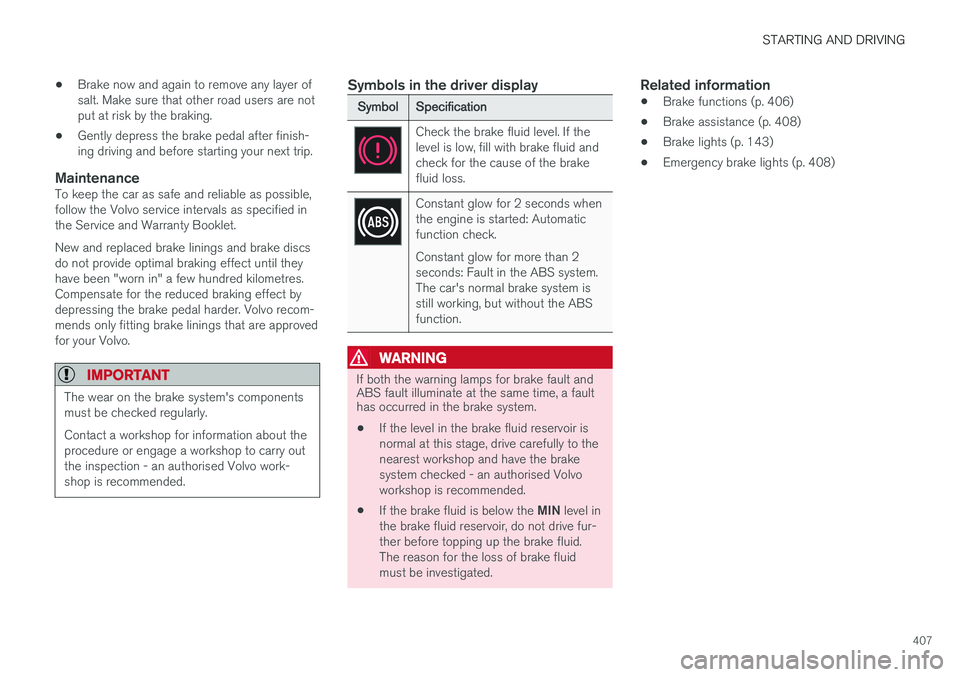
Symbol
Specification
Check the brake fluid level. If the level is low, fill with brake fluid andcheck for the cause of the brakefluid loss.
Constant glow for 2 seconds when the engine is started: Automaticfunction check. Constant glow for more than 2 seconds: Fault in the ABS system.The car's normal brake system isstill working, but without the ABSfunction.
WARNING
If both the warning lamps for brake fault and ABS fault illuminate at the same time, a faulthas occurred in the brake system.
• If the level in the brake fluid reservoir is normal at this stage, drive carefully to thenearest workshop and have the brakesystem checked - an authorised Volvoworkshop is recommended.
• If the brake fluid is below the
MIN level in
the brake fluid reservoir, do not drive fur-ther before topping up the brake fluid.The reason for the loss of brake fluidmust be investigated.
Related information
• Brake functions (p. 406)
• Brake assistance (p. 408)
• Brake lights (p. 143)
• Emergency brake lights (p. 408)
Page 410 of 594
STARTING AND DRIVING
408
Emergency brake lightsEmergency brake lights are activated to alert vehicles behind about heavy braking. The func-tion means that the brake light flashes instead of- as in normal braking - shining with a constantglow.
The emergency brake lights are activated during heavy braking or if the ABS system is activated athigh speeds. After emergency braking to a lowspeed, the brake lights return from flashing to thenormal constant glow. The car's hazard warningflashers are activated at the same time. Theseflash until the driver accelerates the car to ahigher speed again or switches off the hazardwarning flashers.
Related information
• Foot brake (p. 406)
• Hazard warning flashers (p. 143)
• Brake lights (p. 143)
Brake assistance
The brake assist system, BAS (Brake Assist System), helps to increase brake force duringbraking, thereby shortening the braking distance.
The system detects the way in which the driver brakes and increases brake force where neces-sary. The brake force can be boosted up to thelevel when the ABS system is engaged. Thefunction is suspended when the pressure on thebrake pedal decreases.
NOTE
When BAS is activated the brake pedal low- ers slightly more than usual, depress (hold)the brake pedal as long as necessary. When the brake pedal is released, all braking ceases.
Related information
• Foot brake (p. 406)
Auto braking after a collision In the event of a collision in which the activation level is reached for the pyrotechnic seatbelt ten-sioners or airbags, or if a collision with a largeanimal is detected, the car's brakes are automat-ically applied. This function is to prevent orreduce the effects of any subsequent collision.
After a serious collision there is a risk that it is no longer possible to control and steer the car. Inorder to avoid or mitigate a possible further colli-sion with a vehicle or an object in the vehicle'spath, the auto braking system is activated auto-matically and brakes the car in a safe manner. Brake lights and hazard warning lights are acti- vated during braking. When the car has stopped,the hazard warning lights continue to flash andthe parking brake is applied. If braking is not appropriate, e.g. if there is a risk of being hit by following traffic, the system can beoverridden by the driver depressing the accelera-tor pedal. The function assumes that the brake system is intact after the collision. See also the sections "Rear Collision Warning" and "Blind Spot Information".
Related information
• Brake functions (p. 406)
• Seatbelt tensioner (p. 59)
• Airbags (p. 63)
Page 414 of 594
||
STARTING AND DRIVING
412
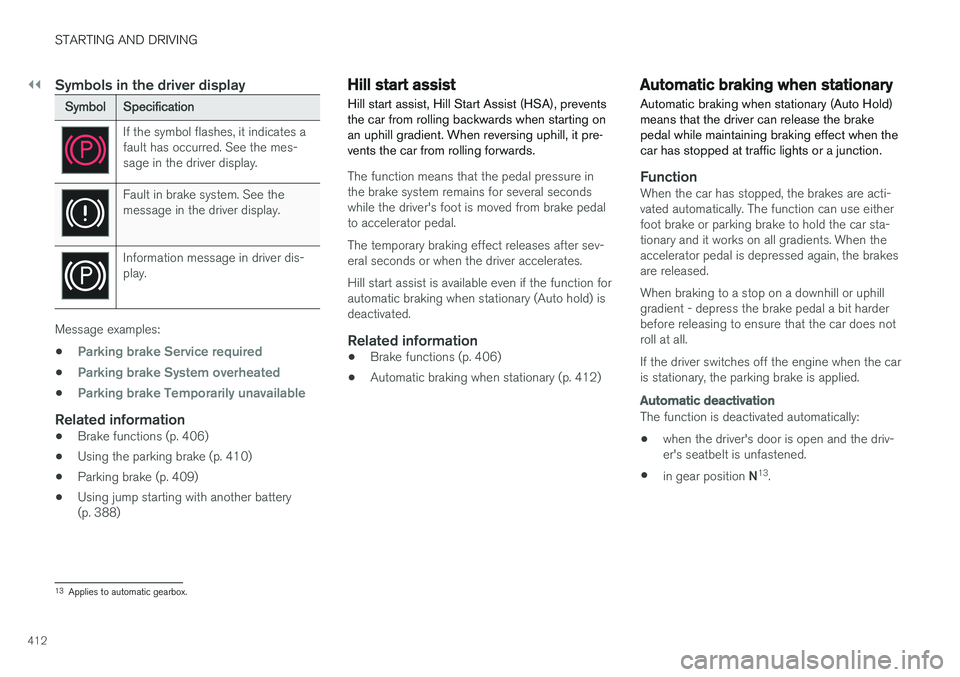
Symbols in the driver display
SymbolSpecification
If the symbol flashes, it indicates a fault has occurred. See the mes-sage in the driver display.
Fault in brake system. See the message in the driver display.
Information message in driver dis- play.
Message examples:
•
Parking brake Service required
•Parking brake System overheated
•Parking brake Temporarily unavailable
Related information
• Brake functions (p. 406)
• Using the parking brake (p. 410)
• Parking brake (p. 409)
• Using jump starting with another battery (p. 388)
Hill start assist
Hill start assist, Hill Start Assist (HSA), prevents the car from rolling backwards when starting onan uphill gradient. When reversing uphill, it pre-vents the car from rolling forwards.
The function means that the pedal pressure in the brake system remains for several secondswhile the driver's foot is moved from brake pedalto accelerator pedal. The temporary braking effect releases after sev- eral seconds or when the driver accelerates. Hill start assist is available even if the function for automatic braking when stationary (Auto hold) isdeactivated.
Related information
• Brake functions (p. 406)
• Automatic braking when stationary (p. 412)
Automatic braking when stationary
Automatic braking when stationary (Auto Hold) means that the driver can release the brakepedal while maintaining braking effect when thecar has stopped at traffic lights or a junction.
FunctionWhen the car has stopped, the brakes are acti- vated automatically. The function can use eitherfoot brake or parking brake to hold the car sta-tionary and it works on all gradients. When theaccelerator pedal is depressed again, the brakesare released. When braking to a stop on a downhill or uphill gradient - depress the brake pedal a bit harderbefore releasing to ensure that the car does notroll at all. If the driver switches off the engine when the car is stationary, the parking brake is applied.
Automatic deactivation
The function is deactivated automatically: • when the driver's door is open and the driv- er's seatbelt is unfastened.
• in gear position
N13
.
13 Applies to automatic gearbox.
Page 415 of 594
STARTING AND DRIVING
}}
413
Switch for automatic brake
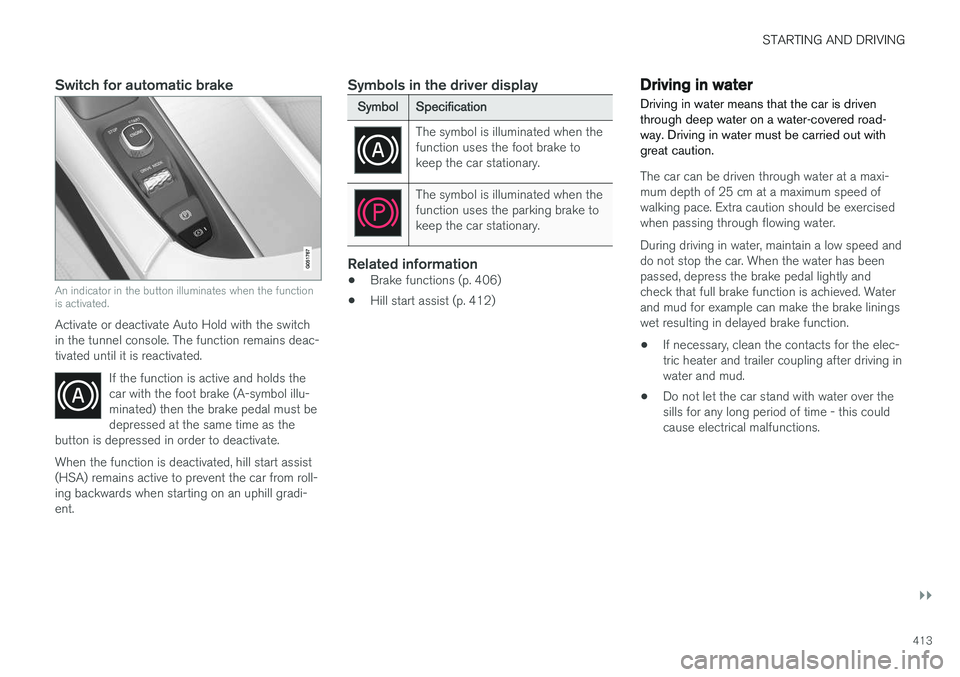
An indicator in the button illuminates when the function is activated.
Activate or deactivate Auto Hold with the switch in the tunnel console. The function remains deac-tivated until it is reactivated.If the function is active and holds thecar with the foot brake (A-symbol illu-minated) then the brake pedal must bedepressed at the same time as the
button is depressed in order to deactivate.
When the function is deactivated, hill start assist (HSA) remains active to prevent the car from roll-ing backwards when starting on an uphill gradi-ent.
Symbols in the driver display
Symbol Specification
The symbol is illuminated when the function uses the foot brake tokeep the car stationary.
The symbol is illuminated when the function uses the parking brake tokeep the car stationary.
Related information
•Brake functions (p. 406)
• Hill start assist (p. 412)
Driving in water Driving in water means that the car is driven through deep water on a water-covered road-way. Driving in water must be carried out withgreat caution.
The car can be driven through water at a maxi- mum depth of 25 cm at a maximum speed ofwalking pace. Extra caution should be exercisedwhen passing through flowing water. During driving in water, maintain a low speed and do not stop the car. When the water has beenpassed, depress the brake pedal lightly andcheck that full brake function is achieved. Waterand mud for example can make the brake liningswet resulting in delayed brake function.
• If necessary, clean the contacts for the elec-tric heater and trailer coupling after driving inwater and mud.
• Do not let the car stand with water over thesills for any long period of time - this couldcause electrical malfunctions.
Page 423 of 594
STARTING AND DRIVING
* Option/accessory.421
Points to remember when filling with a fuel can
When filling diesel with a fuel can, use the funnel located under the floor hatch in the cargo area.Make sure you insert the funnel's pipe firmly intothe filler pipe. The filler pipe has an openablecover and the funnel's pipe must be slid past thecover before filling can begin.
Related information
•Diesel (p. 420)
• Fuel consumption and CO2 emissions(p. 572)
Diesel particulate filter Diesel-driven cars are equipped with a particu- late filter, which results in more efficient emis-sion control.
The particles in the exhaust gases are collected in the filter during normal driving. So-called"regeneration" is started in order to burn awaythe particles and empty the filter. This requiresthe engine to have reached normal operatingtemperature. Regeneration of the particulate filter is automatic and normally takes 10-20 minutes. It may take alittle longer at a low average speed. Fuel con-sumption may increase slightly during regenera-tion.
Regeneration in cold weatherIf the car is frequently driven short distances incold weather then the engine does not reachnormal operating temperature. This means thatregeneration of the diesel particulate filter doesnot take place and the filter is not emptied. When the filter has become approx. 80% full of particles, a yellow warning triangle illuminates, and the message
Particulate filter full See
Owner's manual is shown in the driver display.
Start regeneration of the filter by driving the car until the engine reaches normal operating tem-perature, preferably on a main road or motorway. The car should then be driven for approximately20 minutes more.
NOTE
The following may arise during regeneration:
• a smaller reduction of engine power may be noticed temporarily
• fuel consumption may increase temporar-ily
• a smell of burning may arise.
When regeneration is complete the warning text is cleared automatically. Use the parking heater
* in cold weather - the
engine then reaches normal operating tempera- ture more quickly.
IMPORTANT
If the filter is completely filled with particles, it may be difficult to start the engine and the fil-ter is non-functional. Then there is a risk thatthe filter will need to be replaced.
Related information
• Diesel (p. 420)
Page 428 of 594
STARTING AND DRIVING
426
Driving with a trailer
When driving with a trailer, there are a number of points that are important to think about regar-ding the towing bracket, the trailer and how theload is positioned in the trailer.
Payload depends on the car's kerb weight. The total of the weight of the passengers and allaccessories, e.g. towbar, reduces the car's pay-load by a corresponding weight. The car is supplied with the necessary equipment for towing a trailer.
• The car's towing bracket must be of anapproved type.
• Distribute the load on the trailer so that theweight on the towing bracket complies withthe specified maximum towball load. Towballload is calculated as part of the car's payload.
• Increase the tyre pressure to the recom-mended pressure for a full load. For moreinformation on tyre pressure, see the section"Approved tyre pressures".
• The engine is loaded more heavily than usualwhen driving with a trailer.
• Do not tow a heavy trailer when the car isbrand new. Wait until it has been driven atleast 1000 km.
• The brakes are loaded much more than usualon long and steep downhill slopes. Downshiftto a lower gear and adjust your speed. •
Follow the regulations in force for the permit-ted speeds and weights.
• Maintain a low speed when driving with atrailer up long, steep ascents.
• The maximum trailer weights given only applyto altitudes up to 1000 metres above sealevel. At higher altitudes, engine power andthus the car's climbing ability is decreaseddue to the reduced air density, and the maxi-mum trailer weight must therefore bereduced. The weight of the car and trailermust be decreased by 10 % for each addi-tional 1000 m (or part thereof).
• Avoid driving with a trailer on inclines of morethan 12%.
NOTE
Extreme weather conditions, driving with a trailer or driving at high altitudes in combina-tion with fuel quality are factors that consider-ably increase the car's fuel consumption.
Trailer connectorAn adapter is required if the car's towing bracket has a 13 pin connector and the trailer has a 7 pinconnector. Use an adapter approved by Volvo.Make sure the cable does not drag on theground.
IMPORTANT
When the engine is switched off, the constant battery voltage to the trailer connector can beswitched off automatically so as not to drainthe starter battery.
Trailer weightsInformation about Volvo's permitted trailer weights is available in the article "Towingcapacity and towball load".
WARNING
Follow the stated recommendations for trailer weights. Otherwise, the car and trailer may bedifficult to control in the event of suddenmovement and braking.
NOTE
The stated maximum permitted trailer weights are those permitted by Volvo. National vehicleregulations can further limit trailer weightsand speeds. Towbars can be certified forhigher towing weights than the car canactually tow.
Direction indicators and brake lights on the trailer
If one or more of the trailer's direction indicators or brake light bulbs is broken, the driver display
Page 429 of 594
STARTING AND DRIVING
* Option/accessory.427
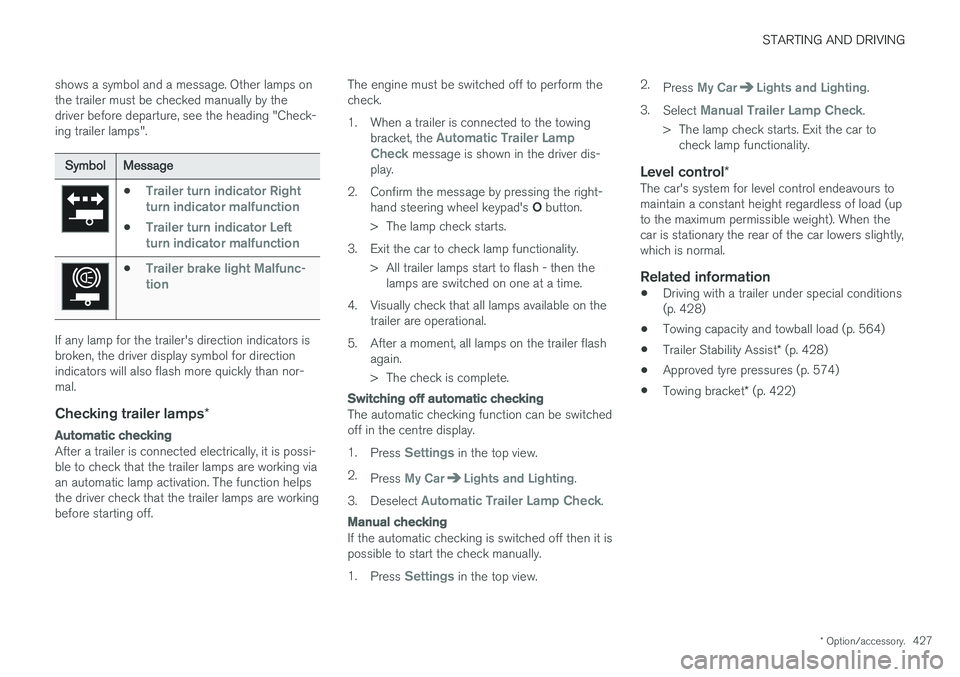
shows a symbol and a message. Other lamps on the trailer must be checked manually by thedriver before departure, see the heading "Check-ing trailer lamps".
Symbol
Message
•Trailer turn indicator Right
turn indicator malfunction
•Trailer turn indicator Left
turn indicator malfunction
•Trailer brake light Malfunc-
tion
If any lamp for the trailer's direction indicators is broken, the driver display symbol for directionindicators will also flash more quickly than nor-mal.
Checking trailer lamps *
Automatic checking
After a trailer is connected electrically, it is possi- ble to check that the trailer lamps are working viaan automatic lamp activation. The function helpsthe driver check that the trailer lamps are workingbefore starting off. The engine must be switched off to perform thecheck.
1. When a trailer is connected to the towing
bracket, the
Automatic Trailer Lamp
Check message is shown in the driver dis-
play.
2. Confirm the message by pressing the right- hand steering wheel keypad's O button.
> The lamp check starts.
3. Exit the car to check lamp functionality. > All trailer lamps start to flash - then thelamps are switched on one at a time.
4. Visually check that all lamps available on the trailer are operational.
5. After a moment, all lamps on the trailer flash again.
> The check is complete.
Switching off automatic checking
The automatic checking function can be switched off in the centre display. 1.Press
Settings in the top view.
2. Press
My CarLights and Lighting.
3. Deselect
Automatic Trailer Lamp Check.
Manual checking
If the automatic checking is switched off then it is possible to start the check manually. 1.Press
Settings in the top view. 2.
Press
My CarLights and Lighting.
3. Select
Manual Trailer Lamp Check.
> The lamp check starts. Exit the car to check lamp functionality.
Level control *The car's system for level control endeavours to maintain a constant height regardless of load (upto the maximum permissible weight). When thecar is stationary the rear of the car lowers slightly,which is normal.
Related information
•Driving with a trailer under special conditions(p. 428)
• Towing capacity and towball load (p. 564)
• Trailer Stability Assist
* (p. 428)
• Approved tyre pressures (p. 574)
• Towing bracket
* (p. 422)
Page 439 of 594
AUDIO AND MEDIA
}}
437
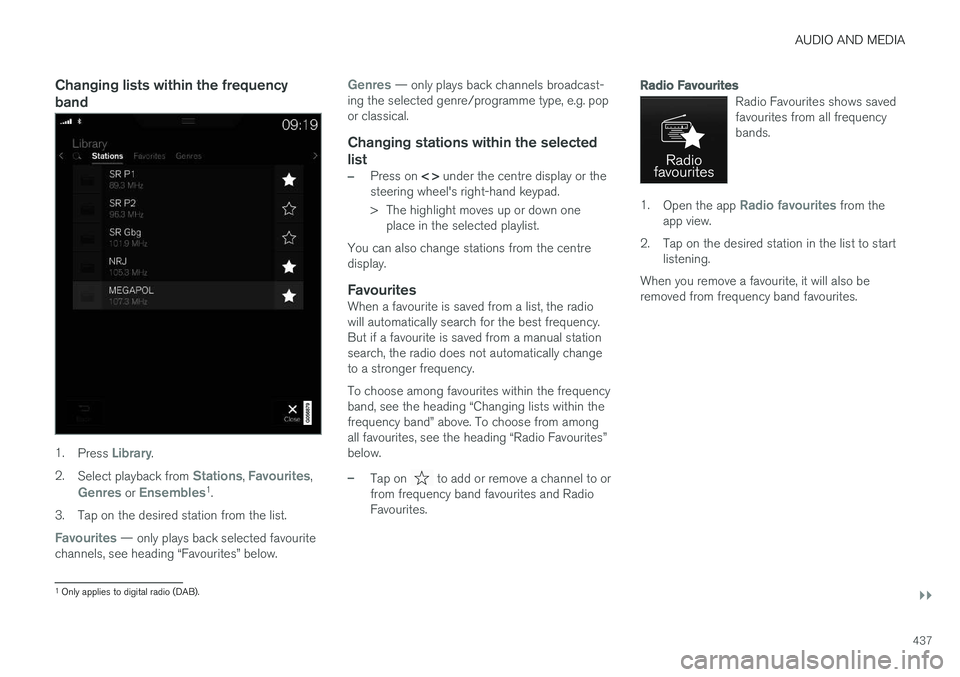
Changing lists within the frequency band
1.Press Library.
2. Select playback from
Stations, Favourites,
Genres or Ensembles1
.
3. Tap on the desired station from the list.
Favourites — only plays back selected favourite
channels, see heading “Favourites” below.
Genres — only plays back channels broadcast-
ing the selected genre/programme type, e.g. pop or classical.
Changing stations within the selected
list
–Press on < > under the centre display or the
steering wheel's right-hand keypad.
> The highlight moves up or down one place in the selected playlist.
You can also change stations from the centre display.
FavouritesWhen a favourite is saved from a list, the radiowill automatically search for the best frequency.But if a favourite is saved from a manual stationsearch, the radio does not automatically changeto a stronger frequency. To choose among favourites within the frequency band, see the heading “Changing lists within thefrequency band” above. To choose from amongall favourites, see the heading “Radio Favourites”below.
–Tap on to add or remove a channel to or
from frequency band favourites and Radio Favourites.
Radio Favourites
Radio Favourites shows saved favourites from all frequencybands.
1. Open the app Radio favourites from the
app view.
2. Tap on the desired station in the list to start listening.
When you remove a favourite, it will also be removed from frequency band favourites.
1 Only applies to digital radio (DAB).
Page 451 of 594
AUDIO AND MEDIA
}}
* Option/accessory.449
System volumes for media1.
Press Settings in top view.
2. Press
SoundSystem Volumes:
•
AUX - If an external audio source (e.g. an
MP3 player or iPod) is connected to the AUX input then the audio source that isconnected can have a different volumethan the audio system's internal volume(e.g. radio). Correct this by adjusting thevolume of the input. If the volume is toohigh or too low then the quality of thesound can be impaired.
•
Speed and Volume Compensation -
the audio system compensates for dis- rupting noises in the passenger compart-ment by increasing the volume in relationto the speed of the car. Compensationlevel can be set.
Related information
• Audio settings (p. 435)
• Media player (p. 442)
TV
*2
The TV picture is only shown when the car is stationary. There will be no picture when the caris moving, but the audio continues to be playedback. The picture returns once more when thecar is almost or completely stationary.
The TV is controlled from the centre display. Sev- eral functions can also be controlled from theright keypad on the steering wheel or with voicerecognition.
Related information
• Using the TV
* (p. 449)
Using the TV *3
Start the TV1.
Open the app TV from the app view.
2. Select a channel.
Change or search for TV channelsThe TV automatically searches for the channels with best reception.
Change the list of visible channels
1. Press Library
2.Select playback from TV-channels,Favourites or Genres.
3. Select the desired channel.
Change channel from selected list
–Press on <> under the centre display or on the steering wheel keypad.
> The highlight moves up or down one place in the selected playlist
You can also change stations from the centre display.
Favourites
A TV channel can be saved as a Favourite:
–Tap on in order to add/remove a chan-
nel to/from the favourites list.
2 Applies to certain markets.
3 Applies to certain markets.