light VOLVO V90 2017 Workshop Manual
[x] Cancel search | Manufacturer: VOLVO, Model Year: 2017, Model line: V90, Model: VOLVO V90 2017Pages: 594, PDF Size: 15.07 MB
Page 222 of 594
LOADING AND STORAGE
* Option/accessory.
220
Electrical sockets In the tunnel console there are two 12 V electri- cal sockets and one 230 V electrical socket *, in
the cargo area there is one 12 V electricalsocket *.
For the sockets to supply current, the car's elec- trical system must be set in the lowest ignition position I. The sockets are then active as long as
the starter battery level does not become too low. If the engine is switched off and the car is locked, the sockets are deactivated. If the engine isswitched off and the car is not locked, or islocked with blocked lock position temporarilydeactivated, then the sockets continue to beactive for a further ten minutes.
NOTE
Remember that use of the electrical socket with the engine switched off entails a risk ofdischarging the starter battery, which can limitfunctionality.
230 V electrical socket *
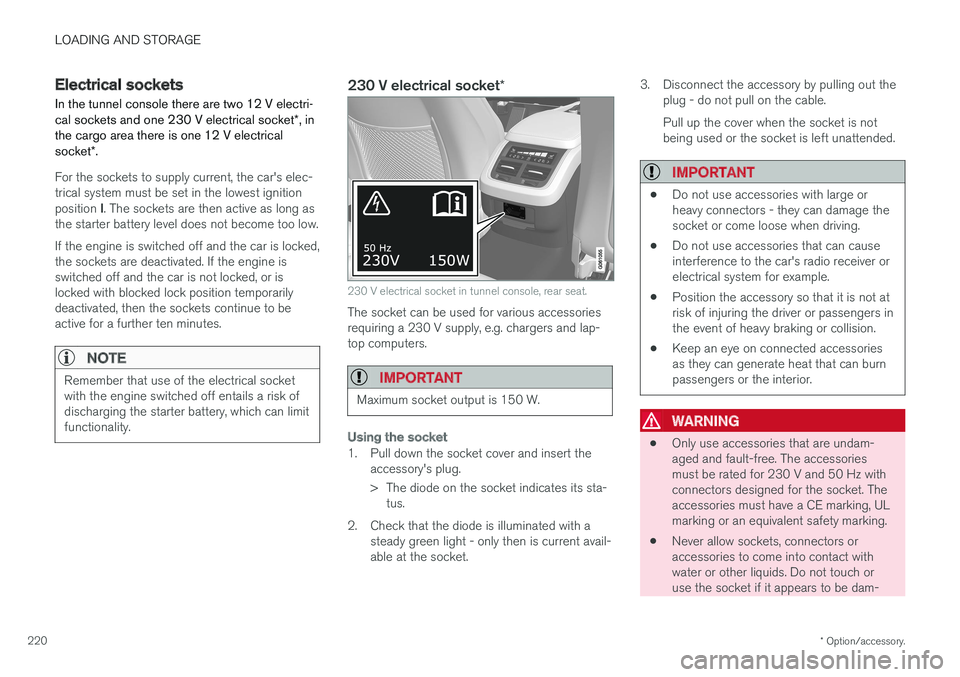
230 V electrical socket in tunnel console, rear seat.
The socket can be used for various accessories requiring a 230 V supply, e.g. chargers and lap-top computers.
IMPORTANT
Maximum socket output is 150 W.
Using the socket
1. Pull down the socket cover and insert the
accessory's plug.
> The diode on the socket indicates its sta-tus.
2. Check that the diode is illuminated with a steady green light - only then is current avail- able at the socket. 3. Disconnect the accessory by pulling out the
plug - do not pull on the cable. Pull up the cover when the socket is not being used or the socket is left unattended.
IMPORTANT
• Do not use accessories with large or heavy connectors - they can damage thesocket or come loose when driving.
• Do not use accessories that can causeinterference to the car's radio receiver orelectrical system for example.
• Position the accessory so that it is not atrisk of injuring the driver or passengers inthe event of heavy braking or collision.
• Keep an eye on connected accessoriesas they can generate heat that can burnpassengers or the interior.
WARNING
•
Only use accessories that are undam- aged and fault-free. The accessoriesmust be rated for 230 V and 50 Hz withconnectors designed for the socket. Theaccessories must have a CE marking, ULmarking or an equivalent safety marking.
• Never allow sockets, connectors oraccessories to come into contact withwater or other liquids. Do not touch oruse the socket if it appears to be dam-
Page 223 of 594
LOADING AND STORAGE
}}
221
aged or has come into contact with water or other liquid.
• Do not connect junction sockets, adapt-ers or extension cables to the socket asthese can override the socket's safetyfeatures.
• The socket is equipped with a protectivecover, ensure that nothing protrudes in ordamages the socket preventing the coverfrom doing its job. Do not leave childrenin the car unsupervised when the socketis active.
Failure to follow the advice given above can lead to severe or fatal electric shocks.Status indication
A diode on the socket indicates its status:
Status indication Reason Action
Steady green light The socket is delivering current to a connected device. None.
Blinking orange light The temperature of the socket's voltage converter is too high (because for example the accessory draws too high a current or the passenger compart- ment is too warm). Remove the plug and let the voltage converter cooldown before reinserting the plug.
The connected accessory draws too much current (intermittently or contin-uously) or is defective. None. The accessory cannot be connected to thesocket.
Page 224 of 594
||
LOADING AND STORAGE
* Option/accessory.
222
Status indication Reason Action
Diode not illuminated The socket does not sense that a plug has been inserted. Check that the plug is properly inserted into the socket.
The socket is not active. Switch the car's electrical system to the lowest igni- tion position I.
The socket has been active but is now deactivated. Start the engine and/or charge the starter battery.
If the problem persists, contact a workshop - an authorised Volvo workshop is recommended.
WARNING
Never modify or repair the 230 V electrical socket yourself. Volvo recommends that anauthorised Volvo workshop should be contac-ted.
12 V electrical socket
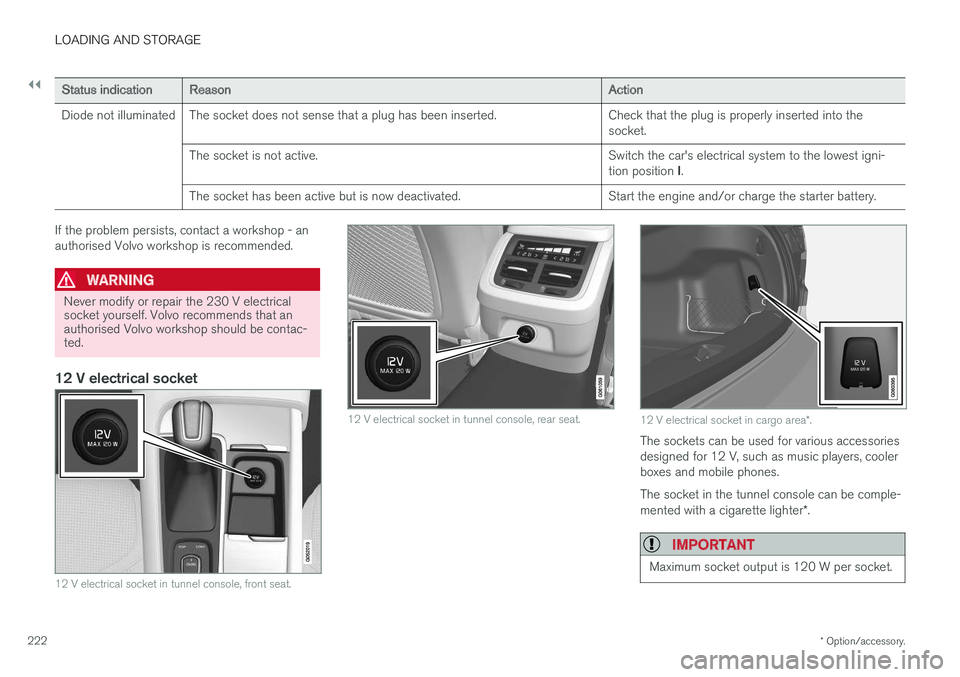
12 V electrical socket in tunnel console, front seat.
12 V electrical socket in tunnel console, rear seat.12 V electrical socket in cargo area *.
The sockets can be used for various accessories designed for 12 V, such as music players, coolerboxes and mobile phones. The socket in the tunnel console can be comple- mented with a cigarette lighter *.
IMPORTANT
Maximum socket output is 120 W per socket.
Page 226 of 594
LOADING AND STORAGE
* Option/accessory.
224
Using the cigarette lighter *
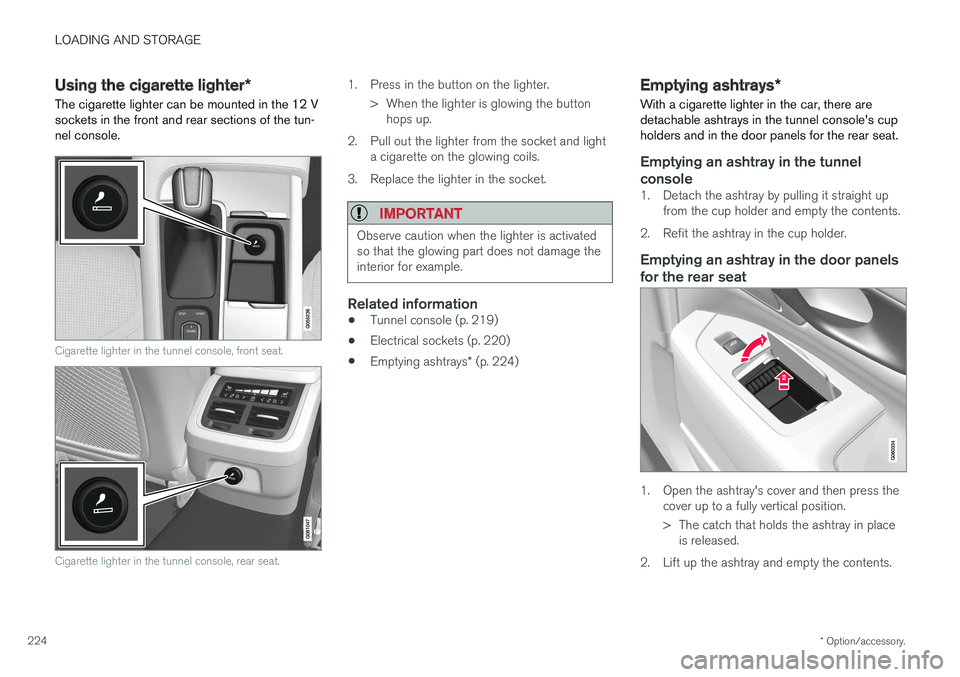
The cigarette lighter can be mounted in the 12 V sockets in the front and rear sections of the tun-nel console.
Cigarette lighter in the tunnel console, front seat.
Cigarette lighter in the tunnel console, rear seat.
1. Press in the button on the lighter.
> When the lighter is glowing the buttonhops up.
2. Pull out the lighter from the socket and light a cigarette on the glowing coils.
3. Replace the lighter in the socket.
IMPORTANT
Observe caution when the lighter is activated so that the glowing part does not damage theinterior for example.
Related information
• Tunnel console (p. 219)
• Electrical sockets (p. 220)
• Emptying ashtrays
* (p. 224)
Emptying ashtrays *
With a cigarette lighter in the car, there are detachable ashtrays in the tunnel console's cupholders and in the door panels for the rear seat.
Emptying an ashtray in the tunnel console
1. Detach the ashtray by pulling it straight up from the cup holder and empty the contents.
2. Refit the ashtray in the cup holder.
Emptying an ashtray in the door panels for the rear seat
1. Open the ashtray's cover and then press the cover up to a fully vertical position.
> The catch that holds the ashtray in placeis released.
2. Lift up the ashtray and empty the contents.
Page 227 of 594
LOADING AND STORAGE
}}
* Option/accessory.225
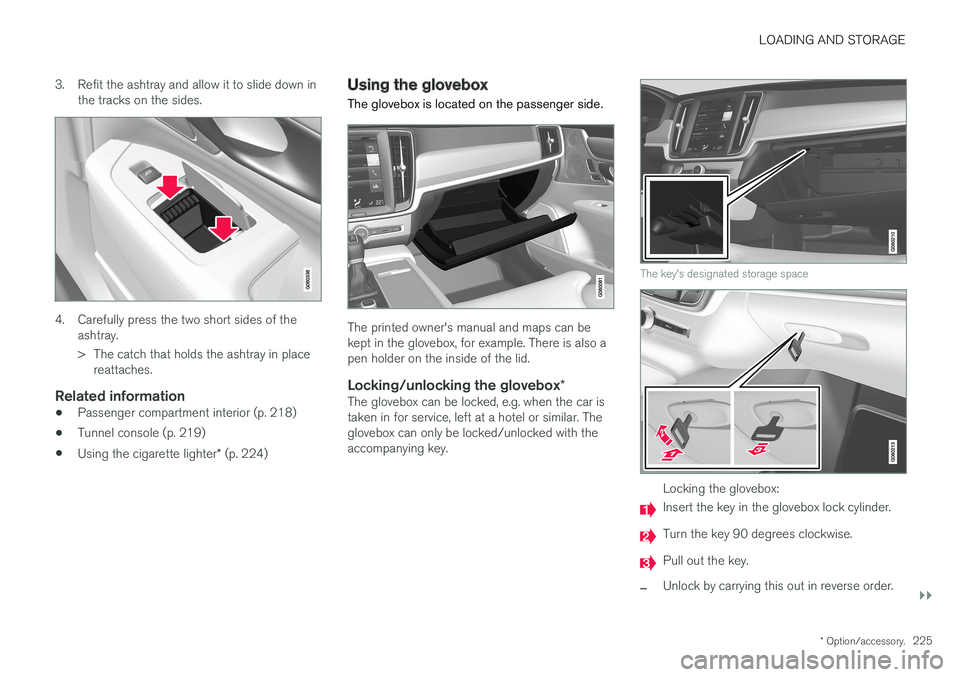
3. Refit the ashtray and allow it to slide down in
the tracks on the sides.
4. Carefully press the two short sides of the ashtray.
> The catch that holds the ashtray in placereattaches.
Related information
• Passenger compartment interior (p. 218)
• Tunnel console (p. 219)
• Using the cigarette lighter
* (p. 224)
Using the glovebox
The glovebox is located on the passenger side.
The printed owner's manual and maps can be kept in the glovebox, for example. There is also apen holder on the inside of the lid.
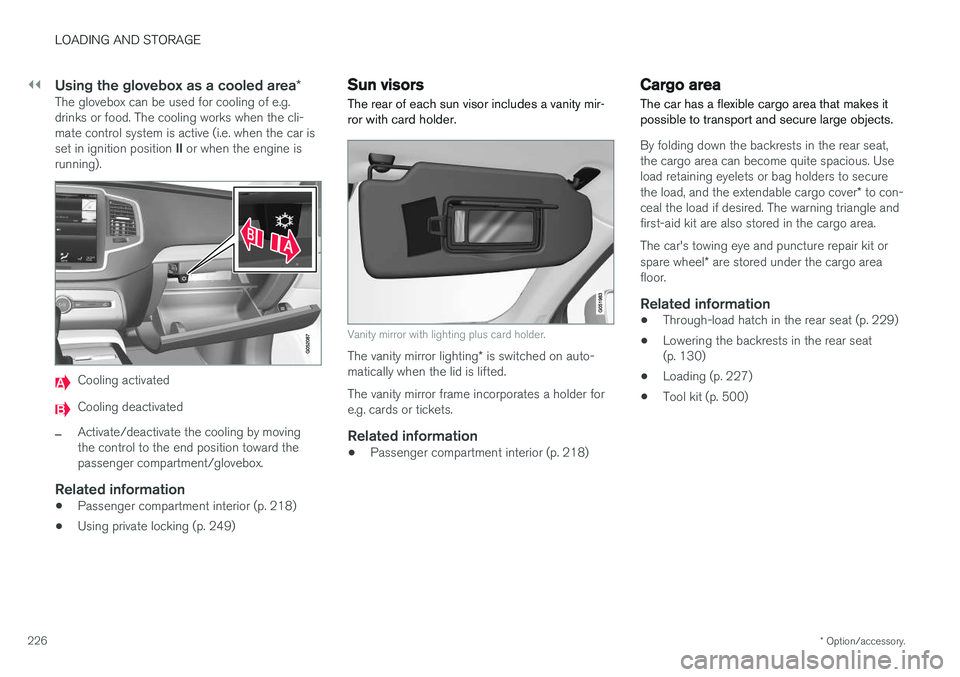
Locking/unlocking the glovebox *The glovebox can be locked, e.g. when the car istaken in for service, left at a hotel or similar. Theglovebox can only be locked/unlocked with theaccompanying key.
The key's designated storage space
Locking the glovebox:
Insert the key in the glovebox lock cylinder.
Turn the key 90 degrees clockwise.
Pull out the key.
–Unlock by carrying this out in reverse order.
Page 228 of 594
||
LOADING AND STORAGE
* Option/accessory.
226
Using the glovebox as a cooled area *The glovebox can be used for cooling of e.g. drinks or food. The cooling works when the cli-mate control system is active (i.e. when the car is set in ignition position II or when the engine is
running).
Cooling activated
Cooling deactivated
–Activate/deactivate the cooling by moving the control to the end position toward thepassenger compartment/glovebox.
Related information
• Passenger compartment interior (p. 218)
• Using private locking (p. 249)
Sun visors The rear of each sun visor includes a vanity mir- ror with card holder.
Vanity mirror with lighting plus card holder.
The vanity mirror lighting
* is switched on auto-
matically when the lid is lifted. The vanity mirror frame incorporates a holder for e.g. cards or tickets.
Related information
• Passenger compartment interior (p. 218)
Cargo area
The car has a flexible cargo area that makes it possible to transport and secure large objects.
By folding down the backrests in the rear seat, the cargo area can become quite spacious. Useload retaining eyelets or bag holders to secure the load, and the extendable cargo cover * to con-
ceal the load if desired. The warning triangle and first-aid kit are also stored in the cargo area. The car's towing eye and puncture repair kit or spare wheel * are stored under the cargo area
floor.
Related information
• Through-load hatch in the rear seat (p. 229)
• Lowering the backrests in the rear seat (p. 130)
• Loading (p. 227)
• Tool kit (p. 500)
Page 232 of 594
LOADING AND STORAGE
* Option/accessory.
230
Cargo cover *
In the extended position, the cargo cover pre- vents visual access to the cargo area.
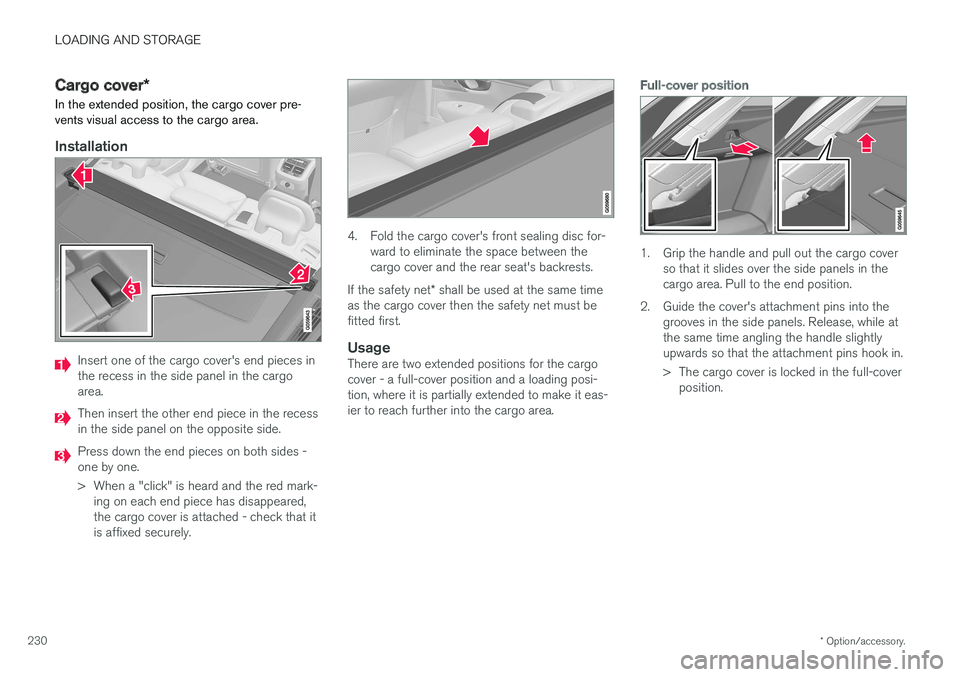
Installation
Insert one of the cargo cover's end pieces in the recess in the side panel in the cargoarea.
Then insert the other end piece in the recess in the side panel on the opposite side.
Press down the end pieces on both sides - one by one.
> When a "click" is heard and the red mark- ing on each end piece has disappeared, the cargo cover is attached - check that itis affixed securely.
4. Fold the cargo cover's front sealing disc for- ward to eliminate the space between the cargo cover and the rear seat's backrests.
If the safety net * shall be used at the same time
as the cargo cover then the safety net must befitted first.
UsageThere are two extended positions for the cargocover - a full-cover position and a loading posi-tion, where it is partially extended to make it eas-ier to reach further into the cargo area.
Full-cover position
1. Grip the handle and pull out the cargo cover so that it slides over the side panels in the cargo area. Pull to the end position.
2. Guide the cover's attachment pins into the grooves in the side panels. Release, while atthe same time angling the handle slightlyupwards so that the attachment pins hook in.
> The cargo cover is locked in the full-coverposition.
Page 246 of 594
||
LOCKS AND ALARM
* Option/accessory.
244
Indication in lock buttons
Front doors
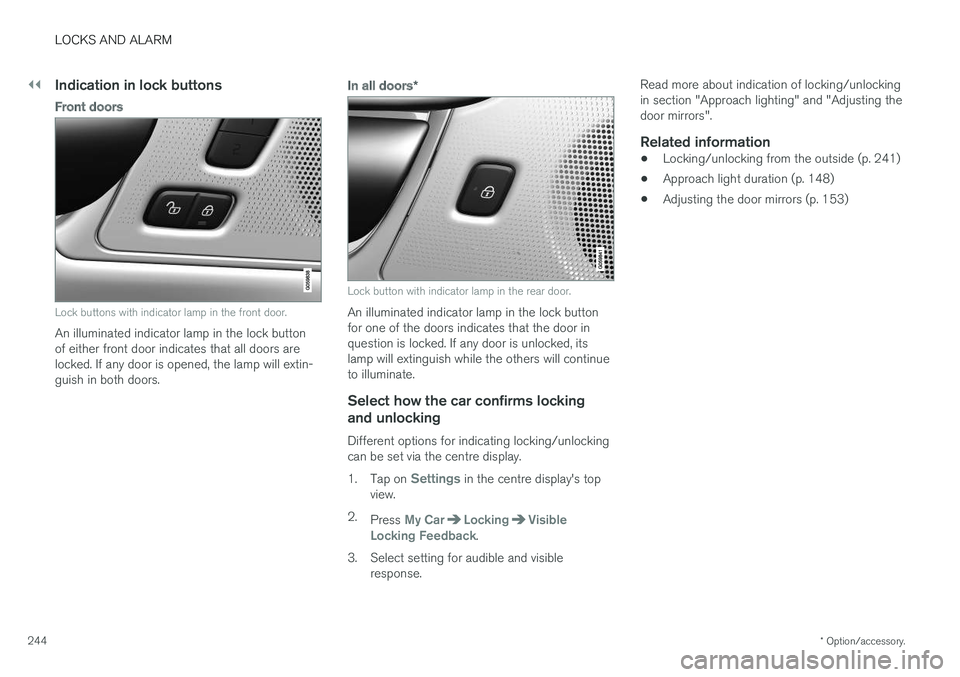
Lock buttons with indicator lamp in the front door.
An illuminated indicator lamp in the lock button of either front door indicates that all doors arelocked. If any door is opened, the lamp will extin-guish in both doors.
In all doors *
Lock button with indicator lamp in the rear door.
An illuminated indicator lamp in the lock button for one of the doors indicates that the door inquestion is locked. If any door is unlocked, itslamp will extinguish while the others will continueto illuminate.
Select how the car confirms locking
and unlocking
Different options for indicating locking/unlockingcan be set via the centre display. 1. Tap on
Settings in the centre display's top
view.
2. Press
My CarLockingVisible
Locking Feedback.
3. Select setting for audible and visible response. Read more about indication of locking/unlocking in section "Approach lighting" and "Adjusting thedoor mirrors".
Related information
•
Locking/unlocking from the outside (p. 241)
• Approach light duration (p. 148)
• Adjusting the door mirrors (p. 153)
Page 250 of 594
||
LOCKS AND ALARM
* Option/accessory.
248
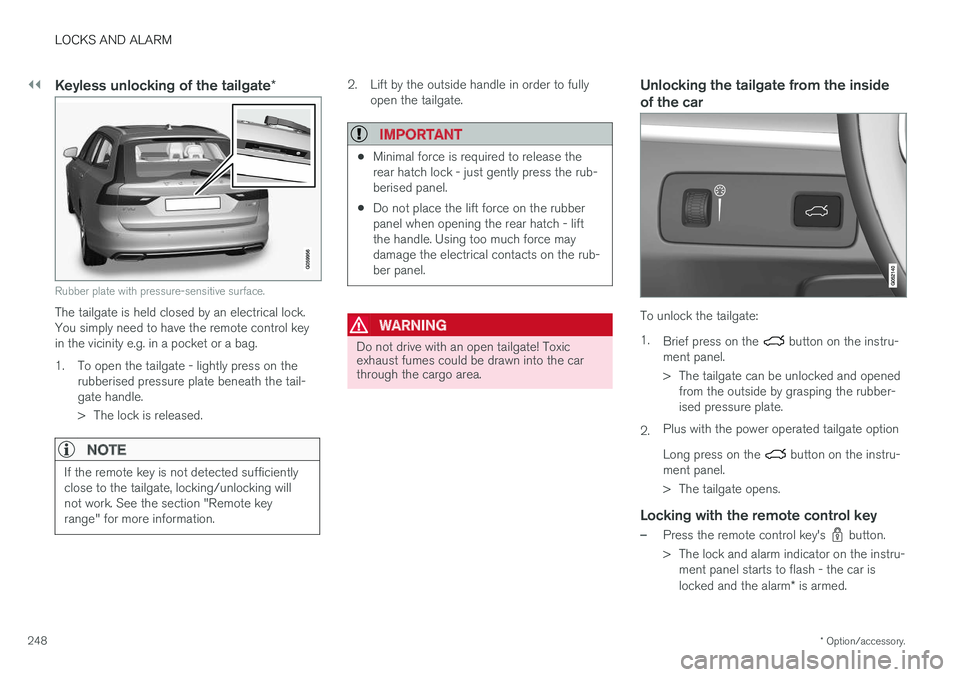
Keyless unlocking of the tailgate *
Rubber plate with pressure-sensitive surface.
The tailgate is held closed by an electrical lock. You simply need to have the remote control keyin the vicinity e.g. in a pocket or a bag.
1. To open the tailgate - lightly press on the
rubberised pressure plate beneath the tail- gate handle.
> The lock is released.
NOTE
If the remote key is not detected sufficiently close to the tailgate, locking/unlocking willnot work. See the section "Remote keyrange" for more information.
2. Lift by the outside handle in order to fullyopen the tailgate.
IMPORTANT
•Minimal force is required to release the rear hatch lock - just gently press the rub-berised panel.
• Do not place the lift force on the rubberpanel when opening the rear hatch - liftthe handle. Using too much force maydamage the electrical contacts on the rub-ber panel.
WARNING
Do not drive with an open tailgate! Toxic exhaust fumes could be drawn into the carthrough the cargo area.
Unlocking the tailgate from the inside of the car
To unlock the tailgate: 1.
Brief press on the
button on the instru-
ment panel.
> The tailgate can be unlocked and opened from the outside by grasping the rubber- ised pressure plate.
2. Plus with the power operated tailgate option Long press on the
button on the instru-
ment panel.
> The tailgate opens.
Locking with the remote control key
–Press the remote control key's button.
> The lock and alarm indicator on the instru- ment panel starts to flash - the car is locked and the alarm * is armed.
Page 255 of 594
LOCKS AND ALARM
}}
* Option/accessory.253
NOTE
•A door's lock reset only locks that partic- ular door - not all doors simultaneously.
• A manually locked rear door with acti-vated manual or electric child safety lockscannot be opened from either the outsideor the inside. A rear door that is locked inthis way can only be unlocked with theremote control key or central locking but-ton.
Related information
• Detachable key blade (p. 250)
Power operated tailgate
*
The car's tailgate can be opened/closed electri- cally.
Opening/closing via a foot movement is also available as an extended option - see the section"Opening/closing the power operated tailgatewith foot movement" for more information.
OpeningThe tailgate can be opened with its handle, with foot movement *, a button on the instrument
panel or the remote control key.
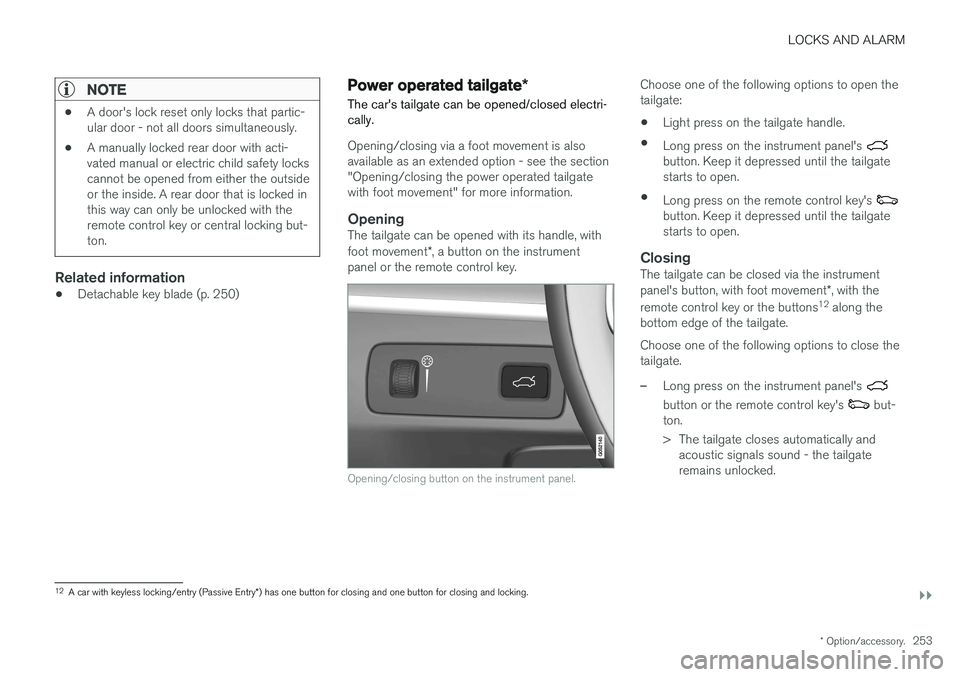
Opening/closing button on the instrument panel.
Choose one of the following options to open the tailgate:
• Light press on the tailgate handle.
• Long press on the instrument panel's
button. Keep it depressed until the tailgate starts to open.
• Long press on the remote control key's
button. Keep it depressed until the tailgate starts to open.
ClosingThe tailgate can be closed via the instrument panel's button, with foot movement *, with the
remote control key or the buttons 12
along the
bottom edge of the tailgate. Choose one of the following options to close the tailgate.
–Long press on the instrument panel's
button or the remote control key's but-
ton.
> The tailgate closes automatically and acoustic signals sound - the tailgate remains unlocked.
12A car with keyless locking/entry (Passive Entry *) has one button for closing and one button for closing and locking.