warning VOLVO V90 2017 Owners Manual
[x] Cancel search | Manufacturer: VOLVO, Model Year: 2017, Model line: V90, Model: VOLVO V90 2017Pages: 594, PDF Size: 15.07 MB
Page 291 of 594
DRIVER SUPPORT
* Option/accessory.289
Activating and setting the time interval for Distance warning *
The Distance warning (Distance Alert) function can be activated/deactivated and a time intervalcan be set.
Activating/deactivating Distance
warning
The function is activated/deac- tivated in function view in thecentre display.
–Tap on the Distance Alert button in func-
tion view.
> Distance warning is activated/deactivated, a green/grey indicator is displayed in the button.
Setting the time interval for Distance warning
Different time intervals to the vehicle in front can be selectedand shown in the driver displayas 1-5 horizontal lines - themore lines the longer the timeinterval. One line representsabout 1 second to the vehicle
in front, 5 lines represents about 3 seconds.
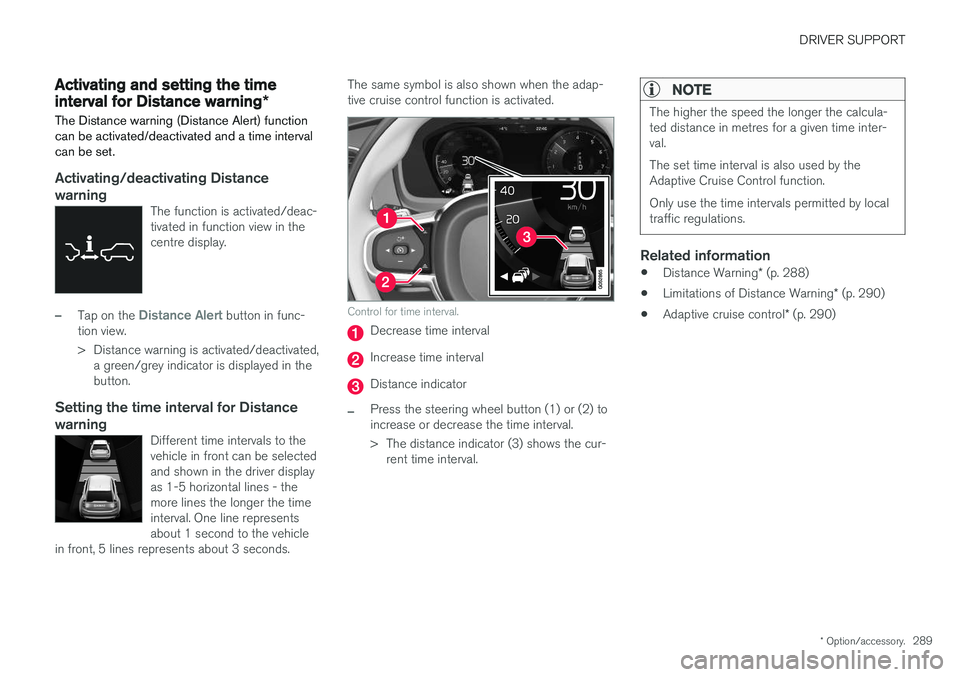
The same symbol is also shown when the adap- tive cruise control function is activated.
Control for time interval.
Decrease time interval
Increase time interval
Distance indicator
–Press the steering wheel button (1) or (2) to increase or decrease the time interval.
> The distance indicator (3) shows the cur- rent time interval.
NOTE
The higher the speed the longer the calcula- ted distance in metres for a given time inter-val. The set time interval is also used by the Adaptive Cruise Control function. Only use the time intervals permitted by local traffic regulations.
Related information
• Distance Warning
* (p. 288)
• Limitations of Distance Warning
* (p. 290)
• Adaptive cruise control
* (p. 290)
Page 292 of 594
DRIVER SUPPORT
* Option/accessory.
290
Limitations of Distance Warning *
The Distance warning (Distance Alert) function may have limitations in certain situations.
NOTE
Strong sunlight, reflections or strong varia- tions in light intensity, as well as wearing sun-glasses, could mean that the warning light inthe windscreen cannot be seen. Poor weather or winding roads could affect the radar unit's capacity to detect vehicles infront. The size of other vehicles could also affect detection capacity, e.g. motorcycles. Thiscould mean that the warning lamp illuminatesat a shorter distance than the setting or thatthe warning is temporarily absent. Extremely high speeds can also cause the lamp to illuminate at a shorter distance thanthat set due to limitations in sensor range.
NOTE
The function uses the car's radar unit, which has some general limitations, see the "Limita-tions for radar unit" section.
Related information
• Distance Warning
* (p. 288)
• Activating and setting the time interval for Distance warning
* (p. 289)
• Limitations of the radar unit (p. 319)
Adaptive cruise control
*
The adaptive cruise control (Adaptive Cruise Control - ACC) helps the driver to maintain aneven speed combined with a pre-selected timeinterval to the vehicle ahead.
An adaptive cruise control provides a more relax- ing driving experience on long journeys on motor-ways and long straight main roads in smooth traf-fic flows.
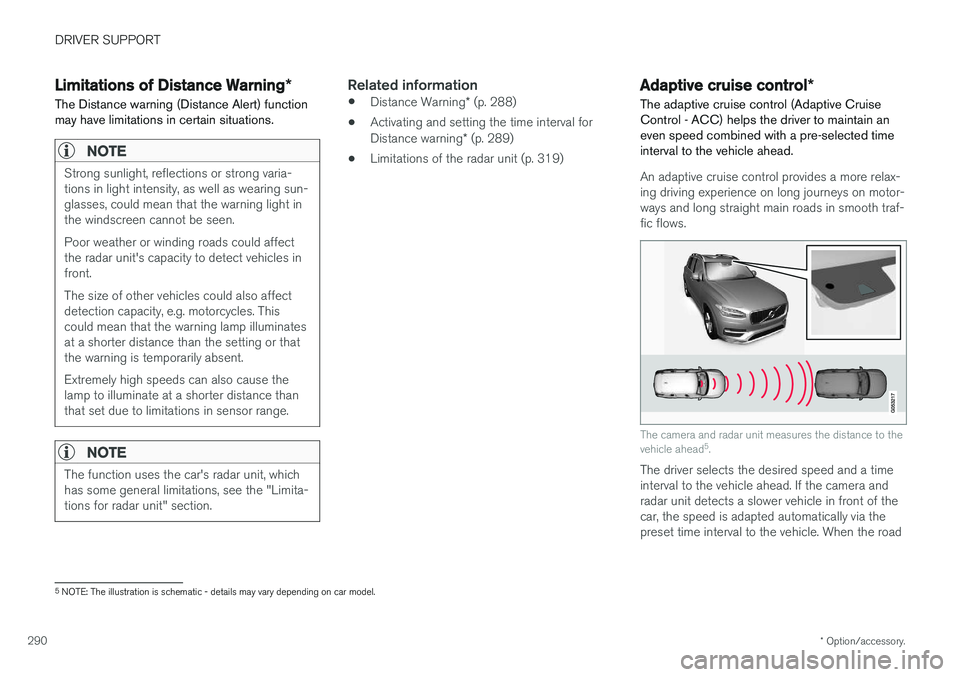
The camera and radar unit measures the distance to the vehicle ahead 5
.
The driver selects the desired speed and a time interval to the vehicle ahead. If the camera andradar unit detects a slower vehicle in front of thecar, the speed is adapted automatically via thepreset time interval to the vehicle. When the road
5 NOTE: The illustration is schematic - details may vary depending on car model.
Page 293 of 594
DRIVER SUPPORT
}}
291
is clear again the car returns to the selected speed.
WARNING
The Adaptive cruise control is an aid, which cannot handle all traffic, weather and roadconditions. The driver must always be observant with regard to the prevailing traffic conditions andintervene if the Adaptive cruise control doesnot maintain a suitable speed or suitable timeinterval. Read all the sections about the adaptive cruise control in the owner's manual in orderto learn about its limitations, of which thedriver should be aware before the function isused. The driver always bears responsibility for maintaining the correct time interval andspeed - even when the Adaptive cruise con-trol is being used.
Adaptive cruise control regulates the speed with acceleration and braking. It is normal for thebrakes to emit a low sound when they are beingused to adjust the speed. The adaptive cruise control aims to control the speed in a smooth way. In situations that demandsudden braking the driver must brake himself/herself. This applies in case of large speed differ- ences or if the vehicle in front brakes suddenly.Due to the limitations of the radar unit, brakingmay come unexpectedly or not at all. The adaptive cruise control aims to follow the vehicle ahead in the same lane at a time intervalset by the driver. If the radar unit cannot see anyvehicle in front then the car will instead maintainthe speed set and stored by the driver. This alsotakes place if the speed of the vehicle aheadincreases and exceeds the stored speed. The following applies for cars with automatic gearbox:
• Adaptive cruise control can follow anothervehicle at speed from 0 km/h up to200 km/h (125 mph).
The following applies for cars with manual gear-box: • The Adaptive cruise control can follow another vehicle at speeds from 30 km/h(20 mph) up to 200 km/h (125 mph).
WARNING
Adaptive cruise control is not a collision avoid- ance system. The driver must intervene if thesystem does not detect a vehicle in front. The adaptive cruise control does not brake for humans or animals, and not for small vehiclessuch as bicycles and motorcycles. Nor for lowtrailers, oncoming, slow or stationary vehiclesand objects. Do not use the Adaptive cruise control, for example, in city traffic, at junctions, on slipperysurfaces, with a lot of water or slush on theroad, in heavy rain/snow, in poor visibility, onwinding roads or on slip roads.
IMPORTANT
Maintenance of adaptive cruise control com- ponents must only be performed at a work-shop - an authorised Volvo workshop is rec-ommended.
Page 294 of 594

||
DRIVER SUPPORT
292
Overview
Controls
Buttons and symbols for functions5
.
Increases stored speed or reactivates the adaptive cruise control and resumes storedspeed and time interval
Activate the adaptive cruise control and store the current speed or deactivate the adaptivecruise control
Reduces stored speed
Increases the time interval to vehicles ahead
Reduces the time interval to vehicles ahead
Target vehicle indicator: ACC has detected and is following a target vehicle at the presettime interval
Symbol for time interval to vehicles ahead
In cars equipped with the adaptive cruise control option, the driver can change between CC andACC - see "Change between Cruise control andadaptive cruise control".
Driver display
Indication of speeds 5
.
Stored speed
Speed of vehicle ahead.
Current speed of your car.
To see different combinations of symbols depending on traffic situation - see the heading "Symbols and messages for the adaptive cruisecontrol".
Collision risk warning
Audio and symbol for collision warning
5
Acoustic warning signal in the event of a risk of collision
Warning signal in the event of a risk of colli- sion
Distance measurement with the camera and radar unit
Adaptive Cruise Control uses approx. 40% of thecapacity of the foot brake. If the car needs to bebraked more heavily than the adaptive cruisecontrol is capable of and the driver does notbrake, the warning lamp and acoustic warning are
5 NOTE: The illustration is schematic - details may vary depending on car model.
Page 295 of 594
DRIVER SUPPORT
* Option/accessory.293
activated to alert the driver that immediate inter- vention is required.
WARNING
The adaptive cruise control only warns of vehicles which its radar unit has detected -hence a warning may not be given, or it maybe given with a certain delay. Do not wait for awarning without braking when so required.
Head-up display
*
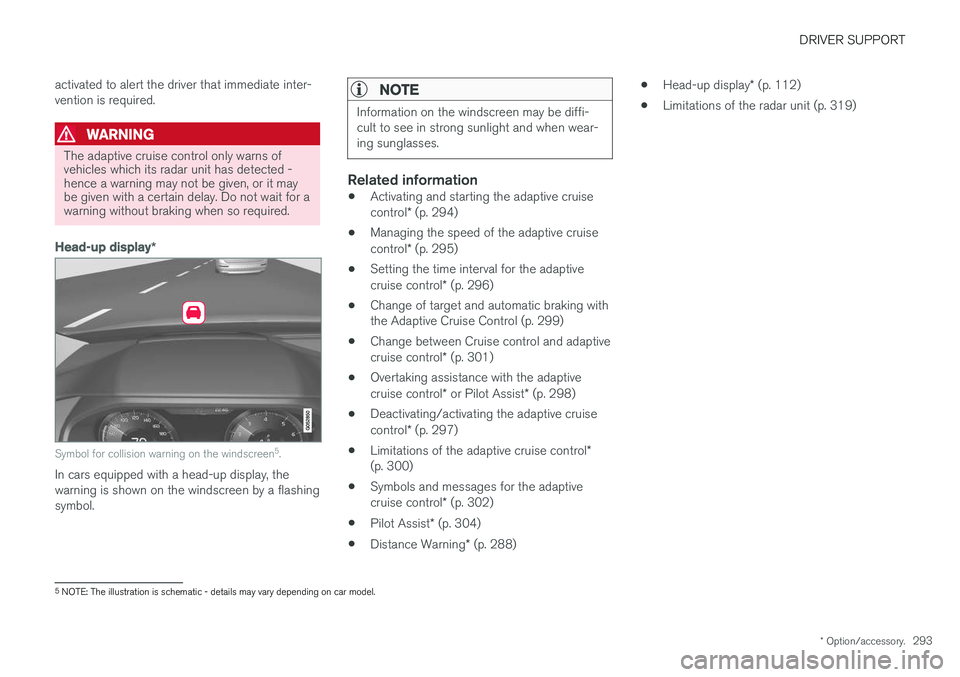
Symbol for collision warning on the windscreen 5
.
In cars equipped with a head-up display, the warning is shown on the windscreen by a flashingsymbol.
NOTE
Information on the windscreen may be diffi- cult to see in strong sunlight and when wear-ing sunglasses.
Related information
• Activating and starting the adaptive cruise control
* (p. 294)
• Managing the speed of the adaptive cruisecontrol
* (p. 295)
• Setting the time interval for the adaptivecruise control
* (p. 296)
• Change of target and automatic braking with the Adaptive Cruise Control (p. 299)
• Change between Cruise control and adaptive cruise control
* (p. 301)
• Overtaking assistance with the adaptivecruise control
* or Pilot Assist * (p. 298)
• Deactivating/activating the adaptive cruisecontrol
* (p. 297)
• Limitations of the adaptive cruise control
*
(p. 300)
• Symbols and messages for the adaptivecruise control
* (p. 302)
• Pilot Assist
* (p. 304)
• Distance Warning
* (p. 288) •
Head-up display
* (p. 112)
• Limitations of the radar unit (p. 319)
5
NOTE: The illustration is schematic - details may vary depending on car model.
Page 298 of 594
DRIVER SUPPORT
* Option/accessory.
296
Setting the time interval for the adaptive cruise control *
The adaptive cruise control (Adaptive Cruise Control -ACC) can be set to different time inter-vals.
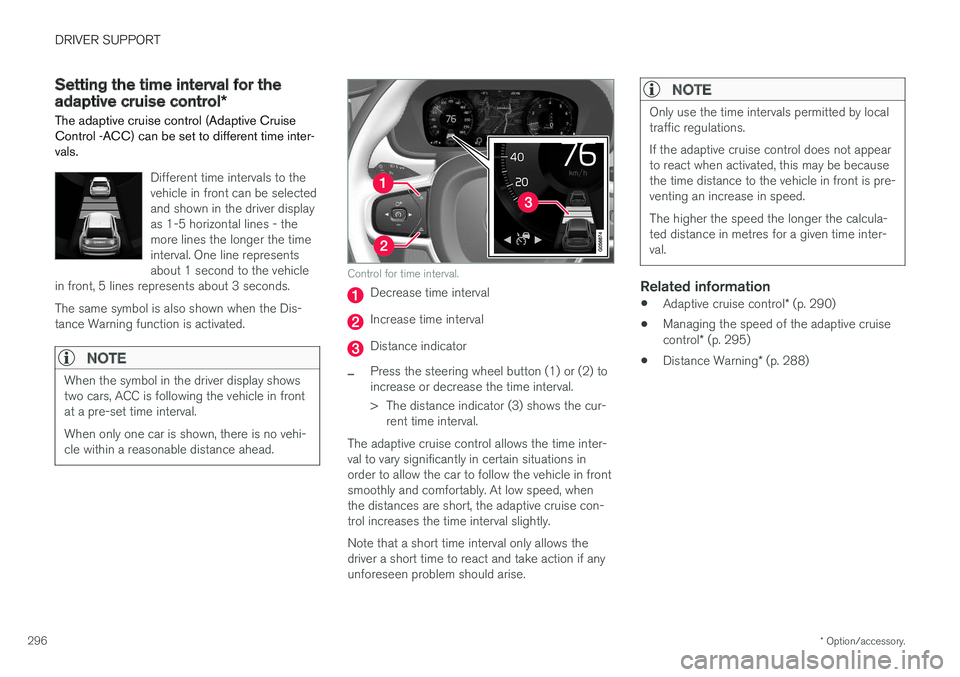
Different time intervals to the vehicle in front can be selectedand shown in the driver displayas 1-5 horizontal lines - themore lines the longer the timeinterval. One line representsabout 1 second to the vehicle
in front, 5 lines represents about 3 seconds. The same symbol is also shown when the Dis- tance Warning function is activated.
NOTE
When the symbol in the driver display shows two cars, ACC is following the vehicle in frontat a pre-set time interval. When only one car is shown, there is no vehi- cle within a reasonable distance ahead.
Control for time interval.
Decrease time interval
Increase time interval
Distance indicator
–Press the steering wheel button (1) or (2) to increase or decrease the time interval.
> The distance indicator (3) shows the cur- rent time interval.
The adaptive cruise control allows the time inter- val to vary significantly in certain situations inorder to allow the car to follow the vehicle in frontsmoothly and comfortably. At low speed, whenthe distances are short, the adaptive cruise con-trol increases the time interval slightly. Note that a short time interval only allows the driver a short time to react and take action if anyunforeseen problem should arise.
NOTE
Only use the time intervals permitted by local traffic regulations. If the adaptive cruise control does not appear to react when activated, this may be becausethe time distance to the vehicle in front is pre-venting an increase in speed. The higher the speed the longer the calcula- ted distance in metres for a given time inter-val.
Related information
• Adaptive cruise control
* (p. 290)
• Managing the speed of the adaptive cruise control
* (p. 295)
• Distance Warning
* (p. 288)
Page 299 of 594
DRIVER SUPPORT
}}
* Option/accessory.297
Deactivating/activating the adaptive cruise control *
The adaptive cruise control (Adaptive Cruise Control - ACC) can be temporarily deactivatedso that it is set in the standby mode and canlater be reactivated.
Deactivate Adaptive Cruise Control and set it in standby mode
NOTE: The illustration is schematic - details may vary depending on car model.
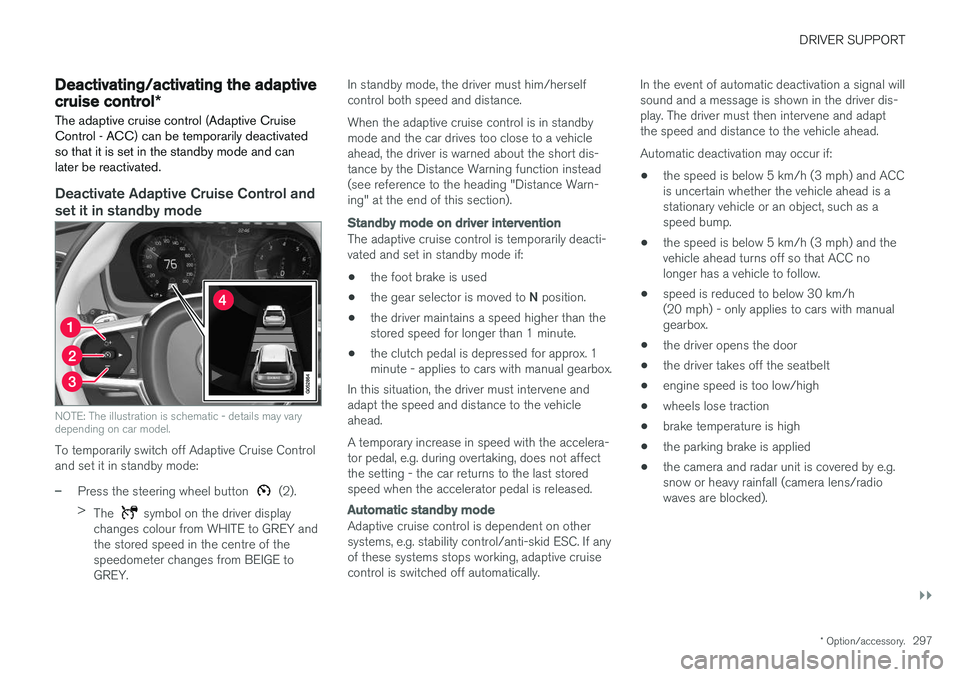
To temporarily switch off Adaptive Cruise Control and set it in standby mode:
–Press the steering wheel button (2).
> The
symbol on the driver display
changes colour from WHITE to GREY and the stored speed in the centre of thespeedometer changes from BEIGE toGREY. In standby mode, the driver must him/herselfcontrol both speed and distance. When the adaptive cruise control is in standby mode and the car drives too close to a vehicleahead, the driver is warned about the short dis-tance by the Distance Warning function instead(see reference to the heading "Distance Warn-ing" at the end of this section).
Standby mode on driver intervention
The adaptive cruise control is temporarily deacti- vated and set in standby mode if:
• the foot brake is used
• the gear selector is moved to
N position.
• the driver maintains a speed higher than thestored speed for longer than 1 minute.
• the clutch pedal is depressed for approx. 1minute - applies to cars with manual gearbox.
In this situation, the driver must intervene andadapt the speed and distance to the vehicleahead. A temporary increase in speed with the accelera- tor pedal, e.g. during overtaking, does not affectthe setting - the car returns to the last storedspeed when the accelerator pedal is released.
Automatic standby mode
Adaptive cruise control is dependent on other systems, e.g. stability control/anti-skid ESC. If anyof these systems stops working, adaptive cruisecontrol is switched off automatically. In the event of automatic deactivation a signal willsound and a message is shown in the driver dis-play. The driver must then intervene and adaptthe speed and distance to the vehicle ahead. Automatic deactivation may occur if:
• the speed is below 5 km/h (3 mph) and ACC is uncertain whether the vehicle ahead is astationary vehicle or an object, such as aspeed bump.
• the speed is below 5 km/h (3 mph) and thevehicle ahead turns off so that ACC nolonger has a vehicle to follow.
• speed is reduced to below 30 km/h(20 mph) - only applies to cars with manualgearbox.
• the driver opens the door
• the driver takes off the seatbelt
• engine speed is too low/high
• wheels lose traction
• brake temperature is high
• the parking brake is applied
• the camera and radar unit is covered by e.g.snow or heavy rainfall (camera lens/radiowaves are blocked).
Page 300 of 594
||
DRIVER SUPPORT
* Option/accessory.
298
Reactivating adaptive cruise control from standby mode
NOTE: The illustration is schematic - details may vary depending on car model.
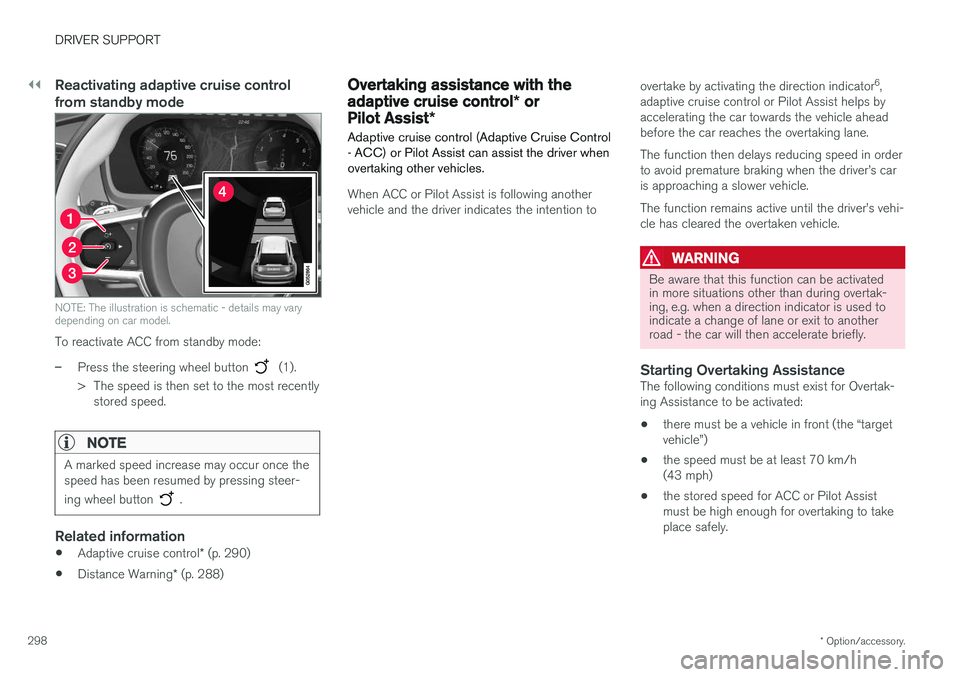
To reactivate ACC from standby mode:
–Press the steering wheel button (1).
> The speed is then set to the most recently stored speed.
NOTE
A marked speed increase may occur once the speed has been resumed by pressing steer- ing wheel button
.
Related information
• Adaptive cruise control
* (p. 290)
• Distance Warning
* (p. 288)
Overtaking assistance with the adaptive cruise control * or
Pilot Assist *
Adaptive cruise control (Adaptive Cruise Control - ACC) or Pilot Assist can assist the driver whenovertaking other vehicles.
When ACC or Pilot Assist is following another vehicle and the driver indicates the intention to overtake by activating the direction indicator
6
,
adaptive cruise control or Pilot Assist helps byaccelerating the car towards the vehicle aheadbefore the car reaches the overtaking lane. The function then delays reducing speed in order to avoid premature braking when the driver
Page 301 of 594
DRIVER SUPPORT
}}
* Option/accessory.299
–Activate the direction indicator. Use the left direction indicator in a car with the steering wheel on the left, or the rightdirection indicator in a car with the steeringwheel on the right.
> Overtaking assistance is started.
LimitationsWhen using Overtaking Assistance the driver should be prepared for sudden changes in condi-tions. In some conditions Overtaking Assistancecan cause unwanted acceleration. Some situations should be avoided for this rea- son. Examples of such situations are:
• the car is approaching an exit road in orderto turn off in the same direction that is nor-mally used for overtaking
• the vehicle in front slows before your car hasentered the overtaking lane
• traffic in the overtaking lane is slowing
• a car designed for right-hand traffic is beingdriven in a country with left-hand traffic (orvice versa).
Situations of this kind can be avoided by tempo-rarily setting ACC or Pilot Assist in standby mode.
Related information
• Pilot Assist
* (p. 304)
• Adaptive cruise control
* (p. 290)
Change of target and automatic braking with the Adaptive CruiseControl
In combination with automatic gearbox, the adaptive cruise control (Adaptive Cruise Control- ACC ) has functionality for change of targetand braking at certain speeds.
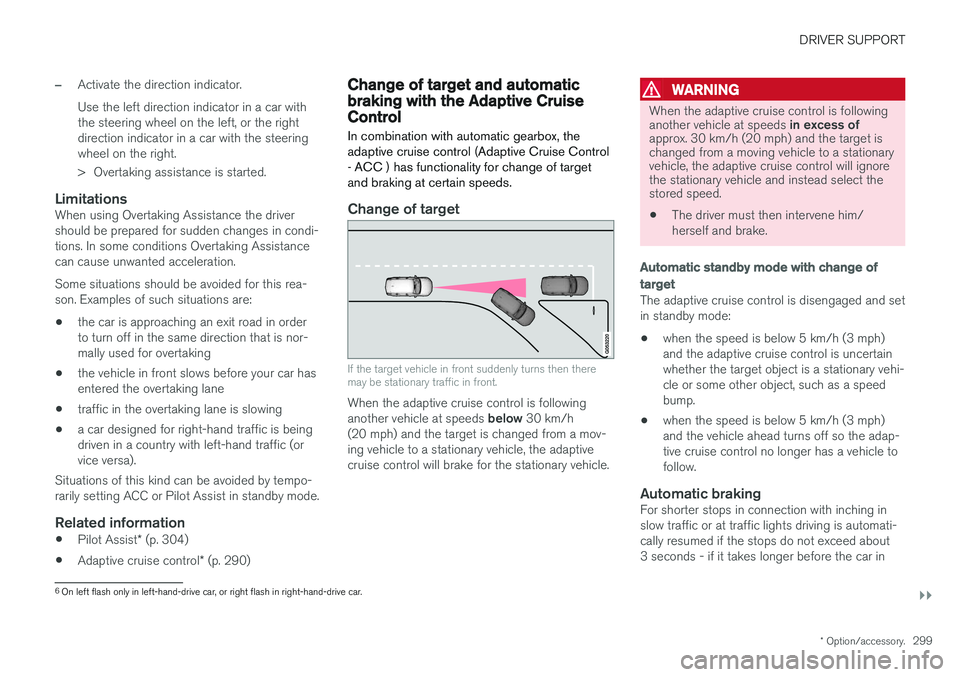
Change of target
If the target vehicle in front suddenly turns then there may be stationary traffic in front.
When the adaptive cruise control is following another vehicle at speeds below 30 km/h
(20 mph) and the target is changed from a mov- ing vehicle to a stationary vehicle, the adaptivecruise control will brake for the stationary vehicle.
WARNING
When the adaptive cruise control is following another vehicle at speeds in excess of
approx. 30 km/h (20 mph) and the target is changed from a moving vehicle to a stationaryvehicle, the adaptive cruise control will ignorethe stationary vehicle and instead select thestored speed.
• The driver must then intervene him/ herself and brake.
Automatic standby mode with change of target
The adaptive cruise control is disengaged and set in standby mode: • when the speed is below 5 km/h (3 mph) and the adaptive cruise control is uncertainwhether the target object is a stationary vehi-cle or some other object, such as a speedbump.
• when the speed is below 5 km/h (3 mph)and the vehicle ahead turns off so the adap-tive cruise control no longer has a vehicle tofollow.
Automatic brakingFor shorter stops in connection with inching inslow traffic or at traffic lights driving is automati-cally resumed if the stops do not exceed about3 seconds - if it takes longer before the car in
6
On left flash only in left-hand-drive car, or right flash in right-hand-drive car.
Page 303 of 594
DRIVER SUPPORT
* Option/accessory.301
Change between Cruise control and adaptive cruise control *
In a car with Adaptive Cruise Control (ACC) the driver can change between Cruise Control (CC)and ACC.
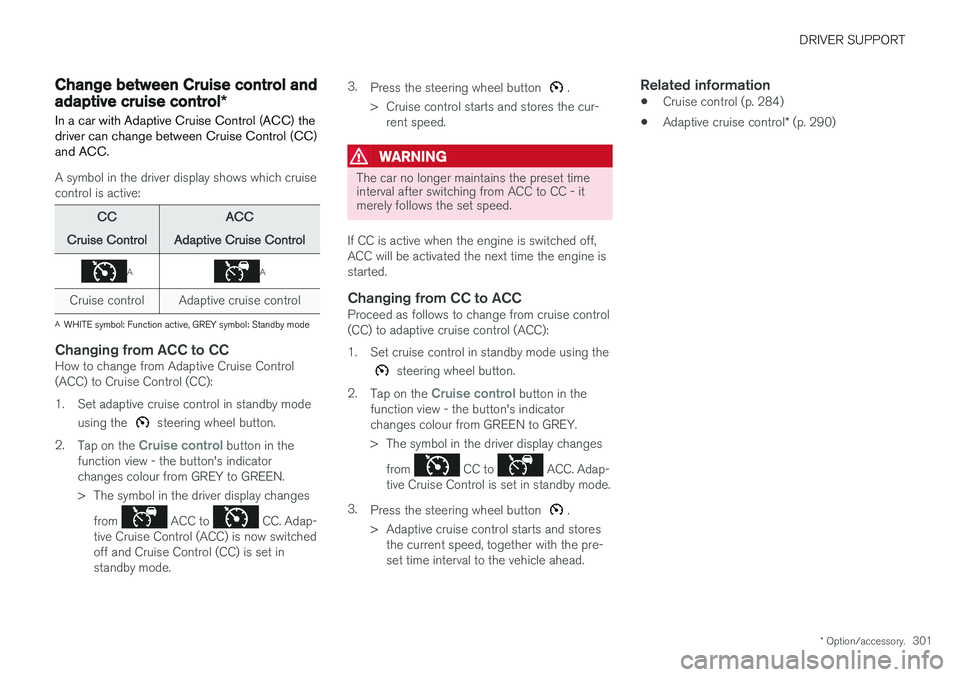
A symbol in the driver display shows which cruise control is active:
CC
Cruise Control ACC
Adaptive Cruise Control
AA
Cruise control Adaptive cruise control
A WHITE symbol: Function active, GREY symbol: Standby mode
Changing from ACC to CCHow to change from Adaptive Cruise Control (ACC) to Cruise Control (CC):
1. Set adaptive cruise control in standby mode
using the
steering wheel button.
2. Tap on the
Cruise control button in the
function view - the button's indicator changes colour from GREY to GREEN.
> The symbol in the driver display changes
from
ACC to CC. Adap-
tive Cruise Control (ACC) is now switched off and Cruise Control (CC) is set instandby mode. 3.
Press the steering wheel button
.
> Cruise control starts and stores the cur- rent speed.
WARNING
The car no longer maintains the preset time interval after switching from ACC to CC - itmerely follows the set speed.
If CC is active when the engine is switched off, ACC will be activated the next time the engine isstarted.
Changing from CC to ACCProceed as follows to change from cruise control(CC) to adaptive cruise control (ACC):
1. Set cruise control in standby mode using the
steering wheel button.
2. Tap on the
Cruise control button in the
function view - the button's indicator changes colour from GREEN to GREY.
> The symbol in the driver display changes
from
CC to ACC. Adap-
tive Cruise Control is set in standby mode.
3. Press the steering wheel button
.
> Adaptive cruise control starts and stores the current speed, together with the pre- set time interval to the vehicle ahead.
Related information
• Cruise control (p. 284)
• Adaptive cruise control
* (p. 290)