wipers VOLVO V90 2017 User Guide
[x] Cancel search | Manufacturer: VOLVO, Model Year: 2017, Model line: V90, Model: VOLVO V90 2017Pages: 594, PDF Size: 15.07 MB
Page 323 of 594
DRIVER SUPPORT
}}
* Option/accessory.321
High temperatureAt very high temperatures the camera and radar unit can temporarily be switched off forabout 15 minutes after the engine is started soas to protect the unit's electronics. The cameraand radar unit restarts automatically when thetemperature has fallen sufficiently.
Damaged windscreen
IMPORTANT
If a crack, scratch or stone chip in the wind- screen in front of one of the camera andradar unit “windows” covers an area ofapprox. 0.5 x 3.0 mm or larger, a workshopmust be contacted to have the windscreenreplaced. An authorised Volvo workshop isrecommended. If not rectified it can lead to reduced perform- ance for the driver support systems that usethe camera and radar unit. This may mean that functions are reduced, deactivated completely or give incorrect func-tion response. To avoid the risk of failed, deficient or reduced operation of driver support systemsthat use the radar unit, the following alsoapplies:
• Volvo recommends
against repairing
cracks, scratches or stone chips in thearea in front of the camera and radar unit.Instead, the whole windscreen should bereplaced.
• Before replacing a windscreen, contactan authorised Volvo workshop to verifythat the correct windscreen is orderedand fitted.
• The same type or Volvo-approved wind- screen wipers must be fitted duringreplacement.
IMPORTANT
When the windscreen is replaced, the camera and radar unit must be recalibrated at theworkshop to ensure the functionality of all thecar
Page 331 of 594
DRIVER SUPPORT
* Option/accessory.329
that the correct windscreen is ordered and fitted.
• The same type or Volvo-approved wind-screen wipers must be fitted duringreplacement.
IMPORTANT
When the windscreen is replaced, the camera and radar unit must be recalibrated at theworkshop to ensure the functionality of all thecar
Page 351 of 594
DRIVER SUPPORT
}}
* Option/accessory.349
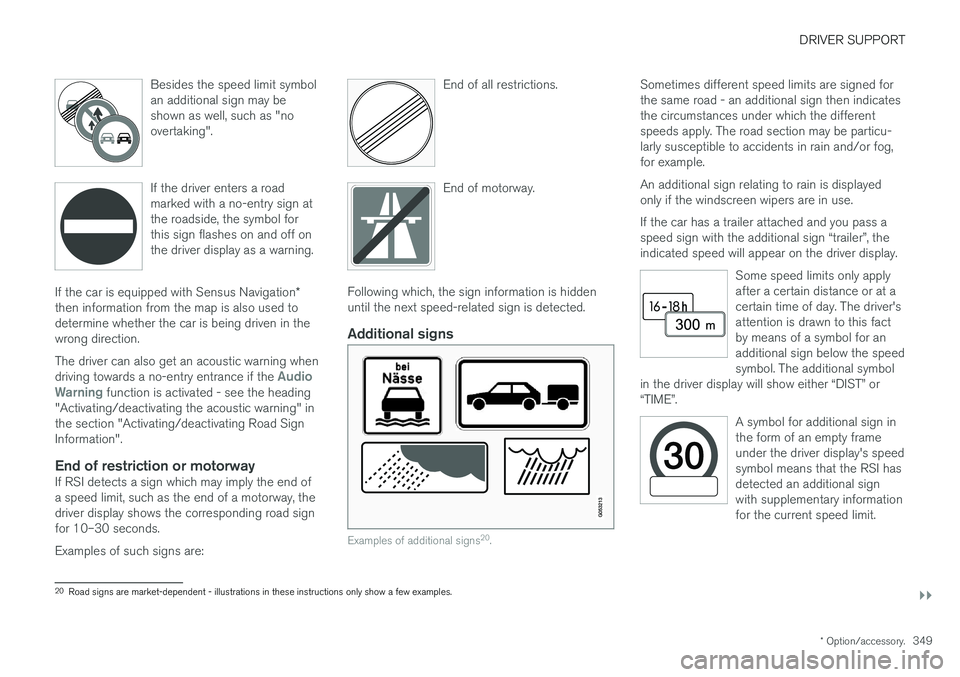
Besides the speed limit symbol an additional sign may beshown as well, such as "noovertaking".
If the driver enters a road marked with a no-entry sign atthe roadside, the symbol forthis sign flashes on and off onthe driver display as a warning.
If the car is equipped with Sensus Navigation
*
then information from the map is also used to determine whether the car is being driven in thewrong direction. The driver can also get an acoustic warning when driving towards a no-entry entrance if the
Audio
Warning function is activated - see the heading
"Activating/deactivating the acoustic warning" in the section "Activating/deactivating Road SignInformation".
End of restriction or motorwayIf RSI detects a sign which may imply the end ofa speed limit, such as the end of a motorway, thedriver display shows the corresponding road signfor 10–30 seconds. Examples of such signs are: End of all restrictions.
End of motorway.
Following which, the sign information is hidden until the next speed-related sign is detected.
Additional signs
Examples of additional signs
20
.
Sometimes different speed limits are signed for the same road - an additional sign then indicatesthe circumstances under which the differentspeeds apply. The road section may be particu-larly susceptible to accidents in rain and/or fog,for example. An additional sign relating to rain is displayed only if the windscreen wipers are in use. If the car has a trailer attached and you pass a speed sign with the additional sign “trailer”, theindicated speed will appear on the driver display.
Some speed limits only applyafter a certain distance or at acertain time of day. The driver'sattention is drawn to this factby means of a symbol for anadditional sign below the speedsymbol. The additional symbol
in the driver display will show either “DIST” or“TIME”.
A symbol for additional sign in the form of an empty frameunder the driver display's speedsymbol means that the RSI hasdetected an additional signwith supplementary informationfor the current speed limit.
20 Road signs are market-dependent - illustrations in these instructions only show a few examples.
Page 387 of 594
STARTING AND DRIVING
}}
385
Ignition positions The car's electrical system can be set in different levels/positions and in this way make the differ-ent functions available.
In order to facilitate the use of a limited number of functions with the engine switched off, thecar's electrical system can be set in 3 different levels - 0, I and II. These levels are described
with the denomination "ignition position" throughout the owner's manual. The following table shows the functions available in each ignition position/level:
Level Functions
0 •Odometer, clock and temperature gauge are illuminated.
• Power seats can be adjusted.
• The power windows can be used.
• The centre display is started andcan be used.
• It is possible to start the audio.
The functions are time-controlled inthis ignition position and are switchedoff automatically after a period of time.
I •Panorama roof, power windows,12V socket in the passenger com-partment, navigation, phone, venti-lation fan and windscreen wiperscan be used.
• Power seats can be adjusted.
• 12 V sockets in the cargo areacan be used.
• The audio is started automaticallyif it was running when the car wasleft.
Power is taken from the battery inthis ignition position.Level Functions
II •The headlamps come on.
• Warning/indicator lamps illuminate for 5 seconds.
• Several other systems are acti-vated. However, heating in seatcushions and the rear window canonly be activated after the car hasbeen started.
This ignition position consumes alot of current from the battery andshould therefore be avoided!
Selecting ignition position
Start knob in the tunnel console.
• Ignition position 0
- Unlock the car and
store the remote control key inside the car.
Page 529 of 594
MAINTENANCE AND SERVICE
527
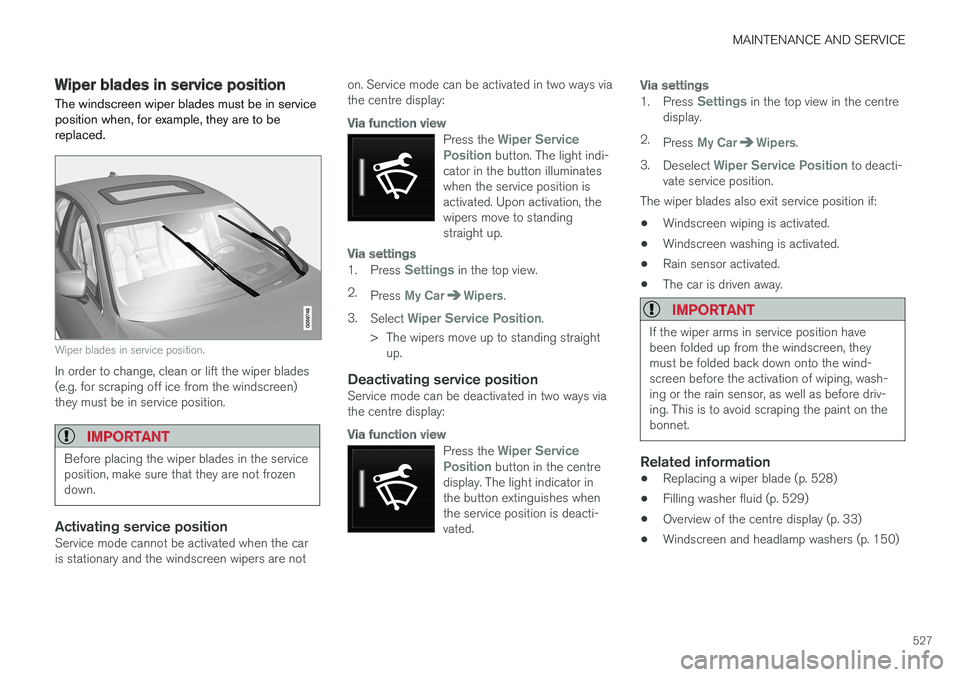
Wiper blades in service position The windscreen wiper blades must be in service position when, for example, they are to bereplaced.
Wiper blades in service position.
In order to change, clean or lift the wiper blades (e.g. for scraping off ice from the windscreen)they must be in service position.
IMPORTANT
Before placing the wiper blades in the service position, make sure that they are not frozendown.
Activating service positionService mode cannot be activated when the car is stationary and the windscreen wipers are noton. Service mode can be activated in two ways viathe centre display:
Via function view
Press the Wiper Service
Position button. The light indi-
cator in the button illuminates when the service position isactivated. Upon activation, thewipers move to standingstraight up.
Via settings
1. Press Settings in the top view.
2. Press
My CarWipers.
3. Select
Wiper Service Position.
> The wipers move up to standing straight up.
Deactivating service positionService mode can be deactivated in two ways via the centre display:
Via function view
Press the Wiper Service
Position button in the centre
display. The light indicator in the button extinguishes whenthe service position is deacti-vated.
Via settings
1. Press Settings in the top view in the centre
display.
2. Press
My CarWipers.
3. Deselect
Wiper Service Position to deacti-
vate service position.
The wiper blades also exit service position if:
• Windscreen wiping is activated.
• Windscreen washing is activated.
• Rain sensor activated.
• The car is driven away.
IMPORTANT
If the wiper arms in service position have been folded up from the windscreen, theymust be folded back down onto the wind-screen before the activation of wiping, wash-ing or the rain sensor, as well as before driv-ing. This is to avoid scraping the paint on thebonnet.
Related information
• Replacing a wiper blade (p. 528)
• Filling washer fluid (p. 529)
• Overview of the centre display (p. 33)
• Windscreen and headlamp washers (p. 150)
Page 541 of 594
MAINTENANCE AND SERVICE
}}
* Option/accessory.539
•
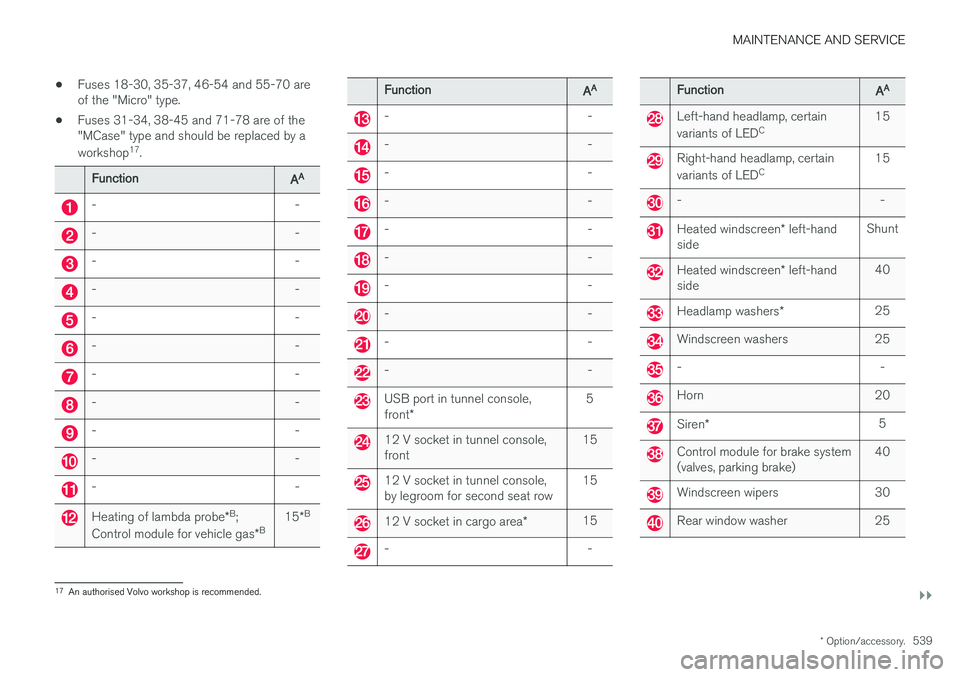
Fuses 18-30, 35-37, 46-54 and 55-70 are of the "Micro" type.
• Fuses 31-34, 38-45 and 71-78 are of the"MCase" type and should be replaced by a workshop 17
.
Function AA
- -
- -
- -
- -
- -
- -
- -
- -
- -
- -
- -
Heating of lambda probe
*B
;
Control module for vehicle gas *B 15
*B
Function
AA
- -
- -
- -
- -
- -
- -
- -
- -
- -
- -
USB port in tunnel console, front
* 5
12 V socket in tunnel console, front
15
12 V socket in tunnel console, by legroom for second seat row15
12 V socket in cargo area
*15
- -
Function
AA
Left-hand headlamp, certain variants of LED C 15
Right-hand headlamp, certain variants of LED
C 15
- -
Heated windscreen
* left-hand
side Shunt
Heated windscreen
* left-hand
side 40
Headlamp washers
*25
Windscreen washers 25
- -
Horn 20
Siren
* 5
Control module for brake system (valves, parking brake) 40
Windscreen wipers 30
Rear window washer 25
17
An authorised Volvo workshop is recommended.
Page 591 of 594
ALPHABETICAL INDEX
589
Wheel bolts 498
lockable 498
Wheel change 495
Wheel rim, dimensions 502Wheel rims cleaning 551
Wheels installation 497
removal 495
snow chains 499
Wheels and tyres tyre load index and speed rating 502
whiplash protection 57
Whiplash Protection System 57
WHIPS (Whiplash Protection System) 57Wi-Fi connect car to Internet 464
delete network 467
share internet connection, hotspot 465
technology and security 467
Window sun blind 153
Windows and glass 32 Windscreen heating 194
projected image 112
Windscreen washing 150
Windscreen wiper 148 rain sensor 149
Winter driving 416
Winter tyres 499
Winter wheels 499Wiper blades changing 528
Service position 527
Wipers and washing 148