infotainment AUDI Q5 2018 User Guide
[x] Cancel search | Manufacturer: AUDI, Model Year: 2018, Model line: Q5, Model: AUDI Q5 2018Pages: 392, PDF Size: 60.56 MB
Page 36 of 392
Opening and clo sin g
,.. To lock the vehicle, close the door a nd touch
the se nsor in the doo r hand le
on ce r=> fig. 22. Do
not hold the door handle while do ing th is .
You ca n unl ock/ lock the vehicle at every door.
The remote control key cannot be more than ap
proximately 4 feet (1.5 m) away from the door
handle. It makes no difference whether the mas
ter key is in your jacket pocket or in your brief case, for example .
If you hold the door handle while locking, this
can impair the locking function.
T h e door cannot be opened for a brief period di
rectly after locking it. This way you have the op
portunity to check if the doors locked correctly .
The settings in the Infotainment system deter
mine if the entire vehicle or only one of the doors
is unlocked when unlocking the vehicle
r=> page 35 .
A WARNING
Read and following all WARNINGS r=> .&. in De
scription on page 30.
@ Tips
If your vehicle is left standing fo r a long peri
od of time, note the following:
- The energy management system grad ually
turns off unnecessary convenience functions
to prevent the vehicle battery from draining
and to mainta in the vehicle's ab ility to start
for as long as possib le. You may not be able
to unlock your vehicle usi ng the convenience
key.
(D Tips
Unlocking with the convenience key (keyless
access) can be deactivated in the Infotain-
ment sys tem
r=> page 35 .
34
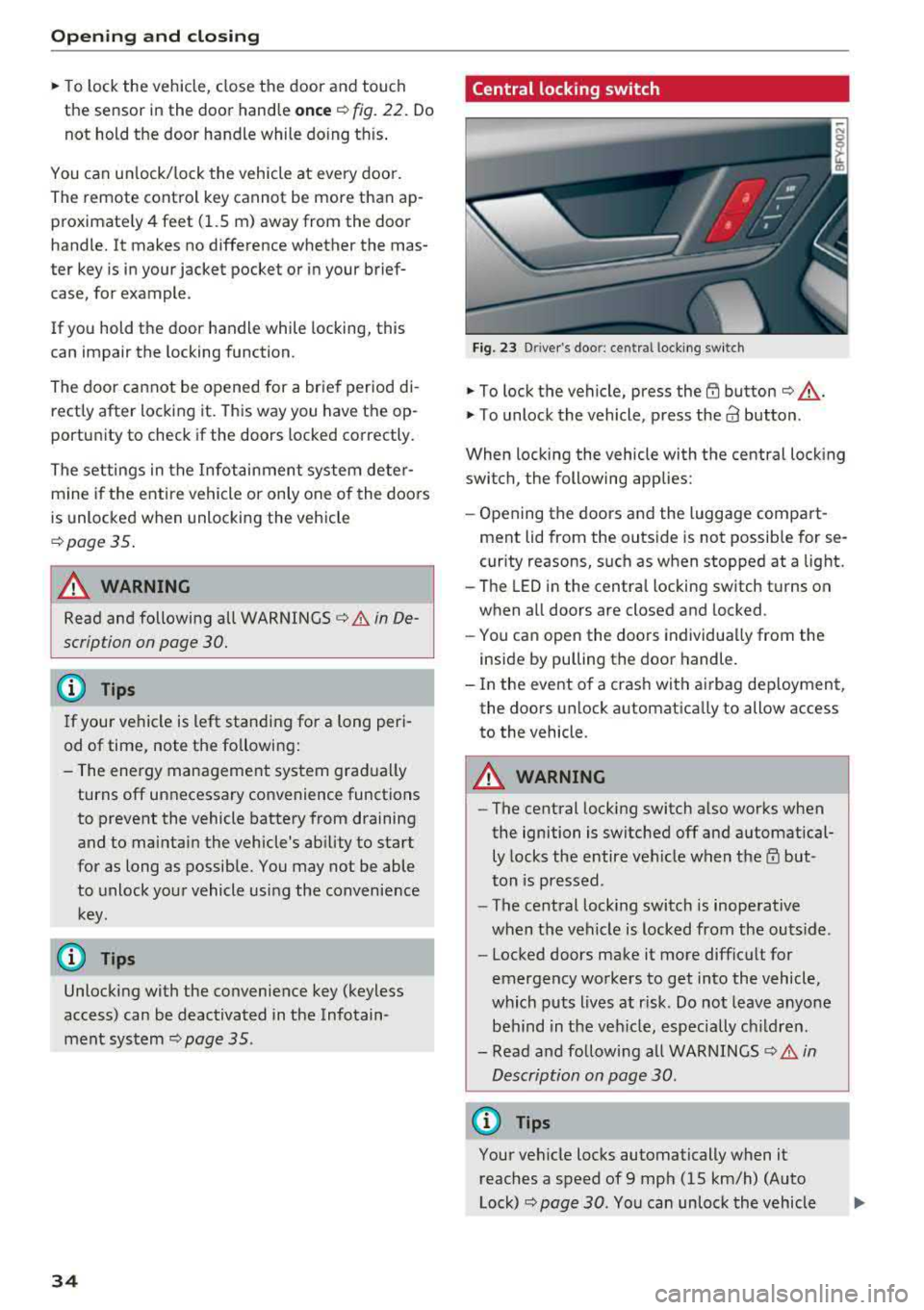
Central locking switch
Fig. 23 D river's door: central lock ing switch
,.. To lock the vehicle, press the {TI button r=> ,&. .
,.. To unlock the vehicle, p ress the a3 button.
When locking the vehicle with the central locking
switch, the following applies:
- Opening the doors and the luggage compart
ment lid from the outs ide is not possib le for se
curity reasons, such as when stopped at a light.
- The LED in the centra l locking switch t urns on
when a ll doors are closed and locked .
- You ca n open the doors individua lly from the
inside by pulling the door handle.
- In the event o f a crash with a irbag dep loyment,
the doo rs un lock automatica lly to allow access
to the vehicle .
A WARNING
-The central lock ing switch a lso works when
the ignition is switched off and automatical ly locks the entire vehicle when
t h e m but
ton is pressed.
- The central lock ing switch is inoperative
when the vehicle is locked from the outs ide.
- Locked doors make it more difficu lt for
emergency wo rkers to get into the vehicle,
which p uts lives at r isk. Do not leave anyone
be hind in the veh icle, especially c hildren.
- Read and fo llow ing a ll WARNINGS
r=> .&. in
Description on page 30.
(D Tips
Your vehicle locks automatically when it reaches a speed of 9 mph (15 km/h) (Auto
Lock)
r=> page 30. You can unlock the vehicle
Page 40 of 392
Opening and clo sing
Storin g th e luggag e comp artm ent lid
o pening posit ion
~ Bring the luggage compartment lid into the de
sired open position. The position must be at a
certain height or higher to store.
~ Press and hold the C> button in the luggage
compartment lid for at least four seconds to
store the new open position . A visual and audio
s ignal will follow .
~ To set a h igher open position, wait at least five
seconds and then caref ully press the luggage
compartment lid upward .
~ Press and hold the C> button again for at least
four seconds to store the desired opening posi
tion.
The opening/closing process wi ll stop immedi
ately if :
- Yo u pull/release the
C> switch in the driver's
door, or
- Applies to: vehicles with convenience key:
press/release the
C> button on the remote
contro l key, or
- Applies to:
vehicles with conveniern;e key: press
the C> button or the {n but ton in the luggage
compartment lid, or
- Yo u push the hand le in the luggage compart
ment lid, or
- When something b locks the luggage compa rt
ment lid or makes it difficu lt fo r the lid to
move .
I f you press the hand le or one of the
C> or {n but
tons (veh icles w it h conven ience key*) now, the
luggage compartment lid w ill either open or
close, depending on its angle .
A WARNING
-After closing the luggage compartment lid,
make s ure that it is latched. Otherwise, the
l uggage compartment lid could open sud
denly when driving, which increases the risk
of an accident .
- Pay careful attention when closing the lug
gage compartment lid. Otherw ise, you could
cause serious injury to yourself or others de
spite the pinch protection .
38
-To reduce the risk of pinching injuries, a l
ways make sure that no one is in the operat ing area of the luggage compartment lid, in
cluding the hinge areas and the upper and
lower edge of the luggage compartment lid .
- Never drive with the luggage compartment
lid ajar or open, because poisonous gases
can enter the vehicle inte rior and create the
risk of asphyx iat ion.
- If there is a luggage rack (such as a bicycle rack) on the luggage compartment lid, the
luggage compartment lid may not ope n
comp letely under cert ain ci rcumstan ces or it
co uld close by itself if open due to t he extra
weight. There fore, the open luggage com
partment lid must be given additional sup
port or the cargo must fi rst be removed
from the luggage rack.
@ Note
The l uggage compa rtment lid can bump into
objects s uch as the garage ceiling when open
i ng and become damaged .
(D Tips
- The settings in the Infotainment system de
termine if t he luggage compartment lid can
be opened using the
hand le ~ page 35.
- Th ere are audible signals when closing the
luggage compartment lid with the remote
contro l key (vehicles with conven ience key*)
or with the
C> button in the driver's door.
- When the vehicle is locked, the luggage
compartment lid can be unlocked sepa rately
by pressing the
C> button on the remote
control key . The luggage compartme nt lid
locks automat ically when it is closed again.
- Applies to: vehicles with convenience key:
The luggage compartment lid can be closed
w ith the conven ience from a distance up to
approximate ly 9 ft (3 m).
- T he luggage compartment lid can be oper
ated manua lly if the veh icle battery is low .
It is necessa ry to use mo re force when do ing
this. Move the lid s low ly to redu ce the
amou nt o f fo rce needed.
..,.
Page 43 of 392
u co ..... N ,..._
N ..... 0 <( 0 00
All power window switches are equipped with a
two-stage function *:
Opening and clo sing the windows
.,. T o open or close the w indow completely, p ress
the sw itc h down or p ull the sw itc h up br iefly to
the second level. The operation wi ll stop if the
switch is pressed/pu lled again.
.. To se lect a position in between opened and
closed, press/pull the switch to the first leve l
until the desired window position is reached.
Po wer window switch es
(D Left front door
@ R ight front door
@ L eft rea r door*
© Right rear door*
A WARNING
- If you leave the veh icle, switch the ignition
off and take the vehicle key with you. This
applies particularly when children remain in
the vehicle . Otherw ise children could start
the engine or operate elect rical equipment
(such as powe r windows), which inc reases
the risk of an acc ident. The power windows
c ontin ue to f unct ion until the driver's door
or front passenge r's door has been opened .
- Pay ca reful attent ion when closing the win
dows. Pin ching co uld cause serious injur ies.
- When loc king the veh icle from outside, the
vehicle mus t be unoccupied since the win
dows can no longer be opened in an emer
gency.
(D Tips
You can still open and close the w indows for
app roxima tely 10 minutes after tu rning the
ign it ion off. The power windows do no t switch
off until the driver's door or front passenger's
door has been opene d.
Opening and cl osing
Convenience opening/closing
Applies to: vehicles with convenience key
All of the windows and the roof* con be opened/
closed at the some time .
Convenience opening f eature
.. Press and hold the @ button on the remote con
trol key until a ll of the windows reach the de
sired position and the roof* is ti lted open .
Convenience closing feature
.. Press the t'fl button on the remote control key
until the roof* is closed
~ ,&. , or
.. Touch the sensor * on the door handle unti l all
of the windows and the roof* are closed. Do not place your hand in the door handle when doing
this .
Sett ing con ven ience opening in the
Infotainment system
.. Select in the Infotainment system: I MENU ! but
ton
> V ehicle > left control button > V ehicle
s etting s
> Central locking > Long press to
open windows .
A WARNING
-Never close the w indows o r the roof* ca re
lessly or in an uncon trolled manner, be
cause this increases the risk o f injury .
- For secur ity reasons, the win dows and the
roof* c an only be opened and closed with
the remote control key at a maxim um dis
tance of approximately 6.S feet (2 m) away
from the vehicle. Always pay attention when using the
t'fl button to close the windows
and the roof * so that no one is pinched. The
clos ing process will stop immediately when
the
t'fl button is released.
(D Tips
Applies to: vehicles with panorama glass roof:
the power sunshade also opens/closes when
opening/closing the roof .
-
41
Page 45 of 392
u co ..... N r-N .....
~ 0 co
Garage door opener (Homelink)
Description
Applies to: vehicles with garage door opener (Homelink)
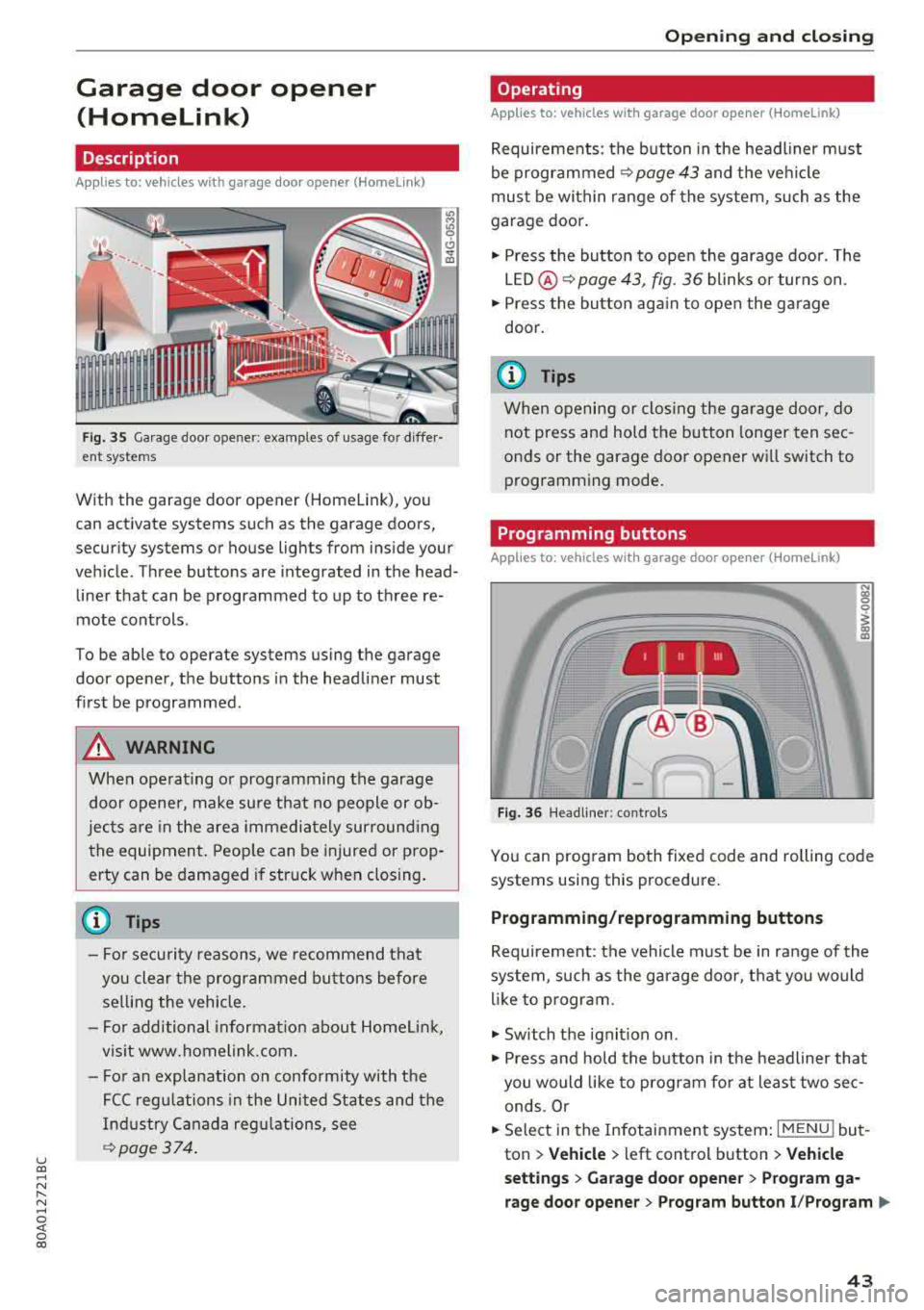
Fig. 35 Garage door o pene r: examp les of usage fo r diffe r·
ent syste ms
With the garag e door opener (Hom elink), you
can activate systems such as the garage doors,
security systems or house lights from inside your
vehicle. Three buttons are integrated in the head·
liner that can be programmed to up to three re
mote controls .
To be able to oper ate systems using the garage
door opener, the buttons in the headliner must
first be programmed .
A WARNING
When operating or programming the garage
door opener, make sure that no people or ob·
jects are in the area immediately surround ing
the equipment. People can be injured or prop
erty can be damaged if struck when closing.
- For security reasons, we recommend that
you clear the programmed buttons before
selling the vehicle .
- For additional informat ion about Homelink,
visit www.homelink.com.
- Fo r an explanation on conformity with the
FCC regulations in the United States and the
Industry Canada regulations, see
¢page 374 .
Opening and closing
Operating
Applies to: vehicles with garage door opener (Home link)
Requirements : the button in the headl iner must
be programmed
<>page 43 and the veh icle
must be within range of the system, such as the
garage door .
., Press the button to open the garage door. The
LED @<>
page 43, fig. 36 blinks or turns on .
.. Press the button again to open the garage
door.
@ Tips
When opening or closing the garage door, do
not press and hold the button longer ten sec
onds or the garage door opener wi ll switch to
programming mode.
Programming buttons
Applies to: vehicles with garage door opener (Home Link)
, 1 111 111
Fig . 36 H eadlin er: controls
N
~ 0
~ 0:, m
You can program both fixed code and rolling code
systems using this procedure.
Programming/reprogramming buttons
Requirement: the vehicle must be in range of the
system , such as the garage door, that you would
lik e to program.
., Switch the ignit ion on .
., Press and hold the button in the headliner that
you would like to program fo r at least two sec·
ends .Or
.. Select in the Infotainment system: I MENU ! but
ton
> Vehicle > left control button > Vehicle
settings
> Garage door opener > Program ga
rage door opener
> Program button I/Program ll>
43
Page 46 of 392
Opening and clo sing
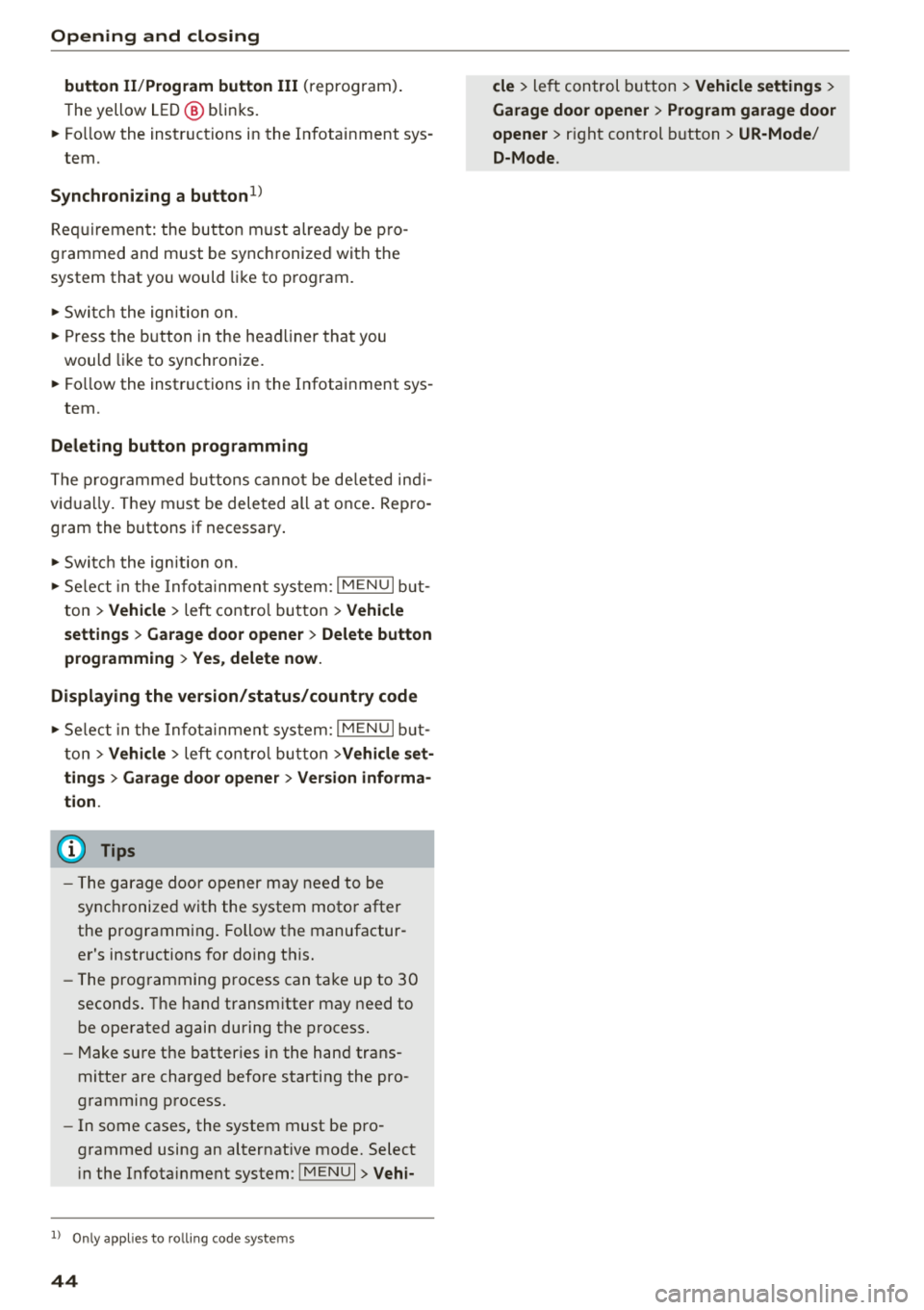
button II /P rogram button III (reprogram) .
The yellow LED @ blinks.
~ Follow the instructions in the Infotainment sys -
tem.
S y nchronizing a button1>
Requirement: the button must already be pro
grammed and must be synchronized with the
system that you would like to program.
~ Switc h the ign ition on.
~ Press the button in the head liner that you
would like to synchronize.
~ Fo llow the instructions in the Infotainment sys -
tem.
Del eting button prog ramming
The programmed buttons cannot be de leted ind i
vidua lly. They must be deleted all at once . Rep ro
gram the buttons if necessary .
~ Switch the ign ition on.
~ Se lect in the Infota inment system: I MENU I but
ton
> Vehi cle > left contro l button > Vehicl e
settings > Garage d oor o pene r > Delete button
programming > Yes, delete no w.
Di splaying the version /statu s/country code
~ Se lect in the Infota inmen t system: IM ENU I but
ton
> Vehi cle> left contro l button >Vehicl e set
tings > Garage d oor o pene r > Versi on inf orma
ti on.
(D Tips
- The garage door opener may need to be
synchronized with the system motor after
the programming . Follow the manufactur
er's instructions for doing t his.
- The programming process can take up to 30
seconds . The hand transmitter may need to
be operated again during the process.
- Make sure the batteries in the hand trans
mitter are charged before starting the pro
gramming process.
- In some cases, the system must be pro
grammed using an alternative mode. Select i n the Infota inment system :
IMENUI > Vehi-
1> On ly appl ies to ro lling code sy stem s
44
cle > left control button > Vehicle settings >
Garage door opener > Progr am garage door
open er >
right control b utton > UR -Mode /
D-Mode .
Page 47 of 392
Lights and Vision
Exterior Lighting
Switching the lights on and off
--- ----~-----'~
i
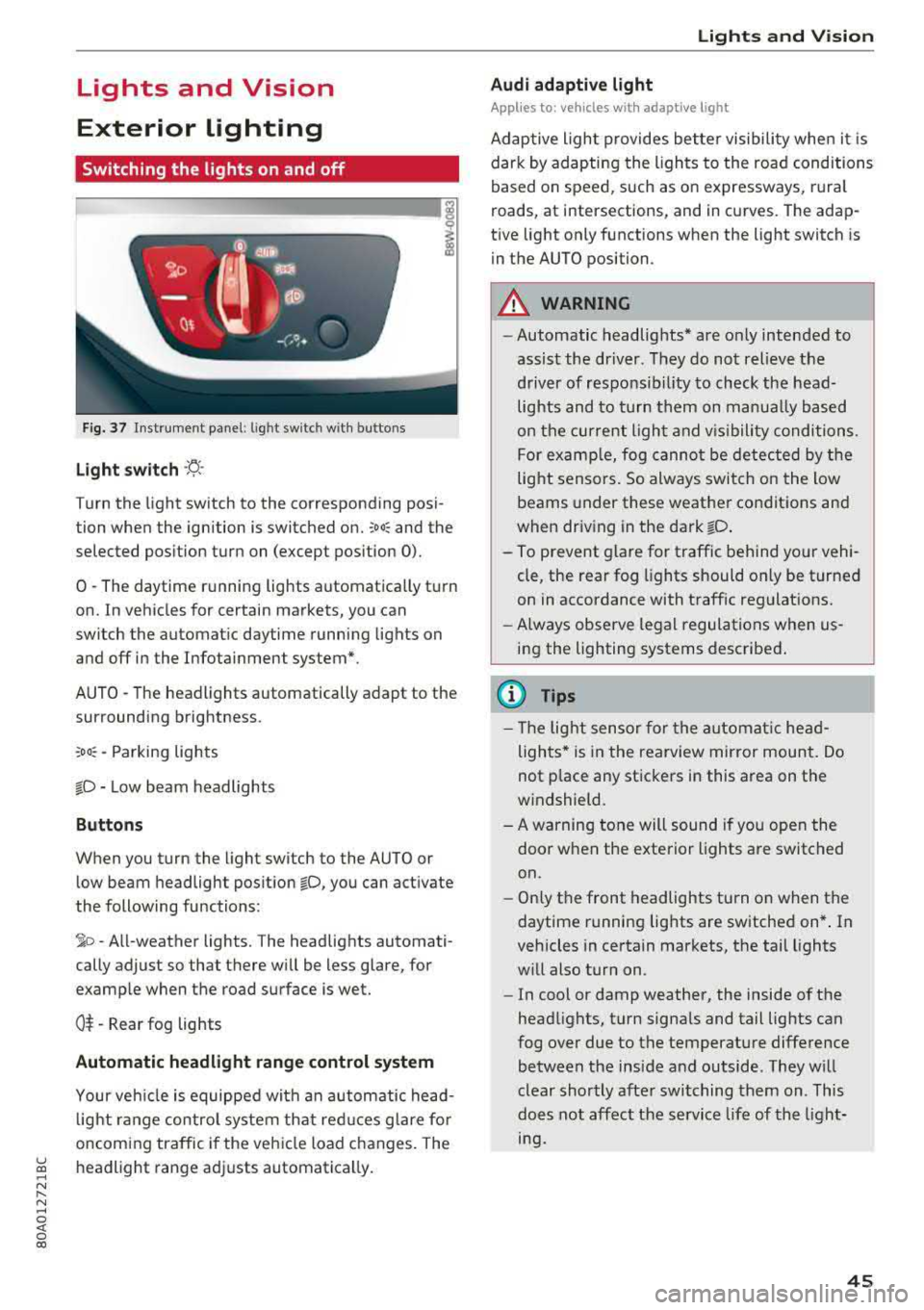
Fig. 37 Instrument p anel: l ig ht switc h with buttons
Light switch ·'!:! ·
Turn the light sw itch to the corresponding posi
tion when the ignition is switched on.
:oo: and the
selected pos ition turn on (except pos ition 0).
0 -The daytime r unning lights automat ica lly t urn
on. In vehicles for certain markets, you can
switch the automatic daytime running lights on
and off in the Infotainment system*.
AUTO
-T he headlights automatically adapt to the
surrounding brightness.
: oo : -Parking lights
io -Low beam headlights
Buttons
When you turn the light switch to the AUTO or
low beam headlight pos ition
io, you can activate
the following functions:
~ o -A ll-weather lights. The headlights automati
cally adjust so that there wi ll be less glare, for
examp le when the road surface is wet.
O t -Rear fog lights
Automatic headlight range control system
Your veh icle is equipped with an automatic head
l ight range contro l system that re duces g lare fo r
oncoming traffic i f the vehicle load c hanges. The
~ headlight range ad justs automatica lly . ..... N r-N .....
~ 0 co
Lights and V ision
Audi adaptive light
Appl ies to: vehicles wit h adaptive light
Adaptive ligh t provides better visibili ty whe n it i s
dark by adapting the lights to the road conditions
based on speed , such as on e xpressways, rura l
roads, at intersections, and in c urves. The adap
t ive light only functions when the light sw itch is
i n the AUTO position .
A WARNING
--Automatic headlights* are on ly intended to
assist the driver. They do not relieve the
driver of responsibil ity to check the head
lights and to t urn t hem on manua lly based
on t he curren t ligh t and v is ibility condition s.
For examp le, fog canno t be detec ted by the
light sensors. So always switch on the low
beams under these weather co nditions and
when driv ing in the da rk
io .
- To prevent glare for traffic behind yo ur vehi
cle, the rear fog lights should only be turned
on in accordance with traff ic regulat ions.
- Always observe legal regulations when
us
ing the lighting systems desc ribed .
(D Tips
- The lig ht sensor for the automat ic he ad
lights * is in the rearview mir ror mount. Do
not p lace any st ickers in this area on the
windshield.
- A warning tone will sound if you open the door when the exte rior lights a re switched
on .
- Only t he front headlights turn on when t he
daytime running lights are switched on *. In
vehicles in certain markets, the tail lights
w ill also turn on .
- In cool or damp weather, the inside of the
head lights, turn signa ls and tail lights can
fog over due to the temperature diffe rence
between the inside and outside . They will
clear shortly afte r swi tching them on . This
does not aff ect the service life of the light
mg.
45
Page 48 of 392
Lights and Vision
Turn signal and high beam lever
The lever operates the turn signals, the high
beams and the headlight flasher .
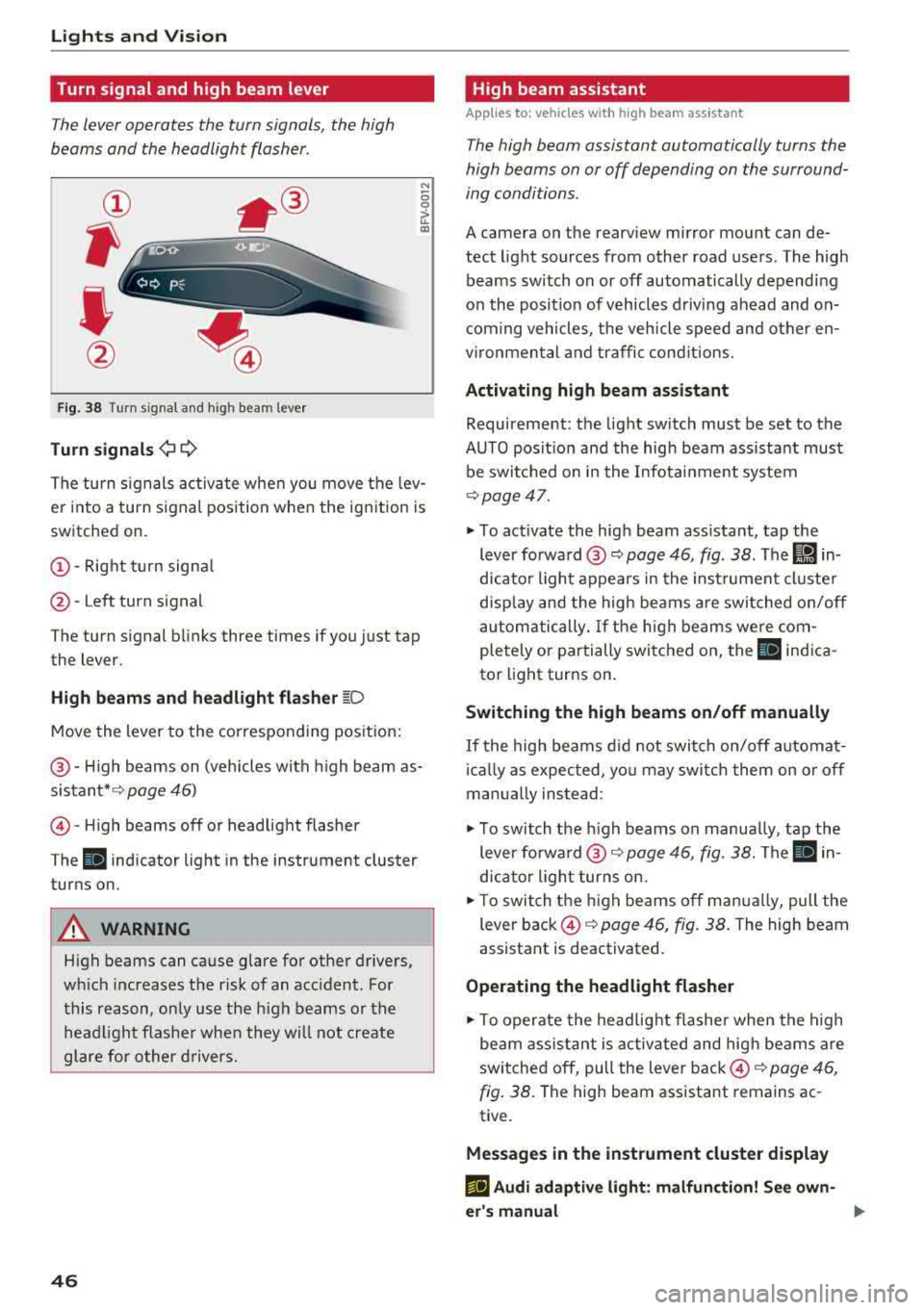
Fig. 38 Turn sig nal and high beam lever
Turn signals¢ Q
N
0 0
> u.. a,
The turn signals activate when you move the lev
er into a turn signal position when the ignition is
switched on.
@ -Right turn signal
@-Left turn signal
The turn signal blinks three times if you just tap
the lever.
High beams and headlight flasher ~D
Move the lever to the corresponding position:
@ -High beams on (vehicles with high beam as
sistant*¢ page 46)
©-High beams off or headlight flasher
The
II indicator light in the instrument cluster
turns on .
A WARNING
High beams can cause glare for other drivers,
wh ich increases the risk of an accident. For
this reason, only use the high beams or the
headlight flasher when they will not create
glare for other drivers.
46
High beam assistant
App lies to : vehicles with high beam ass istant
The high beam assistant automatically turns the
high beams on or off depending on the surround
ing conditions .
A camera on the rearview mirror mount can de
tect light sources from other road users. The high
beams switch on or off automatically depending
on the posit ion of vehicles driving ahead and on
coming vehicles, the vehicle speed and other en
vironmen tal and traffic conditions.
Activating high beam assistant
Requirement: the light sw itch must be set to the
AUTO posit ion and the high beam assistant must
be switched on in the Infotainment system
¢page 47 .
• To act ivate the high beam ass istant, tap the
lever
forward @~ page 46, fig . 38. The Ii] in
dicator light appears in the instrument cluster
display and the high beams are switched on/off
automatically. If the high beams were com
pletely or partially switched on, the
SI indica
tor light turns on .
Switching the high beams on/off manually
If the high beams did not switch on/off automat
icall y as expected, you may switch them on or off
manua lly instead :
• To switch the h igh beams on manually, tap the
lever
forward @~ page 46, fig. 38. The II in
dicator light turns on.
• To switch the high beams off manually, pull the
lever back ©¢
page 46, fig. 38. The high beam
assistant is deactivated.
Operating the headlight flasher
• To operate the headlight flasher when the high
beam assistant is activated and high beams are
switched off, pull the lever back ©¢
page 46,
fig. 38.
The high beam assistant remains ac
tive.
Messages in the instrument cluster display
EIJ Audi adaptive light: malfunction! See own
er's manual
Page 49 of 392
u co ..... N r-N .....
~ 0 co
~ Headlight a ssistant : ma lfun ction! See own
er 's manual
Drive to an autho rized Audi de aler o r a uthorized
Aud i Service Facility immedia tely to have the
mal funct ion corrected. You can still switch the
high beams on or off manually.
i:a Headlight a ssistant : currently unavailable.
Camera view restricted due to surroundings .
See owner 's manual
The camera view is b locked, fo r example by a
s ticker o r debris.
The senso r is located between the interior rear
view mir ror and the wi ndshield . Do not p lace any
sti cke rs in t his area on the wi ndshi eld.
,& WARNING
High beam assis tan t is only i ntended to assist
th e drive r. The dr iver is still re sponsib le for
contro lling the headlights and may need to
switch them on and off manually depend ing
on light and visib ility conditions. It may be
necessary to ope rate them manua lly in s itua
tions such as:
- In adverse weather cond itions such as fog,
heavy ra in, b low ing snow or sp raying water .
- On roads where oncoming traffic may be
partially obsc ured, such as expressways .
- W hen there are road users t hat do not have
s ufficient lighting, s uc h as bicyclers o r
vehicles with dirty ta il lamps.
- In tight cu rves and on steep hills .
- In poo rly lit areas .
- Wi th stro ng ref lec to rs, such as s igns.
- I f the area of t he windsh ield near the se nso r
is f ogg ed ove r, dir ty, i cy or covere d w ith a
sti cker.
Adjusting the exterior lighting
The fun ctio ns are adjust ed in the Infotainment
system.
• Select in the Info tainment sys tem: !ME NUI but
ton
> Vehicle > left contro l butto n > Vehicle
settings > Exterior lighting .
Lights and Vision
Automatic headlights
Yo u ca n adju st the following se ttings in the Au
tomatic headlights
men u:
Activation time -you can adjust if the a utomat ic
he adlig hts swi tch on
Early , Medium or Late ac
cording to the sensi tivity of the ligh t se nsor.
Headlight assistant * -you can switch the high
beam assis tan t* on and off.
Entry/exit lighting
When it is dark, the Entry/exit lighting ill umi
nates the area a round the vehicle when unlocking
the ve hicle and afte r swi tc h ing off the ignit io n
and opening the dr ive r's door.
The
Entry /exit lighting only works when it is
dark and the ligh t sw itch is in the
AUTO position.
Daytime running lights
USA models :
the daytime r unning lig hts can be
switched on/off . Select
On or Off.
Canada model s:
th is fu ncti on canno t be switche d
off. They act ivate au tomatically eac h time the ig
nition is switched on.
Emergency flashers
- --- - -- ----
~
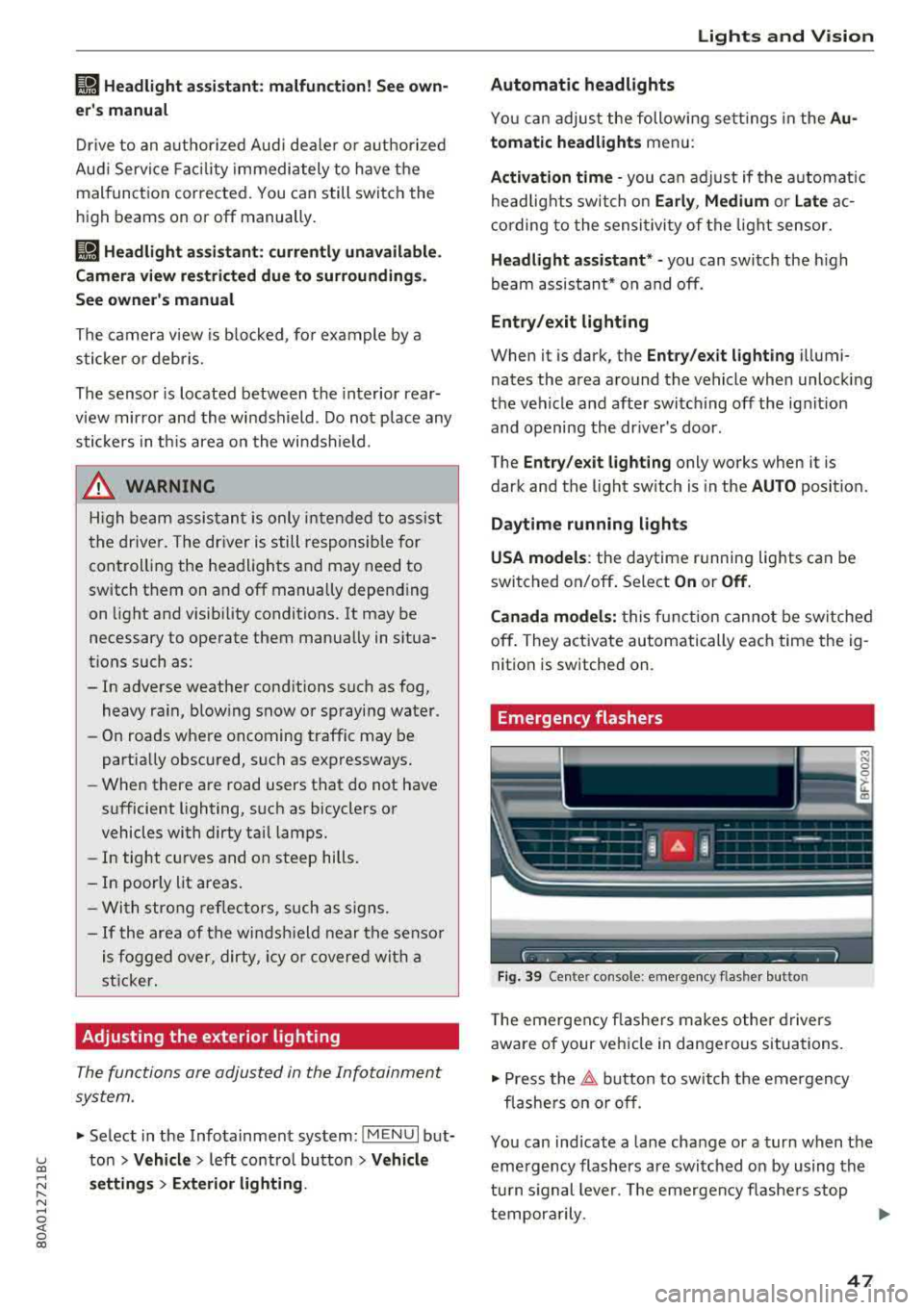
Fig . 39 Ce nter console: emergency flasher butto n
The eme rgen cy fla she rs m akes othe r dr iv e rs
aware of your vehi cle in dangerous situa tions.
• Press the ~ button to sw itch t he emergency
fl as he rs on or off.
You can ind icate a lane change or a turn when the
eme rgency flashers are swi tched on by using the
tu rn s ignal leve r. T he emergen cy flashe rs stop
tempor arily.
""
47
Page 50 of 392
Lights and Vision
The emergency flashers also work when the igni
t ion is turn ed off .
(D Tips
You s hou ld sw itch the emergency flashers on
if:
- you are the last car in a traff ic jam so that
a ll other vehicles approaching from behind
can see your vehicle
- your ve hicle has bro ke n down or you are
having an eme rgency
- you r vehicle i s being towed or if yo u are tow
ing another vehicle
Interior lighting
Front interior lighting
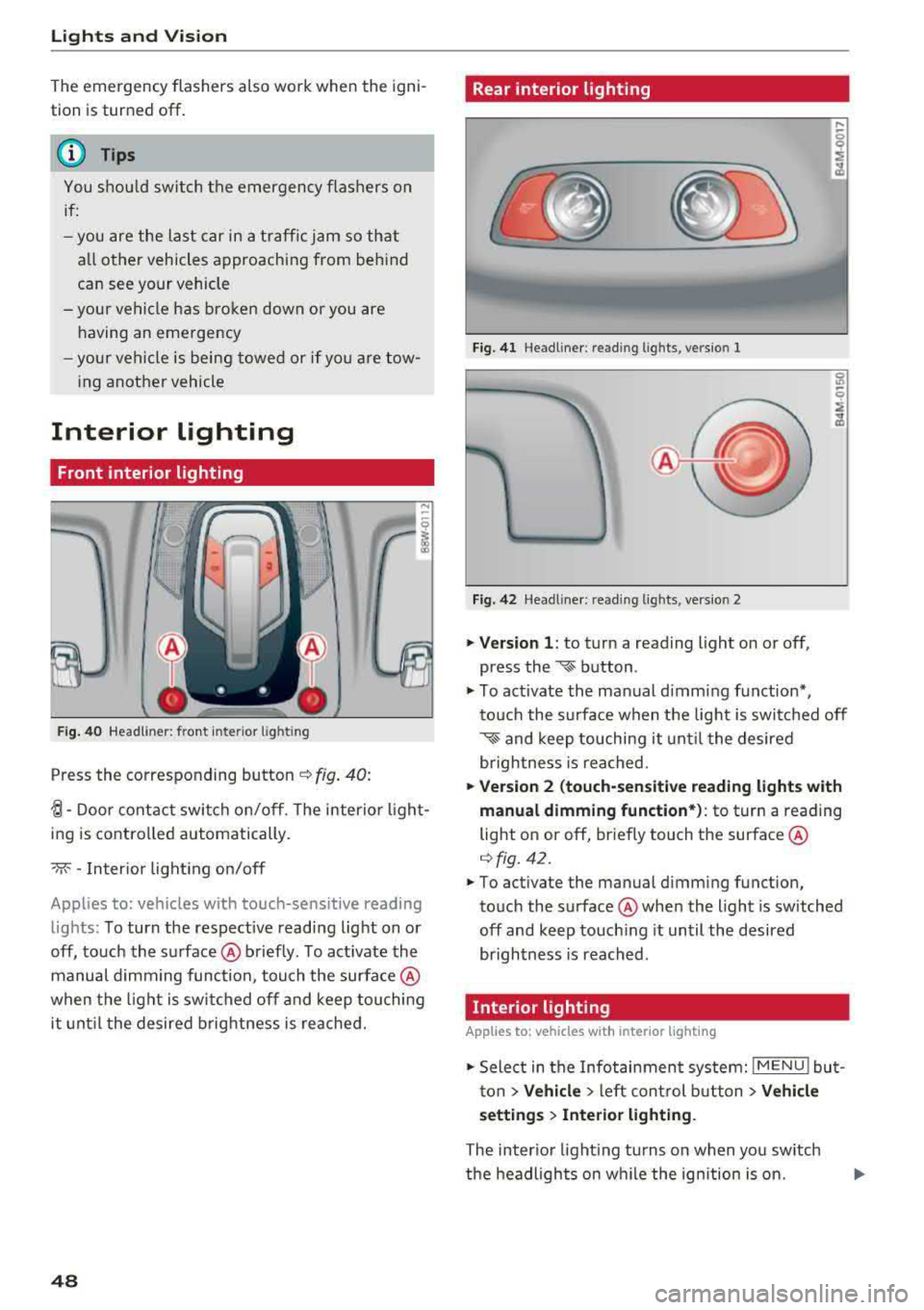
F ig. 40 He adlin er: fr ont in te ri or l ig htin g
Press the co rresponding button ¢ fig . 40:
-fJ-Door contact swi tch on/off . T he interio r ligh t
ing is controlled automatically.
- M--I n ter ior light ing o n/off
Applies to: vehicles with touch-sensitive reading lights: To turn the respect ive readi ng light on or
off, to uch the su rface @ brief ly . To act ivate the
manual d imm ing func tion , touch the surfa ce @
when the light is swi tched off and kee p touching
it unt il t he desired brig htness is reached.
48
Rear interior lighting
Fi g. 41 Headline r: re ad in g light s, vers io n 1
Fig. 42 Headline r: re ad in g l igh ts , ve rs io n 2
.. Version 1 : to turn a read ing l ight on or off,
press the
~ b utton .
.. To ac tivate the ma nual dimming f unct ion* ,
t o uch the s urface when the lig ht is swi tc h ed off
~ and keep touching it unt il t he de sired
brigh tness is reached.
.. Ver sion 2 (touch-sensiti ve reading light s with
manual dimming function* ):
to turn a reading
light on or off, br iefly touch t he surface @
¢fig. 42 .
.. To activate the manual dimming function,
to uch the surface @whe n the light is switched
off and keep touch ing it until the desired
brightness is reached .
Interior lighting
Applies to: vehicles with interior lighting
.. Select in the Infotainment system: IMENU ! but
t on
> Vehicle > le ft cont rol but ton > Vehicle
s etting s> Interior lighting.
The inter io r li gh ting turns on when yo u sw itch
t h e headlights on w hile the ign ition is on.
Page 51 of 392
u co ..... N r-N .....
~ 0 co
Version 1
To adjust the brightness of individual zones, se
lect
Front brightness* , Door brightness or Foot
well brightness.
Turn the control knob to th e left
or to th e right. Pr ess the control knob to confirm
the b rightness.
Version 2
Select and confirm one of the displayed profiles
by pressing the control knob.
Individual: you can customize the brightness and
color of individual zones. Press the right control
button. Press the control knob again to confirm
the settings.
Audi drive select: the interior and contour light
ing color changes depending on the driving mode
selected in drive select*
r::?vpage 125.
(0) Tips
The setting is automatically stored and as
signed to the remote control key that is being
used.
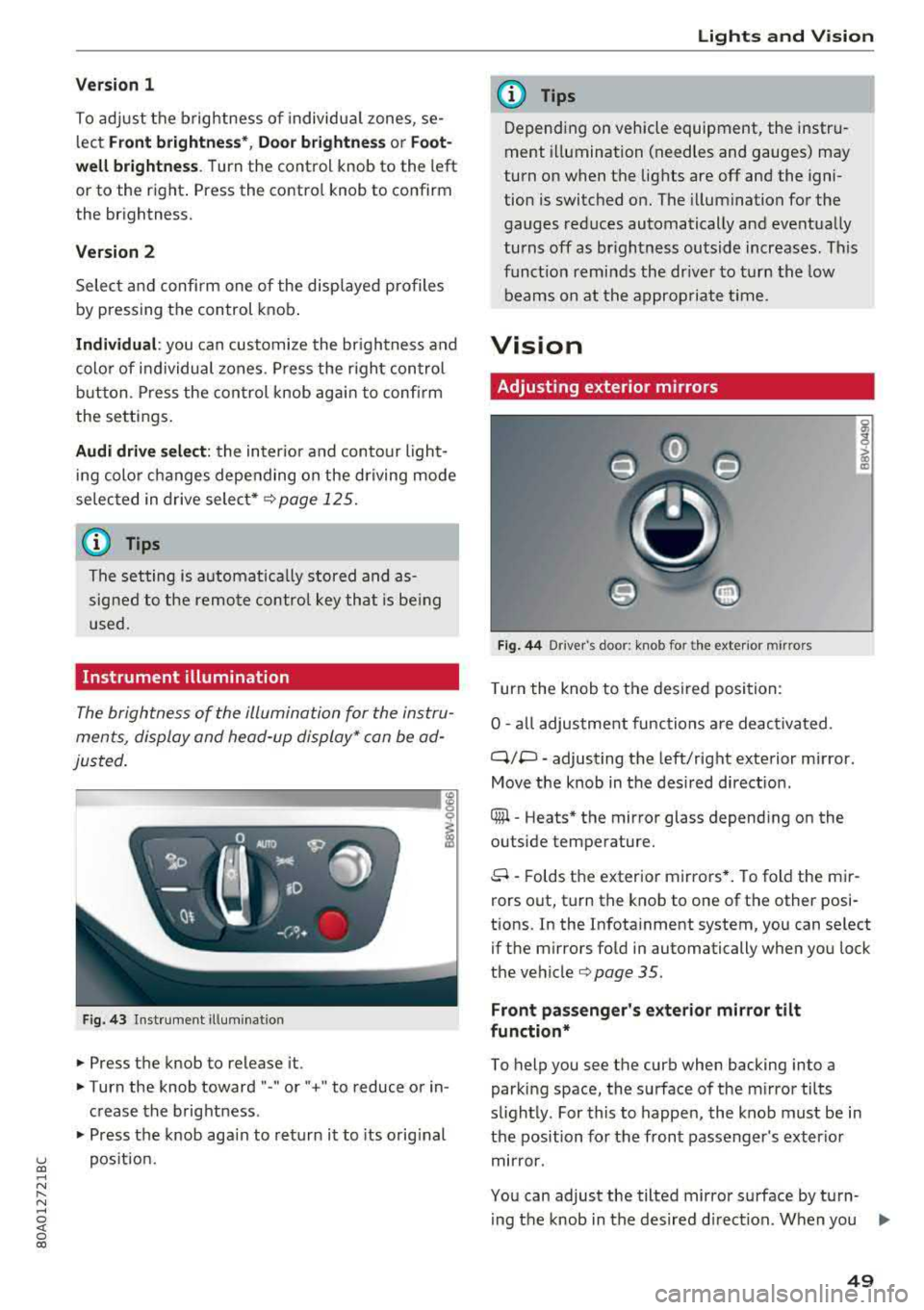
Instrument illumination
The brightness of the illumination for the instru
ments, display and head-up display* can be ad
justed.
--------... ~
i
Fig. 43 Instrument i llumination
.. Press the knob to release it.
.. Turn the knob toward "-" or" +" to reduce or in
crease the brightness .
.. Press the knob again to return it to its original
position.
Lights and Vision
(D Tips
Depending on vehicle equipment, the instru
ment illumination (needles and gauges) may
turn on when the lights are off and the igni
tion is switched on. The illumination for the
gauges reduces automatically and eventually
turns off as brightness outside increases . This
function reminds the driver to turn the low
beams on at the appropriate time.
Vision
Adjusting exterior mirrors
Fig. 44 D river 's doo r: knob fo r the ext erior mirr ors
Turn the knob to the desired position:
0
-all adjustment functions are deactivated .
q;p -adjusting the left/right exterior mirror.
Move the knob in the desired direction .
® -Heats* the mirror glass depending on the
outside temperature.
8 -Folds the exterior mirrors*. To fold the mir
rors out, turn the knob to one of the other posi
tions. In the Infotainment system, you can select if the mirrors fold in automatically when you lock
the
vehicle¢ page 35 .
Front passenger's exterior mirror tilt
function*
To help you see the curb when backing into a
parking space, the surface of the mirror tilts
slightly. For this to happen, the knob must be in
the position for the front passenger's exterior
mirror.
You can adjust the tilted mirror surface by turn- ing the knob in the desired direction. When you
.,.
49