ignition AUDI Q7 2009 Owner´s Manual
[x] Cancel search | Manufacturer: AUDI, Model Year: 2009, Model line: Q7, Model: AUDI Q7 2009Pages: 426, PDF Size: 97.13 MB
Page 92 of 426

Clear vision
- To activate or deactivate, hold the@ button down until
the red display appears or disappears.
The digital compass only works with the ignition turned on. The
directions are displayed as initials:
N (North), NE (Northeast), E
(East), SE (Southeast), S (South), SW (Southwest), W (West), NW
(Northwest).
[ i ] Tips
To avoid inaccurate directions, do not allow any remote controls,
e lectrical systems, or metal parts close to the mirror. •
Applies to vehicle s: wi th digi ta l compass
Setting the magnetic deflection zone
The correct magnetic deflection zone must be set in order
to display the directions correctly.
®
Fig. 84 North America: magnetic deflection zone boundaries
Hold the@=> page 89, fig. 83 button down until the
number of the set magnetic deflection zone appears on
the interior rear view mirror.
Adjust the magnetic deflection zone by repeatedly
pressing on the@ button. The set mode automatically
deactivates after a few seconds. •
Page 96 of 426
Seats and storage
& WARNING (continued)
• Be careful when adjusting the seat height. Check to see that no
one is in the way, or serious injury could result!
• Because the seats can be electrically adjusted with the ignition
key removed, never leave children unattended in the vehicle. Unsu
pervised use of the electric seat adjustments may cause serious
injury. •
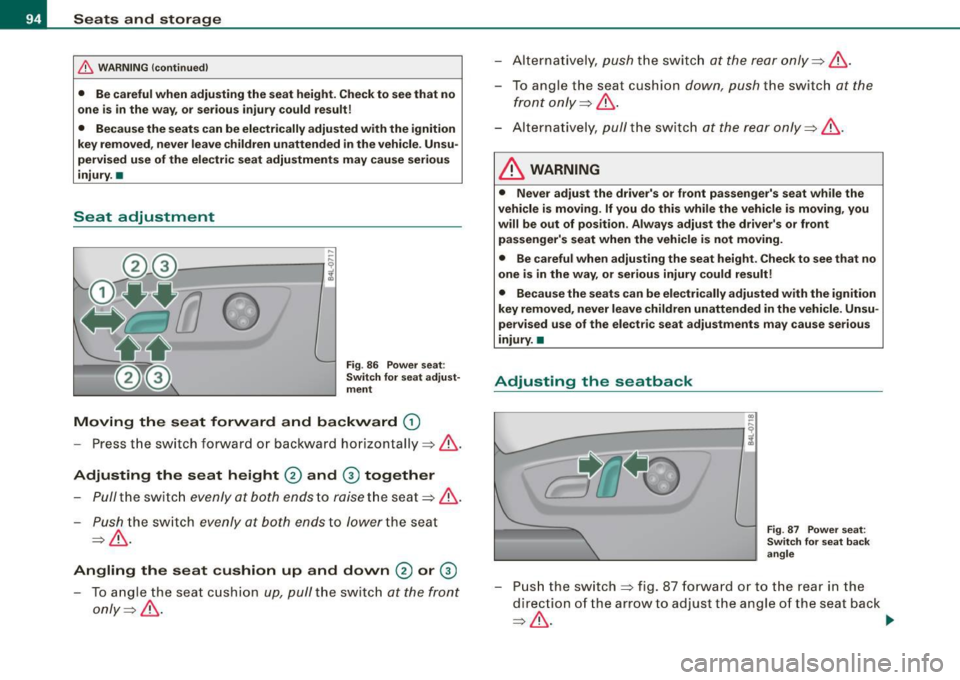
Seat adjustment
,..
'---------, ~
Fig. 86 Power seat:
Switch for seat adjust
ment
Moving the seat forward and backward ©
-Press the switch forward or backward horizontally =>& .
Adjusting the seat height 0 and @ together
Pull the switch evenly at both ends to raise the seat=> &.
- Push the switch evenly at both ends to lower the seat
.Jj => ~ -
Angling the seat cushion up and down 0 or @
-To angle the seat cushion up, pull the switch at the front
only =>
/1:::..
- Alternatively , push the sw itch at the rear only=> & .
- To angle th e seat cush ion down, push the sw itch at the
front only=>
/1:::..
- Alter natively, pull the switch at the rear only=>& .
& WARNING
• Never adjust the driver's or front passenger's seat while the
vehicle is moving.
If you do this while the vehicle is moving, you
will be out of position . Always adjust the driver's or front
passenger's seat when the vehicle is not moving.
• Be careful when adjusting the seat height. Check to see that no
one is in the way, or serious injury could result!
• Because the seats can be electrically adjusted with the ignition
key removed, never leave children unattended in the vehicle. Unsu
pervised use of the electric seat adjustments may cause serious
injury. •
Adjusting the seatback
.. ,..
----------, ;
Fig. 87 Power seat:
Switch for seat back
angle
- Push the switch=> fig . 87 forward or to the rear in the
direction of the arrow to ad just the angle of t he seat back
=>
& . ...
Page 119 of 426

________________________________________________ S_e_ a_ ts_ a_ n_d _ s_t _o _r_ a ....; g::;. e _ __._
To open ashtray
- Touch the l id to open the ashtray.
Removing ashtray insert
Press the front of the open lid downward in the direction
of the arrow=>
page 116, fig. 121 - the ashtray insert
pops out slightly.
- Lift the ashtray insert up and out.
Reinstalling ashtray insert
-Open the lid on the ashtray insert and press the insert
into the housing as far it can go.
& WARNING
Never put waste paper in the ashtray . Hot ashes or other hot
objects in the ashtray could set waste paper on fire. •
Cigarette lighter/socket
Ap plies t o ve hicles: w it h c ig arette ligh ter
Cig are tt e lighte r
Contro ls and eq uip
ment
Fig . 122 Open front
beverage storage
compartment with
cigarette lighter
Using the cigarette lighter
-Push the knob in.
- Wait until the cigarette lighter knob pops out.
- Remove the cigarette lighter immediately and use it.
- Reinsert cigarette lighter into the socket after use.
Connecting an appliance
- Remove cigarette lighter.
- Plug in appliance to be used.
The socket of the cigarette lighter may be used for 12-volt appli
ances with maximum consumption of up to 100 watts, such as a
flash light, small vacuum cleaner, etc .
Before you purchase any accessories, always read and follow the
information in~
page 403, "Additional accessories and parts
replacement" .
& WARNING
Improper use of the cigarette lighter can cause serious injury or
start a fire.
• Be careful when using the cigarette lighter . If you do not pay
attention to what you are doing when you are using the cigarette
lighter you can burn yourself .
• The cigarette lighter and socket remain functional even if the
ignition is switched off or the ignition key is removed . Never leave
children inside the vehicle without supervision.
0 Note
• To avoid damaging the socket , only use plugs that fit properly. _.,
Vehicle care I I Technical data
Page 127 of 426

Warm and cold -___________________ __:_:__: ___ _____,J
Controls
This overview will help you to familiarize yourself with the
air conditioning controls.
-
~ udi _cd _c !! anger
.. ECON 01'4/0FF
Fig. 135 Air conditioning control elements
-
The left display indicates the temperature selected for the driver's
side, the right display indicates the temperature selected for the
passenger's side .
If the settings for seat heating*, air distribution , or the air condi
tioning fan ar e changed, the relevant indicator w ill appear br iefly on
the MMI Display.
Each function is turned on or off by briefly pressing the corre
sponding button. The indicator light in the button illuminates when
the function is active .
Controls and equip
ment Button(s)
!
ECON ON /OFF]
!AUTO] Control knob
G)
[SETUP]
Residual heat Function
Page
Switch climate control on => page 726
and off,
switch cooling system on
and off
Automatic mode
Temperature selection
Seat heating*
Air distribution
Blower
Defrost
Manual recirculation
Heated rear window
Basic settings
=> page 126
=> page 127
=> page 136
=> page 127
=> page 128
=> page 727
=> page 128
=> page 129
=> page 134
With the ignition turned off, you can activate the residual heat func
tion by pressing the !E CON ON /OFF] but ton . The residual heat from
the coolant can be used to heat the vehicle interior. The residual
hea t function is turned off au tomatically after 30 minutes.
Synchronizing climate control
By pressing and holding th e control knob on the driver's side, the
temperature setting on the driver's side can be switched to the
passenger's side , and vice versa. The new temperature is shown in
the display.
Synchronizing four-zone automatic comfort air
conditioning*
By pressing and holding the control knob on the driver's side, the
temperature setting on the driver's side can be switched to the
~
Vehicle care I I Technical data
Page 128 of 426
• .___w_ a_ rm __ a_ n_ d_ c_o _l_d ________________________________________________ _
passenger's side and to the outer rear seats. The new temperature
is shown in the display .
By simultaneously pressing and holding the contro l knobs on the
driver's side and front passenger's side, the temperature setting on
the driver's side can be switched to the front passenger's side. The new temperature is shown in the disp lay.
[ i J Tip s
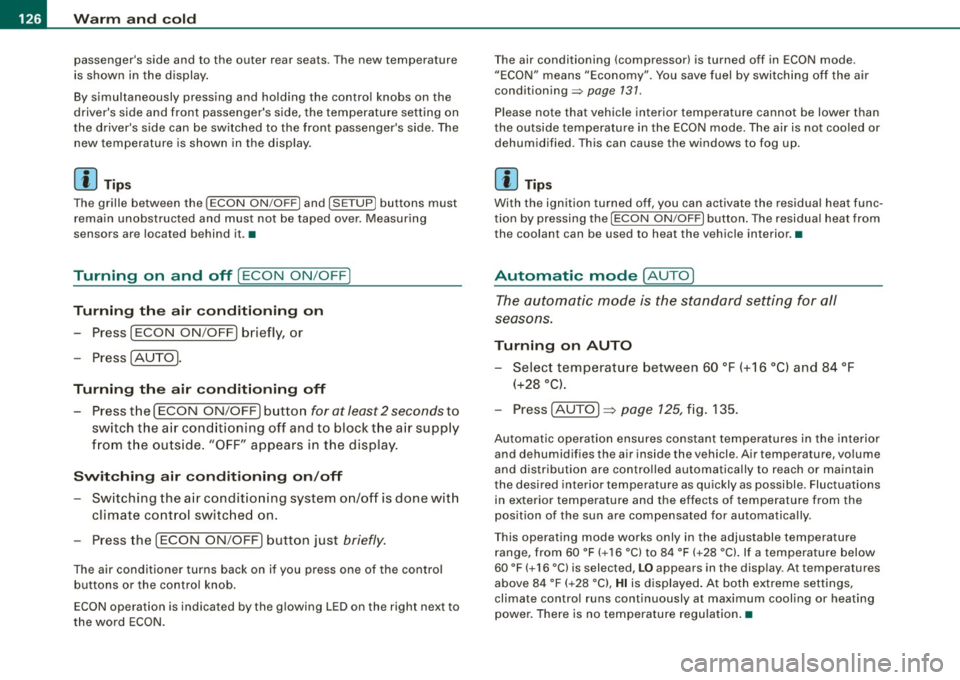
The gri lle between the (ECON ON/OFF] and (SETUP] buttons must
remain unobstructed and must not be taped over. Measur ing
sensors are located behind it. •
Turning on and off [ECON ON/OFF]
Turning the air conditioning on
- Press [ECON ON/O FF] briefly, or
- Press [AUTO].
Turning the air conditioning off
Press the I ECON ON/OFF I button for at least 2 seconds to
switch the a ir cond itioning off and to block the air supply
f rom t he ou tside .
"OFF" appears in the display .
Switching air conditioning on /off
- Switching the a ir conditioning system on/off is done wit h
c limate control switched on .
- Press the [ECON ON/OFF] button just
briefly.
The air conditioner tu rns back on if you press one of the control
buttons or the control knob.
ECON operation is indicated by the glowing LED on the right next to
the word ECON. T
he air conditioning (compressor) is turned off in ECON mode.
"ECON" means "Economy". You save fuel by switching off the air
conditioning=>
page 131.
Please note that vehic le interior temperature cannot be lower than
t he outside temperature in the ECON mode. The air is not cooled or
dehumidified. This can cause the windows to fog up.
[ i J Tip s
With the ignition turned off, you can activate the residual heat func
tion by pressing the
[ECON ON/OFF] button . The residual heat from
the coolant can be used to heat the vehicle interior. •
Automatic mode [AUTO)
The automatic mode is the standard setting for all
seasons.
Turning on AUTO
Select temperature between 60 °F (+16 °C) and 84 °F
(+28 °C).
P ress [ AUTO I => page 125, fig . 135.
Automatic operation ensures constant temperatures in the interior
and dehumidifies the air inside the vehicle. Air temperature, vo lume
and distribution are contro lled automatica lly to reach or maintain
the desired inter ior temperature as quickly as possible. Fluctuations
in exterior temperature and the effects of temperature from the
pos ition o f the sun are compensated for automatica lly.
T his operating mode works only in the adjustable temperature
r ange, from 60 °F (+ 16 °C) to 84 °F (+28 °C). If a temperature below
60 °F
( + 16 °C) is selected, LO appears in the disp lay. At temperatures
above 84 °F ( +28 °C),
HI is d isplayed . At both extreme settings,
climate contro l runs continuously at maximum cooling or heating
power. There is no temperature regu lation .•
Page 131 of 426

_________________________________________________ W_ a_ r_ m __ a_n_ d_ c_ o_ld _ __.911
Rear window defogger QW
The rear window defogger clears the rear wind ow of
condensation.
F ig . 138 Sw itc h for
re ar window d efogger
- Press t he QW switch to turn the rear window defogger o n
and off=> fig. 138 .
The rear window defogger works only when the eng ine is running .
T he light in the switch will illuminate when the defogger is on.
The rear window defogger will switch off automatically after a short time. The time the rear window defogger remains on will vary
depending on the outside temperature .
At very low outside temperatures, the rear window defogger can be switched on continuously by pushing the
[ffi) button for more than 2
seconds. This remai ns s tored unti l the ignition is switched off.
A rear window defogger that was switched on also remains stored
for 15 minutes after the igni tion is switched off . If the engine is
restarted within these 15 minutes, the rear window defogger is also
activated, depending on outside temperature. With a veh ic le that is
parked for a short time, the rear window defogger does not need to
be manua lly activated again.
Con tro ls and eq uip
ment
ffi For the sake of th e environm ent
Turn the defogger off when the rear window is c lear . When you save
e lectricity, you save fuel. •
Vehicle care I I Technical data
Page 142 of 426
• ..__O_ n_ t_h _e _ r_o _a _ d __________________________________________________ _
On the road
Steering
Applies to vehicles : w ith manua lly ad justab le steering whee l
Manually adjusted steering wheel
The height and reach of the steering wheel can be
adjusted.
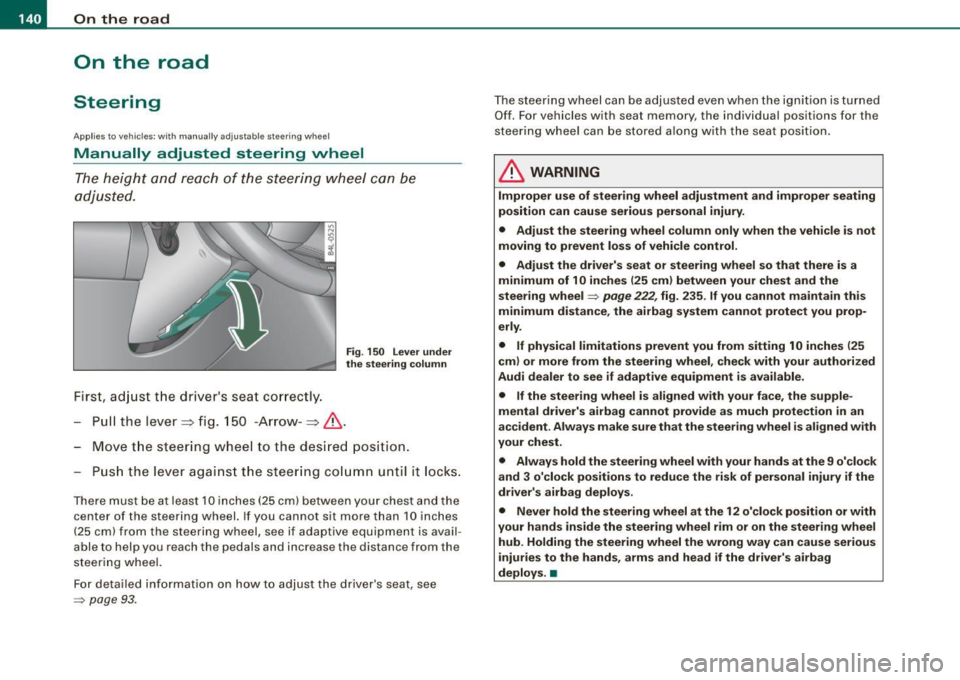
First, adjust the driver's seat correctly.
Fig . 150 Lever under
the steering column
Pull the lever~ fig. 150 -Arrow -~&.
Move the steering wheel to the des ired position.
Push the lever against the steering column until it lock s.
There must be at leas t 10 inch es (25 cm) between your chest and the
center of the steering wheel. If you cannot sit more than 10 inches
(25 cm) from the steering wheel, see if adaptive equipment is avail
able to help you reach the pedals and increase the distance from the
steering wheel.
For detailed information on how to adjust the driver's seat, see
=> page 93.
The steering wheel can be adjusted even when the ignition is turned
Off. For vehicles with seat memory, the individual positions for the
steering wheel can be stored along with the seat position.
& WARNING
Improper use of steering wheel adjustment and improper seating
position can cause serious personal injury .
• Adjust the steering wheel column only when the vehicle is not
moving to prevent loss of vehicle control.
• Adjust the driver's seat or steering wheel so that there is a
minimum of 10 inches (25 cm) between your chest and the
steering wheel
=> page 222 , fig . 235 . If you cannot maintain this
minimum distance, the airbag system cannot protect you prop
erly .
• If physical limitations prevent you from sitting 10 inches (25
cm) or more from the steering wheel, check with your authorized
Audi dealer to see if adaptive equipment is available .
• If the steering wheel is aligned with your face , the supple
mental driver's airbag cannot provide as much protection in an
accident . Always make sure that the steering wheel is aligned with
your chest .
• Always hold the steering wheel with your hands at the 9 o'clock
and 3 o'clock positions to reduce the risk of personal injury if the
driver's airbag deploys .
• Never hold the steering wheel at the 12 o'clock position or with
your hands inside the steering wheel rim or on the steering wheel
hub. Holding the steering wheel the wrong way can cause serious
injuries to the hands, arms and head if the driver's airbag
deploys. •
Page 143 of 426
___________________________________________________ O_ n_ t_h _e_ r_o _a_ d _ ___._
Ap plies to v ehi cles : wi th ele ctr ic ally a djuste d steer in g wh eel
Electrically adjusted steering vvheel
The he ight and re ach of the stee ring whe el can b e electr i
cally adj uste d to s uit t he d river .
First, adjust the d river's seat co rrect ly.
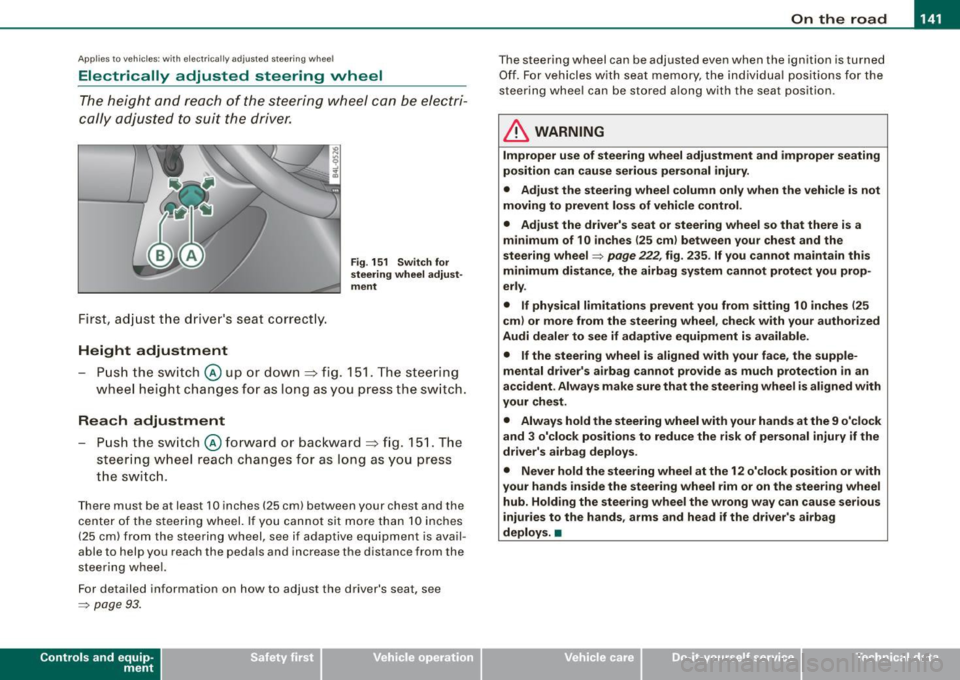
Height adjustment
Fig . 151 Switch for
steering wheel adjust ·
ment
- Push the switch@ up or dow n=> fig. 1 51. T he steer ing
w heel he ight cha nges for a s long as you pre ss th e swi tc h.
Reach adjustment
- Push the s witch @ forw ard o r backwar d => fig . 151. Th e
s teer ing whe el reach ch an ges for as lon g as you pr ess
t h e s wit c h.
Ther e must b e at least 1 O in ches ( 25 cml betw een your chest and the
cen te r of th e st eer ing w hee l. If you cannot sit mo re than 1 0 in che s
(2 5 cm) from the stee rin g wh eel, se e if adaptive equ ipm ent is ava il
able to help you reach the pedals and increase the distance from the
st eeri ng whe el.
F or detailed info rmation on how to ad just the drive r's seat, see
~ pa ge 93 .
Con tro ls and eq uip
ment
T he steering whe el can be adj ust ed even when the ignition is turn ed
O ff . F or vehi cle s with seat memory , the i ndividu al p osi tions fo r the
st eer in g w he el can be sto red a lon g w ith th e seat position.
& WARNING
Improper use of steering wheel adjustment and improper seating
position can cause serious personal injury.
• Adjust the steering wheel column only when the vehicle is not
moving to prevent loss of vehicle control .
• Adjust the driver's seat or steering wheel so that there is a
minimum of 10 inches (25 cm ) between your chest and the
steering wheel
~ page 222, fig . 235 . If you cannot maintain this
minimum distance , the airbag system cannot protect you prop
erly .
• If physical limitations prevent you from sitting 1 O inches (25
cml or more from the steering wheel , check with your authorized
Audi dealer to see if adaptive equipment is available.
• If the steering wheel is aligned with your face, the supple
mental driver's airbag cannot provide as much protection in an
accident . Always make sure that the steering wheel is aligned with
your chest .
• Always hold the steering wheel with your hands at the 9 o'clock
and 3 o'clock positions to reduce the risk of personal injury if the
driver's airbag deploys .
• Never hold the steering wheel at the 12 o'clock position or with
your hands inside the steering wheel rim or on the steer ing wheel
hub . Holding the steering wheel the wrong way can cause serious
injuries to the hands, arms and head if the driver's airbag
deploys. •
Vehicle care I I Technical data
Page 144 of 426
• ..__O_ n_ t_ h _e _ ro_ a_d __________________________________________________ _
Easy entry feature
The easy entry feature makes it easier to enter and exit the
vehicle by automatically adjusting the steering wheel.
Press the button @~ page 141, fig. 151 to turn the easy
entry feature on or off.
When the easy entry feature is turned on (button depressed), the
steering wheel moves up to the parked position when the ignition is
turned off. After you enter the vehicle, the steering wheel moves to
the stored position as soon as you turn on the ignition .
Easy entry feature on vehicles with memory seat*
For the stored steering wheel position to be recalled, the driver's
seat memory must be switched on
(I ON OFF I switch in depressed
position).
If the easy entry feature is switched off, the steering wheel moves to
the stored position as soon as you press the seat memory button. •
Ignition lock and ignition switch
Ignition key positions
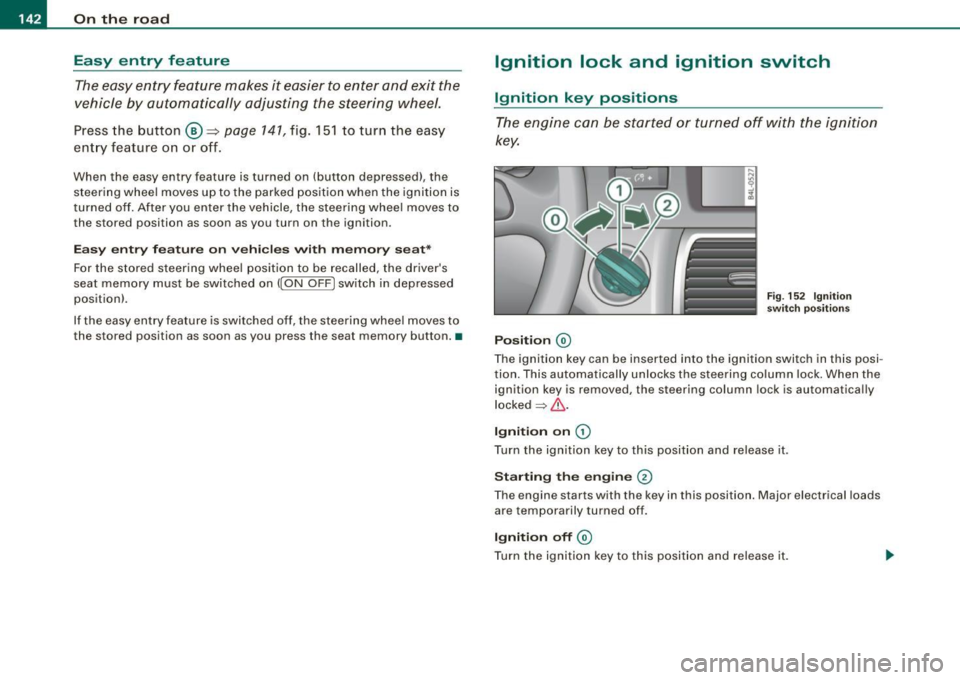
The engine can be started or turned off with the ignition
key.
Position @
Fig. 152 Ignition
switch positions
The ignition key can be inserted into the ignition switch in this posi
tion. This automatically unlocks the steering column lock. When the
ignition key is removed, the steering column lock is automatically
locked
~ & .
Ignition on 0
Turn the ignition key to this position and release it .
Starting the engine 0
The engine starts with the key in this position. Major electrical loads
are temporarily turned off.
Ignition off @
Turn the ignition key to this position and release it.
Page 145 of 426
___________________________________________________ O_ n_ t_h _e_ r_o _a_ d _ ___.11111
& WARNING
• Ne ver re m ove the ke y from the ignition lo ck wh ile th e ve hicl e is
movin g. The steering wh eel will l ock , cau sing l oss of contr ol.
• I f yo u have t o le ave y our veh icle, e ven for ju st a mi nute , always
r e m ove the ign ition ke y and t ake it with you. T his is es pe ciall y
import ant if y ou are going t o leave c hildren unatt end ed in the
vehic le. The children could start the engin e or use other ve hicle
c ontr ols. Un sup erv is ed u se of veh icle c ontrol s (for e xam ple, pow er
w indow s) can cause se rious per sonal injurie s.
0 Note
• I f the ~ symbol in the display blinks, there is a malfunction in the
e lectronic steering column lock . Follow the instructions in
~ page 34 , "Steering malfunction i".
• If the ~ symbol in the display blinks , there is a malfunction in
the electronic ignition lock . Follow the instructions in~ page
34,
"Ignition lock malfunction ~"-
[ i ] Tip s
• If you release the ignition key in posit ion @, the key automati
cally r eturns to posit ion
G) .
• If you open the driver's door when the ignition is swi tched on , a
buzzer sounds and the message Ignition is on appears in the instru
ment cluster display. P lease switch the ignition off. •
Ignition key safety lock
The ignition key can only be removed when the selector
lever is in the "P" (Park) position.
After turning off the ignition, the ignition key can only be removed
from the ignition lock when the selec tor lever is in the "P" (Park)
Con tro ls and eq uip
ment position. Af
ter you have removed the key , the sele ctor lever is locked
and cannot be moved. •
Starting and stopping the engine
Starting the engine
The engine can only be started with your original Audi
key.
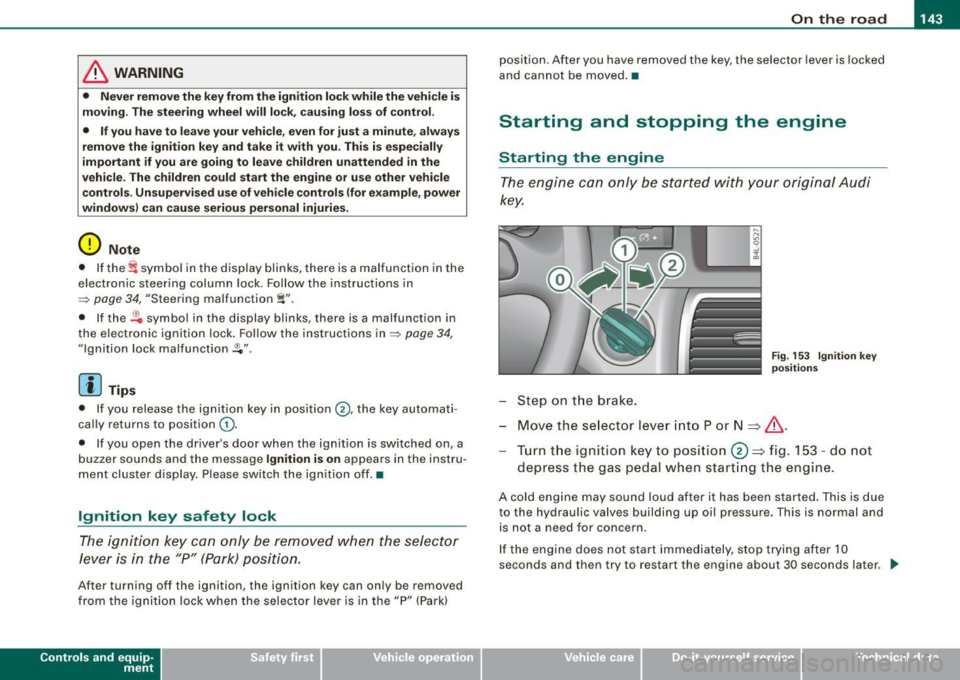
Step on t he brake.
Fig . 153 Ig ni tio n k ey
p osit io n s
Move the selector lever into P or N => &,.
Tu rn the ignition key to pos ition 0 => fig . 153 - do not
depress the gas peda l when start ing the engine.
A co ld engine may sound loud after it has been started . This is due
to the hydrau lic valves building up oi l pressure. This is normal and
is not a n eed for concern .
If the engine does not start immediately, stop trying after 10
seconds and th en try to restart the engine about 30 seconds later . _.,
Vehicle care
I I irechnical data