Check AUDI Q7 2013 Owner´s Manual
[x] Cancel search | Manufacturer: AUDI, Model Year: 2013, Model line: Q7, Model: AUDI Q7 2013Pages: 348, PDF Size: 87.72 MB
Page 21 of 348
Instrument s and warnin g/indic ator ligh ts 19
See your authorized Audi dealer as soon as
possible.
A WARNING
- If the E (USA models) ,11J (Canada
models) warning light does not go out,
or if it comes on while driving, the ABS
system is not working properly. The vehi
cle can then be stopped only with the
standard brakes (without ABS). You will
not have the protection ABS provides.
Contact your authorized Aud i dea le r as
soon as possible .
-USA models: If the 1111 warn ing light
and the
E warn ing light come on to
ge ther, the rear wheels could lock up
first under hard braking . Rear wheel lock
up can cause loss of vehicle control and
an accident. Have your vehicle repaired
immediately by your authorized Audi
dealer or a qualified workshop. Dr ive
slowly and avoid sudden, hard brake ap
plicat ions .
-Canada models: If the brake warn ing
light . and the ABS warning light
II]
come on together, the rear wheels could
lock up first under ha rd b rak ing. Rea r
wheel lo ck-u p can cause loss of veh icle
control and an acc ident . Have your vehi
cle repaired immediately by your a uthor
ized Audi dea ler or a qualified workshop .
Drive slowly and avo id sudden, hard
brake applicat ions.
:r..:.I<®> Parking brake
The indicator light monitors the parking
brake.
-
When the pa rking brake is applied and the ig
n ition is switched on, the. (USA models)
I
• (Canada models) indicator light comes on.
T he indicator light must go out when the
parking brake is re leased.
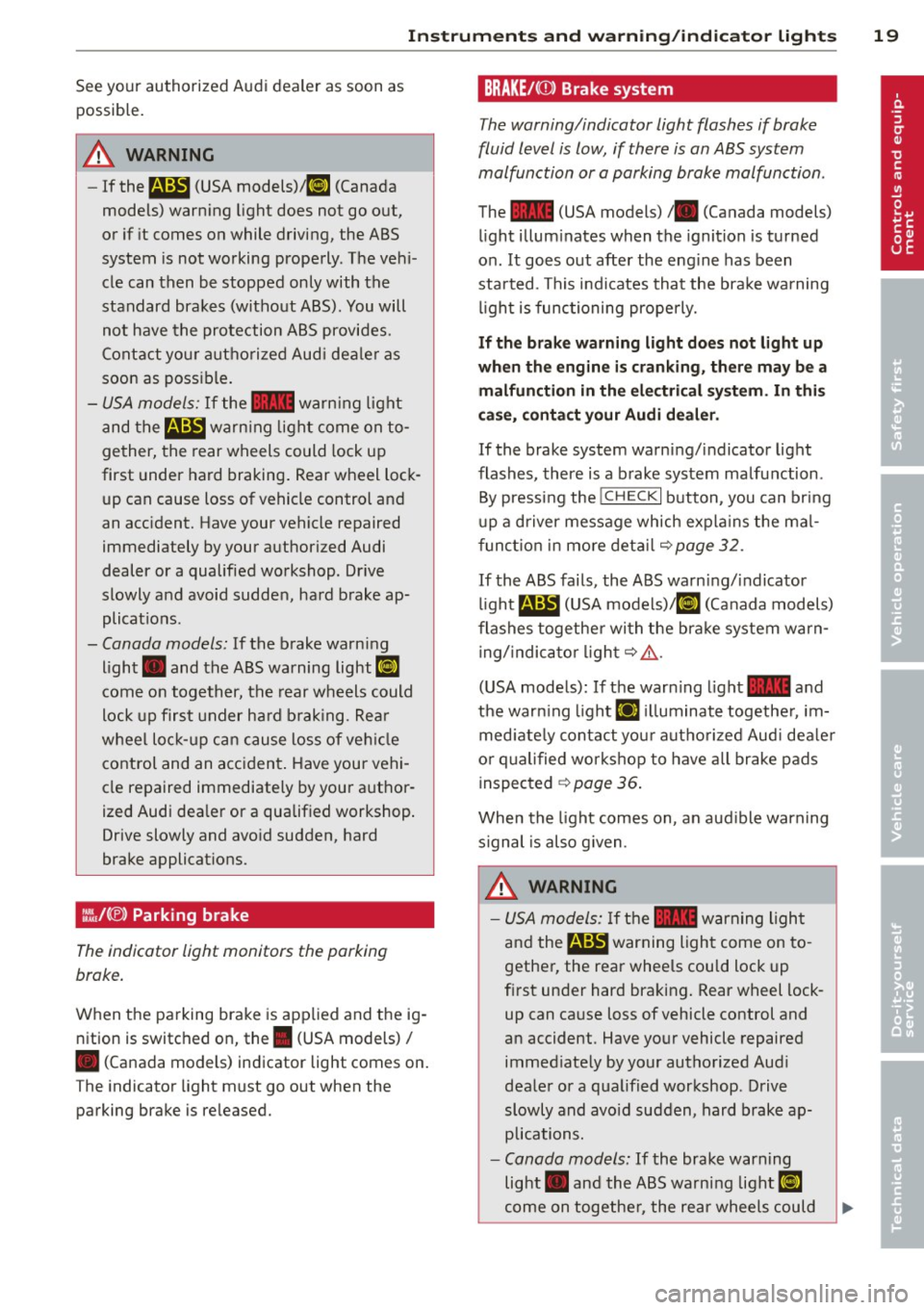
BRAKE/{(])) Brake system
The warning/indicator light flashes if brake
fluid level is low, if there is an ABS system
malfunction or a parking brake malfunction.
The 1111 (USA models)/ . (Canada models)
l ight illum inates when the ignition is turned
on .
It goes out after the eng ine has been
started . This indicates that the bra ke warning
li gh t is func tioning properly.
If th e brake warning light do es not light up
wh en the engin e is cran king, ther e may be a
malfunction in the electrical syst em . In thi s
case, c onta ct your Audi dealer .
If the brake system warn ing/indicator light
flashes, there is a b rake system malfunction .
By pressi ng the
!CHECK I button , you can bring
up a d river message which expla ins the ma l
f unct io n in more det ail
~page 32.
If the ABS fails, the ABS warn ing/indicator
li ght
E (USA models)/ 11] (Canada models)
flashes togethe r wi th the brake system warn
ing/ indica tor ligh t¢
A .
(USA mode ls): If the warn ing light 1111 and
the war ning light
EiJ illuminate togethe r, im
med iate ly contact yo ur autho rized Aud i dea le r
o r qualified wor kshop to have all brake pads
inspec ted ~
page 36 .
When the light comes on , an aud ible warning
s ignal is also g iven .
A WARNING
-USA models: If the 1111 warning ligh t
and the
E warning ligh t come on to
gethe r, the rear wheels could lock up
f ir st under hard bra king . Rear wheel lock
up can ca use loss of vehicle control and
an accident. Have your vehicle repaired immed iate ly by your authorized Aud i
deale r o r a qua lified workshop. Drive
slowly and avo id sudden, hard brake ap
plications.
- Canada models: If the brake warning
light . and the ABS warning light
II]
come on toge the r, the rear wheels could
.
Page 23 of 348
Driver information
display
Introduction
General notes
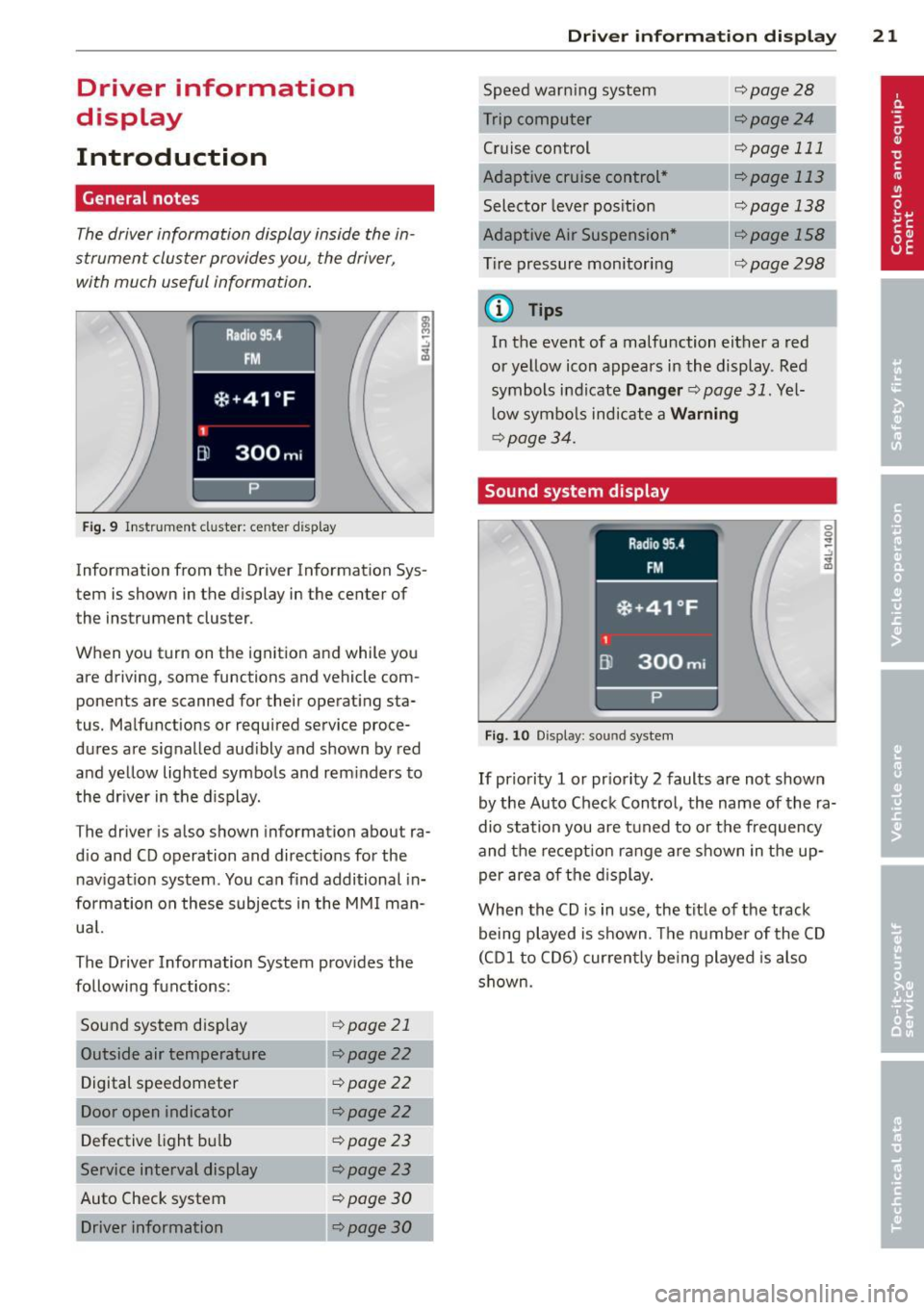
The driver informa tion display inside the in
strument cluster provides you, the driver,
with much useful information.
Fig. 9 Instr ument cluster: ce nter display
Information from the Driver Information Sys
tem is shown in the display in the center of
the instrument cluster.
When you turn on the ignition and while you
are driving, some functions and vehicle com
ponents are scanned for their operating sta
tus. Malfunctions or required service proce
dures are signalled aud ibly and shown by red
and yellow lighted symbols and rem inders to
the dr iver in the display.
The driver is also shown information about ra
d io and CD operation and directions for the
nav igation system . You can f ind additional in
formation on these subjects in the MMI man
ua l.
The Driver Information System prov ides the
following functions:
Sound system disp lay ¢
page 21
Outside air temperature ¢page22
Digital speedometer ¢page
22
Door open indicator ¢page22
Defective light b ulb ¢poge23
Service interval display ¢page23
Auto Check system ¢
page 30
Driver information ¢page30
Dri
ver inform ation di spl ay 21
Speed warn ing system
Cruise control
Adaptive cruise control *
Selector lever pos ition
Adaptive Air Suspension *
T ire pressure monitori ng
(D Tips
¢page28
--·--¢page24
¢page 111
--..--
¢page 113
¢page 138
¢page298
In the event of a malfunction either a red
or ye llow icon appears in the display . Red
symbols indicate
Dang er ¢ page 31. Yel
l ow symbo ls indicate a
Warning
¢ page 34.
Sound system display
Fig. 10 Display: sound syste m
If priority 1 or pr iority 2 faults are not shown
by the Auto Check Control, the name of the ra
dio station you are tuned to or t he frequency
and the recept ion range are shown in the up
per area of the d isplay.
When the CD is in use, the tit le of the track
being played is shown. The number of the CD
(CDI to CD6) cur rently be ing played is also
s h own.
Page 26 of 348
24 Driver information d isplay
Re setting the service interval display
Your au thor ized A udi dealer w ill reset the cor
responding service sched ule after performing
the app rop riate service on yo ur vehicle . Yo u
a lso have the possibility to reset the oil
change sched ule after having performed an
oil c hange according to Audi specifications.
Select
I CAR I function button > Systems * con
trol button
> Service int erva l display > Re set
oil change interval
or ! CARI function button >
Car systems* control button > S ervicing &
check s > Service interval s > Reset oil change
interval.
(D Note
If you disconnect the b attery termi nals, no
c a lcu lations can be m ade for the servi ce
in terva l display during this time and no
service rem inder w ill appear . Remembe r
that obse rv in g the prope r serv ice interva ls
is vita lly im portant to extend ing the life o f
y o ur veh icle , part icu larly the eng ine, and
maintaining its va lue . Do not exceed the
time int erval fo r th e next se rv ice, even if
the vehicle mileage is low .
@ Tips
-Do not reset the display between oil
changes, otherw ise the display will be in
correct.
- The informati on in the Servic e Reminder
r ema ins sto red even when the vehicle
batte ry is discon necte d.
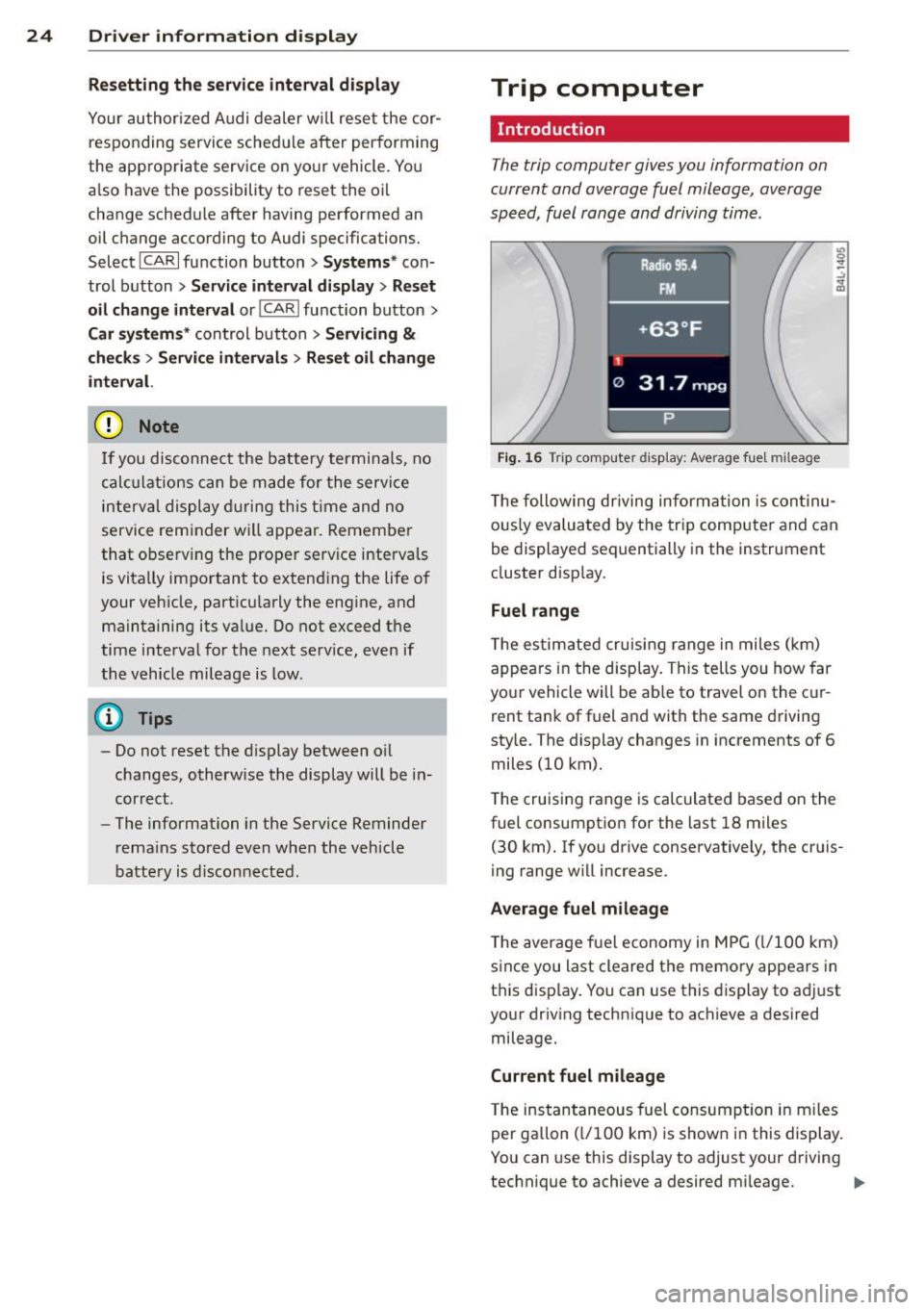
Trip computer
Introduction
The trip computer gives you information on
current and average fuel mileage, average
speed, fuel range and driving time.
Fig. 16 T rip comp ute r di sp lay : Average f ue l m il eage
T he following dr iving inform ation is con tinu
o usly evalua ted by the trip computer and can
b e displayed sequentially in the instrument
cluster disp lay.
Fuel range
T he es tim ated cru is ing r ange in miles ( km)
appea rs in the display. T his tells you how far
yo ur vehicle will be ab le to travel on the c ur
rent ta nk of f uel a nd with the same driving
sty le. The display changes in increments of 6
miles (10 km).
T he cruising range is calculated based o n the
fuel consum ptio n for the last 18 miles
(30 km). I f you drive conservative ly, the cr uis
i ng range w ill increase.
Average fuel mileage
The aver age f ue l economy in MPG ( l/1 00 km)
s ince you last cleared the memo ry appears in
t hi s disp lay . You can use this display to ad just
yo ur driv ing technique to achieve a desired
mileage.
Current fuel mileage
T he ins tan taneous fuel consum ption in m iles
per gallon ( l/100 km) is shown in this disp lay.
You can use this display to adjust your driving
technique to achieve a desired m ileage .
Ill-
Page 31 of 348
will remain in effect until you turn off the igni
tion, assuming that you have not changed or
reset the setting.
The speed warning symbol. (USA models)/
• (Canada mode ls) in the warning 1 display
appears when you exceed the maximum
speed . It goes out when the speed falls below
the stored maximum speed.
The speed warning symbo l wi ll also go out if
the speed
exceeds the stored maximum speed
by more than about 2S mph (40 km/h) for at
least 10 seconds. The stored maximum speed
is deleted.
Setting speed warning 1
<:!;> page 29 .
Speed warn ing 2
Storing warn ing 2 is recommended if you al
ways
want to be reminded of a certa in speed,
for example when you a re traveling in a coun
try that has a general maximum speed limit,
or if you do not want to exceed a specified
speed for winter tires.
The speed warning 2 symbol, . (USA mod
els)/ . (Canada models) appears in the d is
p lay when you exceed the stored speed limit.
Unlike warning 1, it will not go out unti l the
vehicle speed drops below the stored speed
limit.
Setting speed warning 2
r:!;> page 29 .
@ Tips
Even though your vehicle is equipped with
a speed warning system, you should sti ll
watch the speedometer to make sure you are not driving faster than the speed lim it.
Dri ver inform ation di spl ay 29
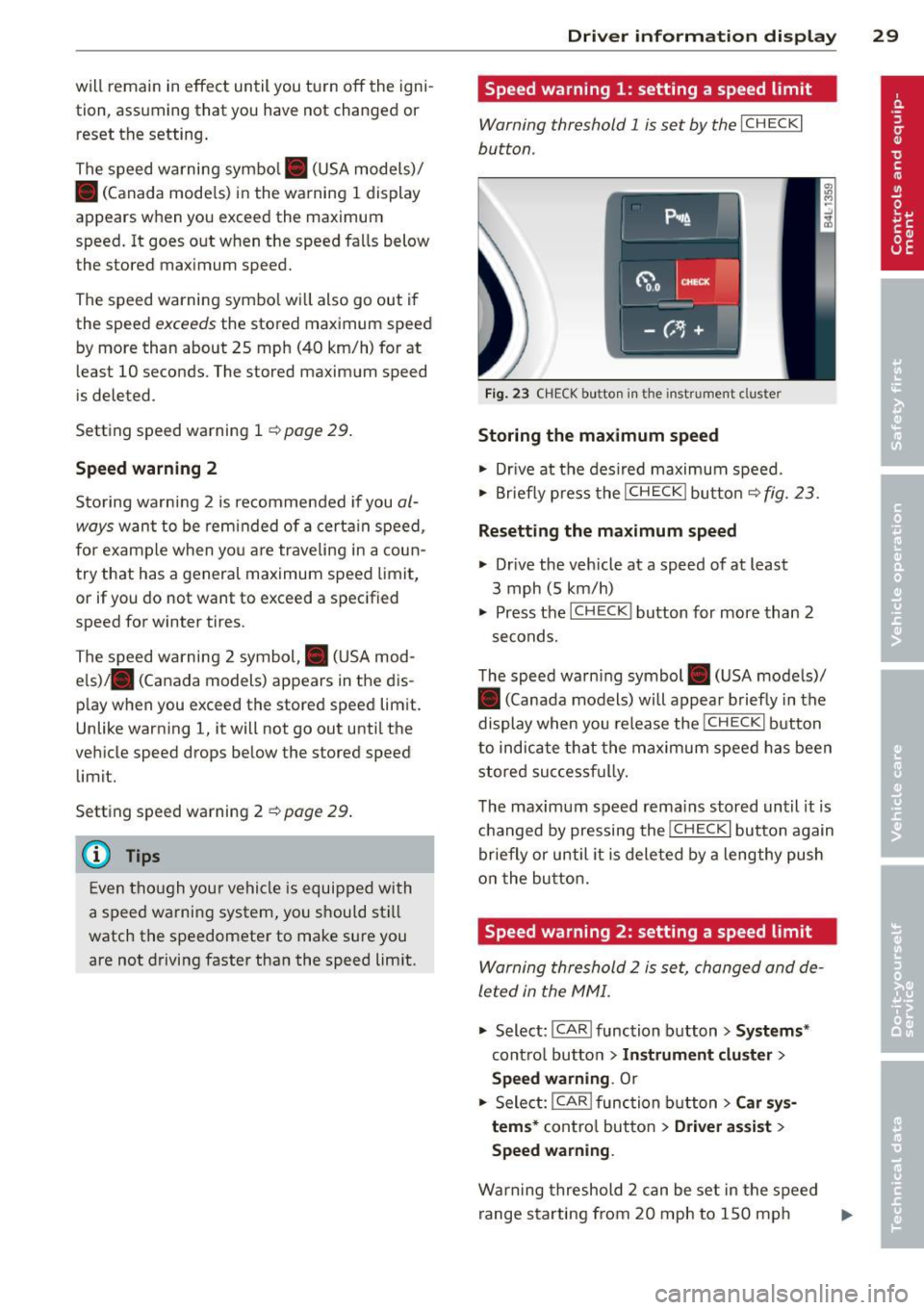
Speed warning 1: setting a speed limit
Warning threshold 1 is set by the I CH ECKi
button.
Fig . 23 CHECK button in the instrument cluster
Storing the ma ximum speed
"' Drive at the des ired maximu m speed .
"' Briefly p ress the I CH ECK i bu tton
c;> fig. 23.
Resetting the m aximum speed
.. Drive the veh icle at a speed of at least
3 mph (5 km/h)
.. Press the ICHECK I button for more than 2
seconds.
T he speed warn ing symbol . (USA models)/
• (Canada models) will appear briefly in the
display when you release the I CHECK
I button
to indicate t hat the maximum speed has been
stored suc cessf ully.
T he maximum speed rema ins stored until it is
changed by pressing the
I CH ECKi button again
briefly or until it is deleted by a lengthy push
o n the bu tton.
Speed warning 2: setting a speed limit
Warning threshold 2 is set, changed and de
le ted in the MMI .
.. Select: I CAR I function button > Systems*
contro l butto n > In strum ent clu ster >
Spe ed warning . Or
.. Select: ICAR lfunc tion b utton> C ar sy s
tem s*
contro l button > Driver a ssist >
Speed warning.
Warning threshold 2 can be set in the speed
range starting from 20 mph to 150 mph ..,.
Page 32 of 348
30 Driver in formation d ispl ay
(30 km/h to 240 km/h) . Settings can each be
adj usted in intervals of S mph (10 km/h) .
Auto Check Control
Introduction
The Auto-Check control monitors the function
of certain veh icle featu res and components . It
simply makes sure these features and compo nents are work ing proper ly . The Auto -Check
contro l wo rks as long as the ignition is on, as
well as whenever the vehicle is driven.
If a componen t is ma lf u nctioning or if the
n eed for an urgent repair has been detected,
this will appear in the instrument cluster dis
p lay . You w ill a lso hear an audible warn ing
tone . The displays are co lor coded in e ither
red or yellow depending on their level of prior
ity .
A red symbo l means
Dange r, a yellow symbo l
indic ates
Warning . In certain s ituations, in
formation message for the dr iver appear in
addit ion to the red and yellow symbols.
Function te st : automat ic transmi ssion
The Auto -Check Control will automat ica lly
perform a test each time you switch on the ig
n ition. With the selector lever in
P or N , the
following message appears in the display :
When station ary apply foot br ake while s e
lecting gear .
When you select a different gear (for exam
p le :
R , D , etc.), the message wi ll disappear
and the Auto-Check function is d isplayed .
I f there is a m alfu nction, then the malfunc
tion message w ill appear about 15 seconds af
ter the yo u start the vehicle. At t he same time
you will hear a warning tone .
Driver information messages
Driver information messages are shown in the
instrument cluster display in addition to the
red and yellow symbols .
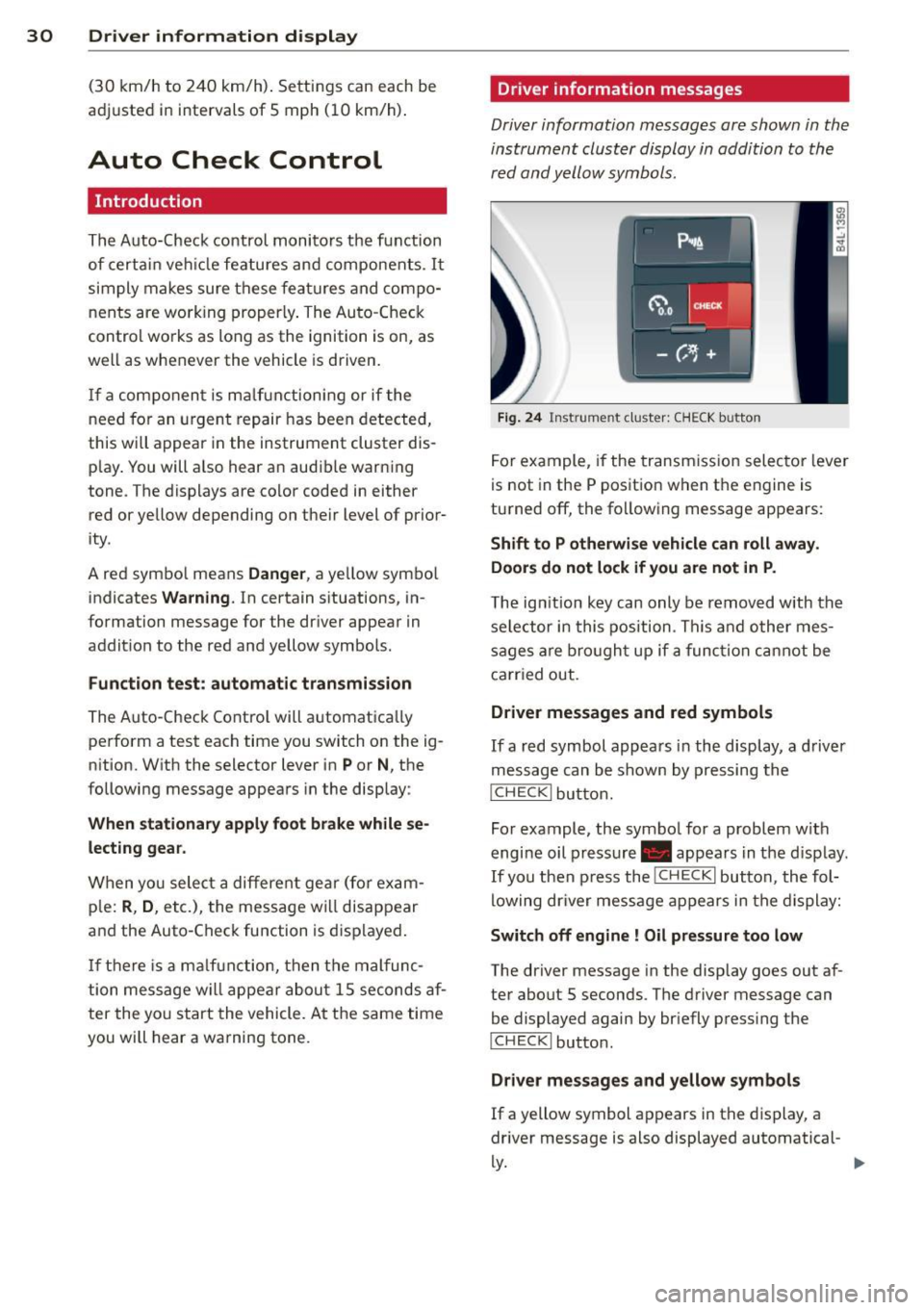
Fig. 24 Ins trume nt cl ust er: CHECK b utto n
For example, if the transmiss ion selec to r l ever
is not in the P position when the engine is
turned off, the following message appears :
Shift to P otherwise vehicle can roll away.
Door s do not l ock if you are not in P .
The ig nition key can only be removed with the
selector in this position . Th is and other mes
sages are bro ugh t up if a func tion cannot be
carr ied out.
Driver messages and red symbols
If a red symbol appea rs in the display, a d river
message can be shown by pressing the
I CH ECK I button.
For example, the symbo l for a problem w ith
engine oil p ressure . appears in the d isp lay .
If you then p ress the
I CHECK I button , the fol
lowing dr iver mess age appears in the display:
Switch off engine ! Oil pr essure too low
The driver message in the display goes out af
ter about 5 seconds . The driver message can
be displayed again by briefly press ing the
I CH ECKi button.
Driver messages and yellow symbols
If a yellow symbol appears in the display, a
driver message is also displayed automatical-
~ ~
Page 33 of 348
For example, the symbol II appears in the
display, indicating low windsh ield washer flu
id level. The follow ing message also appears:
Pl eas e refill w asher fl uid
The driver message disappears after a few
seconds. The driver message can be displayed
again by briefly pressi ng the
!CH ECK I button.
Red symbols
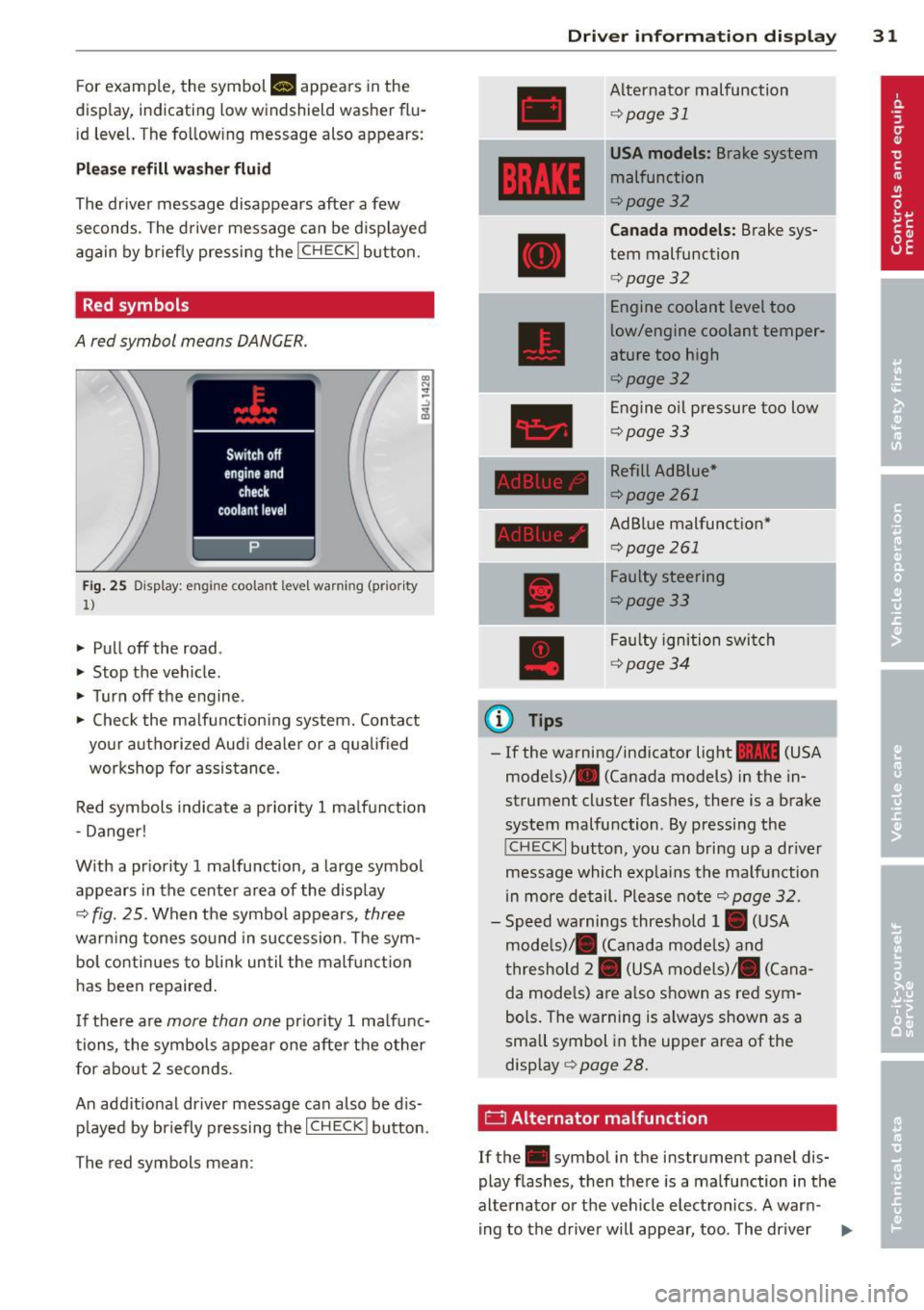
A red symbol means DANGER.
Fig . 25 Disp lay: engin e coola nt l eve l wa rnin g ( pri ority
1)
• Pull off the road .
• Stop the veh icle.
• Turn off the engine .
• Check the ma lfunctioning system. Contact
your authorized Aud i dea ler or a qualified
workshop for assistance.
Red symbols indicate a priority 1 ma lfunction
- Danger!
W ith a pr iority 1 malfunction, a large symbol
appears in the center area of the display
¢ fig. 25. When the symbol appears , three
warning tones sound in succession . T he sym
bol co nti nues to bli nk until the ma lf u nct ion
has been repaired.
I f there are
more than one priority 1 ma lfunc
tions, the symbols appear one after the other
for about 2 seconds.
An addit ional driver message can also be d is
p layed by briefly pressing the
I C HECK ! button.
T he red symbols mean :
Driver inform ation di spl ay 31
Alternato r malfunction
¢ page 31
USA model s: Brake system
malfunction
¢page32
Canad a mo dels: Brake sys
tem malfunction
¢ page 32
Engine coolant level too
low/engine coolant temper
ature too high
¢ page32
Engine o il pressu re too low
¢ page33
Refill Ad Blue*
¢page 261
AdBlue malfunction*
¢page261
------------~
(D Tips
Faulty steering
¢page33
Fa ulty ignition swi tch
¢ page34
- If the warning/indicator light 1111 (USA
models)/ . (Canada models) in the in
strument cluster flashes, there is a brake
system malfunction . By pressing the
!CHECK I button, you can bring up a dr iver
message which exp lains the malfunction
in more detail. Please note
¢ page 32 .
-Speed warnings threshold 1. (USA
mode ls)/ . (Canada mode ls) and
t hreshold 2. (USA models)/ . (Cana
da mode ls) a re a lso shown as red sym
bols. The warning is a lways shown as a
small symbol in the upper area of the
display ¢
page 28.
0 Alternator malfunction
If the . symbol in the instrument panel dis
play flashes, then there is a malfunction in the
alternato r or the veh icle elect ron ics . A war n-
ing to the drive r will appear, too . The driver .,.
Page 34 of 348

32 Driver in formation d isplay
warning goes out after about 5 seconds, but it
can be brought up at any time by pressing the
I CHECK ! button again .
Usually , you can still drive to the next dealer
ship. Turn off all b ut the most necessary elec
trica l cons umers, sinc e these drain the vehi
cle's battery.
(D Note
If the . warning symbol (coolant system
malfunction) also lights up on the instru
ment panel during the trip ¢
page 32,
then you have to stop immediately and
turn off the eng ine . The coolant pump is
not working anymore -danger of damage
to the eng ine!
BRAKE/( ©) Brake system malfunction
A malfunc tion in the brake system mus t be
repaired as soon as possible .
If the warn ing /indicator light~ (USA
models)/ . (Canada mode ls) in the instru
ment cluster flashes, there is a brake system
malfunction . By pressing the
I CH ECK ! button,
you can bring up a dr iver message which ex
p la ins the ma lfu nction in more detail.
Stop vehicle and check brake fluid level
> Pul l off the road .
> Stop the vehicle .
> Turn off the engine.
> Check the brake flu id level ¢ page 274 .
> Contact you r neares t authorized Audi dea le r
o r qualified workshop if necessa ry.
Warning! Fault in brake system. Contact
workshop
> Drive carefully to the neares t authorized
Audi de aler or qua lified workshop and h ave
the mal function cor rected ¢
&_.
If the A BS system malfunctions, the ABS
war ning/ indica to r li ght illum inates toge ther
with the bra ke sys tem mal func tion warning/
indicator light¢&. .
A WARNING
-Always observe the war nings in
¢ page 255, Engine compartment, be
fore open ing the hood and check ing the
b ra ke fluid .
- Driving with low brake f lu id is a safety
hazard . Stop the car a nd get professiona l
assistance .
-USA models: If the ~ warning light
a nd the
m:11 warning light come on to
ge the r, the rea r whee ls cou ld lo ck up
fi rs t un der hard br aking. Rear wheel lock
up can ca use loss of vehicle co ntrol and
an accident . Have your vehicle repaired
immed iate ly by yo ur authorized Au di
dea le r or a qua lified workshop. Drive
slowly and avo id sudden, hard brake ap
plications.
- Canada models: If the brake warning
light . and the ABS warning light
[I]
come on together, the rear wheels could
lock up first unde r hard braking . Rear
wheel lock-up can cause loss of vehicle
cont ro l and a n ac cident . Have yo ur vehi
cle repaired immed iately by yo ur au tho r
i z ed A udi d ealer or a qualified wor ksh op .
D rive s low ly and avoid s udden, hard
brake applications .
-L Engine cooling system malfunction
A malfunction in the engine cooling sys tem
must be repaired as soon as possible.
When the. symbo l in t he d isplay b lin ks ,
then either the e ngine coo lant
temperature is
too high, o r th e coo lan t
level is too low. An
additional drive r message can also be dis
played by p ressing the
I CHECK ! button:
Switch off engine and ch eck coolant level
> Pull off the road.
> Stop the vehicle .
> Tu rn off the engine.
> Check coolant leve l ¢page 272.
> Add coo lant if necessary ¢ page 2 7 3.
> Continue driv ing on ly after t he engine cool-
ant warning/indicator light goes out .
1J>
Page 35 of 348
~ Contact your authorized Audi dea ler fo r as -
sistance if necessary.
If the engine coolant level is co rrect, then the
radiato r fan may be the cause of the malfunc
tion.
If the . warning symbol (alternator ma l
f u nction) a lso l ights up on the instr ument
panel ¢
page 31, then the fan belt may be
damaged .
A WARNING
- If your vehicle should break down for
mechanica l or other reasons, park at a
safe distance from moving traffic, turn off the engine and turn on the hazard
warning lights¢
page 60, Emergency
flasher.
-
- Never open the hood if you see or hear
steam o r coolant escap ing from the en
gine compartment - you risk being scald
ed. Wait until you can no longe r see or
hear steam or coo lant escaping.
- The e ngine compartment of any veh icle
is a da ngerous a rea. Before you perfo rm
any wor k in the engine compar tment,
t ur n o f the eng ine and allow it to cool.
Follow the warning stickers¢
page 255,
Engine compartment .
(D Note
Do not cont in ue d riving if the . symbol
illuminates. There is a ma lf u nct ion in the
engine cooling system -you co uld damage
your eng ine.
9=:7-Engine oil pressure malfunction
The red engine oil pressure warning symbol
requires immediate service or repair. Driving
with a low-oil -pressure indication is likely to
inflict severe damage to the engine.
If the . symbol appears in the display and
b links, the oil press ure is too low . An addition
a l dr iver message can also be disp layed by
press ing the
I CH ECKi button:
Switch off engine! Oil p ressure too low
Dri ver information di spla y 33
Immediate act ions
~ Pull off the road.
~ Stop the vehicle.
~ T ur n off the engine .
~ Check the engine oil level with the dipstick
¢ page
269 .
Dipstick readings check s too low
~ Top off oil to the prope r level ¢ page 2 70 .
~ Make sure that the oil pressure wa rning
symbo l. appears no longer in the d isp lay
before you sta rt driving again.
Dipstick read ing checks OK
~ If the oil p ress ure warning symbol.
s t arts flashing aga in even though the en
gine oil level checks OK on t he dipstick,
do
not continue d riving and do not let the en
gine run in idle .
Instead, contact your au
thorized A udi dealer for assistance.
(D Tips
- The engine oil pressure symbol. is
not an indi cator for a low eng ine o il lev
el. Do not rely on it . Instead, check the
oil level in your engine at regula r inter
vals, preferably each time you refuel,
and always before going on a long trip .
- The yellow oil lev el warn ing indication
II requires oil r efill or work shop serv
i ce without delay . Do not wait until th e
red oil pressure warning. start s to
flash bef ore you re spond to th e low oil
le vel warning
l!I . By then , your engine
ma y already have suffe red serious dam
age.
i Steering malfunction
If there is a malfunction in the electronic
steering column lock, the steering cannot be
unlocked .
If the . symbo l in the display b links, there is
a malfunction in the electro nic steering col
u mn lock. An additional driver message can
also be displayed by pressing the
ICHECK I but-
ton:
~
Page 36 of 348

34 Driver information display
Do not drive vehicle: steering defective
• Contact you r nearest authorized Audi dea le r
or qualified workshop.
• Do
not tow yo ur vehicle .
.&, WARNING
-
Your vehicle must not be towed in the
event of a malfunction in the electronic
steering column lock because it cannot be
steered due to the locked steering. If it is
towed w ith the steering locked, there is
the risk of an accident .
~ Ignition lock malfunction
A malfunction in the ignition lock must be re
paired immediately.
If the . symbo l in the display blinks, there is
a ma lfunction in the electronic ignition lock.
An addit ional driver message ca n also be d is
played by pressing the
! CHECK I button:
Ignition lock defective. Contact workshop !
• Do not turn the eng ine off.
• Drive immediately to an authorized Audi
dealer to have the ma lf u nction corrected.
If there is a ma lfunction in the e lectronic igni
tion lock, the ignition cannot be turned off.
Drive immediately to an authorized Audi dea l
er to have the cause of the ma lfunction cor
rected.
On vehicles with Convenience key*, the engine
should not be switched off using the
! STOP !
button beca use the engine ca nnot be sta rted
again after the ignition is switched off.
' Yellow symbols
A yellow symbol means WARNING.
Fig . 26 Display: low fuel level warning (priority 2)
Yellow symbo ls indicate a priority 2 malfunc
t ion -Warning!
When a yellow war ning symbol appears,
one
warning tone sounds . A driver message ap
pears as well to exp lain the malfunction in
more de tail. The driver warning goes out after
about 5 seconds, but it can be brought up
again at any time by pressing the
! CHECK I but
ton .
Check the displayed function as soon as possi
ble. If more than one priority 2 ma lf u nction is
detected, all symbols will appear one after
the other for about 2 seconds .
Yellow symbols mean:
II
Convenience key"
Key not in vehicle
c> page 108
•
USA models: Defective
brake light
c>pa ge23
[IJ
Canada models: Defective
brake light
c> page 23
1:1
Defective light bulb
c>page 23
.
m
Light/rain sensor defective
c>pag e 35
~
Windshield washer fluid lev-
el low
1 .. c>page35
Page 37 of 348
![AUDI Q7 2013 Owner´s Manual II
AdBlue ,/
II
•
•
•
m
m
-
[I]
Low fuel level
¢page 35
Refill Ad Blue*
¢page261
AdBlue malfunction*
¢poge261
Battery voltage
¢page36
Worn brake pads ¢page36
Dynam](/img/6/40278/w960_40278-36.png "AUDI Q7 2013 Owner´s Manual II
AdBlue ,/
II
•
•
•
m
m
-
[I]
Low fuel level
¢page 35
Refill Ad Blue*
¢page261
AdBlue malfunction*
¢poge261
Battery voltage
¢page36
Worn brake pads ¢page36
Dynam")
II
AdBlue ,/'
II
•
•
•
m
m
-
[I]
Low fuel level
¢page 35
Refill Ad Blue*
¢page261
AdBlue malfunction*
¢poge261
Battery voltage
¢page36
Worn brake pads ¢page36
Dynamic headlight range
control defective
¢page36
Check engine oil level
¢poge36
Engine oil sensor malfunc
tion ¢poge36
Engine speed limitation*
¢page36
Diesel particulate filter*
clogged
¢poge37
Adaptive light* defective
¢poge37
Ignition lock malfunction
¢poge37
Windshield wiper defective
¢poge37
-Tire pressure monitoring
system
Loss of air pressure
¢poge299
Tire pressure monitoring
system
System not available
¢poge299
Driver information display 35
Battery in remote control
key
¢page39
Automatic transmission
malfunction
¢ page 141
...?c, Key not in vehicle
Applies to vehicles: with Convenience key
I!! Key not in vehicle
This reminder appears along with the I!! sym
bol if the master key is removed from the
ve
hicle with the engine running. It is intended
to remind you (e.g . when chang ing drivers)
not to continue the journey without the mas
ter key.
If the master key is no longer in the vehicle,
you cannot switch off the ignit ion after stop
ping the engine and you also cannot start the
engine again. What is more, you cannot lock
the vehicle from the outside.
@. D Light/rain sensor defective
E;I Automatic headlights/ automatic wipers
defective
If the symbol illuminates, the light sensor has
failed. For safety reasons the low beams are
turned on permanently with the switch in
AU
TO. However, you can continue to turn the
lights on and off using the light switch. In the
case of a defect in the rain sensor, the wind
shield wiper lever functions are still available.
Have the light/rain sensor checked as soon as
possible by an authorized Audi dealer .
c)3 Windshield washer fluid level too low
~ Please refill washer fluid
If the symbol illumina tes, add windshield
washer fluid to the washer system and also to
the headlight washer system
¢ page 2 79.
Eli) Fuel supply too low
II) Please refuel