door AUDI Q7 2013 Owner´s Manual
[x] Cancel search | Manufacturer: AUDI, Model Year: 2013, Model line: Q7, Model: AUDI Q7 2013Pages: 348, PDF Size: 87.72 MB
Page 11 of 348
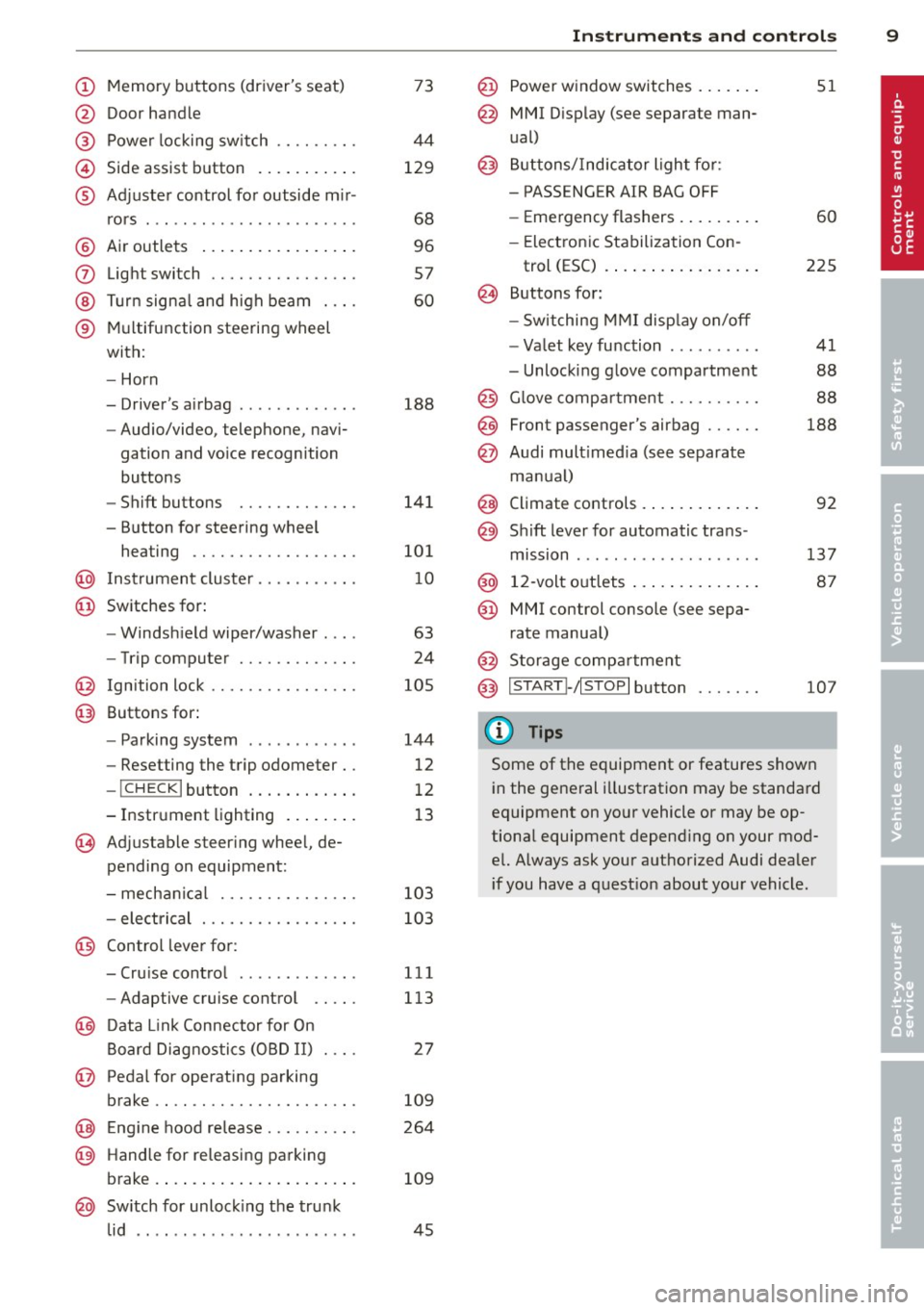
(!) Memory buttons (driver's seat)
@ Door handle
@ Power locking switch .... .. .. .
© Side assist button .......... .
® Adjuster control for outside m ir-
rors .... ... ............... .
@ Air outlets ................ .
(J) Light switch ........... .... .
@ Turn signal and high beam . .. .
® Multifunction steering wheel
with:
- Horn
- Driver's airbag ............ .
- Audio/video, telephone, navi-
gation and vo ice recognition
buttons
- Shift buttons ........ .. .. .
- Button for steering wheel heating ............. .... .
@ Instrument cluster ...... .. .. .
@ Switches for:
- Windshield wiper/washer . .. .
- Trip computer ........ .. .. .
@ Ignition lock ........... .... .
@ Buttons for:
- Parking system
- Resetting the trip odometer ..
- !CHECK lbutton ... ' ... .... .
- Instrument lighting ....... .
'3 Adjustable steer ing wheel, de
pending on equipment:
- mechanical .......... .... .
- electrical ............ .... .
@ Control lever for: 73
44
129
68
96
57
60
188
141
101
10
63
24
105
144
12
12
13
103
103
- Cru ise control . . . . . . . . . . . . . 111
- Adaptive cruise control . . . . . 113
@ Data Link Connector for On
Board Diagnostics (OBD II) . . . . 27
@ Pedal for operating parking
brake . . . . . . . . . . . . . . . . . . . . . . 109
@ Engin e hood release . . . . . . . . . . 264
@ Handle for releasing parking
brake. ..... .... .... ... .. .. . 109
@ Switch for unlock ing the trunk
lid . . . . . . . . . . . . . . . . . . . . . . . . 45
Instruments and controls 9
@ Power window switches ...... .
@ MMI Display (see separate man
ual)
@ Buttons/Indicator light for:
- PASS ENG ER AIR BAG OFF
- Emergency flashers ........ .
- Electronic Stabilization Con-
trol (ESC) ...... . ......... .
@ Buttons for:
- Switching MMI display on/off
- Valet key function ......... .
- Unlocking glove compartment
@ Glove compartment ......... .
@ Front passenger's airbag ..... .
@ Audi multimed ia (see separate
manua l)
@ Climate controls . .. .. .. ..... .
@) Sh ift lever for automatic trans -
mission ....... .. .......... .
@ 12-volt outlets ... . .. .. ..... .
@ MMI control console (see sepa
rate manual)
@ Storage compartment
@ IS TART I- / IS T OPI button
(D Tips
51
60
225
41
88
88
188
92
137
87
107
Some of the equipment or features shown
in the general illustration may be standard
equipment on your vehicle or may be op
tional equipment depend ing on your mod
el. Always ask your authorized Audi dealer
i f you have a question about your vehicle .
Page 13 of 348
Instrument s and warning /indicator lights 11
too high, or the coolant level is too low
¢ page 32.
If the needle is well in the upper area of the
ga uge , the coolant temperature is too high.
Stop the vehicle , switch the eng ine off and
allow the engine to cool.
If the warning light
comes on again after driving a short distance,
contact an authorized dealer.
A WARNING
-Always observe the warning in
¢ page 255, Engine compartment, be
fore opening the hood and checking the
engine coolant level.
- Never open the engine hood if you see or
hear steam, or if you see engine coolant
dripping from the engine compartment.
You could burn yo urself. Let the engine
cool off first un til you can no longer see
or hear steam or coo lant escaping .
(D Note
- Mounting additional lights or accessories
i n front of the air inlets reduces the cool
in g effect of the rad iato r. At high outside
temperatures or high engine load, the
engine could overheat.
- The front spoi ler has been designed to
properly distribute the cooling air when
the vehicle is moving. If the spoiler is
damaged, this cou ld red uce the cooling
effect and the engine could then over
heat. Ask your authorized Aud i dealer for
assistance .
Tachometer (engine rev counter)
The tachometer indicates the engine RPM
(revolutions per minutes) .
The tachometer @¢ page 10, fig. 3 is the left
of the two large clock-type displays.
The engine turns at a speed
1,000 times the
single digit in the display, e.g . if the needle is
pointing at the "2" the engine is turning at
2,000 RPM. If
eng ine RPM drops below 1,500, you should
downshift to the next lower gear. The red area
at the end of the scale indicates maximum
permissible engine RPM after the break -in pe
riod. Before reaching this area, move these
lector lever to position "D (Drive)" or ease
your foot off the accelerator pedal.
Q) Note
The tachometer needle should not move
i nto the red range. If it does, then only for
a very short per iod of t i me. You could
damage your engine by driving at high
RPM .
@ For the sake of the environment
Upsh ifting early saves fuel and reduces en
gine noise .
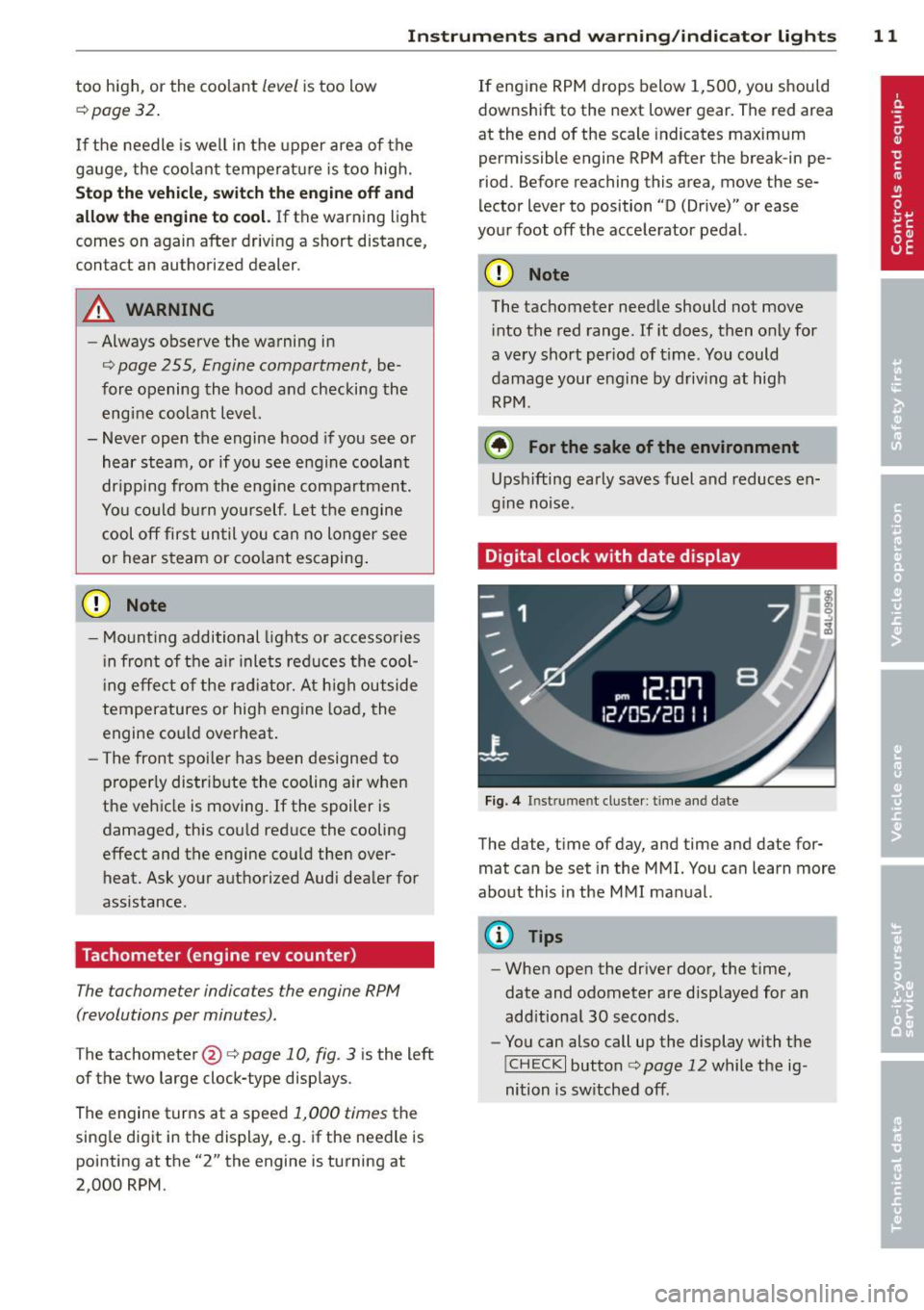
Digital clock with date display
Fig. 4 In st rum en t cluster : time and date
The date, time of day, and time and date for
mat can be set in the MMI. You can learn more
about this in the MMI manual.
{!) Tips
- When open the driver door, the time,
date and odometer are displayed for an
add itional 30 seconds.
- You can also call up the display with the
!CHECK I button c:> page 12 while the ig
nition is sw itched off.
Page 14 of 348
12 Instruments and warning/indicator lights
Speedometer with odometer
The speedometer shows you the vehicle
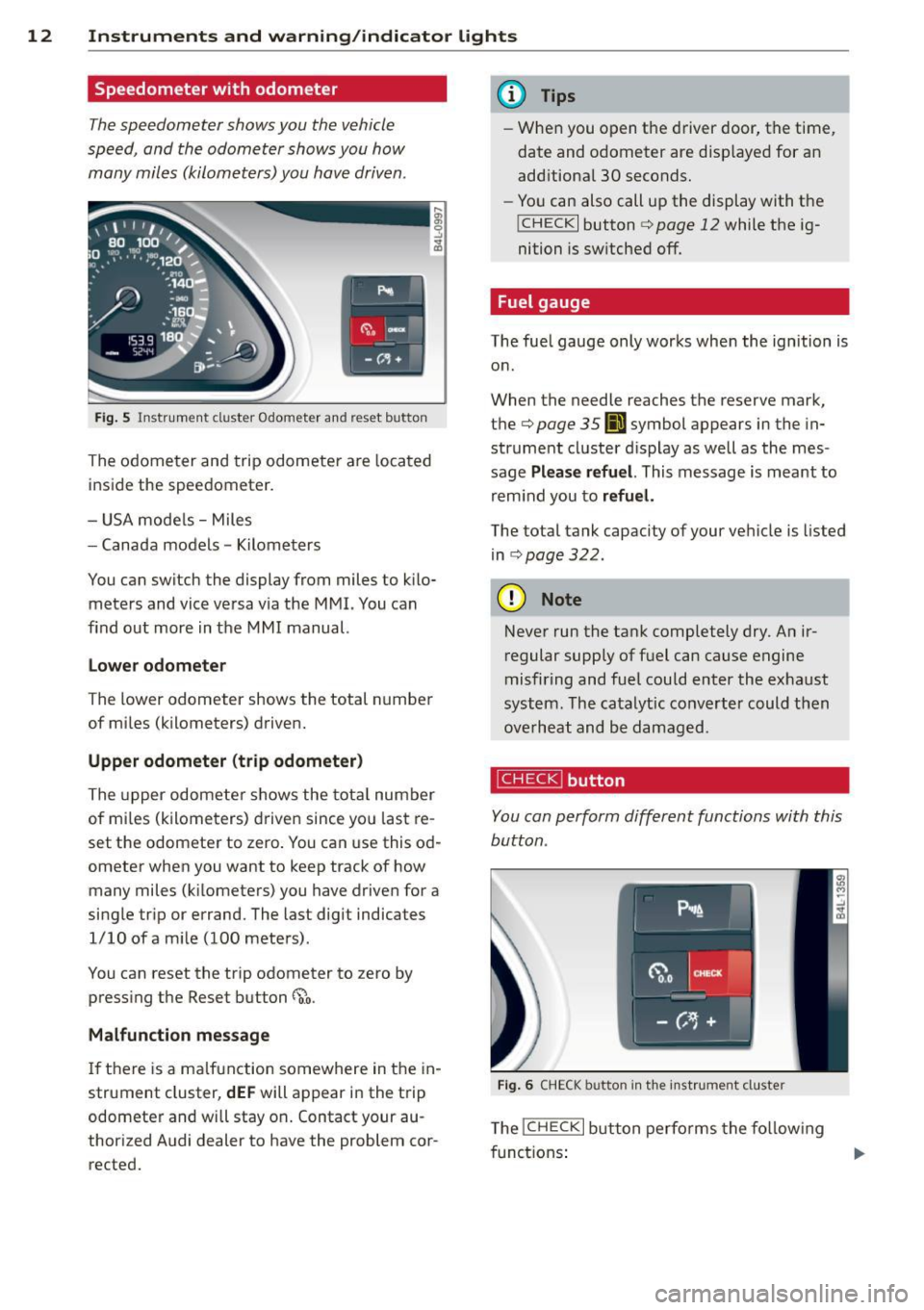
speed, and the odometer shows you how many miles (kilometers) you have driven.
Fig. 5 Instrument cluster Odometer and reset button
The odometer and trip odometer are located
inside the speedometer.
- USA mode ls - Miles
- Canada models -Kilometers
You can switch the display from miles to kilo meters and vice versa via the MMI. You can
find out more in the MMI manual.
Lower odometer
The lower odometer shows the total number
of mi les (kilometers) driven.
Upper odometer (trip odometer)
The upper odometer shows the tota l number
of mi les (kilometers) driven since you last re
set the odometer to zero. You can use this od
ometer when you want to keep track of how many miles (k ilometers) you have driven for a
single trip or errand. The last digit indicates
1/10 of a mile (100 meters).
You can reset the trip odometer to zero by
pressing the Reset button
~o.
Malfunction message
If there is a malfunction somewhere in the in
strument cluster,
dEF will appear in the trip
odometer and will stay on. Contact your au
thorized Audi dealer to have the problem cor
rected.
(D Tips
- When you open t he driver door, the time,
date and odometer are disp layed for an
add itiona l 30 seconds.
- You can also call up the display with the
I CHECK I button c> page 12 while the ig
nition is switched off.
Fuel gauge
The fue l gauge only works when the ignition is
on .
When the needle reaches the reserve mark,
the
c> page 35 00] symbol appears in the in
strument cluster d isplay as well as the mes
sage
Please refuel. This message is meant to
remind you to
refuel.
The total tank capacity of your vehicle is listed
in
.:> page 322 .
@ Note
Never run the tank completely dry. An ir
regular supply of fuel can cause engine
misfiring and fuel could enter the exhaust
system. The catalytic converter could then
overheat and be damaged.
~ button
You can perform different functions with this
button .
Fig. 6 CHECK button in th e ins trument cluster
The !CHECK I button performs the following
functions:
Page 23 of 348
Driver information
display
Introduction
General notes
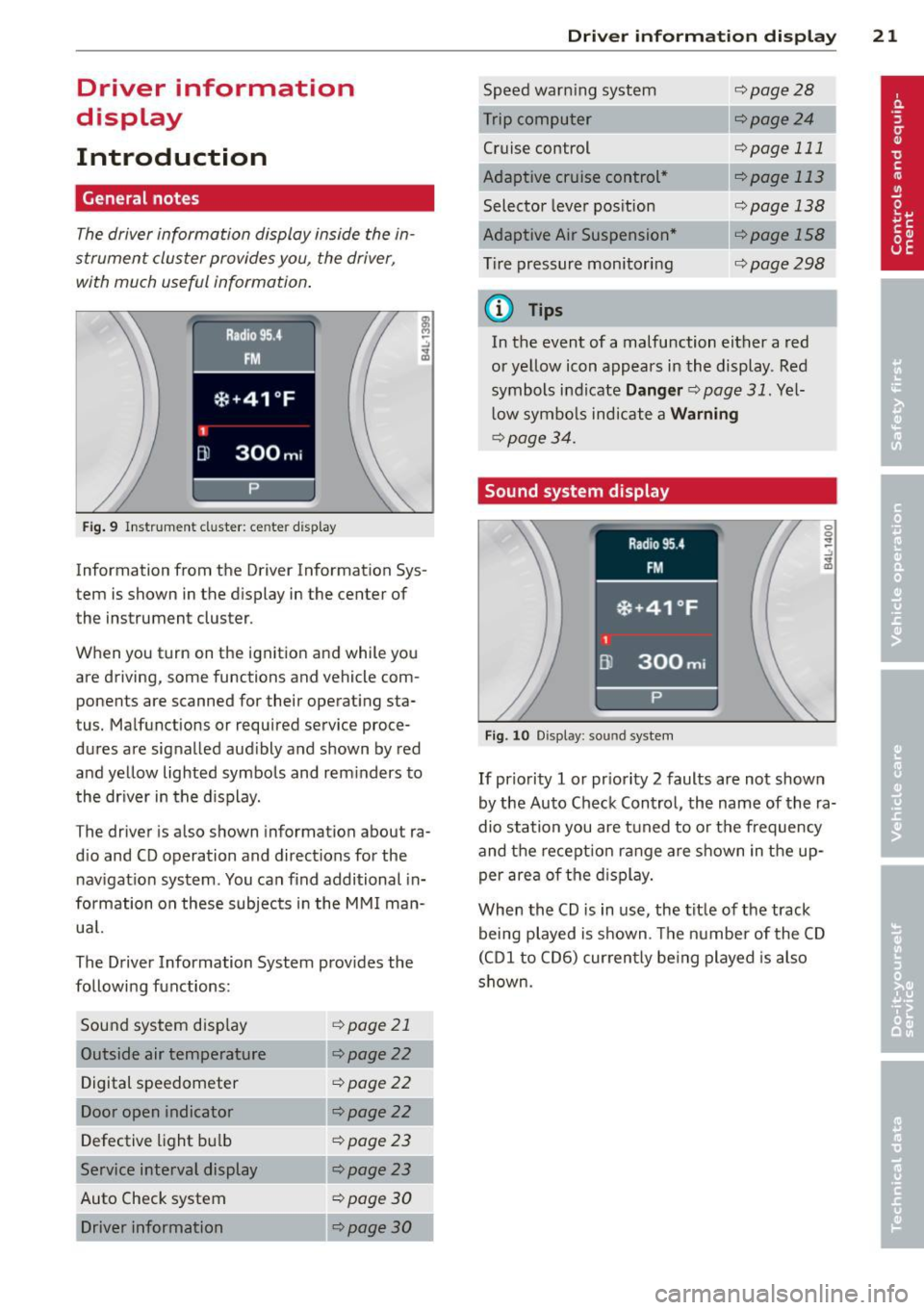
The driver informa tion display inside the in
strument cluster provides you, the driver,
with much useful information.
Fig. 9 Instr ument cluster: ce nter display
Information from the Driver Information Sys
tem is shown in the display in the center of
the instrument cluster.
When you turn on the ignition and while you
are driving, some functions and vehicle com
ponents are scanned for their operating sta
tus. Malfunctions or required service proce
dures are signalled aud ibly and shown by red
and yellow lighted symbols and rem inders to
the dr iver in the display.
The driver is also shown information about ra
d io and CD operation and directions for the
nav igation system . You can f ind additional in
formation on these subjects in the MMI man
ua l.
The Driver Information System prov ides the
following functions:
Sound system disp lay ¢
page 21
Outside air temperature ¢page22
Digital speedometer ¢page
22
Door open indicator ¢page22
Defective light b ulb ¢poge23
Service interval display ¢page23
Auto Check system ¢
page 30
Driver information ¢page30
Dri
ver inform ation di spl ay 21
Speed warn ing system
Cruise control
Adaptive cruise control *
Selector lever pos ition
Adaptive Air Suspension *
T ire pressure monitori ng
(D Tips
¢page28
--·--¢page24
¢page 111
--..--
¢page 113
¢page 138
¢page298
In the event of a malfunction either a red
or ye llow icon appears in the display . Red
symbols indicate
Dang er ¢ page 31. Yel
l ow symbo ls indicate a
Warning
¢ page 34.
Sound system display
Fig. 10 Display: sound syste m
If priority 1 or pr iority 2 faults are not shown
by the Auto Check Control, the name of the ra
dio station you are tuned to or t he frequency
and the recept ion range are shown in the up
per area of the d isplay.
When the CD is in use, the tit le of the track
being played is shown. The number of the CD
(CDI to CD6) cur rently be ing played is also
s h own.
Page 24 of 348
22 Driver in formation d ispl ay
Outside temperature display
Fig. 11 Display : outside temperature
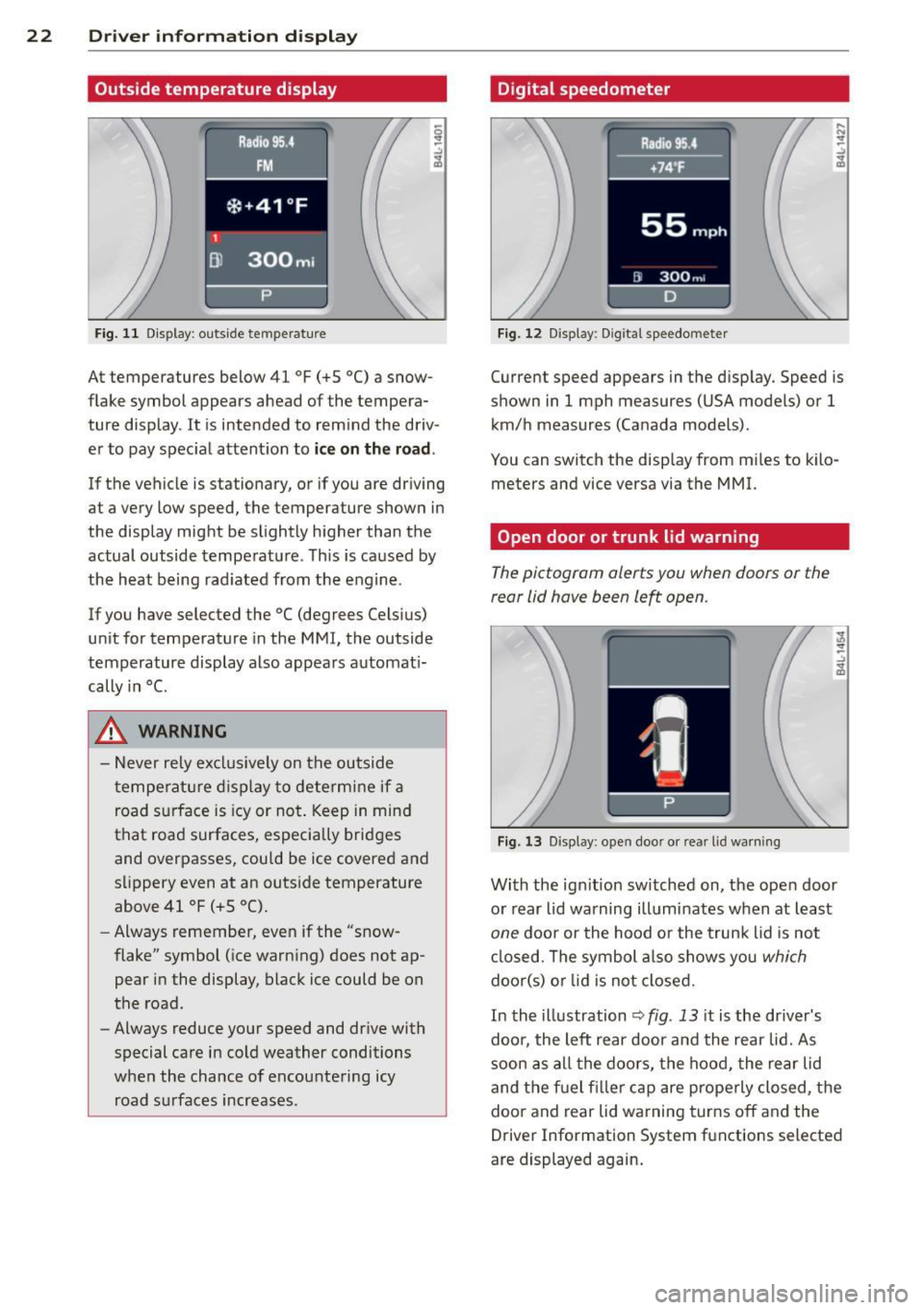
At temperatures below 41 °F (+S °C) a snow
flake symbol appears ahead of the tempera
ture display . It is intended to remind the driv
er to pay spec ial attent ion to
ic e on the roa d.
If the vehicle is stationary, or if you are driving
at a very low speed, the temperature shown in
the display might be slightly higher than the
actual outside temperature . Th is is caused by
the heat being rad iated from the engine .
If you have selected the °C (degrees Celsius)
unit for temperature in the MMI, the outside
temperature display also appears automat i
cally in
°C.
A WARNING
- Never rely excl usively on the outside
temperatu re d isplay to determine if a
road surface is icy or not . Keep in mind
that road surfaces, especially bridges
and overpasses, could be ice covered and
s li ppery even at an outs ide temperature
above 41 °F (+ S °C).
- Always remember, even if the "snow
flake" symbol (ice warn ing) does not ap
pear in the display, black ice could be on
the road.
- Always reduce your speed and dr ive with
special care in cold weather conditions
when the chance of encountering icy road s urfaces increases .
Digital speedometer
Fig. 12 Display: Digi tal speedometer
Current speed appears in the disp lay. Speed is
shown in 1 mph measures (USA models) or 1
km/h measures (Canada models) .
You can switch the disp lay from m iles to kilo
meters and vice versa via the MMI.
Open door or trunk lid warning
The pictogram alerts you when doors or the
rear lid have been left open .
Fig. 13 Display: open doo r or rea r lid wa rning
With the ign it ion sw itched on, the ope n door
or rear lid warning illuminates when at least
one door or the hood or the trunk lid is not
cl osed . The symbol a lso shows you
which
doo r(s) o r lid is not closed.
In the illustration
~ fig . 13 it is the dr iver's
doo r, the left rear door and the rear lid. As
soon as all the doors, the hood, the rear lid
and the f uel filler cap are prope rly closed, the
door and rear lid warning turns off and the
Driver Information System functions selected
are displayed again.
Page 32 of 348
30 Driver in formation d ispl ay
(30 km/h to 240 km/h) . Settings can each be
adj usted in intervals of S mph (10 km/h) .
Auto Check Control
Introduction
The Auto-Check control monitors the function
of certain veh icle featu res and components . It
simply makes sure these features and compo nents are work ing proper ly . The Auto -Check
contro l wo rks as long as the ignition is on, as
well as whenever the vehicle is driven.
If a componen t is ma lf u nctioning or if the
n eed for an urgent repair has been detected,
this will appear in the instrument cluster dis
p lay . You w ill a lso hear an audible warn ing
tone . The displays are co lor coded in e ither
red or yellow depending on their level of prior
ity .
A red symbo l means
Dange r, a yellow symbo l
indic ates
Warning . In certain s ituations, in
formation message for the dr iver appear in
addit ion to the red and yellow symbols.
Function te st : automat ic transmi ssion
The Auto -Check Control will automat ica lly
perform a test each time you switch on the ig
n ition. With the selector lever in
P or N , the
following message appears in the display :
When station ary apply foot br ake while s e
lecting gear .
When you select a different gear (for exam
p le :
R , D , etc.), the message wi ll disappear
and the Auto-Check function is d isplayed .
I f there is a m alfu nction, then the malfunc
tion message w ill appear about 15 seconds af
ter the yo u start the vehicle. At t he same time
you will hear a warning tone .
Driver information messages
Driver information messages are shown in the
instrument cluster display in addition to the
red and yellow symbols .
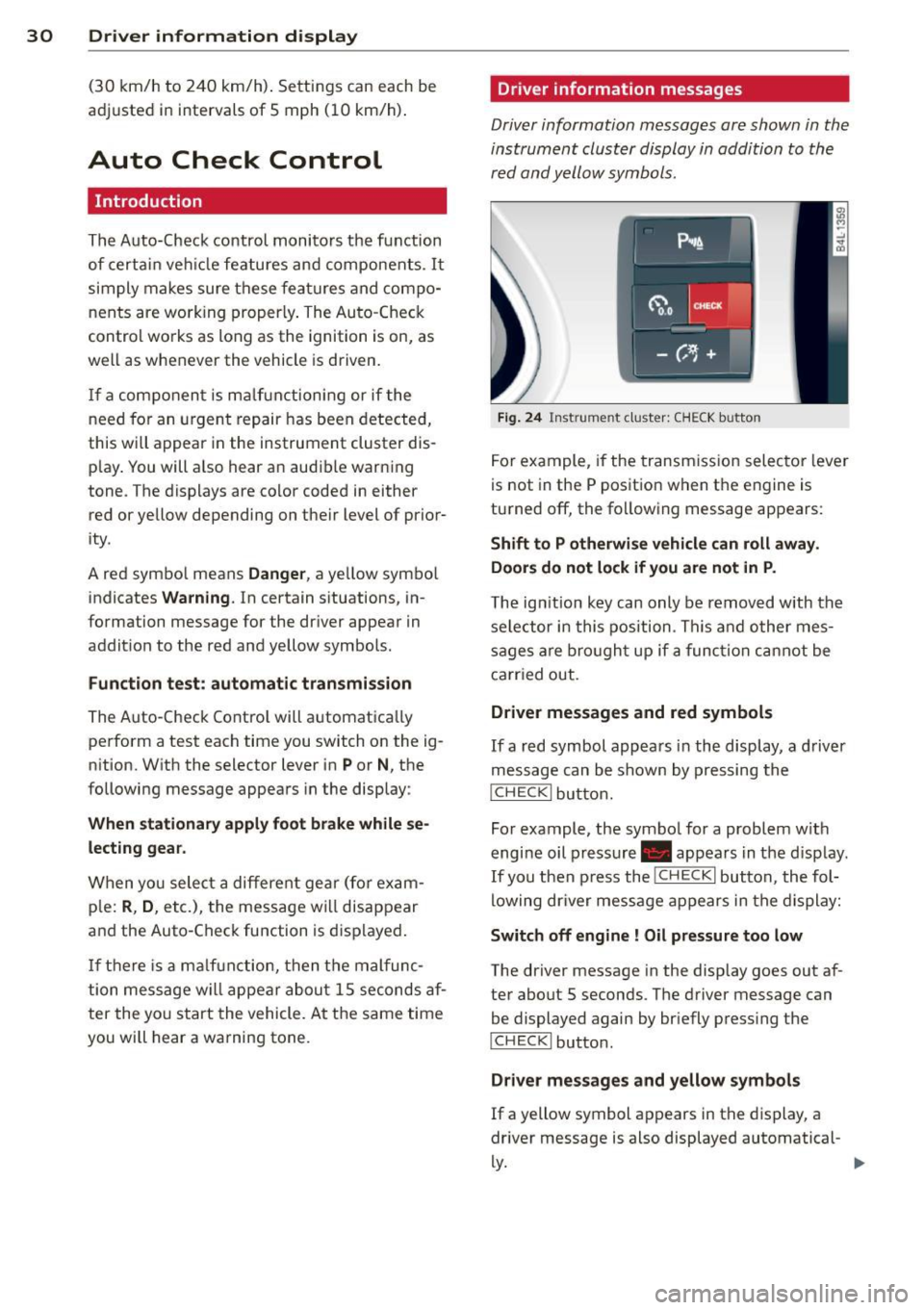
Fig. 24 Ins trume nt cl ust er: CHECK b utto n
For example, if the transmiss ion selec to r l ever
is not in the P position when the engine is
turned off, the following message appears :
Shift to P otherwise vehicle can roll away.
Door s do not l ock if you are not in P .
The ig nition key can only be removed with the
selector in this position . Th is and other mes
sages are bro ugh t up if a func tion cannot be
carr ied out.
Driver messages and red symbols
If a red symbol appea rs in the display, a d river
message can be shown by pressing the
I CH ECK I button.
For example, the symbo l for a problem w ith
engine oil p ressure . appears in the d isp lay .
If you then p ress the
I CHECK I button , the fol
lowing dr iver mess age appears in the display:
Switch off engine ! Oil pr essure too low
The driver message in the display goes out af
ter about 5 seconds . The driver message can
be displayed again by briefly press ing the
I CH ECKi button.
Driver messages and yellow symbols
If a yellow symbol appears in the display, a
driver message is also displayed automatical-
~ ~
Page 40 of 348
38 Opening and closing
Opening and closing
Keys
Key set
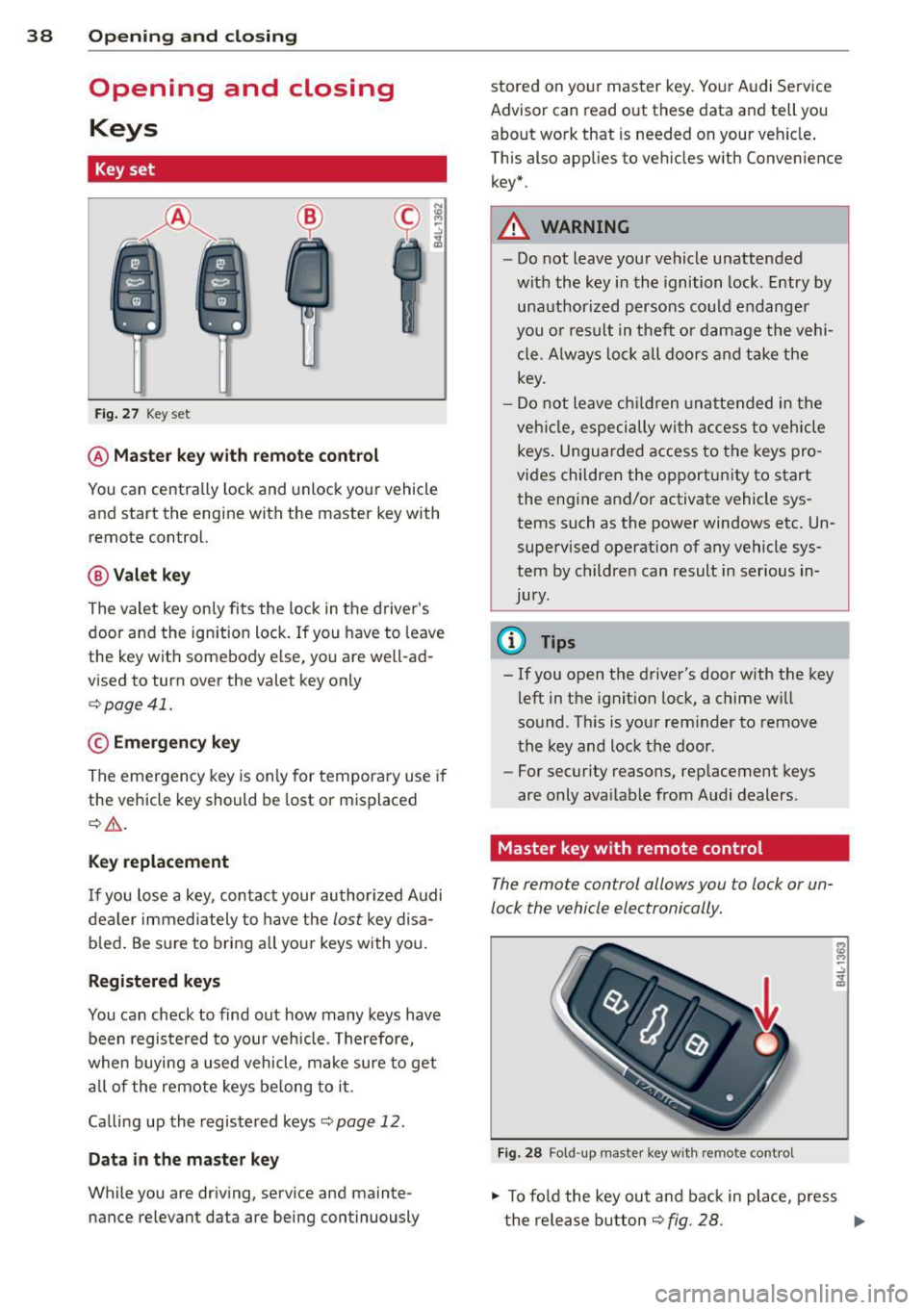
Fig. 27 Key set
@ Master key with remote control
You can centrally lock and unlock your vehicle
and start the engine with the master key with
remote control.
@ Valet key
The valet key only fits the lock in the driver's
door and the ignition lock . If you have to leave
the key with somebody else, you are well-ad
vised to turn over the valet key only
¢ page 41.
© Emergency key
The emergency key is only for temporary use if
the vehicle key should be lost or misplaced
¢ .&. .
Key replacement
If you lose a key, contact your authorized Audi
dealer immediately to have the
lost key disa
b led . Be sure to bring all your keys with you.
Registered keys
You can check to find out how many keys have
been registered to your vehicle. Therefore,
when buying a used vehicle, make sure to get
all of the remote keys be long to it .
Ca lling up the registered keys¢
page 12.
Data in the master key
While you are driving, serv ice and mainte
nance relevant data are being continuously stored on your master key. Your Audi
Service
Advisor can read out these data and tell you
about work that is needed on your vehicle .
This also app lies to vehicles w ith Convenience
key*.
A WARNING
--
- Do not leave your vehicle unattended
with the key in the ignition lock. Entry by
unauthorized persons could endanger
you or result in theft or damage the vehi
cle. A lways lock all doors and take the
key.
- Do not leave children unattended in the
veh icle, especially with access to vehicle
keys . Unguarded access to the keys pro
vides children the opportun ity to start
the engine and/or activate vehicle sys
tems such as the power windows etc. Un
supervised operation of any vehicle sys
tem by children can result in serious in
Jury .
(D Tips
- If you open the driver's door with the key
left in the ignition lock, a chime w ill
sound. T his is your reminder to remove
the key and lock the door.
- For security reasons, replacement keys
are only ava ilable from Audi dealers.
Master key with remote control
The remote control allows you to lock or un
lock the vehicle electronically .
Fig. 28 Fold-up maste r key with remo te control
., To fold the key out and back in place, press
t he release button ¢
fig. 28. .,.
Page 41 of 348
The transmitter and battery a re located in the
head of the remote control. The receiver is lo
cated inside the vehicle. The maxim um effec
tive range depends on several things. Remem
ber, if the battery is weak, the effective range
decrease s.
If you need to replace the remote contro l, or if
you need to have it repaired, you must see
your author ized Audi dealer. Only then can
you use the key again .
Personalizing the ma ster key
When t he ignit ion is t urned off or when the
veh icle is locked, vari ous conven ience settings
are stored automatically and assigned to the
key that was used . The settings that are as
signed to the maste r key are recalled auto
ma ticall y when the veh icle is unlocked, when
the door is opened o r when th e ignition is
sw itched on .
Sett ings are saved for the following systems :
- Climate control
- Central lock ing
-W indows
- Am bien ce light ing*
- Seat memory*
- Steering w heel heat ing*
- Adaptive cruise control*
- Audi side ass ist*
- Pa rking system*
The
Remote control key f unc tion mus t be ac
t iv at ed in t he MMI ¢
page 74, so that the
set tings for the driver 's seat (i ncluding the
settings for the steering co lumn and exter ior
mirrors) are saved on the master key through
the seat memory when the vehicle is locked,
and a re set automatically when the ve hicle is
u nl ocked.
(D Tips
- If
the ignition is sw itched on, t he remote
contr ol system is deact ivated.
- The remote control system can be affec t
ed by other systems operating in the
same frequency range close to the vehi-
Opening and clo sin g 39
cle, such as mo bile telep hones, televi
sion broadcast ing stations, etc .
- F or Declara tion of Com pliance to United
States FCC and In du stry Canada re gula
ti ons¢
page 328 .
Check light in the master key
The check light in the m aster key provides in
formation about different conditions .
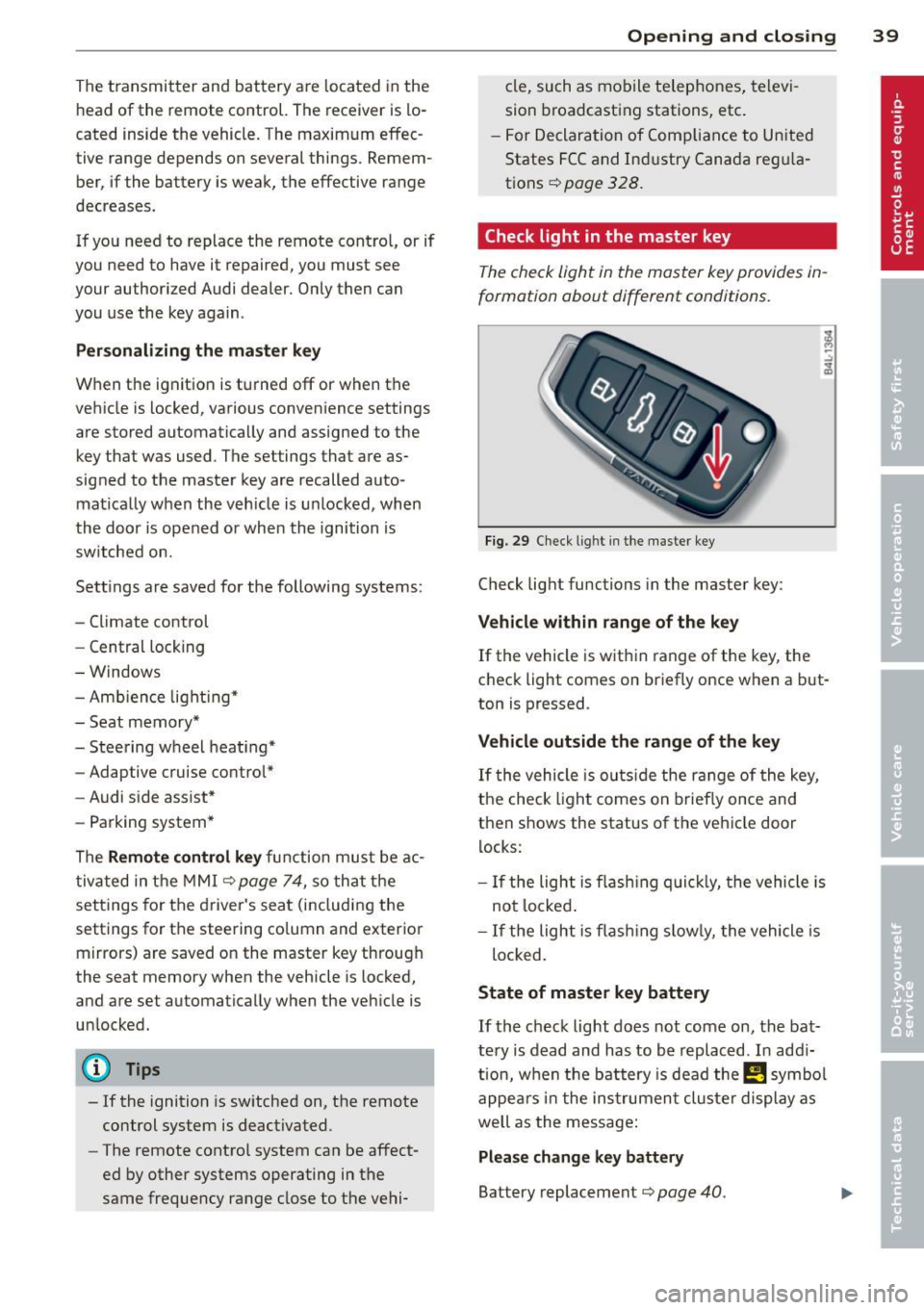
Fig. 29 Ch eck l ig ht in t he m aster key
Check lig ht functions in the master key :
Vehicle within range of the key
If
the vehicle is w it hi n range of the key, the
c heck light comes on br iefly once when a b ut
ton is pressed .
Vehicle outside the range of the key
If
t he vehicle is ou ts id e the r ange of the key,
the check light comes on brie fly once and
then shows the status of the vehicle door l ocks:
- If the ligh t is fla shin g qu ickl y, the vehicle is
no t locke d.
- If the ligh t is f lash ing slow ly, the vehicle is
loc ked .
State of master key battery
If
t h e ch ec k light does not come on, the bat
te ry is d ead and has to b e re pla ced . In ad di
tio n, w hen the b attery is dea d
the m symbo l
appe ars in t he instrumen t clu ster displ ay a s
well as the mess age:
Please change key battery
Battery replacement ¢ page 40.
Page 42 of 348
40 Opening and clo sing
@ Tips
Please note that the current state of the
veh icle door locks can only be recalled with
the master key that was last used to lock
the vehicle . It is possible that a different
state is shown for the door locks on the
other master key wh ich is not the same as
that of the vehicle .
Master key battery replacement
Each master key contains a battery housed
under the cover .
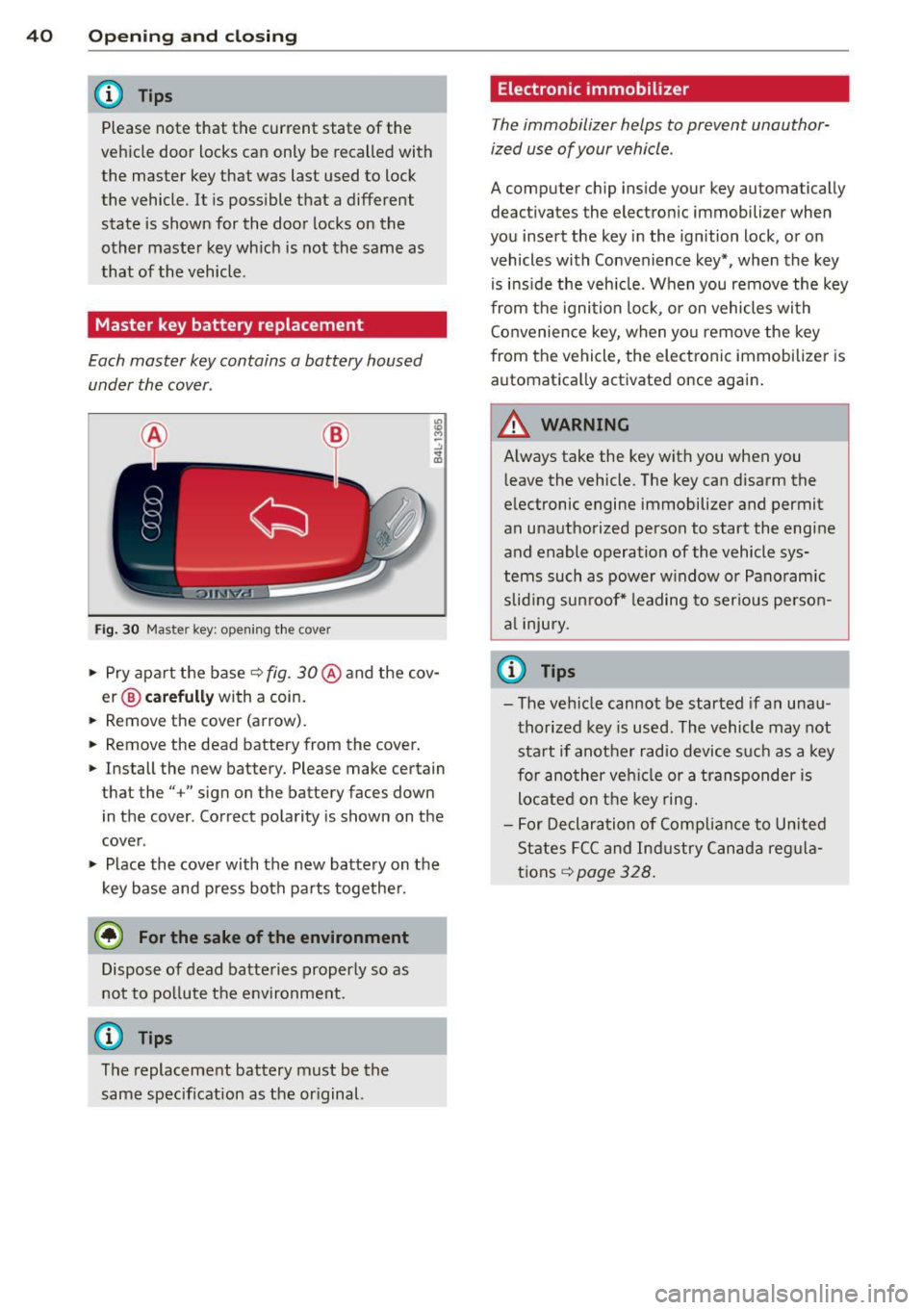
Fig. 30 Master ke y: opening the cove r
.. Pry apart the base c::> fig. 30@and the cov·
er@ carefully with a coin.
.. Remov e the
cover (arrow).
.. Remove the dead battery from the cover .
.. Install the new battery . Please make certain
that the" +" sign on the battery faces down
in the cover . Correct polarity is shown on the
cover .
.. Place the cover with the new battery on the
key base and press both parts together.
@ For the sake of the environment
Dispose of dead batteries properly so as
not to po llute the environment.
@ Tips
The replacement battery must be the
same specification as the or iginal.
Electronic immobilizer
T he immobilizer helps to prevent unauthor·
ized use of your vehicle .
A computer chip in side your key automatically
deac tivate s the elec tronic immob ilizer when
you insert the key in the ignition lock , or on
vehicles with Convenience key*, when the key
is ins ide the veh icle. When you remove the key
from the ignition lock, or on vehicles with
Convenience key, when you remove the key
from the vehicle, the electronic immobilizer is
automatica lly activated once again.
WARNING
Always take the key with you when you
l eave the vehicle. The key can disarm the
electronic engine immobilizer and permit
an unauthorized person to start the engine
and enable operation of the vehicle sys
tems such as power w indow or Panoramic
slid ing sunroof* leading to serious person
al injury.
u) Tips
-The vehicle cannot be started if an unau
thorized key is used . The vehicle may not
start if another radio device such as a key
for another vehicle or a transponder is
located on the key ring.
- For Declaration of Compliance to United
States FCC and Industry Canada regula
tions
c::> page 328.
Page 43 of 348
Valet key function
The valet key function prevents unauthorized
persons from opening the glove compart
ment.
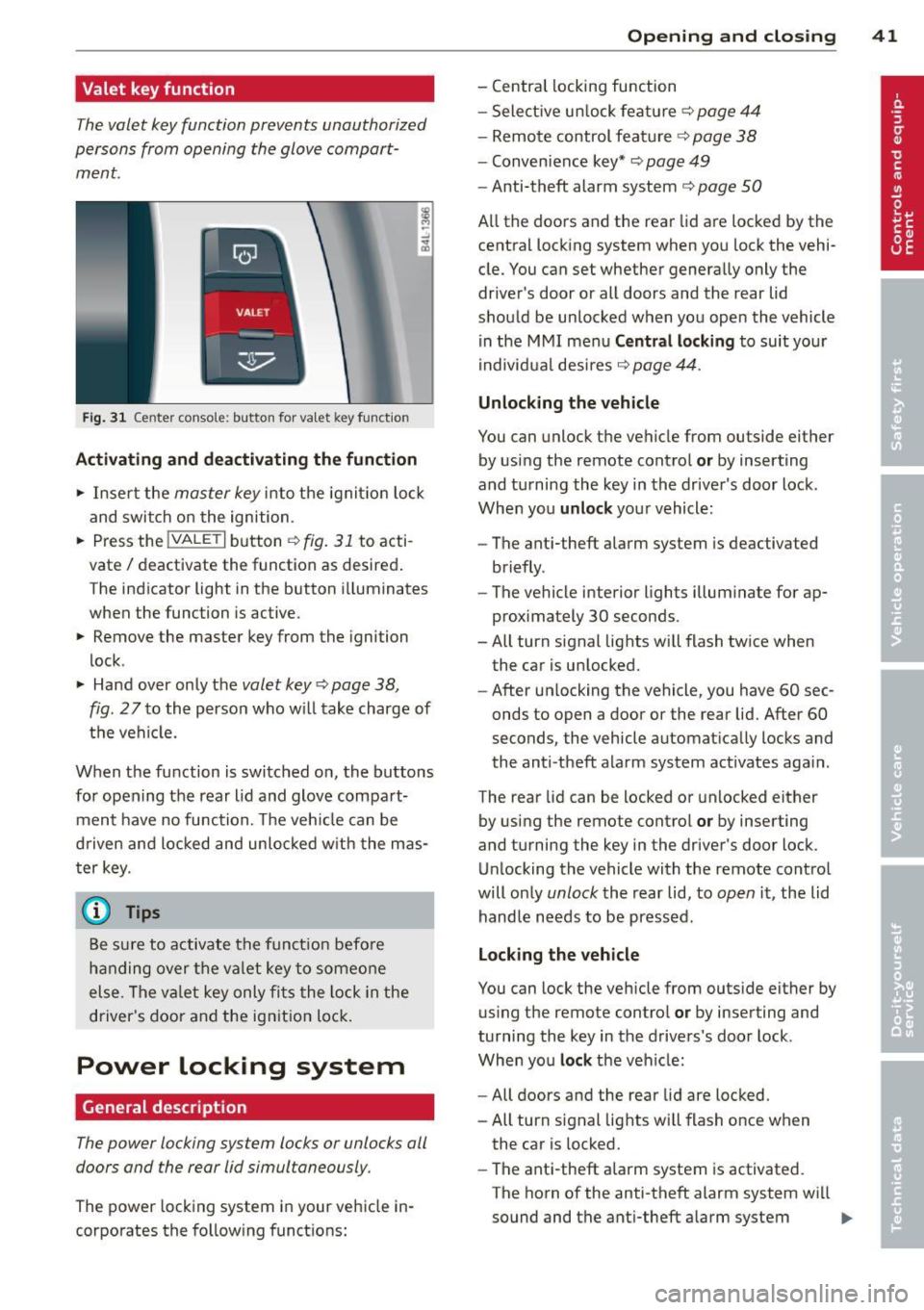
Fig. 31 Center conso le: button for va let key funct ion
Activating and deactivating the function
.,. Insert the master key into the ignit io n lock
and switch on the ignition .
.,. Press the
!VALET I button c:::;, fig. 31 to acti
vate/ deactivate the function as desired .
The indicator light in the button i lluminates
when the function is active.
.,. Remove the master key from the ignition
lock .
.,. Hand over only the
valet key c:::;, page 38,
fig .
27 to the person who will take charge of
the vehicle.
When the function is switched on, the buttons for opening the rear lid and glove compart
ment have no function. The vehicle can be
d riven and locked and unloc ked w ith the mas
ter key.
(j) Tips
Be sure to activate the funct ion befo re
handing over the valet key to someone
else . The va let key only fits the lock in the
driver's door and the ignition lock.
Power locking system
General description
The power locking system locks or unlocks all
doors and the rear lid simultaneously.
The power locking system in your vehicle in
corporates the fo llowing functions:
Opening and closing 41
- Central locking function
- Select ive un lock feature ¢
page 44
-Remote control feature ¢ page 38
-Convenience key*¢ page 49
-Anti-theft alarm system ¢ page 50
All the doors and the rear lid are locked by the
central locking system when you lock the vehi
cle. You can set whether generally only the
driver 's door or all doors and the rear lid
should be unlocked when you open the vehicle
in the MMI menu
Central locking to suit your
individual desires
c:::;, page 44.
Unlocking the vehicle
You can unlock the vehicle from outside either
by using the remote control
or by inserting
and turning the key in the driver's door lock .
When you
unlock your vehicle :
- The anti-theft alarm system is deactivated
briefly .
- The vehicle interior lights illuminate for ap
proximately 30 seconds .
- All turn signal lights will flash twice when
the car is unlocked .
- After un locking the vehicle, you have 60 sec
onds to open a door or the rear lid. After 60
seconds, the vehicle automatically locks and
the anti-theft alarm system act ivates aga in .
The rear lid can be locked or unlocked either
by using the remote control
or by inserting
and turning the key in the driver's door lock.
Unlocking the vehicle with the remote control
will on ly
unlock the rear lid, to open it, the lid
handle needs to be pressed .
Locking the vehicle
You can lock the vehicle from outside either by
using the remote control
or by inserting and
turning the key in the drivers's door lock .
When you
lock the veh icle:
- All doors and the rear lid are locked.
- All turn signal lights will flash once when
the car is locked.
- The ant i-theft alarm system is activated.
The horn of the anti-theft alarm system wi ll
sound and the anti-theft alarm system
IJJ,-