ignition AUDI TT COUPE 2016 Owner's Manual
[x] Cancel search | Manufacturer: AUDI, Model Year: 2016, Model line: TT COUPE, Model: AUDI TT COUPE 2016Pages: 322, PDF Size: 52.86 MB
Page 49 of 322

Downloaded from www.Manualslib.com manuals search engine ..... N
G: CX)
.....
"' U"I
.....
"' .....
Ashtray
Applies to: veh icles with ashtray
Fig. 46 Center armrest folded up: asht ray
The ashtray is p laced in the center console under
the center armrest. Lift up the cover to open. In
sert the ashtray securely back into t h e ho lder af
ter eve ry removal (emptying).
A WARNING
Never use the ashtray to hold paper, because
this inc reases the risk of a fire.
Cigarette lighter and
socket
Fig. 47 Center armrest folded up: ci9arette li9hter
The cigarette lighter or socket only functions
when the ignition is sw itched on.
Using the cigarette lighter
.,. Fold the center armrest up to reach the ciga
rette lighte r, if necessa ry .
.. Press the cigarette lighter in .
.. Remove the c igarette lighter when it pops out .
Seats and storage
Using the socket
.,. Fold th e center armres t up to rea ch the so cket,
if necessary .
.. Remove the cigarette lighter, if necessary .
.. Insert the plug of the e lectrica l device into the
socket.
T
he cigarette lighter has a standard 12 Volt sock
et that electrica l accessories can be connected to.
The power consumption at the outlet must not
exceed 100 watts.
A WARNING
r-=-
Use care when us ing the cigarette lighter. In-
attentive or unsupervised use of the cigarette
lighter can cause burns.
CD Note
-To reduce the risk of damage to the sockets,
only use plugs that fit correctly.
- The
cigarette lighter socket should only be
used as a power source for electrical acces
sories for a short period of time. The sock
ets* in th e veh icle should be used for longer
use
of power supply .
©Tips
-The vehicle battery drains when accessories
are turned on but the engine is off.
- The vehicle
battery must not be charged us
ing a commercially available small charging
device, which is co nnected
to the cigarette
lighter or socket.
47
Page 56 of 322
Downloaded from www.Manualslib.com manuals search engine Warm and cold
-Switching manua l recirculation mode on and
off: press ld<>I
-A utomatic* recircu lation mode: auto rec ircula
tion needs to be activated in the Infotainment
system. Select in the Infotainment system:
IMENUI button> Vehicle > left control button
>Vehicle settings > Air condit ioning > Auto re
circul ation . The air quality sensor that is de
s i
gned for diesel and gasoline exhaust auto
matically switches the recircu lation mode on or
off depending on the level of pollutant s in the
o utside air.
In recirculation mode, the a ir inside the vehicle is
circulated
and filtered. This prevents the u nfil
tered a ir outside the vehicle from entering the
ve hicl e interio r. We recommend switching recir
cula tion mode on when driv ing thr o ugh a tunnel
or when sitting in traffic<::>.&..
Recirc ulation mode is switched off by pressing
the 1- 1 button o r IAUTOI orlw MAXI.
I@ M AX I Switching defrost on and off
The windshield and side windows are defrosted
or cleared of condensation as quickly as possible.
The
optimum amoun t of a ir flows mainly out of
the vents under the windshield . Rec irculatio n
mode switches off. The temperature is contr olled
automatically.
The IAUTOI button switches the defroster off.
IO!il R EARI Switching the rear window defogger
on and
off
If the rear window defogger is activated when
the ign ition is switched on, the battery manage
ment determ ines based on the ba ttery c harge if
it is possible t o t urn on . Othe rwise, the rear win
dow defogger functions with the engine run ning
and switches off automatically after approxi
mately 10 -20 mi nutes, depending on the out
side temperature.
To preven t
the rear window defogger from
switching off automatically, press and hold the
lliill REARI button for more than 2 seconds. This re
mains stored up to approximately lS minutes af
ter turning off the ignition.
54
A WARNING
You should not use the recirc ulation mode for
an extended period since no fresh air i s drawn
in . With the air-conditioning switched off, the
windows can fog up, which inc reases the risk
of an accident.
Adjusting
the air vents
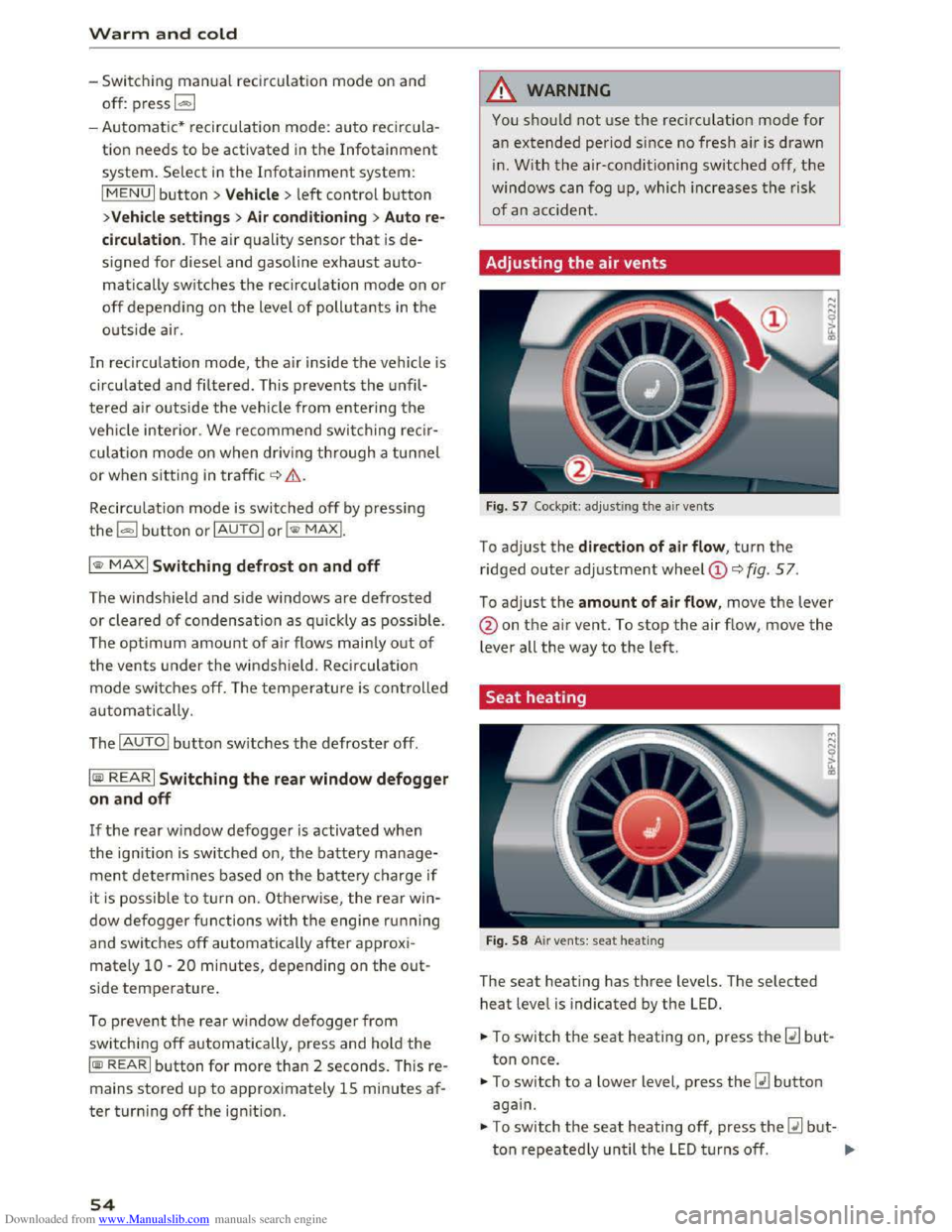
Fig. 57 Cockpit: adj ust ing the air vents
To adjust the direction of air flow , turn the
ridged outer adjustment wheel©<::> fig. 57.
To adjust the amount of air flow, move the lever
@on the air vent. To stop the air flow, move the
lever all the way to the left.
Seat heating
Fig. 58 Air vents: seat heating
The seat heati ng has three levels. The selected
heat level is indicated by the LED.
... To switch the seat heating on, press the~ but
ton once.
... To switch to a lower level, press the~ button
again.
.,. To switch the seat heating off, press the~ but-
ton repeatedly until the LED t u rn s off. .,..
Page 60 of 322
Downloaded from www.Manualslib.com manuals search engine Driving
-Do not alter or remove any component of
the Emission Control System unless ap
proved by the manufacturer.
-Do not alter or remove any device, such as
heat shields, switches, ignition wires,
valves, which
are designed to protect your
vehicle's Emission
Control System and other
important vehicle components.
(D Tips
The consumption estimates as published by
ENVIRONMENTAL PROTECTION AGENCY
(EPA) and Transport Canada may not corre
spond to your actual consumption on the
road, which will vary depending upon vehicle
load
and speed, road and weather conditions,
trip length, etc.
Steering
Adjusting the steering wheel position
The steering wheel position is fully adjustable up
and down and forward and back.
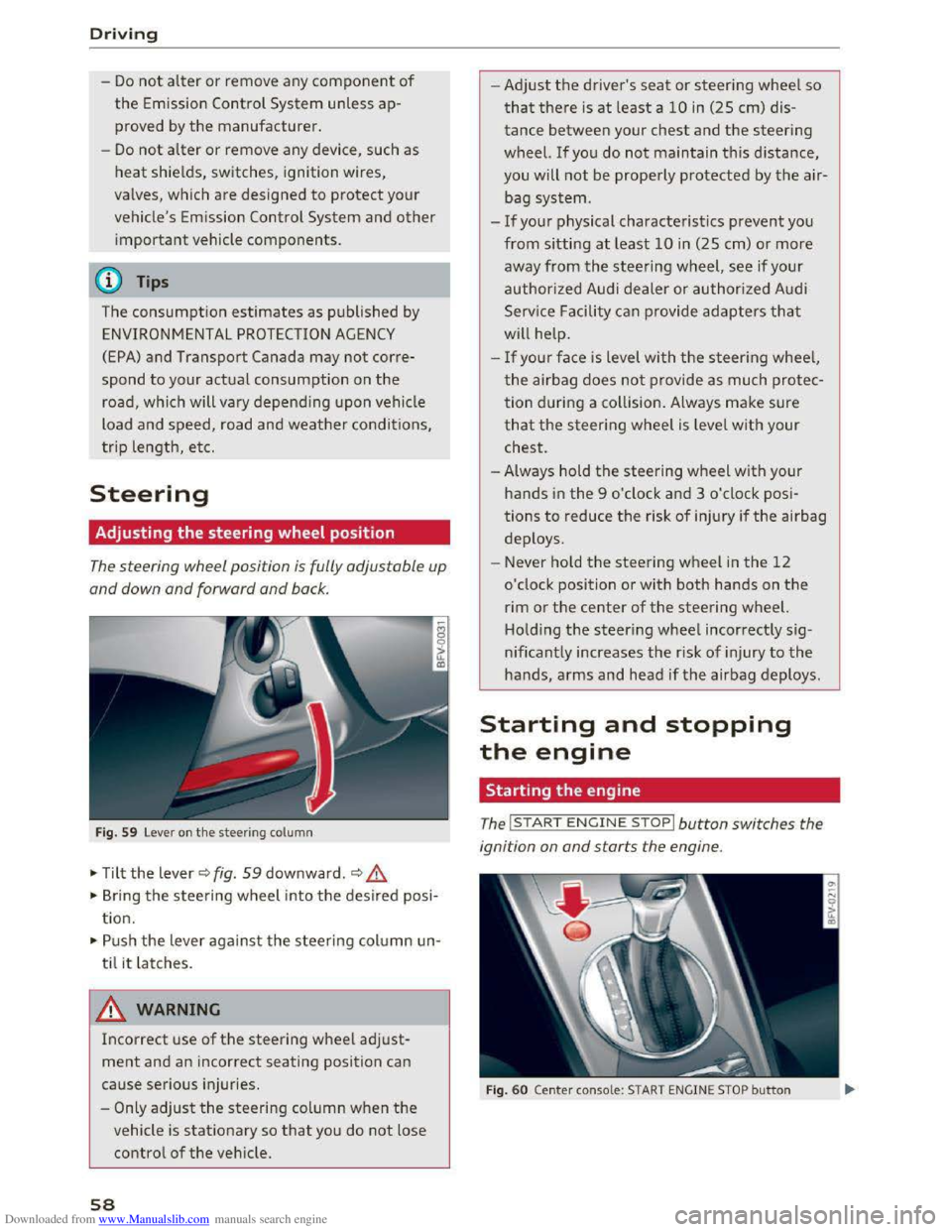
Fig. 59 Lever on the steering column
•Tilt the lever~ fig. 59 downward.~&,
• Bring the steering wheel into the desired posi
tion.
•Push the lever against the steering column un
til
it latches.
A WARNING
Incorrect use of the steering wheel adjust
ment and an incorrect seating position can
cause serious injuries.
-
Only adjust the steering column when the
vehicle is stationary so that you do not lose
control of the vehicle.
58
-1
-Adjust the driver's seat or steering wheel so
that there is at least a 10 in (25 cm) dis
tance between your chest and the steering
wheel. If you do not maintain this distance,
you will not be properly protected by the air
bag system.
-If your physical characteristics prevent you
from
sitting at least 10 in (25 cm) or more
away from the steering wheel, see if your
authorized Audi dealer or authorized Audi
Service Facility
can provide adapters that
will help.
-
If your face is level with the steering wheel,
the airbag does not provide as much protec
tion during a collision. Always make sure
that the steering wheel is level with your
chest.
-Always hold the steering wheel with your
hands in the 9 o'clock and 3 o'clock posi
tions to reduce the risk of injury ifthe airbag
deploys.
- Never hold
the steering wheel in the 12
o'clock position or with both hands on the
rim or the center of the steering wheel.
Holding
the steering wheel incorrectly sig
nificantly
increases the risk of injury to the
hands, arms and head if the airbag deploys.
Starting and stopping
the engine
Starting the engine
The I ST ART ENGINE STOP I button switches the
ignition on and starts the engine.
Fig. 60 Center conso le: START ENGINE STOP button
Page 61 of 322
Downloaded from www.Manualslib.com manuals search engine ...... N
G'. CX)
..... ID VI ..... ID .....
Switching the ignit ion on/off
""To switch the ignition on/off, press the
I START ENGINE STOPI button. Do not press the
brake pedal while doing this.
Starting the engine
"" Press the brake pedal and move the selector
lever
into the P or N position~.&_.
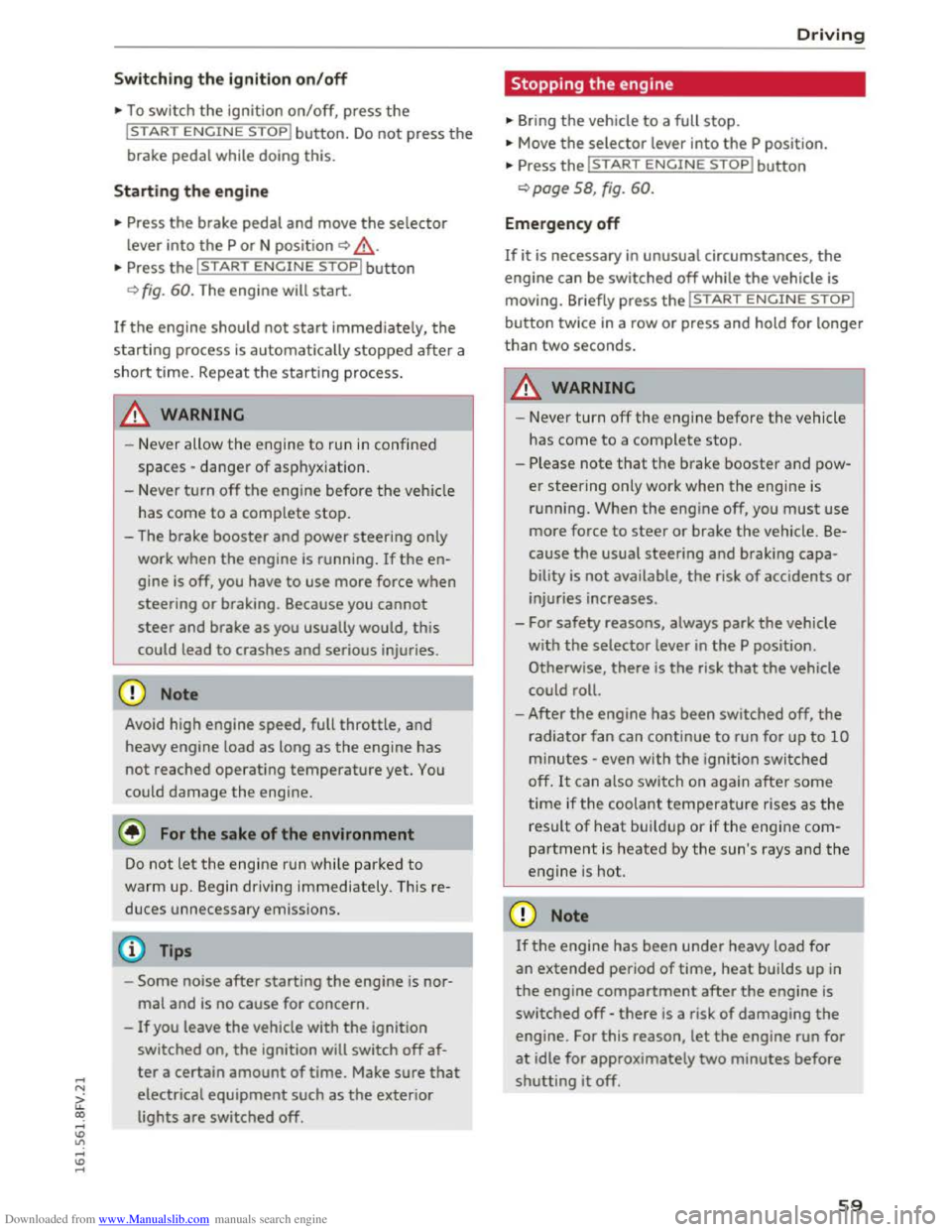
... Press the I START ENGINE STOPI button
~fig. 60. The engine will start.
If the engine should not start immediately, the
starting process is automatically stopped after a
short time. Repeat
the starting process.
.&. WARNING
-I
-Never allow the engine to run in confined
spaces -danger
of asp hyxia tion.
- Never
turn off the engine before the vehicle
has come to a complete stop.
- The brake booster and power steering only
work when
the engine is running. If the en
gine
is off, you have to use more force when
steering
or braking. Because you cannot
steer and brake
as you usually would, this
could lead to crashes and serious injuries.
CD Note
Avoid high engine speed, full throttle, and
heavy engine load
as long as the engine has
not reached operating temperature yet. You
could damage the engine.
@ For the sake of the environment
Do not let the engine run while parked to
warm up. Begin driving immediately. This re
duces unnecessary emission
s.
Tips
-Some noise after starting the engine is nor
mal and is no cause for concern.
-
If you leave the vehicle with the ignition
switched on,
the ignition will switch off af
ter a certain amount of time. Make sure that
electrical equipment such as the exterior
lights are switched off.
Driving
Stopping the engine
... Bring the vehicle to a full stop.
""Move the selector lever into the P position.
... Press the I START ENGINE STOPI button
~page 58, fig. 60.
Emergency off
If it is necessary in unusual circumstances, the
eng i
ne can be switched off while the vehicle is
moving. Briefly press the I START ENGINE STOPI
button twice in a row or press and hold for longer
than
two seconds.
.&. WARNING
!-='
- Never turn off the eng ine before the vehicle
has come to a complete stop.
-
Please note that the brake booster and pow
er steering
only work when the engine is
r unn ing. When
the engine off, you must use
more force
to steer or brake the vehicle. Be
cause the usual steering and braking capa
bility is not available, the risk of accidents or
injuries increases.
- For safety reasons, always park
the vehicle
with the selector lever in the P position.
Otherwise, there
is the risk that the vehicle
could roll.
-
After the engine has been switched off, the
radiator fan can continue to run for up to 10
minutes -even with the ignition switched
off. It can also switch on again after some
time if the coolant temperature rises as the
result of heat buildup or ifthe eng ine com
partment is heated by the sun's rays and the
engine is hot.
CD Note
If the engine has been under heavy load for
an extended period of time, heat builds up in
the engine compartment after the engine is
switched off -there is a risk of damaging the
engine. For this reason, let the engine run for
at idle for approximately two minutes before
shutting it off.
59
Page 62 of 322
Downloaded from www.Manualslib.com manuals search engine Driving
Messages
Turn off ignition before leaving vehicle. Battery
is discharging
This message appears and a warning tone sounds
if you open the driver's door when the ignition is
switched on. Switch
the ignition off so that the
battery will not discharge.
Pressing start/stop b utton again will switch off
engine.
This
message appears when you press the
I START ENGINE STOPI button while driving .
Engine
start system: malfunction! Please con
tact Service
The engine automatic start system has a mal
function. Drive
to an authorized Audi dealer or
authorized Audi Service Facility immediately to
have the malfunction corrected. To start the en
gine,
press and hold the I START ENGINE STOPI
button.
II Remote control key : hold back of key
against the designated area. See owner's man
ual
This message appears if there is no convenience
key inside
the vehicle or ifthe system does not
recognize the key. The convenience key may not
be recognized, for example, if it is covered by an
object that disrupts the signal (such as a brief
case), or if
the key battery is weak. Electronic de
vices su ch as cell phones can also interfere with
the signal.
To still be able to start or stop the engine, refer
to "Correct ing a malfunction" Q page 60.
ml Remote control key : key not recognized . Is
the key still in the vehicle?
The
ml indicator light turns on and this message
appears if the convenience key was removed from
the vehicle when the engine was running. If the
convenience key is no longer in the vehicle, you
cannot switch the ignition on or start the engine
once you stop it. In addition, you cannot lock the
vehicle from the outside.
Please press brake pedal
60
This message appears if you do not press the
brake pedal when starting the engine.
Please select N or P
This
message appears when starting or stopping
the engine if the selector lever is not in the N or P
posi tion. The engine will not start/stop.
Shift to P, otherwise vehicle can roll away.
Doors
can be locked only in P
This
message appears for safety reasons along
with a warning
tone. It appears if the selector
lever for the automatic transmission is not in the
P position when switch ing the ignition off w ith
the I START ENGIN E STOPI button. Sh ift these
lector lever to the P pos ition. Otherwise, the vehi
cl e could roll.
You also cannot lock the ve hicl e us
ing
the loc kin g sensor on the door hand le or us
ing
the convenience key.
Starting the engine when there is a
malfunction
It may not be possible to start the engine under
certain circumstances, for example
if the battery
in the vehicle key is drained , if interference is af
fected
the key or if there is a system malfunc
tion .
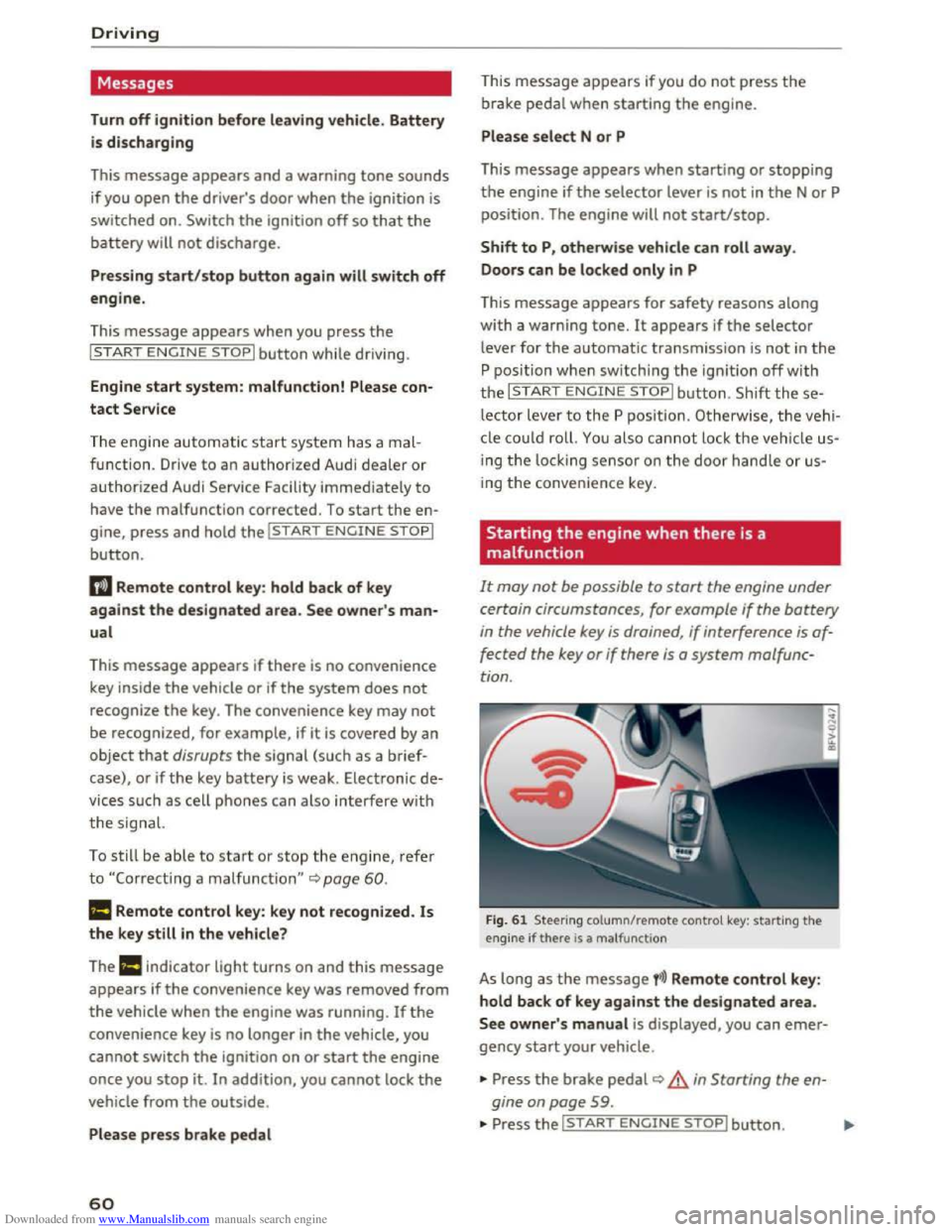
Fig. 61 Steering column/remote control key: starting the
engine if there is a ma lfunction
As long as the message fi)) Remote control key:
hold back of key against the designated area.
See owner' s manual is displayed, you can emer
gency start your vehicle .
... Press the brake pedal~ A in Starting the en
gine on page
59 .
... Press the~, S~T~A~R~T~E_N _G ~l-N~E-S_T_ O_P~I button. ....
Page 63 of 322
Downloaded from www.Manualslib.com manuals search engine ..... N
G: CX)
.....
"' U"I
.....
"' .....
.,.. Hold the master key in the location indicated as
shown in the illustration y») ¢fig. 61. The en
gine will
start.
.. If the engine does not automatically start,
press the I START ENGINE STOP! button again.
{!) Tips
You can view the message again by pressing
the I START ENGINE STOPI button.
Electromechanical
parking brake
Operating
The electromechanical parking brake replaces
the hand brake.
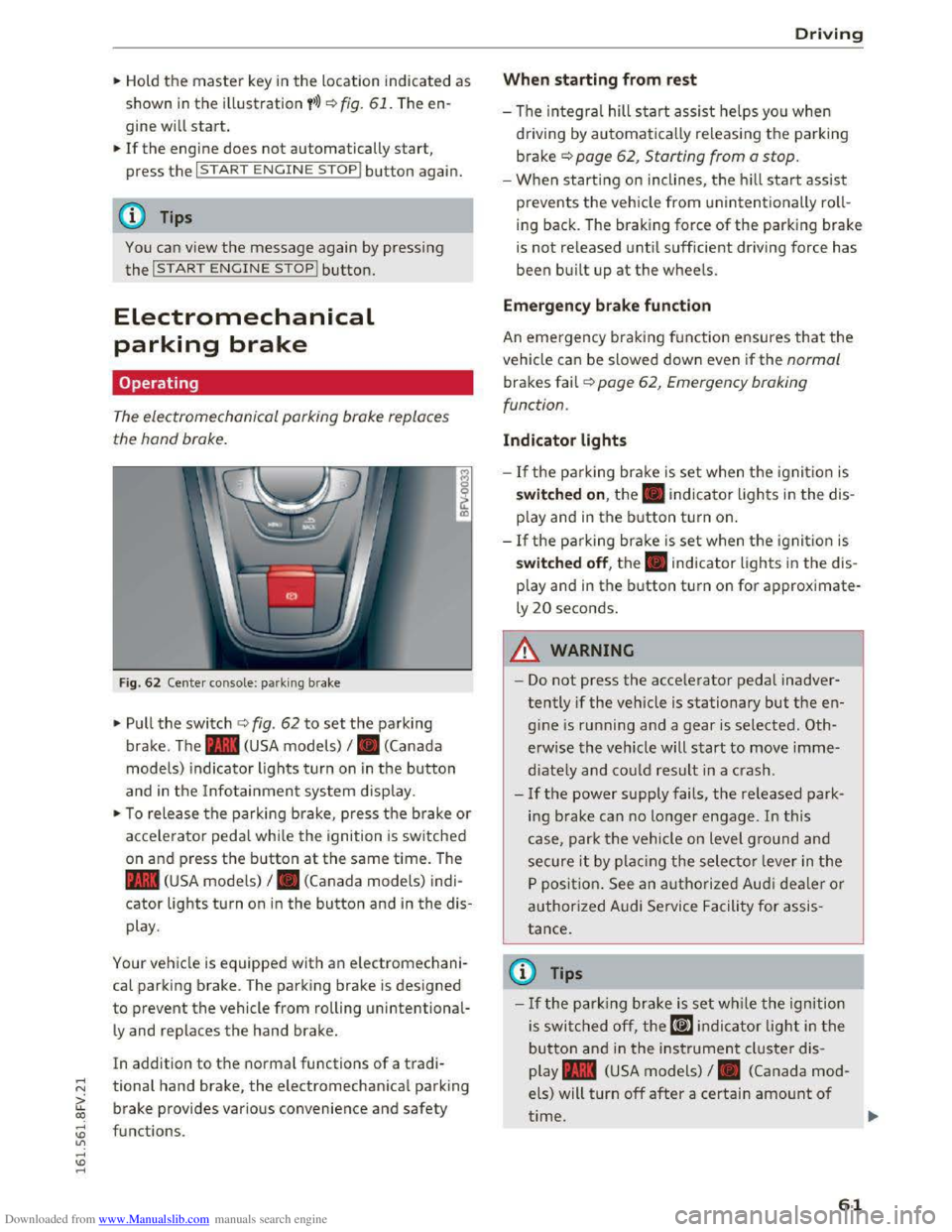
Fig. 62 Center console: park ing brake
.,.. Pull the switch ¢ fig. 62 to set the parking
brake. The . (USA models) I. (Canada
model s) indicator lights turn on in the button
and in the Info tainment system display.
.,.. To release the parking brake, press th e b rake or
acce le rator pedal while the ignition is switched
on and p ress the button at the same time. The
• (USA models) I. (Canada models) indi
cator lights turn on in the button and in the dis
play .
Your vehicle is equipped with an electromechani
cal parking brake. T
he parking brake is designed
to prevent the vehicle from rolling unintentional
ly and replaces the hand brake.
In addition to the normal functions of a tradi
tional hand brake, the electromechanical parking
brake provides various convenience
and safety
functions .
Driving
When starting from rest
-The integral hill start assist helps you when
driving by automatically releasing the parking
brake¢ page 62, Starting from a stop.
-When starting on inclines, the hill start assist
prevents the veh icle from un intentionally roll
ing back . The braking force
of the parking brake
is
not re leased unti l sufficient driving force has
been built up at the wheels.
Emergen cy brake function
An emergency braking fu nction ensures that the
vehicle can be slowed down even if the normal
brakes fail¢ page 62, Emergency braking
functi on.
Indicator lights
- If the parking brake is set when th e ignit io n is
switched on , the. indicator lights in the dis
play
and in the button tur n on .
- I f
the parking brak e is set when the ignit io n is
switched off, the. indicator lights in the dis
play
and in the b utton turn on for approximate
ly 20 seconds.
A WARNING
t-==
-Do not press the acce lerator pedal inadver-
tently if the vehicle is stationary but the en
gine is ru nning and a gear is selected. Oth
erwise the vehicle will start to move imme
diately and co uld result in a crash.
-
If the power supply fails, the released park
ing brake
can no longer engage. In this
case, park t he vehicle on level ground and
secure it by plac ing the selector l eve r in the
P position. See an authorized Audi deale r o r
authorized A udi Service Facil ity for assis
tance.
©Tips
-If the park ing brak e is set while the igni tion
is swi tc h
ed off, the((@)) indi cator light in the
button and in the ins trument cluster dis
play .
(USA models) I. (Canada mod
els) will turn off after a certain amount of
time.
61
Page 64 of 322
Downloaded from www.Manualslib.com manuals search engine Driving
-If driver's door is opened while the ignition
is
switched on, the parking brake sets auto
matically. This prevents unintended rolling
of the vehicle.
- Occasional noises
when the parking brake is
applied
and released are normal and are not
a cause for concern.
-
When the vehicle is parked, the parking
brake goes through a self-test cycle at regu
lar intervals. Any noises associated with this
are normal.
-If the. (USA models) I. (Cana-
da models) indicator lights or llJ indicator
lig ht
turn on, there could be a malfunction
in the park ing brake ~page 11.
-If there is a power failure, the parking brake
will not set if it is released, and it will not
release if it is set~.&.. See an authorized
Audi dealer or authorized Audi Service Fa
cility for
assistance.
Parking
.... Press the brake pedal to stop the vehicle.
.... Pull the switch~ to set the parking brake .
.... Place the selector lever in the P position.
.... Turn the engine off~,&.
.... Turn the steering wheel when parking on in
clines
so that the wheels will roll into the curb
if the vehicle starts moving .
A WARNING
-Always take the vehicle key with you when
leaving the vehicle, even for a short period
of time. This applies particularly when chi l
dren remai n in the vehicle. Otherwise the
children could start the engine, release the
parking brake or operate electrical equip
ment (e.g. power windows). There is the risk
of an accident.
-
When the vehicle is locked, no one -particu
larly
not children should remain in the vehi
cle. Locked
doors make it more difficult for
emergency workers to get into the vehicle,
which
puts lives at risk.
62
Starting from a stop
The start assist function ensures that the park
ing brake
is released automatically upon start
mg.
Stopping and applying parking brake
.... Pull the switch~ to set the parking brake.
Starting and automatically releasing the
parking brake
Requirement: the driver's door must be closed
and the driver's safety belt must be fastened.
.... When you press the accelerator pedal, the
parking brake is automatically released and
your vehicle begins to move.
When stopping at a traffic signal or stopping in
city traffic, the park ing brake can be applied. The
vehicle
does not have to be held with the brake
pedal. The parking brake eliminates the tendency
to creep when a selector lever position is engag
ed. As soon as you press the accelerator pedal,
the parking brake releases automatically and the
vehicle starts to move .
Starting on slope s
When starting on inclines, the hill start assist
prevents the vehicle from unintentionally rolling
back. The braking force
of the parking brake is
not released until sufficient driving force has
been built up at the wheels.
(0 Tips
For safety reasons, the parking brake is re
l
eased automatically onl y when the driver's
safety be lt is fastened and the driver's door is
l ocked.
Emergency braking function
In the event that the conventional brake system
fails or locks.
.... To brake your vehicle in an emergency, pull the
~switch and hold it pulled.
.... As soon as you release the button or accelerate,
the braking stops. .,..
Page 66 of 322
Downloaded from www.Manualslib.com manuals search engine Automatic transmission
Automatic transmission
S tronic
Introduction
Your vehicle is equipped with an electronically
controlled DSG transmission called S tronic. Two
independent clutches transfer the power be
tween the engine and transmission. It allows the
vehicle to accelerate without a noticeable inter
ruption in traction.
The transmission upshifts or downshifts auto
matically. The driving style continuously influen
ces the selection of the driving program.
When a moderate driving style is used, the
transmission selects the most economical driving
mode. The transmission upshifts at a lower RPM
and downshifts at a higher RPM to improve fuel
efficiency.
The
transmi ssion switches to a sporty mode after
a kick-down or when the driver uses a sporty
driving style
characterized by quick accelerator
pedal movements, heavy acceleration, frequent
changes in speed and traveling at the maximum
speed.
If desired, the driver can also select the gears
manually (tiptronic mode).
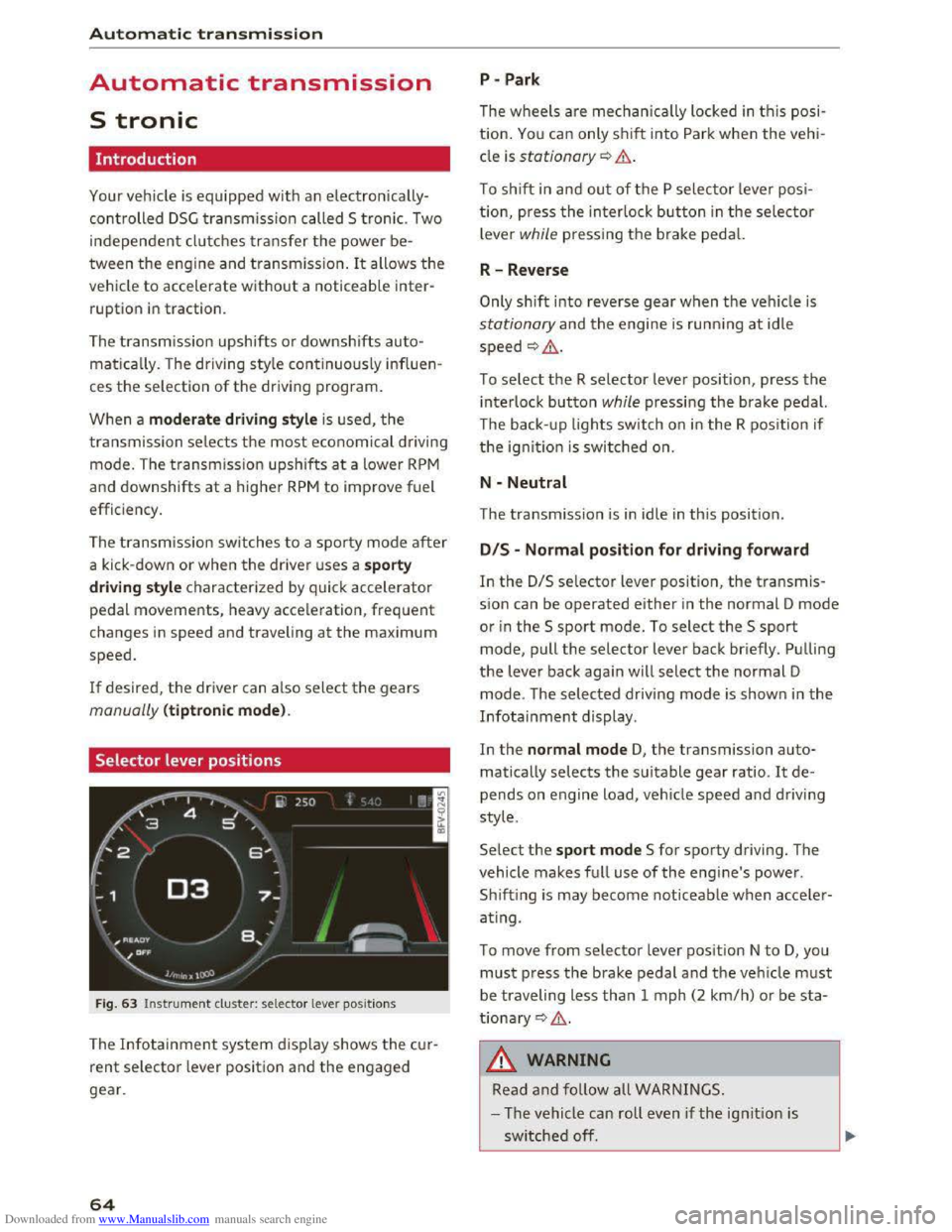
Selector lever positions
Fig. 63 Instrument cluster: selector lever positions
The Infotainment system d isplay shows the cur
rent selector lever position and the engaged
gear.
64
P -Park
The wheels are mechanica lly locked in this posi
tion. You can only shift into Park when the vehi
cle is stationary¢&.
To shift in and out of the P selector lever posi
tion, press the interlock button in the selector
lever while pressing the brake pedal.
R-Reverse
Only shift into reverse gear when the vehicle is
stationary and the engine is running at idle
speed ¢,6.
To select the R selector lever position, press the
interlock button while pressing the brake pedal.
The back- up
lights switch on in the R position if
the ignition is switched on.
N -Neutral
The transmission is in idle in this position.
DIS -Normal position for driving forward
In the D/S selector lever position, the transmis
sion can be operated either in the normal D mode
or in the S sport mode. To select the S sport
mode, pull the selector lever back briefly. Pulling
the lever back again will select the normal D
mode. The selected driving mode is shown in the
Infotainment display.
In
the normal mode D, the transmission auto
matically selects the suitable gear ratio. It de
pends on engine load, vehicle speed and driving
style.
Select the sport mode S for sporty driving. The
vehicle
makes full use of the engine's power.
Sh i
fting is may become noticeable when acce ler
ating.
To move from selector lever position N to D, you
must press the brake pedal and the vehicle must
be traveling less than 1 mph (2 km/h) or be sta
tionary ¢,6.
A WARNING
Read and follow all WARNINGS.
- The vehicle can roll
even if the ignition is
switched off.
Page 67 of 322
Downloaded from www.Manualslib.com manuals search engine ..... N
G: CX)
.....
"' U"I
.....
"' .....
-Never select R or P while driving, because
this increases the risk of an accident.
- Power
is still transmitted to the wheels
when
the engine is running at idle. To pre
vent
the vehicle from "creeping", you must
keep your foot on the brake in all selector
lever positions (except
P) when the engine is
runn ing. Otherwise,
this increases the risk
of an accident.
-
Do not i nadvertently press the accelerator
peda l when
the veh icle is stopped if a gear is
engaged. Otherwise the vehicle will start to
move immediately, even if the par king brake
is set. This coul d result in a crash.
-
Do not press the accelerator pedal when
changing
the selector lever position while
the vehicle is stationary and the engine is
running.
- Never leave
your vehicle with t he engine
running wh
ile in gear. If you must leave
your vehicle when
the engine is running, set
the parking brake and move the selector lev
er to the P position.
- Before opening
the hood and working on a
running engine, select
the P position with
the selector lever and activate the parking
brake. Always read and
follow the applica
ble warnings
c> page 236, Working in the
engine compartment.
CD Note
Never let the vehicle roll downhill with engine
off and the selector lever in the N position,
because
this could damage the automatic
transmission and cata l
ytic converter .
@ Tips
-Drive select: sporty shifting character istics
can
be selected using the Dynamic driving
mode. The
Infotainment display shows Sas
the selector lever position instead of D.
-If you accidentally select N while driving,
take your
foot off the accelerator pedal im
mediately and
wait for the engine to slow
down
to idle before selecting D or S.
-If there is a powe r failure, the sel ector lever
will not move out of the P position. The
Automatic tran smission
emergency release can be used if this hap
pens. Left-hand drive vehicles
c> page 71.
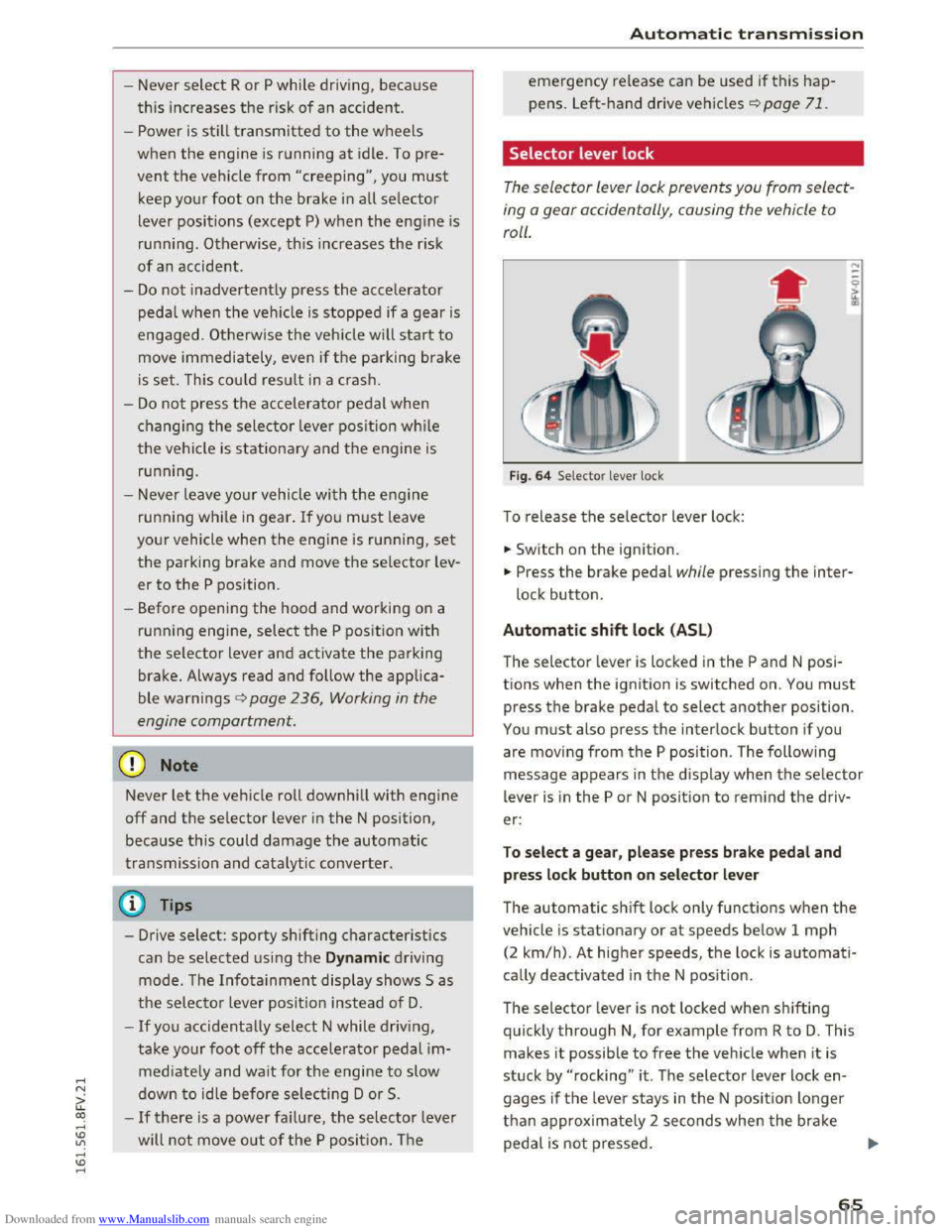
Selector lever lock
The selector lever lock prevents you from select
ing
o gear occidentally, causing the vehicle to
roll.
F ig . 64 Selector lever lock
To release the selector lever lock:
... Switch on the ignition.
... Press the brake pedal while pressing the inter
lock button.
Automatic shift lock (ASL)
The selector lever is locked in the P and N posi
tions when
the ignition is switched on. You must
press the brake pedal to select another position.
You must also press the interlock button if you
are moving
from the P position. The following
message appears in
the display when the selector
lever
is i n the P or N position to rem ind the driv
er:
To sel e ct a g ear, pl ease pr ess brake pedal and
pre
ss lock button on selector le ver
The automatic shift lock only functions when the
vehicle is stationary or at speeds below 1 mph
(2
km/h). At higher speeds, th e lock is automati
cally deactivated in
the N pos ition.
The selector lever
is not locked when shifting
quickly through N, for example from R to D. This
makes
it possible to free the veh icle when it is
stuck by "rocking" it . The selector lever lock en
gages
if the leve r stays in the N posit ion longer
than approx imately 2 seconds when t
he brake
peda l
is not pressed.
65
Page 75 of 322
Downloaded from www.Manualslib.com manuals search engine The speed is kept constant by modifying engine
power or through an active brake intervention.
A WARNING
-Always pay attention to the traffic around
you when the cruise control is in operation.
You are always responsible for your speed
and the distance between your vehicle and
other vehicles.
- For
reasons of safety, cruise control should
not be used in the city, in stop-and-go traf
fic, on winding roads and when road condi
tions are poor (such as ice, fog, gravel,
heavy rain
and hydroplaning) -you could
have
an accident.
- Switch
the cruise control off temporarily
when driving in turning lanes, highway exits
or in construction zones.
-Please note that unconsciously "resting"
your foot on the accelerator pedal prevents
the cruise control from braking. This is due
to the control system being overridden by
the driver's acceleration.
-If a brake system malfunction such as over
heating occurs when the cruise control sys
tem is switched on, the braking function in
the system may be switched off. The rest of
the cruise control system functions remain
active as long as the (1!;(1)~14 (USA models) I
B (Canada models) indicator light is on.
@ Tips
The brake lights illuminate as soon as the
brakes apply automatically.
Changing speed
Applies to: vehicles with cruise control system
.. To increase/decrease the speed in xx mph (1
km/h) increments, briefly tap the lever up/
down in the 0 10 ¢ page 72, fig. 70 direction
to the first level.
.. To increase/decrease the speed in xx mph (10
km/h) increments, briefly tap the lever up/
down in the 010 ¢page 72, fig. 70 direction
to the second level.
Assist
.. To increase or decrease the speed quickly, hold
the lever in the 0 I 0 direction until the de
sired speed is reached.
Overriding the speed
Applies to: vehicles with cruise control system
You can press the accelerator pedal down to in
crease your speed, for example if you want to
pass someone. The speed you saved earlier will
resume as soon as you let off of the accelerator
pedal.
However, if you are exceeding the stored speed
by a considerable amount for a long time, the
cruise control system will temporarily switch off.
The
lij;lil~14 (USA model s) !Iii (Canada models) in
dicator light in the instrument cluster turns off
and the stored speed is maintained.
Preselecting the speed
Applies to: vehicles with cruise control system
You can pre-select your desired speed while the
vehicle is not moving.
.. Switch on the ignition .
.. Pull the lever into position@¢ page 72,
fig. 70.
.. To increase or decrease the speed, tap the lever
in the 010 direction.
This
function makes i t possible, for example, to
save the speed you want before driving on the
highway. Once on the exp ressway, activate the
cruise control by pulling the lever into position
@.
Switching off
Applies to: vehicles with cruise control system
Temporary deactivation
.. Step on the brake pedal, or
.. Press the lever in direction @ (not locked into
place) 9page 72, fig. 70 .
Switching off completely
.. Press the lever into position @(clicked into
place), or
.. switch the ignition off.
73