USB CITROEN BERLINGO VAN 2019 Handbook (in English)
[x] Cancel search | Manufacturer: CITROEN, Model Year: 2019, Model line: BERLINGO VAN, Model: CITROEN BERLINGO VAN 2019Pages: 320, PDF Size: 8.91 MB
Page 266 of 320
20
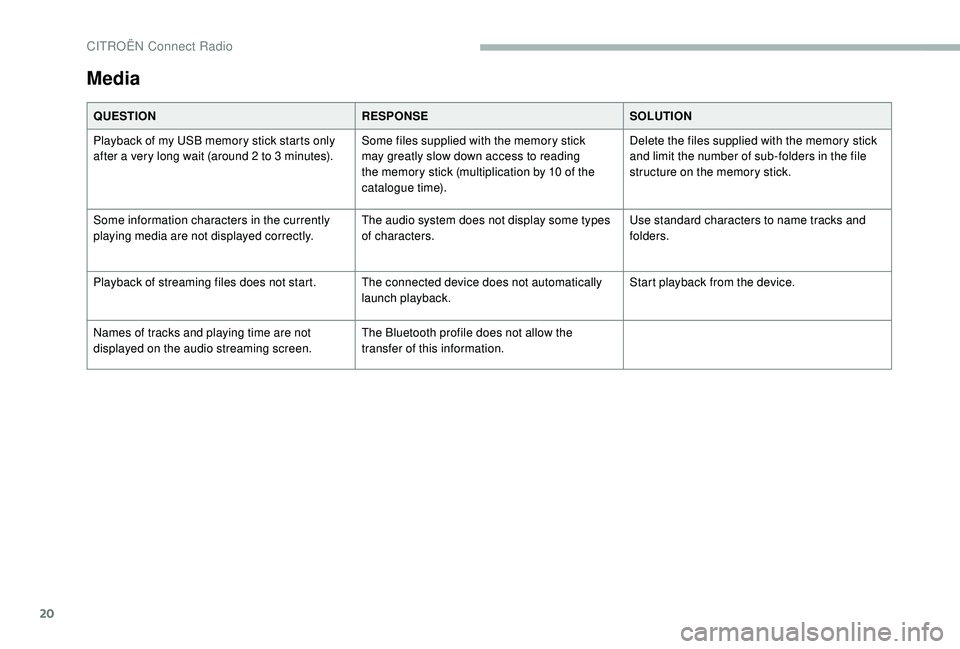
Media
QUESTIONRESPONSESOLUTION
Playback of my USB memory stick starts only
after a very long wait (around 2 to 3
minutes).Some files supplied with the memory stick
may greatly slow down access to reading
the memory stick (multiplication by 10 of the
catalogue time). Delete the files supplied with the memory stick
and limit the number of sub-folders in the file
structure on the memory stick.
Some information characters in the currently
playing media are not displayed correctly. The audio system does not display some types
of characters.Use standard characters to name tracks and
folders.
Playback of streaming files does not start. The connected device does not automatically launch playback.Start playback from the device.
Names of tracks and playing time are not
displayed on the audio streaming screen. The Bluetooth profile does not allow the
transfer of this information.
CITROËN Connect Radio
Page 267 of 320
21
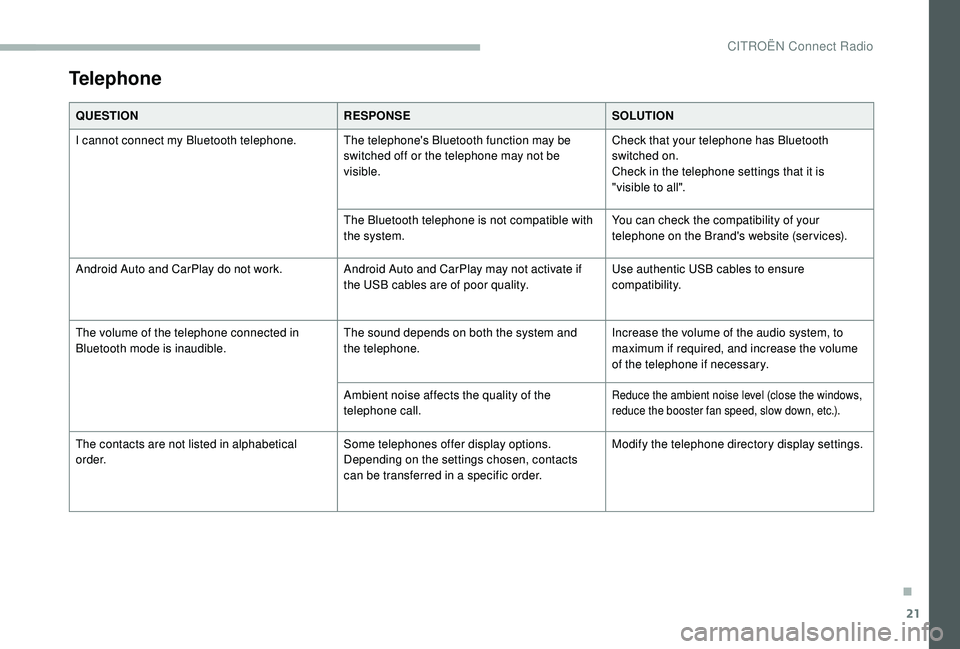
Telephone
QUESTIONRESPONSESOLUTION
I cannot connect my Bluetooth telephone. The telephone's Bluetooth function may be switched off or the telephone may not be
visible.Check that your telephone has Bluetooth
switched on.
Check in the telephone settings that it is
"visible to all".
The Bluetooth telephone is not compatible with
the system. You can check the compatibility of your
telephone on the Brand's website (services).
Android Auto and CarPlay do not work. Android Auto and CarPlay may not activate if
the USB cables are of poor quality.Use authentic USB cables to ensure
compatibility.
The volume of the telephone connected in
Bluetooth mode is inaudible. The sound depends on both the system and
the telephone.Increase the volume of the audio system, to
maximum if required, and increase the volume
of the telephone if necessary.
Ambient noise affects the quality of the
telephone call.
Reduce the ambient noise level (close the windows,
reduce the booster fan speed, slow down, etc.).
The contacts are not listed in alphabetical
o r d e r. Some telephones offer display options.
Depending on the settings chosen, contacts
can be transferred in a specific order.Modify the telephone directory display settings.
.
CITROËN Connect Radio
Page 278 of 320
10
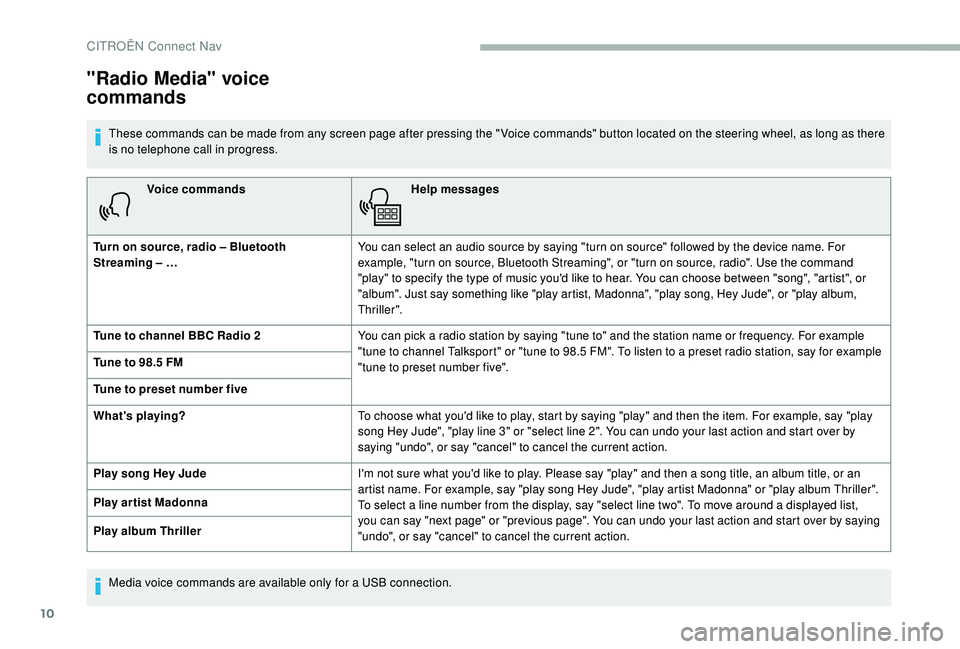
Voice commandsHelp messages
Turn on source, radio – Bluetooth
Streaming – … You can select an audio source by saying "turn on source" followed by the device name. For
example, "turn on source, Bluetooth Streaming", or "turn on source, radio". Use the command
"play" to specify the type of music you'd like to hear. You can choose between "song", "artist", or
"album". Just say something like "play artist, Madonna", "play song, Hey Jude", or "play album,
Thriller".
Tune to channel BBC Radio 2 You can pick a radio station by saying "tune to" and the station name or frequency. For example
"tune to channel Talksport" or "tune to 98.5 FM". To listen to a preset radio station, say for example
"tune to preset number five".
Tune to 98.5 FM
Tune to preset number five
What's playing?
To choose what you'd like to play, start by saying "play" and then the item. For example, say "play
song Hey Jude", "play line 3" or "select line 2". You can undo your last action and start over by
saying "undo", or say "cancel" to cancel the current action.
Play song Hey Jude I'm not sure what you'd like to play. Please say "play" and then a song title, an album title, or an
artist name. For example, say "play song Hey Jude", "play artist Madonna" or "play album Thriller".
To select a line number from the display, say "select line two". To move around a displayed list,
you can say "next page" or "previous page". You can undo your last action and start over by saying
"undo", or say "cancel" to cancel the current action.
Play ar tist Madonna
Play album Thriller
"Radio Media" voice
commands
These commands can be made from any screen page after pressing the " Voice commands" button located on the steering wheel, as long as there
is no telephone call in progress.
Media voice commands are available only for a USB connection.
CITROËN Connect Nav
Page 283 of 320
15
AndPress this button to enter the value
for "Longitude " using the virtual
keypad.
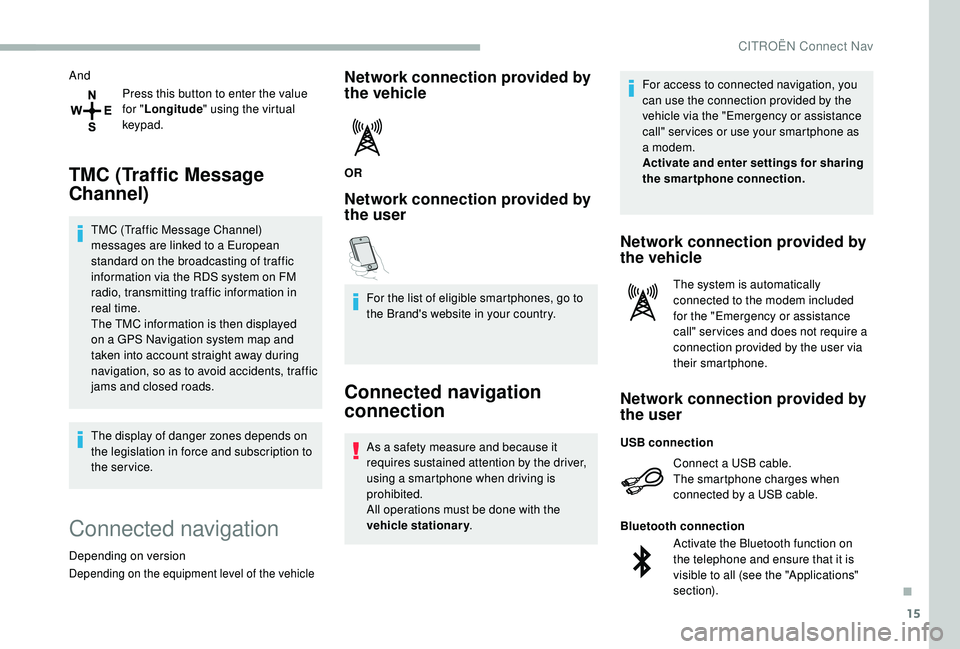
TMC (Traffic Message
Channel)
TMC (Traffic Message Channel)
messages are linked to a European
standard on the broadcasting of traffic
information via the RDS system on FM
radio, transmitting traffic information in
real time.
The TMC information is then displayed
on a GPS Navigation system map and
taken into account straight away during
navigation, so as to avoid accidents, traffic
jams and closed roads.
The display of danger zones depends on
the legislation in force and subscription to
the service.
Connected navigation
Depending on version
Depending on the equipment level of the vehicle
Network connection provided by
the vehicle
OR
Network connection provided by
the user
For the list of eligible smartphones, go to
the Brand's website in your country.
Connected navigation
connection
As a safety measure and because it
requires sustained attention by the driver,
using a smartphone when driving is
prohibited.
All operations must be done with the
vehicle stationary . For access to connected navigation, you
can use the connection provided by the
vehicle via the "Emergency or assistance
call" ser vices or use your smartphone as
a modem.
Activate and enter settings for sharing
the smartphone connection.
Network connection provided by
the vehicle
The system is automatically
connected to the modem included
for the "Emergency or assistance
call" ser vices and does not require a
connection provided by the user via
their smartphone.
Network connection provided by
the user
Connect a USB cable.
The smartphone charges when
connected by a USB cable.
USB connection
Activate the Bluetooth function on
the telephone and ensure that it is
visible to all (see the "Applications"
section).
Bluetooth connection
.
CITROËN Connect Nav
Page 284 of 320
16
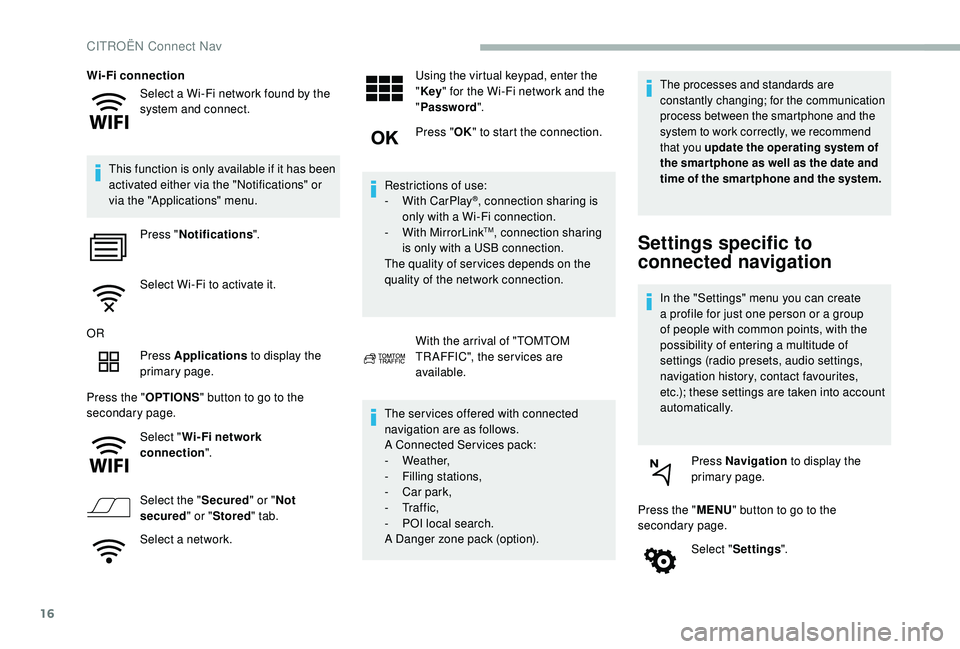
Select a Wi-Fi network found by the
system and connect.
Wi-Fi connection
This function is only available if it has been
activated either via the "Notifications" or
via the "Applications" menu. Press " Notifications ".
Select Wi-Fi to activate it.
OR Press Applications to display the
primary page.
Press the " OPTIONS" button to go to the
secondary page.
Select "Wi- Fi network
connection ".
Select the " Secured" or "Not
secured " or "Stored " tab.
Select a network. Using the virtual keypad, enter the
"
Key " for the Wi-Fi network and the
" Password ".
Press " OK" to start the connection.
Restrictions of use:
-
W
ith CarPlay
®, connection sharing is
only with a Wi-Fi connection.
-
W
ith MirrorLink
TM, connection sharing
is only with a USB connection.
The quality of ser vices depends on the
quality of the network connection.
With the arrival of "TOMTOM
TR AFFIC", the ser vices are
available.
The ser vices offered with connected
navigation are as follows.
A Connected Services pack:
-
Weather,
-
F
illing stations,
-
C
ar park,
-
Tr a f f i c ,
-
P
OI local search.
A Danger zone pack (option).
The processes and standards are
constantly changing; for the communication
process between the smartphone and the
system to work correctly, we recommend
that you update the operating system of
the smar tphone as well as the date and
time of the smar tphone and the system.
Settings specific to
connected navigation
In the "Settings" menu you can create
a profile for just one person or a group
of people with common points, with the
possibility of entering a multitude of
settings (radio presets, audio settings,
navigation history, contact favourites,
etc.); these settings are taken into account
automatically.
Press Navigation to display the
primary page.
Press the " MENU" button to go to the
secondary page.
Select "Settings ".
CITROËN Connect Nav
Page 286 of 320
18
"Danger zones" pack
updates
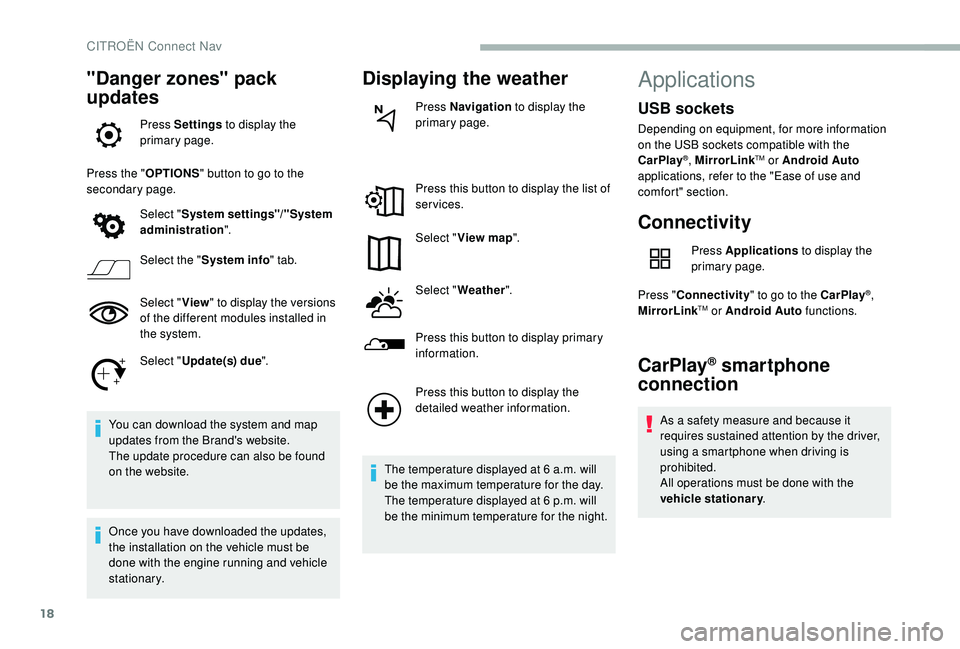
Press Settings to display the
primary page.
Press the " OPTIONS" button to go to the
secondary page.
Select "System settings"/"System
administration ".
Select the " System info " tab.
Select " View" to display the versions
of the different modules installed in
the system.
Select " Update(s) due ".
You can download the system and map
updates from the Brand's website.
The update procedure can also be found
on the website.
Once you have downloaded the updates,
the installation on the vehicle must be
done with the engine running and vehicle
stationary.
Displaying the weather
Press Navigation to display the
primary page.
Press this button to display the list of
services.
Select " View map ".
Select " Weather ".
Press this button to display primary
information.
Press this button to display the
detailed weather information.
The temperature displayed at 6 a.m. will
be the maximum temperature for the day.
The temperature displayed at 6 p.m. will
be the minimum temperature for the night.
Applications
Connectivity
Press Applications to display the
primary page.
Press " Connectivity " to go to the CarPlay
®,
MirrorLinkTM or Android Auto functions.
CarPlay® smartphone
connection
As a safety measure and because it
requires sustained attention by the driver,
using a smartphone when driving is
prohibited.
All operations must be done with the
vehicle stationary .
USB sockets
Depending on equipment, for more information
on the USB sockets compatible with the
CarPlay
®, MirrorLinkTM or Android Auto
applications, refer to the "Ease of use and
comfort" section.
CITROËN Connect Nav
Page 287 of 320
19
The synchronisation of a personal
smartphone allows users to display
applications compatible with the
smartphone's CarPlay
® technology on the
v
ehicle screen when the smartphone's
CarPlay
® function has been previously
activated.
As the processes and standards are
constantly changing, it is recommended
that you keep your smar tphone's
operating system updated .
For the list of eligible smartphones, go
to the Brand's internet website in your
c o u nt r y.
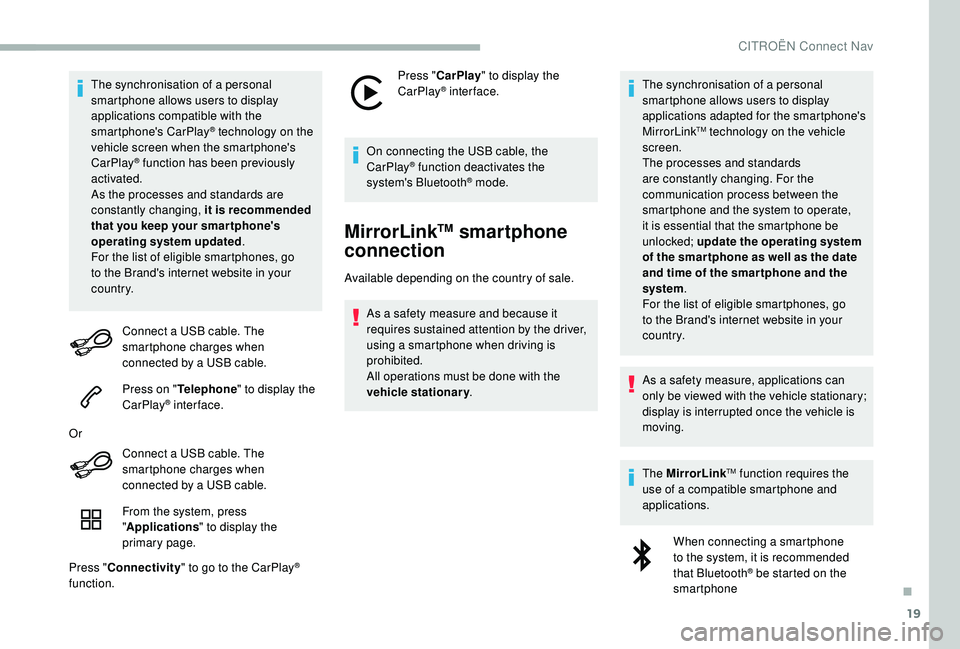
Connect a USB cable. The
smartphone charges when
connected by a USB cable.
Press on " Telephone " to display the
CarPlay
® inter face.
Or Connect a USB cable. The
smartphone charges when
connected by a USB cable.
From the system, press
"Applications " to display the
primary page.
Press " Connectivity " to go to the CarPlay
®
function. Press "
CarPlay " to display the
CarPlay
® inter face.
On connecting the USB cable, the
CarPlay
® function deactivates the
system's Bluetooth® mode.
MirrorLinkTM smartphone
connection
Available depending on the country of sale.
As a safety measure and because it
requires sustained attention by the driver,
using a smartphone when driving is
prohibited.
All operations must be done with the
vehicle stationary . The synchronisation of a personal
smartphone allows users to display
applications adapted for the smartphone's
MirrorLink
TM technology on the vehicle
sc
reen.
The processes and standards
are constantly changing. For the
communication process between the
smartphone and the system to operate,
it is essential that the smartphone be
unlocked; update the operating system
of the smar tphone as well as the date
and time of the smar tphone and the
system .
For the list of eligible smartphones, go
to the Brand's internet website in your
c o u nt r y.
As a safety measure, applications can
only be viewed with the vehicle stationary;
display is interrupted once the vehicle is
moving.
The MirrorLink
TM function requires the
use of a compatible smartphone and
applications.
When connecting a smartphone
to the system, it is recommended
that Bluetooth
® be started on the
smartphone
.
CITROËN Connect Nav
Page 288 of 320
20
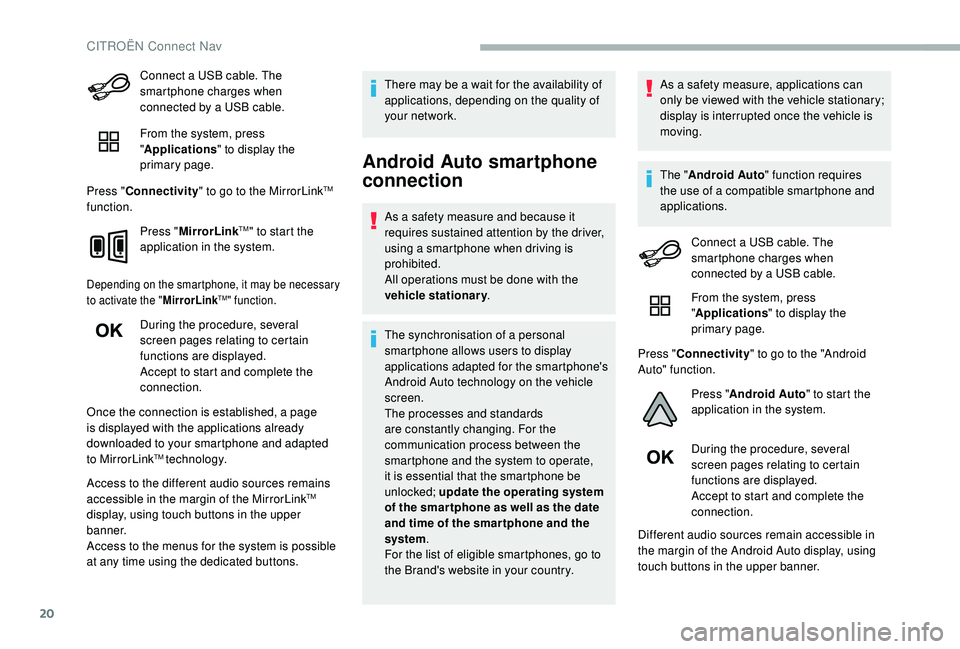
Connect a USB cable. The
smartphone charges when
connected by a USB cable.
From the system, press
"Applications " to display the
primary page.
Press " Connectivity " to go to the MirrorLink
TM
function.
Press "MirrorLink
TM" to start the
application in the system.
Depending on the smartphone, it may be necessary
to activate the " MirrorLinkTM" function.
During the procedure, several
screen pages relating to certain
functions are displayed.
Accept to start and complete the
connection.
Once the connection is established, a page
is displayed with the applications already
downloaded to your smartphone and adapted
to MirrorLink
TM technology.
Access to the different audio sources remains
accessible in the margin of the MirrorLink
TM
display, using touch buttons in the upper
banner.
Access to the menus for the system is possible
at any time using the dedicated buttons. There may be a wait for the availability of
applications, depending on the quality of
your network.
Android Auto smartphone
connection
As a safety measure and because it
requires sustained attention by the driver,
using a smartphone when driving is
prohibited.
All operations must be done with the
vehicle stationary
.
The synchronisation of a personal
smartphone allows users to display
applications adapted for the smartphone's
Android Auto technology on the vehicle
screen.
The processes and standards
are constantly changing. For the
communication process between the
smartphone and the system to operate,
it is essential that the smartphone be
unlocked; update the operating system
of the smar tphone as well as the date
and time of the smar tphone and the
system .
For the list of eligible smartphones, go to
the Brand's website in your country. As a safety measure, applications can
only be viewed with the vehicle stationary;
display is interrupted once the vehicle is
moving.
The "
Android Auto " function requires
the use of a compatible smartphone and
applications.
Connect a USB cable. The
smartphone charges when
connected by a USB cable.
From the system, press
"Applications " to display the
primary page.
Press " Connectivity " to go to the "Android
Auto" function.
Press "Android Auto " to start the
application in the system.
During the procedure, several
screen pages relating to certain
functions are displayed.
Accept to start and complete the
connection.
Different audio sources remain accessible in
the margin of the Android Auto display, using
touch buttons in the upper banner.
CITROËN Connect Nav
Page 291 of 320
23
Radio
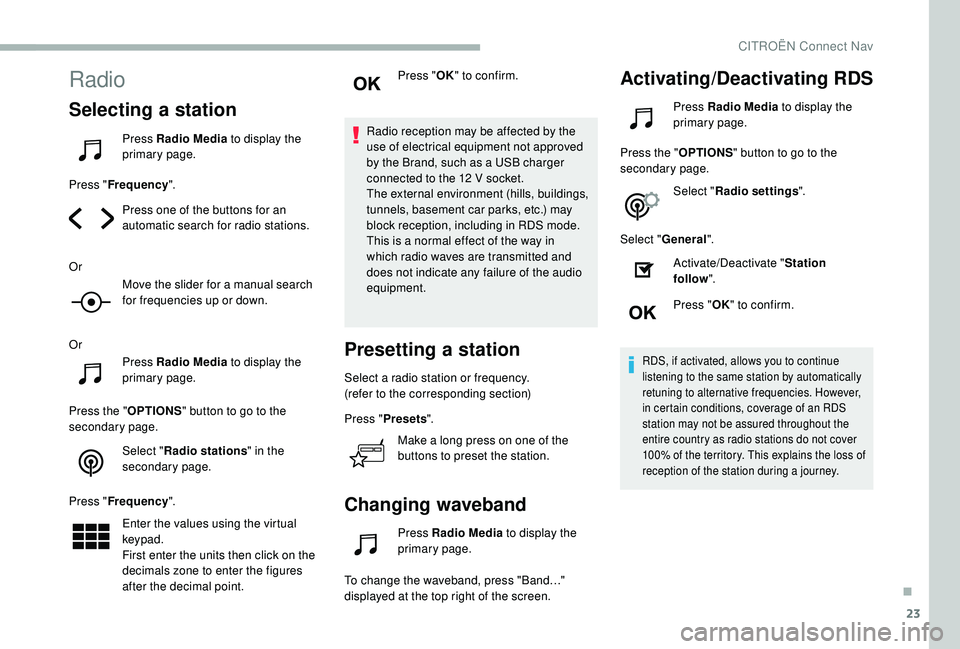
Selecting a station
Press Radio Media to display the
primary page.
Press " Frequency ".
Press one of the buttons for an
automatic search for radio stations.
Or Move the slider for a manual search
for frequencies up or down.
Or Press Radio Media to display the
primary page.
Press the " OPTIONS" button to go to the
secondary page.
Select "Radio stations " in the
secondary page.
Press " Frequency ".
Enter the values using the virtual
keypad.
First enter the units then click on the
decimals zone to enter the figures
after the decimal point. Press "
OK" to confirm.
Radio reception may be affected by the
use of electrical equipment not approved
by the Brand, such as a USB charger
connected to the 12 V socket.
The external environment (hills, buildings,
tunnels, basement car parks, etc.) may
block reception, including in RDS mode.
This is a normal effect of the way in
which radio waves are transmitted and
does not indicate any failure of the audio
equipment.
Presetting a station
Select a radio station or frequency.
(refer to the corresponding section)
Press " Presets ".
Make a long press on one of the
buttons to preset the station.
Changing waveband
Press Radio Media to display the
primary page.
To change the waveband, press "Band…"
displayed at the top right of the screen.
Activating/Deactivating RDS
Press Radio Media to display the
primary page.
Press the " OPTIONS" button to go to the
secondary page.
Select "Radio settings ".
Select " General ".
Activate/Deactivate " Station
follow ".
Press " OK" to confirm.
RDS, if activated, allows you to continue
listening to the same station by automatically
retuning to alternative frequencies. However,
in certain conditions, coverage of an RDS
station may not be assured throughout the
entire country as radio stations do not cover
100% of the territory. This explains the loss of
reception of the station during a journey.
.
CITROËN Connect Nav
Page 293 of 320
25
Press "OK".
If "DAB-FM tracking" is activated, there
is a difference of a few seconds when the
system switches to FM analogue radio
with sometimes a variation in volume.
Once the digital signal quality is restored,
the system automatically changes back
to " DA B ".
If the "DAB" station being listened to is
not available on FM (" DAB- FM" option
greyed out), or "DAB-FM tracking" is not
activated, the sound will cut out while the
digital signal is too weak.
Media
USB socket
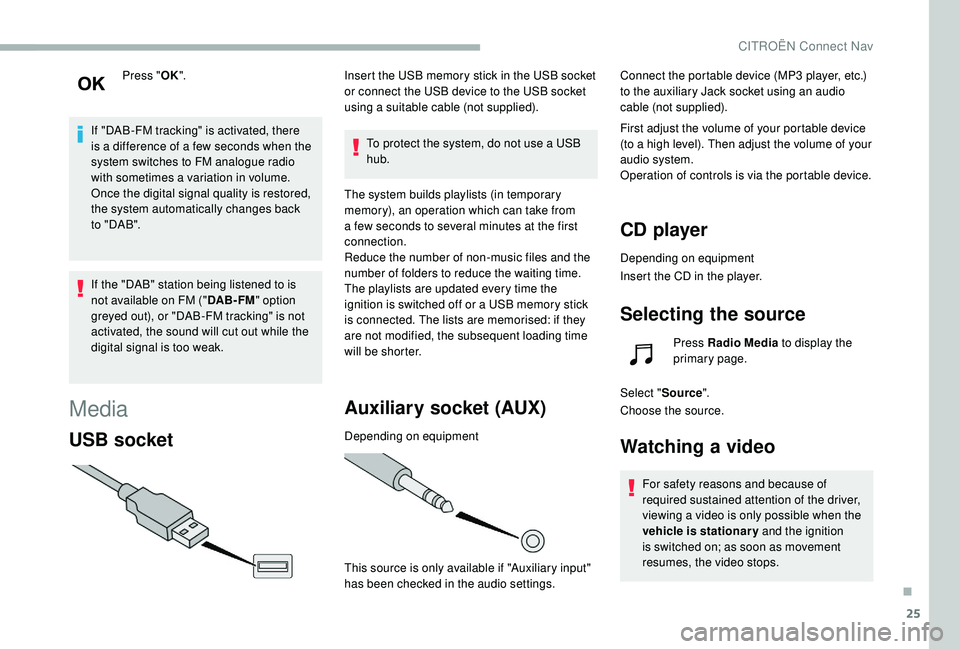
Insert the USB memory stick in the USB socket
or connect the USB device to the USB socket
using a suitable cable (not supplied).
To protect the system, do not use a USB
hub.
The system builds playlists (in temporary
memory), an operation which can take from
a few seconds to several minutes at the first
connection.
Reduce the number of non-music files and the
number of folders to reduce the waiting time.
The playlists are updated every time the
ignition is switched off or a USB memory stick
is connected. The lists are memorised: if they
are not modified, the subsequent loading time
will be shorter.
Auxiliary socket (AUX)
Depending on equipment
This source is only available if "Auxiliary input"
has been checked in the audio settings. Connect the portable device (MP3 player, etc.)
to the auxiliary Jack socket using an audio
cable (not supplied).
First adjust the volume of your portable device
(to a high level). Then adjust the volume of your
audio system.
Operation of controls is via the portable device.
CD player
Depending on equipment
Insert the CD in the player.
Selecting the source
Press Radio Media
to display the
primary page.
Select " Source".
Choose the source.
Watching a video
For safety reasons and because of
required sustained attention of the driver,
viewing a video is only possible when the
vehicle is stationary and the ignition
is switched on; as soon as movement
resumes, the video stops.
.
CITROËN Connect Nav