ignition Citroen C4 2014.5 2.G Repair Manual
[x] Cancel search | Manufacturer: CITROEN, Model Year: 2014.5, Model line: C4, Model: Citroen C4 2014.5 2.GPages: 494, PDF Size: 21.47 MB
Page 185 of 494
183
Manual operation
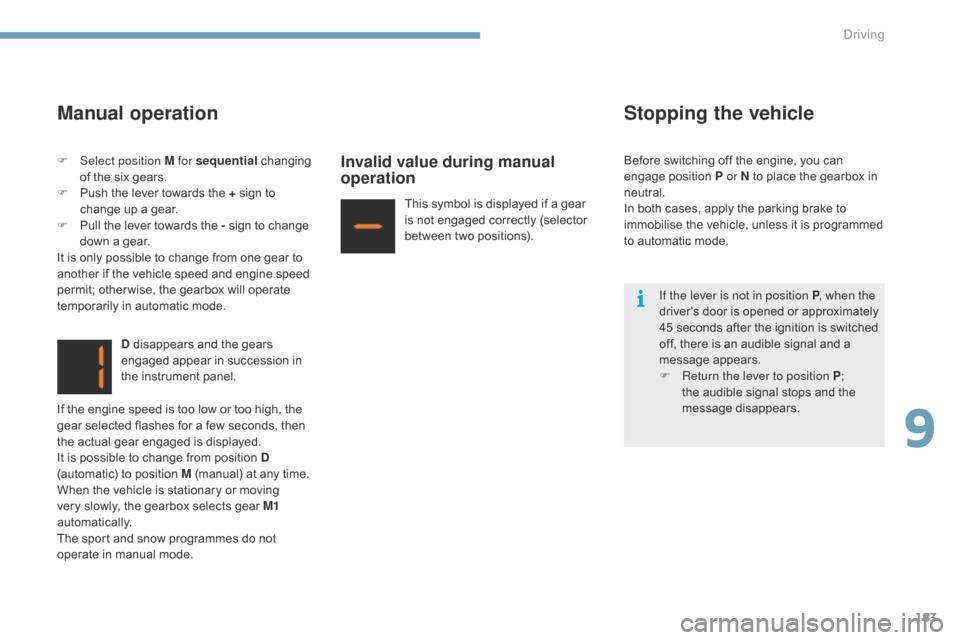
D disappears and the gears engaged appear in succession in
t
he instrument panel.
Invalid value during manual
operation
This symbol is displayed if a gear is not engaged correctly (selector
b
etween two positions).
Stopping the vehicle
If the lever is not in position P , when the
driver's d oor i s o pened o r a pproximately
4
5 seconds after the ignition is switched
o
ff, there is an audible signal and a
m
essage
ap
pears.
F
R
eturn the lever to position P ;
t
he audible signal stops and the
m
essage
d
isappears.
F
Sel
ect position M for sequential
c
hanging
o
f
the
six
gears.
F
P
ush
the
lever
towards
the
+
sign
to
c
hange
up
a
gear.
F
P
ull
the
lever
towards
the
-
sign
to
change
d
own
a
gear.
It
is
only
possible
to
change
from
one
gear
to
a
nother
if
the
vehicle
speed
and
engine
speed
p
ermit;
other wise,
the
gearbox
will
operate
t
emporarily
in
automatic
mode.
If
the
engine
speed
is
too
low
or
too
high,
the
g
ear
selected
flashes
for
a
few
seconds,
then
t
he
actual
gear
engaged
is
displayed.
It
is
possible
to
change
from
position
D
(automatic)
to
position
M
(manual)
at
any
time.
When
the
vehicle
is
stationary
or
moving
v
ery
slowly,
the
gearbox
selects
gear
M1
automatically.
The
sport
and
snow
programmes
do
not
o
perate
in
manual
mode. Before
switching off the engine, you can
e
ngage position P or N to place the gearbox in
neu
tral.
In
both cases, apply the parking brake to
i
mmobilise the vehicle, unless it is programmed
t
o
automatic mode.
9
Driving
Page 186 of 494
184
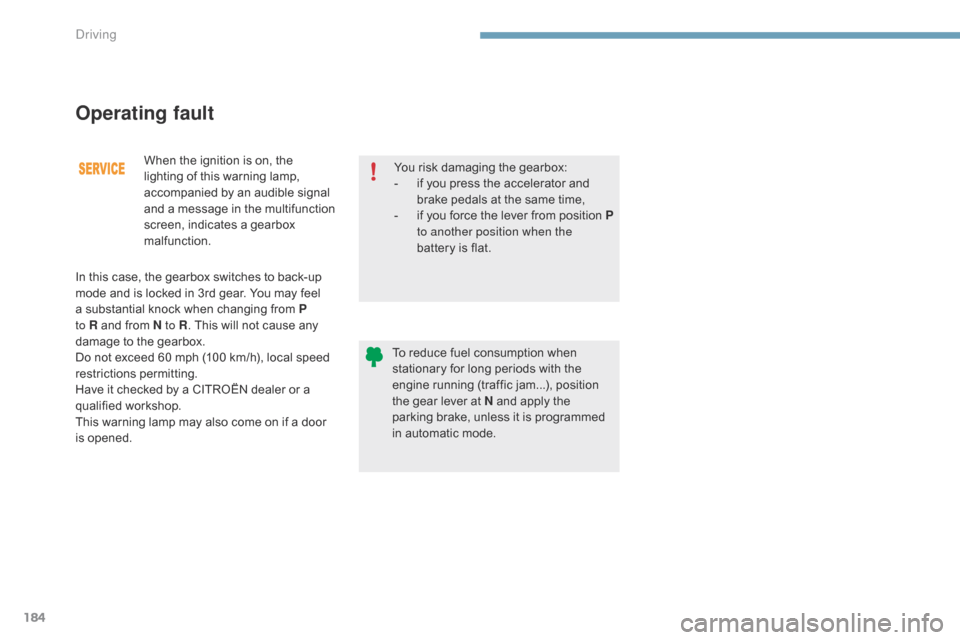
When the ignition is on, the lighting of this warning lamp,
a
ccompanied by an audible signal
a
nd a message in the multifunction
s
creen, indicates a gearbox
m
alfunction.
Operating fault
You risk damaging the gearbox:
- i f you press the accelerator and
b
rake pedals at the same time,
-
i
f
y
ou
f
orce
t
he
l
ever
f
rom
p
osition P
to another position when the
battery
is flat.
To
reduce fuel consumption when
s
tationary for long periods with the
e
ngine running (traffic jam...), position
t
he gear lever at N and apply the
p
arking brake, unless it is programmed
i
n automatic mode.
In
this
case,
the
gearbox
switches
to
back-up
m
ode
and
is
locked
in
3rd
gear.
You
may
feel
a
substantial
knock
when
changing
from
P
to R
and
from
N to R .
This
will
not
cause
any
d
amage
to
the
gearbox.
Do
not
exceed
60
mph
(100
km/h),
local
speed
r
estrictions
p
ermitting.
Have
it
checked
by
a
CITROËN
dealer
or
a
q
ualified
w
orkshop.
This
warning
lamp
may
also
come
on
if
a
door
i
s
ope
ned.
Driving
Page 191 of 494
189
Stop & Start
Operation
Going into engine STOP mode
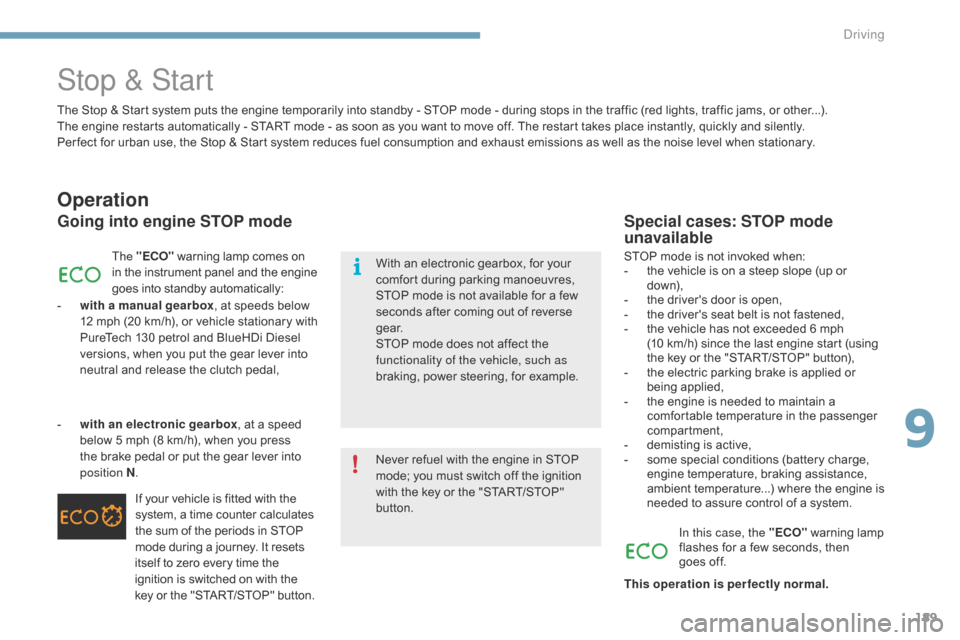
The "ECO" warning lamp comes on i
n the instrument panel and the engine g
oes into standby automatically:
-
w
ith a manual gearbox ,
at speeds below
1
2
m
ph
(
20
k
m/h),
o
r
v
ehicle
s
tationary
w
ith
P
ureTech 130 petrol and BlueHDi Diesel
v
ersions, when you put the gear lever into
n
eutral and release the clutch pedal,
If
your vehicle is fitted with the
s
ystem, a time counter calculates
t
he sum of the periods in STOP
m
ode during a journey. It resets
i
tself to zero every time the
i
gnition is switched on with the
k
ey or the "START/STOP" button.
-
w
ith an electronic gearbox ,
at a speed
b
elow 5 mph (8 km/h), when you press
t
he
brake pedal or put the gear lever into
p
osition N .
Special cases: STOP mode
unavailable
STOP mode is not invoked when:
- t he vehicle is on a steep slope (up or
d
ow n),
-
t
he driver's door is open,
-
t
he driver's seat belt is not fastened,
-
t
he vehicle has not exceeded 6 mph
(
10 km/h) since the last engine start (using
t
he key or the "START/STOP" button),
-
t
he electric parking brake is applied or
be
ing
a
pplied,
-
t
he engine is needed to maintain a
c
omfortable temperature in the passenger
c
ompartment,
-
d
emisting is active,
-
s
ome special conditions (battery charge,
e
ngine temperature, braking assistance,
a
mbient temperature...) where the engine is
n
eeded to assure control of a system.
In this case, the "ECO"
warning lamp
f
lashes for a few seconds, then
goes
off.
This operation is perfectly normal.
The
Stop
&
Start system
puts
the
engine
temporarily
into
standby
-
STOP
mode
-
during
stops
in
the
traffic (red lights, traffic jams, or other...).
The
engine
restarts
automatically
-
START
mode
-
as
soon
as
you
want
to
move
off.
The
restart
takes
place instantly, quickly and silently.
Per fect
for
urban
use,
the
Stop
&
Start
system
reduces
fuel
consumption
and
exhaust
emissions
as
well
as the noise level when stationary.
Never
refuel
with
the
engine
in
STOP
m
ode;
you
must
switch
off
the
ignition
w
ith
the
key
or
the
"START/STOP"
b
utton.
With
an
electronic
gearbox,
for
your
c
omfort
during
parking
manoeuvres,
S
TOP
mode
is
not
available
for
a
few
s
econds
after
coming
out
of
reverse
g
e a r.
STOP
mode
does
not
affect
the
f
unctionality of the vehicle, such as
braking,
power
steering,
for
example.
9
driving
Page 193 of 494
191
Maintenance
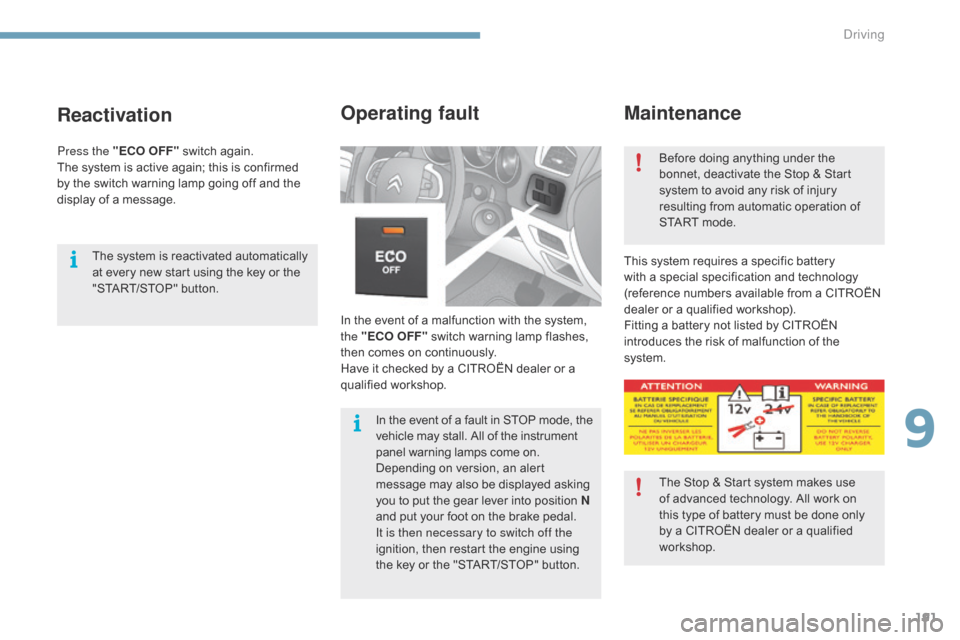
In the event of a malfunction with the system, the "ECO OFF" switch warning lamp flashes,
t
hen comes on continuously.
Ha
ve it checked by a CITROËN dealer or a
q
ualified
w
orkshop.
Operating fault
This system requires a specific battery with a special specification and technology
(
reference numbers available from a CITROËN
d
ealer or a qualified workshop).
Fitting
a battery not listed by CITROËN
i
ntroduces the risk of malfunction of the
s
ystem. Before
doing anything under the
b
onnet, deactivate the Stop & Start
s
ystem to avoid any risk of injury
r
esulting from automatic operation of
S
TART mode.
The Stop & Start system makes use
o
f advanced technology. All work on
t
his type of battery must be done only
b
y a CITROËN dealer or a qualified
w
orkshop.
In
the
event
of
a
fault
in
STOP
mode,
the
v
ehicle
may
stall.
All
of
the
instrument
p
anel
warning
lamps
come
on.
Depending
on
version,
an
alert
m
essage
may
also
be
displayed
asking
y
ou
to
put
the
gear
lever
into
position
N
and
put
your
foot
on
the
brake
pedal.
It is then necessary to switch off the
ignition,
then
restart
the
engine
using
t
he
key
or
the
"START/STOP"
button.
Reactivation
The system is reactivated automatically a t every new start using the key or the
"
START/STOP" button.
Press the "ECO OFF"
switch again.
The
system is active again; this is confirmed
b
y
the
switch warning lamp going off and the
d
isplay of a message.
9
Driving
Page 194 of 494
192
Blind spot sensors
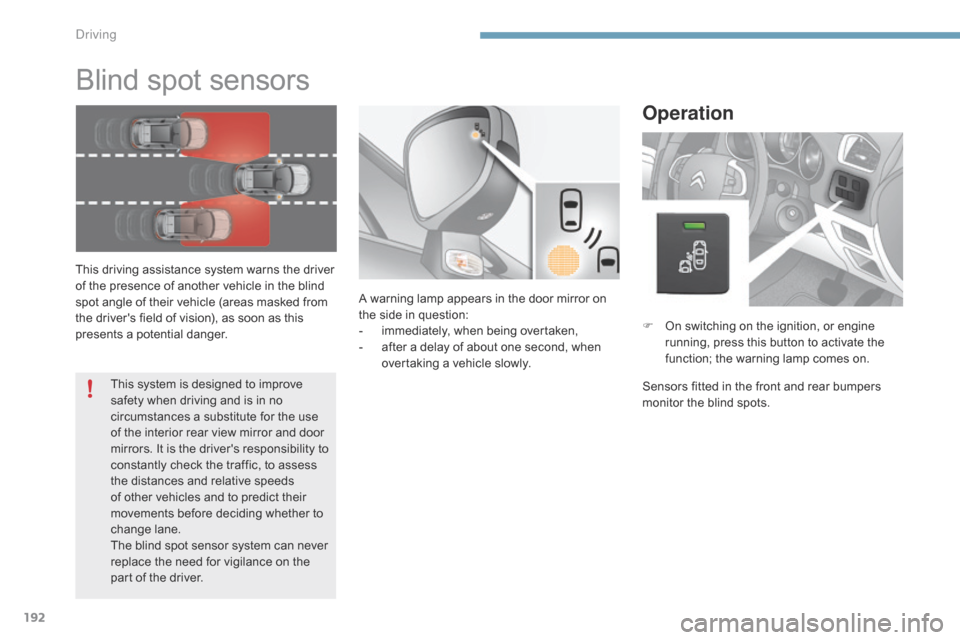
This driving assistance system warns the driver of the presence of another vehicle in the blind
s
pot angle of their vehicle (areas masked from
t
he driver's field of vision), as soon as this
p
resents a potential danger.
Operation
F On switching on the ignition, or engine r
unning, press this button to activate the
f
unction; the warning lamp comes on.
Sensors
fitted in the front and rear bumpers
m
onitor the blind spots.
A
warning
lamp
appears
in
the
door
mirror
on
t
he
side
in
question:
-
i
mmediately,
when
being
overtaken,
-
a
fter
a
delay
of
about
one
second,
when
ov
ertaking
a
vehicle
slowly.
This
system
is
designed
to
improve
s
afety
when
driving
and
is
in
no
c
ircumstances
a
substitute
for
the
use
o
f
the
interior
rear
view
mirror
and
door
m
irrors.
It
is
the
driver's
responsibility
to
c
onstantly
check
the
traffic,
to
assess
t
he
distances
and
relative
speeds
o
f
other
vehicles
and
to
predict
their
m
ovements
before
deciding
whether
to
c
hange
lan
e.
The
blind
spot
sensor
system
can
never
r
eplace
the
need
for
vigilance
on
the
p
art
of
the
driver.
Driving
Page 196 of 494
194
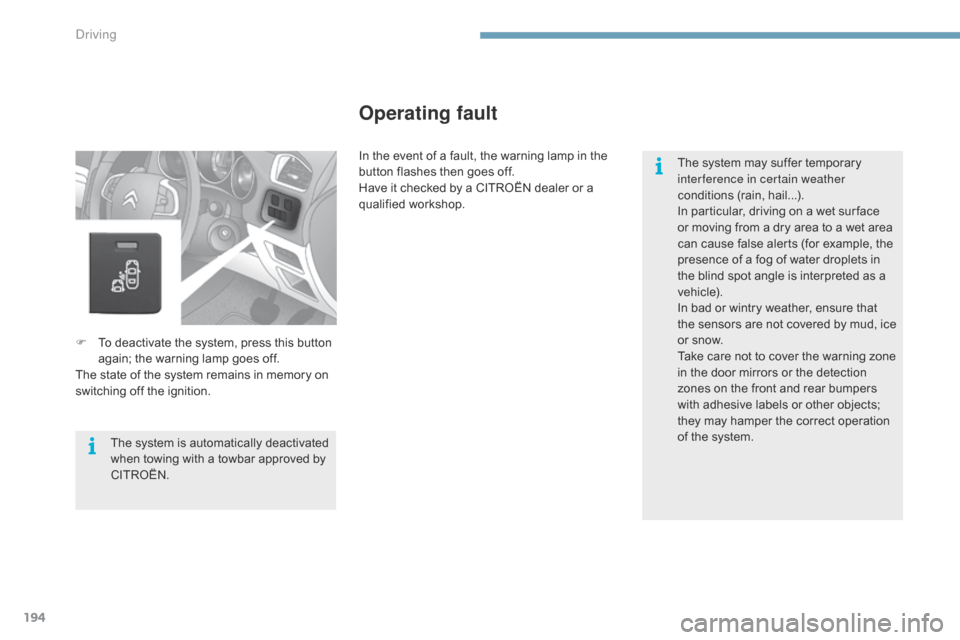
F To deactivate the system, press this button a
gain; the warning lamp goes off.
The
state of the system remains in memory on
s
witching off the ignition.
Operating fault
The system is automatically deactivated when towing with a towbar approved by
CIT
ROËN. The
system may suffer temporary
i
nterference in certain weather
conditions (rain, hail...).
In particular, driving on a wet sur face
o
r moving from a dry area to a wet area
c
an cause false alerts (for example, the
p
resence of a fog of water droplets in
t
he blind spot angle is interpreted as a
v
ehicle).
In bad or wintry weather, ensure that
t
he sensors are not covered by mud, ice
o
r snow.
Take care not to cover the warning zone
i
n the door mirrors or the detection
z
ones on the front and rear bumpers
w
ith adhesive labels or other objects;
t
hey may hamper the correct operation o
f the system.
In the event of a fault, the warning lamp in the
b
utton flashes then goes off.
Have it checked by a CITROËN dealer or a
q
ualified
w
orkshop.
Driving
Page 199 of 494
197
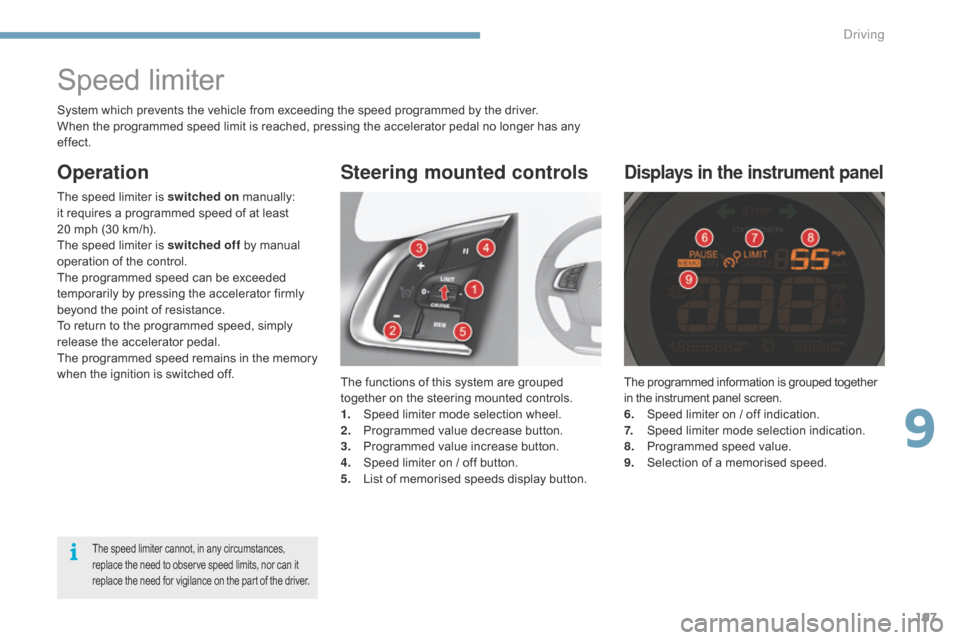
The programmed information is grouped together in the instrument panel screen.
6.
S
peed limiter on / off indication.
7.
S
peed limiter mode selection indication.
8.
P
rogrammed speed value.
9.
S
election of a memorised speed.
Displays in the instrument panel
Speed limiter
The functions of this system are grouped together on the steering mounted controls.
1.
S
peed limiter mode selection wheel.
2.
P
rogrammed value decrease button.
3.
P
rogrammed value increase button.
4.
S
peed limiter on / off button.
5.
L
ist of memorised speeds display button.
Steering mounted controls
Operation
System which prevents the vehicle from exceeding the speed programmed by the driver.
W hen the programmed speed limit is reached, pressing the accelerator pedal no longer has any
ef
fect.
The
speed limiter is switched on
m
anually:
i
t requires a programmed speed of at least
2
0 mph (30 km/h).
The
speed limiter is switched off
by manual
o
peration of the control.
The
programmed speed can be exceeded
t
emporarily by pressing the accelerator firmly
b
eyond the point of resistance.
To
return to the programmed speed, simply
r
elease the accelerator pedal.
The
p
rogrammed
s
peed
r
emains
i
n
t
he
m
emory
w
hen the ignition is switched off.
The speed limiter cannot, in any circumstances, replace the need to observe speed limits, nor can it r
eplace the need for vigilance on the part of the driver.
9
Driving
Page 201 of 494
199
Cruise control
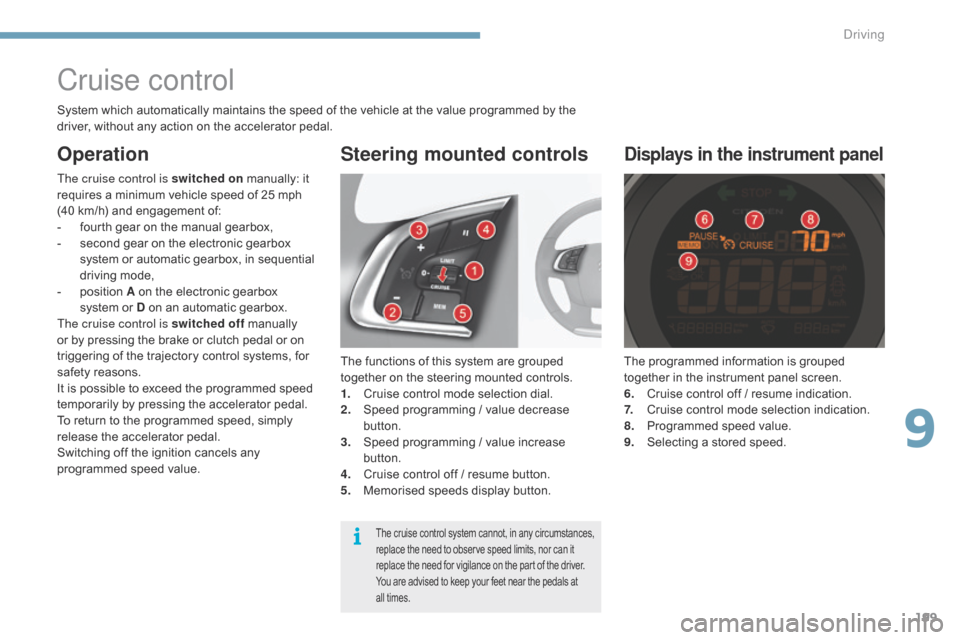
The functions of this system are grouped together on the steering mounted controls.
1.
C
ruise control mode selection dial.
2.
S
peed programming / value decrease
b
utton.
3.
S
peed programming / value increase
b
utton.
4.
C
ruise control off / resume button.
5.
M
emorised speeds display button.
Steering mounted controls
The programmed information is grouped together in the instrument panel screen.
6.
C
ruise control off / resume indication.
7.
C
ruise control mode selection indication.
8.
P
rogrammed speed value.
9.
S
electing a stored speed.
Displays in the instrument panel
The cruise control is switched on m anually: it r
equires a minimum vehicle speed of 25 mph
(
40 km/h) and engagement of:
-
f
ourth gear on the manual gearbox,
-
s
econd gear on the electronic gearbox
s
ystem or automatic gearbox, in sequential
d
riving mode,
-
p
osition A on the electronic gearbox
s
ystem or D on an automatic gearbox.
The cruise control is switched off
m
anually
o
r by pressing the brake or clutch pedal or on
t
riggering of the trajectory control systems, for
s
afety reasons.
It
is possible to exceed the programmed speed
t
emporarily by pressing the accelerator pedal.
To
return to the programmed speed, simply
r
elease the accelerator pedal.
Switching
off the ignition cancels any
p
rogrammed speed value.
The cruise control system cannot, in any circumstances, replace the need to observe speed limits, nor can it r
eplace the need for vigilance on the part of the driver.
You
are advised to keep your feet near the pedals at
a
ll times.
System which automatically maintains the speed of the vehicle at the value programmed by the driver, without any action on the accelerator pedal.
Operation
9
driving
Page 206 of 494
204
Fuel tank
Capacity of the tank: approximately 60 litres.When the low fuel level in the
tank
is reached, this warning lamp
c
omes on in the instrument panel,
a
ccompanied by an audible warning
a
nd the display of an alert message.
W
hen it first comes on, around
6
litres of fuel remain in the tank.
Low fuel level
Additions of fuel must be of at least 5 litres to be registered by the fuel gauge.
Opening
the filler cap may result in an inrush of
a
ir. This vacuum is entirely normal and results
f
rom the sealing of the fuel system.
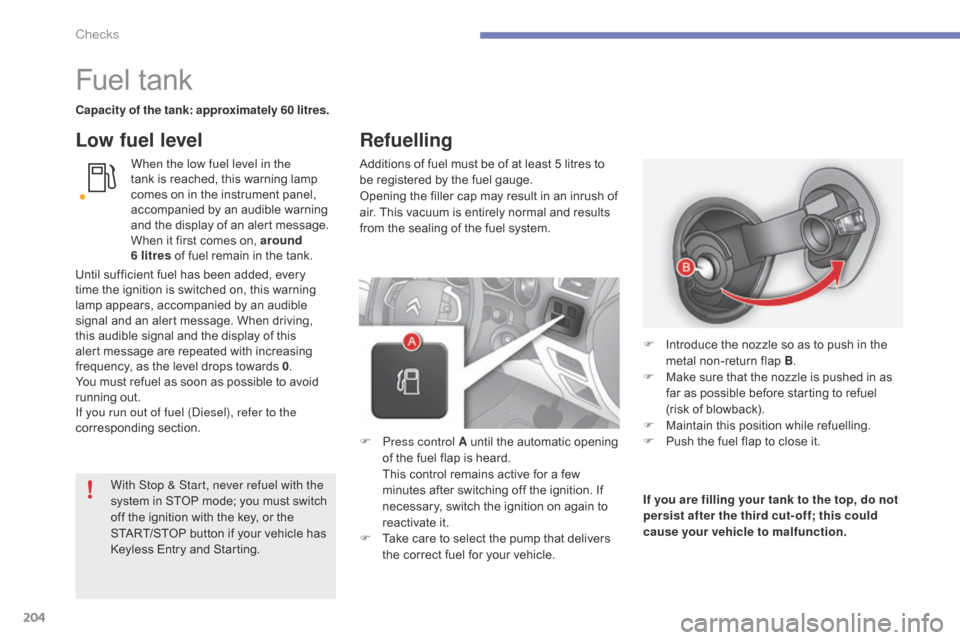
F
P
ress control A until the automatic opening
o
f the fuel flap is heard.
T
his control remains active for a few
m
inutes after switching off the ignition. If
n
ecessary, switch the ignition on again to
r
eactivate it.
F
T
ake care to select the pump that delivers
t
he correct fuel for your vehicle.If you are filling your tank to the top, do not
persist after the third cut- off; this could
cause your vehicle to malfunction. F
I
ntroduce the nozzle so as to push in the
m
etal non-return flap B.
F
M
ake sure that the nozzle is pushed in as
f
ar as possible before starting to refuel
(
risk of blowback).
F
M
aintain this position while refuelling.
F
P
ush the fuel flap to close it.
With Stop & Start, never refuel with the
system
in
STOP
mode;
you
must
switch
o
ff
the
ignition
with
the
key,
or
the
S
TART/STOP
button
if
your
vehicle
has
K
eyless
Entry
and
Starting.
Until
sufficient
fuel
has
been
added,
every
t
ime
the
ignition
is
switched
on,
this
warning
l
amp
appears,
accompanied
by
an
audible
s
ignal
and
an
alert
message.
When
driving,
t
his
audible
signal
and
the
display
of
this
a
lert
message
are
repeated
with
increasing
f
requency,
as
the
level
drops
towards
0 .
You
must
refuel
as
soon
as
possible
to
avoid
r
unning
out.
If you run out of fuel (
di
esel), refer to the
corresponding
s
ection.
Refuelling
Checks
Page 209 of 494
207
Running out of fuel (Diesel)
1.6 HDi engine2.0 HDi engineOn vehicles fitted with HDi engines, the fuel s
ystem must be primed if you run out of fuel;
r
efer to the corresponding engine compartment
v
iew.
If
the tank on your vehicle is fitted with a
m
isfuel prevention device, refer to the "Misfuel
p
revention
(
Diesel)"
s
ection.
BlueHDi 100, 115 and
120
engines
If the engine does not start first time, d
on't keep trying but start the procedure
a
gain from the beginning. F
F
ill the fuel tank with at least five litres of
d
iesel.
F
O
pen the bonnet.
F
I
f necessary, unclip the styling cover for
a
ccess to the priming pump.
F
S
queeze and release the priming pump
r
epeatedly until resistance is felt (there m
ay be resistance at the first press).
F O perate the starter until the engine starts
(
if the engine does not start at the first
a
ttempt, wait around 15 seconds before
t
rying
ag
ain).
F
I
f the engine does not start after a few
a
ttempts, operate the priming pump again
t
hen start the engine.
F
R
efit the styling cover and clip it in place.
F
C
lose the bonnet.F
F
ill the fuel tank with at least five litres of
D
iesel.
F
O
pen the bonnet.
F
I
f necessary, unclip the style cover for
access to the priming pump.
F
S
lacken the bleed screw.
F
S
queeze and release the priming pump r
epeatedly until fuel appears in the t
ransparent p ipe.
F
T
ighten the bleed screw.
F
O
perate the starter until the engine starts
(
if the engine fails to start at the first
a
ttempt, wait around 15 seconds before
t
rying
ag
ain).
F
I
f the engine fails to start after a few
a
ttempts, operate the priming pump again,
t
hen the starter.
F
P
ut the style cover back in position and
c
lip it in place, ensuring that it has clipped
c
o r r e c t l y.
F
C
lose the bonnet.
F
F
ill the fuel tank with at least five litres of
D
iesel.
F
S
witch on the ignition (without starting the
e
ngine).
F
W
ait around 6 seconds and switch off the
ig
nition.
F
R
epeat the operation 10 times.
F
O
perate the starter to run the engine.
10
Checks