ECU DODGE NEON 1999 Service Owner's Manual
[x] Cancel search | Manufacturer: DODGE, Model Year: 1999, Model line: NEON, Model: DODGE NEON 1999Pages: 1200, PDF Size: 35.29 MB
Page 214 of 1200
must be replaced withonlythe recommended part
for adequate strength, performance and safety.
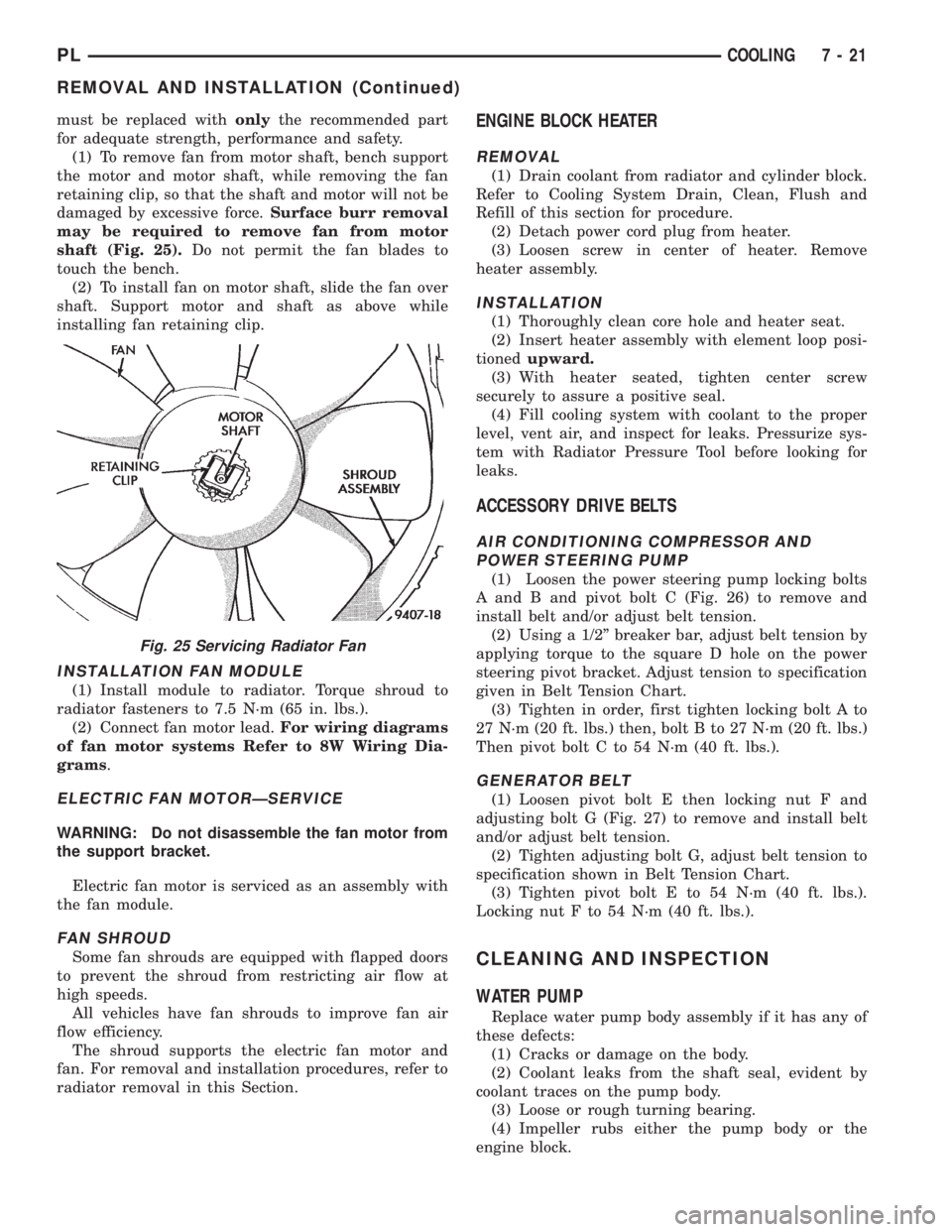
(1) To remove fan from motor shaft, bench support
the motor and motor shaft, while removing the fan
retaining clip, so that the shaft and motor will not be
damaged by excessive force.Surface burr removal
may be required to remove fan from motor
shaft (Fig. 25).Do not permit the fan blades to
touch the bench.
(2) To install fan on motor shaft, slide the fan over
shaft. Support motor and shaft as above while
installing fan retaining clip.
INSTALLATION FAN MODULE
(1) Install module to radiator. Torque shroud to
radiator fasteners to 7.5 N´m (65 in. lbs.).
(2) Connect fan motor lead.For wiring diagrams
of fan motor systems Refer to 8W Wiring Dia-
grams.
ELECTRIC FAN MOTORÐSERVICE
WARNING: Do not disassemble the fan motor from
the support bracket.
Electric fan motor is serviced as an assembly with
the fan module.
FAN SHROUD
Some fan shrouds are equipped with flapped doors
to prevent the shroud from restricting air flow at
high speeds.
All vehicles have fan shrouds to improve fan air
flow efficiency.
The shroud supports the electric fan motor and
fan. For removal and installation procedures, refer to
radiator removal in this Section.
ENGINE BLOCK HEATER
REMOVAL
(1) Drain coolant from radiator and cylinder block.
Refer to Cooling System Drain, Clean, Flush and
Refill of this section for procedure.
(2) Detach power cord plug from heater.
(3) Loosen screw in center of heater. Remove
heater assembly.
INSTALLATION
(1) Thoroughly clean core hole and heater seat.
(2) Insert heater assembly with element loop posi-
tionedupward.
(3) With heater seated, tighten center screw
securely to assure a positive seal.
(4) Fill cooling system with coolant to the proper
level, vent air, and inspect for leaks. Pressurize sys-
tem with Radiator Pressure Tool before looking for
leaks.
ACCESSORY DRIVE BELTS
AIR CONDITIONING COMPRESSOR AND
POWER STEERING PUMP
(1) Loosen the power steering pump locking bolts
A and B and pivot bolt C (Fig. 26) to remove and
install belt and/or adjust belt tension.
(2) Using a 1/2º breaker bar, adjust belt tension by
applying torque to the square D hole on the power
steering pivot bracket. Adjust tension to specification
given in Belt Tension Chart.
(3) Tighten in order, first tighten locking bolt A to
27 N´m (20 ft. lbs.) then, bolt B to 27 N´m (20 ft. lbs.)
Then pivot bolt C to 54 N´m (40 ft. lbs.).
GENERATOR BELT
(1) Loosen pivot bolt E then locking nut F and
adjusting bolt G (Fig. 27) to remove and install belt
and/or adjust belt tension.
(2) Tighten adjusting bolt G, adjust belt tension to
specification shown in Belt Tension Chart.
(3) Tighten pivot bolt E to 54 N´m (40 ft. lbs.).
Locking nut F to 54 N´m (40 ft. lbs.).
CLEANING AND INSPECTION
WATER PUMP
Replace water pump body assembly if it has any of
these defects:
(1) Cracks or damage on the body.
(2) Coolant leaks from the shaft seal, evident by
coolant traces on the pump body.
(3) Loose or rough turning bearing.
(4) Impeller rubs either the pump body or the
engine block.
Fig. 25 Servicing Radiator Fan
PLCOOLING 7 - 21
REMOVAL AND INSTALLATION (Continued)
Page 226 of 1200
(2) Install battery hold down clamp, making sure
that it is properly positioned on battery.
(3) Place thermoguard cover over the battery and
snap it together with battery tray (Fig. 17). The bat-
tery tray pencil strut may have to be loosened on one
end to install the thermoguard cover. After the ther-
moguard cover is in place, tighten pencil strut as
necessary.(4) Connect battery cable clamps to battery posts
and making sure top of clamp is flush or below with
top of post (Fig. 18). Install battery positive cable
first.
(5) Tighten clamp nuts securely.
BATTERY TRAY
REMOVAL
(1) Remove battery, refer to Battery Removal.
(2) Remove battery tray pencil strut. Remove bat-
tery tray, refer to (Fig. 17).
INSTALLATION
For installation reverse above procedures.
FRESH AIR INLET TUBE REMOVAL
REMOVAL
(1) Ensure that the ignition switch and all acces-
sories are OFF
(2) Remove battery negative cable first then the
positive cable (Fig. 4).
(3) Remove battery thermoguard cover (Fig. 15).
Fig. 15 Battery Thermoguard
Fig. 16 Battery Hold-Down
Fig. 17 Battery Tray Removal
Fig. 18 Remove and Install Battery Cables
PLBATTERY 8A - 9
REMOVAL AND INSTALLATION (Continued)
Page 278 of 1200
GLOVE BOX SWITCH/LAMP
REMOVAL
(1) Disconnect battery negative cable and isolate it
or remove fuse 12 prior to removing the switch, or
wires may short to ground.
(2) Open the glove box and push the glove box
sides inward allowing the door bumpers to clear and
the box to tip rearward.
(3) Reach inside the opening and squeeze the
lamp/switch retainers until they are disengage.
(4) Pull the switch/lamp rearward and remove it.
Replace the lamp. To replace the switch disconnect
wire and replace the switch.
INSTALLATION
For installation, reverse the above procedures.
HEADLAMP SWITCH
REMOVAL
(1) Remove the steering column cover and liner.
(2) Remove the three screws securing headlamp
switch mounting plate to the instrument panel (Fig.
17).
(3) Pull the headlamp switch and mounting plate
rearward from the instrument panel opening.
(4) Disconnect both the nine way and the ground
wiring connectors from the switch.
(5) Remove the switch knob by depressing the
release button on the bottom on the switch and pull-
ing out knob from switch.
(6) Snap headlamp switch bezel out of mounting
plate to gain access to the mounting plate retaining
nut.
(7) Remove the headlamp switch, mounting plate
retaining nut and separate switch from mounting
plate.
INSTALLATION
For installation, reverse the above procedures.
HEATER A/C CONTROL
REMOVAL
(1) Disconnect and isolate the negative battery
cable.
(2) Using a trim stick (special tool #C-4755), gently
pry up on the top cover and cluster bezel to remove
(Fig. 19).
(3) Open the ash receiver.
(4) Using a trim stick (special tool #C-4755), gently
pry out on the center bezel and remove.
(5) Remove the six attaching screws across the for-
ward portion of the right upper trim panel. Then pull
the panel rearward to disengage the three locator
pins and remove.(6) Reach in and disconnect the wiring connector(s)
for the rear window defogger and/or fog lamp
switch(s) as required.
(7) If equipped with RKE, remove the two screws
retaining the module and lay over the instrument
cluster.
(8) Gently pull on the center A/C outlet duct to
remove.
(9) Remove three attaching screws at corners of
the control (Fig. 18), two front retaining and one
retaining from the top rear.
(10) Pull the control rearward and disconnect the
wiring connector.
(11) Using a screwdriver, disengage the cable
attachment clips.
INSTALLATION
For installation, reverse the above procedures.
Fig. 17 Headlamp Switch
Fig. 18 Heater A/C Control
PLINSTRUMENT PANEL AND SYSTEMS 8E - 9
REMOVAL AND INSTALLATION (Continued)
Page 288 of 1200
AUDIO SYSTEM
CONTENTS
page page
GENERAL INFORMATION
INTRODUCTION......................... 1
DESCRIPTION AND OPERATION
INTERFERENCE ELIMINATION.............. 1
DIAGNOSIS AND TESTING
ANTENNA.............................. 3
AUDIO DIAGNOSTIC TEST PROCEDURES..... 1BENCH TEST FOR ANTENNA MALFUNCTION . . 3
REMOVAL AND INSTALLATION
ANTENNA.............................. 3
FRONT DOOR SPEAKER................... 4
INSTRUMENT PANEL SPEAKER............. 4
RADIO................................. 4
REAR SHELF SPEAKER(S)................. 5
GENERAL INFORMATION
INTRODUCTION
Operating instructions for the factory installed
audio systems can be found in the Owner's Manual
provided with the vehicle.
The vehicles are equipped with an Interior (Igni-
tion Off Draw) fuse in the Power Distribution Center
located in the engine compartment. After the Interior
(IOD) fuse or battery has been disconnected the clock
will require resetting.
DESCRIPTION AND OPERATION
INTERFERENCE ELIMINATION
The radio utilizes a ground wire plugged on to a
blade terminal and is bolted to the radio chassis.
Both connector and terminal should be securely
attached. The engine has three separate ground
straps to suppress ignition noise which may interfere
with radio reception.
²Left engine mount clip on strap
²Engine to shock tower reinforcement
²Rear strut to body, clip-on strap
Inductive type spark plug cables in the high ten-
sion circuit of the ignition system complete the inter-
ference suppression. Faulty or deteriorated spark
plug wires should be replaced.
In addition, there is a capacitor mounted on the
cylinder head which also helps suppress ignition
noise.
DIAGNOSIS AND TESTING
AUDIO DIAGNOSTIC TEST PROCEDURES
CAUTION: The CD player will only operate between
approximate temperatures of -23ÉC and +65ÉC (-10ÉF
and +145ÉF).
Whenever a radio malfunction occurs;
(1) First check FUSES:
(a) Power Distribution Center (PDC), Interior
lamp fuse, M1 - Radio Memory Feed
(b) Fuse Block:
(I) Fuse 12, Illumination in the fuse block
(II) Fuse 16, Ignition feed in the fuse block
NOTE: The vehicles are shipped with the INTERIOR
LAMP fuse disconnected.
(2) Verify, the radio wire harness are properly con-
nected before starting normal diagnosis and repair
procedures. Refer to Audio Diagnosis table and/or
Group 8W, Wiring Diagrams, Radio Section.
PLAUDIO SYSTEM 8F - 1
Page 300 of 1200
The individual switches cannot be repaired. If one
switch fails, the entire switch module must be
replaced.
STOP LAMP SWITCH
Vehicles equipped with the speed control option use
a dual function stop lamp switch. The switch is
mounted on the brake pedal mounting bracket under
the instrument panel. The PCM monitors the state of
the dual function stop lamp switch. Refer to Group 5,
Brakes for more information on stop lamp switch ser-
vice and adjustment procedures.
SERVO CABLE
The speed control servo cable is connected between
the speed control vacuum servo diaphragm and the
throttle body control linkage. This cable causes the
throttle control linkage to open or close the throttle
valve in response to movement of the vacuum servo
diaphragm.
POWERTRAIN CONTROL MODULE
The speed control electronic control circuitry is
integrated into the Powertrain Control Module
(PCM). The PCM is located in the engine compart-
ment. The PCM speed control functions are moni-
tored by the On-Board Diagnostics (OBD). All OBD-
sensed systems are monitored by the PCM. Each
monitored circuit is assigned a Diagnostic Trouble
Code (DTC). The PCM will store a DTC in electronic
memory for any failure it detects. See On-Board
Diagnostic Tests in this group for more information.
The PCM cannot be repaired and must be replaced if
faulty.
USE THE DRB SCAN TOOL TO REPROGRAM
THE NEW PCM WITH THE VEHICLES ORIGI-
NAL IDENTIFICATION NUMBER (VIN) AND
THE ORIGINAL VEHICLES MILEAGE. IF THIS
STEP IS NOT DONE A DIAGNOSTIC TROUBLE
CODE (DTC) MAY BE SET.
VACUUM RESERVOIR
The reservoir contains a one-way check valve to
trap engine vacuum in the reservoir. When engine
vacuum drops, as in climbing a grade while driving,
the reservoir supplies the vacuum needed to main-
tain proper speed control operation. The vacuum res-
ervoir cannot be repaired and must be replaced if
faulty.
VEHICLE SPEED AND DISTANCE
The 4 speed automatic Transmission Control Mod-
ule (TCM) supplies the speed input to the PCM. The
PCM determines acceleration rates. The speed con-
trol software in the PCM uses vehicle speed and
acceleration to control to the set speed.Vehicles with a 3 speed automatic or manual trans-
mission have a vehicle speed sensor (VSS) mounted
to an adapter near the transmission output shaft.
The sensor is driven through the adapter by a speed-
ometer pinion gear. The VSS pulse signal is moni-
tored by the PCM to determine vehicle speed and to
maintain speed control set speed. Refer to the appro-
priate Powertrain Diagnostic Procedures manual for
diagnosis and testing of this component. Refer to
group 14, Fuel System for Removal/Installation
DIAGNOSIS AND TESTING
ROAD TEST
Perform a vehicle road test to verify reports of
speed control system malfunction. The road test
should include attention to the speedometer. Speed-
ometer operation should be smooth and without flut-
ter at all speeds.
Flutter in the speedometer indicates a problem
which might cause surging in the speed control sys-
tem. The cause of any speedometer problems should
be corrected before proceeding. Refer to Group 8E,
Instrument Panel and Gauges for speedometer diag-
nosis.
If a road test verifies a surge following a set and
the speedometer operates properly see ªOvershoot/
Undershoot on speed control setº.
If a road test verifies an inoperative system, and
the speedometer operates properly, check for:
²A Diagnostic Trouble Code (DTC). If a DTC
exists, conduct tests per the Powertrain Diagnostic
Procedures service manual.
²A misadjusted brake (stop) lamp switch. This
could also cause an intermittent problem.
²Loose or corroded electrical connections at the
servo. Corrosion should be removed from electrical
terminals and a light coating of Mopar Multipurpose
Grease, or equivalent, applied.
²Leaking vacuum reservoir.
²Loose or leaking vacuum hoses or connections.
²Defective one-way vacuum check valve.
²Secure attachment at both ends of the speed
control servo cable.
²Smooth operation of throttle linkage and throttle
body air valve.
²Conduct electrical test at PCM.
²Failed speed control servo. Do the servo vacuum
test.
CAUTION: When test probing for voltage or conti-
nuity at electrical connectors, care must be taken
not to damage connector, terminals or seals. If
these components are damaged, intermittent or
complete system failure may occur.
PLVEHICLE SPEED CONTROL SYSTEM 8H - 3
DESCRIPTION AND OPERATION (Continued)
Page 322 of 1200
REMOVAL AND INSTALLATION
WASHER NOZZLE
REMOVAL
(1) Disconnect washer fluid hose at the nozzle.
(2) Using a needle nose pliers, squeeze together
the locking tabs on the nozzle (Fig. 1).
(3) Remove nozzle.
INSTALLATION
(1) Place the nozzle in position and push down-
ward till locking tabs are securely snapped into posi-
tion.
(2) Connect the washer hose and ensure that the
hose is not kinked.
WASHER RESERVOIR
REMOVAL
(1) Remove filler neck (Fig. 4).
(2) Raise vehicle on hoist.
(3) Disconnect the wire connector from the reser-
voir pump (Fig. 5).
(4) Disconnect the washer hose at the pump and
drain the reservoir.
(5) Remove fastener from reservoir.
(6) Remove the reservoir through fender opening.
INSTALLATION
For installation, reverse the above procedures.
Tighten the reservoir screw to 2.2 to 3.3 N´m (20 to
29 in. lbs.) torque.
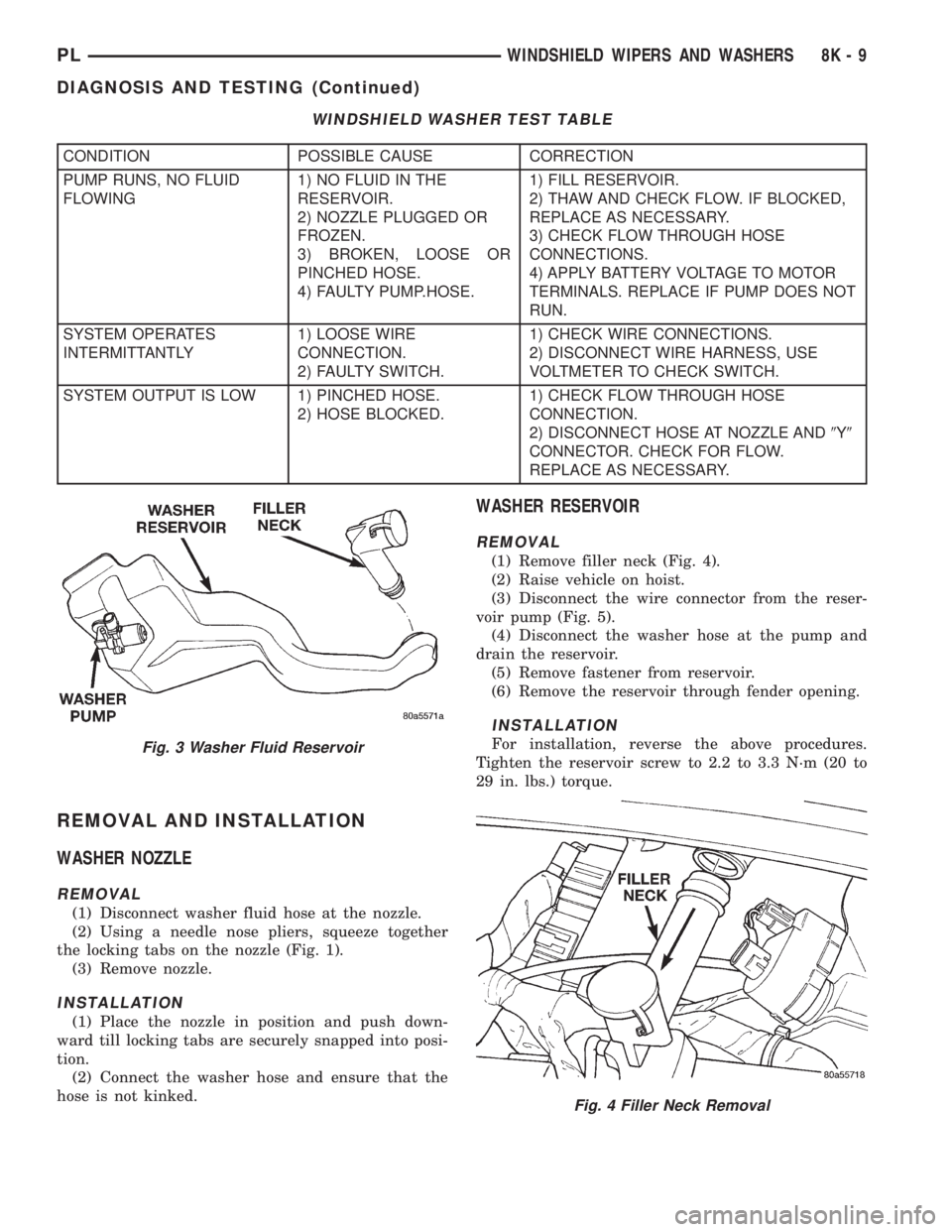
WINDSHIELD WASHER TEST TABLE
CONDITION POSSIBLE CAUSE CORRECTION
PUMP RUNS, NO FLUID
FLOWING1) NO FLUID IN THE
RESERVOIR.
2) NOZZLE PLUGGED OR
FROZEN.
3) BROKEN, LOOSE OR
PINCHED HOSE.
4) FAULTY PUMP.HOSE.1) FILL RESERVOIR.
2) THAW AND CHECK FLOW. IF BLOCKED,
REPLACE AS NECESSARY.
3) CHECK FLOW THROUGH HOSE
CONNECTIONS.
4) APPLY BATTERY VOLTAGE TO MOTOR
TERMINALS. REPLACE IF PUMP DOES NOT
RUN.
SYSTEM OPERATES
INTERMITTANTLY1) LOOSE WIRE
CONNECTION.
2) FAULTY SWITCH.1) CHECK WIRE CONNECTIONS.
2) DISCONNECT WIRE HARNESS, USE
VOLTMETER TO CHECK SWITCH.
SYSTEM OUTPUT IS LOW 1) PINCHED HOSE.
2) HOSE BLOCKED.1) CHECK FLOW THROUGH HOSE
CONNECTION.
2) DISCONNECT HOSE AT NOZZLE AND9Y9
CONNECTOR. CHECK FOR FLOW.
REPLACE AS NECESSARY.
Fig. 3 Washer Fluid Reservoir
Fig. 4 Filler Neck Removal
PLWINDSHIELD WIPERS AND WASHERS 8K - 9
DIAGNOSIS AND TESTING (Continued)
Page 331 of 1200
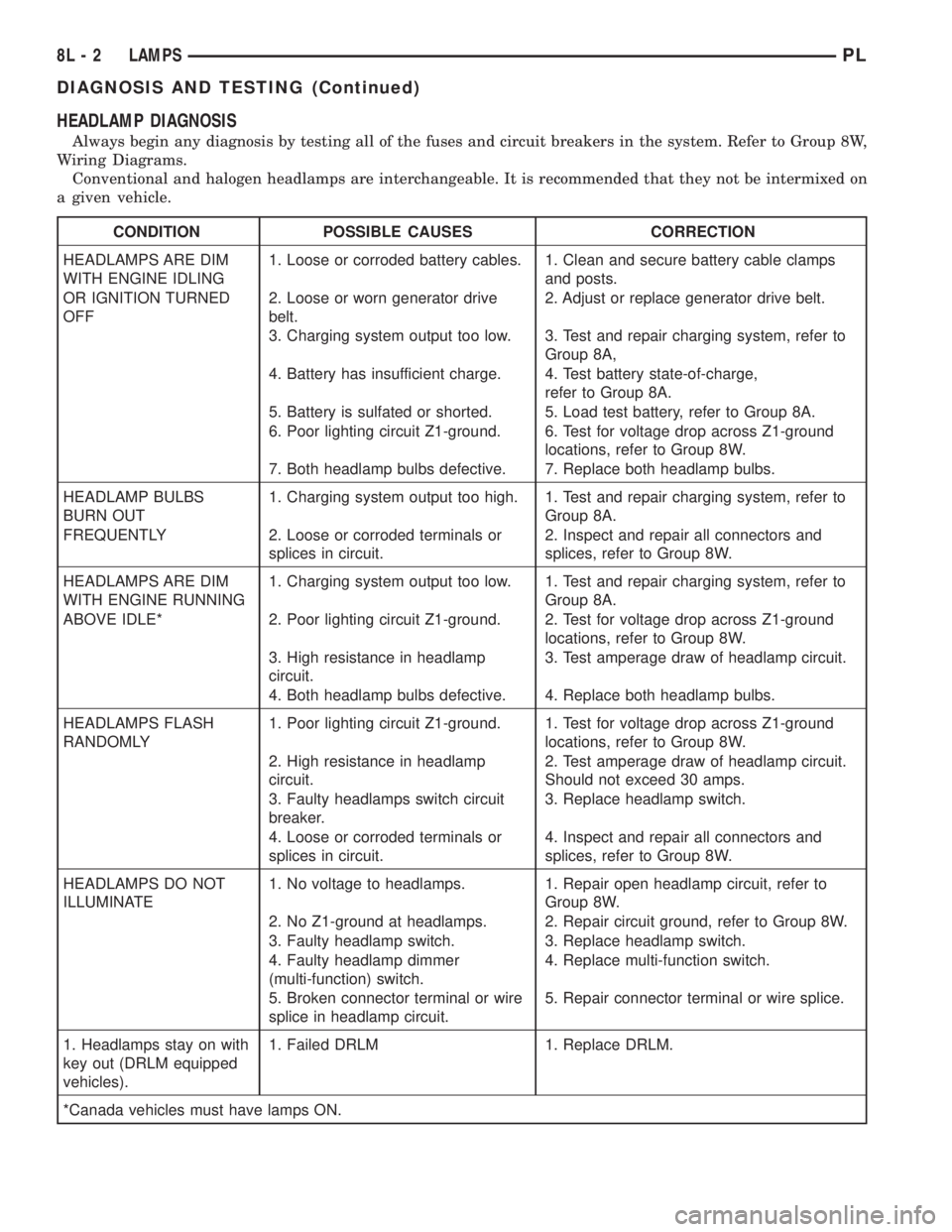
HEADLAMP DIAGNOSIS
Always begin any diagnosis by testing all of the fuses and circuit breakers in the system. Refer to Group 8W,
Wiring Diagrams.
Conventional and halogen headlamps are interchangeable. It is recommended that they not be intermixed on
a given vehicle.
CONDITION POSSIBLE CAUSES CORRECTION
HEADLAMPS ARE DIM
WITH ENGINE IDLING1. Loose or corroded battery cables. 1. Clean and secure battery cable clamps
and posts.
OR IGNITION TURNED
OFF2. Loose or worn generator drive
belt.2. Adjust or replace generator drive belt.
3. Charging system output too low. 3. Test and repair charging system, refer to
Group 8A,
4. Battery has insufficient charge. 4. Test battery state-of-charge,
refer to Group 8A.
5. Battery is sulfated or shorted. 5. Load test battery, refer to Group 8A.
6. Poor lighting circuit Z1-ground. 6. Test for voltage drop across Z1-ground
locations, refer to Group 8W.
7. Both headlamp bulbs defective. 7. Replace both headlamp bulbs.
HEADLAMP BULBS
BURN OUT1. Charging system output too high. 1. Test and repair charging system, refer to
Group 8A.
FREQUENTLY 2. Loose or corroded terminals or
splices in circuit.2. Inspect and repair all connectors and
splices, refer to Group 8W.
HEADLAMPS ARE DIM
WITH ENGINE RUNNING1. Charging system output too low. 1. Test and repair charging system, refer to
Group 8A.
ABOVE IDLE* 2. Poor lighting circuit Z1-ground. 2. Test for voltage drop across Z1-ground
locations, refer to Group 8W.
3. High resistance in headlamp
circuit.3. Test amperage draw of headlamp circuit.
4. Both headlamp bulbs defective. 4. Replace both headlamp bulbs.
HEADLAMPS FLASH
RANDOMLY1. Poor lighting circuit Z1-ground. 1. Test for voltage drop across Z1-ground
locations, refer to Group 8W.
2. High resistance in headlamp
circuit.2. Test amperage draw of headlamp circuit.
Should not exceed 30 amps.
3. Faulty headlamps switch circuit
breaker.3. Replace headlamp switch.
4. Loose or corroded terminals or
splices in circuit.4. Inspect and repair all connectors and
splices, refer to Group 8W.
HEADLAMPS DO NOT
ILLUMINATE1. No voltage to headlamps. 1. Repair open headlamp circuit, refer to
Group 8W.
2. No Z1-ground at headlamps. 2. Repair circuit ground, refer to Group 8W.
3. Faulty headlamp switch. 3. Replace headlamp switch.
4. Faulty headlamp dimmer
(multi-function) switch.4. Replace multi-function switch.
5. Broken connector terminal or wire
splice in headlamp circuit.5. Repair connector terminal or wire splice.
1. Headlamps stay on with
key out (DRLM equipped
vehicles).1. Failed DRLM 1. Replace DRLM.
*Canada vehicles must have lamps ON.
8L - 2 LAMPSPL
DIAGNOSIS AND TESTING (Continued)
Page 332 of 1200
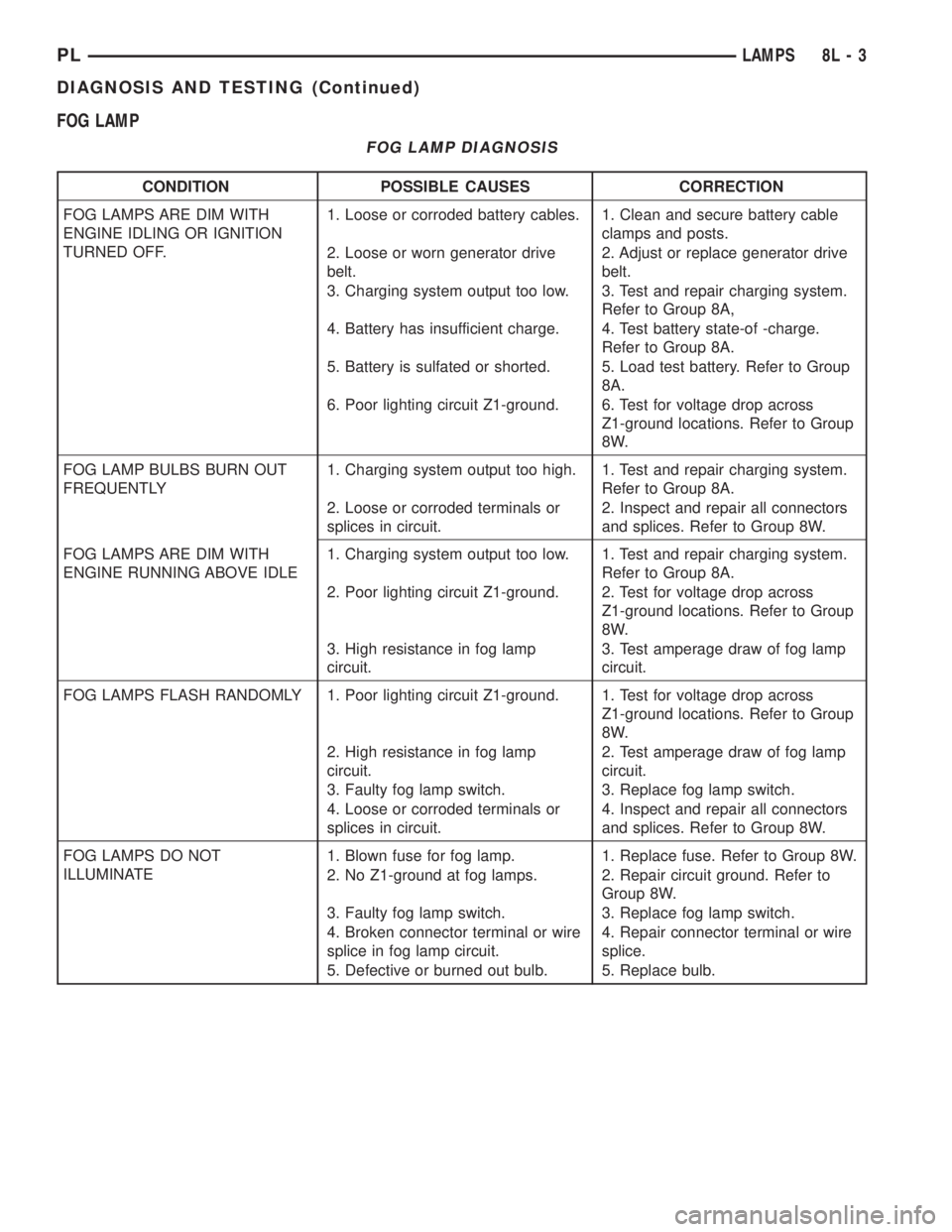
FOG LAMP
FOG LAMP DIAGNOSIS
CONDITION POSSIBLE CAUSES CORRECTION
FOG LAMPS ARE DIM WITH
ENGINE IDLING OR IGNITION
TURNED OFF.1. Loose or corroded battery cables. 1. Clean and secure battery cable
clamps and posts.
2. Loose or worn generator drive
belt.2. Adjust or replace generator drive
belt.
3. Charging system output too low. 3. Test and repair charging system.
Refer to Group 8A,
4. Battery has insufficient charge. 4. Test battery state-of -charge.
Refer to Group 8A.
5. Battery is sulfated or shorted. 5. Load test battery. Refer to Group
8A.
6. Poor lighting circuit Z1-ground. 6. Test for voltage drop across
Z1-ground locations. Refer to Group
8W.
FOG LAMP BULBS BURN OUT
FREQUENTLY1. Charging system output too high. 1. Test and repair charging system.
Refer to Group 8A.
2. Loose or corroded terminals or
splices in circuit.2. Inspect and repair all connectors
and splices. Refer to Group 8W.
FOG LAMPS ARE DIM WITH
ENGINE RUNNING ABOVE IDLE1. Charging system output too low. 1. Test and repair charging system.
Refer to Group 8A.
2. Poor lighting circuit Z1-ground. 2. Test for voltage drop across
Z1-ground locations. Refer to Group
8W.
3. High resistance in fog lamp
circuit.3. Test amperage draw of fog lamp
circuit.
FOG LAMPS FLASH RANDOMLY 1. Poor lighting circuit Z1-ground. 1. Test for voltage drop across
Z1-ground locations. Refer to Group
8W.
2. High resistance in fog lamp
circuit.2. Test amperage draw of fog lamp
circuit.
3. Faulty fog lamp switch. 3. Replace fog lamp switch.
4. Loose or corroded terminals or
splices in circuit.4. Inspect and repair all connectors
and splices. Refer to Group 8W.
FOG LAMPS DO NOT
ILLUMINATE1. Blown fuse for fog lamp. 1. Replace fuse. Refer to Group 8W.
2. No Z1-ground at fog lamps. 2. Repair circuit ground. Refer to
Group 8W.
3. Faulty fog lamp switch. 3. Replace fog lamp switch.
4. Broken connector terminal or wire
splice in fog lamp circuit.4. Repair connector terminal or wire
splice.
5. Defective or burned out bulb. 5. Replace bulb.
PLLAMPS 8L - 3
DIAGNOSIS AND TESTING (Continued)
Page 336 of 1200
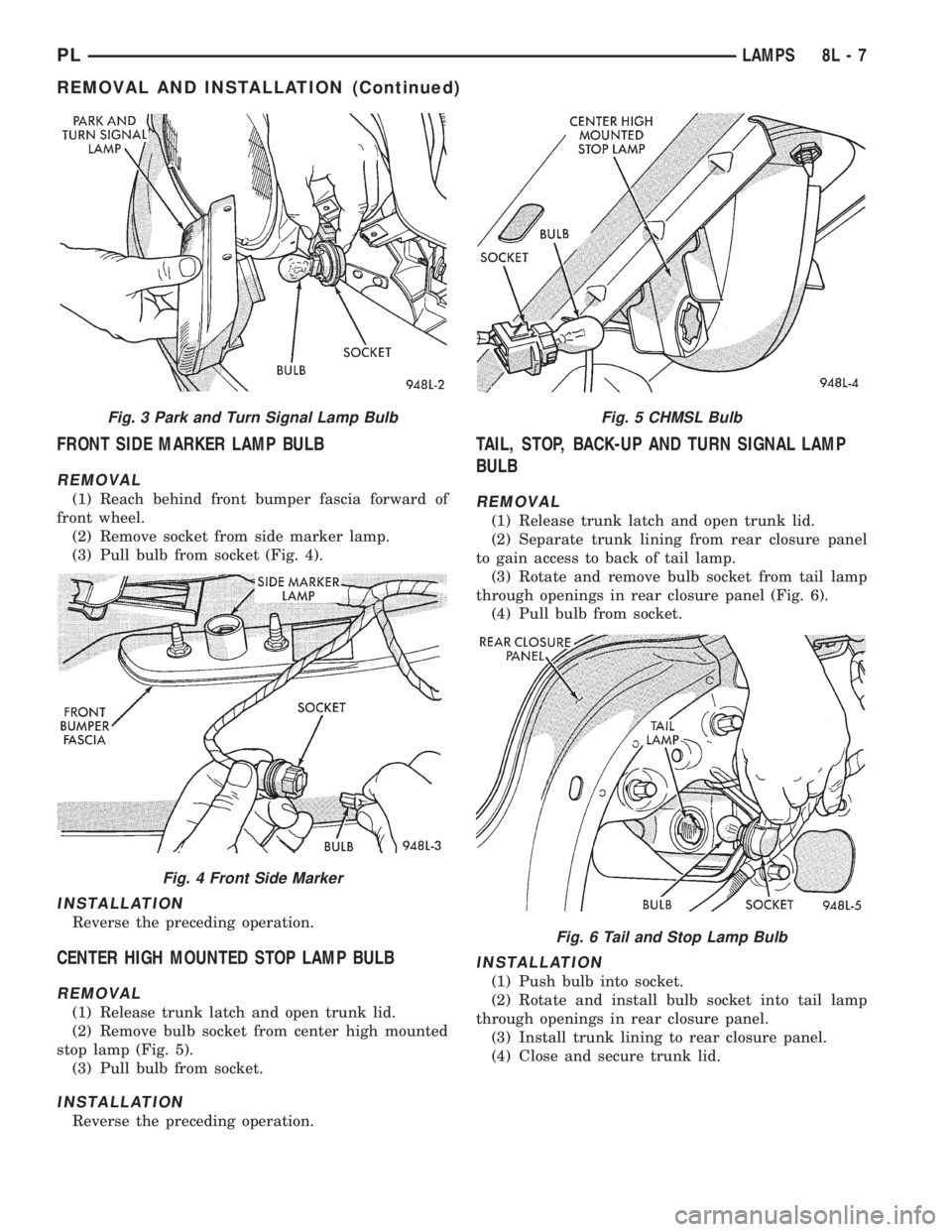
FRONT SIDE MARKER LAMP BULB
REMOVAL
(1) Reach behind front bumper fascia forward of
front wheel.
(2) Remove socket from side marker lamp.
(3) Pull bulb from socket (Fig. 4).
INSTALLATION
Reverse the preceding operation.
CENTER HIGH MOUNTED STOP LAMP BULB
REMOVAL
(1) Release trunk latch and open trunk lid.
(2) Remove bulb socket from center high mounted
stop lamp (Fig. 5).
(3) Pull bulb from socket.
INSTALLATION
Reverse the preceding operation.
TAIL, STOP, BACK-UP AND TURN SIGNAL LAMP
BULB
REMOVAL
(1) Release trunk latch and open trunk lid.
(2) Separate trunk lining from rear closure panel
to gain access to back of tail lamp.
(3) Rotate and remove bulb socket from tail lamp
through openings in rear closure panel (Fig. 6).
(4) Pull bulb from socket.
INSTALLATION
(1) Push bulb into socket.
(2) Rotate and install bulb socket into tail lamp
through openings in rear closure panel.
(3) Install trunk lining to rear closure panel.
(4) Close and secure trunk lid.
Fig. 3 Park and Turn Signal Lamp Bulb
Fig. 4 Front Side Marker
Fig. 5 CHMSL Bulb
Fig. 6 Tail and Stop Lamp Bulb
PLLAMPS 8L - 7
REMOVAL AND INSTALLATION (Continued)
Page 357 of 1200
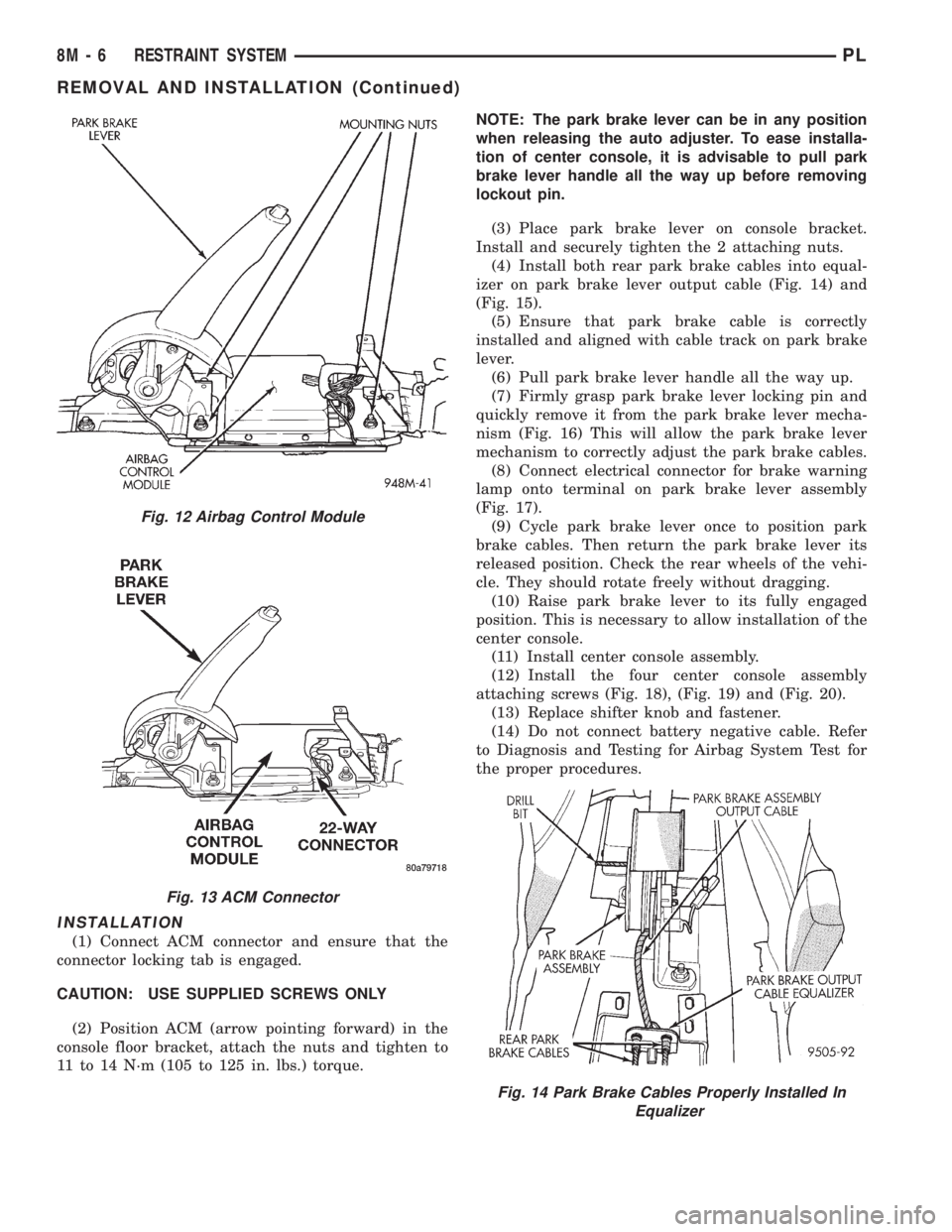
INSTALLATION
(1) Connect ACM connector and ensure that the
connector locking tab is engaged.
CAUTION: USE SUPPLIED SCREWS ONLY
(2) Position ACM (arrow pointing forward) in the
console floor bracket, attach the nuts and tighten to
11 to 14 N´m (105 to 125 in. lbs.) torque.NOTE: The park brake lever can be in any position
when releasing the auto adjuster. To ease installa-
tion of center console, it is advisable to pull park
brake lever handle all the way up before removing
lockout pin.
(3) Place park brake lever on console bracket.
Install and securely tighten the 2 attaching nuts.
(4) Install both rear park brake cables into equal-
izer on park brake lever output cable (Fig. 14) and
(Fig. 15).
(5) Ensure that park brake cable is correctly
installed and aligned with cable track on park brake
lever.
(6) Pull park brake lever handle all the way up.
(7) Firmly grasp park brake lever locking pin and
quickly remove it from the park brake lever mecha-
nism (Fig. 16) This will allow the park brake lever
mechanism to correctly adjust the park brake cables.
(8) Connect electrical connector for brake warning
lamp onto terminal on park brake lever assembly
(Fig. 17).
(9) Cycle park brake lever once to position park
brake cables. Then return the park brake lever its
released position. Check the rear wheels of the vehi-
cle. They should rotate freely without dragging.
(10) Raise park brake lever to its fully engaged
position. This is necessary to allow installation of the
center console.
(11) Install center console assembly.
(12) Install the four center console assembly
attaching screws (Fig. 18), (Fig. 19) and (Fig. 20).
(13) Replace shifter knob and fastener.
(14) Do not connect battery negative cable. Refer
to Diagnosis and Testing for Airbag System Test for
the proper procedures.
Fig. 12 Airbag Control Module
Fig. 13 ACM Connector
Fig. 14 Park Brake Cables Properly Installed In
Equalizer
8M - 6 RESTRAINT SYSTEMPL
REMOVAL AND INSTALLATION (Continued)