check FIAT FREEMONT 2016 1.G Service Manual
[x] Cancel search | Manufacturer: FIAT, Model Year: 2016, Model line: FREEMONT, Model: FIAT FREEMONT 2016 1.GPages: 412, PDF Size: 3.36 MB
Page 241 of 412
Air Bag Warning LightThe light should turn on and remain on for
four to six seconds as a bulb check when the
ignition switch is first turned ON. If the light
is not lit during starting, or if the light stays
on, flickers, or turns on while driving, have the system
checked by an authorized dealer.
Defroster
Check operation by selecting the defrost mode and
place the blower control on high speed. You should be
able to feel the air directed against the windshield. See
your authorized dealer for service if your defroster is
inoperable.
Floor Mat Safety Information
Always use floor mats designed to fit the footwell of
your vehicle. Use only floor mats that leave the pedal
area unobstructed and that are firmly secured so that
they cannot slip out of position and interfere with the
pedals or impair safe operation of your vehicle in other
ways.WARNING!
Pedals that cannot move freely can
cause loss of
vehicle control and increase
the risk of serious personal injury.
• Always make sure that floor mats are properly
attached to the floor mat fasteners.
• Never place or install floor mats or other floor
coverings in the vehicle that cannot be properly
secured to prevent them from moving and inter-
fering with the pedals or the ability to control the
vehicle.
• Never put floor mats or other floor coverings
on top of already installed floor mats. Additional
floor mats and other coverings will reduce the
size of the pedal area and interfere with the
pedals.
• Check mounting of mats on a regular basis.
Always properly reinstall and secure floor mats
that have been removed for cleaning.
• Always make sure that objects cannot fall into
the driver footwell while the vehicle is moving.
Objects can become trapped under the brake
pedal and accelerator pedal causing a loss of
vehicle control.
(Continued)
235
KNOWING
YOUR
VEHICLE
SAFETY
STARTING
AND
DRIVING
WARNING
LIGHTS
AND
MESSAGES
IN
AN
EMERGENCY
SERVICING
AND CARE
TECHNICAL
SPECIFICATIONS
CONTENTS
Page 242 of 412
WARNING! (Continued)
• If required, mounting posts must be properly
installed, if not equipped from the factory. Fail-
ure to properly follow floor mat installation or
mounting can cause interference with the brake
pedal and accelerator pedal operation causing
loss of control of the vehicle.
Periodic Safety Checks You Should Make
Outside The Vehicle
Tires
Examine tires for excessive tread wear and uneven
wear patterns. Check for stones, nails, glass, or other
objects lodged in the tread or sidewall. Inspect the
tread for cuts and cracks. Inspect sidewalls for cuts,
cracks and bulges. Check the wheel nuts for tightness.
Check the tires (including spare) for proper cold infla-
tion pressure. Lights
Have someone observe the operation of brake lights
and exterior lights while you work the controls. Check
turn signal and high beam indicator lights on the instru-
ment panel.
Door Latches
Check for positive closing, latching, and locking.
Fluid Leaks
Check area under vehicle after overnight parking for
fuel, engine coolant, oil, or other fluid leaks. Also, if
gasoline fumes are detected or if fuel, power steering
fluid (for versions/markets, where provided), or brake
fluid leaks are suspected, the cause should be located
and corrected immediately.
236
KNOWING
YOUR
VEHICLE
SAFETY
STARTING AND
DRIVING
WARNING LIGHTSAND
MESSAGES
IN
AN
EMERGENCY
SERVICINGAND CARE
TECHNICAL
SPECIFICATIONS
CONTENTS
Page 256 of 412
WARNING!
• Never use the PARK position as a sub-
s t
itute for the parking brake. Always ap-
ply the parking brake fully when parked to guard
against vehicle movement and possible injury or
damage.
• Your vehicle could move and injure you and
others if it is not completely in PARK. Check by
trying to move the shift lever out of PARK with
the brake pedal released. Make sure the trans-
mission is in PARK before leaving the vehicle.
• It is dangerous to shift out of PARK or NEU-
TRAL if the engine speed is higher than idle
speed. If your foot is not firmly pressing the brake
pedal, the vehicle could accelerate quickly for-
ward or in reverse. You could lose control of the
vehicle and hit someone or something. Only shift
into gear when the engine is idling normally and
your foot is firmly pressing the brake pedal.
(Continued)
WARNING! (Continued)
• Unintended movement of a vehicle could injure
those in or near the vehicle. As with all vehicles,
you should never exit a vehicle while the engine is
running. Before exiting a vehicle, always apply
the parking brake, shift the transmission into
PARK, turn the engine OFF, and remove the Key
Fob.When the ignition is in the OFF position, the
transmission is locked in the PARK, securing the
vehicle against unwanted movement .
• When leaving the vehicle, always make sure the
ignition is in the OFF position, remove the key fob
from the vehicle, and lock the vehicle.
• Never leave children alone in a vehicle, or with
access to an unlocked vehicle. Allowing children
to be in a vehicle unattended is dangerous for a
number of reasons. A child or others could be
seriously or fatally injured. Children should be
warned not to touch the parking brake, brake
pedal or the shift lever.
• Do not leave the Key Fob in or near the vehicle
(or in a location accessible to children), and do
not leave the ignition in the ACC or ON/RUN
position. A child could operate power windows,
other controls, or move the vehicle.
250
KNOWING YOUR
VEHICLE
SAFETY
STARTING AND
DRIVING
WARNING LIGHTSAND
MESSAGES
INAN
EMERGENC
Y
SERVICING AND CARE
TECHNICAL
SPECIFICATIONS
CONTENTS
Page 263 of 412
DRIVING THROUGH WATER
Driving through water more than a few centimeters
deep will require extra caution to ensure safety and
prevent damage to your vehicle.
FLOWING/RISING WATER
WARNING!
Do not drive on, or cross, a road or a
path w
here water is flowing and/or rising
(as in storm run-off ). Flowing water can wear
away the road or path's surface and cause your
vehicle to sink into deeper water. Furthermore,
flowing and/or rising water can carry your vehicle
away swiftly. Failure to follow this warning may
result in injuries that are serious or fatal to you,
your passengers, and others around you.
Shallow Standing Water
Although your vehicle is capable of driving through
shallow standing water, consider the following Caution
and Warning before doing so.
• Always check the depth of the standing
water before driving through it . Never
drive through standing water that is
deeper than the bottom of the tire rims mounted
on the vehicle.
• Determine the condition of the road or the path
that is under water and if there are any obstacles
in the way before driving through the standing
water.
• Do not exceed 8 km/h when driving through
standing water.This will minimize wave effects.
• Driving through standing water may cause
damage to your vehicle’s drivetrain components.
Always inspect your vehicle’s fluids (i.e., engine
oil, transmission, axle, etc .) for signs of contami-
nation (i.e., fluid that is milky or foamy in appear-
ance) after driving through standing water. Do not
continue to operate the vehicle if any fluid ap-
pears contaminated, as this may result in further
damage. Such damage is not covered by the New
Vehicle Limited Warranty.
• Getting water inside your vehicle’s engine can
cause it to lock up and stall out , and cause serious
internal damage to the engine. Such damage is
not covered by the New Vehicle Limited Warranty.
257
KNOWING
YOUR
VEHICLE
SAFETY
STARTING
AND
DRIVING
WARNING
LIGHTS
AND
MESSAGES
IN AN
EMERGENC
Y
SERVICING
AND CARE
TECHNICAL
SPECIFICATIONS
CONTENTS
Page 270 of 412
WARNING! (Continued)
• Vehicles with trailers should not be parked on a
grade.When parking, apply the parking brake on
the tow vehicle. Always, block or "chock" the
trailer wheels.
• GCWR must not be exceeded.
• Total weight must be distributed between
the tow vehicle and the trailer such that the
following four ratings are not exceeded:1.
GVWR 2. GTW 3. GAWR 4.Tongue weight rating
for the trailer hitch utilized.
Towing Requirements — Tires
• Do not attempt to tow a trailer while using a com- pact spare tire.
• Proper tire inflation pressures are essential for the safe and satisfactory operation of your vehicle. Refer
to “Tires – General Information” in “Technical Speci-
fications” for proper tire inflation procedures.
• Check the trailer tires for proper tire inflation pres- sures before trailer usage.
• Check for signs of tire wear or visible tire damage before towing a trailer. Refer to “Tires – General
Information” in “Technical Specifications” for the
proper tire inspection procedures. • When replacing tires, refer to “Tires – General
Information” in “Technical Specifications” for proper
tire replacement procedures. Replacing tires with a
higher load carrying capacity will not increase the
vehicle's GVWR and GAWR limits.
Towing Requirements — Trailer Brakes
•Do notinterconnect the hydraulic brake system or
vacuum system of your vehicle with that of the
trailer. This could cause inadequate braking and pos-
sible personal injury.
• When towing a trailer equipped with a hydraulic surge actuated brake system, an electronic brake
controller is not required.
• Trailer brakes are recommended for trailers over 450 kg and required for trailers in excess of 750 kg.
If the trailer weighs more than 450 kg
loaded, it should have its own brakes, and
they should be of adequate capacity. Fail-
ure to do this could lead to accelerated brake
lining wear, higher brake pedal effort , and longer
stopping distances.
264
KNOWING YOUR
VEHICLE
SAFETY
STARTING AND
DRIVING
WARNING LIGHTSAND
MESSAGES
INAN
EMERGENC
Y
SERVICING AND CARE
TECHNICAL
SPECIFICATIONS
CONTENTS
Page 274 of 412
TOWING TIPS
Before setting out on a trip, practice turning, stopping,
and backing up the trailer in an area located away from
heavy traffic.
Manual Transmission (for versions/markets,
where provided)
If using a manual transmission vehicle for trailer towing,
all starts must be in FIRST gear to avoid clutch slippage.
Automatic Transmission (for versions/
markets,where provided)
The DRIVE range can be selected when towing. How-
ever, if frequent shifting occurs while in DRIVE, use the
AutoStick® shift control to manually select a lower
gear.
NOTE:Using a lower gear while operating the vehicle
under heavy loading conditions will improve perfor-
mance and extend transmission life by reducing exces-
sive shifting and heat build up. This action will also
provide better engine braking.
If you REGULARLY tow a trailer for more than 45
minutes of continuous operation, then change the
transmission fluid and filter as specified for “police,
taxi, fleet, or frequent trailer towing.” Refer to the
“Maintenance Schedule” for the proper maintenance
intervals. NOTE:
Check the transmission fluid level (four-speed
transmission only) before towing. The six-speed trans-
mission does not require a fluid level check before
towing. If, however, you notice fluid leakage or trans-
mission malfunction, see your authorized dealer imme-
diately for assistance.
Electronic Speed Control
• Do not use in hilly terrain or with heavy loads.
• When using the speed control, if you experience speed drops greater than 16 km/h, disengage until
you can get back to cruising speed.
• Use speed control in flat terrain and with light loads to maximize fuel efficiency.
AutoStick®
• When using the AutoStick® shift control, select the highest gear that allows for adequate performance
and avoids frequent downshifts. For example, choose
“4” if the desired speed can be maintained. Choose
“3” or “2” if needed to maintain the desired speed.
• To prevent excess heat generation, avoid continuous driving at high RPM. Reduce vehicle speed as neces-
sary to avoid extended driving at high RPM. Return
to a higher gear or vehicle speed when grade and
road conditions allow.
268
KNOWING YOUR
VEHICLE
SAFETY
STARTING AND
DRIVING
WARNING LIGHTSAND
MESSAGES
INAN
EMERGENC
Y
SERVICING AND CARE
TECHNICAL
SPECIFICATIONS
CONTENTS
Page 279 of 412
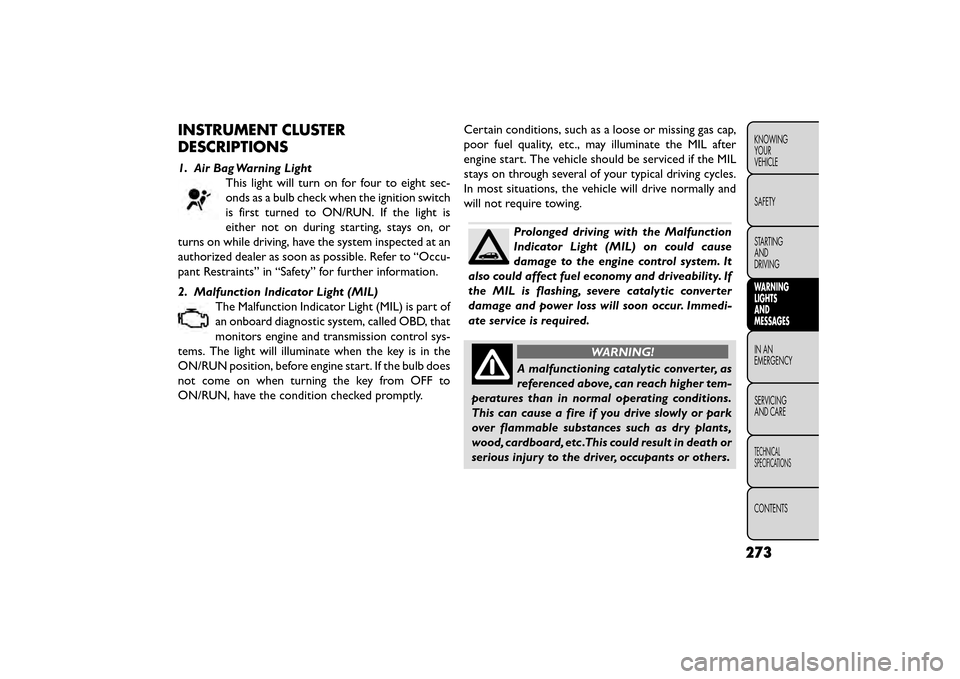
INSTRUMENT CLUSTER
DESCRIPTIONS
1. Air Bag Warning LightThis light will turn on for four to eight sec-
onds as a bulb check when the ignition switch
is first turned to ON/RUN. If the light is
either not on during starting, stays on, or
turns on while driving, have the system inspected at an
authorized dealer as soon as possible. Refer to “Occu-
pant Restraints” in “Safety” for further information.
2. Malfunction Indicator Light (MIL) The Malfunction Indicator Light (MIL) is part of
an onboard diagnostic system, called OBD, that
monitors engine and transmission control sys-
tems. The light will illuminate when the key is in the
ON/RUN position, before engine start. If the bulb does
not come on when turning the key from OFF to
ON/RUN, have the condition checked promptly. Certain conditions, such as a loose or missing gas cap,
poor fuel quality, etc., may illuminate the MIL after
engine start. The vehicle should be serviced if the MIL
stays on through several of your typical driving cycles.
In most situations, the vehicle will drive normally and
will not require towing.
Prolonged driving with the Malfunction
Indicator Light (MIL) on could cause
damage to the engine control system. It
also could affect fuel economy and driveability. If
the MIL is flashing, severe catalytic converter
damage and power loss will soon occur. Immedi-
ate service is required.
WARNING!
A malfunctioning catalytic converter, as
referen c
ed above, can reach higher tem-
peratures than in normal operating conditions.
This can cause a fire if you drive slowly or park
over flammable substances such as dry plants,
wood, cardboard, etc .This could result in death or
serious injury to the driver, occupants or others.
273
KNOWING
YOUR
VEHICLE
SAFETY
STARTING
AND
DRIVING
WARNING
LIGHTS
AND
MESSAGES
IN AN
EMERGENC
Y
SERVICING
AND
CARE
TECHNICAL
SPECIFICATIONS
CONTENTS
Page 280 of 412
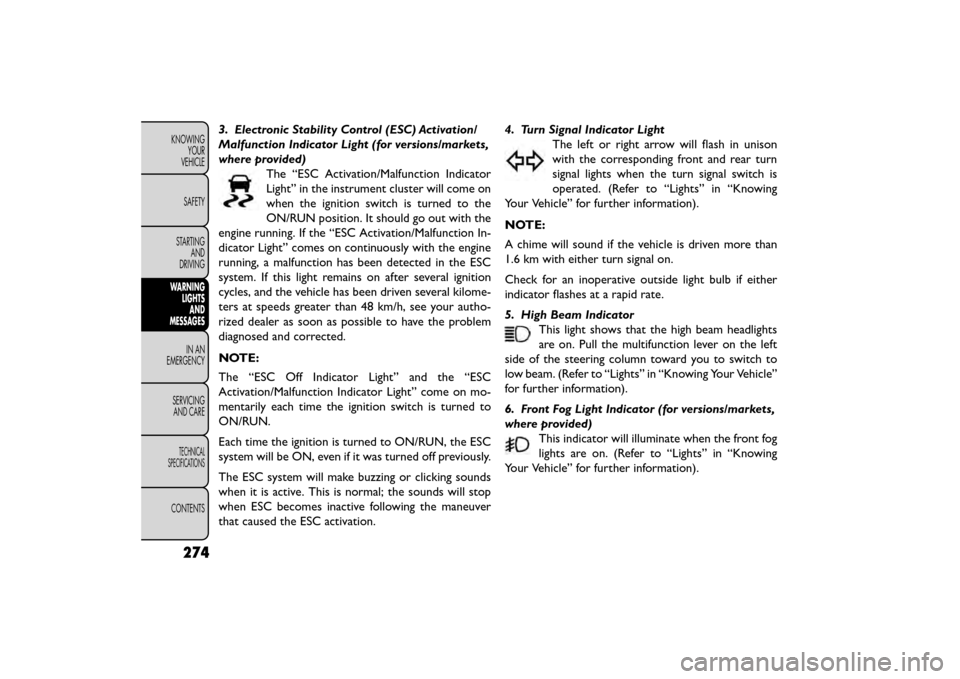
3. Electronic Stability Control (ESC) Activation/
Malfunction Indicator Light (for versions/markets,
where provided)The “ESC Activation/Malfunction Indicator
Light” in the instrument cluster will come on
when the ignition switch is turned to the
ON/RUN position. It should go out with the
engine running. If the “ESC Activation/Malfunction In-
dicator Light” comes on continuously with the engine
running, a malfunction has been detected in the ESC
system. If this light remains on after several ignition
cycles, and the vehicle has been driven several kilome-
ters at speeds greater than 48 km/h, see your autho-
rized dealer as soon as possible to have the problem
diagnosed and corrected.
NOTE:
The “ESC Off Indicator Light” and the “ESC
Activation/Malfunction Indicator Light” come on mo-
mentarily each time the ignition switch is turned to
ON/RUN.
Each time the ignition is turned to ON/RUN, the ESC
system will be ON, even if it was turned off previously.
The ESC system will make buzzing or clicking sounds
when it is active. This is normal; the sounds will stop
when ESC becomes inactive following the maneuver
that caused the ESC activation. 4. Turn Signal Indicator Light
The left or right arrow will flash in unison
with the corresponding front and rear turn
signal lights when the turn signal switch is
operated. (Refer to “Lights” in “Knowing
Your Vehicle” for further information).
NOTE:
A chime will sound if the vehicle is driven more than
1.6 km with either turn signal on.
Check for an inoperative outside light bulb if either
indicator flashes at a rapid rate.
5. High Beam Indicator This light shows that the high beam headlights
are on. Pull the multifunction lever on the left
side of the steering column toward you to switch to
low beam. (Refer to “Lights” in “Knowing Your Vehicle”
for further information).
6. Front Fog Light Indicator (for versions/markets,
where provided) This indicator will illuminate when the front fog
lights are on. (Refer to “Lights” in “Knowing
Your Vehicle” for further information).
274
KNOWING YOUR
VEHICLE
SAFETY
STARTING AND
DRIVING
WARNING LIGHTSAND
MESSAGES
INAN
EMERGENC
Y
SERVICING AND
CARE
TECHNICAL
SPECIFICATIONS
CONTENTS
Page 281 of 412
7. Odometer Display / Electronic Vehicle Informa-
tion Center (EVIC) Display
Odometer
The odometer display shows the total distance the
vehicle has been driven.
Electronic Vehicle Information Center (EVIC) Dis-
play
The Electronic Vehicle Information Center (EVIC) fea-
tures a driver-interactive display that is located in the
instrument cluster. For further information, refer to
“Electronic Vehicle Information Center (EVIC)” in
“Knowing Your Vehicle”.
8. Park/Headlight ON IndicatorThis indicator will illuminate when the park
lights or headlights are turned on. (Refer to
“Lights” in “Knowing Your Vehicle” for fur-
ther information).
9. Tire Pressure Monitoring Telltale Light Each tire, including the spare (if provided),
should be checked monthly when cold and
inflated to the inflation pressure recom-
mended by the vehicle manufacturer on the
vehicle placard or tire inflation pressure label. As an added safety feature, your vehicle has been
equipped with a tire pressure monitoring system
(TPMS) that illuminates a low tire pressure telltale
when one or more of your tires is significantly under-
inflated. Accordingly, when the low tire pressure tell-
tale light illuminates, you should stop and check your
tires as soon as possible, and inflate them to the proper
pressure. Driving on a significantly under-inflated tire
causes the tire to overheat and can lead to tire failure.
Under-inflation also reduces fuel efficiency and tire
tread life, and may affect the vehicle’s handling and
stopping ability.
Please note that the TPMS is not a substitute for
proper tire maintenance, and it is the driver’s respon-
sibility to maintain correct tire pressure, even if under-
inflation has not reached the level to trigger illumina-
tion of the TPMS low tire pressure telltale.
Your vehicle has also been equipped with a TPMS
malfunction indicator to indicate when the system is
not operating properly. The TPMS malfunction indica-
tor is combined with the low tire pressure telltale.
When the system detects a malfunction, the telltale
will flash for approximately one minute and then re-
main continuously illuminated. This sequence will con-
tinue upon subsequent vehicle start-ups as long as the
malfunction exists. When the malfunction indicator is
illuminated, the system may not be able to detect or
275
KNOWING
YOUR
VEHICLE
SAFETY
STARTING
AND
DRIVING
WARNING
LIGHTS
AND
MESSAGES
IN
AN
EMERGENC
Y
SERVICING
AND
CARE
TECHNICAL
SPECIFICATIONS
CONTENTS
Page 282 of 412
signal low tire pressure as intended. TPMS malfunctions
may occur for a variety of reasons, including the instal-
lation of replacement or alternate tires or wheels on
the vehicle that prevent the TPMS from functioning
properly. Always check the TPMS malfunction telltale
light after replacing one or more tires or wheels on
your vehicle to ensure that the replacement or alter-
nate tires and wheels allow the TPMS to continue to
function properly.
The TPMS has been optimized for the
original equipment tires and wheels.
TPMS pressures and warning have been
established for the tire size equipped on your
vehicle. Undesirable system operation or sensor
damage may result when using replacement
equipment that is not of the same size, type,
and/or style.Aftermarket wheels can cause sensor
damage. Do not use aftermarket tire sealants or
balance beads if your vehicle is equipped with a
TPMS, as damage to the sensors may result . (Re-
fer to “Tire Inflation Pressures” under “Tires —
General Information” and to “Tire Pressure Moni-
tor System (TPMS)” in “Knowing Your Vehicle” for
further information). 10. Seat Belt Reminder Light
When the ignition switch is first turned to
ON/RUN, this light will turn on for four to eight
seconds as a bulb check. During the bulb check,
if the driver's seat belt is unbuckled, a chime will sound.
After the bulb check or when driving, if the driver seat
belt remains unbuckled, the Seat Belt Warning Light
will flash or remain on continuously. Refer to “Occu-
pant Restraints” in “Safety” for further information.
11. Brake Warning Light This light monitors various brake functions,
including brake fluid level and parking brake
application. If the brake light turns on it may
indicate that the parking brake is applied, that
the brake fluid level is low, or that there is a problem
with the anti-lock brake system reservoir.
If the light remains on when the parking brake has been
disengaged, and the fluid level is at the full mark on the
master cylinder reservoir, it indicates a possible brake
hydraulic system malfunction or that a problem with
the Brake Booster has been detected by the Anti-Lock
Brake System (ABS) / Electronic Stability Program
(ESP) system. In this case, the light will remain on until
the condition has been corrected. If the problem is
related to the brake booster, the ABS pump will run
when applying the brake and a brake pedal pulsation
may be felt during each stop.
276
KNOWING YOUR
VEHICLE
SAFETY
STARTING AND
DRIVING
WARNING LIGHTSAND
MESSAGES
INAN
EMERGENC
Y
SERVICING AND
CARE
TECHNICAL
SPECIFICATIONS
CONTENTS