display FORD FOCUS 2014 3.G Owners Manual
[x] Cancel search | Manufacturer: FORD, Model Year: 2014, Model line: FOCUS, Model: FORD FOCUS 2014 3.GPages: 492, PDF Size: 7.2 MB
Page 443 of 492
Avoid Areas
Avoid Areasallows you to choose areas which you want the system to
avoid when calculating a route for you.
PressAddto program an entry. Once you make a selection, the system
tries to avoid the area(s) if possible for all routes. To delete a selection,
choose the listing on the screen. When the screen changes toAvoid
Areas Edit,you can pressDeleteat the bottom right of the screen.
Map Mode
Press the green bar in the upper right area of the touchscreen to view
map mode. Map mode shows advanced viewing comprised of both 2D
city maps as well as 3D landmarks (when available).
2D city mapsshow detailed outlines of buildings, visible land use and
land elements and detailed railway infrastructure for the most essential
cities around the globe. These maps also contain features, such as town
blocks, building footprints, and railways.
3D landmarksappear as clear, visible objects that are typically
recognizable and have a certain tourist value. The 3D landmarks appear
in 3D map mode only. Coverage varies, and improves with updated map
releases.
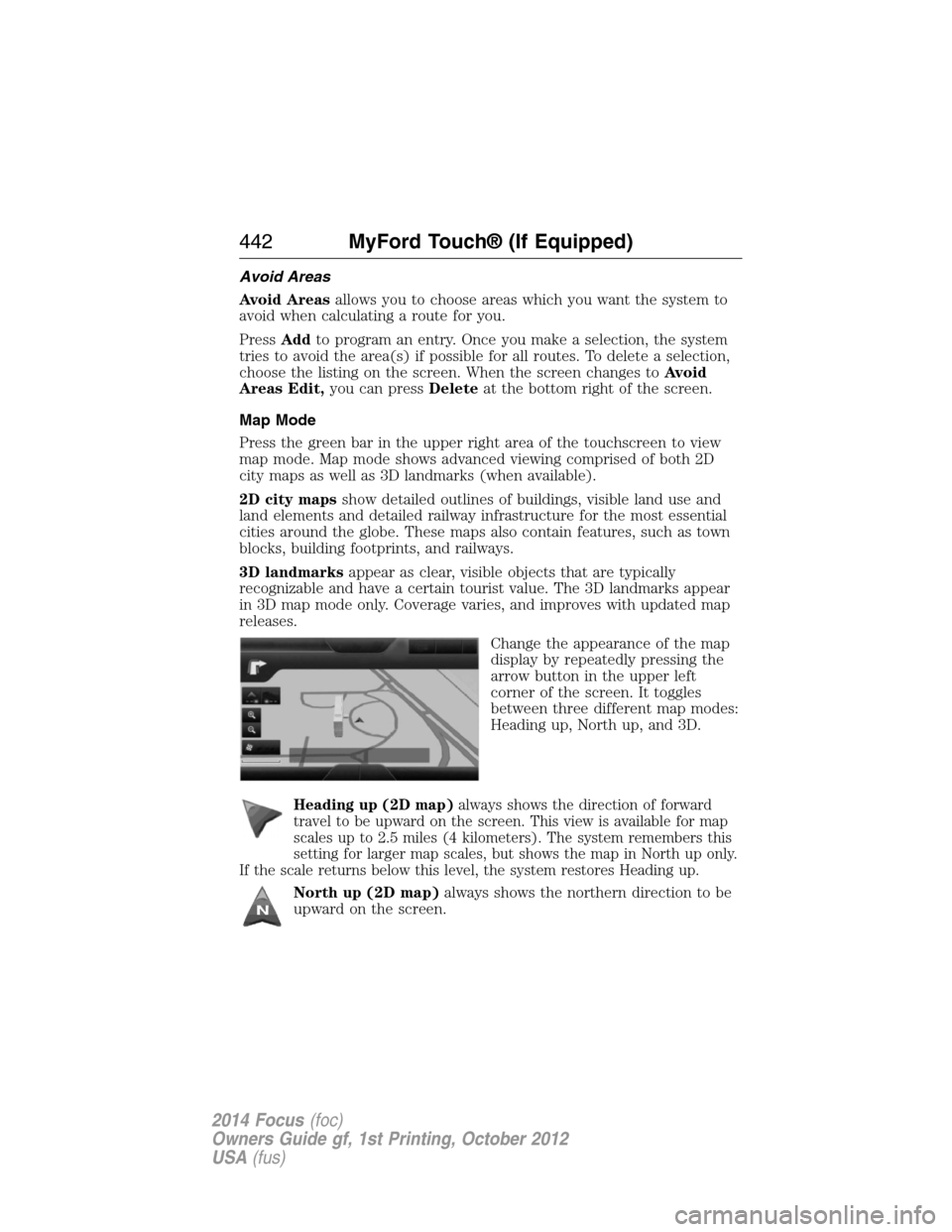
Change the appearance of the map
display by repeatedly pressing the
arrow button in the upper left
corner of the screen. It toggles
between three different map modes:
Heading up, North up, and 3D.
Heading up (2D map)always shows the direction of forward
travel to be upward on the screen. This view is available for map
scales up to 2.5 miles (4 kilometers). The system remembers this
setting for larger map scales, but shows the map in North up only.
If the scale returns below this level, the system restores Heading up.
North up (2D map)always shows the northern direction to be
upward on the screen.
442MyFord Touch® (If Equipped)
2014 Focus(foc)
Owners Guide gf, 1st Printing, October 2012
USA(fus)
Page 444 of 492
3D map modeprovides an elevated perspective of the map.
This viewing angle can be adjusted and the map can be rotated
180 degrees by touching the map twice, and then dragging your
finger along the shaded bar with arrows at the bottom of the map.
Vi e wswitches between full map, street list and exit view in route
guidance.
Menudisplays a pop-up box that allows direct access to navigation
settings, View/Edit Route, Sirius Travel Link, Guidance Mute and Cancel
Route.
Re-center the map by pressing this icon whenever you scroll
the map away from your vehicle’s current location.
Auto Zoom
Press the green bar to access map mode, then select the + or - zoom
button to bring up the zoom level and Auto buttons on the touchscreen.
When you pressAuto,Auto Zoom turns on andAutodisplays in the
bottom left corner of the screen in the map scale. The map zoom level
then synchronizes with vehicle speed. The slower your vehicle is
traveling, the farther in the map zooms in; the faster your vehicle is
traveling, the farther the map zooms out. To turn the feature off, just
press the + or - button again.
In 3D mode, rotate the map view by swiping your finger across the
shaded bar with the arrows.
Map Icons
Vehicle markshows the current location of your vehicle.
It stays in the center of the map display, except when in scroll
mode.
Scroll cursorallows you to scroll the map; the fixed icon is in
the center of the screen. The map position closest to the cursor
is in a window on the top center part of the screen.
Address book entry default icon(s)indicates the location on
the map of an address book entry. This is the default symbol
shown after the entry has been stored to the Address Book by
any method other than the map. You can select from any of the
22 icons available. You can use each icon more than once.
MyFord Touch® (If Equipped)443
2014 Focus(foc)
Owners Guide gf, 1st Printing, October 2012
USA(fus)
Page 445 of 492
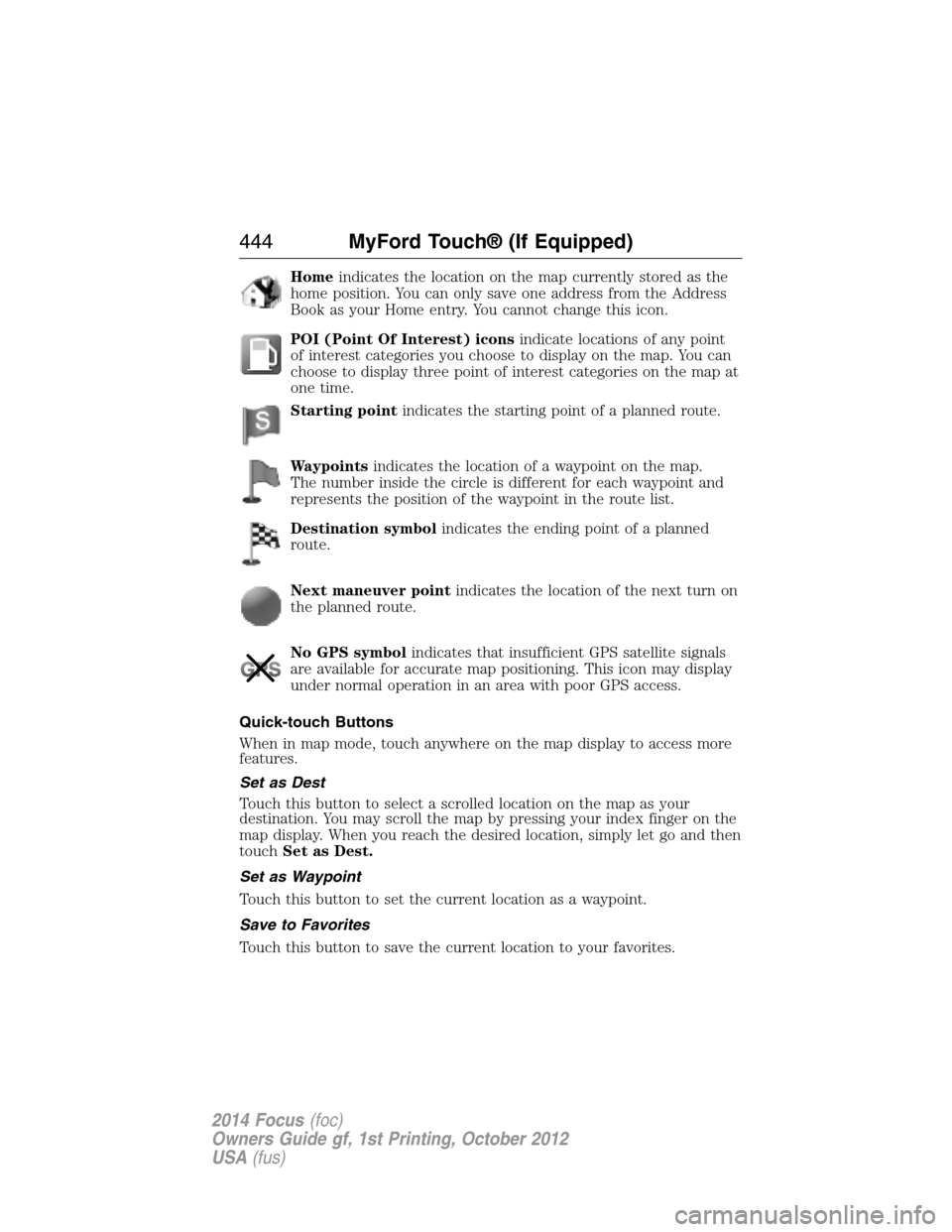
Homeindicates the location on the map currently stored as the
home position. You can only save one address from the Address
Book as your Home entry. You cannot change this icon.
POI (Point Of Interest) iconsindicate locations of any point
of interest categories you choose to display on the map. You can
choose to display three point of interest categories on the map at
one time.
Starting pointindicates the starting point of a planned route.
Waypointsindicates the location of a waypoint on the map.
The number inside the circle is different for each waypoint and
represents the position of the waypoint in the route list.
Destination symbolindicates the ending point of a planned
route.
Next maneuver pointindicates the location of the next turn on
the planned route.
No GPS symbolindicates that insufficient GPS satellite signals
are available for accurate map positioning. This icon may display
under normal operation in an area with poor GPS access.
Quick-touch Buttons
When in map mode, touch anywhere on the map display to access more
features.
Set as Dest
Touch this button to select a scrolled location on the map as your
destination. You may scroll the map by pressing your index finger on the
map display. When you reach the desired location, simply let go and then
touchSet as Dest.
Set as Waypoint
Touch this button to set the current location as a waypoint.
Save to Favorites
Touch this button to save the current location to your favorites.
444MyFord Touch® (If Equipped)
2014 Focus(foc)
Owners Guide gf, 1st Printing, October 2012
USA(fus)
Page 446 of 492
POI Icons
Touch this button to select icons to display on the map. You can select
up to three icons to display on the map at the same time. Turn theseON
orOFF.
Cancel Route
Touch this button to cancel the active route.
View/Edit Route
Access these features when a route is active:
•View Route
•Edit Destination/Waypoints
•Edit Turn List
•Detour
•Edit Route Preferences
•Edit Traffic Preferences
•Cancel Route.
Nokia is the digital map provider for the navigation application. If you
find map data errors, you may report them directly to Nokia by going to
http://mapreporter.navteq.com. Nokia evaluates all reported map errors
and responds with the result of their investigation by e-mail.
Navigation Map Updates
Annual navigation map updates are available for purchase through your
dealership, by calling 1-800-NAVMAPS (in Mexico, call 01–800–557–5539)
or going to www.navigation.com/ford. You need to specify the make and
model of your vehicle to determine if there is an update available.
Navigation Voice Commands
When in navigation mode, press the voice button on the
steering wheel control. After the tone, say any of the following
commands:
Navigation system voice commands
“Cancel next waypoint”1“Navigation”3
“Cancel route”1“Navigation voice volume
decrease”1
“Destination”2“Navigation voice volume
increase”1
“Destination
MyFord Touch® (If Equipped)445
2014 Focus(foc)
Owners Guide gf, 1st Printing, October 2012
USA(fus)
Page 448 of 492
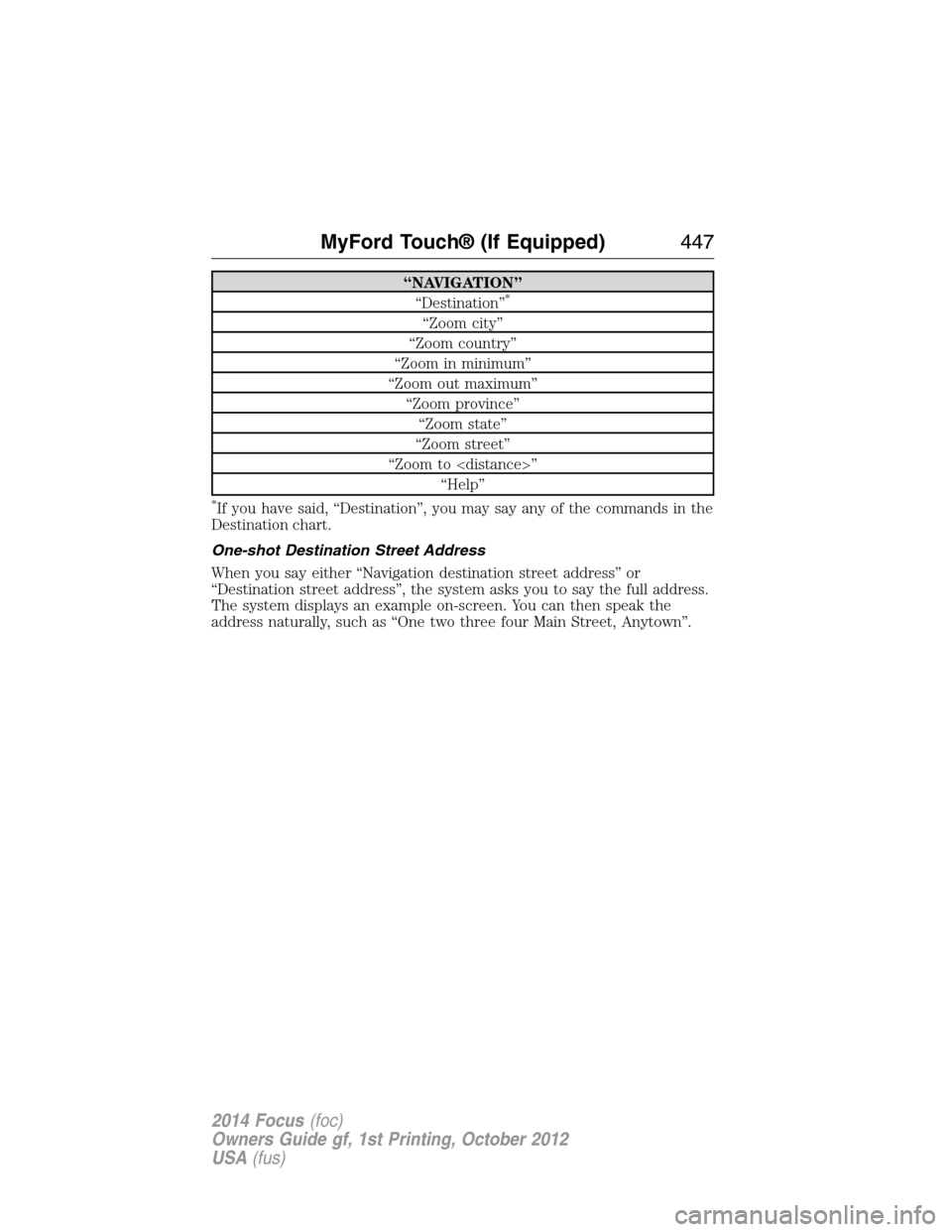
“NAVIGATION”
“Destination”*
“Zoom city”
“Zoom country”
“Zoom in minimum”
“Zoom out maximum”
“Zoom province”
“Zoom state”
“Zoom street”
“Zoom to
“Help”
*If you have said, “Destination”, you may say any of the commands in the
Destination chart.
One-shot Destination Street Address
When you say either “Navigation destination street address” or
“Destination street address”, the system asks you to say the full address.
The system displays an example on-screen. You can then speak the
address naturally, such as “One two three four Main Street, Anytown”.
MyFord Touch® (If Equipped)447
2014 Focus(foc)
Owners Guide gf, 1st Printing, October 2012
USA(fus)
Page 469 of 492
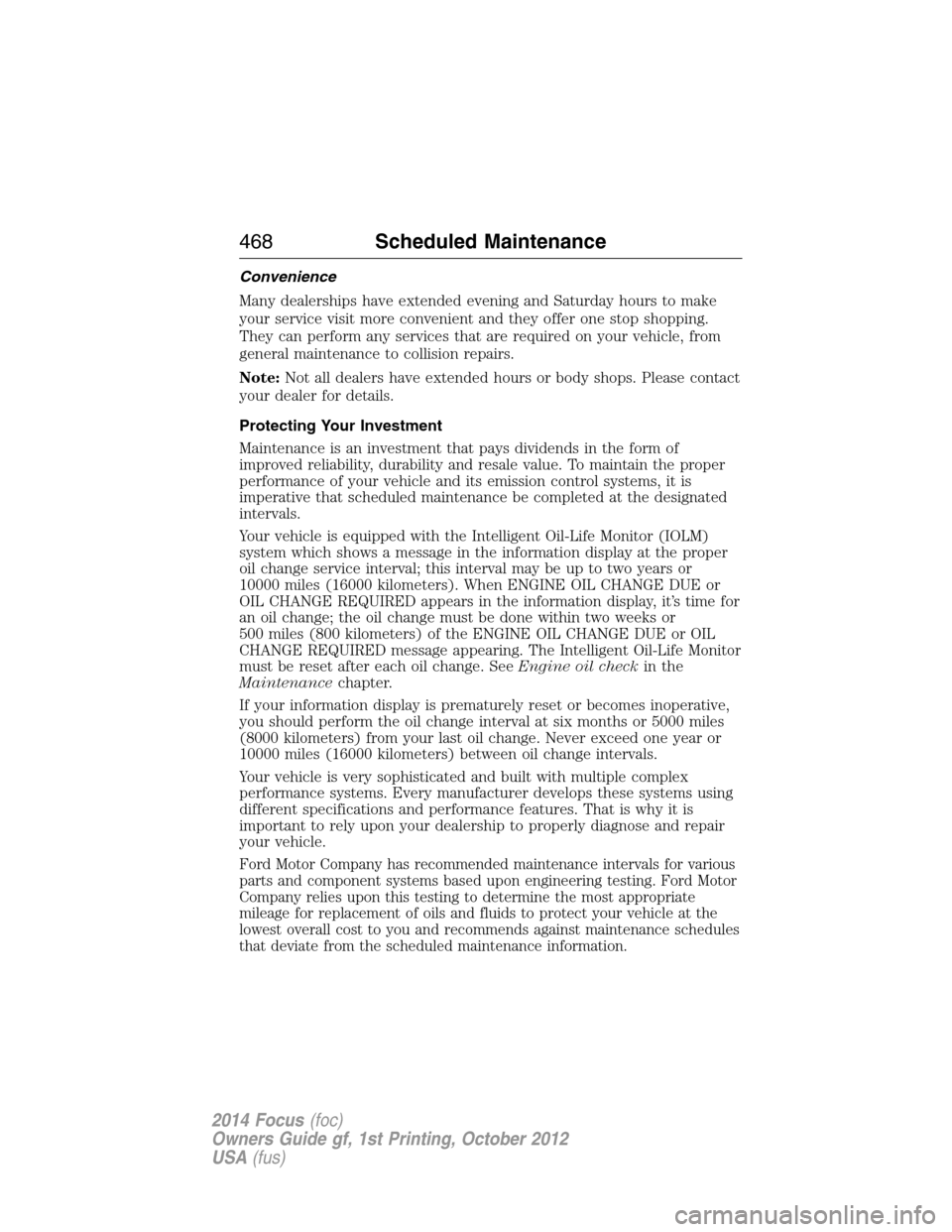
Convenience
Many dealerships have extended evening and Saturday hours to make
your service visit more convenient and they offer one stop shopping.
They can perform any services that are required on your vehicle, from
general maintenance to collision repairs.
Note:Not all dealers have extended hours or body shops. Please contact
your dealer for details.
Protecting Your Investment
Maintenance is an investment that pays dividends in the form of
improved reliability, durability and resale value. To maintain the proper
performance of your vehicle and its emission control systems, it is
imperative that scheduled maintenance be completed at the designated
intervals.
Your vehicle is equipped with the Intelligent Oil-Life Monitor (IOLM)
system which shows a message in the information display at the proper
oil change service interval; this interval may be up to two years or
10000 miles (16000 kilometers). When ENGINE OIL CHANGE DUE or
OIL CHANGE REQUIRED appears in the information display, it’s time for
an oil change; the oil change must be done within two weeks or
500 miles (800 kilometers) of the ENGINE OIL CHANGE DUE or OIL
CHANGE REQUIRED message appearing. The Intelligent Oil-Life Monitor
must be reset after each oil change. SeeEngine oil checkin the
Maintenancechapter.
If your information display is prematurely reset or becomes inoperative,
you should perform the oil change interval at six months or 5000 miles
(8000 kilometers) from your last oil change. Never exceed one year or
10000 miles (16000 kilometers) between oil change intervals.
Your vehicle is very sophisticated and built with multiple complex
performance systems. Every manufacturer develops these systems using
different specifications and performance features. That is why it is
important to rely upon your dealership to properly diagnose and repair
your vehicle.
Ford Motor Company has recommended maintenance intervals for various
parts and component systems based upon engineering testing. Ford Motor
Company relies upon this testing to determine the most appropriate
mileage for replacement of oils and fluids to protect your vehicle at the
lowest overall cost to you and recommends against maintenance schedules
that deviate from the scheduled maintenance information.
468Scheduled Maintenance
2014 Focus(foc)
Owners Guide gf, 1st Printing, October 2012
USA(fus)
Page 473 of 492
NORMAL SCHEDULED MAINTENANCE AND LOG
Intelligent Oil-Life Monitor®
Your vehicle is equipped with an Intelligent Oil-Life Monitor® that
determines when the engine oil needs to be changed based on how your
vehicle is used. By using several important factors in its calculations,
the monitor helps reduce the cost of owning your vehicle and reduce
environmental waste at the same time. This means you won’t have to
remember to change the oil on a mileage-based schedule; the vehicle
lets you know when an oil change is due by displaying ENGINE OIL
CHANGE DUE or OIL CHANGE REQUIRED in the information display.
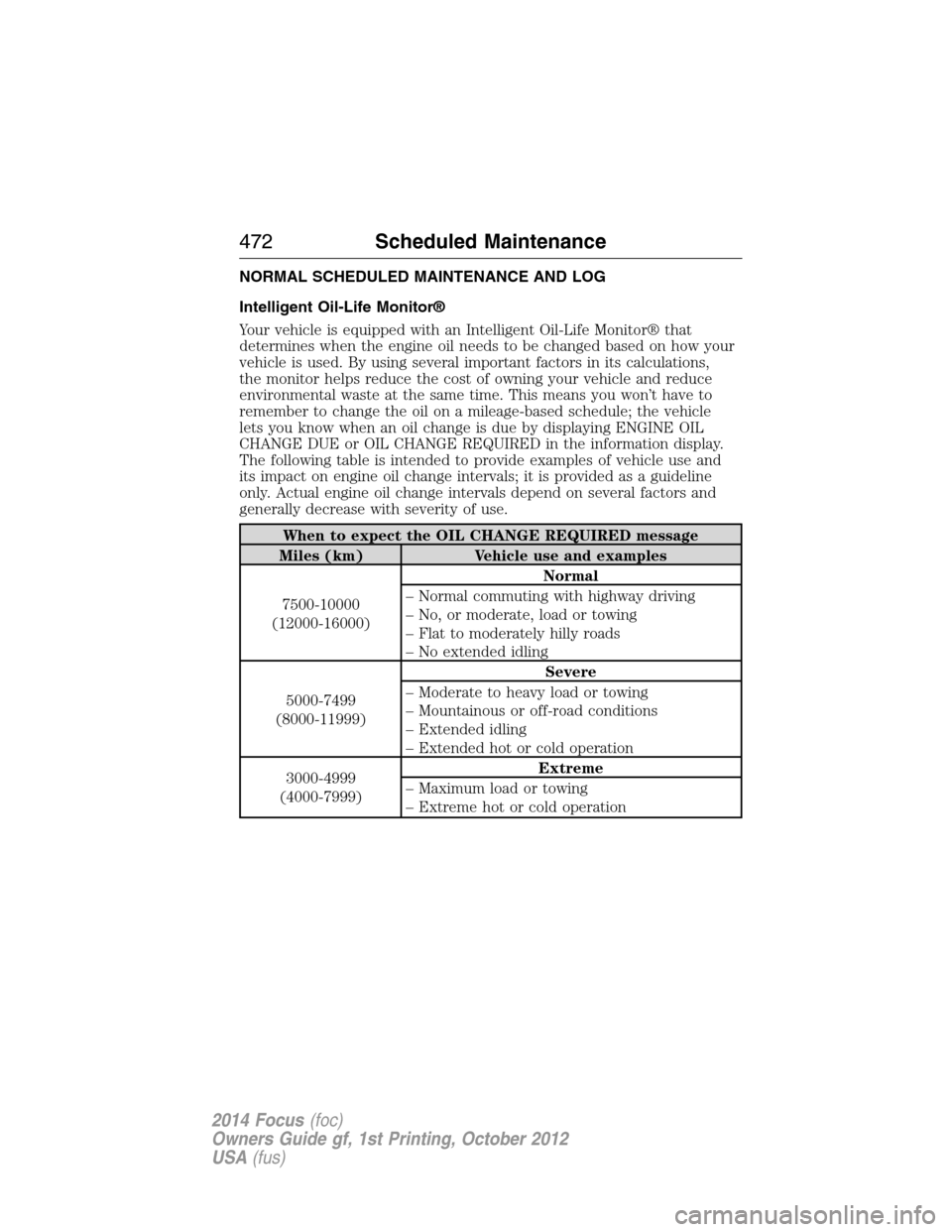
The following table is intended to provide examples of vehicle use and
its impact on engine oil change intervals; it is provided as a guideline
only. Actual engine oil change intervals depend on several factors and
generally decrease with severity of use.
When to expect the OIL CHANGE REQUIRED message
Miles (km) Vehicle use and examples
7500-10000
(12000-16000)Normal
– Normal commuting with highway driving
– No, or moderate, load or towing
– Flat to moderately hilly roads
– No extended idling
5000-7499
(8000-11999)Severe
– Moderate to heavy load or towing
– Mountainous or off-road conditions
– Extended idling
– Extended hot or cold operation
3000-4999
(4000-7999)Extreme
– Maximum load or towing
– Extreme hot or cold operation
472Scheduled Maintenance
2014 Focus(foc)
Owners Guide gf, 1st Printing, October 2012
USA(fus)
Page 474 of 492
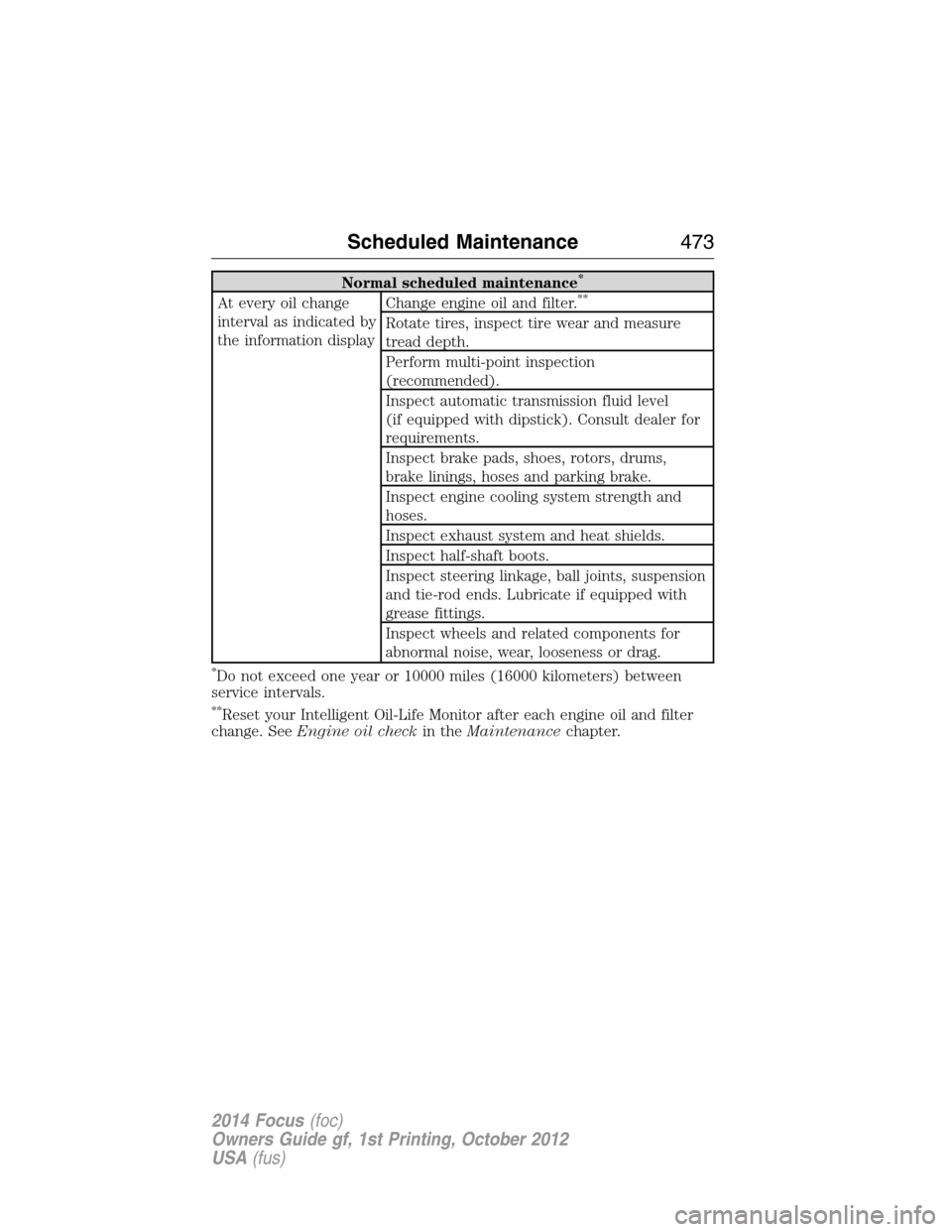
Normal scheduled maintenance*
At every oil change
interval as indicated by
the information displayChange engine oil and filter.**
Rotate tires, inspect tire wear and measure
tread depth.
Perform multi-point inspection
(recommended).
Inspect automatic transmission fluid level
(if equipped with dipstick). Consult dealer for
requirements.
Inspect brake pads, shoes, rotors, drums,
brake linings, hoses and parking brake.
Inspect engine cooling system strength and
hoses.
Inspect exhaust system and heat shields.
Inspect half-shaft boots.
Inspect steering linkage, ball joints, suspension
and tie-rod ends. Lubricate if equipped with
grease fittings.
Inspect wheels and related components for
abnormal noise, wear, looseness or drag.
*Do not exceed one year or 10000 miles (16000 kilometers) between
service intervals.
**Reset your Intelligent Oil-Life Monitor after each engine oil and filter
change. SeeEngine oil checkin theMaintenancechapter.
Scheduled Maintenance473
2014 Focus(foc)
Owners Guide gf, 1st Printing, October 2012
USA(fus)
Page 479 of 492
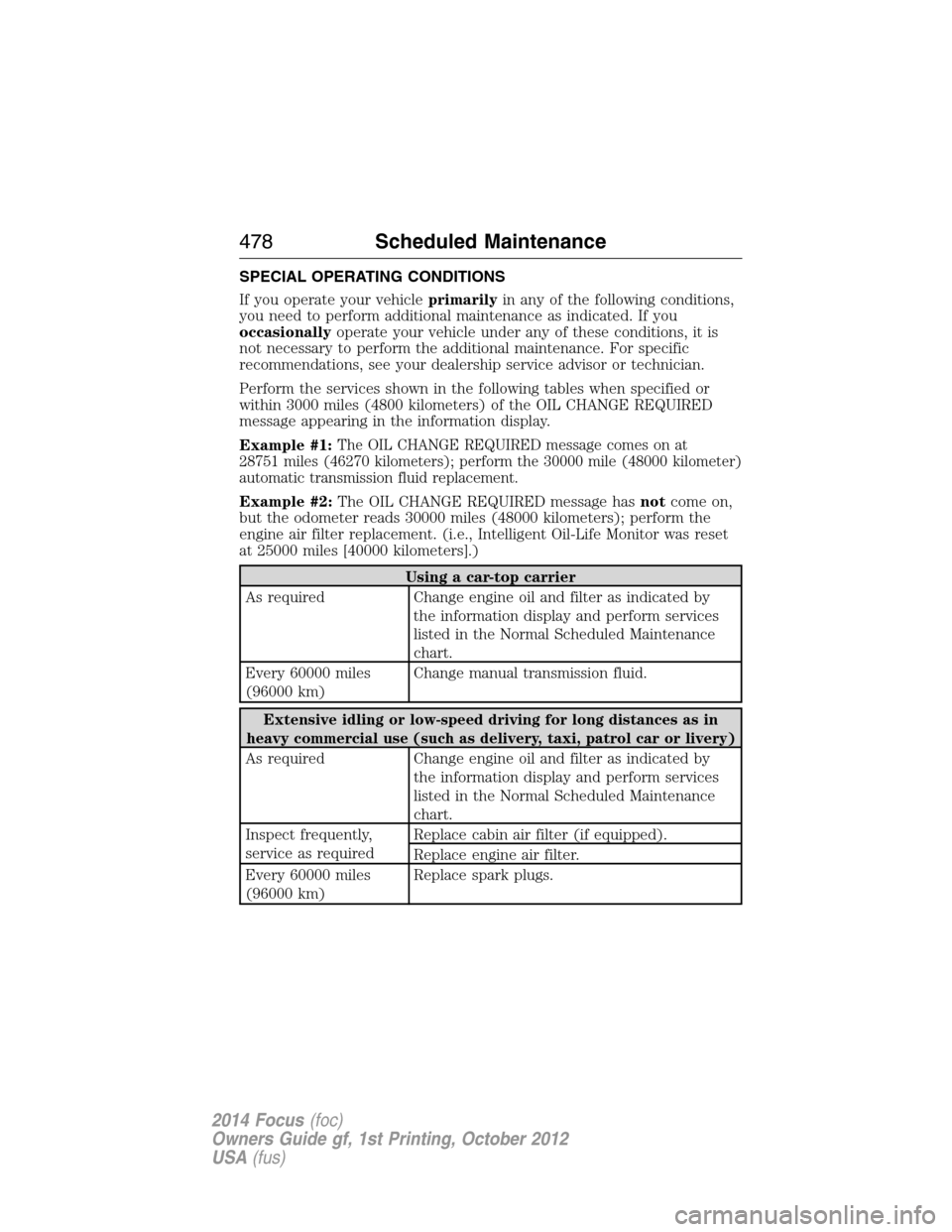
SPECIAL OPERATING CONDITIONS
If you operate your vehicleprimarilyin any of the following conditions,
you need to perform additional maintenance as indicated. If you
occasionallyoperate your vehicle under any of these conditions, it is
not necessary to perform the additional maintenance. For specific
recommendations, see your dealership service advisor or technician.
Perform the services shown in the following tables when specified or
within 3000 miles (4800 kilometers) of the OIL CHANGE REQUIRED
message appearing in the information display.
Example #1:
The OIL CHANGE REQUIRED message comes on at
28751 miles (46270 kilometers); perform the 30000 mile (48000 kilometer)
automatic transmission fluid replacement.
Example #2:The OIL CHANGE REQUIRED message hasnotcome on,
but the odometer reads 30000 miles (48000 kilometers); perform the
engine air filter replacement. (i.e., Intelligent Oil-Life Monitor was reset
at 25000 miles [40000 kilometers].)
Using a car-top carrier
As required Change engine oil and filter as indicated by
the information display and perform services
listed in the Normal Scheduled Maintenance
chart.
Every 60000 miles
(96000 km)Change manual transmission fluid.
Extensive idling or low-speed driving for long distances as in
heavy commercial use (such as delivery, taxi, patrol car or livery)
As required Change engine oil and filter as indicated by
the information display and perform services
listed in the Normal Scheduled Maintenance
chart.
Inspect frequently,
service as requiredReplace cabin air filter (if equipped).
Replace engine air filter.
Every 60000 miles
(96000 km)Replace spark plugs.
478Scheduled Maintenance
2014 Focus(foc)
Owners Guide gf, 1st Printing, October 2012
USA(fus)
Page 486 of 492
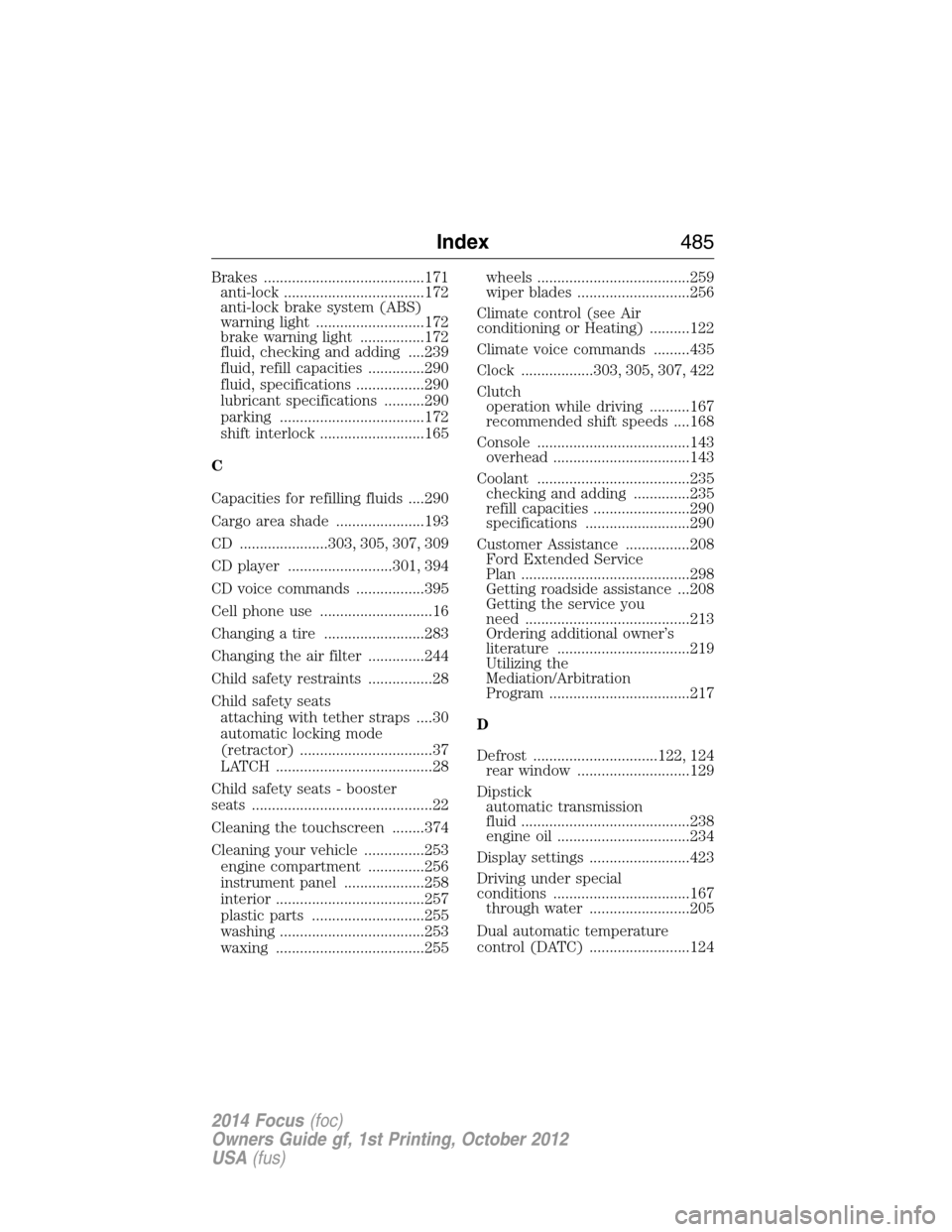
Brakes ........................................171
anti-lock ...................................172
anti-lock brake system (ABS)
warning light ...........................172
brake warning light ................172
fluid, checking and adding ....239
fluid, refill capacities ..............290
fluid, specifications .................290
lubricant specifications ..........290
parking ....................................172
shift interlock ..........................165
C
Capacities for refilling fluids ....290
Cargo area shade ......................193
CD ......................303, 305, 307, 309
CD player ..........................301, 394
CD voice commands .................395
Cell phone use ............................16
Changing a tire .........................283
Changing the air filter ..............244
Child safety restraints ................28
Child safety seats
attaching with tether straps ....30
automatic locking mode
(retractor) .................................37
LATCH .......................................28
Child safety seats - booster
seats .............................................22
Cleaning the touchscreen ........374
Cleaning your vehicle ...............253
engine compartment ..............256
instrument panel ....................258
interior .....................................257
plastic parts ............................255
washing ....................................253
waxing .....................................255wheels ......................................259
wiper blades ............................256
Climate control (see Air
conditioning or Heating) ..........122
Climate voice commands .........435
Clock ..................303, 305, 307, 422
Clutch
operation while driving ..........167
recommended shift speeds ....168
Console ......................................143
overhead ..................................143
Coolant ......................................235
checking and adding ..............235
refill capacities ........................290
specifications ..........................290
Customer Assistance ................208
Ford Extended Service
Plan ..........................................298
Getting roadside assistance ...208
Getting the service you
need .........................................213
Ordering additional owner’s
literature .................................219
Utilizing the
Mediation/Arbitration
Program ...................................217
D
Defrost ...............................122, 124
rear window ............................129
Dipstick
automatic transmission
fluid ..........................................238
engine oil .................................234
Display settings .........................423
Driving under special
conditions ..................................167
through water .........................205
Dual automatic temperature
control (DATC) .........................124
Index485
2014 Focus(foc)
Owners Guide gf, 1st Printing, October 2012
USA(fus)