battery charge FORD MUSTANG MACH E 2023 Owners Manual
[x] Cancel search | Manufacturer: FORD, Model Year: 2023, Model line: MUSTANG MACH E, Model: FORD MUSTANG MACH E 2023Pages: 496, PDF Size: 13.09 MB
Page 9 of 496
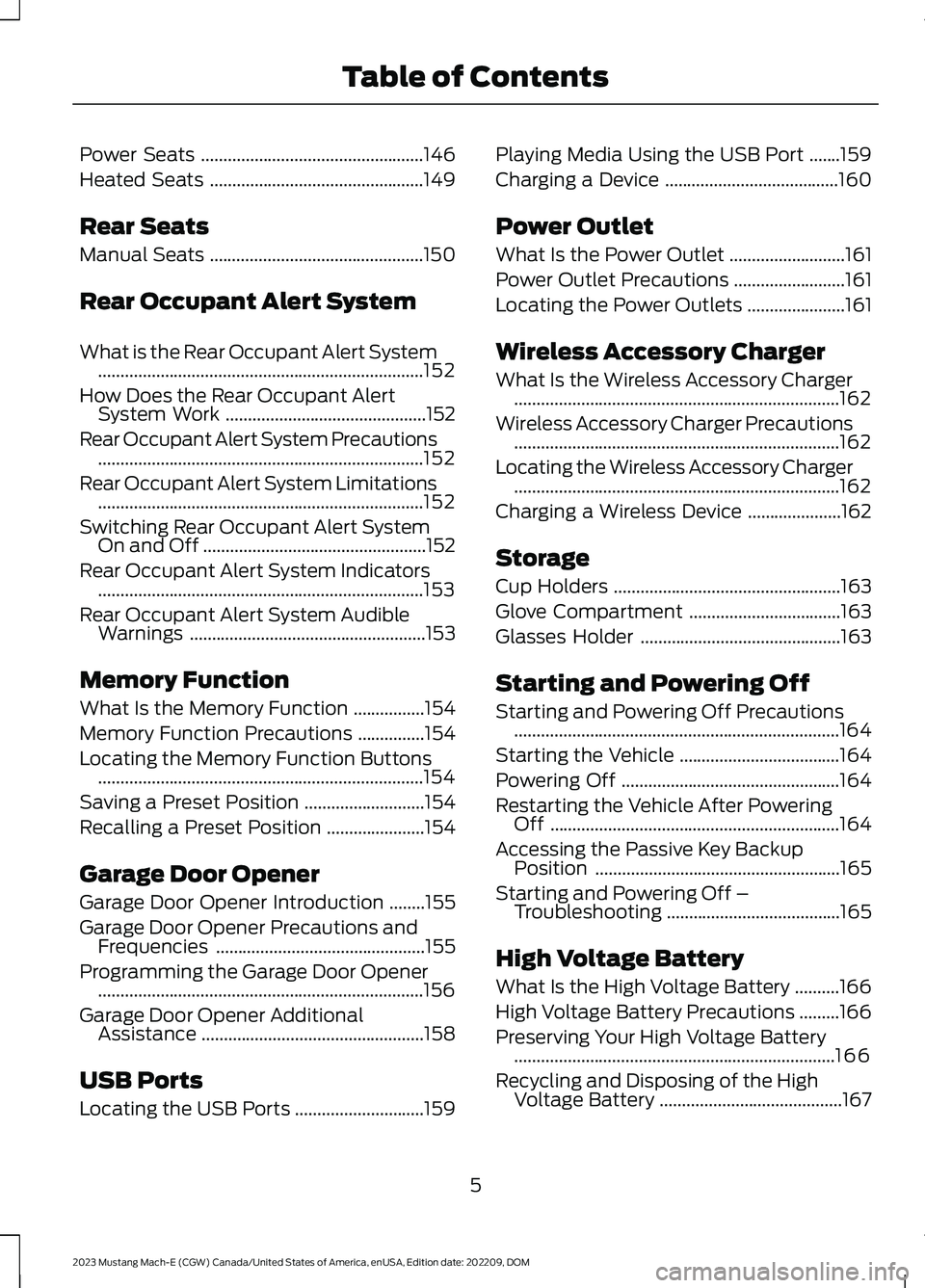
Power Seats..................................................146
Heated Seats................................................149
Rear Seats
Manual Seats................................................150
Rear Occupant Alert System
What is the Rear Occupant Alert System.........................................................................152
How Does the Rear Occupant AlertSystem Work.............................................152
Rear Occupant Alert System Precautions.........................................................................152
Rear Occupant Alert System Limitations.........................................................................152
Switching Rear Occupant Alert SystemOn and Off..................................................152
Rear Occupant Alert System Indicators.........................................................................153
Rear Occupant Alert System AudibleWarnings.....................................................153
Memory Function
What Is the Memory Function................154
Memory Function Precautions...............154
Locating the Memory Function Buttons.........................................................................154
Saving a Preset Position...........................154
Recalling a Preset Position......................154
Garage Door Opener
Garage Door Opener Introduction........155
Garage Door Opener Precautions andFrequencies...............................................155
Programming the Garage Door Opener.........................................................................156
Garage Door Opener AdditionalAssistance..................................................158
USB Ports
Locating the USB Ports.............................159
Playing Media Using the USB Port.......159
Charging a Device.......................................160
Power Outlet
What Is the Power Outlet..........................161
Power Outlet Precautions.........................161
Locating the Power Outlets......................161
Wireless Accessory Charger
What Is the Wireless Accessory Charger.........................................................................162
Wireless Accessory Charger Precautions.........................................................................162
Locating the Wireless Accessory Charger.........................................................................162
Charging a Wireless Device.....................162
Storage
Cup Holders...................................................163
Glove Compartment..................................163
Glasses Holder.............................................163
Starting and Powering Off
Starting and Powering Off Precautions.........................................................................164
Starting the Vehicle....................................164
Powering Off.................................................164
Restarting the Vehicle After PoweringOff.................................................................164
Accessing the Passive Key BackupPosition.......................................................165
Starting and Powering Off –Troubleshooting.......................................165
High Voltage Battery
What Is the High Voltage Battery..........166
High Voltage Battery Precautions.........166
Preserving Your High Voltage Battery........................................................................166
Recycling and Disposing of the HighVoltage Battery.........................................167
5
2023 Mustang Mach-E (CGW) Canada/United States of America, enUSA, Edition date: 202209, DOMTable of Contents
Page 10 of 496
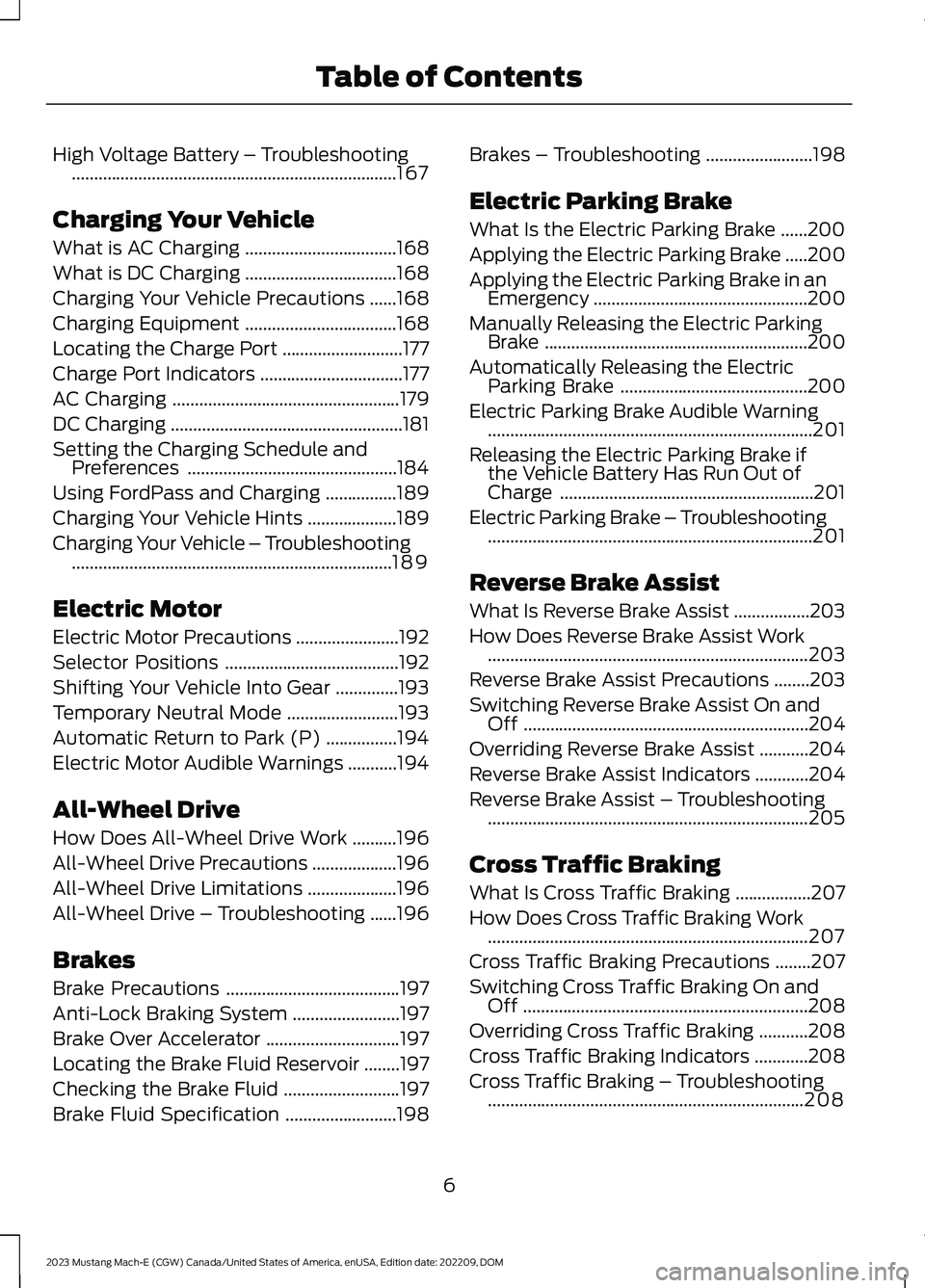
High Voltage Battery – Troubleshooting.........................................................................167
Charging Your Vehicle
What is AC Charging..................................168
What is DC Charging..................................168
Charging Your Vehicle Precautions......168
Charging Equipment..................................168
Locating the Charge Port...........................177
Charge Port Indicators................................177
AC Charging...................................................179
DC Charging....................................................181
Setting the Charging Schedule andPreferences...............................................184
Using FordPass and Charging................189
Charging Your Vehicle Hints....................189
Charging Your Vehicle – Troubleshooting........................................................................189
Electric Motor
Electric Motor Precautions.......................192
Selector Positions.......................................192
Shifting Your Vehicle Into Gear..............193
Temporary Neutral Mode.........................193
Automatic Return to Park (P)................194
Electric Motor Audible Warnings...........194
All-Wheel Drive
How Does All-Wheel Drive Work..........196
All-Wheel Drive Precautions...................196
All-Wheel Drive Limitations....................196
All-Wheel Drive – Troubleshooting......196
Brakes
Brake Precautions.......................................197
Anti-Lock Braking System........................197
Brake Over Accelerator..............................197
Locating the Brake Fluid Reservoir........197
Checking the Brake Fluid..........................197
Brake Fluid Specification.........................198
Brakes – Troubleshooting........................198
Electric Parking Brake
What Is the Electric Parking Brake......200
Applying the Electric Parking Brake.....200
Applying the Electric Parking Brake in anEmergency................................................200
Manually Releasing the Electric ParkingBrake...........................................................200
Automatically Releasing the ElectricParking Brake..........................................200
Electric Parking Brake Audible Warning.........................................................................201
Releasing the Electric Parking Brake ifthe Vehicle Battery Has Run Out ofCharge.........................................................201
Electric Parking Brake – Troubleshooting.........................................................................201
Reverse Brake Assist
What Is Reverse Brake Assist.................203
How Does Reverse Brake Assist Work........................................................................203
Reverse Brake Assist Precautions........203
Switching Reverse Brake Assist On andOff................................................................204
Overriding Reverse Brake Assist...........204
Reverse Brake Assist Indicators............204
Reverse Brake Assist – Troubleshooting........................................................................205
Cross Traffic Braking
What Is Cross Traffic Braking.................207
How Does Cross Traffic Braking Work........................................................................207
Cross Traffic Braking Precautions........207
Switching Cross Traffic Braking On andOff................................................................208
Overriding Cross Traffic Braking...........208
Cross Traffic Braking Indicators............208
Cross Traffic Braking – Troubleshooting.......................................................................208
6
2023 Mustang Mach-E (CGW) Canada/United States of America, enUSA, Edition date: 202209, DOMTable of Contents
Page 26 of 496
WARNING: Do not connectwireless plug-in devices to the data linkconnector. Unauthorized third partiescould gain access to vehicle data andimpair the performance of safety relatedsystems. Only allow repair facilities thatfollow our service and repair instructionsto connect their equipment to the datalink connector.
We respect your privacy and arecommitted to protecting it. Theinformation contained in this publicationwas correct at the time of release, but astechnology rapidly changes, werecommend that you visit the local Fordwebsite for the latest information.
Your vehicle has electronic control unitsthat have data recording functionality andthe ability to permanently or temporarilystore data. This data could includeinformation on the condition and status ofyour vehicle, vehicle maintenancerequirements, events and malfunctions.The types of data that can be recorded aredescribed in this section. Some of the datarecorded is stored in event logs or errorlogs.
Note:Error logs are reset following a serviceor repair.
Note:We may provide information inresponse to requests from law enforcement,other government authorities and thirdparties acting with lawful authority orthrough a legal process. Such informationcould be used by them in legal proceedings.
Data recorded includes, for example:
•Operating states of systemcomponents, for example batterycharge level and tire pressure.
•Vehicle and component status, forexample wheel speed, deceleration,lateral acceleration and seatbeltstatus.
•Events or errors in essential systems,for example headlamps and brakes.
•System responses to driving situations,for example airbag deployment andstability control.
•Environmental conditions, for exampletemperature.
Some of this data, when used incombination with other information, forexample an accident report, damage to avehicle or eyewitness statements, couldbe associated with a specific person.
Services That We Provide
If you use our services, we collect and usedata, for example account information,vehicle location and driving characteristics,that could identify you. We transmit thisdata through a dedicated, protectedconnection. We only collect and use datato enable your use of our services to whichyou have subscribed, with your consent orwhere permitted by law. For additionalinformation, see the terms and conditionsof the services to which you havesubscribed.
For additional information about ourprivacy policy, refer to the local Fordwebsite.
Services That Third PartiesProvide
We recommend that you review the termsand conditions and data privacyinformation for any services equipped withyour vehicle or to which you subscribe. Wetake no responsibility for services that thirdparties provide.
Where equipped, SiriusXM with 360L coulduse the modem. To disable, turn off theSiriusXM with 360L or Vehicle Connectivitysetting. See Enabling and Disabling theModem (page 372).
22
2023 Mustang Mach-E (CGW) Canada/United States of America, enUSA, Edition date: 202209, DOMData Privacy
Page 72 of 496
REMOTE CONTROL
LIMITATIONS
WARNING: Changes ormodifications not expressively approvedby the party responsible for compliancecould void the user's authority to operatethe equipment. The term "IC:" before theradio certification number only signifiesthat Industry Canada technicalspecifications were met.
This device complies with Part 15 of theFCC Rules and with Industry Canadalicense-exempt RSS standard(s).Operation is subject to the following twoconditions: (1) This device may not causeharmful interference, and (2) This devicemust accept any interference received,including interference that may causeundesired operation.
Make sure a valid remote control is within3 ft (1 m) from the front door handles andrear of vehicle.
The system may not function if:
•The remote control remains stationaryfor about a minute.
•The vehicle battery has no charge.
•The remote control battery has nocharge.
•There is interference causing issueswith the remote control frequencies.
•The remote control is too close tometal objects or electronic devices, forexample keys or a cell phone.
USING THE REMOTE CONTROL
Use your remote control to access variousvehicle systems.
Note:The buttons on your remote may varydepending on the vehicle region or options.
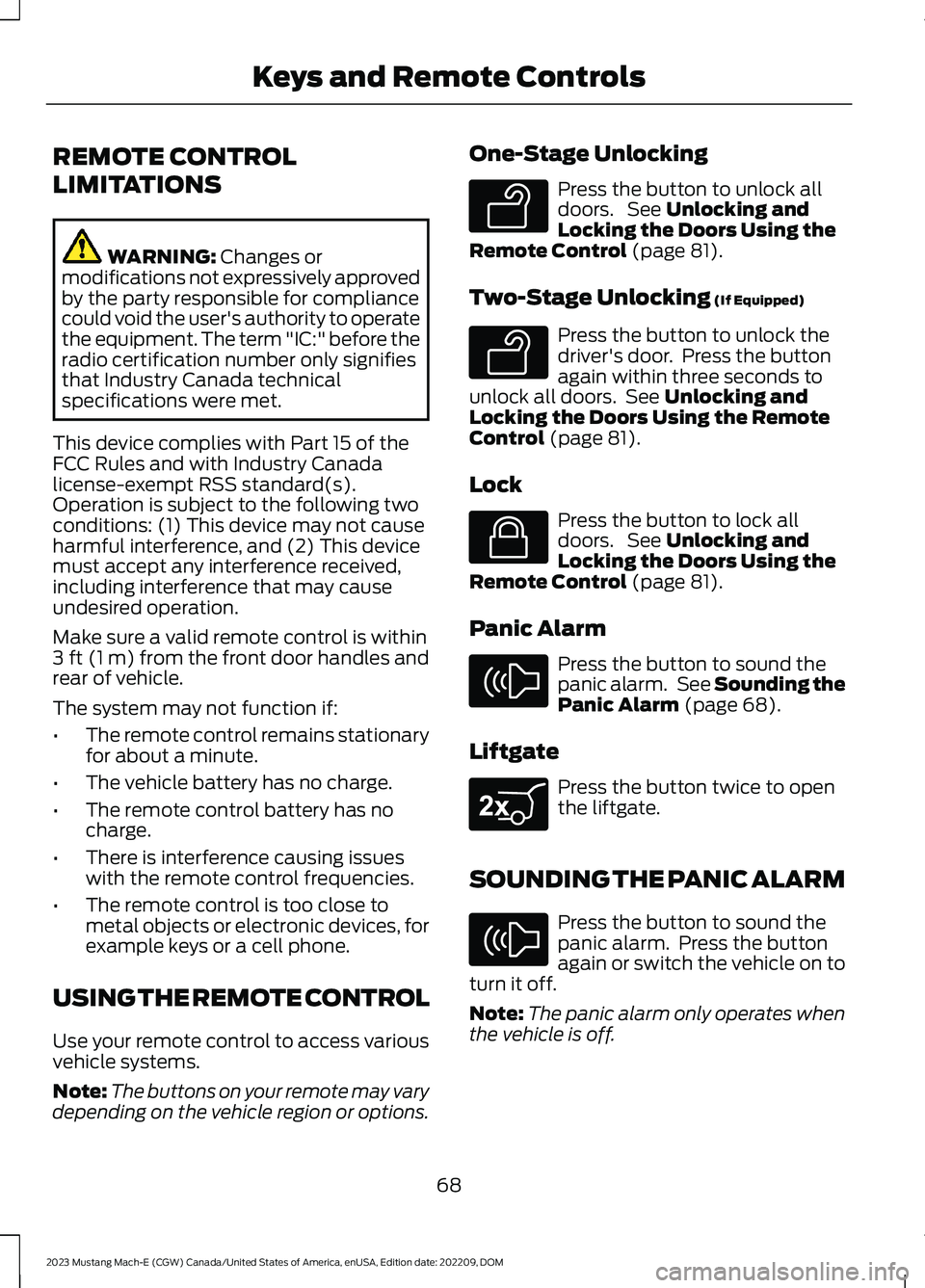
One-Stage Unlocking
Press the button to unlock alldoors. See Unlocking andLocking the Doors Using theRemote Control (page 81).
Two-Stage Unlocking (If Equipped)
Press the button to unlock thedriver's door. Press the buttonagain within three seconds tounlock all doors. See Unlocking andLocking the Doors Using the RemoteControl (page 81).
Lock
Press the button to lock alldoors. See Unlocking andLocking the Doors Using theRemote Control (page 81).
Panic Alarm
Press the button to sound thepanic alarm. See Sounding thePanic Alarm (page 68).
Liftgate
Press the button twice to openthe liftgate.
SOUNDING THE PANIC ALARM
Press the button to sound thepanic alarm. Press the buttonagain or switch the vehicle on toturn it off.
Note:The panic alarm only operates whenthe vehicle is off.
68
2023 Mustang Mach-E (CGW) Canada/United States of America, enUSA, Edition date: 202209, DOMKeys and Remote ControlsE138629 E138629 E138623 E138624 E267940 E138624
Page 89 of 496
WHAT IS KEYLESS ENTRY
The system allows you to lock and unlockyour vehicle without taking the passive keyout of your pocket or purse.
KEYLESS ENTRY LIMITATIONS
Make sure your remote control is within 3 ft(1 m) from the front door handles and thetailgate.
The system could not function if:
•The remote control remains stationaryfor about a minute.
•The vehicle battery has no charge.
•The remote control battery has nocharge.
•There is interference causing issueswith the remote control frequencies.
•The remote control is too close tometal objects or electronic devices, forexample keys or a cell phone.
KEYLESS ENTRY SETTINGS
Switching Keyless Entry On andOff
1.Switch the ignition on using an originalkey that has not been created as aMyKey.
2.
Press the button on thetouchscreen.
3.Press Vehicle.
4.Press Locks.
Reprogramming the UnlockingFunction
You can enable two-stage unlockingfunction allowing you to unlock only thedriver door when you touch the unlocksensor.
Press and hold both the lock and unlockbuttons on the remote control for fourseconds to disable or enable two-stageunlocking.
If you program the unlocking function sothat only the driver door unlocks, you canunlock all of the other doors from insideyour vehicle using the power door lockcontrol. You can unlock individual doorsby pulling the interior door handles onthose doors.
USING KEYLESS ENTRY
Unlocking the Doors
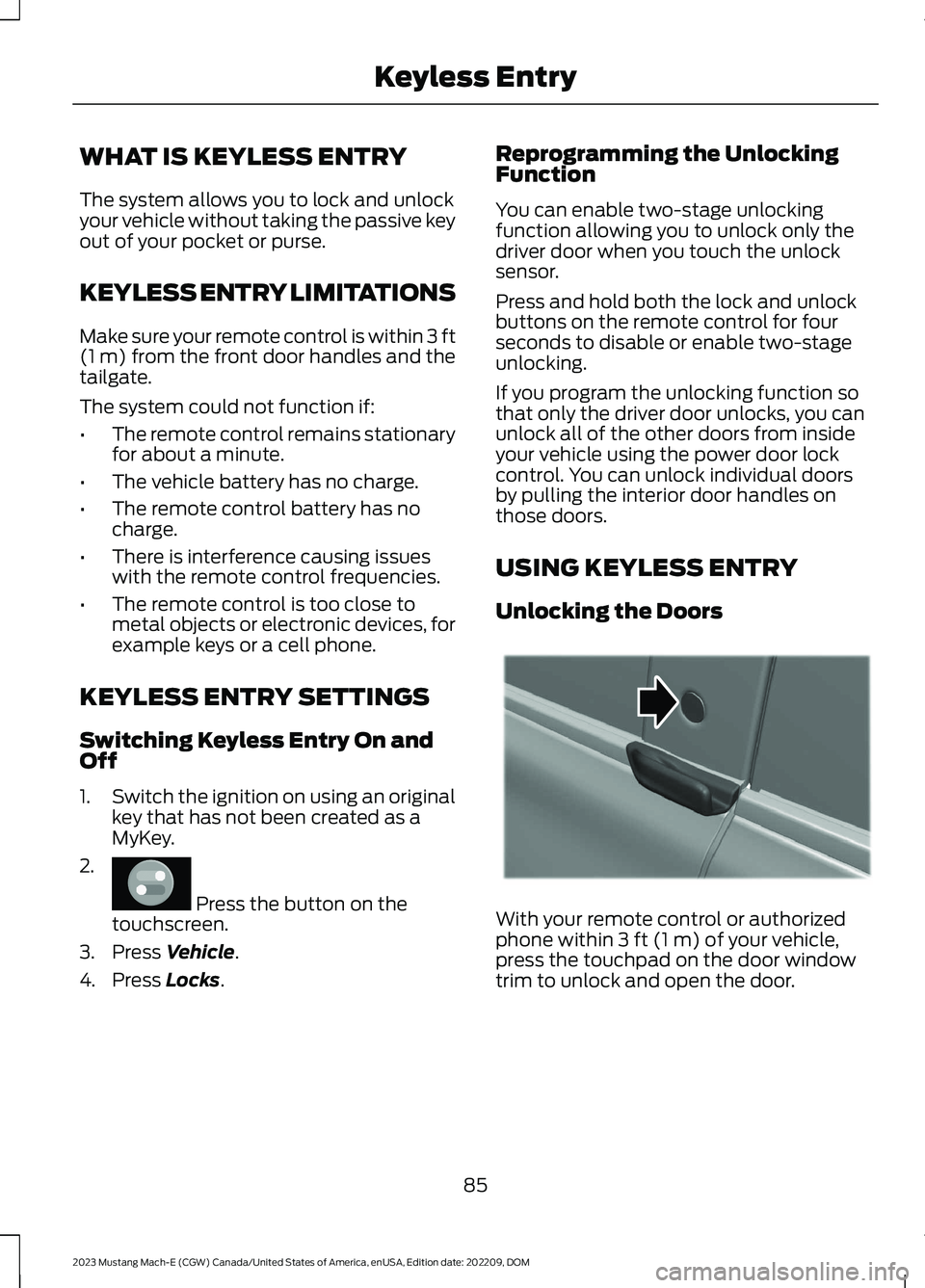
With your remote control or authorizedphone within 3 ft (1 m) of your vehicle,press the touchpad on the door windowtrim to unlock and open the door.
85
2023 Mustang Mach-E (CGW) Canada/United States of America, enUSA, Edition date: 202209, DOMKeyless EntryE386797 E334831
Page 91 of 496
WHAT IS THE KEYLESS ENTRY
KEYPAD
The keyless entry keypad allows you tolock and unlock your vehicle using thekeypad on the window trim.
KEYLESS ENTRY KEYPAD
LIMITATIONS
The system may not function if:
•The vehicle battery has no charge.
LOCATING THE KEYLESS
ENTRY KEYPAD
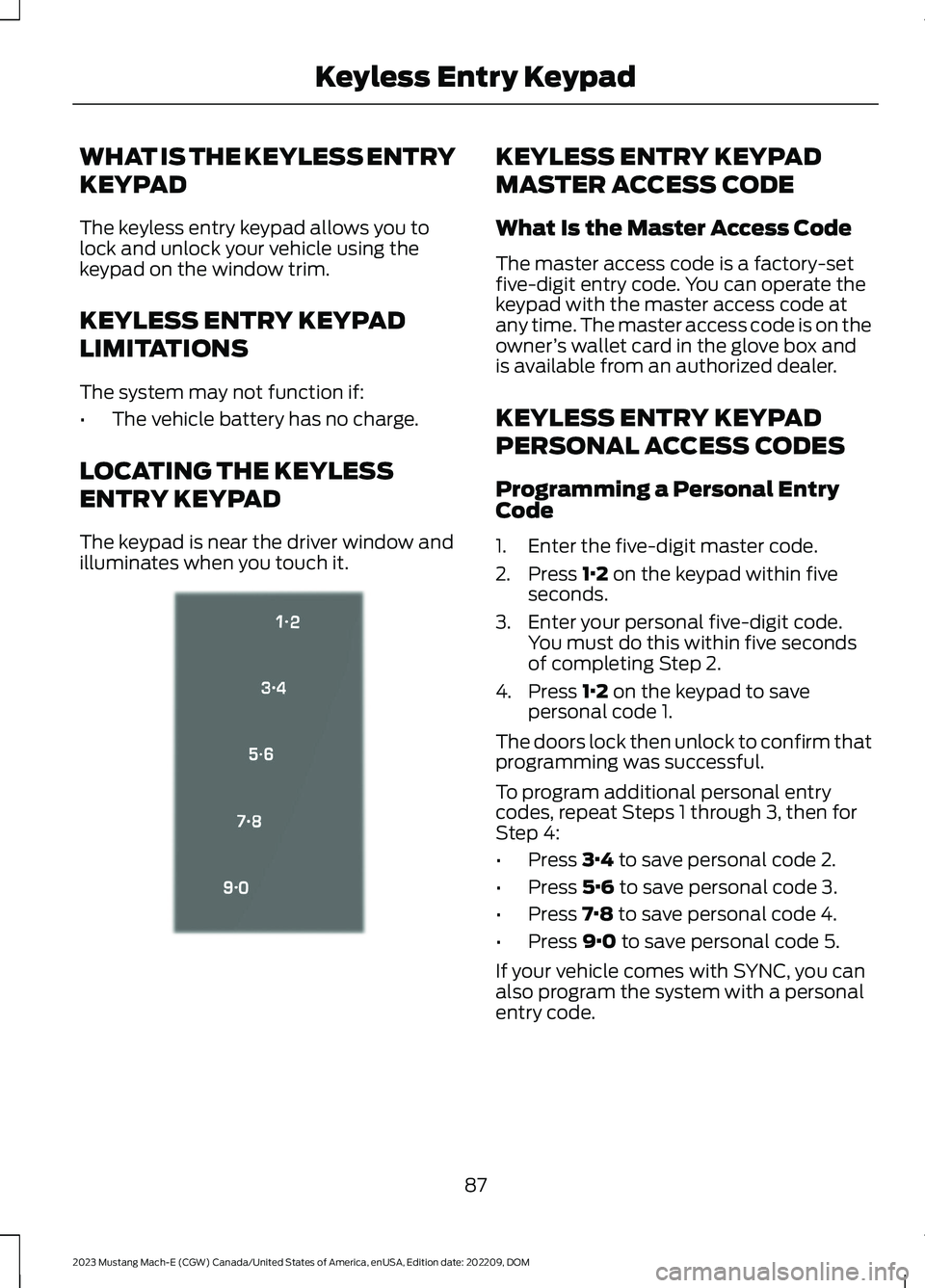
The keypad is near the driver window andilluminates when you touch it.
KEYLESS ENTRY KEYPAD
MASTER ACCESS CODE
What Is the Master Access Code
The master access code is a factory-setfive-digit entry code. You can operate thekeypad with the master access code atany time. The master access code is on theowner’s wallet card in the glove box andis available from an authorized dealer.
KEYLESS ENTRY KEYPAD
PERSONAL ACCESS CODES
Programming a Personal EntryCode
1.Enter the five-digit master code.
2.Press 1·2 on the keypad within fiveseconds.
3.Enter your personal five-digit code.You must do this within five secondsof completing Step 2.
4.Press 1·2 on the keypad to savepersonal code 1.
The doors lock then unlock to confirm thatprogramming was successful.
To program additional personal entrycodes, repeat Steps 1 through 3, then forStep 4:
•Press 3·4 to save personal code 2.
•Press 5·6 to save personal code 3.
•Press 7·8 to save personal code 4.
•Press 9·0 to save personal code 5.
If your vehicle comes with SYNC, you canalso program the system with a personalentry code.
87
2023 Mustang Mach-E (CGW) Canada/United States of America, enUSA, Edition date: 202209, DOMKeyless Entry KeypadE333628
Page 131 of 496
POWER GAUGE - GT
The power gauge displays the amount ofpower going to the wheels whenaccelerating or maintaining speed. Whenthe system limits the available maximumpower, the right side of the gauge showsgray lines representing the proportionalreduction in available power. When slowingdown by lifting your foot off the acceleratorpedal or pressing the brake, the gaugedisplays the amount of power theregenerative system captures and returnsto the high voltage battery.
SPEEDOMETER
Indicates the vehicle speed.
VEHICLE RANGE DISPLAY
Displays the approximate range yourvehicle can travel on the battery's currentstate of charge. Estimates vary based onthe energy used when driving and theenergy available in the high voltage battery.
The amount of energy being used whendriving is affected by:
•Mild or aggressive acceleration orbraking.
•Your vehicle's speed.
•Use of accessories, such as climatecontrol.
•Ambient temperature and weatherconditions.
•Driving in a city or on a highway.
•Driving on flat or hilly roads.
•Towing.
The available energy capacity in the highvoltage battery is affected by coldtemperatures and battery degradation.See Preserving Your High VoltageBattery (page 166).
When your navigation system has an activeroute the distance to your destination ornext charging station is displayed.
Note:It is normal for the vehicle rangeestimates to vary due to changes in averageenergy usage and battery temperature. Thiscould cause different range estimates eachtime you fully charge your battery. SeeMaximizing Your Driving Range (page 302).
Note:When you leave your vehicleunplugged, it periodically uses energy fromthe high voltage battery to recharge the12-volt accessory battery, resulting in areduced driving range.
HIGH VOLTAGE BATTERY
GAUGE
Displays the high voltage battery state ofcharge in the form of a gauge or apercentage. A full fill or 100% chargerepresents the total amount of energy youcan get from plugging your vehicle in.
The gauge is normally blue. When a lowbattery condition is reached the gauge isamber. When the battery is depleted thegauge is red.
When the full battery gauge is displayedand your navigation system has an activeroute, a symbol is added that representsthe battery charge level needed to reachyour destination or next charging station.
Charging Status
Additional charge information displayswhen you power on your vehicle withoutpressing the brake pedal and your vehicleis plugged in. Charging status includes thecharge start or charge end time asappropriate. When DC charging, the time
127
2023 Mustang Mach-E (CGW) Canada/United States of America, enUSA, Edition date: 202209, DOMInstrument Cluster
Page 132 of 496
at 80% displays followed by the time at100%. You can modify your vehicle chargesettings on the information andentertainment display. See Setting theCharging Schedule and Preferences(page 184).
Charge Required to Reach Destination
When the navigation system has an activeroute, the instrument cluster displays thecharge level required in order to reach yourdestination and the time when that chargelevel is available.
WHAT ARE THE INSTRUMENT
CLUSTER WARNING LAMPS
Warning lamps alert you to a vehiclecondition that could become serious.Some lamps illuminate when you startyour vehicle to make sure they work. If anylamps remain on after starting your vehicle,refer to the respective system warninglamp for further information.
INSTRUMENT CLUSTER
WARNING LAMPS
12V Battery
Illuminates when your vehicle isfirst switched on to show it isproperly functioning.
If it illuminates when the motor is running,this indicates your vehicle requires service.Have your vehicle checked as soon aspossible.
Driving when this warning lamp is on drainsthe 12V battery. If you must drive with thislight on, turn off all accessories.
Anti-Lock Brake System
If it illuminates when you aredriving, this indicates the systemrequires service. Your vehiclecontinues to have normal braking withoutthe anti-lock brake system function. Haveyour vehicle checked as soon as possible.
Brake System
Illuminates when you apply theparking brake and your vehicle ison. If it illuminates when yourvehicle is moving, make sure theparking brake is released. If theparking brake is released, thisindicates low brake fluid level or the brakesystem requires service. Have your vehiclechecked as soon as possible.
Note:Lamps may vary depending on region.
Door Ajar
Illuminates when your vehicle ison and any door is open.
Electric Parking Brake
Illuminates or flashes yellowwhen the electric parking brakerequires service.
Electric Motor CoolantTemperature
If it illuminates, safely stop yourvehicle and switch your vehicleoff.
Fasten Seatbelt
Illuminates and a tone soundsuntil you fasten the seatbelts.
128
2023 Mustang Mach-E (CGW) Canada/United States of America, enUSA, Edition date: 202209, DOMInstrument ClusterE67021 E67020 E270480 E67024 E323451 E146190 E67024 E103308 E71880
Page 133 of 496
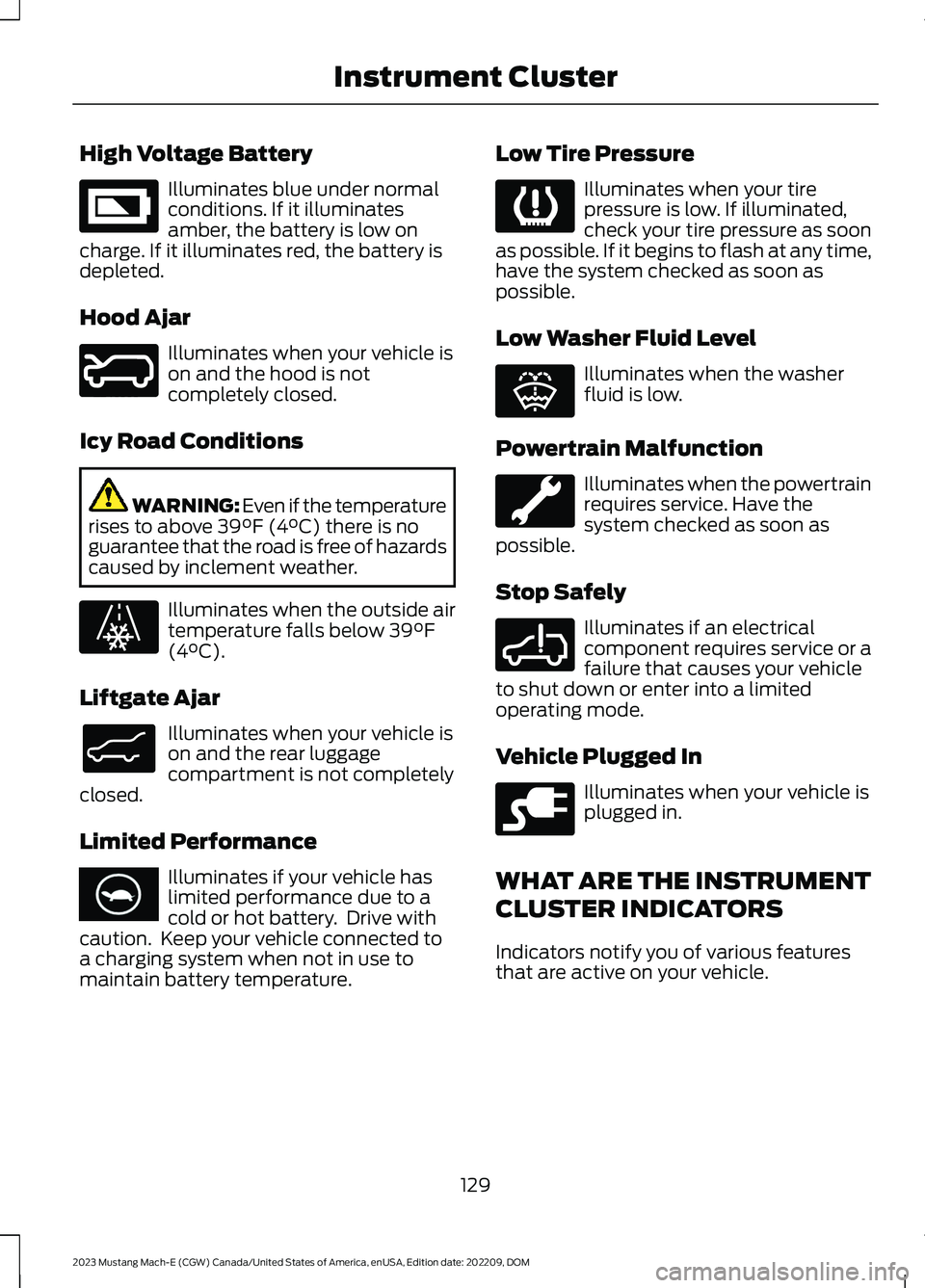
High Voltage Battery
Illuminates blue under normalconditions. If it illuminatesamber, the battery is low oncharge. If it illuminates red, the battery isdepleted.
Hood Ajar
Illuminates when your vehicle ison and the hood is notcompletely closed.
Icy Road Conditions
WARNING: Even if the temperaturerises to above 39°F (4°C) there is noguarantee that the road is free of hazardscaused by inclement weather.
Illuminates when the outside airtemperature falls below 39°F(4°C).
Liftgate Ajar
Illuminates when your vehicle ison and the rear luggagecompartment is not completelyclosed.
Limited Performance
Illuminates if your vehicle haslimited performance due to acold or hot battery. Drive withcaution. Keep your vehicle connected toa charging system when not in use tomaintain battery temperature.
Low Tire Pressure
Illuminates when your tirepressure is low. If illuminated,check your tire pressure as soonas possible. If it begins to flash at any time,have the system checked as soon aspossible.
Low Washer Fluid Level
Illuminates when the washerfluid is low.
Powertrain Malfunction
Illuminates when the powertrainrequires service. Have thesystem checked as soon aspossible.
Stop Safely
Illuminates if an electricalcomponent requires service or afailure that causes your vehicleto shut down or enter into a limitedoperating mode.
Vehicle Plugged In
Illuminates when your vehicle isplugged in.
WHAT ARE THE INSTRUMENT
CLUSTER INDICATORS
Indicators notify you of various featuresthat are active on your vehicle.
129
2023 Mustang Mach-E (CGW) Canada/United States of America, enUSA, Edition date: 202209, DOMInstrument ClusterE335242 E246598 E131558 E138633 E375575 E139232 E132353 E288355 E228962
Page 144 of 496
SWITCHING DUAL MODE ON ANDOFF
Press the button to access theclimate controls.
Press the button.
Note:When dual mode is off, setting thetemperature using the driver side controls,sets the temperature for both sides.
Note:Setting the temperature using thepassenger side controls, sets the passengertemperature and switches dual mode on.
CLIMATE CONTROL HINTS
General Hints
•Use of the climate system will reduceyour vehicles driving range. Conservebattery charge by using climate controlfeatures when necessary.
•Prolonged use of recirculated air maycause the windows to fog up.
•You may feel a small amount of airfrom the footwell air vents regardlessof the air distribution setting.
•To reduce humidity build-up inside yourvehicle, do not drive with the systemswitched off or with recirculated airalways switched on.
•Remove any snow, ice or leaves fromthe air intake area at the base of thewindshield.
•To improve the time to reach acomfortable temperature in hotweather, drive with the windows openuntil you feel cold air through the airvents.
Automatic Climate Control
•Adjusting the settings when yourvehicle interior is extremely hot or coldis not necessary. Automatic mode isbest recommended to maintain settemperature.
•The system adjusts to heat or cool theinterior to the temperature you selectas quickly as possible.
•For the system to function efficiently,the instrument panel and side air ventsshould be fully open.
•If you press AUTO during cold outsidetemperatures, the system directs airflow to the windshield and side windowair vents. The blower motor speed mayreduce until the air warms.
•If you press AUTO during hottemperatures and the inside of thevehicle is hot, the system usesrecirculated air to maximize interiorcooling. Blower motor speed may alsoreduce until the air cools.
Quickly Heating the Interior
1.Press AUTO.
2.Adjust the temperature function to thesetting you prefer.
Recommended Settings forHeating
1.Press AUTO.
2.Adjust the temperature function to thesetting you prefer. Use 72°F (22°C) asa starting point, then adjust the settingas necessary.
Quickly Cooling the Interior
Press MAX A/C.
Recommended Settings forCooling
1.Press AUTO.
140
2023 Mustang Mach-E (CGW) Canada/United States of America, enUSA, Edition date: 202209, DOMClimate ControlE265283 E265280