key Hyundai Ioniq Electric 2017 Owner's Guide
[x] Cancel search | Manufacturer: HYUNDAI, Model Year: 2017, Model line: Ioniq Electric, Model: Hyundai Ioniq Electric 2017Pages: 582, PDF Size: 37.73 MB
Page 221 of 582
3-52
Convenient features of your vehicle
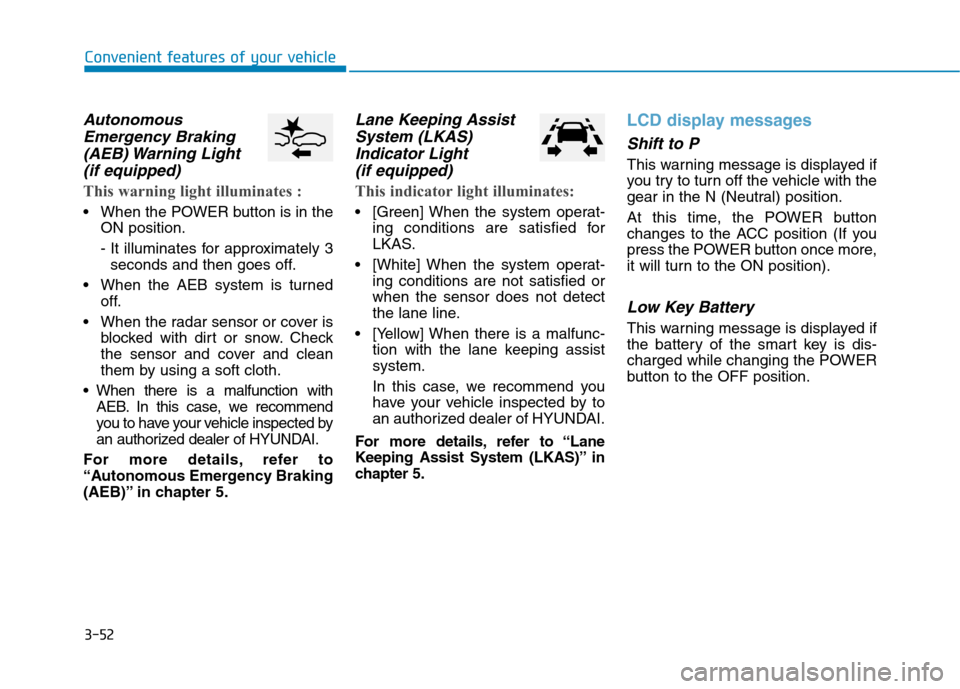
AutonomousEmergency Braking
(AEB) Warning Light (if equipped)
This warning light illuminates :
When the POWER button is in the ON position.
- It illuminates for approximately 3seconds and then goes off.
When the AEB system is turned off.
When the radar sensor or cover is blocked with dirt or snow. Check
the sensor and cover and clean
them by using a soft cloth.
When there is a malfunction with AEB. In this case, we recommend
you to have your vehicle inspected by
an authorized dealer of HYUNDAI.
For more details, refer to
“Autonomous Emergency Braking
(AEB)” in chapter 5.
Lane Keeping Assist System (LKAS)
Indicator Light (if equipped)
This indicator light illuminates:
[Green] When the system operat- ing conditions are satisfied for
LKAS.
[White] When the system operat- ing conditions are not satisfied orwhen the sensor does not detect
the lane line.
[Yellow] When there is a malfunc- tion with the lane keeping assistsystem.
In this case, we recommend you
have your vehicle inspected by to
an authorized dealer of HYUNDAI.
For more details, refer to “Lane
Keeping Assist System (LKAS)” in
chapter 5.
LCD display messages
Shift to P
This warning message is displayed if
you try to turn off the vehicle with the
gear in the N (Neutral) position.
At this time, the POWER button
changes to the ACC position (If you
press the POWER button once more,
it will turn to the ON position).
Low Key Battery
This warning message is displayed if
the battery of the smart key is dis-
charged while changing the POWER
button to the OFF position.
Page 222 of 582
3-53
Convenient features of your vehicle
3
Press POWER button whileturning wheel
This warning message is displayed if
the steering wheel does not unlock
normally when the POWER button ispressed.
You should press the POWER button
while turning the steering wheel rightand left.
Check Steering Wheel LockSystem
This warning message is displayed if
the steering wheel does not lock nor-
mally while the POWER buttonchanges to the OFF position.
Press brake pedal to start vehicle
This warning message is displayed if
the POWER button changes to the
ACC position twice by pressing the
button repeatedly without depressing
the brake pedal.
You can start the vehicle by depress-
ing the brake pedal.
Key not in vehicle
This warning message is displayed if
the smart key is not in the vehicle
when you press the POWER button.
When attempting to start the vehicle,
always have the smart key with you.
Key not detected
This warning message is displayed if
the smart key is not detected when
you press the POWER button.
Press POWER button again
This message is displayed if you
were unable to start the vehicle when
the POWER button was pressed.
If this occurs, attempt to start the
vehicle by pressing the POWER but-ton again.
If the warning message appears
each time you press the POWER
button, we recommend you to have
your vehicle inspected by an author-
ized HYUNDAI dealer.
Page 223 of 582
3-54
Convenient features of your vehicle
Press POWER button with key
This warning message is displayed if
you press the POWER button while
the warning message “Key not
detected” is displayed.
At this time, the immobilizer indicator
light blinks.
Check BRAKE SWITCH fuse
This warning message is displayed if
the brake switch fuse is disconnected.
You need to replace the fuse with a
new one before starting the vehicle.
If that is not possible, you can start the
vehicle by pressing the POWER but-
ton for 10 seconds in the ACC posi-tion.
Shift to P to start vehicle
This warning message is displayed if
you try to start the vehicle without
shifting to the P (Park) position.
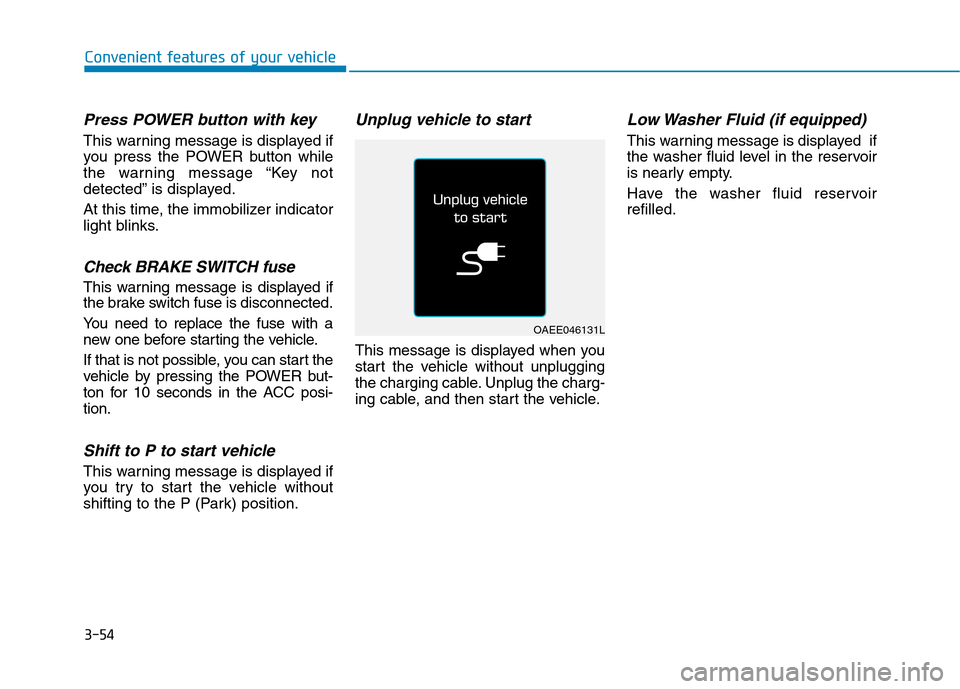
Unplug vehicle to start
This message is displayed when you
start the vehicle without unplugging
the charging cable. Unplug the charg-
ing cable, and then start the vehicle.
Low Washer Fluid (if equipped)
This warning message is displayed if
the washer fluid level in the reservoir
is nearly empty.
Have the washer fluid reservoir refilled.
OAEE046131L
Page 239 of 582
3-70
Convenient features of your vehicle
- Late/Normal/EarlyTo adjust the initial warning alert
time for Autonomous Emergency
Braking system.
For more information, refer to
"Autonomous Emergency Braking
(AEB)" in chapter 5.
To activate or deactivate the Rear
Cross Traffic Alert system.
For more information, refer to
“Blind Spot Detection" in chapter 5.
To activate or deactivate the Blind Spot Detection sound.
For more information, refer to “Blind
Spot Detection" in chapter 5. 2. Door
- Disable: The auto door lock opera-
tion will be canceled.
- Enable on Speed: All doors will be automatically locked when the vehi-
cle speed exceeds 15km/h (9.3mph).
- Enable on Shift: All doors will be automatically locked if the gear is
shifted from the P (Park) position to
the R (Reverse), N (Neutral), or D
(Drive) position.
- Disable: The auto door unlock oper-
ation will be canceled. (if equipped
with smart key)
- Vehicle Off: All doors will be auto- matically unlocked when the
POWER button is set to the OFFposition.
- On Shift to P: All doors will be auto- matically unlocked if the gear is
shifted to the P (Park) position.
Page 250 of 582
3-81
Convenient features of your vehicle
3
Battery saver function
The purpose of this feature is to pre-
vent the battery from being dis-
charged. The system automatically
turns off the position lamp when the
driver turns the vehicle off and opens
the driver-side door.
With this feature , the position lamps
will turn off automatically if the driver
parks on the side of road at night.
If necessary, to keep the lamps on
when the vehicle is turned off, perform
the following:
1) Open the driver-side door.
2) Turn the position lamps OFF and
ON again using the light switch on
the steering column.
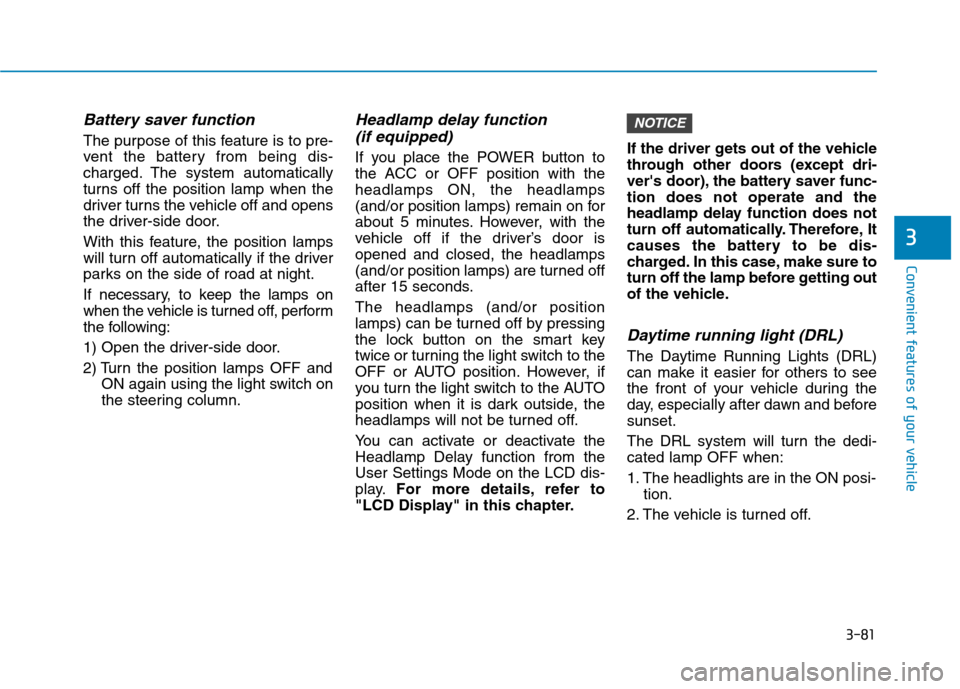
Headlamp delay function
(if equipped)
If you place the POWER button to
the ACC or OFF position with theheadlamps ON, the headlamps(and/or position lamps) remain on for
about 5 minutes. However, with the
vehicle off if the driver’s door isopened and closed, the headlamps(and/or position lam ps) are turned off
after 15 seconds. The headlamps (and/or position
lamps) can be turned off by pressing
the lock button on the smart key
twice or turning the light switch to the
OFF or AUTO position. However, if
you turn the light switch to the AUTO
position when it is dark outside, the
headlamps will not be turned off.
You can activate or deactivate the
Headlamp Delay function from theUser Settings Mode on the LCD dis-
play. For more details, refer to
"LCD Display" in this chapter. If the driver gets out of the vehicle
through other doors (except dri-
ver's door), the battery saver func-tion does not operate and the
headlamp delay function does not
turn off automatically. Therefore, It
causes the battery to be dis-
charged. In this case, make sure to
turn off the lamp before getting out
of the vehicle.
Daytime running light (DRL)
The Daytime Running Lights (DRL)
can make it easier for others to see
the front of your vehicle during the
day, especially after dawn and beforesunset.
The DRL system will turn the dedi- cated lamp OFF when:
1. The headlights are in the ON posi-
tion.
2. The vehicle is turned off.
NOTICE
Page 252 of 582
3-83
Convenient features of your vehicle
3
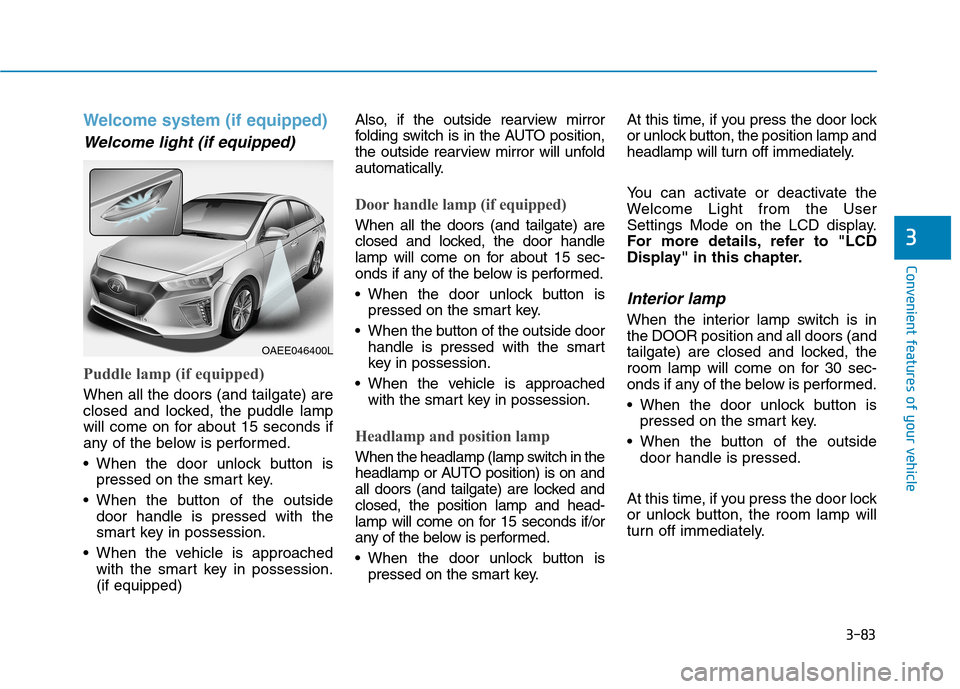
Welcome system (if equipped)
Welcome light (if equipped)
Puddle lamp (if equipped)
When all the doors (and tailgate) are
closed and locked, the puddle lamp
will come on for about 15 seconds if
any of the below is performed.
When the door unlock button ispressed on the smart key.
When the button of the outside door handle is pressed with the
smart key in possession.
When the vehicle is approached with the smart key in possession.(if equipped) Also, if the outside rearview mirror
folding switch is in the AUTO position,
the outside rearview mirror will unfold
automatically.
Door handle lamp (if equipped)
When all the doors (and tailgate) are
closed and locked, the door handle
lamp will come on for about 15 sec-
onds if any of the below is performed.
When the door unlock button is
pressed on the smart key.
When the button of the outside door handle is pressed with the smart
key in possession.
When the vehicle is approached with the smart key in possession.
Headlamp and position lamp
When the headlamp (lamp switch in the
headlamp or AUTO position) is on and
all doors (and tailgate) are locked andclosed, the position lamp and head-
lamp will come on for 15 seconds if/or
any of the below is performed.
When the door unlock button ispressed on the smart key. At this time, if you press the door lock
or unlock button, the position lamp and
headlamp will turn off immediately.
You can activate or deactivate the
Welcome Light from the User
Settings Mode on the LCD display.
For more details, refer to "LCD
Display" in this chapter.
Interior lamp
When the interior lamp switch is inthe DOOR position and all doors (and
tailgate) are closed and locked, the
room lamp will come on for 30 sec-
onds if any of the below is performed.
When the door unlock button is
pressed on the smart key.
When the button of the outside door handle is pressed.
At this time, if you press the door lock
or unlock button, the room lamp will
turn off immediately.
OAEE046400L
Page 253 of 582
3-84
Convenient features of your vehicle
Interior lights
Do not use the interior lights for
extended periods when the vehi-
cle is turned off or the battery will
discharge.
Interior lamp AUTO cut
The interior lamps will automatically
go off approximately 20 minutes after
the vehicle is turned off and the
doors closed. If a door is opened, the
lamp will go off 40 minutes after the
vehicle is turned off. If the doors are
locked by the smart key and the vehi-
cle enters the armed stage of the
theft alarm system, the lamps will go
off five seconds later.
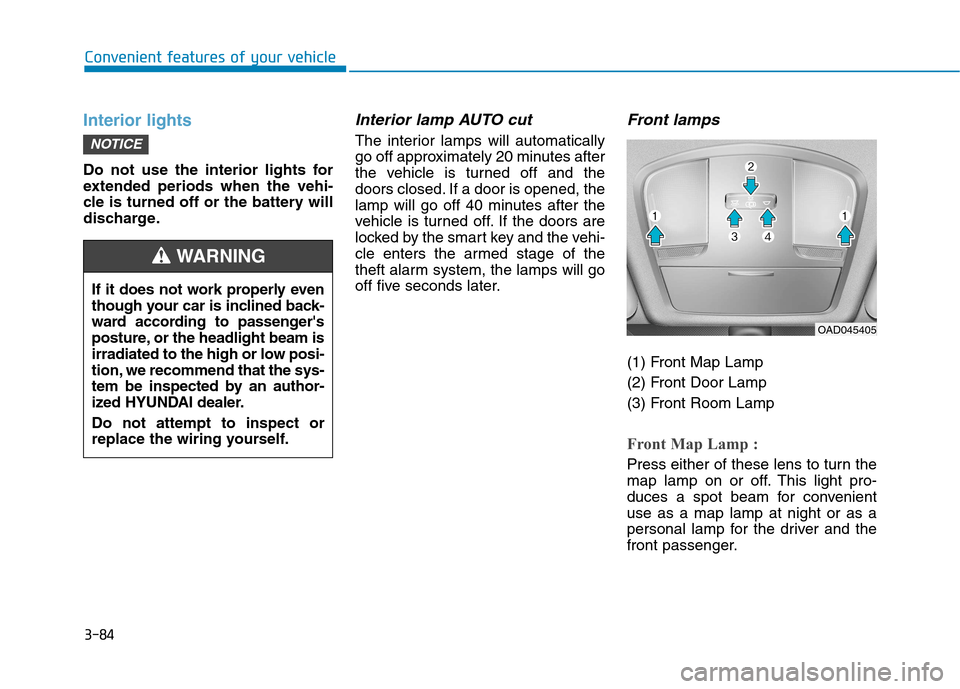
Front lamps
(1) Front Map Lamp
(2) Front Door Lamp
(3) Front Room Lamp
Front Map Lamp :
Press either of these lens to turn the
map lamp on or off. This light pro-
duces a spot beam for convenientuse as a map lamp at night or as a
personal lamp for the driver and the
front passenger.
NOTICE
If it does not work properly even
though your car is inclined back-
ward according to passenger's
posture, or the headlight beam is
irradiated to the high or low posi-
tion, we recommend that the sys-
tem be inspected by an author-
ized HYUNDAI dealer. Do not attempt to inspect or
replace the wiring yourself.
WARNING
OAD045405
Page 254 of 582
3-85
Convenient features of your vehicle
3
Front Door Lamp ( ):
The front or rear room lamps come on when the front or rear doors are
opened. When doors are unlocked by
the smart key, the front and rear
lamps come on for approximately 30
seconds as long as any door is not
opened. The front and rear room
lamps go out gradually after approxi-mately 30 seconds if the door is
closed. However, if the POWER but-ton is in the ON position or all doors
are locked, the front and rear lamps
will turn off. If a door is opened with
the POWER button in the ACC posi-tion or the OFF position, the front
and rear lamps stay on for about 20
minutes.
Front room lamp
Press the button to turn ON the
room lamp for the front/rear seats.
Re-press the button to turn OFF
the room lamp.
Press the button to turn OFF the
room lamp for the front/rear seats.
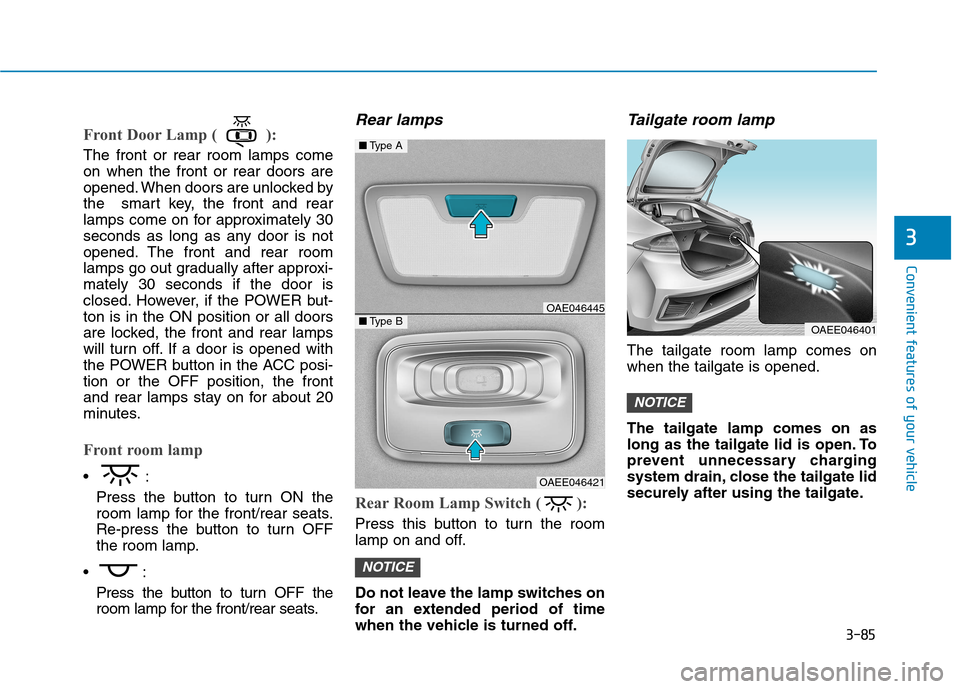
Rear lamps
Rear Room Lamp Switch ( ):
Press this button to turn the room
lamp on and off.
Do not leave the lamp switches on
for an extended period of time
when the vehicle is turned off.
Tailgate room lamp
The tailgate room lamp comes onwhen the tailgate is opened. The tailgate lamp comes on as
long as the tailgate lid is open. To
prevent unnecessary charging
system drain, close the tailgate lid
securely after using the tailgate.
NOTICE
NOTICE
OAEE046401
■Type A
■Type BOAE046445
OAEE046421
Page 255 of 582
3-86
Convenient features of your vehicle
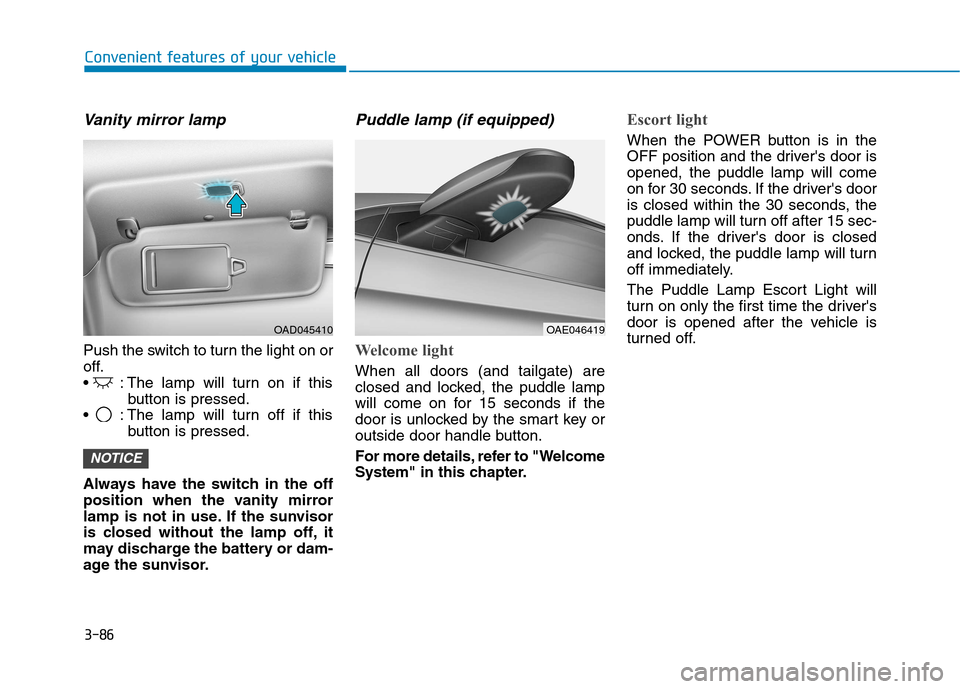
Vanity mirror lamp
Push the switch to turn the light on or
off.
: The lamp will turn on if thisbutton is pressed.
: The lamp will turn off if this button is pressed.
Always have the switch in the off
position when the vanity mirror
lamp is not in use. If the sunvisor
is closed without the lamp off, it
may discharge the battery or dam-
age the sunvisor.
Puddle lamp (if equipped)
Welcome light
When all doors (and tailgate) are
closed and locked, the puddle lamp
will come on for 15 seconds if the
door is unlocked by the smart key or
outside door handle button.
For more details, refer to "Welcome
System" in this chapter.
Escort light
When the POWER button is in the
OFF position and the driver's door isopened, the puddle lamp will come
on for 30 seconds. If the driver's door
is closed within the 30 seconds, the
puddle lamp will turn off after 15 sec-
onds. If the driver's door is closed
and locked, the puddle lamp will turn
off immediately.
The Puddle Lamp Escort Light will
turn on only the first time the driver's
door is opened after the vehicle is
turned off.
NOTICE
OAD045410OAE046419
Page 291 of 582
3-122
Convenient features of your vehicle
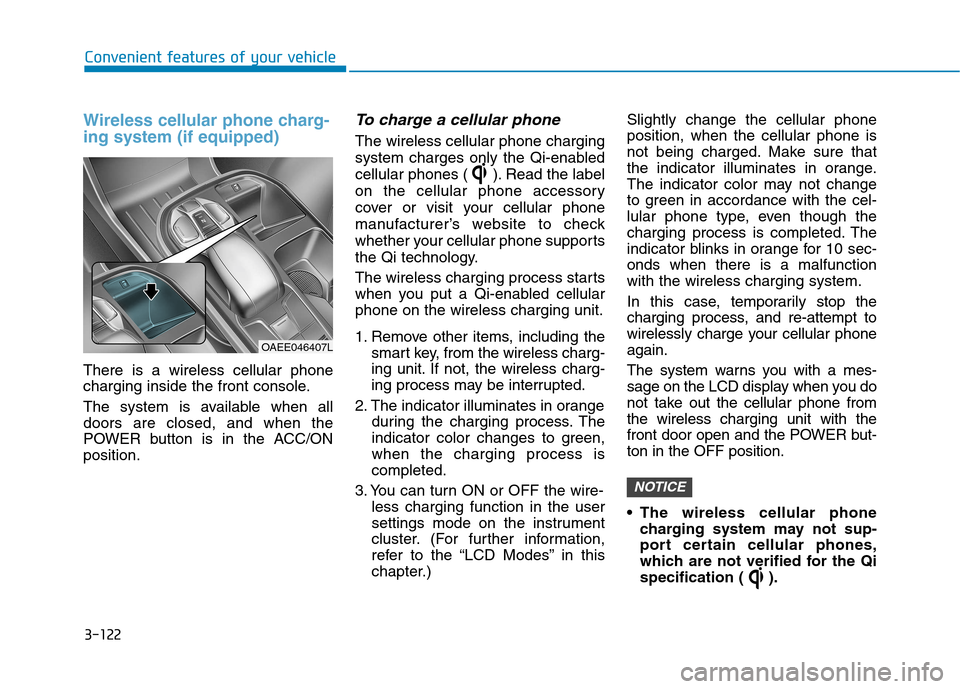
Wireless cellular phone charg- ing system (if equipped)
There is a wireless cellular phone
charging inside the front console.
The system is available when all doors are closed, and when the
POWER button is in the ACC/ONposition.
To charge a cellular phone
The wireless cellular phone charging
system charges only the Qi-enabled
cellular phones ( ). Read the label
on the cellular phone accessory
cover or visit your cellular phone
manufacturer’s website to check
whether your cellular phone supports
the Qi technology.
The wireless charging process starts
when you put a Qi-enabled cellularphone on the wireless charging unit.
1. Remove other items, including thesmart key, from the wireless charg-
ing unit. If not, the wireless charg-
ing process may be interrupted.
2. The indicator illuminates in orange during the charging process. The
indicator color changes to green,when the charging process iscompleted.
3. You can turn ON or OFF the wire- less charging function in the user
settings mode on the instrument
cluster. (For further information,
refer to the “LCD Modes” in this
chapter.) Slightly change the cellular phoneposition, when the cellular phone is
not being charged. Make sure that
the indicator illuminates in orange.
The indicator color may not change
to green in accordance with the cel-
lular phone type, even though the
charging process is completed. The
indicator blinks in orange for 10 sec-onds when there is a malfunctionwith the wireless charging system.
In this case, temporarily stop the
charging process, and re-attempt to
wirelessly charge your cellular phoneagain.
The system warns you with a mes-
sage on the LCD display when you do
not take out the cellular phone fromthe wireless charging unit with the
front door open and the POWER but-ton in the OFF position.
The wireless cellular phone
charging system may not sup-
port certain cellular phones,
which are not verified for the Qi
specification ( ).
NOTICE
OAEE046407L