display HYUNDAI SONATA HYBRID 2019 Repair Manual
[x] Cancel search | Manufacturer: HYUNDAI, Model Year: 2019, Model line: SONATA HYBRID, Model: HYUNDAI SONATA HYBRID 2019Pages: 546, PDF Size: 78.75 MB
Page 276 of 546
3-140
Slightly change the cellular phone position, when the cellular phone is
not being charged. Make sure that
the indicator illuminates in orange.
The indicator color may not change
to green in accordance with the cel-
lular phone type, even though the
charging process is completed. The
indicator blinks in orange for 10 sec-onds when there is a malfunction
with the wireless charging system. In
this case, temporarily stop the charg-
ing process, and re-attempt to wire-
lessly charge your cellular phoneagain.
The system warns you with a mes-
sage on the LCD display when you
do not take out the cellular phonefrom the wireless charging unit withthe front door open and the Engine
Start/Stop button in the OFF posi-tion.
The wireless cellular phone
charging system may not sup-
port certain cellular phones,
which are not verified for the Qi
specification ( ).
Locate your cell phone well in the middle of the wireless cellu-
lar phone charging system.
Even when your cell phone
locates slightly to one side, the
charging speed may decrease.
The wireless charging process may temporarily stop, when a
smart key function operates (i.e.
starting the engine, opening the
doors, closing the doors).
For certain cell phones, the indi- cator color may not change to
green, even when the wireless
charging process is properlycompleted.
(Continued)(Continued)
The wireless charging process
may temporarily stop, when tem-
perature abnormally increasesinside the wireless cellular
phone charging system. The
wireless charging process
restarts, when temperature falls
to a proper level.
The wireless charging process may temporarily stop when
there is any metallic item, such
as a coin, between the wireless
cellular phone charging system
and a cellular phone.
NOTICE
Convenient features of your vehicle
Page 294 of 546
5-4
Driving your vehicle
Before entering the vehicle
• Be sure all windows, outside mir-ror(s), and outside lights are clean
and unobstructed.
Remove frost, snow, or ice.
Visually check the tires for uneven wear and damage.
Check under the vehicle for any sign of leaks.
Be sure there are no obstacles behind you if you intend to back up.
Before starting
Make sure the hood, the trunk, andthe doors are securely closed and
locked.
Adjust the position of the seat and steering wheel.
Adjust the inside and outside rearview mirrors.
Verify all the lights work.
Fasten your seatbelt. Check that all passengers have fastened their
seatbelts.
Check the gauges and indicators in the instrument panel and the mes-
sages on the instrument display
when the ignition switch is in theON position.
Check that any items you are car- rying are stored properly or fas-
tened down securely.
BBEEFFOO RREE DD RRIIVV IINN GG
To reduce the risk of SERIOUS
INJURY or DEATH, take the fol-
lowing precautions:
•ALWAYS wear your seat belt.
All passengers must be prop-
erly belted whenever the vehi-
cle is moving. For more infor-
mation, refer to "Seat Belts" in
chapter 2.
Always drive defensively.
Assume other drivers or
pedestrians may be carelessand make mistakes.
Stay focused on the task of
driving. Driver distraction cancause accidents.
Leave plenty of space
between you and the vehicle
in front of you.
WARNING
Page 303 of 546
5-13
Driving your vehicle
5
The indicator in the instrument clus-
ter displays the shift lever position
when the Engine Start/Stop button isin the ON position.
P (Park)
Always come to a complete stop
before shifting into P (Park).
To shift from P (Park), you must
depress firmly on the brake pedal
and make sure your foot is off the
accelerator pedal.
If you have done all of the above
and still cannot shift the lever out of
P (Park), see "Shift-Lock Release"
in this chapter.
The shift lever must be in P (Park)
before turning the hybrid system off.
To reduce the risk of serious
injury or death:
ALWAYS check the surround-
ing areas near your vehicle for
people, especially children,
before shifting a vehicle into
D (Drive) or R (Reverse).
Before leaving the driver’s
seat, always make sure the
shift lever is in the P (Park)
position, then set the parking
brake, and place the Engine
Start/Stop button in the OFF
position. Unexpected and
sudden vehicle movementcan occur if these precautions
are not followed.
Do not use the engine brake
(shifting from a high gear to
lower gear) rapidly on slip-
pery roads. The vehicle mayslip causing an accident.
When using Manual Shift
Mode: Do not shift from a high
gear to lower gear rapidly on
slippery roads. The vehicle
may slip causing an accident.
WARNING
Shifting into P (Park) while the
vehicle is in motion may
cause you to lose control of
the vehicle.
After the vehicle has stopped,
always make sure the shift
lever is in P (Park), apply the
parking brake, and turn the
hybrid system off.
Do not use the P (Park) posi- tion in place of the parking
brake.
WARNING
Page 321 of 546
5-31
Driving your vehicle
5
Warning messages
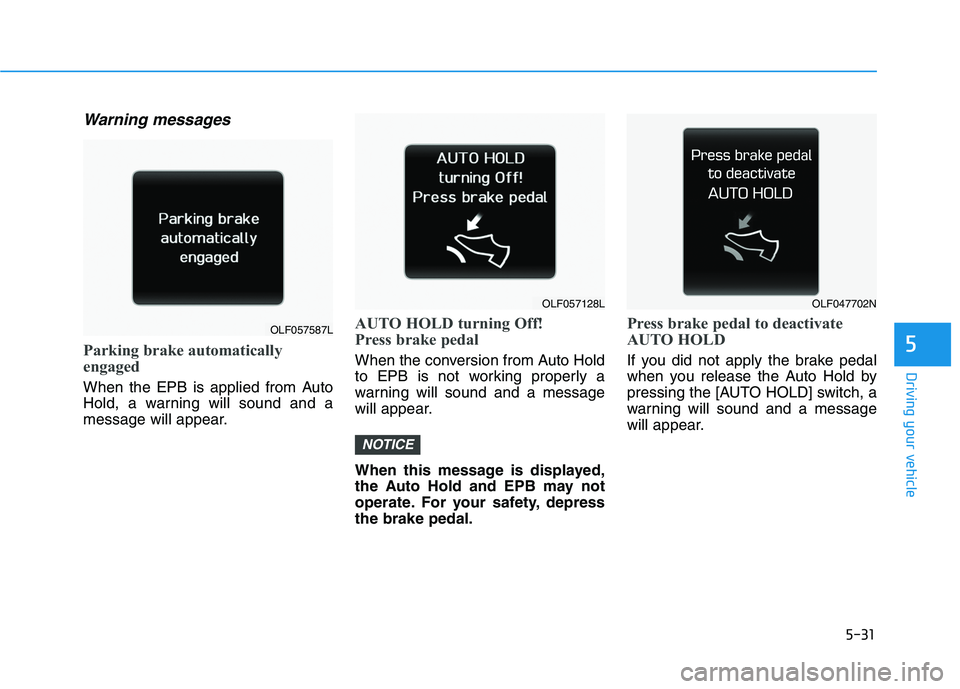
Parking brake automatically
engaged
When the EPB is applied from Auto
Hold, a warning will sound and a
message will appear.
AUTO HOLD turning Off!
Press brake pedal
When the conversion from Auto Hold
to EPB is not working properly a
warning will sound and a message
will appear.
When this message is displayed,
the Auto Hold and EPB may not
operate. For your safety, depressthe brake pedal.
Press brake pedal to deactivate
AUTO HOLD
If you did not apply the brake pedal
when you release the Auto Hold by
pressing the [AUTO HOLD] switch, a
warning will sound and a message
will appear.
NOTICE
OLF057587L
OLF057128LOLF047702N
Page 322 of 546
![HYUNDAI SONATA HYBRID 2019 Repair Manual 5-32
Driving your vehicle
AUTO HOLD conditions not met.
Close door and hood, then fasten
seatbelt
When you press the [AUTO HOLD]
switch, if the drivers door and theengine hood are not closed or the](/img/35/56191/w960_56191-321.png "HYUNDAI SONATA HYBRID 2019 Repair Manual 5-32
Driving your vehicle
AUTO HOLD conditions not met.
Close door and hood, then fasten
seatbelt
When you press the [AUTO HOLD]
switch, if the drivers door and theengine hood are not closed or the")
5-32
Driving your vehicle
AUTO HOLD conditions not met.
Close door and hood, then fasten
seatbelt
When you press the [AUTO HOLD]
switch, if the driver's door and theengine hood are not closed or the
driver's seat belt is unfastened, a
warning will sound and a message
will appear on the LCD display. Press
the [AUTO HOLD] button again after
closing the driver's door, engine
hood and trunk and fastening theseat belt.
Anti-lock Brake System (ABS)
ABS is an electronic braking system
that helps prevent a braking skid.
ABS allows the driver to steer and
brake at the same time.
An Anti-Lock Braking System
(ABS) or an Electronic Stability
Control (ESC) system will not
prevent accidents due to
improper or dangerous driving
maneuvers. Even though vehi-
cle control is improved during
emergency braking, always
maintain a safe distance
between you and objects ahead
of you. Vehicle speeds should
always be reduced during
extreme road conditions. The
braking distance for cars
equipped with ABS or ESC may
be longer than for those without
these systems in the following
road conditions.
Drive your vehicle at reduced
speeds during the followingconditions:
Rough, gravel or snow-cov-
ered roads.
(Continued)
WARNING
(Continued)
On roads where the road sur-
face is pitted or has differentsurface height.
The safety features of an ABS
or ESC equipped vehicle should
not be tested by high speed
driving or cornering. This could
endanger the safety of yourself
or others.
OLF047703L
Page 327 of 546
5-37
Driving your vehicle
5
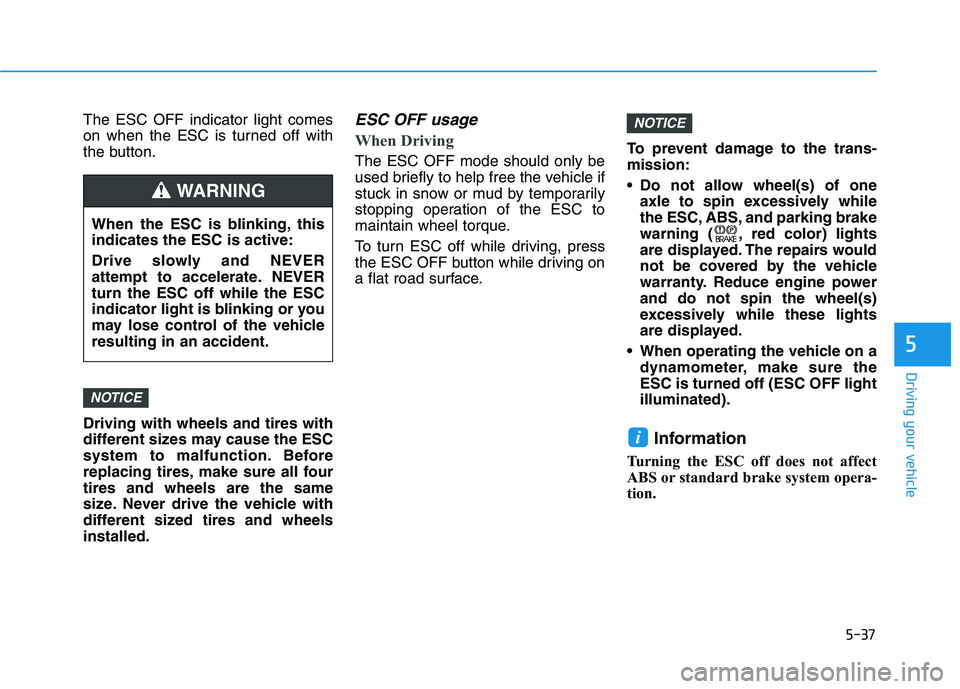
The ESC OFF indicator light comes
on when the ESC is turned off with
the button. Driving with wheels and tires with
different sizes may cause the ESC
system to malfunction. Before
replacing tires, make sure all fourtires and wheels are the same
size. Never drive the vehicle with
different sized tires and wheelsinstalled.ESC OFF usage
When Driving
The ESC OFF mode should only be
used briefly to help free the vehicle if
stuck in snow or mud by temporarily
stopping operation of the ESC to
maintain wheel torque.
To turn ESC off while driving, press
the ESC OFF button while driving on
a flat road surface.To prevent damage to the trans-mission:
Do not allow wheel(s) of one
axle to spin excessively while
the ESC, ABS, and parking brake
warning ( , red color) lights
are displayed. The repairs would
not be covered by the vehicle
warranty. Reduce engine powerand do not spin the wheel(s)
excessively while these lights
are displayed.
When operating the vehicle on a dynamometer, make sure theESC is turned off (ESC OFF lightilluminated).
Information
Turning the ESC off does not affect
ABS or standard brake system opera-
tion.
i
NOTICE
NOTICE
When the ESC is blinking, this indicates the ESC is active:
Drive slowly and NEVER
attempt to accelerate. NEVERturn the ESC off while the ESC
indicator light is blinking or you
may lose control of the vehicleresulting in an accident.
WARNING
Page 331 of 546
5-41
Driving your vehicle
5
DDRRIIVV EE MM OODDEE IINN TTEEGG RRAA TTEEDD CC OO NNTTRR OO LL SS YY SSTT EEMM (( IIFF EE QQ UUIIPP PPEEDD ))
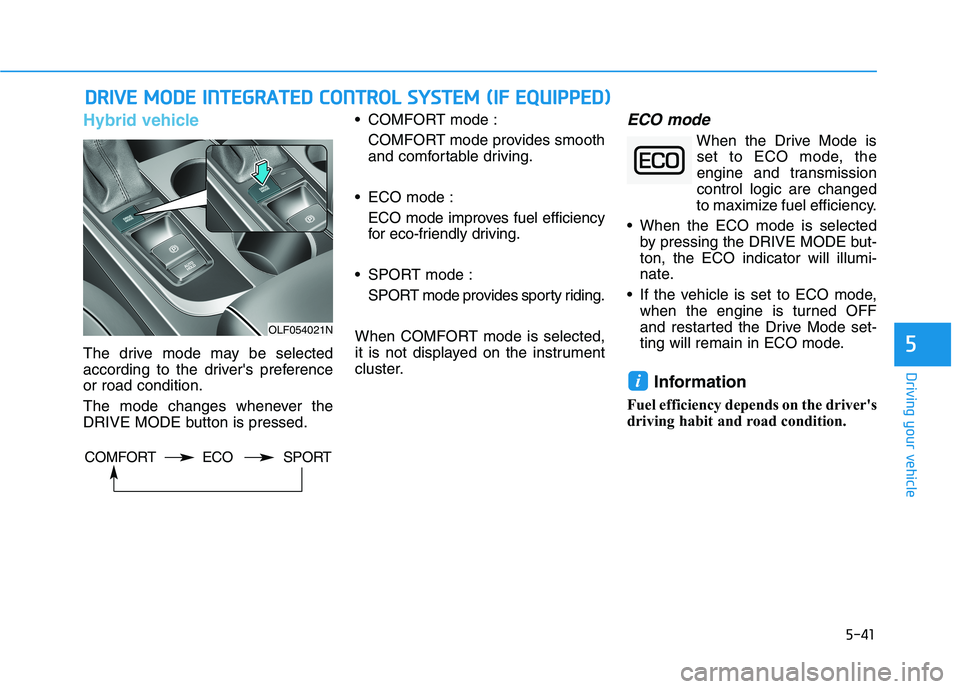
Hybrid vehicle
The drive mode may be selected
according to the driver's preferenceor road condition.
The mode changes whenever the
DRIVE MODE button is pressed. COMFORT mode :
COMFORT mode provides smooth
and comfortable driving.
ECO mode : ECO mode improves fuel efficiency
for eco-friendly driving.
SPORT mode : SPORT mode provides sporty riding.
When COMFORT mode is selected,
it is not displayed on the instrument
cluster.
ECO mode
When the Drive Mode is set to ECO mode, the
engine and transmissioncontrol logic are changed
to maximize fuel efficiency.
When the ECO mode is selected by pressing the DRIVE MODE but-ton, the ECO indicator will illumi-
nate.
If the vehicle is set to ECO mode, when the engine is turned OFF
and restarted the Drive Mode set-
ting will remain in ECO mode.
Information
Fuel efficiency depends on the driver's
driving habit and road condition.
i
OLF054021N
COMFORT ECO SPORT
Page 333 of 546
5-43
Driving your vehicle
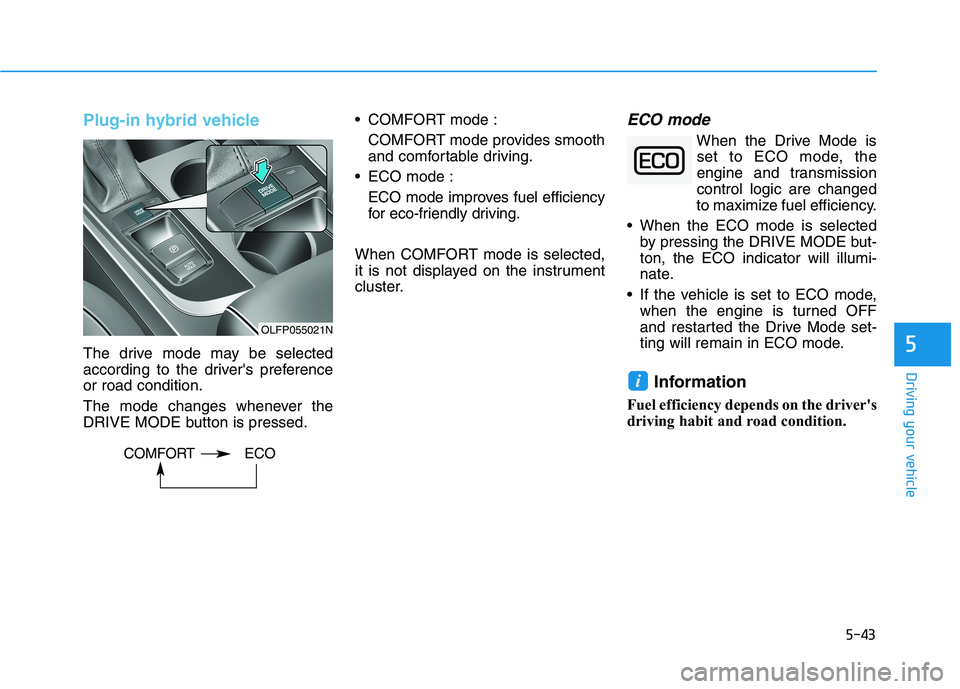
Plug-in hybrid vehicle
The drive mode may be selected
according to the driver's preferenceor road condition.
The mode changes whenever the
DRIVE MODE button is pressed. COMFORT mode :
COMFORT mode provides smooth
and comfortable driving.
ECO mode :
ECO mode improves fuel efficiency
for eco-friendly driving.
When COMFORT mode is selected,
it is not displayed on the instrument
cluster.
ECO mode
When the Drive Mode is set to ECO mode, the
engine and transmissioncontrol logic are changed
to maximize fuel efficiency.
When the ECO mode is selected by pressing the DRIVE MODE but-ton, the ECO indicator will illumi-
nate.
If the vehicle is set to ECO mode, when the engine is turned OFF
and restarted the Drive Mode set-
ting will remain in ECO mode.
Information
Fuel efficiency depends on the driver's
driving habit and road condition.
i
5
OLFP055021N
COMFORT ECO
Page 336 of 546
5-46
Driving your vehicle
BSD (Blind Spot Detection) /
LCA (Lane Change Assist)
Operating conditions
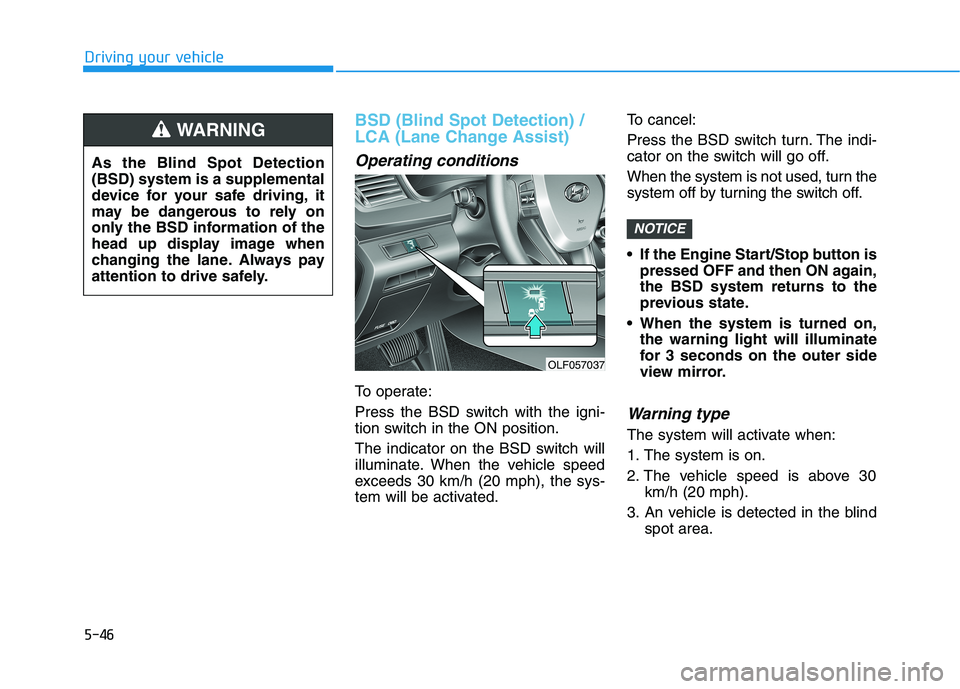
To operate:
Press the BSD switch with the igni-
tion switch in the ON position.
The indicator on the BSD switch will
illuminate. When the vehicle speed
exceeds 30 km/h (20 mph), the sys-
tem will be activated.To cancel:
Press the BSD switch turn. The indi-
cator on the switch will go off.
When the system is not used, turn the
system off by turning the switch off.
If the Engine Start/Stop button is
pressed OFF and then ON again, the BSD system returns to the
previous state.
When the system is turned on, the warning light will illuminate
for 3 seconds on the outer side
view mirror.
Warning type
The system will activate when:
1. The system is on.
2. The vehicle speed is above 30 km/h (20 mph).
3. An vehicle is detected in the blind spot area.
NOTICE
OLF057037
As the Blind Spot Detection (BSD) system is a supplemental
device for your safe driving, it
may be dangerous to rely on
only the BSD information of the
head up display image when
changing the lane. Always pay
attention to drive safely.
WARNING
Page 338 of 546
5-48
Driving your vehicle
The second stage alarm may bedeactivated.
- To deactivate the warning chime:
Go to the 'User Settings
Driving Assist and deselect 'BSD
Sound' on the LCD display.
- To activate the warning chime:
Go to the 'User Settings
Driving Assist and select 'BSD
Sound' on the LCD display.
Information
The warning chime function helps
alert the driver. Deactivate this func-
tion only when it is necessary.Detecting sensor
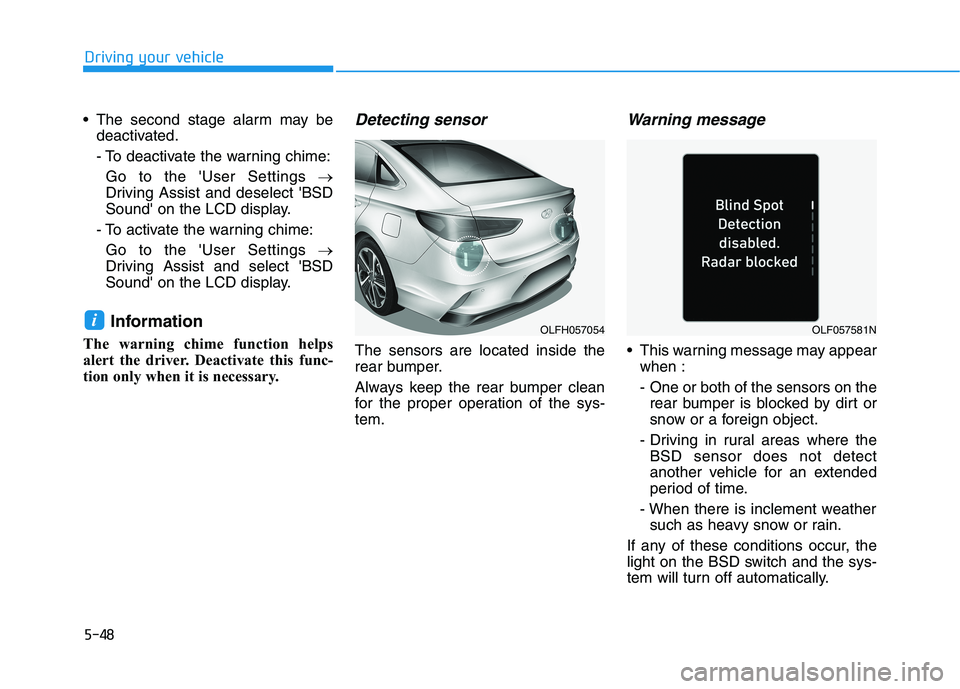
The sensors are located inside the
rear bumper.
Always keep the rear bumper clean
for the proper operation of the sys-tem.
Warning message
This warning message may appear when :
- One or both of the sensors on therear bumper is blocked by dirt or
snow or a foreign object.
- Driving in rural areas where the BSD sensor does not detect
another vehicle for an extended
period of time.
- When there is inclement weather such as heavy snow or rain.
If any of these conditions occur, the
light on the BSD switch and the sys-
tem will turn off automatically.
iOLFH057054OLF057581N