heating Hyundai Terracan 2004 User Guide
[x] Cancel search | Manufacturer: HYUNDAI, Model Year: 2004, Model line: Terracan, Model: Hyundai Terracan 2004Pages: 361, PDF Size: 4.69 MB
Page 82 of 361
FEATURES OF YOUR HYUNDAI
1- 74
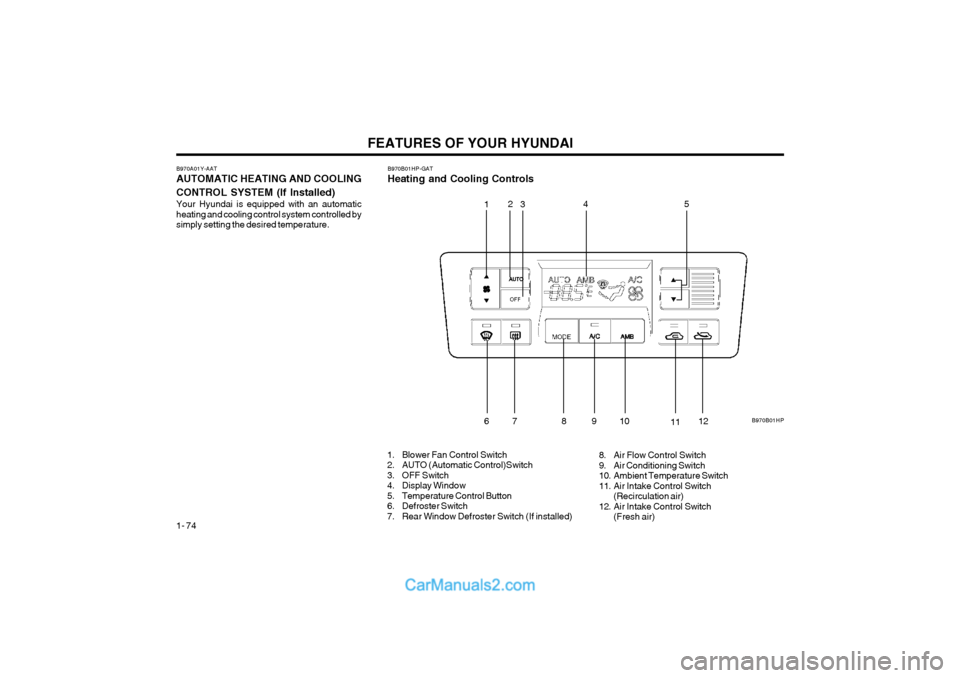
B970A01Y-AAT AUTOMATIC HEATING AND COOLING CONTROL SYSTEM (If lnstalled) Your Hyundai is equipped with an automatic heating and cooling control system controlled bysimply setting the desired temperature. B970B01HP-GAT Heating and Cooling Controls
1. Blower Fan Control Switch
2. AUTO (Automatic Control)Switch
3. OFF Switch
4. Display Window
5. Temperature Control Button
6. Defroster Switch
7. Rear Window Defroster Switch (If installed) 8. Air Flow Control Switch
9. Air Conditioning Switch
10. Ambient Temperature Switch
11. Air Intake Control Switch
(Recirculation air)
12. Air Intake Control Switch (Fresh air) B970B01HP
1
2
3 45
67 891
0
1112
Page 83 of 361
FEATURES OF YOUR HYUNDAI 1- 75
B970C02L-AAT Automatic Operation
B970C01HP
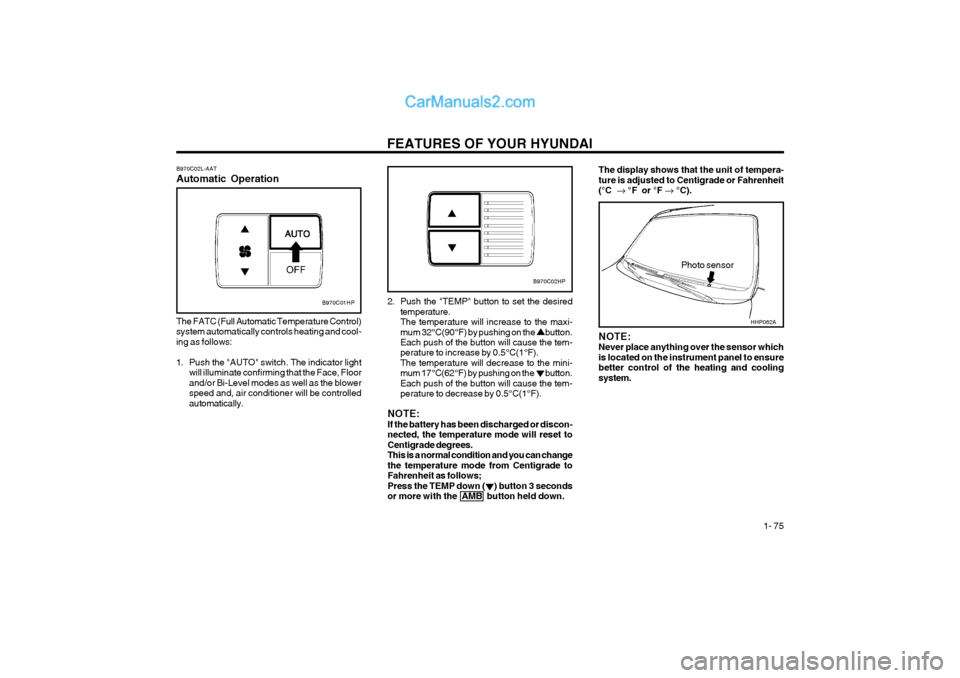
The FATC (Full Automatic Temperature Control) system automatically controls heating and cool-ing as follows:
1. Push the "AUTO" switch. The indicator light will illuminate confirming that the Face, Floor and/or Bi-Level modes as well as the blowerspeed and, air conditioner will be controlledautomatically. 2. Push the "TEMP" button to set the desired
temperature.The temperature will increase to the maxi-mum 32°C(90°F) by pushing on the button. Each push of the button will cause the tem- perature to increase by 0.5°C(1°F).The temperature will decrease to the mini-mum 17°C(62°F) by pushing on the button.Each push of the button will cause the tem-perature to decrease by 0.5°C(1°F).
NOTE:If the battery has been discharged or discon-nected, the temperature mode will reset toCentigrade degrees.This is a normal condition and you can changethe temperature mode from Centigrade toFahrenheit as follows;Press the TEMP down ( ) button 3 secondsor more with the AMB button held down.
Photo sensor
B970C02HP
NOTE: Never place anything over the sensor whichis located on the instrument panel to ensurebetter control of the heating and coolingsystem.
The display shows that the unit of tempera- ture is adjusted to Centigrade or Fahrenheit(°C °F or °F °C).
HHP062A
Page 84 of 361
FEATURES OF YOUR HYUNDAI
1- 76
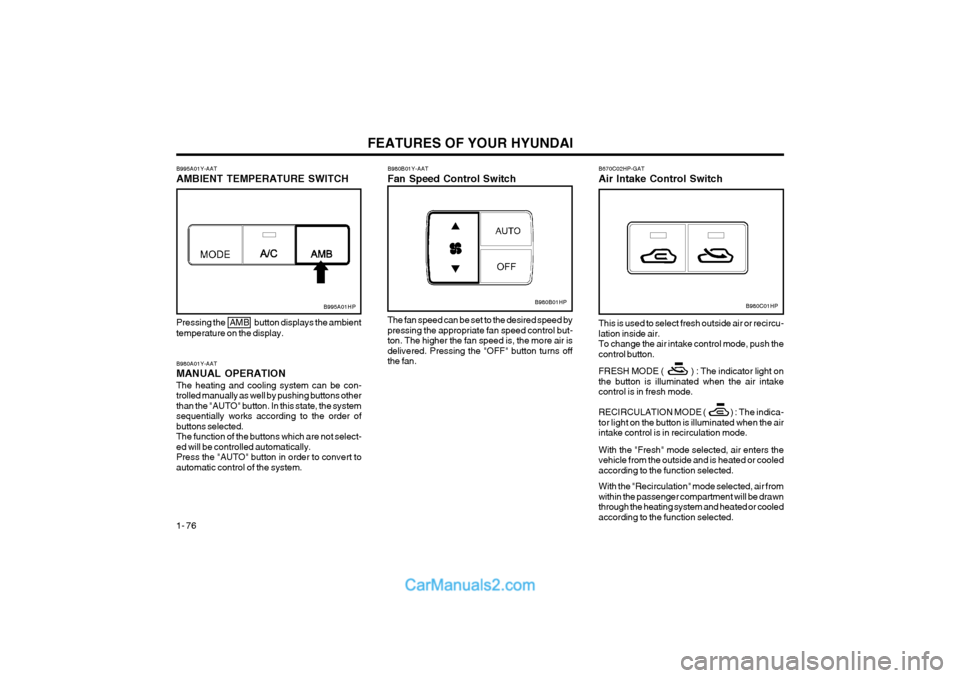
B980A01Y-AAT MANUAL OPERATIONThe heating and cooling system can be con- trolled manually as well by pushing buttons otherthan the "AUTO" button. In this state, the systemsequentially works according to the order ofbuttons selected.The function of the buttons which are not select-ed will be controlled automatically.Press the "AUTO" button in order to convert toautomatic control of the system.
B995A01HP
Pressing the AMB button displays the ambient temperature on the display.
B980B01Y-AAT Fan Speed Control Switch
B980B01HP
The fan speed can be set to the desired speed by pressing the appropriate fan speed control but-ton. The higher the fan speed is, the more air isdelivered. Pressing the "OFF" button turns offthe fan.
B995A01Y-AAT AMBIENT TEMPERATURE SWITCHB980C01HP
B670C02HP-GAT Air Intake Control Switch This is used to select fresh outside air or recircu- lation inside air.To change the air intake control mode, push thecontrol button. FRESH MODE ( ) : The indicator light on the button is illuminated when the air intakecontrol is in fresh mode.
RECIRCULATION MODE ( ) :
The indica-
tor light on the button is illuminated when the air
intake control is in recirculation mode. With the "Fresh" mode selected, air enters the vehicle from the outside and is heated or cooledaccording to the function selected. With the "Recirculation" mode selected, air from within the passenger compartment will be drawnthrough the heating system and heated or cooledaccording to the function selected.
Page 85 of 361
FEATURES OF YOUR HYUNDAI 1- 77
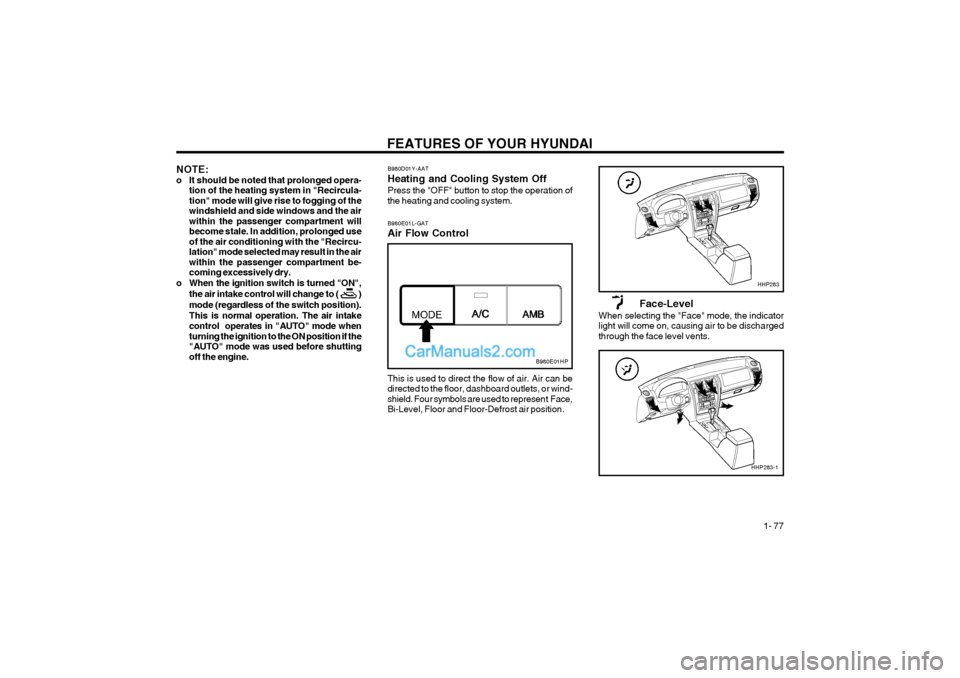
B980D01Y-AAT Heating and Cooling System OffPress the "OFF" button to stop the operation of the heating and cooling system.
NOTE:
o It should be noted that prolonged opera-
tion of the heating system in "Recircula-tion" mode will give rise to fogging of thewindshield and side windows and the airwithin the passenger compartment willbecome stale. In addition, prolonged useof the air conditioning with the "Recircu-lation" mode selected may result in the airwithin the passenger compartment be-coming excessively dry.
o When the ignition switch is turned "ON",
the air intake control will change to ( )
mode (regardless of the switch position).
This is normal operation. The air intake
control operates in "AUTO" mode when turning the ignition to the ON position if the"AUTO" mode was used before shuttingoff the engine.
This is used to direct the flow of air. Air can be directed to the floor, dashboard outlets, or wind-shield. Four symbols are used to represent Face,Bi-Level, Floor and Floor-Defrost air position.
B980E01L-GAT Air Flow Control
Face-Level
When selecting the "Face" mode, the indicator light will come on, causing air to be dischargedthrough the face level vents.
B980E01HP
HHP283
HHP283-1
Page 101 of 361
FEATURES OF YOUR HYUNDAI 1- 93
H290F03O-GAT
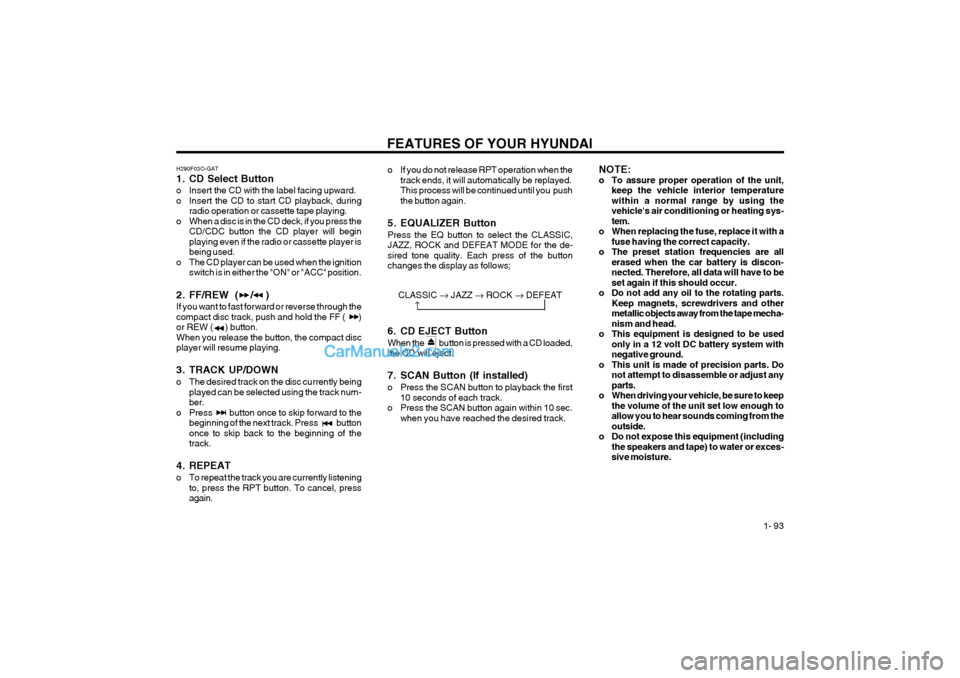
1. CD Select Button
o Insert the CD with the label facing upward.
o Insert the CD to start CD playback, during
radio operation or cassette tape playing.
o When a disc is in the CD deck, if you press the CD/CDC button the CD player will beginplaying even if the radio or cassette player isbeing used.
o The CD player can be used when the ignition switch is in either the "ON" or "ACC" position.
2. FF/REW ( / ) If you want to fast forward or reverse through the compact disc track, push and hold the FF ( )or REW ( ) button.When you release the button, the compact discplayer will resume playing.
3. TRACK UP/DOWN
o The desired track on the disc currently being played can be selected using the track num- ber.
o Press button once to skip forward to the beginning of the next track. Press buttononce to skip back to the beginning of thetrack.
4. REPEAT
o To repeat the track you are currently listening to, press the RPT button. To cancel, press again. o If you do not release RPT operation when the
track ends, it will automatically be replayed.This process will be continued until you pushthe button again.
5. EQUALIZER Button Press the EQ button to select the CLASSIC, JAZZ, ROCK and DEFEAT MODE for the de-sired tone quality. Each press of the buttonchanges the display as follows; NOTE:
o To assure proper operation of the unit,
keep the vehicle interior temperaturewithin a normal range by using thevehicle's air conditioning or heating sys-tem.
o When replacing the fuse, replace it with a fuse having the correct capacity.
o The preset station frequencies are all erased when the car battery is discon-nected. Therefore, all data will have to beset again if this should occur.
o Do not add any oil to the rotating parts. Keep magnets, screwdrivers and othermetallic objects away from the tape mecha-nism and head.
o This equipment is designed to be used only in a 12 volt DC battery system withnegative ground.
o This unit is made of precision parts. Do not attempt to disassemble or adjust anyparts.
o When driving your vehicle, be sure to keep the volume of the unit set low enough toallow you to hear sounds coming from theoutside.
o Do not expose this equipment (including the speakers and tape) to water or exces-sive moisture.
CLASSIC JAZZ ROCK DEFEAT
6. CD EJECT Button When the button is pressed with a CD loaded, the CD will eject.
7. SCAN Button (If installed)
o Press the SCAN button to playback the first 10 seconds of each track.
o Press the SCAN button again within 10 sec. when you have reached the desired track.
Page 112 of 361
DRIVING YOUR HYUNDAI 2- 3
C070C01A-AAT
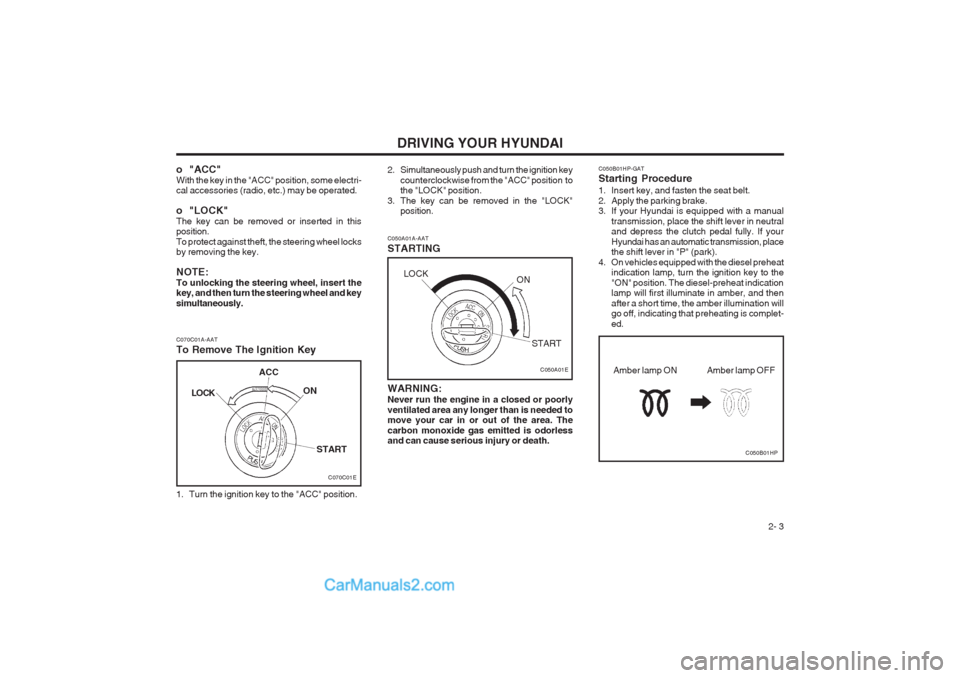
To Remove The Ignition Key
1. Turn the ignition key to the "ACC" position. C050A01A-AAT STARTING
C050A01E
WARNING: Never run the engine in a closed or poorly ventilated area any longer than is needed to move your car in or out of the area. The carbon monoxide gas emitted is odorless and can cause serious injury or death.
o "ACC" With the key in the "ACC" position, some electri- cal accessories (radio, etc.) may be operated.
o "LOCK" The key can be removed or inserted in this position. To protect against theft, the steering wheel locks by removing the key. NOTE: To unlocking the steering wheel, insert the key, and then turn the steering wheel and key simultaneously.
2. Simultaneously push and turn the ignition key
counterclockwise from the "ACC" position to the "LOCK" position.
3. The key can be removed in the "LOCK" position. C050B01HP-GAT Starting Procedure
1. Insert key, and fasten the seat belt.
2. Apply the parking brake.
3. If your Hyundai is equipped with a manual
transmission, place the shift lever in neutraland depress the clutch pedal fully. If your Hyundai has an automatic transmission, place the shift lever in "P" (park).
4. On vehicles equipped with the diesel preheat indication lamp, turn the ignition key to the "ON" position. The diesel-preheat indication lamp will first illuminate in amber, and then after a short time, the amber illumination will go off, indicating that preheating is complet- ed.
C050B01HP
Amber lamp OFF
Amber lamp ON
C070C01E
LOCK
ACC
ON
START
LOCK ON
START
Page 113 of 361
DRIVING YOUR HYUNDAI
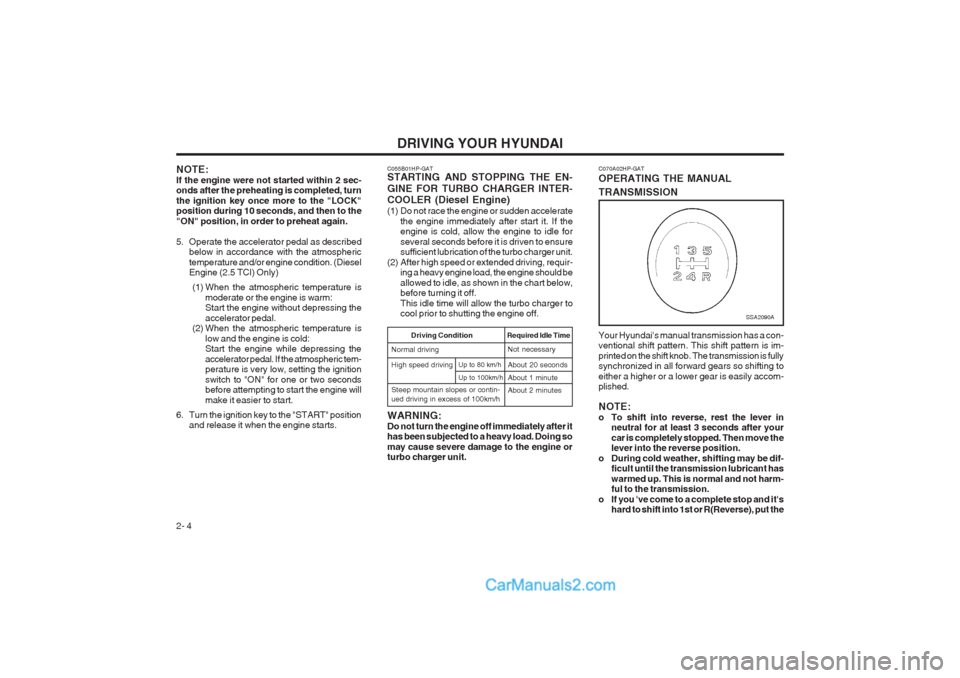
2- 4 C070A02HP-GAT OPERATING THE MANUAL TRANSMISSION Your Hyundai's manual transmission has a con- ventional shift pattern. This shift pattern is im- printed on the shift knob. The transmission is fully synchronized in all forward gears so shifting to either a higher or a lower gear is easily accom- plished. NOTE:
o To shift into reverse, rest the lever in
neutral for at least 3 seconds after yourcar is completely stopped. Then move the lever into the reverse position.
o During cold weather, shifting may be dif- ficult until the transmission lubricant has warmed up. This is normal and not harm- ful to the transmission.
o If you 've come to a complete stop and it's hard to shift into 1st or R(Reverse), put the
SSA2090A
NOTE: If the engine were not started within 2 sec- onds after the preheating is completed, turn the ignition key once more to the "LOCK" position during 10 seconds, and then to the "ON" position, in order to preheat again.
5. Operate the accelerator pedal as describedbelow in accordance with the atmospheric temperature and/or engine condition. (Diesel Engine (2.5 TCI) Only)
(1) When the atmospheric temperature is moderate or the engine is warm:Start the engine without depressing the accelerator pedal.
(2) When the atmospheric temperature is
low and the engine is cold: Start the engine while depressing the accelerator pedal. If the atmospheric tem- perature is very low, setting the ignition switch to "ON" for one or two seconds before attempting to start the engine will make it easier to start.
6. Turn the ignition key to the "START" position and release it when the engine starts. C055B01HP-GAT STARTING AND STOPPING THE EN- GINE FOR TURBO CHARGER INTER- COOLER (Diesel Engine)
(1) Do not race the engine or sudden accelerate
the engine immediately after start it. If the engine is cold, allow the engine to idle for several seconds before it is driven to ensure sufficient lubrication of the turbo charger unit.
(2) After high speed or extended driving, requir- ing a heavy engine load, the engine should be allowed to idle, as shown in the chart below, before turning it off. This idle time will allow the turbo charger to cool prior to shutting the engine off.
Required Idle Time
High speed driving Driving Condition
Normal drivingNot necessary About 20 seconds About 1 minute
Up to 100km/h
Up to 80 km/h
Steep mountain slopes or contin- ued driving in excess of 100km/h About 2 minutes
WARNING: Do not turn the engine off immediately after it has been subjected to a heavy load. Doing so may cause severe damage to the engine or turbo charger unit.
Page 123 of 361
DRIVING YOUR HYUNDAI
2- 14
o Don’t "ride" the brake pedal. Resting your foot
on the brake pedal while driving can be dan- gerous because it can result in the brakes overheating and losing their effectiveness. It also increases the wear of the brake com- ponents.
o If a tire goes flat while you are driving, apply
the brakes gently and keep the car pointed straight ahead while you slow down. When you are moving slowly enough for it to be safe to do so, pull off the road and stop in a safe place.
o If your car is equipped with an automatic
transmission, don’t let your car creep for- ward. To avoid creeping forward, keep your foot firmly on the brake pedal when the car is stopped.
o Use caution when parking on a hill. Engage the parking brake and place the gear selector lever in "P" (automatic transmission) or in first or reverse gear (manual transmission). If your car is facing downhill, turn the front wheels into the curb to help keep the car from rolling. If your car is facing uphill, turn the front wheels away from the curb to help keep the car from rolling. If there is no curb or if it is required by other conditions to keep the car from rolling, block the wheels.
o Under some conditions your parking brake
can freeze in the engaged position. This is most likely to happen when there is an ac- cumulation of snow or ice around or near the rear brakes or if the brakes are wet. If there is a risk that the parking brake may freeze, apply it only temporarily while you put thegear selector lever in "P" (automatic) or in first or reverse gear (manual transmission) and block the rear wheels so the car cannot roll. Then release the parking brake.
o Do not hold the vehicle on the upgrade with the accelerator pedal. This can cause the transmission to overheat. Always use the brake pedal or parking brake.
C140A01A-AAT DRIVING FOR ECONOMY You can save fuel and get more miles from your car if you follow these suggestions:
o Drive smoothly. Accelerate at a moderate rate. Don't make "jack-rabbit" starts or full- throttle shifts and maintain a steady cruising speed. Don't race between stoplights. Try to adjust your speed to that of the other traffic so you don't have to change speeds unneces- sarily. Avoid heavy traffic whenever possible. Always maintain a safe distance from other vehicles so you can avoid unnecessary brak- ing. This also reduces brake wear.
o Drive at a moderate speed. The faster you drive, the more fuel your car uses. Driving at a moderate speed, especially on the high- way, is one of the most effective ways to reduce fuel consumption.
o Don't "ride" the brake or clutch pedal. This
can increase fuel consumption and also in- crease wear on these components. In addi- tion, driving with your foot resting on the brake pedal may cause the brakes to overheat,which reduces their effectiveness and may lead to more serious consequences.
o Take care of your tires. Keep them inflated to the recommended pressure. Incorrect infla- tion, either too much or too little, results in unnecessary tire wear. Check the tire pres- sures at least once a month.
o Be sure that the wheels are aligned correctly.
Improper alignment can result from hitting curbs or driving too fast over irregular surfac- es. Poor alignment causes faster tire wear and may also result in other problems as well as greater fuel consumption.
o Keep your car in good condition. For better
fuel economy and reduced maintenance costs, maintain your car in accordance with the maintenance schedule in Section 5. If you drive your car in severe conditions, more frequent maintenance is required (see Sec- tion 5 for details).
o Keep your car clean. For maximum service, your Hyundai should be kept clean and free of corrosive materials. It is especially important that mud, dirt, ice, etc. not be allowed to accumulate on the underside of the car. This extra weight can result in increased fuel con- sumption and also contribute to corrosion.
o Travel lightly. Don't carry unnecessary weight
in your car. Weight reduces fuel economy.
o Don't let the engine idle longer than neces-
sary. If you are waiting (and not in traffic), turn off your engine and restart only when you're ready to go.
Page 125 of 361
DRIVING YOUR HYUNDAI
2- 16
C160H01A-AAT Use Approved Anti-Freeze in Window Washer System To keep the water in the window washer system from freezing, add an approved anti-freeze solu- tion in accordance with instructions on the con- tainer. Window washer anti-freeze is available from Hyundai dealers and most auto parts out- lets. Do not use engine coolant or other types of anti-freeze as these may damage the finish.
C160F01A-AAT Check Spark Plugs and Ignition System Inspect your spark plugs as described in Section 6 and replace them if necessary. Also check all ignition wiring and components to be sure they are not cracked, worn or damaged in any way.
C160G02A-GAT To Keep Locks from Freezing To keep the locks from freezing, squirt an ap- proved de-icer fluid or glycerine into the key opening. If a lock is covered with ice, squirt it with an approved de-icing fluid to remove the ice. If the lock is frozen internally, you may be able to thaw it out by using a heated key. Handle the heated key with care to avoid
injury.
NOTE: The proper temperature for using the immo- bilizer key is from -40°C (-40°F) to 80°C (176°F). If you heat the immobilizer key over 80°C (176°F) to open the frozen lock, it may cause damage to the transponder in its head. C160I01HP-GAT Don’t Let Your Parking Brake Freeze Under some conditions your parking brake can freeze in the engaged position. This is most likely to happen when there is an accumulation of snow or ice around or near the rear brakes or if the brakes are wet. If there is a risk the parking brake may freeze, apply it only temporarily while you put the gear selector lever in "P" (automatic) or in first or reverse gear (manual transmission) and block the rear wheels so the car cannot roll. Then release the parking brake. C160K01A-AAT Carry Emergency Equipment Depending on the severity of the weather where you drive your car, you should carry appropriate emergency equipment. Some of the items you may want to carry include tire chains, tow straps or chains, flashlight, emergency flares, sand, a shovel, jumper cables, a window scraper, gloves, ground cloth, coveralls, a blanket, etc.
C160J01A-AAT Don’t Let Ice and Snow Accumulate Underneath Under some conditions, snow and ice can build up under the fenders and interfere with the steer- ing. When driving in severe winter conditions where this may happen, you should periodically check underneath the car to be sure the move- ment of the front wheels and the steering compo- nents is not obstructed.
C180A01A-AAT USE OF LIGHTS Check your lights regularly for correct operation and always keep them clean. When driving dur- ing the day in conditions of poor visibility, it is helpful to drive with headlights on low beam. This enables you to be seen as well as to see.
C170A01A-AAT HIGHER SPEED MOTORING Pre-Trip Inspections 1. Tires: Adjust the tire inflation pressures to specifica- tion. Low tire inflation pressures will result in overheating and possible failure of the tires. Avoid using worn or damaged tires which may result in reduced traction or tire failure. NOTE: Never exceed the maximum tire inflation pres- sure shown on the tires. 2. Fuel, engine coolant and engine oil: High speed travel consumes more fuel than urban motoring. Do not forget to check both engine coolant and engine oil. 3. Drive belt: A loose or damaged drive belt may result in overheating of the engine.
Page 128 of 361
DRIVING YOUR HYUNDAI 2- 19
5. Always secure items in the trailer to prevent
load shift while driving.
6. Check the condition and air pressure of all
tires on the trailer and your car. Low tire pressure can seriously affect the handling.
Also check the spare tire.
7. The vehicle/trailer combination is more af-
fected by crosswind and buffeting. When being passed by a large vehicle, keep a constant speed and steer straight ahead. If there is too much wind buffeting slow down to get out of the other vehicle's air turbulence.
8. When parking your car and trailer, especially
on a hill, be sure to follow all the normal precautions. Turn your front wheel into the curb, set the parking brake firmly, and put the transmission in 1st or Reverse (manual) or Park (automatic). In addition, place wheel
chocks at each of the trailer's tires.
9. If the trailer has electric brakes, start your vehicle and trailer moving, and then apply the trailer brake controller by hand to be sure the brakes are working. This lets you check your
electrical connection at the same time.
10. During your trip, check occasionally to be
sure that the load is secure, and that the lights and any trailer brakes are still working.
11. Avoid jerky starts, sudden acceleration or sudden stops.
12. Avoid sharp turns and rapid lane changes.
13. Avoid holding the brake pedal down too long or too frequently. This could cause the brakes to overheat, resulting in reduced braking effi- ciency.
14. When going down a hill, shift into a lower gear
and use the engine braking effect. When ascending a long grade, downshift the trans- mission to a lower gear and reduce speed to reduce chances of engine overloading and/or overheating.
15. If you have to stop while going uphill, do not
hold the vehicle in place by pressing on the accelerator. This can cause the automatic transmission to overheat. Use the parking brake or footbrake.
NOTE: When towing, check transmission fluid more frequently. CAUTION: If overheating should occur when towing, (temperature gauge reads near red zone), taking the following action may reduce or
eliminate the problem.
1. Turn off the air conditioner.
2. Reduce highway speed.
3. Select a lower gear when going uphill.
4. While in stop and go traffic, place the gear selector in park or neutral and idle theengine at a higher speed.