bonnet JAGUAR XF 2009 1.G User Guide
[x] Cancel search | Manufacturer: JAGUAR, Model Year: 2009, Model line: XF, Model: JAGUAR XF 2009 1.GPages: 391, PDF Size: 19.32 MB
Page 188 of 391
Vehicle care
188
Do not use household soaps or detergents. The
use of Jaguar Vehicle Shampoo is
recommended.
Note: The vehicle's brightwork should be
cleaned using a sponge and generous
quantities of cold or lukewarm water only.
Rinse thoroughly and dry with a chamois
leather or synthetic substitute.
Using an automatic wash
Note: Regular use of automatic car washes
tends to dull the lustre of the paintwork.
1. Drive up to the entry of the car wash and
onto the conveyor.
2. Select N (Neutral) using the JaguarDrive
selector.
3. Press and release the engine START/STOP
button to stop the engine. The JaguarDrive
selector should remain raised and the
selector and message centre should
indicate that N is selected. 4.
The vehicle should rema in in this condition
while it is conveyed through the car wash.
5. At the end of the wash cycle, when directed
to start the engine by the car wash
instructions, press the brake pedal and
press and release the engine START/STOP
button to start the engine.
6. Select D (Drive) using the JaguarDrive
selector and drive away.
Do not start the engine or change the
JaguarDrive selector position during the car
wash.
After leaving the car wash, switch on the
windscreen wiper immediately to remove water
and prevent a build up of wax.
Underbonnet cleaning
CAUTIONS
Commercially operated automatic car
washes, jet washes and power-operated
mops, are not recommen ded. The detergents
used can contain certain chemicals which
may, over time, be detrimental to some
exterior parts of the vehicle. Prolonged usage
of automatic car wash es and power-operated
mops will also cause fine scratches in the paint
surface.
Ensure that Auto wipe is not selected
when entering a car wash, or damage to
the wiper blades and arms can occur if they
operate during the wash cycle.
Ensure that when using an automatic
drive through car wash, N (Neutral) is
selected and that the ignition is left in
convenience mode for the duration of the
wash.
CAUTIONS
Do not use a high pr essure washer or
steam cleaner in the engine
compartment. Damage to components could
occur.
Ensure that the brake fluid reservoir is
kept dry at all times. Only use a clean,
dry cloth to clean the brake fluid cap and
reservoir.
Page 195 of 391
195
Maintenance
OPENING AND CLOSING THE
BONNET
Opening the bonnet
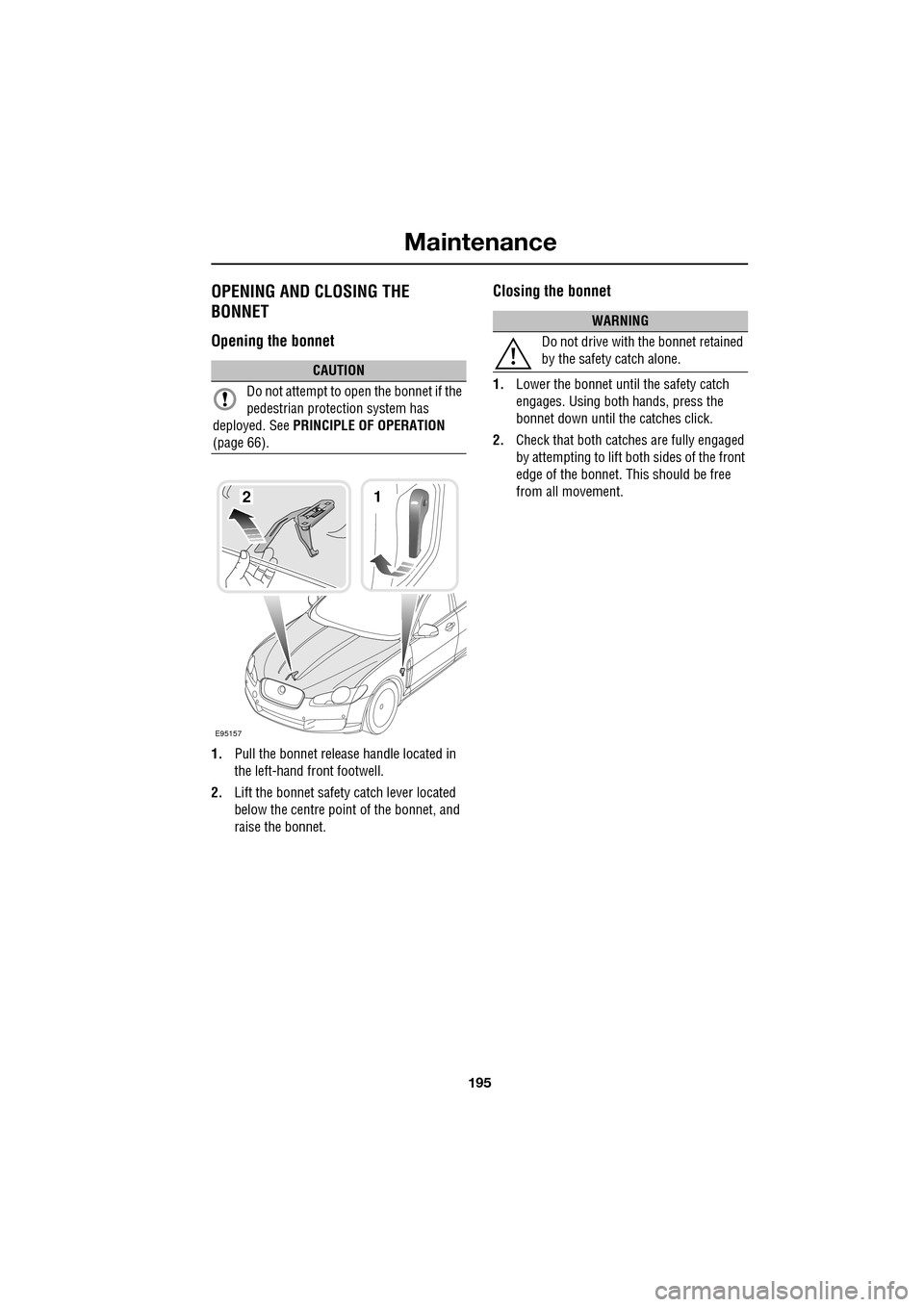
1.Pull the bonnet release handle located in
the left-hand front footwell.
2. Lift the bonnet safety catch lever located
below the centre point of the bonnet, and
raise the bonnet.
Closing the bonnet
1. Lower the bonnet until the safety catch
engages. Using both hands, press the
bonnet down until the catches click.
2. Check that both catches are fully engaged
by attempting to lift both sides of the front
edge of the bonnet. This should be free
from all movement.CAUTION
Do not attempt to open the bonnet if the
pedestrian protec tion system has
deployed. See PRINCIPLE OF OPERATION
(page 66).
E95157
12
WARNING
Do not drive with the bonnet retained
by the safety catch alone.
Page 206 of 391
Maintenance
206
BRAKE FLUID CHECK
If the quantity of fluid in the brake
reservoir drops below the
recommended level, a red warning
indicator in the instrume nt pack will illuminate
and the message BRAKE FLUID LOW will be
displayed in the message centre.
Note: If the warning indicator illuminates or the
message is displayed, while the vehicle is being
driven, stop the vehicle as soon as safety
permits by gently applying the brakes. Check
and top-up the fluid level if necessary.
Checking the fluid level
With the vehicle on level ground, check the
fluid level at least every week (more frequently
in high mileage or arduous operating
conditions).
The brake fluid reservoi r is located beneath a
cover on the raised platform to the rear of the
main underbonnet area. See ENGINE
COMPARTMENT OVERVIEW (page 196).
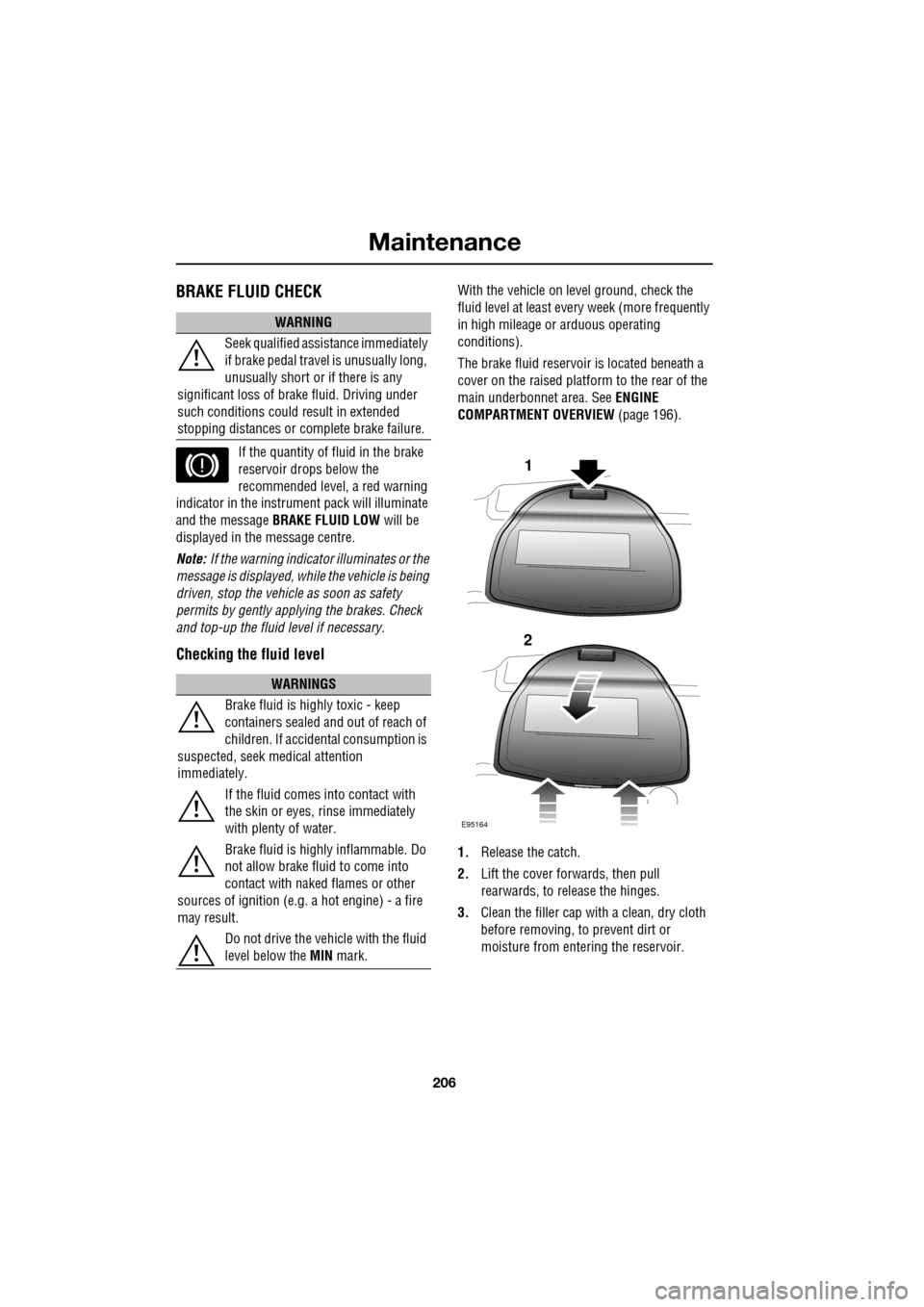
1. Release the catch.
2. Lift the cover forwards, then pull
rearwards, to release the hinges.
3. Clean the filler cap with a clean, dry cloth
before removing, to prevent dirt or
moisture from entering the reservoir.
WARNING
Seek qualified assistance immediately
if brake pedal travel is unusually long,
unusually short or if there is any
significant loss of br ake fluid. Driving under
such conditions could result in extended
stopping distances or co mplete brake failure.
WARNINGS
Brake fluid is highly toxic - keep
containers sealed a nd out of reach of
children. If accidental consumption is
suspected, seek medical attention
immediately.
If the fluid comes into contact with
the skin or eyes, rinse immediately
with plenty of water.
Brake fluid is highl y inflammable. Do
not allow brake fluid to come into
contact with naked flames or other
sources of ignition (e.g. a hot engine) - a fire
may result.
Do not drive the vehicle with the fluid
level below the MIN mark.
E95164
1
2
Page 307 of 391
307
Telephone
GENERAL INFORMATIONNote: The vehicle telephone system is
designed to function with a wide variety of
Bluetooth® telephones.
As these telephones have a wide range of audio
and echo characteristics, it may take a few
seconds for the vehicle telephone system to
adapt and deliver optimum audio performance.
It may be necessary to reduce the in-vehicle
volume slightly, to fully optimise audio
performance and reduce echo.
In order to achieve th e best possible audio
performance, it may be necessary to select a
lower speed on the heat er blower and reduce
the system volume slightly, when using certain
mobile phones.
Telephone networks
The telephone network standard allows you to
use your telephone in many countries.
However, telephone rece ption may be poor or
unavailable in remote re gions. This may be due
to the inadequate power of the transmitter,
which results in a weak signal or incomplete
coverage.
What is Bluetooth®?
Jaguar Bluetooth® Connectivity was
developed to be used wi th a selected range of
mobile phones, from a number of different
manufacturers. Some mobile phones feature
different operating soft ware versions - the
correct version is needed for successful
integration with the Jaguar Bluetooth®
system.
Bluetooth is an intern ational standard that
allows electronic com ponents to communicate
with each other, using a short-range radio link.
Bluetooth eliminates the need for wires or
cables: Typically, devices can communicate at
a range of up to 10 metres (33 feet).
WARNING
Using the telephone near the car: Do
not telephone inside a garage or near
an open car bonnet. The air may
contain fuel vapours a nd the telephone could
produce sparks and start a fire.
Unusual ambient conditions: Switch
off the telephone in areas where high
explosives are being used. High
frequency remote controls could be interfered
with and cause an explos ion. Switch off your
telephone in areas with a high explosion risk.
This includes filling st ations, fuel storage
areas or chemical factories, as well as places
where the air contains fuel vapour, chemicals
or metal dust. The telephone might produce
sparks and cause a fire or explosion.
Medical equipment: The functioning
of cardiac pacemakers or hearing aids
may be impaired when the phone is in
use. Check with a doctor or manufacturer
whether any such devices you or your
passengers are using, are sufficiently
protected against high-frequency energy.
Always stow your mobile phone
securely. In an accident, loose items
can cause injury.
Using any hand-held appliance while
driving, can be dangerous and is
illegal in cert ain countries.
Page 381 of 391
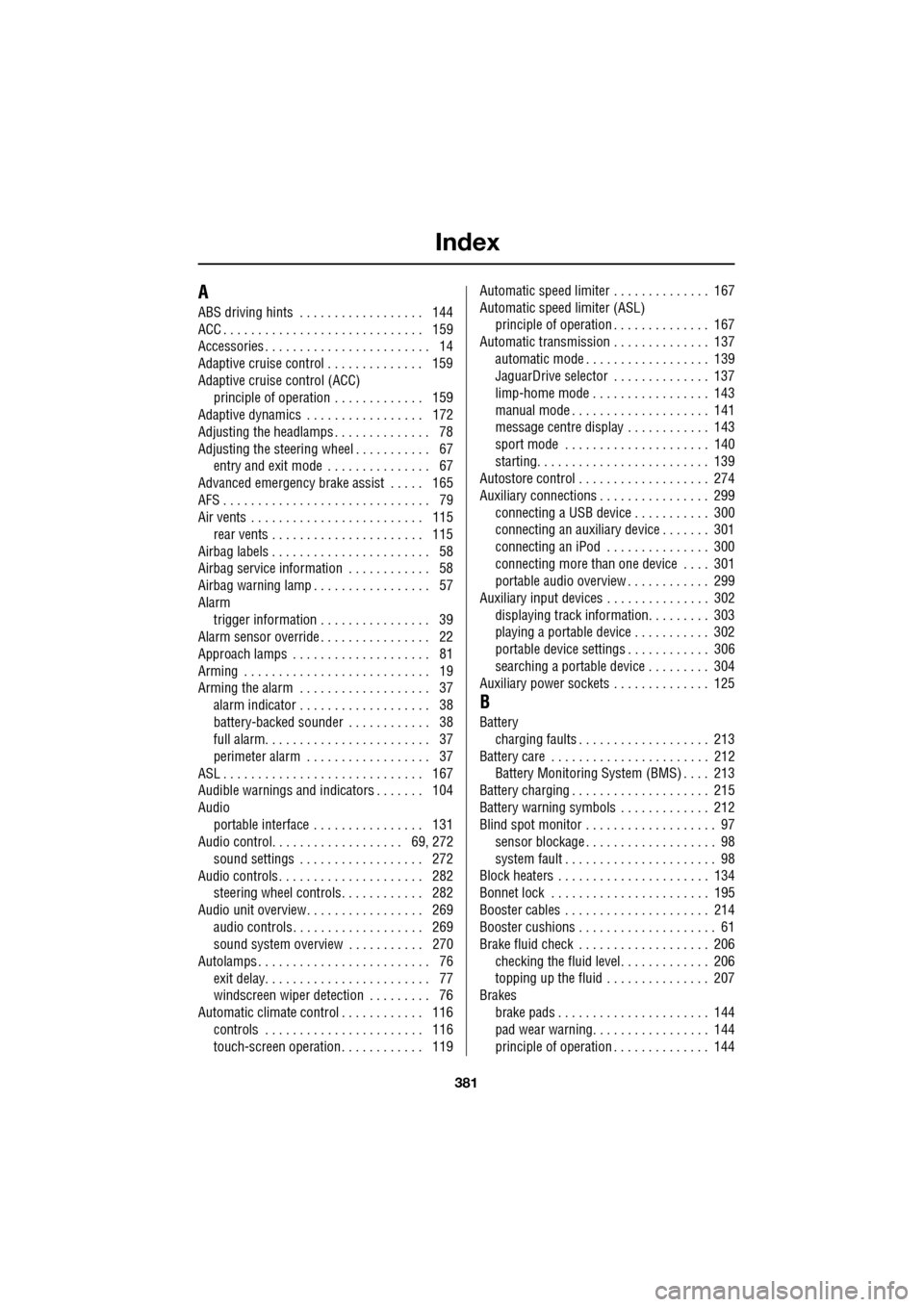
Index
381
A
ABS driving hints . . . . . . . . . . . . . . . . . . 144
ACC . . . . . . . . . . . . . . . . . . . . . . . . . . . . . 159
Accessories . . . . . . . . . . . . . . . . . . . . . . . . 14
Adaptive cruise control . . . . . . . . . . . . . . 159
Adaptive cruise control (ACC)principle of operation . . . . . . . . . . . . . 159
Adaptive dynamics . . . . . . . . . . . . . . . . . 172
Adjusting the headlamps . . . . . . . . . . . . . . 78
Adjusting the steering wheel . . . . . . . . . . . 67 entry and exit mode . . . . . . . . . . . . . . . 67
Advanced emergency brake assist . . . . . 165
AFS . . . . . . . . . . . . . . . . . . . . . . . . . . . . . . 79
Air vents . . . . . . . . . . . . . . . . . . . . . . . . . 115 rear vents . . . . . . . . . . . . . . . . . . . . . . 115
Airbag labels . . . . . . . . . . . . . . . . . . . . . . . 58
Airbag service information . . . . . . . . . . . . 58
Airbag warning lamp . . . . . . . . . . . . . . . . . 57
Alarm trigger information . . . . . . . . . . . . . . . . 39
Alarm sensor override . . . . . . . . . . . . . . . . 22
Approach lamps . . . . . . . . . . . . . . . . . . . . 81
Arming . . . . . . . . . . . . . . . . . . . . . . . . . . . 19
Arming the alarm . . . . . . . . . . . . . . . . . . . 37
alarm indicator . . . . . . . . . . . . . . . . . . . 38
battery-backed sounder . . . . . . . . . . . . 38
full alarm. . . . . . . . . . . . . . . . . . . . . . . . 37
perimeter alarm . . . . . . . . . . . . . . . . . . 37
ASL . . . . . . . . . . . . . . . . . . . . . . . . . . . . . 167
Audible warnings and indicators . . . . . . . 104
Audio portable interface . . . . . . . . . . . . . . . . 131
Audio control. . . . . . . . . . . . . . . . . . . 69, 272
sound settings . . . . . . . . . . . . . . . . . . 272
Audio controls . . . . . . . . . . . . . . . . . . . . . 282 steering wheel controls. . . . . . . . . . . . 282
Audio unit overview. . . . . . . . . . . . . . . . . 269 audio controls . . . . . . . . . . . . . . . . . . . 269
sound system overview . . . . . . . . . . . 270
Autolamps . . . . . . . . . . . . . . . . . . . . . . . . . 76 exit delay. . . . . . . . . . . . . . . . . . . . . . . . 77
windscreen wiper detection . . . . . . . . . 76
Automatic climate control . . . . . . . . . . . . 116 controls . . . . . . . . . . . . . . . . . . . . . . . 116
touch-screen operation . . . . . . . . . . . . 119 Automatic speed limiter . . . . . . . . . . . . . . 167
Automatic speed limiter (ASL)
principle of operation . . . . . . . . . . . . . . 167
Automatic transmission . . . . . . . . . . . . . . 137
automatic mode . . . . . . . . . . . . . . . . . . 139
JaguarDrive selector . . . . . . . . . . . . . . 137
limp-home mode . . . . . . . . . . . . . . . . . 143
manual mode . . . . . . . . . . . . . . . . . . . . 141
message centre display . . . . . . . . . . . . 143
sport mode . . . . . . . . . . . . . . . . . . . . . 140
starting. . . . . . . . . . . . . . . . . . . . . . . . . 139
Autostore control . . . . . . . . . . . . . . . . . . . 274
Auxiliary connections . . . . . . . . . . . . . . . . 299 connecting a USB device . . . . . . . . . . . 300
connecting an auxiliary device . . . . . . . 301
connecting an iPod . . . . . . . . . . . . . . . 300
connecting more than one device . . . . 301
portable audio overview . . . . . . . . . . . . 299
Auxiliary input devices . . . . . . . . . . . . . . . 302 displaying track information. . . . . . . . . 303
playing a portable device . . . . . . . . . . . 302
portable device settings . . . . . . . . . . . . 306
searching a portable device . . . . . . . . . 304
Auxiliary power sockets . . . . . . . . . . . . . . 125
B
Battery charging faults . . . . . . . . . . . . . . . . . . . 213
Battery care . . . . . . . . . . . . . . . . . . . . . . . 212 Battery Monitoring System (BMS) . . . . 213
Battery charging . . . . . . . . . . . . . . . . . . . . 215
Battery warning symbols . . . . . . . . . . . . . 212
Blind spot monitor . . . . . . . . . . . . . . . . . . . 97 sensor blockage . . . . . . . . . . . . . . . . . . . 98
system fault . . . . . . . . . . . . . . . . . . . . . . 98
Block heaters . . . . . . . . . . . . . . . . . . . . . . 134
Bonnet lock . . . . . . . . . . . . . . . . . . . . . . . 195
Booster cables . . . . . . . . . . . . . . . . . . . . . 214
Booster cushions . . . . . . . . . . . . . . . . . . . . 61
Brake fluid check . . . . . . . . . . . . . . . . . . . 206
checking the fluid level. . . . . . . . . . . . . 206
topping up the fluid . . . . . . . . . . . . . . . 207
Brakes
brake pads . . . . . . . . . . . . . . . . . . . . . . 144
pad wear warning. . . . . . . . . . . . . . . . . 144
principle of operation . . . . . . . . . . . . . . 144
Page 382 of 391
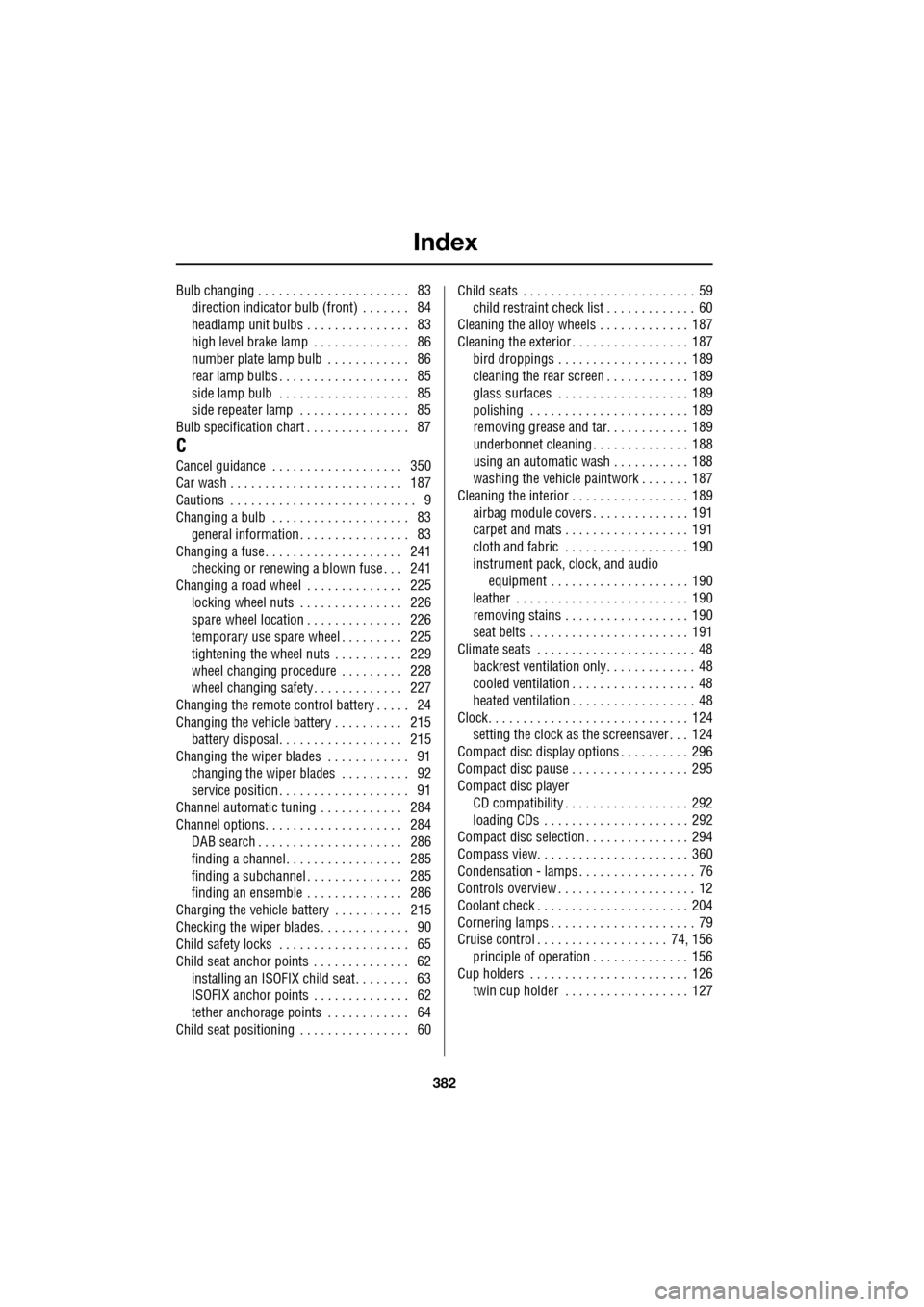
Index
382
Bulb changing . . . . . . . . . . . . . . . . . . . . . . 83direction indicator bulb (front) . . . . . . . 84
headlamp unit bulbs . . . . . . . . . . . . . . . 83
high level brake lamp . . . . . . . . . . . . . . 86
number plate lamp bulb . . . . . . . . . . . . 86
rear lamp bulbs . . . . . . . . . . . . . . . . . . . 85
side lamp bulb . . . . . . . . . . . . . . . . . . . 85
side repeater lamp . . . . . . . . . . . . . . . . 85
Bulb specification chart . . . . . . . . . . . . . . . 87
C
Cancel guidance . . . . . . . . . . . . . . . . . . . 350
Car wash . . . . . . . . . . . . . . . . . . . . . . . . . 187
Cautions . . . . . . . . . . . . . . . . . . . . . . . . . . . 9
Changing a bulb . . . . . . . . . . . . . . . . . . . . 83 general information . . . . . . . . . . . . . . . . 83
Changing a fuse. . . . . . . . . . . . . . . . . . . . 241 checking or renewing a blown fuse . . . 241
Changing a road wheel . . . . . . . . . . . . . . 225
locking wheel nuts . . . . . . . . . . . . . . . 226
spare wheel location . . . . . . . . . . . . . . 226
temporary use spare wheel . . . . . . . . . 225
tightening the wheel nuts . . . . . . . . . . 229
wheel changing procedure . . . . . . . . . 228
wheel changing safety. . . . . . . . . . . . . 227
Changing the remote cont rol battery . . . . . 24
Changing the vehicle battery . . . . . . . . . . 215
battery disposal. . . . . . . . . . . . . . . . . . 215
Changing the wiper blades . . . . . . . . . . . . 91 changing the wiper blades . . . . . . . . . . 92
service position . . . . . . . . . . . . . . . . . . . 91
Channel automatic tuning . . . . . . . . . . . . 284
Channel options. . . . . . . . . . . . . . . . . . . . 284 DAB search . . . . . . . . . . . . . . . . . . . . . 286
finding a channel. . . . . . . . . . . . . . . . . 285
finding a subchannel . . . . . . . . . . . . . . 285
finding an ensemble . . . . . . . . . . . . . . 286
Charging the vehicle battery . . . . . . . . . . 215
Checking the wiper blades . . . . . . . . . . . . . 90
Child safety locks . . . . . . . . . . . . . . . . . . . 65
Child seat anchor points . . . . . . . . . . . . . . 62 installing an ISOFIX child seat. . . . . . . . 63
ISOFIX anchor points . . . . . . . . . . . . . . 62
tether anchorage points . . . . . . . . . . . . 64
Child seat positioning . . . . . . . . . . . . . . . . 60 Child seats . . . . . . . . . . . . . . . . . . . . . . . . . 59
child restraint check list . . . . . . . . . . . . . 60
Cleaning the alloy wheels . . . . . . . . . . . . . 187
Cleaning the exterior . . . . . . . . . . . . . . . . . 187
bird droppings . . . . . . . . . . . . . . . . . . . 189
cleaning the rear screen . . . . . . . . . . . . 189
glass surfaces . . . . . . . . . . . . . . . . . . . 189
polishing . . . . . . . . . . . . . . . . . . . . . . . 189
removing grease and tar. . . . . . . . . . . . 189
underbonnet cleaning . . . . . . . . . . . . . . 188
using an automatic wash . . . . . . . . . . . 188
washing the vehicle paintwork . . . . . . . 187
Cleaning the interior . . . . . . . . . . . . . . . . . 189 airbag module covers . . . . . . . . . . . . . . 191
carpet and mats . . . . . . . . . . . . . . . . . . 191
cloth and fabric . . . . . . . . . . . . . . . . . . 190
instrument pack, clock, and audio equipment . . . . . . . . . . . . . . . . . . . . 190
leather . . . . . . . . . . . . . . . . . . . . . . . . . 190
removing stains . . . . . . . . . . . . . . . . . . 190
seat belts . . . . . . . . . . . . . . . . . . . . . . . 191
Climate seats . . . . . . . . . . . . . . . . . . . . . . . 48 backrest ventilation only. . . . . . . . . . . . . 48
cooled ventilation . . . . . . . . . . . . . . . . . . 48
heated ventilation . . . . . . . . . . . . . . . . . . 48
Clock. . . . . . . . . . . . . . . . . . . . . . . . . . . . . 124 setting the clock as the screensaver . . . 124
Compact disc display options . . . . . . . . . . 296
Compact disc pause . . . . . . . . . . . . . . . . . 295
Compact disc player CD compatibility . . . . . . . . . . . . . . . . . . 292
loading CDs . . . . . . . . . . . . . . . . . . . . . 292
Compact disc selection . . . . . . . . . . . . . . . 294
Compass view. . . . . . . . . . . . . . . . . . . . . . 360
Condensation - lamps . . . . . . . . . . . . . . . . . 76
Controls overview . . . . . . . . . . . . . . . . . . . . 12
Coolant check . . . . . . . . . . . . . . . . . . . . . . 204
Cornering lamps . . . . . . . . . . . . . . . . . . . . . 79
Cruise control . . . . . . . . . . . . . . . . . . . 74, 156
principle of operation . . . . . . . . . . . . . . 156
Cup holders . . . . . . . . . . . . . . . . . . . . . . . 126 twin cup holder . . . . . . . . . . . . . . . . . . 127
Page 386 of 391
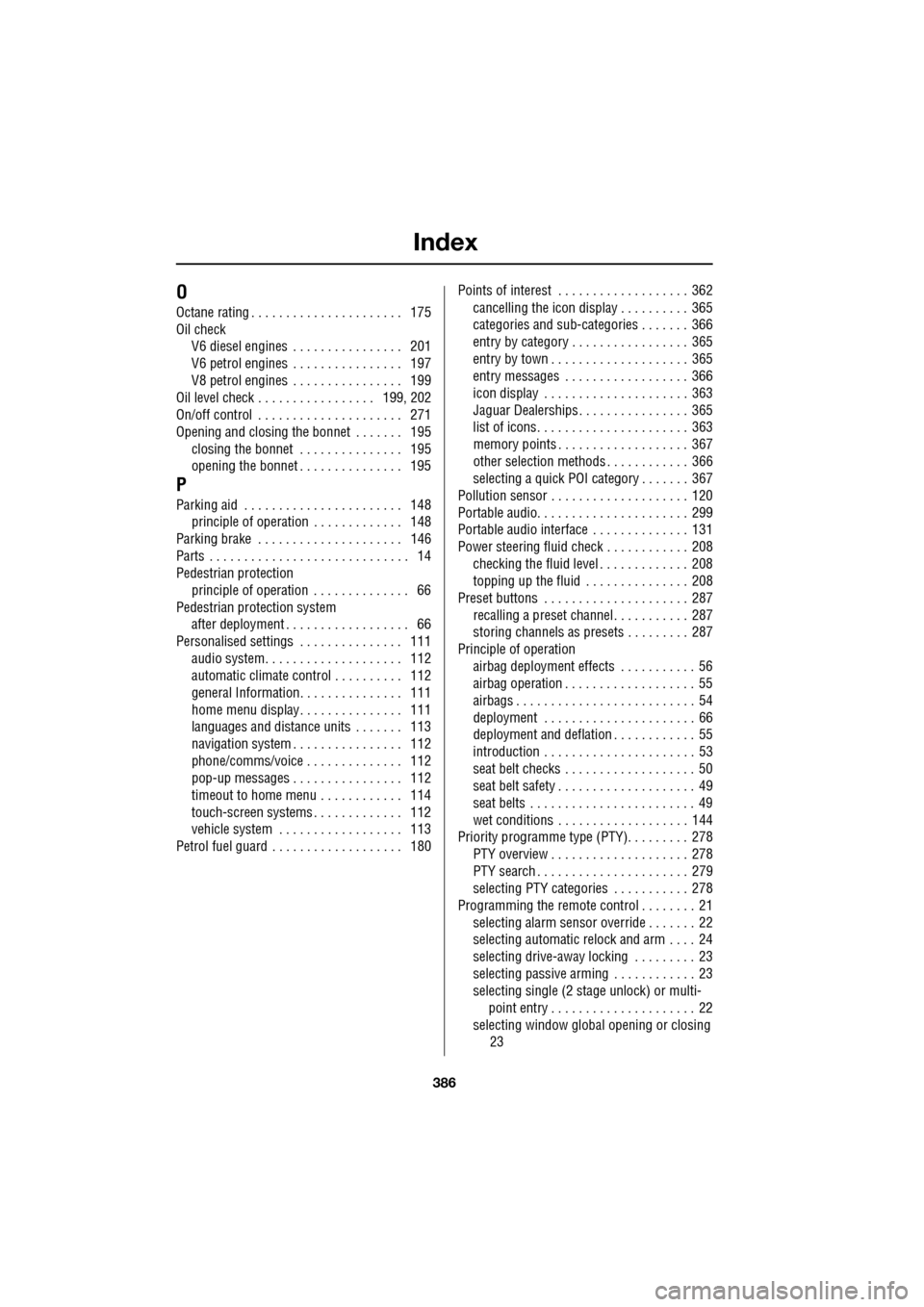
Index
386
O
Octane rating . . . . . . . . . . . . . . . . . . . . . . 175
Oil checkV6 diesel engines . . . . . . . . . . . . . . . . 201
V6 petrol engines . . . . . . . . . . . . . . . . 197
V8 petrol engines . . . . . . . . . . . . . . . . 199
Oil level check . . . . . . . . . . . . . . . . . 199, 202
On/off control . . . . . . . . . . . . . . . . . . . . . 271
Opening and closing the bonnet . . . . . . . 195 closing the bonnet . . . . . . . . . . . . . . . 195
opening the bonnet . . . . . . . . . . . . . . . 195
P
Parking aid . . . . . . . . . . . . . . . . . . . . . . . 148principle of operation . . . . . . . . . . . . . 148
Parking brake . . . . . . . . . . . . . . . . . . . . . 146
Parts . . . . . . . . . . . . . . . . . . . . . . . . . . . . . 14
Pedestrian protection principle of operation . . . . . . . . . . . . . . 66
Pedestrian protection system after deployment . . . . . . . . . . . . . . . . . . 66
Personalised settings . . . . . . . . . . . . . . . 111
audio system. . . . . . . . . . . . . . . . . . . . 112
automatic climate control . . . . . . . . . . 112
general Information. . . . . . . . . . . . . . . 111
home menu display. . . . . . . . . . . . . . . 111
languages and distance un its . . . . . . . 113
navigation system . . . . . . . . . . . . . . . . 112
phone/comms/voice . . . . . . . . . . . . . . 112
pop-up messages . . . . . . . . . . . . . . . . 112
timeout to home menu . . . . . . . . . . . . 114
touch-screen systems . . . . . . . . . . . . . 112
vehicle system . . . . . . . . . . . . . . . . . . 113
Petrol fuel guard . . . . . . . . . . . . . . . . . . . 180 Points of interest . . . . . . . . . . . . . . . . . . . 362
cancelling the icon display . . . . . . . . . . 365
categories and sub-categories . . . . . . . 366
entry by category . . . . . . . . . . . . . . . . . 365
entry by town . . . . . . . . . . . . . . . . . . . . 365
entry messages . . . . . . . . . . . . . . . . . . 366
icon display . . . . . . . . . . . . . . . . . . . . . 363
Jaguar Dealerships . . . . . . . . . . . . . . . . 365
list of icons. . . . . . . . . . . . . . . . . . . . . . 363
memory points . . . . . . . . . . . . . . . . . . . 367
other selection methods . . . . . . . . . . . . 366
selecting a quick POI category . . . . . . . 367
Pollution sensor . . . . . . . . . . . . . . . . . . . . 120
Portable audio. . . . . . . . . . . . . . . . . . . . . . 299
Portable audio interface . . . . . . . . . . . . . . 131
Power steering fluid check . . . . . . . . . . . . 208 checking the fluid level . . . . . . . . . . . . . 208
topping up the fluid . . . . . . . . . . . . . . . 208
Preset buttons . . . . . . . . . . . . . . . . . . . . . 287 recalling a preset channel . . . . . . . . . . . 287
storing channels as presets . . . . . . . . . 287
Principle of operation airbag deployment effects . . . . . . . . . . . 56
airbag operation . . . . . . . . . . . . . . . . . . . 55
airbags . . . . . . . . . . . . . . . . . . . . . . . . . . 54
deployment . . . . . . . . . . . . . . . . . . . . . . 66
deployment and deflation . . . . . . . . . . . . 55
introduction . . . . . . . . . . . . . . . . . . . . . . 53
seat belt checks . . . . . . . . . . . . . . . . . . . 50
seat belt safety . . . . . . . . . . . . . . . . . . . . 49
seat belts . . . . . . . . . . . . . . . . . . . . . . . . 49
wet conditions . . . . . . . . . . . . . . . . . . . 144
Priority programme type (PTY). . . . . . . . . 278
PTY overview . . . . . . . . . . . . . . . . . . . . 278
PTY search . . . . . . . . . . . . . . . . . . . . . . 279
selecting PTY categories . . . . . . . . . . . 278
Programming the remote control . . . . . . . . 21 selecting alarm sensor override . . . . . . . 22
selecting automatic relock and arm . . . . 24
selecting drive-away locking . . . . . . . . . 23
selecting passive arming . . . . . . . . . . . . 23
selecting single (2 stage unlock) or multi-
point entry . . . . . . . . . . . . . . . . . . . . . 22
selecting window global opening or closing 23