low KIA OPTIMA 2020 Features and Functions Guide
[x] Cancel search | Manufacturer: KIA, Model Year: 2020, Model line: OPTIMA, Model: KIA OPTIMA 2020Pages: 591, PDF Size: 14.1 MB
Page 351 of 591
595
Driving your vehicle
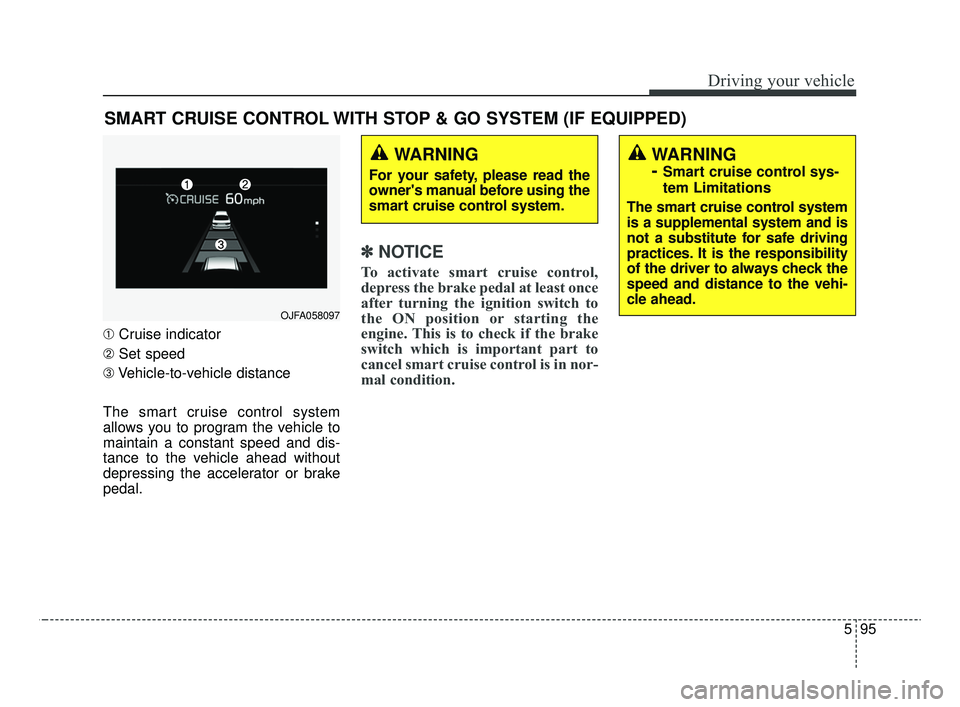
➀Cruise indicator
➁ Set speed
\b Vehicle-to-vehicle distance
The smart cruise control system
allows you to program the vehicle to
maintain a constant speed and dis-
tance to the vehicle ahead without
depressing the accelerator or brake
pedal.
✽ ✽ NOTICE
To activate smart cruise control,
depress the brake pedal at least once
after turning the ignition switch to
the ON position or starting the
engine. This is to check if the brake
switch which is important part to
cancel smart cruise control is in nor-
mal condition.
SMART CRUISE CONTROL WITH STOP & GO SYSTEM (IF EQUIPPED)
WARNING
For your safety, please read the
owner's manual before using the
smart cruise control system.
WARNING
-
Smart cruise control sys-
tem Limitations
The smart cruise control system
is a supplemental system and is
not a substitute for safe driving
practices. It is the responsibility
of the driver to always check the
speed and distance to the vehi-
cle ahead.
OJFA058097
JFa PE USA 5.QXP 5/15/2019 3:25 PM Page 95
Page 353 of 591

597
Driving your vehicle
Smart cruise control switch
CANCEL :Cancels cruise control
operation.
CRUISE : Turns cruise control sys- tem on or off.
RES + : Resumes or increases
cruise control speed.
SET - : Sets or decreases cruise control speed.
: Sets vehicle-to-vehicle distance
Smart Cruise Control speed
To set Smart Cruise Control Speed :
1. Press the CRUISE button, to turn the system on. The CRUISE indi-
cator in the instrument cluster will
illuminate. 2. Accelerate to the desired speed.
The smart cruise control speedcan be set as follows:
km/h): when there is no vehicle
in front
km/h): when there is a vehicle in
front
OJF058038
JFa PE USA 5.QXP 5/15/2019 3:25 PM Page 97
Page 354 of 591

Driving your vehicle
98
5
3. Move the lever down (to SET-),
and release it at the desired
speed. The set speed and vehicle
to vehicle distance on the LCD
screen will illuminate.
4. Release the accelerator pedal. The desired speed will automati-
cally be maintained. If there is a vehicle in front of you, the
speed may decrease to maintain the
distance to the vehicle ahead.
On a steep grade, the vehicle may
slow down or speed up slightly while
going uphill or downhill.
Vehicle speed may decrease on an
upward slope and increase on a
downward slope.
The speed will be set to 20 mph (30
km/h) when there is a vehicle ahead
and your vehicle speed is 0 mph (0
km/h) ~ 20 mph (30 km/h).
To increase cruise control set
speed:
Follow either of these procedures:
Move the lever up (to RES+), and hold it. Your vehicle set speed will
increase by 5 mph (10 km/h).
Release the lever at the speed you
want.
Move the lever up (to RES+), and release it immediately. The cruising
speed will increase by 1.0 mph (1.0
km/h) each time you move the
lever up (to RES+) in this manner.
You can set the speed to 110 mph (180 km/h).
OJF058040L
OJF058039L
JFa PE USA 5.QXP 5/15/2019 3:25 PM Page 98
Page 355 of 591

599
Driving your vehicle
To decrease the cruise controlset speed:
Follow either of these procedures:
Move the lever down (to SET-), and hold it. Your vehicle set speed will
decrease by 5 mph (10 km/h).
Release the lever at the speed you
want.
Move the lever down (to SET-), and release it immediately. The cruising
speed will decrease by 1.0 mph
(1.0 km/h) each time you move the
lever down (to SET-) in this manner.
You can set the speed to 20 mph (30 km/h).
To temporarily accelerate with the
cruise control on:
If you want to speed up temporarily
when the cruise control is on,
depress the accelerator pedal.
Increased speed will not interfere
with cruise control operation or
change the set speed.
To return to the set speed, take your
foot off the accelerator.
If you move the lever down (to SET-)
at increased speed, the cruising
speed will be set again.
✽ ✽ NOTICE
Be careful when accelerating tem-
porarily, because the speed is not con-
trolled automatically at this time even
if there is a vehicle in front of you.
OJF058039L
CAUTION
Check the driving condition
before using the toggle switch.Driving speed sharply increas-es, when you push up and holdthe toggle switch.
JFa PE USA 5.QXP 5/15/2019 3:25 PM Page 99
Page 357 of 591

5101
Driving your vehicle
Each of these actions will cancel the
smart cruise control operation. (the
set speed and vehicle to vehicle dis-
tance on the LCD display will go off.)
If the smart cruise control is can-
celled automatically, the smart cruise
control will not resume even though
the RES+ or SET-lever is moved.
✽ ✽NOTICE
If the smart cruise control is cancelled
by other than the reasons mentioned,
take your vehicle to an authorized
Kia dealer and have the system
checked.
✽ ✽NOTICE
If the system is automatically can-
celled, the warning chime will sound
and a message will appear for a few
seconds.
You must adjust the vehicle speed by
depressing the accelerator or brake
pedal according to the road condition
ahead and driving condition.
Always check the road conditions. Do
not rely on the warning chime.
To resume cruise control set
speed:
Reset
If any method other than the “RES+”
or “SET-“ lever was used to cancel
cruising speed and the system is still
activated, the cruising speed will
automatically resume when you
push the lever up (RES+) or down
(SET-).
If you push the lever up (RES+), the
speed will resume to the recently set
speed. However, if vehicle speed
drops below 5 mph (10 km/h), it will
resume when there is a vehicle in
front of your vehicle.
OJF058397L
OJF058040L
JFa PE USA 5.QXP 5/15/2019 3:26 PM Page 101
Page 358 of 591
Driving your vehicle
102
5
✽ ✽
NOTICE
To reduce the risk of an accident,
always check the road conditions
when reactivating the smart cruise
control using the RES+ lever to
ensure the road conditions permit
safe use of the cruise control.
To turn cruise control off:
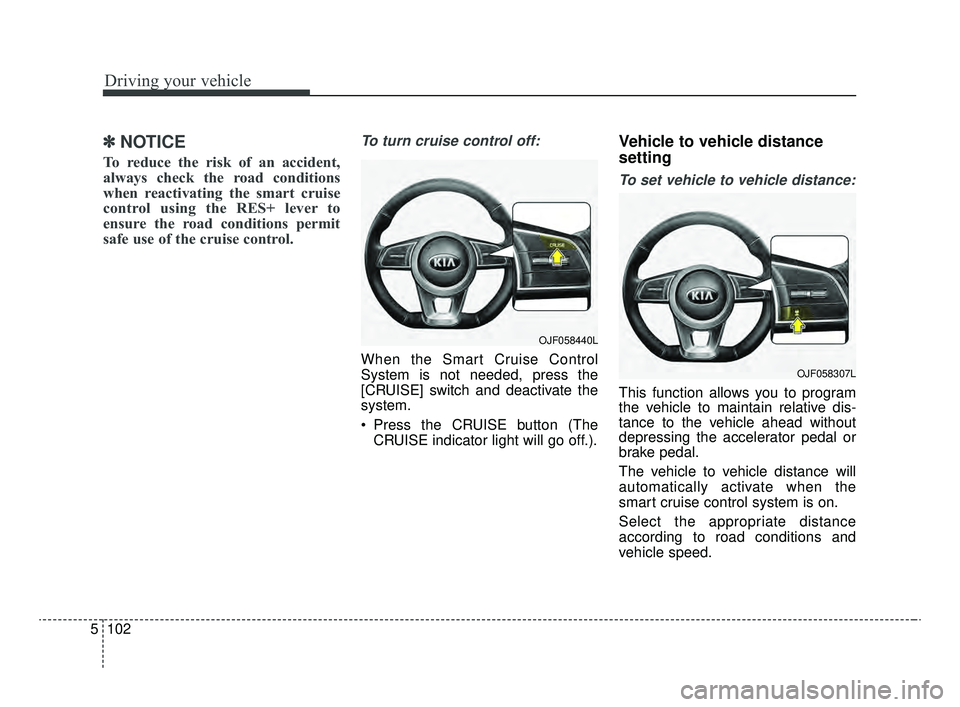
When the Smart Cruise Control
System is not needed, press the
[CRUISE] switch and deactivate the
system.
Press the CRUISE button (The
CRUISE indicator light will go off.).
Vehicle to vehicle distance
setting
To set vehicle to vehicle distance:
This function allows you to program
the vehicle to maintain relative dis-
tance to the vehicle ahead without
depressing the accelerator pedal or
brake pedal.
The vehicle to vehicle distance will
automatically activate when the
smart cruise control system is on.
Select the appropriate distance
according to road conditions and
vehicle speed.
OJF058440L
OJF058307L
JFa PE USA 5.QXP 5/15/2019 3:26 PM Page 102
Page 359 of 591
5103
Driving your vehicle
Each time the button is pressed, the
vehicle to vehicle distance changes
as follows:
For example, if you drive at 56 mph
(90 km/h), the distance maintain as
follows;
Distance 4 - approximately 172 ft(52.5 m)
Distance 3 - approximately 131 ft (40 m)
Distance 2 - approximately 107 ft (32.5 m)
Distance 1 - approximately 82ft (25 m)
✽ ✽NOTICE
The distance is set to the last set dis-
tance when the system is used for the
first time after starting the engine.
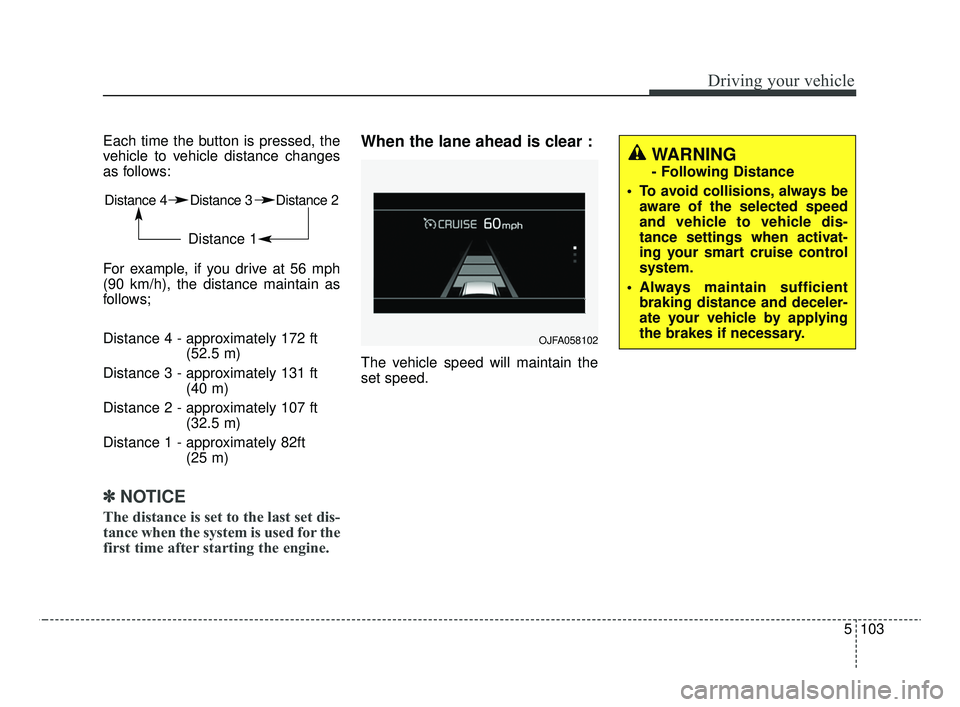
When the lane ahead is clear :
The vehicle speed will maintain the
set speed.
Distance 4 Distance 3 Distance 2
Distance 1
OJFA058102
WARNING
- Following Distance
To avoid collisions, always be aware of the selected speed
and vehicle to vehicle dis-
tance settings when activat-
ing your smart cruise control
system.
Always maintain sufficient braking distance and deceler-
ate your vehicle by applying
the brakes if necessary.
JFa PE USA 5.QXP 5/15/2019 3:26 PM Page 103
Page 360 of 591
Driving your vehicle
104
5
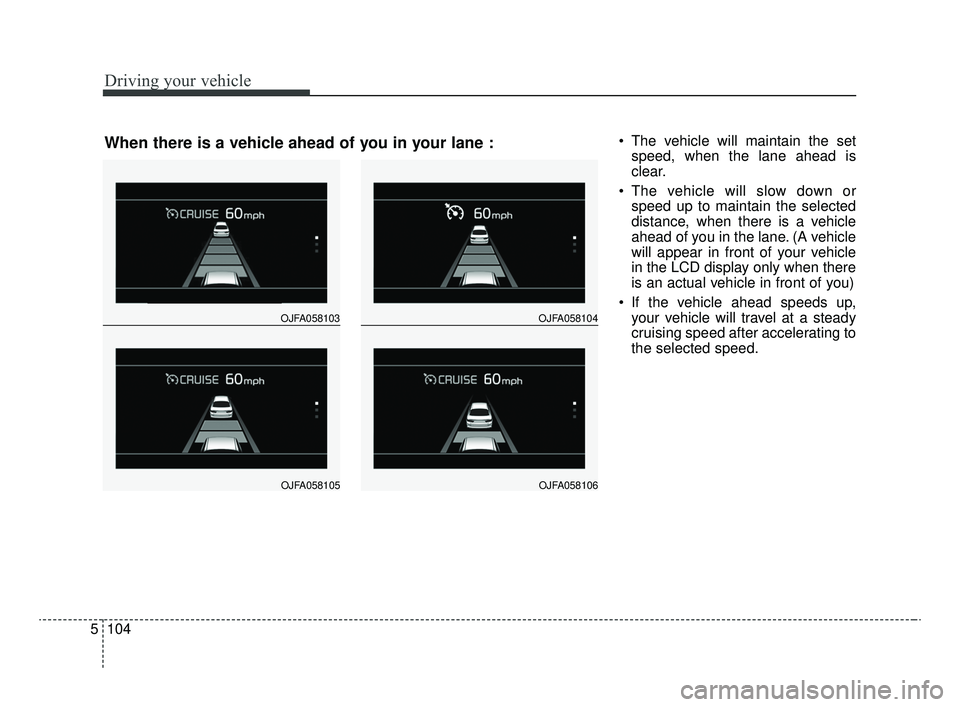
The vehicle will maintain the set
speed, when the lane ahead is
clear.
The vehicle will slow down or speed up to maintain the selected
distance, when there is a vehicle
ahead of you in the lane. (A vehicle
will appear in front of your vehicle
in the LCD display only when there
is an actual vehicle in front of you)
If the vehicle ahead speeds up, your vehicle will travel at a steady
cruising speed after accelerating to
the selected speed.
OJFA058103
OJFA058105
OJFA058104
OJFA058106
When there is a vehicle ahead of you in your lane :
JFa PE USA 5.QXP 5/15/2019 3:26 PM Page 104
Page 364 of 591
Driving your vehicle
108
5
To adjust the sensitivity of
smart cruise control
The sensitivity of vehicle speed when
following the front vehicle to maintain
the set distance can be adjusted. Go
to the User Settings Mode (Driver
Assistance) and select (SCC
Reaction). You may select one of the
three stages you prefer.
Slow:
Vehicle speed to the vehicle ahead
to maintain the set distance is
slower than normal speed.
Normal: Vehicle speed to the vehicle ahead
to maintain the set distance is nor-
mal
Fast: Vehicle speed to the vehicle ahead
to maintain the set distance is
faster than normal speed.
✽ ✽ NOTICE
The last selected mode remains in
the system.(Continued)
Do not damage the sensor or sensor area by a strongimpact. If the sensor movesslightly off position, the smartcruise control system will notoperate correctly without anywarning or indicator from thecluster. If this occurs, takeyour vehicle to an authorizedKia dealer and have the sys-tem checked.
Use only a genuine Kia sensor cover for your vehicle. Do notpaint anything on the sensorcover.
If the front bumper becomes damaged in the area aroundthe radar sensor, the SmartCruise Control System maynot operate properly.
JFa PE USA 5.QXP 5/15/2019 3:26 PM Page 108
Page 365 of 591
5109
Driving your vehicle
To convert to cruise control
mode:
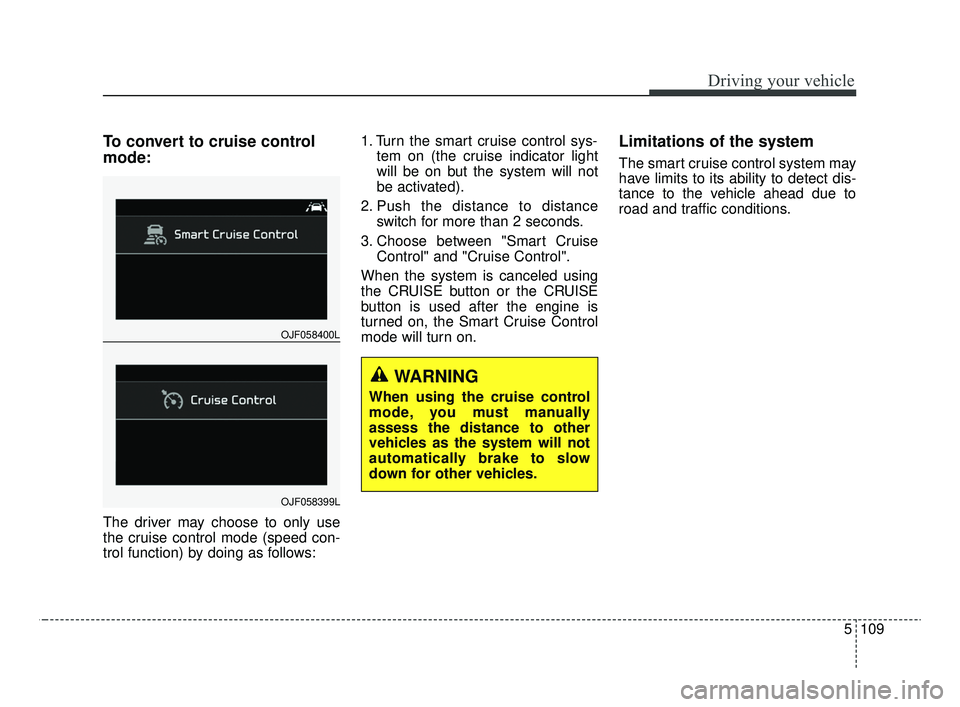
The driver may choose to only use
the cruise control mode (speed con-
trol function) by doing as follows:1. Turn the smart cruise control sys-
tem on (the cruise indicator light
will be on but the system will not
be activated).
2. Push the distance to distance switch for more than 2 seconds.
3. Choose between "Smart Cruise Control" and "Cruise Control".
When the system is canceled using
the CRUISE button or the CRUISE
button is used after the engine is
turned on, the Smart Cruise Control
mode will turn on.
Limitations of the system
The smart cruise control system may
have limits to its ability to detect dis-
tance to the vehicle ahead due to
road and traffic conditions.
WARNING
When using the cruise control
mode, you must manually
assess the distance to other
vehicles as the system will not
automatically brake to slow
down for other vehicles.
OJF058400L
OJF058399L
JFa PE USA 5.QXP 5/15/2019 3:26 PM Page 109