low KIA OPTIMA 2020 Features and Functions Guide
[x] Cancel search | Manufacturer: KIA, Model Year: 2020, Model line: OPTIMA, Model: KIA OPTIMA 2020Pages: 591, PDF Size: 14.1 MB
Page 332 of 591
Driving your vehicle
76
5
The Forward Collision-Avoidance
Assist (FCA) system is designed to
help detect and monitor the vehicle
or pedestrians ahead in the roadway
through camera recognition to warn
the driver that a collision is imminent,
and if necessary, apply emergency
braking.System setting and activation
System setting
placing the ignition switch to the ON
position and by selecting:
'User Settings → Driver Assistance
→ Forward Collision-Avoidance
Assist' The FCA system deactivates,
when the driver cancels the system
setting.
FORWARD COLLISION-AVOIDANCE ASSIST (FCA) SYSTEM - SENSOR FUSION TYPE
(FRONT RADAR+FRONT VIEW CAMERA) (IF EQUIPPED)
WARNING
Take the following precaution-
swhen using the Forward
Collision-Avoidance Assist
(FCA) system:
This system is only a supple- mental system and it is not
intended to, nor does it replace
the need for extreme care and
attention of the driver. The
sensing range and objects
detectable by the sensors are
limited. Pay attention to the
road conditions at all times.
Never drive too fast in accor- dance with the road condi-
tions or while cornering.
Always drive cautiously to prevent unexpected and sud-
den situations from occur-
ring. FCA does not avoid all
collisions because of system
limitations.
JFa PE USA 5.QXP 5/15/2019 3:24 PM Page 76
Page 333 of 591
577
Driving your vehicle
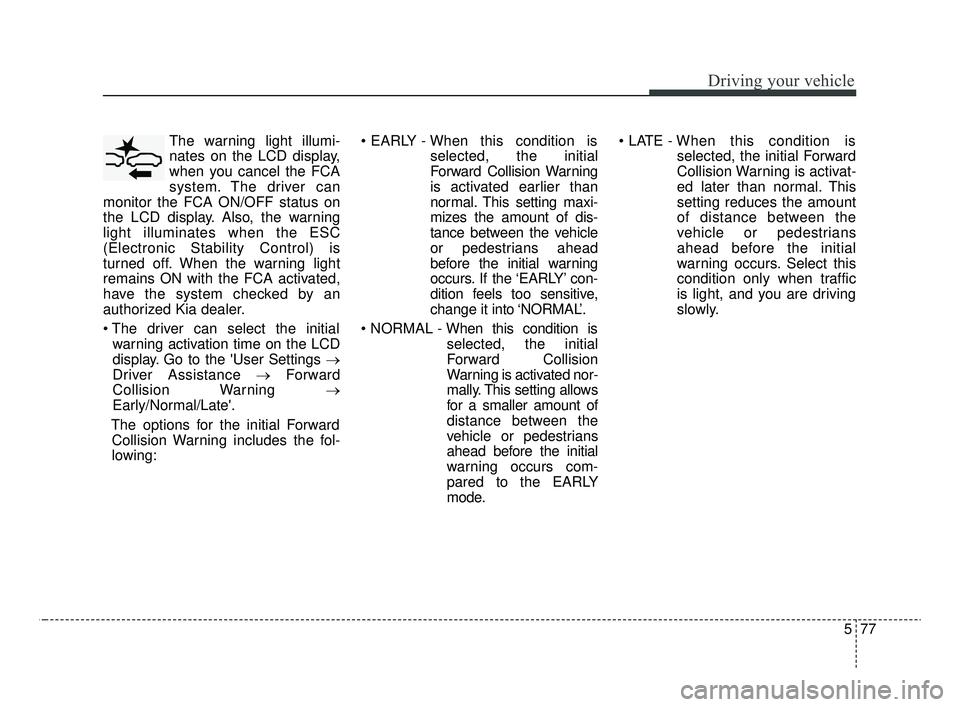
The warning light illumi-
nates on the LCD display,
when you cancel the FCA
system. The driver can
monitor the FCA ON/OFF status on
the LCD display. Also, the warning
light illuminates when the ESC
(Electronic Stability Control) is
turned off. When the warning light
remains ON with the FCA activated,
have the system checked by an
authorized Kia dealer.
warning activation time on the LCD
display. Go to the 'User Settings →
Driver Assistance → Forward
Collision Warning →
Early/Normal/Late'.
The options for the initial Forward Collision Warning includes the fol-
lowing:
selected, the initial
Forward Collision Warning
is activated earlier than
normal. This setting maxi-
mizes the amount of dis-
tance between the vehicle
or pedestrians ahead
before the initial warning
occurs. If the ‘EARLY’ con-
dition feels too sensitive,
change it into ‘NORMAL’.
selected, the initial
Forward Collision
Warning is activated nor-
mally. This setting allows
for a smaller amount of
distance between the
vehicle or pedestrians
ahead before the initial
warning occurs com-
pared to the EARLY
mode.
selected, the initial Forward
Collision Warning is activat-
ed later than normal. This
setting reduces the amount
of distance between the
vehicle or pedestrians
ahead before the initial
warning occurs. Select this
condition only when traffic
is light, and you are driving
slowly.
JFa PE USA 5.QXP 5/15/2019 3:24 PM Page 77
Page 334 of 591
Driving your vehicle
78
5
Prerequisite for activation
The FCA gets ready to be activated,
when the FCA is selected on the
LCD display, and when the following
prerequisites are satisfied.
- The ESC (Electronic Stability
Control) is activated.
- Vehicle speed is over 5 mph (8 km/h). (The FCA is only activated
within a certain speed range.)
- The system detects a vehicle or pedestrian in front, which may col-
lide with your vehicle. (The FCA
may not be activated or may sound
a warning alarm in accordance
with the driving situation or vehicle
condition.)
❈ The FCA may not operate properly
according to the frontal situation,
the direction and speed of pedes-
trian.
FCA warning message and
system control
The FCA system produces warning
messages, warning alarms, and
emergency braking based on the
level of risk of a frontal collision, such
as when a vehicle ahead suddenly
brakes.
The driver can select the initial warn-
ing activation time in the User
Settings in the LCD display. The
options for the initial Forward
Collision Warning include Early,
Normal or Late initial warning time.
WARNING
Completely stop the vehicle
on a safe location before
operating the switch on the
steering wheel to activate/
deactivate the FCA system.
The FCA automatically acti- vates upon placing the Engine
Start/Stop button to the ON
position. The driver can deac-
tivate the FCA by canceling
the system setting on the LCD
display. To avoid driver dis-
tractions, do not attempt to
set or cancel the FCA while
driving the vehicle.
The FCA automatically deac- tivates upon canceling the
ESC (Electronic Stability
Control). When the ESC is
canceled, the FCA cannot be
activated on the LCD display.
The FCA warning light will
illuminate, but it does not
indicate a malfunction of the
system.
JFa PE USA 5.QXP 5/15/2019 3:24 PM Page 78
Page 340 of 591

Driving your vehicle
84
5
Limitation of the system
The Forward Collision-Avoidance
Assist (FCA) system is designed to
monitor the vehicle or a pedestrian
ahead in the roadway through radar
signals and camera recognition to
warn the driver that a collision is
imminent, and if necessary, apply
emergency braking.
In certain situations, the radar sen-
sor or the camera may not be able to
detect the vehicle ahead. In these
cases, the FCA system may not
operate normally. The driver must
pay careful attention in the following
situations where the FCA operation
may be limited.WARNING
The FCA system does not
operate when the vehicle is in
reverse.
The FCA system is not designed to detect other
objects on the road such as
animals.
The FCA system does not detect vehicles in the opposite
lane.
The FCA system does not detect cross traffic vehicles
that are approaching.
The FCA system cannot detect the driver approaching the side
view of a parked vehicle (for
example on a dead end street.)
In these cases, you must main-
tain a safe braking distance,
and if necessary, depress the
brake pedal to reduce the driv-
ing speed in order to maintain a
safe distance.
(Continued)
If the vehicle in front stops suddenly, you may have less
control of the brake system.
Therefore, always keep a safe
distance between your vehicle
and the vehicle in front of you.
Occupants may get injured, if the vehicle abruptly stops by
the activated FCA system. Pay
extreme caution.
The FCA system operates only to detect vehicles and
pedestrian in front of the vehi-
cle.
The FCA system may not acti- vate to all types of vehicles.
JFa PE USA 5.QXP 5/15/2019 3:25 PM Page 84
Page 341 of 591
585
Driving your vehicle
Detecting vehicles
The sensor may be limited when:
The radar sensor or camera is cov-ered with a foreign object or debris
The camera lens is contaminated due to tinted, filmed or coated
windshield, damaged glass, or
stuck of foreign matter (sticker,
bug, etc.) on the glass
Inclement weather such as heavy rain or snow obscures the field of
view of the radar sensor or camera
There is interference by electro- magnetic waves
Something in the path of travel deflects the radar waves.
The radar/camera recognition is limited
The vehicle in front is too small to be detected (for example a motor-
cycle or a bicycle, etc.)
The vehicle in front is an oversize vehicle or trailer that is too big to
be detected by the camera recog-
nition system. (for example a trac-
tor, trailer, etc.) The camera's field of view is not well
illuminated (either too dark or too
much reflection or too much back-
light that obscures the field of view)
The vehicle in front does not have their rear lights properly turned ON
or their rear lights are located
unusually.
The outside brightness changes suddenly, for example when enter-
ing or exiting a tunnel
When light coming from a street light or an oncoming vehicle is
reflected on a wet road surface
such as a puddle in the road
The field of view in front is obstructed by sun glare or head-
light of oncoming vehicle.
The windshield glass is fogged up
The vehicle in front is driving errat- ically
The vehicle is on unpaved or uneven rough surfaces, or roads
with sudden gradient changes The vehicle is driven near areas
containing metal substances as a
construction zone, railroad, etc.
The vehicle is drives inside a build- ing, such as a basement parking lot
The camera does not recognize the entire vehicle in front.
The camera is damaged.
The brightness outside is too low such as when the headlamps are
not on at night or the vehicle is
going through a tunnel.
Adverse road conditions cause excessive vehicle vibrations while
driving
The sensor recognition changes suddenly when passing over a
speed bump
The shadow is on the road by a median strip, trees, etc.
The vehicle drives through a toll- gate.
The rear part of the vehicle in front is not fully visible.
JFa PE USA 5.QXP 5/15/2019 3:25 PM Page 85
Page 346 of 591

Driving your vehicle
90
5
✽ ✽
NOTICE
In some instances, the FCA system
may be cancelled when subjected to
electromagnetic interference.
This device complies with Part 15
of the FCC rules.
Operation is subject to the following
three conditions:
1. This device may not cause harm-
ful interference.
2. This device must accept any inter- ference received, including inter-
ference that may cause undesired
operation.
3. Changes or modifications not expressly approved by the party
responsible for compliance could
void the user’s authority to operate
the device. Radio frequency radiation expo-
sure information:
This equipment complies with FCC
radiation exposure limits set forth for
an uncontrolled environment.
This equipment should be installed
and operated with minimum distance
of 20 cm between the radiator
(antenna) and your body.
This transmitter must not be co-
located or operating in conjunction
with any other antenna or transmit-
ter.(Continued)
wheeled objects such as lug-
gage bags, shopping carts, or
strollers.
Never try to test the operation of the FCA system. Doing so
may cause severe injury or
death.
When front bumper or wind- shield glass is replaced or
repaired, have the vehicle
inspected by an authorized
Kia dealer.
JFa PE USA 5.QXP 5/15/2019 3:25 PM Page 90
Page 347 of 591

591
Driving your vehicle
The cruise control system allows you
to program the vehicle to maintain a
constant speed without depressing
the accelerator pedal.
This system is designed to function
above approximately 20 mph (30
km/h).
If the cruise control is left on,
(CRUISE indicator light in the instru-
ment cluster illuminated) the cruise
control can be switched on acciden-
tally. Keep the cruise control system
off (CRUISE indicator light OFF)
when the cruise control is not in use,
to avoid inadvertently setting a speed.Use the cruise control system only
when traveling on open highways in
good weather.
Do not use the cruise control when
driving in heavy or varying traffic, or
on slippery (rainy, icy or snow-cov-
ered) or winding roads or over 6%
up-hill or down-hill roads.
✽ ✽
NOTICE
• During normal cruise control oper-
ation, when the SET switch is acti-
vated or reactivated after applying
the brakes, the cruise control will
activate after approximately 3 sec-
onds. This delay is normal.
• To activate cruise control, depress the brake pedal at least once after
turning the ignition switch to the
ON position or starting the engine.
This is to check if the brake switch
which is important part to cancel
cruise control is in normal condi-
tion.
CRUISE CONTROL SYSTEM
WARNING - Misuse of
Cruise Control
Do not use cruise control if the
traffic situation does not allow
you to drive safely at a constant
speed and with sufficient dis-
tance to the vehicle in front.
OJF058445L
JFa PE USA 5.QXP 5/15/2019 3:25 PM Page 91
Page 348 of 591

Driving your vehicle
92
5
To set cruise control speed:
1. Press the CRUISE button on the
steering wheel to turn the system
on. The CRUISE indicator light in
the instrument cluster will illumi-
nate.
2. Accelerate to the desired speed, which must be more than 20 mph
(30 km/h). 3. Move the lever down (to SET-),
and release it at the desired
speed. The SET indicator light in
the instrument cluster will illumi-
nate. Release the accelerator at
the same time. The desired speed
will automatically be maintained.
On a steep grade, the vehicle mayslow down slightly when driving uphillor speed up slightly while going down-hill.
To increase cruise control set
speed:
Follow either of these procedures:
Move the lever up (to RES+) and hold it. Your vehicle set speed will
increase by 5 mph (10 km/h).
Release the lever at the speed you
want.
Move the lever up (to RES+) and release it immediately. The cruising
speed will increase by 1.0 mph (1.0
km/h) each time you move the lever
up (to RES+) in this manner.
OJF058038
OJF058446L
OJF058447L
JFa PE USA 5.QXP 5/15/2019 3:25 PM Page 92
Page 349 of 591

593
Driving your vehicle
To decrease the cruising
speed:
Follow either of these procedures:
Move the lever down (to SET-) andhold it. Your vehicle will gradually
slow down. Release the lever at the
speed you want to maintain.
Move the lever down (to SET-) and release it immediately. The cruising
speed will decrease by 1.0 mph (2
km/h) each time the lever is operat-
ed in this manner.
To temporarily accelerate with
the cruise control on:
If you want to speed up temporarily
when the cruise control is on,
depress the accelerator pedal.
Increased speed will not interfere
with the cruise control operation or
change the set speed.
To return to the set speed, take your
foot off the accelerator.
To cancel cruise control, do
one of the following:
Depress the brake pedal.
Shift into N (Neutral) with an Automatic Transmission/Dual clutch
transmission.
Press the CANCEL switch.
Decrease the vehicle speed lower than the memory speed by 12 mph
(20 km/h).
Decrease the vehicle speed to less than approximately 15 mph (25
km/h).
OJF058041OJF058446L
JFa PE USA 5.QXP 5/15/2019 3:25 PM Page 93
Page 350 of 591

Driving your vehicle
94
5
Each of these actions will cancel
cruise control operation (the SETindicator light in the instrument clus-ter will go off), but it will not turn thesystem off. If you wish to resumecruise control operation, move thelever up (to RES+). You will return toyour previously preset speed.To resume cruising speed at
more than approximately 20
mph (30 km/h):
If any method other than the
CRUISE ON-OFF switch was used
to cancel cruising speed and the sys-
tem is still activated, the most recent
set speed will automatically resume
when you move the lever up.
It will not resume, however, if the
vehicle speed has dropped below
approximately 20 mph (30 km/h).
To turn cruise control off, do
one of the following:
Press the CRUISE button (the CRUISE indicator light in the
instrument cluster will go off).
Turn the ignition off.
Both of these actions will cancel the cruise control operation. If you wantto resume the cruise control opera-tion, repeat the steps provided in “Toset cruise control speed” on the pre-vious page.
OJF058447L
OJF058038
JFa PE USA 5.QXP 5/15/2019 3:25 PM Page 94