set KIA SOUL 2021 Navigation System Quick Reference Guide
[x] Cancel search | Manufacturer: KIA, Model Year: 2021, Model line: SOUL, Model: KIA SOUL 2021Pages: 211, PDF Size: 6.67 MB
Page 26 of 211
1-6
Using the touch screen
This system is equipped with a touch-type screen. You can use
various practices by using this feature.
\335Warning
Do not use the touch screen while driving as this will divert your
attention away from the safe operation of the vehicle. You may
lose your steering control which could cause an accident and
severe bodily injuries.
\334Caution
\225 Do not press the touch screen with excessive force or a sharp
object. The touch screen may become damaged.
\225 Be careful for the touch screen not to contact any electrically
charged object. Static or other electric shock may cause the
system to malfunction or damage the touch screen.
0000
A
The touch screen will not respond when you are wearing
gloves. Take off the gloves or wear electrostatic touch gloves.
\334Caution
\225 The system can be turned on even when the ignition switch is
in “ACC” or “ON.” However, when you use the system without
turning on the vehicle for a long time, it may cause battery
discharge. To use the system for a long time, be sure to turn
on the vehicle.
\225 When you use the system with the vehicle turned off, the
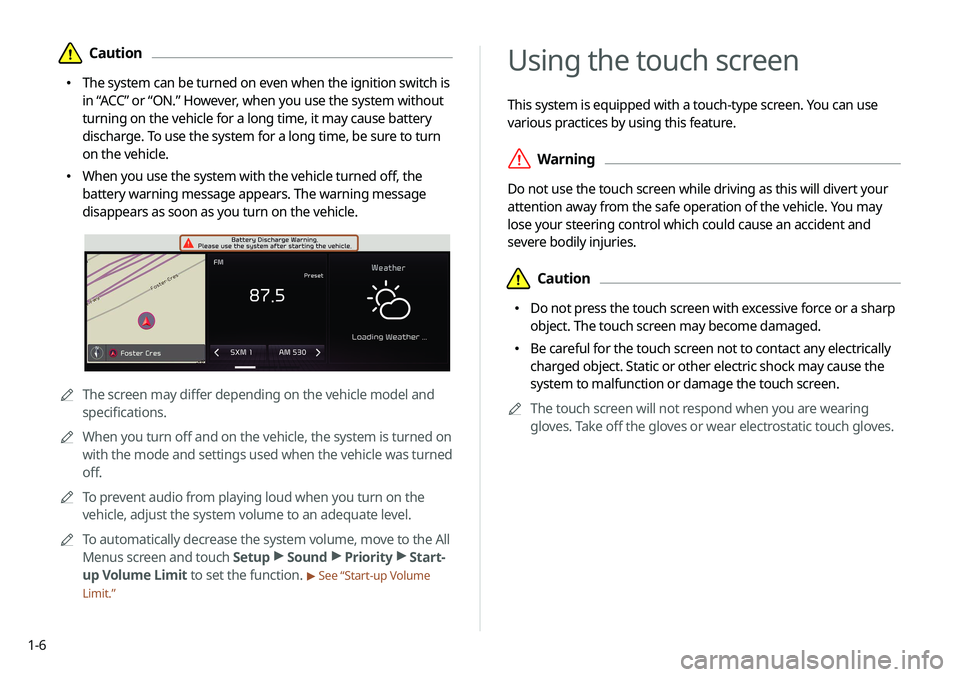
battery warning message appears. The warning message
disappears as soon as you turn on the vehicle.
0000AThe screen may differ depending on the vehicle model and
specifications.
0000
A
When you turn off and on the vehicle, the system is turned on
with the mode and settings used when the vehicle was turned
off.
0000
A
To prevent audio from playing loud when you turn on the
vehicle, adjust the system volume to an adequate level.
0000
A
To automatically decrease the system volume, move to the All
Menus screen and touch Setup >
Sound >
Priority >
Start-
up Volume Limit to set the function.
> See “Start-up Volume
Limit.”
Page 31 of 211
1-11
Editing icons on the Home screen
You can see and rearrange the list of icons in the Home screen.
1 At the upper left of the Home screen, touch Menu
> Edit Home Icons.
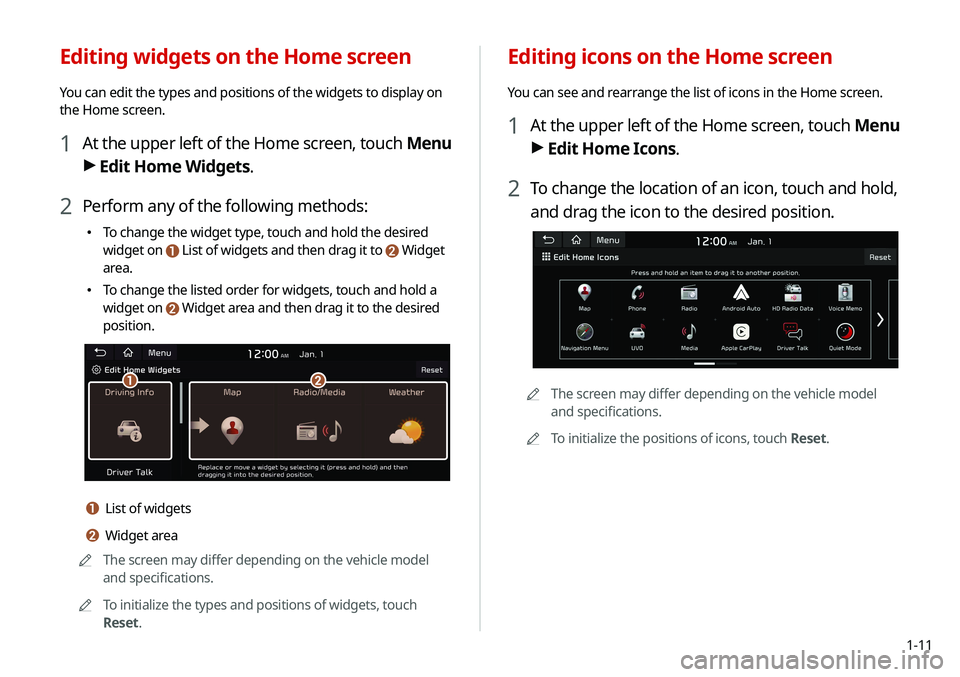
2 To change the location of an icon, touch and hold,
and drag the icon to the desired position.
0000
A
The screen may differ depending on the vehicle model
and specifications.
0000
A
To initialize the positions of icons, touch Reset.
Editing widgets on the Home screen
You can edit the types and positions of the widgets to display on
the Home screen.
1 At the upper left of the Home screen, touch Menu
>
Edit Home Widgets.
2 Perform any of the following methods:
\225
To change the widget type, touch and hold the desired
widget on
List of widgets and then drag it to Widget
area.
\225To change the listed order for widgets, touch and hold a
widget on
Widget area and then drag it to the desired
position.
\037\036
a List of widgets
b Widget area
0000
A
The screen may differ depending on the vehicle model
and specifications.
0000
A
To initialize the types and positions of widgets, touch
Reset.
Page 32 of 211
1-12
Split screen
You can set to display various information such as map, Radio/
Media info, driving info, and clock on the split system screen.
Opening the split screen
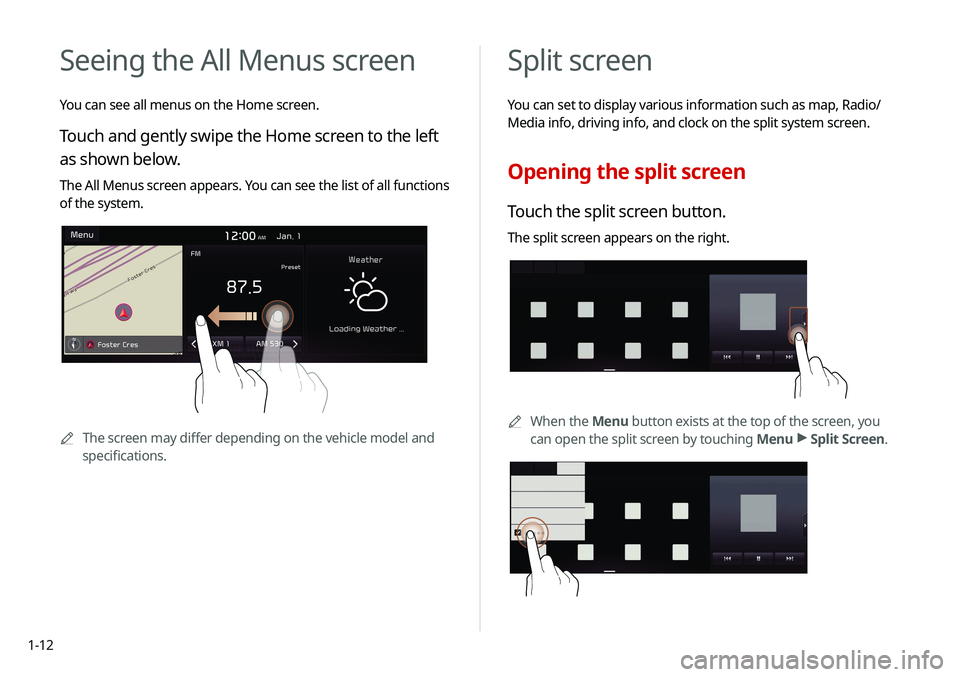
Touch the split screen button.
The split screen appears on the right.
0000AWhen the Menu button exists at the top of the screen, you
can open the split screen by touching Menu >
Split Screen.
*****
Seeing the All Menus screen
You can see all menus on the Home screen.
Touch and gently swipe the Home screen to the left
as shown below.
The All Menus screen appears. You can see the list of all functions
of the system.
0000A
The screen may differ depending on the vehicle model and
specifications.
Page 36 of 211
2-2
Pairing to an Android smartphone via
Android Auto
When you connect an Android smartphone to the vehicle with
Android Auto, you can run and control applications on the phone
through the widescreen using its user-friendly interface.
1 To use Android Auto, first check the following.
\225Visit the Android Auto website at https://www.android.
com/auto to check the list of countries, device types, and
models that support Android Auto.
\225Download and install the Android Auto application from
Google Play Store. It is not possible to install Android Auto
in countries that do not support the feature.
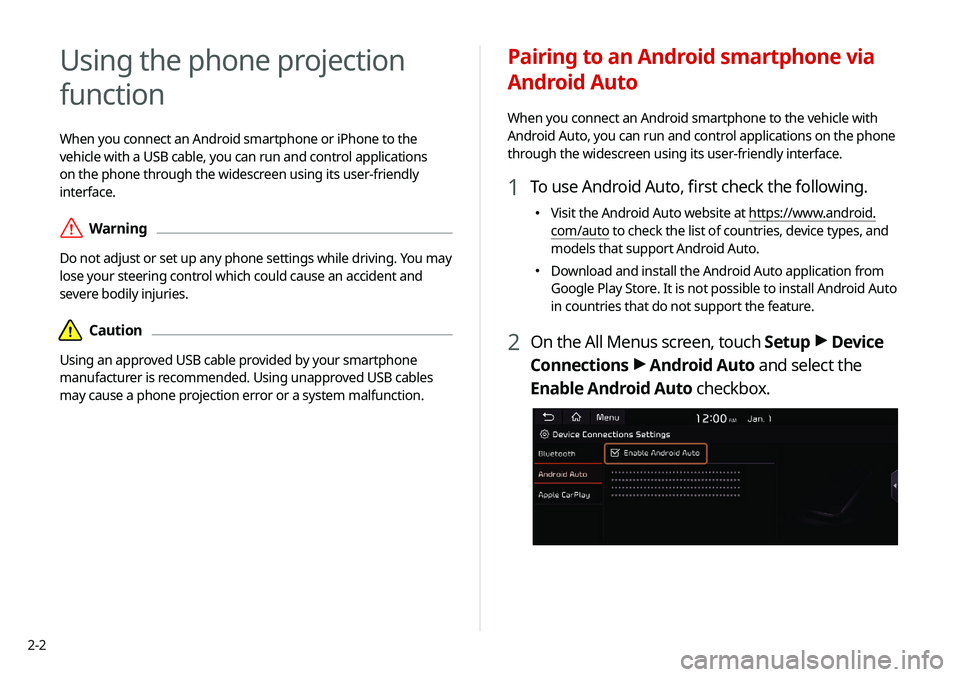
2 On the All Menus screen, touch Setup >
Device
Connections >
Android Auto and select the
Enable Android Auto checkbox.
Using the phone projection
function
When you connect an Android smartphone or iPhone to the
vehicle with a USB cable, you can run and control applications
on the phone through the widescreen using its user-friendly
interface.
\335Warning
Do not adjust or set up any phone settings while driving. You may
lose your steering control which could cause an accident and
severe bodily injuries.
\334Caution
Using an approved USB cable provided by your smartphone
manufacturer is recommended. Using unapproved USB cables
may cause a phone projection error or a system malfunction.
Page 37 of 211
2-3
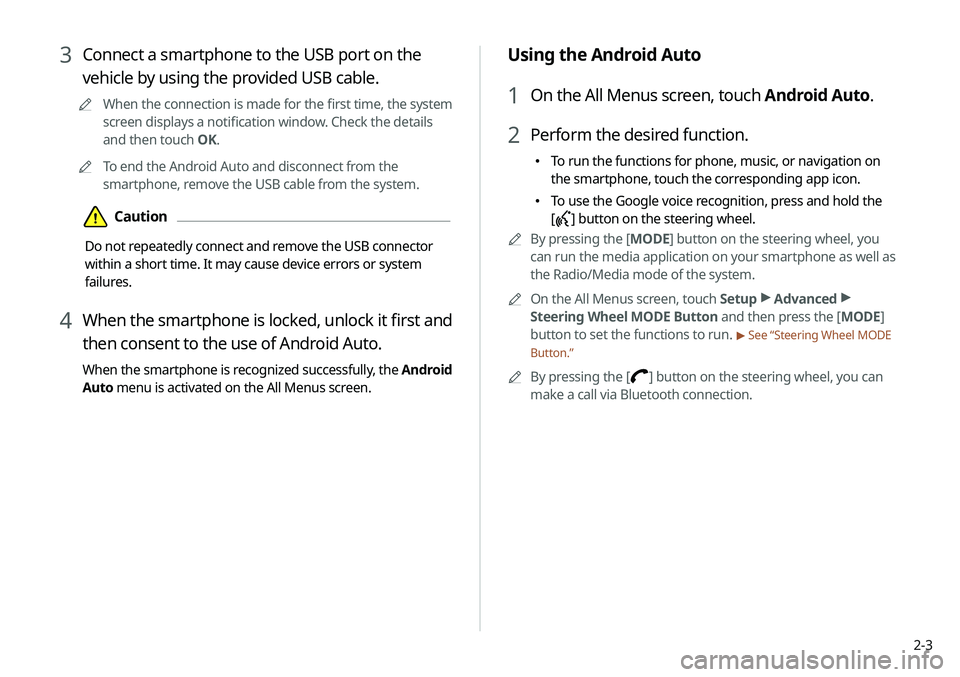
Using the Android Auto
1 On the All Menus screen, touch Android Auto.
2 Perform the desired function.
\225To run the functions for phone, music, or navigation on
the smartphone, touch the corresponding app icon.
\225To use the Google voice recognition, press and hold the
[
] button on the steering wheel.
0000
A
By pressing the [ MODE] button on the steering wheel, you
can run the media application on your smartphone as well as
the Radio/Media mode of the system.
0000
A
On the All Menus screen, touch Setup >
Advanced >
Steering Wheel MODE Button and then press the [ MODE]
button to set the functions to run.
> See “Steering Wheel MODE
Button.”
0000
A
By pressing the [] button on the steering wheel, you can
make a call via Bluetooth connection.
3 Connect a smartphone to the USB port on the
vehicle by using the provided USB cable.
0000
A
When the connection is made for the first time, the system
screen displays a notification window. Check the details
and then touch OK.
0000
A
To end the Android Auto and disconnect from the
smartphone, remove the USB cable from the system.
\334Caution
Do not repeatedly connect and remove the USB connector
within a short time. It may cause device errors or system
failures.
4 When the smartphone is locked, unlock it first and
then consent to the use of Android Auto.
When the smartphone is recognized successfully, the Android
Auto menu is activated on the All Menus screen.
Page 38 of 211
2-4
Pairing to an iPhone via Apple CarPlay
After you connect an iPhone to the vehicle with Apple CarPlay,
you can run and control applications on the phone through the
system screen.
1 To use Apple CarPlay, first check the following:
\225For iPhone models that support Apple CarPlay, visit the
Apple website at https://www.apple.com/ios/carplay .
\225
Make sure Apple CarPlay and Siri are enabled in your
iPhone settings. If you do not see options for Apple
CarPlay or Siri, update to the latest iOS version.
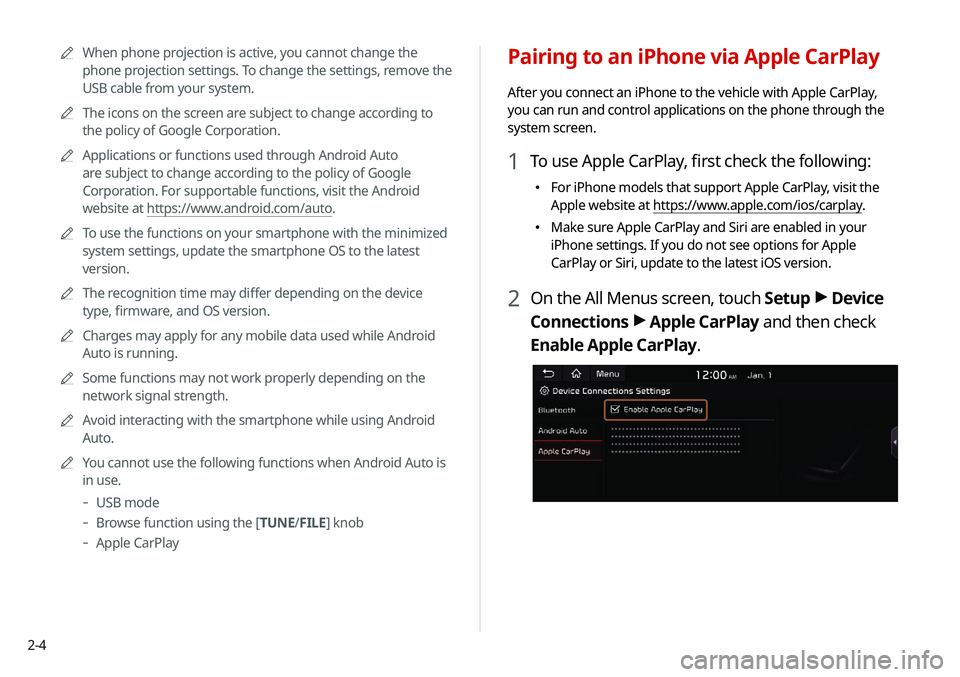
2 On the All Menus screen, touch Setup >
Device
Connections >
Apple CarPlay and then check
Enable Apple CarPlay.
0000
A
When phone projection is active, you cannot change the
phone projection settings. To change the settings, remove the
USB cable from your system.
0000
A
The icons on the screen are subject to change according to
the policy of Google Corporation.
0000
A
Applications or functions used through Android Auto
are subject to change according to the policy of Google
Corporation. For supportable functions, visit the Android
website at https://www.android.com/auto.
0000
A
To use the functions on your smartphone with the minimized
system settings, update the smartphone OS to the latest
version.
0000
A
The recognition time may differ depending on the device
type, firmware, and OS version.
0000
A
Charges may apply for any mobile data used while Android
Auto is running.
0000
A
Some functions may not work properly depending on the
network signal strength.
0000
A
Avoid interacting with the smartphone while using Android
Auto.
0000
A
You cannot use the following functions when Android Auto is
in use.
-USB mode
-Browse function using the [TUNE/ FILE] knob
-
Apple CarPlay
Page 39 of 211
2-5
Using the Apple CarPlay
1 On the All Menus screen, touch Apple CarPlay.
2 Perform the desired function.
\225To run any of functions (phone, messaging, navigation,
etc.) on your iPhone, touch the corresponding function
icon.
\225To run the Siri voice recognition, press and hold the []
button on the steering wheel.
0000
A
To display the system Home screen, touch
.
0000
A
By pressing the [ MODE] button on the steering wheel, you
can run the media application on your smartphone as well as
the Radio/Media mode of the system.
0000
A
On the All Menus screen, touch Setup >
Advanced >
Steering Wheel MODE Button and then press the [ MODE]
button to set the functions to run.
> See “Steering Wheel MODE
Button.”
0000
A
When you receive a call, press the [] button on the steering
wheel to answer it.
0000
A
When phone projection is active, you cannot change the
phone projection settings. To change the settings, remove the
USB cable from your system.
0000
A
Applications or functions used through Apple CarPlay
are subject to change according to the policy of Apple
Corporation. For supportable functions, visit the Apple
Corporation website at http://www.apple.com/ios/carplay .
3 Connect an iPhone to the USB port on the vehicle
by using the provided USB cable.
0000
A
When the connection is made for the first time, the system
screen displays a notification window. Check the details
and then touch OK.
0000
A
To end the Apple CarPlay and disconnect from the iPhone,
remove the USB cable from the system.
\334Caution
Do not repeatedly connect and remove the USB connector
within a short time. It may cause device errors or system
failures.
4 When the iPhone is locked, unlock it first and then
consent to the use of Apple CarPlay.
When the iPhone is recognized successfully, the Apple
CarPlay menu is activated on the All Menus screen.
Page 40 of 211
2-6
Using the driving assist display
You can see the view outside the vehicle through the system
screen.0000
A
The displayed screen may differ depending on the vehicle
model.
\335Warning
When backing up, make sure to follow the guidelines below:
\225 Before entering your vehicle, always check the area behind
your vehicle.
\225 Do not solely rely on the rear view camera when backing up.
Always ensure that it is safe to back up by checking behind
you and looking in the rearview mirrors.
\225 Always back up slowly and stop immediately if you suspect
that a person, especially a child, might be behind you.
\334Caution
The distance shown on the screen may differ from the actual one.
Be sure to check the rear, left, and right sides with your own eyes
for safety.
0000
A
To use the functions on your smartphone with the minimized
system settings, update the smartphone OS to the latest
version.
0000
A
The recognition time may differ depending on the device
type, firmware, and OS version.
0000
A
Charges may apply for any mobile data used while Apple
CarPlay is running.
0000
A
Some functions may not work properly depending on the
network signal strength.
0000
A
Avoid interacting with the smartphone while using Apple
CarPlay.
0000
A
You cannot use the following functions when Apple CarPlay is
in use.
-Bluetooth
-USB mode
-Browse function using the [TUNE/ FILE] knob
-
Android Auto
Page 42 of 211
2-8
Using the HD Radio Data
You can access an array of information with HD radio data such
as HD Radio™.0000
A
HD radio data are available only in metropolitan areas.
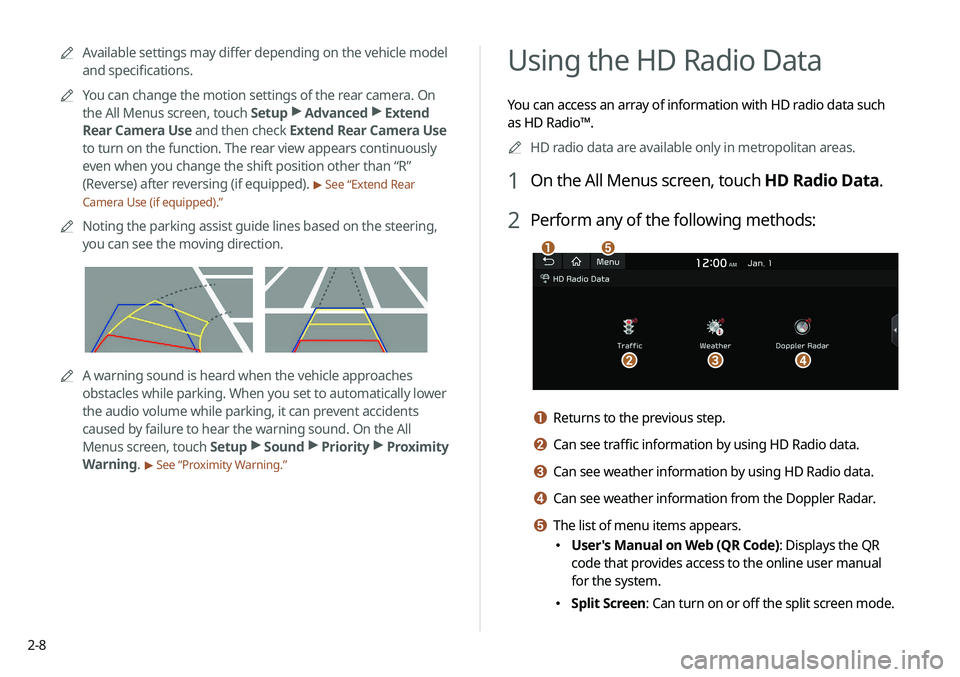
1 On the All Menus screen, touch HD Radio Data.
2 Perform any of the following methods:
\037
\036\035\034
\033
a Returns to the previous step.
b Can see traffic information by using HD Radio data.
c Can see weather information by using HD Radio data.
d Can see weather information from the Doppler Radar.
e The list of menu items appears.
\225User's Manual on Web (QR Code): Displays the QR
code that provides access to the online user manual
for the system.
\225Split Screen: Can turn on or off the split screen mode.
0000
A
Available settings may differ depending on the vehicle model
and specifications.
0000
A
You can change the motion settings of the rear camera. On
the All Menus screen, touch Setup >
Advanced >
Extend
Rear Camera Use and then check Extend Rear Camera Use
to turn on the function. The rear view appears continuously
even when you change the shift position other than “R”
(Reverse) after reversing (if equipped).
> See “Extend Rear
Camera Use (if equipped).”
0000
A
Noting the parking assist guide lines based on the steering,
you can see the moving direction.
0000AA warning sound is heard when the vehicle approaches
obstacles while parking. When you set to automatically lower
the audio volume while parking, it can prevent accidents
caused by failure to hear the warning sound. On the All
Menus screen, touch Setup >
Sound >
Priority >
Proximity
Warning.
> See “Proximity Warning.”
Page 45 of 211
2-11
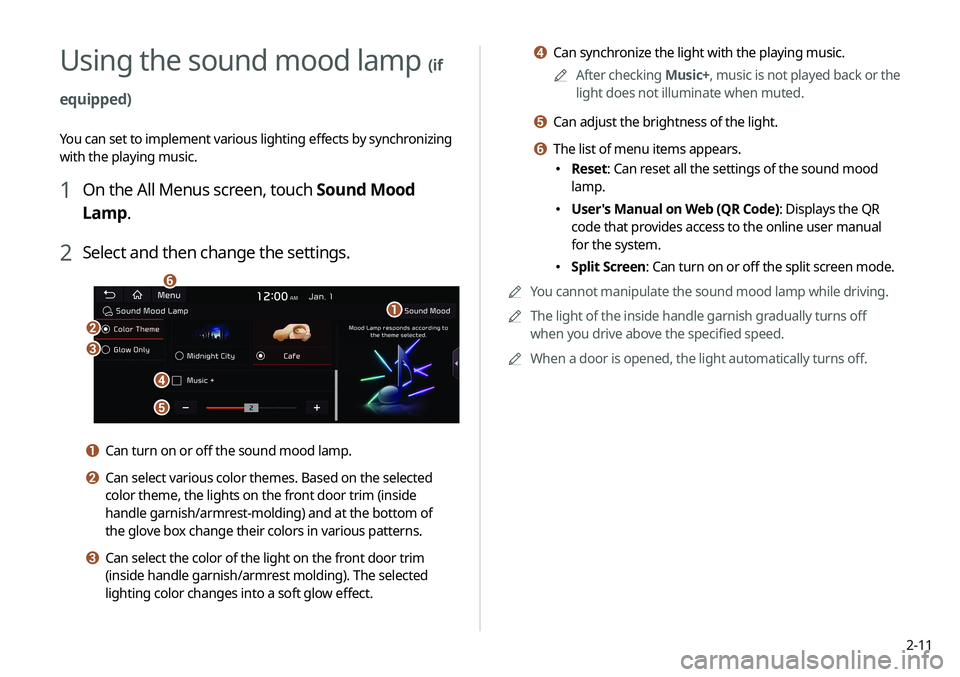
d Can synchronize the light with the playing music.0000
A
After checking Music+, music is not played back or the
light does not illuminate when muted.
e Can adjust the brightness of the light.
f The list of menu items appears.
\225 Reset: Can reset all the settings of the sound mood
lamp.
\225User's Manual on Web (QR Code): Displays the QR
code that provides access to the online user manual
for the system.
\225Split Screen: Can turn on or off the split screen mode.
0000
A
You cannot manipulate the sound mood lamp while driving.
0000
A
The light of the inside handle garnish gradually turns off
when you drive above the specified speed.
0000
A
When a door is opened, the light automatically turns off.
Using the sound mood lamp (if
equipped)
You can set to implement various lighting effects by synchronizing
with the playing music.
1 On the All Menus screen, touch Sound Mood
Lamp.
2 Select and then change the settings.
\037
\036
\035
\034
\033
\032
a Can turn on or off the sound mood lamp.
b Can select various color themes. Based on the selected
color theme, the lights on the front door trim (inside
handle garnish/armrest-molding) and at the bottom of
the glove box change their colors in various patterns.
c Can select the color of the light on the front door trim
(inside handle garnish/armrest molding). The selected
lighting color changes into a soft glow effect.