lock KIA SPORTAGE 2020 Owners Manual
[x] Cancel search | Manufacturer: KIA, Model Year: 2020, Model line: SPORTAGE, Model: KIA SPORTAGE 2020Pages: 611, PDF Size: 15.85 MB
Page 334 of 611
553
Driving your vehicle
Good braking practices
Check to be sure the parking brakeis not engaged and the parking
brake indicator light is out before
driving away.
Driving through water may get the brakes wet. They can also get wet
when the vehicle is washed. Wet
brakes can be dangerous! Your
vehicle will not stop as quickly if the
brakes are wet. Wet brakes may
cause the vehicle to pull to one side.
To dry the brakes, apply the brakes
lightly until the braking action
returns to normal, taking care to
keep the vehicle under control at all
times. If the braking action does not
return to normal, stop as soon as it
is safe to do so and call an author-
ized Kia dealer for assistance.
Don't coast down hills with the vehicle out of gear. This is extreme-
ly hazardous. Keep the vehicle in
gear at all times, use the brakes to
slow down, then shift to a lower
gear so that engine braking will
help you maintain a safe speed. Don't "ride" the brake pedal.
Resting your foot on the brake
pedal while driving can be danger-
ous because the brakes might
overheat and lose their effective-
ness. It also increases the wear of
the brake components.
If a tire goes flat while you are driv- ing, apply the brakes gently and
keep the vehicle pointed straight
ahead while you slow down. When
you are moving slowly enough for it
to be safe to do so, pull off the road
and stop in a safe place.
If your vehicle is equipped with an Automatic Transmission, don't let
your vehicle creep forward. To
avoid creeping forward, keep your
foot firmly on the brake pedal when
the vehicle is stopped.
Be cautious when parking on a hill. Firmly engage the parking brake
and place the shift lever in P (auto-
matic transmission). If your vehicle
is facing downhill, turn the front
wheels into the curb to help keep
the vehicle from rolling. If your vehicle is facing uphill, turn
the front wheels away from the
curb to help keep the vehicle from
rolling. If there is no curb or if it is
required by other conditions to
keep the vehicle from rolling, block
the wheels.
Under some conditions your park- ing brake can freeze in the
engaged position. This is most like-
ly to happen when there is an
accumulation of snow or ice
around or near the rear brakes or if
the brakes are wet. If there is a risk
that the parking brake may freeze,
apply it only temporarily while you
put the shift lever in P (automatic
transmission) and block the rear
wheels so the vehicle cannot roll.
Then release the parking brake.
Do not hold the vehicle on an incline with the accelerator pedal.
This can cause the transmission to
overheat. Always use the brake
pedal or parking brake.
Page 347 of 611
Driving your vehicle
66
5
There is an item similar to a per-
son's body structure
The pedestrian is small
The pedestrian has impaired mobility
The sensor recognition is limited
The camera is blocked with a for- eign object or debris
Inclement weather such as heavy rain or snow obscures the field of
view of the radar sensor or camera
When light coming from a street light or an oncoming vehicle is
reflected on a wet road surface
such as a puddle in the road
The field of view in front is obstructed by sun glare
The windshield glass is fogged up.
Adverse road conditions cause excessive vehicle vibrations while
driving
When the pedestrian suddenly appears in front of the vehicle
When there is any other electro- magnetic interference
When a construction area, rail or other metal object is near the
pedestrian.
✽ ✽ NOTICE
In some instances, the FCA system
may be cancelled when subjected to
electromagnetic interference.
WARNING
Do not use the Forward
Collision -Avoidance Assist
(FCA) system when towing a
vehicle. Application of the
FCA system while towing may
adversely affect the safety of
your vehicle or the towing
vehicle.
Use extreme caution when the vehicle in front of you has
cargo that extends rearward
from the cab, or when the
vehicle in front of you has
higher ground clearance.
The FCA system is designed to detect and monitor the
vehicle ahead in the roadway
through camera recognition. It
is not designed to detect bicy-
cles, motorcycles, or smaller
wheeled objects such as lug-
gage bags, shopping carts, or
strollers.
(Continued)
(Continued)
Never try to test the operationof the FCA system. Doing so
may cause severe injury or
death.
When front bumper or wind- shield glass is replaced or
repaired, have the vehicle
inspected by an authorized
Kia dealer.
Page 381 of 611
Driving your vehicle
100
5
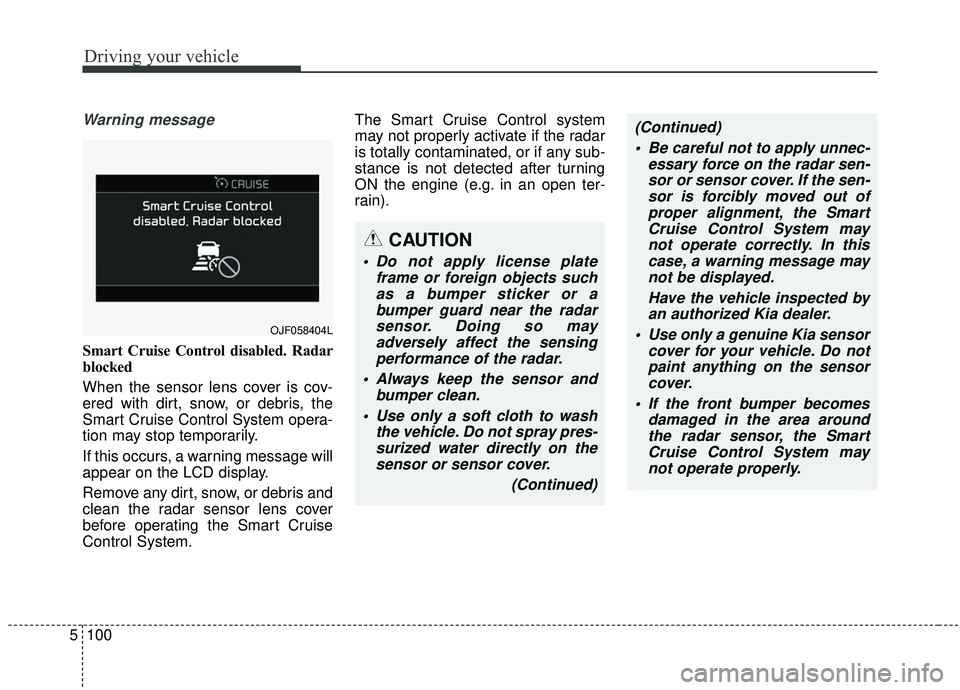
Warning message
Smart Cruise Control disabled. Radar
blocked
When the sensor lens cover is cov-
ered with dirt, snow, or debris, the
Smart Cruise Control System opera-
tion may stop temporarily.
If this occurs, a warning message will
appear on the LCD display.
Remove any dirt, snow, or debris and
clean the radar sensor lens cover
before operating the Smart Cruise
Control System. The Smart Cruise Control system
may not properly activate if the radar
is totally contaminated, or if any sub-
stance is not detected after turning
ON the engine (e.g. in an open ter-
rain).
OJF058404L
CAUTION
Do not apply license plate
frame or foreign objects suchas a bumper sticker or abumper guard near the radarsensor. Doing so mayadversely affect the sensingperformance of the radar.
Always keep the sensor and bumper clean.
Use only a soft cloth to wash the vehicle. Do not spray pres-surized water directly on thesensor or sensor cover.
(Continued)
(Continued) Be careful not to apply unnec- essary force on the radar sen-sor or sensor cover. If the sen-sor is forcibly moved out ofproper alignment, the SmartCruise Control System maynot operate correctly. In thiscase, a warning message maynot be displayed.
Have the vehicle inspected byan authorized Kia dealer.
Use only a genuine Kia sensor cover for your vehicle. Do notpaint anything on the sensorcover.
If the front bumper becomes damaged in the area aroundthe radar sensor, the SmartCruise Control System maynot operate properly.
Page 382 of 611
5101
Driving your vehicle
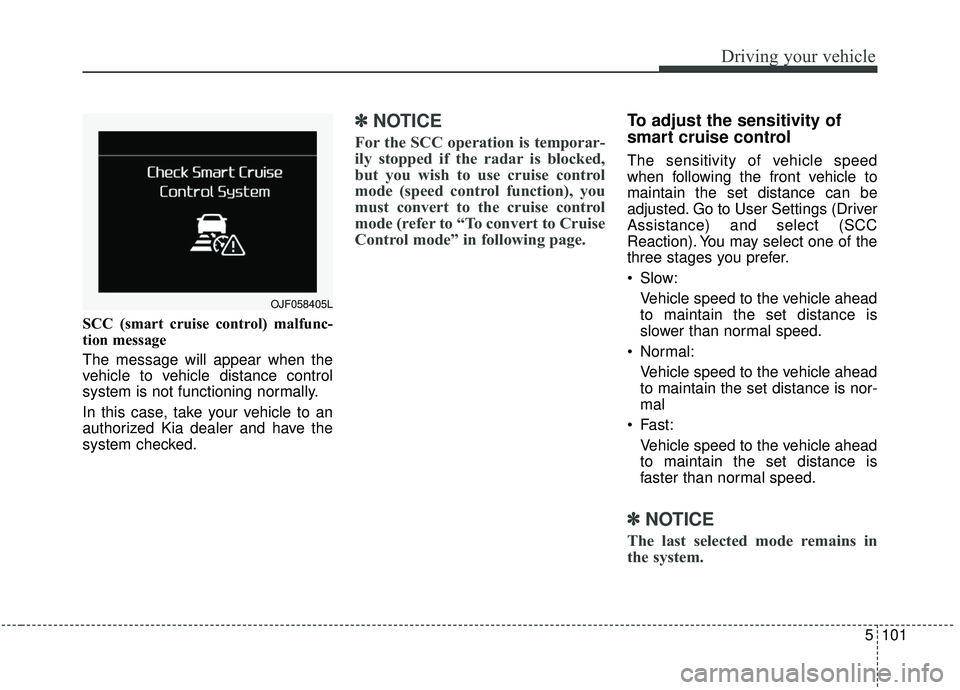
SCC (smart cruise control) malfunc-
tion message
The message will appear when the
vehicle to vehicle distance control
system is not functioning normally.
In this case, take your vehicle to an
authorized Kia dealer and have the
system checked.
✽ ✽NOTICE
For the SCC operation is temporar-
ily stopped if the radar is blocked,
but you wish to use cruise control
mode (speed control function), you
must convert to the cruise control
mode (refer to “To convert to Cruise
Control mode” in following page.
To adjust the sensitivity of
smart cruise control
The sensitivity of vehicle speed
when following the front vehicle to
maintain the set distance can be
adjusted. Go to User Settings (Driver
Assistance) and select (SCC
Reaction). You may select one of the
three stages you prefer.
Slow:
Vehicle speed to the vehicle ahead
to maintain the set distance is
slower than normal speed.
Normal: Vehicle speed to the vehicle ahead
to maintain the set distance is nor-
mal
Fast: Vehicle speed to the vehicle ahead
to maintain the set distance is
faster than normal speed.
✽ ✽ NOTICE
The last selected mode remains in
the system.
OJF058405L
Page 407 of 611
Driving your vehicle
126
5
If the vehicle detected by the sensors
approaches from the rear left/right
side of your vehicle, the warning
chime will sound, the warning light
on the outside rearview mirror will
blink and a message will appear on
the LCD display.
The warning will stop when:
- The vehicle moving at the rear
left/right side of your vehicle is not
in the detection range.
- The vehicle is right behind your vehicle.
- The vehicle is not driving towards your vehicle.
- The vehicle’s approaching speed is decreased.
WARNING
Drive safely even though thevehicle is equipped with a
Rear Cross-Traffic Collision
Warning (RCCW) System. Do
not solely rely on the system
but check your surrounding
when backing the vehicle up.
The RCCW system may not
detect every object alongside
the vehicle.
The driver is responsible for accurate brake control.
Always pay extreme caution while driving. The Rear Cross-
Traffic Collision Warning
System may not operate prop-
erly or unnecessarily operate
in accordance with your driv-
ing situations.
CAUTION
If the operating conditions of RCCW are satisfied, a warningis issued every time a vehiclecomes to the rear side, even ifyour vehicle is stopped (vehi-cle speed 0 km/h (0 mph)).
The system's warning may not operate properly if theleft/right of your vehicle's rearbumper is blocked by a vehi-cle or obstacle.
The driver should always use extreme caution while operat-ing the vehicle, whether or notthe warning light on the out-side rearview mirror illumi-nates or there is a warningalarm.
Playing the vehicle audio sys- tem at high volume may pre-vent occupants from hearingthe system's warning sounds.
The warning of the Rear Cross- Traffic Collision WarningSystem may not sound if warn-ing sounds from other systemsare activated.
Page 409 of 611
Driving your vehicle
128
5
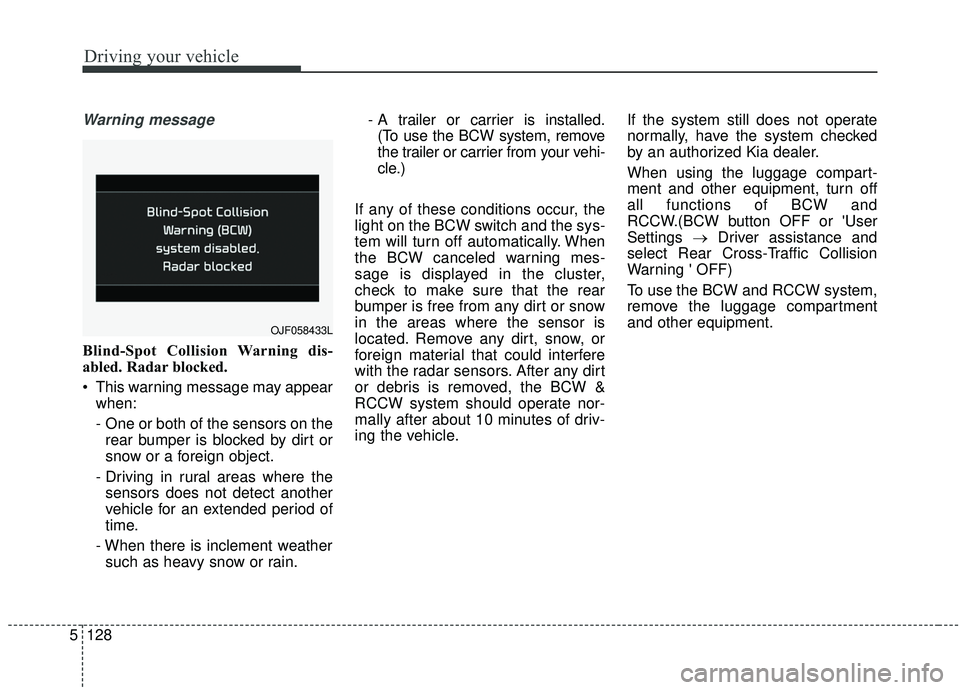
Warning message
Blind-Spot Collision Warning dis-
abled. Radar blocked.
This warning message may appear
when:
- One or both of the sensors on therear bumper is blocked by dirt or
snow or a foreign object.
- Driving in rural areas where the sensors does not detect another
vehicle for an extended period of
time.
- When there is inclement weather such as heavy snow or rain. - A trailer or carrier is installed.
(To use the BCW system, remove
the trailer or carrier from your vehi-
cle.)
If any of these conditions occur, the
light on the BCW switch and the sys-
tem will turn off automatically. When
the BCW canceled warning mes-
sage is displayed in the cluster,
check to make sure that the rear
bumper is free from any dirt or snow
in the areas where the sensor is
located. Remove any dirt, snow, or
foreign material that could interfere
with the radar sensors. After any dirt
or debris is removed, the BCW &
RCCW system should operate nor-
mally after about 10 minutes of driv-
ing the vehicle. If the system still does not operate
normally, have the system checked
by an authorized Kia dealer.
When using the luggage compart-
ment and other equipment, turn off
all functions of BCW and
RCCW.(BCW button OFF or 'User
Settings
→Driver assistance and
select Rear Cross-Traffic Collision
Warning ' OFF)
To use the BCW and RCCW system,
remove the luggage compartment
and other equipment.
OJF058433L
Page 410 of 611
5129
Driving your vehicle
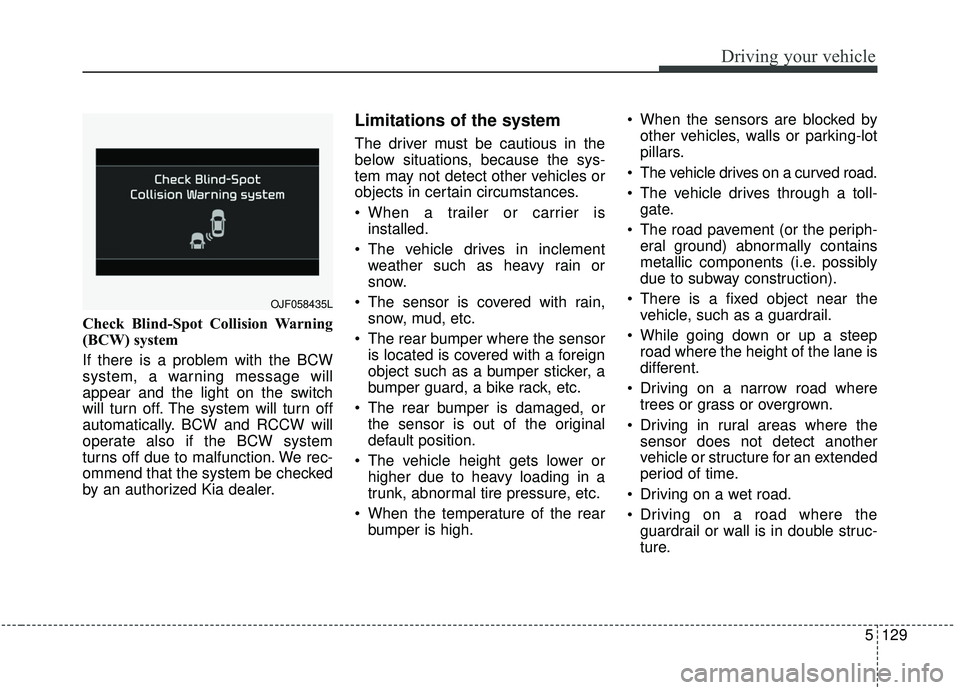
Check Blind-Spot Collision Warning
(BCW) system
If there is a problem with the BCW
system, a warning message will
appear and the light on the switch
will turn off. The system will turn off
automatically. BCW and RCCW will
operate also if the BCW system
turns off due to malfunction. We rec-
ommend that the system be checked
by an authorized Kia dealer.
Limitations of the system
The driver must be cautious in the
below situations, because the sys-
tem may not detect other vehicles or
objects in certain circumstances.
When a trailer or carrier isinstalled.
The vehicle drives in inclement weather such as heavy rain or
snow.
The sensor is covered with rain, snow, mud, etc.
The rear bumper where the sensor is located is covered with a foreign
object such as a bumper sticker, a
bumper guard, a bike rack, etc.
The rear bumper is damaged, or the sensor is out of the original
default position.
The vehicle height gets lower or higher due to heavy loading in a
trunk, abnormal tire pressure, etc.
When the temperature of the rear bumper is high. When the sensors are blocked by
other vehicles, walls or parking-lot
pillars.
The vehicle drives on a curved road.
The vehicle drives through a toll- gate.
The road pavement (or the periph- eral ground) abnormally contains
metallic components (i.e. possibly
due to subway construction).
There is a fixed object near the vehicle, such as a guardrail.
While going down or up a steep road where the height of the lane is
different.
Driving on a narrow road where trees or grass or overgrown.
Driving in rural areas where the sensor does not detect another
vehicle or structure for an extended
period of time.
Driving on a wet road.
Driving on a road where the guardrail or wall is in double struc-
ture.
OJF058435L
Page 423 of 611
Driving your vehicle
142
5
Remember, your vehicle does not
require extended warm-up. After
the engine has started, allow the
engine to run for 10 to 20 seconds
prior to placing the vehicle in gear.
In very cold weather, however, give
your engine a slightly longer warm-
up period.
Don't "lug" or "over-rev" the engine. Lugging is driving too slowly in a
very high gear resulting in engine
bucking. If this happens, shift to a
lower gear. Over-revving is racing
the engine beyond its safe limit.
This can be avoided by shifting at
the recommended speed. Use your air conditioning sparingly.
The air conditioning system is
operated by engine power so your
fuel economy is reduced when you
use it.
Open windows at high speeds can reduce fuel economy.
Fuel economy is less in crosswinds and headwinds. To help offset
some of this loss, slow down when
driving in these conditions.
Keeping a vehicle in good operating
condition is important both for econ-
omy and safety. Therefore, have an
authorized Kia dealer perform
scheduled inspections and mainte-
nance.
WARNING - Engine off
during motion
Never turn the engine off to
coast down hills or anytime the
vehicle is in motion. The power
steering and power brakes will
not function properly without
the engine running. In addition,
turning off the ignition while
driving could engage the steer-
ing wheel lock resulting in loss
of vehicle steering. Keep the
engine on and downshift to an
appropriate gear for an engine
braking effect.
Page 432 of 611
5151
Driving your vehicle
To keep locks from freezing
To keep the locks from freezing,
squirt an approved de-icer fluid or
glycerine into the key opening. If a
lock is covered with ice, squirt it with
an approved de-icing fluid to remove
the ice. If the lock is frozen internally,
you may be able to thaw it out by
using a heated key. Handle the heat-
ed key with care to avoid injury.
Use approved window washer
anti-freeze in system
To keep the water in the window
washer system from freezing, add an
approved window washer anti-freeze
solution in accordance with instruc-
tions on the container. Window wash-
er anti-freeze is available from an
authorized Kia dealer and most auto
parts outlets. Do not use engine
coolant or other types of anti-freeze
as these may damage the paint fin-
ish.
Don’t let your parking brake
freeze
Under some conditions your parking
brake can freeze in the engaged
position. This is most likely to happen
when there is an accumulation of
snow or ice around or near the rear
brakes or if the brakes are wet. If
there is a risk the parking brake may
freeze, apply it only temporarily while
you put the gear shift lever in P
(Park, Automatic Transmission) and
block the rear wheels so the vehicle
cannot roll. Then release the parking
brake.
Don't let ice and snow accu-
mulate underneath
Under some conditions, snow and
ice can build up under the fenders
and interfere with the steering. When
driving in severe winter conditions
where this may happen, you should
periodically check underneath the
vehicle to be sure the movement of
the front wheels and the steering
components are not obstructed.
Carry emergency equipment
Depending on the severity of the
weather, you should carry appropri-
ate emergency equipment. Some of
the items you may want to carry
include tow straps or chains, flash-
light, emergency flares, sand, shov-
el, jumper cables, window scraper,
gloves, ground cloth, coveralls, blan-
ket, etc.
Page 450 of 611
What to do in an emergency
46
IF THE ENGINE WILL NOT START
If engine doesn't turn over or
turns over slowly
1. Be sure the shift lever is in N(Neutral) or P (Park) and the
emergency brake is set.
2. Check the battery connections to be sure they are clean and tight.
3. Turn on the interior light. If the light dims or goes out when you oper-
ate the starter, the battery is dis-
charged.
4. Check the starter connections to be sure they are securely tight-
ened.
5. Do not push or pull the vehicle to start it. See instructions for "Jump
starting".
If engine turns over normally
but does not start
1. Check the fuel level.
2. With the ignition switch in theLOCK position, check all connec-
tors at the ignition coils and spark
plugs. Reconnect any that may be
disconnected or loose.
3. Check the fuel line in the engine compartment.
4. If the engine still does not start, call an authorized Kia dealer or
seek other qualified assistance.
WARNING - Push/
pull start
Do not push or pull the vehicle
to start it. Push or pull starting
may cause the catalytic con-
verter to overload and create a
fire hazard.