ece KIA SPORTAGE 2020 Owner's Guide
[x] Cancel search | Manufacturer: KIA, Model Year: 2020, Model line: SPORTAGE, Model: KIA SPORTAGE 2020Pages: 611, PDF Size: 15.85 MB
Page 306 of 611
525
Driving your vehicle
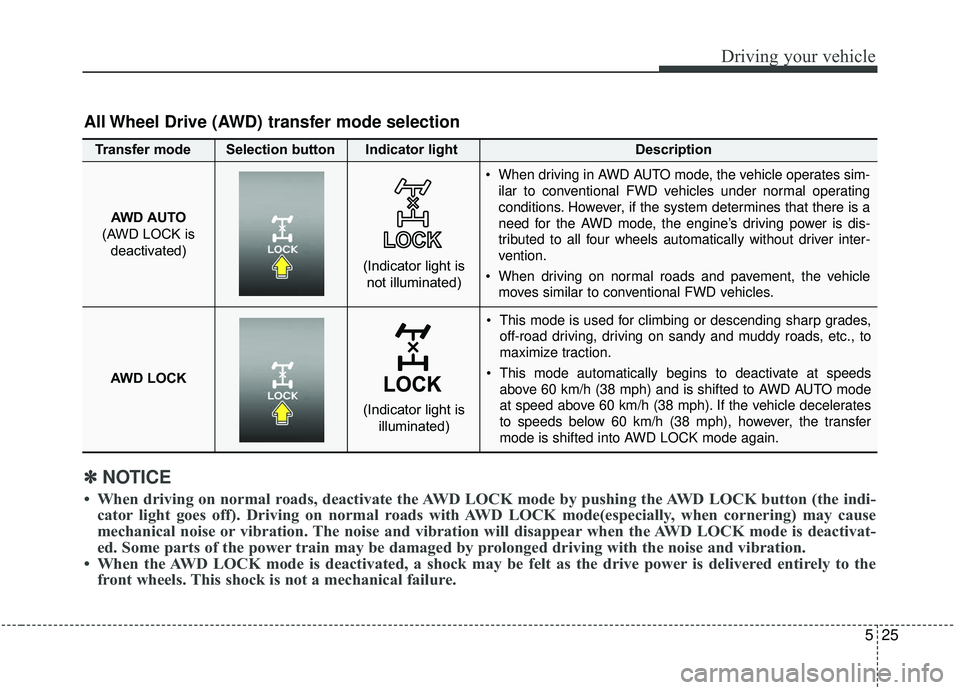
This mode is used for climbing or descending sharp grades,off-road driving, driving on sandy and muddy roads, etc., to
maximize traction.
This mode automatically begins to deactivate at speeds above 60 km/h (38 mph) and is shifted to AWD AUTO mode
at speed above 60 km/h (38 mph). If the vehicle decelerates
to speeds below 60 km/h (38 mph), however, the transfer
mode is shifted into AWD LOCK mode again.
AWD AUTO
(AWD LOCK is deactivated)
(Indicator light isnot illuminated)
✽ ✽ NOTICE
• When driving on normal roads, deactivate the AWD LOCK mode by pushing the AWD LOCK button (the indi-
cator light goes off). Driving on normal roads with AWD LOCK mode(especially, when cornering) may cause
mechanical noise or vibration. The noise and vibration will disappear when the AWD LOCK mode is deactivat-
ed. Some parts of the power train may be damaged by prolonged driving with the noise and vibration.
• When the AWD LOCK mode is deactivated, a shock may be felt as the drive power is delivered entirely to the front wheels. This shock is not a mechanical failure.
All Wheel Drive (AWD) transfer mode selection
Transfer mode Selection button Indicator light Description
When driving in AWD AUTO mode, the vehicle operates sim-
ilar to conventional FWD vehicles under normal operating
conditions. However, if the system determines that there is a
need for the AWD mode, the engine’s driving power is dis-
tributed to all four wheels automatically without driver inter-
vention.
When driving on normal roads and pavement, the vehicle moves similar to conventional FWD vehicles.
AWD LOCK
(Indicator light is illuminated)
Page 312 of 611
531
Driving your vehicle
Power brakes
Your vehicle has power-assisted
brakes that adjust automatically
through normal usage.
In the event that the power-assisted
brakes lose power because of a
stalled engine or some other reason,
you can still stop your vehicle by
applying greater force to the brake
pedal than you normally would. The
stopping distance, however, will be
longer.
When the engine is not running, the
reserve brake power is partially
depleted each time the brake pedal
is applied. Do not pump the brake
pedal when the power assist has
been interrupted.
Pump the brake pedal only when
necessary to maintain steering con-
trol on slippery surfaces.Wet brakes may impair the vehicle’s
ability to safely slow down; the vehi-
cle may also pull to one side when
the brakes are applied. Applying the
brakes lightly will indicate whether
they have been affected in this way.
Always test your brakes in this fash-
ion after driving through deep water.
To dry the brakes, apply them lightly
while maintaining a safe forward
speed until brake performance
returns to normal.
BRAKE SYSTEM
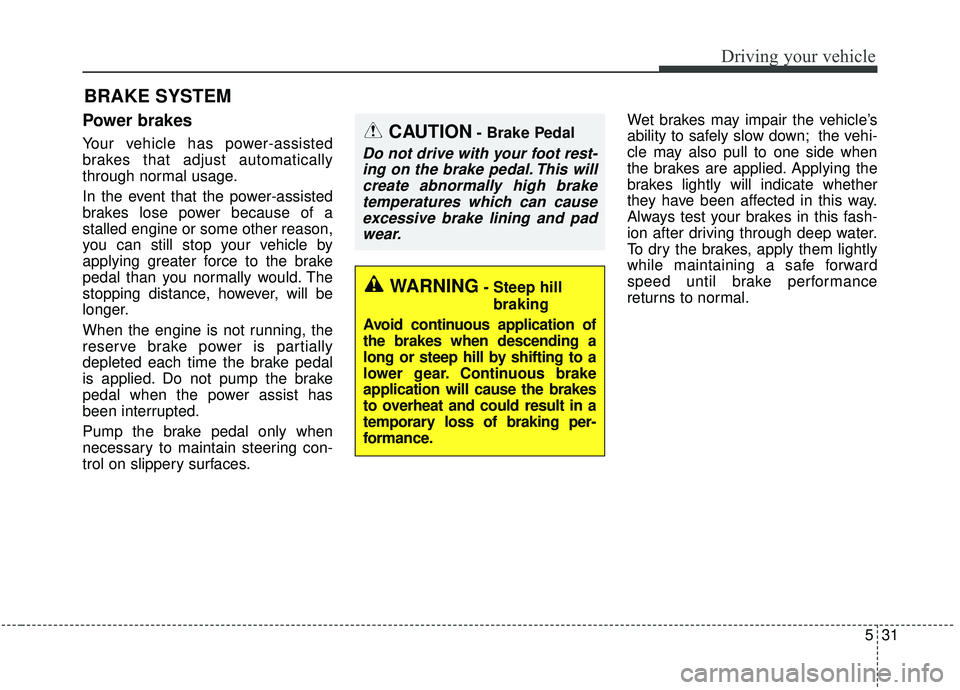
WARNING- Steep hill
braking
Avoid continuous application of
the brakes when descending a
long or steep hill by shifting to a
lower gear. Continuous brake
application will cause the brakes
to overheat and could result in a
temporary loss of braking per-
formance.
CAUTION- Brake Pedal
Do not drive with your foot rest- ing on the brake pedal. This willcreate abnormally high braketemperatures which can causeexcessive brake lining and padwear.
Page 335 of 611
Driving your vehicle
54
5
The Forward Collision-Avoidance
Assist (FCA) system is designed to
help detect and monitor the vehicle
or pedestrians ahead in the roadway
through camera recognition to warn
the driver that a collision is imminent,
and if necessary, apply emergency
braking.System setting and activation
System setting
placing the ignition switch to the
ON position and by selecting:
'User Settings → Driver Assistance
→ Forward Collision-Avoidance
Assist.' The FCA system deactivates,
when the driver cancels the system
setting.
FORWARD COLLISION-AVOIDANCE ASSIST (FCA) SYSTEM - CAMERA TYPE (IF EQUIPPED)
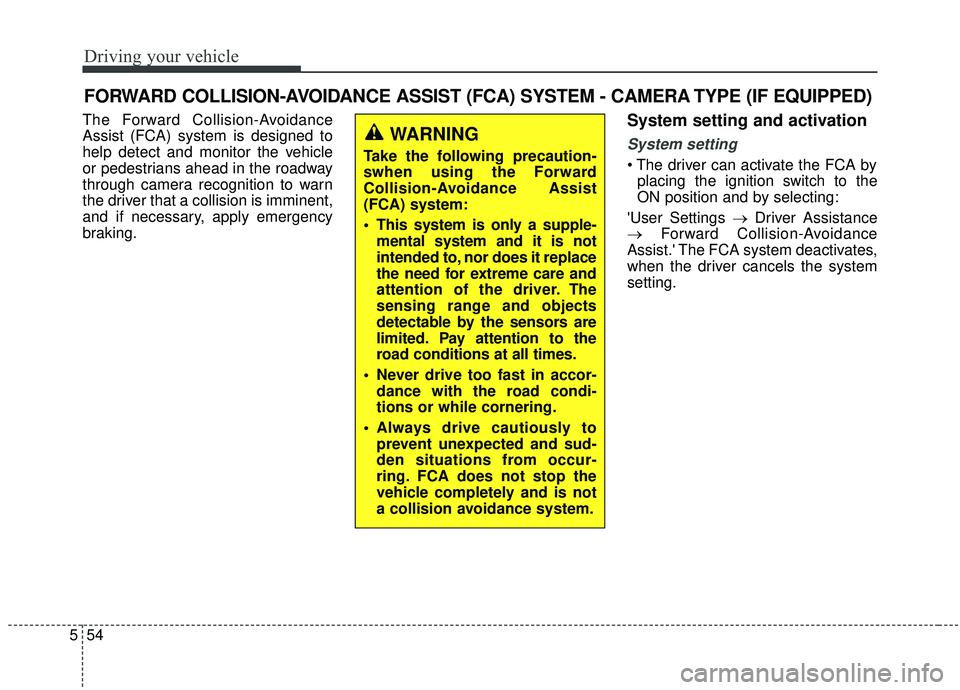
WARNING
Take the following precaution-
swhen using the Forward
Collision-Avoidance Assist
(FCA) system:
This system is only a supple- mental system and it is not
intended to, nor does it replace
the need for extreme care and
attention of the driver. The
sensing range and objects
detectable by the sensors are
limited. Pay attention to the
road conditions at all times.
Never drive too fast in accor- dance with the road condi-
tions or while cornering.
Always drive cautiously to prevent unexpected and sud-
den situations from occur-
ring. FCA does not stop the
vehicle completely and is not
a collision avoidance system.
Page 337 of 611
Driving your vehicle
56
5
FCA warning message and
system control
The FCA system produces warning
messages, warning alarms, and
emergency braking based on the
level of risk of a frontal collision, such
as when a vehicle ahead suddenly
brakes.
The driver can select the initial warn-
ing activation time in the User
Settings in the LCD display. The
options for the initial Forward
Collision Warning include Early,
Normal or Late initial warning time.
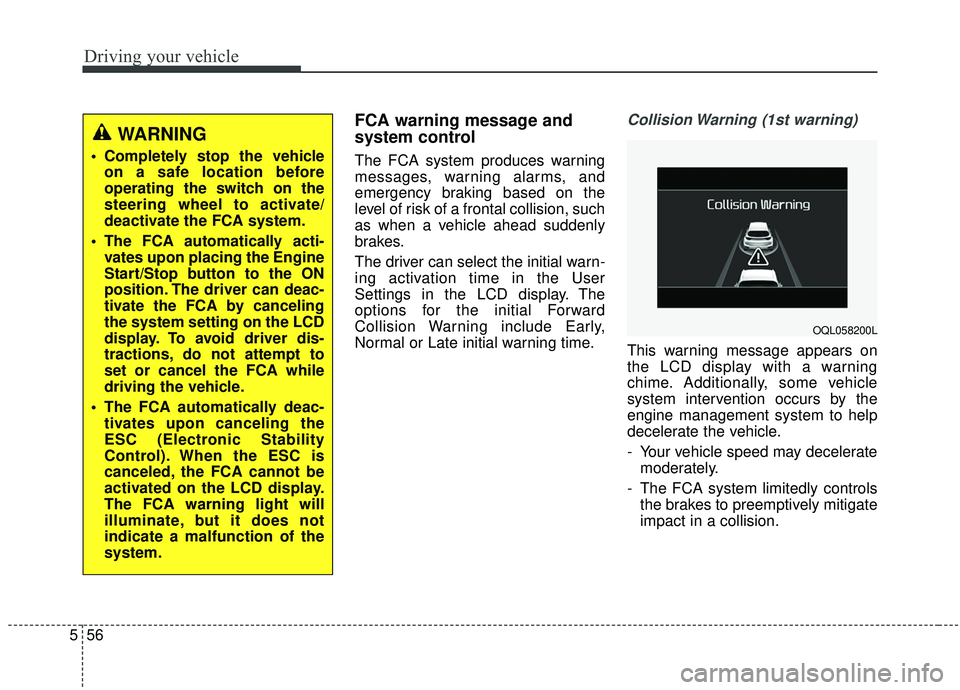
Collision Warning (1st warning)
This warning message appears on
the LCD display with a warning
chime. Additionally, some vehicle
system intervention occurs by the
engine management system to help
decelerate the vehicle.
- Your vehicle speed may decelerate
moderately.
- The FCA system limitedly controls the brakes to preemptively mitigate
impact in a collision.
WARNING
Completely stop the vehicleon a safe location before
operating the switch on the
steering wheel to activate/
deactivate the FCA system.
The FCA automatically acti- vates upon placing the Engine
Start/Stop button to the ON
position. The driver can deac-
tivate the FCA by canceling
the system setting on the LCD
display. To avoid driver dis-
tractions, do not attempt to
set or cancel the FCA while
driving the vehicle.
The FCA automatically deac- tivates upon canceling the
ESC (Electronic Stability
Control). When the ESC is
canceled, the FCA cannot be
activated on the LCD display.
The FCA warning light will
illuminate, but it does not
indicate a malfunction of the
system.
OQL058200L
Page 338 of 611
557
Driving your vehicle
- It will operate if the vehicle speed isgreater than 8 km/h (5 mph) and
less than or equal to 60 km/h (38
mph) on a forward vehicle.
(Depending on the condition of the
vehicle ahead and the environment
surrounding it, the possible maxi-
mum operating speed may be
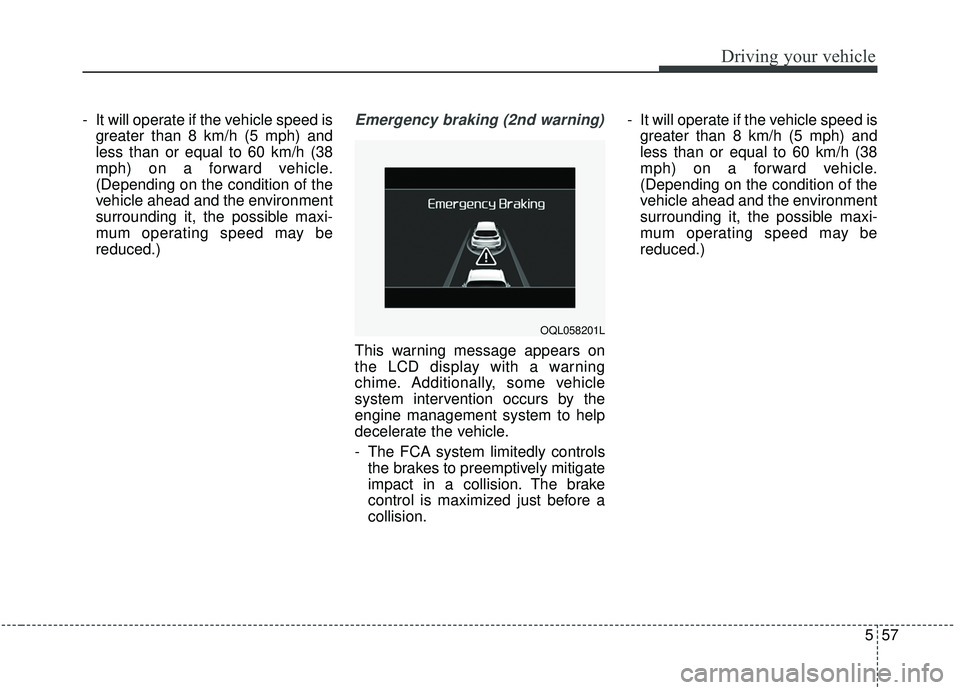
reduced.)Emergency braking (2nd warning)
This warning message appears on
the LCD display with a warning
chime. Additionally, some vehicle
system intervention occurs by the
engine management system to help
decelerate the vehicle.
- The FCA system limitedly controlsthe brakes to preemptively mitigate
impact in a collision. The brake
control is maximized just before a
collision. - It will operate if the vehicle speed is
greater than 8 km/h (5 mph) and
less than or equal to 60 km/h (38
mph) on a forward vehicle.
(Depending on the condition of the
vehicle ahead and the environment
surrounding it, the possible maxi-
mum operating speed may be
reduced.)
OQL058201L
Page 340 of 611
559
Driving your vehicle
✽ ✽NOTICE
• Never install any accessories or
stickers on the front windshield,
or tint the front windshield.
• Never place any reflective objects (i.e. white paper, mirror) over the
dashboard. Any light reflection
may cause a malfunction of the
system.
• Make sure the frontal camera does not get wet.
• Never disassemble the camera assembly, or apply any impact on
the camera assembly.
• Playing the vehicle audio system at high volume may prevent occu-
pants from hearing the FCA warn-
ings.
• Be careful not to apply unneces- sary force on the sensor. If the sen-
sor is forcibly moved out of proper
alignment, the system may not
operate correctly. In this case, a
warning message may not be dis-
played. In this case, we recom-
mend you have the vehicle inspect-
ed by an authorized Kia dealer.
✽ ✽ NOTICE
We recommend you to have the sys-
tem checked by an authorized Kia
dealer when the windshield glass is
replaced.
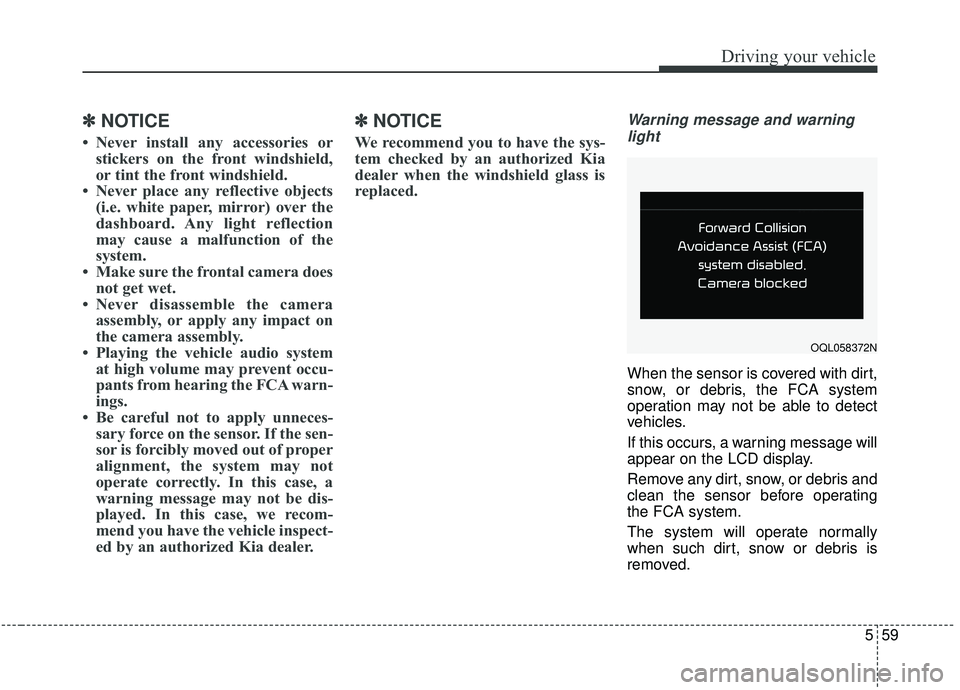
Warning message and warning
light
When the sensor is covered with dirt,
snow, or debris, the FCA system
operation may not be able to detect
vehicles.
If this occurs, a warning message will
appear on the LCD display.
Remove any dirt, snow, or debris and
clean the sensor before operating
the FCA system.
The system will operate normally
when such dirt, snow or debris is
removed.
OQL058372N
Page 341 of 611
Driving your vehicle
60
5
However, the FCA system may not
properly operate in an area (e.g.
open terrain), where any objects are
not detected after turning ON the
engine.
Although a warning message will not
appear on the LCD display, the FCA
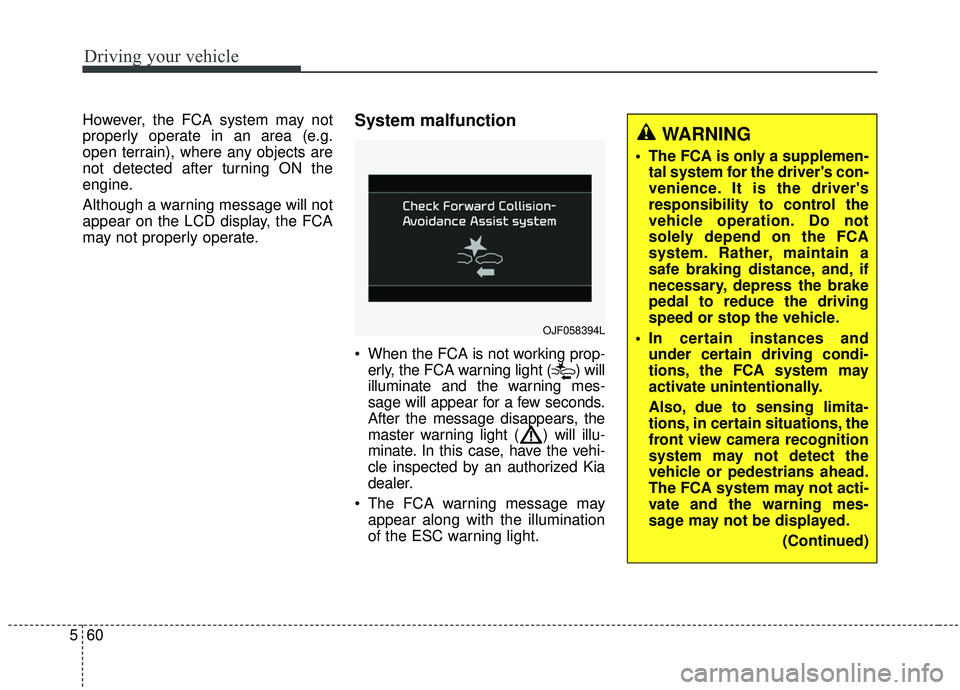
may not properly operate.System malfunction
When the FCA is not working prop-
erly, the FCA warning light ( ) will
illuminate and the warning mes-
sage will appear for a few seconds.
After the message disappears, the
master warning light ( ) will illu-
minate. In this case, have the vehi-
cle inspected by an authorized Kia
dealer.
The FCA warning message may appear along with the illumination
of the ESC warning light.
OJF058394L
WARNING
The FCA is only a supplemen-tal system for the driver's con-
venience. It is the driver's
responsibility to control the
vehicle operation. Do not
solely depend on the FCA
system. Rather, maintain a
safe braking distance, and, if
necessary, depress the brake
pedal to reduce the driving
speed or stop the vehicle.
In certain instances and under certain driving condi-
tions, the FCA system may
activate unintentionally.
Also, due to sensing limita-
tions, in certain situations, the
front view camera recognition
system may not detect the
vehicle or pedestrians ahead.
The FCA system may not acti-
vate and the warning mes-
sage may not be displayed.
(Continued)
Page 342 of 611
561
Driving your vehicle
Limitation of the system
The Forward Collision-Avoidance
Assist (FCA) system is designed to
monitor the vehicle or pedestrians
ahead in the roadway through cam-
era recognition to warn the driver
that a collision is imminent, and if
necessary, apply emergency brak-
ing.
In certain situations, the camera may
not be able to detect the vehicle or
pedestrians ahead. In these cases,
the FCA system may not operate
normally. The driver must pay careful
attention in the following situations
where the FCA operation may be
limited.(Continued)
The FCA system may not acti-vate if the driver applies the
brake pedal to avoid the risk
of a collision.
The brake control may be insufficient, possibly causing
a collision, if a vehicle in front
abruptly stops. Always pay
extreme caution.
The FCA system may not acti- vate depending on road condi-
tions, inclement whether, driv-
ing conditions or traffic condi-
tions. Therefore, the driver
should always pay attention to
the road and be prepared the
apply the brakes at all times.
The FCA system operates only to detect vehicles in front
of the vehicle.WARNING
The FCA system does notoperate when the vehicle is in
reverse.
The FCA system is not designed to detect other
objects on the road such as
animals.
The FCA system does not detect vehicles in the opposite
lane.
The FCA system does not detect cross traffic vehicles
that are approaching.
The FCA system cannot detect the driver approaching the side
view of a parked vehicle (for
example on a dead end street.)
In these cases, you must main-
tain a safe braking distance,
and if necessary, depress the
brake pedal to reduce the driv-
ing speed in order to maintain a
safe distance.
Page 344 of 611
563
Driving your vehicle
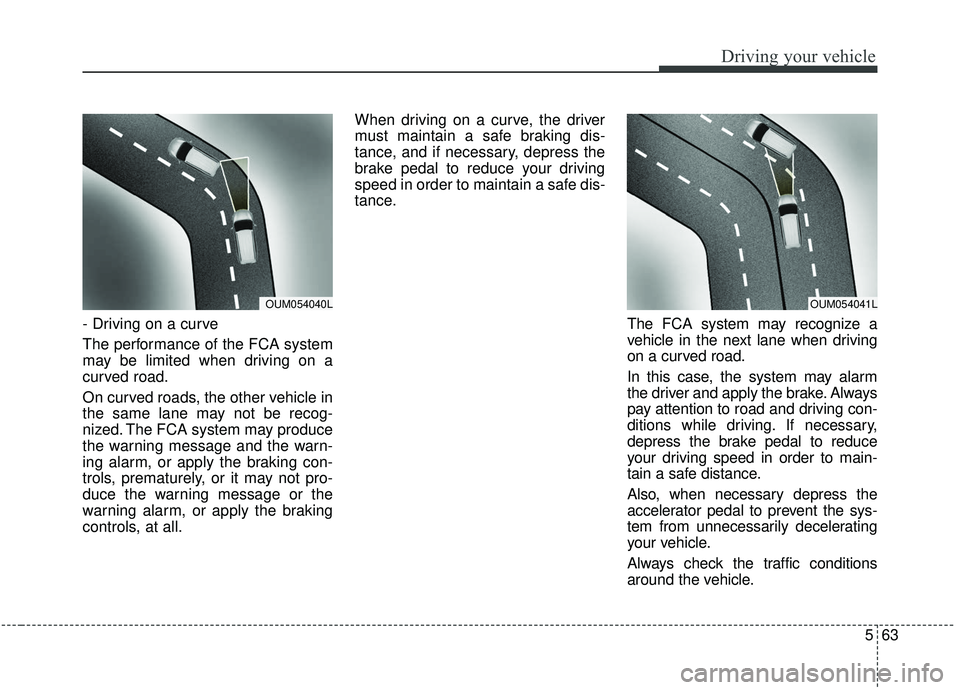
- Driving on a curve
The performance of the FCA system
may be limited when driving on a
curved road.
On curved roads, the other vehicle in
the same lane may not be recog-
nized. The FCA system may produce
the warning message and the warn-
ing alarm, or apply the braking con-
trols, prematurely, or it may not pro-
duce the warning message or the
warning alarm, or apply the braking
controls, at all.When driving on a curve, the driver
must maintain a safe braking dis-
tance, and if necessary, depress the
brake pedal to reduce your driving
speed in order to maintain a safe dis-
tance.
The FCA system may recognize a
vehicle in the next lane when driving
on a curved road.
In this case, the system may alarm
the driver and apply the brake. Always
pay attention to road and driving con-
ditions while driving. If necessary,
depress the brake pedal to reduce
your driving speed in order to main-
tain a safe distance.
Also, when necessary depress the
accelerator pedal to prevent the sys-
tem from unnecessarily decelerating
your vehicle.
Always check the traffic conditions
around the vehicle.
OUM054040LOUM054041L
Page 345 of 611
Driving your vehicle
64
5
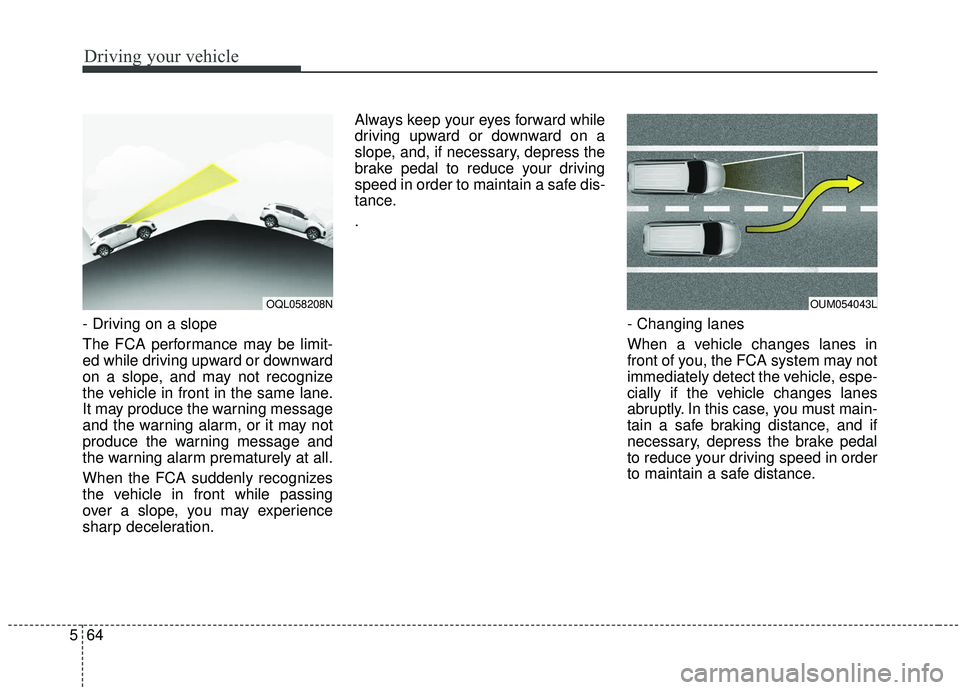
- Driving on a slope
The FCA performance may be limit-
ed while driving upward or downward
on a slope, and may not recognize
the vehicle in front in the same lane.
It may produce the warning message
and the warning alarm, or it may not
produce the warning message and
the warning alarm prematurely at all.
When the FCA suddenly recognizes
the vehicle in front while passing
over a slope, you may experience
sharp deceleration. Always keep your eyes forward while
driving upward or downward on a
slope, and, if necessary, depress the
brake pedal to reduce your driving
speed in order to maintain a safe dis-
tance.
.
- Changing lanes
When a vehicle changes lanes in
front of you, the FCA system may not
immediately detect the vehicle, espe-
cially if the vehicle changes lanes
abruptly. In this case, you must main-
tain a safe braking distance, and if
necessary, depress the brake pedal
to reduce your driving speed in order
to maintain a safe distance.
OQL058208NOUM054043L