ece KIA SPORTAGE 2020 Service Manual
[x] Cancel search | Manufacturer: KIA, Model Year: 2020, Model line: SPORTAGE, Model: KIA SPORTAGE 2020Pages: 611, PDF Size: 15.85 MB
Page 348 of 611
567
Driving your vehicle
FORWARD COLLISION-AVOIDANCE ASSIST (FCA) SYSTEM - SENSOR FUSION TYPE
(FRONT RADAR+FRONT VIEW CAMERA) (IF EQUIPPED)
The Forward Collision-Avoidance
Assist (FCA) system is designed to
help detect and monitor the vehicle
or pedestrians ahead in the roadway
through camera recognition to warn
the driver that a collision is imminent,
and if necessary, apply emergency
braking.System setting and activation
System setting
placing the ignition switch to the
ON position and by selecting:
'User Settings → Driver Assistance
→ Forward Collision-Avoidance
Assist.' The FCA system deactivates,
when the driver cancels the system
setting.
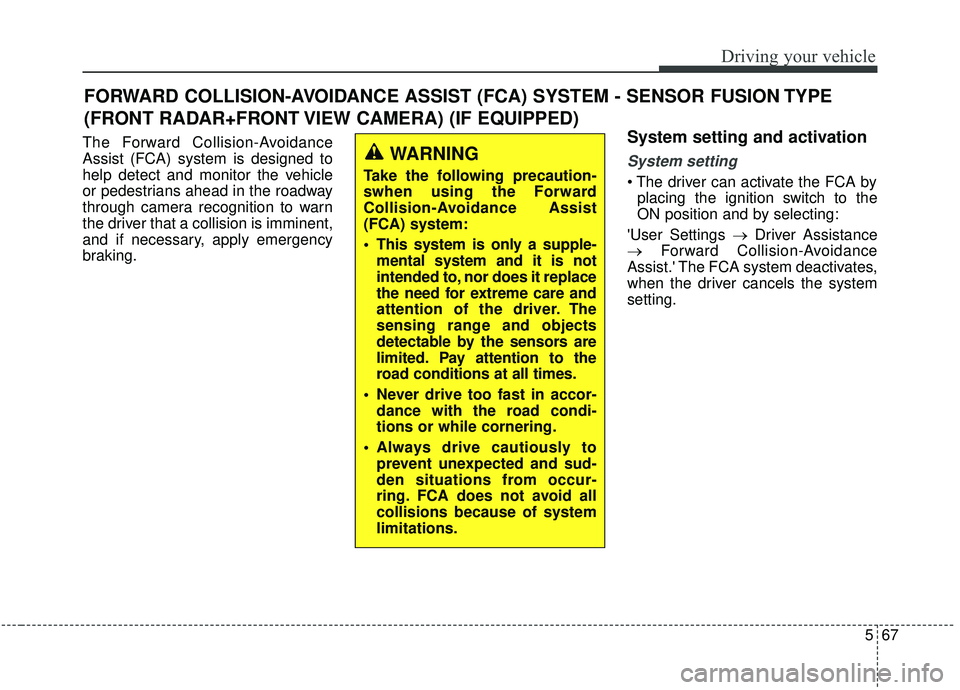
WARNING
Take the following precaution-
swhen using the Forward
Collision-Avoidance Assist
(FCA) system:
This system is only a supple- mental system and it is not
intended to, nor does it replace
the need for extreme care and
attention of the driver. The
sensing range and objects
detectable by the sensors are
limited. Pay attention to the
road conditions at all times.
Never drive too fast in accor- dance with the road condi-
tions or while cornering.
Always drive cautiously to prevent unexpected and sud-
den situations from occur-
ring. FCA does not avoid all
collisions because of system
limitations.
Page 350 of 611
569
Driving your vehicle
FCA warning message and
system control
The FCA system produces warning
messages, warning alarms, and
emergency braking based on the
level of risk of a frontal collision, such
as when a vehicle ahead suddenly
brakes.
The driver can select the initial warn-
ing activation time in the User
Settings in the LCD display. The
options for the initial Forward
Collision Warning include Early,
Normal or Late initial warning time.
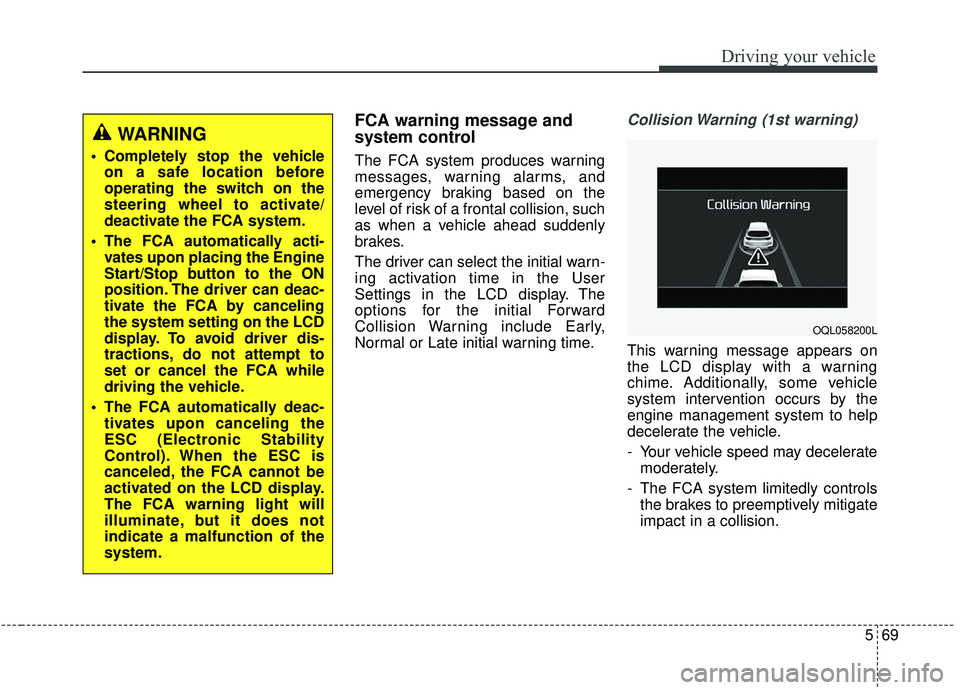
Collision Warning (1st warning)
This warning message appears on
the LCD display with a warning
chime. Additionally, some vehicle
system intervention occurs by the
engine management system to help
decelerate the vehicle.
- Your vehicle speed may deceleratemoderately.
- The FCA system limitedly controls the brakes to preemptively mitigate
impact in a collision.
WARNING
Completely stop the vehicleon a safe location before
operating the switch on the
steering wheel to activate/
deactivate the FCA system.
The FCA automatically acti- vates upon placing the Engine
Start/Stop button to the ON
position. The driver can deac-
tivate the FCA by canceling
the system setting on the LCD
display. To avoid driver dis-
tractions, do not attempt to
set or cancel the FCA while
driving the vehicle.
The FCA automatically deac- tivates upon canceling the
ESC (Electronic Stability
Control). When the ESC is
canceled, the FCA cannot be
activated on the LCD display.
The FCA warning light will
illuminate, but it does not
indicate a malfunction of the
system.
OQL058200L
Page 351 of 611

Driving your vehicle
70
5
- It will operate if the vehicle speed is
greater than 8 km/h (5 mph) and
less than or equal to 80 km/h (50
mph) on a forward vehicle.
(Depending on the condition of the
vehicle ahead and the environment
surrounding it, the possible maxi-
mum operating speed may be
reduced.)Emergency braking (2nd warning)
This warning message appears on
the LCD display with a warning
chime. Additionally, some vehicle
system intervention occurs by the
engine management system to help
decelerate the vehicle.
- The FCA system limitedly controlsthe brakes to preemptively mitigate
impact in a collision. The brake
control is maximized just before a
collision. - It will operate if the vehicle speed is
greater than 8 km/h (5 mph) and
less than or equal to 180 km/h (110
mph) on a forward vehicle.
(Depending on the condition of the
vehicle ahead and the environment
surrounding it, the possible maxi-
mum operating speed may be
reduced.)
OQL058201L
Page 353 of 611

Driving your vehicle
72
5
Dirt, snow, or foreign substances on
the lens may adversely affect the
sensing performance of the sensor.✽ ✽
NOTICE
• Do not apply license plate molding
or foreign objects such as a
bumper sticker or a bumper guard
licence plate molding near the
radar sensor. Doing so may
adversely affect the sensing per-
formance of the radar.
• Always keep the radar sensor and the radar cover clean and free of
dirt and debris.
• Use only a soft cloth to wash the vehicle. Do not spray pressurized
water directly on the sensor or
sensor cover.
• Be careful not to apply unneces- sary force on the radar sensor or
sensor cover. If the sensor is
forcibly moved out of proper
alignment, the FCA system may
not operate correctly. In this case,
a warning message may not be dis-
played. In this case, we recom-
mend you have the vehicle inspect-
ed by an authorized Kia dealer. (Continued)(Continued)
• If the front bumper becomes dam-
aged in the area around the radar
sensor, the FCA system may not
operate properly. In this case, we
recommend you have the vehicle
inspected by an authorized Kia
dealer.
• Use only genuine parts to repair or replace a damaged sensor or sen-
sor cover. Do not paint to the sen-
sor cover.
• Never install any accessories or stickers on the front windshield,
or tint the front windshield.
• Never place any reflective objects (i.e. white paper, mirror) over the
dashboard. Any light reflection
may cause a malfunction of the
system.
• Make sure the frontal camera does not get wet.
• Never disassemble the camera assembly, or apply any impact on
the camera assembly.
• Playing the vehicle audio system at high volume may prevent occu-
pants from hearing the FCA warn-
ings. (Continued)
Page 354 of 611

573
Driving your vehicle
(Continued)
• Be careful not to apply unneces-sary force on the sensor. If the sen-
sor is forcibly moved out of proper
alignment, the system may not
operate correctly. In this case, a
warning message may not be dis-
played. In this case, we recom-
mend you have the vehicle inspect-
ed by an authorized Kia dealer.Warning message and warning
light
When the cover is covered with dirt,
snow, or debris, the FCA system
operation may not be able to detect
vehicles.
If this occurs, a warning message will
appear on the LCD display.
Remove any dirt, snow, or debris and
clean the sensor before operating
the FCA system. The system will operate normally
when such dirt, snow or debris is
removed.
However, the FCA system may not
properly operate in an area (e.g.
open terrain), where any objects are
not detected after turning ON the
engine.
Although a warning message will not
appear on the LCD display, the FCA
may not properly operate.
OJF058392L
Page 355 of 611

Driving your vehicle
74
5
System malfunction
When the FCA is not working prop-
erly, the FCA warning light ( ) will
illuminate and the warning mes-
sage will appear for a few seconds.
After the message disappears, the
master warning light ( ) will illu-
minate. In this case, have the vehi-
cle inspected by an authorized Kia
dealer.
The FCA warning message may appear along with the illumination
of the ESC warning light.
OJF058394L
WARNING
The FCA is only a supplemen-tal system for the driver's con-
venience. It is the driver's
responsibility to control the
vehicle operation. Do not
solely depend on the FCA
system. Rather, maintain a
safe braking distance, and, if
necessary, depress the brake
pedal to reduce the driving
speed or stop the vehicle.
In certain instances and under certain driving condi-
tions, the FCA system may
activate unintentionally.
Also, due to sensing limita-
tions, in certain situations,
the front radar sensor or front
view camera recognition sys-
tem may not detect the vehi-
cle or pedestrians ahead. The
FCA system may not activate
and the warning message
may not be displayed.
(Continued)
(Continued)
The FCA system may not acti-vate if the driver applies the
brake pedal to avoid the risk
of a collision.
The brake control may be insufficient, possibly causing
a collision, if a vehicle in front
abruptly stops. Always pay
extreme caution.
The FCA system may not acti- vate according to the road con-
ditions, inclement whether,
driving conditions or traffic
conditions.
The FCA system operates only to detect vehicles and pedestri-
ans in front of the vehicle.
Page 356 of 611

575
Driving your vehicle
Limitation of the system
The Forward Collision-Avoidance
Assist (FCA) system is designed to
monitor the vehicle or a pedestrian
ahead in the roadway through radar
signals and camera recognition to
warn the driver that a collision is
imminent, and if necessary, apply
emergency braking.
In certain situations, the radar sen-
sor or the camera may not be able to
detect the vehicle ahead. In these
cases, the FCA system may not
operate normally. The driver must
pay careful attention in the following
situations where the FCA operation
may be limited.
Detecting vehicles
The sensor may be limited when:
The radar sensor or camera is cov-ered with a foreign object or debris
The camera lens is contaminated due to tinted, filmed or coated
windshield, damaged glass, or
stuck of foreign matter (sticker,
bug, etc.) on the glass
Inclement weather such as heavy rain or snow obscures the field of
view of the radar sensor or camera
There is interference by electro- magnetic waves
Something in the path of travel deflects the radar waves.
The radar/camera recognition is limited
The vehicle in front is too small to be detected (for example a motor-
cycle or a bicycle, etc.)
The vehicle in front is an oversize vehicle or trailer that is too big to
be detected by the camera recog-
nition system. (for example a trac-
tor, trailer, etc.)WARNING
The FCA system does notoperate when the vehicle is in
reverse.
The FCA system is not designed to detect other
objects on the road such as
animals.
The FCA system does not detect vehicles in the opposite
lane.
The FCA system does not detect cross traffic vehicles
that are approaching.
The FCA system cannot detect the driver approaching the side
view of a parked vehicle (for
example on a dead end street.)
In these cases, you must main-
tain a safe braking distance,
and if necessary, depress the
brake pedal to reduce the driv-
ing speed in order to maintain a
safe distance.
Page 358 of 611

577
Driving your vehicle
- Driving on a curve
The performance of the FCA system
may be limited when driving on a
curved road.
On curved roads, the other vehicle in
the same lane may not be recog-
nized. The FCA system may produce
the warning message and the warn-
ing alarm, or apply the braking con-
trols, prematurely, or it may not pro-
duce the warning message or the
warning alarm, or apply the braking
controls, at all.When driving on a curve, the driver
must maintain a safe braking dis-
tance, and if necessary, depress the
brake pedal to reduce your driving
speed in order to maintain a safe dis-
tance.
The FCA system may recognize a
vehicle in the next lane when driving
on a curved road.
In this case, the system may alarm
the driver and apply the brake. Always
pay attention to road and driving con-
ditions while driving. If necessary,
depress the brake pedal to reduce
your driving speed in order to main-
tain a safe distance.
Also, when necessary depress the
accelerator pedal to prevent the sys-
tem from unnecessarily decelerating
your vehicle.
Always check the traffic conditions
around the vehicle.
OUM054040LOUM054041L
Page 359 of 611

Driving your vehicle
78
5
- Driving on a slope
The FCA performance may be limit-
ed while driving upward or downward
on a slope and may not recognize
the vehicle in front in the same lane.
It may produce the warning message
and the warning alarm prematurely
or it may not produce the warning
message and the warning alarm pre-
maturely at all.
When the FCA suddenly recognizes
the vehicle in front while passing
over a slope, you may experience
sharp deceleration. Always keep your eyes forward while
driving upward or downward on a
slope, and, if necessary, depress the
brake pedal to reduce your driving
speed in order to maintain a safe dis-
tance.
- Changing lanes
When a vehicle changes lanes in
front of you, the FCA system may not
immediately detect the vehicle, espe-
cially if the vehicle changes lanes
abruptly. In this case, you must main-
tain a safe braking distance, and if
necessary, depress the brake pedal
to reduce your driving speed in order
to maintain a safe distance.
OQL058208LOUM054043L
Page 368 of 611
587
Driving your vehicle
Each of these actions will cancelcruise control operation (the SETindicator light in the instrument clus-ter will go off), but it will not turn thesystem off. If you wish to resumecruise control operation, move thelever up (to RES+). You will return toyour previously preset speed.To resume cruising speed at
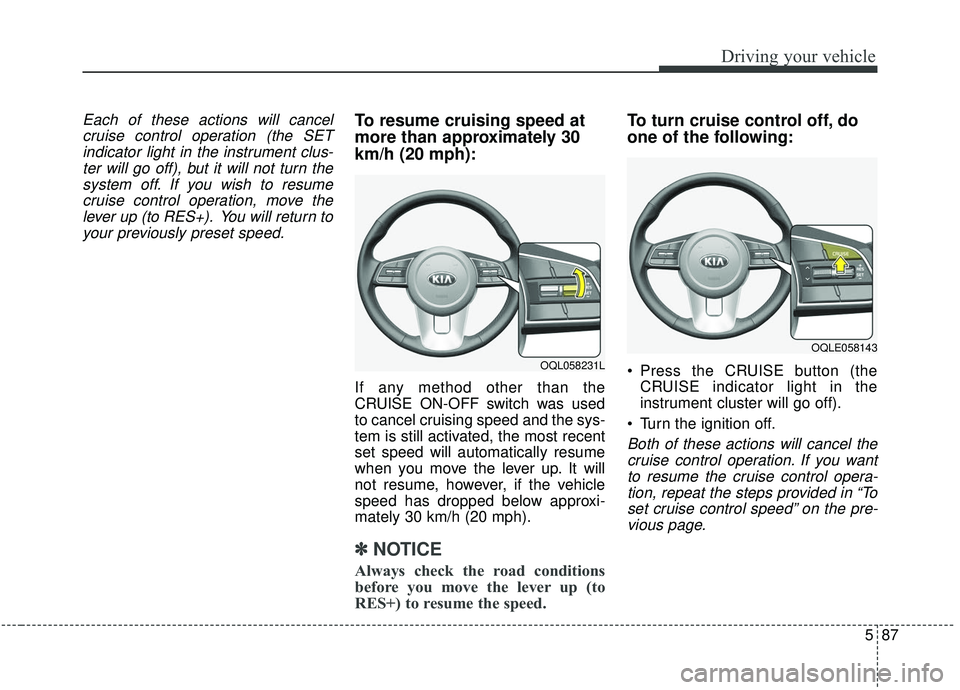
more than approximately 30
km/h (20 mph):
If any method other than the
CRUISE ON-OFF switch was used
to cancel cruising speed and the sys-
tem is still activated, the most recent
set speed will automatically resume
when you move the lever up. It will
not resume, however, if the vehicle
speed has dropped below approxi-
mately 30 km/h (20 mph).
✽ ✽ NOTICE
Always check the road conditions
before you move the lever up (to
RES+) to resume the speed.
To turn cruise control off, do
one of the following:
Press the CRUISE button (the
CRUISE indicator light in the
instrument cluster will go off).
Turn the ignition off.
Both of these actions will cancel the cruise control operation. If you wantto resume the cruise control opera-tion, repeat the steps provided in “Toset cruise control speed” on the pre-vious page.
OQL058231L
OQLE058143