adjust KIA SPORTAGE 2020 Workshop Manual
[x] Cancel search | Manufacturer: KIA, Model Year: 2020, Model line: SPORTAGE, Model: KIA SPORTAGE 2020Pages: 611, PDF Size: 15.85 MB
Page 382 of 611
5101
Driving your vehicle
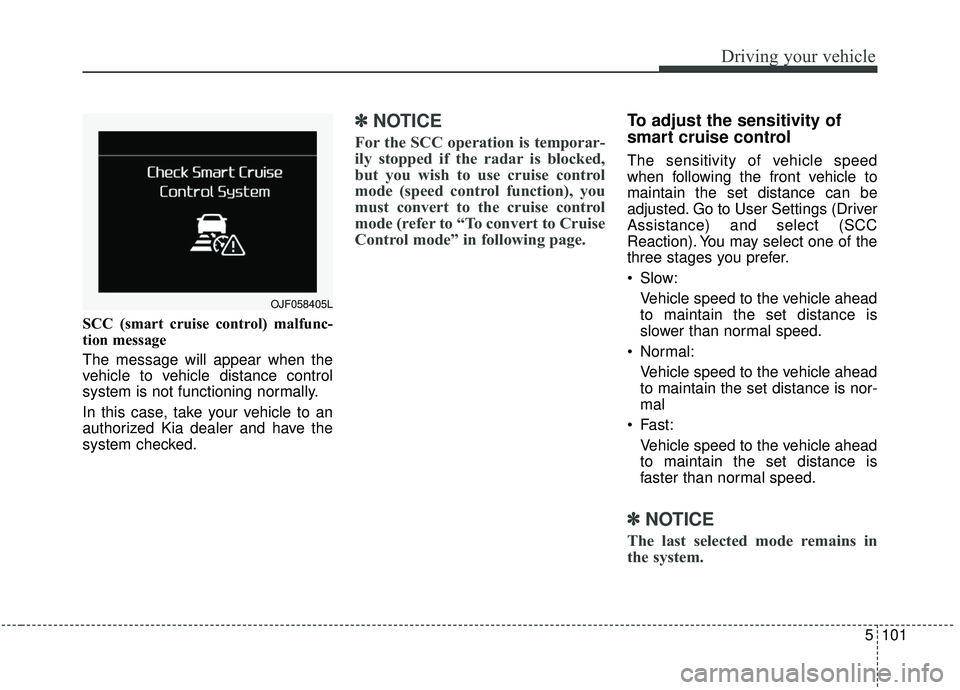
SCC (smart cruise control) malfunc-
tion message
The message will appear when the
vehicle to vehicle distance control
system is not functioning normally.
In this case, take your vehicle to an
authorized Kia dealer and have the
system checked.
✽ ✽NOTICE
For the SCC operation is temporar-
ily stopped if the radar is blocked,
but you wish to use cruise control
mode (speed control function), you
must convert to the cruise control
mode (refer to “To convert to Cruise
Control mode” in following page.
To adjust the sensitivity of
smart cruise control
The sensitivity of vehicle speed
when following the front vehicle to
maintain the set distance can be
adjusted. Go to User Settings (Driver
Assistance) and select (SCC
Reaction). You may select one of the
three stages you prefer.
Slow:
Vehicle speed to the vehicle ahead
to maintain the set distance is
slower than normal speed.
Normal: Vehicle speed to the vehicle ahead
to maintain the set distance is nor-
mal
Fast: Vehicle speed to the vehicle ahead
to maintain the set distance is
faster than normal speed.
✽ ✽ NOTICE
The last selected mode remains in
the system.
OJF058405L
Page 384 of 611
5103
Driving your vehicle
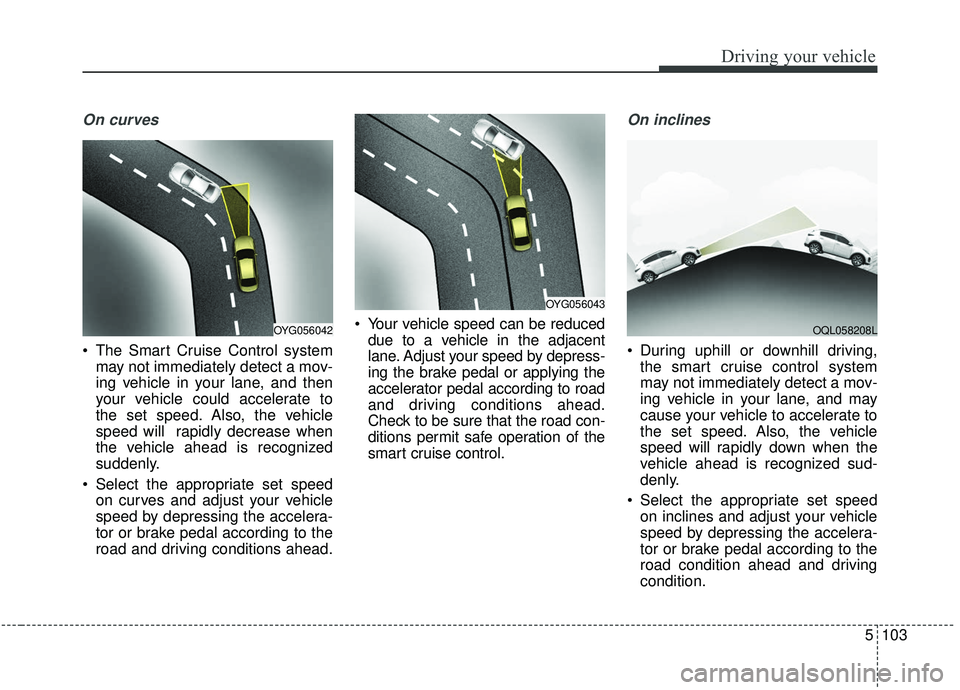
On curves
The Smart Cruise Control systemmay not immediately detect a mov-
ing vehicle in your lane, and then
your vehicle could accelerate to
the set speed. Also, the vehicle
speed will rapidly decrease when
the vehicle ahead is recognized
suddenly.
Select the appropriate set speed on curves and adjust your vehicle
speed by depressing the accelera-
tor or brake pedal according to the
road and driving conditions ahead. Your vehicle speed can be reduced
due to a vehicle in the adjacent
lane. Adjust your speed by depress-
ing the brake pedal or applying the
accelerator pedal according to road
and driving conditions ahead.
Check to be sure that the road con-
ditions permit safe operation of the
smart cruise control.
On inclines
During uphill or downhill driving,the smart cruise control system
may not immediately detect a mov-
ing vehicle in your lane, and may
cause your vehicle to accelerate to
the set speed. Also, the vehicle
speed will rapidly down when the
vehicle ahead is recognized sud-
denly.
Select the appropriate set speed on inclines and adjust your vehicle
speed by depressing the accelera-
tor or brake pedal according to the
road condition ahead and driving
condition.
OYG056043
OYG056042OQL058208L
Page 386 of 611
5105
Driving your vehicle
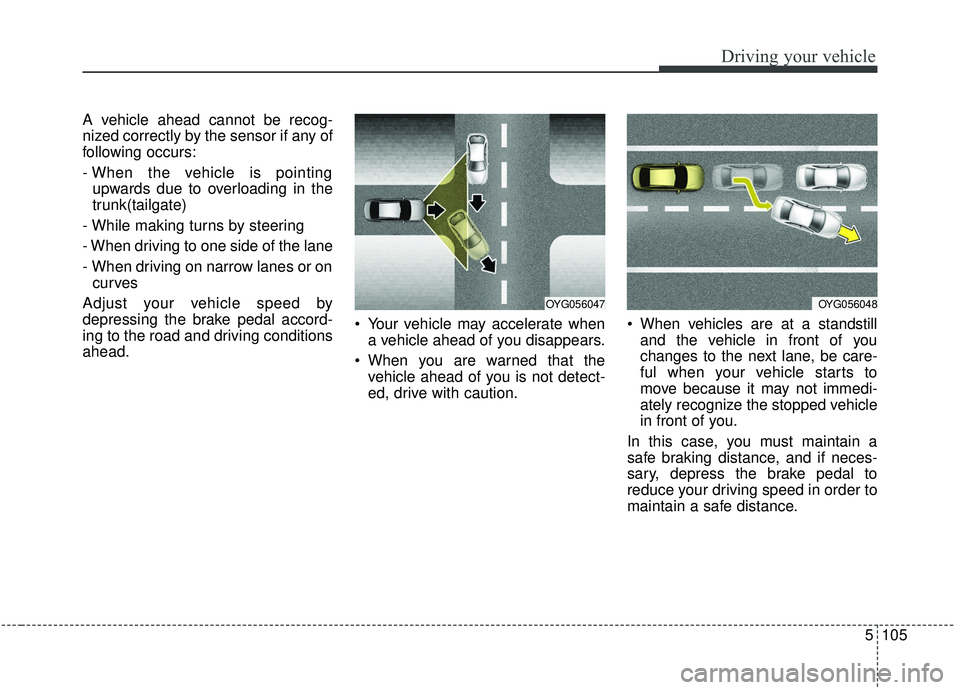
A vehicle ahead cannot be recog-
nized correctly by the sensor if any of
following occurs:
- When the vehicle is pointingupwards due to overloading in the
trunk(tailgate)
- While making turns by steering
- When driving to one side of the lane
- When driving on narrow lanes or on curves
Adjust your vehicle speed by
depressing the brake pedal accord-
ing to the road and driving conditions
ahead. Your vehicle may accelerate when
a vehicle ahead of you disappears.
When you are warned that the vehicle ahead of you is not detect-
ed, drive with caution. When vehicles are at a standstill
and the vehicle in front of you
changes to the next lane, be care-
ful when your vehicle starts to
move because it may not immedi-
ately recognize the stopped vehicle
in front of you.
In this case, you must maintain a
safe braking distance, and if neces-
sary, depress the brake pedal to
reduce your driving speed in order to
maintain a safe distance.
OYG056047OYG056048
Page 391 of 611
Driving your vehicle
110
5
When Active ECO is activated:
The acceleration may slightly be
reduced even though you depress
the accelerator fully.
The air conditioner performance may be limited
The shift pattern of the automatic transmission may change.
The engine noise may get louder.
The above situations are normal
conditions when the Active Eco
System is activated to improve fuel
efficiency. Limitation of Active ECO opera-
tion:
If the following conditions occur while
Active ECO is operating, the system
operation is limited even though
there is no change in the ECO indi-
cator.
When the coolant temperature is
low:
The system will be limited until
engine performance becomes nor-
mal.
When driving up a hill: The system will be limited to gain
power when driving uphill because
the engine torque is restricted.
When using manual mode: The system will be limited accord-
ing to the shift location.
When the accelerator pedal is deeply depressed for a few sec-
onds:
The system will be limited, judging
that the driver wants to speed up.SPORT mode
SPORT mode focuses on
dynamic driving by auto-
matically adjusting the
steering wheel, engine
and transmission system.
When the DRIVE MODE button is pressed and the SPORT mode is
selected, the SPORT indicator
(yellow) will illuminate.
When the SPORT mode is activat- ed, and the engine start/stop but-
ton is turned off and on it will
change to NORMAL mode. To turn
on the SPORT mode press DRIVE
MODE button again.
- It maintains the gear and RPM for some time even though the accel-
erator pedal is not depressed.
- Up-shifting is delayed.
✽ ✽
NOTICE
In Sport drive mode, the fuel effi-
ciency may decrease.
SPORT
Page 422 of 611
5141
Driving your vehicle
Your vehicle's fuel economy depends
mainly on your style of driving, where
you drive and when you drive.
Each of these factors affects how
many miles (kilometers) you can get
from a gallon (liter) of fuel. To operate
your vehicle as economically as pos-
sible, use the following driving sug-
gestions to help save money in both
fuel and repairs:
Drive smoothly. Accelerate at amoderate rate. Don't make "jack-
rabbit" starts or full-throttle shifts
and maintain a steady cruising
speed. Don't race between stop-
lights. Try to adjust your speed to
the traffic so you don't have to
change speeds unnecessarily.
Avoid heavy traffic whenever pos-
sible. Always maintain a safe dis-
tance from other vehicles so you
can avoid unnecessary braking.
This also reduces brake wear.
Drive at a moderate speed. The faster you drive, the more fuel your
vehicle uses. Driving at a moderate
speed, especially on the highway,
is one of the most effective ways to
reduce fuel consumption. Don't "ride" the brake pedal. This
can increase fuel consumption and
also increase wear on these com-
ponents. In addition, driving with
your foot resting on the brake pedal
may cause the brakes to overheat,
which reduces their effectiveness
and may lead to more serious con-
sequences.
Take care of your tires. Keep them inflated to the recommended pres-
sure. Incorrect inflation, either too
much or too little, results in unnec-
essary tire wear. Check the tire
pressures at least once a month.
Be sure that the wheels are aligned correctly. Improper align-
ment can result from hitting curbs
or driving too fast over irregular
surfaces. Poor alignment causes
faster tire wear and may also result
in other problems as well as
greater fuel consumption. Keep your vehicle in good condi-
tion. For better fuel economy and
reduced maintenance costs, main-
tain your vehicle in accordance
with the maintenance schedule in
chapter 8. If you drive your vehicle
in severe conditions, more frequent
maintenance is required (see
chapter 8 for details).
Keep your vehicle clean. For maxi- mum service, your vehicle should
be kept clean and free of corrosive
materials. It is especially important
that mud, dirt, ice, etc. not be
allowed to accumulate on the
underside of the vehicle. This extra
weight can result in increased fuel
consumption and also contribute to
corrosion.
Travel lightly. Don't carry unneces- sary weight in your vehicle. Weight
reduces fuel economy.
Don't let the engine idle longer than necessary. If you are waiting
(and not in traffic), turn off your
engine and restart only when
you're ready to go.
ECONOMICAL OPERATION
Page 427 of 611
Driving your vehicle
146
5
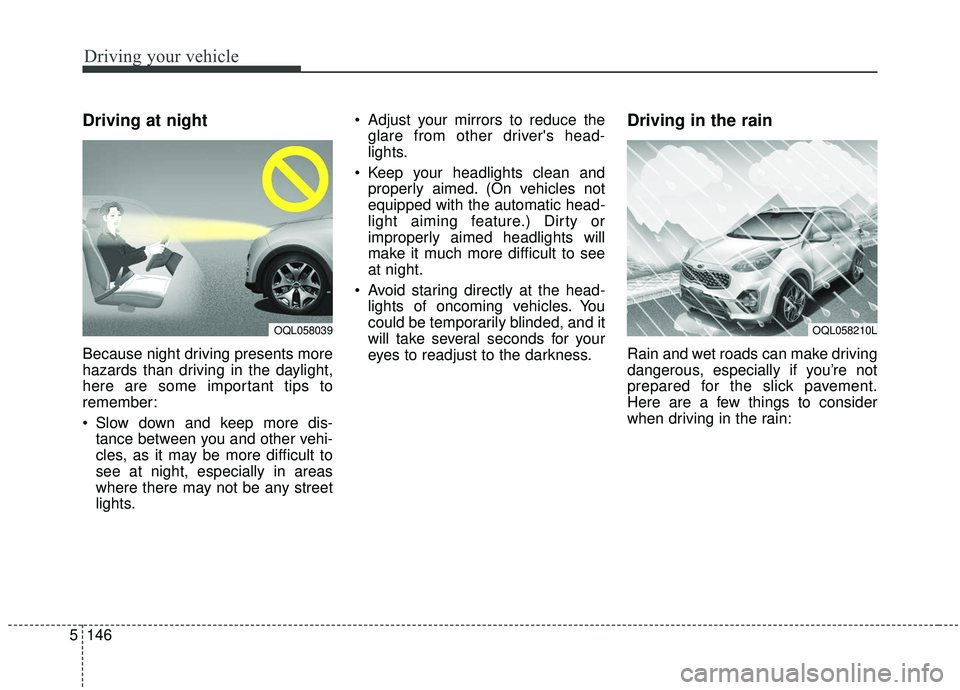
Driving at night
Because night driving presents more
hazards than driving in the daylight,
here are some important tips to
remember:
Slow down and keep more dis-
tance between you and other vehi-
cles, as it may be more difficult to
see at night, especially in areas
where there may not be any street
lights. Adjust your mirrors to reduce the
glare from other driver's head-
lights.
Keep your headlights clean and properly aimed. (On vehicles not
equipped with the automatic head-
light aiming feature.) Dirty or
improperly aimed headlights will
make it much more difficult to see
at night.
Avoid staring directly at the head- lights of oncoming vehicles. You
could be temporarily blinded, and it
will take several seconds for your
eyes to readjust to the darkness.
Driving in the rain
Rain and wet roads can make driving
dangerous, especially if you’re not
prepared for the slick pavement.
Here are a few things to consider
when driving in the rain:
OQL058039OQL058210L
Page 428 of 611
5147
Driving your vehicle
A heavy rainfall will make it harderto see and will increase the dis-
tance needed to stop your vehicle,
so slow down.
Keep your windshield wiping equipment in good shape. Replace
your windshield wiper blades when
they show signs of streaking or
missing areas on the windshield.
If your tires are not in good condi- tion, making a quick stop on wet
pavement can cause a skid and
possibly lead to an accident. Be
sure your tires are in good shape.
Turn on your headlights to make it easier for others to see you.
Driving too fast through large pud- dles can affect your brakes. If you
must go through puddles, try to
drive through them slowly.
If you believe you may have gotten your brakes wet, apply them lightly
while driving until normal braking
operation returns.Driving in flooded areas
Avoid driving through flooded areas
unless you are sure the water is no
higher than the bottom of the wheel
hub. Drive through any water slowly.
Allow adequate stopping distance
because brake performance may be
affected.
After driving through water, dry the
brakes by gently applying them sev-
eral times while the vehicle is moving
slowly.
Driving off-road
Drive carefully off-road because your
vehicle may be damaged by rocks or
roots of trees. Become familiar with
the off-road conditions where you
are going to drive before you begin
driving.
Highway driving
Tires
Adjust the tire inflation pressures to
specification. Low tire inflation pres-
sures will result in overheating and
possible failure of the tires.
Avoid using worn or damaged tires
which may result in reduced traction
or tire failure.
Never exceed the maximum tire
inflation pressure shown on the tires.
WARNING- Under/over
inflated tires
Always check the tires for proper
inflation before driving.
Underinflated or overinflated
tires can cause poor handling,
loss of vehicle control, and sud-
den tire failure leading to acci-
dents, injuries, and even death.
For proper tire pressures, refer to
“Tires and wheels” in chapter 9.
Page 434 of 611
5153
Driving your vehicle
Hitches
It's important to have the correct
hitch equipment. Crosswinds, large
trucks going by, and rough roads are
a few reasons why you’ll need the
right hitch. Here are some rules to
follow:
Will you have to make any holes inthe body of your vehicle when you
install a trailer hitch? If you do, then
be sure to seal the holes later
when you remove the hitch.
If you don’t seal them, deadly car-
bon monoxide (CO) from your
exhaust can get into your vehicle,
as well as dirt and water.
The bumpers on your vehicle are not intended for hitches. Do not
attach rental hitches or other
bumper-type hitches to them. Use
only a frame-mounted hitch that
does not attach to the bumper.
Kia trailer hitch accessory is avail- able at an authorized Kia dealer.
Safety chains
You should always attach chains
between your vehicle and your trail-
er. Cross the safety chains under the
tongue of the trailer so that the
tongue will not drop to the road if it
becomes separated from the hitch.
Instructions about safety chains may
be provided by the hitch manufactur-
er or by the trailer manufacturer.
Follow the manufacturer’s recom-
mendation for attaching safety
chains. Always leave just enough
slack so you can turn with your trail-
er. And, never allow safety chains to
drag on the ground.
Trailer brakes
If your trailer is equipped with a brak-
ing system, make sure it conforms to
your state’s regulations and that it is
properly installed and operating cor-
rectly.
If your trailer weight exceeds the
maximum allowed weight without
trailer brakes, then the trailer will also
require its own brakes as well. Be
sure to read and follow the instruc-
tions for the trailer brakes so you’ll be
able to install, adjust and maintain
them properly.
Don’t tap into or modify your vehi-cle's brake system.
WARNING- Trailer brakes
Do not use a trailer with its own
brakes unless you are absolute-
ly certain that you have proper-
ly set up the brake system. This
is not a task for amateurs. Use
an experienced, competent
trailer shop for this work.
Page 435 of 611
Driving your vehicle
154
5
Driving with a trailer
Towing a trailer requires a certain
amount of experience. Before setting
out for the open road, you must get
to know your trailer. Acquaint your-
self with the feel of handling and
braking with the added weight of the
trailer. And always keep in mind that
the vehicle you are driving is now a
good deal longer and not nearly so
responsive as your vehicle is by
itself.
Before you start, check the trailer
hitch and platform, safety chains,
electrical connector(s), lights, tires
and mirror adjustment. If the trailer
has electric brakes, start your vehicle
and trailer moving and then apply the
trailer brake controller by hand to be
sure the brakes are working. This lets
you check your electrical connection
at the same time.
During your trip, check occasionally
to be sure that the load is secure,
and that the lights and any trailer
brakes are still working.
Following distance
Stay at least twice as far behind the
vehicle ahead as you would when
driving your vehicle without a trailer.
This can help you avoid situations
that require heavy braking and sud-
den turns.
Passing
You’ll need more passing distance
up ahead when you’re towing a trail-
er. And, because of the increased
vehicle length, you’ll need to go
much farther beyond the passed
vehicle before you can return to your
lane. Due to the added load to the
engine when going uphill the vehicle
may also take longer to pass than it
would on flat ground.
Backing up
Hold the bottom of the steering
wheel with one hand. Then, to move
the trailer to the left, just move your
hand to the left. To move the trailer to
the right, move your hand to the
right. Always back up slowly and, if
possible, have someone guide you.
Making turns
When you’re turning with a trailer,
make wider turns than normal. Do
this so your trailer won’t strike soft
shoulders, curbs, road signs, trees,
or other objects near the edge of the
road. Avoid jerky or sudden maneu-
vers. Signal well in advance before
turning or lane changes.
Page 456 of 611
What to do in an emergency
10
6
✽ ✽
NOTICE
If the TPMS, Low Tire Pressure
indicator does not illuminate for 3
seconds when the ignition switch or
the Engine start/stop button is
turned to the ON position, or if they
remain illuminated after coming on
for approximately 3 seconds, take
your vehicle to your nearest author-
ized Kia dealer and have the system
checked.
Low tire pressure
telltale
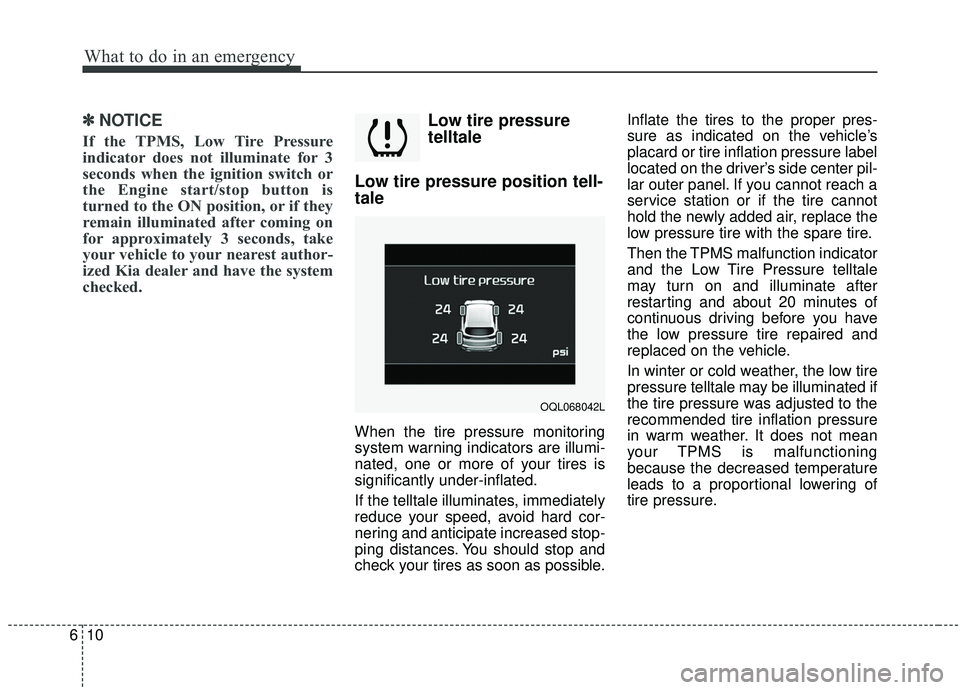
Low tire pressure position tell-
tale
When the tire pressure monitoring
system warning indicators are illumi-
nated, one or more of your tires is
significantly under-inflated.
If the telltale illuminates, immediately
reduce your speed, avoid hard cor-
nering and anticipate increased stop-
ping distances. You should stop and
check your tires as soon as possible. Inflate the tires to the proper pres-
sure as indicated on the vehicle’s
placard or tire inflation pressure label
located on the driver’s side center pil-
lar outer panel. If you cannot reach a
service station or if the tire cannot
hold the newly added air, replace the
low pressure tire with the spare tire.
Then the TPMS malfunction indicator
and the Low Tire Pressure telltale
may turn on and illuminate after
restarting and about 20 minutes of
continuous driving before you have
the low pressure tire repaired and
replaced on the vehicle.
In winter or cold weather, the low tire
pressure telltale may be illuminated if
the tire pressure was adjusted to the
recommended tire inflation pressure
in warm weather. It does not mean
your TPMS is malfunctioning
because the decreased temperature
leads to a proportional lowering of
tire pressure.
OQL068042L