tow LINCOLN MKZ 2013 Owner's Manual
[x] Cancel search | Manufacturer: LINCOLN, Model Year: 2013, Model line: MKZ, Model: LINCOLN MKZ 2013Pages: 474, PDF Size: 3.79 MB
Page 130 of 474
A/C: Press the button to turn on or turn off the air conditioning system.
To improve air conditioning when starting your vehicle, drive with the
windows slightly open for two to three minutes. Use A/C with
recirculated air to improve cooling performance and efficiency.
F
MAX A/C:
Press the button to switch on. Recirculated air is distributed
through the instrument panel air vents, air conditioning is automatically
adjusted to the highest speed and the temperature dial returns to the
full cool position. This re-cooling of the interior is more economical
and efficient.
G
AUTO:
Press the button to switch on. Recirculated air flows through
the instrument panel air vents, air conditioning automatically adjusts
to the highest speed and the temperature dial returns to the full cool
position. This re-cooling of the interior is more economical and efficient.
H
Heated rear window:
Turns the heated rear window on and off. See
Heated Windows and Mirrors (page 128).
I
Defrost:
Distributes air through the windshield defroster vents and
de-mister vents. You can also use this setting to defog and clear the
windshield of a thin covering of ice.
J
HINTS ON CONTROLLING
THE INTERIOR CLIMATE
General Hints
Note: Prolonged use of recirculated
air may cause the windows to fog up.
Note: You may feel a small amount of
air from the footwell air vents
regardless of the air distribution setting.
Note: To reduce humidity build-up
inside your vehicle, do not drive with
the system switched off or with
recirculated air always switched on.
Note: Do not place objects under the
front seats as this may interfere with
the airflow to the rear seats. Note:
Remove any snow, ice or leaves
from the air intake area at the base of
the windshield.
Automatic Climate Control
Note: Do not adjust the settings when
your vehicle interior is extremely hot or
cold. The system automatically adjusts
to the previously stored settings. For
the system to function efficiently, the
instrument panel and side air vents
should be fully open.
Note: At low ambient temperatures
with AUTO selected, the system directs
air toward the windshield and side
windows for as long as the engine
remains cold.
Note: When you switch the system off,
outside air cannot enter your vehicle.
127
Climate Control
Page 136 of 474
Lowering the Head Restraint
1. Press and hold button C.
2. Push the head restraint down.
Removing the Head Restraint
1. Pull the head restraint up until it
reaches its highest position.
2. Press and hold buttons C and D.
3. Pull the head restraint up.
Installing the Head Restraint
Align the steel stems into the guide
sleeves and push the head restraint
down until it locks.
Tilting Head Restraints (If
Equipped)
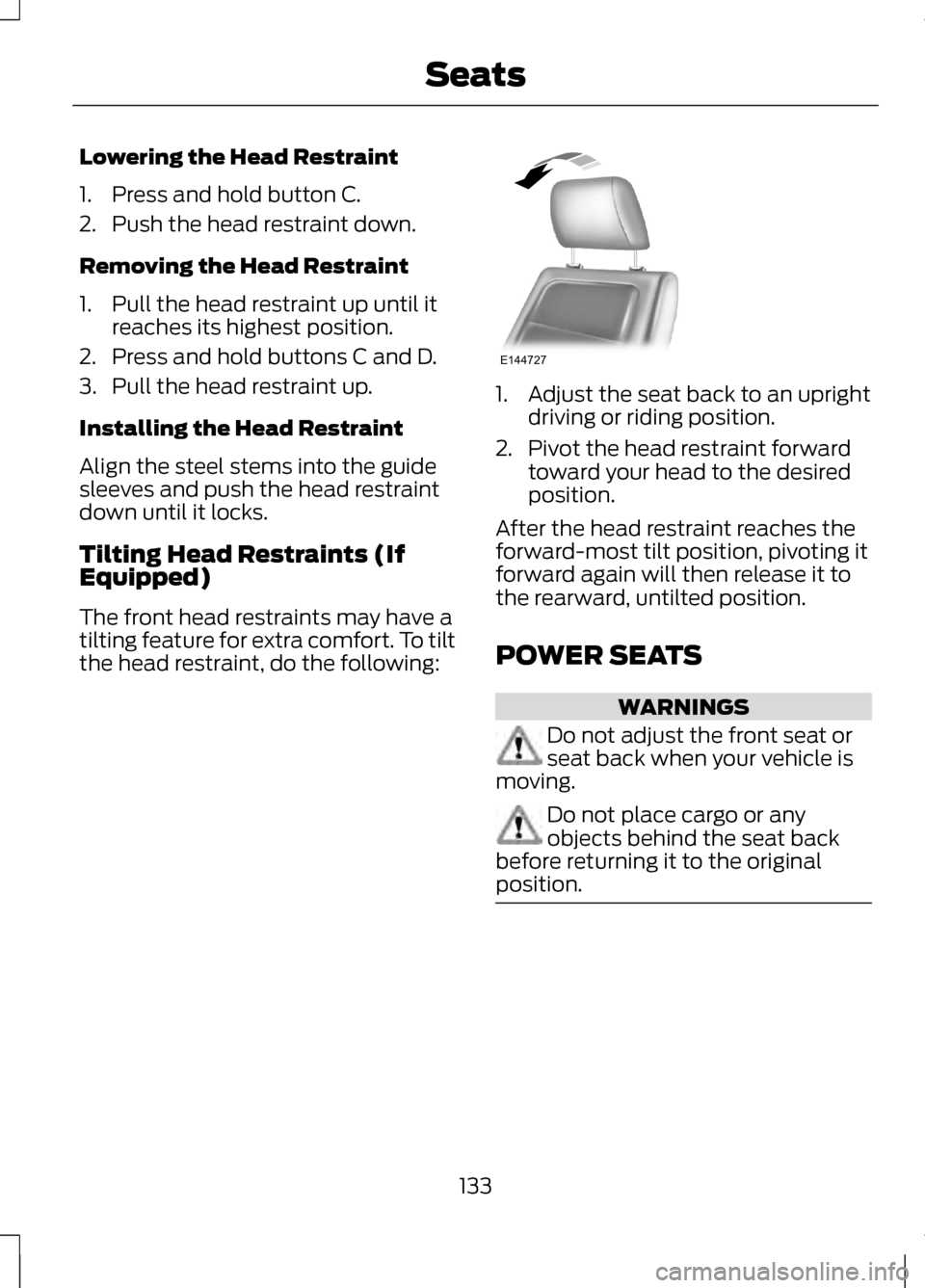
The front head restraints may have a
tilting feature for extra comfort. To tilt
the head restraint, do the following: 1. Adjust the seat back to an upright
driving or riding position.
2. Pivot the head restraint forward toward your head to the desired
position.
After the head restraint reaches the
forward-most tilt position, pivoting it
forward again will then release it to
the rearward, untilted position.
POWER SEATS WARNINGS
Do not adjust the front seat or
seat back when your vehicle is
moving. Do not place cargo or any
objects behind the seat back
before returning it to the original
position. 133
SeatsE144727
Page 157 of 474
We recommend that you do the
following for a safe and correct
operation:
•
Use a 16-gauge outdoor extension
cord that is product certified by
Underwriter ’s Laboratory (UL) or
Canadian Standards Association
(CSA). This extension cord must
be suitable for use outdoors, in
cold temperatures, and be clearly
marked Suitable for Use with
Outdoor Appliances. Do not use an
indoor extension cord outdoors.
This could result in an electric
shock or become a fire hazard.
• Use as short an extension cord as
possible.
• Do not use multiple extension
cords.
• Make sure that when in operation,
the extension cord plug and heater
cord plug connections are free and
clear of water. This could cause an
electric shock or fire.
• Make sure your vehicle is parked in
a clean area, clear of
combustibles.
• Make sure the heater, heater cord
and extension cord are firmly
connected.
• Check for heat anywhere in the
electrical hookup once the system
has been operating for
approximately 30 minutes. •
Make sure the system is unplugged
and properly stowed before driving
your vehicle. Make sure the
protective cover seals the prongs
of the block heater cord plug when
not in use.
• Make sure the heater system is
checked for proper operation
before winter.
Using the Engine Block Heater
Make sure the receptacle terminals
are clean and dry prior to use. Clean
them with a dry cloth if necessary.
The heater uses 0.4 to 1.0
kilowatt-hours of energy per hour of
use. The system does not have a
thermostat. It achieves maximum
temperature after approximately
three hours of operation. Using the
heater longer than three hours does
not improve system performance and
unnecessarily uses electricity.
154
Starting and Stopping the Engine
Page 159 of 474
•
Fuels can also be harmful if
absorbed through the skin. If fuel
is splashed on the skin, clothing or
both, promptly remove
contaminated clothing and wash
skin thoroughly with soap and
water. Repeated or prolonged skin
contact with fuel liquid or vapor
causes skin irritation.
• Be particularly careful if you are
taking “Antabuse ” or other forms
of disulfiram for the treatment of
alcoholism. Breathing gasoline
vapors, or skin contact could cause
an adverse reaction. In sensitive
individuals, serious personal injury
or sickness may result. If fuel is
splashed on the skin, promptly
wash skin thoroughly with soap
and water. Consult a physician
immediately if you experience an
adverse reaction.
FUEL QUALITY
Note: We recommend that you use
only high quality fuel without additives
or other engine treatments.
Do not use leaded gasoline or gasoline
with additives containing other
metallic compounds (e.g.
manganese-based). They could
damage the emission system.
Choosing the Right Fuel
Note: Use of any fuel other than those
recommended may cause powertrain
damage, a loss of vehicle performance
and repairs may not be covered under
warranty. If your vehicle is not a flexible fuel
vehicle, then only use unleaded fuel
or unleaded fuel blended with a
maximum of 15% ethanol. Do not use
fuel ethanol (E85), diesel fuel, fuel
methanol, leaded fuel or any other
fuel because it could damage or
impair the emission control system.
The use of leaded fuel is prohibited by
law.
Your vehicle was not designed to use
fuel or fuel additives with metallic
compounds, including
manganese-based additives.
Octane Recommendations
Regular unleaded gasoline with a
pump (R+M)/2 octane rating of 87 is
recommended. Some fuel stations
offer fuels posted as regular with an
octane rating below 87, particularly in
high altitude areas. Do not use fuels
that have a posted rating below 87
octane. Premium fuel will provide
improved performance and is
recommended for severe duty usage
such as trailer tow.
Do not be concerned if your engine
sometimes knocks lightly. However,
if it knocks heavily while you are using
fuel with the recommended octane
rating, see your authorized dealer to
prevent any engine damage.
RUNNING OUT OF FUEL
Avoid running out of fuel because this
situation may have an adverse effect
on vehicle components.
156
Fuel and Refueling
Page 169 of 474
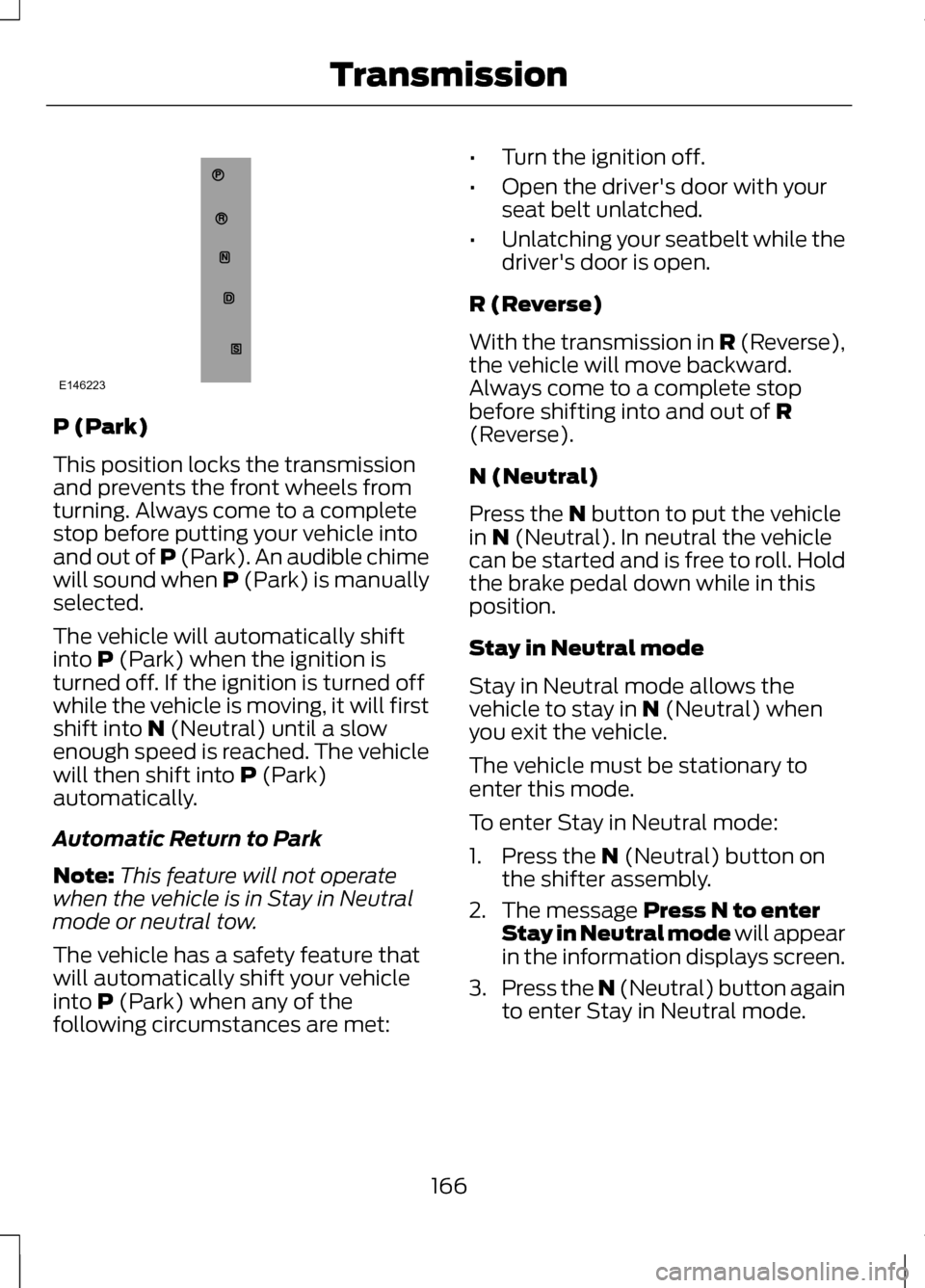
P (Park)
This position locks the transmission
and prevents the front wheels from
turning. Always come to a complete
stop before putting your vehicle into
and out of P (Park). An audible chime
will sound when P (Park) is manually
selected.
The vehicle will automatically shift
into P (Park) when the ignition is
turned off. If the ignition is turned off
while the vehicle is moving, it will first
shift into
N (Neutral) until a slow
enough speed is reached. The vehicle
will then shift into
P (Park)
automatically.
Automatic Return to Park
Note: This feature will not operate
when the vehicle is in Stay in Neutral
mode or neutral tow.
The vehicle has a safety feature that
will automatically shift your vehicle
into
P (Park) when any of the
following circumstances are met: •
Turn the ignition off.
• Open the driver's door with your
seat belt unlatched.
• Unlatching your seatbelt while the
driver's door is open.
R (Reverse)
With the transmission in
R (Reverse),
the vehicle will move backward.
Always come to a complete stop
before shifting into and out of
R
(Reverse).
N (Neutral)
Press the
N button to put the vehicle
in N (Neutral). In neutral the vehicle
can be started and is free to roll. Hold
the brake pedal down while in this
position.
Stay in Neutral mode
Stay in Neutral mode allows the
vehicle to stay in
N (Neutral) when
you exit the vehicle.
The vehicle must be stationary to
enter this mode.
To enter Stay in Neutral mode:
1. Press the
N (Neutral) button on
the shifter assembly.
2. The message
Press N to enter
Stay in Neutral mode will appear
in the information displays screen.
3. Press the N (Neutral) button again
to enter Stay in Neutral mode.
166
TransmissionE146223
Page 172 of 474
WARNINGS
If the parking brake is fully
released, but the brake warning
lamp remains illuminated, the brakes
may not be working properly. See your
authorized dealer. Note:
See your authorized dealer as
soon as possible if this procedure is
used.
Note: For some markets this feature
will be disabled.
Note: This feature will only function if
your 12-volt battery has power.
Use the brake-shift interlock override
procedure to put the vehicle in gear in
the event of an electrical malfunction
or if your vehicle has a dead battery.
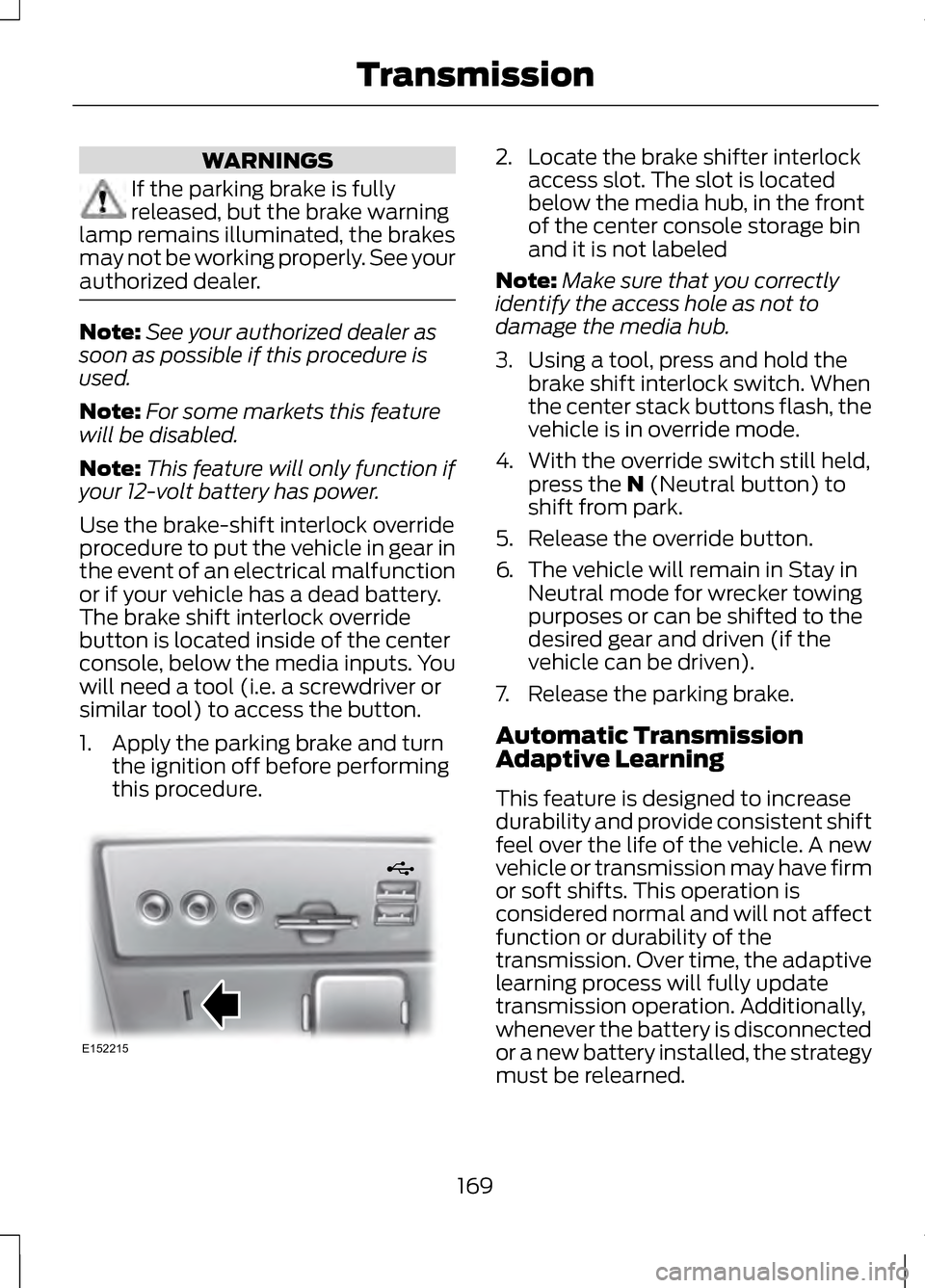
The brake shift interlock override
button is located inside of the center
console, below the media inputs. You
will need a tool (i.e. a screwdriver or
similar tool) to access the button.
1. Apply the parking brake and turn the ignition off before performing
this procedure. 2. Locate the brake shifter interlock
access slot. The slot is located
below the media hub, in the front
of the center console storage bin
and it is not labeled
Note: Make sure that you correctly
identify the access hole as not to
damage the media hub.
3. Using a tool, press and hold the brake shift interlock switch. When
the center stack buttons flash, the
vehicle is in override mode.
4. With the override switch still held, press the N (Neutral button) to
shift from park.
5. Release the override button.
6. The vehicle will remain in Stay in
Neutral mode for wrecker towing
purposes or can be shifted to the
desired gear and driven (if the
vehicle can be driven).
7. Release the parking brake.
Automatic Transmission
Adaptive Learning
This feature is designed to increase
durability and provide consistent shift
feel over the life of the vehicle. A new
vehicle or transmission may have firm
or soft shifts. This operation is
considered normal and will not affect
function or durability of the
transmission. Over time, the adaptive
learning process will fully update
transmission operation. Additionally,
whenever the battery is disconnected
or a new battery installed, the strategy
must be relearned.
169
TransmissionE152215
Page 180 of 474
GENERAL INFORMATION
Note:
Occasional brake noise is
normal. If a metal-to-metal,
continuous grinding or continuous
squeal sound is present, the brake
linings may be worn-out and should be
inspected by an authorized dealer. If
the vehicle has continuous vibration or
shudder in the steering wheel while
braking, the vehicle should be
inspected by an authorized dealer.
Note: Brake dust may accumulate on
the wheels, even under normal driving
conditions. Some dust is inevitable as
the brakes wear and does not
contribute to brake noise. See
Warning Lamps and Indicators (page
95). See
Warning Lamps and
Indicators (page 95).
Wet brakes result in reduced braking
efficiency. Gently press the brake
pedal a few times when driving from
a car wash or standing water to dry
the brakes. Brake Over Accelerator
In the event the accelerator pedal
becomes stuck or entrapped, apply
steady and firm pressure to the brake
pedal to slow the vehicle and reduce
engine power. If you experience this
condition, apply the brakes and bring
your vehicle to a safe stop. Turn the
engine off, shift to position
P and
apply the parking brake, and then
inspect the accelerator pedal for any
interferences. If none are found and
the condition persists, have your
vehicle towed to the nearest
authorized dealer.
Brake Assist
Brake assist detects when you brake
rapidly by measuring the rate at which
you press the brake pedal. It provides
maximum braking efficiency as long
as you press the pedal, and can
reduce stopping distances in critical
situations.
Anti-lock Brake System
This system helps you maintain
steering control during emergency
stops by keeping the brakes from
locking. This lamp momentarily
illuminates when the ignition
is turned on. If the light does
not illuminate during start up, remains
on or flashes, the anti-lock braking
system may be disabled and may
need to be serviced.
177
BrakesE144522
Page 188 of 474
Rear Sensing System
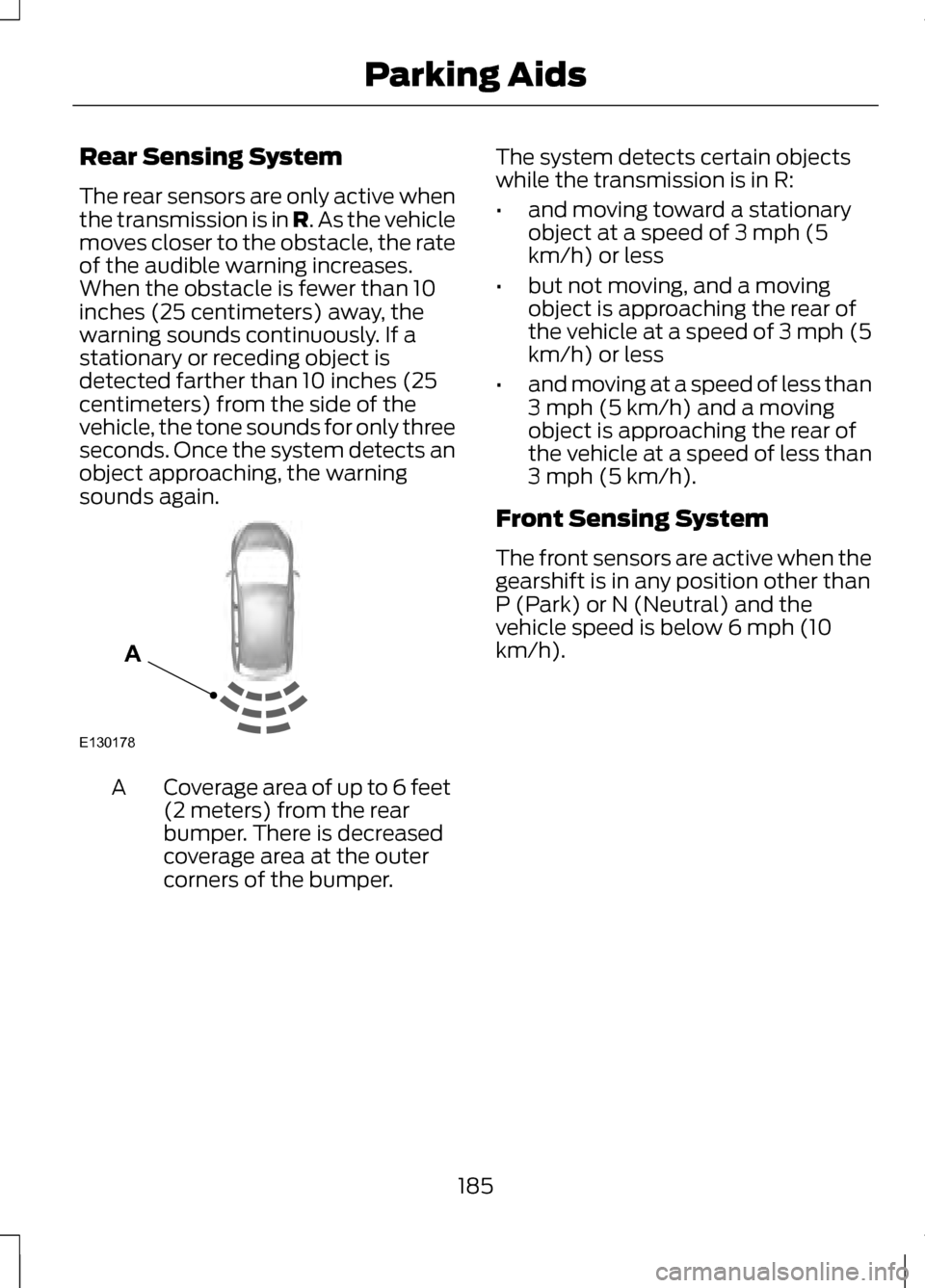
The rear sensors are only active when
the transmission is in R. As the vehicle
moves closer to the obstacle, the rate
of the audible warning increases.
When the obstacle is fewer than 10
inches (25 centimeters) away, the
warning sounds continuously. If a
stationary or receding object is
detected farther than 10 inches (25
centimeters) from the side of the
vehicle, the tone sounds for only three
seconds. Once the system detects an
object approaching, the warning
sounds again. Coverage area of up to 6 feet
(2 meters) from the rear
bumper. There is decreased
coverage area at the outer
corners of the bumper.
A The system detects certain objects
while the transmission is in R:
•
and moving toward a stationary
object at a speed of 3 mph (5
km/h) or less
• but not moving, and a moving
object is approaching the rear of
the vehicle at a speed of 3 mph (5
km/h) or less
• and moving at a speed of less than
3 mph (5 km/h) and a moving
object is approaching the rear of
the vehicle at a speed of less than
3 mph (5 km/h).
Front Sensing System
The front sensors are active when the
gearshift is in any position other than
P (Park) or N (Neutral) and the
vehicle speed is below 6 mph (10
km/h).
185
Parking AidsE130178
A
Page 190 of 474
Note:
The sensors may not detect
objects with surfaces that absorb
ultrasonic waves.
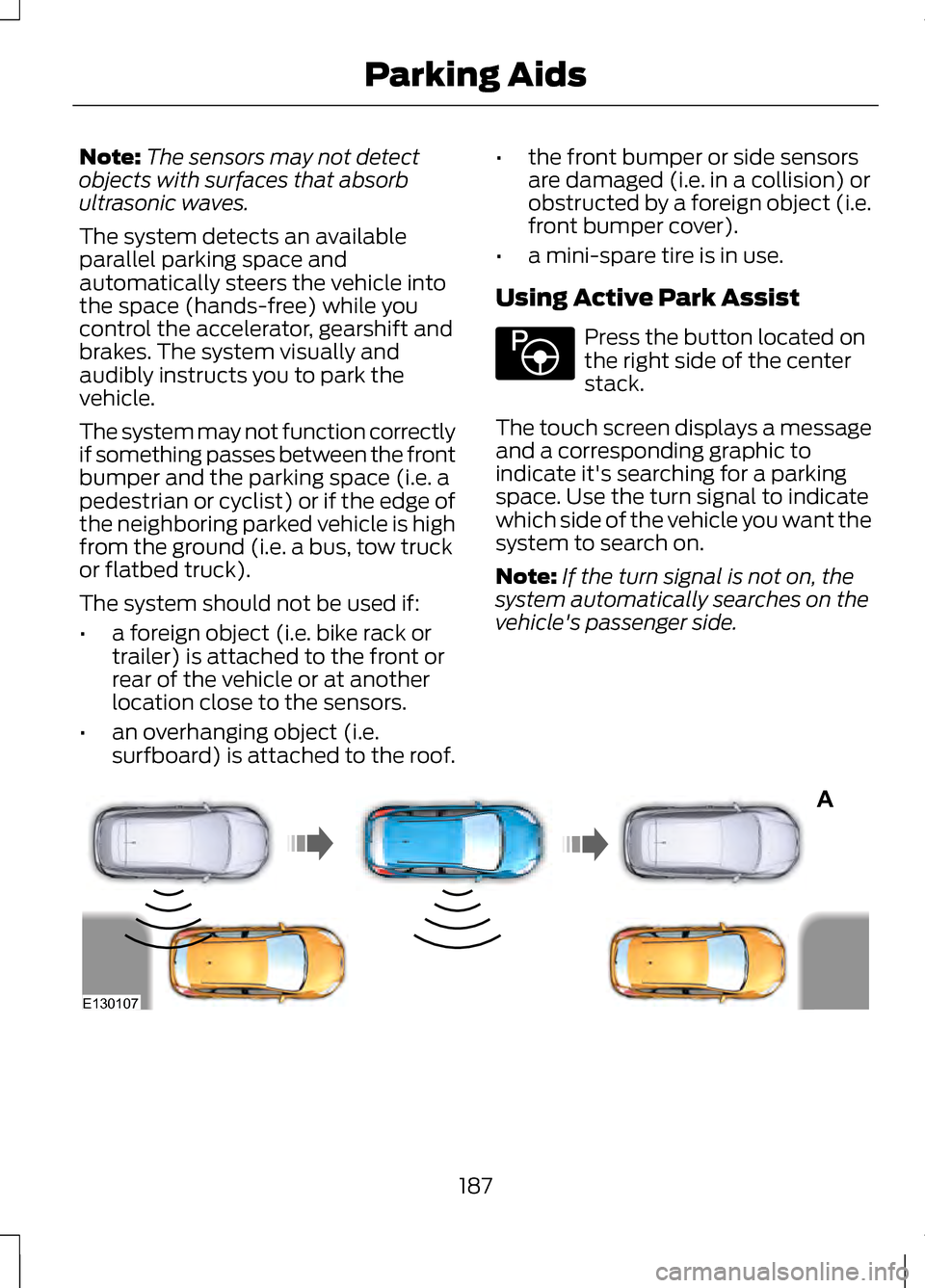
The system detects an available
parallel parking space and
automatically steers the vehicle into
the space (hands-free) while you
control the accelerator, gearshift and
brakes. The system visually and
audibly instructs you to park the
vehicle.
The system may not function correctly
if something passes between the front
bumper and the parking space (i.e. a
pedestrian or cyclist) or if the edge of
the neighboring parked vehicle is high
from the ground (i.e. a bus, tow truck
or flatbed truck).
The system should not be used if:
• a foreign object (i.e. bike rack or
trailer) is attached to the front or
rear of the vehicle or at another
location close to the sensors.
• an overhanging object (i.e.
surfboard) is attached to the roof. •
the front bumper or side sensors
are damaged (i.e. in a collision) or
obstructed by a foreign object (i.e.
front bumper cover).
• a mini-spare tire is in use.
Using Active Park Assist Press the button located on
the right side of the center
stack.
The touch screen displays a message
and a corresponding graphic to
indicate it's searching for a parking
space. Use the turn signal to indicate
which side of the vehicle you want the
system to search on.
Note: If the turn signal is not on, the
system automatically searches on the
vehicle's passenger side. 187
Parking AidsE146186 A
E130107
Page 195 of 474
Note:
If the transmission is in R
(Reverse) and the luggage
compartment is ajar, no rear view
camera features are displayed.
Note: If the image comes on while the
transmission is not in R (Reverse), have
the system inspected by your
authorized dealer.
Note: When towing, the camera only
sees what is being towed behind your
vehicle. This might not provide
adequate coverage as it usually
provides in normal operation and some
objects might not be seen. In some
vehicles, the guidelines may disappear
once the trailer tow connector is
engaged.
Note: The camera may not operate
correctly under the following
conditions:
• Nighttime or dark areas if one or
both reverse lamps are not
operating.
• The camera's view is obstructed
by mud, water or debris. Clean the
lens with a soft, lint-free cloth and
non-abrasive cleaner.
• The rear of the vehicle is hit or
damaged, causing the camera to
become misaligned.
To access any of the rear view camera
system settings, make the following
selections in the touch screen when
the transmission is not in R (Reverse):
• Menu > Vehicle > Rear View
Camera
After changing a system setting, the
touch screen shows a preview of the
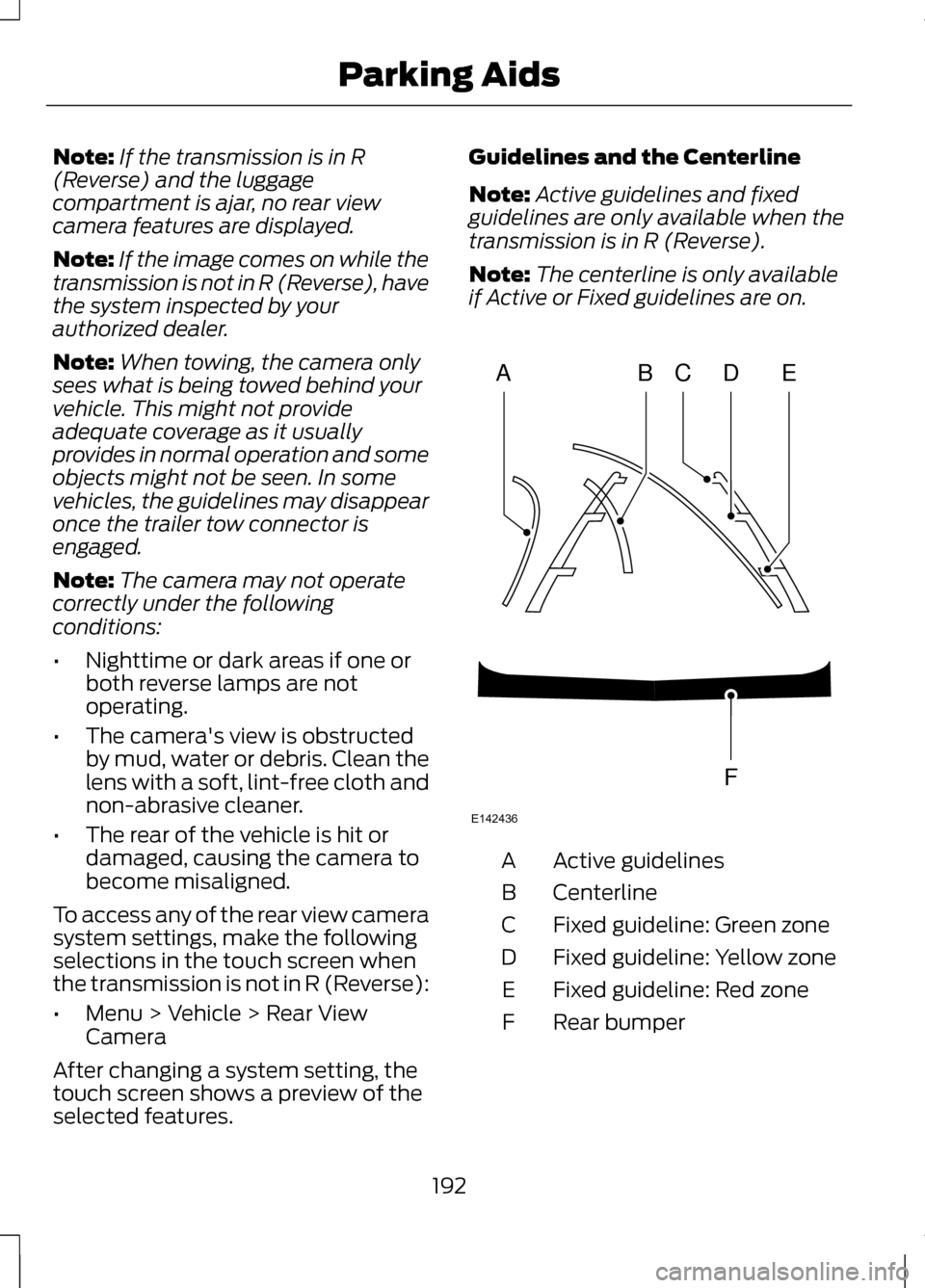
selected features. Guidelines and the Centerline
Note:
Active guidelines and fixed
guidelines are only available when the
transmission is in R (Reverse).
Note: The centerline is only available
if Active or Fixed guidelines are on. Active guidelines
A
Centerline
B
Fixed guideline: Green zone
C
Fixed guideline: Yellow zone
D
Fixed guideline: Red zone
E
Rear bumper
F
192
Parking AidsABCD
F
E
E142436