towing LINCOLN NAVIGATOR 2023 User Guide
[x] Cancel search | Manufacturer: LINCOLN, Model Year: 2023, Model line: NAVIGATOR, Model: LINCOLN NAVIGATOR 2023Pages: 660, PDF Size: 14.04 MB
Page 283 of 660
1.Press Features on the touchscreen.
2.Press Driver Assistance.
3.Press Cruise Control.
4.Press Normal Cruise Control.
The cruise control indicatorreplaces the adaptive cruisecontrol indicator if you selectnormal cruise control. The gap setting doesnot display, and the system does not respondto lead vehicles. Automatic braking remainsactive to maintain set speed. The systemremembers the last setting when you startyour vehicle.
LANE CENTERING
HOW DOES LANE CENTERING WORK
Adaptive cruise control with lane centeringuses the vehicle's front radar sensor andfront windshield camera sensor, togetherwith the steering sensor to operate.
Using these sensors, the system appliescontinuous steering assistance towardsdriving in the middle of the lane you chooseon highway roads.
Note:The gap setting for adaptive cruisecontrol with lane centering, operates in thesame way as normal adaptive cruise control.
LANE CENTERING PRECAUTIONS
WARNING: Do not use the systemwhen towing a trailer. Failure to follow thisinstruction could result in the loss ofcontrol of your vehicle, personal injury ordeath.
WARNING: Do not use the system ifany changes or modifications to thesteering wheel have been made. Anychanges or modifications to the steeringwheel could affect the functionality orperformance of the system. Failure tofollow this instruction could result in theloss of control of your vehicle, personalinjury or death.
Adaptive cruise control precautions apply tolane centering unless stated otherwise orcontradicted by a lane centering precaution.See Adaptive Cruise Control Precautions(page 270).
LANE CENTERING REQUIREMENTS
You must keep your hands on the steeringwheel at all times.
Lane centering only activates when all of thefollowing occur:
•Adaptive cruise control with lanecentering is enabled in your informationand entertainment screen. See Switchingthe Lane Keeping System On and Off(page 301).
•You have adaptive cruise control withstop and go enabled and set.
•The steering sensor detects your handson the steering wheel.
•The system detects both lane markingswhen driving on a straight road.
•Your vehicle is initially centered in thelane between two visible line markings.
279
2023 Navigator (TB9) Canada/United States of America, enUSA, Edition date: 202207, DOMAdaptive Cruise ControlE332905
Page 284 of 660
Note:If the system does not detect validlane line markings, the system will remain instandby until valid line markings areavailable.
LANE CENTERING LIMITATIONS
Adaptive cruise control limitations apply tolane centering unless stated otherwise orcontradicted by a lane centering limitation.See Adaptive Cruise Control Limitations(page 271).
Lane centering may not correctly operate inany of the following conditions:
•The lane width is too narrow or wide.
•The curve in the road is too small.
•The system does not detect the minimumrequired lane markings or when lanesmerge or split.
•When the required steering effort tomaintain lane center exceeds the lanecentering system limit.
•When driving in areas that are underconstruction or when road work is inprogress.
•If the front windshield camera and/or thefront radar are blocked.
•When using a spare tire.
•Inclement weather conditions including,but not limited to, high wind, heavy rain,and fog.
•Driving into direct sunlight.
•When modification to the steering systemhas been made, including alterations tothe steering wheel.
•When towing a trailer.
See Lane Centering Precautions (page 279).
Note:The system steering assistance islimited and may not have sufficient effort forall driving situations and/or conditions, suchas driving through tight curves or drivingthrough curves at high speeds.
Note:In exceptional conditions, the systemmay deviate from the lane center.
SWITCHING LANE CENTERING ONAND OFF
Keep your hands on the steering wheel atall times.
The controls are on the steering wheel.
Press the button.
The indicator appears in the instrumentcluster display. When the system is on, thecolor of the indicator changes to indicate thesystem status.
You can override the system at any time bysteering your vehicle.
Note:The correct requirements must be metbefore you can switch the system on. SeeLane Centering Requirements (page 279).
Enabling and Disabling Lane Centering
1.Press Features on the touchscreen.
2.Press Driver Assistance.
3.Press Cruise Control.
4.Press Lane Centering Assist.
LANE CENTERING ALERTS
You must keep your hands on the steeringwheel at all times.
280
2023 Navigator (TB9) Canada/United States of America, enUSA, Edition date: 202207, DOMAdaptive Cruise ControlE308131
Page 291 of 660
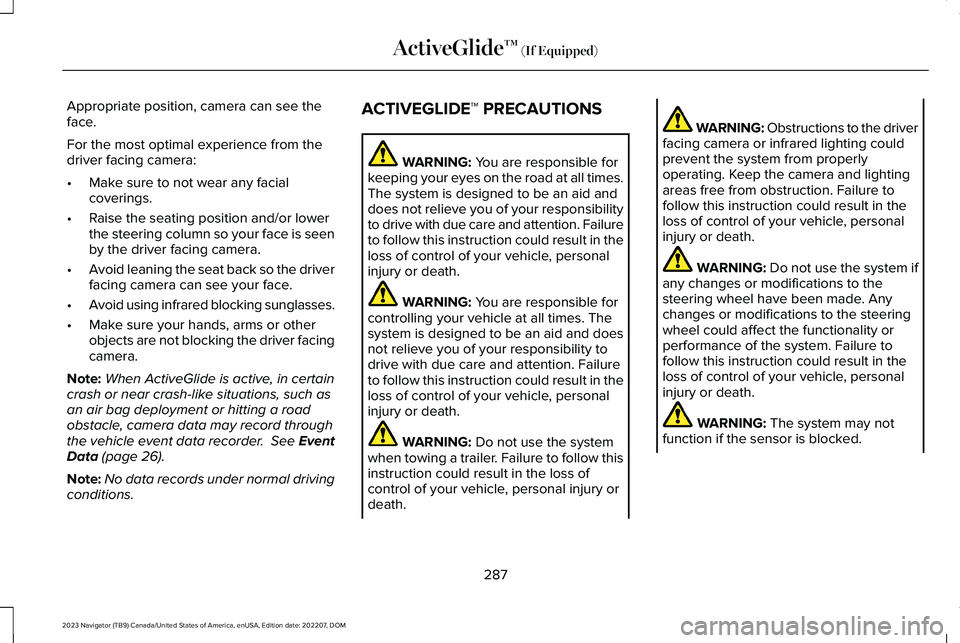
Appropriate position, camera can see theface.
For the most optimal experience from thedriver facing camera:
•Make sure to not wear any facialcoverings.
•Raise the seating position and/or lowerthe steering column so your face is seenby the driver facing camera.
•Avoid leaning the seat back so the driverfacing camera can see your face.
•Avoid using infrared blocking sunglasses.
•Make sure your hands, arms or otherobjects are not blocking the driver facingcamera.
Note:When ActiveGlide is active, in certaincrash or near crash-like situations, such asan air bag deployment or hitting a roadobstacle, camera data may record throughthe vehicle event data recorder. See EventData (page 26).
Note:No data records under normal drivingconditions.
ACTIVEGLIDE™ PRECAUTIONS
WARNING: You are responsible forkeeping your eyes on the road at all times.The system is designed to be an aid anddoes not relieve you of your responsibilityto drive with due care and attention. Failureto follow this instruction could result in theloss of control of your vehicle, personalinjury or death.
WARNING: You are responsible forcontrolling your vehicle at all times. Thesystem is designed to be an aid and doesnot relieve you of your responsibility todrive with due care and attention. Failureto follow this instruction could result in theloss of control of your vehicle, personalinjury or death.
WARNING: Do not use the systemwhen towing a trailer. Failure to follow thisinstruction could result in the loss ofcontrol of your vehicle, personal injury ordeath.
WARNING: Obstructions to the driverfacing camera or infrared lighting couldprevent the system from properlyoperating. Keep the camera and lightingareas free from obstruction. Failure tofollow this instruction could result in theloss of control of your vehicle, personalinjury or death.
WARNING: Do not use the system ifany changes or modifications to thesteering wheel have been made. Anychanges or modifications to the steeringwheel could affect the functionality orperformance of the system. Failure tofollow this instruction could result in theloss of control of your vehicle, personalinjury or death.
WARNING: The system may notfunction if the sensor is blocked.
287
2023 Navigator (TB9) Canada/United States of America, enUSA, Edition date: 202207, DOMActiveGlide™ (If Equipped)
Page 322 of 660
CROSS TRAFFIC ALERT
LIMITATIONS
The system may not correctly operate whenany of the following occur:
•Something is blocking the sensors.
•Adjacently parked vehicles or objects areobstructing the sensors.
•Vehicles approach at speeds less than4 mph (6 km/h) or greater than 37 mph(60 km/h).
•Your vehicle speed is greater than 7 mph(12 km/h).
•You reverse out of an angled parkingspace.
Cross Traffic Alert Limitations with aTrailer Attached
The system remains on when you attach atrailer in vehicles with blind spot informationsystem with trailer tow under the followingconditions:
•You connect a trailer.
•The trailer is a bike rack or cargo rackwith a maximum length of 3 ft (1 m).
•You set the trailer length to 3 ft (1 m) inthe instrument cluster display.
Note:The system may not correctly operatewhen towing a trailer. For vehicles with atrailer tow module and tow bar approved bythe manufacturer, the system turns off whenyou attach a trailer. For vehicles with anaftermarket trailer tow module or tow bar,we recommend that you switch the systemoff when you attach a trailer.
SWITCHING CROSS TRAFFIC
ALERT ON AND OFF
To switch cross traffic alert on or off use thetouchscreen.
1.Press Features on the touchscreen.
2.Press Driver Assistance.
3.Switch Cross Traffic Alert on or off.
Note:The system switches on every timeyou switch the ignition on. To permanentlyswitch the system off, contact an authorizeddealer.
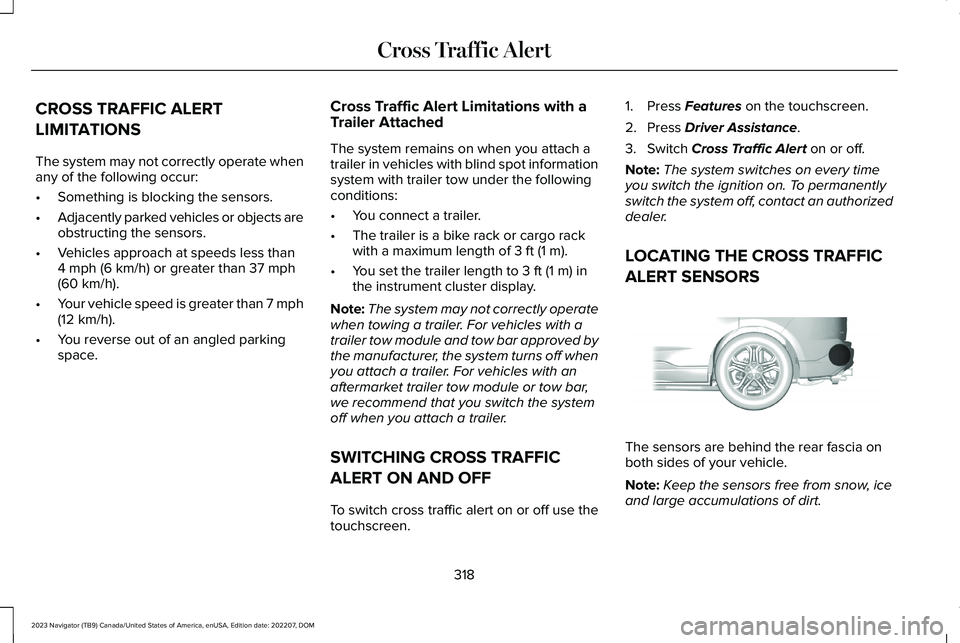
LOCATING THE CROSS TRAFFIC
ALERT SENSORS
The sensors are behind the rear fascia onboth sides of your vehicle.
Note:Keep the sensors free from snow, iceand large accumulations of dirt.
318
2023 Navigator (TB9) Canada/United States of America, enUSA, Edition date: 202207, DOMCross Traffic AlertE205199
Page 326 of 660
WARNING: The system does notdetect vehicles moving in a differentdirection or animals. Apply the brakeswhen necessary. Failure to follow thisinstruction could result in the loss ofcontrol of your vehicle, personal injury ordeath.
WARNING: The system does notoperate during hard acceleration orsteering. Failure to take care may lead toa crash or personal injury.
WARNING: The system may operatewith reduced function during cold andinclement weather conditions. Snow, ice,rain, spray and fog can adversely affect thesystem. Keep the front camera and radarfree of snow and ice. Failure to follow thisinstruction may result in the loss of controlof your vehicle, serious personal injury ordeath.
WARNING: Take additional care ifyour vehicle is heavily loaded or you aretowing a trailer. These conditions couldresult in reduced performance of thissystem. Failure to follow this instructioncould result in the loss of control of yourvehicle, personal injury or death.
WARNING: The system cannot helpprevent all crashes. Do not rely on thissystem to replace driver judgment and theneed to maintain a safe distance andspeed.
WARNING: System performancecould be reduced in situations where thevehicle camera has limited detectioncapability. These situations include but arenot limited to direct or low sunlight,vehicles at night without tail lights,unconventional vehicle types, pedestriansor cyclists with complex backgrounds,
running pedestrians or fast moving cyclists,partly obscured pedestrians or cyclists,pedestrians or cyclists that the systemcannot distinguish from a group. Failure totake care may result in the loss of controlof your vehicle, personal injury or death.
PRE-COLLISION ASSIST
LIMITATIONS
Pre-collision assist depends on the detectionability of its camera and sensors. Anyobstructions or damage to these areas canlimit detection or prevent the system fromfunctioning. See Locating the Pre-CollisionAssist Sensors (page 324).
The system is active at 3 mph (5 km/h) andabove.
Note:The pre-collision assist systemautomatically disables when you selectfour-wheel drive low or manually disableAdvanceTrac™.
322
2023 Navigator (TB9) Canada/United States of America, enUSA, Edition date: 202207, DOMPre-Collision Assist
Page 341 of 660
LOCATING THE SAFETY
COMPLIANCE CERTIFICATION
LABELS
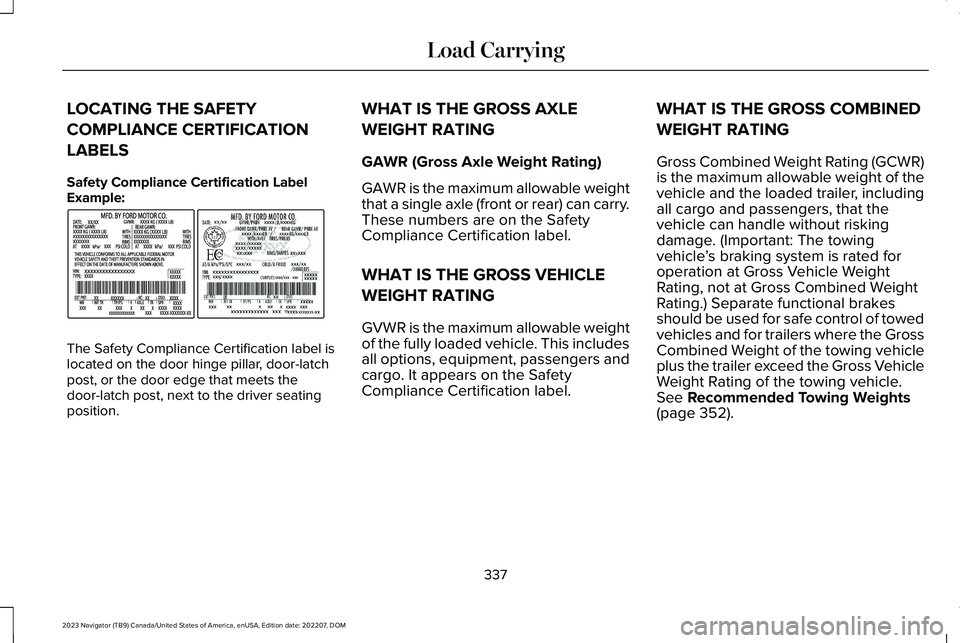
Safety Compliance Certification LabelExample:
The Safety Compliance Certification label islocated on the door hinge pillar, door-latchpost, or the door edge that meets thedoor-latch post, next to the driver seatingposition.
WHAT IS THE GROSS AXLE
WEIGHT RATING
GAWR (Gross Axle Weight Rating)
GAWR is the maximum allowable weightthat a single axle (front or rear) can carry.These numbers are on the SafetyCompliance Certification label.
WHAT IS THE GROSS VEHICLE
WEIGHT RATING
GVWR is the maximum allowable weightof the fully loaded vehicle. This includesall options, equipment, passengers andcargo. It appears on the SafetyCompliance Certification label.
WHAT IS THE GROSS COMBINED
WEIGHT RATING
Gross Combined Weight Rating (GCWR)is the maximum allowable weight of thevehicle and the loaded trailer, includingall cargo and passengers, that thevehicle can handle without riskingdamage. (Important: The towingvehicle’s braking system is rated foroperation at Gross Vehicle WeightRating, not at Gross Combined WeightRating.) Separate functional brakesshould be used for safe control of towedvehicles and for trailers where the GrossCombined Weight of the towing vehicleplus the trailer exceed the Gross VehicleWeight Rating of the towing vehicle.See Recommended Towing Weights(page 352).
337
2023 Navigator (TB9) Canada/United States of America, enUSA, Edition date: 202207, DOMLoad CarryingE198828
Page 342 of 660
CALCULATING PAYLOAD
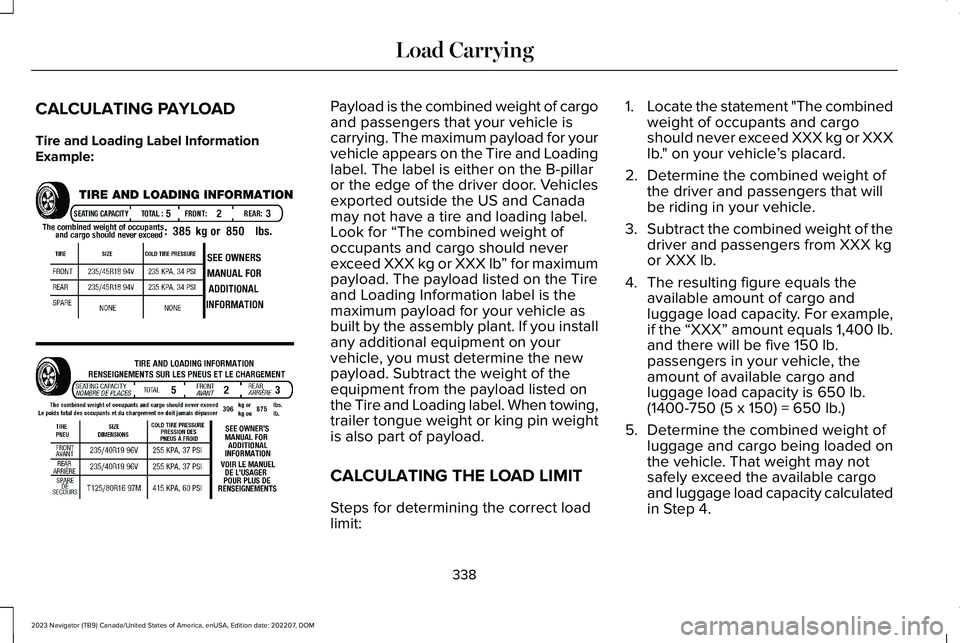
Tire and Loading Label InformationExample:
Payload is the combined weight of cargoand passengers that your vehicle iscarrying. The maximum payload for yourvehicle appears on the Tire and Loadinglabel. The label is either on the B-pillaror the edge of the driver door. Vehiclesexported outside the US and Canadamay not have a tire and loading label.Look for “The combined weight ofoccupants and cargo should neverexceed XXX kg or XXX lb” for maximumpayload. The payload listed on the Tireand Loading Information label is themaximum payload for your vehicle asbuilt by the assembly plant. If you installany additional equipment on yourvehicle, you must determine the newpayload. Subtract the weight of theequipment from the payload listed on
the Tire and Loading label. When towing,trailer tongue weight or king pin weightis also part of payload.
CALCULATING THE LOAD LIMIT
Steps for determining the correct loadlimit:
1.Locate the statement "The combinedweight of occupants and cargoshould never exceed XXX kg or XXXlb." on your vehicle’s placard.
2.Determine the combined weight ofthe driver and passengers that willbe riding in your vehicle.
3.Subtract the combined weight of thedriver and passengers from XXX kgor XXX lb.
4.The resulting figure equals theavailable amount of cargo andluggage load capacity. For example,if the “XXX” amount equals 1,400 lb.and there will be five 150 lb.passengers in your vehicle, theamount of available cargo andluggage load capacity is 650 lb.
(1400-750 (5 x 150) = 650 lb.)
5.Determine the combined weight ofluggage and cargo being loaded onthe vehicle. That weight may notsafely exceed the available cargoand luggage load capacity calculatedin Step 4.
338
2023 Navigator (TB9) Canada/United States of America, enUSA, Edition date: 202207, DOMLoad CarryingE198719
Page 343 of 660
6.If your vehicle will be towing a trailer,load from your trailer will betransferred to your vehicle. Consultthis manual to determine how thisreduces the available cargo andluggage load capacity of yourvehicle.
Helpful examples for calculating theavailable amount of cargo and luggageload capacity
Suppose your vehicle has a 1400-pound(635-kilogram) cargo and luggagecapacity. You decide to go golfing. Isthere enough load capacity to carry you,four of your friends and all the golf bags?You and four friends average 220pounds (99 kilograms) each and the golfbags weigh approximately 30 pounds(13.5 kilograms) each. The calculationwould be: 1400 - (5 x 220) - (5 x 30) =1400 - 1100 - 150 = 150 pounds. Yes, you
have enough load capacity in yourvehicle to transport four friends and yourgolf bags. In metric units, the calculationwould be: 635 kilograms - (5 x 99kilograms) - (5 x 13.5 kilograms) = 635 -495 - 67.5 = 72.5 kilograms.
Suppose your vehicle has a 1400-pound(635-kilogram) cargo and luggagecapacity. You and one of your friendsdecide to pick up cement from the localhome improvement store to finish thatpatio you have been planning for thepast two years. Measuring the inside ofthe vehicle with the rear seat foldeddown, you have room for twelve100-pound (45-kilogram) bags ofcement. Do you have enough loadcapacity to transport the cement to yourhome? If you and your friend each weigh
220 pounds (99 kilograms), thecalculation would be: 1400 - (2 x 220) -(12 x 100) = 1400 - 440 - 1200 = - 240pounds. No, you do not have enoughcargo capacity to carry that muchweight. In metric units, the calculationwould be: 635 kilograms - (2 x 99kilograms) - (12 x 45 kilograms) = 635 -
198 - 540 = -103 kilograms. You will needto reduce the load weight by at least240 pounds (104 kilograms). If youremove three 100-pound (45-kilogram)cement bags, then the load calculationwould be: 1400 - (2 x 220) - (9 x 100) =1400 - 440 - 900 = 60 pounds. Now youhave the load capacity to transport thecement and your friend home. In metricunits, the calculation would be: 635kilograms - (2 x 99 kilograms) - (9 x 45kilograms) = 635 - 198 - 405 = 32kilograms.
The above calculations also assume thatthe loads are positioned in your vehiclein a manner that does not overload thefront or the rear gross axle weight ratingspecified for your vehicle on the SafetyCompliance Certification label.
339
2023 Navigator (TB9) Canada/United States of America, enUSA, Edition date: 202207, DOMLoad Carrying
Page 349 of 660
CONNECTING A TRAILER
PRECAUTIONS
Do not tow a trailer until you drive yourvehicle at least 1,000 mi (1,600 km).
Consult your local motor vehicle laws fortowing a trailer.
See the instructions included with towingaccessories for the proper installation andadjustment specifications.
Service your vehicle more frequently if youtow a trailer. See Normal ScheduledMaintenance (page 533).
If you use a rental trailer, follow theinstructions the rental agency gives you.
When attaching the trailer wiring connectorto your vehicle, only use a proper fittingconnector that works with the vehicle andtrailer functions.
Account for the trailer coupler weight as partof your vehicle load when calculating thetotal vehicle weight.
Do not exceed the load limits. See NormalScheduled Maintenance (page 533).
HITCHES
INSTALLING A HITCH
WARNING: Do not cut, drill, weld ormodify the trailer hitch. Modifying the trailerhitch could reduce the hitch rating.
Do not use a hitch that either clamps ontothe bumper or attaches to the axle. You mustdistribute the load in your trailer so that10-15% of the total weight of the trailer is onthe tongue. Do not exceed the tongue loadrating indicated on the hitch receiver.
Trailer Hitch Cover
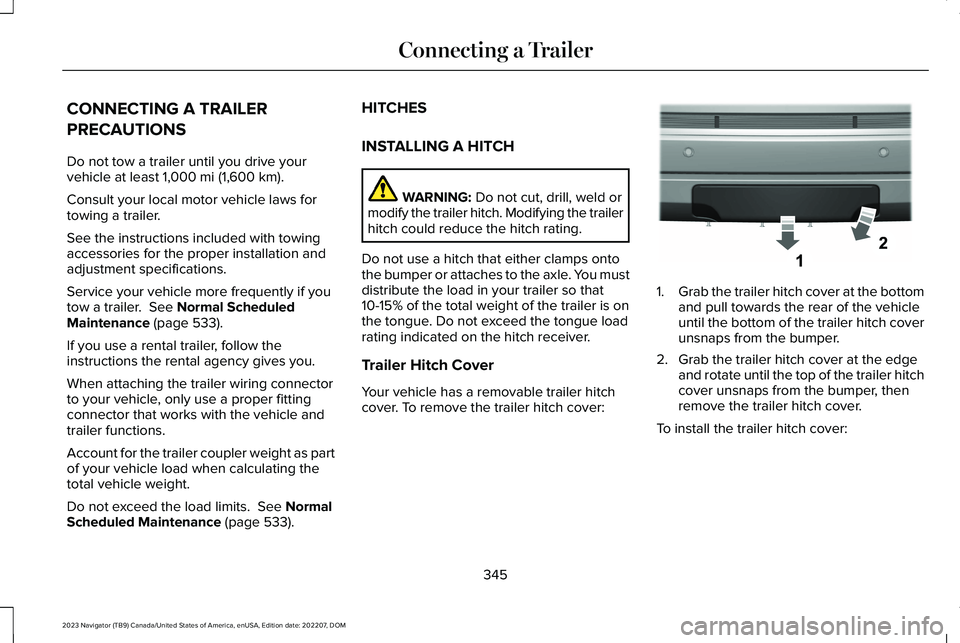
Your vehicle has a removable trailer hitchcover. To remove the trailer hitch cover:
1.Grab the trailer hitch cover at the bottomand pull towards the rear of the vehicleuntil the bottom of the trailer hitch coverunsnaps from the bumper.
2.Grab the trailer hitch cover at the edgeand rotate until the top of the trailer hitchcover unsnaps from the bumper, thenremove the trailer hitch cover.
To install the trailer hitch cover:
345
2023 Navigator (TB9) Canada/United States of America, enUSA, Edition date: 202207, DOMConnecting a TrailerE268259
Page 350 of 660
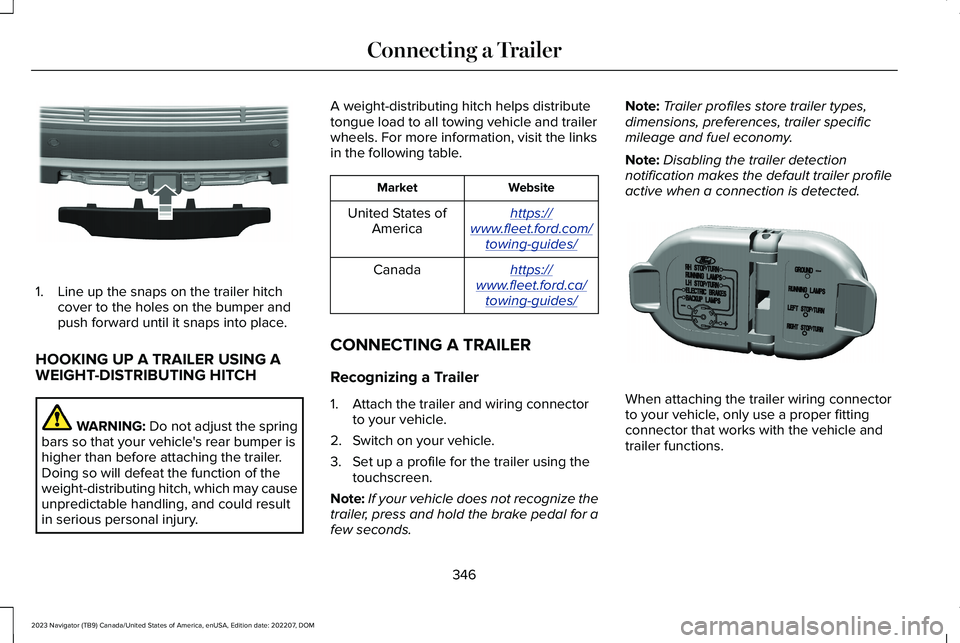
1.Line up the snaps on the trailer hitchcover to the holes on the bumper andpush forward until it snaps into place.
HOOKING UP A TRAILER USING AWEIGHT-DISTRIBUTING HITCH
WARNING: Do not adjust the springbars so that your vehicle's rear bumper ishigher than before attaching the trailer.Doing so will defeat the function of theweight-distributing hitch, which may causeunpredictable handling, and could resultin serious personal injury.
A weight-distributing hitch helps distributetongue load to all towing vehicle and trailerwheels. For more information, visit the linksin the following table.
WebsiteMarket
https://www.fleet.ford.com/towing-guides/
United States ofAmerica
https://www.fleet.ford.ca/towing-guides/
Canada
CONNECTING A TRAILER
Recognizing a Trailer
1.Attach the trailer and wiring connectorto your vehicle.
2.Switch on your vehicle.
3.Set up a profile for the trailer using thetouchscreen.
Note:If your vehicle does not recognize thetrailer, press and hold the brake pedal for afew seconds.
Note:Trailer profiles store trailer types,dimensions, preferences, trailer specificmileage and fuel economy.
Note:Disabling the trailer detectionnotification makes the default trailer profileactive when a connection is detected.
When attaching the trailer wiring connectorto your vehicle, only use a proper fittingconnector that works with the vehicle andtrailer functions.
346
2023 Navigator (TB9) Canada/United States of America, enUSA, Edition date: 202207, DOMConnecting a TrailerE268260 E163167