flat tire LINCOLN NAVIGATOR 2023 Owner's Guide
[x] Cancel search | Manufacturer: LINCOLN, Model Year: 2023, Model line: NAVIGATOR, Model: LINCOLN NAVIGATOR 2023Pages: 660, PDF Size: 14.04 MB
Page 470 of 660
Retighten the wheel nuts to the specifiedtorque within 100 mi (160 km) after any wheeldisturbance, such as tire rotation, changinga flat tire or wheel removal.
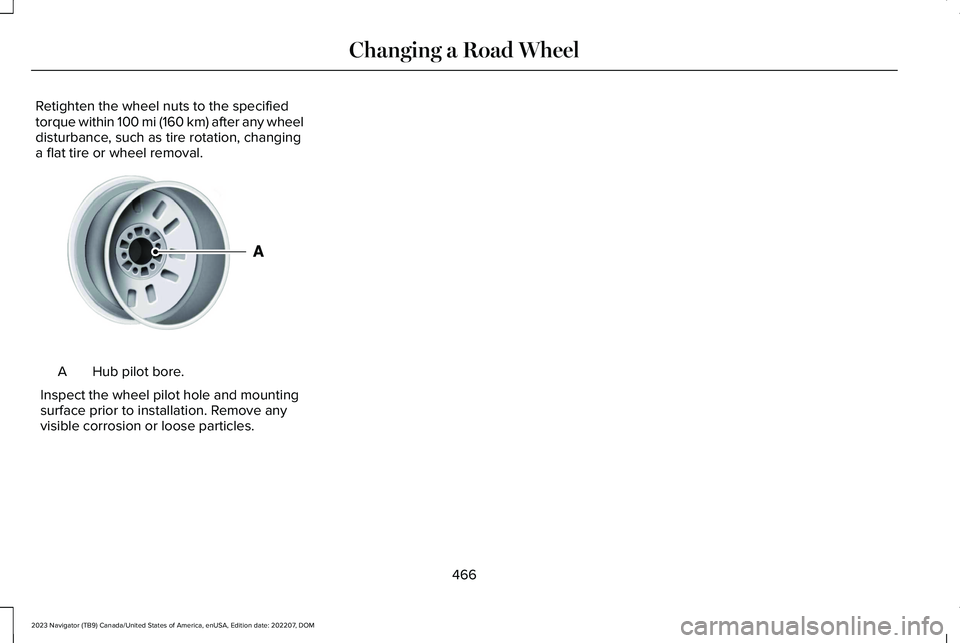
Hub pilot bore.A
Inspect the wheel pilot hole and mountingsurface prior to installation. Remove anyvisible corrosion or loose particles.
466
2023 Navigator (TB9) Canada/United States of America, enUSA, Edition date: 202207, DOMChanging a Road WheelE145950
Page 530 of 660
WHAT IS LINCOLN PROTECT
Protect yourself from the rising cost ofvehicle repairs with the Lincoln Protectextended service plan.
Lincoln Protect Extended Service Plans(United States Only)
Lincoln Protect means peace of mind. It isthe extended service plan backed by Lincoln,and provides more protection beyond theNew Vehicle Limited Warranty coverage.When you visit your Lincoln Dealer, insist ongenuine Lincoln Protect extended serviceplans.
Lincoln Protect Extended Service Plan CanQuickly Pay for Itself
One trip to the Service Center could easilyexceed the price of your Lincoln Protectextended service plan. With Lincoln Protect,you minimize your risk for unexpected repairbills and rising repair costs.
Up to 1000+ Covered Vehicle Components
There are four mechanical Lincoln Protectextended service plans with different levelsof coverage. Ask your authorized dealer fordetails.
1.PremiumCARE - Our most comprehensivecoverage. With over 1,000 coveredcomponents, this plan is so complete itis probably easier to list what is notcovered.
2.ExtraCARE - Covers 113 components, andincludes many high-tech items.
3.BaseCARE - Covers 84 components.
4.PowertrainCARE - Covers 29 criticalcomponents.
Lincoln Protect extended service plans arehonored by all authorized Lincoln dealers inthe United States, Canada and Mexico.
That means you get:
•Reliable, quality service at any Lincoln orFord dealership.
•Repairs performed by factory trainedtechnicians, using genuine parts.
Rental Car Reimbursement
First Day Rental Benefit
If you bring your car into your dealer forservice, we will give you a rental vehicle touse for the day.
Extended Rental Benefits
If your vehicle is kept overnight for coveredrepairs, you are eligible for rental carcoverage, including bumper to bumperwarranty repairs, and field service actions.
Roadside Assistance
Exclusive 24/7 roadside assistance, including:
•Towing, flat-tire change and battery jumpstarts.
•Out of fuel and lock-out assistance.
•Travel expense reimbursement forlodging, meals and rental car.
•Assistance for taxi, shuttle, rental carcoverage and other transportation.
526
2023 Navigator (TB9) Canada/United States of America, enUSA, Edition date: 202207, DOMLincoln Protect
Page 639 of 660
Catalytic Converter.......................................218Catalytic Converter – Troubleshooting.........219
Catalytic Converter Precautions...............218Catalytic Converter –Troubleshooting..........................................219Catalytic Converter – Warning Lamps...........219
Center Console............................................200Opening the Center Console.........................200
Center Display Limitations.........................498Center Display Overview...........................498Center Display Precautions.......................498Changing a Flat Tire....................................459Changing a Road Wheel............................459Changing the 12V Battery..........................424Changing the Fuel Filter.............................424Changing the Language...............................151Changing the Measurement Unit...............151Changing the Radio Station.......................497Changing the Remote Control Battery......73Changing the Temperature Unit.................151Changing the Tire Pressure Unit................151Changing the Vehicle Wi-Fi Hotspot Nameor Password................................................484Charging a Device........................................194Charging a Wireless Device.......................198Checking MyKey System Status.................84Checking the Brake Fluid..........................232Checking the Coolant..................................418
Checking the Seatbelts.................................58Checking the Tire Pressures.....................449Checking the Wiper Blades.........................116Childminder Mirror........................................136Childminder Mirror Precautions.......................136Locating the Childminder Mirror......................136
Children and Airbags.....................................65Child Restraint Anchor Points......................40Locating the Child Restraint Lower AnchorPoints...................................................................40Locating the Child Restraint Top TetherAnchor Points.....................................................41What Are the Child Restraint AnchorPoints...................................................................40
Child Restraints................................................41Child Restraint Position Information..................41Child Restraints Recommendation...................43
Child Safety......................................................39Child Restraint Anchor Points............................40Child Restraints.......................................................41Installing Child Restraints....................................44
Child Safety Locks...........................................51Child Safety Precautions...............................39Cleaning Products.......................................429Cleaning the Exterior..................................430Cleaning Camera Lenses and Sensors........432Cleaning Chrome, Aluminium or StainlessSteel..................................................................430
Cleaning Headlamps and Rear Lamps.........430Cleaning Stripes or Graphics............................431Cleaning the Engine Compartment................431Cleaning the Exterior Precautions.................430Cleaning the Underbody..................................432Cleaning Wheels..................................................431Cleaning Windows and Wiper Blades..........430
Cleaning the Interior....................................432Cleaning Carpets and Floor Mats..................433Cleaning Displays and Screens......................432Cleaning Fabric Seats and Headliners.........433Cleaning Leather and Vinyl..............................433Cleaning Moonroof Tracks...............................434Cleaning Plastic..................................................432Cleaning Seatbelts.............................................434Cleaning the Instrument Panel.......................432
Clearing All MyKeys.......................................84Climate Control..............................................159Auto Mode.............................................................161
Climate Control Hints...................................162Closing the Liftgate......................................100Closing the Hands-Free Liftgate.....................102Closing the Liftgate From Inside YourVehicle...............................................................100Closing the Liftgate From Outside YourVehicle................................................................101Closing the Liftgate Using the RemoteControl................................................................101
635
2023 Navigator (TB9) Canada/United States of America, enUSA, Edition date: 202207, DOMIndex
Page 642 of 660
Emission Law - United States ofAmerica.........................................................621Enabling Apps on an AndroidDevice...........................................................512Enabling Apps on an iOS Device..............512Enabling or Disabling PersonalProfiles..........................................................515Enabling Remote Start.................................156End User License Agreement....................591Engine Air Filter............................................423Changing the Engine Air Filter........................423
Engine Block Heater...................................203Engine Block Heater Precautions..................203How Does the Engine Block HeaterWork..................................................................203Using the Engine Block Heater......................204
Engine Coolant Temperature Gauge.......144Engine Oil Capacity andSpecification...............................................469Engine Oil........................................................417Adding Engine Oil...............................................417Checking the Engine Oil Level.........................417Engine Oil Capacity and Specification...........418Engine Oil Dipstick Overview...........................417Resetting the Intelligent Oil Life Monitor.......418
Engine Oil Pressure Gauge........................144Engine Specifications..................................467Entering a Parallel Parking Space...........266
Entering a Perpendicular ParkingSpace............................................................266Evasive Steering Assist...............................327Evasive Steering Assist Limitations...............328Switching Evasive Steering Assist On andOff......................................................................328What Is Evasive Steering Assist......................327
Event Data........................................................26Exiting a Parking Space..............................267Export Unique Options...............................622Extending the Remote Start Duration......157Exterior Bulbs................................................428Exterior Bulb Specification Chart...................428
Exterior Lamps...............................................122Exterior Lamp Indicators....................................123Exterior Lamps On Audible Warning..............123Switching the Daytime Running Lamps Onand Off...............................................................122Switching Welcome Lighting On andOff.......................................................................123Using the Front Fog Lamps..............................123Using the Turn Signal Lamps...........................122
Exterior Lighting Control.............................120Exterior Lighting............................................120Adaptive Front Lighting.....................................130Autolamps..............................................................121Automatic High Beam Control.........................124
Automatic High Beam Control –Troubleshooting..............................................127Exterior Lamps.....................................................122Glare Free Lighting.............................................127Glare Free Lighting – Troubleshooting.........130Headlamps............................................................120Headlamps – Troubleshooting.........................121
Exterior Mirrors..............................................138Auto-Dimming Exterior Mirror..........................139
F
Fastening and Unfastening theSeatbelts........................................................53Feature Bar....................................................499Federal Highway AdministrationRegulation....................................................591Flat TireSee: Changing a Flat Tire.................................459
Floor Mats.......................................................387Folding the Exterior Mirrors........................138Foot PedalsSee: Adjusting the Pedals..................................113
Ford Power-UpSee: Software Update Settings......................520See: Vehicle Software Updates.....................520
Four-Wheel Drive.........................................224Four-Wheel Drive Modes.................................226
638
2023 Navigator (TB9) Canada/United States of America, enUSA, Edition date: 202207, DOMIndex
Page 645 of 660
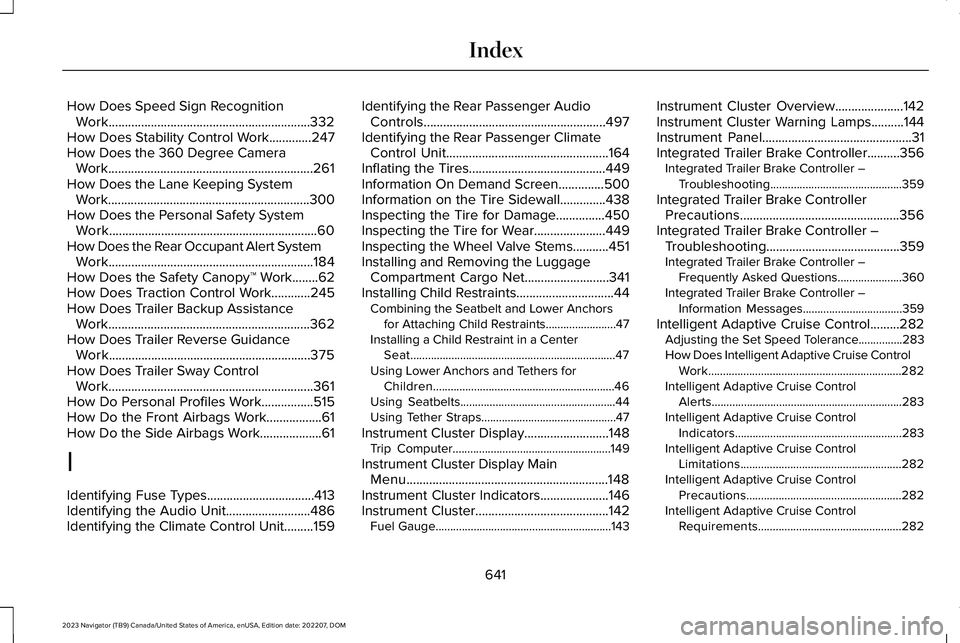
How Does Speed Sign RecognitionWork..............................................................332How Does Stability Control Work.............247How Does the 360 Degree CameraWork...............................................................261How Does the Lane Keeping SystemWork..............................................................300How Does the Personal Safety SystemWork................................................................60How Does the Rear Occupant Alert SystemWork...............................................................184How Does the Safety Canopy™ Work........62How Does Traction Control Work............245How Does Trailer Backup AssistanceWork..............................................................362How Does Trailer Reverse GuidanceWork..............................................................375How Does Trailer Sway ControlWork...............................................................361How Do Personal Profiles Work................515How Do the Front Airbags Work.................61How Do the Side Airbags Work...................61
I
Identifying Fuse Types.................................413Identifying the Audio Unit..........................486Identifying the Climate Control Unit.........159
Identifying the Rear Passenger AudioControls........................................................497Identifying the Rear Passenger ClimateControl Unit..................................................164Inflating the Tires..........................................449Information On Demand Screen..............500Information on the Tire Sidewall..............438Inspecting the Tire for Damage...............450Inspecting the Tire for Wear......................449Inspecting the Wheel Valve Stems...........451Installing and Removing the LuggageCompartment Cargo Net..........................341Installing Child Restraints..............................44Combining the Seatbelt and Lower Anchorsfor Attaching Child Restraints........................47Installing a Child Restraint in a CenterSeat......................................................................47Using Lower Anchors and Tethers forChildren..............................................................46Using Seatbelts.....................................................44Using Tether Straps..............................................47
Instrument Cluster Display..........................148Trip Computer......................................................149
Instrument Cluster Display MainMenu..............................................................148Instrument Cluster Indicators.....................146Instrument Cluster.........................................142Fuel Gauge............................................................143
Instrument Cluster Overview.....................142Instrument Cluster Warning Lamps..........144Instrument Panel..............................................31Integrated Trailer Brake Controller..........356Integrated Trailer Brake Controller –Troubleshooting.............................................359
Integrated Trailer Brake ControllerPrecautions.................................................356Integrated Trailer Brake Controller –Troubleshooting.........................................359Integrated Trailer Brake Controller –Frequently Asked Questions......................360Integrated Trailer Brake Controller –Information Messages..................................359
Intelligent Adaptive Cruise Control.........282Adjusting the Set Speed Tolerance...............283How Does Intelligent Adaptive Cruise ControlWork..................................................................282Intelligent Adaptive Cruise ControlAlerts.................................................................283Intelligent Adaptive Cruise ControlIndicators.........................................................283Intelligent Adaptive Cruise ControlLimitations.......................................................282Intelligent Adaptive Cruise ControlPrecautions.....................................................282Intelligent Adaptive Cruise ControlRequirements.................................................282
641
2023 Navigator (TB9) Canada/United States of America, enUSA, Edition date: 202207, DOMIndex
Page 650 of 660
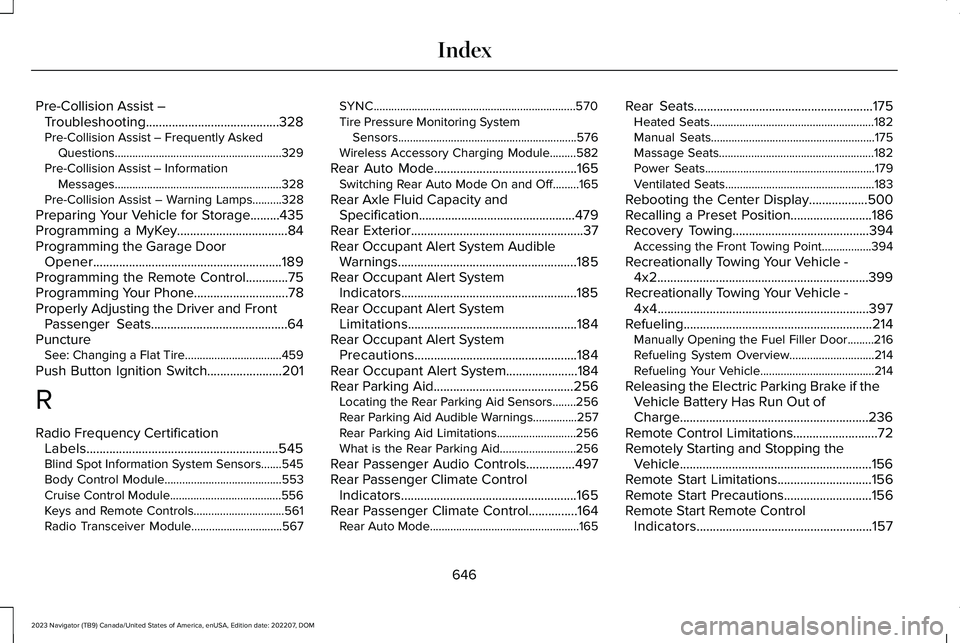
Pre-Collision Assist –Troubleshooting.........................................328Pre-Collision Assist – Frequently AskedQuestions.........................................................329Pre-Collision Assist – InformationMessages.........................................................328Pre-Collision Assist – Warning Lamps..........328
Preparing Your Vehicle for Storage.........435Programming a MyKey..................................84Programming the Garage DoorOpener..........................................................189Programming the Remote Control.............75Programming Your Phone.............................78Properly Adjusting the Driver and FrontPassenger Seats..........................................64PunctureSee: Changing a Flat Tire.................................459
Push Button Ignition Switch.......................201
R
Radio Frequency CertificationLabels...........................................................545Blind Spot Information System Sensors.......545Body Control Module........................................553Cruise Control Module......................................556Keys and Remote Controls...............................561Radio Transceiver Module...............................567
SYNC.....................................................................570Tire Pressure Monitoring SystemSensors.............................................................576Wireless Accessory Charging Module.........582
Rear Auto Mode............................................165Switching Rear Auto Mode On and Off.........165
Rear Axle Fluid Capacity andSpecification................................................479Rear Exterior.....................................................37Rear Occupant Alert System AudibleWarnings.......................................................185Rear Occupant Alert SystemIndicators......................................................185Rear Occupant Alert SystemLimitations....................................................184Rear Occupant Alert SystemPrecautions..................................................184Rear Occupant Alert System......................184Rear Parking Aid...........................................256Locating the Rear Parking Aid Sensors........256Rear Parking Aid Audible Warnings...............257Rear Parking Aid Limitations...........................256What is the Rear Parking Aid..........................256
Rear Passenger Audio Controls...............497Rear Passenger Climate ControlIndicators......................................................165Rear Passenger Climate Control...............164Rear Auto Mode...................................................165
Rear Seats.......................................................175Heated Seats........................................................182Manual Seats........................................................175Massage Seats.....................................................182Power Seats..........................................................179Ventilated Seats...................................................183
Rebooting the Center Display..................500Recalling a Preset Position.........................186Recovery Towing..........................................394Accessing the Front Towing Point.................394
Recreationally Towing Your Vehicle -4x2.................................................................399Recreationally Towing Your Vehicle -4x4.................................................................397Refueling..........................................................214Manually Opening the Fuel Filler Door.........216Refueling System Overview.............................214Refueling Your Vehicle.......................................214
Releasing the Electric Parking Brake if theVehicle Battery Has Run Out ofCharge..........................................................236Remote Control Limitations..........................72Remotely Starting and Stopping theVehicle...........................................................156Remote Start Limitations.............................156Remote Start Precautions...........................156Remote Start Remote ControlIndicators......................................................157
646
2023 Navigator (TB9) Canada/United States of America, enUSA, Edition date: 202207, DOMIndex