change MAZDA MODEL 6 2015 (in English) Repair Manual
[x] Cancel search | Manufacturer: MAZDA, Model Year: 2015, Model line: MODEL 6, Model: MAZDA MODEL 6 2015Pages: 576
Page 282 of 576
Black plate (282,1)
Temperature control dial
This dial controls temperature. Turn it
clockwise for hot and counterclockwise
for cold.
lWhen the DUAL switch is off:
Turn the driver temperature control dial
to control the temperature throughout
the entire cabin.
lWhen the DUAL switch is on:
Turn the driver or front passenger
temperature control dial to
independently control the temperature
on each side of the cabin.
NOTE
lThe climate control system changes to the
individual operation mode (DUAL switch
indicator light illuminated) by turning the
front passenger temperature control dial
even when the DUAL switch is off, which
allows individual control of the set
temperature for the driver and front
passenger.
lThe temperature units for the temperature
setting display can be changed in
conjunction with the temperature units for
the outside temperature display. Refer to
Outside Temperature Display on page 4-14.
Fan control dial
The fan has seven speeds. The selected
speed will be displayed.
Mode selector switch
The desired airflow mode can be selected
(page 5-4).NOTE
lWith the airflow mode set to the
position and the temperature control dial
set at a medium temperature, heated air is
directed to the feet and air at a comparably
lower temperature will flow through the
central, left and right vents.
lTo set the air vent to, press the
windshield defroster switch.
lIn theorposition, the air
conditioner is automatically turned on and
the outside air mode is automatically
selected to defrost the windshield. In the
orposition, the outside air mode
cannot be changed to the recirculated air
mode.
A/C switch
Pressing the A/C switch while the AUTO
switch is turned on will turn off the air
conditioning (cooling/dehumidifying
functions).
The air conditioning can be turned on and
off by pressing the A/C switch while the
fan control dial is on.
NOTE
lThe air conditioning operates when the A/C
switch is pressed even if the fan is off.
lThe air conditioner may not function when
the outside temperature approaches 0 °C
(32 °F).
Air intake selector
Outside or recirculated air positions can
be selected. Press the switch to select
outside/recirculated air positions.
Recirculated air position (
)
Use this position when going through
tunnels, driving in congested traffic (high
engine exhaust areas) or when quick
cooling is desired.
5-10
Interior Features
Climate Control System
Mazda6_8DQ8-EA-13L_Edition3 Page282
Friday, June 13 2014 6:22 PM
Form No.8DQ8-EA-13L
Page 283 of 576

Black plate (283,1)
Outside air position ()
Use this mode for ventilation or
windshield defrosting.
WARNING
Do not use theposition in cold or
rainy weather:
Using the
position in cold or
rainy weather is dangerous as it will
cause the windows to fog up. Your
vision will be hampered, which could
lead to a serious accident.
DUAL switch
Use the DUAL switch to change the mode
between the individual operation (driver
and passenger) and interconnection
(simultaneous) modes.
Individual operation mode (indicator
light illuminated)
The set temperature can be controlled
individually for the driver and front
passenger.
Interconnection mode (indicator light
turned off)
The set temperature for the driver and
front passenger is controlled
simultaneously.
Windshield defroster switch
Press the switch to defrost the windshield
and front door windows.
qOperation of Automatic Air
Conditioning
1. Press the AUTO switch. Selection of
the airflow mode, air intake selector
and amount of airflow will be
automatically controlled.
2. Use the temperature control dial to
select a desired temperature.
Press the DUAL switch or turn the
front passenger temperature control
dial to control the set temperature
individually for the driver and front
passenger.
To turn off the system, press the OFF
switch.
NOTE
lSetting the temperature to maximum high
or low will not provide the desired
temperature at a faster rate.
lWhen selecting heat, the system will restrict
airflow until it has warmed to prevent cold
air from blowing out of the vents.
qWindshield Defrosting and Defogging
Press the windshield defroster switch.
In this position, the outside air position is
automatically selected, and the air
conditioner automatically turns on. The
air conditioner will directly dehumidify
the air to the front windshield and side
windows (page 5-4). Airflow amount will
be increased.
Interior Features
Climate Control System
5-11
Mazda6_8DQ8-EA-13L_Edition3 Page283
Friday, June 13 2014 6:22 PM
Form No.8DQ8-EA-13L
Page 287 of 576
Black plate (287,1)
Multipath noise
Since FM signals can be reflected by
obstructions, it is possible to receive both
the direct signal and the reflected signal at
the same time. This causes a slight delay
in reception and may be heard as a broken
sound or a distortion. This problem may
also be encountered when in close
proximity to the transmitter.
Reflected wave
Direct
Flutter/Skip noise
Signals from an FM transmitter move in
straight lines and become weak in valleys
between tall buildings, mountains, and
other obstacles. When a vehicle passes
through such an area, the reception
conditions may change suddenly, resulting
in annoying noise.
Weak signal noise
In suburban areas, broadcast signals
become weak because of distance from
the transmitter. Reception in such fringe
areas is characterized by sound breakup.
Strong signal noise
This occurs very close to a transmitter
tower. The broadcast signals are
extremely strong, so the result is noise and
sound breakup at the radio receiver.
Station drift noise
When a vehicle reaches the area of two
strong stations broadcasting at similar
frequencies, the original station may be
temporarily lost and the second station
picked up. At this time there will be some
noise from this disturbance.
Station 2
88.3 MHz Station 1
88.1 MHz
Interior Features
Audio System
5-15
Mazda6_8DQ8-EA-13L_Edition3 Page287
Friday, June 13 2014 6:22 PM
Form No.8DQ8-EA-13L
Page 295 of 576
Black plate (295,1)
qOperating Tips for iPod
This unit supports playback of music files
recorded to an iPod.
liPod is a trademark of Apple Inc.,
registered in the U.S. and other
countries.
liPod classic is a trademark of Apple
Inc., registered in the U.S. and other
countries.
liPod nano is a trademark of Apple Inc.,
registered in the U.S. and other
countries.
liPod touch is a trademark of Apple
Inc., registered in the U.S. and other
countries.
liPhone is a trademark of Apple Inc.,
registered in the U.S. and other
countries.
Connectable iPods are as follows:
(Type A)
liPod: 5GliPod classicliPod nano: 1/2/3/4/5GliPod touch*1: 1/2GliPhone*1: 3G/3GS
*1 Only iPod function
(Type B)
liPod classicliPod nano: 4/5/6GliPod touch*1: 2/3/4GliPhone*1: 3GS/4/4S
*1 Only iPod function
CAUTION
ØRemove the iPod when it is not in
use. Because the iPod is not
designed to withstand excessive
changes in temperature inside the
cabin, it could be damaged or the
battery may deteriorate due to the
excessive temperature or humidity
inside the cabin if it is left in the
vehicle.
ØIf data in the iPod is lost while it is
connected to the unit, Mazda
cannot guarantee recovery of any
lost data.
ØIf the iPod battery is deteriorated,
the iPod may not recharge and
playback may not be possible
when it is connected to the unit.
Replace the iPod battery
immediately.
ØBe careful not to pinch the iPod
connecting cable when opening/
closing the center console.
ØFor the details on using the iPod,
refer to the iPod instruction
manual.
ØWhen connecting the iPod to a
USB port, all commands are made
from the audio unit. iPod control is
not possible.
NOTE
The audio unit cannot display images or
videos stored in an iPod.
Interior Features
Audio System
5-23
Mazda6_8DQ8-EA-13L_Edition3 Page295
Friday, June 13 2014 6:22 PM
Form No.8DQ8-EA-13L
Page 299 of 576
Black plate (299,1)
NOTE
About 5 seconds after selecting any mode, the
volume function will be automatically selected.
To reset bass, treble, fade, and balance, press
the audio control dial for 2 seconds. The unit
will beep and“CLEAR”will be displayed.
Automatic Level Control (ALC)
The automatic level control (ALC)
changes the audio volume automatically
according to the vehicle speed. The faster
the vehicle speed, the higher the volume
increases. ALC has ALC OFF and ALC
LEVEL 1 to 7 modes. At ALC LEVEL 7,
the amount that the volume can increase is
at the maximum. Select the mode
according to the driving conditions.
Interior Features
Audio System
5-27
Mazda6_8DQ8-EA-13L_Edition3 Page299
Friday, June 13 2014 6:22 PM
Form No.8DQ8-EA-13L
Page 300 of 576
Black plate (300,1)
qOperating the Radio
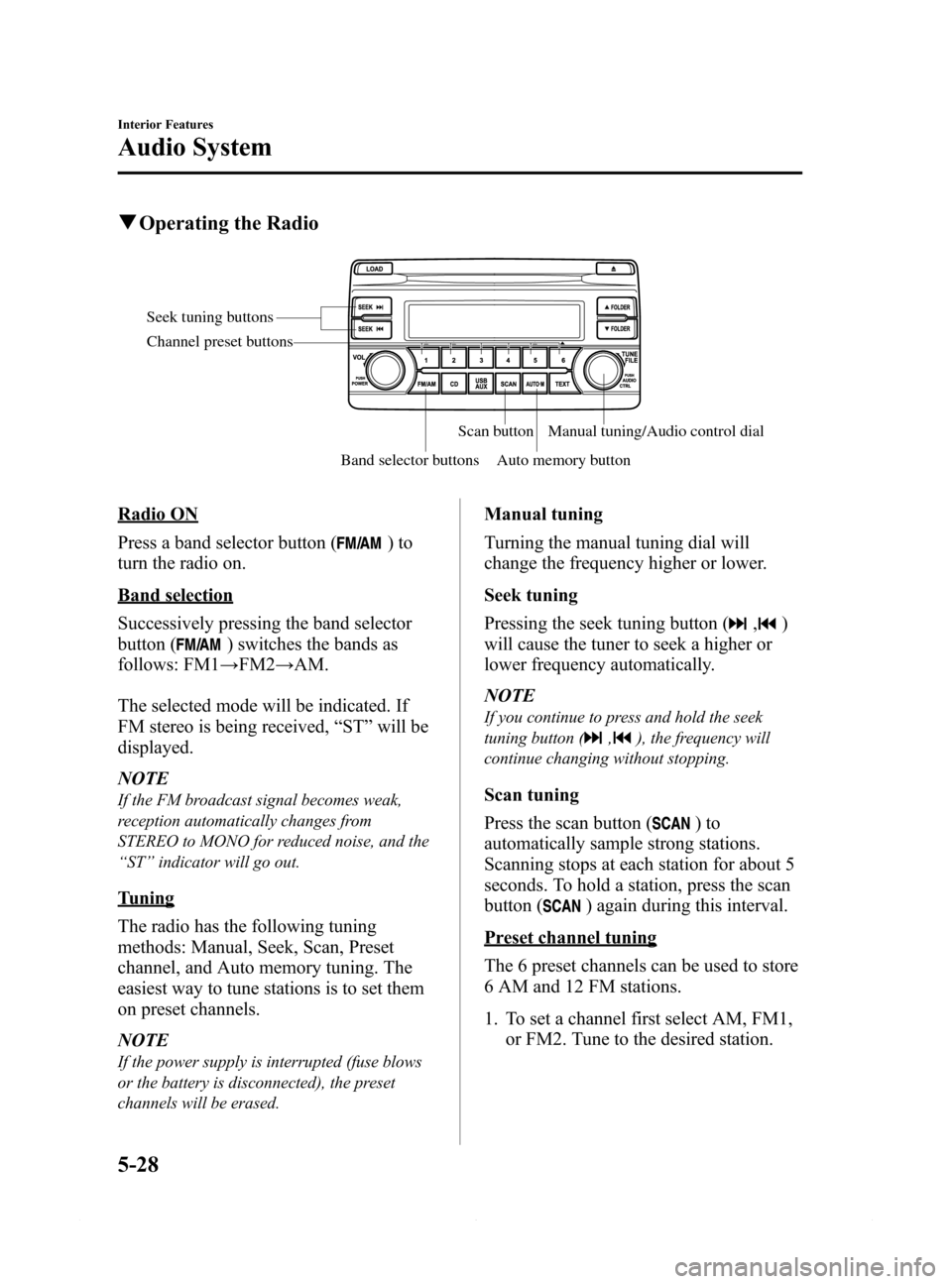
Seek tuning buttons
Band selector buttonsScan button
Auto memory buttonManual tuning/Audio control dial Channel preset buttons
Radio ON
Press a band selector button (
)to
turn the radio on.
Band selection
Successively pressing the band selector
button (
) switches the bands as
follows: FM1→FM2→AM.
The selected mode will be indicated. If
FM stereo is being received,“ST”will be
displayed.
NOTE
If the FM broadcast signal becomes weak,
reception automatically changes from
STEREO to MONO for reduced noise, and the
“ST”indicator will go out.
Tuning
The radio has the following tuning
methods: Manual, Seek, Scan, Preset
channel, and Auto memory tuning. The
easiest way to tune stations is to set them
on preset channels.
NOTE
If the power supply is interrupted (fuse blows
or the battery is disconnected), the preset
channels will be erased.
Manual tuning
Turning the manual tuning dial will
change the frequency higher or lower.
Seek tuning
Pressing the seek tuning button (
,)
will cause the tuner to seek a higher or
lower frequency automatically.
NOTE
If you continue to press and hold the seek
tuning button (
,), the frequency will
continue changing without stopping.
Scan tuning
Press the scan button (
)to
automatically sample strong stations.
Scanning stops at each station for about 5
seconds. To hold a station, press the scan
button (
) again during this interval.
Preset channel tuning
The 6 preset channels can be used to store
6 AM and 12 FM stations.
1. To set a channel first select AM, FM1,
or FM2. Tune to the desired station.
5-28
Interior Features
Audio System
Mazda6_8DQ8-EA-13L_Edition3 Page300
Friday, June 13 2014 6:22 PM
Form No.8DQ8-EA-13L
Page 303 of 576
Black plate (303,1)
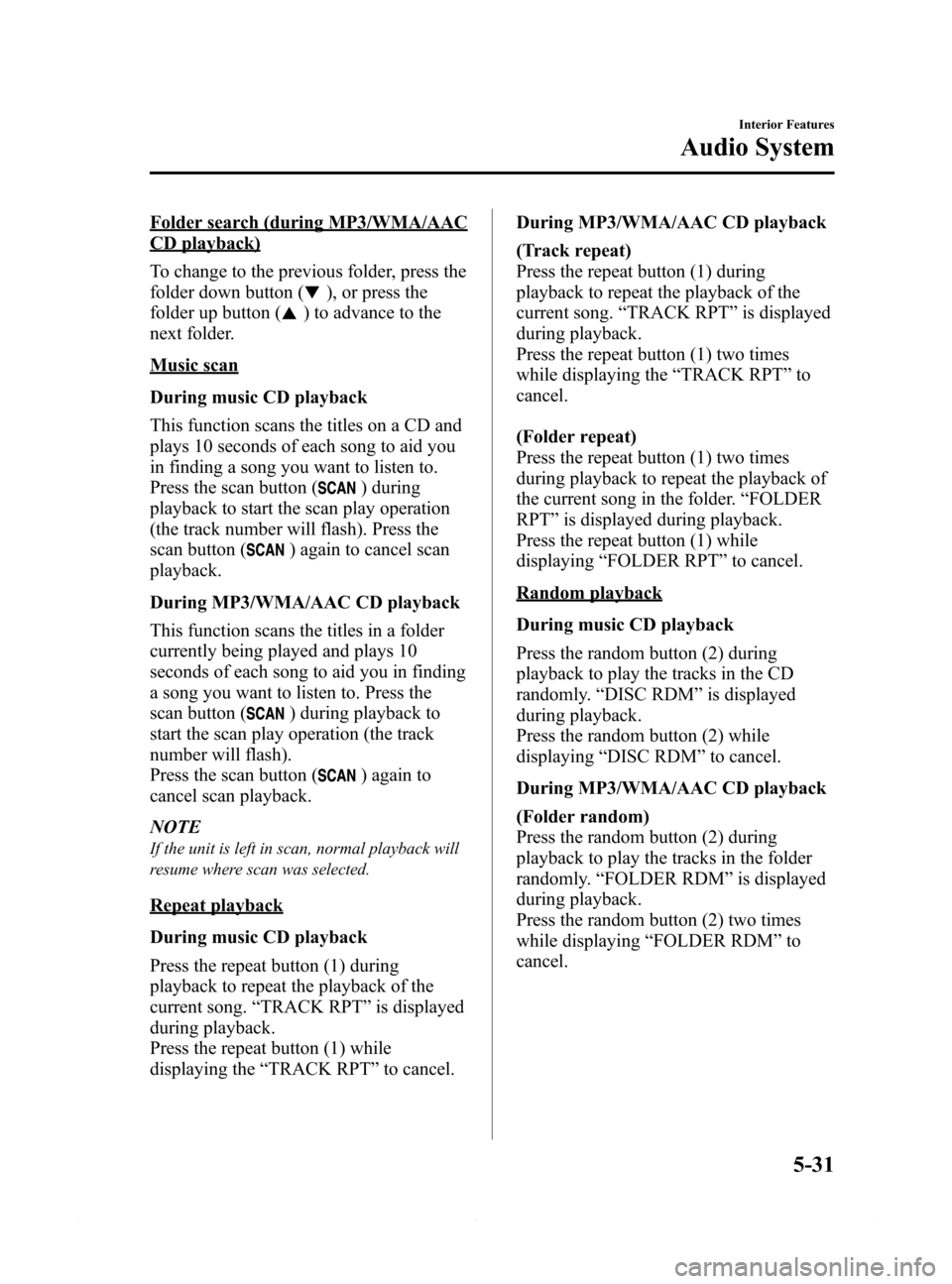
Folder search (during MP3/WMA/AAC
CD playback)
To change to the previous folder, press the
folder down button (
), or press the
folder up button (
) to advance to the
next folder.
Music scan
During music CD playback
This function scans the titles on a CD and
plays 10 seconds of each song to aid you
in finding a song you want to listen to.
Press the scan button (
) during
playback to start the scan play operation
(the track number will flash). Press the
scan button (
) again to cancel scan
playback.
During MP3/WMA/AAC CD playback
This function scans the titles in a folder
currently being played and plays 10
seconds of each song to aid you in finding
a song you want to listen to. Press the
scan button (
) during playback to
start the scan play operation (the track
number will flash).
Press the scan button (
) again to
cancel scan playback.
NOTE
If the unit is left in scan, normal playback will
resume where scan was selected.
Repeat playback
During music CD playback
Press the repeat button (1) during
playback to repeat the playback of the
current song.“TRACK RPT”is displayed
during playback.
Press the repeat button (1) while
displaying the“TRACK RPT”to cancel.During MP3/WMA/AAC CD playback
(Track repeat)
Press the repeat button (1) during
playback to repeat the playback of the
current song.“TRACK RPT”is displayed
during playback.
Press the repeat button (1) two times
while displaying the“TRACK RPT”to
cancel.
(Folder repeat)
Press the repeat button (1) two times
during playback to repeat the playback of
the current song in the folder.“FOLDER
RPT”is displayed during playback.
Press the repeat button (1) while
displaying“FOLDER RPT”to cancel.
Random playback
During music CD playback
Press the random button (2) during
playback to play the tracks in the CD
randomly.“DISC RDM”is displayed
during playback.
Press the random button (2) while
displaying“DISC RDM”to cancel.
During MP3/WMA/AAC CD playback
(Folder random)
Press the random button (2) during
playback to play the tracks in the folder
randomly.“FOLDER RDM”is displayed
during playback.
Press the random button (2) two times
while displaying“FOLDER RDM”to
cancel.
Interior Features
Audio System
5-31
Mazda6_8DQ8-EA-13L_Edition3 Page303
Friday, June 13 2014 6:22 PM
Form No.8DQ8-EA-13L
Page 308 of 576
Black plate (308,1)
qPower/Volume/Display/Sound Controls
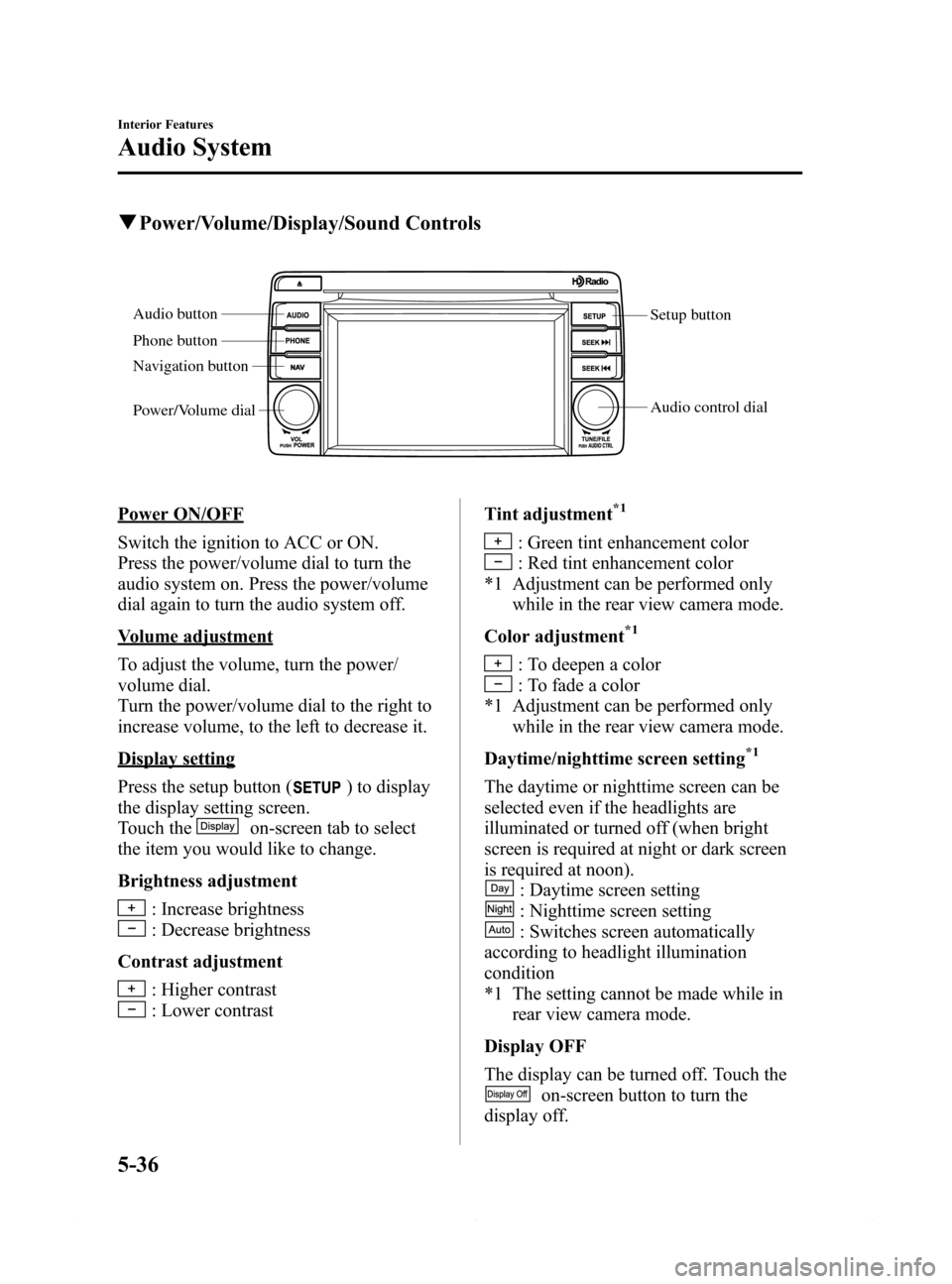
Setup button
Audio control dial Audio button
Phone button
Navigation button
Power/Volume dial
Power ON/OFF
Switch the ignition to ACC or ON.
Press the power/volume dial to turn the
audio system on. Press the power/volume
dial again to turn the audio system off.
Volume adjustment
To adjust the volume, turn the power/
volume dial.
Turn the power/volume dial to the right to
increase volume, to the left to decrease it.
Display setting
Press the setup button (
) to display
the display setting screen.
Touch the
on-screen tab to select
the item you would like to change.
Brightness adjustment
: Increase brightness
: Decrease brightness
Contrast adjustment
: Higher contrast
: Lower contrastTint adjustment
*1
: Green tint enhancement color
: Red tint enhancement color
*1 Adjustment can be performed only
while in the rear view camera mode.
Color adjustment
*1
: To deepen a color
: To fade a color
*1 Adjustment can be performed only
while in the rear view camera mode.
Daytime/nighttime screen setting
*1
The daytime or nighttime screen can be
selected even if the headlights are
illuminated or turned off (when bright
screen is required at night or dark screen
is required at noon).
: Daytime screen setting
: Nighttime screen setting
: Switches screen automatically
according to headlight illumination
condition
*1 The setting cannot be made while in
rear view camera mode.
Display OFF
The display can be turned off. Touch the
on-screen button to turn the
display off.
5-36
Interior Features
Audio System
Mazda6_8DQ8-EA-13L_Edition3 Page308
Friday, June 13 2014 6:22 PM
Form No.8DQ8-EA-13L
Page 309 of 576
Black plate (309,1)
The display can be turned back on as
follows:
lPress the audio button ()to
display the audio screen.
lPress the navigation button ()to
display the navigation screen (With
navigation system).
lPress the phone button ()to
display the Bluetooth®dial screen.lPress the setup button ()to
display the setup dial setting screen.
lPress the audio control dial to display
the setup sound setting screen.
lShift to the R position to change to the
rear view camera mode.
Shift to a position other than R to
return to the display off condition.
NOTE
The screen can also be turned off using voice
recognition.
Refer to Voice Recognition on page 5-83.
Display setting reset
All of the screen setting values can be
reset to their initial settings.
1. Touch the
on-screen button.
2. Touch the
on-screen button.
Audio sound adjustment
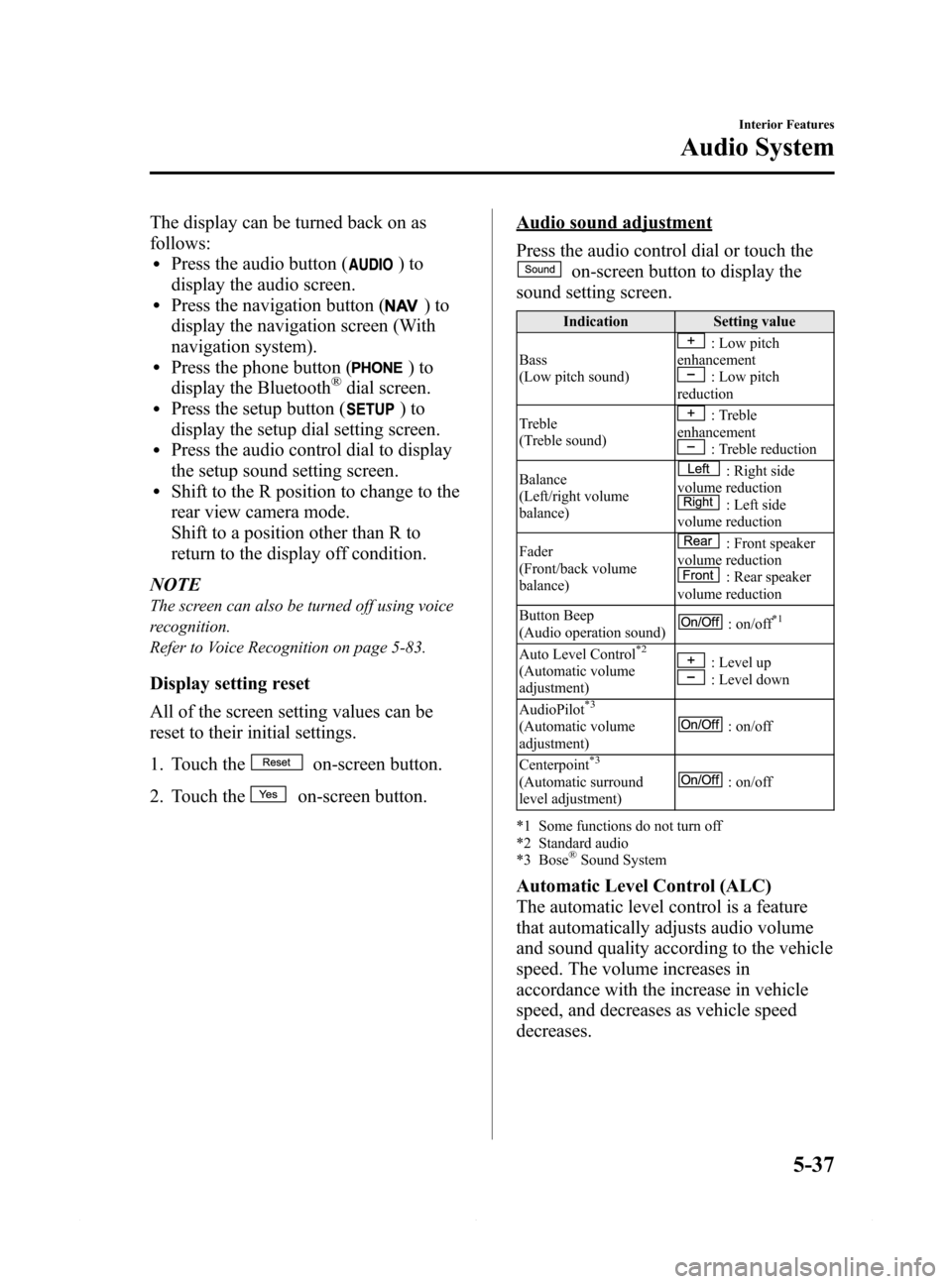
Press the audio control dial or touch the
on-screen button to display the
sound setting screen.
Indication Setting value
Bass
(Low pitch sound)
: Low pitch
enhancement
: Low pitch
reduction
Treble
(Treble sound)
: Treble
enhancement
: Treble reduction
Balance
(Left/right volume
balance)
: Right side
volume reduction
: Left side
volume reduction
Fader
(Front/back volume
balance)
: Front speaker
volume reduction
: Rear speaker
volume reduction
Button Beep
(Audio operation sound)
: on/off*1
Auto Level Control*2
(Automatic volume
adjustment): Level up: Level down
AudioPilot
*3
(Automatic volume
adjustment): on/off
Centerpoint
*3
(Automatic surround
level adjustment): on/off
*1 Some functions do not turn off
*2 Standard audio
*3 Bose
®Sound System
Automatic Level Control (ALC)
The automatic level control is a feature
that automatically adjusts audio volume
and sound quality according to the vehicle
speed. The volume increases in
accordance with the increase in vehicle
speed, and decreases as vehicle speed
decreases.
Interior Features
Audio System
5-37
Mazda6_8DQ8-EA-13L_Edition3 Page309
Friday, June 13 2014 6:22 PM
Form No.8DQ8-EA-13L
Page 312 of 576

Black plate (312,1)
qOperating the Radio
Seek tuning buttons
Manual tuning dial Audio button
Radio ON
(Connected Satellite Radio)
Press the audio button (
) and touch
the
on-screen tab.
(Unconnected Satellite Radio)
Press the audio button (
) and touch
the
oron-screen tab.
Band selection
(Connected Satellite Radio)
Touch the
on-screen tab to switch
the band as follows:
FM1→FM2→AM
NOTE
lis displayed when FM1 is selected,
is displayed when FM2 is
selected, and
is displayed when AM
is selected.
lIf the FM broadcast signal becomes weak,
reception automatically changes from
STEREO to MONO for reduced noise, and
the“STEREO”indicator will no longer
display.
(Unconnected Satellite Radio)
Touch the
on-screen tab to select
AM. Touch the
on-screen tab to
select FM1 and FM2.NOTE
lWhen FM1 is selected,is displayed.
When FM2 is selected,
is displayed.lIf the FM broadcast signal becomes weak,
reception automatically changes from
STEREO to MONO for reduced noise, and
the“STEREO”indicator will no longer
display.
Tuning
The radio has the following tuning
methods: Manual, Seek, Scan, Preset
channel, and Auto memory tuning. The
easiest way to tune stations is to set them
on preset channels.
NOTE
If the power supply is interrupted (fuse blows
or the battery is disconnected), the preset
channels will be erased.
Manual tuning
Turning the manual tuning dial will
change the frequency higher or lower.
NOTE
When anbroadcast is being
received, a receivable multicast channel is also
received.
5-40
Interior Features
Audio System
Mazda6_8DQ8-EA-13L_Edition3 Page312
Friday, June 13 2014 6:22 PM
Form No.8DQ8-EA-13L