ESP MERCEDES-BENZ M-CLASS SUV 2011 Manual PDF
[x] Cancel search | Manufacturer: MERCEDES-BENZ, Model Year: 2011, Model line: M-CLASS SUV, Model: MERCEDES-BENZ M-CLASS SUV 2011Pages: 389, PDF Size: 9.22 MB
Page 199 of 389
the turn si
gnal on the driver' sside is activa-
ted. If you wish to park in aspace on the driv-
er' ss ide, the indicator on the driver' sside
must remain on. This must remain switched
on until you acknowledge the use of Active
Parking Assist by pressin gthe a button
on the multifunction steeri ngwheel.
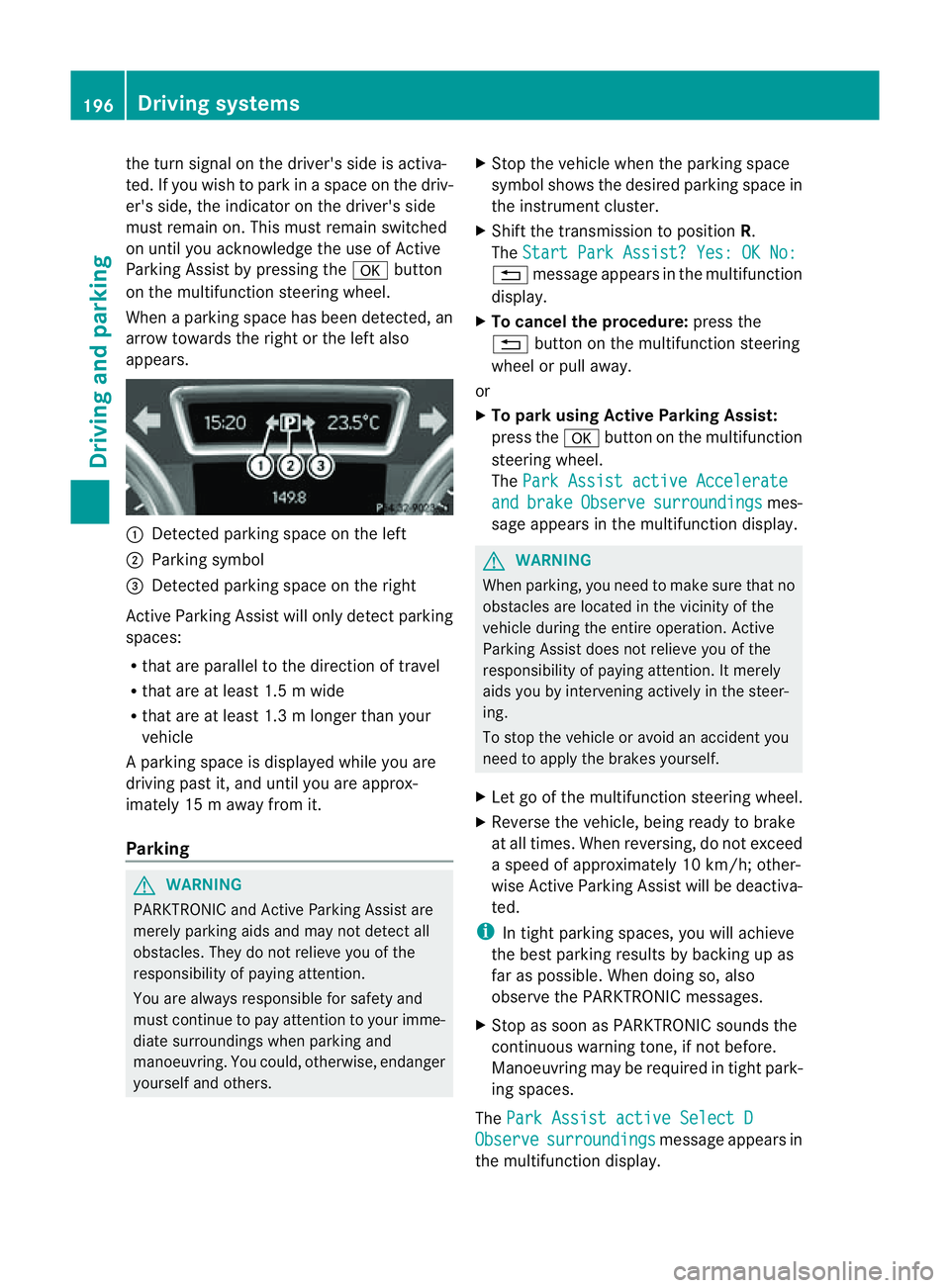
When aparking space has been detected, an
arrow towards the right or the left also
appears. :
Detected parking space on the left
; Parking symbol
= Detected parking space on the right
Activ eParking Assist will only detect parking
spaces:
R that are parallel to the direction of travel
R that are at least 1. 5mwide
R that are at least 1. 3mlonger than your
vehicle
Ap arking space is displayed while you are
driving past it, and until you are approx-
imately 15 maway from it.
Parking G
WARNING
PARKTRONI Cand Activ eParking Assist are
merely parking aids and may not detec tall
obstacles. They do not reliev eyou of the
responsibili tyof paying attention.
You are alway sresponsible for safet yand
must continue to pay attention to your imme-
diate surroundings whe nparking and
manoeuvring. You could, otherwise, endanger
yourself and others. X
Stop the vehicle when the parking space
symbol shows the desired parking space in
the instrumen tcluster.
X Shif tthe transmission to position R.
The Star tPark Assist? Yes: OK No: %
message appe arsint he multifunction
display.
X To cancel th eprocedure: press the
% button on the multifunction steering
whee lorp ull away.
or
X To par kusing Active Parking Assist:
press the abutton on the multifunction
steeri ngwheel.
The Park Assist active Accelerate and brake Observe surroundings mes-
sage appears in the multifunction display. G
WARNING
When parking, you need to make sure that no
obstacles are located in the vicinit yofthe
vehicle during the entire operation .Active
Parkin gAssist does not reliev eyou of the
responsibilit yofpaying attention. It merely
aids you by intervenin gactivel yinthe steer-
ing.
To stop the vehicle or avoid an accident you
need to apply the brakes yourself.
X Let go of the multifunction steerin gwheel.
X Reverse the vehicle, being ready to brake
at all times. When reversi ng,don ot exceed
as peed of approximately 10 km/h; other-
wise Active Parking Assist will be deactiva-
ted.
i In tight parking spaces, you will achieve
the best parking result sbybackingupas
far as possible .When doing so, also
observe the PARKTRONIC messages.
X Stop as soon as PARKTRONIC sound sthe
continuous warnin gtone, if not before.
Manoeuvring ma yberequired in tight park-
ing spaces.
The Park Assist active Select D Observe surroundings message appear
sin
the multifunction display. 196
Drivin
gsystemsDrivin gand parking
Page 200 of 389
X
Shift the transmissio ntoposition Dwhile
the vehicle is stationary.
Active Parkin gAssist immediately steer sin
the othe rdirection.
The Park Assist active Accelerate and brake Observe surroundings mes-
sage appears in the multifunction display.
i You will achieve the best parkin gresults
by waiting for the steerin gprocedure to
complete before moving forwards.
X Drive forward sand be ready to brake at all
times.
X Stop as soon as PARKTRONIC sounds the
continuou swarning tone, if not before.
The Park Assist active Select R Observe surroundings message appears in
the multifunc tion display.
X Further transmission shift smay be neces-
sary.
As soon as the parking procedure is com-
plete, the Park Assist switched off mes-
sage appears in the multifunc tion display.
PARKTRONIC con tinues to be available.
X Manoeuvre if necessary.
X Always observe the warning message sdis-
played by PARKTRONI C(Ypage 192).
Cancell ingA ctive Parking Assist You can cancel Active Parking Assist at any
time.
X Stop the movemen tofthe multifunc tion
steerin gwheel or steer yourself.
Ac tive Parkin gAssist will be cancelled at
once. The Park Assist cancelled mes-
sage appears in the multifunc tion display.
or
X Press the PARKTRONIC button on the
cen trec onsole (Y page 192).
PARKTRONIC is switched off and Active
Parkin gAssist is immediately cancelled.
The Park Assist cancelled message
appears in the multifunc tion display. Active Parkin
gAssist is cancelled automati-
cally if:
R parkin gusing Ac tive Parkin gAssist is no
longe rpossible.
R you ar edriving faster than 10 km/h.
R aw heel spins and ESP ®
intervenes or fails.
The ä warnin glamp lights up in the
instrument cluster.
Aw arning ton esounds. The par king spa ce
sym boldisappear sand the ParkA ssist cancelled messag
eappear sinthe multi-
functio ndisplay.
When Activ eParking Assist is cancelled, you
must steer again yourself.
Towing atrailer For vehicles with
atrailer to whitch, the min-
imum length for parking spaces is slightly
increased.
If yo uhavea ttache datrailer to your vehicle,
yo us houl dnot us eActiv eParking Assist.
Once the electrica lconnection is established
between your vehicl eand the trailer, Active
Parking Assist is no longer available .PARK-
TRONIC is deactivated for the rear area. Reversin
gcamera
Important safety notes Th
er eversing camera is an optica lparking
and manoeuvring aid. It shows the area
behind your vehicle with guide lines in the
COMAND displ ay. G
WARNING
Make sure tha tnopersons or animals are in
the manoeuvring range. Otherwise, they
could be injured.
The reversing camera is in the handle on the
tailgate. Driving systems
197Drivingand park ing Z
Page 201 of 389
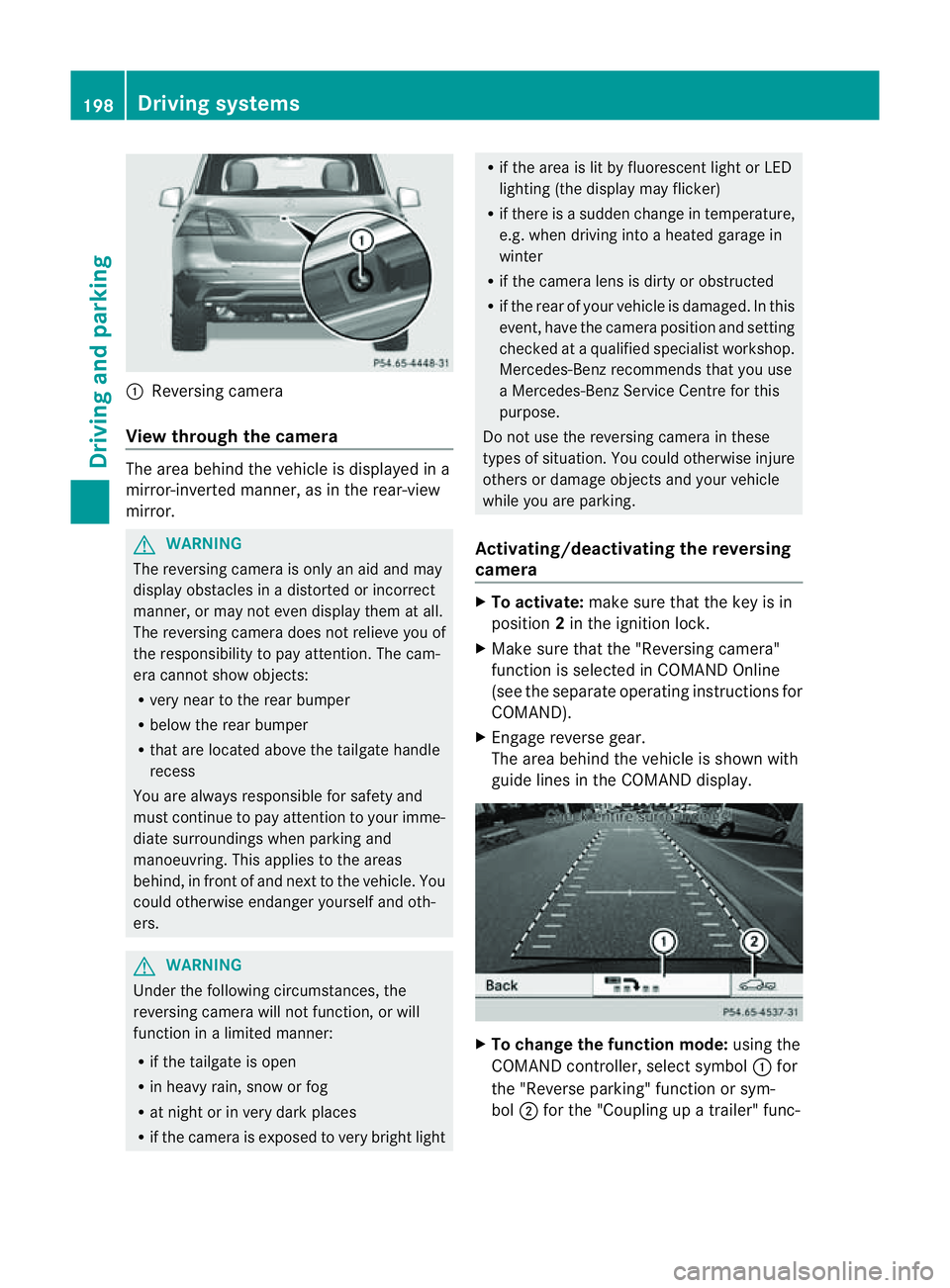
:
Reversin gcamera
View through th ecamera Th
ea rea behind the vehicle is displaye dina
mirror-inverted manner, as in the rea r-view
mirror. G
WARNING
The reversin gcamera is only an aid and may
display obstacles in adistorted or incorrect
manner, or may no teven display them at all.
Th er eversing camera does not relieve you of
the responsibility to pay attention. The cam-
era cannot show objects:
R ver ynear to the rear bumper
R belo wthe rea rbumper
R that are located above the tailgate handle
recess
You are alway sresponsible for safet yand
must continue to pay attentio ntoyourimme-
di at es urroundings when parking and
manoeuvring. This applie stothe areas
behind, in front of and nex ttothe vehicle. You
coul dotherwise endang er yourself and oth-
ers. G
WARNING
Under the following circumstances, the
reversing camera will not function, or will
function in alimited manner:
R if the tailgate is open
R in heavy rain, snow or fog
R at night or in very dark places
R if the camer aisexposed to very brigh tlight R
if the area is lit by fluorescen tlight or LED
lighting (the display may flicker)
R if there is asudden change in temperature,
e.g. when driving into aheated garage in
winter
R if the camera lens is dirt yorobstruc ted
R if the rear of your vehicle is damaged. In this
event ,have the camera positio nand setting
checked at aqualified specialist workshop.
Mercedes-Benz recommends that you use
aM ercedes-Benz Servic eCentr efor this
purpose.
Do not use the reversin gcamera in these
types of situation. You could otherwise injure
others or damage objects and your vehicle
while you are parking.
Activating/deactivating the reversing
camera X
To activate: make sure that the key is in
position 2in the ignition lock.
X Make sure that the "Reversing camera"
function is selected in COMAND Online
(see the separate operating instructions for
COMAND).
X Engage reverse gear.
The area behind the vehicle is shown with
guide lines in the COMAND display. X
To change the function mode: using the
COMAND controller, select symbol :for
the "Reverse parking" function or sym-
bol ;for the "Coupling up atrailer" func- 198
Dri
ving systemsDriving and parking
Page 203 of 389
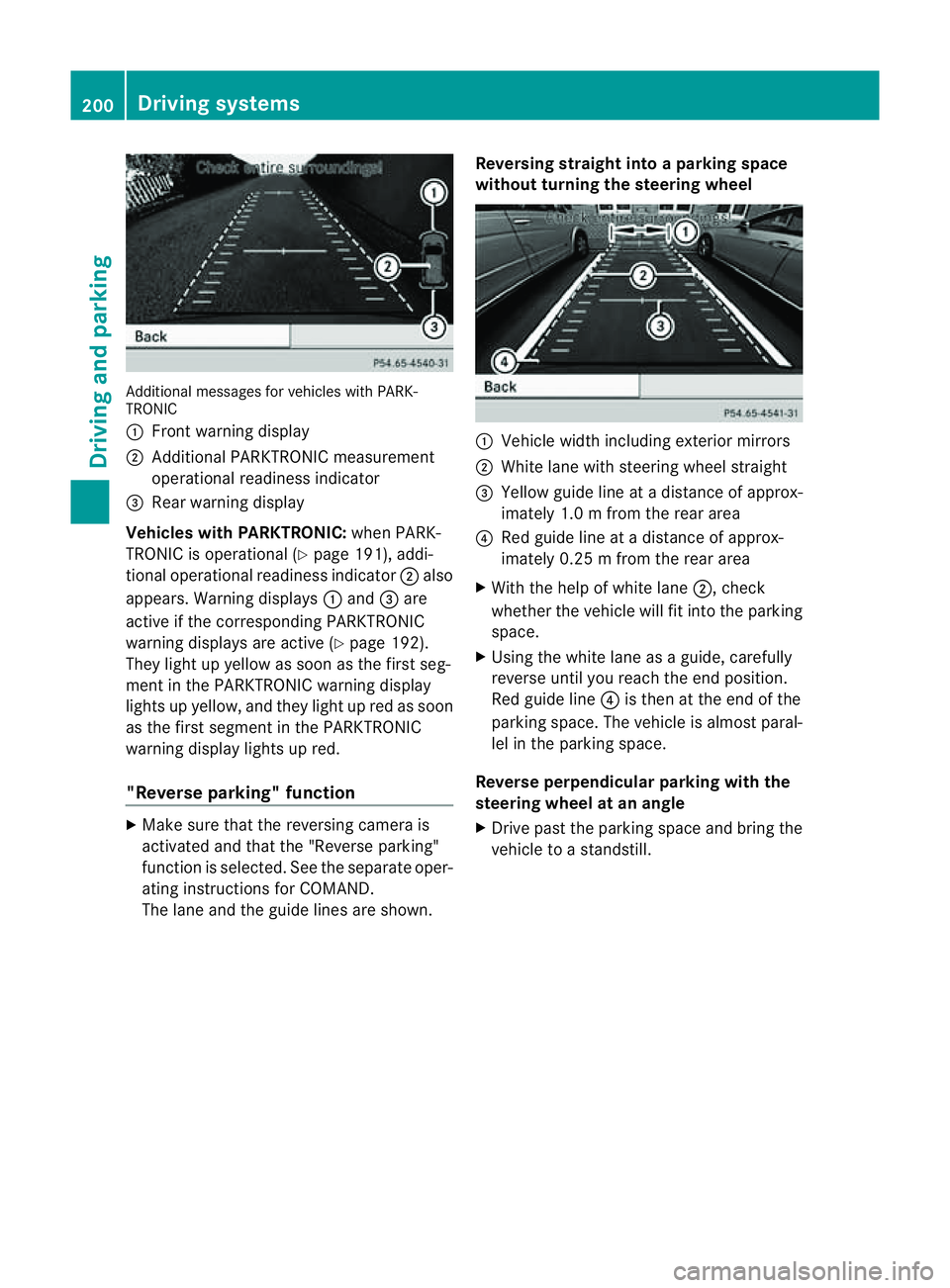
Additiona
lmessages for vehicles with PARK-
TRONIC
: Fron twarning display
; Additiona lPARKTRONIC measurement
operationa lreadiness indicator
= Rear warning display
Veh icleswithP ARKTRONIC: when PARK-
TRONIC is operationa l(Y page 191), addi-
tional operat iona lreadiness indicator ;also
appears. Warning displays :and =are
active if the corresponding PARKTRONIC
warning displays are active (Y page 192).
They ligh tupy ellow as soon as th efirst seg-
men tint he PARKTRONIC warnin gdisplay
lights up yellow, and they light up red as soon
as the first segment in the PARKTRONIC
warnin gdispla ylights up red.
"Reverse parking" function X
Make sure that the reversing camera is
activated and that the "Reverse parking"
func tion is selected. See the separate oper-
atin ginstructions for COMAND.
The lane and the guid elines are shown. Reversing straight into
aparking space
without turnin gthe steering wheel :
Vehicl ewidth including exterior mirrors
; White lane with steering wheel straight
= Yellow guide line at adistance of approx-
imately 1.0 mfrom th erear area
? Red guide line at adistance of approx-
imately 0.2 5mfrom th erear area
X With the help of white lane ;,check
whether the vehicle will fit int othe parking
space.
X Using the white lan easaguide, carefully
reverse until you reach the end position.
Red guide line ?is then at the end of the
parking space. The vehicle is almost paral-
lel in the parking space.
Reverse perpendicular parking with the
steering wheel at an angle
X Drive past the parking space and bring the
vehicle to astandstill. 200
Drivin
gsystemsDrivin gand parking
Page 205 of 389
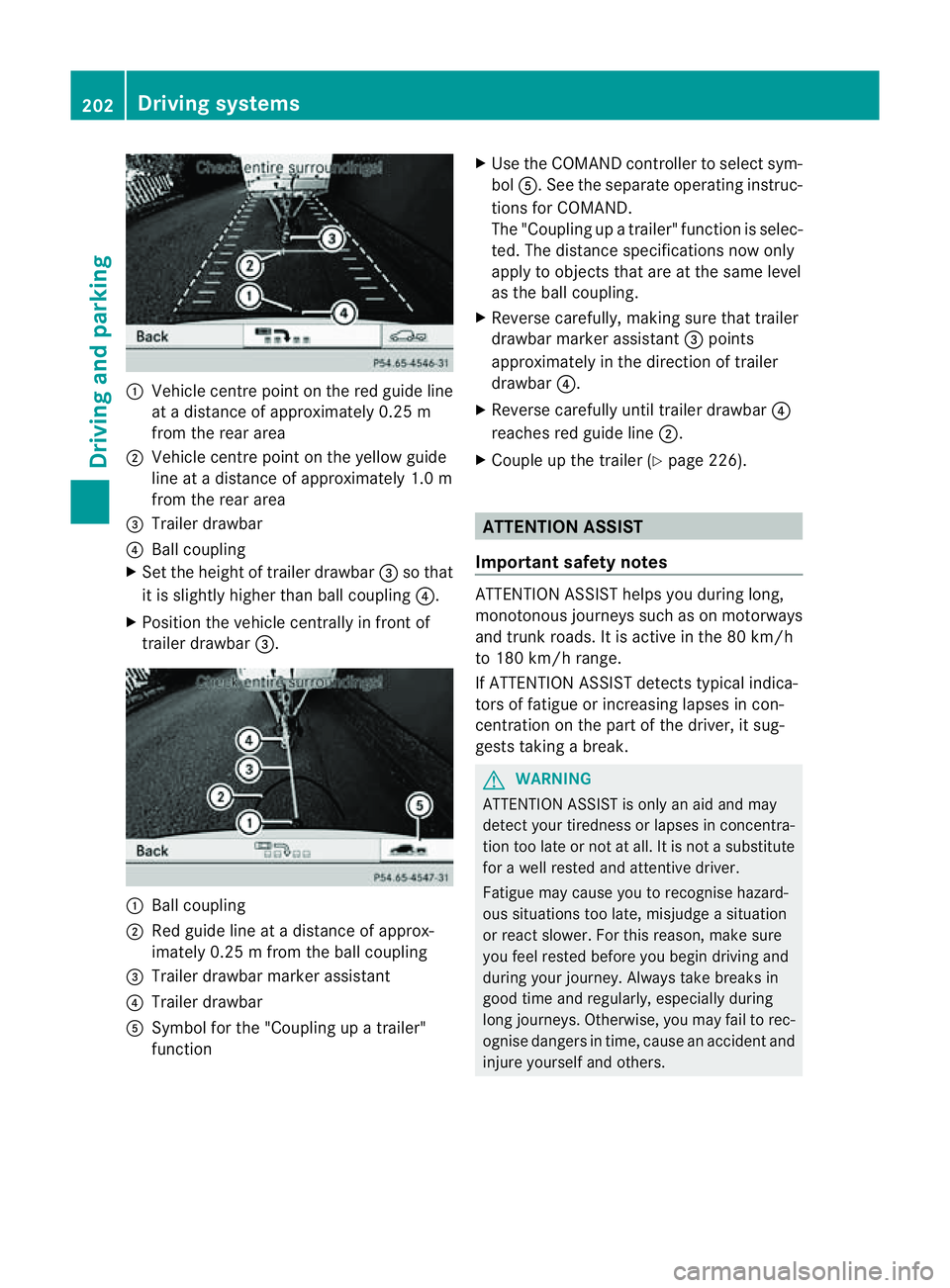
:
Vehicl ecentr epoint on the red guide line
at ad istance of approxim ately0.25 m
from the rear area
; Vehicl ecentr epoint on the yellow guide
line at adistance of approxim ately1.0 m
from the rear area
= Trailer drawbar
? Ball coupling
X Set the heigh toftrailer drawbar =so that
it is slightly higher than ball coupl ing?.
X Posi tion the vehicle centrally in front of
trailer drawbar =. :
Ball coupling
; Red guid eline at adistance of approx-
imately 0.2 5mfrom th eball coupling
= Trailer drawbar marker assistant
? Trailer drawbar
A Symbol for the "Coupling up atrailer"
function X
Use th eCOMAN Dcontroller to select sym-
bol A.S ee the separate operatin ginstruc-
tions for COMAND.
The "Coupling up atrailer" functio niss elec-
ted. The distan cespecifi cations now only
apply to obje ctst hat ar eatthe sam elevel
as the ball coupling.
X Reverse carefully, makin gsure that trailer
drawbar marker assistant =points
approximately in the direction of trailer
drawbar ?.
X Reverse carefully until trailer drawbar ?
reaches red guide line ;.
X Couple up the trailer (Y page 226). ATTENTION ASSIST
Important safet ynotes ATTENTION ASSIS
Thelps you during long,
monotonous jour neys such as on motorways
and trun kroads. It is active in the 80 km /h
to 180 km/ hrange.
If ATTENTION ASSIS Tdetects typical indica-
tors of fatigue or inc reasing lapses in con-
centration on the part of the driver, it sug-
gests takin gabreak. G
WARNING
ATTENTIO NASSIST is only an aid and may
detec tyour tiredness or lapses in concentra-
tion too late or not at all. It is not asubstitute
for aw ell reste dand attentiv edriver.
Fatigue may cause you to recognise hazard-
ou ss ituations to olate ,misjudge asituation
or reac tslower .For this rea son, make sure
you fee lreste dbefore you begin driving and
duri ngyour jour ney. Always tak ebreaks in
good time and regularly ,especiall yduring
long jour neys. Otherwise ,you may fai ltorec-
ognise danger sintime, caus eanaccidentand
injur eyours elfa nd others. 202
Driving systemsDriving and
parking
Page 208 of 389
R
you leave or enter atow n.
R the roa dtypec hanges (e.g. mot orway,
country road).
R yo uh avet ravelle dacertainminimum dis-
tance withou tthe traffic sign being repea-
ted or detected again.
X Display Speed Limi tAssist usin gthe on-
boar dcomputer (Y page 244).
i You can also activat eSpeed Limit Assist
using COMAND Online. The maximum per-
missible speed is shown in the COMAND
display; see the COMAND operating
instruc tions. Nigh
tView Assist Plus
Important safet ynotes In addition to the illumination provided by the
normal headlamps, Night View Assist Plus
uses infrared light to illuminat
ethe road. The
Night View Assist Plus camer apicksupt he
infrared light and displays amonochrome
image in COMAND. The image displayed in
COMAN Dcorresponds to aroad lit up by
main-beam headlamps. This enables you to
see the road's course and any obstacles in
good time. When pedestrian recognition is
active, pedestrians recognised by the system
ar eh ighlighted in the Night View Assist Plus
display. G
WARNING
Night View Assist Plus is only an aid designed
to assist driving and does not relieve you of
the responsibility to pay attention. Continue
to look through the windscreen instead of
relyin gont he Night View Assist Plus display.
You ar eresponsible for safet yand must drive
in accordance with traffic conditions .You
coul dotherwis eendange ryoursel fand oth-
ers. The system may be impaired or may not func-
tion if:
R there is poo rvisibility, e.g. due to snow,
rain, fog or spray.
R the windscreen is dirty, misted up or cov-
ered, for instance by asticker, in the vicinity
of the camera.
R on bends ,onuphill gradients or downhill
gradients.
Light from the headlamps of oncoming vehi-
cles does not affect the Night View Assist Plus
display in the multifunction display. This is
also the case if you cannot switch on the
main-beam headlamps due to oncomin gtraf-
fic. G
WARNING
Night View Assis tPlus does not detect
object sinthe immediat evicinity of the vehi-
cle. Look through the windscreen when
manoeuvring. Make sure that there are no
people or animals in the area in which you are
manoeuvring.
i Infrared light is not visible to the human
eye and therefore does not dazzle. Night
View Assist Plus can therefore remain
switched on even if there is oncomin gtraf-
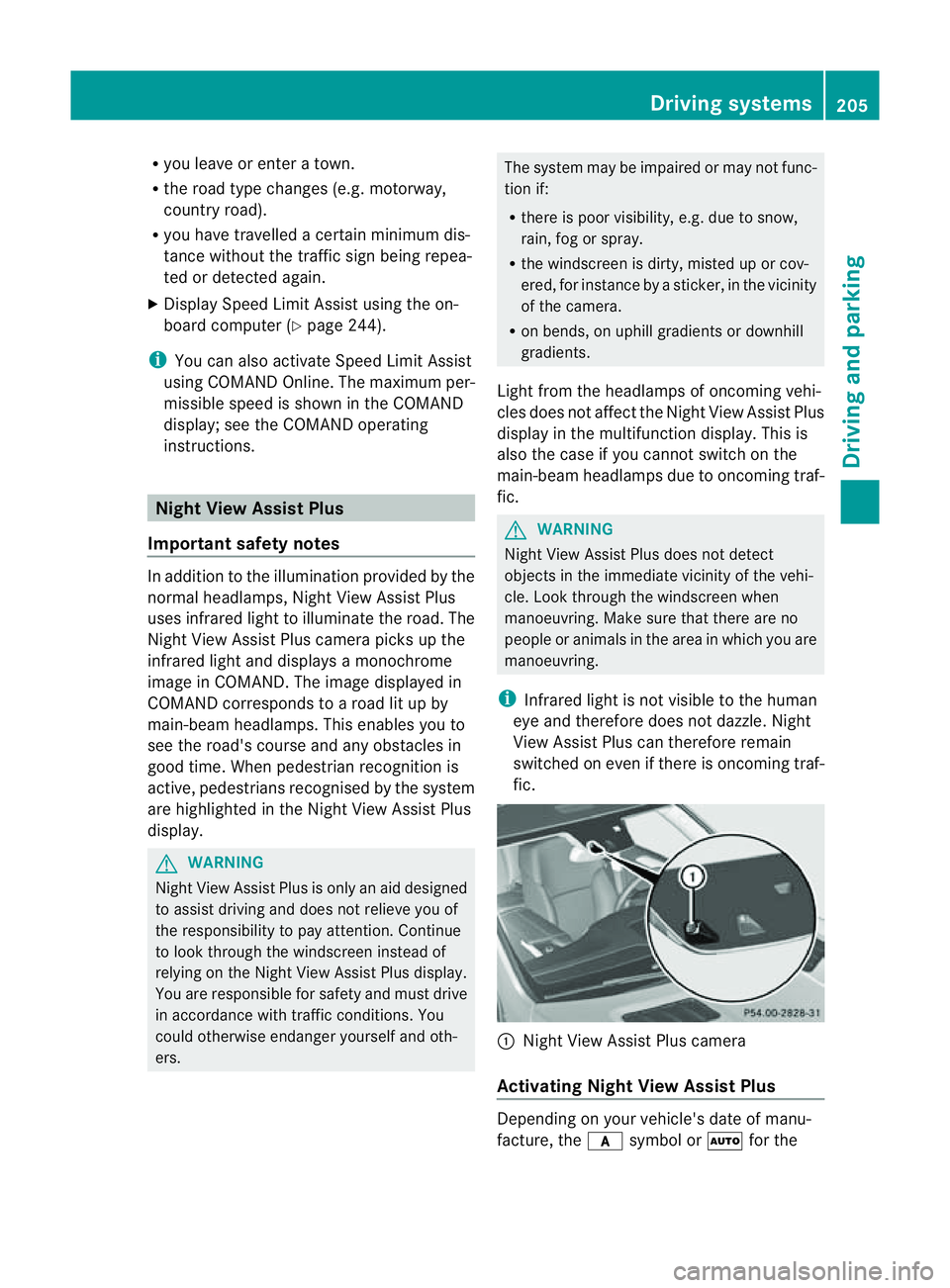
fic. :
Night Vie wAssist Plus camera
Activating Nigh tView Assist Plus Depending on your vehicle'
sdate of manu-
facture, the csymbol or Ãfor the Driving systems
205Drivingand parking Z
Page 211 of 389
Problems wit
hNight View Assist Plus Problem Possible causes/consequences and
M Solutions
The pictur
equality of
Night View Assis tPlus
has deteriorated. The windscreen wipers are smearin
gthe windscreen.
X Replace the wiper blades (Y page 117). The windscreen is smeared after the vehicle has been cleaned in
ac ar wash.
X Clea nthe windscreen (Y page 326). There is windscreen chip damage in the camera's field of vision.
X Replace the windscreen. The windscreen is misted up on the inside.
X Demist the windscreen (Y page 128). The windscreen is iced up.
X De-ice the windscreen (Y page 127). There is dir
tonthe insid eofthe windscreen.
X Clean the insid eofthe windscreen (Y page 326). Lan
eTracking package
General notes The Lane Tracking package consis
tsof Blind
Spot Assist (Y page 208) and Lane Keeping
Assist (Y page 210).
Blind Spot Assist Important safety notes
Blin dSpot Assist uses aradar senso rsystem
to monitor the areas on both side sofyour
vehicle. It supports you from speeds of
30 km/h. Awarning displ ay inthee xterior
mirrors draws your attention to vehicles
detected in the monitored area. If you then
switch on the corresponding turn signal to
chang elane, you will also receive an optical
and audible collisio nwarning. For monitoring,
Active Blind Spot Assis tuses sensor sinthe
rea rbumper. G
WARNING
Blind Spot Assis tiso nly an aid designe dto
assis tdriving. It may fail to detec tsome vehi-
cles and is no substitute for attentive driving.
Blin dSpot Assist cannot detect road and traf-
fic conditions. It may fail to detect narrow
vehicles, such as motor cycles or bicycles ,or
only detec tthem too late.
Monitorin gmay be affected by dirty sensors,
stron gspray or poor visibility caused by snow,
rain or mist, for example. In this case, vehicles
are detected late or not at all.
Alway spay attention to traffic conditions and
your surroundings. Otherwise ,you may fai lto
recognise dangers in time ,cause an accident
and injure yourself and others.
The radar senso rsystem is automatically
deactivated near radio telescope facilities
(Y page 380).
For Blind Spot Assist to assist you when driv-
ing, the radar sensor syste mmust be activa-
ted (Y page 249 )and operational. 208
Drivin
gsystemsDrivin gand parking
Page 212 of 389
Mon
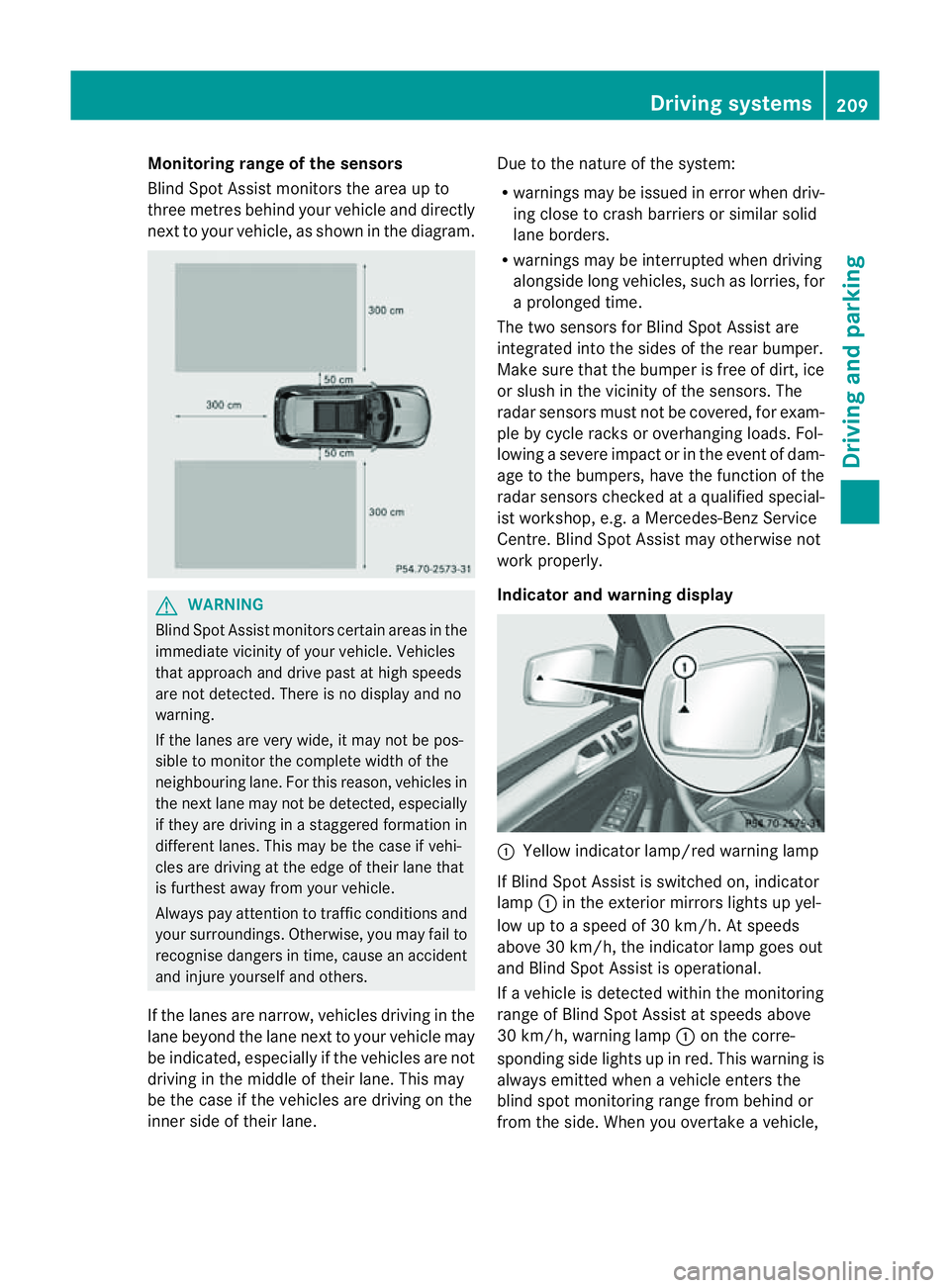
itoring range of the sensors
Blind Spot Assist monitors the area up to
three metres behind you rvehicle and direc tly
next to you rvehicle, as shown in the diagram. G
WARNING
Blin dSpot Assist monitors cer tain areas in the
immediate vicinit yofyour vehicle. Vehicles
that approach and driv epast at high speeds
are not detected. There is no display and no
warning.
If the lanes are very wide, it may not be pos-
sible to monitor the complete width of the
neighbouring lane. For this reason, vehicles in
the next lane may not be detected, especially
if they are driving in astaggered formation in
different lanes .This ma ybethe case if vehi-
cles ar edriving at th eedge of their lane that
is furthest away from your vehicle.
Alway spay attention to traffic conditions and
your surroundings. Otherwise ,you may fai lto
recognis edangers in time, cause an accident
and injure yourself and others.
If the lanes are narrow, vehicles driving in the
lane beyond the lane next to your vehicle may
be indicated, especially if the vehicles are not
driving in the middle of their lane. This may
be the case if the vehicles are driving on the
inner side of their lane. Due to the nature of the system:
R
warnings may be issue dine rror when driv-
ing close to cras hbarriers or similar solid
lane borders.
R warnings may be interrupted when driving
alongside long vehicles, such as lorries, for
ap rolonged time.
Th et wo sensors for Blind Spot Assist are
integrated into the sides of the rear bumper.
Make sure that the bumper is free of dirt, ice
or slush in the vicinit yofthe sensors. The
radar sensor smust not be covered, for exam-
ple by cycle racks or overhanging loads .Fol-
lowin gasevereimpact or in th eevent of dam-
ag etot he bumpers, hav ethe func tion of the
radar sensor schecked at aqualified special-
ist workshop, e.g. aMercedes-Ben zService
Cent re.B lind Spot Assist may otherwise not
work properly.
Indicator and warning display :
Yellow indicator lamp/red warnin glamp
If Blind Spot Assis tiss witched on, indicator
lamp :in the exterior mirror slights up yel-
low up to aspeed of 30 km/h. At speeds
above 30 km/h, the indicator lamp goes out
and Blin dSpot Assist is operational.
If av ehicle is detected within the monitoring
range of Blin dSpot Assist at speeds above
30 km/h, warning lamp :on the cor re-
spondi ngside light supinred. This warning is
always emit tedw hen avehicle enters the
blind spot monitorin grange from behind or
from the side. When you overtake avehicle, Driving systems
209Drivingand parking Z
Page 214 of 389
G
WARNING
Lane Keeping Assis tdoes not keep your vehi-
cle in its lane. It is only an aid and may detect
the lane markings on the road incorrectly or
not at all.
The system may be impaired or may not func-
tion if:
R there is poor visibility, e.g. due to insuffi-
cient illumination of the road, or due to
snow, rain, fog or spray.
R there is glare, e.g. from oncoming traffic,
the sun, or reflection from other vehicles.
R the windscreen is dirty, misted up or cov-
ered, for instance by asticker, in the vicinity
of the camera
R several or no lane markings for asingle lane
are present.
R the lane markings are worn away, dark or
covered up, e.g. by dirt or snow.
R the distanc etothe vehicle in fron tistoo
smal land the lane markings thus cannot be
detected.
R the lane markings on the road are unclear,
e.g. near roadworks.
R the lane markings change quickly ,e.g.
lanes branch off, cross one another or
merge.
R the road is narrow and winding.
Lane Keeping Assist cannot detect road and
traffic conditions. It is not asubstitute for
attentive driving. You are responsible for the
vehicle's speed, braking in good time, and
steering correctly. Always adapt your driving
style to suit the prevailing road and weather
conditions. Always pay attention to traffic
conditions and your surroundings. Otherwise,
you may fail to recognise dangers in time,
cause an accident and injure yourself and oth-
er s.
Aw arning may be given if afront wheel
pass esover alane marking. It will warn you
by mean sofintermitten tvibration in the
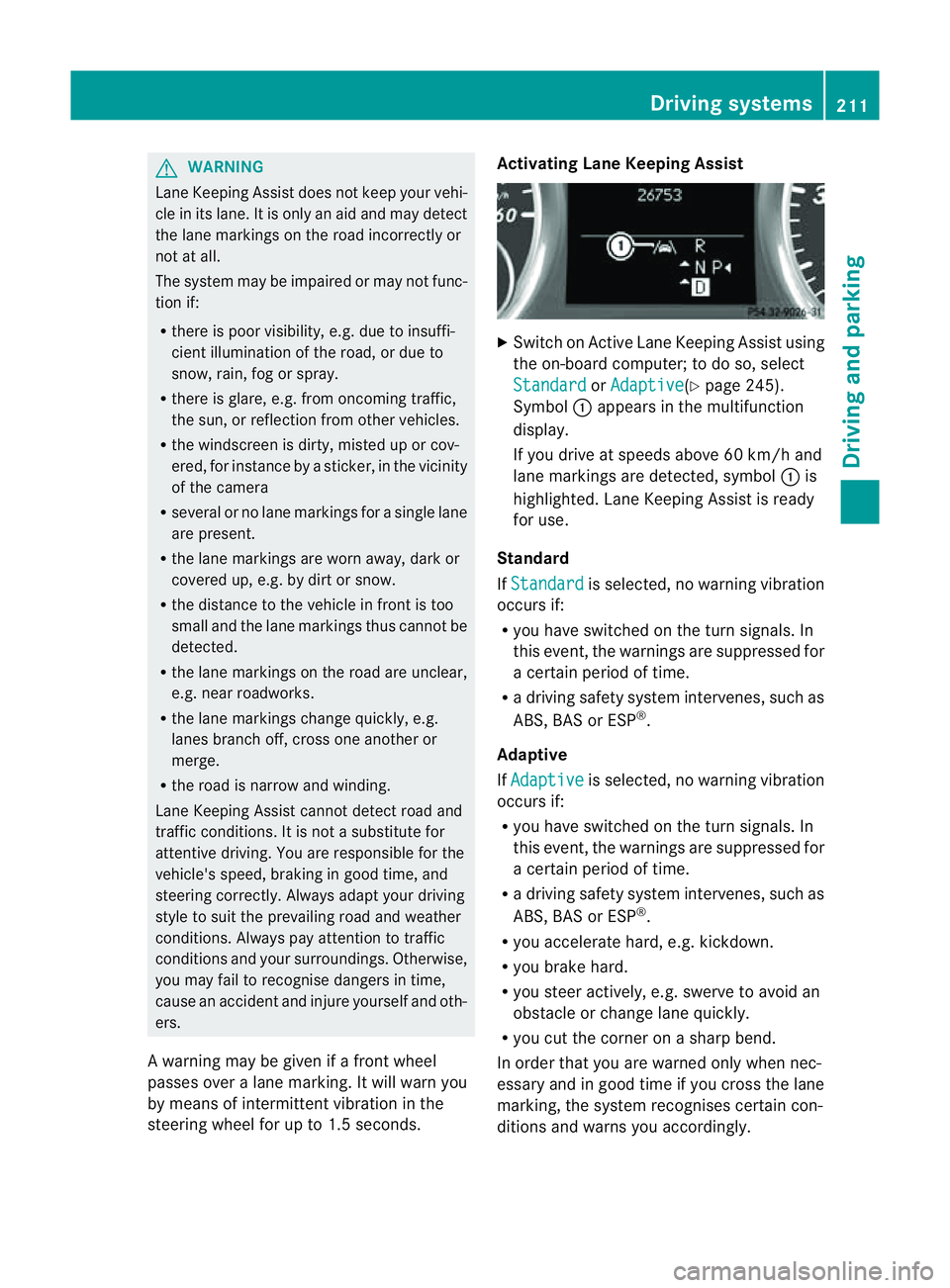
steerin gwheel for up to 1. 5seconds. Activating Lane Keeping Assist
X
Swit chon Activ eLane Keeping Assis tusing
the on-boar dcompu ter;to do so, select
Standa rd or
Adapti ve (
Y page 24 5).
Symbol :appears in the multifunction
display.
If you drive at speed sabove 60 km/ hand
lane markings are dete cted, symbol :is
highlighted. Lan eKeeping Assist is ready
for use.
Standard
If Standa rd is selected, no warnin
gvibration
occur sif:
R you have switche donthe tur nsignals. In
this event ,the warnings ar esuppressed for
ac ertain period of time.
R ad riving safety system intervenes, such as
ABS, BAS or ESP ®
.
Adaptive
If Adaptive is selected, no warning vibration
occurs if:
R yo uh ave switched on the turn signals .In
this event ,the warnings ar esuppressed for
ac ertain period of time.
R ad riving safety system intervenes, such as
ABS, BAS or ESP ®
.
R yo ua ccelerate hard ,e.g. kickdown.
R you brake hard.
R you steer actively, e.g. swerve to avoid an
obstacle or chang elane quickly.
R you cut the corner on ashar pbend.
In order that you are warned only when nec-
essary and in good tim eifyou cross the lane
marking, the system recognises cer tain con-
ditions and warns you accordingly. Drivin
gsystems
211Drivingand park ing Z
Page 215 of 389
The warnin
gvibration occur searlier if:
R you approach the outer lane markin gona
bend.
R the road has ver ywide lanes, e.g. amotor-
way.
R the system recognises solid lane markings.
The warnin gvibration occur slater if:
R the road has narrow lanes.
R you cut the corner on abend. Active Driving Assistance package
General notes The Active Drivin
gAssistanc epackage con-
sists of DISTRONIC PLUS (Y page 174), Active
Blind Spot Assis t(Ypage 212) and Active
Lan eKeeping Assist (Y page 215).
Active Blind Spot Assist Important safety notes
Active Blin dSpot Assist uses aradar sensor
system to monitor the side areas of your vehi-
cle which are in back of the driver. Awarning
display in the exter iormirror sdraws your
attention to vehicles detected in the moni-
tored area. If you then switch on the corre-
sponding turn signal to change lane, you will
also receive an optical and audible collision
warning. If arisk of lateral collision is detec-
ted, corrective brakin gmay help you avoid a
collision. To support the course-correcting
brake application, Active Blind Spot Assist
also uses the forward-facin gradar senso rsys-
tem. Active Blind Spot Assist supports you
from aspeed of approximately 30 km/h. G
WARNING
Active Blin dSpot Assist is only an aid and may
detect vehicles/obstacles incor rectly or not
at all. Th
es ystem may be impaired or may not func-
tion if:
R there is poo rvisibility, e.g. due to snow,
rain, fog or spray.
R the rear and/or fron tsensors are dirty.
Active Blin dSpot Assist may not detect nar-
row vehicles, such as motor cycles or bicycles,
or only detect the mtoo late. It can notd etect
vehicles which are overtaken at asmall dis-
tance and then enter th eblind spot area.
Active Blind Spot Assist cannot detect road
and traffic conditions. It is not asubstitute for
attentive driving. You are responsible for the
vehicle's speed, braking in good time, and
steering correctly. Always adapt your driving
style to suit the prevailing road and weather
conditions. Always pay attention to traffic
conditions and your surroundings. Otherwise,
you may fail to recognise dangers in time,
cause an accident and injure yourself and oth-
ers.
The radar sensor syste misautomatically
deactivated near radio telescope facilities
(Y page 380).
For Active Blind Spot Assis ttoassist you
when driving, the radar sensor syste mmust
be activated (Y page 249)and operational.
Monitoring range
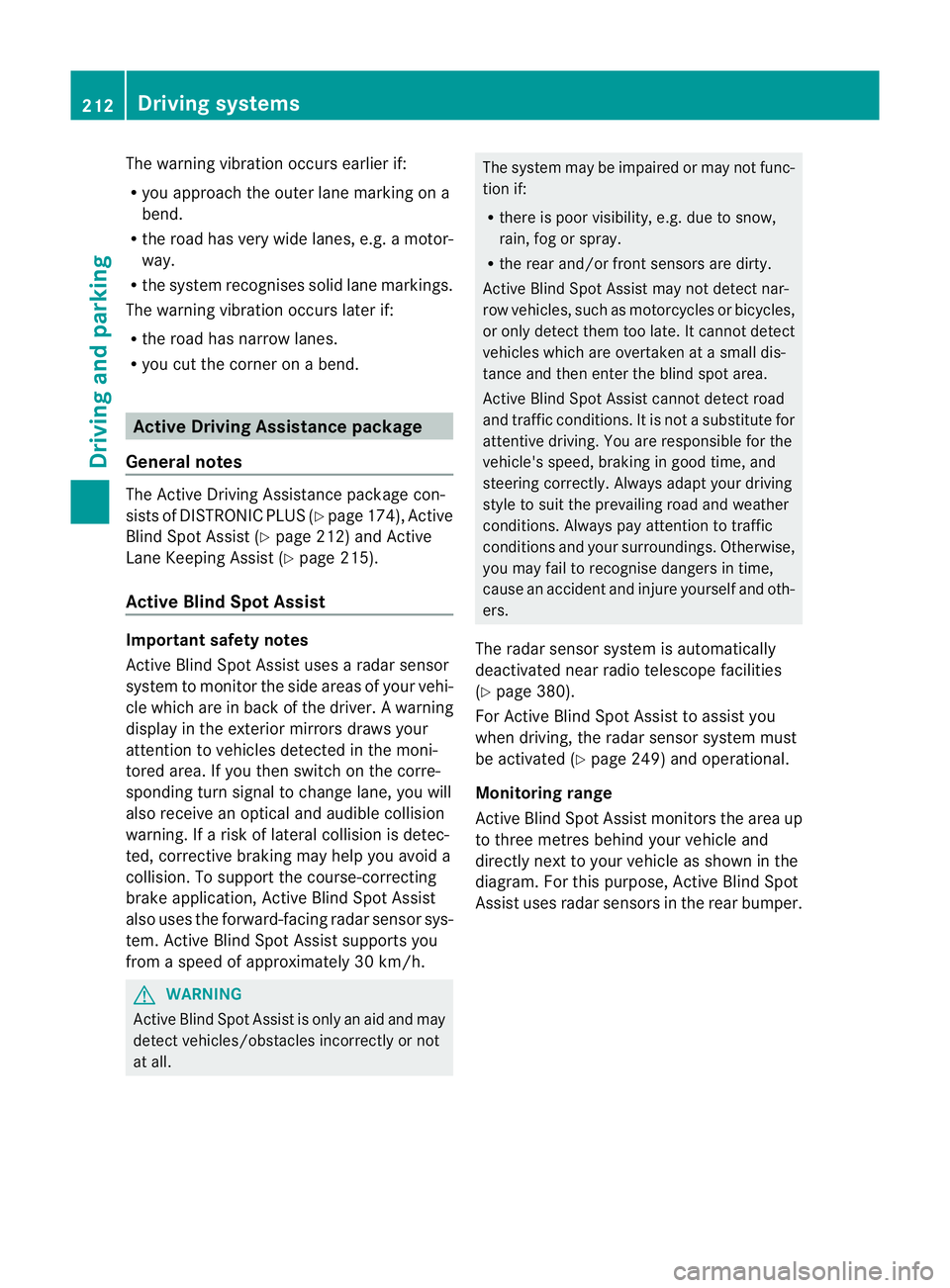
Active Blind Spot Assist monitors the area up
to three metres behind your vehicl eand
directl ynext to your vehicle as shown in the
diagram. For this purpose, Active Blin dSpot
Assist uses rada rsensors in the rear bumper. 212
Driving systemsDriving and parking