ESP MERCEDES-BENZ M-CLASS SUV 2011 Manual Online
[x] Cancel search | Manufacturer: MERCEDES-BENZ, Model Year: 2011, Model line: M-CLASS SUV, Model: MERCEDES-BENZ M-CLASS SUV 2011Pages: 389, PDF Size: 9.22 MB
Page 216 of 389
G
WARNING
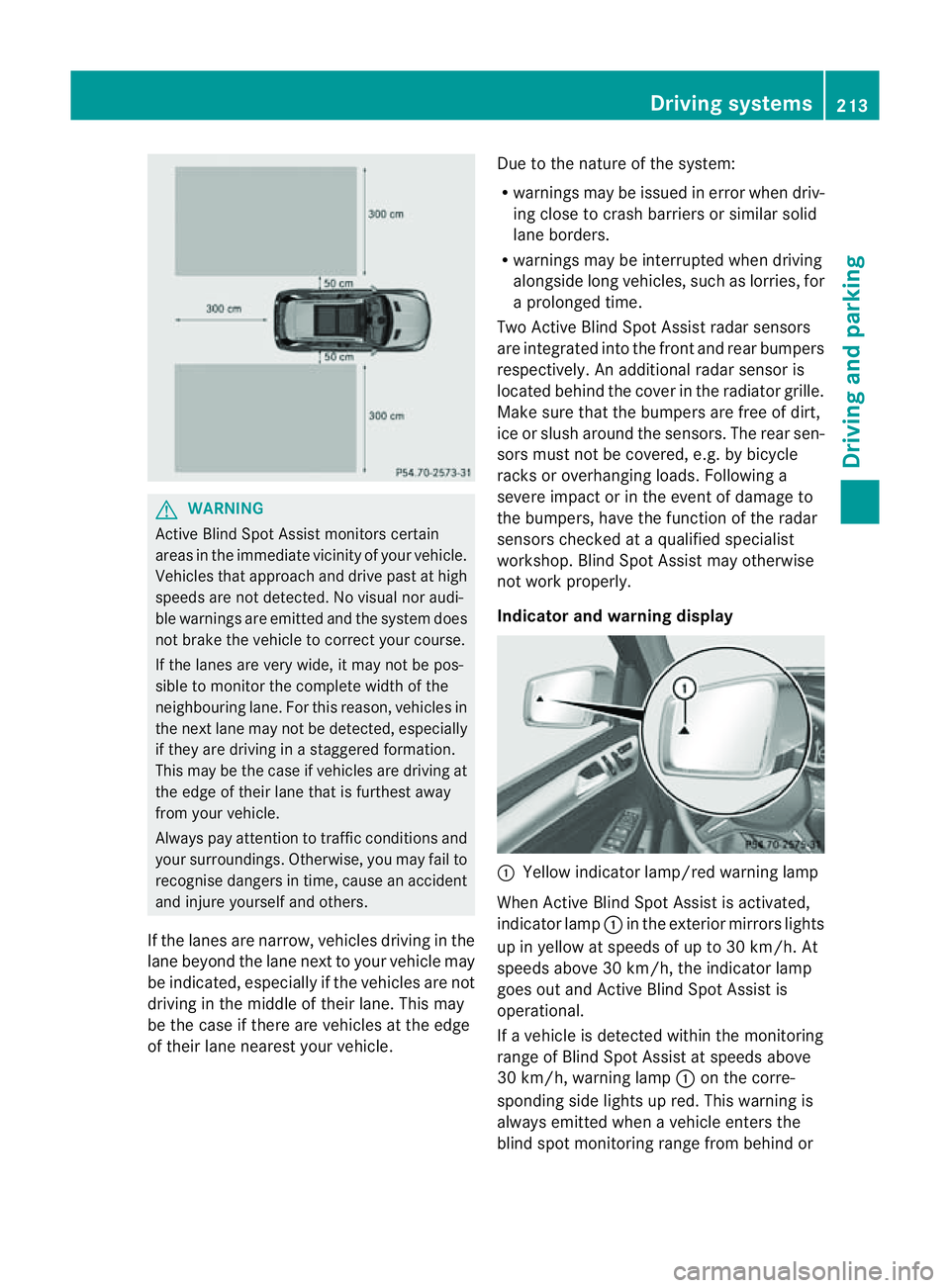
Active Blind Spo tAssist monitor scertain
areas in the immediate vicinity of your vehicle.
Vehicles that approach and drive past at high
speeds are not detected. No visual nor audi-
ble warnings are emitted and the syste mdoes
not brake the vehicle to cor rect your course.
If the lane sare very wide, it may not be pos-
sibl etom onitor the complet ewidth of the
neighbourin glane. For this reason, vehicles in
the nex tlane may not be detected, especially
if they are driving in astaggered formation.
Thi sm ay be the case if vehicles are driving at
the edge of their lane that is furthest away
from your vehicle.
Always pay attention to traffic conditions and
your surroundings. Otherwise, you may fail to
recognise dangers in time, cause an accident
and injure yourself and others.
If the lanes are narrow, vehicles driving in the
lane beyond the lane nex ttoyour vehicle may
be indicated, especially if the vehicles ar enot
drivin ginthe middle of their lane. This may
be the case if ther eare vehicles at th eedge
of their lane nearest your vehicle. Due to the nature of the system:
R
warnings may be issued in error when driv-
ing close to crash barriers or simila rsolid
lane borders.
R warnings ma ybeinterrupted whe ndriving
alongsid elong vehicles, such as lorries, for
ap rolonged time.
Tw oA ctive Blind Spo tAssist radar sensors
ar ei ntegrated into the front and rear bumpers
respectively. An additional radar sensor is
locate dbehind the cover in the radiator grille.
Make sure that the bumper sare free of dirt,
ice or slus haround th esensors. The rear sen-
sors must not be covered, e.g. by bicycle
racks or overhanging loads. Followin ga
severe impac torinthe even tofdamage to
the bumpers, have the function of the radar
sensors checked at aqualified specialist
workshop. Blind Spot Assis tmay otherwise
not work properly.
Indicator and warning display :
Yellow indicator lamp/red warning lamp
When Active Blind Spot Assis tisa ctivated,
indicator lamp :in the exte rior mirror slights
up in yellow at speeds of up to 30 km/h. At
speeds above 30 km/h, the indicator lamp
goes out and Active Blind Spot Assist is
operational.
If av ehicle is detected within the monitoring
range of Blin dSpot Assist at speeds above
30 km/h, warning lamp :on the corre-
sponding side lights up red. This warning is
always emit tedw hen avehicle enter sthe
blin dspot moni toring range from behind or Drivin
gsystems
213Drivingand park ing Z
Page 217 of 389
from th
eside .W hen you overtak eavehicle,
the warning only occurs if the difference in
speed is less than 12 km/h.
The yellow indicator lam pgoes out if reverse
gear is engaged. Active Blin dSpot Assist is
then no longer active.
The brightness of the indicator/warning
lamps is adjusted automatically accordin gto
the ambient light. G
WARNING
Active Blind Spot Assis tisn ot active at speeds
below 30 km/h. The indicator lamps in the
exterior mirror sare yello w.Vehicle sinthe
monitorin grange are then not indicated.
Always pay attention to traffic conditions and
your surroundings. Otherwise, you may fail to
recognise dangers in time, cause an accident
and injure yourself and others.
Visua land acoustic collision warning
If you switc honthe appropriate tur nsignals
and avehicle is detected in the side monitor-
ing range, you will receive avisual and acous-
tic collision warning. You will hear adouble
warnin gtonea nd red warning lamp :
flashes. If the turn signal remains on, dete c-
ted vehicle sare indicated by th eflashing of
red warnin glamp :.T here ar enofurther
warning tones.
Course-correcting brak eapplication
If Active Blind Spo tAssist detects arisk of a
lateral collision in the monitoring range, a
course-correcting brake application is carried
out. This is designed to help you avoid acol-
lision.
The course-cor recting brake application is
availabl eint he range between 30 km /hand
200 km/h.
If ac ourse-correcting brake application
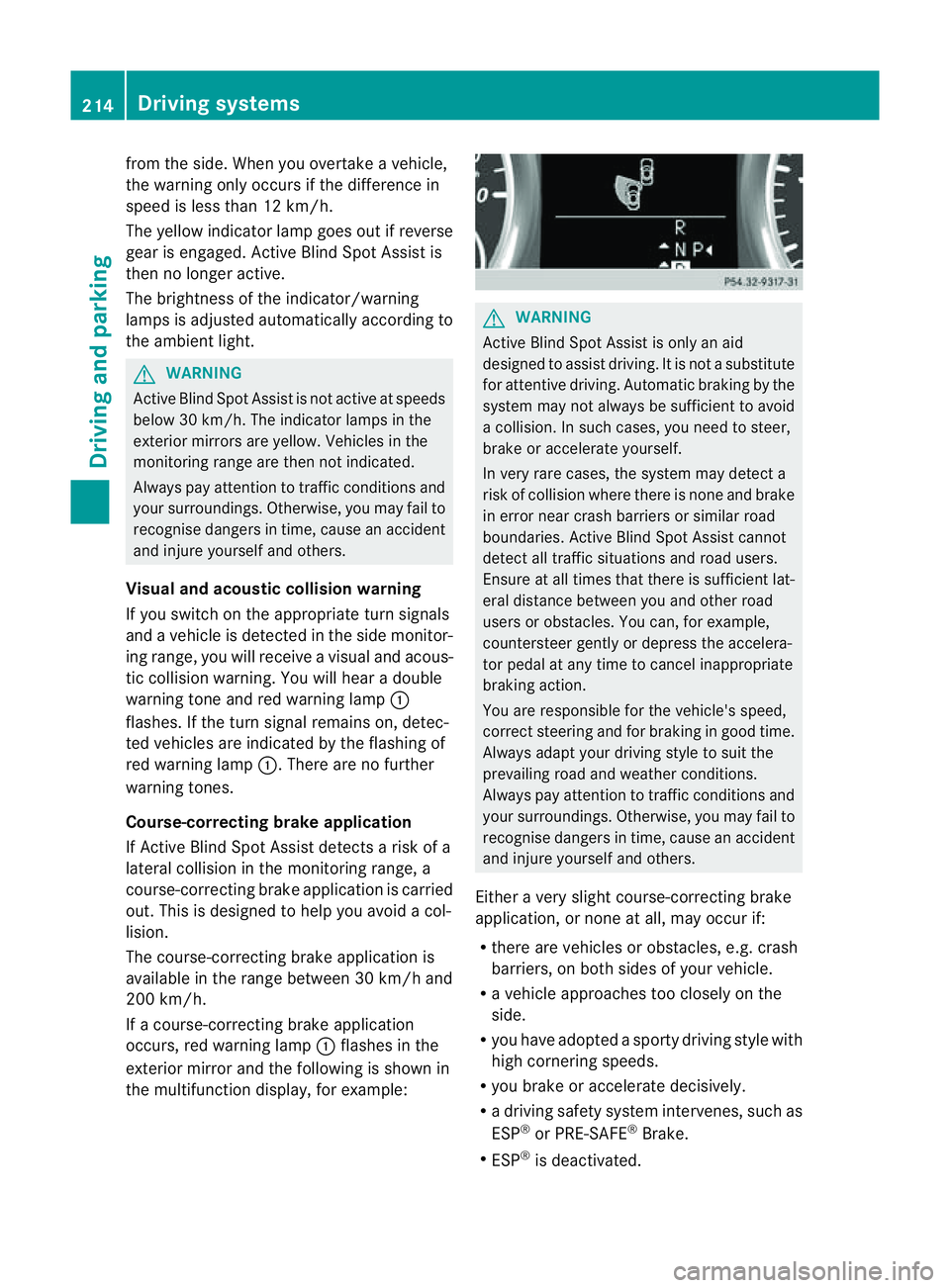
occ urs, red warnin glamp :flash esin the
exterio rmirror and th efollowing is shown in
the multifuncti on display,for example: G
WAR
NING
Activ eBlindS pot Assist is only an aid
designed to assist driving. It is not asubstitute
for attentive driving. Automatic braking by the
system may not always be sufficien ttoavoid
ac ollision .Insuch cases, you need to steer,
brake or accelerate yourself.
In very rare cases, the system may detect a
risk of collision where there is none and brake
in error near crash barriers or similar road
boundaries .Active Blind Spot Assist cannot
detect all traffic situations and road users.
Ensure at all times that there is sufficient lat-
eral distance betwee nyou and other road
users or obstacles. You can ,for example,
coun tersteer gently or depres sthe accelera-
tor pedal at any tim etocancel inappropriate
braking action.
You are responsible for the vehicle's speed,
correc tsteering and for braking in good time.
Alway sadapt your drivin gstyle to suit the
prevailing road and weather conditions.
Always pay attention to traffic conditions and
your surroundings. Otherwise, you may fail to
recognise dangers in time, cause an accident
and injure yoursel fand others.
Eithe ravery slight course-correcting brake
application, or non eatall, may occur if:
R there are vehicles or obstacles, e.g. crash
barriers, on both sides of your vehicle.
R av ehicle approaches too closely on the
side.
R you have adopted asporty driving style with
high cor nering speeds.
R you brake or accelerate decisively.
R ad riving safety system intervenes, such as
ESP ®
or PRE-SAFE ®
Brake.
R ESP ®
is deactivated. 214
Dri
ving systemsDriving and parking
Page 219 of 389
R
the lane markings change quickly, e.g.
lanes branch off, cros sone anothe ror
merge.
R ther oad is narrow and winding.
Active Lane Keeping Assist cannot detect
road and traffic conditions. It is not asubsti-
tute for attentive driving.Y ou are responsible
for the vehicle's speed ,braking in good time,
and steering correctly .Always adapt your
driving style to sui tthe prevailing roa dand
weather conditions. Alway spay attention to
traffic condition sand your surroundings. Oth-
erwise, you may fail to recognise dange rsin
time, cause an accident and injure yourself
and others.
Warning vibra tion in th esteering wheel
Aw arnin gmay be given if afront wheel
passes ove ralane mar king. You will then be
warned by means of an intermittent vibration
in the steering wheel for up to 1. 5seconds.
In order that you are warned only when nec-
essary and in good tim eifyou cross the lane
marking, the system recognises cer tain con-
ditions and warns you accordingly.
The warnin gvibration occur searlier if:
R you approach the outer lane markin gona
bend.
R the road has ver ywide lanes, e.g. amotor-
way.
R the system recognises solid lane markings.
The warnin gvibration occur slater if:
R the road has narrow lanes.
R you cut the corner on abend.
Lane-correcting brak eapplication
If you leave your lane unde rcertain cir cum-
stances, the vehicle will brake briefl yonone
side. Thi sisdesigned to help you brin gthe
vehicle bac kinto the original lane.
Thi sfunction is available in the range between
60 km/ hand 200 km/h.
Al ane-correctin gbrake applicatio ncan only
be made after driving over asolid, recognis-
able lane marking. Befor ethis, awarning must be emitted by means of intermittent
vibration in the steering wheel. In addition, a
lane with lane markings on both sides must
be recognised. The brake application also
slightly reduces driving speed.
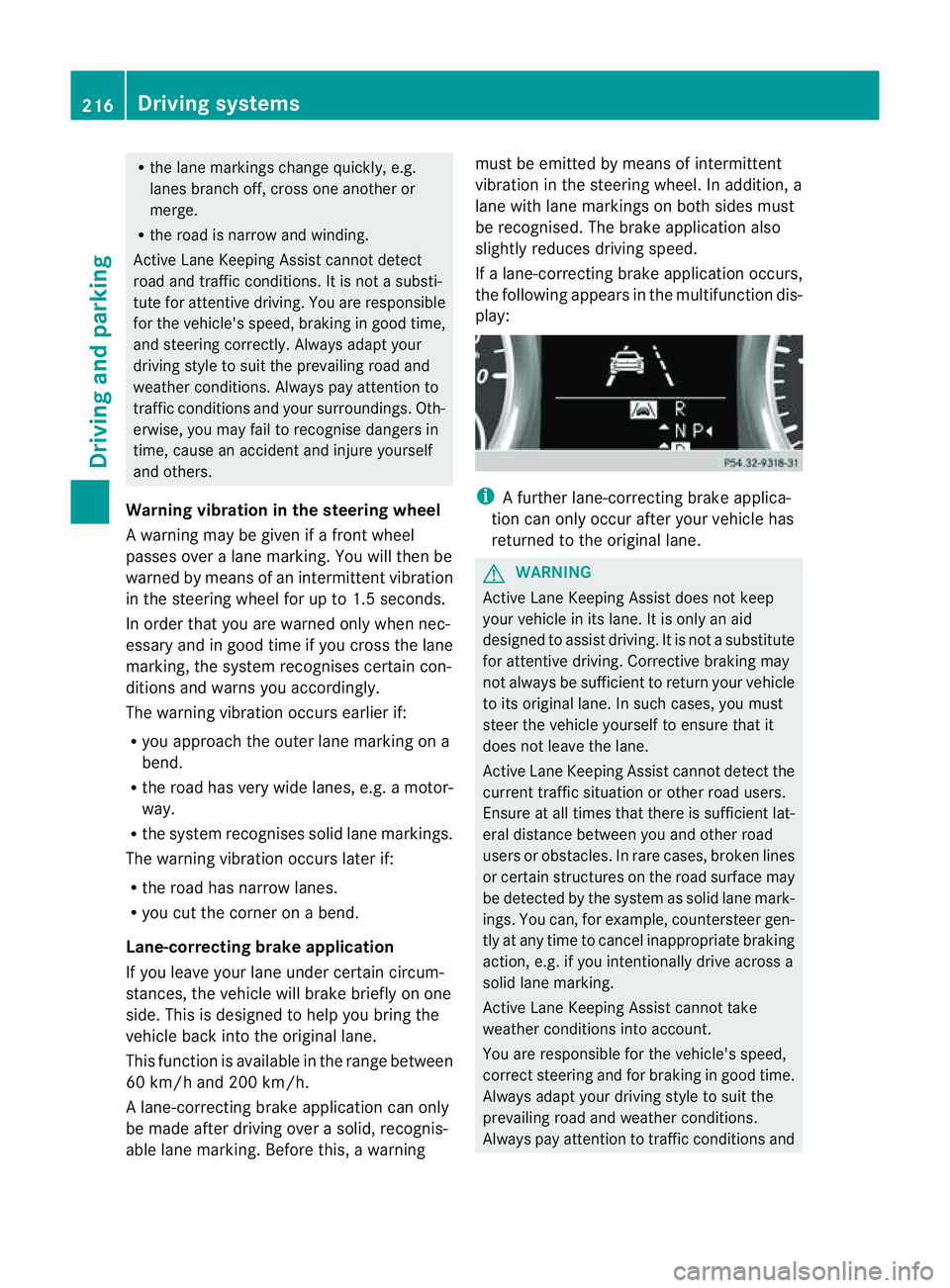
If al ane-correcting brake application occurs,
the following appears in the multifunction dis-
play: i
Afurther lane-correcting brake applica-
tion can only occur after your vehicle has
returned to the original lane. G
WARNING
Active Lane Keeping Assis tdoes not keep
your vehicle in its lane. It is only an aid
designed to assist driving. It is not asubstitute
for attentive driving. Corrective braking may
not always be sufficient to return your vehicle
to its original lane. In such cases, you must
steer the vehicle yourself to ensure that it
does not leave the lane.
Active Lane Keeping Assis tcannot detect the
current traffic situation or other road users.
Ensure at all times that there is sufficient lat-
eral distance between you and other road
users or obstacles .Inrare cases, broken lines
or certain structures on the road surface may
be detected by the system as solid lane mark-
ings. You can, for example, countersteer gen-
tly at any time to cancel inappropriate braking
action, e.g. if you intentionally drive across a
solid lane marking.
Active Lane Keeping Assis tcannot take
weather conditions into account.
You are responsible for the vehicle's speed,
correct steering and for braking in good time.
Always adapt your driving style to suit the
prevailing road and weather conditions.
Always pay attention to traffic conditions and 216
Driving systemsDrivin
gand parking
Page 220 of 389
your surroundings. Otherwise, you may fail to
recognise danger
sintime,cause an accident
and injur eyourself and others.
No lane-correcting brak eapplication occurs
if:
R you clearly and acti vely steer ,brake ,or
accelerate.
R you cut the corner on ashar pbend.
R you have switched on the tur nsignals.
R ad riving safet ysystem intervenes, such as
ESP ®
,P RE-SAFE ®
Brak eorA ctive Blind
Spot Assist.
R you have adopted asport ydriving style with
high cornerin gspeeds or high rates of
acceleration.
R on vehicles with atrailer to whitch, the
electrical connection to the trailer has been
correctly established.
R ESP ®
is deactivated.
R the transmission is not in position D.
R the Off-road program is activated (vehicles
without the ON&OFFROA Dpackage).
R Off-road program 1or2isactivated (vehi-
cles with the ON&OFFROAD package).
R the LOW RANGE off-road gear is activated
(vehicles with the ON&OFFROAD package).
R al oss of tyr epressure or adefective tyre
has been detected and displayed.
Activ eLaneK eeping Assist does no tdetect
road and traffic conditions .Aninappropriate
brake applicatio nmay be interrupted at any
time if:
R you steer slightly in the opposite direction.
R you use aturn signal.
R you clearly brake or accelerate.
Al ane- correcting bra keapplication is inter-
rupted automatically if:
R ad riving safet ysystem intervenes, such as
ESP ®
,P RE-SAFE ®
Brake or Active Blind
Spot Assist.
R lane markings can no longe rberecognised. Activating Active Lane Keeping Assist
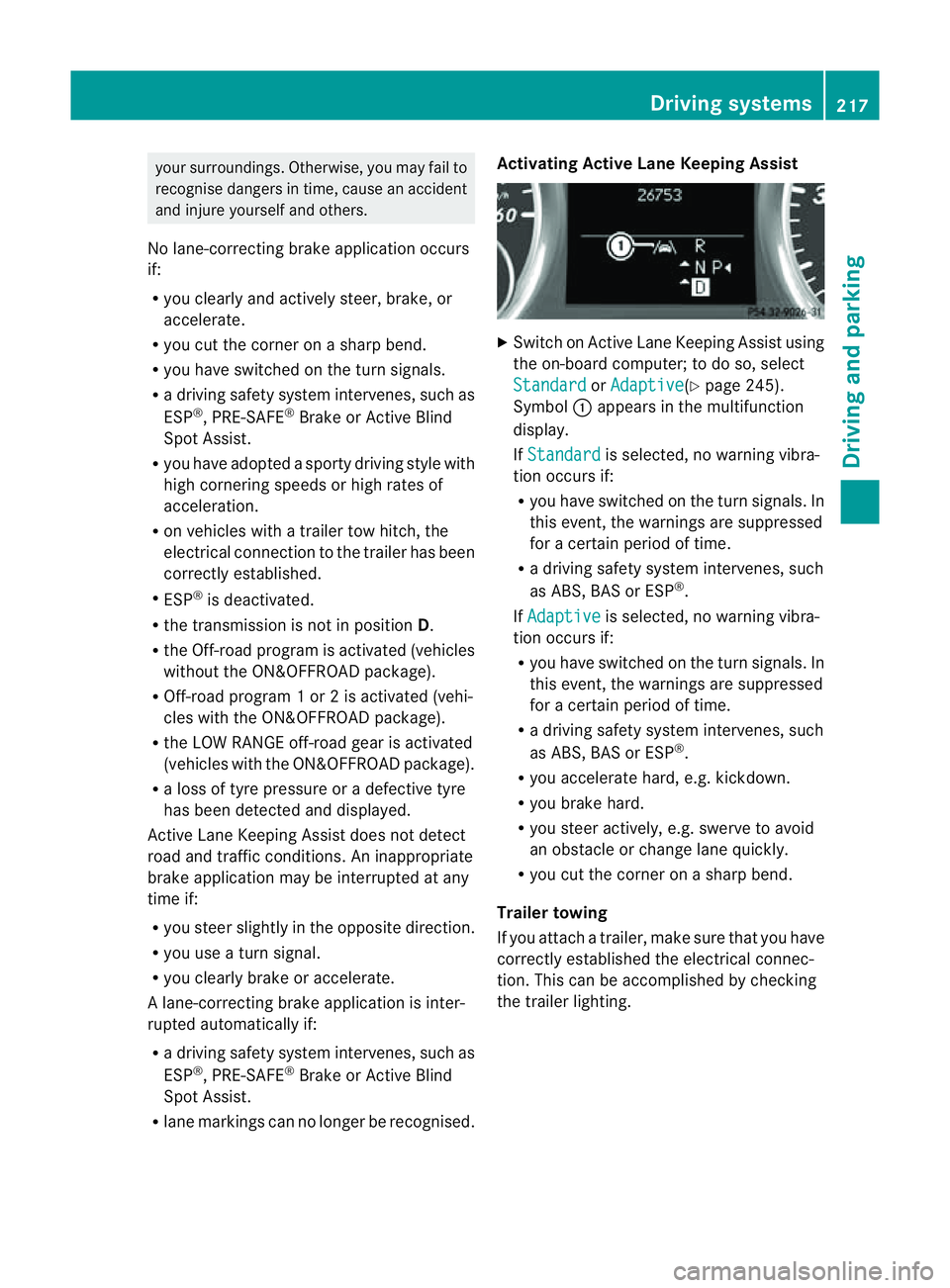
X
Switch on Active Lan eKeeping Assist using
the on-boar dcomputer ;todoso, select
Standard or
Adaptive (Y
page 245).
Symbol :appears in the multifunction
display.
If Standard is selected, no warnin
gvibra-
tion occur sif:
R you have switched on th eturn signals .In
this event, the warnings are suppressed
for acertain period of time.
R ad riving safety system intervenes, such
as ABS, BAS or ESP ®
.
If Adaptive is selected, no warning vibra-
tio no ccurs if:
R you have switche donthe tur nsignals. In
this event, the warnings are suppressed
for acertain period of time.
R ad riving safety system intervenes, such
as ABS, BAS or ESP ®
.
R yo ua ccelerate hard ,e.g. kickdown.
R you brake hard.
R you steer actively, e.g. swerve to avoid
an obstacle or chang elane quickly.
R you cut the corner on ashar pbend.
Trailer towing
If you attach atrailer, make sure that yo uhave
correctly established the electrical connec-
tion. This can be accomplished by checking
the trailer lighting. Driving systems
217Drivingand parking Z
Page 221 of 389
On-roa
dprogram (vehicle swith the
ON&OFFROAD package)
Genera lnotes The on-road program
ssupport you when driv-
ing on roads and the off-road programs sup-
port you when driving off-road (Y page 222).
The following program messages remain in
the multifunction display until the corre-
spondin gvehicle level has been set. Up to off-
road level 2, you can hide the program mes-
sages using the %ora button on the
multifunction steering wheel.
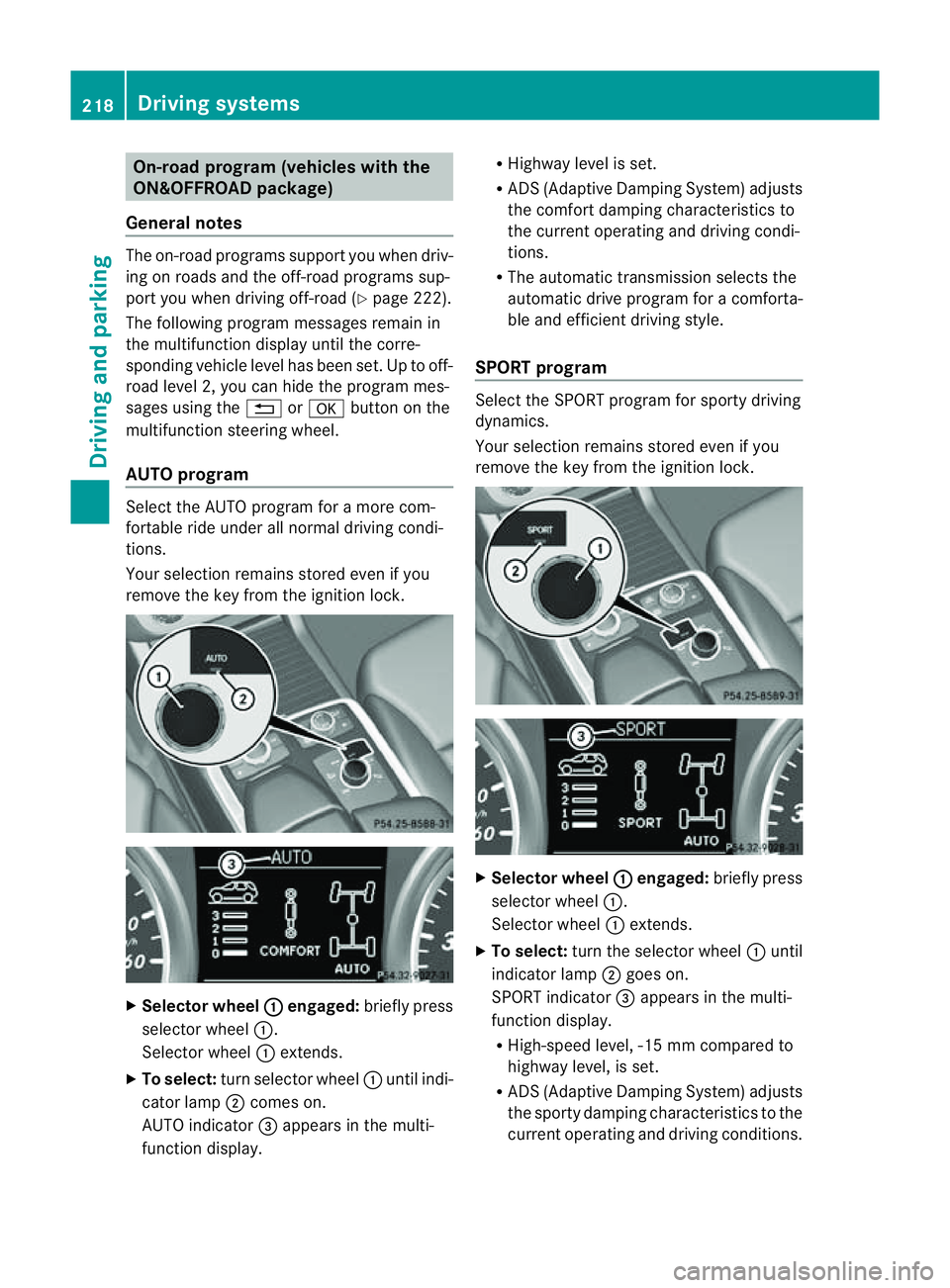
AUTO program Selec
tthe AUTO program for amore com-
for table ride under all normal driving condi-
tions.
Your selection remains stored even if you
remove the key from the ignition lock. X
Selecto rwheel : engaged:
brieflypress
selector wheel :.
Selector wheel :extends.
X To select: turn selector wheel :unti lindi-
cator lamp ;comes on.
AUTO indicator =appears in the multi-
function display. R
Highway level is set.
R AD S(Adaptive Damp ingS ystem) adjusts
the comfort damping characteristics to
the current operating and driving condi-
tions.
R The automatic transmission selects the
automatic drive progra mforac omforta-
ble and efficien tdriving style.
SPORT program Select th
eSPORT program for sport ydriving
dynamics.
Your selection remains store deven if you
remove th ekey from the ignition lock. X
Selector wheel : engaged:
briefly press
selector wheel :.
Selec torw heel :extends.
X To select: turnthe selector wheel :until
indicator lamp ;goes on.
SPOR Tindicator =appears in the multi-
function display.
R High-speed level ,-15 mm compared to
highway level ,isset.
R AD S(Adaptive Damp ingS ystem) adjusts
the sporty damping characteristics to the
current operating and driving conditions. 218
Driving systemsDriving and
parking
Page 223 of 389
R
Hig hway level is set.
R ADS (Adaptive Damping System) adjusts
the comfort damping characteristics to
the current operating and driving condi-
tions.
R The automatic transmission selects the
automatic drive progra mforac omforta-
ble and efficien tdriving style ,and the
shift points are optimally adjusted.
R The differential lock is engaged when
pulling away. Off-road driving systems
4MATIC (permanent all-wheel drive)
4MATIC ensures that all four wheels are per-
manently driven. Togethe rwith ESP ®
and
4ETS, it improves the trac tion of your vehicle
whenever adrive whee lspins due to insuffi-
cient grip. G
WARNING
4MATI Ccannot reduce the risk of an accident
if you drive too fast.
If ad rive whee lspins due to insufficien tgrip:
R onl ydepress the accelerator peda lasfar as
necessary when pulling away.
R accelerate less when driving.
R adapt you rdriving style to su itroa dand
traffic conditions.
! Never tow the vehicle with one axle
raised. Thi smay damage the transfer case.
Damage of this sort is not covered by the
Mercedes-Benz implied warranty. All
wheels must remain either on the ground
or be fully raised. Observe the instructions
for towing the vehicle with all wheels in full
contact with the ground.
i In wintry driving conditions, the maximum
effect of 4MATIC can only be achieved if
you use winter tyres (M+S tyres), with snow
chains if necessary. !
Functio norperformanc etests ma yonly
be performed on a2-axle dynamometer. If
you wis htooperatethe vehicle on such a
dynamometer, pleas econsult aMercedes-
Benz Service Centr ebeforehand. You could
otherwise damage th edrive train or the
bra kesystem.
Fo rinformation abou tdriving off-roa d, see
( Y page 166). DSR (Downhill Speed Regulation)
Important safety notes DSR assists you when driv
ingd ownhill .It
keeps the spee doftravel at th espeed set on
the on-board comp uter. Th esteeper the
downhil lgradient ,the greate rthe DS Rbrak-
ing effect on th evehicle. When driving on flat
stretches of road or on an uphill gradient, the
DSR braking effect is minima lornon-existent. G
WARNING
DSR is only an aid designe dtoassist you when
driving downhill. You ar eresponsible for keep-
ing control of the vehicle and for assessing
whether the downhill gradien tcan be man-
aged.
When activating DSR the vehicle may brake
suddenly due to DSR intervening. This is
dependent on the downhill gradient and the
difference between the current spee dand the
speed set. DSR may not always be able to
keep to the set speed, depending on road sur-
face and tyre conditions .You coul dlose con-
trol of the vehicle and cause an accident.
Selec taset speed suitable for the prevailing
conditions and when necessary, apply the
brakes manually.
DSR con trols the set speed when it is active
and the automatic transmission is in the D,
R or Nposition. By accelerating or braking,
you can always drive at ahigher or alower
speed than that set on the on-boar dcom-
puter. 220
Off-road driving systemsDriving and parking
Page 225 of 389
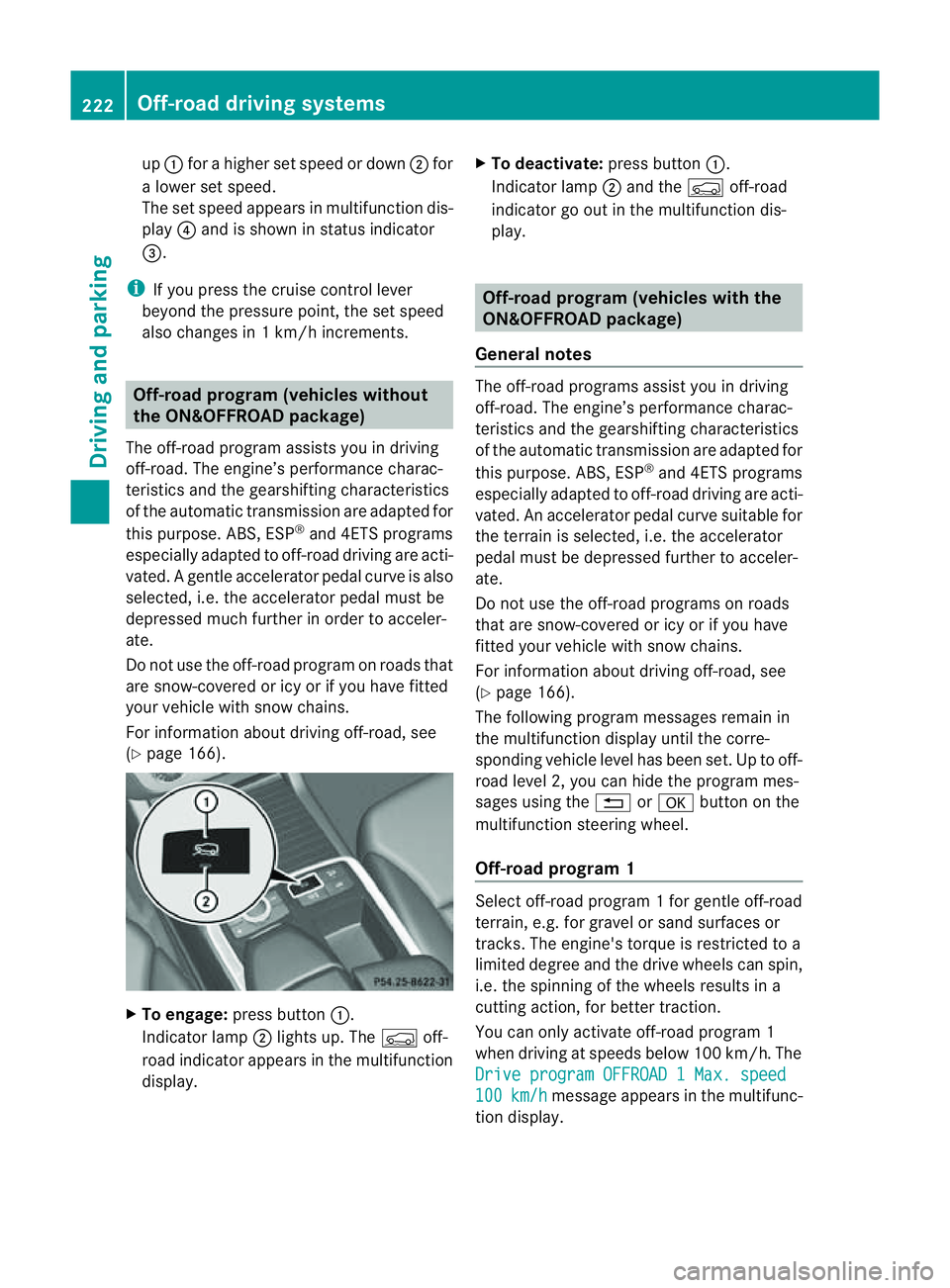
up
: for ahigher set speed or down ;for
al ower set speed.
The set spee dappear sinm ultifunction dis-
play ?and is shown in status indicator
=.
i If you press the cruise con trol lever
beyon dthe pressur epoint, th eset speed
also changes in 1km/ hincrements. Off-road program (ve
hicles without
th eO N&O FFROAD package)
The off-road program assists you in driving
off-road. The engine’s performance charac-
teristics and th egearshifting chara cteristics
of th eautomatic transmission are adapted for
this purpose. ABS, ESP ®
and 4ETS programs
especially adapted to off-road driving are acti-
vated. Agentle accelera torp edal curve is also
selected, i.e. the accelera torp edal must be
depressed muc hfurther in order to acceler-
ate.
Do not use the off-road program on roads that
are snow-covered or icy or if you have fitted
your vehicle with snow chains.
For information about driving off-road, see
(Y page 166). X
To engage: press button :.
Indicator lamp ;lights up. The Çoff-
road indicator appears in the multifunction
display. X
To deactivate: press button:.
Indicator lamp ;and the Çoff-road
indicator go out in the multifunction dis-
play. Off-road program (vehicles with the
ON&OFFROAD package)
General notes The off-road programs assis
tyou in driving
off -road. The engine’s performanc echarac-
teristics and the gearshifting characteristics
of the automatic transmission ar eadapted for
this purpose. ABS, ESP ®
and 4ETS programs
especially adapted to off -road drivin gare acti-
vated. An accelerator peda lcurve suitable for
the terrain is selected, i.e. the accelerator
pedal must be depressed further to acceler-
ate.
Do not use the off-road programs on roads
that are snow-covered or icy or if you have
fitted your vehicle with snow chains.
For information about driving off-road, see
(Y page 166).
The following program messages remain in
the multifunction display until the corre-
spondin gvehicle level has been set. Up to off-
road level 2, you can hide the program mes-
sages using the %ora button on the
multifunction steering wheel.
Off-road progra m1 Select off-road program
1for gentle off -road
ter rain, e.g. for gravel or sand surfaces or
tracks. The engine's torque is restricted to a
limited degree and the drive wheels can spin,
i.e. the spinning of the wheels results in a
cutting action ,for better traction.
You can only activate off -road program 1
when driving at speeds below 100 km/ h.The
Driv eprogram OFFROAD 1Max. speed 100 km/h message appears in th
emultifunc-
tion display. 222
Off-road driving systemsDrivin
gand parking
Page 227 of 389
For information abou
tdriving off-road, see
(Y page 166). Yo uwillf ind information about
driving safety systems in conjunction with
LOW RANGE in the "Saf ety" section
(Y pag e60).
Shift ranges HIGH RANGE
Roa
dposition for all nor-
ma ldriving situations LO
WR ANGE Off-road position for driv-
ing off-road and fording
The transmission ratio
between the engine and
wheels is only approx-
imatel yone third of that in
the HIGH RANGE road
pos ition. The drive torque
is correspondingly higher
as aresult.
Do not use LOW RANGE:
R on slippery road surfa-
ces, e.g. in the case of
slush
R on snow or ice-covered
roads
R if you have snow chains
on your vehicle G
WARNING
Always wait for the gear change process from
HIGH RANGE to LOW RANGE –and from LOW
RANGE to HIGH RANGE –tocomple te.Don ot
tur no ff the engine while changi nggear and
do not switc hthe automatic transmission to
anot hergear.
If you do not wait for the gear change process
to complete, it may not be cor rectly imple-
mented. Th etransfer cas emay then be in
neutral and the connection between the
engine and the drive axles may be disen-
gaged .The vehicle coul dthen mov efreely,
eve nifa gear is engaged, and coul dinadver-
tently start moving, particularly if it is on a
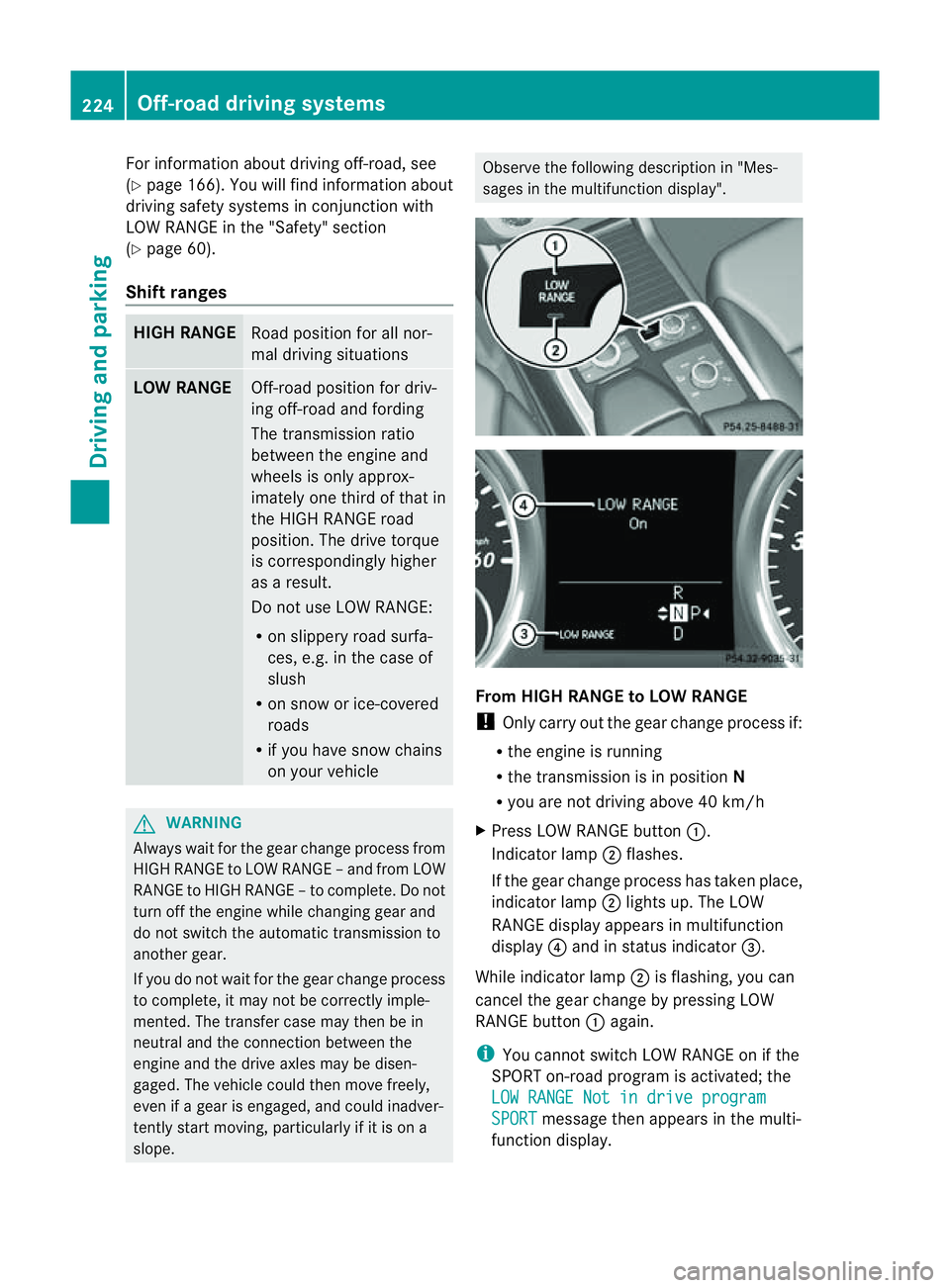
slope. Observe the following description in "Mes-
sages in the multifunction display". From HIGH RANG
EtoLOW RAN GE
! Only carr yout the gear change process if:
R the engine is running
R the transmission is in position N
R you are not driving above 40 km/h
X Press LOW RANGE button :.
Indicator lamp ;flashes.
If the gear change process has taken place,
indicator lamp ;lights up. The LOW
RANGE display appears in multifunction
display ?and in status indicator =.
While indicator lamp ;is flashing, you can
cancel the gear change by pressing LOW
RANGE button :again.
i You cannot switch LOW RANGE on if the
SPORT on-road program is activated; the
LO WR ANGE Not in drive program SPORT message then appears in th
emulti-
function display. 224
Off-road driving systemsDrivin
gand parking
Page 228 of 389
From LOW RANGE to HIG
HRANGE
! Only carry out the gear change process if:
R the engin eisrunning
R the transmission is in position N
R you are not driving above 70 km/h
X Press LOW RANG Ebutton :.
Indicato rlamp ;flashes.
When the gear change is complete, indica-
tor lamp ;goes out. In th emultifunction
display, the LOWR ANGE Off message
appears and status indica tor=goes out.
While indica torlamp ;is flashing, you can
cancel the gear change by pressin gLOW
RANGE button :agai n.
Me ssages in th emultif un ction display
If ag ear chang eprocess ha snot been suc-
cessful, th efollowin gmessages may be dis-
played in the multifunction display:
LOW RANGE Max. speed 40 km/h :Y
ou have
been drivin gabove 40 km/h. Indicator
lamp ;also flashes.
X Drive mor eslowly to carr yout the gear
change process.
LO WR ANGE Shift to position N briefly :T
he transmission is in position D
and you ar enow drivin gatbelow 40 km/h.
X Shif tthe transmission to Nto complete the
gear change process.
LOW RANGE Shifting cancelled Please
reactivate :T
he shifting process has not
been completed.
X Maintai nall gear change condition sand
carry out the gea rchange process again.
LO WR ANGE Stop Apply parking brake :
Aw arning ton eisalso heard. The gear change
proces shas not been completed. LOW
RANGE is in the neut ralp osition .There is no
con nectio nbetween the engine and the drive
wheels.
! Do not driv eany further, otherwis eyou
coul ddamage the vehicle's drive train. X
Stop the vehicle. Take into account the
road and traffic conditions when doing this.
X Apply the electric parking brake
(Y page 161).
X Carry out the gear change process again.
If the gear change process has been carried
out, the LOWR ANGE Stop Apply park‐ ing brake message disapp
ears. ON&OFFROAD men
uint he COMAND
display (vehicles wit hthe ON&OFF-
ROA Dpackage)
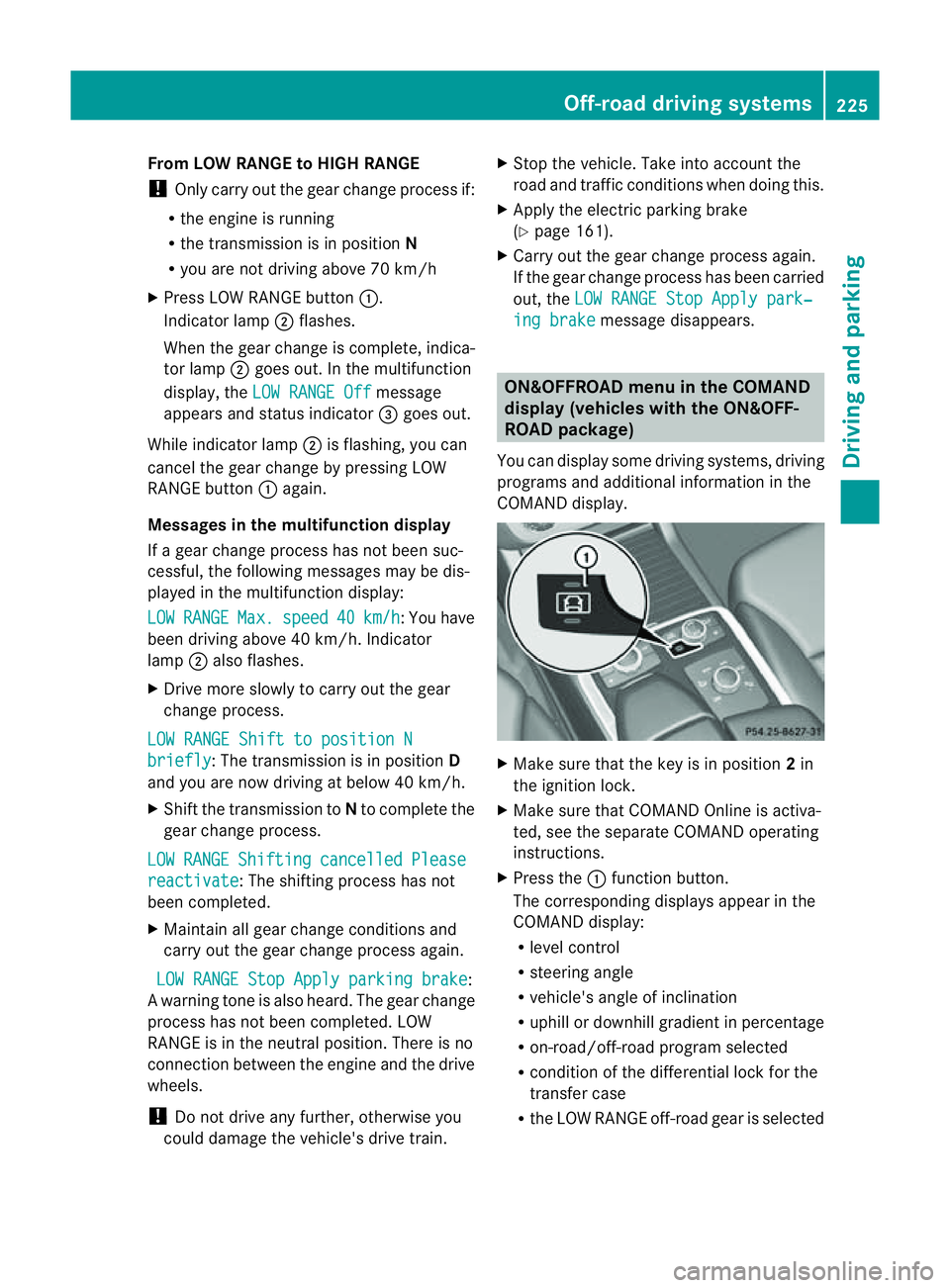
Yo uc an displ ay some driving systems ,driving
programs and additional information in the
COMAND display. X
Make sure that th ekey is in position 2in
the ignition lock.
X Make sure that COMAN DOnline is activa-
ted, see the separate COMAND operating
instructions.
X Pres sthe : func tion button.
The corresponding displays appear in the
CO MAN Ddisplay:
R level control
R steering angle
R vehicle' sangle of inclination
R uphill or downhil lgradient in percentage
R on- road/off-road program selected
R condition of the differential lock for the
transfer case
R the LOW RANGE off-road gear is selected Off-road driving systems
225Drivingand parking Z
Page 230 of 389
Do not exceed the maximum noseweight.
When driving with aloaded carriersystem,
always adjust your drivin gstyle to th eprevail-
ing road, traffic and weather conditions and
drive par ticularly carefully.
You can use carrier sys tems, e.g. bi cycle
racks or load-bea ringimplements on th eball
coupling. The maximum noseweight of 75 kg
applies when usin gcarrier system sontheball
coupling.
General information i
Chec kthe tyr epressure when towin ga
trailer. You will find the values in the tyre
pressure table in the fuel filler flap of the
vehicle (Y page 359).
You will find installation dimensions and loads
in the "Technical data" section
(Y page 378).
The maximum noseweight of the trailer draw-
bar on the ball coupling is 18
.H owever, the
actual noseweight must not exceed the value
given on the trailer tow hitc hortrailer identi-
ficatio nplates. The lowest weight applies.
! Use anoseweight as close as possible to
the maximum permissible noseweight .Do
not use anoseweight of less than 50 kg,
otherwise the trailer ma ycome loose.
Bear in min dthat the payload and the rear
axl eload ar ereduced by the actual nose-
weight.
Please note that when towing atrailer, PARK-
TRONIC (Y page 191) and Blind Spo tAssist
(Y page 208) ar eonly available with limita-
tions ,orn ot at all.
i On vehicles withou tlevel control, the
height of the ball couplin gwill alter accord-
ing to the load placed on the vehicle. If nec-
essary, use atrailer wit haheight-adjusta-
ble drawbar. Driving tips i
Observ ethe information on ESP ®
trailer
stabilisation (Y page 65)and on pull ing
away with atrailer. (Y page 141).
Vehicles wit hthe ON&OFFROAD package:
selec tthe trailer program (Y page 219) with
the off-road program selector wheel in the
cen treconsole.
Th em aximum permissible spee dfor vehicle/
trailer combination sdepends on the type of
trailer .Befor ebeginning the journey, check
the trailer's documents to see what the max-
imu mpermitted speed is. Observ ethe legally
prescribed maximum speed in the relevant
country.
For certai nMercedes-Ben zvehicles, the max-
imu mp ermissible rear axle load is inc reased
when towing atrailer. Refer to th e"Techni cal
data" section to fin dout whether this applies
to your vehicle. If you utilise any of the added
maximum rear axle load when towing atrailer,
th ev ehicle/trailer combination may not
exceed amaximum spee dof100 km/ hfor
reasons concer ning the operating permit.
Thi salso applies in countries in which the
permissible maximum speed for vehicle/
trailer combinations is above 100 km/h.
When towing atrailer, your vehicle's handling
characteristics will be differe ntin comparison
to when drivin gwithout atrailer and it will
consume more fuel.
On long and stee pdownhil lgradients ,you
must select shift range 1,2or 3in good time.
i This also applies if you have activated
cruise con trol, SPEEDTRONIC or DI S-
TRONIC PLUS.
This will use the brakin geffect of th eengine,
so les sbraking wil lberequired to maintain
the speed. This relieves the load on the brake
system and prevent sthe brakes from over-
heating and wearing too quickly .Ifyou need
additional braking, depress the brake pedal
repeatedly rather than con tinuously.
18 Data unavailable at time of going to print. Towing
atrailer
227Driving andparki ng Z