light MERCEDES-BENZ SPRINTER 2013 MY13 Operator’s Manual
[x] Cancel search | Manufacturer: MERCEDES-BENZ, Model Year: 2013, Model line: SPRINTER, Model: MERCEDES-BENZ SPRINTER 2013Pages: 334, PDF Size: 3.88 MB
Page 128 of 334
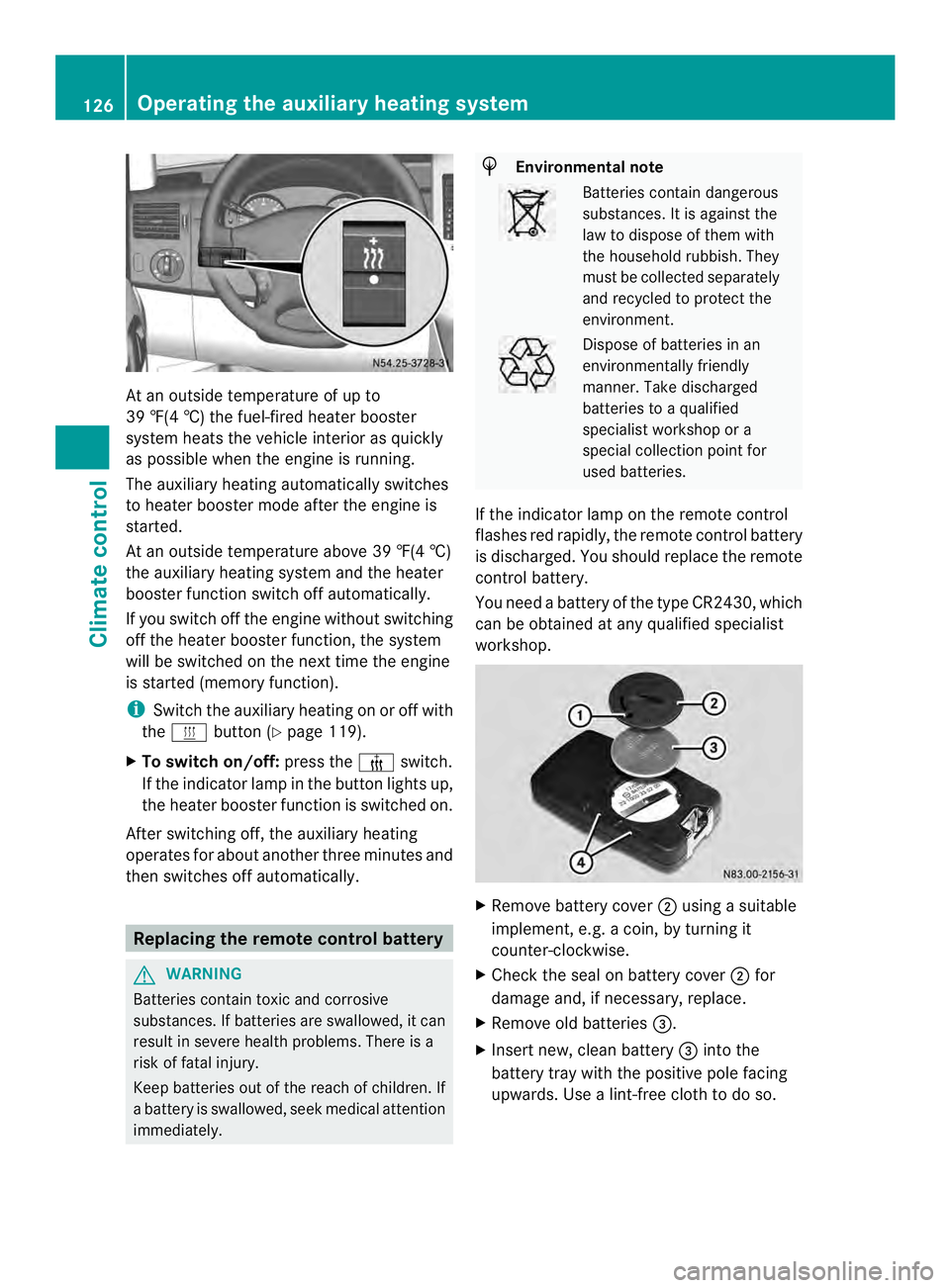
At an outside temperature of up to
39 ‡(4 †) the fuel-fired heate
rbooster
system heats the vehicle interior as quickly
as possible when the engine is running.
The auxiliary heating automatically switches
to heater booster mode after the engine is
started.
At an outside temperature above 39 ‡(4 †)
the auxiliary heating system and the heater
booster function switch off automatically.
If you switch off the engine without switching
off the heater booster function, the system
will be switched on the next time the engine
is started (memory function).
i Switch the auxiliary heating on or off with
the 0020 button (Y page 119).
X To switch on/off: press the0013switch.
If the indicator lamp in the button lights up,
the heater booster function is switched on.
After switching off, the auxiliary heating
operates for about another three minutes and
then switches off automatically. Replacing the remote control battery
G
WARNING
Batteries contain toxic and corrosive
substances. If batteries are swallowed, it can
result in severe health problems. There is a
risk of fatal injury.
Keep batteries out of the reach of children. If
a battery is swallowed, seek medical attention
immediately. H
Environmental note Batteries contain dangerous
substances. It is against the
law to dispose of them with
the household rubbish. They
must be collected separately
and recycled to protect the
environment.
Dispose of batteries in an
environmentally friendly
manner
.Take discharged
batteries to a qualified
specialist workshop or a
special collectio npoint for
used batteries.
If the indicator lamp on the remote control
flashes red rapidly, the remote control battery
is discharged. You should replace the remote
control battery.
You need a battery of the type CR2430, which
can be obtained at any qualified specialist
workshop. X
Remove battery cover 0006using a suitable
implement, e.g. a coin, by turning it
counter-clockwise.
X Check the seal on battery cover 0006for
damage and, if necessary, replace.
X Remove old batteries 0026.
X Insert new, clean battery 0026into the
battery tray with the positive pole facing
upwards. Use a lint-free cloth to do so. 126
Operating the auxiliary heating systemClimate control
Page 136 of 334
i
To unlock the steering, move the steering
wheel slightly while turning the key to
position 1. Preparing for a journey
Visual check of the vehicle exterior X
In particular, check the following
components on the vehicle, and on the
trailer as necessary:
R
license plates, vehicle lighting, turn
signals, brake lamps and wiper blades for
dirt and damage
R tires and wheels for firm seating, correct
tire pressure and general condition
R trailer tow hitch for play and security
i The trailer coupling is one of the most
importan tvehicle parts with regard to road
safety. The separate instructions issued by
the manufacturer pertaining to operation,
care and maintenance should be observed.
X Rectify any noticeable defects before
commencing the journey.
Checks in the vehicle Emergency equipment/first-aid kit
X
Check the equipment to make sure that it
is accessible, complete and ready for use.
The first aid and breakdown assistance
equipment is in the fron tdoor stowage
compartments and behind the driver's seat.
Vehicle lighting
X Turn the key to position 2in the ignition
lock.
X Check the lighting system with the aid of a
second person.
X Replace defective bulbs (Y page 96). Before driving off
G
WARNING
Objects in the driver's footwell may restrict
the clearance around the pedals or block a
depressed pedal. This jeopardizes the
operating and road safety of the vehicle.
There is a risk of an accident.
Stow all objects securely in the vehicle so that
they do not get into the driver's footwell.
When using floormats or carpets, make sure
that they are properly secured so that they do
not slip or obstruct the pedals. Only use non-
slip floormats. G
WARNING
Unsuitable footwear can hinder correc tusage
of the pedals, e.g.:
R shoes with thick soles
R shoes with high heels
R slippers
There is a risk of an accident.
Wear suitable footwear to ensure correct
usage of the pedals.
X Secure the load as per the loading
guidelines (Y page 232).
X Make sure that the floormats and carpets
are properly secured so that they cannot
slip and obstruct the pedals.
X Close all doors. Starting the engine
G
WARNING
Combustion engines emit poisonous exhaust
gases such as carbon monoxide. Inhaling
these exhaust gases leads to poisoning. There
is a risk of fatal injury. Therefore never leave
the engine running in enclosed spaces
without sufficient ventilation.
! Do not depress the accelerator pedal
when starting the engine.
X Before starting the engine, make sure that: 134
DrivingDriving and parking
Page 137 of 334
R
all the doors are closed.
R all the vehicle occupants are wearing
their seat belts correctly.
R the parking brake is applied.
i If you depress the brake pedal before
starting the engine, th epedal travel is short
and pedal resistance is high.
If you depress the brake pedal again after
starting the engine, pedal travel and
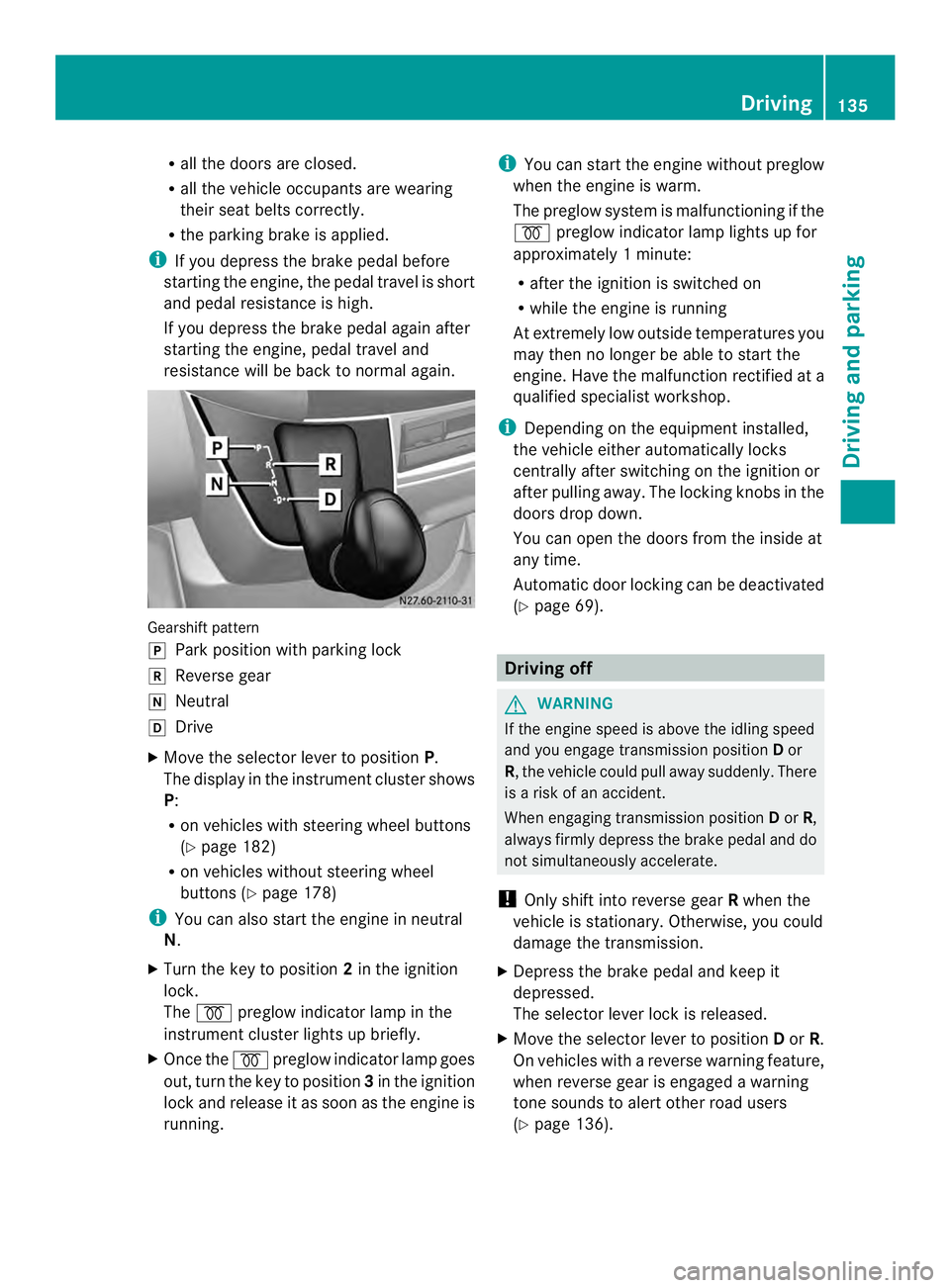
resistance will be back to normal again. Gearshift pattern
0016
Park position with parking lock
0012 Reverse gear
0013 Neutral
0015 Drive
X Move the selector lever to position P.
The display in the instrument cluster shows
P:
R on vehicles with steering wheel buttons
(Y page 182)
R on vehicles without steering wheel
buttons (Y page 178)
i You can also start the engine in neutral
N.
X Turn the key to position 2in the ignition
lock.
The 000D preglow indicator lamp in the
instrument cluster lights up briefly.
X Once the 000Dpreglow indicator lamp goes
out, turn the key to position 3in the ignition
lock and release it as soon as the engine is
running. i
You can start the engine without preglow
when the engine is warm.
The preglow system is malfunctioning if the
000D preglow indicator lamp lights up for
approximately 1minute:
R after the ignition is switched on
R while the engine is running
At extremely low outside temperatures you
may the nno longer be able to start the
engine. Have the malfunction rectified at a
qualified specialist workshop.
i Depending on the equipment installed,
the vehicle either automatically locks
centrally after switching on the ignition or
after pulling away.T he locking knobs in the
doors drop down.
You can open the doors from the inside at
any time.
Automatic door locking can be deactivated
(Y page 69). Driving off
G
WARNING
If the engine speed is above the idling speed
and you engage transmission position Dor
R, the vehicle could pull away suddenly. There
is a risk of an accident.
When engaging transmission position Dor R,
always firmly depress the brake pedal and do
not simultaneously accelerate.
! Only shift into reverse gear Rwhen the
vehicle is stationary. Otherwise, you could
damage the transmission.
X Depress the brake pedal and keep it
depressed.
The selector lever lock is released.
X Move the selector lever to position Dor R.
On vehicles with a reverse warning feature,
when reverse gear is engaged a warning
tone sounds to alert other road users
(Y page 136). Driving
135Driving and parking Z
Page 139 of 334
Problems with the engine
Problem Possible causes/consequences and
0004 Solutions
The engine does not
start.
The starter motor can
be heard. There is air in the fuel system.
X
Turn the key back to position 0in the ignition lock before
attempting to start the engine again.
X Start the engine again.
Please bear in mind that lengthy and frequent starting attempts
will drain the battery.
If the engine does not start after several attempts:
X Consult a qualified specialist workshop. The engine does not
start.
The starter motor can
be heard. The reserve
fuel warning lamp is lit
and the fuel gage is at
0. The fuel tank has been run dry.
X
Refuel the vehicle.
If you drive until the fuel tank is completely empty, air may get into
the fuel system. If the engine does not start after refueling, bleed
the fuel system as follows:
X Turn the key to position 2in the ignition for approximately
10 seconds.
X Start the engine continuously for a maximum of 60 seconds.
If the engine does not start:
X Wait approximately 2minutes.
X Start the engine continuously for a maximum of 60 seconds
again.
X If the engine still fails start, do not continue trying to start it.
X Consult a qualified specialist workshop. The engine does not
start.
The starter motor
cannot be heard. The
yellow
0018engine
diagnostic lamp and
the yellow 0009DEF
indicator lamp 1
light
up. The exhaust gas aftertreatmen
tis faulty, an emission-relevant
malfunction has occurred or the DEF reserve has been used up.
The engine management prevents the engine from starting.
This malfunction or defect can damage the exhaust gas
aftertreatment.
X Observe the messages in the display:
R on vehicles without steering-wheel buttons (Y page 195)
R on vehicles with steering-wheel buttons (Y page 204) and
(Y page 204). The engine does not
start.
The starter motor
cannot be heard. The battery isolating switch is switched off.
X
Switch on the power supply (Y page 132).1
Only vehicles without steering-wheel buttons. Driving
137Driving and parking Z
Page 142 of 334
X
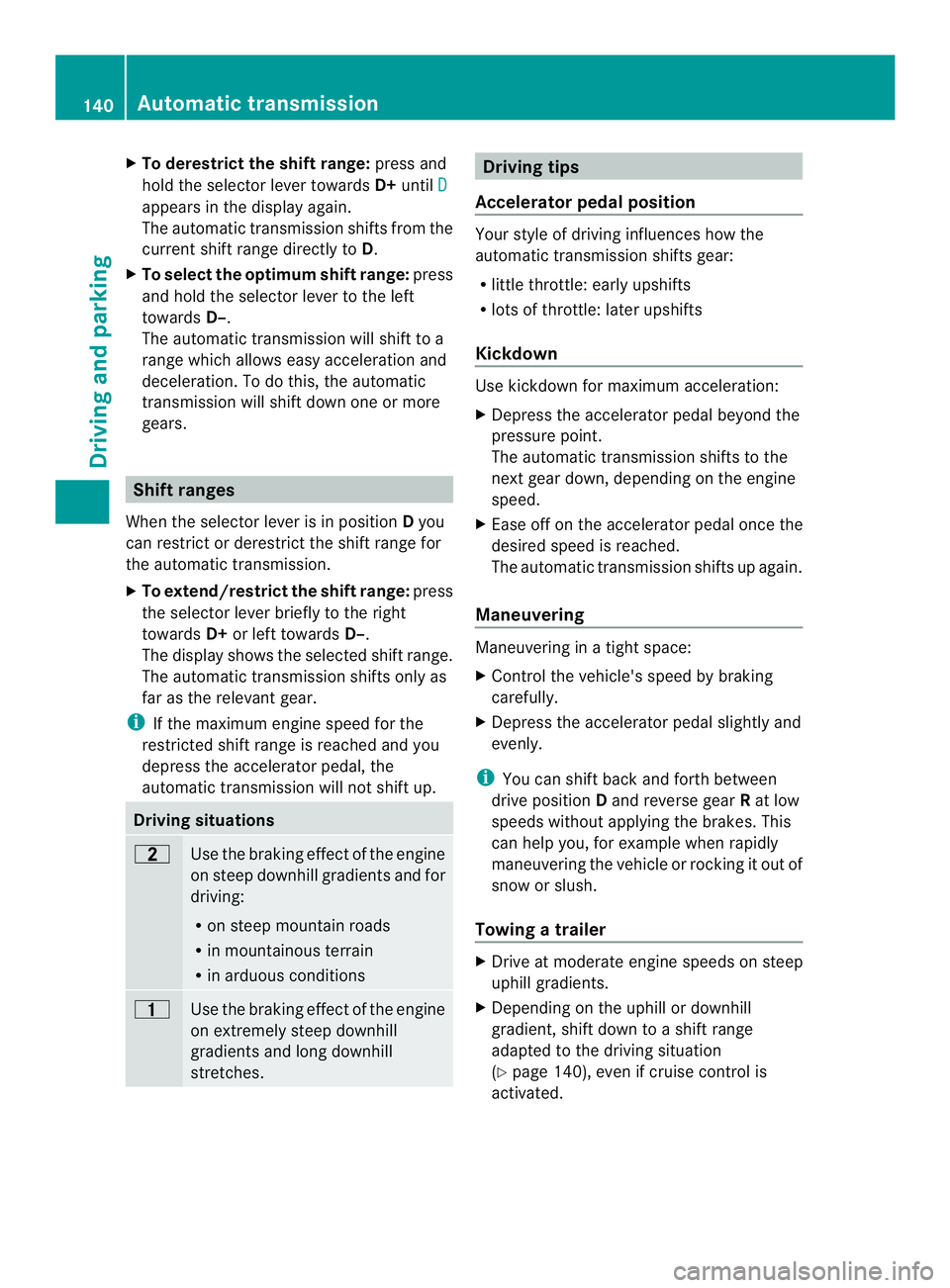
To derestrict the shift range: press and
hold the selecto rlever towards D+until D appears in the display again.
The automatic transmission shifts from the
current shift range directly to
D.
X To select the optimum shift range: press
and hold the selector lever to the left
towards D–.
The automatic transmission will shift to a
range which allows easy acceleration and
deceleration .To do this, the automatic
transmission will shift down one or more
gears. Shift ranges
When the selector lever is in position Dyou
can restrict or derestrict the shift range for
the automatic transmission.
X To extend/restrict the shift range: press
the selector lever briefly to the right
towards D+or left towards D–.
The display shows the selected shift range.
The automatic transmission shifts only as
far as the relevant gear.
i If the maximum engine speed for the
restricted shift range is reached and you
depress the accelerator pedal, the
automatic transmission will not shift up. Driving situations
0009
Use the braking effect of the engine
on steep downhill gradients and for
driving:
R
on steep mountain roads
R in mountainous terrain
R in arduous conditions 000E
Use the braking effect of the engine
on extremely steep downhill
gradients and long downhill
stretches. Driving tips
Accelerator pedal position Your style of driving influences how the
automatic transmission shifts gear:
R little throttle: early upshifts
R lots of throttle: later upshifts
Kickdown Use kickdown for maximum acceleration:
X
Depress the accelerator pedal beyond the
pressure point.
The automatic transmission shifts to the
next gear down, depending on the engine
speed.
X Ease off on the accelerator pedal once the
desired speed is reached.
The automatic transmission shifts up again.
Maneuvering Maneuvering in a tight space:
X
Control the vehicle's speed by braking
carefully.
X Depress the accelerator pedal slightly and
evenly.
i You can shift back and forth between
drive position Dand reverse gear Rat low
speeds without applying the brakes. This
can help you, for example when rapidly
maneuvering the vehicle or rocking it out of
snow or slush.
Towing atrailer X
Drive at moderate engine speeds on steep
uphill gradients.
X Depending on the uphill or downhill
gradient, shift down to ashift range
adapted to the driving situation
(Y page 140), even if cruise control is
activated. 140
Automatic transmissionDriving and parking
Page 148 of 334
Use the wheel chock (Y
page 147) to do so.Parking brake
G
WARNING
If you leave children unsupervised in the
vehicle, they could set it in motion by, for
example:
R releasing the parking brake
R shifting the automatic transmission out of
the parking position P
R starting the engine.
They could also operate the vehicle's
equipment. There is a risk of an accident and
injury.
When leaving the vehicle, always take the
SmartKey with you and lock the vehicle. Never
leave children unsupervised in the vehicle. G
WARNING
If you must brake the vehicle with the parking
brake, the braking distance is considerably
longer and the wheels could lock. There is an
increased danger of skidding and accidents.
Only use the parking brake to brake the
vehicle when the service brake is faulty. Do
not apply the parking brake too firmly. If the
wheels lock, release the parking brake until
the wheels begin turning again. The brake lamps are not illuminated when you
brake the vehicle using the parking brake.
As a rule, you may only apply the parking
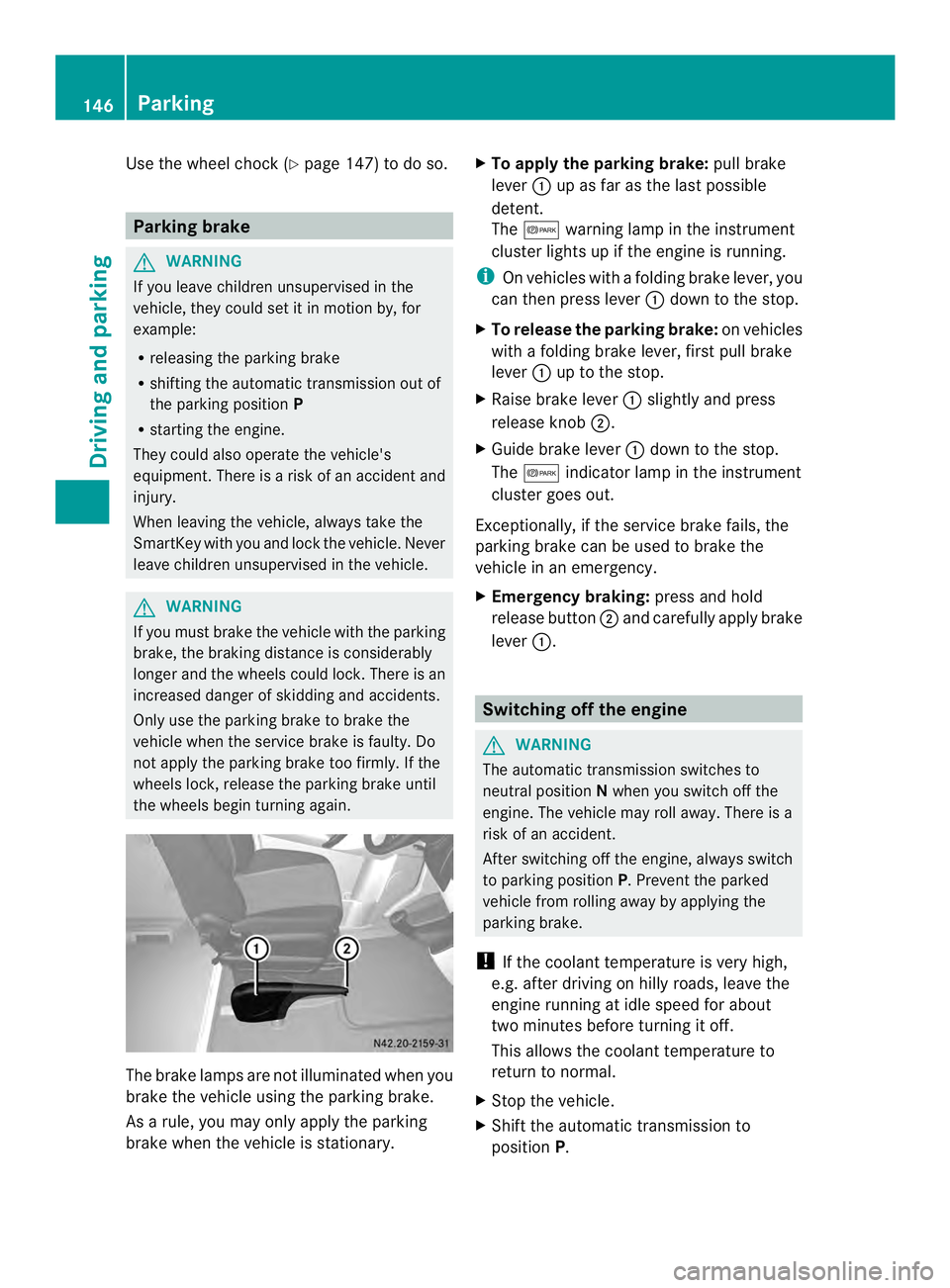
brake when the vehicle is stationary. X
To apply the parking brake: pull brake
lever 0005up as far as the last possible
detent.
The 000B warning lamp in the instrument
cluster lights up if the engine is running.
i On vehicles with a folding brake lever, you
can then press lever 0005down to the stop.
X To release the parking brake: on vehicles
with a folding brake lever, first pull brake
lever 0005up to the stop.
X Raise brake lever 0005slightly and press
release knob 0006.
X Guide brake lever 0005down to the stop.
The 000B indicator lamp in the instrument
cluster goes out.
Exceptionally, if the service brake fails, the
parking brake can be used to brake the
vehicle in an emergency.
X Emergency braking: press and hold
release button 0006and carefully apply brake
lever 0005. Switching off the engine
G
WARNING
The automatic transmission switches to
neutral position Nwhen you switch off the
engine. The vehicle may roll away. There is a
risk of an accident.
After switching off the engine, always switch
to parking position P. Prevent the parked
vehicle from rolling away by applying the
parking brake.
! If the coolant temperature is very high,
e.g. after driving on hilly roads, leave the
engine running at idle speed for about
two minutes before turning it off.
This allows the coolant temperature to
return to normal.
X Stop the vehicle.
X Shift the automatic transmission to
position P. 146
ParkingDriving and parking
Page 152 of 334
cross the border, bu
tas close to it as
possible.
When you return from your journey, and as
close to the border as possible, you will need
to:
R remove the adhesive surfaces from your
halogen headlamps and clean the glass of
the headlamps if necessary
R have the Bi-Xenon headlamps reset to
asymmetrical low beam at aqualified
specialist workshop Transport by rail
Transporting your vehicle by rail may be
subject to certain restrictions or require
special measures to be taken in some
countries due to varying tunnel heights and
loading standards.
You can obtain further information from any
authorized Sprinte rdealer. Braking
Important safety notes G
WARNING
If you shift down on a slippery road surface in
an attempt to increase the engine's braking
effect, the drive wheels could lose their grip.
There is an increased danger of skidding and
accidents.
Do not shift down for additional engine
braking on a slippery road surface.
Downhill gradients !
Depressing the brake pedal constantly
results in excessive and premature wear to
the brake pads.
On long and steep downhill gradients, you
should change down to shift range 0009or0008
in good time. This should be observed in
particular when driving with a laden vehicle
and when towing a trailer. i
You must also change the shift range in
good time when cruise control is switched
on.
You thereby make use of the braking effec tof
the engine and do not have to brake as often
to maintain the speed. This relieves the load
on the service brake and prevents the brakes
fro mo verheating and wearing too quickly.
Heavy and light loads G
WARNING
If you rest yourf oot on the brake pedal while
driving, the braking system can overheat. This
increases the stopping distance and can even
cause the braking system to fail. There is a
risk of an accident.
Never use the brake pedal as a footrest .Never
depress the brake pedal and the accelerator
pedal at the same time.
! Depressing the brake pedal constantly
results in excessive and premature wear to
the brake pads.
If the brakes have been subjected to a heavy
load, do not stop the vehicle immediately.
Drive on for a short while. The brakes are
cooled down more quickly in the airflow.
Wet road surfaces If you have been driving for a long time in
heavy rain without braking
,there may be a
delayed response when you first apply the
brakes. This may also occur after driving
through a car wash or deep water.
You must depress the brake pedal more
firmly. Maintain a longer distance to the
vehicle in front.
While paying attention to the traffic
conditions, you should brake the vehicle
firmly after driving on a wet road surface or
through a car wash. This heats the brake
discs, so that they dry more quickly, which
protects them against corrosion. 150
Driving tipsDriving and parking
Page 153 of 334
Limited braking performance on salt-
treated roads When driving on salted roads, salt may start
to build up on the brak edisks and brake pads.
This can increase braking distances
considerably.
Maintain a greater distanc eto the vehicle in
front.
To remove any build up of salt that may have
formed:
X Apply the brakes at the start of the journey,
occasionally during journey and at the end
of the journey. Make sure that you do not
endanger other road users when doing so.
Parking brake G
WARNING
If you must brake the vehicle with the parking
brake, the braking distance is considerably
longer and the wheels could lock. There is an
increased danger of skidding and accidents.
Only use the parking brake to brake the
vehicle when the service brake is faulty. Do
not apply the parking brake too firmly. If the
wheels lock, release the parking brake until
the wheels begin turning again.
When driving on wet roads or dirt-covered
surfaces, road salt and/or dirt may get into
the parking brake. This causes corrosion and
a reduction of braking force.
In order to prevent this, drive with the parking
brake lightly applied from time to time. When
doing so, drive for a distance of approximately
110 yds (100 m) at a maximum speed of
12 mph (20 km/h).
The brake lamps are not illuminated when you
brake the vehicle using the parking brake. Driving in wet conditions
Hydroplaning G
WARNING
There is a danger of hydroplaning occurring,
even if you are driving slowly and your tires
have sufficient tread depth, depending on the
depth of water on the road. There is a risk of
an accident.
For this reason, avoid tire ruts and brake
carefully.
Therefore, in heavy rain or other conditions in
which hydroplaning can occur, drive as
follows:
R reduce your speed
R avoid tire ruts
R apply the brakes with care
Driving on flooded roads !
Do not drive through flooded areas.
Check the depth of any water before driving
through it. Drive slowly through standing
water. Otherwise, water may enter the
vehicle interior or the engine compartment.
This can damage the electronic
components in the engine or the automatic
transmission. Water can also be drawn in
by the engine's air suction nozzles and this
can cause engine damage.
If you have to drive on stretches of road on
which water has collected, please bear in
mind that:
R the water level of standing water should not
be above the lower edge of the front
bumper
R do not drive faster than walking speed Driving tips
151Driving and parking Z
Page 159 of 334
Deactivating cruise control
There are various ways to deactivate cruise
control:
X Briefly press the cruise control lever
forwards 0025.
Or
X Apply the brakes.
The last speed set remains stored. The last
speed stored is deleted when you switch off
the engine.
Cruise control is deactivated automatically
when:
R you apply the brakes
R you apply the parking brake and the 000B
indicator lamp in the instrument cluster
lights up
R you are driving slower than 20 mph
(30 km/h)
R you shift the automatic transmissio nto
neutral position Nwhile the vehicle is in
motion
R ESP ®
or ASR intervenes
R there is a malfunction in the ESP ®
, ASR or
ABS system
Problems with cruise control On vehicles with steering wheel buttons, the
speed canno
tbe set when cruise control is
activated.
The display is showing a message of high
priority and cannot therefore show a change
in speed.
X Proceed as instructed by the message in
the display.
X Deactivate cruise control PARKTRONIC
Important safety notes PARKTRONIC is only an aid. It cannot replace
your own awareness of the immediate
surroundings. You are responsible for safe maneuvering, parking and pulling away. When
maneuvering, parking and pulling away, make
sure that there are no persons, animals or
objects in the maneuverin
garea.
PARKTRONIC does not account for obstacles
that are:
R beneath its detection range, e.g. persons,
animals or objects
R above its detection range, e.g. overhanging
loads, overhangs or truck loading ramps
PARKTRONIC is an electronic parking aid with
ultrasonic sensors. It indicates the distance
between yourv ehicle and an objec tvisually
and audibly.
Your vehicle features two separate sound
emitters with different frequencies for the
warning tones. The warning ranges in front of
and behind the vehicle are indicated by
different warning tones.
PARKTRONIC is activated automatically when
you:
R tur nthe key to position 2in the ignition lock
R release the parking brake and
R move the selector lever to D,Nor R.
PARKTRONIC is deactivated at speeds above
11 mph (18 km/h). PARKTRONIC is
reactivated at speeds below 10 mph
(16 km/h).
PARKTRONIC monitors the area around your
vehicle with sensors in the front and rear
bumpers.
Range of the sensors !
Pay particular attention to obstacles
above or below the sensors when parking,
such as flower pots or trailer towbars.
PARKTRONIC does not recognize such
objects when they are in the immediate
vicinity of the vehicle. You could damage
the vehicle or objects. Driving systems
157Driving and parking Z
Page 160 of 334
PARKTRONIC can suffer interferenc
efrom:
R ultrasonic sources such as atruck's
compressed-ai rbrakes, an automatic car
wash or a pneumatic drill
R attachments to the vehicle, e.g. rear
mounted racks
R number plates (vehicle license plates)
that are not affixed flat against the
bumper
R dirty or icy sensors The sensors must be free of dirt, ice or slush.
Otherwise, they cannot function correctly.
Clean the sensors regularly, taking care not
to scratch or damage them (Y
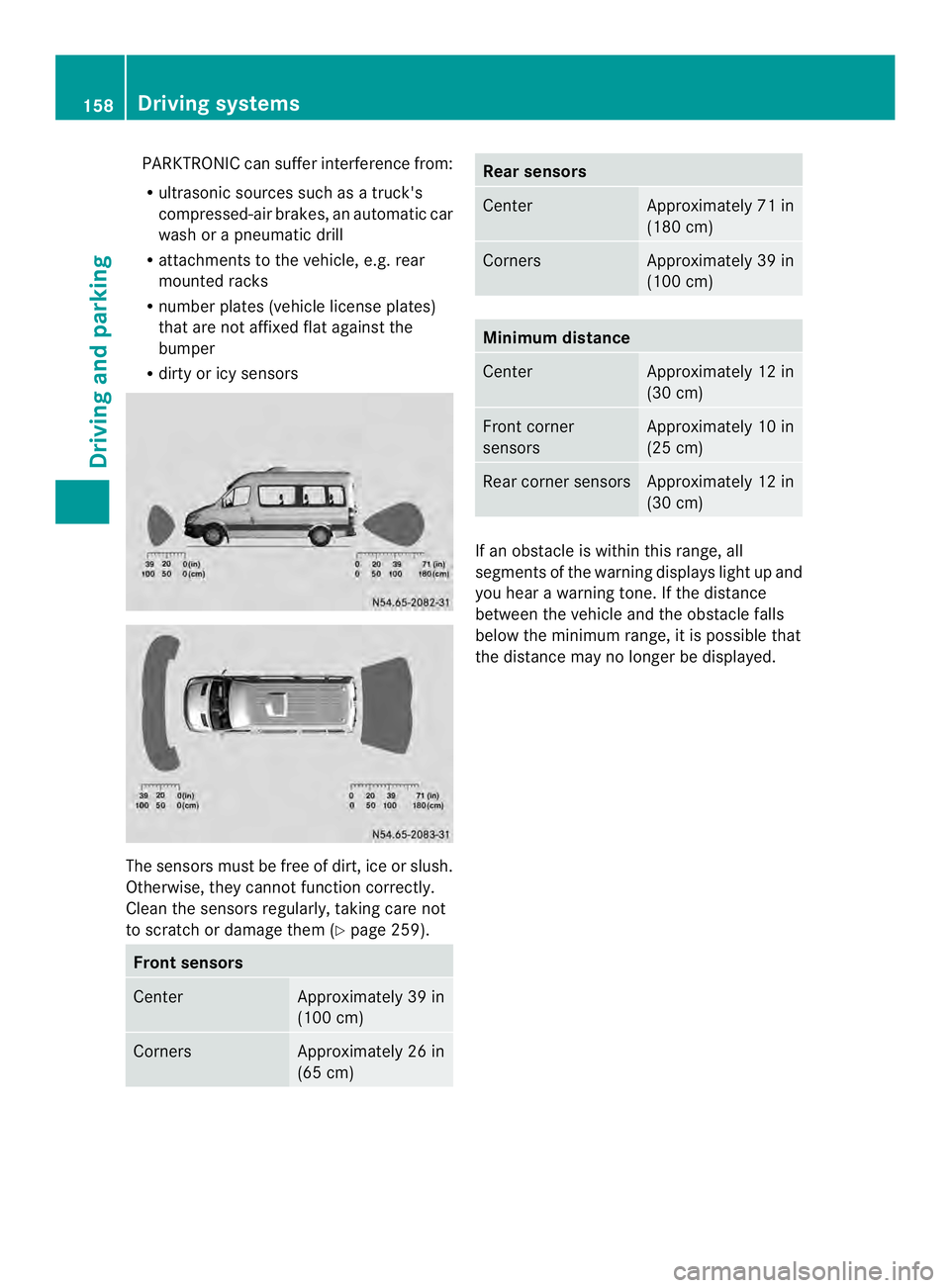
page 259).Fron
tsensors Center Approximately 39 in
(100 cm)
Corners Approximately 26 in
(65 cm) Rea
rsensors Center Approximately 71 in
(180 cm)
Corners Approximately 39 in
(100 cm)
Minimum distance
Center Approximately 12 in
(30 cm)
Front corner
sensors Approximately 10 in
(25 cm)
Rear corner sensors Approximately 12 in
(30 cm)
If an obstacle is within this range, all
segments of the warning displays light up and
you hear a warning tone. If the distance
between the vehicle and th
eobstacle falls
below the minimum range, it is possible that
the distance may no longer be displayed. 158
Driving systemsDriving and parking