lock MERCEDES-BENZ SPRINTER 2013 MY13 Operator’s Manual
[x] Cancel search | Manufacturer: MERCEDES-BENZ, Model Year: 2013, Model line: SPRINTER, Model: MERCEDES-BENZ SPRINTER 2013Pages: 334, PDF Size: 3.88 MB
Page 118 of 334
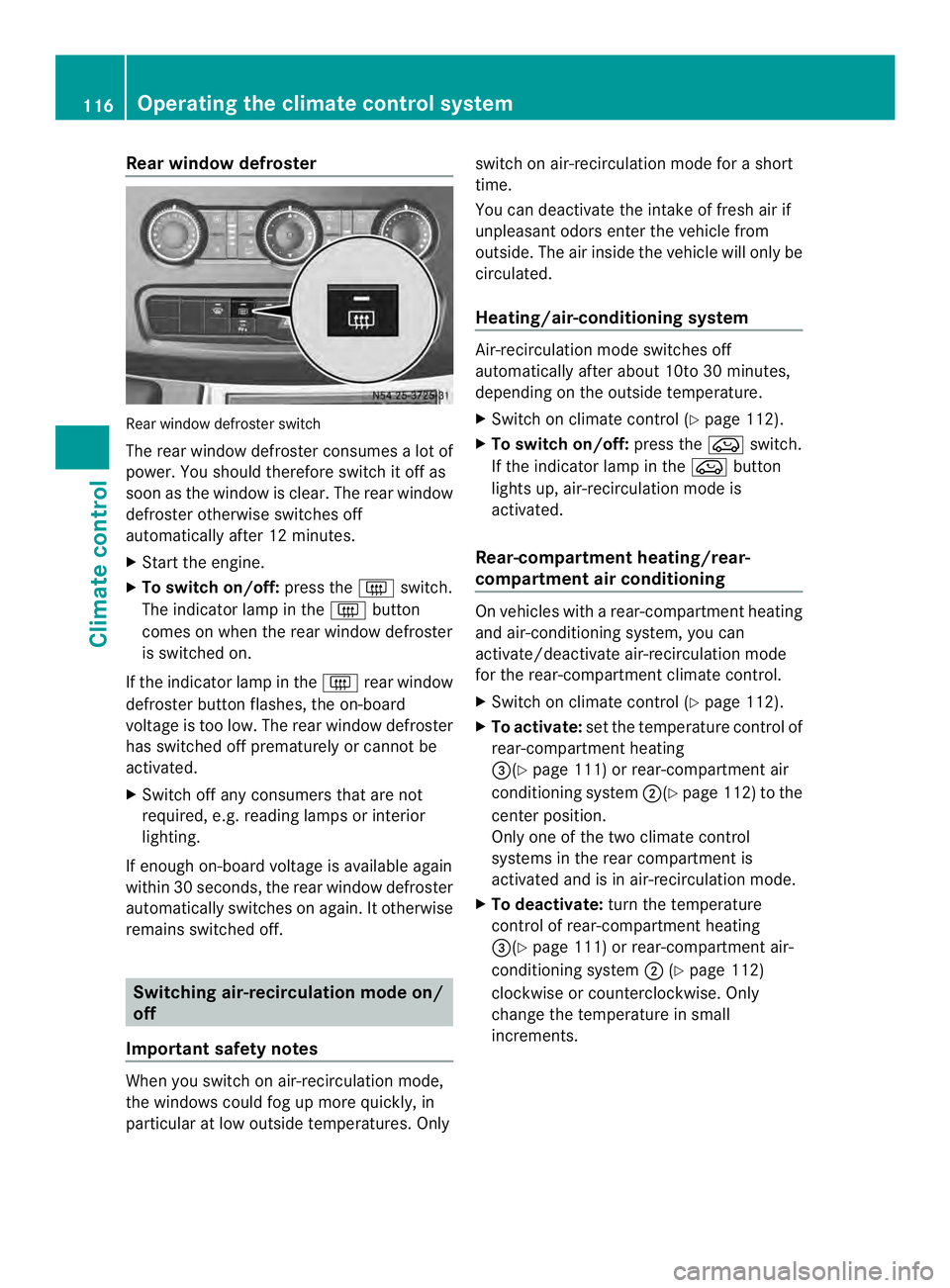
Rear window defroster
Rear window defroste
rswitch
The rear window defroster consumes a lot of
power. You should therefore switch it off as
soon as the window is clear .The rear window
defroster otherwise switches off
automatically after 12 minutes.
X Start the engine.
X To switch on/off: press the0019switch.
The indicator lamp in the 0019button
comes on when the rear window defroster
is switched on.
If the indicator lamp in the 0019rear window
defroster button flashes, the on-board
voltage is too low. The rear window defroster
has switched off prematurely or cannot be
activated.
X Switch off any consumers that are not
required, e.g. reading lamps or interior
lighting.
If enough on-board voltage is available again
within 30 seconds, the rear window defroster
automatically switches on again. It otherwise
remains switched off. Switching air-recirculation mode on/
off
Important safety notes When you switch on air-recirculation mode,
the windows could fog up more quickly, in
particular at low outside temperatures. Only switch on air-recirculation mode for a short
time.
You can deactivate the intake of fresh air if
unpleasant odors enter the vehicle from
outside. The air inside the vehicle will only be
circulated.
Heating/air-conditioning system
Air-recirculation mode switches off
automatically after about 10to 30 minutes,
depending on the outside temperature.
X
Switch on climate control (Y page 112).
X To switch on/off: press the0022switch.
If the indicator lamp in the 0022button
lights up, air-recirculation mode is
activated.
Rear-compartment heating/rear-
compartment air conditioning On vehicles with a rear-compartment heating
and air-conditioning system, you can
activate/deactivate air-recirculation mode
for the rear-compartment climate control.
X Switch on climate control (Y page 112).
X To activate: set the temperature control of
rear-compartment heating
0026(Y page 111) or rear-compartment air
conditioning system 0006(Ypage 112) to the
center position.
Only one of the two climate control
systems in the rear compartment is
activated and is in air-recirculation mode.
X To deactivate: turn the temperature
control of rear-compartment heating
0026(Y page 111) or rear-compartment air-
conditioning system 0006(Ypage 112)
clockwise or counterclockwise. Only
change the temperature in small
increments. 116
Operating the climate control systemClimate control
Page 119 of 334
Adjusting the air vents
Important safety notes
G
WARNING
Very hot or very cold air can flow from the air
vents .This could result in burns or frostbite in
the immediate vicinity of the air vents. There
is a risk of injury.
Make sure that all vehicle occupants always
maintain a sufficient distance to the air
outlets. If necessary, redirect the airflow to
another area of the vehicle interior.
The center and side air vents are adjustable.
On vehicles with arear-compartment air-
conditioning system, you can also adjust the
air vents in the roof duct.
i For virtually draft-free ventilation, adjust
the sliders of the center air vents to the
center position.
In order to ensure the direct flow of fresh air
through the air vents into the vehicle interior,
please observe the following notes:
R keep the air inlet grille on the hood free of
blockages, such as ice, snow or leaves.
R never cover the vents or the ventilation
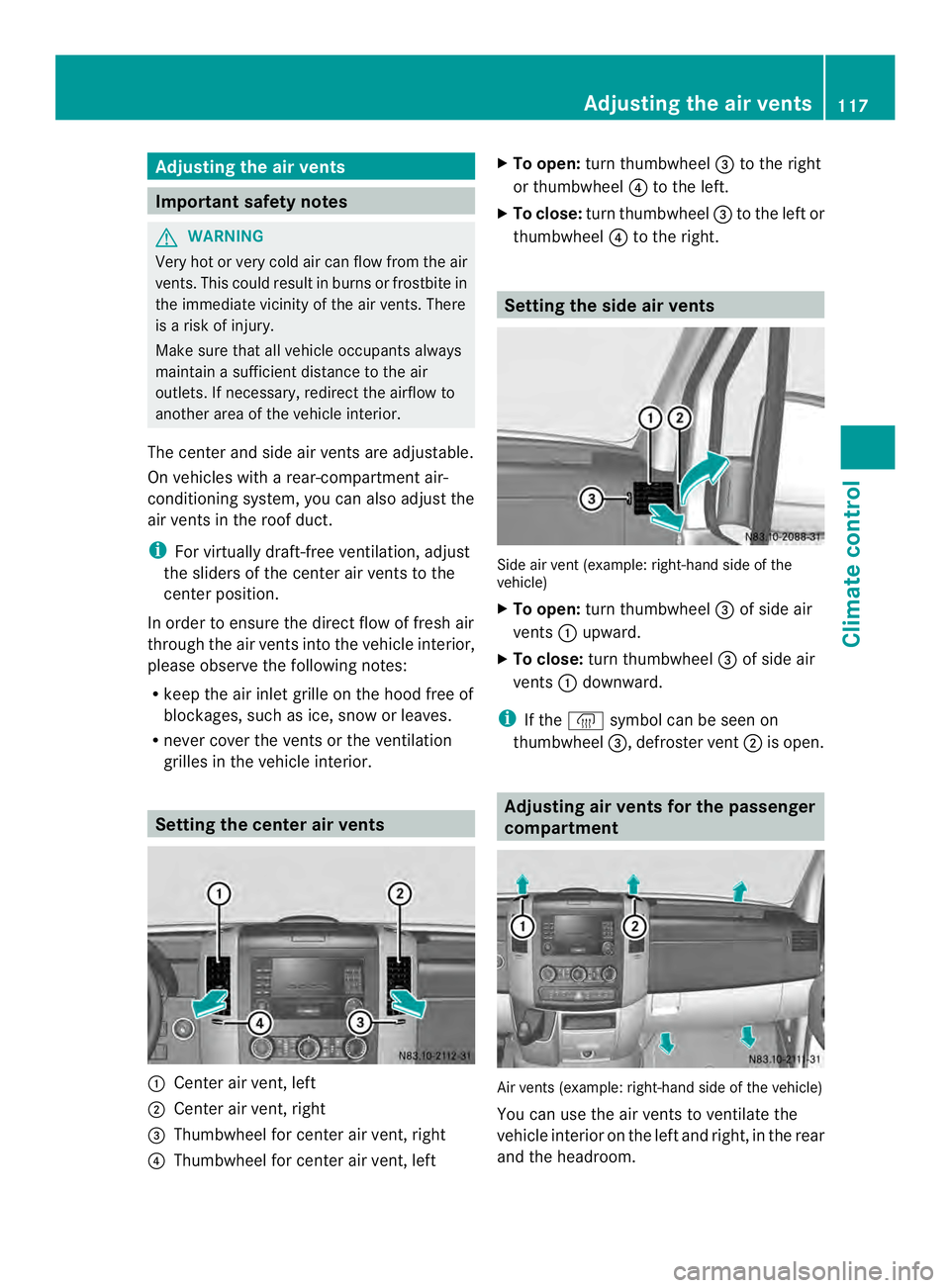
grilles in the vehicle interior. Setting the center air vents
0005
Center air vent, left
0006 Center air vent, right
0026 Thumbwheel for center air vent, right
0025 Thumbwheel for center air vent, left X
To open: turn thumbwheel 0026to the right
or thumbwheel 0025to the left.
X To close: turn thumbwheel 0026to the left or
thumbwheel 0025to the right. Setting the side air vents
Side air vent (example: right-hand side of the
vehicle)
X
To open: turn thumbwheel 0026of side air
vents 0005upward.
X To close: turn thumbwheel 0026of side air
vents 0005downward.
i If the 0012 symbol can be seen on
thumbwheel 0026, defroster vent 0006is open. Adjusting air vents for the passenger
compartment
Air vents (example: right-hand side of the vehicle)
You can use the air vents to ventilate the
vehicle interior on the left and right, in the rear
and the headroom. Adjusting the air vents
117Climate control Z
Page 120 of 334
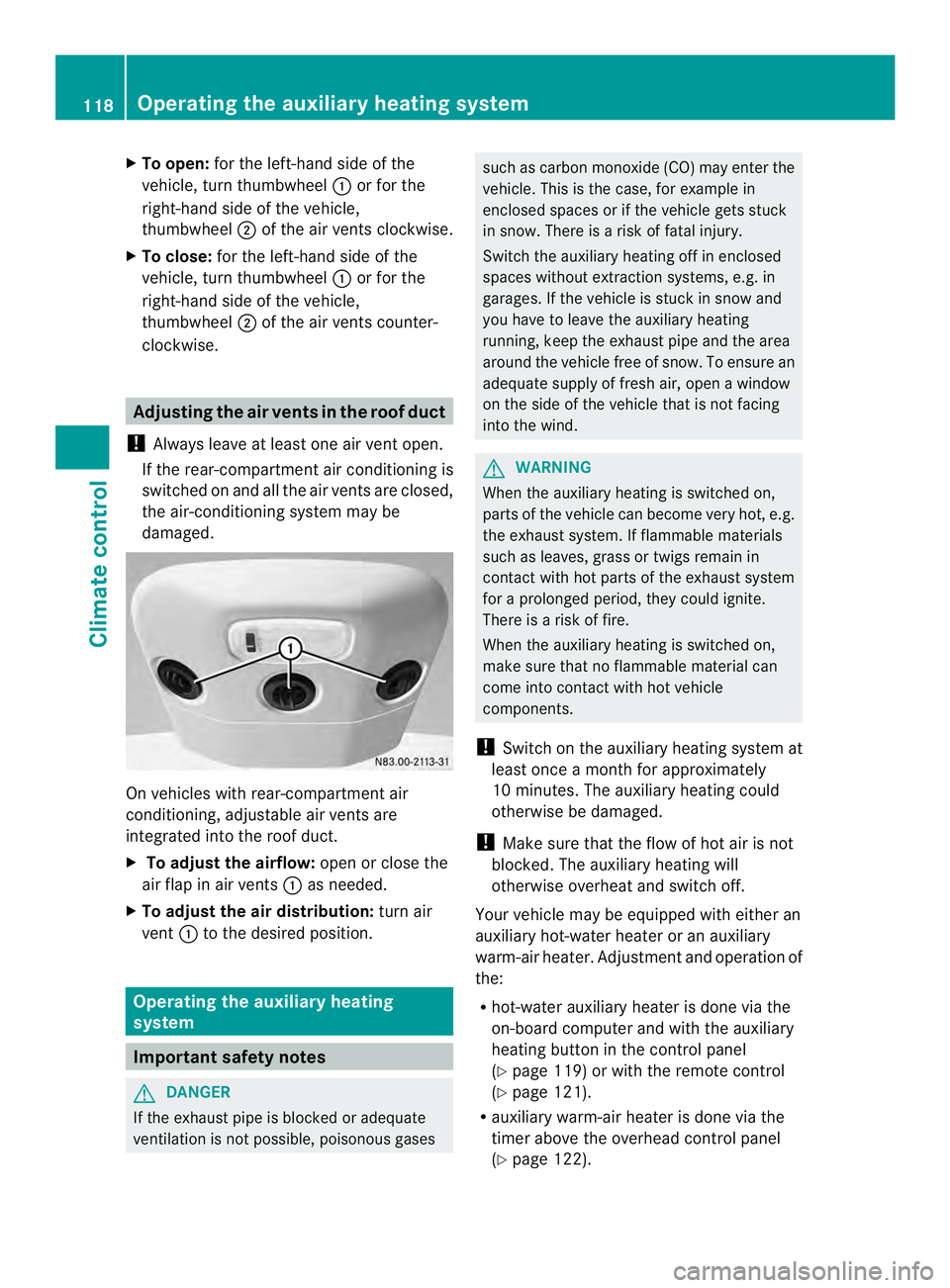
X
To open: for the left-hand side of the
vehicle, tur nthumbwheel 0005or for the
right-hand side of the vehicle,
thumbwheel 0006of the air vents clockwise.
X To close: for the left-hand side of the
vehicle, turn thumbwheel 0005or for the
right-hand side of the vehicle,
thumbwheel 0006of the air vents counter-
clockwise. Adjusting the air vents in the roof duct
! Always leave at least one air vent open.
If the rear-compartment air conditioning is
switched on and all the air vents are closed,
the air-conditioning system may be
damaged. On vehicles with rear-compartment air
conditioning, adjustable air vents are
integrated into the roof duct.
X
To adjust the airflow: open or close the
air flap in air vents 0005as needed.
X To adjust the air distribution: turn air
vent 0005to the desired position. Operating the auxiliary heating
system
Important safety notes
G
DANGER
If the exhaust pipe is blocked or adequate
ventilation is not possible, poisonous gases such as carbon monoxide (CO) may enter the
vehicle. This is the case, for example in
enclosed spaces or if the vehicle gets stuck
in snow. There is a risk of fatal injury.
Switch the auxiliary heating off in enclosed
spaces without extraction systems, e.g. in
garages. If the vehicle is stuck in snow and
you have to leave the auxiliary heating
running, keep the exhaust pipe and the area
around the vehicle free of snow. To ensure an
adequate supply of fresh air, open a window
on the side of the vehicle that is not facing
into the wind. G
WARNING
When the auxiliary heating is switched on,
parts of the vehicle can become very hot, e.g.
the exhaust system. If flammable materials
such as leaves, grass or twigs remain in
contact with hot parts of the exhaust system
for a prolonged period, they could ignite.
There is a risk of fire.
When the auxiliary heating is switched on,
make sure that no flammable material can
come into contact with hot vehicle
components.
! Switch on the auxiliary heating system at
least once a month for approximately
10 minutes. The auxiliary heating could
otherwise be damaged.
! Make sure that the flow of hot air is not
blocked. The auxiliary heating will
otherwise overheat and switch off.
Your vehicle may be equipped with either an
auxiliary hot-water heater or an auxiliary
warm-air heater. Adjustment and operation of
the:
R hot-water auxiliary heater is done via the
on-board computer and with the auxiliary
heating button in the control panel
(Y page 119) or with the remote control
(Y page 121).
R auxiliary warm-air heater is done via the
timer above the overhead control panel
(Y page 122). 118
Operating the auxiliary heating systemClimate control
Page 121 of 334
The auxiliary heating works independently of
the engine and supplements the climate
control system in the vehicle. The auxiliary
heating heats the air in the vehicle interior to
the temperature set.
If your vehicle is equipped with a hot-water
auxiliary heater, the auxiliary heating also
keeps the coolant warm. This way, the load
on the engine is minimized and fuel is saved.
The heater booster function of the auxiliary
heating supports the climate control system
when the engine is runnin gand the outside
temperature is low.
You can use the auxiliary heating at an
outside temperature of up to 39 ‡ (4 †). At
an outside temperature above 39 ‡(4† ) the
auxiliary heating system and the heater
booster function switch off automatically.
i If the interior motion sensor (Y page 61)
is armed and the auxiliary heating is
switched on, it is possible that the interior
temperature monitoring may cause a false
alarm. In this case, either deactivate the
interior motion sensor or switch off the
auxiliary heating. Before switching on
X Check the fuel level and top up if necessary.
The auxiliary heating is operated directly
using the vehicle's fuel. The tan kmust be
at least a quarter full to ensure that the
auxiliary heating functions.
X Switch on climate control (Y page 112).
X Se tthe temperature control to the desired
temperature (Y page 113).
X Set the air distribution as required
(Y page 113).
X Open the center (Y page 117) and side air
vents (Y page 117) and set them to the
middle position.
i The auxiliary heating automatically
switches to heater booster mode after the
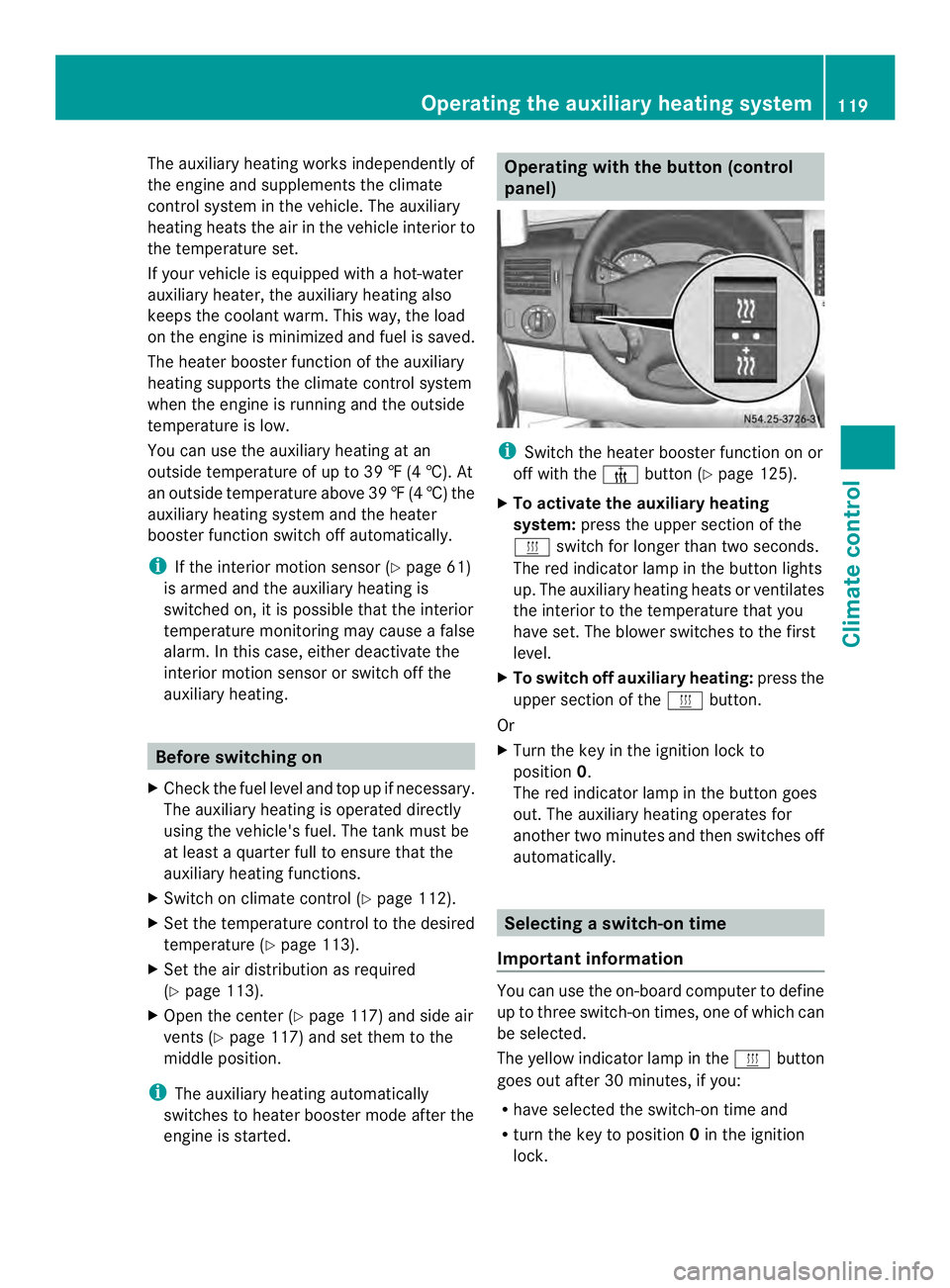
engine is started. Operating with the button (control
panel)
i
Switch the heater booster function on or
off with the 0013button (Y page 125).
X To activate the auxiliary heating
system: press the upper section of the
0020 switch for longer than two seconds.
The red indicator lamp in the button lights
up. The auxiliary heating heats or ventilates
the interior to the temperature that you
have set. The blower switches to the first
level.
X To switch off auxiliary heating: press the
upper section of the 0020button.
Or
X Turn the key in the ignition lock to
position 0.
The red indicator lamp in the button goes
out. The auxiliary heating operates for
another two minutes and then switches off
automatically. Selecting
aswitch-on time
Important information You can use the on-boar
dcomputer to define
up to three switch-on times, one of which can
be selected.
The yellow indicator lamp in the 0020button
goes out after 30 minutes, if you:
R have selected the switch-on time and
R turn the key to position 0in the ignition
lock. Operating the auxiliary heating system
119Climate control Z
Page 122 of 334
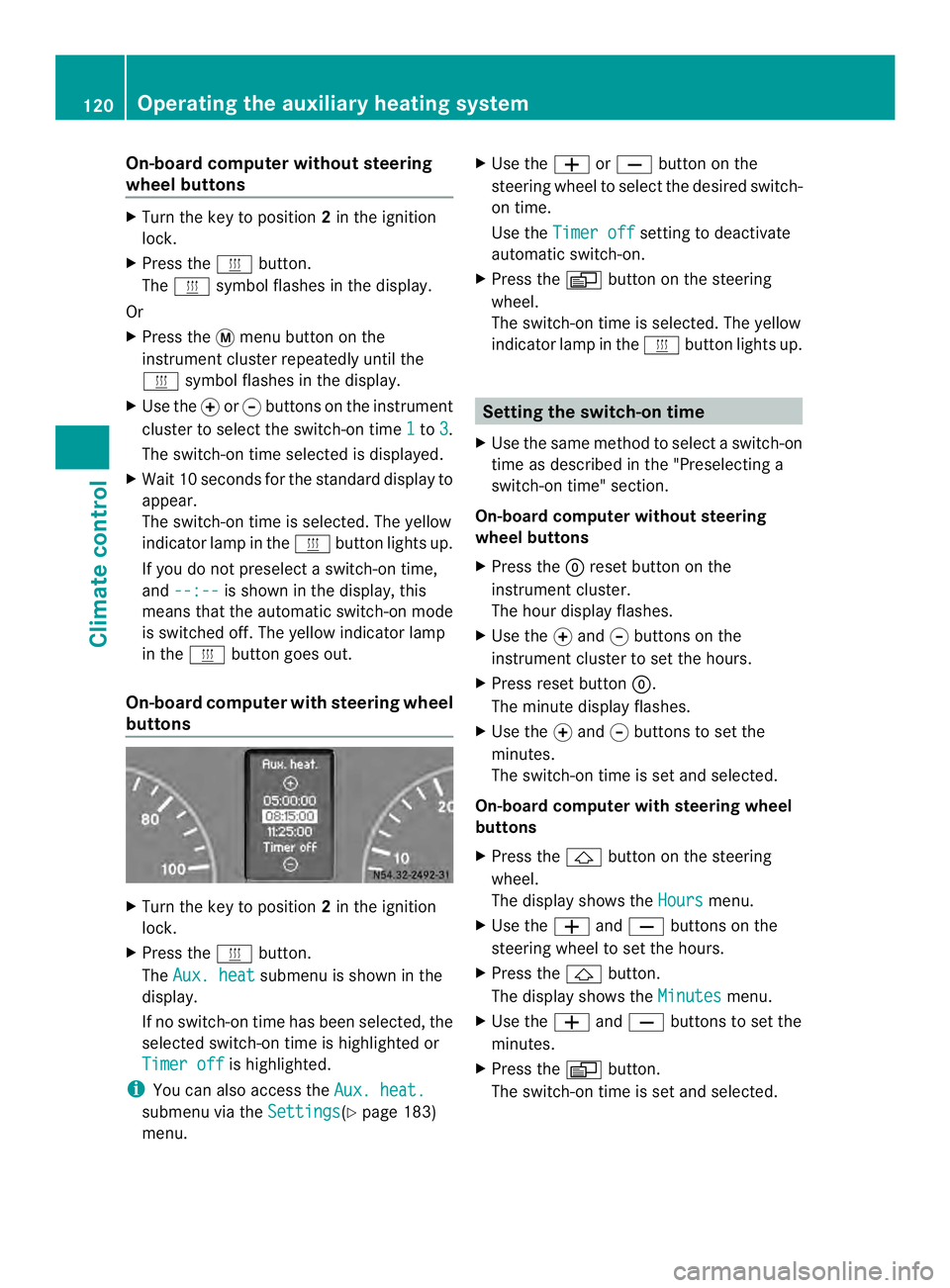
On-board computer without steering
wheel buttons
X
Turn the key to position 2in the ignition
lock.
X Press the 0020button.
The 0020 symbol flashes in the display.
Or
X Press the 0004menu button on the
instrument cluster repeatedly until the
0020 symbol flashes in the display.
X Use the 000Eor000F buttons on the instrument
cluster to select the switch-on time 1 to
3 .
The switch-on time selected is displayed.
X Wait 10 seconds for the standard display to
appear.
The switch-on time is selected. The yellow
indicator lamp in the 0020button lights up.
If you do not preselect a switch-on time,
and --:-- is shown in the display, this
means that the automatic switch-on mode
is switched off. The yellow indicator lamp
in the 0020button goes out.
On-boar dcomputer with steering wheel
buttons X
Turn the key to position 2in the ignition
lock.
X Press the 0020button.
The Aux. heat submenu is shown in the
display.
If no switch-on time has been selected, the
selected switch-on time is highlighted or
Timer off is highlighted.
i You can also access the Aux. heat.submenu via the
Settings (Y
page 183)
menu. X
Use the 0011or0012 button on the
steering wheel to selec tthe desired switch-
on time.
Use the Timer off setting to deactivate
automatic switch-on.
X Press the 0010button on the steering
wheel.
The switch-on time is selected. The yellow
indicator lamp in the 0020button lights up. Setting the switch-on time
X Use the same method to select a switch-on
time as described in the "Preselecting a
switch-on time" section.
On-board computer without steering
wheel buttons
X Press the 0007reset button on the
instrument cluster.
The hour display flashes.
X Use the 000Eand 000Fbuttons on the
instrument cluster to set the hours.
X Press reset button 0007.
The minute display flashes.
X Use the 000Eand 000Fbuttons to set the
minutes.
The switch-on time is set and selected.
On-board computer with steering wheel
buttons
X Press the 0001button on the steering
wheel.
The display shows the Hours menu.
X Use the 0011and0012 buttons on the
steering wheel to set the hours.
X Press the 0001button.
The display shows the Minutes menu.
X Use the 0011and0012 buttons to set the
minutes.
X Press the 0010button.
The switch-on time is set and selected. 120
Operating the auxiliary heating systemClimate control
Page 126 of 334
X
Press the 0003or0006 button until the
0001 symbol in menu bar 0006flashes.
X Press the 000Abutton.
In program column 0005, the day selected
flashes.
X Press the 0003or0006 button to set the
desired day.
X Press the 000Abutton.
The day selected is stored. The hour setting
of the clock flashes.
X In the same way, set the hour and
subsequently the minutes, then confirm by
pressing the 000Abutton.
The time is stored. Program column 0005
disappears and the operating duration
flashes.
i The operating duration set is the default
setting for immediate heating mode. You
can set the operating duration from 10 to
120 minutes or activate continuous
operation.
X Using the 0003or0006 button, set the
minute value or select the 0005symbol for
continuous operation.
X Press the 000Abutton.
The operating duration is stored. The time
is shown.
Activating/deactivating immediate
heating mode X
To switch on: press the0003or0006
button until the 0020symbol in the menu
bar flashes.
X Press the 000Abutton.
The operation duration flashes in the
display.
i You can preset the default value that is
shown (Y page 123).
X Using the 0003or0006 button, set the
minute value (10 – 120) or select the
0005 symbol for continuous operation. X
Press the 000Abutton.
Immediate heating mode is activated. The
time and the 0020symbol appear.
X To switch off: press the0003or0006
button until the 0020symbol flashes in the
menu bar, and then press the 000Abutton.
Immediate heating mode is deactivated.
The 0020 symbol disappears.
The auxiliary heating operates for another
two minutes and then switches off
automatically.
i If you switch off the ignition while
immediate heating mode (operating
duration 10– 120 minutes) is active,
immediate heating mode is also switched
off. The auxiliary heating operates for
another two minutes and then switches off
automatically.
If you have set continuous operation as the
operating duration and you switch off the
ignition, the auxiliary heating switches off
automatically after about 15 minutes .If, in
the remaining time, the ignition is switched
on again, continuous operation of the
auxiliary heating continues.
Setting the preselection time G
WARNING
The auxiliary heating must not be operated if
there are highly flammable substances
nearby or in enclosed spaces without an
extraction system. Make sure that the
auxiliary heating is not switched on
automatically by the timer in such places. If
this possibility exists, deactivate the
respective programmed time.
You can set three preselectio ntimes using
the timer.
Observe that when setting the preselection
time, this does not correspond to the switch-
on time but to the switch-off or departure
time. The auxiliary heatin gsystem starts up
automatically and runs fo rthe operating
duration set prior to departure. 124
Operating the auxiliary heating systemClimate control
Page 128 of 334
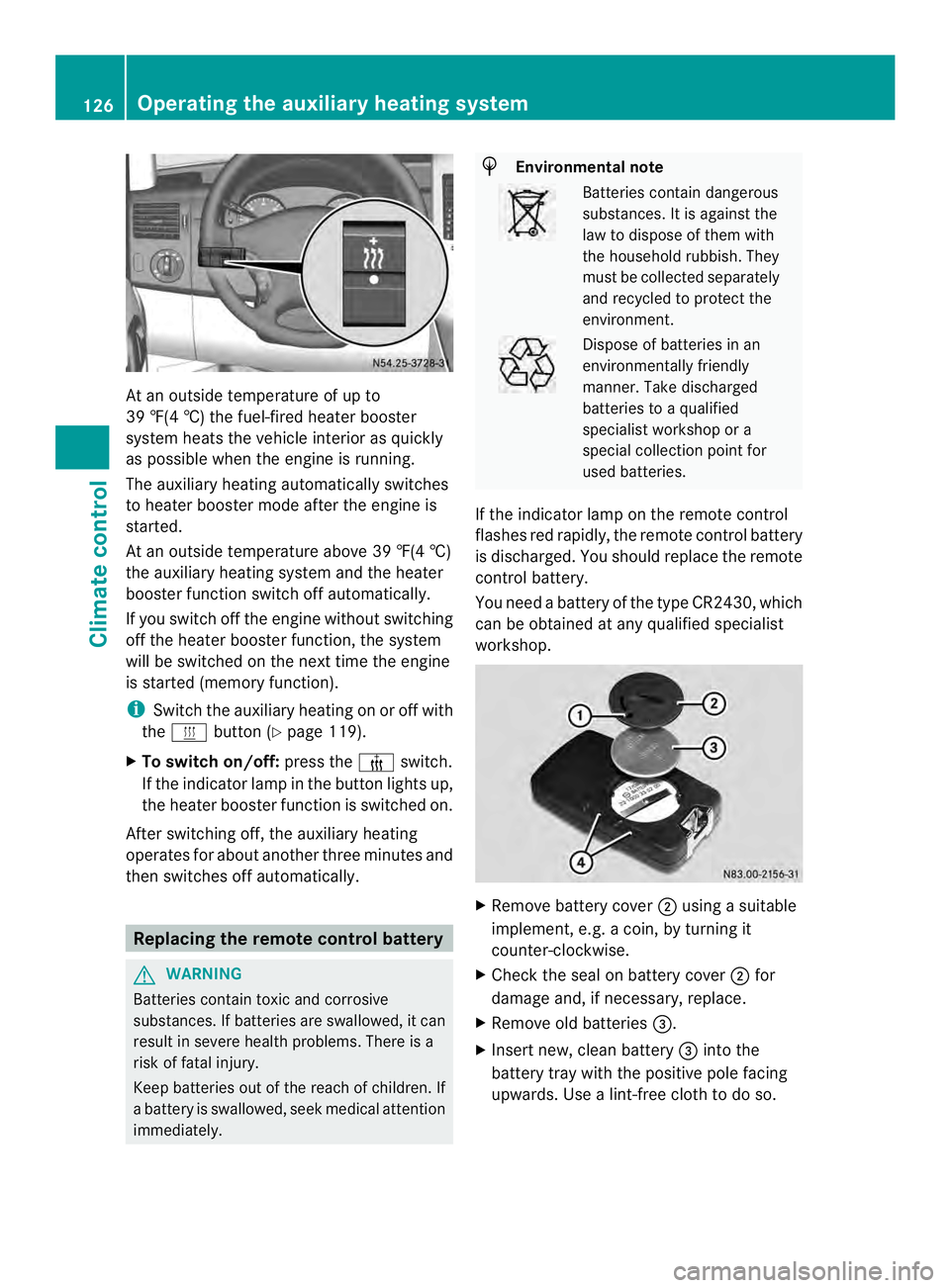
At an outside temperature of up to
39 ‡(4 †) the fuel-fired heate
rbooster
system heats the vehicle interior as quickly
as possible when the engine is running.
The auxiliary heating automatically switches
to heater booster mode after the engine is
started.
At an outside temperature above 39 ‡(4 †)
the auxiliary heating system and the heater
booster function switch off automatically.
If you switch off the engine without switching
off the heater booster function, the system
will be switched on the next time the engine
is started (memory function).
i Switch the auxiliary heating on or off with
the 0020 button (Y page 119).
X To switch on/off: press the0013switch.
If the indicator lamp in the button lights up,
the heater booster function is switched on.
After switching off, the auxiliary heating
operates for about another three minutes and
then switches off automatically. Replacing the remote control battery
G
WARNING
Batteries contain toxic and corrosive
substances. If batteries are swallowed, it can
result in severe health problems. There is a
risk of fatal injury.
Keep batteries out of the reach of children. If
a battery is swallowed, seek medical attention
immediately. H
Environmental note Batteries contain dangerous
substances. It is against the
law to dispose of them with
the household rubbish. They
must be collected separately
and recycled to protect the
environment.
Dispose of batteries in an
environmentally friendly
manner
.Take discharged
batteries to a qualified
specialist workshop or a
special collectio npoint for
used batteries.
If the indicator lamp on the remote control
flashes red rapidly, the remote control battery
is discharged. You should replace the remote
control battery.
You need a battery of the type CR2430, which
can be obtained at any qualified specialist
workshop. X
Remove battery cover 0006using a suitable
implement, e.g. a coin, by turning it
counter-clockwise.
X Check the seal on battery cover 0006for
damage and, if necessary, replace.
X Remove old batteries 0026.
X Insert new, clean battery 0026into the
battery tray with the positive pole facing
upwards. Use a lint-free cloth to do so. 126
Operating the auxiliary heating systemClimate control
Page 129 of 334
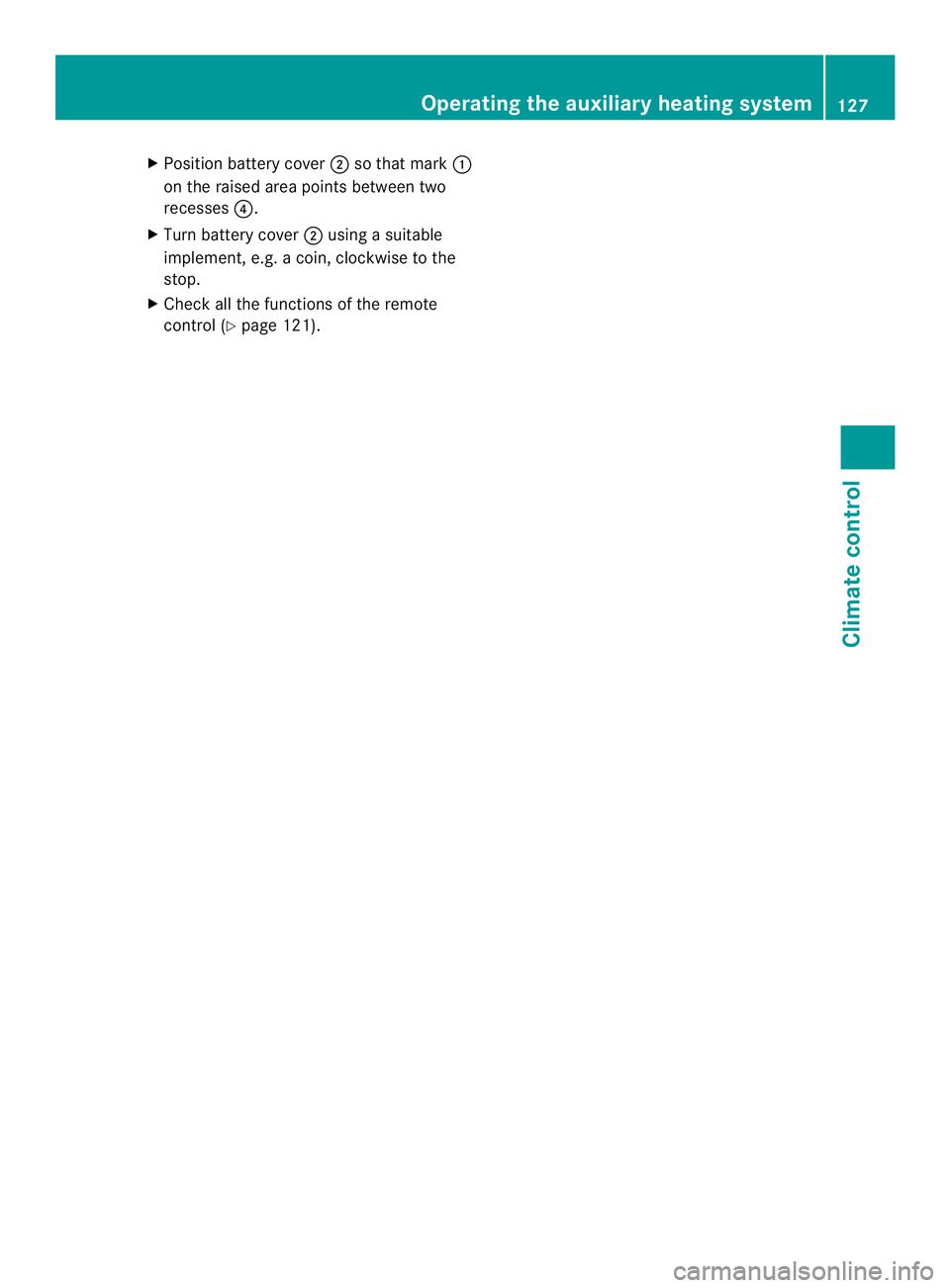
X
Position battery cover 0006so that mark 0005
on the raised area points between two
recesses 0025.
X Turn battery cover 0006using a suitable
implement, e.g. a coin, clockwise to the
stop.
X Check all the functions of the remote
control (Y page 121). Operating the auxiliary heating system
127Climate control Z
Page 131 of 334
Problem Possible causes/consequences and
0004 Solutions
The auxiliary heating
switches off
automatically and/or
cannot be switched on. The low-voltage protection system integrated in the control unit
switches off the auxiliary heating because the on-board voltage is
less than 10 V.
X Have the alternator and battery checked. The auxiliary heating
switches off
automatically and/or
cannot be switched on. The fuse is blown.
X
Replace the fuse; see the "Fuse allocation" supplement.
X Have the cause of the blown fuse determined at a qualified
specialist workshop. The auxiliary heating
switches off
automatically and/or
cannot be switched on. A malfunction has occurred.
X
Switch the ignition on and off twice.
If the auxiliary heating still cannot be switched on, the heating
device is faulty.
X Have the auxiliary heating checked at a qualified specialist
workshop. The auxiliary heating is
overheated. The coolant level is too low.
X
Check the coolant level and add more coolant if necessary
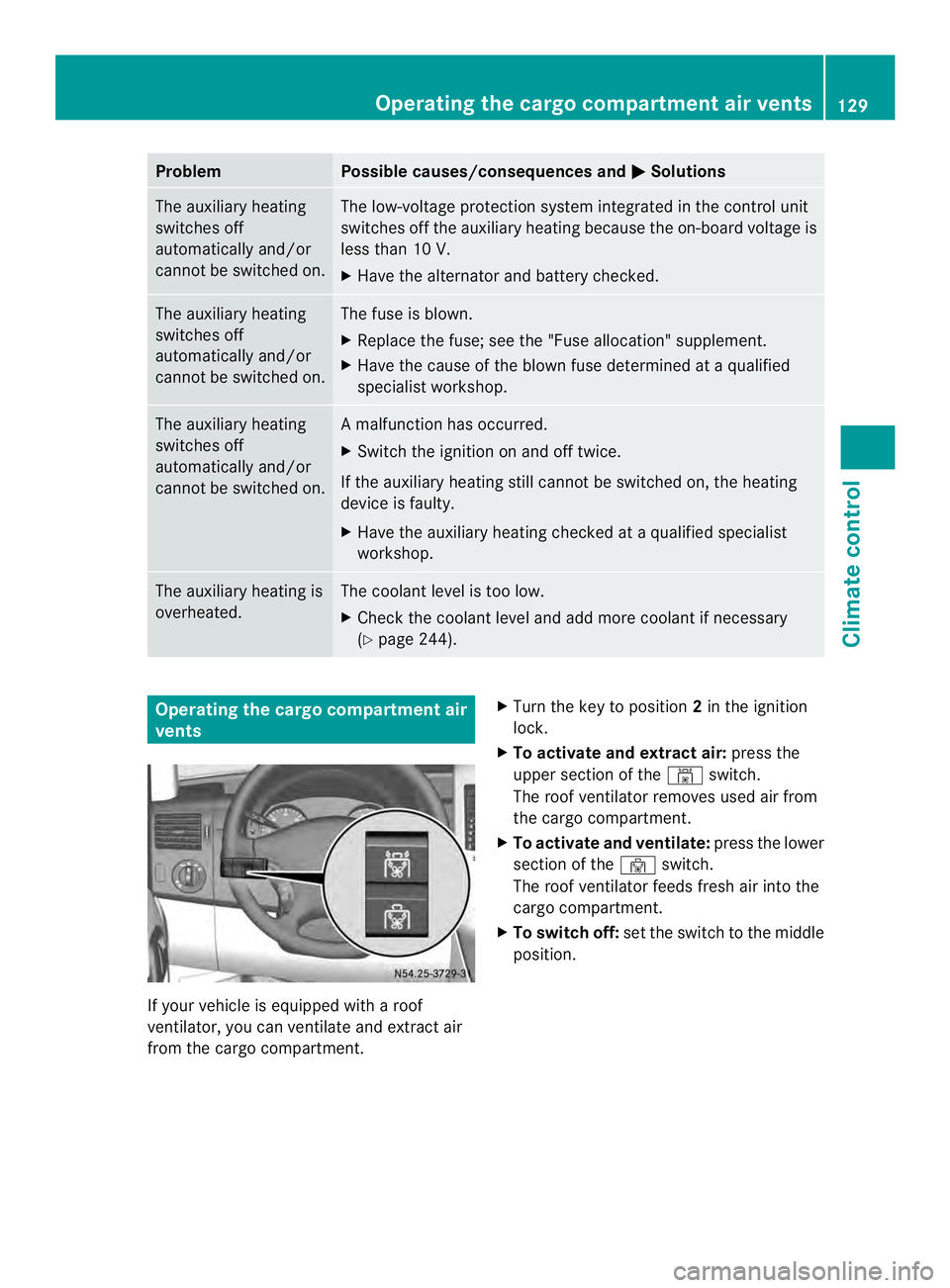
(Y page 244). Operating the cargo compartment air
vents
If your vehicle is equipped with a roof
ventilator, you can ventilate and extract air
from the cargo compartment. X
Turn the key to position 2in the ignition
lock.
X To activate and extract air: press the
upper section of the 0009switch.
The roof ventilator removes used air from
the cargo compartment.
X To activate and ventilate: press the lower
section of the 0010switch.
The roof ventilator feeds fresh air into the
cargo compartment.
X To switch off: set the switch to the middle
position. Operating the cargo compartment air vents
129Climate control Z
Page 134 of 334
Useful information
This Operator's Manual describes all models
as well as standard and optional equipment
of your vehicle that were available at the time
of going to print. Country-specific variations
are possible. Note that your vehicle may not
be equipped with all of the described
functions. This also applies to systems and
functions relevant to safety.
Read the information on qualified specialist
workshops (Y page 26). Breaking-in notes
The first 1,000 miles (1,500 km)
New or replaced brake pads and brake disks
only reach their optimum braking effec tafter
100 miles (a few hundred kilometers). Until
then, compensate for this by applying greater
force to the brake pedal.
For the service life and economy of your
vehicle it is crucial that you brea kinthe
engine with due care.
R Therefore, protect the engine for the first
1,000 miles (1,500 km) by driving at
varying vehicle and engine speeds.
R Avoid overstraining the vehicle and high
engine speeds during this period, e.g.
driving at full throttle. Do not exceed 0001of
the maximum speed for each gear.
R Do not change down a gear manually in
order to brake.
R Try to avoid depressing the accelerator
pedal beyond the point of resistance
(kickdown).
R The shift ranges 3,2or 1should only be
engaged when driving slowly, e.g. when
driving in mountainous terrain.
After 1,000 miles (1,500 km), you can
increase the engine speed gradually and
accelerate the vehicle up to full speed.
i You should also observe these notes on
breaking-in if the engine or parts of the drive train on your vehicle have been
replaced. Driving
Important safety notes
G
WARNING
If you switch off the ignition while driving,
safety-relevant functions are only available
with limitations, or not at all. This could affect,
for example, the power steering and the brake
boosting effect.Y ou will require considerably
more effort to steer and brake. There is a risk
of an accident.
Do not switch off the ignition while driving. G
WARNING
If the parking brake has not been fully
released when driving, the parking brake can:
R overheat and cause a fire
R lose its hold function.
There is a risk of fire and an accident .Release
the parking brake fully before driving off. Battery isolating switch
Important safety notes !
Make sure that the key is in position 0in
the ignition lock and wait at least
20 seconds before disconnecting or
connecting the battery isolating switch.
You could otherwise damage electrical
system components.
You can use the battery isolating switch to
disconnect the power supply to all your
vehicle's consumers. This will prevent
uncontrolled battery discharge caused by off-
load curren tconsumption.
If your vehicle is equipped with an auxiliary
battery in the engine compartment, you will
need to disconnect both batteries. Only then
is the electrical system fully disconnected
from the power supply. 132
DrivingDriving and parking