lock MERCEDES-BENZ SPRINTER 2013 MY13 Operator’s Manual
[x] Cancel search | Manufacturer: MERCEDES-BENZ, Model Year: 2013, Model line: SPRINTER, Model: MERCEDES-BENZ SPRINTER 2013Pages: 334, PDF Size: 3.88 MB
Page 179 of 334
R
press the 0007reset button
R switch on the lights
The display switches off automatically after
approximately 30 seconds if:
R the vehicle lighting is not switched on.
R the key is in position 0in the ignition lock. Instrument lighting
When the lights are switched on, you can
adjust the brightness of the instrument
cluster lighting using the 000Eand 000Fbuttons.
X To brighten: press the000Ebutton.
X To dim: press the 000Fbutton.
i Vehicles with automatic headlamp mode:
the instrument lighting also adapts to
automatic headlamp mode. Tachometer
! Do not drive in the overrevving range, as
this could damage the engine. H
Environmental note
Avoid driving at high engine speeds. This
unnecessarily increases the fuel consumption
of your vehicle and harms the environmen tas
a result of increased emissions.
The red band in the tachometer indicates the
engine's overrevving range.
To protect the engine, the fuel supply is
interrupted when the red band is reached. Outside temperature
You should pay special attention to road
conditions when temperatures are around
the freezing point.
On vehicles without steering wheel buttons
(Y page 178) and on vehicles with steering
wheel buttons (Y page 182), the outside
temperature display is in the display. Changes in the outside temperature are
displayed after a shor
tdelay. Speedometer
The speed can also be shown in the display.
You can find information on the digital
speedometer for vehicles without steering
wheel buttons under (Y page 178) and for
vehicles with steering wheel buttons under
(Y page 182).
i In some countries, a warning sounds
when the vehicle reaches the maximum
speed limit, e.g. at 75 mph ( 120 km/h). Trip odometer
X To reset: make sure that the display is
showing the trip odometer if you have a
vehicle with steering wheel buttons
(Y page 182).
X Press and hold the 0007reset button until the
trip odometer is reset to 0.0 .
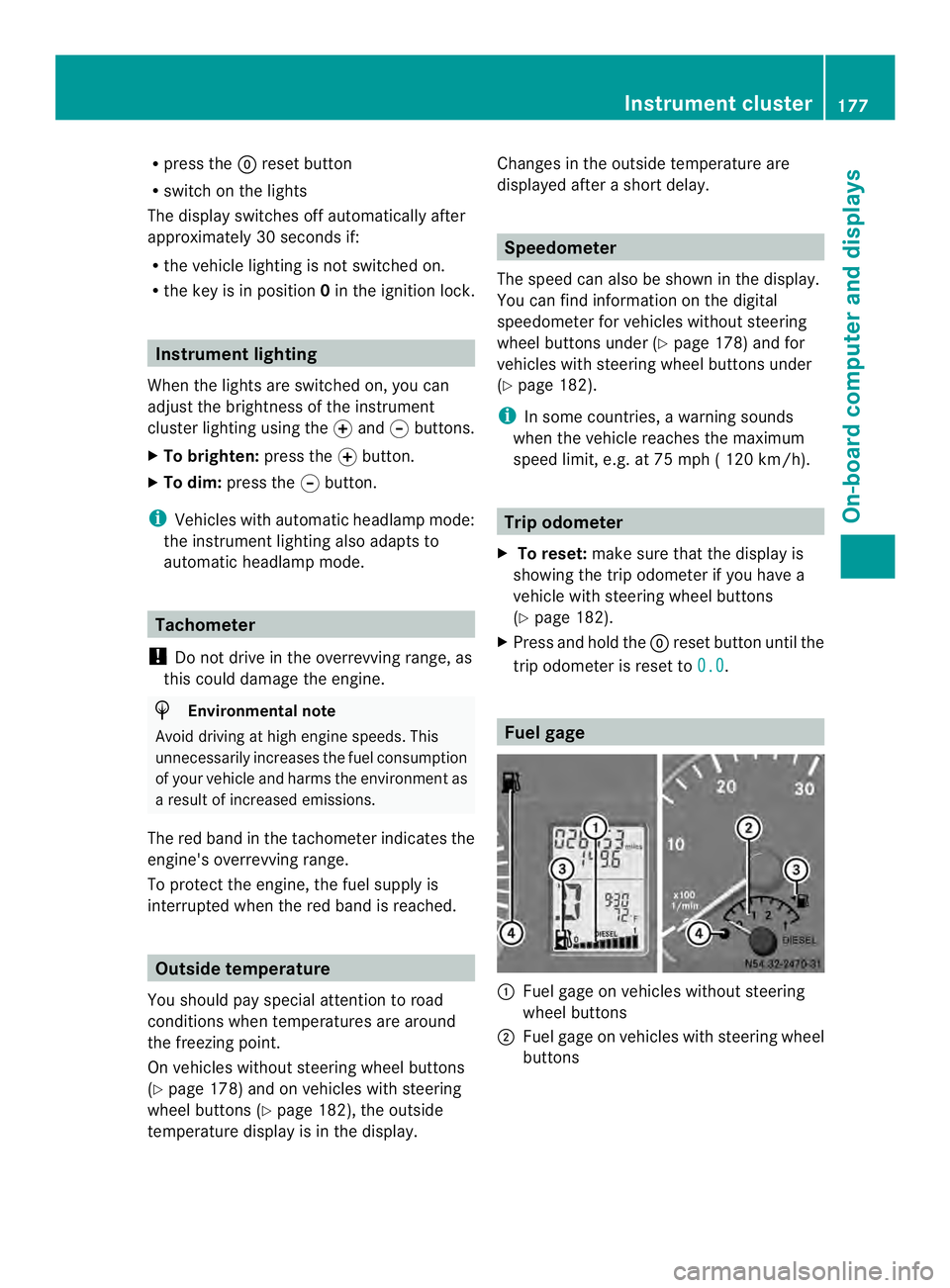
Fuel gage
0005
Fuel gage on vehicles without steering
wheel buttons
0006 Fuel gage on vehicles with steering wheel
buttons Instrument cluster
177On-board computer and displays Z
Page 180 of 334
0026
Fuel fille rflap location indicator 000F: the
fuel filler flap is on the left-hand side. Fuel
filler flap location indicator 001E:the fuel
filler flap is on the right-hand side
0025 Reserve fuel warning lamp (Y page 216)DEF gauge
Vehicles without steering wheel
buttons If the supply of DEF is less than 1.5 US gal
(5.5 l), the 0009indicator lamp lights up and
the 0002dEF Chk display message appears.
If the supply of DEF falls below the reserve
range of 0.8 US gal (3.0 l), the 0009indicator
lamp lights up and the 0002StArtS RExxdisplay message appears. In the display,
xxcorresponds to the number of possible
remaining engine starts (16
to
0 ).
Further information on DEF consumption can
be found in the "Service products and filling
capacity" section (Y page 320).
Vehicles with steering wheel buttons If the supply of DEF is less than 1.5 US gal
(5.5 l), the Check Diesel Exhaust Fluid See Operator's Manual message is shown
in the display.
If the supply of DEF falls below the reserve
range of 0.8 US gal (3.0 l), the 0009xxstarts remaining message is displayed. In
the display, xx corresponds to the number of
possible remaining engine starts (16 to
0 ).
Further information on DEF consumption can
be found in the "Service products and filling
capacity" section (Y page 320). On-board computer (vehicles without
steering wheel buttons)
Operating the on-board computer
General notes The on-board computer is activated as soon
as you turn the key to position
1in the ignition
lock.
The on-board computer shows vehicle
information and settings in the display.
You can control the displaya nd the settings
in the on-board compute rusing the
adjustment buttons on the instrument
cluster.
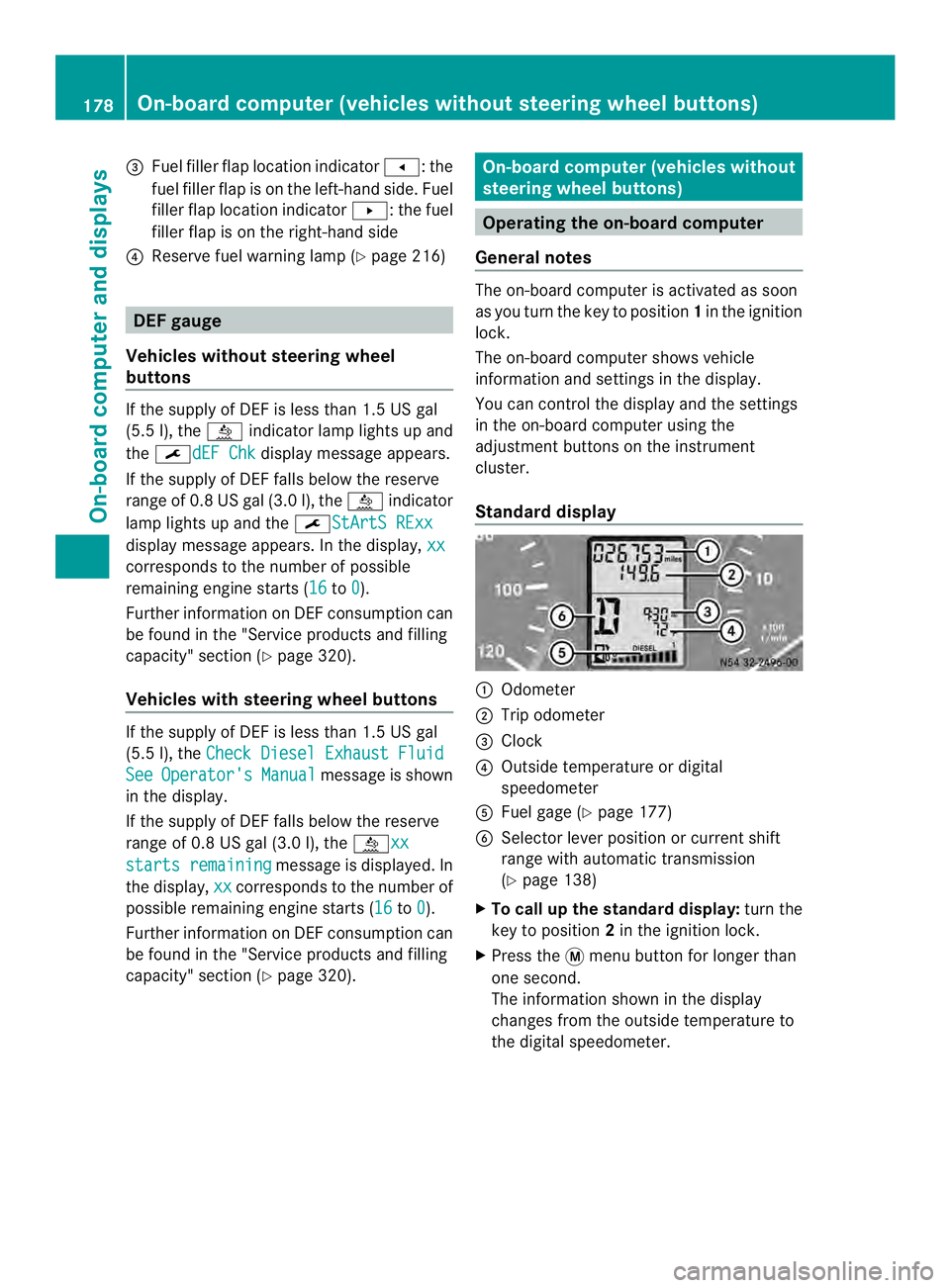
Standard display 0005
Odometer
0006 Trip odometer
0026 Clock
0025 Outside temperature or digital
speedometer
0023 Fuel gage (Y page 177)
0024 Selector lever position or current shift
range with automatic transmission
(Ypage 138)
X To call up the standard display: turn the
key to position 2in the ignition lock.
X Press the 0004menu button for longer than
one second.
The information shown in the display
changes from the outside temperature to
the digital speedometer. 178
On-board computer (vehicles without steering wheel buttons)On-board computer and displays
Page 181 of 334
Menus in the on-board computer
Overview If you wish to exit a menu and go to the
standard display:
X Press the 0004menu button for longer than
one second.
Or
X Do not press any button for 10 seconds.
The display accepts the changed settings.
Using the 000E,000F,0004or0007 adjustment
buttons, you can select the following
functions:
R Calling up the service due date
(Y page 249)
R Checking the oil level (Y page 242)
R Preselecting/setting the auxiliary heating
switch-on time ( Ypage 119)
R Tire pressure monitor (Y page 281)
R Setting the time (Y page 179)
R Setting daytime running lamp mode
(Y page 179)
Setting the time X
Turn the key to position 2in the ignition
lock.
X Press the 0004menu button repeatedly until
the hours figure flashes.
X Press the 000Eor000F button to set the hour.
X Press the 0007reset button.
The minute display flashes.
X Press the 000Eor000F button to set the minute.
i If you keep the 000Eor000F button pressed,
the value will change continuously.
Setting daytime running lamp mode For safety reasons, it is only possible to
change this setting when the vehicle is
stationary. The factory setting is
On in
countries in which daytime running lamp
mode is mandatory. X
Turn the key to position 2in the ignition
lock.
X Press the 0004menu button repeatedly until
the 0004 indicator lamp flashes and the
on or
OFF message appears in the display.
X Press the 000Eor000F button to activate or
deactivate daytime running lamp mode.
If you have activated daytime running lamp
mode and the light switch is set to 000C, the
following light up automatically when the
engine is running:
R Parking lamps
R Low-beam headlamps
R Tail lamps
R License plate lamp
i USA only:
If you turn the light switch to 000Bor
0004, the corresponding light switches on.
If you turn the light switch to 0007, daytime
running lamp mode stays switched on.
Canada only:
If you turn the light switch to 0004, the low-
beamh eadlamps switch on. If you turn the
light switch to 000Bor0007, daytime
running lamp mode stays switched on. On-boar
dcomputer (vehicles without steering wheel buttons)
179On-board computer and displays Z
Page 182 of 334
On-boar
dcomputer (vehicles with
steering wheel buttons) Operating the on-board computer
Overview X
To activat ethe on-board computer: turn
the key to position 1in the ignition lock.
The on-board computer is activated as soon
as you turn the key to position 1in the ignition
lock.
The on-board computer shows vehicle
information and settings in the display.
You can control the displaya nd the settings
in the on-board compute rwith the buttons on
the steering wheel.
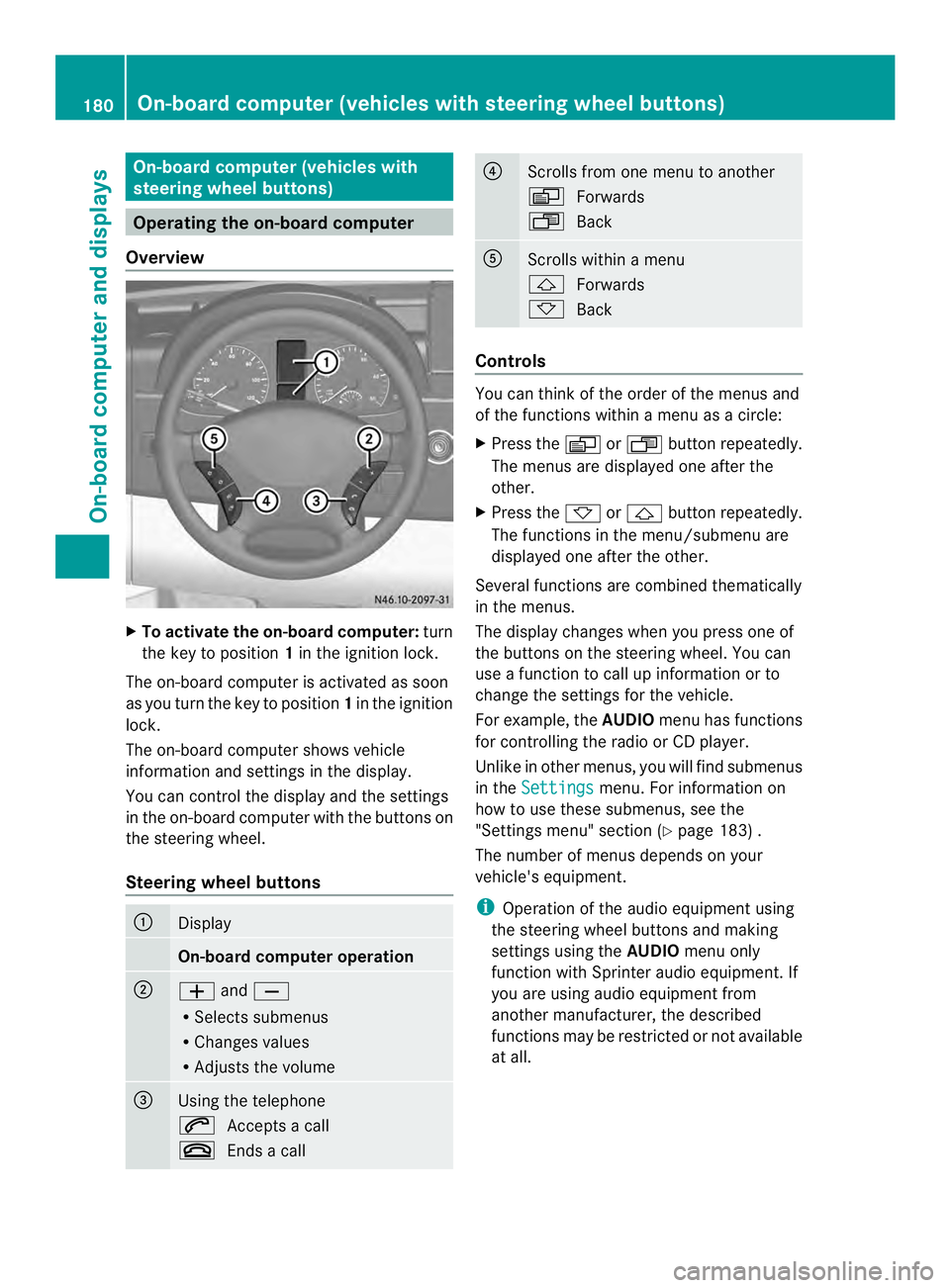
Steering wheel buttons 0005
Display
On-board computer operation
0006
0011
and0012
R Selects submenus
R Changes values
R Adjusts the volume 0026
Using the telephone
0001
Accepts a call
0005 Ends a call 0025
Scrolls from one menu to another
0010
Forwards
0007 Back 0023
Scrolls within a menu
0001
Forwards
0009 Back Controls
You can think of the order of the menus and
of the functions within a menu as a circle:
X
Press the 0010or0007 button repeatedly.
The menus are displayed one after the
other.
X Press the 0009or0001 button repeatedly.
The functions in the menu/submenu are
displayed one after the other.
Several functions are combined thematically
in the menus.
The display changes when you press one of
the buttons on the steering wheel. You can
use a function to call up information or to
change the settings for the vehicle.
For example, the AUDIOmenu has functions
for controlling the radio or CD player.
Unlike in other menus, you will find submenus
in the Settings menu. For information on
how to use these submenus, see the
"Settings menu" section (Y page 183) .
The number of menus depends on your
vehicle's equipment.
i Operation of the audio equipmen tusing
the steering wheel buttons and making
settings using the AUDIOmenu only
function with Sprinter audio equipment. If
you are using audio equipment from
another manufacturer, the described
functions may be restricted or not available
at all. 180
On-board computer (vehicles with steering wheel buttons)On-board computer and displays
Page 184 of 334
R
Calling up the service due date
(Y page 249)
R Tire pressure monitor (Y page 281)
R Checking the oil level (Y page 242)
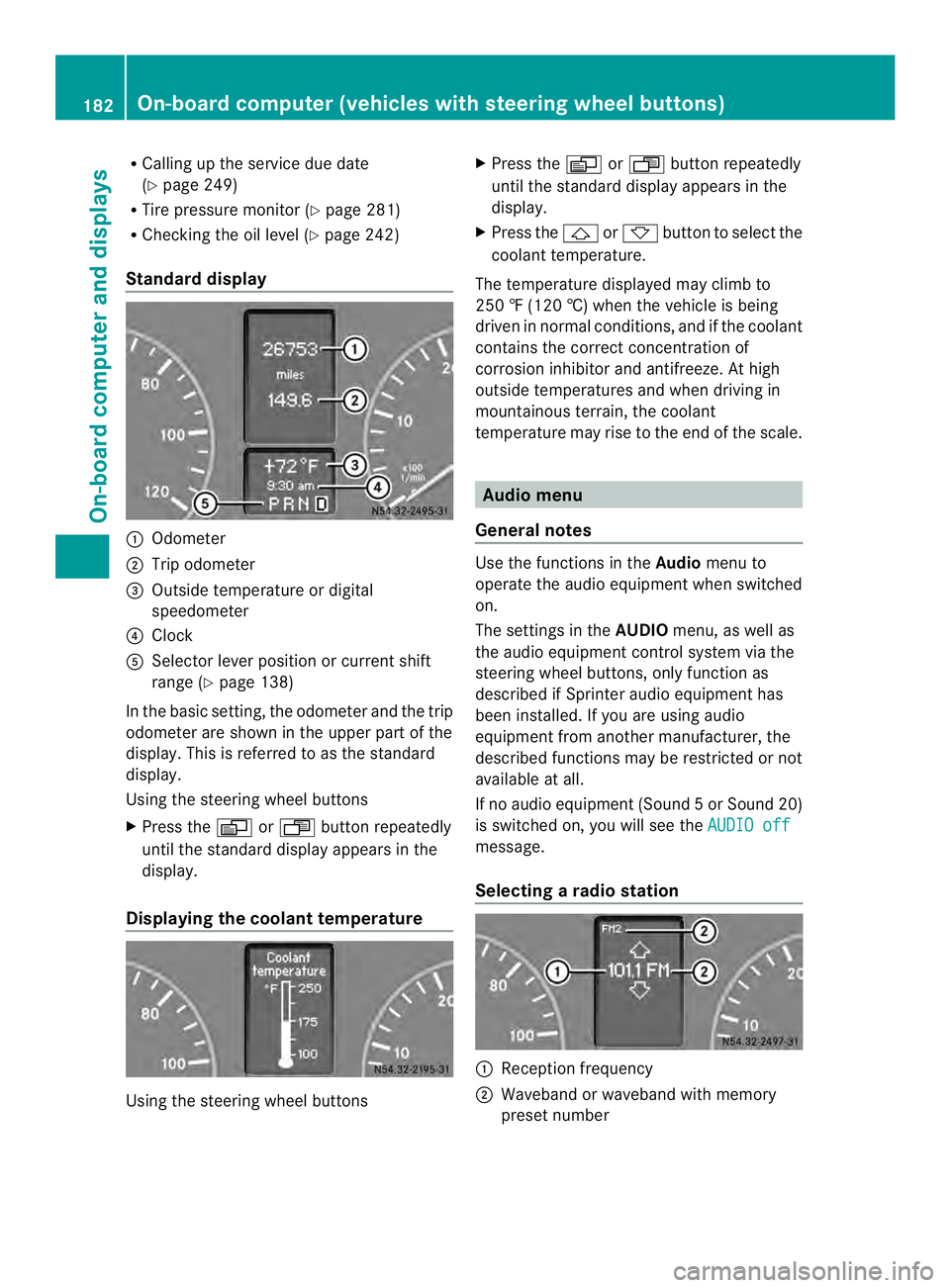
Standard display 0005
Odometer
0006 Trip odometer
0026 Outside temperature or digital
speedometer
0025 Clock
0023 Selector lever position or current shift
range (Y page 138)
In the basic setting, the odometer and the trip
odometer are shown in the upper part of the
display. This is referred to as the standard
display.
Using the steering wheel buttons
X Press the 0010or0007 buttonrepeatedly
until the standard display appears in the
display.
Displaying the coolant temperature Using the steering wheel buttons X
Press the 0010or0007 button repeatedly
until the standard display appears in the
display.
X Press the 0001or0009 button to select the
coolant temperature.
The temperature displayed may climb to
250 ‡ (120 †) when the vehicle is being
driven in normal conditions, and if the coolant
contains the correct concentration of
corrosion inhibitor and antifreeze. At high
outside temperatures and when driving in
mountainous terrain, the coolant
temperature may rise to the end of the scale. Audio menu
General notes Use the functions in the
Audiomenu to
operate the audio equipment when switched
on.
The settings in the AUDIOmenu, as well as
the audio equipment control system via the
steering wheel buttons, only function as
described if Sprinter audio equipment has
been installed. If you are using audio
equipment from another manufacturer, the
described functions may be restricted or not
available at all.
If no audio equipment (Sound 5orSound 20)
is switched on, you will see the AUDIO off message.
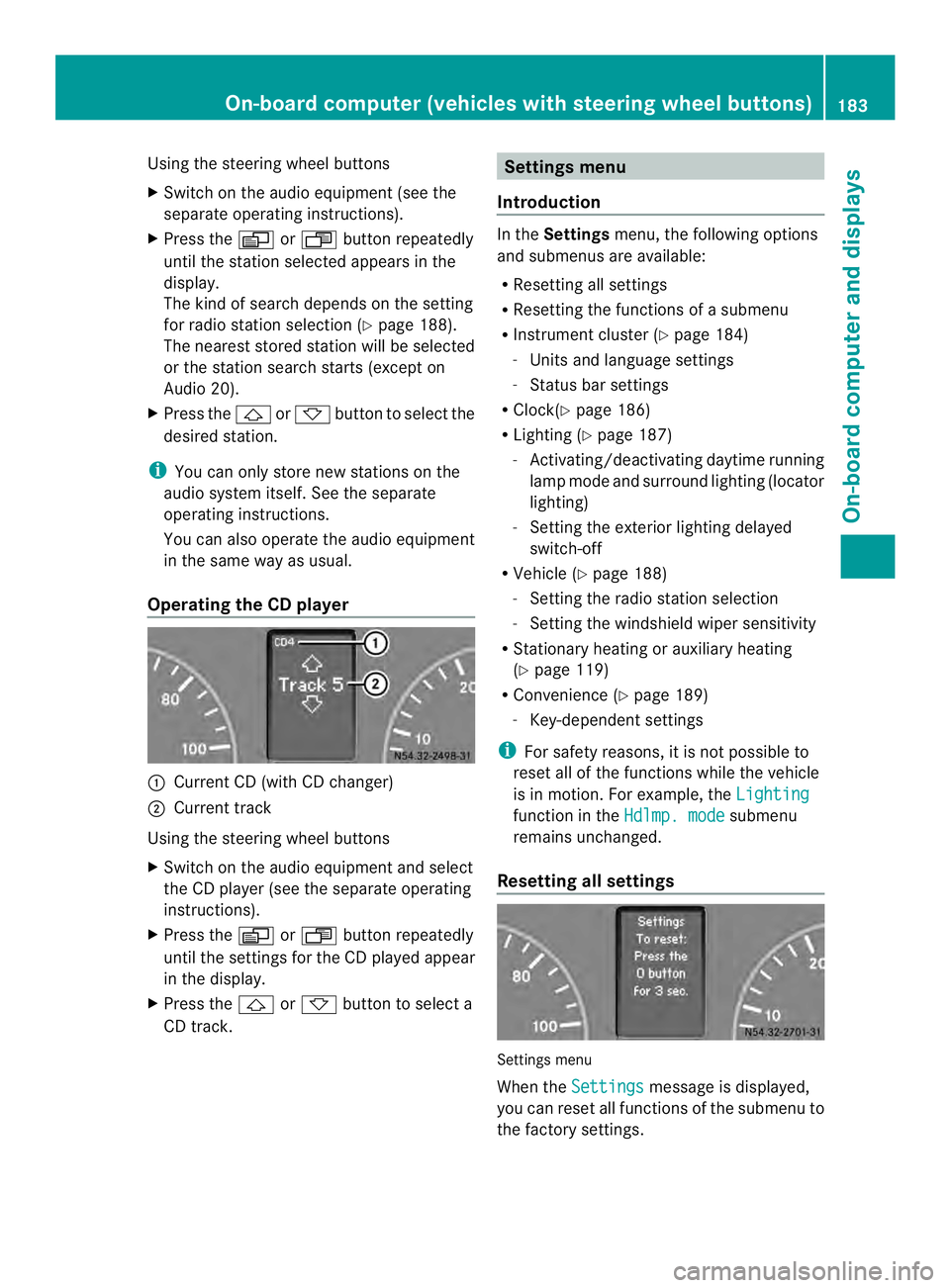
Selecting
aradio station 0005
Receptio nfrequency
0006 Waveband or waveband with memory
prese tnumber 182
On-boar
dcomputer (vehicles with steering wheel buttons)On-board computer and displays
Page 185 of 334
Using the steering wheel buttons
X
Switch on the audio equipment (see the
separate operating instructions).
X Press the 0010or0007 button repeatedly
until the station selected appears in the
display.
The kind of search depends on the setting
for radio station selection (Y page 188).
The nearest stored station will be selected
or the station search starts (except on
Audio 20).
X Press the 0001or0009 button to select the
desired station.
i You can only store new stations on the
audio system itself. See the separate
operating instructions.
You can also operate the audioe quipment
in the same way as usual.
Operating the CD player 0005
Current CD (with CD changer)
0006 Current track
Using the steering wheel buttons
X Switch on the audio equipment and select
the CD player (see the separate operating
instructions).
X Press the 0010or0007 button repeatedly
until the settings for the CD played appear
in the display.
X Press the 0001or0009 button to select a
CD track. Settings menu
Introduction In the
Settings menu, the following options
and submenus are available:
R Resetting all settings
R Resetting the functions of a submenu
R Instrument cluster (Y page 184)
- Units and language settings
- Status bar settings
R Clock( Ypage 186)
R Lighting (Y page 187)
- Activating/deactivating daytime running
lamp mode and surround lighting (locator
lighting)
- Setting the exterior lighting delayed
switch-off
R Vehicle (Y page 188)
- Setting the radio station selection
- Setting the windshield wiper sensitivity
R Stationary heating or auxiliary heating
(Y page 119)
R Convenience (Y page 189)
- Key-dependent settings
i For safety reasons, it is not possible to
reset all of the functions while the vehicle
is in motion. For example, the Lighting function in the
Hdlmp. mode submenu
remains unchanged.
Resetting all settings Settings menu
When the
Settings message is displayed,
you can reset all functions of the submenu to
the factory settings. On-boar
dcomputer (vehicles with steering wheel buttons)
183On-board computer and displays Z
Page 188 of 334
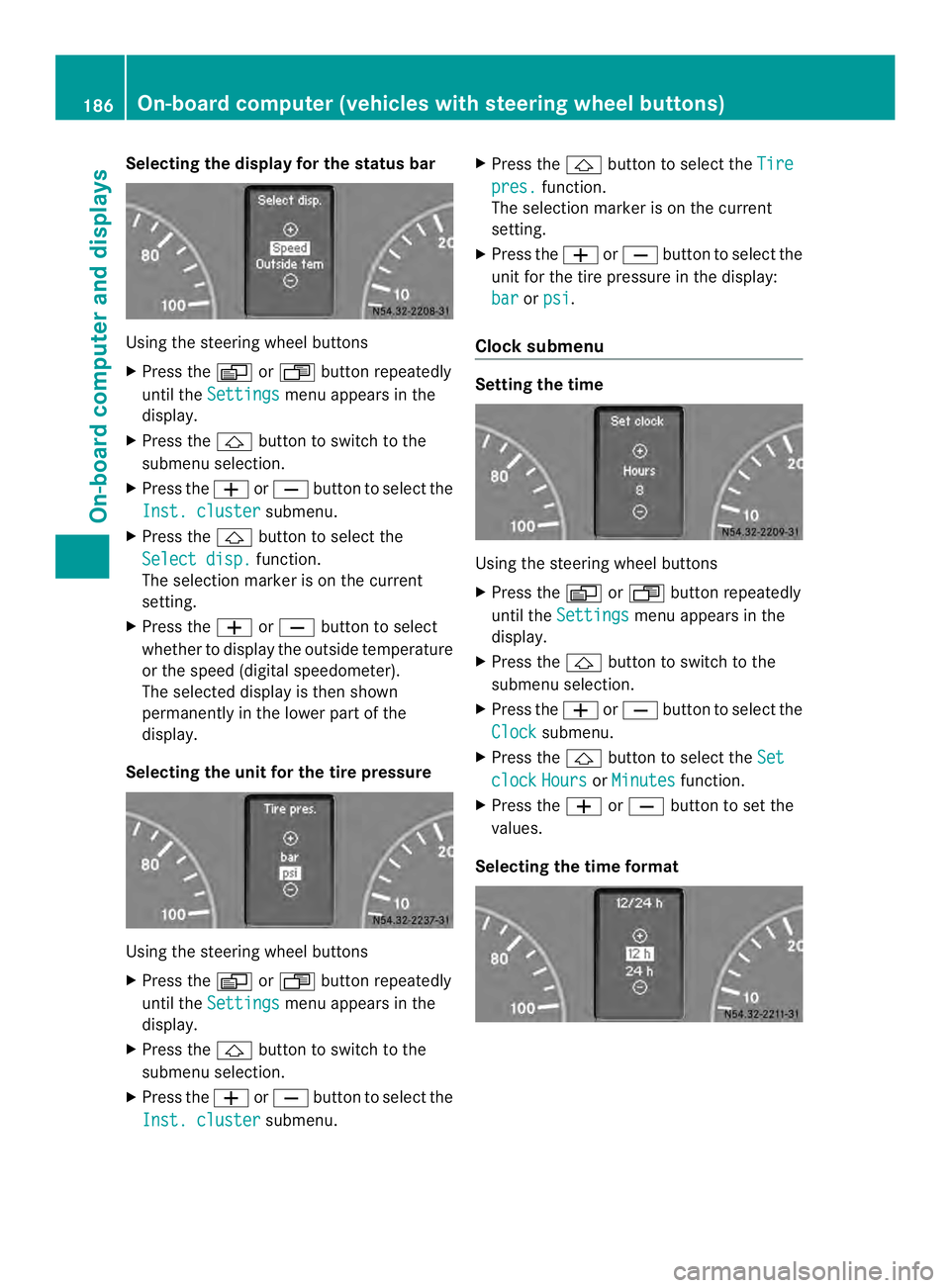
Selecting the display for the status bar
Using the steering wheel buttons
X
Press the 0010or0007 button repeatedly
until the Settings menu appears in the
display.
X Press the 0001button to switch to the
submenu selection.
X Press the 0011or0012 button to select the
Inst. cluster submenu.
X Press the 0001button to select the
Select disp. function.
The selection marker is on the current
setting.
X Press the 0011or0012 button to select
whether to display the outside temperature
or the speed (digital speedometer).
The selected display is then shown
permanently in the lower part of the
display.
Selecting the unit for the tire pressure Using the steering wheel buttons
X
Press the 0010or0007 button repeatedly
until the Settings menu appears in the
display.
X Press the 0001button to switch to the
submenu selection.
X Press the 0011or0012 button to select the
Inst. cluster submenu.X
Press the 0001button to select the Tire pres. function.
The selection marker is on the current
setting.
X Press the 0011or0012 button to select the
unit for the tire pressure in the display:
bar or
psi .
Clocks ubmenu Setting the time
Using the steering wheel buttons
X
Press the 0010or0007 button repeatedly
until the Settings menu appears in the
display.
X Press the 0001button to switch to the
submenu selection.
X Press the 0011or0012 button to select the
Clock submenu.
X Press the 0001button to select the Set clock Hours or
Minutes function.
X Press the 0011or0012 button to set the
values.
Selecting the time format 186
On-board computer (vehiclesw
ith steering wheel buttons)On-board computer and displays
Page 189 of 334
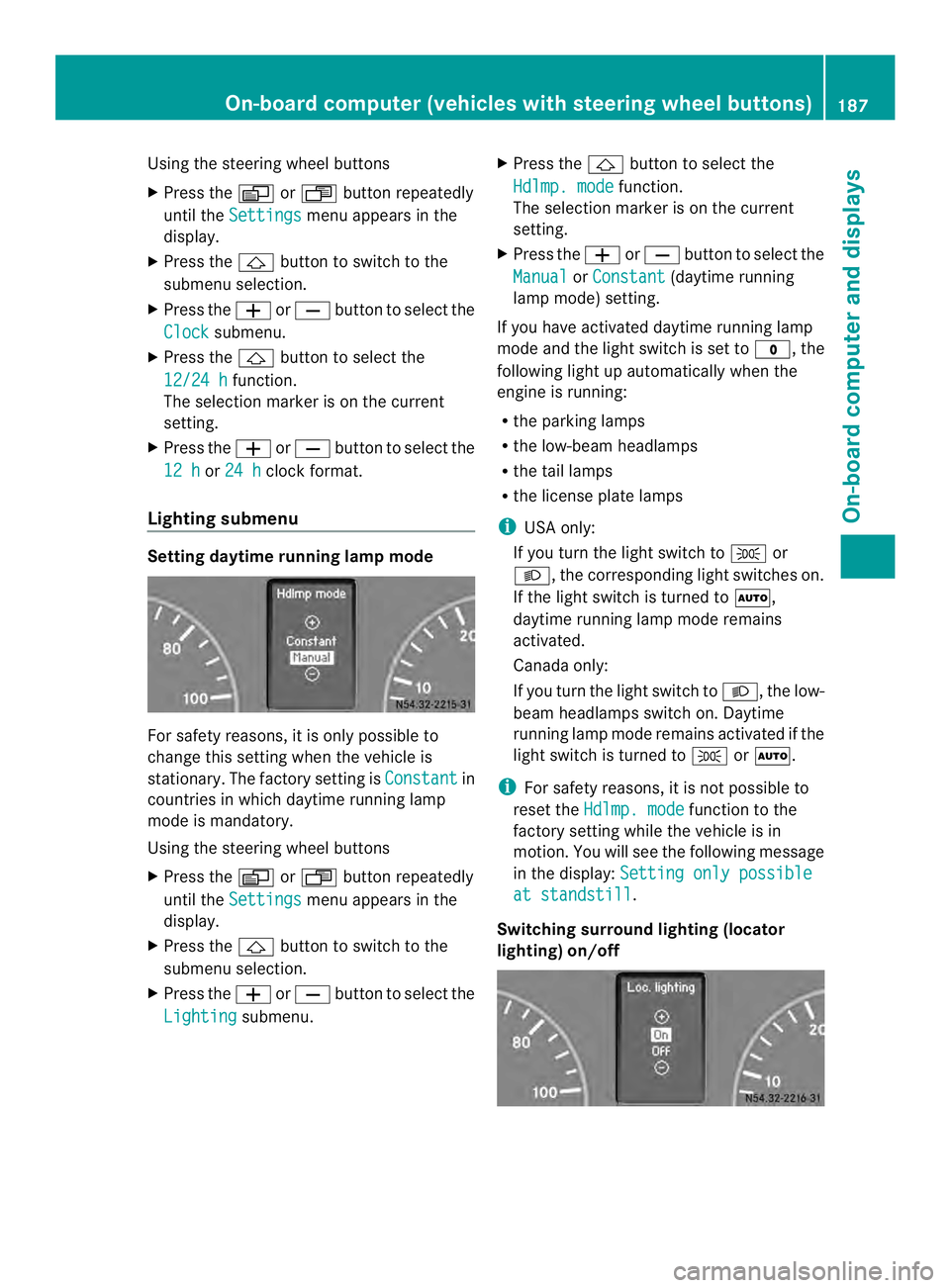
Using the steering wheel buttons
X
Press the 0010or0007 button repeatedly
until the Settings menu appears in the
display.
X Press the 0001button to switch to the
submenu selection.
X Press the 0011or0012 button to select the
Clock submenu.
X Press the 0001button to select the
12/24 h function.
The selection marker is on the current
setting.
X Press the 0011or0012 button to select the
12 h or
24 h clock format.
Lighting submenu Setting daytime running lamp mode
For safety reasons, it is only possible to
change this setting when the vehicle is
stationary. The factory setting is
Constant in
countries in which daytime running lamp
mode is mandatory.
Using the steering wheel buttons
X Press the 0010or0007 button repeatedly
until the Settings menu appears in the
display.
X Press the 0001button to switch to the
submenu selection.
X Press the 0011or0012 button to select the
Lighting submenu. X
Press the 0001button to select the
Hdlmp. mode function.
The selection marker is on the current
setting.
X Press the 0011or0012 button to select the
Manual or
Constant (daytime running
lamp mode) setting.
If you have activated daytime running lamp
mode and the light switch is set to 000C, the
following light up automaticallyw hen the
engine is running:
R the parking lamps
R the low-beam headlamps
R the tail lamps
R the license plate lamps
i USA only:
If you turn the light switch to 000Bor
0004, the corresponding light switches on.
If the light switch is turned to 0007,
daytime running lamp mode remains
activated.
Canada only:
If you turn the light switch to 0004, the low-
beam headlamps switch on. Daytime
running lamp mode remains activated if the
light switch is turned to 000Bor0007.
i For safety reasons, it is not possible to
reset the Hdlmp. mode function to the
factory setting while the vehicle is in
motion. You will see the following message
in the display: Setting only possible at standstill .
Switching surround lighting (locator
lighting) on/off On-board computer (vehicles with steering wheel buttons)
187On-board computer and displays Z
Page 190 of 334
Using the steering wheel buttons
X
Press the 0010or0007 button repeatedly
until the Settings menu appears in the
display.
X Press the 0001button to switch to the
submenu selection.
X Press the 0011or0012 button to select the
Lighting submenu.
X Press the 0001button to select the Loc.lighting function.
The selection marker is on the current
setting.
X Press the 0011or0012 button to switch
the surround lighting (locator lighting) On or
Off .
If you switch the surround lighting to On , the
following lamps light up in the dark after you
have unlocked the vehicle using the key:
R the parking lamps
R the tail lamps
R the license plate lamps
R the fog lamps
The surround lighting automatically switches
off after 40 seconds or when you:
R open the driver's door
R insert the key into the ignition lock
R lock the vehicle using the key
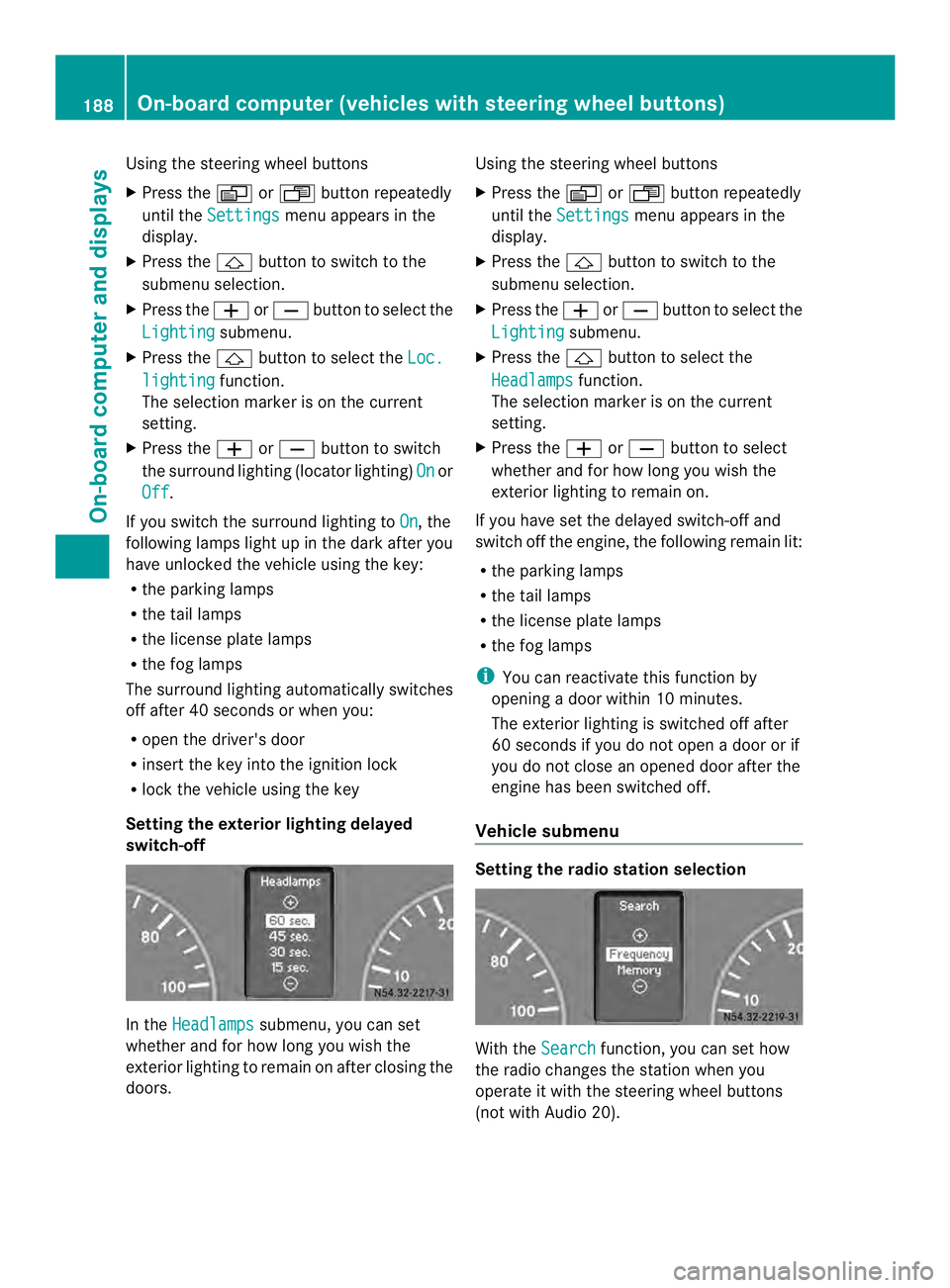
Setting the exterior lighting delayed
switch-off In the
Headlamps submenu, you can set
whether and for how long you wish the
exterior lighting to remain on after closing the
doors. Using the steering wheel buttons
X
Press the 0010or0007 button repeatedly
until the Settings menu appears in the
display.
X Press the 0001button to switch to the
submenu selection.
X Press the 0011or0012 button to select the
Lighting submenu.
X Press the 0001button to select the
Headlamps function.
The selection marker is on the current
setting.
X Press the 0011or0012 button to select
whether and for how long you wish the
exterior lighting to remain on.
If you have set the delayed switch-off and
switch off the engine, the following remain lit:
R the parking lamps
R the tail lamps
R the license plate lamps
R the fog lamps
i You can reactivate this function by
opening a door within 10 minutes.
The exterior lighting is switched off after
60 seconds if you do not open a door or if
you do not close an opened door after the
engine has been switched off.
Vehicle submenu Setting the radio station selection
With the
Search function, you can set how
the radio changes the station when you
operate it with the steering wheel buttons
(not with Audio 20). 188
On-board computer (vehicles with steering wheel buttons)On-board computer and displays
Page 192 of 334
i
When you call up the trip computer again,
it displays the last function called up.
The units of the statistical information
displayed are set permanently for each
specific country, and are therefore
independen tofthe units selected in the
Settings menu.
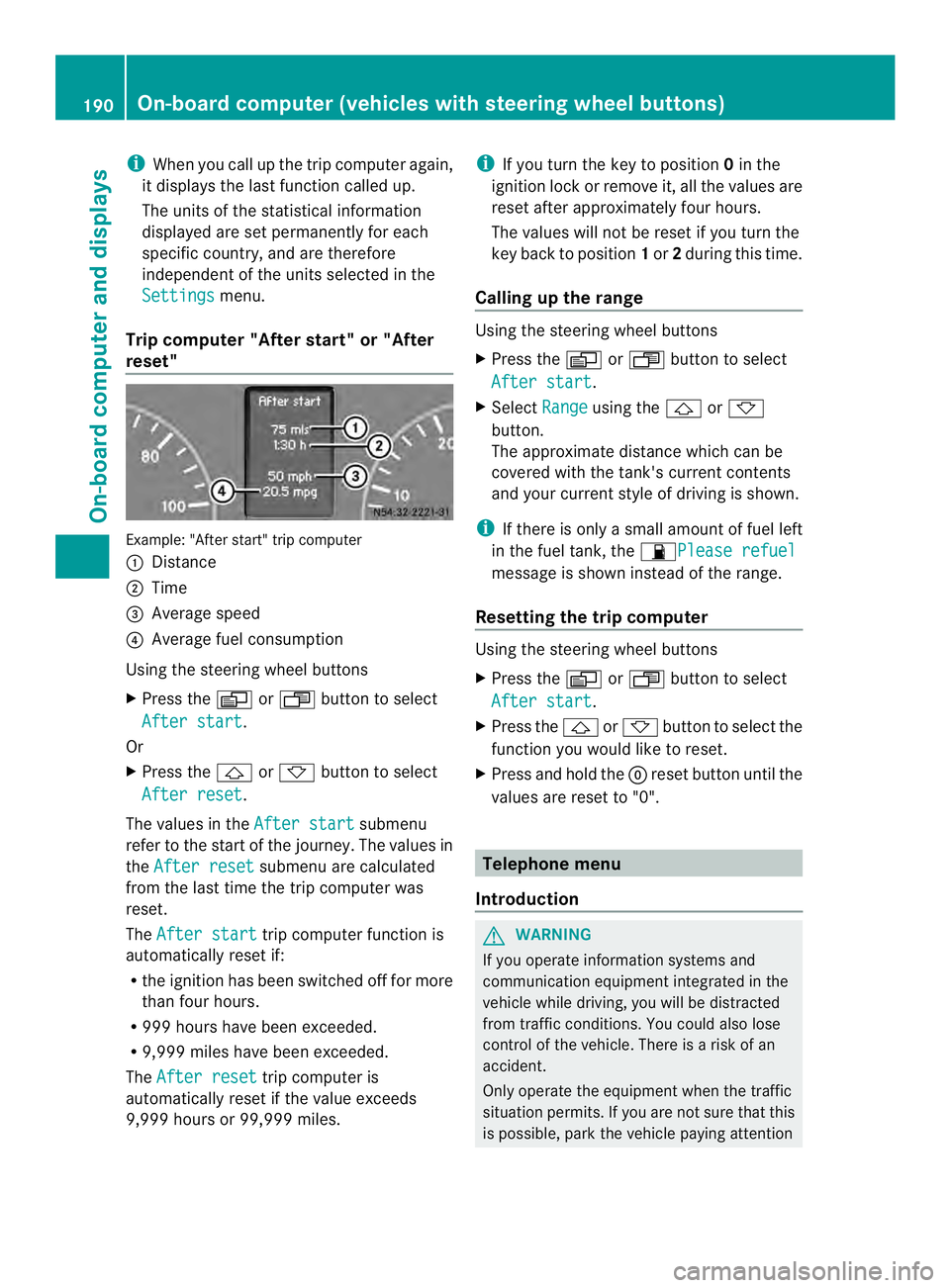
Trip computer "After start" or "After
reset" Example: "After start" trip computer
0005
Distance
0006 Time
0026 Average speed
0025 Average fuel consumption
Using the steering wheel buttons
X Press the 0010or0007 button to select
After start .
Or
X Press the 0001or0009 button to select
After reset .
The values in the After start submenu
refer to the start of the journey. The values in
the After reset submenu are calculated
from the last time the trip computer was
reset.
The After start trip computer function is
automatically reset if:
R the ignition has been switched off for more
than four hours.
R 999 hours have been exceeded.
R 9,999 miles have been exceeded.
The After reset trip computer is
automatically reset if the value exceeds
9,999 hours or 99,999 miles. i
If you turn the key to position 0in the
ignition lock or remove it, all the values are
reset after approximately four hours.
The values will not be reset if you turn the
key back to position 1or 2during this time.
Calling up the range Using the steering wheel buttons
X
Press the 0010or0007 button to select
After start .
X Select Range using the
0001or0009
button.
The approximate distance which can be
covered with the tank's current contents
and your current style of driving is shown.
i If there is only a small amount of fuel left
in the fuel tank, the 0016Please refuel message is shown instead of the range.
Resetting the trip computer Using the steering wheel buttons
X
Press the 0010or0007 button to select
After start .
X Press the 0001or0009 button to select the
function you would like to reset.
X Press and hold the 0007reset button until the
values are reset to "0". Telephone menu
Introduction G
WARNING
If you operate information systems and
communication equipment integrated in the
vehicle while driving, you will be distracted
from traffic conditions. You could also lose
control of the vehicle. There is a risk of an
accident.
Only operate the equipment when the traffic
situation permits. If you are not sure that this
is possible, park the vehicle paying attention 190
On-board computer (vehicles with steering wheel buttons)On-board computer and displays