PAG MITSUBISHI MIRAGE 2017 6.G Owner's Guide
[x] Cancel search | Manufacturer: MITSUBISHI, Model Year: 2017, Model line: MIRAGE, Model: MITSUBISHI MIRAGE 2017 6.GPages: 307, PDF Size: 9.02 MB
Page 98 of 307
Ignition switch
Features and controls 5-37
5
N00549301286
When the rear window defogger switch is pressed with the engine running, the outsiderearview mirrors are defogged or defrosted. Current will flow thr
ough the heater element
inside the mirrors, thus clearing away frost orcondensation. The indicator light (A) will illuminate while the defogger is on. The heater will be turned off automatically in about 20 minutes.
N00512401739
[For vehicles equipped with the Free-handAdvanced Security Tr
ansmitter (F.A.S.T.-
key)]
For information on operations for vehicles equipped with the Free-hand Advanced Secu-rity Transmitter (F.A.S.T.-key), refer to “Free-hand Advanced Se
curity Transmitter
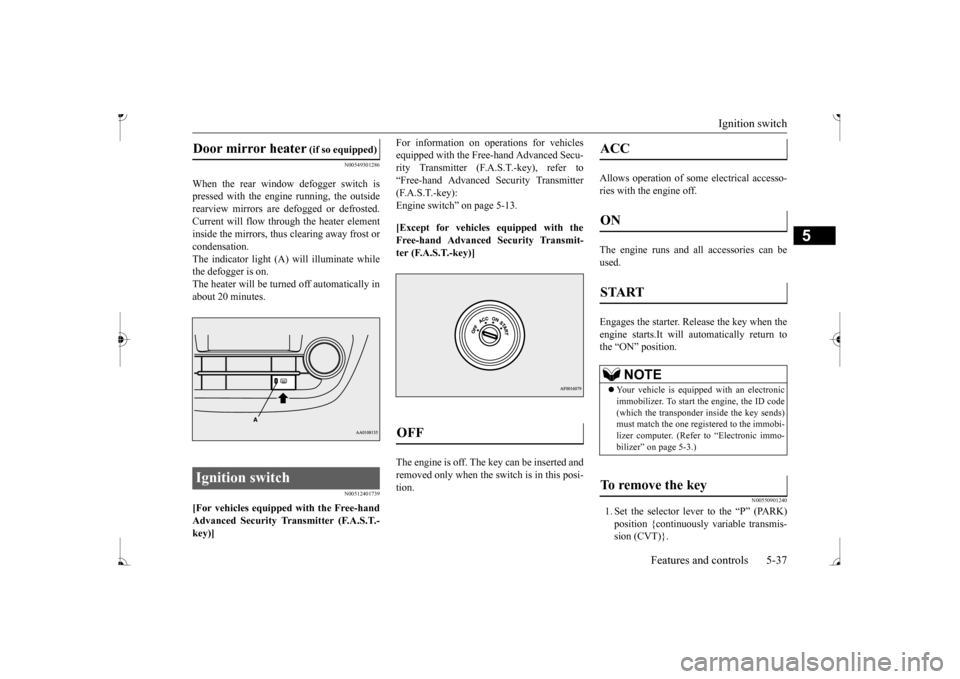
(F.A.S.T.-key):Engine switch” on page 5-13. [Except for vehicles equipped with the Free-hand Advanced Security Transmit- ter (F.A.S.T.-key)] The engine is off. The
key can be inserted and
removed only when the sw
itch is in this posi-
tion.
Allows operation of some
electrical accesso-
ries with the engine off. The engine runs and
all accessories can be
used. Engages the starter. Release the key when the engine starts.It will automatically return tothe “ON” position.
N00550901240
1. Set the selector lever to the “P” (PARK)position {continuously va
riable transmis-
sion (CVT)}.
Door mirror heater
(if so equipped)
OFF
ACC ON START
NOTE
Your vehicle is equippe
d with an electronic
immobilizer. To start the engine, the ID code (which the transponder inside the key sends) must match the one registered to the immobi-lizer computer. (Refer to “Electronic immo- bilizer” on page 5-3.)
To remove the key
BK0236100US.book 37 ページ 2016年2月1日 月曜日 午前10時15分
Page 99 of 307
Starting the engine 5-38 Features and controls
5
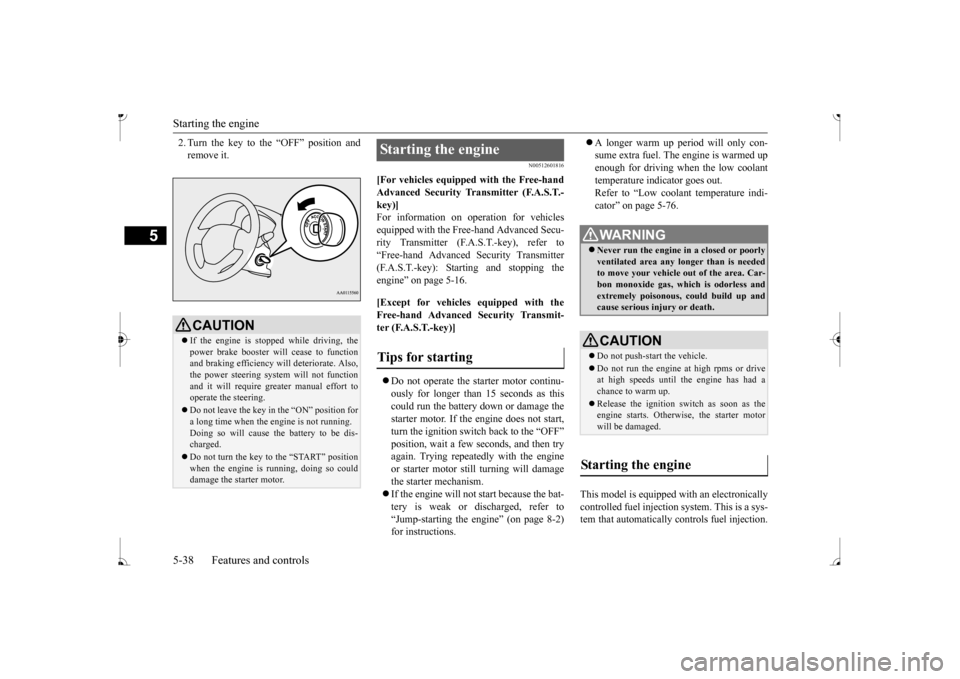
2. Turn the key to the “OFF” position and remove it.
N00512601816
[For vehicles equipped with the Free-hand Advanced Security Tr
ansmitter (F.A.S.T.-
key)]For information on
operation for vehicles
equipped with the Free-hand Advanced Secu- rity Transmitter (F.A
.S.T.-key), refer to
“Free-hand Advanced
Security Transmitter
(F.A.S.T.-key): Starting and stopping the engine” on page 5-16. [Except for vehicles equipped with the Free-hand Advanced Se
curity Transmit-
ter (F.A.S.T.-key)] Do not operate the starter motor continu- ously for longer than 15 seconds as this could run the battery
down or damage the
starter motor. If the engine does not start, turn the ignition switch back to the “OFF” position, wait a few se
conds, and then try
again. Trying repeatedly with the engine or starter motor still turning will damage the starter mechanism. If the engine will not
start because the bat-
tery is weak or discharged, refer to “Jump-starting the engine” (on page 8-2)for instructions.
A longer warm up period will only con- sume extra fuel. The engine is warmed upenough for driving when the low coolant temperature indicator goes out. Refer to “Low coolant temperature indi-cator” on page 5-76.
This model is equipped with an electronically controlled fuel injection system. This is a sys- tem that automatically controls fuel injection.
CAUTION If the engine is stopped while driving, the power brake booster will
cease to function
and braking efficiency will deteriorate. Also,the power steering syst
em will not function
and it will require gr
eater manual effort to
operate the steering. Do not leave the key in
the “ON” position for
a long time when the engine is not running.Doing so will cause the battery to be dis- charged. Do not turn the key to the “START” position when the engine is running, doing so could damage the starter motor.
Starting the engine Tips for starting
WA R N I N G Never run the engine in
a closed or poorly
ventilated area any longer than is neededto move your vehicle
out of the area. Car-
bon monoxide gas, wh
ich is odorless and
extremely poisonous, could build up andcause serious injury or death.CAUTION Do not push-start the vehicle.Do not run the engine at high rpms or drive at high speeds until
the engine has had a
chance to warm up. Release the ignition sw
itch as soon as the
engine starts. Otherwis
e, the starter motor
will be damaged.
Starting the engine
BK0236100US.book 38 ページ 2016年2月1日 月曜日 午前10時15分
Page 113 of 307
Active stability control (ASC)
5
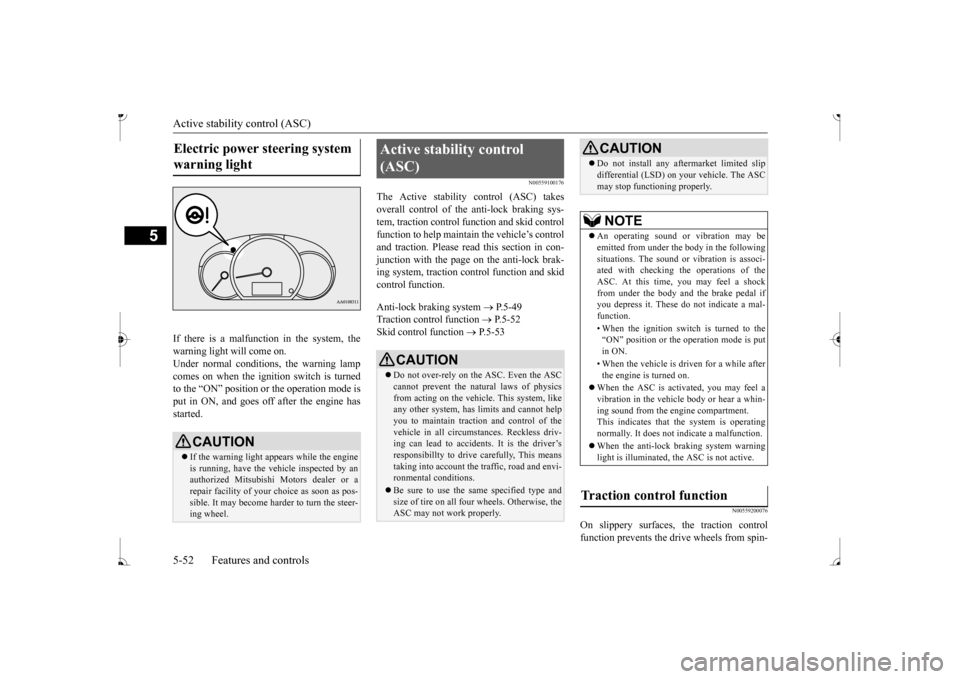
If there is a malfunction in the system, the warning light will come on. Under normal conditions, the warning lamp comes on when the ignition switch is turnedto the “ON” position or the operation mode is put in ON, and goes off after the engine has started.
N00559100176
The Active stability control (ASC) takes overall control of the anti-lock braking sys- tem, traction control function and skid controlfunction to help maintain
the vehicle’s control
and traction. Please read
this section in con-
junction with the page on the anti-lock brak-ing system, traction c
ontrol function and skid
control function. Anti-lock braking system
P.5-49
Traction control function
P.5-52
Skid control function
P.5-53
N00559200076
On slippery surfaces, the traction control function prevents the drive wheels from spin-
Electric power steering system warning light
CAUTION If the warning light appears while the engine is running, have the vehicle inspected by an authorized Mitsubishi Motors dealer or arepair facility of your
choice as soon as pos-
sible. It may become ha
rder to turn the steer-
ing wheel.
Active stability control (ASC)
CAUTION Do not over-rely on the ASC. Even the ASC cannot prevent the natural laws of physicsfrom acting on the vehicle. This system, like any other system, has
limits and cannot help
you to maintain traction and control of thevehicle in all circumstances. Reckless driv- ing can lead to accident
s. It is the driver’s
responsibillty to drive carefully, This meanstaking into account the traffic, road and envi- ronmental conditions. Be sure to use the same specified type and size of tire on all four
wheels. Otherwise, the
ASC may not work properly.
Do not install any aftermarket limited slip differential (LSD) on
your vehicle. The ASC
may stop functioning properly.NOTE
An operating sound or vibration may be emitted from under the body in the followingsituations. The sound or vibration is associ- ated with checking th
e operations of the
ASC. At this time,
you may feel a shock
from under the body and the brake pedal if you depress it. These do
not indicate a mal-
function. • When the ignition switch is turned to the “ON” position or the
operation mode is put
in ON. • When the vehicle is driven for a while after the engine is turned on.
When the ASC is acti
vated, you may feel a
vibration in the vehicl
e body or hear a whin-
ing sound from the engine compartment. This indicates that th
e system is operating
normally. It does not i
ndicate a malfunction.
When the anti-lock braking system warning light is illuminated, the ASC is not active.
Traction control function
CAUTION
BK0236100US.book 52 ページ 2016年2月1日 月曜日 午前10時15分
Page 115 of 307
Cruise control (if so equipped)
5
N00546600119
If an abnormal condition occurs in the sys- tem, the following indicator will turn on.
N00546300031
N00518300573
Cruise control is an automatic speed control system that keeps a set speed. It can be acti-vated at speeds from about 25 mph (40 km/h). Cruise cont
rol does not work at
speeds below about 25 mph (40 km/h).
NOTE
The indicator may turn on when you start the engine. This means
that the battery volt-
age momentarily dropped when the enginewas started. It does not
indicate a malfunc-
tion, provided that
the display goes out
immediately. When a compact spare tire has been put on your vehicle, the grippi
ng ability of the tire
will be lower, making it
more likely that the
indicator will blink.
ASC warning indicator
-
ASC indicator
-
ASC OFF indicator
CAUTION The system may be malfunctioning. Park your vehicle in a
safe place and stop the
engine.Restart the engine and check whether the indicator goes out. If th
ey go out, there is no
abnormal condition. If
they do not go out or
appear frequently, it is
not necessary to stop
the vehicle imme
diately, but you should have
your vehicle inspected by an authorizedMitsubishi Motors dealer or a repair facility of your choice as soon as possible.
To w i n g
CAUTION When towing the vehicle with only the front wheels or only the rear wheels raised off theground, do not place th
e ignition switch in
the “ON” position or
do not put the operation
mode in ON. Placing
the ignition switch in
the “ON” position or
putting the operation
mode in ON could cause the ASC to operate, resulting in an accident.Note that the correct towing method dependson the transmission type
and the vehicle’s
drive configuration. For details, refer to
“Towing” on page 8-12.
Cruise control
(if so equipped)
When you do not wish to drive at a set speed, turn off the cruise control for safety. Do not use cruise control when driving con- ditions will not allow
you to stay at the same
speed, such as in heavy traffic or on roads that are winding, icy, snow-covered, wet,slippery, on a steep downhill slope. On vehicles equipped
with manual transaxle,
do not move the gearshift lever to the “N” (Neutral) position whil
e driving at a set
speed without depressi
ng the clutch pedal.
The engine will run too fast and might be damaged.NOTE
Cruise control may not
be able to keep your
speed on uphills or downhills. Your speed may decr
ease on a steep uphill.
You may use the accelerator pedal if you want to stay at your set speed.
BK0236100US.book 54 ページ 2016年2月1日 月曜日 午前10時15分
Page 118 of 307
Cruise control (if so equipped) Features and controls 5-57
5
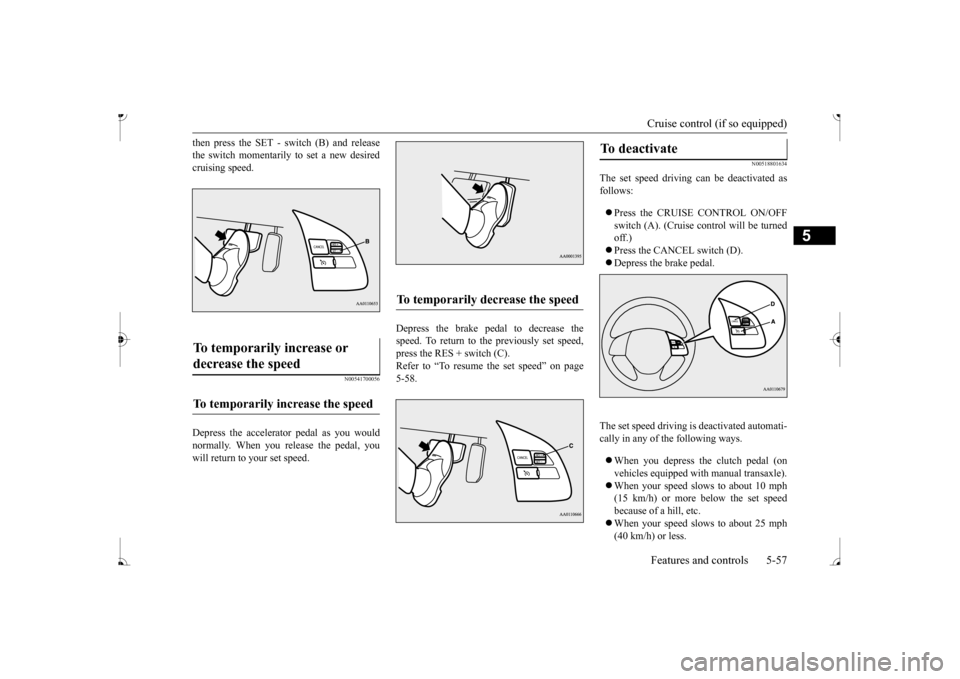
then press the SET - sw
itch (B) and release
the switch momentarily to set a new desiredcruising speed.
N00541700056
Depress the accelerator pedal as you wouldnormally. When you release the pedal, you will return to your set speed.
Depress the brake pedal to decrease the speed. To return to the previously set speed, press the RES + switch (C). Refer to “To resume the set speed” on page5-58.
N00518801634
The set speed driving can be deactivated as follows: Press the CRUISE CONTROL ON/OFF switch (A). (Cruise control will be turnedoff.) Press the CANCEL switch (D). Depress the brake pedal.
The set speed driving is
deactivated automati-
cally in any of the following ways. When you depress the clutch pedal (on vehicles equipped w
ith manual transaxle).
When your speed slows to about 10 mph (15 km/h) or more below the set speed because of a hill, etc. When your speed slows to about 25 mph (40 km/h) or less.
To temporarily increase or decrease the speed
To temporarily increase the speed
To temporarily decrease the speed
To deactivate
BK0236100US.book 57 ページ 2016年2月1日 月曜日 午前10時15分
Page 119 of 307
Tire pressure monitoring
system (if so equipped)
5-58 Features and controls
5
When the active stability control (ASC) starts operating.Refer to “Active stab
ility control (ASC)”
on page 5-52.
Also, the set speed driving may be deacti- vated automatically when the engine speed rises and approaches the tachometer’s redzone (the red-colored part of the tachometer dial).
N00518900306
If the set speed driving is deactivated by thecondition described in “To deactivate” on page 5-57, you can resu
me the previously set
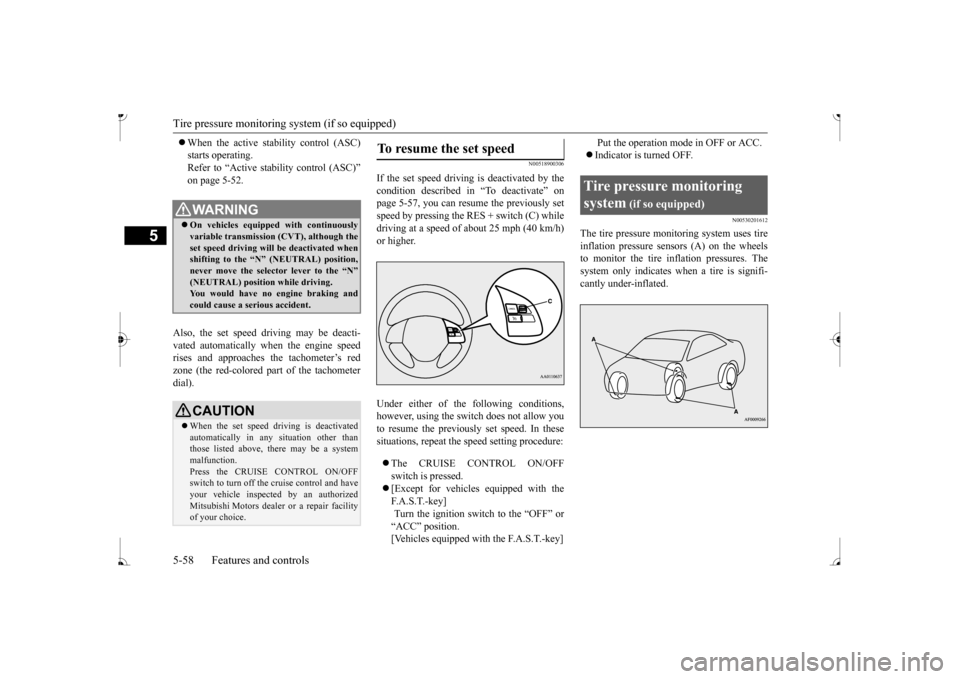
speed by pressing the RES + switch (C) while driving at a speed of about 25 mph (40 km/h) or higher. Under either of the
following conditions,
however, using the sw
itch does not allow you
to resume the previously set speed. In these situations, repeat the
speed setting procedure:
The CRUISE CONTROL ON/OFF switch is pressed. [Except for vehicles equipped with the F. A . S . T. - k e y ] Turn the ignition switch to the “OFF” or “ACC” position. [Vehicles equipped with the F.A.S.T.-key]
Put the operation mode in OFF or ACC. Indicator is turned OFF.
N00530201612
The tire pressure moni
toring system uses tire
inflation pressure sensors (A) on the wheelsto monitor the tire inflation pressures. The system only indicates wh
en a tire is signifi-
cantly under-inflated.
WA R N I N G On vehicles equipped with continuously variable transmis
sion (CVT), although the
set speed driving will be deactivated whenshifting to the “N” never move the select
or lever to the “N”
You would have no engine braking and could cause a serious accident.CAUTION When the set speed dr
iving is deactivated
automatically in any
situation other than
those listed above, there may be a systemmalfunction. Press the CRUISE CONTROL ON/OFF switch to turn off the
cruise control and have
your vehicle inspecte
d by an authorized
Mitsubishi Motors dealer
or a repair facility
of your choice.
To resume the set speed
Tire pressure monitoring system
(if so equipped)
BK0236100US.book 58 ページ 2016年2月1日 月曜日 午前10時15分
Page 120 of 307
Tire pressure monitoring system (if so equipped)
Features and controls 5-59
5
N00532701363
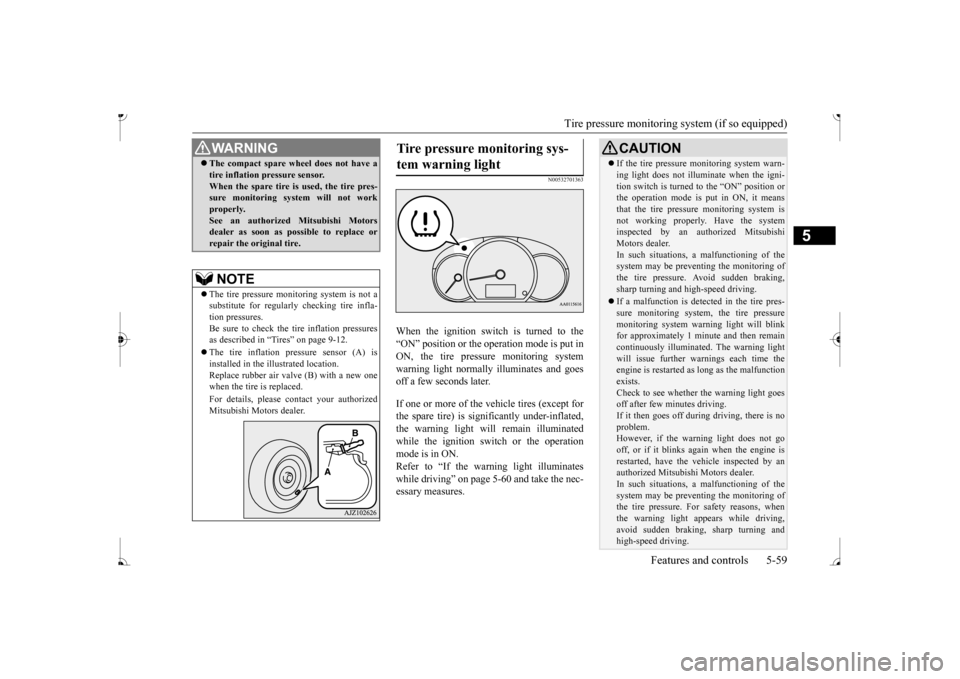
When the ignition switch is turned to the “ON” position or the ope
ration mode is put in
ON, the tire pressure monitoring system warning light normally
illuminates and goes
off a few seconds later. If one or more of the vehicle tires (except for the spare tire) is signi
ficantly under-inflated,
the warning light will remain illuminated while the ignition switch or the operationmode is in ON. Refer to “If the warning light illuminates while driving” on page 5-60 and take the nec-essary measures.
WA R N I N G The compact spare whee
l does not have a
tire inflation pressure sensor.When the spare tire is used, the tire pres-sure monitoring system will not work properly. See an authorized
Mitsubishi Motors
dealer as soon as possible to replace or repair the original tire.NOTE
The tire pressure monitoring system is not a substitute for regularly
checking tire infla-
tion pressures. Be sure to check the tire inflation pressures as described in “Tires” on page 9-12. The tire inflation pressure sensor (A) is installed in the illustrated location.Replace rubber air valve (B) with a new one when the tire is replaced. For details, please
contact your authorized
Mitsubishi Motors dealer.
Tire pressure monitoring sys- tem warning light
CAUTION If the tire pressure monitoring system warn- ing light does not illumi
nate when the igni-
tion switch is turned to the “ON” position orthe operation mode is put in ON, it means that the tire pressure monitoring system is not working properly. Have the systeminspected by an authorized Mitsubishi Motors dealer. In such situations, a malfunctioning of thesystem may be preventing the monitoring of the tire pressure. Avoid sudden braking, sharp turning and high-speed driving. If a malfunction is detected in the tire pres- sure monitoring system, the tire pressuremonitoring system warning light will blink for approximately 1 mi
nute and then remain
continuously illuminate
d. The warning light
will issue further warnings each time the engine is restarted as
long as the malfunction
exists.Check to see whether the warning light goes off after few minutes driving. If it then goes off during driving, there is noproblem. However, if the warning light does not go off, or if it blinks again when the engine isrestarted, have the
vehicle inspected by an
authorized Mitsubish
i Motors dealer.
In such situations, a malfunctioning of thesystem may be preventing the monitoring of the tire pressure. For safety reasons, when the warning light appears while driving,avoid sudden braking, sharp turning and high-speed driving.
BK0236100US.book 59 ページ 2016年2月1日 月曜日 午前10時15分
Page 121 of 307
Tire pressure monitoring
system (if so equipped)
5-60 Features and controls
5
Each tire, including the spare, should be checked monthly when cold and inflated tothe inflation pressure recommended by the vehicle manufac
turer on the vehicle placard
or tire inflation pressu
re label. (If your vehi-
cle has tires of a different size than the size indicated on the vehicle
placard or tire infla-
tion pressure label, yo
u should determine the
proper tire inflation pr
essure for those tires.)
As an added safety feature, your vehicle has been equipped with a tire pressure monitoring system (TPMS) that illuminates a low tire pressure telltale when
one or more of your
tires is significant
ly under-inflated.
Accordingly, when the low tire pressure tell- tale illuminates, you should stop and checkyour tires as soon as possible, and inflate them to the proper pressure. Driving on a sig- nificantly under-inflated
tire causes the tire to
overheat and can lead
to tire failure.
Under-inflation also reduces fuel efficiency and tire tread life, and may affect the vehi-cle’s handling and stopping ability. Please note that the TPMS is not a substitute for proper tire maintenance, and it is the driver’sresponsibility to mainta
in correct tire pres-
sure, even if under-inf
lation has not
reached
the level to trigger illumination of the TPMSlow tire pressure telltale. Your vehicle has also been equipped with a TPMS malfunction indicator to indicate when
the system is not operating properly. The TPMS malfunction indicator is combinedwith the low tire pressure telltale. When the system detects a malfunction, the telltale will flash for approximately one min-ute and then remain c
ontinuously illuminated.
This sequence will c
ontinue upon subsequent
vehicle start-ups as long as the malfunctionexists. When the malfunction indicator is illumi- nated, the system may not
be able to detect or
signal low tire pr
essure as intended.
TPMS malfunctions may
occur for a variety
of reasons, including the installation of replacement or alternate tires or wheels on the vehicle that prevent the TPMS from function-ing properly. Always
check the TPMS mal-
function telltale after replacing one or more tires or wheels on your vehicle to ensure thatthe replacement or alternate tires and wheels allow the TPMS to continue to function prop- erly.
N00532801540
1. If the tire pressure monitoring systemwarning light illum
inates, avoid hard
braking, sharp steering maneuvers and high speeds. You should stop and adjust the tires to the proper inflation pressure assoon as possible. Adjust the spare tire at the same time. Refer to “Tires” on page 9-12.
If the warning light illuminates while driving
NOTE
When inspecting or adjusting the tire pres- sure, do not apply excessive force to the valve stem to
avoid breakage.
After inspecting or adjusting the tire pres- sure, always reinstall the valve cap on thevalve stem. Without the valve cap, di
rt or moisture could
get into the valve, resulting in damage to thetire inflation pressure sensor. Do not use metal valve caps, which may cause a metal reaction,
resulting in corrosion
and damage of the tire
inflation pressure sen-
sors. Once adjustments have
been made, the warn-
ing light will go off after a few minutes ofdriving.
BK0236100US.book 60 ページ 2016年2月1日 月曜日 午前10時15分
Page 125 of 307
Instrument cluster 5-64 Features and controls
5
N00591000025
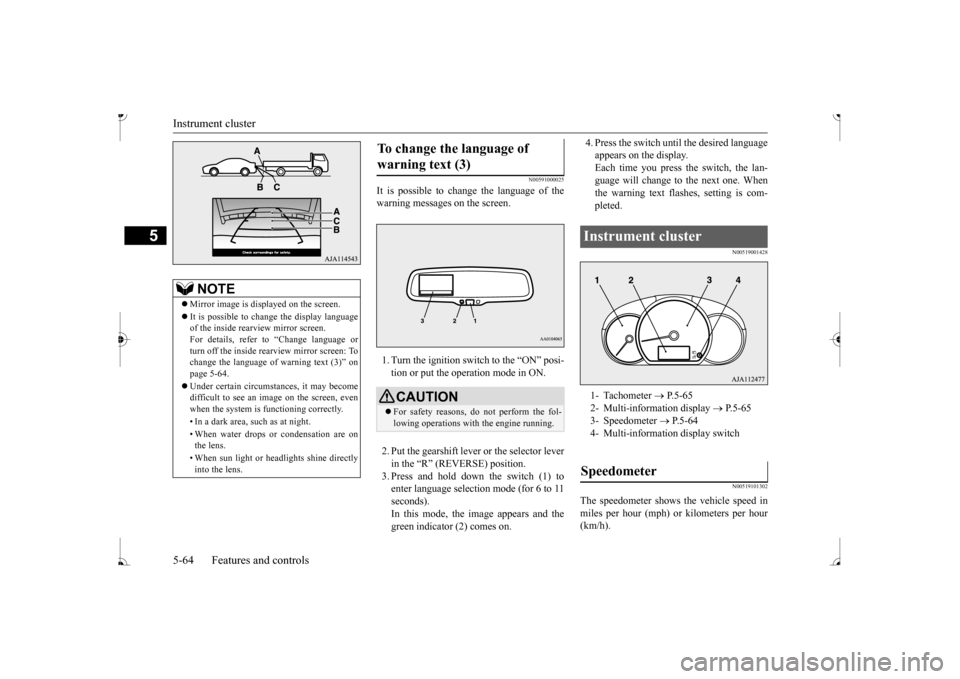
It is possible to cha
nge the language of the
warning messages on the screen. 1. Turn the ignition switch to the “ON” posi- tion or put the operation mode in ON. 2. Put the gearshift lever or the selector lever in the “R” (REVERSE) position. 3. Press and hold down the switch (1) toenter language selection mode (for 6 to 11 seconds). In this mode, the image appears and thegreen indicator (2) comes on.
4. Press the switch unt
il the desired language
appears on the display.Each time you press
the switch, the lan-
guage will change to the next one. When the warning text flas
hes, setting is com-
pleted.
N00519001428 N00519101302
The speedometer shows
the vehicle speed in
miles per hour (mph) or kilometers per hour(km/h).
NOTE
Mirror image is displayed on the screen. It is possible to change the display language of the inside rearview mirror screen. For details, refer to
“Change language or
turn off the inside rearview mirror screen: To change the language of
warning text (3)” on
page 5-64. Under certain circumst
ances, it may become
difficult to see an image on the screen, evenwhen the system is functioning correctly. • In a dark area, such as at night. • When water drops or condensation are on the lens. • When sun light or he
adlights shine directly
into the lens.
To change the language of warning text (3)
CAUTION For safety reasons, do not perform the fol- lowing operations with the engine running.
Instrument cluster 1- Tachometer
P.5-65
2- Multi-information display
P. 5 - 6 5
3- Speedometer
P.5-64
4- Multi-informati
on display switch
Speedometer
BK0236100US.book 64 ページ 2016年2月1日 月曜日 午前10時15分
Page 130 of 307
Multi-information display
Features and controls 5-69
5
N00575201042
This displays the approximate driving range (how many more miles or
kilometers you can
drive). When the driving range falls below approximately 30 miles (
50 km), “---” is dis-
played.
N00575300017
This displays the average fuel consumptionfrom the last reset to the present. The reset mode conditions for the average fuel consumption disp
lay can be switched
between “Auto reset”
and “Manual reset”.
For information on how to change the aver- age fuel consumption di
splay setting, refer to
“Changing the function settings” on page 5-72.
N00556501134
Shows the temperature
outside the vehicle.
The brightness level of the instruments is stored when the ignition switch is turned tothe “OFF” position or the operation mode isput in OFF.
Driving range display
NOTE
The driving range is determined based on the fuel consumption da
ta. This may vary
depending on the drivi
ng conditions and hab-
its. Treat the distance displayed as just a rough guideline. When you refuel, the driving range display is updated. However, if you only add a small amount offuel, the correct value
will not be displayed.
Fill to a full tank whenever possible. When your vehicle is stopped on an extremely steep hill, the driving range value may change. This is due to the movement of fuel in the tank and does not indicate anybreakdown.NOTE
The display setting ca
n be changed to the
preferred units (miles or km).Refer to “Changing th
e function settings” on
page 5-72.
Average fuel consumption dis- play
NOTE
The average fuel cons
umption display can be
reset separately in both auto reset mode andmanual reset mode. “---” is displayed when the average fuel con- sumption cannot be measured. The initial (default) setting is “Auto reset mode”.NOTE
Average fuel consumption may vary depend on the driving conditi
ons (road conditions,
how you drive, etc.).The actual fuel consum
ption may differ from
the fuel consumption displayed, so treat the fuel consumption displayed as just a roughguideline. Disconnecting the batter
y cable wi
ll erase
from memory the manual reset mode or auto reset mode setting for the average fuel con- sumption display. The display setting ca
n be changed to the
preferred units {mpg, km/L, L/100 km}.Refer to “Changing the function settings” on page 5-72.
Outside temperature display
(if
so equipped) The display setting ca
n be changed to the
preferred units (