PAG MITSUBISHI MIRAGE 2017 6.G Repair Manual
[x] Cancel search | Manufacturer: MITSUBISHI, Model Year: 2017, Model line: MIRAGE, Model: MITSUBISHI MIRAGE 2017 6.GPages: 307, PDF Size: 9.02 MB
Page 184 of 307
Vehicle preparatio
n before driving
Driving safety 6-3
6
N00629001770
For a safer and more enjoyable trip, always check for the following: Before starting the vehicle, make certain that you and all passengers are seated andwearing their seat
belts properly (with
children in the rear seat, in appropriate restraints), and that all the doors arelocked.
Move the driver’s seat as far backward as possible, while keeping good visibility,and good control of the steering wheel, brakes, accelerator, and controls. Check the instrument panel indicators and multi-information display for any possible prob- lem. Similarly, the front
passenger seat should
also be moved as fa
r back as possible.
Make sure that infants and small children are properly restrained in accordance with all laws and regulations.
Check these by selectin
g the defroster mode,
and set the blower switch on high. You should be able to feel the air blowing against thewindshield. Refer to “Defrosti
ng or defogging (wind-
shield, door windows)” on page 7-6, 7-10,7-17. Check all the tires for heavy tread wear or uneven wear patterns. Look for stones, nails, glass, or other objects
stuck in the tread. Look
for any tread cuts or
sidewall cracks. Check
the wheel nuts for tightness, and the tires (including spare tire) for proper pressure.
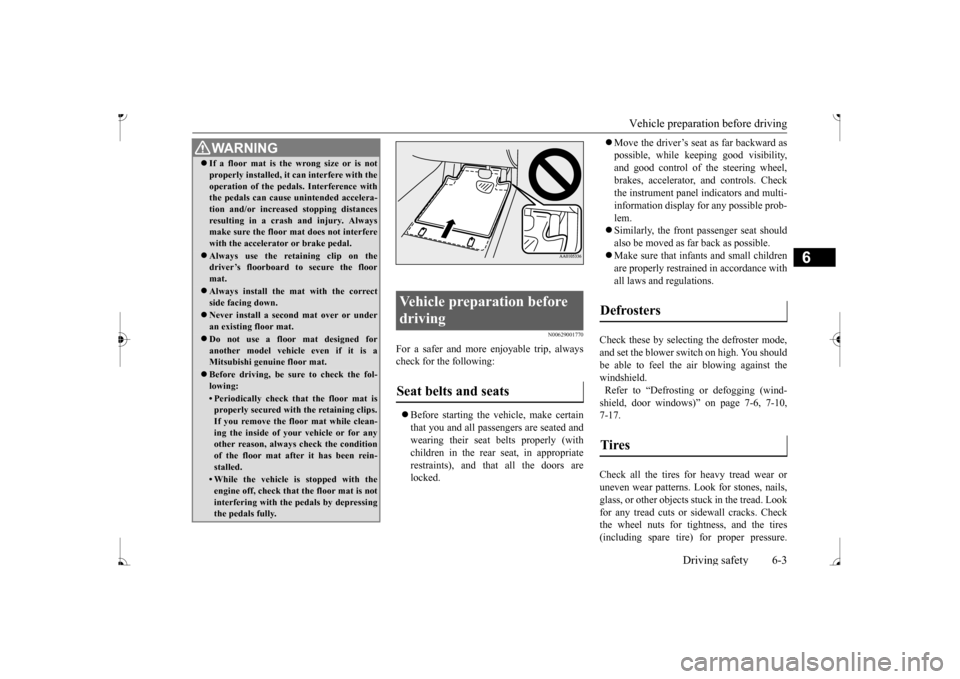
WA R N I N G If a floor mat is the
wrong size or is not
properly installed, it can interfere with theoperation of the pedals. Interference withthe pedals can cause unintended accelera- tion and/or increase
d stopping distances
resulting in a cras
h and injury. Always
make sure the floor mat does not interfere with the accelerator or brake pedal. Always use the retaining clip on the driver’s floorboard to secure the floor mat. Always install the mat with the correct side facing down. Never install a second mat over or under an existing floor mat. Do not use a floor mat designed for another model vehicle even if it is aMitsubishi genu
ine floor mat.
Before driving, be sure to check the fol- lowing:• Periodically check that the floor mat isproperly secured with the retaining clips. If you remove the fl
oor mat while clean-
ing the inside of you
r vehicle or for any
other reason, always
check the condition
of the floor mat afte
r it has been rein-
stalled.• While the vehicle is stopped with theengine off, check that
the floor mat is not
interfering with the pedals by depressing the pedals fully.
Vehicle preparation before driving Seat belts and seats
Defrosters Tires
BK0236100US.book 3 ページ 2016年2月1日 月曜日 午前10時15分
Page 186 of 307
Braking
Driving safety 6-5
6
Please read this section in conjunction with the “Engine coolant” on page 9-7.
N00629500521
All parts of the brake system are critical to safety. Have the vehicle serviced by an autho- rized Mitsubishi Motors dealer or a repairfacility of your choice at regular intervals according to the “WARRANTY AND MAINTENANCE MANUAL”. Check the brake system while driving at a low speed immediately
after starting, espe-
cially when the brakes are wet, to confirm they work normally. A film of water can be formed on the brakediscs or brake drums, and prevent normal braking after driving in heavy rain or through large puddles, or after the vehicle is washed.If this occurs, dry the brakes out by driving slowly while lightly depressing the brake pedal.
On snowy roads, ice can form on the braking system, making the brak
es less effective.
While driving in such conditions, pay closeattention to surrounding
vehicles and to the
condition of the road surface. From time to time, lightly depress the brake pedal andcheck how effective the brakes are. It is important to take
advantage of the engine
braking by downshifting while driving on steep downhill roads in order to prevent thebrakes from overheating.
N00629601372
When parking on a hill, set the parking brake,and turn the front wheels toward the curb on a downhill, or away from
the curb on an uphill.
If necessary, apply chocks to the wheels.
Place the gearshift lever into the “R” hill slope, into the 1st position when parking on an uphill slope. Be sure that the parking brake is firmly set when parked and that the selector lever is in the “P” (PARK) position.When parking on a hill, it is important to set the parking brake before
moving the selector
lever to the “P” (PARK) position. This pre-vents loading the parking brake against the transaxle. When this happens, it is difficult to move the selector lever out of the “P” Never leave the engine running while you take a short nap or rest. Also, never leave the engine running in a closed or poorly venti-lated place.
WA R N I N G Never open the radiator cap when the radiator is hot. You could be seriously burned.
Braking When brakes are wet
When driving in cold weather When driving downhill Parking Parking on a hill
For vehicles equipped with man- ual transaxle For vehicles equipped with contin- uously variable transmission (CVT) Parking with the engine run- ning
BK0236100US.book 5 ページ 2016年2月1日 月曜日 午前10時15分
Page 187 of 307
Loading information 6-6 Driving safety
6
Your front bumper can be damaged if you scrape it over curbs or parking stop blocks. Be careful when traveling up or down steepslopes where your bumper can scrape the road. More effort could be required to turn the steering wheel. Refer to “Electric power steering system(EPS)” on page 5-51.
Always carry the key and lock all doors when leaving the vehicle unattended. Always try to park your vehicle in a well litarea.
N00629900424
It is very importa
nt to know how much
weight your vehicle can carry. This weight is called the vehicle capacity weight andincludes the weight of
all occupants, cargo,
non-factory-installed options, if any, being towed. The tire and load
ing information plac-
ard located on the driver’s door sill of your vehicle will show how
much weight it may
properly carry. It is important to fami
liarize yourself with the
following terms before loading your vehicle:
Vehicle maximum load on the tire: load on an individual tire th
at is determined by
distributing to each ax
le its share of the
maximum loaded vehicle weight and dividing by two. Vehicle normal load on the tire: load on an individual tire that is
determined by dis-
tributing to each axle its share of the curbweight, accessory
weight, and normal
occupant weight and dividing by two. Maximum loaded vehicle weight: the sum of - (a) Curb weight;(b) Accessory weight; (c) Vehicle capacity weight; and (d) Production options weight. Curb weight: the weight of a motor vehi- cle with standard equipment including the maximum capacity of
fuel, oil, and cool-
ant. Accessory weight: the combined weight (in excess of those standard items whichmay be replaced) of automatic transmis- sion, power steering
, power brakes, power
windows, power seats,
radio, and heater,
to the extent that these items are available as factory- installe
d equipment (whether
installed or not). Vehicle capacity weight: the rated cargo and luggage load plus 150 lbs (68 kg)
*
times the vehicle’s designated seatingcapacity.
WA R N I N G Leaving the engine ru
nning risks injury or
death from accidentally moving the gear-shift lever (manual transaxle) or the selec-tor lever (CVT) or from the accumulation of toxic exhaust fumes in the passenger compartment.
Where you park
WA R N I N G Do not park your vehicle in areas where combustible materials such as dry grass orleaves can come in
contact with a hot
exhaust, since a fire could occur.
Do not keep the steering wheel fully turned for a long time
When leaving the vehicle Loading information
WA R N I N G Never overload your ve
hicle. Overloading
can damage your vehicl
e, adversely affect
vehicle performance, including handlingand braking, cause tire failure, and result in an accident.
BK0236100US.book 6 ページ 2016年2月1日 月曜日 午前10時15分
Page 188 of 307
Loading information Driving safety 6-7
6
Production options weight: the combined weight of those inst
alled regular produc-
tion options weighing over 5 lbs (2.3 kg) in excess of those standard items which they replace, not previously considered incurb weight or acce
ssory weight, includ-
ing heavy duty brakes, ride levelers, roof rack, heavy duty battery
, and special trim.
Normal occupant weight: 150 lbs (68 kg)
*
times the number of specified occupants. (In your vehicle the number is 3) Occupant distribution:
Occupant distribu-
tion within the passenger compartment (Inyour vehicle the distribution is 2 in front, 1 in second row seat)
N00630100396
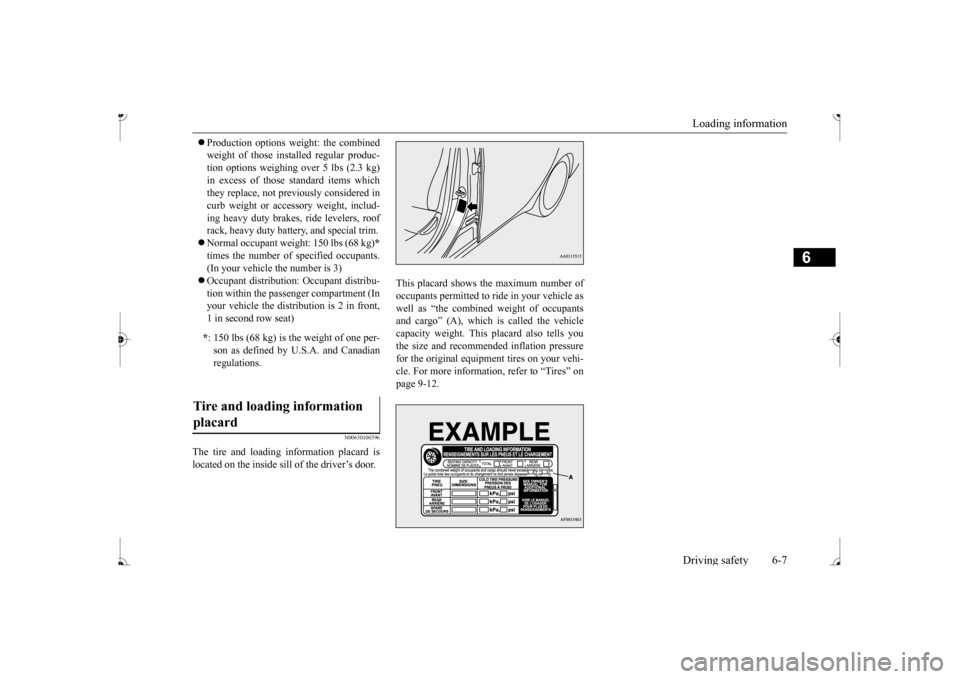
The tire and loading information placard is located on the inside sill of the driver’s door.
This placard shows the maximum number of occupants permitted to ri
de in your vehicle as
well as “the combined weight of occupantsand cargo” (A), which is called the vehicle capacity weight. This
placard also tells you
the size and recomme
nded inflation pressure
for the original equipment tires on your vehi- cle. For more information, refer to “Tires” on page 9-12.
* : 150 lbs (68 kg) is the weight of one per- son as defined by U.
S.A. and Canadian
regulations.
Tire and loading information placard
BK0236100US.book 7 ページ 2016年2月1日 月曜日 午前10時15分
Page 191 of 307
Cargo loads 6-10 Driving safety
6
N00629700435 N00630300082
To determine the cargo load capacity for your vehicle, subtract the
weight of all vehicle
occupants from the vehi
cle capacity weight.
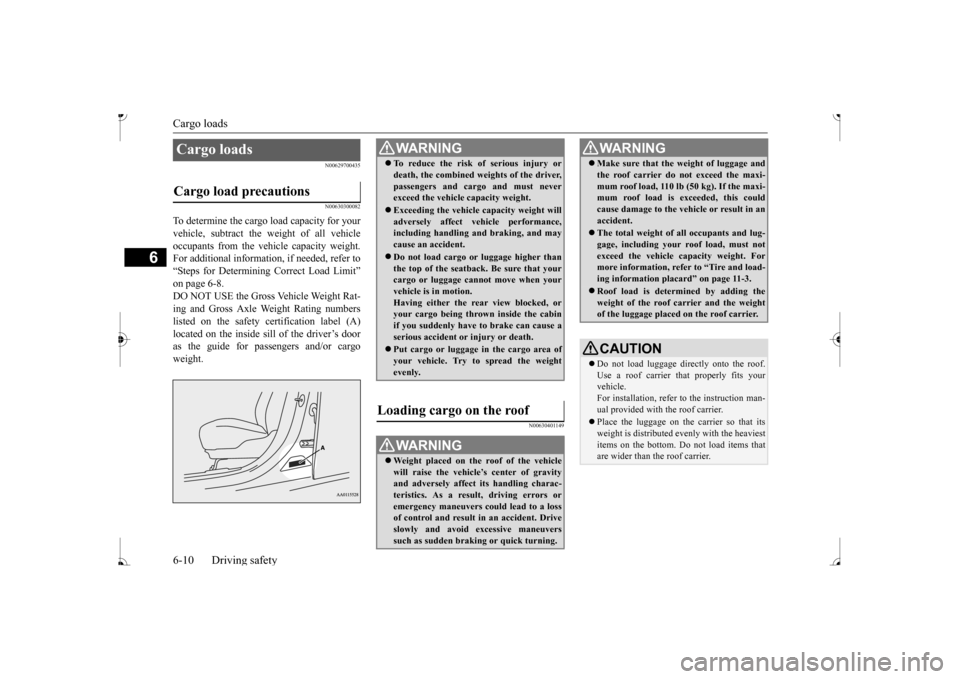
For additional information, if needed, refer to “Steps for Determining Correct Load Limit” on page 6-8. DO NOT USE the Gross Vehicle Weight Rat- ing and Gross Axle Weight Rating numberslisted on the safety certification label (A) as the guide for pass
engers and/or cargo
weight.
N00630401149
Cargo loads Cargo load precautions
WA R N I N G To reduce the risk of serious injury or death, the combined weights of the driver,passengers and cargo and must neverexceed the vehicle capacity weight. Exceeding the vehicle capacity weight will adversely affect ve
hicle performance,
including handling and braking, and may cause an accident. Do not load cargo or luggage higher than the top of the seatback. Be sure that yourcargo or luggage cann
ot move when your
vehicle is in motion. Having either the re
ar view blocked, or
your cargo being thrown
inside the cabin
if you suddenly have to brake can cause a serious accident or
injury or death.
Put cargo or luggage in the cargo area of your vehicle. Try to spread the weightevenly.
Loading cargo on the roof
WA R N I N G Weight placed on the
roof of the vehicle
will raise the vehicle’ and adversely affect
its handling charac-
teristics. As a result, driving errors oremergency maneuvers could lead to a loss of control and result in an accident. Drive slowly and avoid excessive maneuverssuch as sudden brak
ing or quick turning.
Make sure that the
weight of luggage and
the roof carrier do not exceed the maxi-mum roof load, 110 lb (50 kg). If the maxi-mum roof load is ex
ceeded, this could
cause damage to the ve
hicle or result in an
accident. The total weight of all occupants and lug- gage, including your r
oof load, must not
exceed the vehicle capacity weight. For more information, refer to “Tire and load- ing information placard” on page 11-3. Roof load is determined by adding the weight of the roof
carrier and the weight
of the luggage placed
on the roof carrier.
CAUTIONDo not load luggage directly onto the roof. Use a roof carrier that properly fits your vehicle. For installation, refer to the instruction man-ual provided with the roof carrier. Place the luggage on the carrier so that its weight is distri
buted evenly with the heaviest
items on the bottom. Do not load items that are wider than the roof carrier.WA R N I N G
BK0236100US.book 10 ページ 2016年2月1日 月曜日 午前10時15分
Page 195 of 307
Vents 7-2 Comfort controls
7
N00729901305 N00730200330
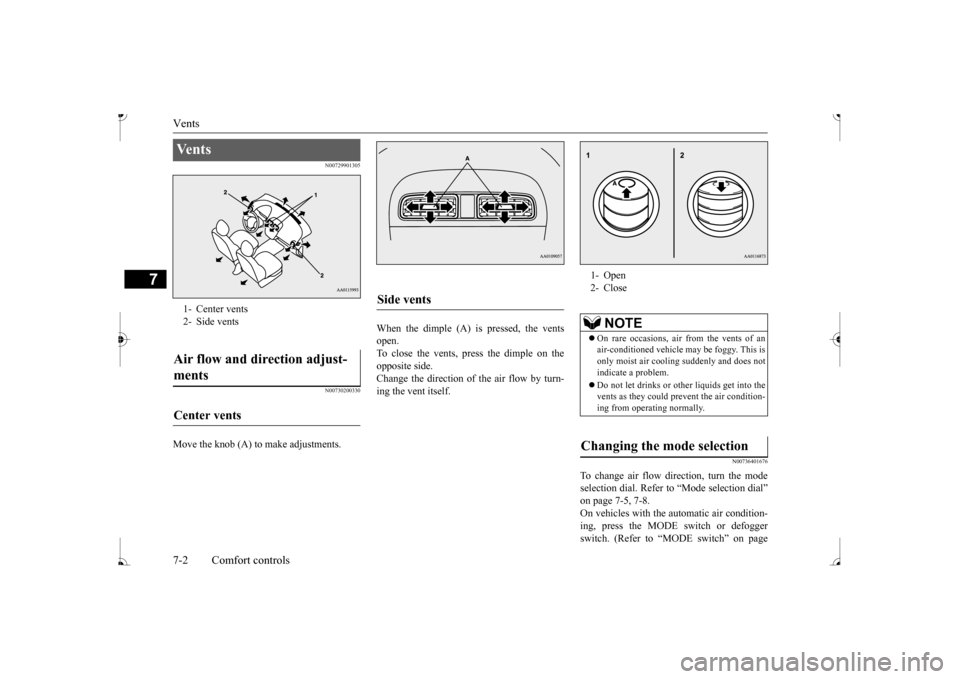
Move the knob (A) to make adjustments.
When the dimple (A) is pressed, the vents open. To close the vents, press the dimple on the opposite side.Change the direction of the air flow by turn- ing the vent itself.
N00736401676
To change air flow di
rection, turn the mode
selection dial. Refer to
“Mode selection dial”
on page 7-5, 7-8. On vehicles with the
automatic air condition-
ing, press the MODE
switch or defogger
switch. (Refer to “MODE switch” on page
Ve n t s 1- Center vents2- Side ventsAir flow and direction adjust- ments Center vents
Side vents
1- Open 2- Close
NOTE
On rare occasions, air from the vents of an air-conditioned vehicle
may be foggy. This is
only moist air cooling suddenly and does not indicate a problem. Do not let drinks or ot
her liquids get into the
vents as they could pr
event the air condition-
ing from operating normally.
Changing the mode selection
BK0236100US.book 2 ページ 2016年2月1日 月曜日 午前10時15分
Page 196 of 307
Vents
Comfort controls 7-3
7
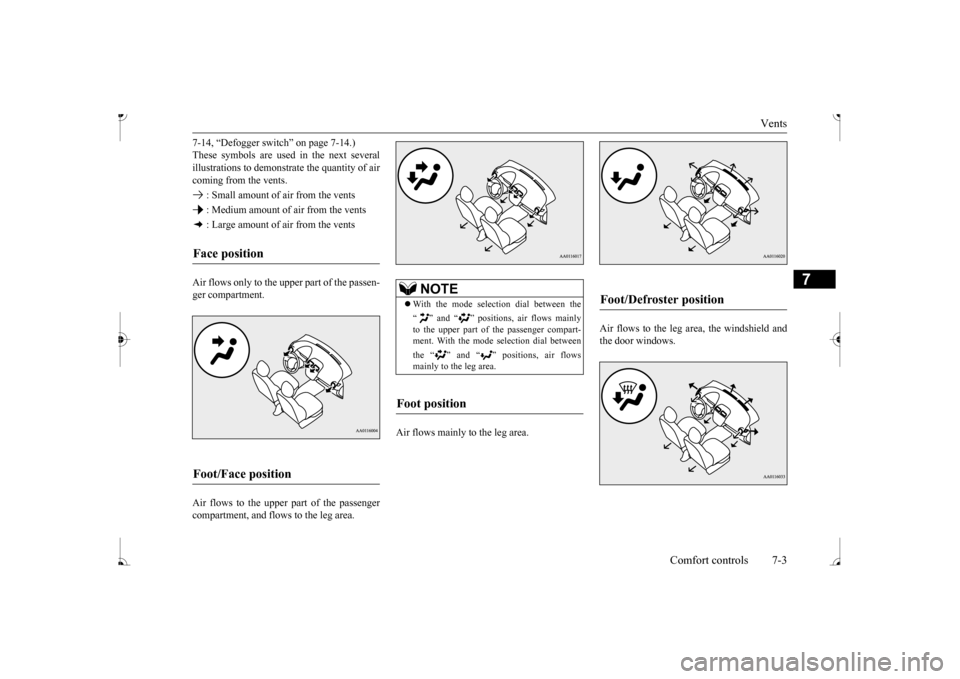
7-14, “Defogger switch” on page 7-14.) These symbols are used in the next severalillustrations to demonstr
ate the quantity of air
coming from the vents. : Small amount of air from the vents : Medium amount of air from the vents : Large amount of air from the vents Air flows only to the upper part of the passen- ger compartment. Air flows to the upper part of the passenger compartment, and flows to the leg area.
Air flows mainly to the leg area.
Air flows to the leg area, the windshield and the door windows.
Face position Foot/Face position
NOTE
With the mode select
ion dial between the
“ ” and “ ” positions, air flows mainly to the upper part of the passenger compart-ment. With the mode se
lection dial between
the “ ” and “ ” positions, air flows mainly to the leg area.
Foot position
Foot/Defroster position
BK0236100US.book 3 ページ 2016年2月1日 月曜日 午前10時15分
Page 198 of 307
Heater without air conditioning function (if so equipped)
Comfort controls 7-5
7
N00738001067
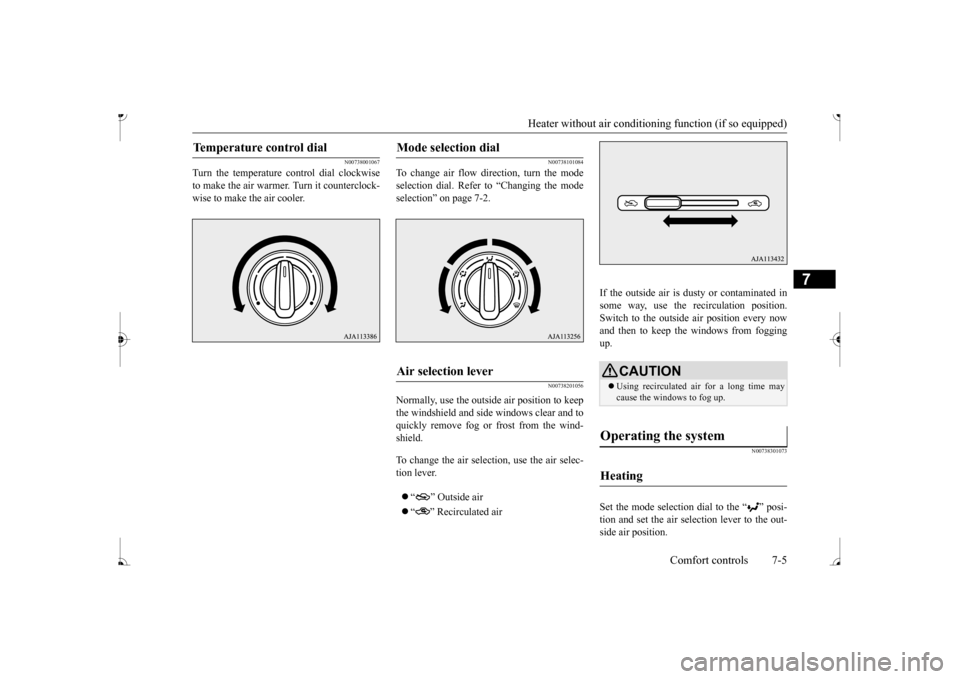
Turn the temperature c
ontrol dial clockwise
to make the air warmer
. Turn it counterclock-
wise to make the air cooler.
N00738101084
To change air flow di
rection, turn the mode
selection dial. Refer
to “Changing the mode
selection” on page 7-2.
N00738201056
Normally, use the outside air position to keepthe windshield and side
windows clear and to
quickly remove fog or frost from the wind- shield. To change the air selection, use the air selec- tion lever. “ ” Outside air “ ” Recirculated air
If the outside air is dusty or contaminated in some way, use the recirculation position. Switch to the outside
air position every now
and then to keep the windows from fogging up.
N00738301073
Set the mode selection
dial to the “ ” posi-
tion and set the air selection lever to the out- side air position.
Temperature control dial
Mode selection dial
Air selection lever
CAUTION Using recirculated ai
r for a long time may
cause the windows to fog up.
Operating the system
Heating
BK0236100US.book 5 ページ 2016年2月1日 月曜日 午前10時15分
Page 201 of 307
Manual air conditioning (if so equipped) 7-8 Comfort controls
7
N00736601258
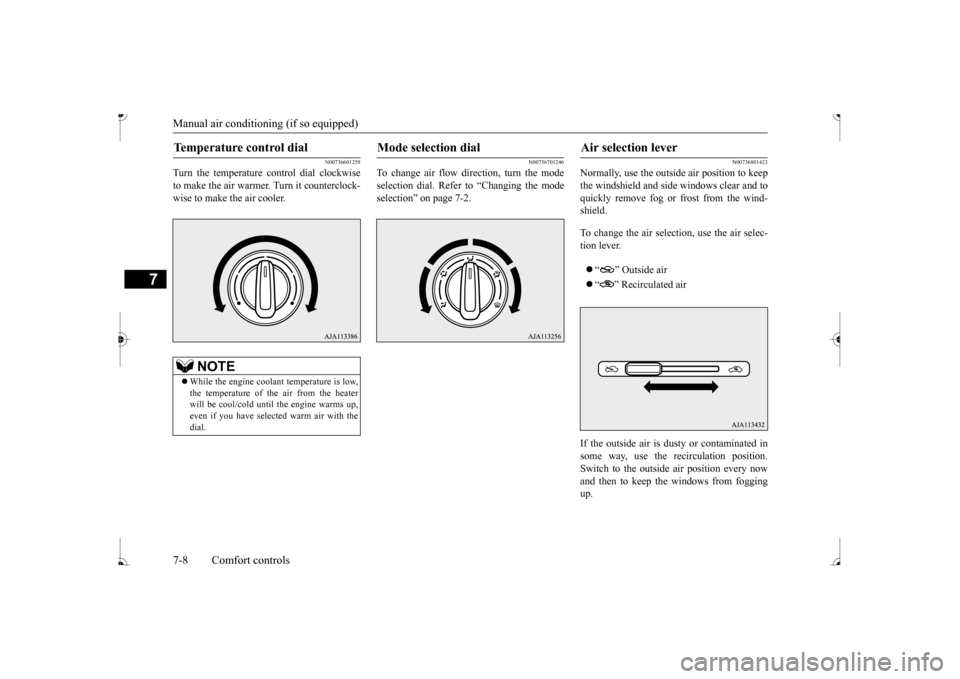
Turn the temperature control dial clockwise to make the air warmer
. Turn it counterclock-
wise to make the air cooler.
N00736701246
To change air flow di
rection, turn the mode
selection dial. Refer to “Changing the mode selection” on page 7-2.
N00736801423
Normally, use the outside air position to keep the windshield and side windows clear and to quickly remove fog or frost from the wind-shield. To change the air selection, use the air selec- tion lever. “ ” Outside air “ ” Recirculated air
If the outside air is dusty or contaminated in some way, use the
recirculat
ion position.
Switch to the outside
air position every now
and then to keep the windows from foggingup.
Temperature control dial
NOTE
While the engine coolant temperature is low, the temperature of the air from the heater will be cool/cold until
the engine warms up,
even if you have selected warm air with the dial.
Mode selection dial
Air selection lever
BK0236100US.book 8 ページ 2016年2月1日 月曜日 午前10時15分
Page 206 of 307
Automatic air conditioning (if so equipped)
Comfort controls 7-13
7
N00736900179
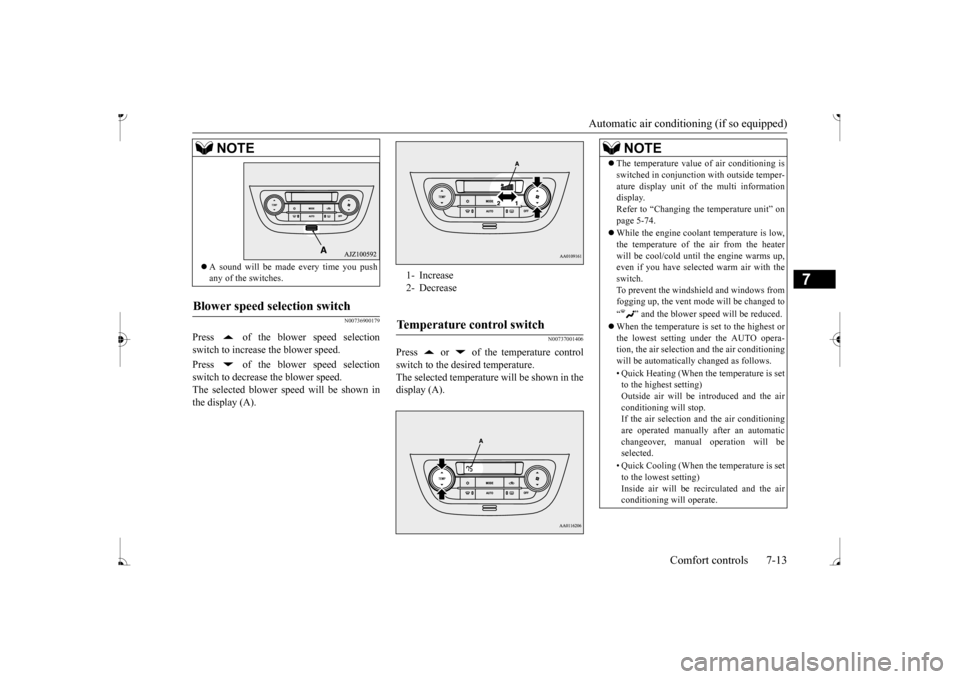
Press of the blower speed selection switch to increase the blower speed. Press of the blower speed selection switch to decrease the blower speed.The selected blower speed will be shown in the display (A).
N00737001406
Press or of the temperature controlswitch to the desired temperature. The selected temperature will be shown in thedisplay (A).
A sound will be made every time you push any of the switches.
Blower speed selection switch
NOTE
1- Increase 2- DecreaseTemperature control switch
NOTE
The temperature value
of air conditioning is
switched in conjunction
with outside temper-
ature display unit of the multi informationdisplay. Refer to “Changing the
temperature unit” on
page 5-74. While the engine coolant temperature is low, the temperature of the air from the heaterwill be cool/cold unti
l the engine warms up,
even if you have selected warm air with the switch.To prevent the windshield and windows from fogging up, the vent mode
will be changed to
“ ” and the blower speed will be reduced. When the temperature is set to the highest or the lowest setting under the AUTO opera-tion, the air selection
and the air conditioning
will be automatically changed as follows. • Quick Heating (When the temperature is set to the highest setting) Outside air will be introduced and the airconditioning will stop. If the air selection
and the air conditioning
are operated manually after an automaticchangeover, manual
operation will be
selected. • Quick Cooling (When th
e temperature is set
to the lowest setting) Inside air will be re
circulated and the air
conditioning will operate.
BK0236100US.book 13 ページ 2016年2月1日 月曜日 午前10時15分