Condition NISSAN TEANA 2008 User Guide
[x] Cancel search | Manufacturer: NISSAN, Model Year: 2008, Model line: TEANA, Model: NISSAN TEANA 2008Pages: 5121, PDF Size: 69.03 MB
Page 33 of 5121
AUTOMATIC DRIVE POSITIONER SYSTEM
ADP-27
< FUNCTION DIAGNOSIS >
C
D
E
F
G
H
I
K
L
MA
B
ADP
N
O
P
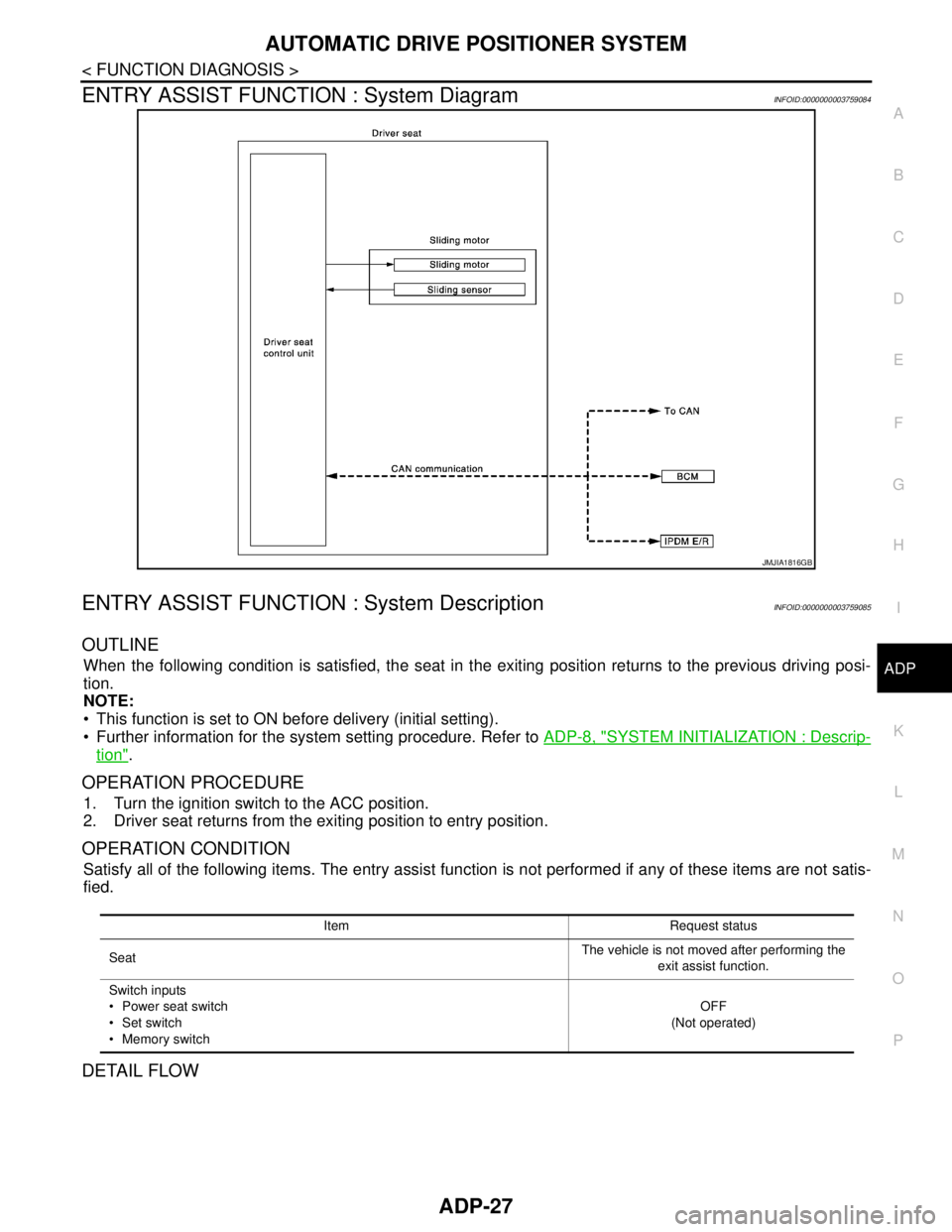
ENTRY ASSIST FUNCTION : System DiagramINFOID:0000000003759084
ENTRY ASSIST FUNCTION : System DescriptionINFOID:0000000003759085
OUTLINE
When the following condition is satisfied, the seat in the exiting position returns to the previous driving posi-
tion.
NOTE:
This function is set to ON before delivery (initial setting).
Further information for the system setting procedure. Refer to ADP-8, "
SYSTEM INITIALIZATION : Descrip-
tion".
OPERATION PROCEDURE
1. Turn the ignition switch to the ACC position.
2. Driver seat returns from the exiting position to entry position.
OPERATION CONDITION
Satisfy all of the following items. The entry assist function is not performed if any of these items are not satis-
fied.
DETAIL FLOW
JMJIA1816GB
Item Request status
SeatThe vehicle is not moved after performing the
exit assist function.
Switch inputs
Power seat switch
Set switch
Memory switchOFF
(Not operated)
Page 34 of 5121
![NISSAN TEANA 2008 User Guide ADP-28
< FUNCTION DIAGNOSIS >
AUTOMATIC DRIVE POSITIONER SYSTEM
Order Input Output Control unit condition
1 Ignition switch —Driver seat control unit receives the signals of [ignition switch signal]](/img/5/57391/w960_57391-33.png "NISSAN TEANA 2008 User Guide ADP-28
< FUNCTION DIAGNOSIS >
AUTOMATIC DRIVE POSITIONER SYSTEM
Order Input Output Control unit condition
1 Ignition switch —Driver seat control unit receives the signals of [ignition switch signal]")
ADP-28
< FUNCTION DIAGNOSIS >
AUTOMATIC DRIVE POSITIONER SYSTEM
Order Input Output Control unit condition
1 Ignition switch —Driver seat control unit receives the signals of [ignition switch signal]
from BCM via CAN communication
2— Sliding motorDriver seat control unit operates the sliding motor when the operating
conditions are satisfied
Sliding sensor —Sliding sensor monitors the operating positions of seat, and then
stops the operation of sliding motor when the seat reaches the re-
corded address
Page 37 of 5121
AUTOMATIC DRIVE POSITIONER SYSTEM
ADP-31
< FUNCTION DIAGNOSIS >
C
D
E
F
G
H
I
K
L
MA
B
ADP
N
O
P
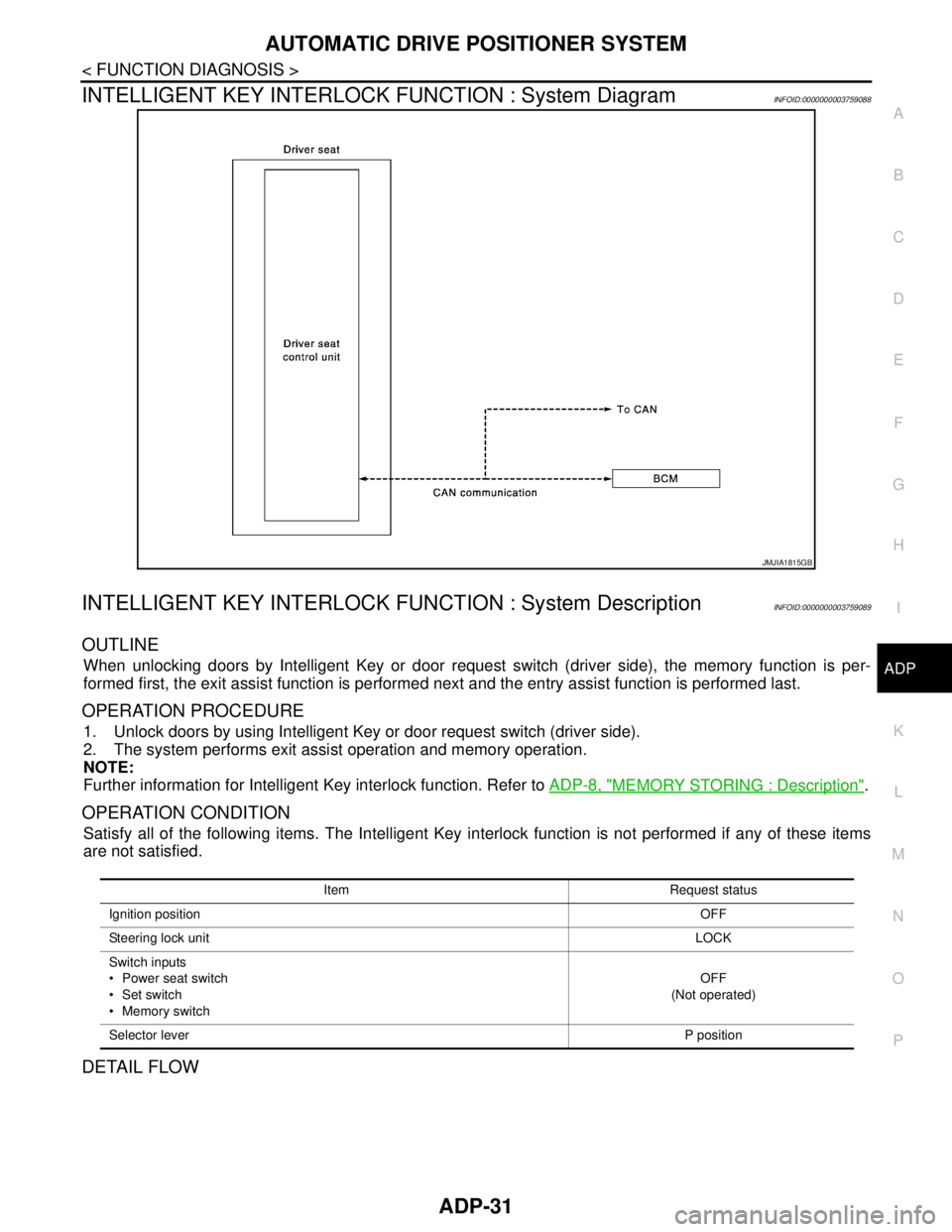
INTELLIGENT KEY INTERLOCK FUNCTION : System DiagramINFOID:0000000003759088
INTELLIGENT KEY INTERLOCK FUNCTION : System DescriptionINFOID:0000000003759089
OUTLINE
When unlocking doors by Intelligent Key or door request switch (driver side), the memory function is per-
formed first, the exit assist function is performed next and the entry assist function is performed last.
OPERATION PROCEDURE
1. Unlock doors by using Intelligent Key or door request switch (driver side).
2. The system performs exit assist operation and memory operation.
NOTE:
Further information for Intelligent Key interlock function. Refer to ADP-8, "
MEMORY STORING : Description".
OPERATION CONDITION
Satisfy all of the following items. The Intelligent Key interlock function is not performed if any of these items
are not satisfied.
DETAIL FLOW
JMJIA1815GB
Item Request status
Ignition positionOFF
Steering lock unitLOCK
Switch inputs
Power seat switch
Set switch
Memory switchOFF
(Not operated)
Selector leverP position
Page 38 of 5121

ADP-32
< FUNCTION DIAGNOSIS >
AUTOMATIC DRIVE POSITIONER SYSTEM
Order Input Output Control unit condition
1 Door unlock signal
(CAN)
Key ID signal (CAN)—Driver seat control unit receives the door unlock signal and the key
ID signal from BCM when unlocking the door with Intelligent Key or
driver side door request switch
2 — — Driver seat control unit performs the memory function
3 — — Driver seat control unit performs the exit assist function
4 — — Driver seat control unit performs the entry assist function
Page 44 of 5121
ADP-38
< COMPONENT DIAGNOSIS >
U1000 CAN COMM CIRCUIT
COMPONENT DIAGNOSIS
U1000 CAN COMM CIRCUIT
DescriptionINFOID:0000000003759094
CAN (Controller Area Network) is a serial communication line for real time applications. It is an on-vehicle mul-
tiplex communication line with high data communication speed and excellent error detection ability. Modern
vehicle is equipped with many electronic control unit, and each control unit shares information and links with
other control units during operation (not independent). In CAN communication, control units are connected
with 2 communication lines (CAN H-line, CAN L-line) allowing a high rate of information transmission with less
wiring. Each control unit transmits/receives data but selectively reads required data only.
DTC LogicINFOID:0000000003759095
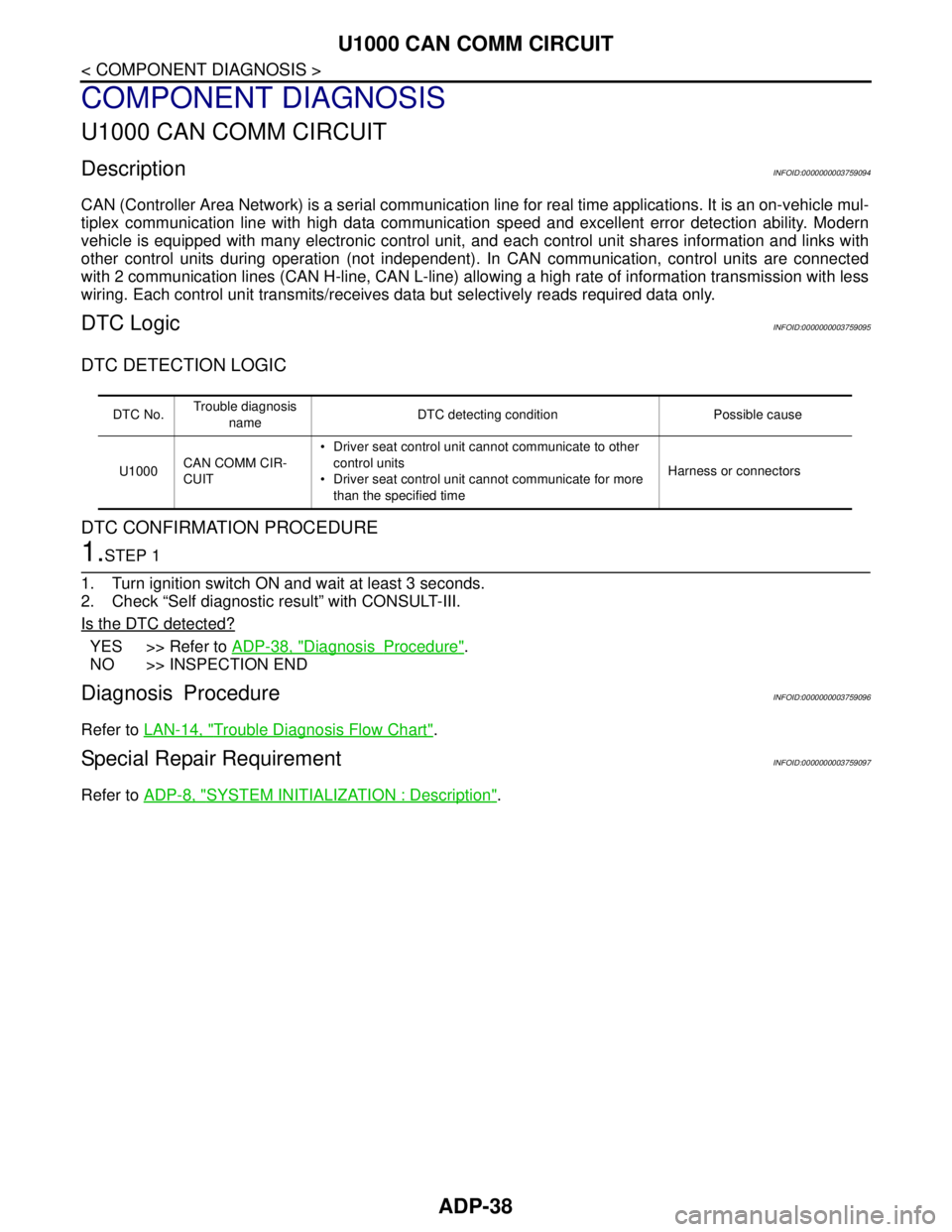
DTC DETECTION LOGIC
DTC CONFIRMATION PROCEDURE
1.STEP 1
1. Turn ignition switch ON and wait at least 3 seconds.
2. Check “Self diagnostic result” with CONSULT-III.
Is the DTC detected?
YES >> Refer to ADP-38, "DiagnosisProcedure".
NO >> INSPECTION END
Diagnosis ProcedureINFOID:0000000003759096
Refer to LAN-14, "Trouble Diagnosis Flow Chart".
Special Repair RequirementINFOID:0000000003759097
Refer to ADP-8, "SYSTEM INITIALIZATION : Description".
DTC No.Trouble diagnosis
nameDTC detecting condition Possible cause
U1000CAN COMM CIR-
CUIT Driver seat control unit cannot communicate to other
control units
Driver seat control unit cannot communicate for more
than the specified timeHarness or connectors
Page 45 of 5121
U1010 CONTROL UNIT (CAN)
ADP-39
< COMPONENT DIAGNOSIS >
C
D
E
F
G
H
I
K
L
MA
B
ADP
N
O
P
U1010 CONTROL UNIT (CAN)
DescriptionINFOID:0000000003759098
CAN (Controller Area Network) is a serial communication line for real time applications. It is an on-vehicle mul-
tiplex communication line with high data communication speed and excellent error detection ability. Modern
vehicle is equipped with many electronic control unit, and each control unit shares information and links with
other control units during operation (not independent). In CAN communication, control units are connected
with 2 communication lines (CAN-H line, CAN-L line) allowing a high rate of information transmission with less
wiring. Each control unit transmits/receives data but selectively reads required data only.
CAN Communication Signal Chart, refer to LAN-22, "
CAN Communication Signal Chart".
DTC LogicINFOID:0000000003759099
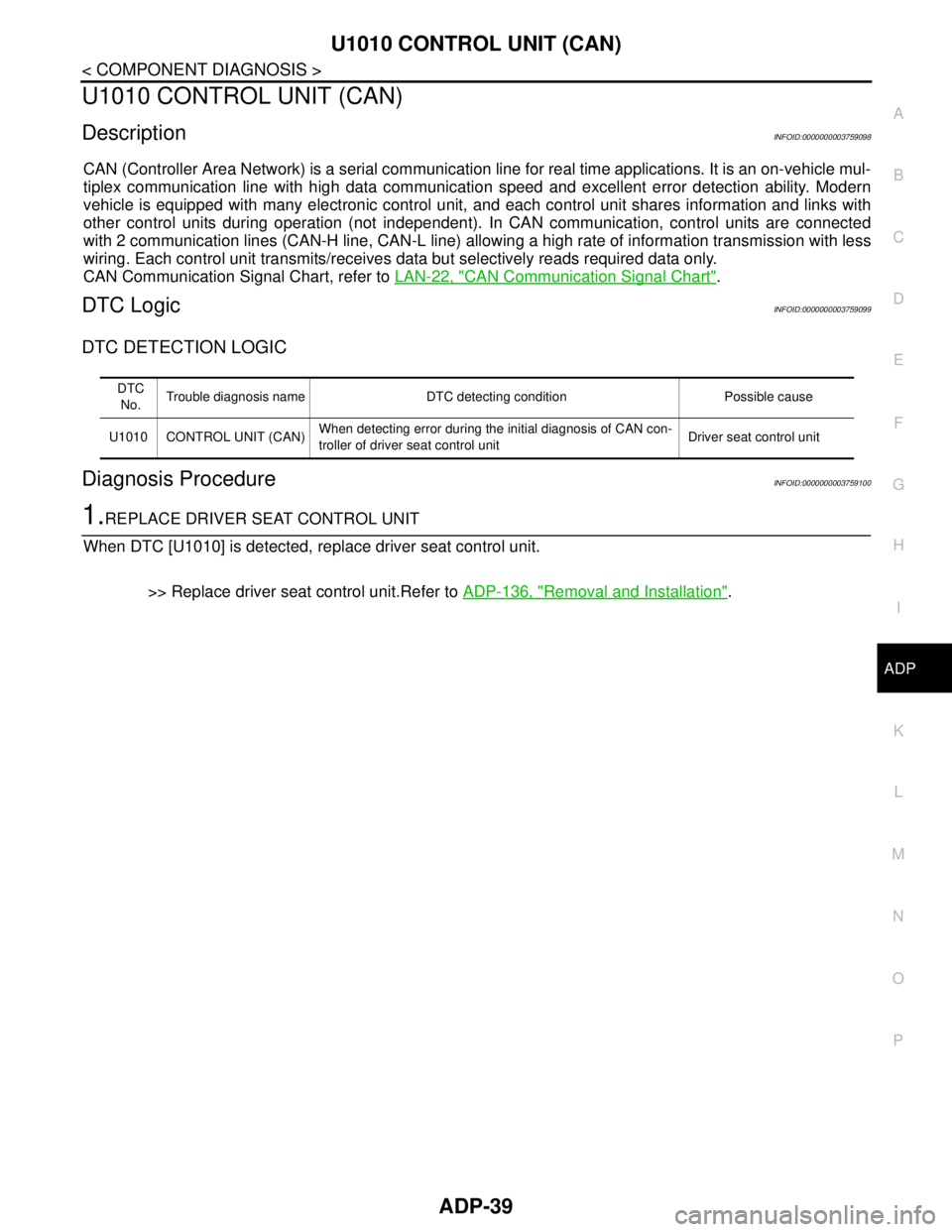
DTC DETECTION LOGIC
Diagnosis ProcedureINFOID:0000000003759100
1.REPLACE DRIVER SEAT CONTROL UNIT
When DTC [U1010] is detected, replace driver seat control unit.
>> Replace driver seat control unit.Refer to ADP-136, "
Removal and Installation".
DTC
No.Trouble diagnosis name DTC detecting condition Possible cause
U1010 CONTROL UNIT (CAN)When detecting error during the initial diagnosis of CAN con-
troller of driver seat control unitDriver seat control unit
Page 46 of 5121
ADP-40
< COMPONENT DIAGNOSIS >
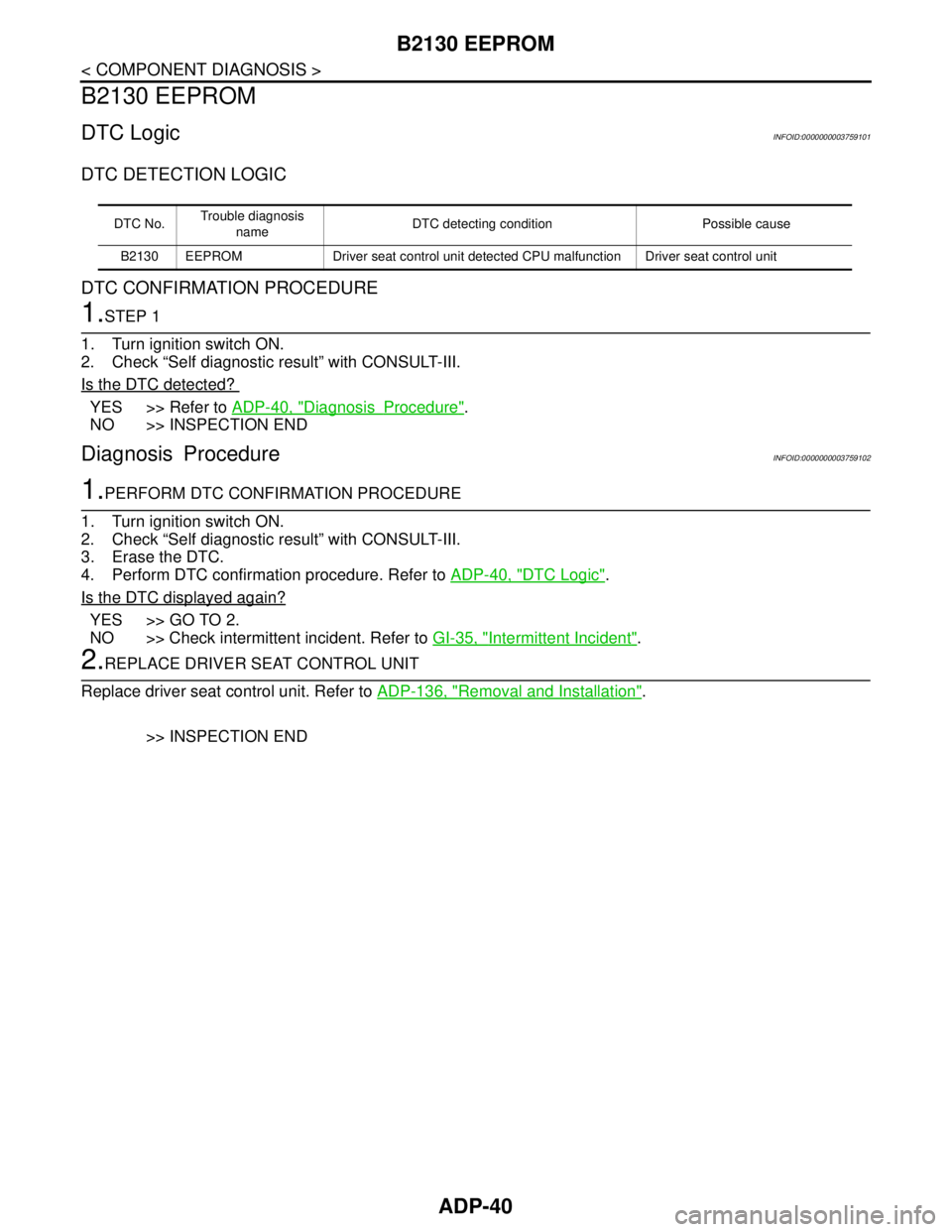
B2130 EEPROM
B2130 EEPROM
DTC LogicINFOID:0000000003759101
DTC DETECTION LOGIC
DTC CONFIRMATION PROCEDURE
1.STEP 1
1. Turn ignition switch ON.
2. Check “Self diagnostic result” with CONSULT-III.
Is the DTC detected?
YES >> Refer to ADP-40, "DiagnosisProcedure".
NO >> INSPECTION END
Diagnosis ProcedureINFOID:0000000003759102
1.PERFORM DTC CONFIRMATION PROCEDURE
1. Turn ignition switch ON.
2. Check “Self diagnostic result” with CONSULT-III.
3. Erase the DTC.
4. Perform DTC confirmation procedure. Refer to ADP-40, "
DTC Logic".
Is the DTC displayed again?
YES >> GO TO 2.
NO >> Check intermittent incident. Refer to GI-35, "
Intermittent Incident".
2.REPLACE DRIVER SEAT CONTROL UNIT
Replace driver seat control unit. Refer to ADP-136, "
Removal and Installation".
>> INSPECTION END
DTC No.Trouble diagnosis
nameDTC detecting condition Possible cause
B2130 EEPROM Driver seat control unit detected CPU malfunction Driver seat control unit
Page 47 of 5121
B2112 SLIDING MOTOR
ADP-41
< COMPONENT DIAGNOSIS >
C
D
E
F
G
H
I
K
L
MA
B
ADP
N
O
P
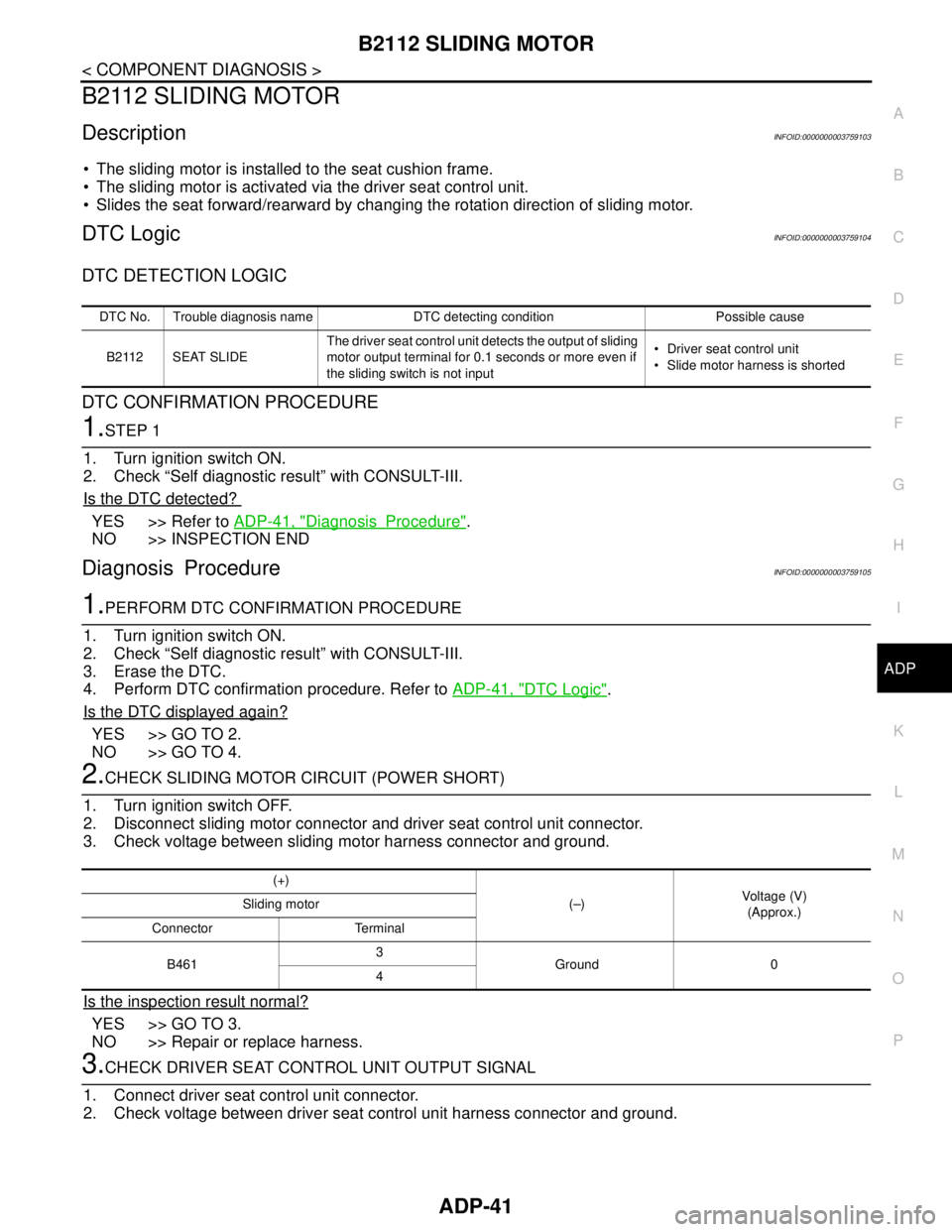
B2112 SLIDING MOTOR
DescriptionINFOID:0000000003759103
The sliding motor is installed to the seat cushion frame.
The sliding motor is activated via the driver seat control unit.
Slides the seat forward/rearward by changing the rotation direction of sliding motor.
DTC LogicINFOID:0000000003759104
DTC DETECTION LOGIC
DTC CONFIRMATION PROCEDURE
1.STEP 1
1. Turn ignition switch ON.
2. Check “Self diagnostic result” with CONSULT-III.
Is the DTC detected?
YES >> Refer to ADP-41, "DiagnosisProcedure".
NO >> INSPECTION END
Diagnosis ProcedureINFOID:0000000003759105
1.PERFORM DTC CONFIRMATION PROCEDURE
1. Turn ignition switch ON.
2. Check “Self diagnostic result” with CONSULT-III.
3. Erase the DTC.
4. Perform DTC confirmation procedure. Refer to ADP-41, "
DTC Logic".
Is the DTC displayed again?
YES >> GO TO 2.
NO >> GO TO 4.
2.CHECK SLIDING MOTOR CIRCUIT (POWER SHORT)
1. Turn ignition switch OFF.
2. Disconnect sliding motor connector and driver seat control unit connector.
3. Check voltage between sliding motor harness connector and ground.
Is the inspection result normal?
YES >> GO TO 3.
NO >> Repair or replace harness.
3.CHECK DRIVER SEAT CONTROL UNIT OUTPUT SIGNAL
1. Connect driver seat control unit connector.
2. Check voltage between driver seat control unit harness connector and ground.
DTC No. Trouble diagnosis name DTC detecting condition Possible cause
B2112 SEAT SLIDEThe driver seat control unit detects the output of sliding
motor output terminal for 0.1 seconds or more even if
the sliding switch is not input Driver seat control unit
Slide motor harness is shorted
(+)
(–)Voltage (V)
(Approx.) Sliding motor
Connector Terminal
B4613
Ground 0
4
Page 49 of 5121
B2113 RECLINING MOTOR
ADP-43
< COMPONENT DIAGNOSIS >
C
D
E
F
G
H
I
K
L
MA
B
ADP
N
O
P
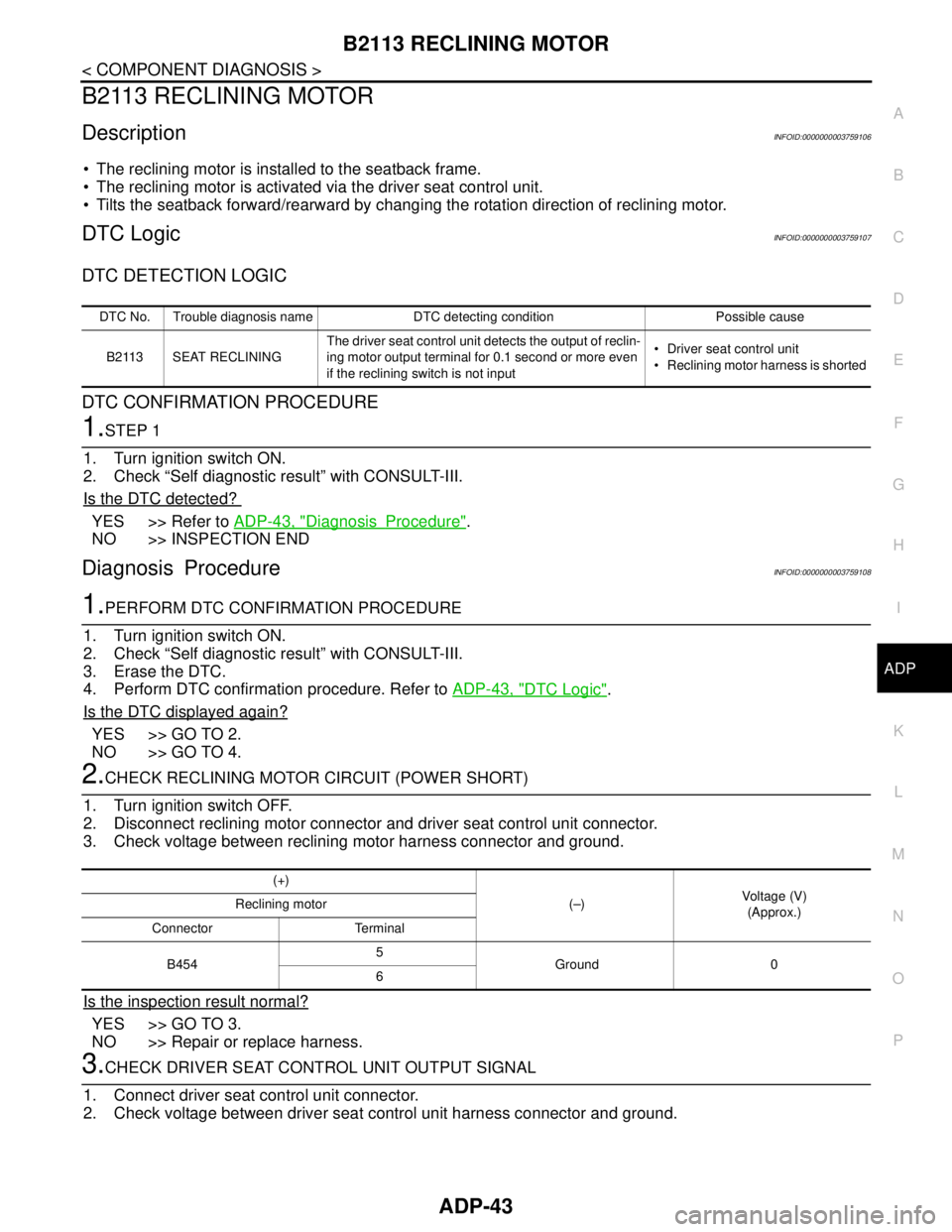
B2113 RECLINING MOTOR
DescriptionINFOID:0000000003759106
The reclining motor is installed to the seatback frame.
The reclining motor is activated via the driver seat control unit.
Tilts the seatback forward/rearward by changing the rotation direction of reclining motor.
DTC LogicINFOID:0000000003759107
DTC DETECTION LOGIC
DTC CONFIRMATION PROCEDURE
1.STEP 1
1. Turn ignition switch ON.
2. Check “Self diagnostic result” with CONSULT-III.
Is the DTC detected?
YES >> Refer to ADP-43, "DiagnosisProcedure".
NO >> INSPECTION END
Diagnosis ProcedureINFOID:0000000003759108
1.PERFORM DTC CONFIRMATION PROCEDURE
1. Turn ignition switch ON.
2. Check “Self diagnostic result” with CONSULT-III.
3. Erase the DTC.
4. Perform DTC confirmation procedure. Refer to ADP-43, "
DTC Logic".
Is the DTC displayed again?
YES >> GO TO 2.
NO >> GO TO 4.
2.CHECK RECLINING MOTOR CIRCUIT (POWER SHORT)
1. Turn ignition switch OFF.
2. Disconnect reclining motor connector and driver seat control unit connector.
3. Check voltage between reclining motor harness connector and ground.
Is the inspection result normal?
YES >> GO TO 3.
NO >> Repair or replace harness.
3.CHECK DRIVER SEAT CONTROL UNIT OUTPUT SIGNAL
1. Connect driver seat control unit connector.
2. Check voltage between driver seat control unit harness connector and ground.
DTC No. Trouble diagnosis name DTC detecting condition Possible cause
B2113 SEAT RECLININGThe driver seat control unit detects the output of reclin-
ing motor output terminal for 0.1 second or more even
if the reclining switch is not input Driver seat control unit
Reclining motor harness is shorted
(+)
(–)Voltage (V)
(Approx.) Reclining motor
Connector Terminal
B4545
Ground 0
6
Page 52 of 5121

ADP-46
< COMPONENT DIAGNOSIS >
SLIDING SWITCH
SLIDING SWITCH
DescriptionINFOID:0000000003759119
Sliding switch is equipped to the power seat switch on the seat cushion side surface. The operation signal is
inputted to the driver seat control unit when the sliding switch is operated.
Component Function CheckINFOID:0000000003759120
1.CHECK FUNCTION
1. Select “SLIDE SW-FR”, “SLIDE SW-RR” in “Data monitor” mode with CONSULT-III.
2. Check sliding switch signal under the following conditions.
Is the indication normal?
YES >> Sliding switch function is OK.
NO >> Refer to ADP-46, "
DiagnosisProcedure".
Diagnosis ProcedureINFOID:0000000003759121
1.CHECK SLIDING SWITCH INPUT SIGNAL
1. Turn ignition switch OFF.
2. Disconnect power seat switch (driver side) connector.
3. Check voltage between power seat switch (driver side) harness connector and ground.
Is the inspection result normal?
YES >> GO TO 3.
NO >> GO TO 2.
2.CHECK SLIDING SWITCH CIRCUIT
1. Disconnect driver seat control unit connector.
2. Check continuity between driver seat control unit harness connector and power seat switch (driver side)
harness connector.
3. Check continuity between driver seat control unit harness connector and ground.
Monitor item Condition Status
SLIDE SW-FR Sliding switch (forward)Operate ON
Release OFF
SLIDE SW-RR Sliding switch (backward)Operate ON
Release OFF
(+)
(–)Voltage (V)
(Approx.) Power seat switch (driver side)
Connector Terminal
B45911
Ground Battery voltage
12
Driver seat control unit Power seat switch (driver side)
Continuity
Connector Terminal Connector Terminal
B45211
B45911
Existed
12 12
Driver seat control unit
GroundContinuity
Connector Terminal
B45211
Not existed
12