Its control NISSAN TEANA 2014 Service Manual
[x] Cancel search | Manufacturer: NISSAN, Model Year: 2014, Model line: TEANA, Model: NISSAN TEANA 2014Pages: 4801, PDF Size: 51.2 MB
Page 3833 of 4801

SEC-8
< SYSTEM DESCRIPTION >
COMPONENT PARTS
Component Description
INFOID:0000000009461065
CVT Shift Selector (P ark Position Switch)INFOID:0000000009461066
Park position switch detects that CVT shift selector is in the P (Park) position and then transmits the signal to
BCM and IPDM E/R.
BCM confirms the CVT shift selector position with the following 5 signals:
• P (Park) position signal from CVT shift selector (park position switch)
• P/N position signal from TCM
• P (Park) position signal from IPDM E/R (CAN)
• P/N position signal from IPDM E/R (CAN)
• P/N position signal from TCM (CAN)
IPDM E/R confirms the CVT shift sele ctor position with the following 3 signals:
• P (Park) position signal from CVT shift selector (park position switch)
• P/N position signal from TCM
• P/N position signal from BCM (CAN)
BCMINFOID:0000000009461067
BCM controls INTELLIGENT KE Y SYSTEM (ENGINE START FUNCTIO N), NISSAN VEHICLE IMMOBI-
LIZER SYSTEM-NATS [NVIS (NATS) ], and VEHICLE SECURITY SYSTEM.
BCM performs the ID verification between BCM and Intelligent Key when the Intelligent Key is carried into the
detection area of inside key antenna and push-button ignition swit ch is pressed. If the ID verification result is
OK, push-button ignition switch operation is available.
Then, when the power supply position is turned ON, BCM performs ID verification between BCM and ECM. If
the ID verification result is OK, ECM can start engine.
ECMINFOID:0000000009461068
ECM controls the engine.
When power supply position is turned ON, BCM starts communication with ECM and performs the ID verifica-
tion between BCM and ECM.
Component Reference
CVT shift selector (park position switch) SEC-8
BCMSEC-8
ECMSEC-8
IPDM E/RSEC-9
NATS antenna amp.SEC-9
TCMSEC-9
Combination meterSEC-9
Door switchSEC-9
Hood switchSEC-9
Outside key antennaSEC-9
Inside key antennaSEC-9
Intelligent KeySEC-9
Push-button ignition switchSEC-10
Remote keyless entry receiver SEC-9
Security indicator lampSEC-10
Starter control relaySEC-10
Starter relaySEC-10
Stop lamp switchSEC-10
Transmission range switchSEC-10
Vehicle information displaySEC-10
Revision: November 20132014 Altima NAMRevision: November 20132014 Altima NAM
Page 3834 of 4801

COMPONENT PARTSSEC-9
< SYSTEM DESCRIPTION >
C
D E
F
G H
I
J
L
M A
B
SEC
N
O P
If the verification result is OK, the engine can start. If the verification result is NG, the engine can not start.
IPDM E/RINFOID:0000000009461069
IPDM E/R has the starter relay and starter control relay inside. Starter relay and starter control relay are used
for the engine starting function. IPDM E/R contro ls these relays while communicating with BCM.
NATS Antenna Amp.INFOID:0000000009461070
The ID verification is performed between BCM and transponder in Intelligent Key via NATS antenna amp.
when Intelligent Key backside is contacted to push-button i gnition switch in case that Intelligent Key battery is
discharged. If the ID verification result is OK, the operation of starting engine is available.
TCMINFOID:0000000009461071
TCM transmits the shift position signal (P/N position) to BCM and IPDM E/R. And further, TCM transmits the
shift position signal (P/N position) to BCM via CAN communication.
BCM confirms the CVT shift selector position with the following 5 signals:
• P (Park) position signal from CVT shift selector (park position switch)
• P/N position signal from TCM
• P (Park) position signal from IPDM E/R (CAN)
• P/N position signal from IPDM E/R (CAN)
• P/N position signal from TCM (CAN)
IPDM E/R confirms the CVT shift select or position with the following 3 signals:
• P (Park) position signal from CVT shift selector (park position switch)
• P/N position signal from TCM
• P/N position signal from BCM (CAN)
Combination MeterINFOID:0000000009461072
Combination meter transmits the vehicle speed signal to BCM via CAN communication.
BCM also receives the vehicle speed signal from ABS ac tuator and electric unit (control unit) via CAN commu-
nication. BCM compares both signals to detect the vehicle speed.
Door SwitchINFOID:0000000009461073
Door switch detects door open/close conditi on and then transmits ON/OFF signal to BCM.
Outside Key AntennaINFOID:0000000009461074
Outside key antenna detects whether Intelligent Key is outside the vehicle and transmits the signal to BCM.
Three outside key antennas are installed in the front outside handle LH, front outside handle RH and rear
bumper.
Hood SwitchINFOID:0000000009461075
Hood switch detects that hood is open/closed, and then trans mits the signal to IPDM E/R. IPDM E/R transmits
hood switch signal to BCM via CAN communication.
Inside Key AntennaINFOID:0000000009461076
Inside key antenna detects whether Intelligent Key is inside the vehicle and transmits the signal to BCM.
Two inside key antennas are installed in the front console and rear parcel shelf.
Remote Keyless Entry ReceiverINFOID:0000000009461077
Remote keyless entry receiver receives each button oper ation signal and electronic key ID signal from Intelli-
gent Key and then transmits the signal to BCM.
Intelligent KeyINFOID:0000000009461078
Each Intelligent Key has an individual electronic ID and transmits the ID signal by request from BCM.
Carrying the Intelligent Key whose ID is registered in BCM, the driver can perform, remote start, door lock/
unlock operation, remote trunk, panic alarm and push-button ignition switch operation.
Revision: November 20132014 Altima NAMRevision: November 20132014 Altima NAM
Page 3835 of 4801

SEC-10
< SYSTEM DESCRIPTION >
COMPONENT PARTS
Push-button Ignition Switch
INFOID:0000000009461079
Push-button ignition switch detects that push-button is pressed and then transmits the signal to BCM. BCM
changes the power supply position with the operation of push-button ignition switch. BCM maintains the power
supply position status while push-button is not operated.
Security Indicator LampINFOID:0000000009461080
Security indicator lamp is located on combination meter.
Security indicator lamp blinks when power supply positi on is any position other than ON to warn that NISSAN
VEHICLE IMMOBILIZER SYSTEM-NATS [NVIS (NATS)] is on board.
Starter Control RelayINFOID:0000000009461081
Engine starting system functions by controlling both starter relay and starter control relay.
Both relays are integrated in IPDM E/R. Starter rela y is controlled by BCM and starter control relay is con-
trolled by IPDM E/R on request from BCM.
IPDM E/R transmits starter relay and starter control relay status signal to BCM via CAN communication.
Starter RelayINFOID:0000000009461082
Engine starting system functions by controlling both starter relay and starter control relay.
Both relays are integrated in IPDM E/R. Starter relay is controlled by BCM, and starter control relay is con-
trolled by IPDM E/R on request from BCM.
IPDM E/R transmits starter relay and starter control relay status signal to BCM via CAN communication.
Stop Lamp SwitchINFOID:0000000009461083
Stop lamp switch detects that brake pedal is depressed, and then transmits the signal to BCM.
Transmission Range SwitchINFOID:0000000009461084
Transmission range switch is integrated in CVT asse mbly, and detects the CVT shift selector position.
TCM receives the transmission range switch signal and then transmits the P/N position signal to BCM and
IPDM E/R.
BCM confirms the CVT shift selector position with the following 5 signals:
• P (Park) position signal from CVT shift selector (park position switch)
• P/N position signal from TCM
• P (Park) position signal from IPDM E/R (CAN)
• P/N position signal from IPDM E/R (CAN)
• P/N position signal from TCM (CAN)
IPDM E/R confirms the CVT shift sele ctor position with the following 3 signals:
• P (Park) position signal from CVT shift selector (park position switch)
• P/N position signal from TCM
• P/N position signal from BCM (CAN)
Vehicle Information DisplayINFOID:0000000009461085
Vehicle information display is integrated in combination meter.
Various information and warnings regarding t he Intelligent Key System are displayed.
Revision: November 20132014 Altima NAMRevision: November 20132014 Altima NAM
Page 3837 of 4801

SEC-12
< SYSTEM DESCRIPTION >
SYSTEM
NOTE:
Refer to DLK-23, "INTELLIGENT KEY SYSTEM : System Description"
for any functions other than engine
start function of Intelligent Key system.
PRECAUTIONS FOR INTELLIGENT KEY SYSTEM
The transponder [the chip for NVIS (NATS) ID verifi cation] is integrated into the Intelligent Key.
In that case, the NVIS (NATS) ID verification can be performed when Intelligent Key backside is con-
tacted to push-button ignition switch. If verification result is OK, engine can be started.
OPERATION WHEN INTELLIGENT KEY IS CARRIED
1. When the push-button ignition switch is pressed, the BCM activates the inside key antenna and transmits
the request signal to the Intelligent Key.
2. The Intelligent Key receives the request signal and transmits the Intelligent Key ID signal to the BCM.
3. BCM receives the Intelligent Key ID signal via remote keyless entry receiver and verifies it with the regis-
tered ID.
4. BCM turns ACC relay ON and transmits the ignition power supply ON signal to IPDM E/R.
5. IPDM E/R turns the ignition relay ON and starts the ignition power supply.
6. BCM detects that the selector leve r position and brake pedal operating condition.
7. BCM transmits the starter request signal to IPDM E/R and turns the starter relay in IPDM E/R ON if BCM judges that the engine start condition* is satisfied.
8. IPDM E/R turns the starter control relay ON when receiving the starter request signal.
9. Power supply is supplied through the starter relay and the starter control relay to operate the starter motor. CAUTION:
If a malfunction is detected in the Intelligent Key system, the “KEY” warning lamp in the combina-
tion meter illuminates. At that ti me, the engine cannot be started.
10. When BCM receives feedback signal from ECM indicati ng that the engine is started, the BCM transmits a
stop signal to IPDM E/R and stops cranking by turning OFF the starter motor relay. (If engine start is
unsuccessful, cranking stops autom atically within 5 seconds.)
CAUTION:
When the Intelligent Key is carri ed outside of the vehicle (inside key antenna detection area) while
the power supply is in the ACC or ON position, even if the engine start condition* is satisfied, the
engine cannot be started.
*: For the engine start condition, refer to the tabl e below “POWER SUPPLY POSITION CHANGE TABLE BY
PUSH-BUTTON IGNITION SWITCH OPERATION”.
OPERATION RANGE
Engine can be started when Intelligent Key is inside the vehicle. However, sometimes engine may not start
when Intelligent Key is on instrument panel or in glove box.
ENGINE START OPERATION WHEN INTELLIGENT KEY IS CONTACTED TO PUSH-BUTTON IG-
NITION SWITCH
When Intelligent Key battery is discharged, the NVIS (NATS) ID verification between transponder in Intelligent
Key and BCM is performed when Intelligent Key backside is contacted to push-button ignition switch. If the
verification result is OK, engine can be started.
POWER SUPPLY POSITION CHANGE TABLE BY PUSH-BUTTON IGNITION SWITCH OPERA-
TION
The power supply position changing operation c an be performed with the following operations.
NOTE:
• When an Intelligent Key is within the detection area of inside key antenna and when Intelligent Key backside
is contacted to push-button ignition switch, it is equivalent to the operations below.
• When starting the engine, the BCM monitors under the engine start conditions:
- Brake pedal operating condition
- Selector lever position
- Vehicle speed
Vehicle speed: less than 4 km/h (2.5 MPH)
Revision: November 20132014 Altima NAMRevision: November 20132014 Altima NAM
Page 3840 of 4801

SYSTEMSEC-15
< SYSTEM DESCRIPTION >
C
D E
F
G H
I
J
L
M A
B
SEC
N
O P
PRECAUTIONS FOR KEY REGISTRATION
• The ID registration is a procedure that erases the cu rrent NVIS (NATS) ID once, and then reregisters a new
ID. Therefore before starting the registration operation, collect all registered Intelligent Keys from the cus-
tomer.
• When registering the Intelligent Key, perform only one procedure to simultaneously register both ID [NVIS
(NATS) ID and Intelligent Key ID].
SECURITY INDICATOR LAMP
• Warns that the vehicle is equipped with NVIS (NATS).
• Security indicator lamp always blinks when the pow er supply position is any position other than ON.
NOTE:
Because security indicator lamp is highly efficient, the battery is barely affected.
ENGINE START OPERATION WHEN INTELLIGENT KEY IS CONTACTED TO PUSH-BUTTON IG-
NITION SWITCH
1. When brake pedal is depressed while selector lever is in the P (Park) position, BCM activates NATS
antenna amp. that is located behind push-button ignition switch.
2. When Intelligent Key (transponder built-in) backside is contacted to push-button ignition switch, BCM
starts NVIS (NATS) ID verification between BCM and Intelligent Key (transponder built-in) via NATS
antenna amp.
3. When the NVIS (NATS) ID verification result is OK, buzzer in combination meter sounds and BCM trans-
mits the result to ECM.
4. BCM turns ACC relay ON and transmits ignition power supply ON signal to IPDM E/R.
5. IPDM E/R turns the ignition relay ON and starts the ignition power supply.
6. BCM detects that the selector lever position is P (Park) or N (Neutral).
7. BCM transmits starter request signal to IPDM E/R and turns the starter relay in IPDM E/R ON if BCM
judges that the engine start condition* is satisfied.
8. IPDM E/R turns the starter control relay ON when receiving the starter request signal.
9. Power supply is supplied through the starter relay and the starter control relay to operate the starter motor.
10. When BCM receives feedback signal from ECM indicating that the engine is started, BCM transmits a stop signal to IPDM E/R and stops cranking by turning of f the starter motor relay. (If engine start is unsuc-
cessful, cranking stops automatically within 5 seconds.)
*: For the engine start condition, refer to the table “POWER SUPPLY POSITION CHANGE TABLE BY PUSH-
BUTTON IGNITION SWITCH OPERATION” below.
POWER SUPPLY POSITION CHANGE TABLE BY PUSH-BUTTON IGNITION SWITCH OPERA-
TION
The power supply position changing operation can be performed with the following operations.
NOTE:
• When an Intelligent Key is within the detection area of inside key antenna and when Intelligent Key backside
is contacted to push-button ignition switch, it is equivalent to the operations below.
• When starting the engine, the BCM monitors under the engine start conditions:
- Brake pedal operating condition
- Selector lever position
- Vehicle speed
Vehicle speed: less than 4 km/h (2.5 MPH)
Power supply position Engine start/stop condition
Push-button ignition switch
operation frequency
Selector lever Brake pedal operation
condition
LOCK → ACC — Not depressed 1
LOCK → ACC → ON — Not depressed 2
LOCK → ACC → ON → OFF — Not depressed 3
Revision: November 20132014 Altima NAMRevision: November 20132014 Altima NAM
Page 3843 of 4801

SEC-18
< SYSTEM DESCRIPTION >
SYSTEM
NOTE:
• BCM ignores the door key cylinder UNLOCK switch signal input for 1 second after the door key cylinder LOCK switch signal input .
• To lock/unlock all doors by operating remote controller button of Intelligent Key or door request switch (if equipped), Intell igent Key
must be within the detection area of outside key antenna. For details, refer to DLK-21, "System Description"
.
• To open trunk by operating trunk opener switch, Intelligent Key must be within the detection area of outside key antenna. For details,
refer to DLK-41, "System Description"
.
DISARMED Phase
The vehicle security system is not set in the DISAR MED phase. The vehicle security system stays in this
phase while any door is open because it is assumed that the owner is inside or nearby the vehicle. Security
indicator lamp blinks every 2.4 seconds.
When the vehicle security system is reset, eac h phase switches to the DISARMED phase directly.
PRE-ARMED Phase
The PRE-ARMED phase is the transient state bet ween the DISARMED phase and the ARMED phase. This
phase is maintained for 30 seconds so that the owner c an reset the setting due to a mis-operation. This phase
switches to the ARMED phase when vehicle conditions are not changed for 30 seconds. Security indicator
lamp illuminates while being in this phase.
To reset the PRE-ARMED phase, refer to the s witching condition of No. 10 in the table above.
ARMED Phase
The vehicle security system is set and BCM monitors all necessary inputs. If any door or hood is opened with-
out using Intelligent Key, vehicle security system switc hes to the ALARM phase. Security indicator lamp blinks
every 2.4 seconds.
To reset the ARMED phase, refer to the switching condition of No. 11 in the table above.
ALARM Phase
BCM transmits “Theft Warning Horn Request” signal and “High Beam Request” signal intermittently to IPDM
E/R via CAN communication. In this phase, horns and headlamps are activated intermittently for approxi-
mately 50 seconds to warn that the vehicle is a ccessed by unauthorized means. ON/OFF timing of horns and
headlamps are synchronized. After 50 seconds, the vehicle security system returns to the ARMED phase. At
this time, if BCM still detects unauthorized access to t he vehicle, the system is switched to the ALARM phase
again. This RE-ALARM operation is carried out a maximum of 2 times.
To cancel the ALARM operation, refer to the switching condition of No. 12 in the table above.
NOTE:
If a battery terminal is disconnected during the ALARM phase, theft warning alarm stops. But when the battery
terminal is reconnected, theft warning alarm is activated again.
8 PRE-RESET to
DISARMED When one of the following
conditions is satisfied. • Power supply positi
on: ACC/ON/CRANKING/RUN
• Door key cylinder UNLOCK switch: ON
• UNLOCK button of Intelligent Key: ON
• Door request switch (if equipped): ON
• UNLOCK switch of door lock and unlock switch: ON
• Any door: Open
9 PRE-RESET to PRE-ARMED When all of the following
conditions are satisfied. • Power supply position: OFF/LOCK
• All doors: Closed
• Hood: Closed
10 PRE-ARMED to DISARMED When one of the following
conditions is satisfied. • Power supply positi
on: ACC/ON/CRANKING/RUN
• Door key cylinder UNLOCK switch: ON
• UNLOCK button of Intelligent Key: ON
• TRUNK button of Intelligent Key: ON
• Door request switch (if equipped): ON
• Any door: Open
11 A R M E D t o DISARMED When one of the following
conditions is satisfied. • Power supply positi
on: ACC/ON/CRANKING/RUN
• Door key cylinder UNLOCK switch: ON
• UNLOCK button of Intelligent Key: ON
• TRUNK button of In telligent Key: ON
• Door request switch (if equipped): ON
12 ALARM to
DISARMED
13 RE-ALARM When one of the following conditions is satisfied after
the ALARM operation is fin-
ished. • Any door: Open
• Hood: Open
No. System state Switching condition
Revision: November 20132014 Altima NAMRevision: November 20132014 Altima NAM
Page 3892 of 4801
ADDITIONAL SERVICE WHEN REPLACING CONTROL UNITSEC-67
< BASIC INSPECTION >
C
D E
F
G H
I
J
L
M A
B
SEC
N
O P
>> GO TO 2.
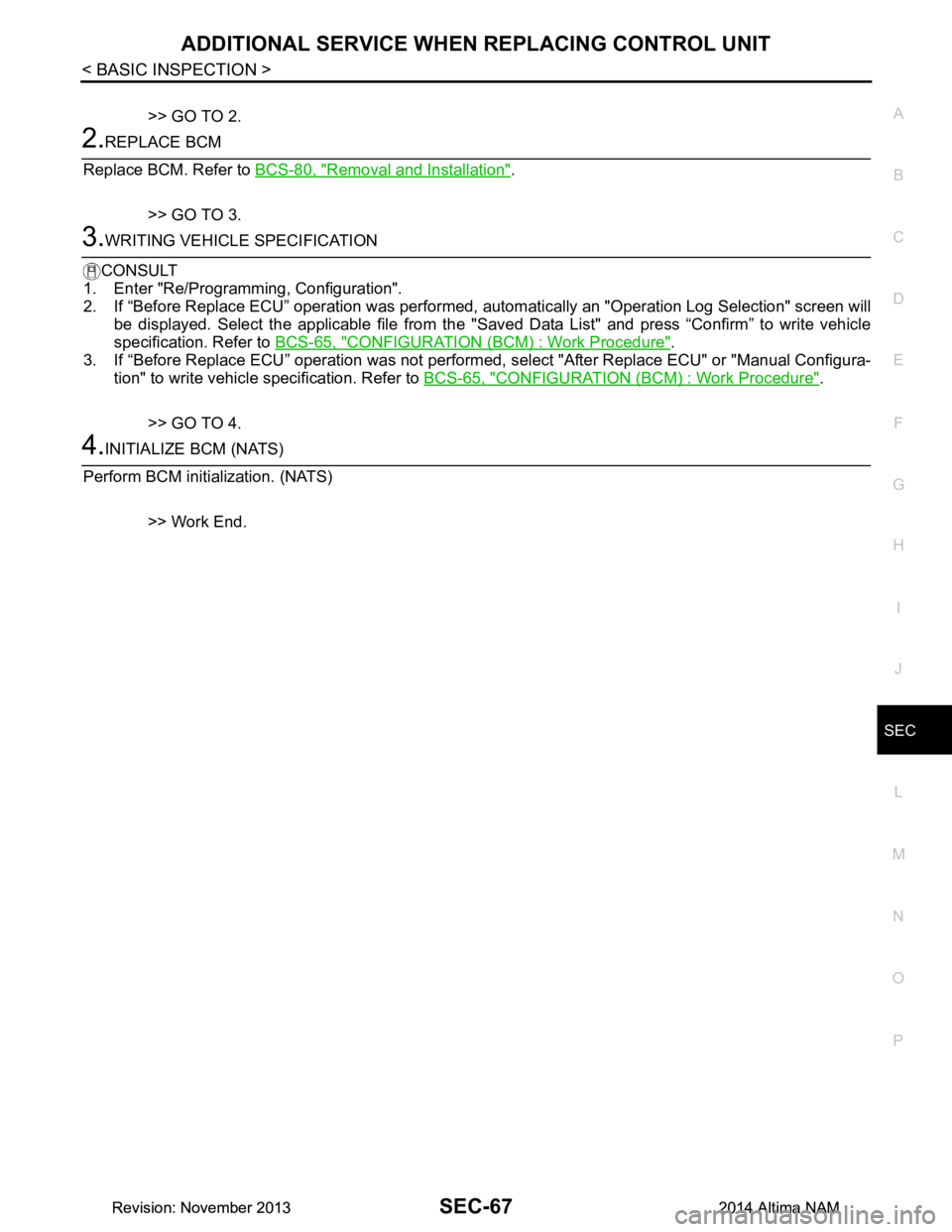
2.REPLACE BCM
Replace BCM. Refer to BCS-80, "Removal and Installation"
.
>> GO TO 3.
3.WRITING VEHICLE SPECIFICATION
CONSULT
1. Enter "Re/Programming, Configuration".
2. If “Before Replace ECU” operation was performed, automatically an "Operation Log Selection" screen will
be displayed. Select the applicable file from the "S aved Data List" and press “Confirm” to write vehicle
specification. Refer to BCS-65, "CONFIGURATION (BCM) : Work Procedure"
.
3. If “Before Replace ECU” operation was not performed, select "After Replace ECU" or "Manual Configura-
tion" to write vehicle specification. Refer to BCS-65, "CONFIGURATION (BCM) : Work Procedure"
.
>> GO TO 4.
4.INITIALIZE BCM (NATS)
Perform BCM initialization. (NATS)
>> Work End.
Revision: November 20132014 Altima NAMRevision: November 20132014 Altima NAM
Page 3899 of 4801

SEC-74
< DTC/CIRCUIT DIAGNOSIS >
B210C STARTER CONTROL RELAY
B210C STARTER CONTROL RELAY
DTC LogicINFOID:0000000009461119
DTC DETECTION LOGIC
NOTE:
• If DTC B210C is displayed with DTC U1000, first perform the trouble diagnosis for DTC U1000. Refer to
BCS-68, "DTC Logic"
.
• If DTC B210C is displayed with DTC U1010, first perform the trouble diagnosis for DTC U1010. Refer to BCS-69, "DTC Logic"
.
• When IPDM E/R power supply voltage is low (Approx. 7 - 8 V for about 1 second), the DTC B210C may be detected.
DTC CONFIRMATION PROCEDURE
1.PERFORM DTC CONFIRMATION PROCEDURE
1. Turn the power supply position to start under the following conditions and wait for at least 1 second.
- CVT selector lever is in the P (Park) or N (Neutral) position.
- Depress the brake pedal
2. Check “Self-diagnostic result” with CONSULT.
Is DTC detected?
YES >> Refer to SEC-74, "Diagnosis Procedure".
NO >> Inspection End.
Diagnosis ProcedureINFOID:0000000009461120
Regarding Wiring Diagram information, refer to SEC-29, "Wiring Diagram".
1.PERFORM SELF DIAGNOSTIC RESULT
Perform Self Diagnostic Result of IPDM E/R using CONSULT.
Is display history of DTC B210C CRNT?
YES >> GO TO 2.
NO >> Refer to GI-43, "Intermittent Incident"
.
2.CHECK STARTER CONTROL RELA Y CONTROL CIRCUITS VOLTAGE
Check voltage between IPDM E/R connectors and ground.
Is the inspection result normal?
YES >> Replace IPDM E/R. Refer to PCS-32, "Removal and Installation".
NO >> GO TO 3.
DTC No. Trouble diagnosis
name DTC detecting condition Possible cause
B210C START CONT RLY
OFF CIRC When comparing the following items, IPDM E/R de-
tects that starter control relay is stuck in the OFF
position for 1 second or more.
• Starter contro l relay signal (CAN) from BCM
• Starter relay status signal (CAN) from BCM
• Starter control relay and starter relay status sig-
nal (IPDM E/R input)
• Starter control relay control signal (IPDM E/R
output) • IPDM E/R
•BCM
•Battery
IPDM E/R GroundVo l ta g e
(Approx.)
Connector Terminal
E63 33 — Battery voltage
Revision: November 20132014 Altima NAMRevision: November 20132014 Altima NAM
Page 3901 of 4801

SEC-76
< DTC/CIRCUIT DIAGNOSIS >
B210D STARTER RELAY
B210D STARTER RELAY
DTC LogicINFOID:0000000009461122
DTC DETECTION LOGIC
NOTE:
• If DTC B210D is displayed with DTC U1000, first perform the trouble diagnosis for DTC U1000. Refer to
BCS-68, "DTC Logic"
.
• If DTC B210D is displayed with DTC U1010, first perform the trouble diagnosis for DTC U1010. Refer to BCS-69, "DTC Logic"
.
• If DTC B210D is displayed with DTC B2617, first perform the trouble diagnosis for DTC B2617. Refer to
SEC-118, "DTC Logic"
.
DTC CONFIRMATION PROCEDURE
1.PERFORM DTC CONFIRMATION PROCEDURE
1. Ignition switch ON under the following conditions and wait for at least 1 second.
- CVT selector lever is in the P (Park) or N (Neutral) position
- Do not depress the brake pedal
2. Check “Self-diagnostic result” with CONSULT.
Is DTC detected?
YES >> Refer to SEC-76, "Diagnosis Procedure".
NO >> Inspection End.
Diagnosis ProcedureINFOID:0000000009461123
Regarding Wiring Diagram information, refer to SEC-29, "Wiring Diagram".
1. PERFORM SELF DIAGNOSTIC RESULT
Perform Self Diagnostic Result of IPDM E/R using CONSULT.
Is display history of DTC B210D CRNT?
YES >> GO TO 2.
NO >> Refer to GI-43, "Intermittent Incident"
.
2.CHECK STARTER CONTROL RELA Y CONTROL CIRCUITS VOLTAGE
Check voltage between IPDM E/R connectors and ground.
Is the inspection result normal?
YES >> Replace IPDM E/R. Refer to PCS-32, "Removal and Installation".
NO >> GO TO 3.
DTC No. Trouble diagnosis
name DTC detecting condition Possible cause
B210D STARTER RELAY
ON CIRC When comparing the following items, IPDM E/R de-
tects that starter control relay is stuck in the ON po-
sition for 5 second or more.
• Starter contro l relay signal (CAN) from BCM
• Starter relay status signal (CAN) from BCM
• Starter control relay and starter relay status sig-
nal (IPDM E/R input)
• Starter control relay control signal (IPDM E/R
output) • Harness or connectors (starter mo-
tor relay control circuit open or
short)
• IPDM E/R
•BCM
IPDM E/R GroundVo l ta g e
(Approx.)
Connector Terminal
E63 33 — Battery voltage
Revision: November 20132014 Altima NAMRevision: November 20132014 Altima NAM
Page 3903 of 4801

SEC-78
< DTC/CIRCUIT DIAGNOSIS >
B210E STARTER RELAY
B210E STARTER RELAY
DTC LogicINFOID:0000000009461125
DTC DETECTION LOGIC
NOTE:
• If DTC B210E is displayed with DTC U1000, first perform the trouble diagnosis for DTC U1000. Refer to
BCS-68, "DTC Logic"
.
• If DTC B210E is displayed with DTC U1010, first perform the trouble diagnosis for DTC U1010. Refer to
BCS-69, "DTC Logic"
.
• When IPDM E/R power supply voltage is low (Approx. 7 - 8 V for about 1 second), the DTC B210F may be
detected.
DTC CONFIRMATION PROCEDURE
1.PERFORM DTC CONFIRMATION PROCEDURE
1. Turn ignition switch ON under the following conditions and wait for at least 1 second.
- CVT selector lever is in the P (Park) or N (Neutral) position
- Do not depress the brake pedal
2. Check Self-diagnostic result with CONSULT.
Is DTC detected?
YES >> Refer to SEC-78, "Diagnosis Procedure".
NO >> Inspection End.
Diagnosis ProcedureINFOID:0000000009461126
Regarding Wiring Diagram information, refer to SEC-29, "Wiring Diagram".
1. PERFORM SELF DIAGNOSTIC RESULT
Perform Self Diagnostic Result of IPDM E/R using CONSULT.
Is display history of DTC B210E CRNT?
YES >> GO TO 2.
NO >> Refer to GI-43, "Intermittent Incident"
.
2.CHECK STARTER CONTROL RELA Y CONTROL CIRCUITS VOLTAGE
Check voltage between IPDM E/R connectors and ground.
Is the inspection result normal?
YES >> Replace IPDM E/R. Refer to PCS-32, "Removal and Installation".
NO >> GO TO 3.
DTC No. Trouble diagnosis
name DTC detecting condition Possible cause
B210E STARTER RELAY
OFF When comparing the following items, IPDM E/R de-
tects that starter control relay is stuck in the OFF po-
sition for 5 second or more.
• Starter control relay signal (CAN) from BCM
• Starter relay status signal (CAN) from BCM
• Starter control relay and st arter relay status signal
(IPDM E/R input)
• Starter control relay cont rol signal (IPDM E/R out-
put) • IPDM E/R
•BCM
•Battery
IPDM E/R GroundVo l ta g e
(Approx.)
Connector Terminal
E63 33 — Battery voltage
Revision: November 20132014 Altima NAMRevision: November 20132014 Altima NAM