Ext NISSAN TIIDA 2007 Service Repair Manual
[x] Cancel search | Manufacturer: NISSAN, Model Year: 2007, Model line: TIIDA, Model: NISSAN TIIDA 2007Pages: 5883, PDF Size: 78.95 MB
Page 1 of 5883
MODEL C11 SERIES
2007 NISSAN EUROPE S.A.S.
All rights reserved. No part of this Electronic Service Manual may be reproduced or stored in a retrieval system, or transmitted in any form,
or by any means, electronic, mechanical, photocopying, recording or otherwise, without the prior written permission of Nissan Europe
S.A.S., Paris, France.
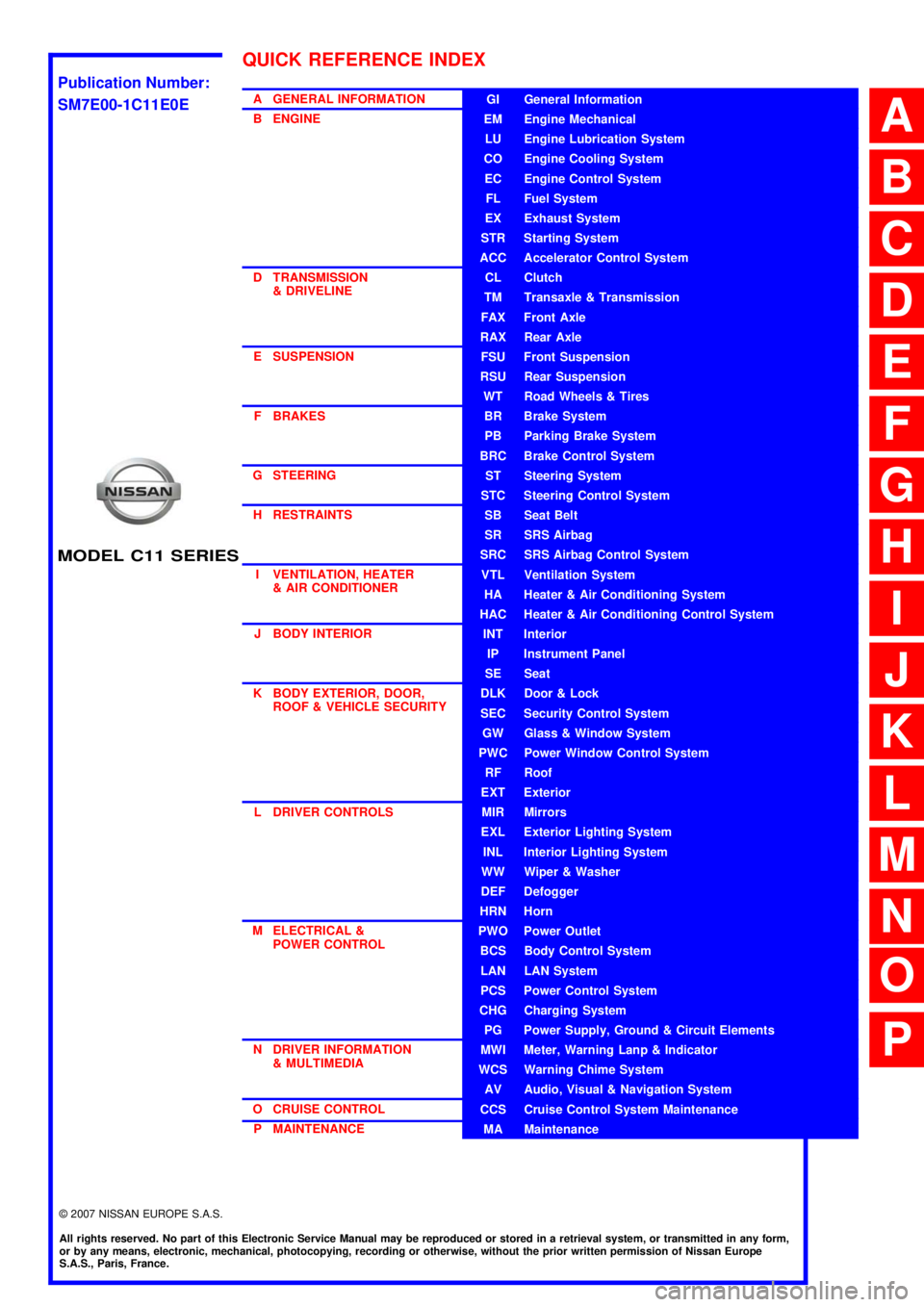
A GENERAL INFORMATION
B ENGINE
D TRANSMISSION& DRIVELINE
E SUSPENSION F BRAKES
G STEERING H RESTRAINTS
I VENTILATION, HEATER & AIR CONDITIONER
J BODY INTERIOR
K BODY EXTERIOR, DOOR, ROOF & VEHICLE SECURITY
L DRIVER CONTROLS
M ELECTRICAL & POWER CONTROL
N DRIVER INFORMATION & MULTIMEDIA
O CRUISE CONTROL P MAINTENANCEGI General Information
EM Engine Mechanical
LU Engine Lubrication System
CO Engine Cooling System
EC Engine Control System
FL Fuel System
EX Exhaust System
STR Starting System
ACC Accelerator Control System
CL Clutch
TM Transaxle & Transmission
FAX Front Axle
RAX Rear Axle
FSU Front Suspension
RSU Rear Suspension
WT Road Wheels & Tires
BR Brake System
PB Parking Brake System
BRC Brake Control System
ST Steering System
STC Steering Control System
SB Seat Belt
SR SRS Airbag
SRC SRS Airbag Control System
VTL Ventilation System
HA Heater & Air Conditioning System
HAC Heater & Air Conditioning Control System
INT Interior
IP Instrument Panel
SE Seat
DLK Door & Lock
SEC Security Control System
GW Glass & Window System
PWC Power Window Control System
RF Roof
EXT Exterior
MIR Mirrors
EXL Exterior Lighting System
INL Interior Lighting System
WW Wiper & Washer
DEF Defogger
HRN Horn
PWO Power Outlet
BCS Body Control System
LAN LAN System
PCS Power Control System
CHG Charging System
PG Power Supply, Ground & Circuit Elements
MWI Meter, Warning Lanp & Indicator
WCS Warning Chime System
AV Audio, Visual & Navigation System
CCS Cruise Control System Maintenance
MA Maintenance
QUICK REFERENCE INDEX
A
B
C
D
E
F
G
H
I
J
K
L
M
N
O
P
M
Publication Number:
SM7E00-1C11E0E
Page 11 of 5883
![NISSAN TIIDA 2007 Service Repair Manual AV-6
< FUNCTION DIAGNOSIS >[AUDIO WITHOUT NAVIGATION]
AUDIO SYSTEM
FUNCTION DIAGNOSIS
AUDIO SYSTEM
System DiagramINFOID:0000000001728605
System DescriptionINFOID:0000000001728606
The audio system is e](/img/5/57395/w960_57395-10.png "NISSAN TIIDA 2007 Service Repair Manual AV-6
< FUNCTION DIAGNOSIS >[AUDIO WITHOUT NAVIGATION]
AUDIO SYSTEM
FUNCTION DIAGNOSIS
AUDIO SYSTEM
System DiagramINFOID:0000000001728605
System DescriptionINFOID:0000000001728606
The audio system is e")
AV-6
< FUNCTION DIAGNOSIS >[AUDIO WITHOUT NAVIGATION]
AUDIO SYSTEM
FUNCTION DIAGNOSIS
AUDIO SYSTEM
System DiagramINFOID:0000000001728605
System DescriptionINFOID:0000000001728606
The audio system is equipped with following function. Each function is operated with audio switch or steering
switch.
FUNCTION DESCRIPTION
Operating signal
Audio system operation can be performed with audio switch or steering switch.
AM/FM Radio Mode
AM/FM radio tuner is built into AV control unit.
Audio signal is received by antenna, next it is input to AV control unit. AV control unit outputs the audio signal
to each speaker.
CD Mode
CD function is built into AV control unit.
AV control unit outputs audio signal to each speaker when CD is inserted to AV control unit.
Hands-free phone system
Hands-free communication can be operated by connecting using Bluetooth® with cellular phone.
Operation is performed by steering switch.
Guide sound that is heard during operation is output from AV control unit to front speaker.
When a call is originated
Spoken voice sound output from the microphone (Mic. Signal) is input to AV control unit. AV control unit out-
puts to cellular phone with Bluetooth
® communication as a TEL voice signal. Voice sound is then heard at
the other party.
When receiving a call Voice sound is input to own cellular phone from the other party. TEL voice signal is output to front speaker,
and the signal is input to AV control unit by establishing Bluetooth
® communication from cellular phone.
NATS AUDIO LINK
JPNIA0162GB
Function
AM/FM radio
CD
HANDS-FREE PHONE
Page 25 of 5883
![NISSAN TIIDA 2007 Service Repair Manual AV-20
< SYMPTOM DIAGNOSIS >[AUDIO WITHOUT NAVIGATION]
NORMAL OPERATING CONDITION
NORMAL OPERATING CONDITION
DescriptionINFOID:0000000001728625
RELATED TO AUDIO
The majority of the audio malfunctions](/img/5/57395/w960_57395-24.png "NISSAN TIIDA 2007 Service Repair Manual AV-20
< SYMPTOM DIAGNOSIS >[AUDIO WITHOUT NAVIGATION]
NORMAL OPERATING CONDITION
NORMAL OPERATING CONDITION
DescriptionINFOID:0000000001728625
RELATED TO AUDIO
The majority of the audio malfunctions")
AV-20
< SYMPTOM DIAGNOSIS >[AUDIO WITHOUT NAVIGATION]
NORMAL OPERATING CONDITION
NORMAL OPERATING CONDITION
DescriptionINFOID:0000000001728625
RELATED TO AUDIO
The majority of the audio malfunctions are the result of outside causes (bad CD, electromagnetic interfer-
ence, etc.). Check the symptoms below to diagnose the malfunction.
The vehicle itself can be a source of noise if noise prevention parts or electrical equipment is malfunctioning.
Check that noise is caused and/or changed by engine speed, ignition switch turned to each position, and
operation of each piece of electrical equipment. Then determine the cause.
NOTE:
CD-R is not guaranteed to play because they can contain compressed audio (MP3, WMA) or could be incor-
rectly mastered by the customer on a computer.
Check that the CDs carry the Compact Disc Logo. If not, the disc is not mastered to the red book Compact
Disc Standard and may not play.
Noise resulting from variations in field strength, such as fading noise and multi-path noise, or external noise from trains and other
sources, is not a malfunction.
NOTE:
Fading noise: This noise occurs because of variations in the field strength in a narrow range due to mountains or buildings blocking
the signal.
Multi-path noise: This noise results from a time difference between the broadcast waves directly from the station arriving at the
antenna and the waves reflected by mountains or buildings.
RELATED TO TELEPHONE
Symptoms Cause and Counter measure
Cannot playCheck that the CD was inserted correctly.
Check that the CD is scratched or dirty.
Check that there is condensation inside the player, and if there is, wait until the condensation is
gone (about 1 hour) before using the player.
The player will play correctly after it returns to the normal temperature if there is a temperature
increase error.
Only the music CD files (CD-DA data) will be played if there is a mixture of music CD files (CD-
DA data) and MP3/WMA files on a CD.
Files with extensions other than “.MP3”, “.WMA”, “.mp3”, or “.wma” cannot be played.
Check that the finalization process, such as session close and disc close, is done for the disc.
Check that the CD is protected by copyright.
Poor sound quality Check that the CD is scratched or dirty.
It takes a relatively long time before
the music starts playing.If there are many folder or file levels on the MP3/WMA CD, or if it is a multisession disc, some
time may be required before the music starts playing.
The songs do not play back in the
desired order.The playback order is the order in which the files were written by the software, so the files might
not play in the desired order.
Symptom Possible cause Possible solution
The system does not recognize the
command.
The system recognizes the com-
mand incorrectly.The interior of the vehicle is too noisy.Close the windows or have other occupants
be quiet.
The volume of the voice is too low. Speak louder.
Pronunciation is unclear. Speak clearly.
Voice recognition mode is not yet ready to speak.Push the release “ ” on the steering
switch, and speak a command after the
tone sounds.
5 seconds or more have passed after pushed and
released “ ” on the steering switch.Make sure to speak a command within
5seconds after push and release “ ” on
the steering switch.
Page 49 of 5883
![NISSAN TIIDA 2007 Service Repair Manual AV-44
< FUNCTION DIAGNOSIS >[AUDIO WITH NAVIGATION]
DIAGNOSIS SYSTEM (NAVI CONTROL UNIT)
Select “SPEAKER TEST” to display the Speaker Diagnosis screen.
Press “START and NEXT” to generate a tes](/img/5/57395/w960_57395-48.png "NISSAN TIIDA 2007 Service Repair Manual AV-44
< FUNCTION DIAGNOSIS >[AUDIO WITH NAVIGATION]
DIAGNOSIS SYSTEM (NAVI CONTROL UNIT)
Select “SPEAKER TEST” to display the Speaker Diagnosis screen.
Press “START and NEXT” to generate a tes")
AV-44
< FUNCTION DIAGNOSIS >[AUDIO WITH NAVIGATION]
DIAGNOSIS SYSTEM (NAVI CONTROL UNIT)
Select “SPEAKER TEST” to display the Speaker Diagnosis screen.
Press “START and NEXT” to generate a test tone in a speaker.
Press “Start” to generate a test tone in the next speaker. Press
“Stop” to stop the test tones.
NOTE:
The frequency of test tone emitted from each speaker is as follows.
Navigation
STEERING ANGLE ADJUSTMENT
The steering angle output value detected with the gyroscope is
adjusted.
SPEED CALIBRATION
During normal driving, distance error caused by tire wear and tire
pressure change is automatically adjusted for by the automatic dis-
tance correction function. This function, on the other hand, is for
immediate adjustment, in cases such as driving with tire chain fitted
on tires.
ERROR HISTORY
The diagnostic results of “Self-diagnosis” determine if any malfunction occurred between selecting “Self-diag-
nosis” and displaying “Self-diagnostic Results”.
The trouble diagnosis result will be judged normal if an error occurred before the ignition switch was turned
ON and does not occur again until “Self-diagnosis” is completed. Therefore, errors in the past which cannot be
found by “Self-diagnosis”, must be found by checking the “Error record”.
The error history shows the error occurrence frequency in past. The frequency of occurrence is displayed by 2
types: the count down type and the count up type. Select either type according to the error item.
In “Error History” of models with NAVI, time and place that the selected error last occurred are displayed. Be
careful about the following.
The correct date of occurrence may not be able to be displayed if there is a malfunction with the GPS
antenna circuit board in the NAVI control unit.
Place of the error occurrence is represented by the position of the current location mark at the time an error
occurred. If current location mark has deviated from the correct position, then the place of the error occur-
rence cannot be located correctly.Tweeter : 3 kHz
Front door speaker : 300 Hz
Rear door speaker : 1 kHz
SKIB4686E
SKIB3684E
SKIB3685E
Page 50 of 5883
![NISSAN TIIDA 2007 Service Repair Manual AV
DIAGNOSIS SYSTEM (NAVI CONTROL UNIT)
AV-45
< FUNCTION DIAGNOSIS >[AUDIO WITH NAVIGATION]
C
D
E
F
G
H
I
J
K
L
MB A
O
P
Transition Screen
Count Down Type
Set the counter to 40 when the error is det](/img/5/57395/w960_57395-49.png "NISSAN TIIDA 2007 Service Repair Manual AV
DIAGNOSIS SYSTEM (NAVI CONTROL UNIT)
AV-45
< FUNCTION DIAGNOSIS >[AUDIO WITH NAVIGATION]
C
D
E
F
G
H
I
J
K
L
MB A
O
P
Transition Screen
Count Down Type
Set the counter to 40 when the error is det")
AV
DIAGNOSIS SYSTEM (NAVI CONTROL UNIT)
AV-45
< FUNCTION DIAGNOSIS >[AUDIO WITH NAVIGATION]
C
D
E
F
G
H
I
J
K
L
MB A
O
P
Transition Screen
Count Down Type
Set the counter to 40 when the error is detected. The counter decreases by 1 if the system is normal when
turning the ignition switch ON.
The lower limit of the counter is 1. It can be reset to 0 by “Delete log” switch or CONSULT-III.
Count Up Type The counter increases 1 when the ignition switch is turned ON and the error is detected. The counter does
not decrease even if it is normal when the ignition switch is turned ON the next time.
The upper limit of the counter is 50. 51 or more is displayed as 50. It can be reset to 0 by “Delete log” switch
or CONSULT-III.
Error Item Some error items may be displayed simultaneously according to the cause. The detection of the cause can
be performed by the combination of display items if some error items are displayed simultaneously.
SKIB3687E
Display type of occur-
rence frequencyError history display item
Count down type CAN_COMM_CIRCUIT, CONTROL UNIT (CAN), AV COMM CIRCUIT, CONTROL UNIT (AV)
Count up type Other than the above
Error item Description Possible cause/Action to take
CAN_COMM_CIRCUITCAN communication malfunction is de-
tected.Perform the diagnosis using CONSULT-III,
and then repair the malfunctioning parts
based on diagnostic results.
Refer to AV- 4 8 , "
CONSULT - III Function
(MULTI AV)".
CONTROL UNIT (CAN) CAN initial diagnosis malfunction is de-
tected.NAVI control unit
CONTROL UNIT (AV) AV communication circuit initial diagno-
sis malfunction is detected. NAVI control unit
AV COMM CIRCUIT
Switches Connection Error
Audio Unit Connection Error
Amplifier Connection Error
RDS-TMC Error Audio unit power supply and ground
circuit malfunction is detected.
Malfunction is detected on communi-
cation circuit between Audio unit and
NAVI control unit.
Malfunction is detected on communi-
cation signal between audio unit and
NAVI control unit. Audio unit power supply and ground cir-
cuit
Communication circuit between audio
unit and NAVI control unit
Page 53 of 5883
![NISSAN TIIDA 2007 Service Repair Manual AV-48
< FUNCTION DIAGNOSIS >[AUDIO WITH NAVIGATION]
DIAGNOSIS SYSTEM (NAVI CONTROL UNIT)
The device name of Bluetooth can be confirmed and changed.
The device name can be changed by sixteen digits](/img/5/57395/w960_57395-52.png "NISSAN TIIDA 2007 Service Repair Manual AV-48
< FUNCTION DIAGNOSIS >[AUDIO WITH NAVIGATION]
DIAGNOSIS SYSTEM (NAVI CONTROL UNIT)
The device name of Bluetooth can be confirmed and changed.
The device name can be changed by sixteen digits")
AV-48
< FUNCTION DIAGNOSIS >[AUDIO WITH NAVIGATION]
DIAGNOSIS SYSTEM (NAVI CONTROL UNIT)
The device name of Bluetooth can be confirmed and changed.
The device name can be changed by sixteen digits within A to Z
(small character can be used) and - (hyphen).
Delete Unit Connection Log
Deletes any unit connection records and error records from the NAVI
control unit memory. (Clear the records of the unit that has been
removed.)
Feature Restriction Setting
Operations of navigation system that are performed while driving
can be restricted by using this function.
CAUTION:
Once operational restrictions are imposed, they can not be can-
celled even when the software is updated or the language-
switching program is loaded.
CONSULT - III Function (MULTI AV)INFOID:0000000001728644
CONSULT-III functions
CONSULT-III performs the following functions via the communication with the NAVI control unit.
Self-diagnosis results
In CONSULT-III self-diagnosis, self-diagnosis results and error history are displayed collectively.
The current malfunction indicates “CRNT”. The past malfunction indicates “PAST”.
The timing is displayed as “0” if any of the error codes [U1000], [U1010], [U1300] and [U1310] is detected.
The counter increases by 1 if the condition is normal at the next ignition switch ON cycle.
Self-diagnosis results display item
JPNIA0171GB
JPNIA0172GB
JSNIA0345GB
Diagnosis mode Description
SELF-DIAG RESULTSPerforms a diagnosis on the NAVI control unit and a connection diagnosis for the communica-
tion circuit of the Multi AV system, and displays the current and past malfunctions collectively.
DATA MONITOR The diagnosis of vehicle signal that is input to the NAVI control unit can be performed.
AV COMM MONITOR Allows the technician to monitor the status of the Multi AV system communication signals.
ECU PART NUMBER The part number of NAVI control unit can be checked.
Page 55 of 5883
![NISSAN TIIDA 2007 Service Repair Manual AV-50
< FUNCTION DIAGNOSIS >[AUDIO WITH NAVIGATION]
DIAGNOSIS SYSTEM (NAVI CONTROL UNIT)
ALL SIGNALS
Displays the status of the following vehicle signals inputted to the NAVI control unit.
For eac](/img/5/57395/w960_57395-54.png "NISSAN TIIDA 2007 Service Repair Manual AV-50
< FUNCTION DIAGNOSIS >[AUDIO WITH NAVIGATION]
DIAGNOSIS SYSTEM (NAVI CONTROL UNIT)
ALL SIGNALS
Displays the status of the following vehicle signals inputted to the NAVI control unit.
For eac")
AV-50
< FUNCTION DIAGNOSIS >[AUDIO WITH NAVIGATION]
DIAGNOSIS SYSTEM (NAVI CONTROL UNIT)
ALL SIGNALS
Displays the status of the following vehicle signals inputted to the NAVI control unit.
For each signal, actual signal can be compared with the condition recognized on the system.
SELECTION FROM MENU
Allows the technician to select which vehicle signals should be displayed and displays the status of the
selected vehicle signals.
AV communication monitor
AV&NAVI C/U
Displays the communication status from NAVI control unit to each unit as well as the error counter.
The error counter displays “OK” if no malfunction was detected in the past and displays “0” if a malfunction is
detected. It increases by 1 if the condition is normal at the next ignition switch ON cycle. The upper limit of
the counter is 39.
AUDIO
Displays the NAVI control unit communication status and the error counter.
Display ItemDis-
playVehicle status Remarks
VHCL SPD SIGON Vehicle speed >0 km/h (0 MPH)
Changes in indication may be delayed. This is
normal.
OFF Vehicle speed =0 km/h (0 MPH)
PKB SIGON Parking brake is applied.
Changes in indication may be delayed. This is
normal.
OFF Parking brake is released.
ILLUM SIGON Lighting switch ON
—
OFF Lighting switch OFF
IGN SIGON Ignition switch ON
—
OFF Ignition switch in ACC position
REV SIGON Selector lever in R position
Changes in indication may be delayed. This is
normal.
OFFSelector lever in any position other
than R
Item to be selected Description
VHCL SPD SIG
The same as when “ALL SIGNALS”
is selected. PKB SIG
ILLUM SIG
IGN SIG
REV SIG
Items Display (Current)Malfunction
counter
(Past)
TRANSMIT DIAG OK / UNKWN OK / 0 – 39
PANEL SWITCH OK/ UNKWN OK / 0 – 39
SW SECONDARY — —
RR CONTROL SW — —
STEERING SW OK / UNKWN OK / 0 – 39
AUDIO OK / UNKWN OK / 0 – 39
SPEAKER AMP OK / UNKWN OK / 0 – 39
FM MULTI OK / UNKWN OK / 0 – 39
Page 56 of 5883
![NISSAN TIIDA 2007 Service Repair Manual AV
DIAGNOSIS SYSTEM (NAVI CONTROL UNIT)
AV-51
< FUNCTION DIAGNOSIS >[AUDIO WITH NAVIGATION]
C
D
E
F
G
H
I
J
K
L
MB A
O
P
The error counter displays “OK” if no malfunction was detected in the pas](/img/5/57395/w960_57395-55.png "NISSAN TIIDA 2007 Service Repair Manual AV
DIAGNOSIS SYSTEM (NAVI CONTROL UNIT)
AV-51
< FUNCTION DIAGNOSIS >[AUDIO WITH NAVIGATION]
C
D
E
F
G
H
I
J
K
L
MB A
O
P
The error counter displays “OK” if no malfunction was detected in the pas")
AV
DIAGNOSIS SYSTEM (NAVI CONTROL UNIT)
AV-51
< FUNCTION DIAGNOSIS >[AUDIO WITH NAVIGATION]
C
D
E
F
G
H
I
J
K
L
MB A
O
P
The error counter displays “OK” if no malfunction was detected in the past and displays “0” if a malfunction is
detected. It increases by 1 if the condition is normal at the next ignition switch ON cycle. The upper limit of
the counter is 39.
ECU PART NUMBER
The part number of NAVI control unit is displayed.
Items Display (Current)Malfunction
counter
(Past)
TRANSMIT DG OK / UNKWN OK / 0 – 39
Page 116 of 5883
![NISSAN TIIDA 2007 Service Repair Manual AV
NORMAL OPERATING CONDITION
AV-111
< SYMPTOM DIAGNOSIS >[AUDIO WITH NAVIGATION]
C
D
E
F
G
H
I
J
K
L
MB A
O
P
NORMAL OPERATING CONDITION
DescriptionINFOID:0000000001728768
BASIC OPERATION
NOTE:
Locat](/img/5/57395/w960_57395-115.png "NISSAN TIIDA 2007 Service Repair Manual AV
NORMAL OPERATING CONDITION
AV-111
< SYMPTOM DIAGNOSIS >[AUDIO WITH NAVIGATION]
C
D
E
F
G
H
I
J
K
L
MB A
O
P
NORMAL OPERATING CONDITION
DescriptionINFOID:0000000001728768
BASIC OPERATION
NOTE:
Locat")
AV
NORMAL OPERATING CONDITION
AV-111
< SYMPTOM DIAGNOSIS >[AUDIO WITH NAVIGATION]
C
D
E
F
G
H
I
J
K
L
MB A
O
P
NORMAL OPERATING CONDITION
DescriptionINFOID:0000000001728768
BASIC OPERATION
NOTE:
Locations stored in the Address Book and other memory functions may be lost if the vehicle's battery is disconnected or becomes dis-
charged. Service the vehicle's battery as necessary and re-enter the information in the Address Book If this occurs.
VEHICLE ICON
Symptoms Possible cause Possible solution
No image is displayed.The brightness is at the lowest setting. Adjust the brightness of the display.
The display is turned off.
Push and hold to turn on the display.
No voice guidance is available.
The volume is too high or too low.The volume is not set correctly, or it is turned off. Adjust the volume of voice guidance.
Volume guidance is not provided for narrow streets
(roads displayed in gray).This is not a malfunction.
No map is displayed on the screen.The map DVD-ROM is not inserted, or it is inserted
upside down.Insert the map DVD-ROM correctly.
A screen other than map screen is displayed. Push “MAP”.
The screen is too dim.
The movement is slow.The temperature in the interior of the vehicle is low.Wait until the interior of the vehicle has
warmed up.
Some pixels in the display are dark-
er or brighter than others.This condition is an inherent characteristic of liquid
crystal displays.This is not a malfunction.
Some menu items cannot be se-
lected.Some menu items become unavailable while the ve-
hicle is driven.Park the vehicle in a safe location, and
then operate the navigation system.
Symptoms Possible cause Possible solution
Names of roads and locations differ
between Plan view and Birdview™.This is because the quantity of the displayed informa-
tion is reduced so that the screen does not become
too crowded. There is also a chance that names of
the roads or locations may be displayed multiple
times, and the names appearing on the screen may
be different because of a processing procedure.This is not a malfunction.
The vehicle icon is not displayed in
the correct position.The vehicle was transported after the ignition switch
was turned off, for example, by a ferry or car trans-
porter.Drive the vehicle for a while on a road
where GPS can be received.
The position and direction of the vehicle may be in-
correct depending on the driving environments and
the levels of positioning accuracy of the navigation
system.This is not a malfunction. Drive the vehicle
for a while to automatically correct the po-
sition and direction of the vehicle icon.
When the vehicle is traveling on a
new road, the vehicle icon is locat-
ed on another road nearby.Because the new road is not stored in the map data,
the system automatically places the vehicle ion on
the nearest road available. Updated road information will be included
in the next version of the map DVD-ROM.
The screen does not switch to the
night screen even after turning on
the headlights. The daytime screen was set the last time the head-
lights were turned on.Set the screen to the night screen mode
using when turning on the headlights.
The map does not scroll even when
the vehicle is moving.The current location map screen is not displayed. Push “MAP”.
The vehicle icon is not displayed. The current location map screen is not displayed. Push “MAP”.
Page 117 of 5883
![NISSAN TIIDA 2007 Service Repair Manual AV-112
< SYMPTOM DIAGNOSIS >[AUDIO WITH NAVIGATION]
NORMAL OPERATING CONDITION
MAP DVD-ROM
ROUTE CALCULATION AND VISUAL GUIDANCE
The GPS indicator on the screen
remains gray.GPS signals cannot be rec](/img/5/57395/w960_57395-116.png "NISSAN TIIDA 2007 Service Repair Manual AV-112
< SYMPTOM DIAGNOSIS >[AUDIO WITH NAVIGATION]
NORMAL OPERATING CONDITION
MAP DVD-ROM
ROUTE CALCULATION AND VISUAL GUIDANCE
The GPS indicator on the screen
remains gray.GPS signals cannot be rec")
AV-112
< SYMPTOM DIAGNOSIS >[AUDIO WITH NAVIGATION]
NORMAL OPERATING CONDITION
MAP DVD-ROM
ROUTE CALCULATION AND VISUAL GUIDANCE
The GPS indicator on the screen
remains gray.GPS signals cannot be received depending on the
vehicle location, such as in a parking garage, on a
road that has numerous tall buildings, etc.Drive on an open, straight road for a while.
GPS signals cannot be received because objects are
placed on top of the display.Remove the objects from top of the dis-
play.
A sufficient amount of GPS satellites are not avail-
able.Wait for the satellites to move locations
available for navigation system.
The location of vehicle icon is mis-
aligned from the actual position.Speed calculations based on the speed sensor may
be incorrect when using tire chains or replacing the
tires.Drive the vehicle for a while (at approxi-
mately 30 km/h (19 MPH) for about 30
minutes) to automatically correct the vehi-
cle icon position.
Contact an NISSAN / INFINITI dealer if
this does not correct the vehicle icon posi-
tion.
The map data has mistake or is incomplete (the vehi-
cle icon position is always misaligned in the same ar-
ea).Updated road information will be included
in the next version of the map DVD-ROM. Symptoms Possible cause Possible solution
Symptom Possible cause Possible solution
The message “Error” appears. Map DVD-ROM is dirty or partially damaged.Check the DVD-ROM and wipe it clean
with a soft cloth.
Replace the DVD-ROM if there is any
damage.
Symptoms Possible cause Possible solution
In the auto reroute calculation, way-
points are not included.Waypoints already passed are not included in the
auto reroute calculation.In case of going to that waypoints again,
edit the route.
Route information is not displayed.Route calculation has not yet been performed.Set the destination and perform route calcu-
lation.
The vehicle is not driven on the suggested route. Drive on the suggested route.
Route guidance is set to off. Turn on route guidance.
Route information is not provided for narrow streets
(roads displayed in gray).This is not a malfunction.
The auto reroute calculation (or de-
tour calculation) suggests the same
route as the one previously sug-
gested. Route calculation took priority conditions into con-
sideration, but the same route was calculated. This is not a malfunction.
A waypoint cannot be added.Five waypoints are already set on the route, includ-
ing ones that already passed.A maximum of 5 waypoints can be set on
the route. In case of going to 6 or more way-
points, perform route calculations multiple
times as necessary.
The suggested route is not dis-
played.Roads near the destination cannot be calculated.Reset the destination to a main or ordinary
road, and recalculate the route.
The starting point and destination are too close. Set a more distant destination.
The starting point and destination are too far away.Divide the way by selecting one or two inter-
mediate destinations, and perform route
calculations multiple times.
There are time restricted roads (by day of week, by
time) near the current vehicle location or destina-
tion.Set Use Time Restricted Roads to off.
A part of the route is not displayed.The suggested route includes narrow streets (roads
displayed in gray).This is not a malfunction.