instrument panel PEUGEOT 108 2015 User Guide
[x] Cancel search | Manufacturer: PEUGEOT, Model Year: 2015, Model line: 108, Model: PEUGEOT 108 2015Pages: 271, PDF Size: 7.42 MB
Page 73 of 271
71
108_en_Chap05_conduite_ed01-2015
Starting using
the electronic key
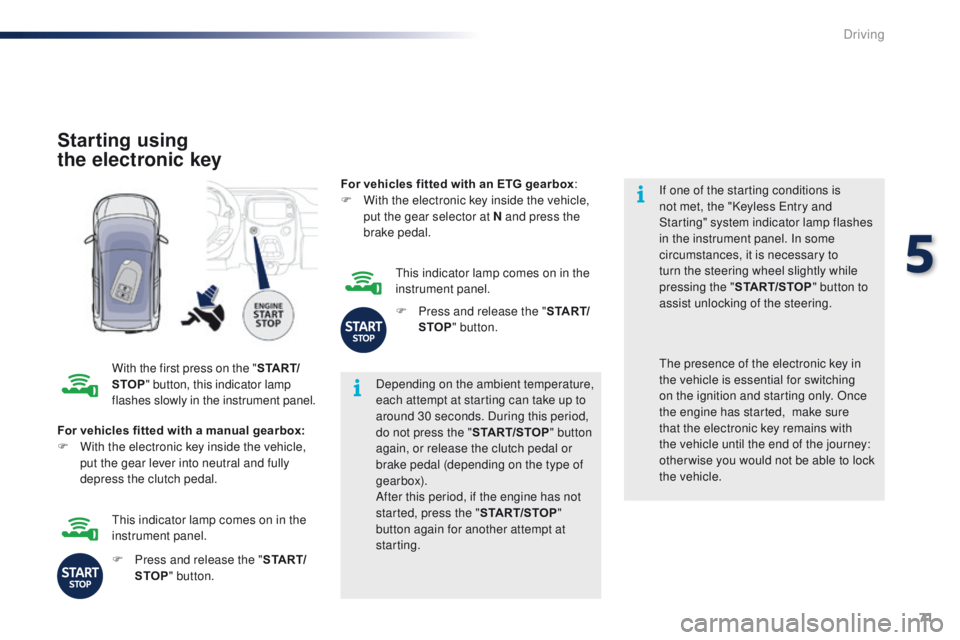
With the first press on the " S TA R T/
STOP " button, this indicator lamp
flashes slowly in the instrument panel. Depending on the ambient temperature,
each attempt at starting can take up to
around 30 seconds. During this period,
do not press the "
START/STOP" button
again, or release the clutch pedal or
brake pedal (depending on the type of
gearbox).
After this period, if the engine has not
started, press the " START/STOP"
button again for another attempt at
starting. If one of the starting conditions is
not met, the "Keyless
e
n
try and
Starting" system indicator lamp flashes
in the instrument panel. In some
circumstances, it is necessary to
turn the steering wheel slightly while
pressing the " START/STOP " button to
assist unlocking of the steering.
For vehicles fitted with a manual gearbox:
F
W
ith the electronic key inside the vehicle,
put the gear lever into neutral and fully
depress the clutch pedal.th e presence of the electronic key in
the vehicle is essential for switching
on the ignition and starting only. Once
the engine has started,
make sure
that the electronic key remains with
the vehicle until the end of the journey:
other wise you would not be able to lock
the vehicle.
F
P
ress and release the " S TA R T/
STOP " button.
th
is indicator lamp comes on in the
instrument panel. For vehicles fitted with an ETG gearbox
:
F
W
ith the electronic key inside the vehicle,
put the gear selector at N and press the
brake pedal.
th
is indicator lamp comes on in the
instrument panel.
F
P
ress and release the "
S TA R T/
STOP " button.
5
Driving
Page 74 of 271
72
108_en_Chap05_conduite_ed01-2015
there is an audible signal when the driver's
door is opened and the vehicle is not in "OFF"
mode. If the vehicle is not immobilised, the
engine will not stop.
Switching off using
the electronic key
F Immobilise the vehicle.
F
W ith a manual gearbox: put the gear lever
into neutral.
F
W
ith an etg gearbox: place the gear
selector at N .
F
W
ith the electronic key inside
the vehicle, press the " S TA R T/
STOP " button.
the
engine stops.
th
e steering locks when a door is opened or on
locking the vehicle.
F
P
ress the "START/STOP " button
again to change to " OFF" mode.
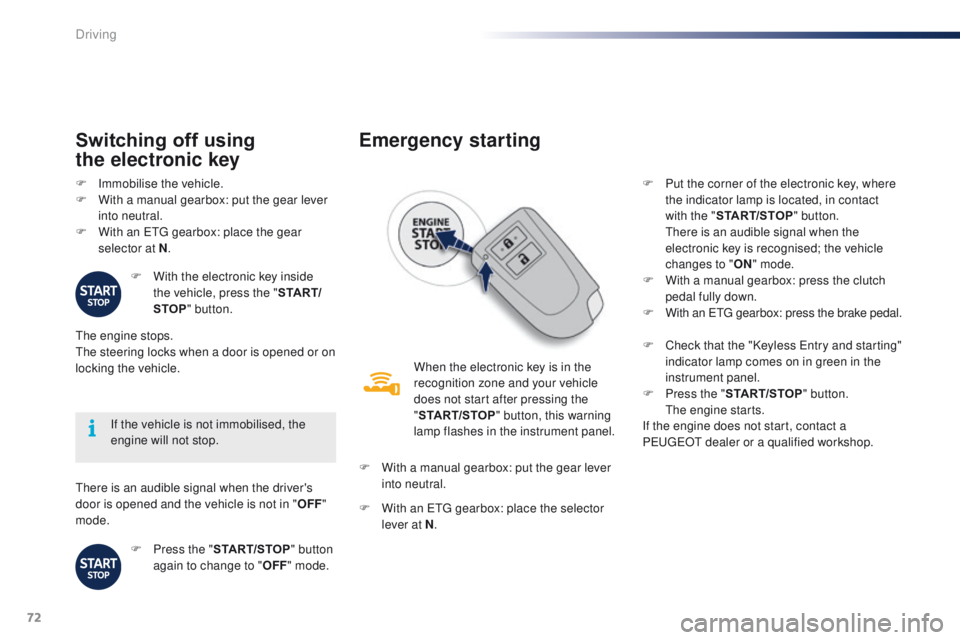
Emergency starting
When the electronic key is in the
recognition zone and your vehicle
does not start after pressing the
"START/STOP " button, this warning
lamp flashes in the instrument panel.
F
W
ith a manual gearbox: put the gear lever
into neutral.
F
W
ith an etg gearbox: place the selector
lever at N . F
P
ut the corner of the electronic key, where
the indicator lamp is located, in contact
with the " START/STOP " button.
t
h
ere is an audible signal when the
electronic key is recognised; the vehicle
changes to " ON" mode.
F
W
ith a manual gearbox: press the clutch
pedal fully down.
F
W
ith an etg gearbox: press the brake pedal.
F
C
heck that the "Keyless e
n
try and starting"
indicator lamp comes on in green in the
instrument panel.
F
P
ress the "START/STOP " button.
t
h
e engine starts.
If the engine does not start, contact a
P
e
uge
Ot
dealer or a qualified workshop.
Driving
Page 77 of 271
75
108_en_Chap05_conduite_ed01-2015
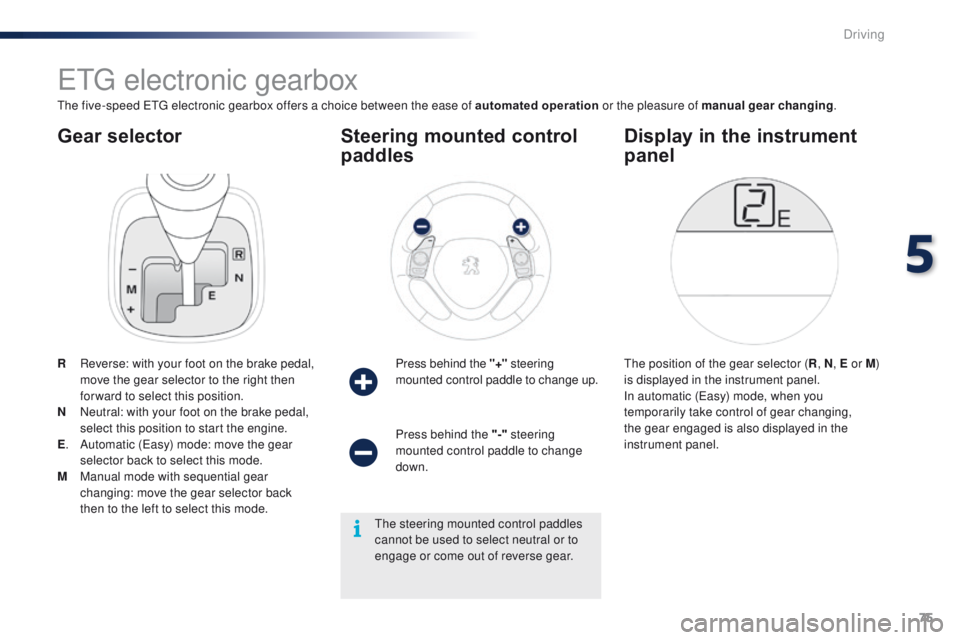
Gear selector
etg electronic gearbox
the five-speed etg electronic gearbox offers a choice between the ease of automated operation or the pleasure of manual gear changing.
R
R
everse: with your foot on the brake pedal,
move the gear selector to the right then
for ward to select this position.
N
N
eutral: with your foot on the brake pedal,
select this position to start the engine.
E .
A
utomatic (
ea
sy) mode: move the gear
selector back to select this mode.
M
M
anual mode with sequential gear
changing: move the gear selector back
then to the left to select this mode. Press behind the "+"
steering
mounted control paddle to change up.
Steering mounted control
paddles
the position of the gear selector ( R, N , E or M )
is displayed in the instrument panel.
In automatic (
ea
sy) mode, when you
temporarily take control of gear changing,
the gear engaged is also displayed in the
instrument panel.
Display in the instrument
panel
Press behind the "-" steering
mounted control paddle to change
down.
th
e steering mounted control paddles
cannot be used to select neutral or to
engage or come out of reverse gear.
5
Driving
Page 79 of 271
77
108_en_Chap05_conduite_ed01-2015
Temporarily taking control of
gear changes
You can temporarily take control of gear
changes using the "+" and "-"
steering
mounted control paddles.
ge
ar change commands are only acted on if
the engine speed allows.
t
h
ere is an audible
signal if a command is not accepted.
th
e gear engaged is displayed in the
instrument panel.
th
is function allows you to anticipate certain
situations such as overtaking a vehicle or
approaching a corner.
After a few moments with no action on the
controls, the gearbox returns to automatic
control of the gears. It is possible to change mode at any time, by
moving the gear selector from position E to
position M and the other way round.
Never select neutral N when the vehicle
is moving.
F
P
lace the gear selector in position M
.
F
C
hange up or down using:
- t he gear selector, pushing:
- back, "+" to change up,
-
for ward, "-" to change down.
-
o
r the "+" or "-" steering mounted
control paddle.
the
gear engaged is displayed.
ge
ar change commands are only acted on if
the engine speed allows.
It is not necessary to release the accelerator
peal during gear changes.
t
h
ere is an audible
signal if a command is not accepted.
When braking or slowing down, the gearbox
automatically changes down so that pick-up is
in the right gear.
Manual mode
under sharp acceleration, the gearbox will
not change up without action by the driver on
the gear selector or steering mounted control
paddles (unless the engine speed is close to
maximum).
5
Driving
Page 80 of 271
78
108_en_Chap05_conduite_ed01-2015
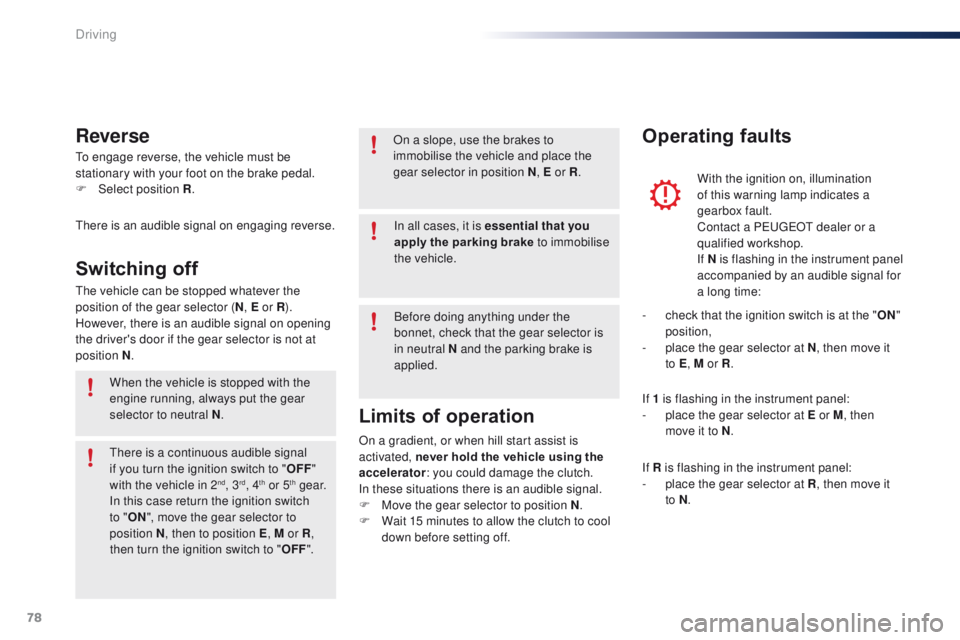
to engage reverse, the vehicle must be
stationary with your foot on the brake pedal.
F
Sel
ect position R .
Reverse
there is an audible signal on engaging reverse.
th
e vehicle can be stopped whatever the
position of the gear selector ( N, E or R ).
However, there is an audible signal on opening
the driver's door if the gear selector is not at
position N .
Switching off
When the vehicle is stopped with the
engine running, always put the gear
selector to neutral N .
th
ere is a continuous audible signal
if you turn the ignition switch to " OFF"
with the vehicle in 2
nd, 3rd, 4th or 5th g e a r.
In this case return the ignition switch
to " ON ", move the gear selector to
position
N , then to position E , M or R,
then turn the ignition switch to " OFF". On a slope, use the brakes to
immobilise the vehicle and place the
gear selector in position N
, E or R.
With the ignition on, illumination
of this warning lamp indicates a
gearbox fault.
Contact a P
e
uge
Ot
dealer or a
qualified workshop.
If N
i
s flashing in the instrument panel
accompanied by an audible signal for
a long time:
Operating faults
In all cases, it is essential that you
apply the parking brake to immobilise
the vehicle.
Before doing anything under the
bonnet, check that the gear selector is
in neutral N and the parking brake is
applied.
Limits of operation
On a gradient, or when hill start assist is
activated, never hold the vehicle using the
accelerator : you could damage the clutch.
In these situations there is an audible signal.
F
M
ove the gear selector to position N .
F
W
ait 15 minutes to allow the clutch to cool
down before setting off. -
c
heck that the ignition switch is at the "
ON"
position,
-
p
lace the gear selector at N
, then move it
to E , M or R .
If 1 is flashing in the instrument panel:
-
p
lace the gear selector at E or M
, then
move it to N .
If R is flashing in the instrument panel:
-
p
lace the gear selector at R, then move it
to N .
Driving
Page 81 of 271
79
108_en_Chap05_conduite_ed01-2015
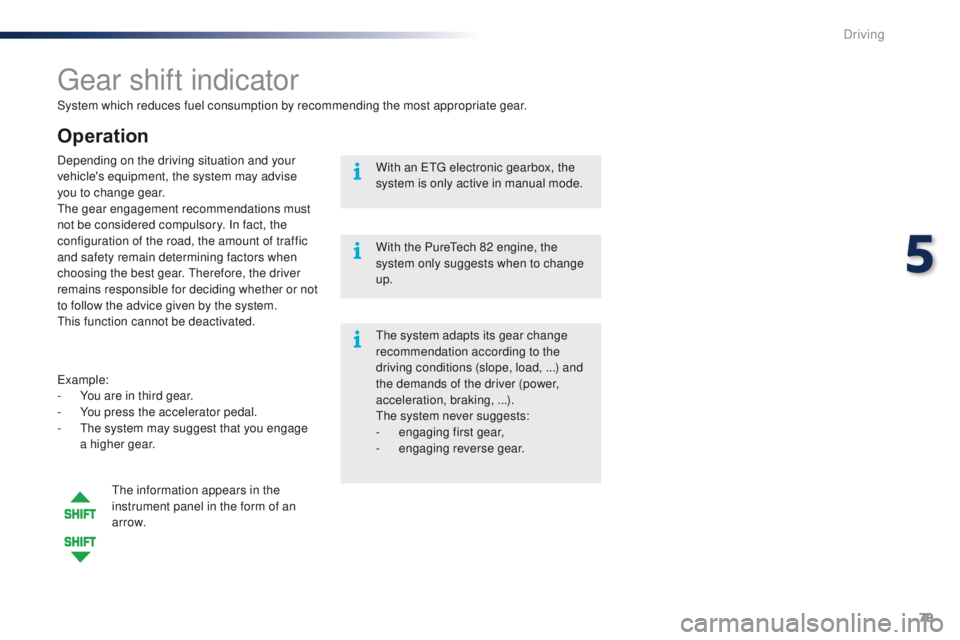
System which reduces fuel consumption by recommending the most appropriate gear.
gear shift indicator
Operation
example:
- Y ou are in third gear.
-
Y
ou press the accelerator pedal.
-
t
h
e system may suggest that you engage
a higher gear.
Depending on the driving situation and your
vehicle's equipment, the system may advise
you to change gear.
the
gear engagement recommendations must
not be considered compulsory. In fact, the
configuration of the road, the amount of traffic
and safety remain determining factors when
choosing the best gear. t
her
efore, the driver
remains responsible for deciding whether or not
to follow the advice given by the system.
th
is function cannot be deactivated.
th
e information appears in the
instrument panel in the form of an
ar row.
th
e system adapts its gear change
recommendation according to the
driving conditions (slope, load, ...) and
the demands of the driver (power,
acceleration, braking,
...).
th
e system never suggests:
-
e
ngaging first gear,
-
enga
ging reverse gear.
With an
etg electronic gearbox, the
system is only active in manual mode.
With the Pure
te
ch 82 engine, the
system only suggests when to change
up.
5
Driving
Page 83 of 271

81
108_en_Chap05_conduite_ed01-2015
Stop & Start (Vti 68 S&S engine)
Operation
Going into engine STOP mode
this indicator lamp comes on in the
instrument panel and the engine
goes into standby automatically:
-
w
hen stationary, in neutral, and you
release the clutch pedal.
Never refuel with the engine in S
tO
P
mode; you must switch off the ignition
with the button. For smoother operation, during
parking manoeuvres S
tO
P mode is
not available for a few seconds after
coming out of reverse gear.
S
tO
P mode does not affect the
vehicle's systems, such as for example,
braking, power steering...
Special cases: STOP mode not
available
StOP mode is not invoked principally when:
- t he driver's door is open,
-
t
he driver's seat belt is not fastened,
-
t
he engine is needed to maintain a
comfortable temperature in the passenger
compartment,
-
d
emisting is active,
-
s
ome special conditions (battery charge,
engine temperature, braking assistance,
vehicle stopped on a steep gradient, high
altitude...) where the engine is needed to
assure control of a system.
th
e Stop & Start
system puts the engine temporarily into standby - S
tO
P mode - during stops in the traffic (red lights, traffic jams, or other...). t
h
e
engine restarts automatically - S
tA
R
t
mode - as soon as you want to move off.
t
h
e restart takes place instantly, quickly and silently.
Per fect for urban use, the Stop & Start system reduces fuel consumption and exhaust emissions as well as the noise level when stationary.
Stop & Start time counters
A partial time counter counts the periods in
StO P mode during a journey.
It is displayed in the trip computer once the
Stop & Start acts.
Press one of the screen management buttons
to return to the previous display.
A global time counter counts the periods in
S
tO
P mode since the last reset.
When it is displayed, press one of the screen
management buttons to reset the counter.
5
Driving
Page 84 of 271
82
108_en_Chap05_conduite_ed01-2015
Going into engine START mode
this indicator lamp goes off and the
engine starts automatically:
-
w
hen you fully depress the clutch pedal. StA
Rt mode is invoked automatically when:
- y ou open the driver's door,
-
y
ou open the bonnet,
-
y
ou unfasten the driver's seat belt,
-
s
ome special conditions (battery charge,
engine temperature, braking assistance,
descending a steep gradient, adjustment of
the air conditioning...) where the engine is
needed for control of a system.
Special cases: START invoked
automaticallyIn the event of a fault with the system,
this warning lamp flashes in the
instrument panel.
Operating fault
Have it checked by a Pe ugeOt dealer or a
qualified workshop.
Driving
Page 85 of 271
83
108_en_Chap05_conduite_ed01-2015
Before doing anything under the
bonnet, deactivate the Stop & Start
system to avoid any risk of injury
resulting from automatic operation of
S
t
A R
t m
o d e .
Maintenance
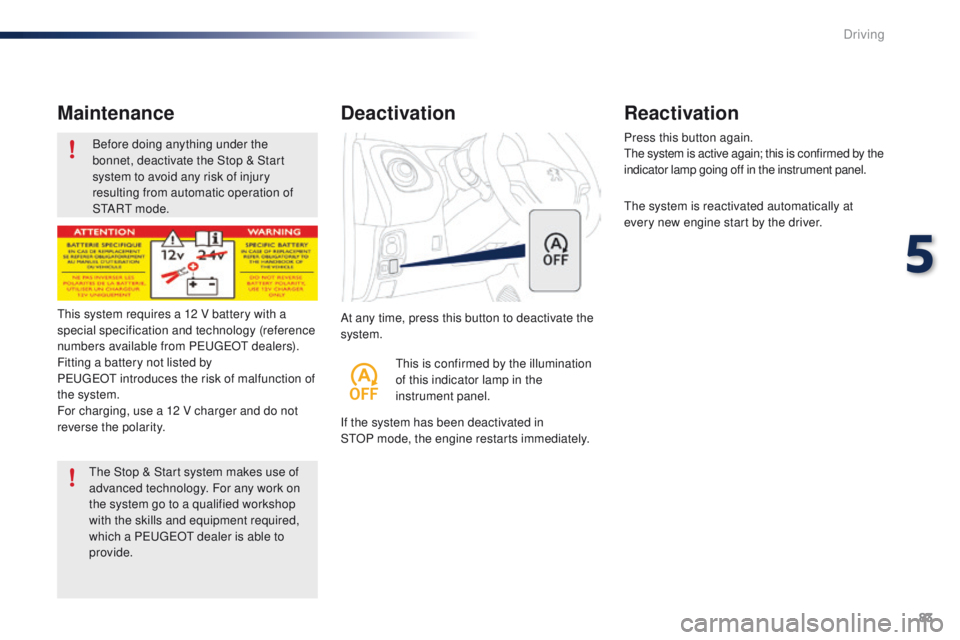
At any time, press this button to deactivate the
system.
Deactivation
If the system has been deactivated in
StOP mode, the engine restarts immediately. Press this button again.
th
e system is active again; this is confirmed by the
indicator lamp going off in the instrument panel.
th
e system is reactivated automatically at
every new engine start by the driver.
Reactivation
this is confirmed by the illumination
of this indicator lamp in the
instrument panel.
th
is system requires a 12 V battery with a
special specification and technology (reference
numbers available from P
e
uge
Ot d
ealers).
Fitting a battery not listed by
Pe
ugeOt
introduces the risk of malfunction of
the system.
For charging, use a 12 V charger and do not
reverse the polarity.
th
e Stop & Start system makes use of
advanced technology. For any work on
the system go to a qualified workshop
with the skills and equipment required,
which a P
e
uge
Ot
dealer is able to
provide.
5
Driving
Page 86 of 271
84
108_en_Chap05_conduite_ed01-2015
the speed limiter cannot, in any
circumstances, replace the need to
observe speed limits, nor can it replace the
need for vigilance on the part of the driver.
Speed limiter (Puretech 82 engine)
the speed limiter is switched on manually:
this can be done whatever the speed of the
vehicle. However, if you are driving at less than
20 mph (30 km/h), the programmed speed will
be fixed at 20 mph (30 km/h).
th
e speed limiter is paused by operation of the
control.
th
e programmed speed can be exceeded
temporarily by pressing the accelerator firmly
beyond the point of resistance.
to r
eturn to the programmed speed, simply
release the accelerator pedal until the vehicle
returns to the programmed speed limit. System which prevents the vehicle from exceeding the speed programmed by the driver.Steering mounted controls
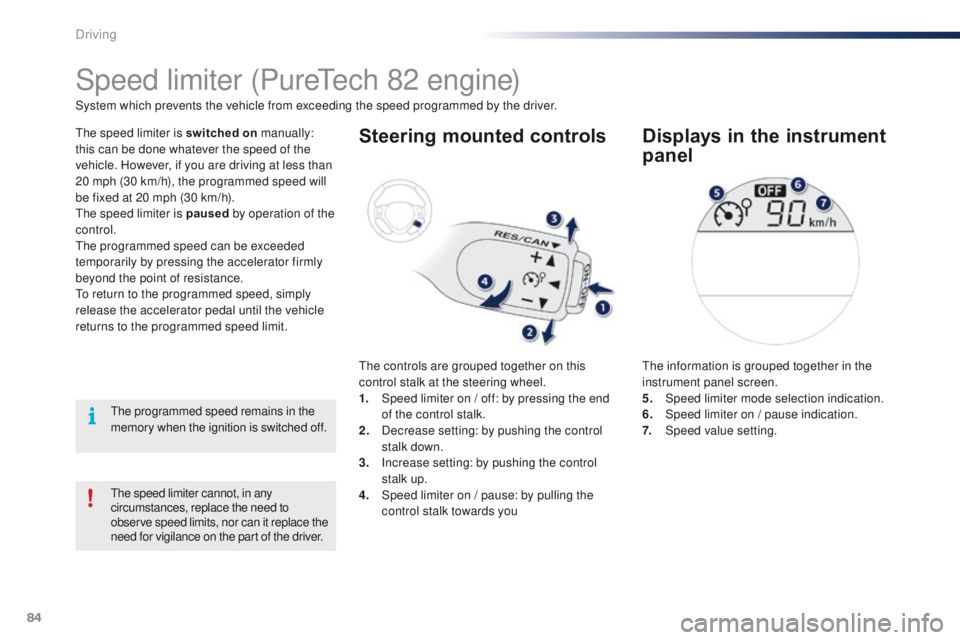
the controls are grouped together on this
control stalk at the steering wheel.
1.
S
peed limiter on / off: by pressing the end
of the control stalk.
2.
D
ecrease setting: by pushing the control
stalk down.
3.
I
ncrease setting: by pushing the control
stalk up.
4.
S
peed limiter on / pause: by pulling the
control stalk towards you
Displays in the instrument
panel
the information is grouped together in the
instrument panel screen.
5.
Spe
ed limiter mode selection indication.
6.
S
peed limiter on / pause indication.
7.
Spe
ed value setting.
th
e programmed speed remains in the
memory when the ignition is switched off.
Driving