display PEUGEOT 206 2002 Owner's Manual
[x] Cancel search | Manufacturer: PEUGEOT, Model Year: 2002, Model line: 206, Model: PEUGEOT 206 2002Pages: 160, PDF Size: 2.03 MB
Page 55 of 160
YOUR 206 IN DETAIL
54
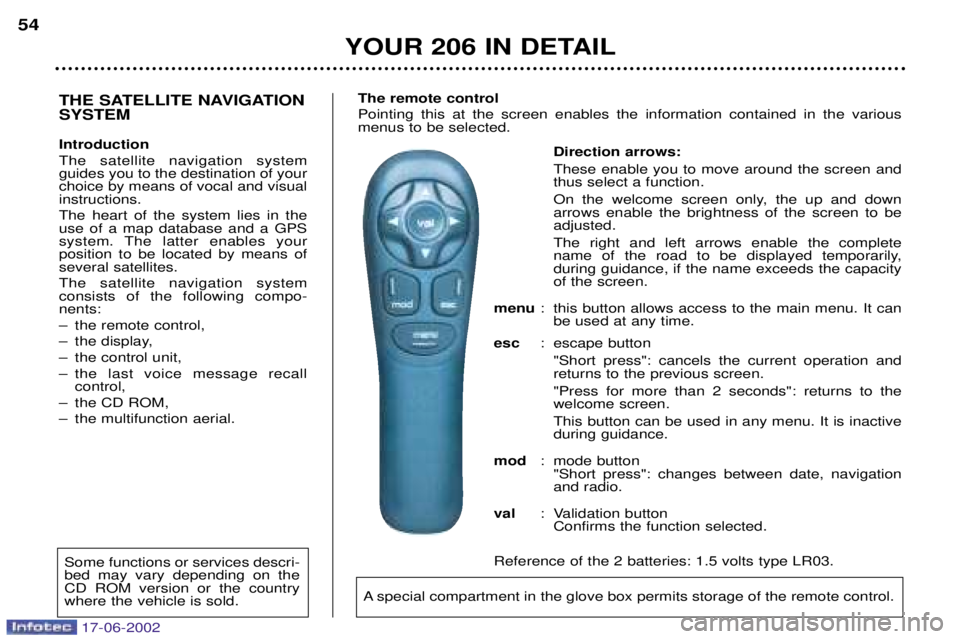
Direction arrows: These enable you to move around the screen and thus select a function.
On the welcome screen only, the up and down arrows enable the brightness of the screen to beadjusted. The right and left arrows enable the complete
name of the road to be displayed temporarily,during guidance, if the name exceeds the capacityof the screen.
menu : this button allows access to the main menu. It can
be used at any time.
esc : escape button
"Short press": cancels the current operation andreturns to the previous screen. "Press for more than 2 seconds": returns to the welcome screen. This button can be used in any menu. It is inactive during guidance.
mod : mode button
"Short press": changes between date, navigationand radio.
val : Validation button
Confirms the function selected.
Reference of the 2 batteries: 1.5 volts type LR03.
THE SATELLITE NAVIGATION SYSTEM Introduction The satellite navigation system guides you to the destination of yourchoice by means of vocal and visualinstructions. The heart of the system lies in the use of a map database and a GPS
system. The latter enables yourposition to be located by means ofseveral satellites. The satellite navigation system consists of the following compo-nents:
Ð the remote control,
Ð the display,
Ð the control unit,
Ð the last voice message recall control,
Ð the CD ROM,
Ð the multifunction aerial. The remote controlPointing this at the screen enables the information contained in the various menus to be selected.
A special compartment in the glove box permits storage of the remote control.
Some functions or services descri- bed may vary depending on theCD ROM version or the countrywhere the vehicle is sold.
17-06-2002
Page 56 of 160
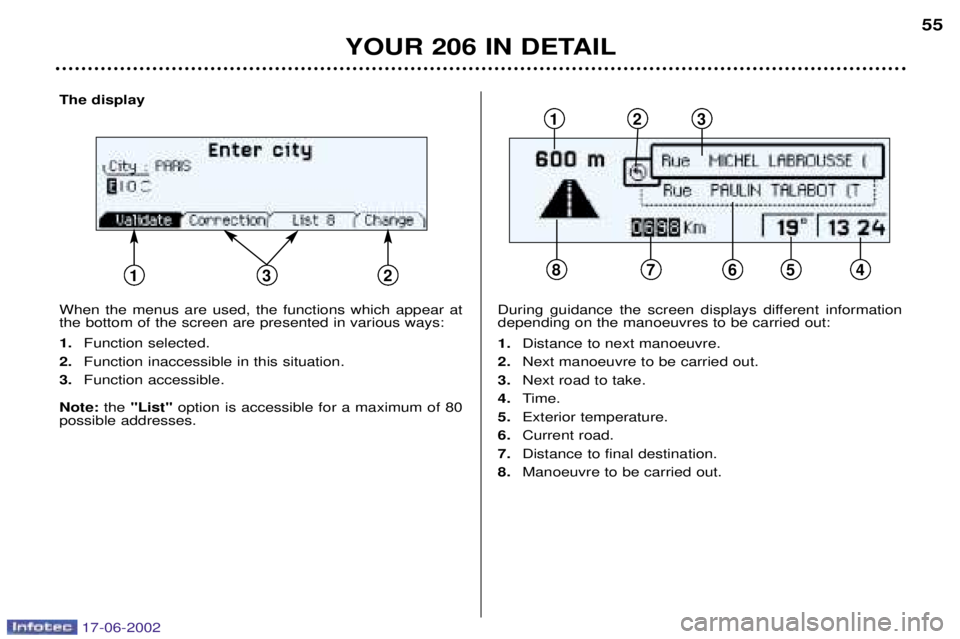
The display When the menus are used, the functions which appear at the bottom of the screen are presented in various ways: 1.Function selected.
2. Function inaccessible in this situation.
3. Function accessible.
Note: the "List" option is accessible for a maximum of 80
possible addresses.
YOUR 206 IN DETAIL 55
During guidance the screen displays different information depending on the manoeuvres to be carried out: 1.
Distance to next manoeuvre.
2. Next manoeuvre to be carried out.
3. Next road to take.
4. Time.
5. Exterior temperature.
6. Current road.
7. Distance to final destination.
8. Manoeuvre to be carried out.
12
875
3
12364
17-06-2002
Page 57 of 160
YOUR 206 IN DETAIL
56
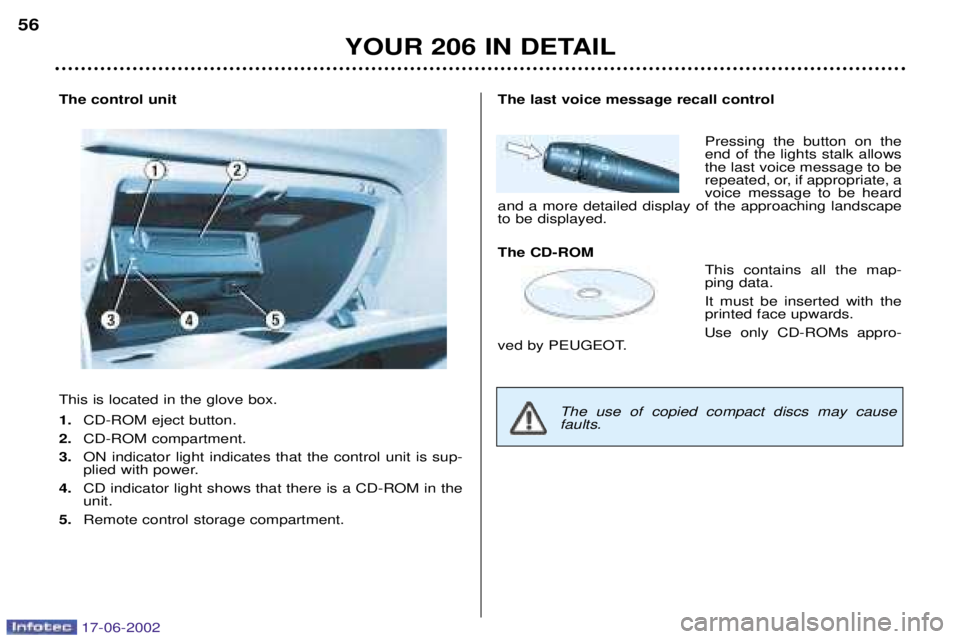
The control unit This is located in the glove box. 1.
CD-ROM eject button.
2. CD-ROM compartment.
3. ON indicator light indicates that the control unit is sup-
plied with power.
4. CD indicator light shows that there is a CD-ROM in theunit.
5. Remote control storage compartment.The last voice message recall control
Pressing the button on the end of the lights stalk allowsthe last voice message to be
repeated, or, if appropriate, avoice message to be heard
and a more detailed display of the approaching landscapeto be displayed. The CD-ROM
This contains all the map- ping data. It must be inserted with the printed face upwards.
Use only CD-ROMs appro-
ved by PEUGEOT.
The use of copied compact discs may cause faults.
17-06-2002
Page 58 of 160
YOUR 206 IN DETAIL57
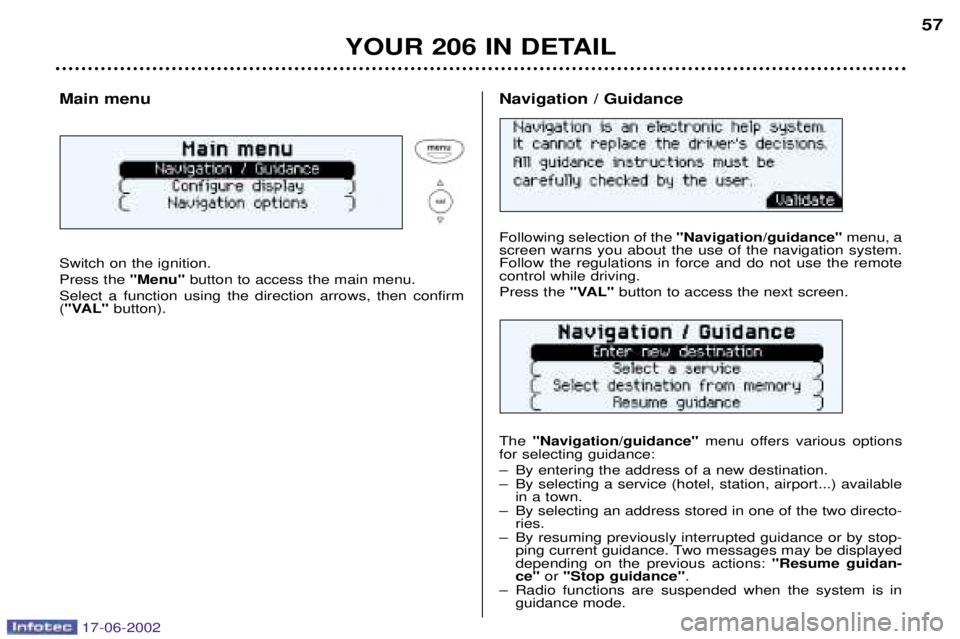
Main menu Switch on the ignition. Press the
"Menu"button to access the main menu.
Select a function using the direction arrows, then confirm ( "VAL" button).
Following selection of the "Navigation/guidance"menu, a
screen warns you about the use of the navigation system. Follow the regulations in force and do not use the remotecontrol while driving. Press the "VAL"button to access the next screen.
The "Navigation/guidance" menu offers various options
for selecting guidance:
Ð By entering the address of a new destination.
Ð By selecting a service (hotel, station, airport...) available in a town.
Ð By selecting an address stored in one of the two directo- ries.
Ð By resuming previously interrupted guidance or by stop- ping current guidance. Two messages may be displayed depending on the previous actions: "Resume guidan-
ce" or "Stop guidance" .
Ð Radio functions are suspended when the system is in guidance mode.
Navigation / Guidance
17-06-2002
Page 59 of 160
YOUR 206 IN DETAIL
58
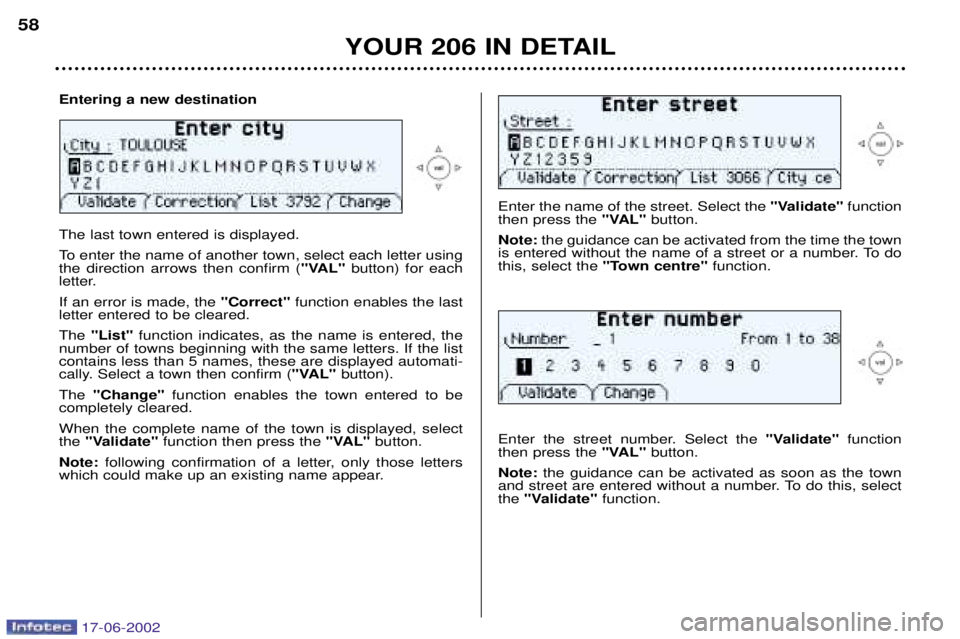
Enter the name of the street. Select the
"Validate"function
then press the "VAL"button.
Note: the guidance can be activated from the time the town
is entered without the name of a street or a number. To do this, select the "Town centre" function.
Enter the street number. Select the "Validate"function
then press the "VAL"button.
Note: the guidance can be activated as soon as the town
and street are entered without a number. To do this, selectthe "Validate" function.
The last town entered is displayed.
To enter the name of another town, select each letter using the direction arrows then confirm ( "VAL"button) for each
letter. If an error is made, the "Correct"function enables the last
letter entered to be cleared.The "List" function indicates, as the name is entered, the
number of towns beginning with the same letters. If the list contains less than 5 names, these are displayed automati-
cally. Select a town then confirm ( "VAL"button).
The "Change" function enables the town entered to be
completely cleared. When the complete name of the town is displayed, select the "Validate" function then press the "VAL"button.
Note: following confirmation of a letter, only those letters
which could make up an existing name appear.
Entering a new destination
17-06-2002
Page 60 of 160
YOUR 206 IN DETAIL59
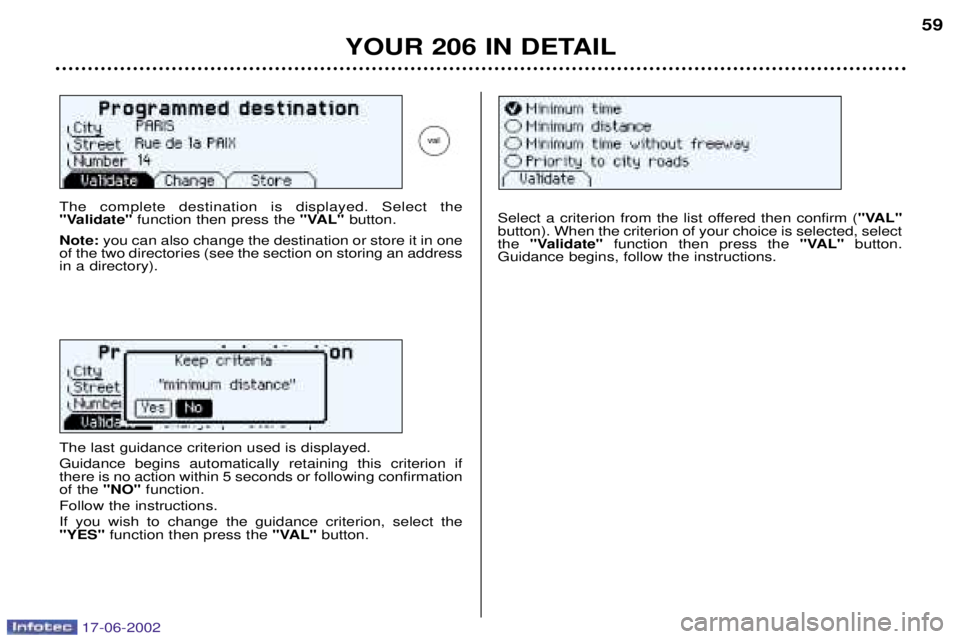
The complete destination is displayed. Select the
"Validate"
function then press the "VAL"button.
Note: you can also change the destination or store it in one
of the two directories (see the section on storing an addressin a directory).Select a criterion from the list offered then confirm ( "VAL"
button). When the criterion of your choice is selected, select the "Validate" function then press the "VAL"button.
Guidance begins, follow the instructions.
The last guidance criterion used is displayed. Guidance begins automatically retaining this criterion if there is no action within 5 seconds or following confirmationof the "NO"function.
Follow the instructions. If you wish to change the guidance criterion, select the "YES" function then press the "VAL"button.
17-06-2002
Page 61 of 160
YOUR 206 IN DETAIL
60
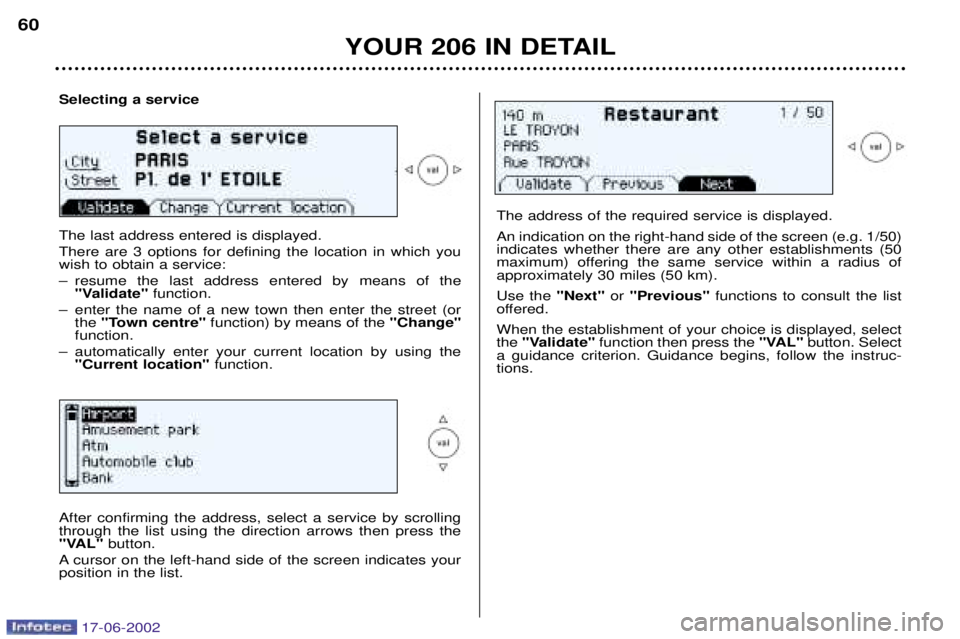
Selecting a service The last address entered is displayed. There are 3 options for defining the location in which you wish to obtain a service:
Ð resume the last address entered by means of the
"Validate" function.
Ð enter the name of a new town then enter the street (or the "Town centre" function) by means of the "Change"
function.
Ð automatically enter your current location by using the "Current location" function.
The address of the required service is displayed. An indication on the right-hand side of the screen (e.g. 1/50) indicates whether there are any other establishments (50
maximum) offering the same service within a radius ofapproximately 30 miles (50 km). Use the "Next"or "Previous" functions to consult the list
offered.When the establishment of your choice is displayed, select the "Validate" function then press the "VAL"button. Select
a guidance criterion. Guidance begins, follow the instruc-tions.
After confirming the address, select a service by scrollingthrough the list using the direction arrows then press the
"VAL" button.
A cursor on the left-hand side of the screen indicates yourposition in the list.
17-06-2002
Page 62 of 160
YOUR 206 IN DETAIL
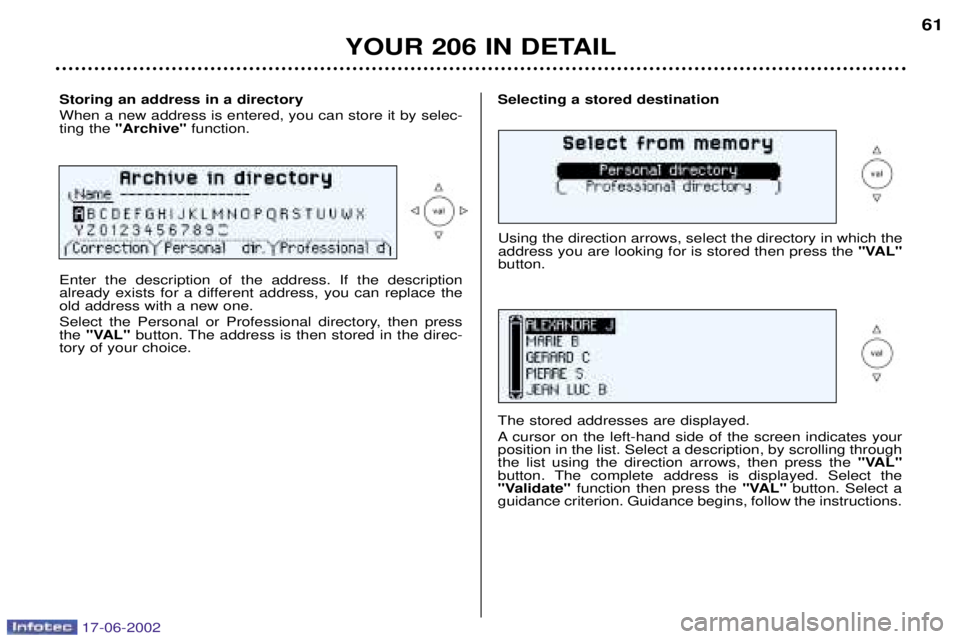
Storing an address in a directory When a new address is entered, you can store it by selec- ting the "Archive" function.Selecting a stored destination
Enter the description of the address. If the description
already exists for a different address, you can replace theold address with a new one.
Select the Personal or Professional directory, then press the "VAL" button. The address is then stored in the direc-
tory of your choice. Using the direction arrows, select the directory in which theaddress you are looking for is stored then press the
"VAL"
button.
The stored addresses are displayed.
A cursor on the left-hand side of the screen indicates your position in the list. Select a description, by scrolling throughthe list using the direction arrows, then press the "VAL"
button. The complete address is displayed. Select the
"Validate" function then press the "VAL"button. Select a
guidance criterion. Guidance begins, follow the instructions.
61
17-06-2002
Page 63 of 160
YOUR 206 IN DETAIL
62
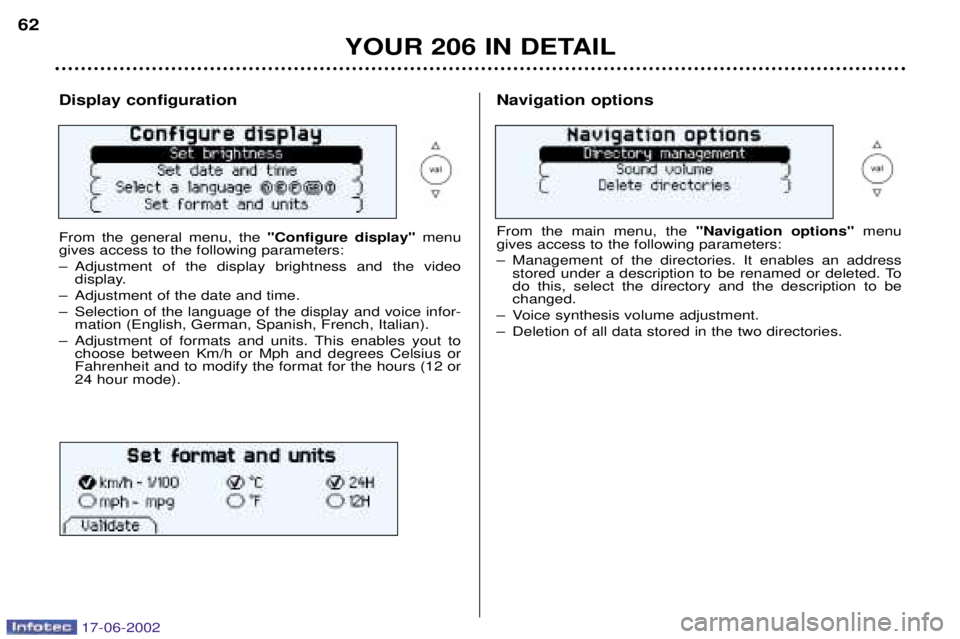
Display configuration From the general menu, the
"Configure display"menu
gives access to the following parameters:
Ð Adjustment of the display brightness and the video display.
Ð Adjustment of the date and time.
Ð Selection of the language of the display and voice infor- mation (English, German, Spanish, French, Italian).
Ð Adjustment of formats and units. This enables yout to choose between Km/h or Mph and degrees Celsius or Fahrenheit and to modify the format for the hours (12 or24 hour mode).Navigation options From the main menu, the "Navigation options"menu
gives access to the following parameters:
Ð Management of the directories. It enables an address stored under a description to be renamed or deleted. To do this, select the directory and the description to bechanged.
Ð Voice synthesis volume adjustment.
Ð Deletion of all data stored in the two directories.
17-06-2002
Page 64 of 160
YOUR 206 IN DETAIL63
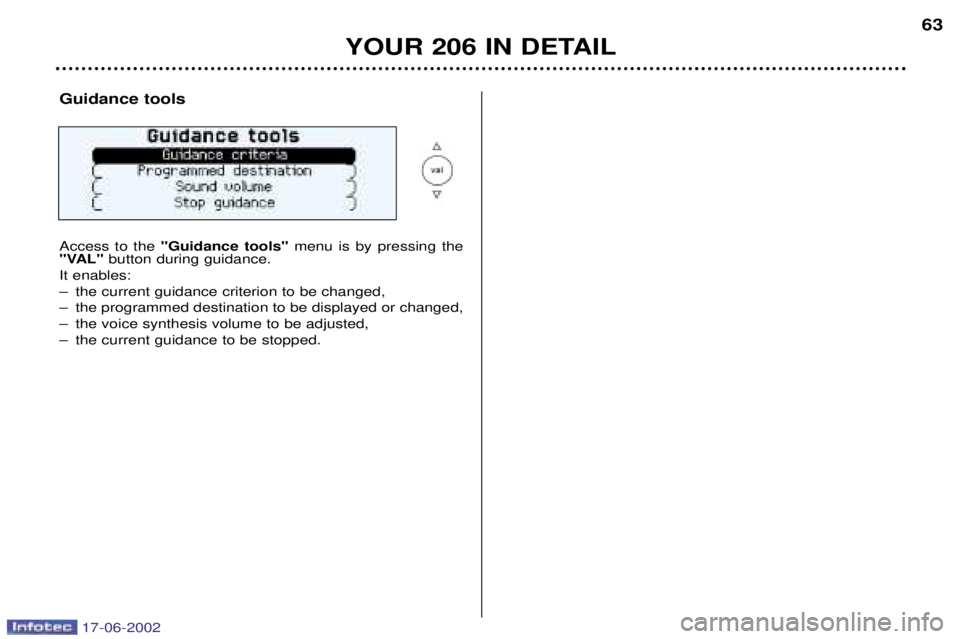
Guidance tools Access to the
"Guidance tools" menu is by pressing the
"VAL" button during guidance.
It enables:
Ð the current guidance criterion to be changed,
Ð the programmed destination to be displayed or changed,
Ð the voice synthesis volume to be adjusted,
Ð the current guidance to be stopped.
17-06-2002