display PEUGEOT 206 2002 User Guide
[x] Cancel search | Manufacturer: PEUGEOT, Model Year: 2002, Model line: 206, Model: PEUGEOT 206 2002Pages: 160, PDF Size: 2.03 MB
Page 34 of 160
INSTRUMENTS AND CONTROLS33
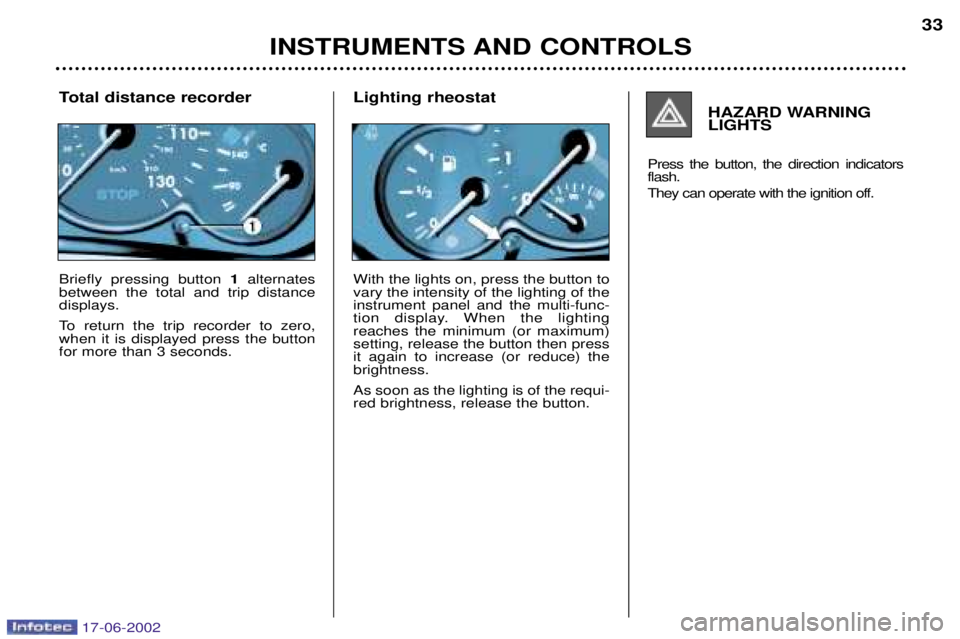
Total distance recorder Briefly pressing button 1alternates
between the total and trip distance displays.
To return the trip recorder to zero, when it is displayed press the buttonfor more than 3 seconds. HAZARD WARNINGLIGHTS
Press the button, the direction indicatorsflash.
They can operate with the ignition off.
Lighting rheostat With the lights on, press the button to vary the intensity of the lighting of theinstrument panel and the multi-func-
tion display. When the lightingreaches the minimum (or maximum)setting, release the button then pressit again to increase (or reduce) thebrightness. As soon as the lighting is of the requi- red brightness, release the button.
17-06-2002
Page 35 of 160
YOUR 206 IN DETAIL35
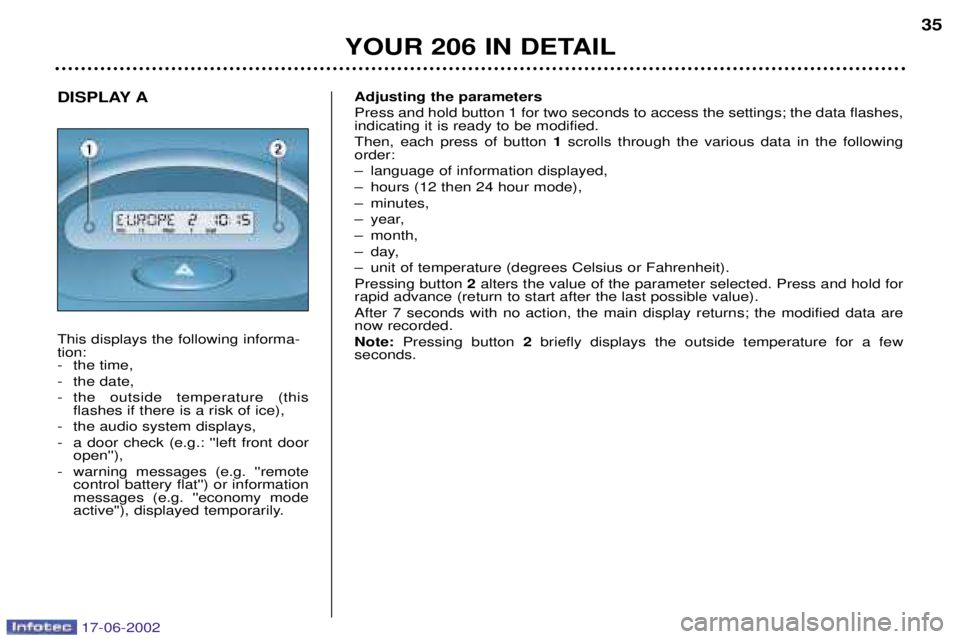
DISPLAY A This displays the following informa- tion:
- the time,
- the date,
- the outside temperature (this
flashes if there is a risk of ice),
- the audio system displays,
- a door check (e.g.: ''left front door open''),
- warning messages (e.g. ''remote control battery flat'') or information messages (e.g. ''economy mode
active''), displayed temporarily. Adjusting the parameters Press and hold button 1 for two seconds to access the settings; the data flashes, indicating it is ready to be modified. Then, each press of button
1scrolls through the various data in the following
order:
Ð language of information displayed,
Ð hours (12 then 24 hour mode),
Ð minutes,
Ð year,
Ð month,
Ð day,
Ð unit of temperature (degrees Celsius or Fahrenheit).Pressing button 2alters the value of the parameter selected. Press and hold for
rapid advance (return to start after the last possible value). After 7 seconds with no action, the main display returns; the modified data are now recorded. Note: Pressing button 2briefly displays the outside temperature for a few
seconds.
17-06-2002
Page 36 of 160
YOUR 206 IN DETAIL
36
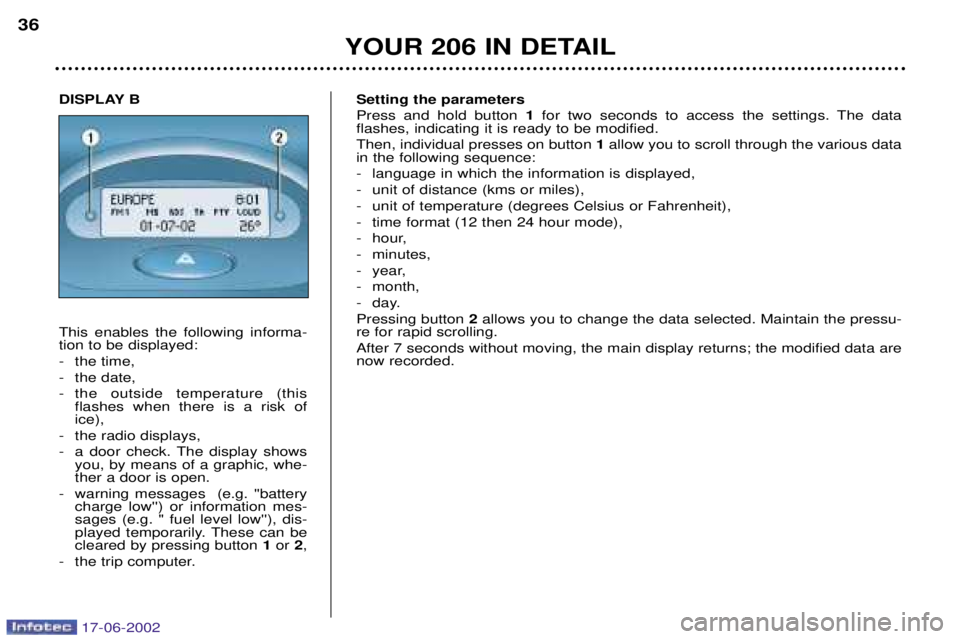
Setting the parameters Press and hold button 1for two seconds to access the settings. The data
flashes, indicating it is ready to be modified. Then, individual presses on button 1allow you to scroll through the various data
in the following sequence:
- language in which the information is displayed,
- unit of distance (kms or miles),
- unit of temperature (degrees Celsius or Fahrenheit),
- time format (12 then 24 hour mode),
- hour,
- minutes,
- year,
- month,
- day.Pressing button 2allows you to change the data selected. Maintain the pressu-
re for rapid scrolling.After 7 seconds without moving, the main display returns; the modified data are now recorded.
DISPLAY B This enables the following informa- tion to be displayed:
- the time,
- the date,
- the outside temperature (this flashes when there is a risk of ice),
- the radio displays,
- a door check. The display shows you, by means of a graphic, whe- ther a door is open.
- warning messages (e.g. ''battery charge low'') or information mes-sages (e.g. " fuel level low''), dis-
played temporarily. These can becleared by pressing button 1or 2,
- the trip computer.
17-06-2002
Page 37 of 160
YOUR 206 IN DETAIL37
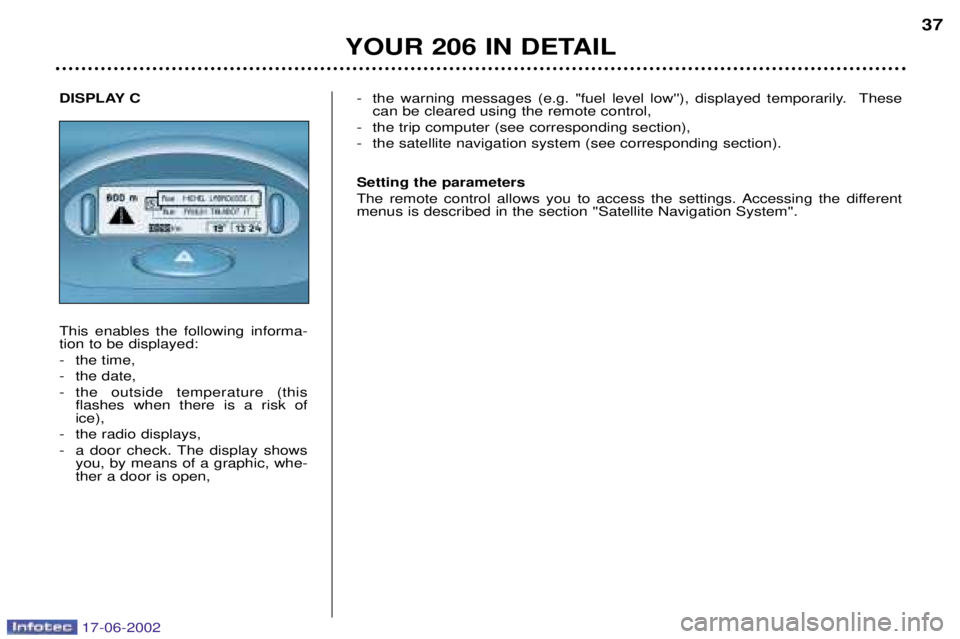
DISPLAY C This enables the following informa- tion to be displayed:
- the time,
- the date,
- the outside temperature (this flashes when there is a risk of ice),
- the radio displays,
- a door check. The display shows you, by means of a graphic, whe- ther a door is open, - the warning messages (e.g. "fuel level low''), displayed temporarily. These
can be cleared using the remote control,
- the trip computer (see corresponding section),
- the satellite navigation system (see corresponding section). Setting the parameters
The remote control allows you to access the settings. Accessing the different menus is described in the section ''Satellite Navigation System''.
17-06-2002
Page 41 of 160
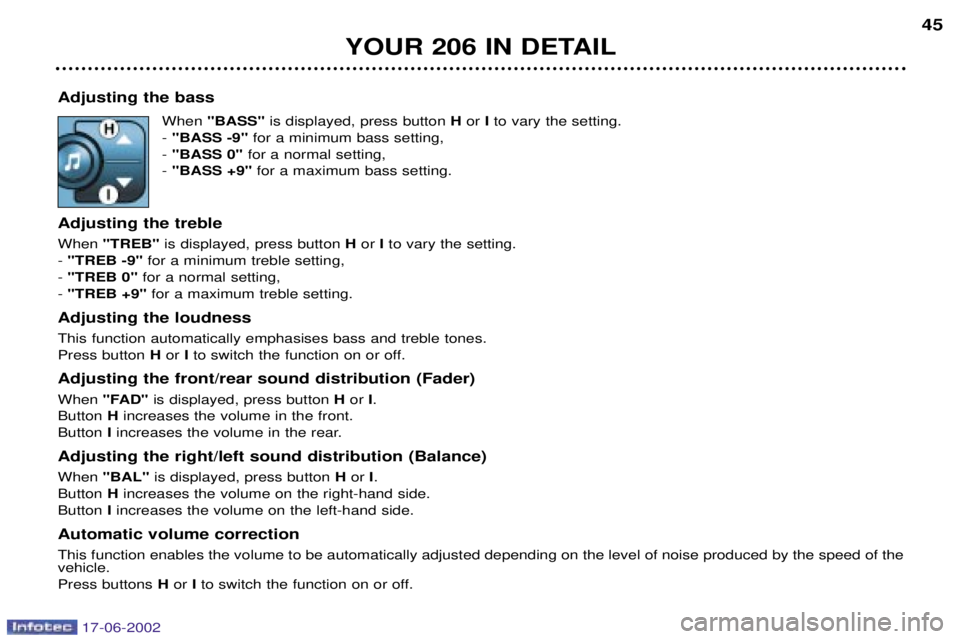
Adjusting the bassWhen "BASS" is displayed, press button Hor Ito vary the setting.
- "BASS -9" for a minimum bass setting,
- "BASS 0" for a normal setting,
- "BASS +9" for a maximum bass setting.
Adjusting the treble When "TREB" is displayed, press button Hor Ito vary the setting.
- "TREB -9" for a minimum treble setting,
- "TREB 0" for a normal setting,
- "TREB +9" for a maximum treble setting.
Adjusting the loudnessThis function automatically emphasises bass and treble tones. Press button Hor Ito switch the function on or off.
Adjusting the front/rear sound distribution (Fader) When "FAD" is displayed, press button Hor I.
Button Hincreases the volume in the front.
Button Iincreases the volume in the rear.
Adjusting the right/left sound distribution (Balance)When "BAL" is displayed, press button Hor I.
Button Hincreases the volume on the right-hand side.
Button Iincreases the volume on the left-hand side.
Automatic volume correctionThis function enables the volume to be automatically adjusted depending on the level of noise produced by the speed of the vehicle. Press buttons Hor Ito switch the function on or off.
YOUR 206 IN DETAIL 45
17-06-2002
Page 43 of 160
Manual station search Press the "MAN"button.
Briefly press button Lor Nto increase or decrease the frequency displayed.
By continuing to press the button in the direction selected, you will obtain continuous scrolling of the frequency. The scrolling stops at the first station found as soon as the button is released.Pressing the "MAN"button again returns you to automatic station search.
Manual storing of stations in the memory Select the station required. Press and hold one of the buttons "1"to "6" for more than two seconds.
The sound stops then becomes audible again, confirming that the station has been stored in the memory. Automatic storing of FM stations in the memory (autostore)
Audio RB3:press and hold the "BND/AST" button for more than two seconds.
Audio RD3: press and hold button Pfor more than two seconds.
Your radio automatically stores the six stations with the strongest signal in FM. These stations are stored in the FMast wave-
band.
If it is not possible to find six stations, the remaining memories are empty. Recalling stations stored in the memory For each waveband, briefly press buttons "1"to "6" to recall the corresponding station.
YOUR 206 IN DETAIL 47
17-06-2002
Page 44 of 160
RDS Using the RDS (Radio Data System) function on FM Radio Data System allows you to continue listening to the same station, whatever frequency it is using for the region you are going through.Briefly press the "RDS"button to switch the function on or off.
The multi-function display wil show: - "RDS" if the function is selected.
- "(RDS)" if the function is selected but not available.
RDS station following
The display indicates the name of the station selected. The radio is continually searching for the station which has the best reception and which is transmitting the same programme.
Traffic information programme Press the "TA"button to switch the function on or off.
The multi-function display will show: - "TA" if the function is selected,
- "(TA)" if the function is selected but not available.
Any traffic information flash will be given priority, whatever source you are listening to (radio, cassette or CD
changer).If you wish to interrupt a message, press the "TA"button; this switches the function off.
Note: the volume of traffic information announcements is independent of the volume of normal radio listening. You can adjust it using the volume button. The setting will be stored and will be used when the next messages arebroadcast.
Regional following mode When they are part of a network, certain stations broadcast regional programmes in the various areas they serve. With regio- nal following mode you can keep listening to the same programme. Press the "RDS"button for more than two seconds to switch the function on or off.
YOUR 206 IN DETAIL
48
17-06-2002
Page 50 of 160
Manual station search Press the "MAN"button.
Briefly press button Lor Nto increase or decrease the frequency displayed.
By continuing to press the button in the direction selected, you will obtain continuous scrolling of the frequency. The scrolling stops at the first station found as soon as the button is released.Pressing the "MAN"button again returns you to automatic station search.
Manual storing of stations in the memory Select the station required. Press and hold one of the buttons "1"to "6" for more than two seconds.
The sound stops then becomes audible again, confirming that the station has been stored in the memory. Automatic storing of FM stations in the memory (autostore)
Audio RB3:press and hold the "BND/AST" button for more than two seconds.
Audio RD3: press and hold button Pfor more than two seconds.
Your radio automatically stores the six stations with the strongest signal in FM. These stations are stored in the FMast wave-
band.
If it is not possible to find six stations, the remaining memories are empty. Recalling stations stored in the memory For each waveband, briefly press buttons "1"to "6" to recall the corresponding station.
YOUR 206 IN DETAIL 47
17-06-2002
Page 51 of 160
RDS Using the RDS (Radio Data System) function on FM Radio Data System allows you to continue listening to the same station, whatever frequency it is using for the region you are going through.Briefly press the "RDS"button to switch the function on or off.
The multi-function display wil show: - "RDS" if the function is selected.
- "(RDS)" if the function is selected but not available.
RDS station following
The display indicates the name of the station selected. The radio is continually searching for the station which has the best reception and which is transmitting the same programme.
Traffic information programme Press the "TA"button to switch the function on or off.
The multi-function display will show: - "TA" if the function is selected,
- "(TA)" if the function is selected but not available.
Any traffic information flash will be given priority, whatever source you are listening to (radio, cassette or CD
changer).If you wish to interrupt a message, press the "TA"button; this switches the function off.
Note: the volume of traffic information announcements is independent of the volume of normal radio listening. You can adjust it using the volume button. The setting will be stored and will be used when the next messages arebroadcast.
Regional following mode When they are part of a network, certain stations broadcast regional programmes in the various areas they serve. With regio- nal following mode you can keep listening to the same programme. Press the "RDS"button for more than two seconds to switch the function on or off.
YOUR 206 IN DETAIL
48
17-06-2002
Page 52 of 160
PTY function: Audio RD3 This allows you to listen to stations broadcasting a specific type of programme (news, culture, sport, rock etc.).With FMselected, press the "TA"button for two seconds to switch this function on or off.
To search for a PTYprogramme:
- select the PTYfunction,
- briefly press button Lor Nto scroll down the list of the various types of programmes offered.
- when the programme of your choice is displayed, keep button Lor Npressed for two seconds
to carry out an automatic search (after an automatic search the PTYfunction is switched off).
In PTY mode the different types of programmes can be stored in the memory. To do this, press
the preselection buttons "1"to "6" for two seconds. Briefly press the corresponding button to
recall the type of programme stored in the memory.
EON system: Audio RD3
This connects stations which are part of the same network. It enables the broadcast of traffic information by a station that is part of the same network as the station to which you are listening. This service is available when you have selected the TAtraffic information programme or the PTYfunction.
YOUR 206 IN DETAIL 49
17-06-2002