ignition PEUGEOT 5008 2018 Manual PDF
[x] Cancel search | Manufacturer: PEUGEOT, Model Year: 2018, Model line: 5008, Model: PEUGEOT 5008 2018Pages: 364, PDF Size: 13.03 MB
Page 170 of 364
168
To switch off the ignition, the vehicle must be
stationary.
To put the vehicle in free-wheeling mode,
engine off:
F
w
ith the vehicle stationary, engine running,
select N ,
F
s
witch off the engine,
F
w
ithin five seconds, switch the ignition on
again,
F
w
ith your foot on the brake pedal, push the
selector for wards or backwards once to
confirm N and manually release the electric
parking brake,
F
s
witch off the ignition.
If you exceed the time limit of five seconds,
the gearbox engages mode P ; you must then
restart the procedure.
If you open the driver's door when mode N
is engaged, an audible signal will sound. It
will stop when you close the driver's door
again.
Special aspects of automatic
mode
For maximum acceleration without touching
the selector, press the accelerator fully down
(kick-down). The gearbox changes down
automatically or holds the gear selected until
the maximum engine speed is reached.
When braking, the gearbox changes down
automatically to provide effective engine
braking.
The steering mounted controls allow the driver
to temporarily select a
gear, if the road and
engine speed permit.
Special aspects of manual mode
The change from one gear to another takes
place only if the road speed and engine speed
permit.
If the engine speed is too high or too low, the
gear selected flashes for a
few seconds, then
the gear actually engaged is displayed.
Moving off
From mode P:
F P ress the brake pedal firmly.
F
S
tart the engine.
F
M
aintaining pressure on the brake pedal,
press the Unlock button.
F
P
ush once or twice rear ward to select the
automatic mode D, or for ward to engage
reverse R . In severe wintry conditions (temperature
below -23°C), it is recommended that the
engine be allowed to run for a
few minutes
before moving off, to ensure the correct
operation and durability of the engine and
gearbox.
Stopping the vehicle
Whatever the state of the gearbox when the
ignition is switched off, mode P is engaged
automatically, with the exception of N , in which
case mode P will be engaged after a
delay of
5
seconds (allowing the change to free-wheel).
The gearbox selects the gear that offers
optimum per formance, taking account of the
exterior temperature, the profile of the road, the
load on the vehicle and the style of driving. From neutral N
:
F
P
ress the brake pedal firmly.
F
S
tart the engine.
F
M
aintaining pressure on the brake pedal,
push rear ward to select the automatic mode
D, or for ward, while pressing the Unlock
button to engage reverse R .
Then, from P or N :
F
R
elease the brake pedal.
F
A
ccelerate progressively to automatically
release the electric parking brake.
F
W
ith the parking brake released, the vehicle
then moves off.
Driving
Page 171 of 364
169
Check that mode P has been engaged and
that the electric parking brake was applied
automatically; if not, apply it manually.The corresponding indicator lamps
for the selector panel and the
electric parking brake control lever
must be on, as well as the ones in
the instrument panel.
Operating faults
Malfunction of the gearbox
This is signalled by the illumination
of this warning lamp, accompanied
by the display of a message and an
audible signal, when the ignition is
switched on.
The gearbox switches to back-up mode: drive
mode D is locked in third gear, the steering-
mounted control paddles are inoperative,
mode M is no longer available. You may feel
a
pronounced jolt when engaging reverse. This
does not present any risk for the gearbox.
Do not drive faster than 62
mph (100 km/h),
keeping to the speed limit.
Go to a
PEUGEOT dealer or a qualified
workshop.
Malfunction of the selector
In the event of a minor fault
I n the event of a serious fault
Stop as soon as it is safe to do so, away
from the traffic, and call a
PEUGEOT
dealer or a
qualified workshop.
When the ignition is switched off, the
gearbox goes into mode P automatically.
You are alerted by this warning lamp
lighting up, accompanied by the
display of a
message and an audible
signal.
In certain cases, the selector lamps may not
come on, but the state of the gearbox is still
displayed in the instrument panel.
Drive cautiously and go to a
PEUGEOT or
a
qualified workshop. You are alerted by the illumination of
this warning lamp.
Hill start assist
System which keeps your vehicle immobilised
temporarily (approximately 2 seconds) when
starting on a
gradient, the time it takes to
move your foot from the brake pedal to the
accelerator pedal. This system only operates when:
-
t
he vehicle has been brought to a complete
stop, with your foot on the brake pedal,
-
c
ertain slope conditions are met,
-
w
ith the driver's door closed.
Do not leave the vehicle while it is being
held temporarily by hill start assist.
If you need to leave the vehicle with the
engine running, apply the parking brake
manually then ensure that the parking
brake warning lamp and the indicator lamp
P in the lever of the electric parking brake
control are on fixed (not flashing).
The hill start assist function cannot be
deactivated. However, use of the parking
brake to immobilise the vehicle interrupts
its function.
6
Driving
Page 173 of 364
171
Operation
Depending on the driving situation and your
vehicle's equipment, the system may advise
you to skip one (or more) gear(s). You can
follow this instruction without engaging the
intermediate gears.
Gear efficiency recommendations are for
information only. In fact, the road layout, the
traffic density and safety remain the deciding
factors when choosing the best gear. The driver
therefore remains responsible for deciding
whether or not to follow the indications issued
by the system.
This function cannot be deactivated.With an automatic gearbox, the system is
only active in manual mode.
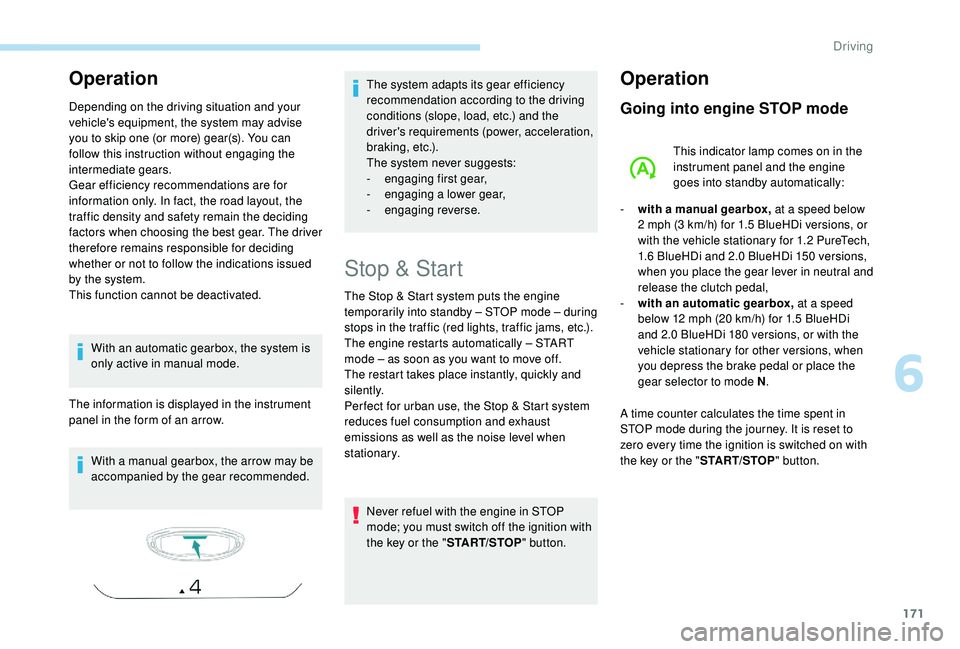
The information is displayed in the instrument
panel in the form of an arrow.
With a
manual gearbox, the arrow may be
accompanied by the gear recommended. The system adapts its gear efficiency
recommendation according to the driving
conditions (slope, load, etc.) and the
driver's requirements (power, acceleration,
b r a k i n g , e t c .) .
The system never suggests:
-
e
ngaging first gear,
-
enga
ging a
lower gear,
-
enga
ging reverse.
Stop & Start
The Stop & Start system puts the engine
temporarily into standby – STOP mode – during
stops in the traffic (red lights, traffic jams, etc.).
The engine restarts automatically – START
mode – as soon as you want to move off.
The restart takes place instantly, quickly and
silently.
Per fect for urban use, the Stop & Start system
reduces fuel consumption and exhaust
emissions as well as the noise level when
stationary.Never refuel with the engine in STOP
mode; you must switch off the ignition with
the key or the " START/STOP" button.
Operation
Going into engine STOP mode
This indicator lamp comes on in the
instrument panel and the engine
goes into standby automatically:
-
w
ith a
manual gearbox, at a
speed below
2
mph (3 km/h) for 1.5 BlueHDi versions, or
with the vehicle stationary for 1.2
PureTech,
1.6
BlueHDi and 2.0 BlueHDi 150 versions,
when you place the gear lever in neutral and
release the clutch pedal,
-
w
ith an automatic gearbox, at a speed
below 12
mph (20 km/h) for 1.5 BlueHDi
and 2.0
BlueHDi 180 versions, or with the
vehicle stationary for other versions, when
you depress the brake pedal or place the
gear selector to mode N .
A time counter calculates the time spent in
STOP mode during the journey. It is reset to
zero every time the ignition is switched on with
the key or the " START/STOP" button.
6
Driving
Page 174 of 364
172
For your comfort, during parking
manoeuvres, STOP mode is not available
for a few seconds after coming out of
reverse gear.
The Stop & Start does not affect the
operation of vehicle systems such as
braking, power steering, etc.
Special cases: STOP mode not
available
In this case, this indicator lamp
flashes for a few seconds then goes
of f.
Going into engine START mode
This indicator lamp goes off and the
engine starts automatically:
Special cases: START mode
triggered automatically
- the speed of the vehicle exceeds 16 mph
(25 km/h) with the 2.0 BlueHDi 180 version
with automatic gearbox in mode D , or 2
mph
(3
km/h) with other versions,
-
t
he electric parking brake is being applied,
-
s
ome specific conditions (battery charge,
engine temperature, braking assistance, air
conditioning setting, etc.) require it for the
control of a
system or the vehicle.
In this case, this indicator lamp
flashes for a
few seconds, then goes
of f.
STOP mode is not invoked when:
-
t
he vehicle is on a
steep slope (rising or
falling),
-
t
he driver's door is open,
-
t
he driver's seat belt is not fastened,
-
t
he vehicle has not exceeded 6
mph
(10
km/h) since the last engine start (with
the key or the " START/STOP" b u t to n),
-
t
he electric parking brake is applied or being
applied,
-
t
he engine is needed to maintain
a
comfortable temperature in the passenger
compartment,
-
d
emisting is active,
-
s
ome temporary conditions (battery charge,
engine temperature, braking assistance,
exterior temperature, etc.) make this
necessary to ensure control of a
system. This operation is perfectly normal.
-
w
ith a
manual gearbox , when you fully
depress the clutch pedal,
-
W
ith an automatic gearbox:
•
g
ear selector in mode D or M, when you
release the brake pedal,
•
o
r gear selector in mode N
and brake pedal released, when you
place the gear selector in mode D or M,
•
o
r when you engage reverse.
Deactivation/Reactivation
In certain circumstances, such as the need
to maintain the temperature in the passenger
compartment, it may be useful to deactivate the
Stop & Start system.
The system can be deactivated at any time,
once the ignition is switched on.
If the engine is in STOP mode, it restarts
immediately.
The Stop & Start system is reactivated
automatically every time the ignition is switched
on.
As a
safety measure or to maintain comfort
levels in the vehicle, START mode is triggered
automatically when:
-
y
ou open the driver's door,
-
y
ou unfasten the driver's seat belt, This operation is perfectly normal.
Driving
Page 175 of 364
173
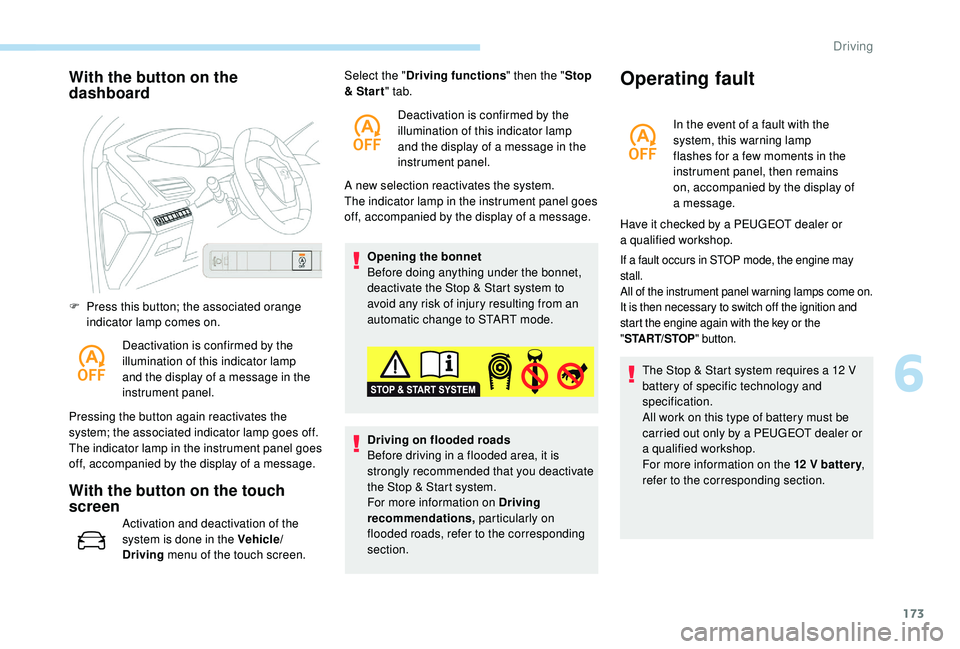
With the button on the
dashboard
F Press this button; the associated orange indicator lamp comes on.
Deactivation is confirmed by the
illumination of this indicator lamp
and the display of a
message in the
instrument panel.
Pressing the button again reactivates the
system; the associated indicator lamp goes off.
The indicator lamp in the instrument panel goes
off, accompanied by the display of a
message.
With the button on the touch
screen
Activation and deactivation of the
system is done in the Vehicle/
Driving menu of the touch screen. A new selection reactivates the system.
The indicator lamp in the instrument panel goes
off, accompanied by the display of a
message.
Opening the bonnet
Before doing anything under the bonnet,
deactivate the Stop & Start system to
avoid any risk of injury resulting from an
automatic change to START mode.
Select the "
Driving functions " then the "Stop
& Star t " tab.
Deactivation is confirmed by the
illumination of this indicator lamp
and the display of a message in the
instrument panel.
Driving on flooded roads
Before driving in a flooded area, it is
strongly recommended that you deactivate
the Stop & Start system.
For more information on Driving
recommendations, particularly on
flooded roads, refer to the corresponding
section.
Operating fault
In the event of a fault with the
s ystem, this warning lamp
flashes for a
few moments in the
instrument panel, then remains
on, accompanied by the display of
a
message.
If a fault occurs in STOP mode, the engine may
s tall.
All of the instrument panel warning lamps come on.
It is then necessary to switch off the ignition and
start the engine again with the key or the
" ST
ART/STOP " button.
The Stop & Start system requires a 12 V
b attery of specific technology and
specification.
All work on this type of battery must be
carried out only by a
PEUGEOT dealer or
a
qualified workshop.
For more information on the 12
V batter y,
refer to the corresponding section.
Have it checked by a
PEUGEOT dealer or
a
qualified workshop.
6
Driving
Page 181 of 364
179
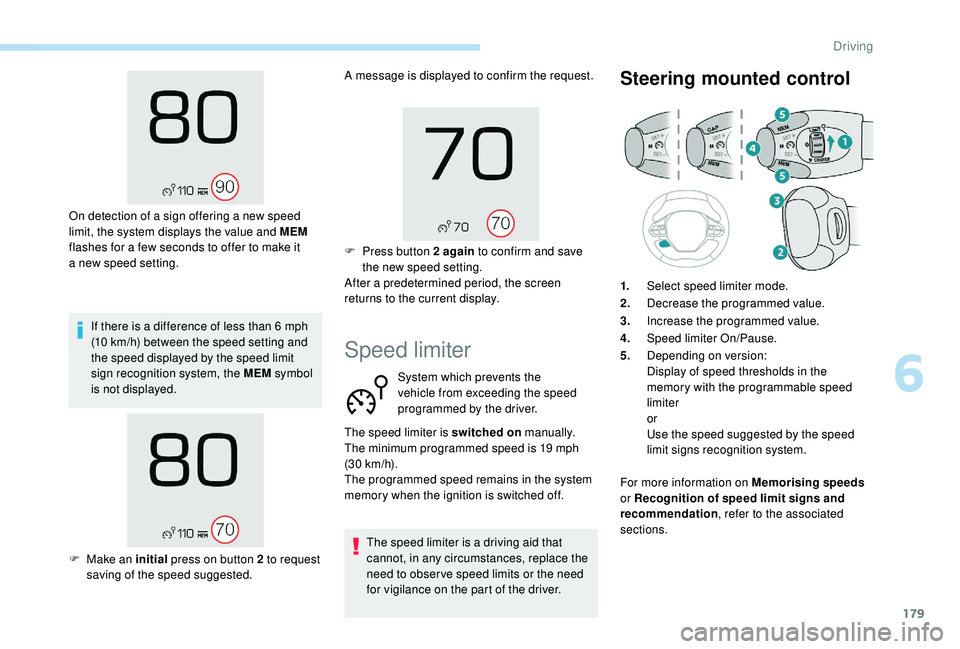
If there is a difference of less than 6 mph
( 10 km/h) between the speed setting and
the speed displayed by the speed limit
sign recognition system, the MEM symbol
is not displayed.
On detection of a
sign offering a new speed
limit, the system displays the value and MEM
flashes for a few seconds to offer to make it
a
new speed setting. A message is displayed to confirm the request.
F
P
ress button 2 again
to confirm and save
the new speed setting.
After a predetermined period, the screen
returns to the current display.
Speed limiter
System which prevents the
vehicle from exceeding the speed
programmed by the driver.
The speed limiter is a
driving aid that
cannot, in any circumstances, replace the
need to obser ve speed limits or the need
for vigilance on the part of the driver.
Steering mounted control
The speed limiter is switched on manually.
The minimum programmed speed is 19 mph
(30
km/h).
The programmed speed remains in the system
memory when the ignition is switched off. 1.
Select speed limiter mode.
2. Decrease the programmed value.
3. Increase the programmed value.
4. Speed limiter On/Pause.
5. Depending on version:
Display of speed thresholds in the
memory with the programmable speed
limiter
or
Use the speed suggested by the speed
limit signs recognition system.
For more information on Memorising speeds
or Recognition of speed limit signs and
recommendation , refer to the associated
sections.
F
M
ake an initial press on button 2 to request
saving of the speed suggested.
6
Driving
Page 183 of 364
181
On a steep descent or in the event of
shar p acceleration, the speed limiter will
not be able to prevent the vehicle from
exceeding the programmed speed.
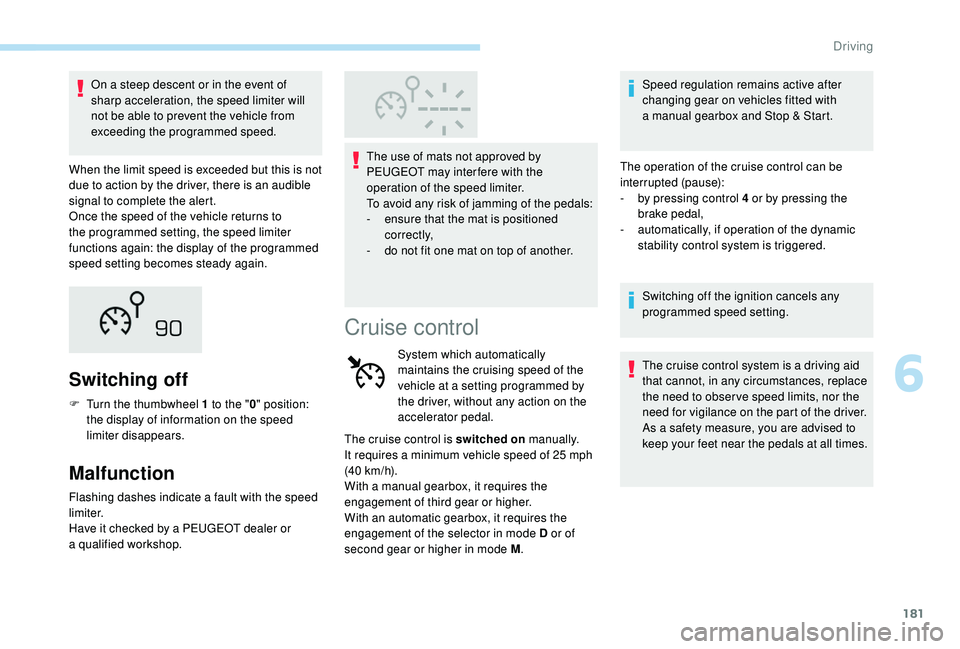
When the limit speed is exceeded but this is not
due to action by the driver, there is an audible
signal to complete the alert.
Once the speed of the vehicle returns to
the programmed setting, the speed limiter
functions again: the display of the programmed
speed setting becomes steady again.
Switching off
F Turn the thumbwheel 1 to the "0" position:
the display of information on the speed
limiter disappears.
Malfunction
Flashing dashes indicate a fault with the speed
l imiter.
Have it checked by a
PEUGEOT dealer or
a
qualified workshop. The use of mats not approved by
PEUGEOT may inter fere with the
operation of the speed limiter.
To avoid any risk of jamming of the pedals:
-
e
nsure that the mat is positioned
c o r r e c t l y,
-
d
o not fit one mat on top of another.
Cruise control
System which automatically
maintains the cruising speed of the
vehicle at a
setting programmed by
the driver, without any action on the
accelerator pedal.
The cruise control is switched on manually.
It requires a
minimum vehicle speed of 25 mph
(40
km/h).
With a
manual gearbox, it requires the
engagement of third gear or higher.
With an automatic gearbox, it requires the
engagement of the selector in mode D or of
second gear or higher in mode M .Speed regulation remains active after
changing gear on vehicles fitted with
a
manual gearbox and Stop & Start.
The operation of the cruise control can be
interrupted (pause):
-
b
y pressing control 4 or by pressing the
brake pedal,
-
a
utomatically, if operation of the dynamic
stability control system is triggered.
Switching off the ignition cancels any
programmed speed setting.
The cruise control system is a driving aid
that cannot, in any circumstances, replace
the need to obser ve speed limits, nor the
need for vigilance on the part of the driver.
As a
safety measure, you are advised to
keep your feet near the pedals at all times.
6
Driving
Page 188 of 364
186
Pause
The adaptive cruise control can be paused
manually by:
-
a
ction by the driver:
•
O
n button 4 (Pause).
•
O
n the brake pedal.
•
O
n the electric parking brake control.
•
B
y changing from mode D to N with an
automatic gearbox.
When the cruise control is paused, it
can only be reactivated when all of the
safety conditions are met. The message
"Activation not possible, conditions
unsuitable" is displayed while reactivation is
not possible.
To reactivate the function, the driver
must accelerate to reach at least 19
mph
(30
km/h), then press one of the
buttons 2 ,
3 or 4.
As a safety measure, wait until the current
speed reaches the speed setting to
reactivate the function by pressing button 4 .
Versions fitted with an automatic
gearbox
Following braking of the vehicle bringing it
to a
complete stop, the system holds the
vehicle stationary; the cruise control is
paused.
The driver should press the accelerator
pedal to move off, then reactivate the
system above 19
mph (30 km/h) by
pressing button 2 , 3
or 4.
If the driver takes no action following
this immobilisation, the electric parking
brake is applied automatically after a
few
minutes.
Modification of the speed
setting
Modification from the current
speed
F By successive short presses on button 2 or
3 , to raise or lower the setting in steps of
1
mph (km/h).
F
B
y a maintained press on button 2 or 3, to
raise or lower the setting in steps of 5
mph
(km/h).
Take care: the maintained press on button
2
or 3 will cause a very quick change in
the speed of your vehicle.
Modification from the speed limit
sign recognition system
F The suggested speed is displayed in the instrument panel.
Engine running and cruise control on (green),
you can modify the speed setting.
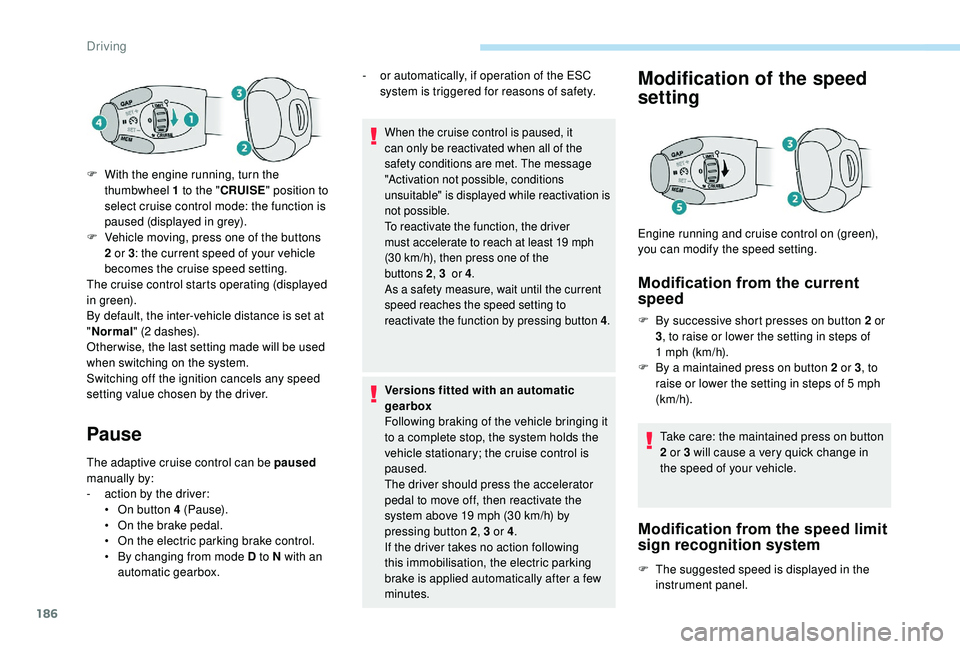
F
W
ith the engine running, turn the
thumbwheel 1
to the "
CRUISE " position to
select cruise control mode: the function is
paused (displayed in grey).
F
V
ehicle moving, press one of the buttons
2
or 3
: the current speed of your vehicle
becomes the cruise speed setting.
The cruise control starts operating (displayed
in green).
By default, the inter-vehicle distance is set at
" Normal " (2
dashes).
Other wise, the last setting made will be used
when switching on the system.
Switching off the ignition cancels any speed
setting value chosen by the driver. -
o
r automatically, if operation of the ESC
system is triggered for reasons of safety.
Driving
Page 189 of 364
187
For more information on Recognition of
speed limit signs and recommendation,
refer to the corresponding section. F
M
ake an initial press on button 5
; a
message is displayed to confirm the
memorisation request.
F
P
ress button 5 again to save the suggested
speed.
The speed displays immediately in the
instrument panel as the new speed setting.
As a precaution, it is recommended
that you select a
cruise speed close to
the current speed of your vehicle, so
as to avoid any sudden acceleration or
deceleration of the vehicle.
Modification of the
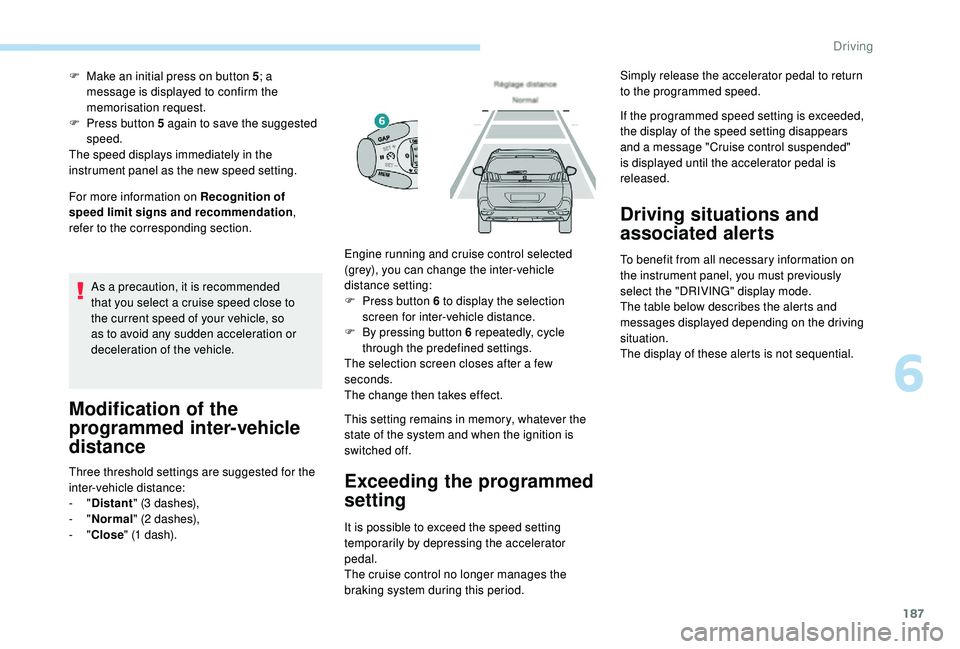
programmed inter-vehicle
distance
Three threshold settings are suggested for the
inter-vehicle distance:
-
"Distant " (3
dashes),
-
"Normal " (2
dashes),
-
"Close " (1
dash). This setting remains in memory, whatever the
state of the system and when the ignition is
switched off.Exceeding the programmed
setting
It is possible to exceed the speed setting
temporarily by depressing the accelerator
pedal.
The cruise control no longer manages the
braking system during this period. If the programmed speed setting is exceeded,
the display of the speed setting disappears
and a
message "Cruise control suspended"
is displayed until the accelerator pedal is
released.
Driving situations and
associated alerts
To benefit from all necessary information on
the instrument panel, you must previously
select the "DRIVING" display mode.
The table below describes the alerts and
messages displayed depending on the driving
situation.
The display of these alerts is not sequential.
Engine running and cruise control selected
(grey), you can change the inter-vehicle
distance setting:
F
P
ress button 6
to display the selection
screen for inter-vehicle distance.
F
B
y pressing button 6
repeatedly, cycle
through the predefined settings.
The selection screen closes after a
few
seconds.
The change then takes effect. Simply release the accelerator pedal to return
to the programmed speed.
6
Driving
Page 196 of 364
194
This level of alert is based on the inter-vehicle
time between your vehicle and the vehicle in
front.Level 2 (red) : visual and audible
alert, warning you that a
collision is
imminent.
The message " Brake!" is displayed.
This level of alert is based on the time before
collision. It takes account of the vehicle
dynamics, the speed of your vehicle and the
one in front, the environmental conditions, the
operation of the vehicle (cornering, pedals
pressed, etc.) to trigger the alert at the best
moment.
Where the speed of your vehicle is too
high approaching another vehicle, the first
level of alert may not be displayed: the
level 2
alert may be displayed directly.
Important: alert level 1
is never displayed
when the " Close" trigger threshold has
been selected.
Modifying the alert trigger
threshold
This threshold determines how you wish to be
warned of the presence of a vehicle moving
or stationary in front of you, or a
pedestrian
present in your traffic lane.
The current threshold can be modified via the
vehicle configuration menu.
You can select one of three predefined
thresholds:
-
"Distant ",
-
"Normal ",
-
"Close ".
The last threshold selected is kept in memory
when the ignition is switched off.
Intelligent emergency
braking assistance
If the driver brakes, but not sufficiently to avoid
a collision, this system will supplement the
braking, within the limits of the laws of physics.
This assistance will only be provided if you
press the brake pedal.
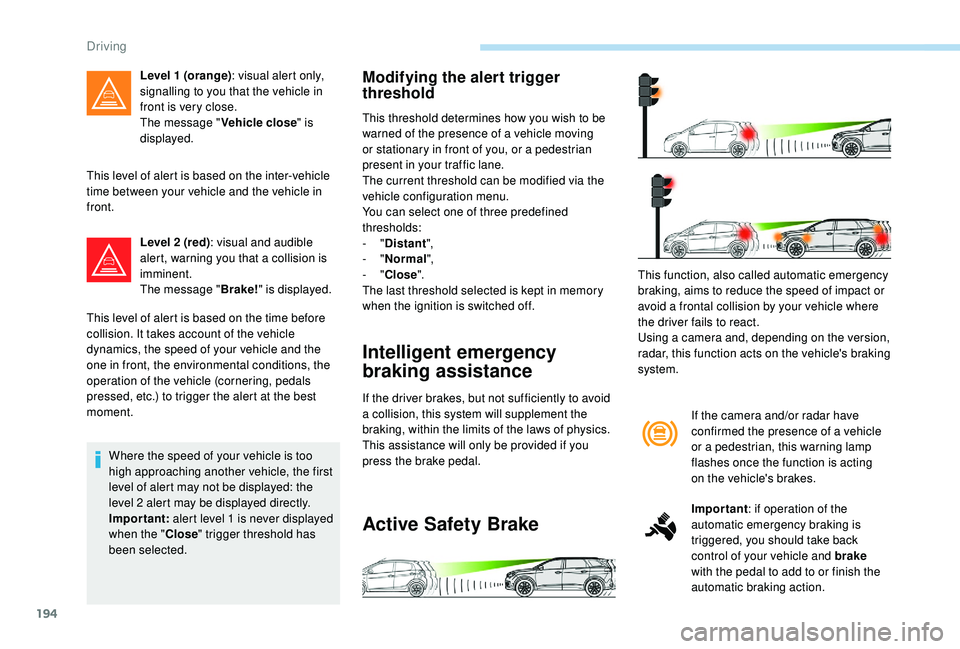
Active Safety Brake
If the camera and/or radar have
confirmed the presence of a vehicle
or a
pedestrian, this warning lamp
flashes once the function is acting
on the vehicle's brakes.
Important : if operation of the
automatic emergency braking is
triggered, you should take back
control of your vehicle and brake
with the pedal to add to or finish the
automatic braking action.
This function, also called automatic emergency
braking, aims to reduce the speed of impact or
avoid a
frontal collision by your vehicle where
the driver fails to react.
Using a
camera and, depending on the version,
radar, this function acts on the vehicle's braking
system.
Level 1 (orange)
: visual alert only,
signalling to you that the vehicle in
front is very close.
The message " Vehicle close" is
displayed.
Driving