ignition PEUGEOT 5008 2018 Owners Manual
[x] Cancel search | Manufacturer: PEUGEOT, Model Year: 2018, Model line: 5008, Model: PEUGEOT 5008 2018Pages: 364, PDF Size: 13.03 MB
Page 316 of 364
2
First steps
With the engine running, a press
mutes the sound.
With the ignition off, a press turns
the system on.
Adjustment of the volume.
Use the buttons on either side of or below the
touch screen for access to the menus, then
press the virtual buttons in the touch screen.
Depending on the model, use the "Source" or
"Menu" buttons on the left-hand side of the
touch screen for access to the menus, then
press the virtual buttons in the touch screen.
You can display the menus at any time by
pressing the screen briefly with three fingers.
All of the touch areas of the screen are white.
Press in the grey zone to go back a
level or
confirm.
Press the back arrow to go back a
level or
confirm. The touch screen is of the "capacitive"
type.
To clean the screen, use a
soft, non-
abrasive cloth (e.g. spectacles cloth) with
no additional product.
Do not use sharp objects on the screen.
Do not touch the screen with wet hands.
*
D
epending on equipment.
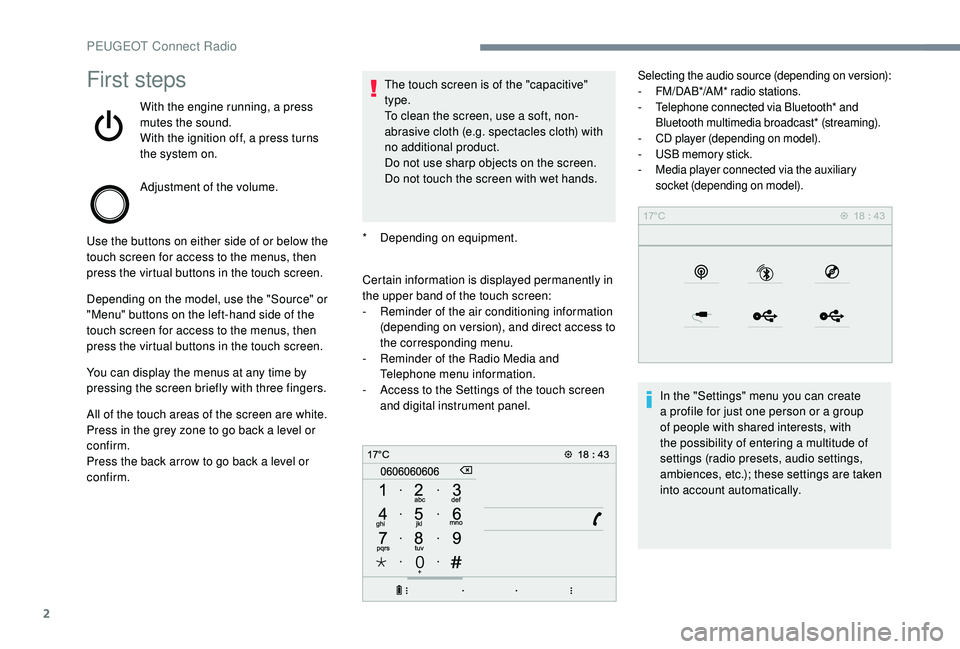
Certain information is displayed permanently in
the upper band of the touch screen:
-
R
eminder of the air conditioning information
(depending on version), and direct access to
the corresponding menu.
-
R
eminder of the Radio Media and
Telephone menu information.
-
A
ccess to the Settings of the touch screen
and digital instrument panel.
Selecting the audio source (depending on version):
- F M/DAB*/AM* radio stations.
-
T
elephone connected via Bluetooth* and
Bluetooth multimedia broadcast* (streaming).
-
C
D player (depending on model).
-
U
SB memory stick.
-
M
edia player connected via the auxiliary
socket (depending on model).
In the "Settings" menu you can create
a profile for just one person or a group
of people with shared interests, with
the possibility of entering a
multitude of
settings (radio presets, audio settings,
ambiences, etc.); these settings are taken
into account automatically.
PEUGEOT Connect Radio
Page 323 of 364
9
If the "DAB" station being listened to is
not available on FM, or if the "FM-DAB
Tracking" is not activated, the sound will
cut out while the digital signal is too weak.
Media
USB port
Insert the USB memory stick in the USB port or
connect the USB device to the USB port using
a
suitable cable (not supplied).
To protect the system, do not use a
USB
hub.
The system builds playlists (in temporary
memory), an operation which can take from
a
few seconds to several minutes at the first
connection.
Reduce the number of non-music files and the
number of folders to reduce the waiting time. The playlists are updated every time the
ignition is switched off or a
USB memory stick
is connected. The lists are memorised: if they
are not modified, the subsequent loading time
will be shorter.
Auxiliary socket (AUX)
(depending on model/depending on equipment)
This source is only available if "Auxiliary input"
has been checked in the audio settings.
Connect the portable device (MP3
player, etc.)
to the auxiliary Jack socket using an audio
cable (not supplied).
First, adjust the volume on your portable device
(to a
high level). Then adjust the volume of your
audio system.
Display and management of the controls are
via the portable device.
Selecting the source
Press Radio Media to display the
primary page.
Press the " SOURCES " button.
Choose the source.
Bluetooth® audio streaming
Streaming allows you to listen to music from
your smartphone.
The Bluetooth profile must be activated, first
adjust the volume on your portable device (to
a
high level).
Then adjust the volume of your system.
If play does not start automatically, it may be
necessary to start the audio playback from the
smartphone.
Control is from the portable device or by using
the system's touch buttons.
Once connected in Streaming mode, the
smartphone is considered to be a
media
source.
.
PEUGEOT Connect Radio
Page 327 of 364
13
As a safety measure, applications can
o nly be viewed with the vehicle stationary;
display is interrupted once the vehicle is
moving.
The "Android Auto" function requires the
use of a
compatible smartphone and
applications.
Telephone not connected by
Bluetooth®
Connect a USB cable. The
sm artphone charges when
connected by a
USB cable.
From the system, press
" Telephone " to display the primary
page.
Press " Android Auto " to start the
application in the system.
Depending on the smartphone, it may be
necessary to activate the " Android Auto"
function.
During the procedure, several
screen pages relating to certain
functions are displayed.
Accept to start and complete the
connection. When connecting a
smartphone
to the system, it is recommended
that Bluetooth
® be started on the
smartphone
Telephone connected by
Bluetooth®
From the system, press
" Telephone " to display the primary
page.
Press the " PHONE" button to display the
secondary page.
Press "Android Auto " to start the
application in the system.
Different audio sources remain accessible in
the margin of the Android Auto display, using
touch buttons in the upper bar.
Access to the menus for the system is possible
at any time using the dedicated buttons.
There may be a
wait for the availability of
applications, depending on the quality of
your network.
Pairing a Bluetooth®
telephone
As a safety measure and because it
r equires sustained attention by the
driver, the pairing of a
Bluetooth mobile
telephone with the Bluetooth hands-free
system of your audio system must be
done with the vehicle stationary and the
ignition on.
Activate the Bluetooth function on the
telephone and ensure that it is "visible to
all" (telephone configuration).
Procedure from the telephone
Select the name of the system in the
list of devices detected.
In the system, accept the connection request
from the telephone.
To complete the pairing, whichever
procedure is used (from the telephone or
from the system), ensure that the code
is the same in the system and in the
telephone.
.
PEUGEOT Connect Radio
Page 328 of 364
14
Procedure from the system
Press Telephone to display the
primary page.
Press " Bluetooth search ".
The list of telephones detected is
displayed.
Select the name of the chosen
telephone in the list.
If the pairing procedure fails, it is recommended
that you deactivate and then reactivate the
"Bluetooth" function in your telephone.
Depending on the type of telephone, you
may be asked to accept or not the transfer
of your contacts and messages.
Automatic reconnection
On return to the vehicle, if the last
telephone connected is present again, it is
automatically recognised and within about
30
seconds of switching on the ignition,
the connection is established without any
action on your part (Bluetooth activated). To modify the connection profile:
Press Telephone to display the
primary page.
Press the " PHONE" button to go to the
secondary page.
Press "Bluetooth connection " to
display the list of paired devices.
Press the "details" button of a paired
device.
The system offers to connect the telephone
with 3
profiles:
- "
Telephone " (hands-free kit, telephone
only),
- "
Streaming " (streaming: wireless playing of
the audio files on the telephone),
- "
Internet data ".
Select one or more profiles.
Press " OK" to confirm. The ability of the system to connect to just
one profile depends on the telephone.
All three profiles may connect by default.
The services available depend on
the network, the SIM card and the
compatibility of the Bluetooth devices
used. Check the instructions for your
telephone and with your service provider
for the ser vices to which you have access.
The profiles compatible with the system
are: HFP, OPP, PBAP, A 2DP, AVRCP,
MAP and PAN.
Go to the Brand's website for more information
(compatibility, additional help, etc.).Managing paired telephones
This function allows the connection or
disconnection of a peripheral device as
well as the deletion of a
pairing.
Press Telephone to display the
primary page.
PEUGEOT Connect Radio
Page 336 of 364
22
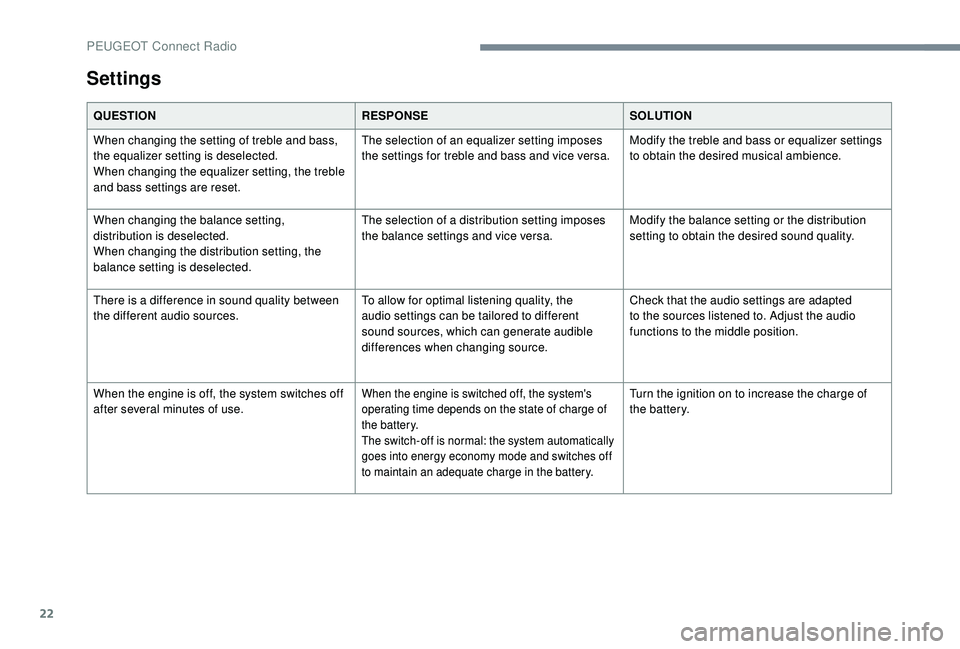
Settings
QUESTIONRESPONSESOLUTION
When changing the setting of treble and bass,
the equalizer setting is deselected.
When changing the equalizer setting, the treble
and bass settings are reset. The selection of an equalizer setting imposes
the settings for treble and bass and vice versa.
Modify the treble and bass or equalizer settings
to obtain the desired musical ambience.
When changing the balance setting,
distribution is deselected.
When changing the distribution setting, the
balance setting is deselected. The selection of a
distribution setting imposes
the balance settings and vice versa. Modify the balance setting or the distribution
setting to obtain the desired sound quality.
There is a
difference in sound quality between
the different audio sources. To allow for optimal listening quality, the
audio settings can be tailored to different
sound sources, which can generate audible
differences when changing source.Check that the audio settings are adapted
to the sources listened to. Adjust the audio
functions to the middle position.
When the engine is off, the system switches off
after several minutes of use.
When the engine is switched off, the system's
operating time depends on the state of charge of
the battery.
The switch-off is normal: the system automatically
goes into energy economy mode and switches off
to maintain an adequate charge in the battery.Turn the ignition on to increase the charge of
the battery.
PEUGEOT Connect Radio
Page 337 of 364
1
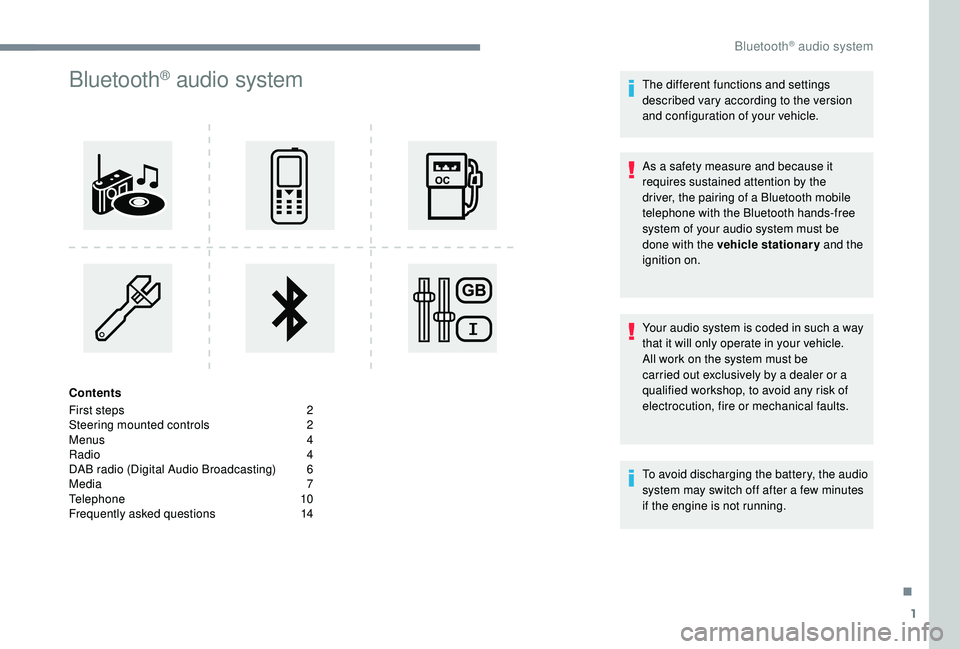
Bluetooth® audio system
Contents
First steps
2
S
teering mounted controls
2
M
enus
4
R
adio
4
D
AB radio (Digital Audio Broadcasting)
6
M
edia
7
T
elephone
1
0
Frequently asked questions
1
4 The different functions and settings
described vary according to the version
and configuration of your vehicle.
As a
safety measure and because it
requires sustained attention by the
driver, the pairing of a Bluetooth mobile
telephone with the Bluetooth hands-free
system of your audio system must be
done with the vehicle stationary and the
ignition on.
Your audio system is coded in such a way
that it will only operate in your vehicle.
All work on the system must be
carried out exclusively by a dealer or a
qualified workshop, to avoid any risk of
electrocution, fire or mechanical faults.
To avoid discharging the battery, the audio
system may switch off after a
few minutes
if the engine is not running.
.
Bluetooth® audio system
Page 346 of 364
10
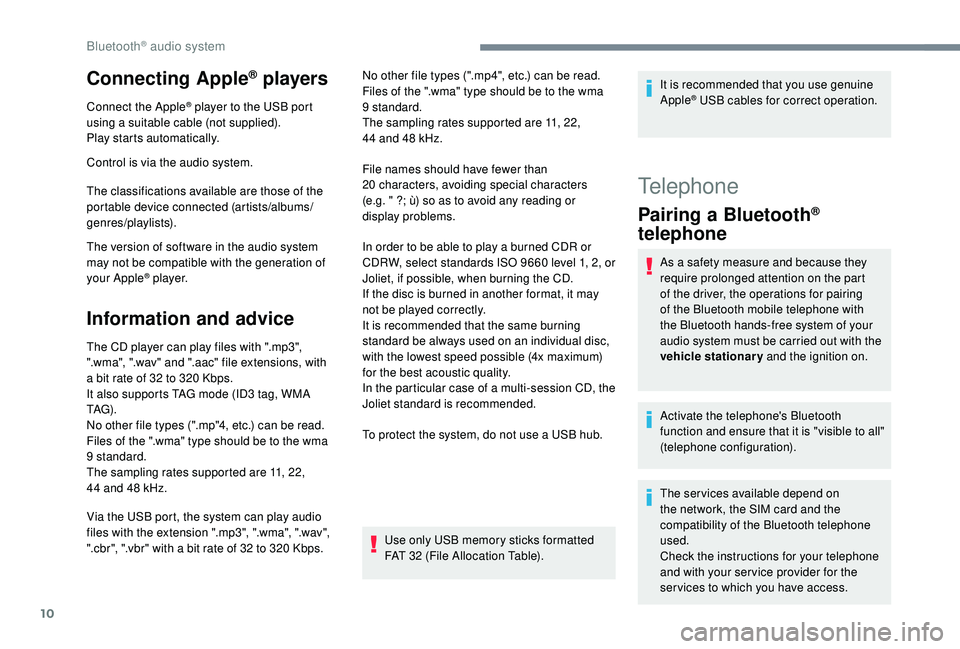
Connecting Apple® players
Connect the Apple® player to the USB port
using a
suitable cable (not supplied).
Play starts automatically.
Control is via the audio system.
The classifications available are those of the
portable device connected (artists/albums/
genres/playlists).
The version of software in the audio system
may not be compatible with the generation of
your Apple
® p l aye r.
Information and advice
The CD player can play files with ".mp3",
".wma", ".wav" and ".aac" file extensions, with
a
bit rate of 32 to 320 Kbps.
It also supports TAG mode (ID3
tag, WMA
TAG) .
No other file types (".mp"4, etc.) can be read.
Files of the ".wma" type should be to the wma
9
standard.
The sampling rates supported are 11, 22,
44
and 48 kHz. No other file types (".mp4", etc.) can be read.
Files of the ".wma" type should be to the wma
9
standard.
The sampling rates supported are 11, 22,
44 and 48 kHz.
File names should have fewer than
20
characters, avoiding special characters
(e.g. " ?; ù) so as to avoid any reading or
display problems.
In order to be able to play a burned CDR or
CDRW, select standards ISO 9660 level 1, 2, or
Joliet, if possible, when burning the CD.
If the disc is burned in another format, it may
not be played correctly.
It is recommended that the same burning
standard be always used on an individual disc,
with the lowest speed possible (4x maximum)
for the best acoustic quality.
In the particular case of a
multi-session CD, the
Joliet standard is recommended.
To protect the system, do not use a
USB hub.
Use only USB memory sticks formatted
FAT 32 (File Allocation Table).
Via the USB port, the system can play audio
files with the extension ".mp3", ".wma", ".wav",
".cbr", ".vbr" with a
bit rate of 32 to 320 Kbps. It is recommended that you use genuine
Apple
® USB cables for correct operation.
Telephone
Pairing a
Bluetooth®
telephone
As a safety measure and because they
r equire prolonged attention on the part
of the driver, the operations for pairing
of the Bluetooth mobile telephone with
the Bluetooth hands-free system of your
audio system must be carried out with the
vehicle stationary and the ignition on.
Activate the telephone's Bluetooth
function and ensure that it is "visible to all"
(telephone configuration).
The services available depend on
the network, the SIM card and the
compatibility of the Bluetooth telephone
used.
Check the instructions for your telephone
and with your ser vice provider for the
ser vices to which you have access.
Bluetooth® audio system
Page 351 of 364
15
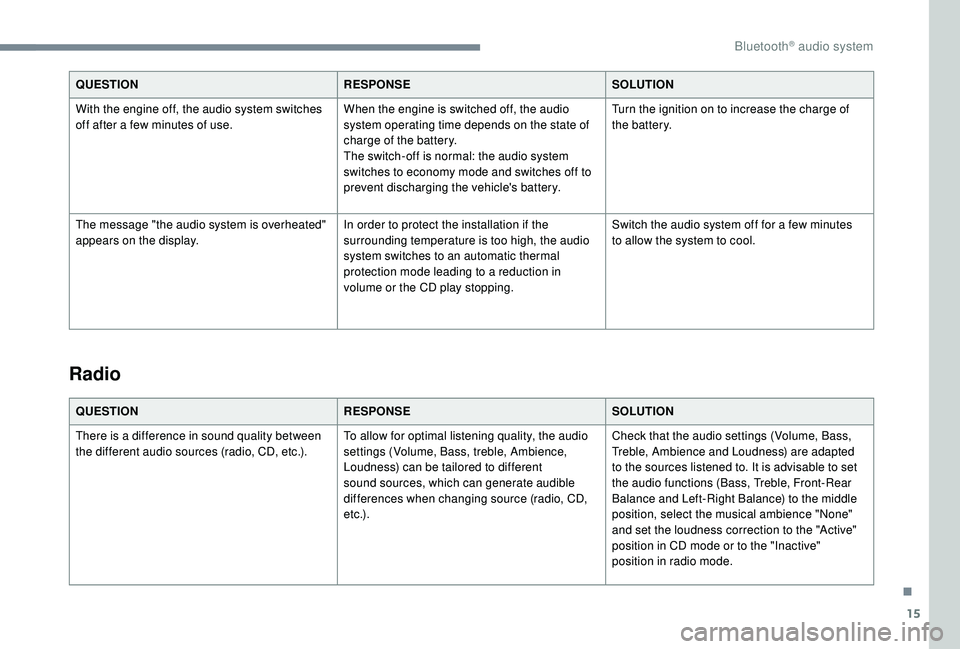
QUESTIONRESPONSESOLUTION
With the engine off, the audio system switches
off after a
few minutes of use. When the engine is switched off, the audio
system operating time depends on the state of
charge of the battery.
The switch-off is normal: the audio system
switches to economy mode and switches off to
prevent discharging the vehicle's battery. Turn the ignition on to increase the charge of
the battery.
The message "the audio system is overheated"
appears on the display. In order to protect the installation if the
surrounding temperature is too high, the audio
system switches to an automatic thermal
protection mode leading to a
reduction in
volume or the CD play stopping. Switch the audio system off for a
few minutes
to allow the system to cool.
Radio
QUESTION RESPONSESOLUTION
There is a difference in sound quality between
the different audio sources (radio, CD, etc.). To allow for optimal listening quality, the audio
settings (Volume, Bass, treble, Ambience,
Loudness) can be tailored to different
sound sources, which can generate audible
differences when changing source (radio, CD,
e t c .) .Check that the audio settings (Volume, Bass,
Treble, Ambience and Loudness) are adapted
to the sources listened to. It is advisable to set
the audio functions (Bass, Treble, Front-Rear
Balance and Left-Right Balance) to the middle
position, select the musical ambience "None"
and set the loudness correction to the "Active"
position in CD mode or to the "Inactive"
position in radio mode.
.
Bluetooth® audio system
Page 357 of 364
277
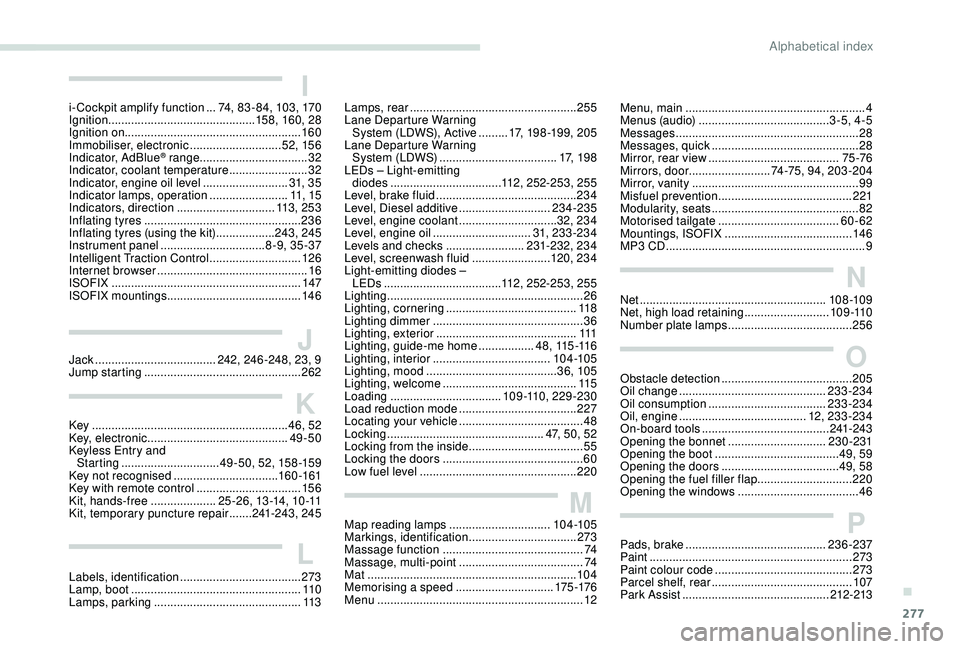
Key ............................................................ 46, 52
Key, electronic ........................................... 49-50
Keyless Entry and Starting
.............................. 49 - 5 0, 52, 15 8 -159
Key not recognised
................................ 16
0 -161
Key with remote control
................................15
6
Kit, hands-free
.................... 2
5 -2 6 , 13 -14, 10 -11
Kit, temporary puncture repair
....... 24
1-243, 245Map reading lamps
............................... 10
4 -105
Markings, identification
.................................273
Massage function
...........................................74
Massage, multi-point
......................................74
Mat
................................................................104
Memorising a
speed
..............................17
5 -176
Menu
...............................................................12K
J
L
M
Labels, identification ..................................... 273
Lamp, boot .................................................... 11 0
Lamps, parking
............................................. 113
Jack
...............................
......
242, 246 -248, 23, 9
Jump starting
................................................
262
Ii-Cockpit amplify function ...7 4, 83 - 84, 103, 170
Ignition ................ ............................. 158, 160, 28
Ignition on ...................................................... 160
Immobiliser, electronic
............................52, 15 6
Indicator, AdBlue
® range ................................. 32
Indicator, coolant temperature ........................ 32
Indicator, engine oil level
.......................... 31, 3 5
Indicator lamps, operation
........................ 11
, 15
Indicators, direction
.............................. 113 , 2 5 3
Inflating tyres
................................................ 236
Inflating tyres (using the kit)
.................. 24
3, 245
Instrument panel
................................ 8 -9, 35 -37
Intelligent Traction Control
............................ 126
Internet browser
.............................................. 16
I
SOFIX
.......................................................... 147
ISOFIX mountings ......................................... 14 6Lamps, rear
...................................................
255
Lane Departure Warning System (LDWS), Active
.........
17, 198 -19 9, 205
Lane Departure Warning System (LDWS) ....................................17, 1 9 8
LEDs – Light-emitting diodes
..................................112, 252-253, 255
Level, brake fluid
...........................................234
Level, Diesel additive
............................234-235
Level, engine coolant
..............................32, 234
Level, engine oil
..............................31, 233-234
Levels and checks
........................23
1-232, 234
Level, screenwash fluid
........................1
20, 234
Light-emitting diodes – LEDs
...............................
.....112, 252-253, 255
Lighting
............................................................26
Lighting, cornering
........................................11 8
Lighting dimmer
..............................................36
Lighting, exterior
...........................................111
Lighting, guide-me home
.................4 8 , 115 -11 6
Lighting, interior
...............................
.....104 -105
Lighting, mood
........................................36, 105
Lighting, welcome
.........................................115
Loading
..................................109 -110, 229 -230
Load reduction mode
....................................227
Locating your vehicle
......................................48
Locking
...............................
.................47, 50, 52
Locking from the inside
...................................55
Locking the doors
........................................... 60
L
ow fuel level
................................................2
20Menu, main
.......................................................
4
M
enus (audio)
........................................
3-5, 4-5
Messages
........................................................
28
Messages, quick ............................................. 28
M irror, rear view ........................................75 -76
Mirrors, door ......................... 74-75, 94, 203 -204
Mirror, vanity
...................................................99
Misfuel prevention
.........................................221
Modularity, seats
.............................................82
Motorised tailgate
..................................... 6
0-62
Mountings, ISOFIX
.......................................14 6
MP3
CD .............................................................9
N
Net ......................................................... 108 -109
Net, high load retaining ..........................109 -110
Number plate lamps
...................................... 256
O
Obstacle detection ........................................ 205
Oil change ............................................. 23
3-234
Oil consumption
.................................... 233-234
Oil, engine
....................................... 12, 233-234
On-board tools
....................................... 241-243
Opening the bonnet
..............................230-231
Opening the boot
...................................... 49, 59
Opening the doors
.................................... 49, 58
Opening the fuel filler flap
.............................220
Opening the windows
..................................... 46
P
ads, brake
........................................... 236-237
Paint
.............................................................. 273
Paint colour code
.......................................... 273
Parcel shelf, rear
........................................... 107
Park Assist
...............................
..............212-213
P
.
Alphabetical index
Page 358 of 364
278
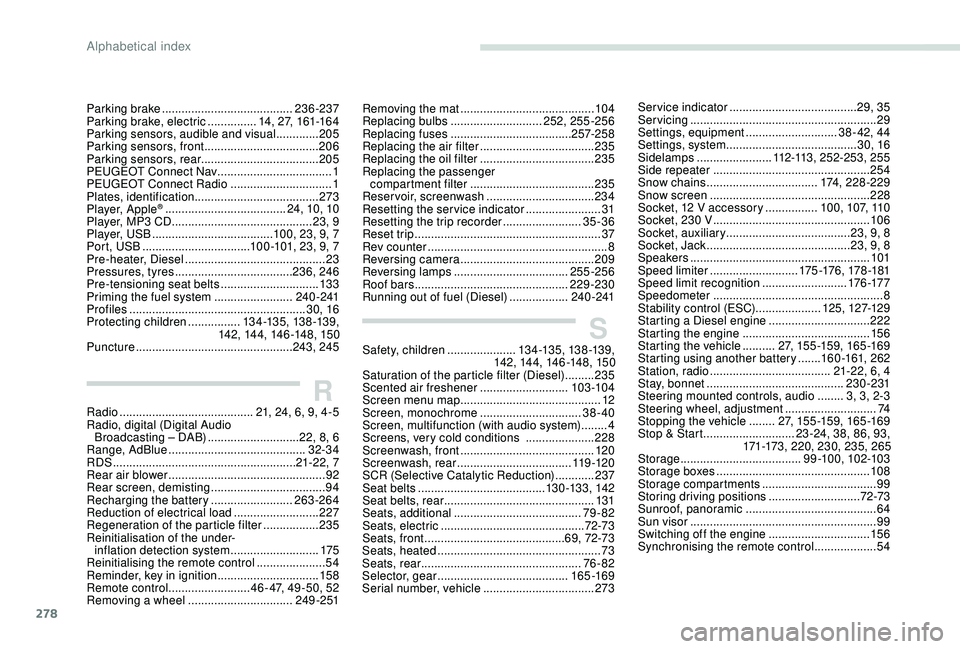
SSafety, children .....................13 4 -13 5, 13 8 -13 9,
142, 14 4, 14 6 -148, 15 0
Saturation of the particle filter (Diesel)
.........235
Scented air freshener
...........................103 -104
Screen menu map
........................................... 12
Screen, monochrome
...............................38-40
Screen, multifunction (with audio system)
........4
Screens, very cold conditions
.....................2
28
Screenwash, front
......................................... 120
Screenwash, rear
................................... 11 9 -12 0
SCR (Selective Catalytic Reduction)
............237
Seat belts
....................................... 13 0 -13 3, 142
Seat belts, rear
.............................................. 131
Seats, additional
....................................... 79
-82
Seats, electric
............................................ 72-73
Seats, front
...............................
............69, 72-73
Seats, heated
.................................................. 73
Seats, rear
................................................. 76 - 82
Selector, gear
........................................ 165 -169
Serial number, vehicle
..................................273
RRadio ......................................... 21, 24, 6, 9, 4-5
Radio, digital (Digital Audio Broadcasting – DAB)
............................22, 8, 6
Range, AdBlue
.......................................... 32-34
RDS
................
........................................ 21-22, 7
Rear air blower
...............................
.................92
Rear screen, demisting
...................................94
Recharging the battery
.........................263-264
Reduction of electrical load
..........................227
Regeneration of the particle filter
.................235
Reinitialisation of the under- inflation detection system
...........................175
Reinitialising the remote control
..................... 54
R
eminder, key in ignition
...............................15
8
Remote control
......................... 46 - 47, 49 -50, 52
Removing a
wheel ................................ 24 9 - 2 51 Service indicator
.......................................
29, 35
Servicing
......................................................... 29
S
ettings, equipment
............................
38 - 42, 44
Settings, system
........................................
30, 16
Sidelamps
....................... 1
12-113, 252-253, 255
Side repeater
................................................
254
Snow chains
..................................
174, 228-229
Snow screen
.................................................
228
Socket, 12 V accessory ................
10 0, 107, 110
Socket, 230 V
...............................
.................
10 6
Socket, auxiliary
...................................... 2
3, 9, 8
Socket, Jack
............................................
23, 9, 8
Speakers
.......................................................
101
Speed limiter
........................... 17
5 -176 , 178 -181
Speed limit recognition
.......................... 17
6 -17 7
Speedometer
....................................................
8
Stability control (ESC).................... 125, 127-12 9
Starting a
Diesel engine
...............................
222
S
tarting the engine
.......................................
15
6
Starting the vehicle
.......... 2
7, 15 5 -15 9, 16 5 -16 9
Starting using another battery
.......
160 -161, 262
Station, radio
...............................
......
21-22, 6, 4
Stay, bonnet
..........................................
230-231
Steering mounted controls, audio
........ 3
, 3, 2-3
Steering wheel, adjustment ............................ 74
S topping the vehicle ........27, 15 5 -15 9, 16 5 -16 9
Stop & Start
............................23 -24, 38, 86, 93,
171-173, 220, 230, 235, 265
Storage
.....................................99 -10 0, 102-103
Storage boxes
...............................................108
Storage compartments
...................................99
Storing driving positions
............................ 7
2-73
Sunroof, panoramic
........................................ 64
S
un visor
...............................
..........................99
Switching off the engine
...............................15 6
Synchronising the remote control
...................54
Parking brake
........................................
236-237
Parking brake, electric
............... 1
4, 27, 161-16 4
Parking sensors, audible and visual
.............
205
Parking sensors, front
...................................
206
Parking sensors, rear .................................... 205
PEUGEOT Connect Nav ...................................
1
PEUGEOT Connect Radio
...............................
1
P
lates, identification
...................................... 273
Player, Apple
® ..................................... 2 4, 10, 10
Player, MP3
CD ............................... ............23, 9
Player, USB
..................................... 100, 23, 9, 7
Port, USB
................................. 100 -101, 23, 9, 7
Pre-heater, Diesel
........................................... 23
Pressures, tyres
.................................... 236, 246
Pre-tensioning seat belts
.............................. 13 3
Priming the fuel system
........................ 240 -241
Profiles
...................................................... 30, 16
Protecting children
................ 13 4 -13 5, 13 8 -13 9,
142, 14 4, 14 6 -148, 15 0
Puncture
................................................ 243, 245Removing the mat
.........................................
104
Replacing bulbs
............................ 25
2, 255-256
Replacing fuses
.....................................
257-258
Replacing the air filter
................................... 23
5
Replacing the oil filter
................................... 23
5
Replacing the passenger compartment filter
......................................
235
Reservoir, screenwash .................................
234
Resetting the service indicator .......................31
Resetting the trip recorder
........................35-36
Reset trip
.........................................................37
Rev counter
.......................................................8
Reversing camera
...............................
..........209
Reversing lamps
..............................
.....255-256
Roof bars
...............................................229-230
Running out of fuel (Diesel)
..................240 -241
Alphabetical index