display PEUGEOT BOXER 2021 User Guide
[x] Cancel search | Manufacturer: PEUGEOT, Model Year: 2021, Model line: BOXER, Model: PEUGEOT BOXER 2021Pages: 212, PDF Size: 6.37 MB
Page 16 of 212
14
Instruments
Menu... Select... Allows you to...
Service Service (miles/
km before
service) Display the
remaining
miles/
kilometres to
be travelled
before the
next service.
Oil change
(miles/km
before oil
change) Display the
remaining
miles/
kilometres to
be travelled
before the
next oil
change.
For more information on
Vehicle
configuration (MODE) , refer to the
corresponding section.
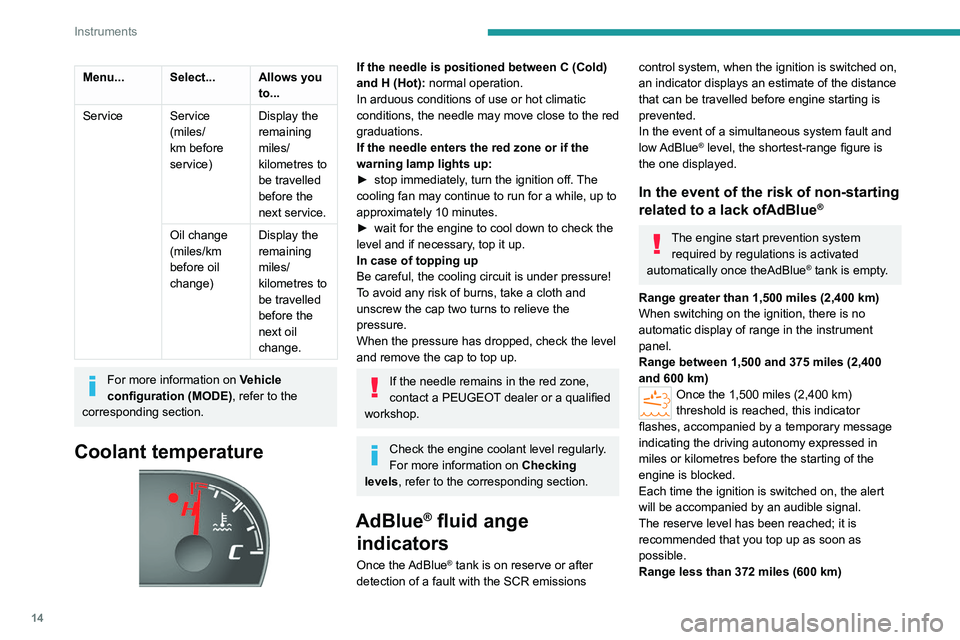
Coolant temperature
If the needle is positioned between C (Cold)
and H (Hot): normal operation.
In arduous conditions of use or hot climatic
conditions, the needle may move close to the red
graduations.
If the needle enters the red zone or if the
warning lamp lights up:
►
stop immediately
, turn the ignition off. The
cooling fan may continue to run for a while, up to
approximately 10 minutes.
►
wait for the engine to cool down to check the
level and if necessary
, top it up.
In case of topping up
Be careful, the cooling circuit is under pressure!
To avoid any risk of burns, take a cloth and
unscrew the cap two turns to relieve the
pressure.
When the pressure has dropped, check the level
and remove the cap to top up.
If the needle remains in the red zone,
contact a PEUGEOT dealer or a qualified
workshop.
Check the engine coolant level regularly.
For more information on Checking
levels, refer to the corresponding section.
AdBlue® fluid ange
indicators
Once the AdBlue® tank is on reserve or after
detection of a fault with the SCR emissions
control system, when the ignition is switched on,
an indicator displays an estimate of the distance
that can be travelled before engine starting is
prevented.
In the event of a simultaneous system fault and
low AdBlue
® level, the shortest-range figure is
the one displayed.
In the event of the risk of non-starting
related to a lack ofAdBlue®
The engine start prevention system required by regulations is activated
automatically once theAdBlue
® tank is empty.
Range greater than 1,500 miles (2,400 km)
When switching on the ignition, there is no
automatic display of range in the instrument
panel.
Range between 1,500 and 375 miles (2,400
and 600 km)
Once the 1,500 miles (2,400 km)
threshold is reached, this indicator
flashes, accompanied by a temporary message
indicating the driving autonomy expressed in
miles or kilometres before the starting of the
engine is blocked.
Each time the ignition is switched on, the alert
will be accompanied by an audible signal.
The reserve level has been reached; it is
recommended that you top up as soon as
possible.
Range less than 372 miles (600 km)
Page 17 of 212
15
Instruments
1Once the 372 miles (600 km) threshold is
reached, this indicator flashes,
accompanied by a message indicating the
driving autonomy expressed in miles or
kilometres before the starting of the engine is
blocked.
The alert will be repeated with update of the
remaining range at each increment of 31 miles
(50 km) travelled.
Each time the ignition is switched on, the alert
will be accompanied by an audible signal.
It is imperative to top up as soon as possible
before the tank empties completely. Otherwise
you will not be able to restart the vehicle.
Breakdown related to a lack of AdBlue
®
0 mile/km range reached: the AdBlue® tank is
empty. An engine immobiliser system required by
legislation prevents starting of the engine.
Unless the AdBlue
® is topped up in the
special additive tank, the vehicle will remain
immobilised.
To be able to restart the engine, you must add at least 5 litres of AdBlue®. You
can also ask a PEUGEOT dealer or a
qualified workshop to carry out the necessary
top-up.
For more information on the AdBlue®
(BlueHDi engines), and in particular on
topping up, refer to the corresponding section.
In the event of a fault with the SCR
emissions control system
Detection
The Engine self-diagnostic warning lamp comes on.
Each time the ignition is switched on, the audible
signal and a message confirm an emissions
control fault.
In the case of a temporary fault, the alert shall
disappear as soon as the level of exhaust
emissions returns to compliance with the
standard.
However, after 31 miles (50 km) travelled
with the warning lamp permanently on,
the fault is confirmed.
An engine immobiliser system will be
automatically activated once 250 miles
(400 km) have been travelled since this
confirmation.
Contact a PEUGEOT dealer or a qualified
workshop.
Fault confirmed
In addition to the previous indications, the
range allowed will be displayed in miles or
kilometres in the instrument panel.
The alert will be repeated every 30 seconds with
an update of the range.
Contact a PEUGEOT dealer or a qualified
workshop. You may not be able to restart the vehicle.
Starting prevented, after the 250 miles
(400 km).
Whenever an attempt is made to start the
engine, the alert is activated and the
starting prevention message is displayed.
In order to be able to restart the engine:
Contact a PEUGEOT dealer or a qualified
workshop.
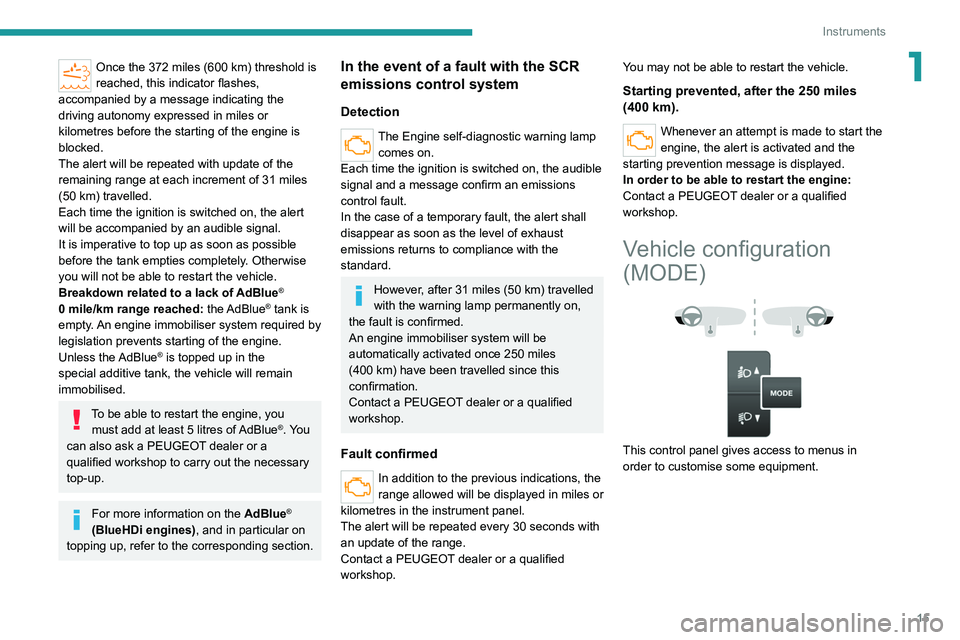
Vehicle configuration
(MODE)
This control panel gives access to menus in
order to customise some equipment.
Page 18 of 212
16
Instruments
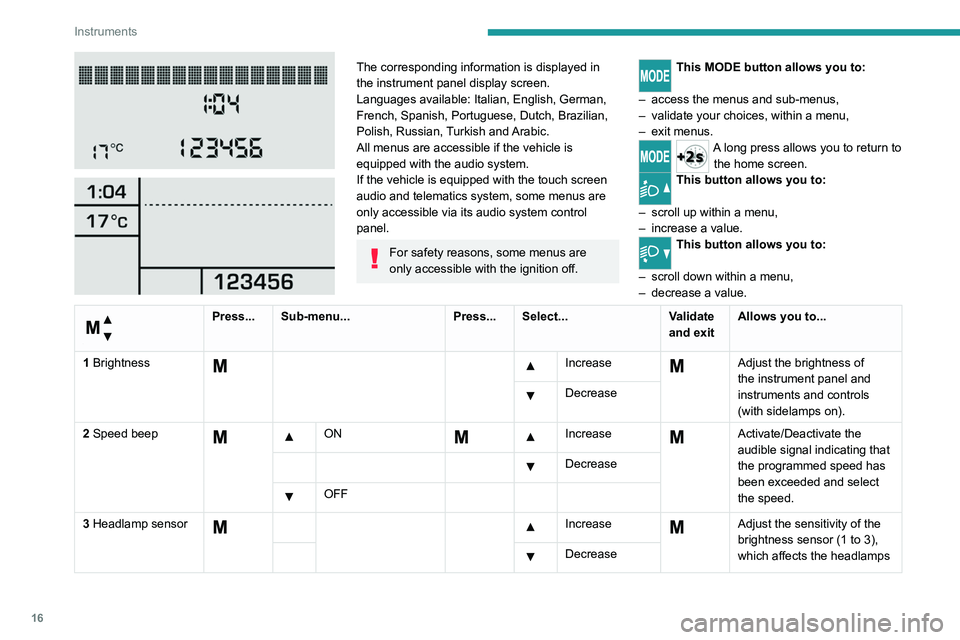
The corresponding information is displayed in
the instrument panel display screen.
Languages available: Italian, English, German,
French, Spanish, Portuguese, Dutch, Brazilian,
Polish, Russian, Turkish and Arabic.
All menus are accessible if the vehicle is
equipped with the audio system.
If the vehicle is equipped with the touch screen
audio and telematics system, some menus are
only accessible via its audio system control
panel.
For safety reasons, some menus are
only accessible with the ignition off.
This MODE button allows you to:
–
access the menus and sub-menus,
–
validate your choices, within a menu,
–
exit menus.
A long press allows you to return to the home screen.
This button allows you to:
–
scroll up within a menu,
–
increase a value.This button allows you to:
–
scroll down within
a menu,
–
decrease a value.
Menu...
Press... Sub-menu... Press... Select...Validate
and exitAllows you to...
1 Brightness
IncreaseAdjust the brightness of
the instrument panel and
instruments and controls
(with sidelamps on).
Decrease
2 Speed beep
ON Increase Activate/Deactivate the
audible signal indicating that
the programmed speed has
been exceeded and select
the speed.
Decrease
OFF
3 Headlamp sensor
Increase Adjust the sensitivity of the
brightness sensor (1 to 3),
which affects the headlamps
Decrease
Page 19 of 212
17
Instruments
1
Menu...
Press... Sub-menu...Press... Select...Validate
and exitAllows you to...
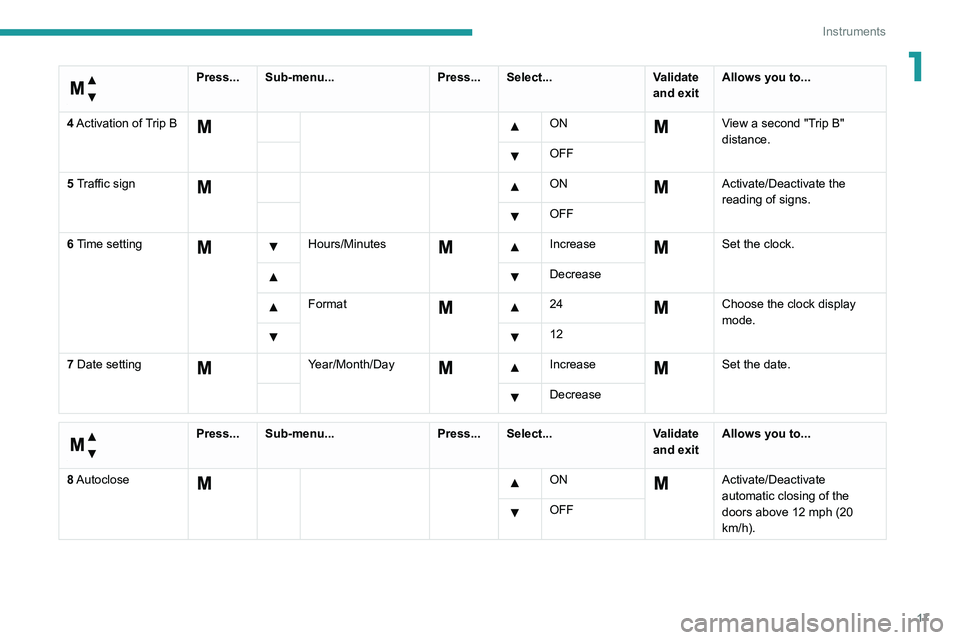
4 Activation of Trip B
ON View a second "Trip B"
distance.
OFF
5 Traffic sign
ON Activate/Deactivate the
reading of signs.
OFF
6 Time setting
Hours/Minutes Increase Set the clock.
Decrease
Format 24Choose the clock display
mode.
12
7 Date setting
Year/Month/Day Increase Set the date.
Decrease
Menu…
Press... Sub-menu... Press... Select...Validate
and exitAllows you to...
8 Autoclose
ON Activate/Deactivate
automatic closing of the
doors above 12 mph (20
km/h).
OFF
Page 20 of 212
18
Instruments
Menu…
Press... Sub-menu...Press... Select...Validate
and exitAllows you to...
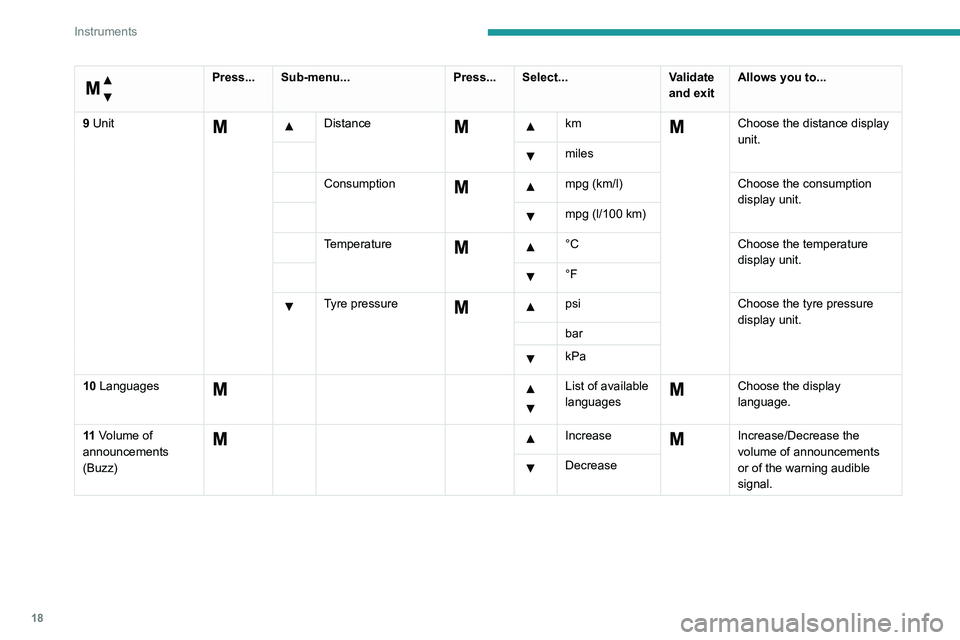
9 Unit
Distance km Choose the distance display
unit.
miles
Consumption
mpg (km/l)
Choose the consumption
display unit.
mpg (l/100 km)
Temperature
°C
Choose the temperature
display unit.
°F
Tyre pressure psiChoose the tyre pressure
display unit.
bar
kPa
10 Languages
List of available
languages Choose the display
language.
11 Volume of
announcements
(Buzz)
IncreaseIncrease/Decrease the
volume of announcements
or of the warning audible
signal.
Decrease
Page 21 of 212

19
Instruments
1
Menu…
Press... Sub-menu...Press... Select...Validate
and exitAllows you to...
12 Service
Service (miles/
km before
service) Display the remaining miles/
kilometres to be travelled
before the next service.
Oil change
(miles/km
before oil
change) Display the remaining miles/
kilometres to be travelled
before the next oil change.
13 Daytime running
lamps
ON Activate/Deactivate the
daytime running lamps.
OFF
14 Automatic main
beam headlamps
ON Activate/Deactivate
the
automatic main beam
headlamps.
OFF
15 Passenger airbag
(P BAG)
ON Ye s Activate/Deactivate
the
passenger airbag.
No
OFF Ye s Deactivate the passenger
airbag.
No
Page 23 of 212
21
Instruments
1Touch screen audio and telematics system
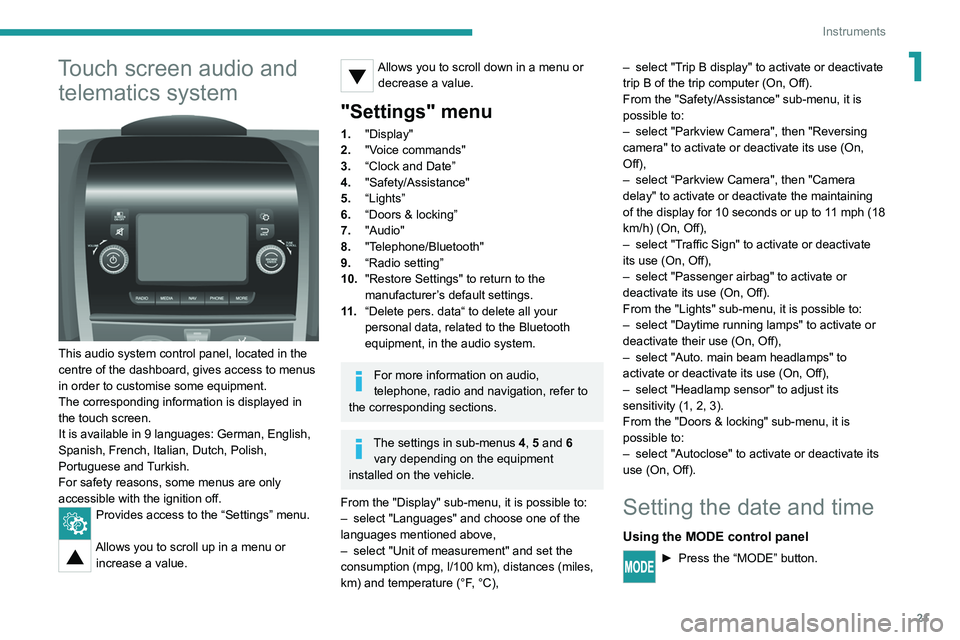
This audio system control panel, located in the
centre of the dashboard, gives access to menus
in order to customise some equipment.
The corresponding information is displayed in
the touch screen.
It is available in 9 languages: German, English,
Spanish, French, Italian, Dutch, Polish,
Portuguese and Turkish.
For safety reasons, some menus are only
accessible with the ignition off.
Provides access to the “Settings” menu.
Allows you to scroll up in a menu or
increase a value.
Allows you to scroll down in a menu or decrease a value.
"Settings" menu
1. "Display"
2. "Voice commands"
3. “Clock and Date”
4. "Safety/Assistance"
5. “Lights”
6. “Doors & locking”
7. "Audio"
8. "Telephone/Bluetooth"
9. “Radio setting”
10. "Restore Settings" to return to the
manufacturer’s default settings.
11 . “Delete pers. data“ to delete all your
personal data, related to the Bluetooth
equipment, in the audio system.
For more information on audio,
telephone, radio and navigation, refer to
the corresponding sections.
The settings in sub-menus 4, 5 and 6
vary depending on the equipment
installed on the vehicle.
From the "Display" sub-menu, it is possible to:
–
select "Languages" and choose one of the
languages mentioned above,
–
select "Unit of measurement" and set the
consumption (mpg, l/100 km), distances (miles,
km) and temperature (°F
, °C), –
select "T
rip B display" to activate or deactivate
trip B of the trip computer (On, Off).
From the "Safety/Assistance" sub-menu, it is
possible to:
–
select "Parkview Camera", then "Reversing
camera" to activate or deactivate its use (On,
Off),
–
select “Parkview Camera", then "Camera
delay" to activate or deactivate the maintaining
of the display for 10 seconds or up to 1
1 mph (18
km/h) (On, Off),
–
select "T
raffic Sign" to activate or deactivate
its use (On, Off),
–
select "Passenger airbag" to activate or
deactivate its use (On, Off).
From the "Lights" sub-menu, it is possible to:
–
select "Daytime running lamps" to activate or
deactivate their use (On, Off),
–
select "Auto. main beam headlamps" to
activate or deactivate its use (On, Off),
–
select "Headlamp sensor" to adjust its
sensitivity (1, 2, 3).
From the "Doors & locking" sub-menu, it is
possible to:
–
select "Autoclose" to activate or deactivate its
use (On, Off).
Setting the date and time
Using the MODE control panel
► Press the “MODE” button.
Page 24 of 212
22
Instruments
► Select the "Time setting" menu to set the time
and the clock format (24h or 12h) or select the
"Date setting" menu to set the day, month and
year.
For more information on Vehicle configuration
(MODE), refer to the corresponding section.
Using the touch screen audio and
telematics system
From the "Clock and Date" sub-menu:
► Select "T ime setting and format" to set the
hour, minutes and seconds and choose the
format (24h, 12h with am or pm).
►
Select "Date setting" to set the day
, month
and year.
To set the time manually, "Time Synchro" must be deactivated (Off).
Trip computer
Information displayed about the current journey
(range, current fuel consumption, average fuel
consumption, etc.).
This function is not available on electric vehicles.
► To access trip computer information, press
the TRIP button, located at the end of the wiper
control stalk.
Range
This indicates the distance which can still be
travelled with the fuel remaining in the tank,
depending on the average fuel consumption over
the last few miles (kilometres) travelled.
Distance A
This
indicates the distance travelled since the
last trip computer zero reset.
Average consumption A
This is the average fuel consumption since the
last trip computer zero reset.
Current consumption A
This is the average fuel consumption over the
last few seconds.
Average speed A
This is the average speed calculated since the
last trip computer zero reset (with the ignition
on).
Trip A duration
This
indicates the cumulative time since the last
trip computer zero reset.
If TRIP B is activated in the MODE menu:
– Distance B
– A verage consumption B
–
A
verage speed B
–
T
rip B duration
Tachograph
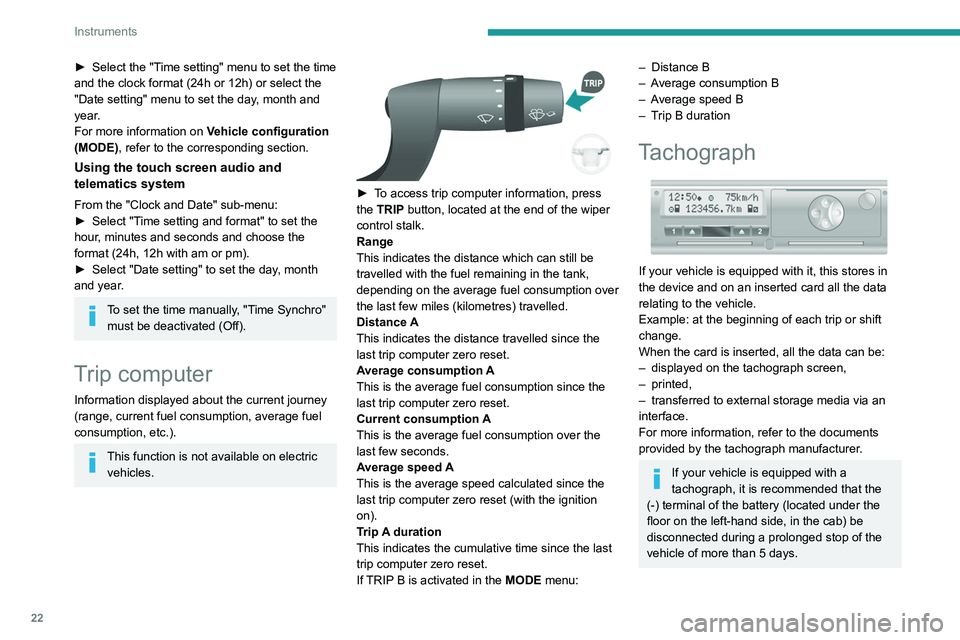
If your vehicle is equipped with it, this stores in
the device and on an inserted card all the data
relating to the vehicle.
Example: at the beginning of each trip or shift
change.
When the card is inserted, all the data can be:
–
displayed on the tachograph screen,
–
printed,
–
transferred to external storage media via an
interface.
For more information, refer to the documents
provided by the tachograph manufacturer
.
If your vehicle is equipped with a
tachograph, it is recommended that the
(-) terminal of the battery (located under the
floor on the left-hand side, in the cab) be
disconnected
during a prolonged stop of the
vehicle of more than 5 days.
Page 36 of 212
34
Ease of use and comfort
As a safety precaution, these operations should only be carried out while the
vehicle is stationary.
Mirrors
Door mirrors
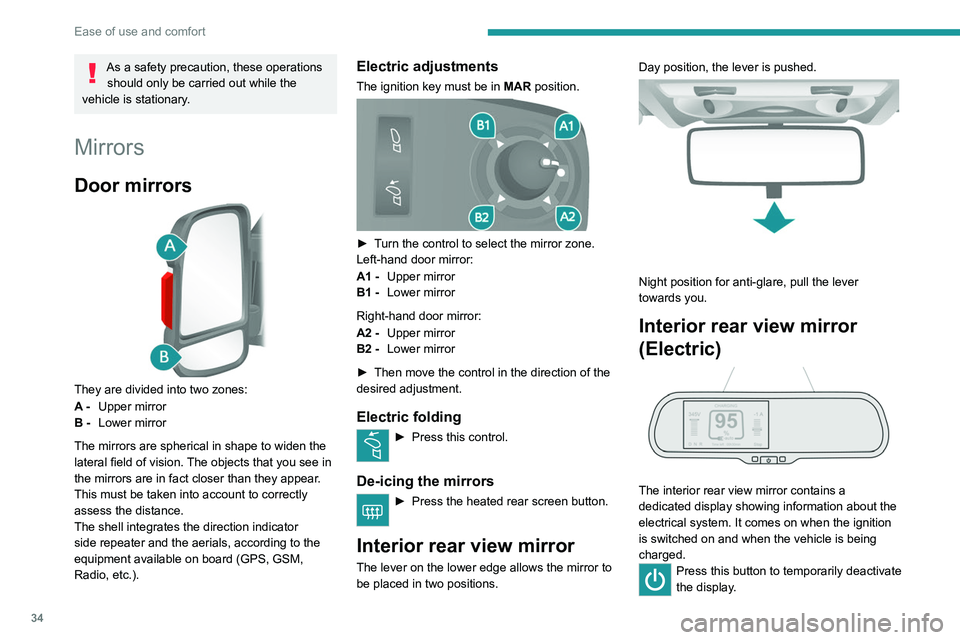
They are divided into two zones:
A - Upper mirror
B - Lower mirror
The mirrors are spherical in shape to widen the
lateral field of vision. The objects that you see in
the mirrors are in fact closer than they appear.
This must be taken into account to correctly
assess the distance.
The shell integrates the direction indicator
side repeater and the aerials, according to the
equipment available on board (GPS, GSM,
Radio, etc.).
Electric adjustments
The ignition key must be in MAR position.
► Turn the control to select the mirror zone.
Left-hand door mirror:
A1 -Upper mirror
B1 - Lower mirror
Right-hand door mirror:
A2 - Upper mirror
B2 - Lower mirror
►
Then move the control in the direction of the
desired adjustment.
Electric folding
► Press this control.
De-icing the mirrors
► Press the heated rear screen button.
Interior rear view mirror
The lever on the lower edge allows the mirror to
be placed in two positions. Day position, the lever is pushed.
Night position for anti-glare, pull the lever
towards you.
Interior rear view mirror
(Electric)
The interior rear view mirror contains a
dedicated display showing information about the
electrical system. It comes on when the ignition
is switched on and when the vehicle is being
charged.
Press this button to temporarily deactivate
the display .
Page 37 of 212
35
Ease of use and comfort
3The display is reactivated automatically every
time the ignition is switched on.
For more information on the Display integrated
into the rear view mirror, refer to the
corresponding section.
Heating and Ventilation
Advice
Using the ventilation and air
conditioning system
►
T
o ensure that air is distributed evenly,
keep the external air intake grilles at the base
of the windscreen, the nozzles, the vents, the
air outlets and the air extractor in the boot
free from obstructions.
►
Do not cover the sunshine sensor located
on the dashboard; this sensor is used to
regulate the automatic air conditioning
system.
►
Operate the air conditioning system for at
least 5 to 10 minutes once or twice a month to
keep it in good working order
.
►
If the system does not produce cold air
,
switch it off and contact a PEUGEOT dealer
or a qualified workshop.
When towing a large load on a steep gradient
in high temperatures, switching off the air
conditioning increases the available engine
power, enhancing the towing capacity.
Avoid driving for too long with the ventilation off or with prolonged operation
of interior air recirculation. Risk of misting and
deterioration of the air quality!
If the interior temperature is very high
after the vehicle has stood for a long
time in the sunshine, air the passenger
compartment for a few moments.
Put the air flow control at a setting high
enough to quickly change the air in the
passenger compartment.
Condensation created by the air
conditioning results in a discharge of
water underneath the vehicle. This is perfectly
normal.
Servicing the ventilation and air
conditioning system
►
Ensure that the passenger compartment
filter is in good condition and have the filter
elements replaced regularly
.
We recommend using a composite passenger
compartment filter. Its specific active additive
helps protect against polluting gases and bad
smells.
►
T
o ensure correct operation of the
air conditioning system, have it checked
according to the recommendations in the
Manufacturer’s service schedule.
Contains the fluorinated greenhouse
gas R134A
Depending on version and country of sale,
the air conditioning system may contain
fluorinated greenhouse gas R134A.
Stop & Start
The heating and air conditioning systems
only operate when the engine is running.
Temporarily deactivate the Stop & Start
system to maintain a comfortable temperature
in the passenger compartment.
For more information on the Stop & Start,
refer to the corresponding section.
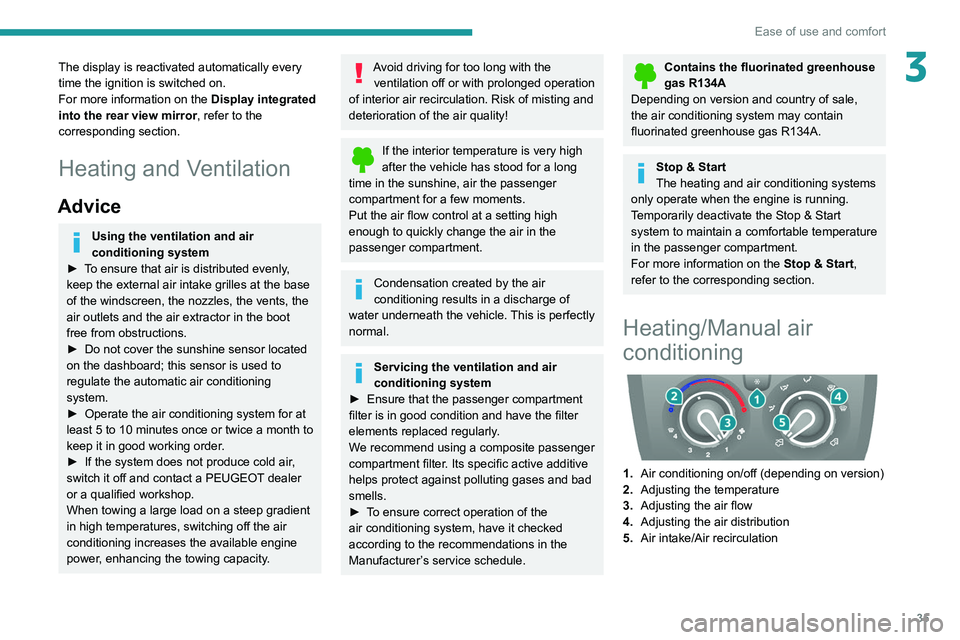
Heating/Manual air
conditioning
1. Air conditioning on/off (depending on version)
2. Adjusting the temperature
3. Adjusting the air flow
4. Adjusting the air distribution
5. Air intake/Air recirculation